

Use the OnResizeControl property to allow:
- resizing the list area when the control is resized ( by default )
- resizing the chart area when the control is resized
- displaying the resizing buttons on the vertical splitter to allow quickly hide/show the items/chart area.
- hiding the vertical splitter
You can also use the OnResizeControl property to prevent:
- resizing the list/chart using the control's splitter.
- resizing the chart's histogram.
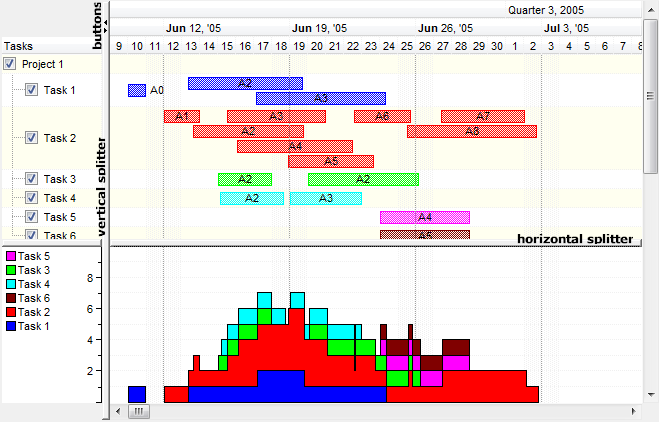
The following VB sample shows how can I disable the control's splitter so the user can't resize the chart area:
With G2antt1
	.OnResizeControl = exDisableSplitter
	.Chart.PaneWidth(1) = 60
End With
The following VB.NET sample shows how can I disable the control's splitter so the user can't resize the chart area:
With AxG2antt1
	.OnResizeControl = EXG2ANTTLib.OnResizeControlEnum.exDisableSplitter
	.Chart.PaneWidth(1) = 60
End With
The following C++ sample shows how can I disable the control's splitter so the user can't resize the chart area:
/*
	Copy and paste the following directives to your header file as
	it defines the namespace 'EXG2ANTTLib' for the library: 'ExG2antt 1.0 Control Library'

	#import <ExG2antt.dll>
	using namespace EXG2ANTTLib;
*/
EXG2ANTTLib::IG2anttPtr spG2antt1 = GetDlgItem(IDC_G2ANTT1)->GetControlUnknown();
spG2antt1->PutOnResizeControl(EXG2ANTTLib::exDisableSplitter);
spG2antt1->GetChart()->PutPaneWidth(1,60);
The following C# sample shows how can I disable the control's splitter so the user can't resize the chart area:
axG2antt1.OnResizeControl = EXG2ANTTLib.OnResizeControlEnum.exDisableSplitter;
axG2antt1.Chart.set_PaneWidth(1 != 0,60);
The following VFP sample shows how can I disable the control's splitter so the user can't resize the chart area:
with thisform.G2antt1
	.OnResizeControl = 128
	.Chart.PaneWidth(1) = 60
endwith