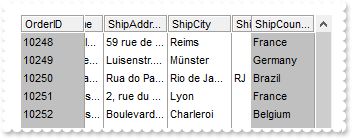
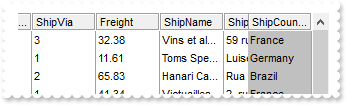
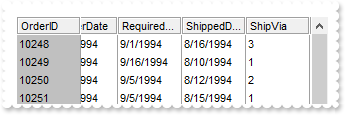
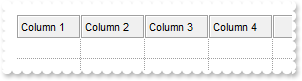
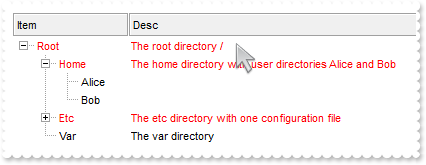
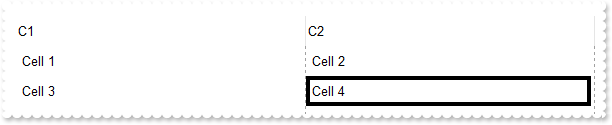
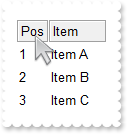
484. How can I apply the same ConditionalFormat on more than 1(one) column (multiple columns and not on item)
with thisform.Tree1
	.BeginUpdate
	with .ConditionalFormats.Add("1","K1")
		.BackColor = RGB(255,0,0)
		.ApplyTo = 1
	endwith
	with .ConditionalFormats.Add("1","K2")
		.BackColor = RGB(255,0,0)
		.ApplyTo = 2
	endwith
	.MarkSearchColumn = .F.
	.DrawGridLines = -2
	with .Columns
		.Add("Column 1")
		.Add("Column 2")
		.Add("Column 3")
	endwith
	with .Items
		.AddItem()
		.AddItem()
		.AddItem()
	endwith
	.EndUpdate
endwith
483. Is it possible to display empty strings for 0 values
with thisform.Tree1
	.Columns.Add("Currency").FormatColumn = "dbl(value) ? currency(dbl(value)) : ``"
	with .Items
		.AddItem(1.23)
		.AddItem(2.34)
		.AddItem(0)
		.AddItem(10000.99)
	endwith
endwith
482. Is it possible to display empty strings for 0 values
with thisform.Tree1
	.Columns.Add("Number")
	.Columns.Add("Currency").ComputedField = "%0 ? currency(%0) : ``"
	with .Items
		.AddItem(1.23)
		.AddItem(2.34)
		.AddItem(0)
		.AddItem(10000.99)
	endwith
endwith
481. How can I get the list of items as they are displayed
with thisform.Tree1
	.BeginUpdate
	.BackColorAlternate = RGB(240,240,240)
	.Columns.Add("Names")
	with .Items
		.AddItem("Mantel")
		.AddItem("Mechanik")
		.AddItem("Motor")
		.AddItem("Murks")
		.AddItem("Märchen")
		.AddItem("Möhren")
		.AddItem("Mühle")
	endwith
	.Columns.Item(0).SortOrder = 1
	.EndUpdate
	DEBUGOUT( .GetItems(1) )
endwith
480. Is posible to reduce the size of the picture to be shown in the column's caption
with thisform.Tree1
	.BeginUpdate
	.Object.HTMLPicture("pic1") = "c:\exontrol\images\zipdisk.gif"
	.HeaderHeight = 48
	.Columns.Add("DefaultSize").HTMLCaption = "Default-Size <img>pic1</img> Picture"
	.Columns.Add("CustomSize").HTMLCaption = "Custom-Size <img>pic1:16</img> Picture"
	.EndUpdate
endwith
479. How can I change the color, font, bold etc for the items/cells in the same column or for the entire column
with thisform.Tree1
	.BeginUpdate
	.MarkSearchColumn = .F.
	with .ConditionalFormats.Add("1")
		.Bold = .T.
		.ForeColor = RGB(255,0,0)
		.ApplyTo = 1
	endwith
	.Columns.Add("C1")
	with .Columns.Add("C2")
		.HeaderBold = .T.
		.HTMLCaption = "<fgcolor=FF0000>C2"
	endwith
	with .Items
		.CellCaption(.AddItem(10),1) = 11
		.CellCaption(.AddItem(12),1) = 13
	endwith
	.EndUpdate
endwith
478. The item is not getting selected when clicking the cell's checkbox. What should I do
*** CellStateChanged event - Fired after cell's state has been changed. ***
LPARAMETERS Item,ColIndex
	with thisform.Tree1
		.Items.SelectItem(Item) = .T.
	endwith

with thisform.Tree1
	.Columns.Add("Check").Def(0) = .T.
	with .Items
		.AddItem(0)
		.AddItem(1)
		.AddItem(2)
		.AddItem(3)
	endwith
endwith
477. Is it possible to limit the height of the item while resizing
*** AddItem event - Occurs after a new Item has been inserted to Items collection. ***
LPARAMETERS Item
	with thisform.Tree1
		.Items.ItemMinHeight(Item) = 18
		.Items.ItemMaxHeight(Item) = 72
	endwith

with thisform.Tree1
	.BeginUpdate
	.ItemsAllowSizing = -1
	.ScrollBySingleLine = .F.
	.BackColorAlternate = RGB(240,240,240)
	.Columns.Add("Names")
	with .Items
		.AddItem("Mantel")
		.AddItem("Mechanik")
		.AddItem("Motor")
		.AddItem("Murks")
		.AddItem("Märchen")
		.AddItem("Möhren")
		.AddItem("Mühle")
	endwith
	.Columns.Item(0).SortOrder = 1
	.EndUpdate
endwith
476. Is it possible to copy the hierarchy of the control using the GetItems method
with thisform.Tree1
	.LinesAtRoot = -1
	.Columns.Add("Def")
	with .Items
		h = .AddItem("Root")
		.InsertItem(h,0,"Child 1")
		.InsertItem(h,0,"Child 2")
	endwith
	.PutItems(.GetItems(-1))
endwith
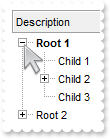
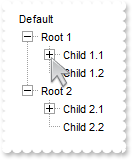
475. How can I show the child items with no identation
with thisform.Tree1
	.LinesAtRoot = 5
	.Indent = 12
	.HasLines = 2
	.Columns.Add("Default")
	with .Items
		h = .AddItem("Root 1")
		.InsertItem(h,0,"Child 1")
		.InsertItem(h,0,"Child 2")
		.InsertItem(h,0,"Child 3")
		.ExpandItem(h) = .T.
		h = .AddItem("Root 2")
		.InsertItem(h,0,"Child 1")
		.InsertItem(h,0,"Child 2")
		.InsertItem(h,0,"Child 3")
	endwith
endwith
474. Is there other ways of showing the hierarchy lines (exGroupLinesAtRoot)
with thisform.Tree1
	.LinesAtRoot = 1
	.Indent = 12
	.Columns.Add("Default")
	with .Items
		h = .AddItem("Root")
		.InsertItem(h,0,"Child 1")
		.InsertItem(h,0,"Child 2")
		.InsertItem(h,0,"Child 3")
		.ExpandItem(h) = .T.
	endwith
endwith
473. Is there other ways of showing the hierarchy lines (exGroupLinesOutside)
with thisform.Tree1
	.LinesAtRoot = 5
	.Indent = 12
	.Columns.Add("Default")
	with .Items
		h = .AddItem("Root 1")
		.InsertItem(h,0,"Child 1")
		.InsertItem(h,0,"Child 2")
		.InsertItem(h,0,"Child 3")
		.ExpandItem(h) = .T.
		h = .AddItem("Root 2")
		.InsertItem(h,0,"Child 1")
		.InsertItem(h,0,"Child 2")
		.InsertItem(h,0,"Child 3")
	endwith
endwith
472. Is there other ways of showing the hierarchy lines (exGroupLinesInsideLeaf)
with thisform.Tree1
	.LinesAtRoot = 4
	.Indent = 12
	.Columns.Add("Default")
	with .Items
		h = .AddItem("Root")
		.InsertItem(h,0,"Child 1")
		.InsertItem(h,0,"Child 2")
		.InsertItem(h,0,"Child 3")
		.ExpandItem(h) = .T.
	endwith
endwith
471. Is there other ways of showing the hierarchy lines (exGroupLinesInside)
with thisform.Tree1
	.LinesAtRoot = 3
	.Indent = 12
	.Columns.Add("Default")
	with .Items
		h = .AddItem("Root")
		.InsertItem(h,0,"Child 1")
		.InsertItem(h,0,"Child 2")
		.InsertItem(h,0,"Child 3")
		.ExpandItem(h) = .T.
	endwith
endwith
470. Is there other ways of showing the hierarchy lines (exGroupLines)
with thisform.Tree1
	.LinesAtRoot = 2
	.Indent = 12
	.Columns.Add("Default")
	with .Items
		h = .AddItem("Root")
		.InsertItem(h,0,"Child 1")
		.InsertItem(.InsertItem(h,0,"Child 2"),0,"SubChild 2")
		.InsertItem(h,0,"Child 3")
		.ExpandItem(h) = .T.
	endwith
endwith
469. Does your control supports multiple lines tooltip
with thisform.Tree1
	.Object.HTMLPicture("pic1") = "c:\exontrol\images\zipdisk.gif"
	.ToolTipDelay = 1
	var_s = "<br><font Tahoma;10>This</font> is a <b>multi-lines</b> tooltip assigned to a column. The toolti"
	var_s = var_s + "p supports built-in HTML tags, icons and pictures.<br><br><br><img>pic1</img> picture ... <br><b"
	var_s = var_s + "r>"
	.Columns.Add("tootip").ToolTip = var_s
endwith
468. How can I prevent highlighting the column from the cursor - point
with thisform.Tree1
	var_s = "gBFLBCJwBAEHhEJAEGg4BI0IQAAYAQGKIYBkAKBQAGaAoDDUOQzQwAAxDKKUEwsACEIrjKCYVgOHYYRrIMYgBCMJhLEoaZLh"
	var_s = var_s + "EZRQiqDYtRDFQBSDDcPw/EaRZohGaYJgEgI="
	.VisualAppearance.Add(1,var_s)
	.Object.Background(32) = 0x1000000
	.Columns.Add("S").Width = 32
	.Columns.Add("Level 1").LevelKey = 1
	.Columns.Add("Level 2").LevelKey = 1
	.Columns.Add("Level 3").LevelKey = 1
	.Columns.Add("E1").Width = 32
	.Columns.Add("E2").Width = 32
	.Columns.Add("E3").Width = 32
	.Columns.Add("E4").Width = 32
endwith
467. Is there any option to show the tooltip programmatically
*** MouseMove event - Occurs when the user moves the mouse. ***
LPARAMETERS Button,Shift,X,Y
	with thisform.Tree1
		.ShowToolTip(.ItemFromPoint(-1,-1,c,hit),"","8","8")
	endwith

with thisform.Tree1
	.BeginUpdate
	.Columns.Add("Def")
	with .Items
		.AddItem("Item 1")
		.AddItem("Item 2")
		.AddItem("Item 3")
	endwith
	.EndUpdate
endwith
466. Is it possible to prevent changing the rows/items colors by selection
with thisform.Tree1
	.SelBackMode = 1
	.Columns.Add("HTML").Def(17) = 1
	with .Items
		var_s = "<font ;12>T</font>his <b>is</b> an <a>html</a> <font Tahoma><fgcolor=FF0000>text</fgcolor></font"
		var_s = var_s + ">."
		.AddItem(var_s)
		var_s1 = "<font ;6>This</font> <b>is</b> another <a>html</a> <font Tahoma><fgcolor=FF0000>text</fgcolor></"
		var_s1 = var_s1 + "font>."
		.SelectItem(.AddItem(var_s1)) = .T.
	endwith
endwith
465. Is it possible to specify the cell's value but still want to display some formatted text instead the value
with thisform.Tree1
	.BeginUpdate
	.MarkSearchColumn = .F.
	.Columns.Add("Value")
	.Columns.Add("FormatCell")
	with .Items
		h = .AddItem(1)
		.CellCaption(h,1) = 12
		.FormatCell(h,1) = "currency(value)"
		h = .AddItem({^2001-1-1})
		.CellCaption(h,1) = {^2001-1-1}
		.CellCaptionFormat(h,1) = 1
		.FormatCell(h,1) = "longdate(value) replace '2001' with '<b>2001</b>'"
	endwith
	.EndUpdate
endwith
464. How can I simulate displaying groups
with thisform.Tree1
	.BeginUpdate
	.HasLines = 0
	.ScrollBySingleLine = .T.
	.MarkSearchColumn = .F.
	with .Columns
		.Add("Name")
		.Add("A")
		.Add("B")
		.Add("C")
	endwith
	with .Items
		h = .AddItem("Group 1")
		.CellHAlignment(h,0) = 1
		.ItemDivider(h) = 0
		.ItemDividerLineAlignment(h) = 3
		.ItemHeight(h) = 24
		.SortableItem(h) = .F.
		h1 = .InsertItem(h,0,"Child 1")
		.CellCaption(h1,1) = 1
		.CellCaption(h1,2) = 2
		.CellCaption(h1,3) = 3
		h1 = .InsertItem(h,0,"Child 2")
		.CellCaption(h1,1) = 4
		.CellCaption(h1,2) = 5
		.CellCaption(h1,3) = 6
		.ExpandItem(h) = .T.
		h = .AddItem("Group 2")
		.CellHAlignment(h,0) = 1
		.ItemDivider(h) = 0
		.ItemDividerLineAlignment(h) = 3
		.ItemHeight(h) = 24
		.SortableItem(h) = .F.
		h1 = .InsertItem(h,0,"Child 1")
		.CellCaption(h1,1) = 1
		.CellCaption(h1,2) = 2
		.CellCaption(h1,3) = 3
		h1 = .InsertItem(h,0,"Child 2")
		.CellCaption(h1,1) = 4
		.CellCaption(h1,2) = 5
		.CellCaption(h1,3) = 6
		.ExpandItem(h) = .T.
	endwith
	.EndUpdate
endwith
463. How can I collapse all items
with thisform.Tree1
	.BeginUpdate
	.LinesAtRoot = -1
	.Columns.Add("Items")
	with .Items
		h = .AddItem("Root 1")
		.InsertItem(h,0,"Child 1")
		.InsertItem(h,0,"Child 2")
		h = .AddItem("Root 2")
		.InsertItem(h,0,"Child 1")
		.InsertItem(h,0,"Child 2")
		.ExpandItem(0) = .F.
	endwith
	.EndUpdate
endwith
462. How can I expand all items
with thisform.Tree1
	.BeginUpdate
	.LinesAtRoot = -1
	.Columns.Add("Items")
	with .Items
		h = .AddItem("Root 1")
		.InsertItem(h,0,"Child 1")
		.InsertItem(h,0,"Child 2")
		h = .AddItem("Root 2")
		.InsertItem(h,0,"Child 1")
		.InsertItem(h,0,"Child 2")
		.ExpandItem(0) = .T.
	endwith
	.EndUpdate
endwith
461. Can I use PNG images to display pictures in the control
with thisform.Tree1
	.Object.HTMLPicture("pic1") = "c:\exontrol\images\card.png"
	.HeaderHeight = 48
	.Columns.Add("ColumnName").HTMLCaption = "<b>HTML</b> Column <img>pic1</img> Picture"
endwith
460. Is it possible to move an item from a parent to another
with thisform.Tree1
	.BeginUpdate
	.LinesAtRoot = -1
	.Columns.Add("Items")
	with .Items
		.AddItem("A")
		.AddItem("B")
		.InsertItem(.AddItem("C"),"","D")
		.SetParent(.FindItem("D",0),.FindItem("A",0))
	endwith
	.EndUpdate
endwith
459. How can I change the identation for an item
with thisform.Tree1
	.BeginUpdate
	.LinesAtRoot = -1
	.Columns.Add("Items")
	with .Items
		.AddItem("A")
		.AddItem("B")
		.InsertItem(.AddItem("C"),"","D")
		.SetParent(.FindItem("D",0),0)
	endwith
	.EndUpdate
endwith
458. How can I filter programatically using more columns
with thisform.Tree1
	.BeginUpdate
	.MarkSearchColumn = .F.
	with .Columns
		.Add("Car")
		.Add("Equipment")
	endwith
	with .Items
		.CellCaption(.AddItem("Mazda"),1) = "Air Bag"
		.CellCaption(.AddItem("Toyota"),1) = "Air Bag,Air condition"
		.CellCaption(.AddItem("Ford"),1) = "Air condition"
		.CellCaption(.AddItem("Nissan"),1) = "Air Bag,ABS,ESP"
		.CellCaption(.AddItem("Mazda"),1) = "Air Bag, ABS,ESP"
		.CellCaption(.AddItem("Mazda"),1) = "ABS,ESP"
	endwith
	with .Columns.Item("Car")
		.FilterType = 240
		.Filter = "Mazda"
	endwith
	with .Columns.Item("Equipment")
		.FilterType = 3
		.Filter = "*ABS*|*ESP*"
	endwith
	.ApplyFilter
	.EndUpdate
endwith
457. Is it possible to colour a particular column, I mean the cell's foreground color
with thisform.Tree1
	.BeginUpdate
	with .ConditionalFormats.Add("1")
		.ForeColor = RGB(255,0,0)
		.ApplyTo = 1
	endwith
	.MarkSearchColumn = .F.
	with .Columns
		.Add("Column 1")
		.Add("Column 2")
	endwith
	with .Items
		.CellCaption(.AddItem(0),1) = 1
		.CellCaption(.AddItem(2),1) = 3
		.CellCaption(.AddItem(4),1) = 5
	endwith
	.EndUpdate
endwith
456. Is it possible to colour a particular column for specified values
with thisform.Tree1
	.BeginUpdate
	with .ConditionalFormats.Add("int(%1) in (3,4,5)")
		.BackColor = RGB(255,0,0)
		.ApplyTo = 1
	endwith
	.MarkSearchColumn = .F.
	with .Columns
		.Add("Column 1")
		.Add("Column 2")
	endwith
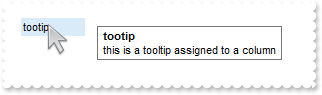
	with .Items
		.CellCaption(.AddItem(0),1) = 1
		.CellCaption(.AddItem(2),1) = 3
		.CellCaption(.AddItem(4),1) = 5
	endwith
	.EndUpdate
endwith
455. Is it possible to colour a particular column
with thisform.Tree1
	.BeginUpdate
	.MarkSearchColumn = .F.
	with .Columns
		.Add("Column 1")
		.Add("Column 2").Def(4) = 255
	endwith
	with .Items
		.CellCaption(.AddItem(0),1) = 1
		.CellCaption(.AddItem(2),1) = 3
		.CellCaption(.AddItem(4),1) = 5
	endwith
	.EndUpdate
endwith
454. How do i get all the children items that are under a certain parent Item handle
with thisform.Tree1
	.BeginUpdate
	.LinesAtRoot = -1
	.Columns.Add("P")
	with .Items
		h = .AddItem("Root")
		.InsertItem(h,0,"Child 1")
		.InsertItem(h,0,"Child 2")
		.ExpandItem(h) = .T.
	endwith
	with .Items
		hChild = .ItemChild(.FirstVisibleItem)
		DEBUGOUT( .CellCaption(hChild,0) )
		DEBUGOUT( .CellCaption(.NextSiblingItem(hChild),0) )
	endwith
	.EndUpdate
endwith
453. How can I get the caption of focused item
*** SelectionChanged event - Fired after a new item has been selected. ***
LPARAMETERS nop
	with thisform.Tree1
		with .Items
			DEBUGOUT( "Handle" )
			DEBUGOUT( .FocusItem )
			DEBUGOUT( "Caption" )
			DEBUGOUT( .CellCaption(.FocusItem,0) )
		endwith
	endwith

with thisform.Tree1
	.BeginUpdate
	.LinesAtRoot = -1
	.Columns.Add("Items")
	with .Items
		h = .AddItem("R1")
		.InsertItem(h,0,"Cell 1.1")
		.InsertItem(h,0,"Cell 1.2")
		.ExpandItem(h) = .T.
		h = .AddItem("R2")
		.InsertItem(h,0,"Cell 2.1")
		.InsertItem(h,0,"Cell 2.2")
		.ExpandItem(h) = .T.
	endwith
	.EndUpdate
endwith
452. How can I get the caption of selected item
*** SelectionChanged event - Fired after a new item has been selected. ***
LPARAMETERS nop
	with thisform.Tree1
		with .Items
			DEBUGOUT( "Handle" )
			DEBUGOUT( .SelectedItem(0) )
			DEBUGOUT( "Caption" )
			DEBUGOUT( .CellCaption(.SelectedItem(0),0) )
		endwith
	endwith

with thisform.Tree1
	.BeginUpdate
	.LinesAtRoot = -1
	.Columns.Add("Items")
	with .Items
		h = .AddItem("R1")
		.InsertItem(h,0,"Cell 1.1")
		.InsertItem(h,0,"Cell 1.2")
		.ExpandItem(h) = .T.
		h = .AddItem("R2")
		.InsertItem(h,0,"Cell 2.1")
		.InsertItem(h,0,"Cell 2.2")
		.ExpandItem(h) = .T.
	endwith
	.EndUpdate
endwith
451. Can I display the cell's check box after the text
with thisform.Tree1
	with .Columns.Add("Column")
		.Def(0) = .T.
		.Def(34) = "caption,check"
	endwith
	with .Items
		.CellHasCheckBox(.AddItem("Caption 1"),0) = .T.
		.CellHasCheckBox(.AddItem("Caption 2"),0) = .T.
	endwith
endwith
450. Can I change the order of the parts in the cell, as checkbox after the text, and so on
with thisform.Tree1
	var_s = "gBJJgBAIDAAGAAEAAQhYAf8Pf4hh0QihCJo2AEZjQAjEZFEaIEaEEaAIAkcbk0olUrlktl0vmExmUzmk1m03nE5nU7nk9n0/"
	var_s = var_s + "oFBoVDolFo1HpFJpVLplNp1PqFRqVTqlVq1XrFZrVbrldr1fsFhsVjslls1ntFptVrtltt1vuFxuVzul1u13vF5vV7vl9v1/"
	var_s = var_s + "wGBwWDwmFw2HxGJxWLxmNx0xiFdyOTh8Tf9ZymXx+QytcyNgz8r0OblWjyWds+m0ka1Vf1ta1+r1mos2xrG2xeZ0+a0W0qOx"
	var_s = var_s + "3GO4NV3WeyvD2XJ5XL5nN51aiw+lfSj0gkUkAEllHanHI5j/cHg8EZf7w8vl8j4f/qfEZeB09/vjLAB30+kZQAP/P5/H6/yN"
	var_s = var_s + "AOAEAwCjMBwFAEDwJBMDwLBYAP2/8Hv8/gAGAD8LQs9w/nhDY/oygIA="
	.Images(var_s)
	.Columns.Add("Column").Def(34) = "caption,check,icon,icons,picture"
	with .Items
		h = .AddItem("Text")
		.CellImage(h,0) = 1
		.CellHasCheckBox(h,0) = .T.
	endwith
endwith
449. Can I have an image displayed after the text. Can I get that effect without using HTML content
with thisform.Tree1
	var_s = "gBJJgBAIDAAGAAEAAQhYAf8Pf4hh0QihCJo2AEZjQAjEZFEaIEaEEaAIAkcbk0olUrlktl0vmExmUzmk1m03nE5nU7nk9n0/"
	var_s = var_s + "oFBoVDolFo1HpFJpVLplNp1PqFRqVTqlVq1XrFZrVbrldr1fsFhsVjslls1ntFptVrtltt1vuFxuVzul1u13vF5vV7vl9v1/"
	var_s = var_s + "wGBwWDwmFw2HxGJxWLxmNx0xiFdyOTh8Tf9ZymXx+QytcyNgz8r0OblWjyWds+m0ka1Vf1ta1+r1mos2xrG2xeZ0+a0W0qOx"
	var_s = var_s + "3GO4NV3WeyvD2XJ5XL5nN51aiw+lfSj0gkUkAEllHanHI5j/cHg8EZf7w8vl8j4f/qfEZeB09/vjLAB30+kZQAP/P5/H6/yN"
	var_s = var_s + "AOAEAwCjMBwFAEDwJBMDwLBYAP2/8Hv8/gAGAD8LQs9w/nhDY/oygIA="
	.Images(var_s)
	.Columns.Add("Column").Def(34) = "caption,icon,check,icons,picture"
	with .Items
		h = .AddItem("Text")
		.CellImage(h,0) = 1
	endwith
endwith
448. Does your control support RightToLeft property for RTL languages or right to left
with thisform.Tree1
	.BeginUpdate
	.ScrollBars = 15
	.LinesAtRoot = -1
	with .Columns.Add("P1")
		.Def(0) = .T.
		.PartialCheck = .T.
	endwith
	with .Items
		h = .AddItem("Root")
		.InsertItem(h,0,"Child 1")
		.InsertItem(h,0,"Child 2")
		.ExpandItem(h) = .T.
	endwith
	.RightToLeft = .T.
	.EndUpdate
endwith
447. Is there any way to display the vertical scroll bar on the left side, as I want to align my data to the right
with thisform.Tree1
	.BeginUpdate
	.ScrollBars = 15
	with .Columns
		.Add("C1")
		.Add("C2")
		.Add("C3")
		.Add("C4")
		.Add("C5")
		.Add("C6")
		.Add("C7")
		.Add("C8")
	endwith
	.RightToLeft = .T.
	.EndUpdate
endwith
446. How can I use the CASE statement (CASE usage)
with thisform.Tree1
	.BeginUpdate
	.Columns.Add("Value").Width = 24
	with .Columns.Add("CASE - statment")
		var_s = "%0 case (default:'not found';1:%0;2:2*%0;3:3*%0;4:4*%0;5:5*%0;7:'Seven';8:'Eight';9:'Nine';11:'E"
		var_s = var_s + "leven';13:'Thirtheen';14:'Fourtheen')"
		.ComputedField = var_s
		.ToolTip = .ComputedField
	endwith
	with .Items
		.AddItem(0)
		.AddItem(1)
		.AddItem(2)
	endwith
	.EndUpdate
endwith
445. How can I use the CASE statement (CASE usage)
with thisform.Tree1
	.BeginUpdate
	.Columns.Add("Value").Width = 24
	with .Columns.Add("CASE - statment")
		var_s = "%0 case (default:'not found';1:'One';2:'Two';3:'Three';4:'Four';5:'Five';7:'Seven';8:'Eight';9:'"
		var_s = var_s + "Nine';11:'Eleven';13:'Thirtheen';14:'Fourtheen')"
		.ComputedField = var_s
		.ToolTip = .ComputedField
	endwith
	with .Items
		.AddItem(0)
		.AddItem(1)
		.AddItem(2)
	endwith
	.EndUpdate
endwith
444. I have seen the IN function but it returns -1 or 0. How can I display the value being found ( SWITCH usage )
with thisform.Tree1
	.BeginUpdate
	.Columns.Add("Value").Width = 24
	with .Columns.Add("SWITCH - statment")
		.ComputedField = "%0 switch ('not found', 1,2,3,4,5,7,8,9,11,13,14)"
		.ToolTip = .ComputedField
	endwith
	with .Items
		.AddItem(0)
		.AddItem(1)
		.AddItem(2)
	endwith
	.EndUpdate
endwith
443. I have a large collection of constant values and using or operator is a time consuming (IN usage). Is there any way to increase the speed to check if a value maches the collection
with thisform.Tree1
	.BeginUpdate
	.Columns.Add("Value").Width = 24
	with .Columns.Add("IN - statment")
		.ComputedField = "%0 in (1,2,3,4,5,7,8,9,11,13,14) ? 'found' : ''"
		.ToolTip = .ComputedField
	endwith
	with .Items
		.AddItem(0)
		.AddItem(1)
		.AddItem(2)
	endwith
	.EndUpdate
endwith
442. Is is possible to use HTML tags to display in the filter caption
with thisform.Tree1
	.BeginUpdate
	.FilterBarPromptVisible = .T.
	.FilterBarCaption = "This is a bit of text being displayed in the filter bar."
	.Columns.Add("")
	with .Items
		.AddItem("Item 1")
		.AddItem("Item 2")
		.AddItem("Item 3")
	endwith
	.EndUpdate
endwith
441. How can I find the number of items after filtering
with thisform.Tree1
	.BeginUpdate
	.Columns.Add("")
	with .Items
		h = .AddItem("")
		.CellCaption(h,0) = .VisibleItemCount
	endwith
	.EndUpdate
endwith
440. How can I change the filter caption
with thisform.Tree1
	.BeginUpdate
	.ColumnAutoResize = .T.
	.ContinueColumnScroll = 0
	.MarkSearchColumn = .F.
	.SearchColumnIndex = 1
	.FilterBarPromptVisible = .T.
	.FilterBarPromptType = 12801
	.FilterBarPromptPattern = "london robert"
	.FilterBarCaption = "<r>Found: ... "
	with .Columns
		.Add("Name").Width = 96
		.Add("Title").Width = 96
		.Add("City")
	endwith
	with .Items
		h0 = .AddItem("Nancy Davolio")
		.CellCaption(h0,1) = "Sales Representative"
		.CellCaption(h0,2) = "Seattle"
		h0 = .AddItem("Andrew Fuller")
		.CellCaption(h0,1) = "Vice President, Sales"
		.CellCaption(h0,2) = "Tacoma"
		.SelectItem(h0) = .T.
		h0 = .AddItem("Janet Leverling")
		.CellCaption(h0,1) = "Sales Representative"
		.CellCaption(h0,2) = "Kirkland"
		h0 = .AddItem("Margaret Peacock")
		.CellCaption(h0,1) = "Sales Representative"
		.CellCaption(h0,2) = "Redmond"
		h0 = .AddItem("Steven Buchanan")
		.CellCaption(h0,1) = "Sales Manager"
		.CellCaption(h0,2) = "London"
		h0 = .AddItem("Michael Suyama")
		.CellCaption(h0,1) = "Sales Representative"
		.CellCaption(h0,2) = "London"
		h0 = .AddItem("Robert King")
		.CellCaption(h0,1) = "Sales Representative"
		.CellCaption(h0,2) = "London"
		h0 = .AddItem("Laura Callahan")
		.CellCaption(h0,1) = "Inside Sales Coordinator"
		.CellCaption(h0,2) = "Seattle"
		h0 = .AddItem("Anne Dodsworth")
		.CellCaption(h0,1) = "Sales Representative"
		.CellCaption(h0,2) = "London"
	endwith
	.EndUpdate
endwith
439. While using the filter prompt is it is possible to use wild characters
with thisform.Tree1
	.BeginUpdate
	.ColumnAutoResize = .T.
	.ContinueColumnScroll = 0
	.MarkSearchColumn = .F.
	.SearchColumnIndex = 1
	.FilterBarPromptVisible = .T.
	.FilterBarPromptType = 16
	.FilterBarPromptPattern = "lon* seat*"
	with .Columns
		.Add("Name").Width = 96
		.Add("Title").Width = 96
		.Add("City")
	endwith
	with .Items
		h0 = .AddItem("Nancy Davolio")
		.CellCaption(h0,1) = "Sales Representative"
		.CellCaption(h0,2) = "Seattle"
		h0 = .AddItem("Andrew Fuller")
		.CellCaption(h0,1) = "Vice President, Sales"
		.CellCaption(h0,2) = "Tacoma"
		.SelectItem(h0) = .T.
		h0 = .AddItem("Janet Leverling")
		.CellCaption(h0,1) = "Sales Representative"
		.CellCaption(h0,2) = "Kirkland"
		h0 = .AddItem("Margaret Peacock")
		.CellCaption(h0,1) = "Sales Representative"
		.CellCaption(h0,2) = "Redmond"
		h0 = .AddItem("Steven Buchanan")
		.CellCaption(h0,1) = "Sales Manager"
		.CellCaption(h0,2) = "London"
		h0 = .AddItem("Michael Suyama")
		.CellCaption(h0,1) = "Sales Representative"
		.CellCaption(h0,2) = "London"
		h0 = .AddItem("Robert King")
		.CellCaption(h0,1) = "Sales Representative"
		.CellCaption(h0,2) = "London"
		h0 = .AddItem("Laura Callahan")
		.CellCaption(h0,1) = "Inside Sales Coordinator"
		.CellCaption(h0,2) = "Seattle"
		h0 = .AddItem("Anne Dodsworth")
		.CellCaption(h0,1) = "Sales Representative"
		.CellCaption(h0,2) = "London"
	endwith
	.EndUpdate
endwith
438. How can I list all items that contains any of specified words, not necessary at the beggining
with thisform.Tree1
	.BeginUpdate
	.ColumnAutoResize = .T.
	.ContinueColumnScroll = 0
	.MarkSearchColumn = .F.
	.SearchColumnIndex = 1
	.FilterBarPromptVisible = .T.
	.FilterBarPromptType = 4610
	.FilterBarPromptPattern = "london davolio"
	with .Columns
		.Add("Name").Width = 96
		.Add("Title").Width = 96
		.Add("City")
	endwith
	with .Items
		h0 = .AddItem("Nancy Davolio")
		.CellCaption(h0,1) = "Sales Representative"
		.CellCaption(h0,2) = "Seattle"
		h0 = .AddItem("Andrew Fuller")
		.CellCaption(h0,1) = "Vice President, Sales"
		.CellCaption(h0,2) = "Tacoma"
		.SelectItem(h0) = .T.
		h0 = .AddItem("Janet Leverling")
		.CellCaption(h0,1) = "Sales Representative"
		.CellCaption(h0,2) = "Kirkland"
		h0 = .AddItem("Margaret Peacock")
		.CellCaption(h0,1) = "Sales Representative"
		.CellCaption(h0,2) = "Redmond"
		h0 = .AddItem("Steven Buchanan")
		.CellCaption(h0,1) = "Sales Manager"
		.CellCaption(h0,2) = "London"
		h0 = .AddItem("Michael Suyama")
		.CellCaption(h0,1) = "Sales Representative"
		.CellCaption(h0,2) = "London"
		h0 = .AddItem("Robert King")
		.CellCaption(h0,1) = "Sales Representative"
		.CellCaption(h0,2) = "London"
		h0 = .AddItem("Laura Callahan")
		.CellCaption(h0,1) = "Inside Sales Coordinator"
		.CellCaption(h0,2) = "Seattle"
		h0 = .AddItem("Anne Dodsworth")
		.CellCaption(h0,1) = "Sales Representative"
		.CellCaption(h0,2) = "London"
	endwith
	.EndUpdate
endwith
437. How can I list all items that contains any of specified words, not strings
with thisform.Tree1
	.BeginUpdate
	.ColumnAutoResize = .T.
	.ContinueColumnScroll = 0
	.MarkSearchColumn = .F.
	.SearchColumnIndex = 1
	.FilterBarPromptVisible = .T.
	.FilterBarPromptType = 12802
	.FilterBarPromptPattern = "london nancy"
	with .Columns
		.Add("Name").Width = 96
		.Add("Title").Width = 96
		.Add("City")
	endwith
	with .Items
		h0 = .AddItem("Nancy Davolio")
		.CellCaption(h0,1) = "Sales Representative"
		.CellCaption(h0,2) = "Seattle"
		h0 = .AddItem("Andrew Fuller")
		.CellCaption(h0,1) = "Vice President, Sales"
		.CellCaption(h0,2) = "Tacoma"
		.SelectItem(h0) = .T.
		h0 = .AddItem("Janet Leverling")
		.CellCaption(h0,1) = "Sales Representative"
		.CellCaption(h0,2) = "Kirkland"
		h0 = .AddItem("Margaret Peacock")
		.CellCaption(h0,1) = "Sales Representative"
		.CellCaption(h0,2) = "Redmond"
		h0 = .AddItem("Steven Buchanan")
		.CellCaption(h0,1) = "Sales Manager"
		.CellCaption(h0,2) = "London"
		h0 = .AddItem("Michael Suyama")
		.CellCaption(h0,1) = "Sales Representative"
		.CellCaption(h0,2) = "London"
		h0 = .AddItem("Robert King")
		.CellCaption(h0,1) = "Sales Representative"
		.CellCaption(h0,2) = "London"
		h0 = .AddItem("Laura Callahan")
		.CellCaption(h0,1) = "Inside Sales Coordinator"
		.CellCaption(h0,2) = "Seattle"
		h0 = .AddItem("Anne Dodsworth")
		.CellCaption(h0,1) = "Sales Representative"
		.CellCaption(h0,2) = "London"
	endwith
	.EndUpdate
endwith
436. How can I list all items that contains all specified words, not strings
with thisform.Tree1
	.BeginUpdate
	.ColumnAutoResize = .T.
	.ContinueColumnScroll = 0
	.MarkSearchColumn = .F.
	.SearchColumnIndex = 1
	.FilterBarPromptVisible = .T.
	.FilterBarPromptType = 12801
	.FilterBarPromptPattern = "london robert"
	with .Columns
		.Add("Name").Width = 96
		.Add("Title").Width = 96
		.Add("City")
	endwith
	with .Items
		h0 = .AddItem("Nancy Davolio")
		.CellCaption(h0,1) = "Sales Representative"
		.CellCaption(h0,2) = "Seattle"
		h0 = .AddItem("Andrew Fuller")
		.CellCaption(h0,1) = "Vice President, Sales"
		.CellCaption(h0,2) = "Tacoma"
		.SelectItem(h0) = .T.
		h0 = .AddItem("Janet Leverling")
		.CellCaption(h0,1) = "Sales Representative"
		.CellCaption(h0,2) = "Kirkland"
		h0 = .AddItem("Margaret Peacock")
		.CellCaption(h0,1) = "Sales Representative"
		.CellCaption(h0,2) = "Redmond"
		h0 = .AddItem("Steven Buchanan")
		.CellCaption(h0,1) = "Sales Manager"
		.CellCaption(h0,2) = "London"
		h0 = .AddItem("Michael Suyama")
		.CellCaption(h0,1) = "Sales Representative"
		.CellCaption(h0,2) = "London"
		h0 = .AddItem("Robert King")
		.CellCaption(h0,1) = "Sales Representative"
		.CellCaption(h0,2) = "London"
		h0 = .AddItem("Laura Callahan")
		.CellCaption(h0,1) = "Inside Sales Coordinator"
		.CellCaption(h0,2) = "Seattle"
		h0 = .AddItem("Anne Dodsworth")
		.CellCaption(h0,1) = "Sales Representative"
		.CellCaption(h0,2) = "London"
	endwith
	.EndUpdate
endwith
435. I've noticed that the filtering by prompt is not case sensitive, is is possible to make it case sensitive
with thisform.Tree1
	.BeginUpdate
	.ColumnAutoResize = .T.
	.ContinueColumnScroll = 0
	.MarkSearchColumn = .F.
	.SearchColumnIndex = 1
	.FilterBarPromptVisible = .T.
	.FilterBarPromptType = 258
	.FilterBarPromptPattern = "Anne"
	with .Columns
		.Add("Name").Width = 96
		.Add("Title").Width = 96
		.Add("City")
	endwith
	with .Items
		h0 = .AddItem("Nancy Davolio")
		.CellCaption(h0,1) = "Sales Representative"
		.CellCaption(h0,2) = "Seattle"
		h0 = .AddItem("Andrew Fuller")
		.CellCaption(h0,1) = "Vice President, Sales"
		.CellCaption(h0,2) = "Tacoma"
		.SelectItem(h0) = .T.
		h0 = .AddItem("Janet Leverling")
		.CellCaption(h0,1) = "Sales Representative"
		.CellCaption(h0,2) = "Kirkland"
		h0 = .AddItem("Margaret Peacock")
		.CellCaption(h0,1) = "Sales Representative"
		.CellCaption(h0,2) = "Redmond"
		h0 = .AddItem("Steven Buchanan")
		.CellCaption(h0,1) = "Sales Manager"
		.CellCaption(h0,2) = "London"
		h0 = .AddItem("Michael Suyama")
		.CellCaption(h0,1) = "Sales Representative"
		.CellCaption(h0,2) = "London"
		h0 = .AddItem("Robert King")
		.CellCaption(h0,1) = "Sales Representative"
		.CellCaption(h0,2) = "London"
		h0 = .AddItem("Laura Callahan")
		.CellCaption(h0,1) = "Inside Sales Coordinator"
		.CellCaption(h0,2) = "Seattle"
		h0 = .AddItem("Anne Dodsworth")
		.CellCaption(h0,1) = "Sales Representative"
		.CellCaption(h0,2) = "London"
	endwith
	.EndUpdate
endwith
434. Is it possible to list only items that ends with any of specified strings
with thisform.Tree1
	.BeginUpdate
	.ColumnAutoResize = .T.
	.ContinueColumnScroll = 0
	.MarkSearchColumn = .F.
	.SearchColumnIndex = 1
	.FilterBarPromptVisible = .T.
	.FilterBarPromptType = 4
	.FilterBarPromptColumns = "0"
	.FilterBarPromptPattern = "Fuller"
	with .Columns
		.Add("Name").Width = 96
		.Add("Title").Width = 96
		.Add("City")
	endwith
	with .Items
		h0 = .AddItem("Nancy Davolio")
		.CellCaption(h0,1) = "Sales Representative"
		.CellCaption(h0,2) = "Seattle"
		h0 = .AddItem("Andrew Fuller")
		.CellCaption(h0,1) = "Vice President, Sales"
		.CellCaption(h0,2) = "Tacoma"
		.SelectItem(h0) = .T.
		h0 = .AddItem("Janet Leverling")
		.CellCaption(h0,1) = "Sales Representative"
		.CellCaption(h0,2) = "Kirkland"
		h0 = .AddItem("Margaret Peacock")
		.CellCaption(h0,1) = "Sales Representative"
		.CellCaption(h0,2) = "Redmond"
		h0 = .AddItem("Steven Buchanan")
		.CellCaption(h0,1) = "Sales Manager"
		.CellCaption(h0,2) = "London"
		h0 = .AddItem("Michael Suyama")
		.CellCaption(h0,1) = "Sales Representative"
		.CellCaption(h0,2) = "London"
		h0 = .AddItem("Robert King")
		.CellCaption(h0,1) = "Sales Representative"
		.CellCaption(h0,2) = "London"
		h0 = .AddItem("Laura Callahan")
		.CellCaption(h0,1) = "Inside Sales Coordinator"
		.CellCaption(h0,2) = "Seattle"
		h0 = .AddItem("Anne Dodsworth")
		.CellCaption(h0,1) = "Sales Representative"
		.CellCaption(h0,2) = "London"
	endwith
	.EndUpdate
endwith
433. Is it possible to list only items that ends with any of specified strings
with thisform.Tree1
	.BeginUpdate
	.ColumnAutoResize = .T.
	.ContinueColumnScroll = 0
	.MarkSearchColumn = .F.
	.SearchColumnIndex = 1
	.FilterBarPromptVisible = .T.
	.FilterBarPromptType = 4
	.FilterBarPromptColumns = "0"
	.FilterBarPromptPattern = "Fuller"
	with .Columns
		.Add("Name").Width = 96
		.Add("Title").Width = 96
		.Add("City")
	endwith
	with .Items
		h0 = .AddItem("Nancy Davolio")
		.CellCaption(h0,1) = "Sales Representative"
		.CellCaption(h0,2) = "Seattle"
		h0 = .AddItem("Andrew Fuller")
		.CellCaption(h0,1) = "Vice President, Sales"
		.CellCaption(h0,2) = "Tacoma"
		.SelectItem(h0) = .T.
		h0 = .AddItem("Janet Leverling")
		.CellCaption(h0,1) = "Sales Representative"
		.CellCaption(h0,2) = "Kirkland"
		h0 = .AddItem("Margaret Peacock")
		.CellCaption(h0,1) = "Sales Representative"
		.CellCaption(h0,2) = "Redmond"
		h0 = .AddItem("Steven Buchanan")
		.CellCaption(h0,1) = "Sales Manager"
		.CellCaption(h0,2) = "London"
		h0 = .AddItem("Michael Suyama")
		.CellCaption(h0,1) = "Sales Representative"
		.CellCaption(h0,2) = "London"
		h0 = .AddItem("Robert King")
		.CellCaption(h0,1) = "Sales Representative"
		.CellCaption(h0,2) = "London"
		h0 = .AddItem("Laura Callahan")
		.CellCaption(h0,1) = "Inside Sales Coordinator"
		.CellCaption(h0,2) = "Seattle"
		h0 = .AddItem("Anne Dodsworth")
		.CellCaption(h0,1) = "Sales Representative"
		.CellCaption(h0,2) = "London"
	endwith
	.EndUpdate
endwith
432. Is it possible to list only items that starts with any of specified strings
with thisform.Tree1
	.BeginUpdate
	.ColumnAutoResize = .T.
	.ContinueColumnScroll = 0
	.MarkSearchColumn = .F.
	.SearchColumnIndex = 1
	.FilterBarPromptVisible = .T.
	.FilterBarPromptType = 3
	.FilterBarPromptColumns = "0"
	.FilterBarPromptPattern = "An M"
	with .Columns
		.Add("Name").Width = 96
		.Add("Title").Width = 96
		.Add("City")
	endwith
	with .Items
		h0 = .AddItem("Nancy Davolio")
		.CellCaption(h0,1) = "Sales Representative"
		.CellCaption(h0,2) = "Seattle"
		h0 = .AddItem("Andrew Fuller")
		.CellCaption(h0,1) = "Vice President, Sales"
		.CellCaption(h0,2) = "Tacoma"
		.SelectItem(h0) = .T.
		h0 = .AddItem("Janet Leverling")
		.CellCaption(h0,1) = "Sales Representative"
		.CellCaption(h0,2) = "Kirkland"
		h0 = .AddItem("Margaret Peacock")
		.CellCaption(h0,1) = "Sales Representative"
		.CellCaption(h0,2) = "Redmond"
		h0 = .AddItem("Steven Buchanan")
		.CellCaption(h0,1) = "Sales Manager"
		.CellCaption(h0,2) = "London"
		h0 = .AddItem("Michael Suyama")
		.CellCaption(h0,1) = "Sales Representative"
		.CellCaption(h0,2) = "London"
		h0 = .AddItem("Robert King")
		.CellCaption(h0,1) = "Sales Representative"
		.CellCaption(h0,2) = "London"
		h0 = .AddItem("Laura Callahan")
		.CellCaption(h0,1) = "Inside Sales Coordinator"
		.CellCaption(h0,2) = "Seattle"
		h0 = .AddItem("Anne Dodsworth")
		.CellCaption(h0,1) = "Sales Representative"
		.CellCaption(h0,2) = "London"
	endwith
	.EndUpdate
endwith
431. Is it possible to list only items that starts with specified string
with thisform.Tree1
	.BeginUpdate
	.ColumnAutoResize = .T.
	.ContinueColumnScroll = 0
	.MarkSearchColumn = .F.
	.SearchColumnIndex = 1
	.FilterBarPromptVisible = .T.
	.FilterBarPromptType = 3
	.FilterBarPromptColumns = "0"
	.FilterBarPromptPattern = "A"
	with .Columns
		.Add("Name").Width = 96
		.Add("Title").Width = 96
		.Add("City")
	endwith
	with .Items
		h0 = .AddItem("Nancy Davolio")
		.CellCaption(h0,1) = "Sales Representative"
		.CellCaption(h0,2) = "Seattle"
		h0 = .AddItem("Andrew Fuller")
		.CellCaption(h0,1) = "Vice President, Sales"
		.CellCaption(h0,2) = "Tacoma"
		.SelectItem(h0) = .T.
		h0 = .AddItem("Janet Leverling")
		.CellCaption(h0,1) = "Sales Representative"
		.CellCaption(h0,2) = "Kirkland"
		h0 = .AddItem("Margaret Peacock")
		.CellCaption(h0,1) = "Sales Representative"
		.CellCaption(h0,2) = "Redmond"
		h0 = .AddItem("Steven Buchanan")
		.CellCaption(h0,1) = "Sales Manager"
		.CellCaption(h0,2) = "London"
		h0 = .AddItem("Michael Suyama")
		.CellCaption(h0,1) = "Sales Representative"
		.CellCaption(h0,2) = "London"
		h0 = .AddItem("Robert King")
		.CellCaption(h0,1) = "Sales Representative"
		.CellCaption(h0,2) = "London"
		h0 = .AddItem("Laura Callahan")
		.CellCaption(h0,1) = "Inside Sales Coordinator"
		.CellCaption(h0,2) = "Seattle"
		h0 = .AddItem("Anne Dodsworth")
		.CellCaption(h0,1) = "Sales Representative"
		.CellCaption(h0,2) = "London"
	endwith
	.EndUpdate
endwith
430. How can I specify that the list should include any of the seqeunces in the pattern
with thisform.Tree1
	.BeginUpdate
	.ColumnAutoResize = .T.
	.ContinueColumnScroll = 0
	.MarkSearchColumn = .F.
	.SearchColumnIndex = 1
	.FilterBarPromptVisible = .T.
	.FilterBarPromptType = 2
	.FilterBarPromptPattern = "london seattle"
	with .Columns
		.Add("Name").Width = 96
		.Add("Title").Width = 96
		.Add("City")
	endwith
	with .Items
		h0 = .AddItem("Nancy Davolio")
		.CellCaption(h0,1) = "Sales Representative"
		.CellCaption(h0,2) = "Seattle"
		h0 = .AddItem("Andrew Fuller")
		.CellCaption(h0,1) = "Vice President, Sales"
		.CellCaption(h0,2) = "Tacoma"
		.SelectItem(h0) = .T.
		h0 = .AddItem("Janet Leverling")
		.CellCaption(h0,1) = "Sales Representative"
		.CellCaption(h0,2) = "Kirkland"
		h0 = .AddItem("Margaret Peacock")
		.CellCaption(h0,1) = "Sales Representative"
		.CellCaption(h0,2) = "Redmond"
		h0 = .AddItem("Steven Buchanan")
		.CellCaption(h0,1) = "Sales Manager"
		.CellCaption(h0,2) = "London"
		h0 = .AddItem("Michael Suyama")
		.CellCaption(h0,1) = "Sales Representative"
		.CellCaption(h0,2) = "London"
		h0 = .AddItem("Robert King")
		.CellCaption(h0,1) = "Sales Representative"
		.CellCaption(h0,2) = "London"
		h0 = .AddItem("Laura Callahan")
		.CellCaption(h0,1) = "Inside Sales Coordinator"
		.CellCaption(h0,2) = "Seattle"
		h0 = .AddItem("Anne Dodsworth")
		.CellCaption(h0,1) = "Sales Representative"
		.CellCaption(h0,2) = "London"
	endwith
	.EndUpdate
endwith
429. How can I specify that all sequences in the filter pattern must be included in the list
with thisform.Tree1
	.BeginUpdate
	.ColumnAutoResize = .T.
	.ContinueColumnScroll = 0
	.MarkSearchColumn = .F.
	.SearchColumnIndex = 1
	.FilterBarPromptVisible = .T.
	.FilterBarPromptType = 1
	.FilterBarPromptPattern = "london manager"
	with .Columns
		.Add("Name").Width = 96
		.Add("Title").Width = 96
		.Add("City")
	endwith
	with .Items
		h0 = .AddItem("Nancy Davolio")
		.CellCaption(h0,1) = "Sales Representative"
		.CellCaption(h0,2) = "Seattle"
		h0 = .AddItem("Andrew Fuller")
		.CellCaption(h0,1) = "Vice President, Sales"
		.CellCaption(h0,2) = "Tacoma"
		.SelectItem(h0) = .T.
		h0 = .AddItem("Janet Leverling")
		.CellCaption(h0,1) = "Sales Representative"
		.CellCaption(h0,2) = "Kirkland"
		h0 = .AddItem("Margaret Peacock")
		.CellCaption(h0,1) = "Sales Representative"
		.CellCaption(h0,2) = "Redmond"
		h0 = .AddItem("Steven Buchanan")
		.CellCaption(h0,1) = "Sales Manager"
		.CellCaption(h0,2) = "London"
		h0 = .AddItem("Michael Suyama")
		.CellCaption(h0,1) = "Sales Representative"
		.CellCaption(h0,2) = "London"
		h0 = .AddItem("Robert King")
		.CellCaption(h0,1) = "Sales Representative"
		.CellCaption(h0,2) = "London"
		h0 = .AddItem("Laura Callahan")
		.CellCaption(h0,1) = "Inside Sales Coordinator"
		.CellCaption(h0,2) = "Seattle"
		h0 = .AddItem("Anne Dodsworth")
		.CellCaption(h0,1) = "Sales Representative"
		.CellCaption(h0,2) = "London"
	endwith
	.EndUpdate
endwith
428. How do I change at runtime the filter prompt
with thisform.Tree1
	.BeginUpdate
	.ColumnAutoResize = .T.
	.ContinueColumnScroll = 0
	.MarkSearchColumn = .F.
	.SearchColumnIndex = 1
	.FilterBarPromptVisible = .T.
	.FilterBarPromptPattern = "london manager"
	with .Columns
		.Add("Name").Width = 96
		.Add("Title").Width = 96
		.Add("City")
	endwith
	with .Items
		h0 = .AddItem("Nancy Davolio")
		.CellCaption(h0,1) = "Sales Representative"
		.CellCaption(h0,2) = "Seattle"
		h0 = .AddItem("Andrew Fuller")
		.CellCaption(h0,1) = "Vice President, Sales"
		.CellCaption(h0,2) = "Tacoma"
		.SelectItem(h0) = .T.
		h0 = .AddItem("Janet Leverling")
		.CellCaption(h0,1) = "Sales Representative"
		.CellCaption(h0,2) = "Kirkland"
		h0 = .AddItem("Margaret Peacock")
		.CellCaption(h0,1) = "Sales Representative"
		.CellCaption(h0,2) = "Redmond"
		h0 = .AddItem("Steven Buchanan")
		.CellCaption(h0,1) = "Sales Manager"
		.CellCaption(h0,2) = "London"
		h0 = .AddItem("Michael Suyama")
		.CellCaption(h0,1) = "Sales Representative"
		.CellCaption(h0,2) = "London"
		h0 = .AddItem("Robert King")
		.CellCaption(h0,1) = "Sales Representative"
		.CellCaption(h0,2) = "London"
		h0 = .AddItem("Laura Callahan")
		.CellCaption(h0,1) = "Inside Sales Coordinator"
		.CellCaption(h0,2) = "Seattle"
		h0 = .AddItem("Anne Dodsworth")
		.CellCaption(h0,1) = "Sales Representative"
		.CellCaption(h0,2) = "London"
	endwith
	.EndUpdate
endwith
427. How do I specify to filter only a single column when using the filter prompt
with thisform.Tree1
	.BeginUpdate
	.ColumnAutoResize = .T.
	.ContinueColumnScroll = 0
	.MarkSearchColumn = .F.
	.SearchColumnIndex = 1
	.FilterBarPromptVisible = .T.
	.FilterBarPromptColumns = "2,3"
	.FilterBarPromptPattern = "london"
	with .Columns
		.Add("Name").Width = 96
		.Add("Title").Width = 96
		.Add("City")
	endwith
	with .Items
		h0 = .AddItem("Nancy Davolio")
		.CellCaption(h0,1) = "Sales Representative"
		.CellCaption(h0,2) = "Seattle"
		h0 = .AddItem("Andrew Fuller")
		.CellCaption(h0,1) = "Vice President, Sales"
		.CellCaption(h0,2) = "Tacoma"
		.SelectItem(h0) = .T.
		h0 = .AddItem("Janet Leverling")
		.CellCaption(h0,1) = "Sales Representative"
		.CellCaption(h0,2) = "Kirkland"
		h0 = .AddItem("Margaret Peacock")
		.CellCaption(h0,1) = "Sales Representative"
		.CellCaption(h0,2) = "Redmond"
		h0 = .AddItem("Steven Buchanan")
		.CellCaption(h0,1) = "Sales Manager"
		.CellCaption(h0,2) = "London"
		h0 = .AddItem("Michael Suyama")
		.CellCaption(h0,1) = "Sales Representative"
		.CellCaption(h0,2) = "London"
		h0 = .AddItem("Robert King")
		.CellCaption(h0,1) = "Sales Representative"
		.CellCaption(h0,2) = "London"
		h0 = .AddItem("Laura Callahan")
		.CellCaption(h0,1) = "Inside Sales Coordinator"
		.CellCaption(h0,2) = "Seattle"
		h0 = .AddItem("Anne Dodsworth")
		.CellCaption(h0,1) = "Sales Representative"
		.CellCaption(h0,2) = "London"
	endwith
	.EndUpdate
endwith
426. How do I change the prompt or the caption being displayed in the filter bar
with thisform.Tree1
	.BeginUpdate
	.ColumnAutoResize = .T.
	.ContinueColumnScroll = 0
	.MarkSearchColumn = .F.
	.SearchColumnIndex = 1
	.FilterBarPromptVisible = .T.
	.FilterBarPrompt = "changed"
	with .Columns
		.Add("Name").Width = 96
		.Add("Title").Width = 96
		.Add("City")
	endwith
	.EndUpdate
endwith
425. How do I enable the filter prompt feature
with thisform.Tree1
	.BeginUpdate
	.ColumnAutoResize = .T.
	.ContinueColumnScroll = 0
	.MarkSearchColumn = .F.
	.SearchColumnIndex = 1
	.FilterBarPromptVisible = .T.
	with .Columns
		.Add("Name").Width = 96
		.Add("Title").Width = 96
		.Add("City")
	endwith
	with .Items
		h0 = .AddItem("Nancy Davolio")
		.CellCaption(h0,1) = "Sales Representative"
		.CellCaption(h0,2) = "Seattle"
		h0 = .AddItem("Andrew Fuller")
		.CellCaption(h0,1) = "Vice President, Sales"
		.CellCaption(h0,2) = "Tacoma"
		.SelectItem(h0) = .T.
		h0 = .AddItem("Janet Leverling")
		.CellCaption(h0,1) = "Sales Representative"
		.CellCaption(h0,2) = "Kirkland"
		h0 = .AddItem("Margaret Peacock")
		.CellCaption(h0,1) = "Sales Representative"
		.CellCaption(h0,2) = "Redmond"
		h0 = .AddItem("Steven Buchanan")
		.CellCaption(h0,1) = "Sales Manager"
		.CellCaption(h0,2) = "London"
		h0 = .AddItem("Michael Suyama")
		.CellCaption(h0,1) = "Sales Representative"
		.CellCaption(h0,2) = "London"
		h0 = .AddItem("Robert King")
		.CellCaption(h0,1) = "Sales Representative"
		.CellCaption(h0,2) = "London"
		h0 = .AddItem("Laura Callahan")
		.CellCaption(h0,1) = "Inside Sales Coordinator"
		.CellCaption(h0,2) = "Seattle"
		h0 = .AddItem("Anne Dodsworth")
		.CellCaption(h0,1) = "Sales Representative"
		.CellCaption(h0,2) = "London"
	endwith
	.EndUpdate
endwith
424. I have an EBN file how can I apply different colors to it, so no need to create a new one
with thisform.Tree1
	.VisualAppearance.Add(1,"c:\exontrol\images\normal.ebn")
	.SelBackColor = .BackColor
	.SelForeColor = .ForeColor
	.HasLines = 0
	.Columns.Add("Default")
	with .Items
		h = .AddItem("Root")
		hC = .InsertItem(h,0,"Default")
		.ItemBackColor(hC) = 0x1000000
		.ItemHeight(.InsertItem(h,0,"")) = 6
		hC = .InsertItem(h,0,"Light Green")
		.ItemBackColor(hC) = 0x100ff00
		.ItemHeight(.InsertItem(h,0,"")) = 6
		hC = .InsertItem(h,0,"Dark Green")
		.ItemBackColor(hC) = 0x1007f00
		.ItemHeight(.InsertItem(h,0,"")) = 6
		hC = .InsertItem(h,0,"Magenta")
		.ItemBackColor(hC) = 0x1ff7fff
		.ItemHeight(.InsertItem(h,0,"")) = 6
		hC = .InsertItem(h,0,"Yellow")
		.ItemBackColor(hC) = 0x17fffff
		.ItemHeight(.InsertItem(h,0,"")) = 6
		.ExpandItem(h) = .T.
	endwith
endwith
423. How can I change the foreground color for a particular column
with thisform.Tree1
	with .Columns
		.Add("Column 1")
		.Add("Column 2").Def(8) = 8439039
		.Add("Column 3")
	endwith
endwith
422. How can I change the background color for a particular column
with thisform.Tree1
	with .Columns
		.Add("Column 1")
		.Add("Column 2").Def(7) = 8439039
		.Add("Column 3")
	endwith
endwith
421. How can I display the column using currency format and enlarge the font for certain values
with thisform.Tree1
	with .Columns.Add("Currency")
		.Def(17) = 1
		.FormatColumn = "len(value) ? ((0:=dbl(value)) < 10 ? '<fgcolor=808080><font ;7>' : '<b>') + currency(=:0)"
	endwith
	with .Items
		.AddItem("1.23")
		.AddItem("2.34")
		.AddItem("9.94")
		.AddItem("11.94")
		.AddItem("1000")
	endwith
endwith
420. How can I highlight only parts of the cells
with thisform.Tree1
	with .Columns.Add("")
		.Def(17) = 1
		.FormatColumn = "value replace 'hil' with '<fgcolor=FF0000><b>hil</b></fgcolor>'"
	endwith
	with .Items
		h = .AddItem("Root")
		.InsertItem(h,0,"Child 1")
		.InsertItem(h,0,"Child 2")
		.InsertItem(h,0,"Child 3")
		.ExpandItem(h) = .T.
	endwith
endwith
419. How can I get the number of occurrences of a specified string in the cell
with thisform.Tree1
	.Columns.Add("")
	with .Columns.Add("occurrences")
		.ComputedField = "lower(%0) count 'o'"
		.FormatColumn = "'contains ' + value + ' of \'o\' chars'"
	endwith
	with .Items
		h = .AddItem("Root")
		.InsertItem(h,0,"Child 1 oooof the root")
		.InsertItem(h,0,"Child 2")
		.InsertItem(h,0,"Child 3")
		.ExpandItem(h) = .T.
	endwith
endwith
418. How can I display dates in my format
with thisform.Tree1
	with .Columns.Add("Date")
		.Def(17) = 1
		var_s = "'<b>' + year(0:=date(value)) + '</b><fgcolor=808080><font ;6> (' + month(=:0) + ' - ' + day(=:0)"
		var_s = var_s + " +')'"
		.FormatColumn = var_s
	endwith
	with .Items
		.AddItem({^2001-1-21})
		.AddItem({^2002-2-22})
		.AddItem({^2003-3-13})
		.AddItem({^2004-4-24})
	endwith
endwith
417. How can I display dates in short format
with thisform.Tree1
	.Columns.Add("Date").FormatColumn = "shortdate(value)"
	with .Items
		.AddItem({^2001-1-1})
		.AddItem({^2002-2-2})
		.AddItem({^2003-3-3})
		.AddItem({^2004-4-4})
	endwith
endwith
416. How can I display dates in long format
with thisform.Tree1
	.Columns.Add("Date").FormatColumn = "longdate(value)"
	with .Items
		.AddItem({^2001-1-1})
		.AddItem({^2002-2-2})
		.AddItem({^2003-3-3})
		.AddItem({^2004-4-4})
	endwith
endwith
415. How can I display only the right part of the cell
with thisform.Tree1
	.Columns.Add("")
	with .Columns.Add("Right")
		.ComputedField = "%0 right 2"
		.FormatColumn = "'"+chr(34)+"' + value + '"+chr(34)+"'"
	endwith
	with .Items
		h = .AddItem("Root")
		.InsertItem(h,0,"Child 1")
		.InsertItem(h,0,"Child 2")
		.InsertItem(h,0,"SChild 3")
		.ExpandItem(h) = .T.
	endwith
endwith
414. How can I display only the left part of the cell
with thisform.Tree1
	.Columns.Add("")
	.Columns.Add("Left").ComputedField = "%0 left 2"
	with .Items
		h = .AddItem("Root")
		.InsertItem(h,0,"Child 1")
		.InsertItem(h,0,"Child 2")
		.InsertItem(h,0,"SChild 3")
		.ExpandItem(h) = .T.
	endwith
endwith
413. How can I display true or false instead 0 and -1
with thisform.Tree1
	.Columns.Add("Boolean").FormatColumn = "value != 0 ? 'true' : 'false'"
	with .Items
		.AddItem(.T.)
		.AddItem(.F.)
		.AddItem(.T.)
		.AddItem(0)
		.AddItem(1)
	endwith
endwith
412. How can I display icons or images instead numbers
with thisform.Tree1
	var_s = "gBJJgBAIDAAGAAEAAQhYAf8Pf4hh0QihCJo2AEZjQAjEZFEaIEaEEaAIAkcbk0olUrlktl0vmExmUzmk1m03nE5nU7nk9n0/"
	var_s = var_s + "oFBoVDolFo1HpFJpVLplNp1PqFRqVTqlVq1XrFZrVbrldr1fsFhsVjslls1ntFptVrtltt1vuFxuVzul1u13vF5vV7vl9v1/"
	var_s = var_s + "wGBwWDwmFw2HxGJxWLxmNx0xiFdyOTh8Tf9ZymXx+QytcyNgz8r0OblWjyWds+m0ka1Vf1ta1+r1mos2xrG2xeZ0+a0W0qOx"
	var_s = var_s + "3GO4NV3WeyvD2XJ5XL5nN51aiw+lfSj0gkUkAEllHanHI5j/cHg8EZf7w8vl8j4f/qfEZeB09/vjLAB30+kZQAP/P5/H6/yN"
	var_s = var_s + "AOAEAwCjMBwFAEDwJBMDwLBYAP2/8Hv8/gAGAD8LQs9w/nhDY/oygIA="
	.Images(var_s)
	with .Columns.Add("Icons")
		.Def(17) = 1
		.FormatColumn = "'The cell displays the icon <img>'+value+'</img> instead ' + value"
	endwith
	with .Items
		.AddItem(1)
		.AddItem(2)
		.AddItem(3)
	endwith
endwith
411. How can I display the column using currency
with thisform.Tree1
	.Columns.Add("Currency").FormatColumn = "currency(dbl(value))"
	with .Items
		.AddItem("1.23")
		.AddItem("2.34")
		.AddItem("0")
		.AddItem(5)
		.AddItem("10000.99")
	endwith
endwith
410. How can I display the currency only for not empty cells
with thisform.Tree1
	.Columns.Add("Number")
	.Columns.Add("Currency").ComputedField = "len(%0) ? currency(dbl(%0)) : ''"
	with .Items
		.AddItem("1.23")
		.AddItem("2.34")
		.AddItem("0")
		.ItemBackColor(.AddItem()) = RGB(255,128,128)
		.AddItem("10000.99")
	endwith
endwith
409. Is there a function to display the number of days between two date including the number of hours
with thisform.Tree1
	.Columns.Add("Start").Width = 32
	.Columns.Add("End")
	var_s = "2:=((1:=int(0:= date(%1)-date(%0))) = 0 ? '' : str(=:1) + ' day(s)') + ( 3:=round(24*(=:0-floor("
	var_s = var_s + "=:0))) ? (len(=:2) ? ' and ' : '') + =:3 + ' hour(s)' : '' )"
	.Columns.Add("Duration").ComputedField = var_s
	with .Items
		h = .AddItem({^2001-1-11})
		.CellCaption(h,1) = {^2001-1-14}
		h = .AddItem({^2002-2-22 12:00:00})
		.CellCaption(h,1) = {^2002-3-14 13:00:00}
		h = .AddItem({^2003-3-13})
		.CellCaption(h,1) = {^2003-4-11 11:00:00}
	endwith
endwith
408. Is there a function to display the number of days between two date including the number of hours
with thisform.Tree1
	.Columns.Add("Start")
	.Columns.Add("End")
	var_s = ""+chr(34)+"D "+chr(34)+" + int(date(%1)-date(%0)) + "+chr(34)+" H "+chr(34)+" + round(24*(date(%1)-date(%0) - floor(date(%1)-date(%0))))"
	.Columns.Add("Duration").ComputedField = var_s
	with .Items
		h = .AddItem({^2001-1-11})
		.CellCaption(h,1) = {^2001-1-14 23:00:00}
		h = .AddItem({^2002-2-22 12:00:00})
		.CellCaption(h,1) = {^2002-3-14 13:00:00}
		h = .AddItem({^2003-3-13})
		.CellCaption(h,1) = {^2003-4-11 11:00:00}
	endwith
endwith
407. How can I display the number of days between two dates
with thisform.Tree1
	.Columns.Add("Start")
	.Columns.Add("End")
	.Columns.Add("Duration").ComputedField = "(date(%1)-date(%0)) + ' days'"
	with .Items
		h = .AddItem({^2001-1-11})
		.CellCaption(h,1) = {^2001-1-14}
		h = .AddItem({^2002-2-22})
		.CellCaption(h,1) = {^2002-3-14}
		h = .AddItem({^2003-3-13})
		.CellCaption(h,1) = {^2003-4-11}
	endwith
endwith
406. How can I get second part of the date
with thisform.Tree1
	.Columns.Add("Date")
	.Columns.Add("Second").ComputedField = "sec(date(%0))"
	with .Items
		.AddItem({^2001-1-11 10:10:00})
		.AddItem({^2002-2-22 11:01:22})
		.AddItem({^2003-3-13 12:23:01})
		.AddItem({^2004-4-14 13:11:59})
	endwith
endwith
405. How can I get minute part of the date
with thisform.Tree1
	.Columns.Add("Date")
	.Columns.Add("Minute").ComputedField = "min(date(%0))"
	with .Items
		.AddItem({^2001-1-11 10:10:00})
		.AddItem({^2002-2-22 11:01:00})
		.AddItem({^2003-3-13 12:23:00})
		.AddItem({^2004-4-14 13:11:00})
	endwith
endwith
404. How can I check the hour part only so I know it was afternoon
with thisform.Tree1
	.ConditionalFormats.Add("hour(%0)>=12").Bold = .T.
	.Columns.Add("Date")
	.Columns.Add("Hour").ComputedField = "hour(%0)"
	with .Items
		.AddItem({^2001-1-11 10:00:00})
		.AddItem({^2002-2-22 11:00:00})
		.AddItem({^2003-3-13 12:00:00})
		.AddItem({^2004-4-14 13:00:00})
	endwith
endwith
403. What about a function to get the day in the week, or days since Sunday
with thisform.Tree1
	.Columns.Add("Date")
	.Columns.Add("WeekDay").ComputedField = "weekday(%0)"
	with .Items
		.AddItem({^2001-1-11 10:00:00})
		.AddItem({^2002-2-22 11:00:00})
		.AddItem({^2003-3-13 12:00:00})
		.AddItem({^2004-4-14 13:00:00})
	endwith
endwith
402. Is there any function to get the day of the year or number of days since January 1st
with thisform.Tree1
	.Columns.Add("Date")
	.Columns.Add("Day since January 1st").ComputedField = "yearday(%0)"
	with .Items
		.AddItem({^2001-1-11 10:00:00})
		.AddItem({^2002-2-22 11:00:00})
		.AddItem({^2003-3-13 12:00:00})
		.AddItem({^2004-4-14 13:00:00})
	endwith
endwith
401. How can I display only the day of the date
with thisform.Tree1
	.Columns.Add("Date")
	.Columns.Add("Day").ComputedField = "day(%0)"
	with .Items
		.AddItem({^2001-1-11 10:00:00})
		.AddItem({^2002-2-22 11:00:00})
		.AddItem({^2003-3-13 12:00:00})
		.AddItem({^2004-4-14 13:00:00})
	endwith
endwith
400. How can I display only the month of the date
with thisform.Tree1
	.Columns.Add("Date")
	.Columns.Add("Month").ComputedField = "month(%0)"
	with .Items
		.AddItem({^2001-1-1 10:00:00})
		.AddItem({^2002-2-2 11:00:00})
		.AddItem({^2003-3-3 12:00:00})
		.AddItem({^2004-4-4 13:00:00})
	endwith
endwith
399. How can I get only the year part from a date expression
with thisform.Tree1
	.Columns.Add("Date")
	.Columns.Add("Year").ComputedField = "year(%0)"
	with .Items
		.AddItem({^2001-1-1 10:00:00})
		.AddItem({^2002-2-2 11:00:00})
		.AddItem({^2003-3-3 12:00:00})
		.AddItem({^2004-4-4 13:00:00})
	endwith
endwith
398. Can I convert the expression to date
with thisform.Tree1
	.Columns.Add("Number")
	.Columns.Add("Date").ComputedField = "date(dbl(%0))"
	with .Items
		.AddItem("-1.98")
		.AddItem("30000.99")
		.AddItem("3561.23")
		.AddItem("1232.34")
	endwith
endwith
397. Can I convert the expression to a number, double or float
with thisform.Tree1
	.Columns.Add("Number")
	.Columns.Add("Number + 2").ComputedField = "dbl(%0)+2"
	with .Items
		.AddItem("-1.98")
		.AddItem("0.99")
		.AddItem("1.23")
		.AddItem("2.34")
	endwith
endwith
396. How can I display dates in long format
with thisform.Tree1
	.Columns.Add("Date")
	.Columns.Add("LongFormat").ComputedField = "longdate(%0)"
	with .Items
		.AddItem({^2001-1-1 10:00:00})
		.AddItem({^2002-2-2 11:00:00})
		.AddItem({^2003-3-3 12:00:00})
		.AddItem({^2004-4-4 13:00:00})
	endwith
endwith
395. How can I display dates in short format
with thisform.Tree1
	.Columns.Add("Date")
	.Columns.Add("ShortFormat").ComputedField = "shortdate(%0)"
	with .Items
		.AddItem({^2001-1-1 10:00:00})
		.AddItem({^2002-2-2 11:00:00})
		.AddItem({^2003-3-3 12:00:00})
		.AddItem({^2004-4-4 13:00:00})
	endwith
endwith
394. How can I display the time only of a date expression
with thisform.Tree1
	.Columns.Add("Date")
	.Columns.Add("Time").ComputedField = "'time is:' + time(date(%0))"
	with .Items
		.AddItem({^2001-1-1 10:00:00})
		.AddItem({^2002-2-2 11:00:00})
		.AddItem({^2003-3-3 12:00:00})
		.AddItem({^2004-4-4 13:00:00})
	endwith
endwith
393. Is there any function to display currencies, or money formatted as in the control panel
with thisform.Tree1
	.Columns.Add("Number")
	.Columns.Add("Currency").ComputedField = "currency(dbl(%0))"
	with .Items
		.AddItem("1.23")
		.AddItem("2.34")
		.AddItem("10000.99")
	endwith
endwith
392. How can I convert the expression to a string so I can look into the date string expression for month's name
with thisform.Tree1
	.Columns.Add("Number")
	.Columns.Add("Str").ComputedField = "str(%0) + ' AA'"
	with .Items
		.AddItem("-1.98")
		.AddItem("0.99")
		.AddItem("1.23")
		.AddItem("2.34")
	endwith
endwith
391. Can I display the absolute value or positive part of the number
with thisform.Tree1
	.Columns.Add("Number")
	.Columns.Add("Abs").ComputedField = "abs(%0)"
	with .Items
		.AddItem("-1.98")
		.AddItem("0.99")
		.AddItem("1.23")
		.AddItem("2.34")
	endwith
endwith
390. Is there any function to get largest number with no fraction part that is not greater than the value
with thisform.Tree1
	.Columns.Add("Number")
	.Columns.Add("Floor").ComputedField = "floor(%0)"
	with .Items
		.AddItem("-1.98")
		.AddItem("0.99")
		.AddItem("1.23")
		.AddItem("2.34")
	endwith
endwith
389. Is there any function to round the values base on the .5 value
with thisform.Tree1
	.Columns.Add("Number")
	.Columns.Add("Round").ComputedField = "round(%0)"
	with .Items
		.AddItem("-1.98")
		.AddItem("0.99")
		.AddItem("1.23")
		.AddItem("2.34")
	endwith
endwith
388. How can I get or display the integer part of the cell
with thisform.Tree1
	.Columns.Add("Number")
	.Columns.Add("Int").ComputedField = "int(%0)"
	with .Items
		.AddItem("-1.98")
		.AddItem("0.99")
		.AddItem("1.23")
		.AddItem("2.34")
	endwith
endwith
387. How can I display names as proper ( first leter of the word must be in uppercase, and the rest in lowercase )
with thisform.Tree1
	.Columns.Add("").ComputedField = "proper(%0)"
	with .Items
		h = .AddItem("root")
		.InsertItem(h,0,"child child")
		.InsertItem(h,0,"child child")
		.InsertItem(h,0,"child child")
		.ExpandItem(h) = .T.
	endwith
endwith
386. Is there any option to display cells in uppercase
with thisform.Tree1
	.Columns.Add("").ComputedField = "upper(%0)"
	with .Items
		h = .AddItem("Root")
		.InsertItem(h,0,"Child 1")
		.InsertItem(h,0,"Child 2")
		.InsertItem(h,0,"Chld 3")
		.ExpandItem(h) = .T.
	endwith
endwith
385. Is there any option to display cells in lowercase
with thisform.Tree1
	.Columns.Add("").ComputedField = "lower(%0)"
	with .Items
		h = .AddItem("Root")
		.InsertItem(h,0,"Child 1")
		.InsertItem(h,0,"Child 2")
		.InsertItem(h,0,"Chld 3")
		.ExpandItem(h) = .T.
	endwith
endwith
384. How can I mark the cells that has a specified type, ie strings only
with thisform.Tree1
	.ConditionalFormats.Add("type(%0) = 8").ForeColor = RGB(255,0,0)
	.Columns.Add("")
	with .Items
		h = .AddItem("Root")
		.InsertItem(h,0,"Child 1")
		.InsertItem(h,0,2)
		.InsertItem(h,0,"Chld 3")
		.ExpandItem(h) = .T.
	endwith
endwith
383. How can I bold the items that contains data or those who displays empty strings
with thisform.Tree1
	.ConditionalFormats.Add("not len(%1)=0").Bold = .T.
	.Columns.Add("C1")
	.Columns.Add("C2")
	with .Items
		h = .AddItem("Root")
		.InsertItem(h,0,"Child 1")
		hC = .InsertItem(h,0,"Child 2")
		.CellCaption(hC,1) = "1"
		.InsertItem(h,0,"Child 3")
		.ExpandItem(h) = .T.
	endwith
endwith
382. Can I change the background color for items or cells that contains a specified string
with thisform.Tree1
	.ConditionalFormats.Add("%0 contains 'hi'").BackColor = RGB(255,0,0)
	.Columns.Add("")
	with .Items
		h = .AddItem("Root")
		.InsertItem(h,0,"Child 1")
		.InsertItem(h,0,"Child 2")
		.InsertItem(h,0,"Chld 3")
		.ExpandItem(h) = .T.
	endwith
endwith
381. Is there any option to change the fore color for cells or items that ends with a specified string
with thisform.Tree1
	.ConditionalFormats.Add("%0 endwith '22'").ForeColor = RGB(255,0,0)
	.Columns.Add("")
	with .Items
		h = .AddItem("Root")
		.InsertItem(h,0,"Child 1")
		.InsertItem(h,0,"Child 1.22")
		.InsertItem(h,0,"Child 2.22")
		.ExpandItem(h) = .T.
	endwith
endwith
380. How can I highlight the cells or items that starts with a specified string
with thisform.Tree1
	.ConditionalFormats.Add("%0 startwith 'C'").Underline = .T.
	.Columns.Add("")
	with .Items
		h = .AddItem("Root")
		.InsertItem(h,0,"Child 1")
		.InsertItem(h,0,"Child 2")
		.InsertItem(h,0,"SChild 3")
		.ExpandItem(h) = .T.
	endwith
endwith
379. How can I change the background color or the visual appearance using ebn for a particular column
with thisform.Tree1
	.VisualAppearance.Add(1,"c:\exontrol\images\normal.ebn")
	with .Columns
		.Add("Column 1")
		.Add("Column 2").Def(7) = 16777216
		.Add("Column 3").Def(7) = 16777471
		.Add("Column 4")
	endwith
endwith
378. How can I change the background color for a particular column
with thisform.Tree1
	with .Columns
		.Add("Column 1")
		.Add("Column 2").Def(7) = 8439039
		.Add("Column 3")
	endwith
endwith
377. How can I display the column's header using multiple lines
with thisform.Tree1
	.HeaderHeight = 128
	.HeaderSingleLine = .F.
	.Columns.Add("This is just a column that should break the header.").Width = 32
	.Columns.Add("This is just another column that should break the header.")
endwith
376. How can include the values in the inner cells in the drop down filter window
with thisform.Tree1
	.DrawGridLines = -2
	.VisualAppearance.Add(1,"c:\exontrol\images\normal.ebn")
	.Object.Description(1) = ""
	.Object.Description(2) = ""
	with .Columns.Add("Single Column")
		.HTMLCaption = "Single column with <b>inner cells</b>"
		.ToolTip = "Click the drop down filter button, and the filter list includes the inner cells values too."
		.DisplayFilterButton = .T.
		.DisplayFilterPattern = .F.
		.FilterList = 64
	endwith
	.ShowFocusRect = .F.
	with .Items
		s = .SplitCell(.AddItem("S 1.1"),0)
		.CellCaption(0,s) = "S 1.2"
		.CellHAlignment(0,s) = 1
		.CellBackColor(0,s) = 0x1000000
		.CellWidth(0,s) = 84
		s = .SplitCell(.AddItem("S 2.1"),0)
		.CellCaption(0,s) = "S 2.2"
		.CellHAlignment(0,s) = 1
		.CellWidth(0,s) = 84
		s = .SplitCell(.AddItem("S 3.1"),0)
		.CellCaption(0,s) = "S 3.2"
		.CellHAlignment(0,s) = 1
		.CellBackColor(0,s) = 0x1000000
		.CellWidth(0,s) = 84
	endwith
endwith
375. How can I sort the value gets listed in the drop down filter window
with thisform.Tree1
	.LinesAtRoot = -1
	.MarkSearchColumn = .F.
	.Object.Description(0) = ""
	.Object.Description(1) = ""
	.Object.Description(2) = ""
	with .Columns.Add("P1")
		.DisplayFilterButton = .T.
		.DisplayFilterPattern = .F.
		.FilterList = 16
	endwith
	with .Columns.Add("P2")
		.DisplayFilterButton = .T.
		.DisplayFilterPattern = .F.
		.FilterList = 32
	endwith
	with .Items
		h = .AddItem("Z3")
		.CellCaption(h,1) = "C"
		.CellCaption(.InsertItem(h,0,"Z1"),1) = "B"
		.CellCaption(.InsertItem(h,0,"Z2"),1) = "A"
		.ExpandItem(h) = .T.
	endwith
endwith
374. How can I align the text/caption on the scroll bar
with thisform.Tree1
	.Object.ScrollPartCaption(1,512) = "left"
	.Object.ScrollPartCaptionAlignment(1,512) = 0
	.Object.ScrollPartCaption(1,128) = "right"
	.Object.ScrollPartCaptionAlignment(1,128) = 2
	.ColumnAutoResize = .F.
	.Columns.Add(1)
	.Columns.Add(2)
	.Columns.Add(3)
	.Columns.Add(4)
	.Columns.Add(5)
	.Columns.Add(6)
endwith
373. How do I select the next row/item
with thisform.Tree1
	.Columns.Add("Column")
	with .Items
		.AddItem("Item 1")
		.AddItem("Item 2")
		.AddItem("Item 3")
		.SelectItem(.NextVisibleItem(.FocusItem)) = .T.
	endwith
endwith
372. How do I enable resizing ( changing the height ) the items at runtime
with thisform.Tree1
	.ItemsAllowSizing = -1
	.DrawGridLines = 1
	.ScrollBySingleLine = .T.
	.Columns.Add("Column")
	.Items.AddItem("Item 1")
	with .Items
		.ItemHeight(.AddItem("Item 2")) = 48
	endwith
	.Items.AddItem("Item 3")
	.Items.AddItem("Item 4")
endwith
371. How do I enable resizing all the items at runtime
with thisform.Tree1
	.ItemsAllowSizing = 1
	.DrawGridLines = 1
	.Columns.Add("Column")
	.Items.AddItem("Item 1")
	with .Items
		.ItemHeight(.AddItem("Item 2")) = 48
	endwith
	.Items.AddItem("Item 3")
endwith
370. How can I remove the filter
with thisform.Tree1
	with .Columns.Add("Column")
		.DisplayFilterButton = .T.
		.FilterType = 1
	endwith
	.ApplyFilter
	.ClearFilter
endwith
369. How do I change the control's border, using your EBN files
with thisform.Tree1
	.VisualAppearance.Add(1,"c:\exontrol\images\normal.ebn")
	.Appearance = 16777216
endwith
368. Can I change the default border of the tooltip, using your EBN files
with thisform.Tree1
	.ToolTipDelay = 1
	.ToolTipWidth = 364
	.VisualAppearance.Add(1,"c:\exontrol\images\normal.ebn")
	.Object.Background(64) = 0x1000000
	.Columns.Add("tootip").ToolTip = "this is a tooltip assigned to a column"
endwith
367. Can I change the background color for the tooltip
with thisform.Tree1
	.ToolTipDelay = 1
	.ToolTipWidth = 364
	.Object.Background(65) = RGB(255,0,0)
	.Columns.Add("tootip").ToolTip = "this is a tooltip assigned to a column"
endwith
366. Does the tooltip support HTML format
with thisform.Tree1
	.ToolTipDelay = 1
	.ToolTipWidth = 364
	var_s = "<font Tahoma;11>T</font>his is an HTML <b>tooltip</b> assigned to a <fgcolor=FF0000>column</fgco"
	var_s = var_s + "lor>"
	.Columns.Add("tootip").ToolTip = var_s
endwith
365. Can I change the forecolor for the tooltip
with thisform.Tree1
	.ToolTipDelay = 1
	.ToolTipWidth = 364
	.Object.Background(66) = RGB(255,0,0)
	.Columns.Add("tootip").ToolTip = "this is a tooltip assigned to a column"
endwith
364. Can I change the foreground color for the tooltip
with thisform.Tree1
	.ToolTipDelay = 1
	.ToolTipWidth = 364
	.Columns.Add("tootip").ToolTip = "<fgcolor=FF0000>this is a tooltip assigned to a column</fgcolor>"
endwith
363. How can I merge cells
with thisform.Tree1
	.DrawGridLines = -1
	.MarkSearchColumn = .F.
	.Columns.Add("C1")
	.Columns.Add("C2")
	.Columns.Add("C3")
	with .Items
		h = .AddItem("this cell merges the first two columns")
		.CellMerge(h,0) = 1
		h = .AddItem()
		.CellCaption(h,1) = "this cell merges the last two columns"
		.CellMerge(h,1) = 2
		h = .AddItem("this cell merges the all three columns")
		.CellMerge(h,0) = 1
		.CellMerge(h,0) = 2
		h = .AddItem("this draws a divider item")
		.ItemDivider(h) = 0
	endwith
endwith
362. How can I merge cells
with thisform.Tree1
	.MarkSearchColumn = .F.
	.TreeColumnIndex = -1
	.Columns.Add("C1")
	.Columns.Add("C2")
	with .Items
		h = .AddItem("Cell 1")
		var_s = "This is bit of text that's shown on multiple lines. This is bit of text that's shown on multiple"
		var_s = var_s + " lines."
		.CellCaption(h,1) = var_s
		.CellSingleLine(h,1) = .F.
		h = .AddItem("This is bit of text merges all cells in the item")
		.ItemDivider(h) = 0
		.CellHAlignment(h,0) = 1
	endwith
endwith
361. How can I specify the width for a splited cell
with thisform.Tree1
	.DrawGridLines = -2
	.Columns.Add("Single Column")
	with .Items
		h = .AddItem("Split 1")
		s = .SplitCell(h,0)
		.CellWidth(0,s) = 64
		.CellCaption(0,s) = "Split 2"
		s1 = .SplitCell(0,s)
		.CellCaption(0,s1) = "Split 3"
		.CellWidth(0,s1) = 64
	endwith
endwith
360. How can I split a cell in three parts
with thisform.Tree1
	.DrawGridLines = -2
	.Columns.Add("Single Column")
	with .Items
		h = .AddItem("Split 1")
		s = .SplitCell(h,0)
		.CellCaption(0,s) = "Split 2"
		s1 = .SplitCell(0,s)
		.CellCaption(0,s1) = "Split 3"
	endwith
endwith
359. How can I add a button aligned to right
with thisform.Tree1
	var_s = "gBJJgBAIDAAGAAEAAQhYAf8Pf4hh0QihCJo2AEZjQAjEZFEaIEaEEaAIAkcbk0olUrlktl0vmExmUzmk1m03nE5nU7nk9n0/"
	var_s = var_s + "oFBoVDolFo1HpFJpVLplNp1PqFRqVTqlVq1XrFZrVbrldr1fsFhsVjslls1ntFptVrtltt1vuFxuVzul1u13vF5vV7vl9v1/"
	var_s = var_s + "wGBwWDwmFw2HxGJxWLxmNx0xiFdyOTh8Tf9ZymXx+QytcyNgz8r0OblWjyWds+m0ka1Vf1ta1+r1mos2xrG2xeZ0+a0W0qOx"
	var_s = var_s + "3GO4NV3WeyvD2XJ5XL5nN51aiw+lfSj0gkUkAEllHanHI5j/cHg8EZf7w8vl8j4f/qfEZeB09/vjLAB30+kZQAP/P5/H6/yN"
	var_s = var_s + "AOAEAwCjMBwFAEDwJBMDwLBYAP2/8Hv8/gAGAD8LQs9w/nhDY/oygIA="
	.Images(var_s)
	.Columns.Add("Single Column")
	.ShowFocusRect = .F.
	with .Items
		.ItemDivider(.AddItem("This is a bit of text being displayed on the entire item")) = 0
		s = .SplitCell(.AddItem("Split Cell 1.1"),0)
		.CellCaption(0,s) = "Split Cell <img>1</img>"
		.CellCaptionFormat(0,s) = 1
		.CellHAlignment(0,s) = 1
		.CellHasButton(0,s) = 16777216
		.CellWidth(0,s) = 84
	endwith
endwith
358. How can I split a cell
with thisform.Tree1
	.DrawGridLines = -2
	var_s = "gBJJgBAIDAAGAAEAAQhYAf8Pf4hh0QihCJo2AEZjQAjEZFEaIEaEEaAIAkcbk0olUrlktl0vmExmUzmk1m03nE5nU7nk9n0/"
	var_s = var_s + "oFBoVDolFo1HpFJpVLplNp1PqFRqVTqlVq1XrFZrVbrldr1fsFhsVjslls1ntFptVrtltt1vuFxuVzul1u13vF5vV7vl9v1/"
	var_s = var_s + "wGBwWDwmFw2HxGJxWLxmNx0xiFdyOTh8Tf9ZymXx+QytcyNgz8r0OblWjyWds+m0ka1Vf1ta1+r1mos2xrG2xeZ0+a0W0qOx"
	var_s = var_s + "3GO4NV3WeyvD2XJ5XL5nN51aiw+lfSj0gkUkAEllHanHI5j/cHg8EZf7w8vl8j4f/qfEZeB09/vjLAB30+kZQAP/P5/H6/yN"
	var_s = var_s + "AOAEAwCjMBwFAEDwJBMDwLBYAP2/8Hv8/gAGAD8LQs9w/nhDY/oygIA="
	.Images(var_s)
	.VisualAppearance.Add(1,"c:\exontrol\images\normal.ebn")
	.Columns.Add("Single Column")
	.ShowFocusRect = .F.
	with .Items
		s = .SplitCell(.AddItem("Split Cell 1.1"),0)
		.CellCaption(0,s) = "Split Cell <img>1</img>"
		.CellCaptionFormat(0,s) = 1
		.CellHAlignment(0,s) = 1
		.CellBackColor(0,s) = 0x1000000
		.CellWidth(0,s) = 84
	endwith
endwith
357. Can I select an item giving its general position
with thisform.Tree1
	.Columns.Add("Default")
	with .Items
		h = .AddItem("Root 1")
		.InsertItem(h,0,"Child 1")
		.InsertItem(h,0,"Child 2")
		.ExpandItem(h) = .T.
		.SelectPos = 1
	endwith
endwith
356. How can I change the color for separator / dividers items
with thisform.Tree1
	.GridLineColor = RGB(255,0,0)
	.MarkSearchColumn = .F.
	.TreeColumnIndex = -1
	.ScrollBySingleLine = .F.
	.Columns.Add("C1")
	.Columns.Add("C2")
	with .Items
		h = .AddItem("Cell 1")
		var_s = "This is bit of text that's shown on multiple lines. This is bit of text that's shown on multiple"
		var_s = var_s + " lines."
		.CellCaption(h,1) = var_s
		.CellSingleLine(h,1) = .F.
		h = .AddItem()
		.ItemDivider(h) = 0
		.ItemDividerLine(h) = 4
		.ItemDividerLineAlignment(h) = 1
		.ItemHeight(h) = 6
		.SelectableItem(h) = .F.
		h = .AddItem("Cell 2")
		var_s1 = "This is bit of text that's shown on multiple lines. This is bit of text that's shown on multiple"
		var_s1 = var_s1 + " lines."
		.CellCaption(h,1) = var_s1
		.CellSingleLine(h,1) = .F.
	endwith
endwith
355. How can I add separator - dividers items
with thisform.Tree1
	.MarkSearchColumn = .F.
	.TreeColumnIndex = -1
	.ScrollBySingleLine = .F.
	.Columns.Add("C1")
	.Columns.Add("C2")
	with .Items
		h = .AddItem("Cell 1")
		var_s = "This is bit of text that's shown on multiple lines. This is bit of text that's shown on multiple"
		var_s = var_s + " lines."
		.CellCaption(h,1) = var_s
		.CellSingleLine(h,1) = .F.
		h = .AddItem()
		.ItemDivider(h) = 0
		.ItemDividerLine(h) = 4
		.ItemDividerLineAlignment(h) = 1
		.ItemHeight(h) = 6
		.SelectableItem(h) = .F.
		h = .AddItem("Cell 2")
		var_s1 = "This is bit of text that's shown on multiple lines. This is bit of text that's shown on multiple"
		var_s1 = var_s1 + " lines."
		.CellCaption(h,1) = var_s1
		.CellSingleLine(h,1) = .F.
	endwith
endwith
354. Can I change the style of the line being displayed by a divider item
with thisform.Tree1
	.MarkSearchColumn = .F.
	.TreeColumnIndex = -1
	.ScrollBySingleLine = .F.
	.Columns.Add("C1")
	.Columns.Add("C2")
	with .Items
		h = .AddItem("Cell 1")
		var_s = "This is bit of text that's shown on multiple lines. This is bit of text that's shown on multiple"
		var_s = var_s + " lines."
		.CellCaption(h,1) = var_s
		.CellSingleLine(h,1) = .F.
		h = .AddItem("This is bit of text that's displayed on the entire item, divider.")
		.ItemDivider(h) = 0
		.ItemDividerLine(h) = 4
		.CellHAlignment(h,0) = 1
		.ItemHeight(h) = 24
	endwith
endwith
353. Can I remove the line being displayed by a divider item
with thisform.Tree1
	.MarkSearchColumn = .F.
	.TreeColumnIndex = -1
	.Columns.Add("C1")
	.Columns.Add("C2")
	with .Items
		h = .AddItem("Cell 1")
		var_s = "This is bit of text that's shown on multiple lines. This is bit of text that's shown on multiple"
		var_s = var_s + " lines."
		.CellCaption(h,1) = var_s
		.CellSingleLine(h,1) = .F.
		h = .AddItem("This is bit of text that's displayed on the entire item, divider.")
		.ItemDivider(h) = 0
		.ItemDividerLine(h) = 0
		.CellHAlignment(h,0) = 1
	endwith
endwith
352. How can I display a divider item, merging all cells
with thisform.Tree1
	.MarkSearchColumn = .F.
	.TreeColumnIndex = -1
	.Columns.Add("C1")
	.Columns.Add("C2")
	with .Items
		h = .AddItem("Cell 1")
		var_s = "This is bit of text that's shown on multiple lines. This is bit of text that's shown on multiple"
		var_s = var_s + " lines."
		.CellCaption(h,1) = var_s
		.CellSingleLine(h,1) = .F.
		h = .AddItem("This is bit of text that's displayed on the entire item, divider.")
		.ItemDivider(h) = 0
		.CellHAlignment(h,0) = 1
	endwith
endwith
351. How can I fix or lock items
with thisform.Tree1
	.Columns.Add("Default")
	with .Items
		.LockedItemCount(0) = 1
		.CellCaption(.LockedItem(0,0),0) = "This is a locked item, fixed to the top side of the control."
		.ItemBackColor(.LockedItem(0,0)) = RGB(196,196,186)
		.LockedItemCount(2) = 2
		.CellCaption(.LockedItem(2,0),0) = "This is a locked item, fixed to the top side of the control."
		.ItemBackColor(.LockedItem(2,0)) = RGB(196,196,186)
		.CellCaption(.LockedItem(2,1),0) = "This is a locked item, fixed to the top side of the control."
		.ItemBackColor(.LockedItem(2,1)) = RGB(186,186,186)
	endwith
endwith
350. How can I fix or lock an item on the bottom side of the control
with thisform.Tree1
	.Columns.Add("Default")
	with .Items
		.LockedItemCount(2) = 1
		.CellCaption(.LockedItem(2,0),0) = "This is a locked item, fixed to the bottom side of the control."
		h = .AddItem("Root 1")
		.InsertItem(h,0,"Child 1")
		.InsertItem(h,0,"Child 2")
		.ExpandItem(h) = .T.
	endwith
endwith
349. How can I fix or lock an item on the top of the control
with thisform.Tree1
	.Columns.Add("Default")
	with .Items
		.LockedItemCount(0) = 1
		.CellCaption(.LockedItem(0,0),0) = "This is a locked item, fixed to the top side of the control."
		h = .AddItem("Root 1")
		.InsertItem(h,0,"Child 1")
		.InsertItem(h,0,"Child 2")
		.ExpandItem(h) = .T.
	endwith
endwith
348. Is there any function to limit the height of the items when I display it using multiple lines
with thisform.Tree1
	.ScrollBySingleLine = .T.
	.Columns.Add("C1")
	.Columns.Add("C2")
	with .Items
		h = .AddItem("Cell 1")
		var_s = "This is bit of text that's shown on multiple lines. This is bit of text that's shown on multiple"
		var_s = var_s + " lines."
		.CellCaption(h,1) = var_s
		.CellSingleLine(h,1) = .F.
		.ItemMaxHeight(h) = 48
	endwith
endwith
347. Why I cannot center my cells in the column
with thisform.Tree1
	.TreeColumnIndex = -1
	.DrawGridLines = -2
	.Columns.Add("Default").Alignment = 1
	.Items.AddItem("item 1")
	.Items.AddItem("item 2")
	.Items.AddItem("item 3")
endwith
346. How can I align the cell to the left, center or to the right
with thisform.Tree1
	.TreeColumnIndex = -1
	.DrawGridLines = -2
	.Columns.Add("Default")
	with .Items
		.CellHAlignment(.AddItem("left"),0) = 0
		.CellHAlignment(.AddItem("center"),0) = 1
		.CellHAlignment(.AddItem("right"),0) = 2
	endwith
endwith
345. How do I apply HTML format to a cell
with thisform.Tree1
	.TreeColumnIndex = -1
	var_s = "gBJJgBAIDAAGAAEAAQhYAf8Pf4hh0QihCJo2AEZjQAjEZFEaIEaEEaAIAkcbk0olUrlktl0vmExmUzmk1m03nE5nU7nk9n0/"
	var_s = var_s + "oFBoVDolFo1HpFJpVLplNp1PqFRqVTqlVq1XrFZrVbrldr1fsFhsVjslls1ntFptVrtltt1vuFxuVzul1u13vF5vV7vl9v1/"
	var_s = var_s + "wGBwWDwmFw2HxGJxWLxmNx0xiFdyOTh8Tf9ZymXx+QytcyNgz8r0OblWjyWds+m0ka1Vf1ta1+r1mos2xrG2xeZ0+a0W0qOx"
	var_s = var_s + "3GO4NV3WeyvD2XJ5XL5nN51aiw+lfSj0gkUkAEllHanHI5j/cHg8EZf7w8vl8j4f/qfEZeB09/vjLAB30+kZQAP/P5/H6/yN"
	var_s = var_s + "AOAEAwCjMBwFAEDwJBMDwLBYAP2/8Hv8/gAGAD8LQs9w/nhDY/oygIA="
	.Images(var_s)
	.Object.HTMLPicture("p1") = "c:\exontrol\images\zipdisk.gif"
	.Object.HTMLPicture("p2") = "c:\exontrol\images\auction.gif"
	.Columns.Add("Default")
	with .Items
		h = .AddItem("The following item shows some of the HTML format supported:")
		.CellHAlignment(h,0) = 1
		var_s1 = "<br>text icons <img>1</img>, <img>2</img>, ... pictures <img>p1</img>, <img>p2</img> <br><br>tex"
		var_s1 = var_s1 + "t <b>bold</b>, <i>italic</i>, <u>underline</u>, <s>strikeout</s>, ...<br><dotline>and so on...<b"
		var_s1 = var_s1 + "r> <a>anchor</a> or <a2>hyperlink</a><br><fgcolor=FF0000>fgcolor</fgcolor> or <bgcolor=00FF00>bg"
		var_s1 = var_s1 + "color</bgcolor> "
		h = .AddItem(var_s1)
		.CellCaptionFormat(h,0) = 1
		.CellSingleLine(h,0) = .F.
	endwith
endwith
344. How can I change the font for a cell
with thisform.Tree1
	.Columns.Add("Default")
	.Items.AddItem("std font")
	with .Items
		.CellCaptionFormat(.AddItem("this <font tahoma;12>is a bit of text with</font> a different font"),0) = 1
	endwith
endwith
343. How can I change the font for a cell
with thisform.Tree1
	.Columns.Add("Default")
	.Items.AddItem("default font")
	f = CreateObject("StdFont")
	with f
		.Name = "Tahoma"
		.Size = 12
	endwith
	with .Items
		.CellFont(.AddItem("new font"),0) = f
	endwith
endwith
342. How can I change the font for entire item
with thisform.Tree1
	.Columns.Add("Default")
	.Items.AddItem("default font")
	f = CreateObject("StdFont")
	with f
		.Name = "Tahoma"
		.Size = 12
	endwith
	with .Items
		.ItemFont(.AddItem("new font")) = f
	endwith
endwith
341. How do I vertically align a cell
with thisform.Tree1
	.DrawGridLines = -2
	.Columns.Add("MultipleLine").Def(16) = .F.
	.Columns.Add("VAlign")
	with .Items
		h = .AddItem("This is a bit of long text that should break the line")
		.CellCaption(h,1) = "top"
		.CellVAlignment(h,1) = 0
		h = .AddItem("This is a bit of long text that should break the line")
		.CellCaption(h,1) = "middle"
		.CellVAlignment(h,1) = 1
		h = .AddItem("This is a bit of long text that should break the line")
		.CellCaption(h,1) = "bottom"
		.CellVAlignment(h,1) = 2
	endwith
endwith
340. How can I change the position of an item
with thisform.Tree1
	.Columns.Add("Default")
	with .Items
		.AddItem("Item 1")
		.AddItem("Item 2")
		.ItemPosition(.AddItem("Item 3")) = 0
	endwith
endwith
339. How do I find an item based on a path
with thisform.Tree1
	.Columns.Add("Default")
	with .Items
		h = .AddItem("Root 1")
		.InsertItem(h,0,"Child 1")
		.ItemData(.InsertItem(h,0,"Child 2")) = 1234
		.ExpandItem(h) = .T.
		.ItemBold(.FindPath("Root 1\Child 1")) = .T.
	endwith
endwith
338. How do I find an item based on my extra data
with thisform.Tree1
	.Columns.Add("Default")
	with .Items
		h = .AddItem("Root 1")
		.InsertItem(h,0,"Child 1")
		.ItemData(.InsertItem(h,0,"Child 2")) = 1234
		.ExpandItem(h) = .T.
		.ItemBold(.FindItemData(1234)) = .T.
	endwith
endwith
337. How do I find an item
with thisform.Tree1
	.Columns.Add("Default")
	with .Items
		h = .AddItem("Root 1")
		.InsertItem(h,0,"Child 1")
		.InsertItem(h,0,"Child 2")
		.ExpandItem(h) = .T.
		.ItemBold(.FindItem("Child 2",0)) = .T.
	endwith
endwith
336. How can I insert a hyperlink or an anchor element
with thisform.Tree1
	.Columns.Add("Column")
	with .Items
		.CellCaptionFormat(.AddItem("Just an <a1>anchor</a> element ..."),0) = 1
	endwith
	with .Items
		.CellCaptionFormat(.AddItem("Just another <a2>anchor</a> element ..."),0) = 1
	endwith
endwith
335. How do I find the index of the item based on its handle
with thisform.Tree1
	.Columns.Add("Default")
	with .Items
		h = .AddItem("Root 1")
		.InsertItem(h,0,"Child 1")
		.InsertItem(h,0,"Child 2")
		.ExpandItem(h) = .T.
		.ItemBold(.ItemByIndex(.ItemToIndex(h))) = .T.
	endwith
endwith
334. How do I find the handle of the item based on its index
with thisform.Tree1
	.Columns.Add("Default")
	with .Items
		h = .AddItem("Root 1")
		.InsertItem(h,0,"Child 1")
		.InsertItem(h,0,"Child 2")
		.ExpandItem(h) = .T.
		.ItemBold(.ItemByIndex(1)) = .T.
	endwith
endwith
333. How can I find the cell being clicked in a radio group
with thisform.Tree1
	.MarkSearchColumn = .F.
	.SelBackColor = RGB(255,255,128)
	.SelForeColor = RGB(0,0,0)
	.Columns.Add("C1")
	.Columns.Add("C2")
	.Columns.Add("C3")
	with .Items
		h = .AddItem("Cell 1")
		.CellCaption(h,1) = "Radio 1"
		.CellHasRadioButton(h,1) = .T.
		.CellRadioGroup(h,1) = 1234
		.CellCaption(h,2) = "Radio 2"
		.CellHasRadioButton(h,2) = .T.
		.CellRadioGroup(h,2) = 1234
		.CellState(h,1) = 1
		.CellBold(0,.CellChecked(1234)) = .T.
	endwith
endwith
332. Can I add a +/- ( expand / collapse ) buttons to each item, so I can load the child items later
with thisform.Tree1
	.LinesAtRoot = -1
	.Columns.Add("Default")
	with .Items
		.ItemHasChildren(.AddItem("parent item with no child items")) = .T.
		.AddItem("next item")
	endwith
endwith
331. Can I let the user to resize at runtime the specified item
with thisform.Tree1
	.ScrollBySingleLine = .T.
	.DrawGridLines = -2
	.Columns.Add("Default")
	with .Items
		.ItemAllowSizing(.AddItem("resizable item")) = .T.
		.AddItem("not resizable item")
	endwith
endwith
330. How can I change the size ( width, height ) of the picture
with thisform.Tree1
	.Columns.Add("Default")
	with .Items
		h = .AddItem("Root 1")
		.CellPicture(h,0) = thisform.Tree1.ExecuteTemplate("loadpicture(`c:\exontrol\images\zipdisk.gif`)")
		.CellPictureWidth(h,0) = 24
		.CellPictureHeight(h,0) = 24
		.ItemHeight(h) = 32
		h = .AddItem("Root 2")
		.CellPicture(h,0) = thisform.Tree1.ExecuteTemplate("loadpicture(`c:\exontrol\images\zipdisk.gif`)")
		.ItemHeight(h) = 48
	endwith
endwith
329. How can I find the number or the count of selected items
with thisform.Tree1
	.SingleSel = .F.
	.Columns.Add("Default")
	with .Items
		h = .AddItem("Root 1")
		.InsertItem(h,0,"Child 1")
		.InsertItem(h,0,"Child 2")
		.ExpandItem(h) = .T.
		.SelectItem(.ItemChild(h)) = .T.
		.SelectItem(.NextSiblingItem(.ItemChild(h))) = .T.
		.AddItem(.SelectCount)
	endwith
endwith
328. How do I unselect an item
with thisform.Tree1
	.Columns.Add("Default")
	with .Items
		h = .AddItem("Root 1")
		.InsertItem(h,0,"Child 1")
		.InsertItem(h,0,"Child 2")
		.ExpandItem(h) = .T.
		.SelectItem(h) = .F.
	endwith
endwith
327. How do I find the selected item
with thisform.Tree1
	.Columns.Add("Default")
	with .Items
		h = .AddItem("Root 1")
		.InsertItem(h,0,"Child 1")
		.InsertItem(h,0,"Child 2")
		.ExpandItem(h) = .T.
		.SelectItem(h) = .T.
		.ItemBold(.SelectedItem(0)) = .T.
	endwith
endwith
326. How do I un select all items
with thisform.Tree1
	.SingleSel = .F.
	.Columns.Add("Default")
	with .Items
		h = .AddItem("Root 1")
		.InsertItem(h,0,"Child 1")
		.InsertItem(h,0,"Child 2")
		.ExpandItem(h) = .T.
		.UnselectAll
	endwith
endwith
325. How do I select multiple items
with thisform.Tree1
	.SingleSel = .F.
	.Columns.Add("Default")
	with .Items
		h = .AddItem("Root 1")
		.InsertItem(h,0,"Child 1")
		.InsertItem(h,0,"Child 2")
		.ExpandItem(h) = .T.
		.SelectItem(.ItemChild(h)) = .T.
		.SelectItem(.NextSiblingItem(.ItemChild(h))) = .T.
	endwith
endwith
324. How do I select all items
with thisform.Tree1
	.SingleSel = .F.
	.Columns.Add("Default")
	with .Items
		h = .AddItem("Root 1")
		.InsertItem(h,0,"Child 1")
		.InsertItem(h,0,"Child 2")
		.ExpandItem(h) = .T.
		.SelectAll
	endwith
endwith
323. How do I select an item
with thisform.Tree1
	.Columns.Add("Default")
	with .Items
		h = .AddItem("Root 1")
		.InsertItem(h,0,"Child 1")
		.InsertItem(h,0,"Child 2")
		.ExpandItem(h) = .T.
		.SelectItem(h) = .T.
	endwith
endwith
322. Can I display a button with some picture or icon inside
with thisform.Tree1
	.Object.HTMLPicture("p1") = "c:\exontrol\images\zipdisk.gif"
	.Columns.Add("C1")
	.Columns.Add("C2")
	with .Items
		h = .AddItem("Cell 1")
		.CellCaption(h,1) = " Button <img>p1</img> "
		.CellCaptionFormat(h,1) = 1
		.CellHAlignment(h,1) = 2
		.CellHasButton(h,1) = .T.
		.CellButtonAutoWidth(h,1) = .T.
		.ItemHeight(h) = 48
	endwith
endwith
321. Can I display a button with some picture or icon inside
with thisform.Tree1
	var_s = "gBJJgBAIDAAGAAEAAQhYAf8Pf4hh0QihCJo2AEZjQAjEZFEaIEaEEaAIAkcbk0olUrlktl0vmExmUzmk1m03nE5nU7nk9n0/"
	var_s = var_s + "oFBoVDolFo1HpFJpVLplNp1PqFRqVTqlVq1XrFZrVbrldr1fsFhsVjslls1ntFptVrtltt1vuFxuVzul1u13vF5vV7vl9v1/"
	var_s = var_s + "wGBwWDwmFw2HxGJxWLxmNx0xiFdyOTh8Tf9ZymXx+QytcyNgz8r0OblWjyWds+m0ka1Vf1ta1+r1mos2xrG2xeZ0+a0W0qOx"
	var_s = var_s + "3GO4NV3WeyvD2XJ5XL5nN51aiw+lfSj0gkUkAEllHanHI5j/cHg8EZf7w8vl8j4f/qfEZeB09/vjLAB30+kZQAP/P5/H6/yN"
	var_s = var_s + "AOAEAwCjMBwFAEDwJBMDwLBYAP2/8Hv8/gAGAD8LQs9w/nhDY/oygIA="
	.Images(var_s)
	.Columns.Add("C1")
	.Columns.Add("C2")
	with .Items
		h = .AddItem("Cell 1")
		.CellCaption(h,1) = " Button <img>1</img> "
		.CellCaptionFormat(h,1) = 1
		.CellHAlignment(h,1) = 2
		.CellHasButton(h,1) = .T.
		.CellButtonAutoWidth(h,1) = .T.
	endwith
endwith
320. Can I display a button with some icon inside
with thisform.Tree1
	var_s = "gBJJgBAIDAAGAAEAAQhYAf8Pf4hh0QihCJo2AEZjQAjEZFEaIEaEEaAIAkcbk0olUrlktl0vmExmUzmk1m03nE5nU7nk9n0/"
	var_s = var_s + "oFBoVDolFo1HpFJpVLplNp1PqFRqVTqlVq1XrFZrVbrldr1fsFhsVjslls1ntFptVrtltt1vuFxuVzul1u13vF5vV7vl9v1/"
	var_s = var_s + "wGBwWDwmFw2HxGJxWLxmNx0xiFdyOTh8Tf9ZymXx+QytcyNgz8r0OblWjyWds+m0ka1Vf1ta1+r1mos2xrG2xeZ0+a0W0qOx"
	var_s = var_s + "3GO4NV3WeyvD2XJ5XL5nN51aiw+lfSj0gkUkAEllHanHI5j/cHg8EZf7w8vl8j4f/qfEZeB09/vjLAB30+kZQAP/P5/H6/yN"
	var_s = var_s + "AOAEAwCjMBwFAEDwJBMDwLBYAP2/8Hv8/gAGAD8LQs9w/nhDY/oygIA="
	.Images(var_s)
	.Columns.Add("C1")
	.Columns.Add("C2")
	with .Items
		h = .AddItem("Cell 1")
		.CellCaption(h,1) = " <img>1</img> "
		.CellCaptionFormat(h,1) = 1
		.CellHAlignment(h,1) = 2
		.CellHasButton(h,1) = .T.
		.CellButtonAutoWidth(h,1) = .T.
	endwith
endwith
319. How can I assign multiple icon/picture to a cell
with thisform.Tree1
	.Object.HTMLPicture("p1") = "c:\exontrol\images\zipdisk.gif"
	.Object.HTMLPicture("p2") = "c:\exontrol\images\auction.gif"
	.Columns.Add("Default")
	with .Items
		h = .AddItem("text <img>p1</img> another picture <img>p2</img> and so on")
		.CellCaptionFormat(h,0) = 1
		.CellPicture(h,0) = thisform.Tree1.ExecuteTemplate("loadpicture(`c:\exontrol\images\colorize.gif`)")
		.ItemHeight(h) = 48
		.AddItem("Root 2")
	endwith
endwith
318. How can I assign an icon/picture to a cell
with thisform.Tree1
	.Columns.Add("Default")
	with .Items
		h = .AddItem("Root 1")
		.CellPicture(h,0) = thisform.Tree1.ExecuteTemplate("loadpicture(`c:\exontrol\images\zipdisk.gif`)")
		.ItemHeight(h) = 48
		.AddItem("Root 2")
	endwith
endwith
317. How can I assign multiple icons/pictures to a cell
with thisform.Tree1
	var_s = "gBJJgBAIDAAGAAEAAQhYAf8Pf4hh0QihCJo2AEZjQAjEZFEaIEaEEaAIAkcbk0olUrlktl0vmExmUzmk1m03nE5nU7nk9n0/"
	var_s = var_s + "oFBoVDolFo1HpFJpVLplNp1PqFRqVTqlVq1XrFZrVbrldr1fsFhsVjslls1ntFptVrtltt1vuFxuVzul1u13vF5vV7vl9v1/"
	var_s = var_s + "wGBwWDwmFw2HxGJxWLxmNx0xiFdyOTh8Tf9ZymXx+QytcyNgz8r0OblWjyWds+m0ka1Vf1ta1+r1mos2xrG2xeZ0+a0W0qOx"
	var_s = var_s + "3GO4NV3WeyvD2XJ5XL5nN51aiw+lfSj0gkUkAEllHanHI5j/cHg8EZf7w8vl8j4f/qfEZeB09/vjLAB30+kZQAP/P5/H6/yN"
	var_s = var_s + "AOAEAwCjMBwFAEDwJBMDwLBYAP2/8Hv8/gAGAD8LQs9w/nhDY/oygIA="
	.Images(var_s)
	.Columns.Add("Default")
	with .Items
		h = .AddItem("Root <img>1</img> 1, <img>2</img>, ... and so on ")
		.CellCaptionFormat(h,0) = 1
	endwith
endwith
316. How can I assign multiple icons/pictures to a cell
with thisform.Tree1
	var_s = "gBJJgBAIDAAGAAEAAQhYAf8Pf4hh0QihCJo2AEZjQAjEZFEaIEaEEaAIAkcbk0olUrlktl0vmExmUzmk1m03nE5nU7nk9n0/"
	var_s = var_s + "oFBoVDolFo1HpFJpVLplNp1PqFRqVTqlVq1XrFZrVbrldr1fsFhsVjslls1ntFptVrtltt1vuFxuVzul1u13vF5vV7vl9v1/"
	var_s = var_s + "wGBwWDwmFw2HxGJxWLxmNx0xiFdyOTh8Tf9ZymXx+QytcyNgz8r0OblWjyWds+m0ka1Vf1ta1+r1mos2xrG2xeZ0+a0W0qOx"
	var_s = var_s + "3GO4NV3WeyvD2XJ5XL5nN51aiw+lfSj0gkUkAEllHanHI5j/cHg8EZf7w8vl8j4f/qfEZeB09/vjLAB30+kZQAP/P5/H6/yN"
	var_s = var_s + "AOAEAwCjMBwFAEDwJBMDwLBYAP2/8Hv8/gAGAD8LQs9w/nhDY/oygIA="
	.Images(var_s)
	.Columns.Add("Default")
	with .Items
		h = .AddItem("Root 1")
		.CellImages(h,0) = "1,2,3"
	endwith
endwith
315. How can I assign an icon/picture to a cell
with thisform.Tree1
	var_s = "gBJJgBAIDAAGAAEAAQhYAf8Pf4hh0QihCJo2AEZjQAjEZFEaIEaEEaAIAkcbk0olUrlktl0vmExmUzmk1m03nE5nU7nk9n0/"
	var_s = var_s + "oFBoVDolFo1HpFJpVLplNp1PqFRqVTqlVq1XrFZrVbrldr1fsFhsVjslls1ntFptVrtltt1vuFxuVzul1u13vF5vV7vl9v1/"
	var_s = var_s + "wGBwWDwmFw2HxGJxWLxmNx0xiFdyOTh8Tf9ZymXx+QytcyNgz8r0OblWjyWds+m0ka1Vf1ta1+r1mos2xrG2xeZ0+a0W0qOx"
	var_s = var_s + "3GO4NV3WeyvD2XJ5XL5nN51aiw+lfSj0gkUkAEllHanHI5j/cHg8EZf7w8vl8j4f/qfEZeB09/vjLAB30+kZQAP/P5/H6/yN"
	var_s = var_s + "AOAEAwCjMBwFAEDwJBMDwLBYAP2/8Hv8/gAGAD8LQs9w/nhDY/oygIA="
	.Images(var_s)
	.Columns.Add("Default")
	with .Items
		h = .AddItem("Root 1")
		.CellImage(h,0) = 1
		.CellImage(.InsertItem(h,0,"Child 1"),0) = 2
		.CellImage(.InsertItem(h,0,"Child 2"),0) = 3
		.ExpandItem(h) = .T.
	endwith
endwith
314. How can I get the handle of an item based on the handle of the cell
with thisform.Tree1
	.Columns.Add("Default")
	with .Items
		h = .AddItem("Root 1")
		.InsertItem(h,0,"Child 1")
		.InsertItem(h,0,"Child 2")
		.ExpandItem(h) = .T.
		.ItemBold(.CellItem(.ItemCell(h,0))) = .T.
	endwith
endwith
313. How can I display a button inside the item or cell
with thisform.Tree1
	.Columns.Add("C1")
	.Columns.Add("C2")
	with .Items
		h = .AddItem("Cell 1")
		.CellCaption(h,1) = " Button 1 "
		.CellHAlignment(h,1) = 2
		.CellHasButton(h,1) = .T.
		.CellButtonAutoWidth(h,1) = .T.
		h = .AddItem("Cell 2")
		.CellCaption(h,1) = " Button 2 "
		.CellHAlignment(h,1) = 1
		.CellHasButton(h,1) = .T.
	endwith
endwith
312. How can I change the state of a radio button
with thisform.Tree1
	.MarkSearchColumn = .F.
	.SelBackColor = RGB(255,255,128)
	.SelForeColor = RGB(0,0,0)
	.Columns.Add("C1")
	.Columns.Add("C2")
	.Columns.Add("C3")
	with .Items
		h = .AddItem("Cell 1")
		.CellCaption(h,1) = "Radio 1"
		.CellHasRadioButton(h,1) = .T.
		.CellRadioGroup(h,1) = 1234
		.CellCaption(h,2) = "Radio 2"
		.CellHasRadioButton(h,2) = .T.
		.CellRadioGroup(h,2) = 1234
		.CellState(h,1) = 1
	endwith
endwith
311. How can I assign a radio button to a cell
with thisform.Tree1
	.MarkSearchColumn = .F.
	.SelBackColor = RGB(255,255,128)
	.SelForeColor = RGB(0,0,0)
	.Columns.Add("C1")
	.Columns.Add("C2")
	.Columns.Add("C3")
	with .Items
		h = .AddItem("Cell 1")
		.CellCaption(h,1) = "Radio 1"
		.CellHasRadioButton(h,1) = .T.
		.CellRadioGroup(h,1) = 1234
		.CellCaption(h,2) = "Radio 2"
		.CellHasRadioButton(h,2) = .T.
		.CellRadioGroup(h,2) = 1234
		.CellState(h,1) = 1
	endwith
endwith
310. How can I change the state of a checkbox
with thisform.Tree1
	.Columns.Add("C1")
	.Columns.Add("C2")
	with .Items
		h = .AddItem("Cell 1")
		.CellCaption(h,1) = "Check Box"
		.CellHasCheckBox(h,1) = .T.
		.CellState(h,1) = 1
	endwith
endwith
309. How can I assign a checkbox to a cell
with thisform.Tree1
	.Columns.Add("C1")
	.Columns.Add("C2")
	with .Items
		h = .AddItem("Cell 1")
		.CellCaption(h,1) = "Check Box"
		.CellHasCheckBox(h,1) = .T.
	endwith
endwith
308. How can I display an item or a cell on multiple lines
with thisform.Tree1
	.ScrollBySingleLine = .T.
	.Columns.Add("C1")
	.Columns.Add("C2")
	with .Items
		h = .AddItem("Cell 1")
		.CellCaption(h,1) = "This is bit of text that's shown on multiple lines"
		.CellSingleLine(h,1) = .F.
	endwith
endwith
307. How can I assign a tooltip to a cell
with thisform.Tree1
	.Columns.Add("C1")
	.Columns.Add("C2")
	with .Items
		h = .AddItem("Cell 1")
		.CellCaption(h,1) = "tooltip"
		.CellToolTip(h,1) = "This is bit of text that's shown when the user hovers the cell"
	endwith
endwith
306. How can I associate an extra data to a cell
with thisform.Tree1
	.Columns.Add("C1")
	.Columns.Add("C2")
	with .Items
		h = .AddItem("Cell 1")
		.CellCaption(h,1) = "Cell 2"
		.CellData(h,1) = "your extra data"
	endwith
endwith
305. How do I enable or disable a cell
with thisform.Tree1
	.Columns.Add("C1")
	.Columns.Add("C2")
	with .Items
		h = .AddItem("Cell 1")
		.CellCaption(h,1) = "Cell 2"
		.CellEnabled(h,1) = .F.
	endwith
endwith
304. How do I change the cell's foreground color
with thisform.Tree1
	.Columns.Add("C1")
	.Columns.Add("C2")
	with .Items
		h = .AddItem("Cell 1")
		.CellCaption(h,1) = "Cell 2"
		.CellForeColor(h,1) = RGB(255,0,0)
	endwith
endwith
303. How do I change the visual effect for the cell, using your EBN files
with thisform.Tree1
	.VisualAppearance.Add(1,"c:\exontrol\images\normal.ebn")
	.Columns.Add("C1")
	.Columns.Add("C2")
	with .Items
		h = .AddItem("Cell 1")
		.CellCaption(h,1) = "Cell 2"
		.CellBackColor(h,1) = 0x1000000
	endwith
endwith
302. How do I change the cell's background color
with thisform.Tree1
	.Columns.Add("C1")
	.Columns.Add("C2")
	with .Items
		h = .AddItem("Cell 1")
		.CellCaption(h,1) = "Cell 2"
		.CellBackColor(h,1) = RGB(255,0,0)
	endwith
endwith
301. How do I change the caption or value for a particular cell
with thisform.Tree1
	.Columns.Add("C1")
	.Columns.Add("C2")
	with .Items
		.CellCaption(.AddItem("Cell 1"),1) = "Cell 2"
	endwith
endwith
300. How do I get the handle of the cell
with thisform.Tree1
	.Columns.Add("Default")
	with .Items
		h = .AddItem("Root 1")
		.InsertItem(h,0,"Child 1")
		.InsertItem(h,0,"Child 2")
		.ExpandItem(h) = .T.
		.CellBold(0,.ItemCell(h,0)) = .T.
	endwith
endwith
299. How do I retrieve the focused item
with thisform.Tree1
	.Columns.Add("Default")
	with .Items
		h = .AddItem("Root 1")
		.InsertItem(h,0,"Child 1")
		.InsertItem(h,0,"Child 2")
		.ExpandItem(h) = .T.
		.ItemBold(.FocusItem) = .T.
	endwith
endwith
298. How do I get the number or count of child items
with thisform.Tree1
	.Columns.Add("Default")
	with .Items
		h = .AddItem("Root 1")
		.InsertItem(h,0,"Child 1")
		.InsertItem(h,0,"Child 2")
		.ExpandItem(h) = .T.
		.AddItem(.ChildCount(h))
	endwith
endwith
297. How do I enumerate the visible items
with thisform.Tree1
	.Columns.Add("Default")
	with .Items
		h = .AddItem("Root 1")
		.InsertItem(h,0,"Child 1")
		.InsertItem(h,0,"Child 2")
		.ExpandItem(h) = .T.
		h = .AddItem("Root 2")
		.ItemBold(.FirstVisibleItem) = .T.
		.ItemBold(.NextVisibleItem(.FirstVisibleItem)) = .T.
	endwith
endwith
296. How do I enumerate the siblings items
with thisform.Tree1
	.Columns.Add("Default")
	with .Items
		h = .AddItem("Root 1")
		.InsertItem(h,0,"Child 1")
		.InsertItem(h,0,"Child 2")
		.ExpandItem(h) = .T.
		h = .AddItem("Root 2")
		.ItemBold(.NextSiblingItem(.FirstVisibleItem)) = .T.
		.ItemBold(.PrevSiblingItem(.NextSiblingItem(.FirstVisibleItem))) = .T.
	endwith
endwith
295. How do I get the parent item
with thisform.Tree1
	.Columns.Add("Default")
	with .Items
		h = .AddItem("Root 1")
		.InsertItem(h,0,"Child 1")
		.InsertItem(h,0,"Child 2")
		.ExpandItem(h) = .T.
		.ItemBold(.ItemParent(.ItemChild(h))) = .T.
	endwith
endwith
294. How do I get the first child item
with thisform.Tree1
	.Columns.Add("Default")
	with .Items
		h = .AddItem("Root 1")
		.InsertItem(h,0,"Child 1")
		.InsertItem(h,0,"Child 2")
		.ExpandItem(h) = .T.
		.ItemBold(.ItemChild(h)) = .T.
	endwith
endwith
293. How do I enumerate the root items
with thisform.Tree1
	.Columns.Add("Default")
	with .Items
		h = .AddItem("Root 1")
		.InsertItem(h,0,"Child 1")
		.InsertItem(h,0,"Child 2")
		.ExpandItem(h) = .T.
		h = .AddItem("Root 2")
		.InsertItem(h,0,"Child 1")
		.InsertItem(h,0,"Child 2")
		.ItemBold(.RootItem(0)) = .T.
		.ItemUnderline(.RootItem(1)) = .T.
	endwith
endwith
292. I have a hierarchy, how can I count the number of root items
with thisform.Tree1
	.Columns.Add("Default")
	with .Items
		h = .AddItem("Root 1")
		.InsertItem(h,0,"Child 1")
		.InsertItem(h,0,"Child 2")
		.ExpandItem(h) = .T.
		h = .AddItem("Root 2")
		.InsertItem(h,0,"Child 1")
		.InsertItem(h,0,"Child 2")
		.AddItem(.RootCount)
	endwith
endwith
291. How can I make an item unselectable, or not selectable
with thisform.Tree1
	.Columns.Add("Column")
	with .Items
		h = .AddItem("unselectable - you can't get selected")
		.SelectableItem(h) = .F.
		.AddItem("selectable")
	endwith
endwith
290. How can I hide or show an item
with thisform.Tree1
	.Columns.Add("Column")
	with .Items
		h = .AddItem("hidden")
		.ItemHeight(h) = 0
		.SelectableItem(h) = .F.
		.AddItem("visible")
	endwith
endwith
289. How can I change the height for all items
with thisform.Tree1
	.DefaultItemHeight = 32
	.Columns.Add("Column")
	.Items.AddItem("One")
	.Items.AddItem("Two")
endwith
288. How do I change the height of an item
with thisform.Tree1
	.ScrollBySingleLine = .T.
	.Columns.Add("Default")
	with .Items
		.ItemHeight(.AddItem("height")) = 128
	endwith
	.Items.AddItem("enabled")
endwith
287. How do I disable or enable an item
with thisform.Tree1
	.Columns.Add("Default")
	with .Items
		.EnableItem(.AddItem("disabled")) = .F.
	endwith
	.Items.AddItem("enabled")
endwith
286. How do I display as strikeout a cell
with thisform.Tree1
	.Columns.Add("Default")
	with .Items
		.CellStrikeOut(.AddItem("strikeout"),0) = .T.
	endwith
endwith
285. How do I display as strikeout a cell or an item
with thisform.Tree1
	.Columns.Add("Default")
	with .Items
		.CellCaptionFormat(.AddItem("gets <s>strikeout</s> only a portion of text"),0) = 1
	endwith
endwith
284. How do I display as strikeout an item
with thisform.Tree1
	.Columns.Add("Default")
	with .Items
		.ItemStrikeOut(.AddItem("strikeout")) = .T.
	endwith
endwith
283. How do I underline a cell
with thisform.Tree1
	.Columns.Add("Default")
	with .Items
		.CellUnderline(.AddItem("underline"),0) = .T.
	endwith
endwith
282. How do I underline a cell or an item
with thisform.Tree1
	.Columns.Add("Default")
	with .Items
		.CellCaptionFormat(.AddItem("gets <u>underline</u> only a portion of text"),0) = 1
	endwith
endwith
281. How do I underline an item
with thisform.Tree1
	.Columns.Add("Default")
	with .Items
		.ItemUnderline(.AddItem("underline")) = .T.
	endwith
endwith
280. How do I display as italic a cell
with thisform.Tree1
	.Columns.Add("Default")
	with .Items
		.CellItalic(.AddItem("italic"),0) = .T.
	endwith
endwith
279. How do I display as italic a cell or an item
with thisform.Tree1
	.Columns.Add("Default")
	with .Items
		.CellCaptionFormat(.AddItem("gets <i>italic</i> only a portion of text"),0) = 1
	endwith
endwith
278. How do I display as italic an item
with thisform.Tree1
	.Columns.Add("Default")
	with .Items
		.ItemItalic(.AddItem("italic")) = .T.
	endwith
endwith
277. How do I bold a cell
with thisform.Tree1
	.Columns.Add("Default")
	with .Items
		.CellBold(.AddItem("bold"),0) = .T.
	endwith
endwith
276. How do I bold a cell or an item
with thisform.Tree1
	.Columns.Add("Default")
	with .Items
		.CellCaptionFormat(.AddItem("gets <b>bold</b> only a portion of text"),0) = 1
	endwith
endwith
275. How do I bold an item
with thisform.Tree1
	.Columns.Add("Default")
	with .Items
		.ItemBold(.AddItem("bold")) = .T.
	endwith
endwith
274. How do I change the foreground color for the item
with thisform.Tree1
	.Columns.Add("Default")
	with .Items
		h = .AddItem("Root")
		hC = .InsertItem(h,0,"Child 1")
		.ItemForeColor(hC) = RGB(255,0,0)
		.InsertItem(h,0,"Child 2")
		.ExpandItem(h) = .T.
	endwith
endwith
273. How do I change the visual appearance for the item, using your EBN technology
with thisform.Tree1
	.VisualAppearance.Add(1,"c:\exontrol\images\normal.ebn")
	.Columns.Add("Default")
	with .Items
		h = .AddItem("Root")
		hC = .InsertItem(h,0,"Child 1")
		.ItemBackColor(hC) = 0x1000000
		.InsertItem(h,0,"Child 2")
		.ExpandItem(h) = .T.
	endwith
endwith
272. How do I change the background color for the item
with thisform.Tree1
	.Columns.Add("Default")
	with .Items
		h = .AddItem("Root")
		hC = .InsertItem(h,0,"Child 1")
		.ItemBackColor(hC) = RGB(255,0,0)
		.InsertItem(h,0,"Child 2")
		.ExpandItem(h) = .T.
	endwith
endwith
271. How do I expand or collapse an item
with thisform.Tree1
	.Columns.Add("Default")
	with .Items
		h = .AddItem("Root")
		.InsertItem(h,0,"Child 1")
		.InsertItem(h,0,"Child 2")
		.ExpandItem(h) = .T.
	endwith
endwith
270. How do I associate an extra data to an item
with thisform.Tree1
	.Columns.Add("Default")
	with .Items
		.ItemData(.AddItem("item")) = "your extra data"
	endwith
endwith
269. How do I get the number or count of items
with thisform.Tree1
	.Columns.Add("Default")
	with .Items
		h = .AddItem("Root")
		.InsertItem(h,0,"Child 1")
		.InsertItem(h,0,"Child 2")
		.ExpandItem(h) = .T.
	endwith
	.Items.AddItem(0.ItemCount)
endwith
268. How can I specify the width of the ActiveX control, when using the InsertControlItem property
with thisform.Tree1
	.ScrollBySingleLine = .F.
	.TreeColumnIndex = 1
	.DrawGridLines = -1
	.Columns.Add("C1")
	.Columns.Add("C2")
	.Columns.Add("C3")
	with .Items
		h = .InsertControlItem(0,"MSCAL.Calendar")
		.ItemWidth(h) = 128
		.CellCaption(h,0) = "This is a bit of text that is shown in the first column"
		.CellSingleLine(h,0) = .F.
		.CellCaption(h,2) = "This is a bit of text that is shown in the third column"
		.CellSingleLine(h,2) = .F.
	endwith
endwith
267. How can I put the ActiveX control in a different column, when using the InsertControlItem property
with thisform.Tree1
	.ScrollBySingleLine = .F.
	.DrawGridLines = -1
	.Columns.Add("C1")
	.Columns.Add("C2")
	.Columns.Add("C3")
	with .Items
		h = .InsertControlItem(0,"MSCAL.Calendar")
		.CellCaption(h,0) = "This is a bit of text that is shown in the first column"
		.CellSingleLine(h,0) = .F.
		.ItemWidth(h) = -32001
		.CellCaption(h,2) = "This is a bit of text that is shown in the third column"
		.CellSingleLine(h,2) = .F.
	endwith
endwith
266. Is there any function I can use to get the program or the control identifier I've been using when called the InsertControlItem
with thisform.Tree1
	.Columns.Add("Default")
	.ScrollBySingleLine = .F.
	.LinesAtRoot = -1
	with .Items
		h = .InsertControlItem(0,"MSCAL.Calendar")
		.InsertItem(h,0,.ItemControlID(h))
		.ExpandItem(h) = .T.
		h = .InsertControlItem(0,"MSChart20Lib.MSChart")
		.ItemAppearance(h) = 4
		.InsertItem(h,0,.ItemControlID(h))
		.ExpandItem(h) = .T.
	endwith
endwith
265. How can I change the height of newly created ActiveX control, using the InsertControlItem
with thisform.Tree1
	.Columns.Add("Default")
	.ScrollBySingleLine = .F.
	with .Items
		.ItemHeight(.InsertControlItem(0,"MSCAL.Calendar")) = 64
		.ItemAppearance(.InsertControlItem(0,"MSChart20Lib.MSChart")) = 4
	endwith
endwith
264. How can I change the border for newly created ActiveX control, using the InsertControlItem
with thisform.Tree1
	.Columns.Add("Default")
	.ScrollBySingleLine = .F.
	with .Items
		.ItemAppearance(.InsertControlItem(0,"MSCAL.Calendar")) = 2
		.ItemAppearance(.InsertControlItem(0,"MSChart20Lib.MSChart")) = 4
	endwith
endwith
263. How can I access the properties and methods for an ActiveX control that I've just added using the InsertControlItem
with thisform.Tree1
	.Columns.Add("Default")
	with .Items
		h = .AddItem("Root")
		with .ItemObject(.InsertControlItem(h,"MSCAL.Calendar"))
			.BackColor = RGB(255,255,255)
			.GridCellEffect = 0
			.ShowTitle = .F.
			.ShowDateSelectors = .F.
		endwith
		.ExpandItem(h) = .T.
	endwith
endwith
262. How can I access the properties and methods for an ActiveX control that I've just added using the InsertControlItem
with thisform.Tree1
	.Columns.Add("Default")
	with .Items
		h = .AddItem("Root")
		with .ItemObject(.InsertControlItem(h,"MSCAL.Calendar"))
			.BackColor = RGB(255,255,255)
		endwith
		.ExpandItem(h) = .T.
	endwith
endwith
261. How can I insert an ActiveX control
with thisform.Tree1
	.Columns.Add("Default")
	with .Items
		h = .AddItem("Root")
		.InsertControlItem(h,"MSCAL.Calendar")
		.ExpandItem(h) = .T.
	endwith
endwith
260. How do I programmatically edit a cell
with thisform.Tree1
	.AllowEdit = .T.
	.Items.Edit(0.FocusItem,0)
endwith
259. How can I change at runtime the parent of the item
with thisform.Tree1
	.LinesAtRoot = -1
	.Columns.Add("Default")
	with .Items
		hP = .AddItem("Root")
		hC = .AddItem("Child")
		.SetParent(hC,hP)
	endwith
endwith
258. How can I sort the items
with thisform.Tree1
	.Columns.Add("Default")
	with .Items
		h = .AddItem("Root")
		.InsertItem(h,0,"Child 1")
		.InsertItem(h,0,"Child 2")
		.ExpandItem(h) = .T.
	endwith
	.Columns.Item("Default").SortOrder = 2
endwith
257. How do I sort the child items
with thisform.Tree1
	.Columns.Add("Default")
	with .Items
		h = .AddItem("Root")
		.InsertItem(h,0,"Child 1")
		.InsertItem(h,0,"Child 2")
		.ExpandItem(h) = .T.
		.SortChildren(h,0,.F.)
	endwith
endwith
256. How can I ensure or scroll the control so the item fits the control's client area
with thisform.Tree1
	.Columns.Add("Default")
	h = .Items.AddItem("item")
	.Items.EnsureVisibleItem(h)
endwith
255. How can I remove or delete all items
with thisform.Tree1
	.Columns.Add("Default")
	.Items.AddItem("removed item")
	.Items.RemoveAllItems
endwith
254. How can I remove or delete an item
with thisform.Tree1
	.Columns.Add("Default")
	h = .Items.AddItem("removed item")
	.Items.RemoveItem(h)
endwith
253. How can I add or insert child items
with thisform.Tree1
	.LinesAtRoot = -1
	.Columns.Add("C1")
	.Columns.Add("C2")
	with .Items
		h = .AddItem("Cell 1")
		.CellCaption(h,1) = "Cell 2"
		.CellCaption(.InsertItem(h,0,"Cell 3"),1) = "Cell 4"
		.CellCaption(.InsertItem(h,0,"Cell 5"),1) = "Cell 6"
		.ExpandItem(h) = .T.
	endwith
endwith
252. How can I add or insert a child item
with thisform.Tree1
	.LinesAtRoot = -1
	.Columns.Add("Default")
	with .Items
		.InsertItem(.AddItem("root"),0,"child")
	endwith
endwith
251. How can I add or insert an item
with thisform.Tree1
	.Columns.Add("C1")
	.Columns.Add("C2")
	with .Items
		.CellCaption(.AddItem("Cell 1"),1) = "Cell 2"
		h = .AddItem("Cell 3")
		.CellCaption(h,1) = "Cell 4"
	endwith
endwith
250. How can I add or insert an item
with thisform.Tree1
	.Columns.Add("Default")
	.Items.AddItem("new item")
endwith
249. How can I get the columns as they are shown in the control's sortbar
with thisform.Tree1
	var_Object = .Columns.ItemBySortPosition(0)
endwith
248. How can I access the properties of a column
with thisform.Tree1
	.Columns.Add("A")
	.Columns.Item("A").HeaderBold = .T.
endwith
247. How can I remove all the columns
with thisform.Tree1
	.Columns.Clear
endwith
246. How can I remove a column
with thisform.Tree1
	.Columns.Remove("A")
endwith
245. How can I get the number or the count of columns
with thisform.Tree1
	var_Count = .Columns.Count
endwith
244. How can I change the font for all cells in the entire column
with thisform.Tree1
	f = CreateObject("StdFont")
	with f
		.Name = "Tahoma"
		.Size = 12
	endwith
	with .ConditionalFormats.Add("1")
		.Font = f
		.ApplyTo = 0
	endwith
	.Columns.Add("Column")
	.Items.AddItem(0)
	.Items.AddItem(1)
endwith
243. How can I change the background color for all cells in the column
with thisform.Tree1
	var_ConditionalFormat = .ConditionalFormats.Add("1")
	with var_ConditionalFormat
		.BackColor = RGB(255,0,0)
		.ApplyTo = 0
	endwith
	.Columns.Add("Column")
	.Items.AddItem(0)
	.Items.AddItem(1)
endwith
242. How can I change the foreground color for all cells in the column
with thisform.Tree1
	var_ConditionalFormat = .ConditionalFormats.Add("1")
	with var_ConditionalFormat
		.ForeColor = RGB(255,0,0)
		.ApplyTo = 0
	endwith
	.Columns.Add("Column")
	.Items.AddItem(0)
	.Items.AddItem(1)
endwith
241. How can I show as strikeout all cells in the column
with thisform.Tree1
	var_ConditionalFormat = .ConditionalFormats.Add("1")
	with var_ConditionalFormat
		.StrikeOut = .T.
		.ApplyTo = 0
	endwith
	.Columns.Add("Column")
	.Items.AddItem(0)
	.Items.AddItem(1)
endwith
240. How can I underline all cells in the column
with thisform.Tree1
	var_ConditionalFormat = .ConditionalFormats.Add("1")
	with var_ConditionalFormat
		.Underline = .T.
		.ApplyTo = 0
	endwith
	.Columns.Add("Column")
	.Items.AddItem(0)
	.Items.AddItem(1)
endwith
239. How can I show in italic all data in the column
with thisform.Tree1
	var_ConditionalFormat = .ConditionalFormats.Add("1")
	with var_ConditionalFormat
		.Italic = .T.
		.ApplyTo = 0
	endwith
	.Columns.Add("Column")
	.Items.AddItem(0)
	.Items.AddItem(1)
endwith
238. How can I bold the entire column
with thisform.Tree1
	var_ConditionalFormat = .ConditionalFormats.Add("1")
	with var_ConditionalFormat
		.Bold = .T.
		.ApplyTo = 0
	endwith
	.Columns.Add("Column")
	.Items.AddItem(0)
	.Items.AddItem(1)
endwith
237. How can I display a computed column and highlight some values that are negative or less than a value
with thisform.Tree1
	.Columns.Add("A")
	.Columns.Add("B")
	.Columns.Add("(A+B)*1.19").ComputedField = "(%0 + %1) * 1.19"
	with .Items
		.CellCaption(.AddItem(1),1) = 2
	endwith
	with .Items
		.CellCaption(.AddItem(10),1) = 20
	endwith
	var_ConditionalFormat = .ConditionalFormats.Add("%2 > 10")
	with var_ConditionalFormat
		.Bold = .T.
		.ForeColor = RGB(255,0,0)
		.ApplyTo = 2
	endwith
endwith
236. Can I display a computed column so it displays the VAT, or SUM
with thisform.Tree1
	.Columns.Add("A")
	.Columns.Add("B")
	.Columns.Add("(A+B)*1.19").ComputedField = "(%0 + %1) * 1.19"
	with .Items
		.CellCaption(.AddItem(1),1) = 2
	endwith
	with .Items
		.CellCaption(.AddItem(10),1) = 20
	endwith
endwith
235. How can I show a column that adds values in the cells
with thisform.Tree1
	.Columns.Add("A")
	.Columns.Add("B")
	.Columns.Add("A+B").ComputedField = "%0 + %1"
	with .Items
		.CellCaption(.AddItem(1),1) = 2
	endwith
	with .Items
		.CellCaption(.AddItem(10),1) = 20
	endwith
endwith
234. Is there any function to filter the control's data as I type, so the items being displayed include the typed characters
with thisform.Tree1
	var_Column = .Columns.Add("Filter")
	with var_Column
		.FilterOnType = .T.
		.DisplayFilterButton = .T.
		.AutoSearch = 1
	endwith
	.Items.AddItem("Canada")
	.Items.AddItem("USA")
endwith
233. Is there any function to filter the control's data as I type, something like filter on type
with thisform.Tree1
	var_Column = .Columns.Add("Filter")
	with var_Column
		.FilterOnType = .T.
		.DisplayFilterButton = .T.
	endwith
	.Items.AddItem("Canada")
	.Items.AddItem("USA")
endwith
232. How can I programmatically filter a column
with thisform.Tree1
	with .Columns.Add("Filter")
		.DisplayFilterButton = .T.
		.FilterType = 2
	endwith
	.Items.AddItem()
	.Items.AddItem("not empty")
	.ApplyFilter
endwith
231. How can I show or display the control's filter
with thisform.Tree1
	.Columns.Add("Filter").DisplayFilterButton = .T.
endwith
230. How can I customize the items being displayed in the drop down filter window
with thisform.Tree1
	with .Columns.Add("Custom Filter")
		.DisplayFilterButton = .T.
		.DisplayFilterPattern = .F.
		var_s = "Excel Spreadsheets (*.xls )||*.xls|||Word Documents||*.doc|||Powerpoint Presentations||*.pps|||T"
		var_s = var_s + "ext Documents (*.log,*.txt)||*.txt|*.log"
		.CustomFilter = var_s
		.FilterType = 3
		.Filter = "*.xls"
	endwith
	.Items.AddItem("excel.xls")
	.Items.AddItem("word.doc")
	.Items.AddItem("pp.pps")
	.Items.AddItem("text.txt")
	.ApplyFilter
endwith
229. How can I change the order or the position of the columns in the sort bar
with thisform.Tree1
	.SortBarVisible = .T.
	.SortBarColumnWidth = 48
	.Columns.Add("C1").SortOrder = 1
	.Columns.Add("C2").SortOrder = 2
	.Columns.Item("C2").SortPosition = 0
endwith
228. How do I arrange my columns on multiple levels
with thisform.Tree1
	.Columns.Add("S").Width = 32
	.Columns.Add("Level 2").LevelKey = 1
	.Columns.Add("Level 3").LevelKey = 1
	.Columns.Add("Level 4").LevelKey = 1
	.Columns.Add("Level 1").LevelKey = "2"
	.Columns.Add("Level 2").LevelKey = "2"
	.Columns.Add("Level 3").LevelKey = "2"
	.Columns.Add("Level 4").LevelKey = "2"
	.Columns.Add("E").Width = 32
endwith
227. How do I arrange my columns on multiple lines
with thisform.Tree1
	.HeaderHeight = 32
	.Columns.Add("").HTMLCaption = "Line 1<br>Line 2"
endwith
226. How can I display all cells using HTML format
with thisform.Tree1
	.Columns.Add("HTML").Def(17) = 1
	var_s = "<font ;12>T</font>his <b>is</b> an <a>html</a> <font Tahoma><fgcolor=FF0000>text</fgcolor></font"
	var_s = var_s + ">."
	.Items.AddItem(var_s)
endwith
225. How can I display all cells using multiple lines
with thisform.Tree1
	.Columns.Add("MultipleLine").Def(16) = .F.
	.Columns.Add("SingleLine").Def(16) = .T.
	with .Items
		.CellCaption(.AddItem("This is a bit of long text that should break the line"),1) = "this is a bit of long text that's displayed on a single line"
	endwith
endwith
224. How do change the vertical alignment for all cells in the column
with thisform.Tree1
	.Columns.Add("MultipleLine").Def(16) = .F.
	.Columns.Add("VAlign").Def(6) = 2
	with .Items
		.CellCaption(.AddItem("This is a bit of long text that should break the line"),1) = "bottom"
	endwith
	with .Items
		.CellCaption(.AddItem("This is a bit of long text that should break the line"),1) = "bottom"
	endwith
endwith
223. How do change the foreground color for all cells in the column
with thisform.Tree1
	.Columns.Add("ForeColor").Def(5) = 255
	.Items.AddItem(0)
	.Items.AddItem(1)
endwith
222. How do change the background color for all cells in the column
with thisform.Tree1
	.Columns.Add("BackColor").Def(4) = 255
	.Items.AddItem(0)
	.Items.AddItem(1)
endwith
221. How do I show buttons for all cells in the column
with thisform.Tree1
	with .Columns.Add("Button")
		.Def(2) = .T.
		.Def(3) = .T.
	endwith
	.Items.AddItem(" Button 1 ")
	.Items.AddItem(" Button 2 ")
endwith
220. How do I show buttons for all cells in the column
with thisform.Tree1
	.Columns.Add("Button").Def(2) = .T.
	.Items.AddItem(0)
	.Items.AddItem(1)
endwith
219. How do I display radio buttons for all cells in the column
with thisform.Tree1
	.Columns.Add("Radio").Def(1) = .T.
	.Items.AddItem(0)
	.Items.AddItem(1)
endwith
218. How do I display checkboxes for all cells in the column
with thisform.Tree1
	.Columns.Add("Check").Def(0) = .T.
	.Items.AddItem(0)
	.Items.AddItem(1)
endwith
217. How can I display a tooltip when the cursor hovers the column
with thisform.Tree1
	.Columns.Add("tooltip").ToolTip = "This is a bit of text that is shown when user hovers the column."
endwith
216. Is there any function to assign a key to a column instead using its name or capion
with thisform.Tree1
	.Columns.Add("Data").Key = "DKey"
	.Columns.Item("DKey").Caption = "new caption"
endwith
215. Is there any function to assign any extra data to a column
with thisform.Tree1
	.Columns.Add("Data").Data = "your extra data"
endwith
214. By default, the column gets sorted descending, when I first click its header. How can I change so the column gets sorted ascending when the user first clicks the column's header
with thisform.Tree1
	.Columns.Add("Sort").DefaultSortOrder = .T.
endwith
213. How can I specify the maximum width for the column, if I use WidthAutoResize property
with thisform.Tree1
	with .Columns.Add("Auto")
		.WidthAutoResize = .T.
		.MinWidthAutoResize = 32
		.MaxWidthAutoResize = 128
	endwith
	.Items.AddItem(0)
	.Items.AddItem(1)
endwith
212. How can I specify the minimum width for the column, if I use WidthAutoResize property
with thisform.Tree1
	with .Columns.Add("Auto")
		.WidthAutoResize = .T.
		.MinWidthAutoResize = 32
	endwith
	.Items.AddItem(0)
	.Items.AddItem(1)
endwith
211. Is there any option to resize the column based on its data, captions
with thisform.Tree1
	.Columns.Add("A").WidthAutoResize = .T.
	.Items.AddItem(0)
	.Items.AddItem(1)
endwith
210. How can I align the icon in the column's header in the center
with thisform.Tree1
	var_s = "gBJJgBAIDAAGAAEAAQhYAf8Pf4hh0QihCJo2AEZjQAjEZFEaIEaEEaAIAkcbk0olUrlktl0vmExmUzmk1m03nE5nU7nk9n0/"
	var_s = var_s + "oFBoVDolFo1HpFJpVLplNp1PqFRqVTqlVq1XrFZrVbrldr1fsFhsVjslls1ntFptVrtltt1vuFxuVzul1u13vF5vV7vl9v1/"
	var_s = var_s + "wGBwWDwmFw2HxGJxWLxmNx0xiFdyOTh8Tf9ZymXx+QytcyNgz8r0OblWjyWds+m0ka1Vf1ta1+r1mos2xrG2xeZ0+a0W0qOx"
	var_s = var_s + "3GO4NV3WeyvD2XJ5XL5nN51aiw+lfSj0gkUkAEllHanHI5j/cHg8EZf7w8vl8j4f/qfEZeB09/vjLAB30+kZQAP/P5/H6/yN"
	var_s = var_s + "AOAEAwCjMBwFAEDwJBMDwLBYAP2/8Hv8/gAGAD8LQs9w/nhDY/oygIA="
	.Images(var_s)
	with .Columns.Add("")
		.HeaderImage = 1
		.HeaderImageAlignment = 1
	endwith
endwith
209. How do I align the icon in the column's header to the right
with thisform.Tree1
	var_s = "gBJJgBAIDAAGAAEAAQhYAf8Pf4hh0QihCJo2AEZjQAjEZFEaIEaEEaAIAkcbk0olUrlktl0vmExmUzmk1m03nE5nU7nk9n0/"
	var_s = var_s + "oFBoVDolFo1HpFJpVLplNp1PqFRqVTqlVq1XrFZrVbrldr1fsFhsVjslls1ntFptVrtltt1vuFxuVzul1u13vF5vV7vl9v1/"
	var_s = var_s + "wGBwWDwmFw2HxGJxWLxmNx0xiFdyOTh8Tf9ZymXx+QytcyNgz8r0OblWjyWds+m0ka1Vf1ta1+r1mos2xrG2xeZ0+a0W0qOx"
	var_s = var_s + "3GO4NV3WeyvD2XJ5XL5nN51aiw+lfSj0gkUkAEllHanHI5j/cHg8EZf7w8vl8j4f/qfEZeB09/vjLAB30+kZQAP/P5/H6/yN"
	var_s = var_s + "AOAEAwCjMBwFAEDwJBMDwLBYAP2/8Hv8/gAGAD8LQs9w/nhDY/oygIA="
	.Images(var_s)
	with .Columns.Add("ColumnName")
		.HeaderImage = 1
		.HeaderImageAlignment = 2
	endwith
endwith
208. How do I show or hide the sorting icons, but still need sorting
with thisform.Tree1
	.Columns.Add("Sorted").SortOrder = 1
	.Columns.Item(0).DisplaySortIcon = .F.
endwith
207. How do I enable or disable the entire column
with thisform.Tree1
	.Columns.Add("C1")
	.Columns.Add("Disabled").Enabled = .F.
	with .Items
		.CellCaption(.AddItem(0),1) = "0.1"
	endwith
	with .Items
		.CellCaption(.AddItem(1),1) = "1.1"
	endwith
endwith
206. How do I disable drag and drop columns
with thisform.Tree1
	.Columns.Add("C1").AllowDragging = .F.
	.Columns.Add("C2").AllowDragging = .F.
endwith
205. How do I disable resizing a column at runtime
with thisform.Tree1
	.Columns.Add("Unsizable").AllowSizing = .F.
	.Columns.Add("C2")
	.Columns.Add("C3")
	.Columns.Add("C4")
endwith
204. How can I align the column to the right, and its caption too
with thisform.Tree1
	with .Columns.Add("Column")
		.Alignment = 2
		.HeaderAlignment = 2
	endwith
	.Items.AddItem(0)
	.Items.AddItem(1)
endwith
203. How can I align the column to the right
with thisform.Tree1
	.Columns.Add("Column").Alignment = 2
	.Items.AddItem(0)
	.Items.AddItem(1)
endwith
202. How do I change the column's caption
with thisform.Tree1
	.Columns.Add("Column").Caption = "new caption"
endwith
201. Can I change the visual effect, appearance for the anchor, hyperlink elements, in HTML captions, after the user clicks it
with thisform.Tree1
	.Object.FormatAnchor(0) = "<b><u><fgcolor=880000> </fgcolor></u></b>"
	.Columns.Add("Column")
	with .Items
		.CellCaptionFormat(.AddItem("Just an <a1>anchor</a> element ..."),0) = 1
	endwith
	with .Items
		.CellCaptionFormat(.AddItem("Just another <a2>anchor</a> element ..."),0) = 1
	endwith
	.Items.AddItem("next item")
endwith
200. Can I change the visual effect, appearance for the anchor, hyperlink elements, in HTML captions
with thisform.Tree1
	.Object.FormatAnchor(1) = "<b><u><fgcolor=FF0000> </fgcolor></u></b>"
	.Columns.Add("Column")
	with .Items
		.CellCaptionFormat(.AddItem("Just an <a1>anchor</a> element ..."),0) = 1
	endwith
	with .Items
		.CellCaptionFormat(.AddItem("Just another <a2>anchor</a> element ..."),0) = 1
	endwith
endwith
199. Can I change the font for the tooltip
with thisform.Tree1
	.ToolTipDelay = 1
	.ToolTipWidth = 364
	.Columns.Add("tootip").ToolTip = "<br><font Tahoma;14>this</font> is a tooltip assigned to a column<br>"
endwith
198. Can I change the font for the tooltip
with thisform.Tree1
	.ToolTipDelay = 1
	with .ToolTipFont
		.Name = "Tahoma"
		.Size = 14
	endwith
	.ToolTipWidth = 364
	.Columns.Add("tootip").ToolTip = "this is a tooltip assigned to a column"
endwith
197. Can I change the order of the buttons in the scroll bar
with thisform.Tree1
	.Object.ScrollOrderParts(1) = "t,l,r"
	.Object.ScrollOrderParts(0) = "t,l,r"
	.ScrollBars = 15
endwith
196. The thumb size seems to be very small. Can I make it bigger
with thisform.Tree1
	.ColumnAutoResize = .F.
	.Columns.Add("C1").Width = 256
	.Columns.Add("C2").Width = 256
	.Columns.Add("C3").Width = 256
	.Object.ScrollThumbSize(1) = 64
endwith
195. How can I display my text on the scroll bar, using a different font
with thisform.Tree1
	.Object.ScrollPartCaption(1,256) = "This is <s><font Tahoma;12> just </font></s> text"
	.ColumnAutoResize = .F.
	.ScrollHeight = 20
	.Columns.Add("C1").Width = 256
	.Columns.Add("C2").Width = 256
	.Columns.Add("C3").Width = 256
endwith
194. How can I display my text on the scroll bar, using a different font
with thisform.Tree1
	.Object.ScrollPartCaption(1,256) = "This is just a text"
	.ScrollFont(1).Size = 12
	.ColumnAutoResize = .F.
	.ScrollHeight = 20
	.Columns.Add("C1").Width = 256
	.Columns.Add("C2").Width = 256
	.Columns.Add("C3").Width = 256
endwith
193. How can I display my text on the scroll bar
with thisform.Tree1
	.Object.ScrollPartCaption(1,256) = "this is just a text"
	.ColumnAutoResize = .F.
	.Columns.Add("C1").Width = 256
	.Columns.Add("C2").Width = 256
	.Columns.Add("C3").Width = 256
endwith
192. How do I enlarge or change the size of the control's scrollbars
with thisform.Tree1
	.ScrollHeight = 18
	.ScrollWidth = 18
	.ScrollButtonWidth = 18
	.ScrollButtonHeight = 18
	.ScrollBars = 15
endwith
191. How do I assign a tooltip to a scrollbar
with thisform.Tree1
	.Object.ScrollToolTip(1) = "This is a tooltip being shown when you click and drag the thumb in the horizontal scroll bar"
	.ColumnAutoResize = .F.
	.Columns.Add("C1").Width = 256
	.Columns.Add("C2").Width = 256
	.Columns.Add("C3").Width = 256
endwith
190. How do I assign an icon to the button in the scrollbar
with thisform.Tree1
	var_s = "gBJJgBAIDAAGAAEAAQhYAf8Pf4hh0QihCJo2AEZjQAjEZFEaIEaEEaAIAkcbk0olUrlktl0vmExmUzmk1m03nE5nU7nk9n0/"
	var_s = var_s + "oFBoVDolFo1HpFJpVLplNp1PqFRqVTqlVq1XrFZrVbrldr1fsFhsVjslls1ntFptVrtltt1vuFxuVzul1u13vF5vV7vl9v1/"
	var_s = var_s + "wGBwWDwmFw2HxGJxWLxmNx0xiFdyOTh8Tf9ZymXx+QytcyNgz8r0OblWjyWds+m0ka1Vf1ta1+r1mos2xrG2xeZ0+a0W0qOx"
	var_s = var_s + "3GO4NV3WeyvD2XJ5XL5nN51aiw+lfSj0gkUkAEllHanHI5j/cHg8EZf7w8vl8j4f/qfEZeB09/vjLAB30+kZQAP/P5/H6/yN"
	var_s = var_s + "AOAEAwCjMBwFAEDwJBMDwLBYAP2/8Hv8/gAGAD8LQs9w/nhDY/oygIA="
	.Images(var_s)
	.Object.ScrollPartVisible(1,32768) = .T.
	.Object.ScrollPartCaption(1,32768) = "<img>1</img>"
	.ScrollHeight = 18
	.ScrollButtonWidth = 18
	.ScrollBars = 5
endwith
189. I need to add a button in the scroll bar. Is this possible
with thisform.Tree1
	.Object.ScrollPartVisible(1,32768) = .T.
	.Object.ScrollPartCaption(1,32768) = "1"
	.ScrollBars = 5
endwith
188. Can I display an additional buttons in the scroll bar
with thisform.Tree1
	.Object.ScrollPartVisible(1,32768) = .T.
	.Object.ScrollPartVisible(1,16384) = .T.
	.Object.ScrollPartVisible(1,1) = .T.
	.Object.ScrollPartVisible(1,2) = .T.
	.ScrollBars = 5
endwith
187. Can I display the picture aligned to the right, while the text aligned to the left
with thisform.Tree1
	.DefaultItemHeight = 48
	.Columns.Add("C1")
	with .Items
		s = .SplitCell(.AddItem("Text"),0)
		.CellPicture(0,s) = thisform.Tree1.ExecuteTemplate("loadpicture(`c:\exontrol\images\zipdisk.gif`)")
		.CellHAlignment(0,s) = 2
	endwith
endwith
186. How can I display a custom size picture to a cell or item
with thisform.Tree1
	.DefaultItemHeight = 48
	.Columns.Add("C1")
	with .Items
		.CellPicture(.AddItem("Text"),0) = thisform.Tree1.ExecuteTemplate("loadpicture(`c:\exontrol\images\zipdisk.gif`)")
	endwith
endwith
185. How can I display a multiple pictures to a cell or item
with thisform.Tree1
	.DefaultItemHeight = 48
	.Object.HTMLPicture("pic1") = "c:\exontrol\images\zipdisk.gif"
	.Object.HTMLPicture("pic2") = "c:\exontrol\images\auction.gif"
	.Columns.Add("C1")
	with .Items
		.CellCaptionFormat(.AddItem("<img>pic1</img> Text <img>pic2</img> another text ..."),0) = 1
	endwith
endwith
184. How do I change the column's foreground color for numbers between an interval - Range
with thisform.Tree1
	with .ConditionalFormats.Add("%0 >= 2 and %0 <= 10")
		.Bold = .T.
		.ForeColor = RGB(255,0,0)
		.ApplyTo = 1
	endwith
	.Columns.Add("N1")
	.Columns.Add("N2")
	with .Items
		.CellCaption(.AddItem(1),1) = 2
	endwith
	with .Items
		.CellCaption(.AddItem(3),1) = 3
	endwith
	with .Items
		.CellCaption(.AddItem(10),1) = 11
	endwith
	with .Items
		.CellCaption(.AddItem(13),1) = 31
	endwith
	.SearchColumnIndex = 1
endwith
183. How do I change the item's foreground color for numbers between an interval - Range
with thisform.Tree1
	.ConditionalFormats.Add("%0 >= 2 and %0 <= 10").ForeColor = RGB(255,0,0)
	.Columns.Add("Numbers")
	.Items.AddItem(1)
	.Items.AddItem(2)
	.Items.AddItem(10)
	.Items.AddItem(20)
endwith
182. How do I change the item's background color for numbers less than a value
with thisform.Tree1
	.ConditionalFormats.Add("%0 < 10").BackColor = RGB(255,0,0)
	.Columns.Add("Numbers")
	.Items.AddItem(1)
	.Items.AddItem(2)
	.Items.AddItem(10)
	.Items.AddItem(20)
endwith
181. How do I underline the numbers greater than a value
with thisform.Tree1
	.ConditionalFormats.Add("%0 >= 10").Underline = .T.
	.Columns.Add("Numbers")
	.Items.AddItem(1)
	.Items.AddItem(2)
	.Items.AddItem(10)
	.Items.AddItem(20)
endwith
180. How do I highlight in italic the numbers greater than a value
with thisform.Tree1
	.ConditionalFormats.Add("%0 >= 10").StrikeOut = .T.
	.Columns.Add("Numbers")
	.Items.AddItem(1)
	.Items.AddItem(2)
	.Items.AddItem(10)
	.Items.AddItem(20)
endwith
179. How do I highlight in italic the numbers greater than a value
with thisform.Tree1
	.ConditionalFormats.Add("%0 >= 10").Italic = .T.
	.Columns.Add("Numbers")
	.Items.AddItem(1)
	.Items.AddItem(2)
	.Items.AddItem(10)
	.Items.AddItem(20)
endwith
178. How do I highlight in bold the numbers greater than a value
with thisform.Tree1
	.ConditionalFormats.Add("%0 >= 10").Bold = .T.
	.Columns.Add("Numbers")
	.Items.AddItem(1)
	.Items.AddItem(2)
	.Items.AddItem(10)
	.Items.AddItem(20)
endwith
177. Can I use your EBN files to change the visual appearance for +/- expand - collapse buttons
with thisform.Tree1
	.VisualAppearance.Add(1,"c:\exontrol\images\normal.ebn")
	.VisualAppearance.Add(2,"c:\exontrol\images\pushed.ebn")
	.LinesAtRoot = 1
	.HasButtons = 4
	.Object.HasButtonsCustom(0) = 16777216
	.Object.HasButtonsCustom(1) = 33554432
	.Columns.Add("Column")
	with .Items
		h = .AddItem("Root 1")
		.InsertItem(h,0,"Child 1")
		.InsertItem(h,0,"Child 2")
		.ExpandItem(h) = .T.
		h = .AddItem("Root 2")
		.InsertItem(h,0,"Child")
	endwith
endwith
176. Can I use your EBN files to change the visual appearance for radio buttons
with thisform.Tree1
	.VisualAppearance.Add(1,"c:\exontrol\images\normal.ebn")
	.VisualAppearance.Add(2,"c:\exontrol\images\pushed.ebn")
	.Object.RadioImage(0) = 16777216
	.Object.RadioImage(1) = 33554432
	.Columns.Add("Radio").Def(1) = .T.
	with .Items
		.AddItem("Radio 1")
		.CellState(.AddItem("Radio 2"),0) = 1
		.AddItem("Radio 3")
	endwith
endwith
175. Can I use your EBN files to change the visual appearance for checkbox cells
with thisform.Tree1
	.VisualAppearance.Add(1,"c:\exontrol\images\normal.ebn")
	.VisualAppearance.Add(2,"c:\exontrol\images\pushed.ebn")
	.Object.CheckImage(0) = 16777216
	.Object.CheckImage(1) = 33554432
	.Columns.Add("Check").Def(0) = .T.
	with .Items
		.AddItem("Check 1")
		.CellState(.AddItem("Check 2"),0) = 1
	endwith
endwith
174. How do I change the visual aspect for thumb parts in the scroll bars, using EBN
with thisform.Tree1
	.VisualAppearance.Add(1,"c:\exontrol\images\normal.ebn")
	.VisualAppearance.Add(2,"c:\exontrol\images\pushed.ebn")
	.VisualAppearance.Add(3,"c:\exontrol\images\hot.ebn")
	.Object.Background(388) = 0x1000000
	.Object.Background(389) = 0x2000000
	.Object.Background(391) = 0x3000000
	.Object.Background(260) = 0x1000000
	.Object.Background(261) = 0x2000000
	.Object.Background(263) = 0x3000000
	.ColumnAutoResize = .F.
	.ScrollBySingleLine = .T.
	.Columns.Add("S").Width = 483
	with .Items
		.ItemHeight(.AddItem("Item 1")) = 248
	endwith
	.Items.AddItem("Item 2")
endwith
173. How do I change the visual aspect only for the thumb in the scroll bar, using EBN
with thisform.Tree1
	.VisualAppearance.Add(1,"c:\exontrol\images\normal.ebn")
	.VisualAppearance.Add(2,"c:\exontrol\images\pushed.ebn")
	.VisualAppearance.Add(3,"c:\exontrol\images\hot.ebn")
	.Object.Background(388) = 0x1000000
	.Object.Background(389) = 0x2000000
	.Object.Background(391) = 0x3000000
	.ColumnAutoResize = .F.
	.Columns.Add("S").Width = 483
endwith
172. I've seen that you can change the visual appearance for the scroll bar. How can I do that
with thisform.Tree1
	.VisualAppearance.Add(1,"c:\exontrol\images\normal.ebn")
	.VisualAppearance.Add(2,"c:\exontrol\images\pushed.ebn")
	.VisualAppearance.Add(3,"c:\exontrol\images\hot.ebn")
	.Object.Background(324) = 0x1000000
	.Object.Background(325) = 0x2000000
	.Object.Background(327) = 0x3000000
	.Object.Background(404) = RGB(240,240,240)
	.Object.Background(276) = RGB(240,240,240)
	.Object.Background(511) = RGB(240,240,240)
	.Columns.Add("S").Width = 32
	.Columns.Add("Level 1").LevelKey = 1
	.Columns.Add("Level 2").LevelKey = 1
	.Columns.Add("Level 3").LevelKey = 1
	.Columns.Add("E1").Width = 32
	.Columns.Add("E2").Width = 32
	.Columns.Add("E3").Width = 32
	.Columns.Add("E4").Width = 32
	.ColumnAutoResize = .F.
	.ScrollBars = 15
endwith
171. Is there any option to highligth the column from the cursor - point
with thisform.Tree1
	.VisualAppearance.Add(1,"c:\exontrol\images\normal.ebn")
	.Object.Background(32) = 0x1000000
	.Columns.Add("S").Width = 32
	.Columns.Add("Level 1").LevelKey = 1
	.Columns.Add("Level 2").LevelKey = 1
	.Columns.Add("Level 3").LevelKey = 1
	.Columns.Add("E1").Width = 32
	.Columns.Add("E2").Width = 32
	.Columns.Add("E3").Width = 32
	.Columns.Add("E4").Width = 32
endwith
170. How do I change the visual aspect of selected item in the drop down filter window, using your EBN technology
with thisform.Tree1
	.VisualAppearance.Add(1,"c:\exontrol\images\normal.ebn")
	.Object.Background(20) = 0x1000000
	.Object.Background(21) = RGB(255,20,20)
	.Columns.Add("Filter").DisplayFilterButton = .T.
endwith
169. How do I change the visual aspect of the drop down calendar window, that shows up if I click the drop down filter button, using EBN
with thisform.Tree1
	.VisualAppearance.Add(1,"c:\exontrol\images\normal.ebn")
	.VisualAppearance.Add(2,"c:\exontrol\images\pushed.ebn")
	.Object.Background(8) = 0x1000000
	.Object.Background(9) = 0x1000000
	.Object.Background(10) = 0x2000000
	.Object.Background(11) = 0x1000000
	.Object.Background(12) = RGB(230,230,230)
	.Object.Background(13) = RGB(230,230,230)
	.Object.Background(14) = 0x1000000
	with .Columns.Add("Date")
		.FilterType = 4
		.DisplayFilterButton = .T.
		.DisplayFilterDate = .T.
	endwith
endwith
168. How do I change the visual aspect of the close button in the filter bar, using EBN
with thisform.Tree1
	.VisualAppearance.Add(1,"c:\exontrol\images\normal.ebn")
	.Object.Background(1) = 0x1000000
	.Columns.Add("Filter").FilterType = 1
	.ApplyFilter
endwith
167. How do I change the visual aspect of buttons in the cell, using EBN
with thisform.Tree1
	.VisualAppearance.Add(1,"c:\exontrol\images\normal.ebn")
	.VisualAppearance.Add(2,"c:\exontrol\images\pushed.ebn")
	.Object.Background(2) = 0x1000000
	.Object.Background(3) = 0x2000000
	.SelForeColor = RGB(0,0,0)
	.ShowFocusRect = .F.
	.Columns.Add("Column 1").Def(2) = .T.
	.Items.AddItem("Button 1")
	.Items.AddItem("Button 2")
	.Columns.Add("Column 2")
endwith
166. How do I change the visual aspect of the drop down filter button, using EBN
with thisform.Tree1
	.VisualAppearance.Add(1,"c:\exontrol\images\normal.ebn")
	.Object.Background(0) = 0x1000000
	.Columns.Add("Filter").DisplayFilterButton = .T.
endwith
165. Is there any function to get the control's data in your x-script format / template
with thisform.Tree1
	.Columns.Add("Column")
	.Items.AddItem(0)
endwith
164. How do I enable resizing the columns at runtime
with thisform.Tree1
	.ColumnsAllowSizing = .T.
	.MarkSearchColumn = .F.
	.HeaderVisible = .F.
	.Columns.Add("Column 1")
	.Columns.Add("Column 2")
	.DrawGridLines = 2
	with .Items
		.CellCaption(.AddItem("Item 1"),1) = "Sub Item 1"
	endwith
	with .Items
		.CellCaption(.AddItem("Item 2"),1) = "Sub Item 2"
	endwith
endwith
163. How can I select the second inner column when spliting the cells
with thisform.Tree1
	.SelectColumnInner = 1
	.FullRowSelect = .F.
	.DrawGridLines = -1
	.Columns.Add("Column")
	with .Items
		.CellCaption(0,.SplitCell(.AddItem("Split Cell 1.1"),0)) = "Split Cell 2.1"
		.CellCaption(0,.SplitCell(.AddItem("Split Cell 1.2"),0)) = "Split Cell 2.2"
		.SelectItem(.FirstVisibleItem) = .T.
	endwith
endwith
162. How can I sort by multiple columns
with thisform.Tree1
	.SingleSort = .F.
	.Columns.Add("C1").SortOrder = 1
	.Columns.Add("C2").SortOrder = 2
	.Columns.Add("C3").SortOrder = 1
endwith
161. How can I add several columns to control's sort bar
with thisform.Tree1
	.SortBarVisible = .T.
	.SortBarColumnWidth = 48
	.Columns.Add("C1").SortOrder = 1
	.Columns.Add("C2").SortOrder = 2
endwith
160. How can I change the width of the columns being displayed in the sort bar
with thisform.Tree1
	.SortBarVisible = .T.
	.SortBarColumnWidth = 48
	.Columns.Add("C1").SortOrder = 1
	.Columns.Add("C2").SortOrder = 2
endwith
159. How can I change the height of the sort bar's
with thisform.Tree1
	.SortBarVisible = .T.
	.SortBarHeight = 48
endwith
158. How can I change the sort bar's foreground color
with thisform.Tree1
	.SortBarVisible = .T.
	.ForeColorSortBar = RGB(255,0,0)
endwith
157. How can I change the visual appearance of the control's sort bar, using EBN files
with thisform.Tree1
	.VisualAppearance.Add(1,"c:\exontrol\images\normal.ebn")
	.VisualAppearance.Add(2,"c:\exontrol\images\pushed.ebn")
	.SortBarVisible = .T.
	.BackColorSortBar = 0x1000000
	.BackColorSortBarCaption = 0x2000000
	.Appearance = 0
endwith
156. How can I change the sort bar's background color
with thisform.Tree1
	.SortBarVisible = .T.
	.BackColorSortBar = RGB(255,0,0)
	.BackColorSortBarCaption = RGB(128,0,0)
endwith
155. How can I change the default caption being displayed in the control's sort bar
with thisform.Tree1
	.SortBarVisible = .T.
	.SortBarCaption = "new caption"
endwith
154. How can I show the locked / fixed items on the bottom side of the control
with thisform.Tree1
	.ShowLockedItems = .T.
	.Columns.Add("Column")
	with .Items
		.LockedItemCount(1) = 2
		.CellCaption(.LockedItem(1,0),0) = "locked item 1"
		.CellCaption(.LockedItem(1,1),0) = "locked item 2"
		.AddItem("un-locked item")
	endwith
endwith
153. How can I show the locked / fixed items
with thisform.Tree1
	.ShowLockedItems = .T.
	.Columns.Add("Column")
	with .Items
		.LockedItemCount(0) = 2
		.CellCaption(.LockedItem(0,0),0) = "locked item 1"
		.CellCaption(.LockedItem(0,1),0) = "locked item 2"
		.AddItem("un-locked item")
	endwith
endwith
152. How can I hide the locked / fixed items
with thisform.Tree1
	.ShowLockedItems = .F.
	.Columns.Add("Column")
	with .Items
		.LockedItemCount(0) = 1
		.CellCaption(.LockedItem(0,0),0) = "locked item"
		.AddItem("un-locked item")
	endwith
endwith
151. How can I show the control's sort bar
with thisform.Tree1
	.SortBarVisible = .T.
endwith
150. How can I stretch a picture on the control's header, when multiple levels are displayed, so it is not tiled
with thisform.Tree1
	.PictureLevelHeader = thisform.Tree1.ExecuteTemplate("loadpicture(`c:\exontrol\images\colorize.gif`)")
	.PictureDisplayLevelHeader = 49
	.Columns.Add("S").Width = 32
	.Columns.Add("Level 1").LevelKey = 1
	.Columns.Add("Level 2").LevelKey = 1
	.Columns.Add("Level 3").LevelKey = 1
	.Columns.Add("E1").Width = 32
	.Columns.Add("E2").Width = 32
	.Columns.Add("E3").Width = 32
	.Columns.Add("E4").Width = 32
endwith
149. How can I display a picture on the control's header, when multiple levels are displayed, so it is not tiled
with thisform.Tree1
	.PictureLevelHeader = thisform.Tree1.ExecuteTemplate("loadpicture(`c:\exontrol\images\colorize.gif`)")
	.PictureDisplayLevelHeader = 18
	.Columns.Add("S").Width = 32
	.Columns.Add("Level 1").LevelKey = 1
	.Columns.Add("Level 2").LevelKey = 1
	.Columns.Add("Level 3").LevelKey = 1
	.Columns.Add("E").Width = 32
endwith
148. How can I display a picture on the control's header, when multiple levels are displayed
with thisform.Tree1
	.PictureLevelHeader = thisform.Tree1.ExecuteTemplate("loadpicture(`c:\exontrol\images\zipdisk.gif`)")
	.Columns.Add("S").Width = 32
	.Columns.Add("Level 1").LevelKey = 1
	.Columns.Add("Level 2").LevelKey = 1
	.Columns.Add("Level 3").LevelKey = 1
endwith
147. How can I change the header's background color, when multiple levels are displayed
with thisform.Tree1
	.BackColorLevelHeader = RGB(250,0,0)
	.Columns.Add("S").Width = 32
	.Columns.Add("Level 1").LevelKey = 1
	.Columns.Add("Level 2").LevelKey = 1
	.Columns.Add("Level 3").LevelKey = 1
endwith
146. Can I programmatically scroll the control
with thisform.Tree1
	.Columns.Add("Column")
	.Items.AddItem(0)
	.Items.AddItem(1)
	.Items.AddItem(2)
	.Items.AddItem(3)
	.PutItems(.GetItems(0))
	.PutItems(.GetItems(0))
	.Object.ScrollPos(1) = 1
endwith
145. How do I disable expanding or collapsing an item when user presses the arrow keys
with thisform.Tree1
	.ExpandOnKeys = .F.
	.LinesAtRoot = -1
	.Columns.Add("Column 1")
	with .Items
		h = .AddItem("Root")
		.InsertItem(h,0,"Child 1")
		.InsertItem(h,0,"Child 2")
		.ExpandItem(h) = .T.
	endwith
endwith
144. How do I expand automatically the items while user types characters to searching for something ( incremental searching )
with thisform.Tree1
	.ExpandOnSearch = .T.
	.LinesAtRoot = -1
	.AutoSearch = .T.
	.Columns.Add("Column").AutoSearch = 1
	with .Items
		.InsertItem(.InsertItem(.AddItem("text"),0,"some text"),0,"another text")
		.InsertItem(.InsertItem(.AddItem("text"),0,"some text"),0,"another text")
	endwith
endwith
143. Can I programmatically scroll the control
with thisform.Tree1
	.Columns.Add("Column")
	.Items.AddItem(0)
	.Items.AddItem(1)
	.Items.AddItem(2)
	.Items.AddItem(3)
	.PutItems(.GetItems(0))
	.PutItems(.GetItems(0))
	.Scroll(1)
endwith
142. Do you have some function to load data from a safe array
with thisform.Tree1
	.Columns.Add("Column")
	.Items.AddItem(0)
	.PutItems(.GetItems(0))
endwith
141. Do you have some function to retrieve all items to a safe array
with thisform.Tree1
	.Columns.Add("Column")
	.Items.AddItem(0)
	.PutItems(.GetItems(0))
	.Items.AddItem(1)
	.PutItems(.GetItems(0))
	.Items.AddItem(2)
	.PutItems(.GetItems(0))
	.Items.AddItem(3)
endwith
140. How can still display the selected items when the control loses the focus
with thisform.Tree1
	.HideSelection = .F.
	.Columns.Add("Column")
	with .Items
		.AddItem("Item 3")
		.AddItem("Item 1")
		.SelectItem(.AddItem("Item 2")) = .T.
	endwith
endwith
139. How can I hide a column
with thisform.Tree1
	.Columns.Add("Hidden").Visible = .F.
	.Columns.Add("2")
	.Columns.Add("3")
	.Columns.Add("4")
	.Columns.Add("5")
endwith
138. How can I ensure that a column is visible and fits the control's client area
with thisform.Tree1
	.ColumnAutoResize = .F.
	.Columns.Add("1").Width = 128
	.Columns.Add("2").Width = 128
	.Columns.Add("3").Width = 128
	.Columns.Add("4").Width = 128
	.Columns.Add("5").Width = 128
	.EnsureVisibleColumn("5")
endwith
137. I've seen that the width of the tooltip is variable. Can I make it larger
with thisform.Tree1
	.ToolTipWidth = 328
	.Columns.Add("tootip").ToolTip = "this is a tooltip that should be very very very very very very very long"
endwith
136. How do I disable showing the tooltip for all control
with thisform.Tree1
	.ToolTipDelay = 0
	.Columns.Add("tootip").ToolTip = "this is a tooltip assigned to a column"
endwith
135. How do I let the tooltip being displayed longer
with thisform.Tree1
	.ToolTipPopDelay = 10000
	.Columns.Add("tootip").ToolTip = "this is a tooltip assigned to a column"
endwith
134. How do I show the tooltip quicker
with thisform.Tree1
	.ToolTipDelay = 1
	.Columns.Add("tootip").ToolTip = "this is a tooltip assigned to a column"
endwith
133. How do I change the caption being displayed in the control's filter bar
with thisform.Tree1
	.FilterBarCaption = "your filter caption"
	with .Columns.Add("Column")
		.DisplayFilterButton = .T.
		.FilterType = 1
	endwith
	.ApplyFilter
endwith
132. How do I disable expanding or collapsing an item when user double clicks it
with thisform.Tree1
	.ExpandOnDblClick = .F.
	.LinesAtRoot = -1
	.Indent = 13
	.Columns.Add("Column 1")
	with .Items
		h = .AddItem("Root")
		.InsertItem(h,0,"Child 1")
		.InsertItem(h,0,"Child 2")
		.ExpandItem(h) = .T.
	endwith
endwith
131. How do I search case sensitive, using your incremental search feature
with thisform.Tree1
	.AutoSearch = .T.
	.ASCIILower = ""
	with .Columns
		.Add("exStartWith").AutoSearch = 0
		.Add("exContains").AutoSearch = 1
	endwith
	with .Items
		.CellCaption(.AddItem("text"),1) = "another text"
	endwith
	with .Items
		.CellCaption(.AddItem("text"),1) = "another text"
	endwith
endwith
130. How do I disable the control
with thisform.Tree1
	.Enabled = .F.
endwith
129. How do I enable the incremental search feature within a column
with thisform.Tree1
	.AutoSearch = .T.
	with .Columns
		.Add("exStartWith").AutoSearch = 0
		.Add("exContains").AutoSearch = 1
	endwith
	with .Items
		.CellCaption(.AddItem("text"),1) = "another text"
	endwith
	with .Items
		.CellCaption(.AddItem("text"),1) = "another text"
	endwith
endwith
128. How do I call your x-script language
with thisform.Tree1
	with .ExecuteTemplate("Columns.Add(`Column`)")
		.HeaderStrikeOut = .T.
		.HeaderBold = .T.
	endwith
endwith
127. How do I call your x-script language
with thisform.Tree1
	.Template = "Columns.Add(`Column`).HTMLCaption = `<b>C</b>olumn`"
endwith
126. How do I show alternate rows in different background color
with thisform.Tree1
	.BackColorAlternate = RGB(240,240,240)
	.Columns.Add("Column")
	with .Items
		.AddItem("Item 1")
		.AddItem("Item 2")
		.AddItem("Item 3")
		.AddItem("Item 4")
		.AddItem("Item 5")
	endwith
endwith
125. How do I enlarge the drop down filter window
with thisform.Tree1
	.FilterBarDropDownHeight = "-320"
	with .Columns.Add("Column")
		.DisplayFilterButton = .T.
		.FilterBarDropDownWidth = "-320"
	endwith
	.Items.AddItem("Item 1")
	.Items.AddItem("Item 2")
endwith
124. How do I filter programatically the control
with thisform.Tree1
	with .Columns.Add("Column")
		.DisplayFilterButton = .T.
		.FilterType = 3
		.Filter = "Item*"
	endwith
	.Items.AddItem("Item 1")
	.Items.AddItem("")
	.Items.AddItem("Item 2")
	.ApplyFilter
endwith
123. How do I change the font of the control's filterbar
with thisform.Tree1
	.FilterBarFont.Size = 20
	with .Columns.Add("Column")
		.DisplayFilterButton = .T.
		.FilterType = 1
	endwith
	.ApplyFilter
endwith
122. Can I apply an EBN skin to the control's filter bar so I can change its visual appearance
with thisform.Tree1
	.VisualAppearance.Add(1,"c:\exontrol\images\normal.ebn")
	.FilterBarBackColor = 0x1000000
	with .Columns.Add("Column")
		.DisplayFilterButton = .T.
		.FilterType = 1
	endwith
	.ApplyFilter
endwith
121. How do I change the background color of the control's filterbar
with thisform.Tree1
	.FilterBarBackColor = RGB(240,240,240)
	with .Columns.Add("Column")
		.DisplayFilterButton = .T.
		.FilterType = 1
	endwith
	.ApplyFilter
endwith
120. How do I change the foreground color of the control's filterbar
with thisform.Tree1
	.FilterBarForeColor = RGB(255,0,0)
	with .Columns.Add("Column")
		.DisplayFilterButton = .T.
		.FilterType = 1
	endwith
	.ApplyFilter
endwith
119. How do I change the height of the control's filterbar
with thisform.Tree1
	.FilterBarHeight = 32
	with .Columns.Add("Column")
		.DisplayFilterButton = .T.
		.FilterType = 1
	endwith
	.ApplyFilter
endwith
118. How do select only a portion of text when the control starts editing a cell
with thisform.Tree1
	.AllowEdit = .T.
	.SelStart = 1
	.SelLength = 1
	.Columns.Add("Column")
	.Items.AddItem("Item 1")
	.Items.AddItem("Item 2")
endwith
117. How do I change the header's foreground color
with thisform.Tree1
	.ForeColorHeader = RGB(255,0,0)
	.Columns.Add("Column 1")
	.Columns.Add("Column 2")
	.Items.AddItem("Item 1")
endwith
116. I have a picture on the control's background, the question is how do I draw selection as semi-transparent
with thisform.Tree1
	.Picture = thisform.Tree1.ExecuteTemplate("loadpicture(`c:\exontrol\images\zipdisk.gif`)")
	.SelBackMode = 1
	.Columns.Add("Column")
	.Items.AddItem("Item 1")
	.Items.AddItem("Item 2")
endwith
115. It seems that the control uses the TAB key, is there any way to avoid that
with thisform.Tree1
	.UseTabKey = .F.
endwith
114. I have FullRowSelect property on False, how do I force the user to select cells only in a specified column
with thisform.Tree1
	.SelectColumnIndex = 1
	.FullRowSelect = .F.
	.SelectColumn = .T.
	.Columns.Add("Column 1")
	.Columns.Add("Column 2")
	with .Items
		.CellCaption(.AddItem("Item 1"),1) = "SubItem 1"
	endwith
endwith
113. How do I assign a database to your control, using ADO, ADOR or ADODB objects
with thisform.Tree1
	.ColumnAutoResize = .F.
	.ContinueColumnScroll = .F.
	rs = CreateObject("ADOR.Recordset")
	with rs
		var_s = "Provider=Microsoft.Jet.OLEDB.4.0;Data Source=C:\Program Files\Exontrol\ExTree\Sample\VB\SAMPLE.M"
		var_s = var_s + "DB"
		.Open("Orders",var_s,3,3)
	endwith
	.DataSource = rs
endwith
112. How do I change the visual appearance effect for the selected item, using EBN
with thisform.Tree1
	.VisualAppearance.Add(1,"c:\exontrol\images\normal.ebn")
	.SelBackColor = 0x1000000
	.SelForeColor = RGB(0,0,0)
	.ShowFocusRect = .F.
	.Columns.Add("Column")
	.Items.AddItem(0)
	.Items.AddItem(1)
endwith
111. How do I change the colors for the selected item
with thisform.Tree1
	.SelBackColor = RGB(0,0,0)
	.Columns.Add("Column")
	.Items.AddItem(0)
	.Items.AddItem(1)
endwith
110. How do I get ride of the rectangle arround focused item
with thisform.Tree1
	.ShowFocusRect = .F.
	.Columns.Add("Column")
	.Items.AddItem(0)
	.Items.AddItem(1)
endwith
109. How can I change the control's font
with thisform.Tree1
	.Font.Name = "Tahoma"
	.Columns.Add("Column")
endwith
108. I can't scroll to the end of the data. What can I do
with thisform.Tree1
	.ScrollBySingleLine = .T.
	.DrawGridLines = -2
	.Columns.Add("Column")
	with .Items
		.ItemHeight(.AddItem(0)) = 13
	endwith
	.PutItems(.GetItems(0))
	with .Items
		.ItemHeight(.AddItem(1)) = 26
	endwith
	.PutItems(.GetItems(0))
	with .Items
		.ItemHeight(.AddItem(2)) = 36
	endwith
	.PutItems(.GetItems(0))
	with .Items
		.ItemHeight(.AddItem(3)) = 48
	endwith
	.PutItems(.GetItems(0))
endwith
107. How do I specify the column where the tree lines / hierarchy are shown
with thisform.Tree1
	.LinesAtRoot = 1
	.TreeColumnIndex = 1
	.Columns.Add("Column 1")
	.Columns.Add("Column 2")
	with .Items
		h = .AddItem("Root 1.1")
		.CellCaption(h,1) = "Root 1.2"
		.CellCaption(.InsertItem(h,0,"Child 1.1"),1) = "Child 1.2"
		.CellCaption(.InsertItem(h,0,"Child 2.1"),1) = "Child 2.2"
		.ExpandItem(h) = .T.
		h = .AddItem("Root 2.1")
		.CellCaption(h,1) = "Root 2.2"
		.CellCaption(.InsertItem(h,0,"Child 1.1"),1) = "Child 1.2"
	endwith
endwith
106. How do I specify the indentation of the child items relative to their parents
with thisform.Tree1
	.LinesAtRoot = 1
	.Indent = 11
	.Columns.Add("Column")
	with .Items
		h = .AddItem("Root 1")
		.InsertItem(h,0,"Child 1")
		.InsertItem(h,0,"Child 2")
		.ExpandItem(h) = .T.
		h = .AddItem("Root 2")
		.InsertItem(h,0,"Child")
	endwith
endwith
105. Is there any option to select an item using the right button of the mouse (rclick)
with thisform.Tree1
	.RClickSelect = .T.
	.Columns.Add("Column")
	.Items.AddItem("Item 1")
	.Items.AddItem("Item 2")
endwith
104. How do I edit a cell
with thisform.Tree1
	.AllowEdit = .T.
	.Columns.Add("Column")
	.Items.AddItem("Item 1")
	.Items.AddItem("Item 2")
endwith
103. I have FullRowSelect property on False, how do I select a column
with thisform.Tree1
	.SelectColumnIndex = 1
	.FullRowSelect = .F.
endwith
102. How can I scroll columns one by one, not pixel by pixel
with thisform.Tree1
	.ContinueColumnScroll = .F.
	.ColumnAutoResize = .F.
	.Columns.Add("1").Width = 128
	.Columns.Add("2").Width = 128
	.Columns.Add("3").Width = 128
	.Columns.Add("4").Width = 128
	.Columns.Add("5").Width = 128
endwith
101. How can I enable multiple items selection
with thisform.Tree1
	.SingleSel = .F.
	.Columns.Add("Column")
	.Items.AddItem(0)
	.Items.AddItem(1)
	.Items.AddItem(2)
endwith
100. How can I programmatically change the column where incremental searching is performed
with thisform.Tree1
	.Columns.Add("Column 1")
	.Columns.Add("Column 2")
	with .Items
		.CellCaption(.AddItem("Item 1"),1) = "SubItem 1"
	endwith
	.SearchColumnIndex = 1
endwith
99. How do I disable the full-row selection in the control
with thisform.Tree1
	.FullRowSelect = .F.
	.Columns.Add("Column")
	.Items.AddItem("One")
	.Items.AddItem("Two")
endwith
98. Is there any option to specify the height of the items, before adding them
with thisform.Tree1
	.DefaultItemHeight = 32
	.Columns.Add("Column")
	.Items.AddItem("One")
	.Items.AddItem("Two")
endwith
97. How do lock / fix some columns to the control, so I can see them all the time, event if I scroll the columns
with thisform.Tree1
	.CountLockedColumns = 1
	.BackColorLock = RGB(240,240,240)
	.ColumnAutoResize = .F.
	.Columns.Add("Locked").Width = 128
	.Columns.Add("Un-Locked 1").Width = 128
	.Columns.Add("Un-Locked 2").Width = 128
	.Columns.Add("Un-Locked 3").Width = 128
	with .Items
		.CellCaption(.AddItem("locked"),1) = "unlocked"
	endwith
endwith
96. How do I change the control's background / foreground color on the locked area
with thisform.Tree1
	.CountLockedColumns = 1
	.ForeColorLock = RGB(240,240,240)
	.BackColorLock = RGB(128,128,128)
	.ColumnAutoResize = .F.
	.Columns.Add("Locked").Width = 128
	.Columns.Add("Un-Locked 1").Width = 128
	.Columns.Add("Un-Locked 2").Width = 128
	.Columns.Add("Un-Locked 3").Width = 128
	with .Items
		.CellCaption(.AddItem("locked"),1) = "unlocked"
	endwith
endwith
95. How do I change the control's foreground color
with thisform.Tree1
	.ForeColor = RGB(120,120,120)
	.Columns.Add("Column")
	.Items.AddItem("item")
endwith
94. How do I change the control's background color
with thisform.Tree1
	.BackColor = RGB(200,200,200)
endwith
93. How do I use my own icons for my radio buttons
with thisform.Tree1
	var_s = "gBJJgBAIDAAGAAEAAQhYAf8Pf4hh0QihCJo2AEZjQAjEZFEaIEaEEaAIAkcbk0olUrlktl0vmExmUzmk1m03nE5nU7nk9n0/"
	var_s = var_s + "oFBoVDolFo1HpFJpVLplNp1PqFRqVTqlVq1XrFZrVbrldr1fsFhsVjslls1ntFptVrtltt1vuFxuVzul1u13vF5vV7vl9v1/"
	var_s = var_s + "wGBwWDwmFw2HxGJxWLxmNx0xiFdyOTh8Tf9ZymXx+QytcyNgz8r0OblWjyWds+m0ka1Vf1ta1+r1mos2xrG2xeZ0+a0W0qOx"
	var_s = var_s + "3GO4NV3WeyvD2XJ5XL5nN51aiw+lfSj0gkUkAEllHanHI5j/cHg8EZf7w8vl8j4f/qfEZeB09/vjLAB30+kZQAP/P5/H6/yN"
	var_s = var_s + "AOAEAwCjMBwFAEDwJBMDwLBYAP2/8Hv8/gAGAD8LQs9w/nhDY/oygIA="
	.Images(var_s)
	.Object.RadioImage(0) = 1
	.Object.RadioImage(1) = 2
	.Columns.Add("Radio").Def(1) = .T.
	with .Items
		.AddItem("Radio 1")
		.CellState(.AddItem("Radio 2"),0) = 1
		.AddItem("Radio 3")
	endwith
endwith
92. How do I use my own icons for checkbox cells
with thisform.Tree1
	var_s = "gBJJgBAIDAAGAAEAAQhYAf8Pf4hh0QihCJo2AEZjQAjEZFEaIEaEEaAIAkcbk0olUrlktl0vmExmUzmk1m03nE5nU7nk9n0/"
	var_s = var_s + "oFBoVDolFo1HpFJpVLplNp1PqFRqVTqlVq1XrFZrVbrldr1fsFhsVjslls1ntFptVrtltt1vuFxuVzul1u13vF5vV7vl9v1/"
	var_s = var_s + "wGBwWDwmFw2HxGJxWLxmNx0xiFdyOTh8Tf9ZymXx+QytcyNgz8r0OblWjyWds+m0ka1Vf1ta1+r1mos2xrG2xeZ0+a0W0qOx"
	var_s = var_s + "3GO4NV3WeyvD2XJ5XL5nN51aiw+lfSj0gkUkAEllHanHI5j/cHg8EZf7w8vl8j4f/qfEZeB09/vjLAB30+kZQAP/P5/H6/yN"
	var_s = var_s + "AOAEAwCjMBwFAEDwJBMDwLBYAP2/8Hv8/gAGAD8LQs9w/nhDY/oygIA="
	.Images(var_s)
	.Object.CheckImage(0) = 1
	.Object.CheckImage(1) = 2
	.Columns.Add("Check").Def(0) = .T.
	with .Items
		.AddItem("Check 1")
		.CellState(.AddItem("Check 2"),0) = 1
	endwith
endwith
91. How do I perform my own sorting when user clicks the column's header
with thisform.Tree1
	.SortOnClick = 1
	.Columns.Add("Column")
	.Items.AddItem("Item 1")
	.Items.AddItem("Item 2")
endwith
90. How do I disable sorting a specified column when clicking its header
with thisform.Tree1
	.Columns.Add("1")
	.Columns.Add("NoSort").AllowSort = .F.
endwith
89. How do I disable sorting the columns when clicking the control's header
with thisform.Tree1
	.SortOnClick = 0
	.Columns.Add("1")
	.Columns.Add("2")
endwith
88. How do I put a picture on the center of the control
with thisform.Tree1
	.Picture = thisform.Tree1.ExecuteTemplate("loadpicture(`c:\exontrol\images\zipdisk.gif`)")
	.PictureDisplay = 17
endwith
87. How do I resize/stretch a picture on the control's background
with thisform.Tree1
	.Picture = thisform.Tree1.ExecuteTemplate("loadpicture(`c:\exontrol\images\zipdisk.gif`)")
	.PictureDisplay = 49
endwith
86. How do I put a picture on the control's center right bottom side
with thisform.Tree1
	.Picture = thisform.Tree1.ExecuteTemplate("loadpicture(`c:\exontrol\images\zipdisk.gif`)")
	.PictureDisplay = 34
endwith
85. How do I put a picture on the control's center left bottom side
with thisform.Tree1
	.Picture = thisform.Tree1.ExecuteTemplate("loadpicture(`c:\exontrol\images\zipdisk.gif`)")
	.PictureDisplay = 32
endwith
84. How do I put a picture on the control's center top side
with thisform.Tree1
	.Picture = thisform.Tree1.ExecuteTemplate("loadpicture(`c:\exontrol\images\zipdisk.gif`)")
	.PictureDisplay = 1
endwith
83. How do I put a picture on the control's right top corner
with thisform.Tree1
	.Picture = thisform.Tree1.ExecuteTemplate("loadpicture(`c:\exontrol\images\zipdisk.gif`)")
	.PictureDisplay = 2
endwith
82. How do I put a picture on the control's left top corner
with thisform.Tree1
	.Picture = thisform.Tree1.ExecuteTemplate("loadpicture(`c:\exontrol\images\zipdisk.gif`)")
	.PictureDisplay = 0
endwith
81. How do I put a picture on the control's background
with thisform.Tree1
	.Picture = thisform.Tree1.ExecuteTemplate("loadpicture(`c:\exontrol\images\zipdisk.gif`)")
endwith
80. How do I sort descending a column, and put the sorting icon in the column's header
with thisform.Tree1
	.Columns.Add("Column")
	with .Items
		.AddItem("Item 1")
		.AddItem("Item 2")
		.AddItem("Item 3")
	endwith
	.Columns.Item(0).SortOrder = 2
endwith
79. How do I sort ascending a column, and put the sorting icon in the column's header
with thisform.Tree1
	.Columns.Add("Column")
	with .Items
		.AddItem("Item 3")
		.AddItem("Item 1")
		.AddItem("Item 2")
	endwith
	.Columns.Item(0).SortOrder = 1
endwith
78. How do I perform my own/custom sort, using my extra strings
with thisform.Tree1
	.Columns.Add("desc").SortType = 5
	with .Items
		.CellData(.AddItem("A"),0) = "C"
		.CellData(.AddItem("B"),0) = "B"
		.CellData(.AddItem("C"),0) = "A"
		.SortChildren(0,0,.F.)
	endwith
endwith
77. How do I perform my own/custom sort, using my extra numbers
with thisform.Tree1
	.Columns.Add("desc").SortType = 5
	with .Items
		.CellData(.AddItem(0),0) = 2
		.CellData(.AddItem(1),0) = 1
		.CellData(.AddItem(2),0) = 0
		.SortChildren(0,0,.F.)
	endwith
endwith
76. By default, the column gets sorted as strings, so how do I sort a column by time only
with thisform.Tree1
	.Columns.Add("desc").SortType = 4
	with .Items
		.AddItem("11:00")
		.AddItem("10:10")
		.AddItem("12:12")
		.SortChildren(0,0,.F.)
	endwith
endwith
75. By default, the column gets sorted as strings, so how do I sort a column by date and time
with thisform.Tree1
	.Columns.Add("desc").SortType = 3
	with .Items
		.AddItem("1/1/2001 11:00")
		.AddItem("1/1/2001 10:10")
		.AddItem("1/3/2003")
		.SortChildren(0,0,.F.)
	endwith
endwith
74. By default, the column gets sorted as strings, so how do I sort a column by dates
with thisform.Tree1
	.Columns.Add("desc").SortType = 2
	with .Items
		.AddItem("1/1/2001")
		.AddItem("1/2/2002")
		.AddItem("1/3/2003")
		.SortChildren(0,0,.F.)
	endwith
endwith
73. How do I sort a column by numbers
with thisform.Tree1
	.Columns.Add("desc").SortType = 1
	with .Items
		.AddItem(1)
		.AddItem(5)
		.AddItem(10)
		.SortChildren(0,0,.F.)
	endwith
endwith
72. How do I hide the control's header bar
with thisform.Tree1
	.HeaderVisible = .F.
endwith
71. How do change the visual appearance for the control's header bar, using EBN
with thisform.Tree1
	.VisualAppearance.Add(1,"c:\exontrol\images\normal.ebn")
	.BackColorHeader = 0x1000000
endwith
70. How do I remove the control's border
with thisform.Tree1
	.Appearance = 0
endwith
69. I have a hierarchy and I need to filter only root items that match, with thier childs
with thisform.Tree1
	.LinesAtRoot = -1
	.FilterInclude = 3
	with .Columns.Add("Column")
		.DisplayFilterButton = .T.
		.FilterType = 240
		.Filter = "R1"
	endwith
	with .Items
		h = .AddItem("R1")
		.InsertItem(h,0,"C1")
		.InsertItem(h,0,"C2")
		.ExpandItem(h) = .T.
		h = .AddItem("R2")
		.InsertItem(h,0,"C1")
		.InsertItem(h,0,"C2")
	endwith
	.ApplyFilter
endwith
68. I have a hierarchy and I need to filter only root items that match, without thier childs
with thisform.Tree1
	.LinesAtRoot = -1
	.FilterInclude = 2
	with .Columns.Add("Column")
		.DisplayFilterButton = .T.
		.FilterType = 240
		.Filter = "R1"
	endwith
	with .Items
		h = .AddItem("R1")
		.InsertItem(h,0,"C1")
		.InsertItem(h,0,"C2")
		.ExpandItem(h) = .T.
		h = .AddItem("R2")
		.InsertItem(h,0,"C1")
		.InsertItem(h,0,"C2")
	endwith
	.ApplyFilter
endwith
67. I have a hierarchy and I need to filter only parent items that match, including thier childs
with thisform.Tree1
	.LinesAtRoot = -1
	.FilterInclude = 1
	with .Columns.Add("Column")
		.DisplayFilterButton = .T.
		.FilterType = 240
		.Filter = "R1"
	endwith
	with .Items
		h = .AddItem("R1")
		.InsertItem(h,0,"C1")
		.InsertItem(h,0,"C2")
		.ExpandItem(h) = .T.
		h = .AddItem("R2")
		.InsertItem(h,0,"C1")
		.InsertItem(h,0,"C2")
	endwith
	.ApplyFilter
endwith
66. How can I get ride/hide of the "Filter For" field
with thisform.Tree1
	with .Columns.Add("Column")
		.DisplayFilterButton = .T.
		.DisplayFilterPattern = .F.
	endwith
endwith
65. Is there any way to get listed only visible items in the drop down filter window
with thisform.Tree1
	.LinesAtRoot = -1
	.Object.Description(0) = ""
	.Object.Description(1) = ""
	.Object.Description(2) = ""
	with .Columns.Add("P1")
		.DisplayFilterButton = .T.
		.DisplayFilterPattern = .F.
		.FilterList = 1
	endwith
	with .Columns.Add("P2")
		.DisplayFilterButton = .T.
		.DisplayFilterPattern = .F.
	endwith
	with .Items
		h = .AddItem("R1")
		.CellCaption(h,1) = "R2"
		.CellCaption(.InsertItem(h,0,"Cell 1.1"),1) = "Cell 1.2"
		.CellCaption(.InsertItem(h,0,"Cell 2.1"),1) = "Cell 2.2"
	endwith
endwith
64. How do I filter for items that match exactly the specified string
with thisform.Tree1
	with .Columns.Add("Column")
		.DisplayFilterButton = .T.
		.FilterType = 240
		.Filter = "Item 1"
	endwith
	.Items.AddItem("Item 1")
	.Items.AddItem("Item 2")
	.Items.AddItem("Item 3")
	.ApplyFilter
endwith
63. How can I can I programmatically filter for items with a specified icon assigned
with thisform.Tree1
	var_s = "gBJJgBAIDAAGAAEAAQhYAf8Pf4hh0QihCJo2AEZjQAjEZFEaIEaEEaAIAkcbk0olUrlktl0vmExmUzmk1m03nE5nU7nk9n0/"
	var_s = var_s + "oFBoVDolFo1HpFJpVLplNp1PqFRqVTqlVq1XrFZrVbrldr1fsFhsVjslls1ntFptVrtltt1vuFxuVzul1u13vF5vV7vl9v1/"
	var_s = var_s + "wGBwWDwmFw2HxGJxWLxmNx0xiFdyOTh8Tf9ZymXx+QytcyNgz8r0OblWjyWds+m0ka1Vf1ta1+r1mos2xrG2xeZ0+a0W0qOx"
	var_s = var_s + "3GO4NV3WeyvD2XJ5XL5nN51aiw+lfSj0gkUkAEllHanHI5j/cHg8EZf7w8vl8j4f/qfEZeB09/vjLAB30+kZQAP/P5/H6/yN"
	var_s = var_s + "AOAEAwCjMBwFAEDwJBMDwLBYAP2/8Hv8/gAGAD8LQs9w/nhDY/oygIA="
	.Images(var_s)
	with .Columns.Add("Column")
		.DisplayFilterButton = .T.
		.FilterType = 10
		.Filter = 1
	endwith
	with .Items
		.CellImage(.AddItem("Image 1"),0) = 1
		.CellImage(.AddItem("Image 1"),0) = 1
		.CellImage(.AddItem("Image 2"),0) = 2
		.CellImage(.AddItem("Image 3"),0) = 3
	endwith
	.ApplyFilter
endwith
62. How can I can I programmatically filter the checked items
with thisform.Tree1
	with .Columns.Add("Column")
		.Def(0) = .T.
		.DisplayFilterButton = .T.
		.FilterType = 6
		.Filter = 0
	endwith
	.Items.AddItem(0)
	with .Items
		.CellState(.AddItem(1),0) = 1
	endwith
	.Items.AddItem(2)
	.ApplyFilter
endwith
61. How can I can I filter programmatically the items based on some numerichal rules
with thisform.Tree1
	with .Columns.Add("Column")
		.DisplayFilterButton = .T.
		.FilterType = 5
		.Filter = "> 0 <= 1"
	endwith
	.Items.AddItem(0)
	.Items.AddItem(1)
	.Items.AddItem(2)
	.ApplyFilter
endwith
60. How can I can I filter programmatically the items based on a range/interval of dates
with thisform.Tree1
	with .Columns.Add("Column")
		.DisplayFilterButton = .T.
		.DisplayFilterDate = .T.
		.FilterType = 4
		.Filter = "1/1/2001 to 1/1/2002"
	endwith
	.Items.AddItem("1/1/2001")
	.Items.AddItem("2/1/2002")
	.ApplyFilter
endwith
59. How can I can I filter programmatically given a specified pattern using wild characters like * or
with thisform.Tree1
	with .Columns.Add("Column")
		.DisplayFilterButton = .T.
		.FilterType = 3
		.Filter = "0*"
	endwith
	.Items.AddItem(0)
	.Items.AddItem("00")
	.Items.AddItem(1)
	.Items.AddItem("11")
	.ApplyFilter
endwith
58. How can I can I select programmatically "Blanks/NonBlanks" option in the column's drop down filter
with thisform.Tree1
	with .Columns.Add("Column")
		.DisplayFilterButton = .T.
		.FilterType = 1
	endwith
	.ApplyFilter
endwith
57. How can I display the column's filter
with thisform.Tree1
	.Columns.Add("").DisplayFilterButton = .T.
endwith
56. How can I show only the vertical scroll bar
with thisform.Tree1
	.ColumnAutoResize = .T.
	.ScrollBars = 10
	.Columns.Add(1)
	.Columns.Add(2)
endwith
55. How can I show the control's grid lines only for added/visible items
with thisform.Tree1
	.MarkSearchColumn = .F.
	.DrawGridLines = -2
	.Columns.Add("Column 1")
	.Columns.Add("Column 2")
	.Items.AddItem(0)
	.Items.AddItem(1)
	.Items.AddItem(2)
endwith
54. Can I hide the hierarchy lines
with thisform.Tree1
	.LinesAtRoot = 1
	.HasLines = 0
	.Columns.Add("Column")
	with .Items
		h = .AddItem("Root 1")
		.InsertItem(h,0,"Child 1")
		.InsertItem(h,0,"Child 2")
		.ExpandItem(h) = .T.
		h = .AddItem("Root 2")
		.InsertItem(h,0,"Child")
	endwith
endwith
53. Can I change the style or type for the hierarchy lines
with thisform.Tree1
	.LinesAtRoot = 1
	.HasLines = 2
	.Columns.Add("Column")
	with .Items
		h = .AddItem("Root 1")
		.InsertItem(h,0,"Child 1")
		.InsertItem(h,0,"Child 2")
		.ExpandItem(h) = .T.
		h = .AddItem("Root 2")
		.InsertItem(h,0,"Child")
	endwith
endwith
52. Can I use my own icons for the +/- ( expand/collapse ) buttons
with thisform.Tree1
	var_s = "gBJJgBAIDAAGAAEAAQhYAf8Pf4hh0QihCJo2AEZjQAjEZFEaIEaEEaAIAkcbk0olUrlktl0vmExmUzmk1m03nE5nU7nk9n0/"
	var_s = var_s + "oFBoVDolFo1HpFJpVLplNp1PqFRqVTqlVq1XrFZrVbrldr1fsFhsVjslls1ntFptVrtltt1vuFxuVzul1u13vF5vV7vl9v1/"
	var_s = var_s + "wGBwWDwmFw2HxGJxWLxmNx0xiFdyOTh8Tf9ZymXx+QytcyNgz8r0OblWjyWds+m0ka1Vf1ta1+r1mos2xrG2xeZ0+a0W0qOx"
	var_s = var_s + "3GO4NV3WeyvD2XJ5XL5nN51aiw+lfSj0gkUkAEllHanHI5j/cHg8EZf7w8vl8j4f/qfEZeB09/vjLAB30+kZQAP/P5/H6/yN"
	var_s = var_s + "AOAEAwCjMBwFAEDwJBMDwLBYAP2/8Hv8/gAGAD8LQs9w/nhDY/oygIA="
	.Images(var_s)
	.LinesAtRoot = 1
	.HasButtons = 4
	.Object.HasButtonsCustom(0) = 1
	.Object.HasButtonsCustom(1) = 2
	.Columns.Add("Column")
	with .Items
		h = .AddItem("Root 1")
		.InsertItem(h,0,"Child 1")
		.InsertItem(h,0,"Child 2")
		.ExpandItem(h) = .T.
		h = .AddItem("Root 2")
		.InsertItem(h,0,"Child")
	endwith
endwith
51. How do I change visual appearance of the +/- ( expand/collapse ) buttons
with thisform.Tree1
	.LinesAtRoot = 1
	.HasButtons = 3
	.Columns.Add("Column")
	with .Items
		h = .AddItem("Root 1")
		.InsertItem(h,0,"Child 1")
		.InsertItem(h,0,"Child 2")
		.ExpandItem(h) = .T.
		h = .AddItem("Root 2")
		.InsertItem(h,0,"Child")
	endwith
endwith
50. How can I change the "IsChecked/IsUnchecked" caption in the control's filter bar, when I filter for checked items
with thisform.Tree1
	with .Columns.Add("Column")
		.DisplayFilterButton = .T.
		.FilterType = 6
		.Filter = 0
	endwith
	.Object.Description(21) = "Check_On"
	.Object.Description(22) = "Check_Off"
	.ApplyFilter
endwith
49. How can I change the "Checked" caption in the drop down filter window, when I filter for checked items
with thisform.Tree1
	with .Columns.Add("Column")
		.DisplayFilterButton = .T.
		.FilterType = 6
	endwith
	.Object.Description(19) = "with check on"
	.Object.Description(20) = "with check off"
endwith
48. How can I change the name of the week days in the drop down calendar window, being displayed when I filter items between dates
with thisform.Tree1
	with .Columns.Add("Column")
		.DisplayFilterButton = .T.
		.DisplayFilterDate = .T.
	endwith
	.Object.Description(18) = "Du Lu Ma Mi Jo Vi Si"
	.ApplyFilter
endwith
47. How can I change the name of the months in the drop down calendar window, being displayed when I filter items between dates
with thisform.Tree1
	with .Columns.Add("Column")
		.DisplayFilterButton = .T.
		.DisplayFilterDate = .T.
	endwith
	.Object.Description(17) = "Janvier Février Mars Avril Mai Juin Juillet Août Septembre Octobre Novembre Décembre"
	.ApplyFilter
endwith
46. Can I change the "Today" caption being displayed in the drop down calendar, when I filter for dates
with thisform.Tree1
	with .Columns.Add("Column")
		.DisplayFilterButton = .T.
		.DisplayFilterDate = .T.
	endwith
	.Object.Description(16) = "Azi"
	.ApplyFilter
endwith
45. The drop down filter window displays a "to" string between two datem when I filter dates. Can I change that
with thisform.Tree1
	with .Columns.Add("Column")
		.DisplayFilterButton = .T.
		.DisplayFilterDate = .T.
	endwith
	.Object.Description(13) = "->"
	.ApplyFilter
endwith
44. How can I filter the items that are between an interval/range of dates
with thisform.Tree1
	with .Columns.Add("Column")
		.DisplayFilterButton = .T.
		.DisplayFilterDate = .T.
	endwith
	.ApplyFilter
endwith
43. Can I change the "Date:" caption when the column's drop down filter window is shown
with thisform.Tree1
	with .Columns.Add("Column")
		.DisplayFilterButton = .T.
		.DisplayFilterDate = .T.
	endwith
	.Object.Description(12) = "Range"
	.ApplyFilter
endwith
42. Can I filter for values using OR - NOT , instead AND operator
with thisform.Tree1
	with .Columns.Add("Column 1")
		.DisplayFilterButton = .T.
		.FilterType = 1
	endwith
	with .Columns.Add("Column 2")
		.DisplayFilterButton = .T.
		.FilterType = 1
	endwith
	with .Columns.Add("Column 3")
		.DisplayFilterButton = .T.
		.FilterType = 1
	endwith
	.FilterCriteria = "%0 or not %1 and %2"
	.ApplyFilter
endwith
41. Can I change the NOT string in the filter bar
with thisform.Tree1
	with .Columns.Add("Column 1")
		.DisplayFilterButton = .T.
		.FilterType = 1
	endwith
	with .Columns.Add("Column 2")
		.DisplayFilterButton = .T.
		.FilterType = 2
	endwith
	.FilterCriteria = "not %0 or %1"
	.Object.Description(24) = " ! "
	.Object.Description(10) = " ! IsBlank"
	.ApplyFilter
endwith
40. Can I change the OR string in the filter bar
with thisform.Tree1
	with .Columns.Add("Column 1")
		.DisplayFilterButton = .T.
		.FilterType = 1
	endwith
	with .Columns.Add("Column 2")
		.DisplayFilterButton = .T.
		.FilterType = 2
	endwith
	.FilterCriteria = "%0 or %1"
	.Object.Description(23) = " | "
	.ApplyFilter
endwith
39. Can I change the AND string in the filter bar
with thisform.Tree1
	with .Columns.Add("Column 1")
		.DisplayFilterButton = .T.
		.FilterType = 1
	endwith
	with .Columns.Add("Column 2")
		.DisplayFilterButton = .T.
		.FilterType = 2
	endwith
	.Object.Description(11) = " & "
	.ApplyFilter
endwith
38. The "IsBlank" caption shown in the control's filterbar when I select "Blanks" or "NonBlanks" items in the column's drop down filter window
with thisform.Tree1
	with .Columns.Add("Column")
		.DisplayFilterButton = .T.
		.FilterType = 1
	endwith
	.Object.Description(9) = "Is Empty"
	.Object.Description(10) = "Is Not Empty"
	.ApplyFilter
endwith
37. Is there any option to remove the tooltip when the cursor hovers the column's drop down filter window
with thisform.Tree1
	.Columns.Add("Column").DisplayFilterButton = .T.
	.Object.Description(4) = ""
	.Object.Description(5) = ""
	.Object.Description(6) = ""
	.Object.Description(7) = ""
	.Object.Description(8) = ""
	.Object.Description(14) = ""
	.Object.Description(15) = ""
endwith
36. How can I change the "Filter For" caption in the column's drop down filter window
with thisform.Tree1
	.Columns.Add("Column").DisplayFilterButton = .T.
	.Object.Description(3) = "new caption"
endwith
35. Can I remove the "All", "Blanks" and "NonBlanks" items in the drop down filter window
with thisform.Tree1
	.Columns.Add("Column").DisplayFilterButton = .T.
	.Object.Description(0) = ""
	.Object.Description(1) = ""
	.Object.Description(2) = ""
endwith
34. How do I change the "All", "Blanks" or/and "NonBlanks" caption in the drop down filter window
with thisform.Tree1
	.Columns.Add("Column").DisplayFilterButton = .T.
	.Object.Description(0) = "new name for (All)"
endwith
33. How can I change the position of the column
with thisform.Tree1
	.Columns.Add("Column 1")
	.Columns.Add("Column 2").Position = 0
endwith
32. Can I make strikeout the column's header
with thisform.Tree1
	.Columns.Add("Column 1").HeaderStrikeOut = .T.
endwith
31. How can I apply an strikeout font only a portion of the column's header
with thisform.Tree1
	.Columns.Add("Column 1").HTMLCaption = "<s>Col</s>umn 1"
endwith
30. How can I get underlined only a portion of column's header
with thisform.Tree1
	.Columns.Add("Column 1").HTMLCaption = "<u>Col</u>umn 1"
endwith
29. How can I underline the column's header
with thisform.Tree1
	.Columns.Add("Column 1").HeaderUnderline = .T.
endwith
28. How can I apply an italic font only a portion of the column's header
with thisform.Tree1
	.Columns.Add("Column 1").HTMLCaption = "<i>Col</i>umn 1"
endwith
27. Is there any option to make italic the column's header
with thisform.Tree1
	.Columns.Add("Column 1").HeaderItalic = .T.
endwith
26. How can I bold only a portion of the column's header
with thisform.Tree1
	.Columns.Add("Column 1").HTMLCaption = "<b>Col</b>umn 1"
endwith
25. Is there any option to bold the column's header
with thisform.Tree1
	.Columns.Add("Column 1").HeaderBold = .T.
endwith
24. Why child items are not shown
with thisform.Tree1
	.LinesAtRoot = -1
	.Columns.Add("Column 1")
	with .Items
		h = .AddItem("Root")
		.InsertItem(h,0,"Child 1")
		.InsertItem(h,0,"Child 2")
		.ExpandItem(h) = .T.
	endwith
endwith
23. Does your control support partial-check ( three states ) feature for each column
with thisform.Tree1
	.LinesAtRoot = -1
	with .Columns.Add("P1")
		.Def(0) = .T.
		.PartialCheck = .T.
	endwith
	with .Columns.Add("P2")
		.Def(0) = .T.
		.PartialCheck = .T.
	endwith
	with .Items
		h = .AddItem("Root")
		.InsertItem(h,0,"Child 1")
		.InsertItem(h,0,"Child 2")
		.ExpandItem(h) = .T.
	endwith
endwith
22. Is there any option to change the color for the grid lines
with thisform.Tree1
	.Columns.Add("")
	.DrawGridLines = -1
	.GridLineColor = RGB(255,0,0)
endwith
21. Can I change the font to display the column's header
with thisform.Tree1
	.HeaderHeight = 34
	.Columns.Add("Column 1").HTMLCaption = "<font Tahoma;14>Column</font> 1"
endwith
20. Can I change the height of the header bar
with thisform.Tree1
	.HeaderHeight = 32
endwith
19. Can I display multiple icons to the column's header
with thisform.Tree1
	var_s = "gBJJgBAIDAAGAAEAAQhYAf8Pf4hh0QihCJo2AEZjQAjEZFEaIEaEEaAIAkcbk0olUrlktl0vmExmUzmk1m03nE5nU7nk9n0/"
	var_s = var_s + "oFBoVDolFo1HpFJpVLplNp1PqFRqVTqlVq1XrFZrVbrldr1fsFhsVjslls1ntFptVrtltt1vuFxuVzul1u13vF5vV7vl9v1/"
	var_s = var_s + "wGBwWDwmFw2HxGJxWLxmNx0xiFdyOTh8Tf9ZymXx+QytcyNgz8r0OblWjyWds+m0ka1Vf1ta1+r1mos2xrG2xeZ0+a0W0qOx"
	var_s = var_s + "3GO4NV3WeyvD2XJ5XL5nN51aiw+lfSj0gkUkAEllHanHI5j/cHg8EZf7w8vl8j4f/qfEZeB09/vjLAB30+kZQAP/P5/H6/yN"
	var_s = var_s + "AOAEAwCjMBwFAEDwJBMDwLBYAP2/8Hv8/gAGAD8LQs9w/nhDY/oygIA="
	.Images(var_s)
	.Columns.Add("Column 1").HTMLCaption = "1<img>1</img> 2 <img>2</img>..."
endwith
18. How can I draw grid lines only for visible items
with thisform.Tree1
	.MarkSearchColumn = .F.
	.DrawGridLines = -2
	.Columns.Add("Column 1")
	.Columns.Add("Column 2")
	.Items.AddItem(0)
	.Items.AddItem(1)
	.Items.AddItem(2)
endwith
17. How can I show the control's grid lines
with thisform.Tree1
	.MarkSearchColumn = .F.
	.DrawGridLines = -1
	.Columns.Add("Column 1")
	.Columns.Add("Column 2")
	.Items.AddItem(0)
	.Items.AddItem(1)
	.Items.AddItem(2)
endwith
16. How can I assign a different background color for the entire column
with thisform.Tree1
	.MarkSearchColumn = .F.
	.Columns.Add("Column 1").Def(4) = 255
	.Columns.Add("Column 2")
	.Items.AddItem(0)
	.Items.AddItem(1)
	.Items.AddItem(2)
endwith
15. How can I assign a check box for a cell
with thisform.Tree1
	.Columns.Add("Column 1")
	with .Items
		.AddItem(0)
		.CellHasCheckBox(.AddItem(1),0) = .T.
		.AddItem(2)
	endwith
endwith
14. How can I assign checkboxes for the entire column
with thisform.Tree1
	.Columns.Add("Column 1").Def(0) = .T.
	.Items.AddItem(0)
	.Items.AddItem(1)
	.Items.AddItem(2)
endwith
13. How can I show both scrollbars
with thisform.Tree1
	.ScrollBars = 15
endwith
12. How can I change the column's width
with thisform.Tree1
	.ColumnAutoResize = .F.
	.Columns.Add("Column 1").Width = 64
	.Columns.Add("Column 2").Width = 128
endwith
11. How can I show or hide a column
with thisform.Tree1
	.Columns.Add("Hidden").Visible = .F.
endwith
10. How can I hide the searching column
with thisform.Tree1
	.MarkSearchColumn = .F.
	.Columns.Add("Column 1")
	.Columns.Add("Column 2")
	.Items.AddItem()
endwith
9. Can I disable sorting a column, when the user clicks the column's header, or drag it to the sort bar
with thisform.Tree1
	.Columns.Add("Unsortable").AllowSort = .F.
	.Columns.Add("Sortable")
endwith
8. Is there any option to align the header to the left and the data to the right
with thisform.Tree1
	.Columns.Add("Left").Alignment = 0
	with .Columns.Add("Right")
		.Alignment = 2
		.HeaderAlignment = 2
	endwith
	with .Items
		.CellCaption(.AddItem("left"),1) = "right"
	endwith
endwith
7. Can I displays a custom size picture to column's header
with thisform.Tree1
	.Object.HTMLPicture("pic1") = "c:\exontrol\images\zipdisk.gif"
	.HeaderHeight = 48
	.Columns.Add("ColumnName").HTMLCaption = "<b>HTML</b> Column <img>pic1</img> Picture"
endwith
6. How can I insert an icon to column's header
with thisform.Tree1
	var_s = "gBJJgBAIDAAGAAEAAQhYAf8Pf4hh0QihCJo2AEZjQAjEZFEaIEaEEaAIAkcbk0olUrlktl0vmExmUzmk1m03nE5nU7nk9n0/"
	var_s = var_s + "oFBoVDolFo1HpFJpVLplNp1PqFRqVTqlVq1XrFZrVbrldr1fsFhsVjslls1ntFptVrtltt1vuFxuVzul1u13vF5vV7vl9v1/"
	var_s = var_s + "wGBwWDwmFw2HxGJxWLxmNx0xiFdyOTh8Tf9ZymXx+QytcyNgz8r0OblWjyWds+m0ka1Vf1ta1+r1mos2xrG2xeZ0+a0W0qOx"
	var_s = var_s + "3GO4NV3WeyvD2XJ5XL5nN51aiw+lfSj0gkUkAEllHanHI5j/cHg8EZf7w8vl8j4f/qfEZeB09/vjLAB30+kZQAP/P5/H6/yN"
	var_s = var_s + "AOAEAwCjMBwFAEDwJBMDwLBYAP2/8Hv8/gAGAD8LQs9w/nhDY/oygIA="
	.Images(var_s)
	.Columns.Add("ColumnName").HTMLCaption = "<b>HTML</b> Column <img>1</img> Icon"
endwith
5. How can I insert an icon to column's header
with thisform.Tree1
	var_s = "gBJJgBAIDAAGAAEAAQhYAf8Pf4hh0QihCJo2AEZjQAjEZFEaIEaEEaAIAkcbk0olUrlktl0vmExmUzmk1m03nE5nU7nk9n0/"
	var_s = var_s + "oFBoVDolFo1HpFJpVLplNp1PqFRqVTqlVq1XrFZrVbrldr1fsFhsVjslls1ntFptVrtltt1vuFxuVzul1u13vF5vV7vl9v1/"
	var_s = var_s + "wGBwWDwmFw2HxGJxWLxmNx0xiFdyOTh8Tf9ZymXx+QytcyNgz8r0OblWjyWds+m0ka1Vf1ta1+r1mos2xrG2xeZ0+a0W0qOx"
	var_s = var_s + "3GO4NV3WeyvD2XJ5XL5nN51aiw+lfSj0gkUkAEllHanHI5j/cHg8EZf7w8vl8j4f/qfEZeB09/vjLAB30+kZQAP/P5/H6/yN"
	var_s = var_s + "AOAEAwCjMBwFAEDwJBMDwLBYAP2/8Hv8/gAGAD8LQs9w/nhDY/oygIA="
	.Images(var_s)
	.Columns.Add("ColumnName").HeaderImage = 1
endwith
4. How can I use HTML format in column's header
with thisform.Tree1
	.Columns.Add("ColumnName").HTMLCaption = "<b>HTML</b> <fgcolor=0000FF>Col</fgcolor>umn"
endwith
3. How can I change/rename the column's name
with thisform.Tree1
	.Columns.Add("ColumnName").Caption = "NewName"
endwith
2. How can I add multiple columns
with thisform.Tree1
	with .Columns
		.Add("Column 1")
		.Add("Column 2")
	endwith
endwith
1. How can I add a new column
with thisform.Tree1
	.Columns.Add("ColumnName")
endwith