|
106
|
How can I replace or add an icon at runtime

/*
	Copy and paste the following directives to your header file as
	it defines the namespace 'EXSTATUSBARLib' for the library: 'ExStatusBar 1.0 Control Library'

	#import <ExStatusBar.dll>
	using namespace EXSTATUSBARLib;
*/
EXSTATUSBARLib::IStatusBarPtr spStatusBar1 = GetDlgItem(IDC_STATUSBAR1)->GetControlUnknown();
spStatusBar1->BeginUpdate();
spStatusBar1->ReplaceIcon(_bstr_t("gAAAABgYACEHgUJFEEAAWhUJCEJEEJggEhMCYEXjUbjkJQECj8gj8hAEjkshYEpk8kf8ClsulsvAExmcvf83js5nU7nkCeEcn8boMaocXosCB9Hn09pkzcEuoL/fE+O") +
	"kYB0gB9YhIHrddgVcr9aktZADAD8+P8CgIA==",vtMissing);
spStatusBar1->ReplaceIcon("C:\\images\\favicon.ico",long(0));
spStatusBar1->GetVisualAppearance()->Add(4,_bstr_t("gBFLBCJwBAEHhEJAAEhABNgCg6AADACAxRDgMQBQKAAzQFAYbhkGCGAAGMZxRgmFgAQhFcZQSKUOQTDKMIziYBYfgkMIgSbJUgDEAkRRdDSOYDmGQYDiCIoRShOMaTV") +
	"J8bQ2ASEaAmWK3boUAJFPrFc6ABJMZRRISXJABeKwRoGJYaUhRdDRNCIZBqEqua7iEZRQqCCZkWZPNTRVScByhF61IDpWjKLDKJJwXBMcxyBL0NRxFTAKawGoYbq0AJQ" +
	"VTQcZPVhgAYYfSlMDuMYqPrCUoJYZiIAZVbuHYbR6LbBtEAKeyOaJjWTEMhSBSGDYzPDLMilOi9Lj+awAYZsEZ0XieKzjXDbcy3HatBhyYrGaZqNj8VDVX5vVrMNzhF5" +
	"/FAAZUH+ZBxIkRAkiAaQxh0DonCMLAeBKKoGBCCY+HiUJaBIKIEmaM4AACRBcmmKpdAiRBCCCd5wDQGgGEEYBUBYBIgEAOAPAOAI4CQCICkAUDkgCIQHBEGwJkKAIcCI" +
	"CJCDecAeH+AYgFoHoBAEIA6CKAhAjgLAIAEYoIEGdxugKSI0CeC5dHiRgygyYxIlYMxGkMGJkC2CxjGidg+g2EYwlwNgNiOEJGD+EZkgQbA7RySQIDaEglAidQbBAZRA" +
	"nIS4UGWCJOCoRYEHEGBHBCBARAoWYYl0QAaCkAJQCEMBNBMRB5jYZIYkCGZEAaGYAAESh2hqRJZj4WQDI2MAJx/MICh2BQpmoWAEACcA+H0A1gHqDoggWGgaFEBQBDAU" +
	"oIAQAABhKGgXmiahKFABgqAAToiAABoqhaGgZCmaQgByKpBgAXZ0BwKwBi6JYqGQcIECECAqjAcAAB2K5BkaMYpimMR8F8FhsEEUBTBUBJRDgTQSESEQgEIEJEDCeA9A" +
	"+A4QmAOAMm3HYvAuAorHQJY3kIgwhAAB5LhaPAdkcCp6jIGoGFuNpCjCbBRFAVATi8SwwEmNAtBCeA+jWLRwlANALnACx0CroJQACa4KyCgI=");
spStatusBar1->GetVisualAppearance()->Add(5,"CP:4 1 1 -1 -1");
spStatusBar1->PutBackColorPanels(0x5000000);
spStatusBar1->PutFormat(L"1,2,3");
spStatusBar1->GetPanel(long(1))->PutText(L"<img>1</img>");
spStatusBar1->GetPanel(long(2))->PutText(L"<img>2</img>");
spStatusBar1->GetPanel(long(3))->PutText(L"<img>3</img>");
spStatusBar1->EndUpdate();
|
|
105
|
Display a custom tooltip
// MouseMove event - Occurs when the user moves the mouse.
void OnMouseMoveStatusBar1(short   Button, short   Shift, long   X, long   Y)
{
	/*
		Copy and paste the following directives to your header file as
		it defines the namespace 'EXSTATUSBARLib' for the library: 'ExStatusBar 1.0 Control Library'
		#import <ExStatusBar.dll>
		using namespace EXSTATUSBARLib;
	*/
	EXSTATUSBARLib::IStatusBarPtr spStatusBar1 = GetDlgItem(IDC_STATUSBAR1)->GetControlUnknown();
	spStatusBar1->ShowToolTip(L"new content","",vtMissing,"+8","+8");
}
|
|
104
|
Shows the tooltip of the object moved relative to its default position
// MouseMove event - Occurs when the user moves the mouse.
void OnMouseMoveStatusBar1(short   Button, short   Shift, long   X, long   Y)
{
	/*
		Copy and paste the following directives to your header file as
		it defines the namespace 'EXSTATUSBARLib' for the library: 'ExStatusBar 1.0 Control Library'
		#import <ExStatusBar.dll>
		using namespace EXSTATUSBARLib;
	*/
	EXSTATUSBARLib::IStatusBarPtr spStatusBar1 = GetDlgItem(IDC_STATUSBAR1)->GetControlUnknown();
	spStatusBar1->ShowToolTip(L"<null>","<null>",vtMissing,"+8","+8");
}

EXSTATUSBARLib::IStatusBarPtr spStatusBar1 = GetDlgItem(IDC_STATUSBAR1)->GetControlUnknown();
spStatusBar1->PutFormat(L"1");
EXSTATUSBARLib::IPanelPtr var_Panel = spStatusBar1->GetPanel(long(1));
	var_Panel->PutText(L"This is a bit of text that should occurs when the cursor hovers the panel");
	var_Panel->PutToolTipText(var_Panel->GetText());
	var_Panel->PutToolTipTitle(L"Title");
	var_Panel->PutAlignment(EXSTATUSBARLib::exAlignMiddleLeft);
|
|
103
|
ImageSize property on 32 (specifies the size of control' icons/images/check-boxes/radio-buttons)

/*
	Copy and paste the following directives to your header file as
	it defines the namespace 'EXSTATUSBARLib' for the library: 'ExStatusBar 1.0 Control Library'

	#import <ExStatusBar.dll>
	using namespace EXSTATUSBARLib;
*/
EXSTATUSBARLib::IStatusBarPtr spStatusBar1 = GetDlgItem(IDC_STATUSBAR1)->GetControlUnknown();
spStatusBar1->BeginUpdate();
spStatusBar1->PutImageSize(32);
spStatusBar1->GetFont()->PutSize(_variant_t(long(16)));
spStatusBar1->Images(_bstr_t("gBJJgBAIDAAEg4AEEKAD/hz/EMNh8TIRNGwAjEZAEXjAojKAjMLjABhkaABAk0plUrlktl0vmExmUzmk1m03nE5nU7nk9miAoE+oVDolFo1HpFJpU5h8Sf9OqFNqUOq") +
	"NUqdPq9VrFWrlbr1QpdhAFAkFis1ntFptVrtkrpszrNvmVxqk3uVtm1kmF3sdBvF/wGBmV+j9BYGHwWJulfxdax2NyFdx2JlV6l9Nw7AAGZymdz2Cy2GxErvWcz9ivlw" +
	"yV21cuxugwktzGIzmvwtl0+53U5y0a0Wazmmyu/3dCyOMyXHx/J5nIr9q3uyqnBxFN3G46ma4vb7mD2Ng4nZze00fDkHC7t7us2rOX5tguetpHRlmz4HVqnXk1PjHO+C" +
	"MPo9MBMC+j2vC8j7wS8cFNI4kBo05UIvfCT/NsnsApU+0Fqg/T+oy/kPxC0sEQfErKQK96+w28UWRI8UGvO8sTLS9r2PWmsMJTDTask3CsIbIEQRA3shOXEEAO/GclJ9" +
	"FEKrrA8FRbKMXRIlb0JxCkjS1LMswhCcvuel0cv26cSMa8Ufx+2sQwhEUoSXOCjSbLcnxjKc7sdKUVyq28NtVI71P9P7JxtQEapjQ6fzfM8zPfNE2PhIsLL63E40slk5" +
	"y7N89LcyU9SvMb3SdUc6VJLj5VLVLfO/PS9KzNFHUa/0XyBD0dxlS9cxhMlTRSoNXypPErWDPyfNS+MwprRNO0FD8wVVZ1AI08URwVRjtJ1WCn21QkkUrXVLVPQS/XIk" +
	"FgTxT9iONZ9xVTdq+L1eKg3kkF6Upe68XtfV51/MtrVjBlwYFL1ev8y1/P6/lyzzYl02wntj0RVFmS1Qa+M5as93QxEUW9e993rfmQ2+vy65M/mL1lhl/2bj2ByVduMt" +
	"NhCJT9hdz41nN14Ld12Z9UjfI/oUAaGseiw6+uFLLhcVabJOS5RqOE0BHlZ5VnEr5fOMs3st+aa/bbRzrJGV51Y0b0DbqaWXZD90hIsPbjWu52+6Wyadpe66hhO+P/Xi" +
	"oW5rD8ZbrUZuVg6n1dsE/cXmewu1m9PVwnd35/nueXho/NaJzmjc61W76esuT77eG8pTquy9TwWH8LEzG8RDfFalx3Gcfvna9rvG/cptGLd9tuI6TZOP5Fiqi99vea+X" +
	"4VRcBq/JZZtVQ9cwSs5lsXE372+a9z7PbfB3VVqHyvMctLto8uob6eV0m/cD6MN2v+T33t6sBut42vdv2bJ8a997x2maFJfK+qArbGJPEKE+1qTflMsIdW/GCJX17KcT" +
	"6/czr/X+u1g29B7j/4BQfWkkx4zIHisjhPCmE0K4SwtXM+d4BvHRwNZOoBph9IJvPek9d40FoMJxf691jj2ywQQcHEWET4XJwkTszlVqm2GokewxtBT1DpQjRxDN0rUV" +
	"DNKdC3lb6tzNOwh6upMSSYfv4YBCl/bsn9PxiFCEo7SI6Obc9HeOrnY8x4jtHtdpN4GRbaorhsbu18Pph5CiHymI0RpSXGJ/z2oUOxYxG858AyiI+bfJtuTcG5yelBJy" +
	"T8okhqFd4a5yxL0rvulYtKCsZiWxWkc1s1cRoxxwhA31DLE0mR9l9HqX8fJgTDmFMVH0MIsRzVYnwnMi1dyzmhLt2kS2pxIiU62Wj5ptQGlSYFakLonTUJNLKaM5Wzlf" +
	"fEkuFkk5wTrhVO2eE7G6lJhxFFYUZ55zmn0WuBCD4pzhirFCKkbomsOoIYmZx5p90LoYWGPdD5g0QmJRKYxbZ6zYoVQ2jVGylSak7KSkFH6RSjpHKFuU+YMyNo5SulkC" +
	"6I0vonTCitMXPoEpVS2H5FQfEqp2R1opIgAEkJISYARTCukOhmPNI5Ex/wzGHUsicMwA1LHgQ90Y/KpoQHAD+pB/R4NzIaMAB9Xaw1gqaAOsh/A/ptIkWUfhGK1kZH8R" +
	"gH5GqvgArqRmt4AAPrTroRofBGADkqr6Rmu4D7CEaHARiwpJrEEZsXXwlVjyMWRsaRqwdkLGNBABZmytmyMnaINZqyVpLR2ftKAAAdd6h2osbaskdiq4EZtgSmyNcbVW" +
	"RJNXe3AA7REar3b0stlAAXBtoRmvJGLjEYAHUWsFcwCD/rnaop9aEICMAPdK5hT6xpeuzdOtAgKuJeGfdq6ggEbkTvAP+p9UCHXrvKkcgIA==");
spStatusBar1->GetVisualAppearance()->Add(4,_bstr_t("gBFLBCJwBAEHhEJAAEhABNgCg6AADACAxRDgMQBQKAAzQFAYbhkGCGAAGMZxRgmFgAQhFcZQSKUOQTDKMIziYBYfgkMIgSbJUgDEAkRRdDSOYDmGQYDiCIoRShOMaTV") +
	"J8bQ2ASEaAmWK3boUAJFPrFc6ABJMZRRISXJABeKwRoGJYaUhRdDRNCIZBqEqua7iEZRQqCCZkWZPNTRVScByhF61IDpWjKLDKJJwXBMcxyBL0NRxFTAKawGoYbq0AJQ" +
	"VTQcZPVhgAYYfSlMDuMYqPrCUoJYZiIAZVbuHYbR6LbBtEAKeyOaJjWTEMhSBSGDYzPDLMilOi9Lj+awAYZsEZ0XieKzjXDbcy3HatBhyYrGaZqNj8VDVX5vVrMNzhF5" +
	"/FAAZUH+ZBxIkRAkiAaQxh0DonCMLAeBKKoGBCCY+HiUJaBIKIEmaM4AACRBcmmKpdAiRBCCCd5wDQGgGEEYBUBYBIgEAOAPAOAI4CQCICkAUDkgCIQHBEGwJkKAIcCI" +
	"CJCDecAeH+AYgFoHoBAEIA6CKAhAjgLAIAEYoIEGdxugKSI0CeC5dHiRgygyYxIlYMxGkMGJkC2CxjGidg+g2EYwlwNgNiOEJGD+EZkgQbA7RySQIDaEglAidQbBAZRA" +
	"nIS4UGWCJOCoRYEHEGBHBCBARAoWYYl0QAaCkAJQCEMBNBMRB5jYZIYkCGZEAaGYAAESh2hqRJZj4WQDI2MAJx/MICh2BQpmoWAEACcA+H0A1gHqDoggWGgaFEBQBDAU" +
	"oIAQAABhKGgXmiahKFABgqAAToiAABoqhaGgZCmaQgByKpBgAXZ0BwKwBi6JYqGQcIECECAqjAcAAB2K5BkaMYpimMR8F8FhsEEUBTBUBJRDgTQSESEQgEIEJEDCeA9A" +
	"+A4QmAOAMm3HYvAuAorHQJY3kIgwhAAB5LhaPAdkcCp6jIGoGFuNpCjCbBRFAVATi8SwwEmNAtBCeA+jWLRwlANALnACx0CroJQACa4KyCgI=");
spStatusBar1->GetVisualAppearance()->Add(5,"CP:4 1 1 -1 -1");
spStatusBar1->PutBackColorPanels(0x5000000);
spStatusBar1->PutFormat(L"1,2,3");
spStatusBar1->GetPanel(long(1))->PutText(L"<img>1</img>");
spStatusBar1->GetPanel(long(2))->PutText(L"<img>2</img>");
spStatusBar1->GetPanel(long(3))->PutText(L"<img>3</img>");
spStatusBar1->EndUpdate();
|
|
102
|
ImageSize property on 16 (default) (specifies the size of control' icons)

/*
	Copy and paste the following directives to your header file as
	it defines the namespace 'EXSTATUSBARLib' for the library: 'ExStatusBar 1.0 Control Library'

	#import <ExStatusBar.dll>
	using namespace EXSTATUSBARLib;
*/
EXSTATUSBARLib::IStatusBarPtr spStatusBar1 = GetDlgItem(IDC_STATUSBAR1)->GetControlUnknown();
spStatusBar1->BeginUpdate();
spStatusBar1->PutImageSize(16);
spStatusBar1->Images(_bstr_t("gBJJgBAIDAAEg4ACEKAD/hz/EMNh8TIRNGwAjEZAEXjAojJAjMLjABAAgjUYkUnlUrlktl0vmExmUzmk1m03nE5nU7nkrQCAntBoVDolFo1HoM/ADAplLptImdMYFOq") +
	"dSqlXq1QrVbrlGpVWsFNrNdnNjsk7pQAtNroFnt0sh8Yr9iulTuNxs1Eu8OiT/vsnsNVutXlk/oGGtVKxGLxWNtsZtN8iUYuNvy0Zvd+xNYwdwvl4p870GCqc8vOeuVt" +
	"tmp1knyOayWVy+WzN/ze1wOElenm+12WUz/Bv2/3UyyWrzeutux2GSyGP2dQ33C1ur3GD3M4zUNzHdlWjq/E3nGzVpjWv4HA7fRy/Tv2IrN8rPW6nZ3ve7mUlfu20Z8a" +
	"cvQyb+vY9jasYoDwMm+LytVBDqKG3z8O3Cb8P+mkAuY9cCQ2uL4KaxDKvkp8RNLEjqugnrwQo/UWPzFyeQw5sNLZFENrI4kOqU66pw8uzmOKvTqNqjULJvGL1JO48GtT" +
	"GsbLdEL3scxLlyiw8dQeoUVxdLTtyKmUjwGlslRPJsnK1HbAKbKCrsQo8uQk/CeP44iaR/ATnTNPLvyxPU+z9P9AUDQVBowiofJXQ6Oo+kKMpIkjztE4TKn4P6JowfgP" +
	"nwD5/nAjB8AOeAPo0eAA1IAFH07UhAIMpYAVIYFHqBUhwVjV1S1EtQAHxW65V0AZwAeuQAnwB5gAPYViEDVhwAHTQBkCjB4gOhwDmCyhH0sACAg==");
spStatusBar1->GetVisualAppearance()->Add(4,_bstr_t("gBFLBCJwBAEHhEJAAEhABNgCg6AADACAxRDgMQBQKAAzQFAYbhkGCGAAGMZxRgmFgAQhFcZQSKUOQTDKMIziYBYfgkMIgSbJUgDEAkRRdDSOYDmGQYDiCIoRShOMaTV") +
	"J8bQ2ASEaAmWK3boUAJFPrFc6ABJMZRRISXJABeKwRoGJYaUhRdDRNCIZBqEqua7iEZRQqCCZkWZPNTRVScByhF61IDpWjKLDKJJwXBMcxyBL0NRxFTAKawGoYbq0AJQ" +
	"VTQcZPVhgAYYfSlMDuMYqPrCUoJYZiIAZVbuHYbR6LbBtEAKeyOaJjWTEMhSBSGDYzPDLMilOi9Lj+awAYZsEZ0XieKzjXDbcy3HatBhyYrGaZqNj8VDVX5vVrMNzhF5" +
	"/FAAZUH+ZBxIkRAkiAaQxh0DonCMLAeBKKoGBCCY+HiUJaBIKIEmaM4AACRBcmmKpdAiRBCCCd5wDQGgGEEYBUBYBIgEAOAPAOAI4CQCICkAUDkgCIQHBEGwJkKAIcCI" +
	"CJCDecAeH+AYgFoHoBAEIA6CKAhAjgLAIAEYoIEGdxugKSI0CeC5dHiRgygyYxIlYMxGkMGJkC2CxjGidg+g2EYwlwNgNiOEJGD+EZkgQbA7RySQIDaEglAidQbBAZRA" +
	"nIS4UGWCJOCoRYEHEGBHBCBARAoWYYl0QAaCkAJQCEMBNBMRB5jYZIYkCGZEAaGYAAESh2hqRJZj4WQDI2MAJx/MICh2BQpmoWAEACcA+H0A1gHqDoggWGgaFEBQBDAU" +
	"oIAQAABhKGgXmiahKFABgqAAToiAABoqhaGgZCmaQgByKpBgAXZ0BwKwBi6JYqGQcIECECAqjAcAAB2K5BkaMYpimMR8F8FhsEEUBTBUBJRDgTQSESEQgEIEJEDCeA9A" +
	"+A4QmAOAMm3HYvAuAorHQJY3kIgwhAAB5LhaPAdkcCp6jIGoGFuNpCjCbBRFAVATi8SwwEmNAtBCeA+jWLRwlANALnACx0CroJQACa4KyCgI=");
spStatusBar1->GetVisualAppearance()->Add(5,"CP:4 1 1 -1 -1");
spStatusBar1->PutBackColorPanels(0x5000000);
spStatusBar1->PutFormat(L"1,2,3");
spStatusBar1->GetPanel(long(1))->PutText(L"<img>1</img>");
spStatusBar1->GetPanel(long(2))->PutText(L"<img>2</img>");
spStatusBar1->GetPanel(long(3))->PutText(L"<img>3</img>");
spStatusBar1->EndUpdate();
|
|
101
|
How can I use the BackgroundExt property
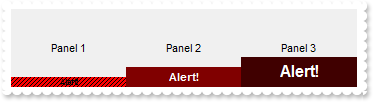
/*
	Copy and paste the following directives to your header file as
	it defines the namespace 'EXSTATUSBARLib' for the library: 'ExStatusBar 1.0 Control Library'

	#import <ExStatusBar.dll>
	using namespace EXSTATUSBARLib;
*/
EXSTATUSBARLib::IStatusBarPtr spStatusBar1 = GetDlgItem(IDC_STATUSBAR1)->GetControlUnknown();
spStatusBar1->BeginUpdate();
spStatusBar1->PutFormat(L"1,2,3");
EXSTATUSBARLib::IPanelPtr var_Panel = spStatusBar1->GetPanel(long(1));
	var_Panel->PutText(L"Panel 1");
	var_Panel->PutBackgroundExt(L"bottom[10,pattern=6,back=RGB(255,0,0),text=`<font ;6><img>alert</img><b>Alert!`,align=0x11]");
EXSTATUSBARLib::IPanelPtr var_Panel1 = spStatusBar1->GetPanel(long(2));
	var_Panel1->PutText(L"Panel 2");
	var_Panel1->PutBackgroundExt(L"bottom[20,back=RGB(128,0,0),text=`<fgcolor FFFFFF><img>alert</img><b>Alert!`,align=0x11]");
EXSTATUSBARLib::IPanelPtr var_Panel2 = spStatusBar1->GetPanel(long(3));
	var_Panel2->PutText(L"Panel 3");
	var_Panel2->PutBackgroundExt(L"bottom[30,back=RGB(64,0,0),text=`<font ;12><fgcolor FFFFFF><img>alert</img><b>Alert!`,align=0x11]");
spStatusBar1->EndUpdate();
|
|
100
|
How do I access the properties and the methods of an inner ActiveX control to a panel
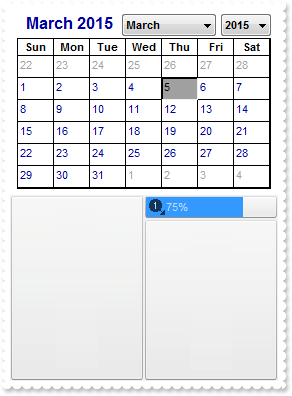
/*
	Copy and paste the following directives to your header file as
	it defines the namespace 'EXSTATUSBARLib' for the library: 'ExStatusBar 1.0 Control Library'

	#import <ExStatusBar.dll>
	using namespace EXSTATUSBARLib;
*/
EXSTATUSBARLib::IStatusBarPtr spStatusBar1 = GetDlgItem(IDC_STATUSBAR1)->GetControlUnknown();
spStatusBar1->BeginUpdate();
spStatusBar1->Images(_bstr_t("gBJJgBAIDAAGAAEAAQhYAf8Pf4hh0QihCJo2AEZjQAjEZFEaIEaEEaAIAkcbk0olUrlktl0vmExmUzmk1m03nE5nU7nk9n0/oFBoVDolFo1HpFJpVLplNp1PqFRqVTq") +
	"lVq1XrFZrVbrldr1fsFhsVjslls1ntFptVrtltt1vuFxuVzul1u13vF5vV7vl9v1/wGBwWDwmFw2HxGJxWLxmNx0xiFdyOTh8Tf9ZymXx+QytcyNgz8r0OblWjyWds+m" +
	"0ka1Vf1ta1+r1mos2xrG2xeZ0+a0W0qOx3GO4NV3WeyvD2XJ5XL5nN51aiw+lfSj0gkUkAEllHanHI5j/cHg8EZf7w8vl8j4f/qfEZeB09/vjLAB30+kZQAP/P5/H6/y" +
	"NAOAEAwCjMBwFAEDwJBMDwLBYAP2/8Hv8/gAGAD8LQs9w/nhDY/oygIA=");
EXSTATUSBARLib::IAppearancePtr var_Appearance = spStatusBar1->GetVisualAppearance();
	var_Appearance->Add(4,"c:\\exontrol\\images\\border.ebn");
	var_Appearance->Add(5,"CP:4 1 1 -1 -1");
spStatusBar1->PutBackColorPanels(0x5000000);
spStatusBar1->PutBackColor(0x8000000f);
spStatusBar1->PutFormat(L"1/2,(24;5/6)");
EXSTATUSBARLib::IPanelPtr var_Panel = spStatusBar1->GetPanel(long(1));
	var_Panel->PutControlID(L"MSCAL.Calendar");
	/*
	Copy and paste the following directives to your header file as
	it defines the namespace 'MSACAL' for the library: 'Microsoft Calendar Control 8.0'

	#import <MSCAL.OCX>
*/
	MSACAL::ICalendarPtr var_Calendar = ((MSACAL::ICalendarPtr)(var_Panel->GetObject()));
		var_Calendar->PutMonthLength(0);
		var_Calendar->PutBackColor(RGB(255,255,255));
EXSTATUSBARLib::IPanelPtr var_Panel1 = spStatusBar1->GetPanel(long(5));
	var_Panel1->PutText(L"<fgcolor=FFFFFF><img>1</img>75%</fgcolor>");
	var_Panel1->PutAlignment(EXSTATUSBARLib::exAlignMiddleLeft);
	var_Panel1->PutPercent(75);
	var_Panel1->PutTransparency(35);
	var_Panel1->PutOffset(L"4 2 -4 -2");
spStatusBar1->EndUpdate();
|
|
99
|
How do I insert an ActiveX control to a panel
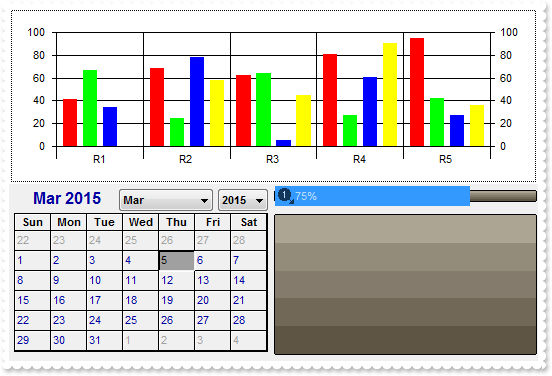
/*
	Copy and paste the following directives to your header file as
	it defines the namespace 'EXSTATUSBARLib' for the library: 'ExStatusBar 1.0 Control Library'

	#import <ExStatusBar.dll>
	using namespace EXSTATUSBARLib;
*/
EXSTATUSBARLib::IStatusBarPtr spStatusBar1 = GetDlgItem(IDC_STATUSBAR1)->GetControlUnknown();
spStatusBar1->BeginUpdate();
spStatusBar1->Images(_bstr_t("gBJJgBAIDAAGAAEAAQhYAf8Pf4hh0QihCJo2AEZjQAjEZFEaIEaEEaAIAkcbk0olUrlktl0vmExmUzmk1m03nE5nU7nk9n0/oFBoVDolFo1HpFJpVLplNp1PqFRqVTq") +
	"lVq1XrFZrVbrldr1fsFhsVjslls1ntFptVrtltt1vuFxuVzul1u13vF5vV7vl9v1/wGBwWDwmFw2HxGJxWLxmNx0xiFdyOTh8Tf9ZymXx+QytcyNgz8r0OblWjyWds+m" +
	"0ka1Vf1ta1+r1mos2xrG2xeZ0+a0W0qOx3GO4NV3WeyvD2XJ5XL5nN51aiw+lfSj0gkUkAEllHanHI5j/cHg8EZf7w8vl8j4f/qfEZeB09/vjLAB30+kZQAP/P5/H6/y" +
	"NAOAEAwCjMBwFAEDwJBMDwLBYAP2/8Hv8/gAGAD8LQs9w/nhDY/oygIA=");
EXSTATUSBARLib::IAppearancePtr var_Appearance = spStatusBar1->GetVisualAppearance();
	var_Appearance->Add(4,"c:\\exontrol\\images\\border.ebn");
	var_Appearance->Add(5,"CP:4 1 1 -1 -1");
spStatusBar1->PutBackColorPanels(0x5000000);
spStatusBar1->PutBackColor(0x8000000f);
spStatusBar1->PutFormat(L"1/2,(24;5/6)");
spStatusBar1->GetPanel(long(1))->PutControlID(L"MSChart20Lib.MSChart");
spStatusBar1->GetPanel(long(2))->PutControlID(L"MSCAL.Calendar");
EXSTATUSBARLib::IPanelPtr var_Panel = spStatusBar1->GetPanel(long(5));
	var_Panel->PutText(L"<fgcolor=FFFFFF><img>1</img>75%</fgcolor>");
	var_Panel->PutAlignment(EXSTATUSBARLib::exAlignMiddleLeft);
	var_Panel->PutPercent(75);
	var_Panel->PutTransparency(35);
	var_Panel->PutOffset(L"4 2 -4 -2");
spStatusBar1->EndUpdate();
|
|
98
|
How can I show the percent value over the progress bar using a semi-transparent color
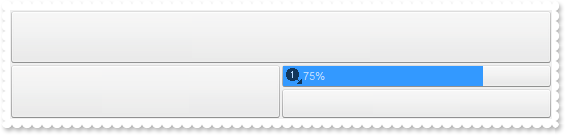
/*
	Copy and paste the following directives to your header file as
	it defines the namespace 'EXSTATUSBARLib' for the library: 'ExStatusBar 1.0 Control Library'

	#import <ExStatusBar.dll>
	using namespace EXSTATUSBARLib;
*/
EXSTATUSBARLib::IStatusBarPtr spStatusBar1 = GetDlgItem(IDC_STATUSBAR1)->GetControlUnknown();
spStatusBar1->BeginUpdate();
spStatusBar1->Images(_bstr_t("gBJJgBAIDAAGAAEAAQhYAf8Pf4hh0QihCJo2AEZjQAjEZFEaIEaEEaAIAkcbk0olUrlktl0vmExmUzmk1m03nE5nU7nk9n0/oFBoVDolFo1HpFJpVLplNp1PqFRqVTq") +
	"lVq1XrFZrVbrldr1fsFhsVjslls1ntFptVrtltt1vuFxuVzul1u13vF5vV7vl9v1/wGBwWDwmFw2HxGJxWLxmNx0xiFdyOTh8Tf9ZymXx+QytcyNgz8r0OblWjyWds+m" +
	"0ka1Vf1ta1+r1mos2xrG2xeZ0+a0W0qOx3GO4NV3WeyvD2XJ5XL5nN51aiw+lfSj0gkUkAEllHanHI5j/cHg8EZf7w8vl8j4f/qfEZeB09/vjLAB30+kZQAP/P5/H6/y" +
	"NAOAEAwCjMBwFAEDwJBMDwLBYAP2/8Hv8/gAGAD8LQs9w/nhDY/oygIA=");
EXSTATUSBARLib::IAppearancePtr var_Appearance = spStatusBar1->GetVisualAppearance();
	var_Appearance->Add(4,"c:\\exontrol\\images\\border.ebn");
	var_Appearance->Add(5,"CP:4 1 1 -1 -1");
spStatusBar1->PutBackColorPanels(0x5000000);
spStatusBar1->PutBackColor(0x8000000f);
spStatusBar1->PutFormat(L"1/2,(24;5/6)");
EXSTATUSBARLib::IPanelPtr var_Panel = spStatusBar1->GetPanel(long(5));
	var_Panel->PutText(L"<fgcolor=FFFFFF><img>1</img>75%</fgcolor>");
	var_Panel->PutAlignment(EXSTATUSBARLib::exAlignMiddleLeft);
	var_Panel->PutPercent(75);
	var_Panel->PutTransparency(35);
	var_Panel->PutOffset(L"4 2 -4 -2");
spStatusBar1->EndUpdate();
|
|
97
|
How can I control the padding of the percent/progressbar control
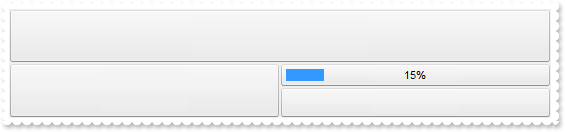
/*
	Copy and paste the following directives to your header file as
	it defines the namespace 'EXSTATUSBARLib' for the library: 'ExStatusBar 1.0 Control Library'

	#import <ExStatusBar.dll>
	using namespace EXSTATUSBARLib;
*/
EXSTATUSBARLib::IStatusBarPtr spStatusBar1 = GetDlgItem(IDC_STATUSBAR1)->GetControlUnknown();
spStatusBar1->BeginUpdate();
EXSTATUSBARLib::IAppearancePtr var_Appearance = spStatusBar1->GetVisualAppearance();
	var_Appearance->Add(4,"c:\\exontrol\\images\\border.ebn");
	var_Appearance->Add(5,"CP:4 1 1 -1 -1");
spStatusBar1->PutBackColorPanels(0x5000000);
spStatusBar1->PutBackColor(0x8000000f);
spStatusBar1->PutFormat(L"1/2,(24;5/6)");
EXSTATUSBARLib::IPanelPtr var_Panel = spStatusBar1->GetPanel(long(5));
	var_Panel->PutText(L"15%");
	var_Panel->PutPercent(15);
	var_Panel->PutOffsetPercent(L"6 6 -6 -6");
spStatusBar1->EndUpdate();
|
|
96
|
Can I change the visual appearance of the percent or a progress-bar inside the panel
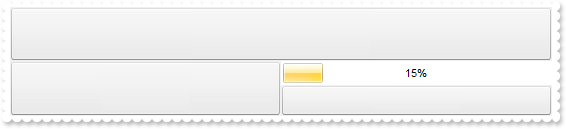
/*
	Copy and paste the following directives to your header file as
	it defines the namespace 'EXSTATUSBARLib' for the library: 'ExStatusBar 1.0 Control Library'

	#import <ExStatusBar.dll>
	using namespace EXSTATUSBARLib;
*/
EXSTATUSBARLib::IStatusBarPtr spStatusBar1 = GetDlgItem(IDC_STATUSBAR1)->GetControlUnknown();
spStatusBar1->BeginUpdate();
EXSTATUSBARLib::IAppearancePtr var_Appearance = spStatusBar1->GetVisualAppearance();
	var_Appearance->Add(1,"c:\\exontrol\\images\\normal.ebn");
	var_Appearance->Add(4,"c:\\exontrol\\images\\border.ebn");
	var_Appearance->Add(5,"CP:4 1 1 -1 -1");
spStatusBar1->PutBackColorPanels(0x5000000);
spStatusBar1->PutBackColor(0x8000000f);
spStatusBar1->PutFormat(L"1/2,(24;5/6)");
EXSTATUSBARLib::IPanelPtr var_Panel = spStatusBar1->GetPanel(long(5));
	var_Panel->PutBackColor(RGB(255,255,255));
	var_Panel->PutText(L"15%");
	var_Panel->PutPercent(15);
	var_Panel->PutBackColorPercent(0x1000000);
spStatusBar1->EndUpdate();
|
|
95
|
Can I change the visual appearance of the percent or a progress-bar inside the panel
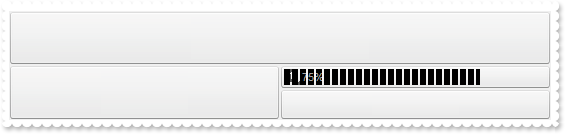
/*
	Copy and paste the following directives to your header file as
	it defines the namespace 'EXSTATUSBARLib' for the library: 'ExStatusBar 1.0 Control Library'

	#import <ExStatusBar.dll>
	using namespace EXSTATUSBARLib;
*/
EXSTATUSBARLib::IStatusBarPtr spStatusBar1 = GetDlgItem(IDC_STATUSBAR1)->GetControlUnknown();
spStatusBar1->BeginUpdate();
spStatusBar1->Images(_bstr_t("gBJJgBAIDAAGAAEAAQhYAf8Pf4hh0QihCJo2AEZjQAjEZFEaIEaEEaAIAkcbk0olUrlktl0vmExmUzmk1m03nE5nU7nk9n0/oFBoVDolFo1HpFJpVLplNp1PqFRqVTq") +
	"lVq1XrFZrVbrldr1fsFhsVjslls1ntFptVrtltt1vuFxuVzul1u13vF5vV7vl9v1/wGBwWDwmFw2HxGJxWLxmNx0xiFdyOTh8Tf9ZymXx+QytcyNgz8r0OblWjyWds+m" +
	"0ka1Vf1ta1+r1mos2xrG2xeZ0+a0W0qOx3GO4NV3WeyvD2XJ5XL5nN51aiw+lfSj0gkUkAEllHanHI5j/cHg8EZf7w8vl8j4f/qfEZeB09/vjLAB30+kZQAP/P5/H6/y" +
	"NAOAEAwCjMBwFAEDwJBMDwLBYAP2/8Hv8/gAGAD8LQs9w/nhDY/oygIA=");
EXSTATUSBARLib::IAppearancePtr var_Appearance = spStatusBar1->GetVisualAppearance();
	var_Appearance->Add(1,_bstr_t("gBFLBCJwBAEHhEJAEGg8GhiAADACAxRDAMgBQKAAzQFAYbhrBaERhGIYYJhUAIIRZGMIjFDcEwxDSMQJjaCRQh+JYkR6MQCSBJkMw5AaXYrlWJoMjKA4nTbKMjRfKcW") +
	"RjGKeJ5kOaZIhuJgCUJLM70HRMExqGQaRJpeoZVDUMJSQjVVYUbDVFwHIKkZzoWhJQiKXIuRzXdKzLYVSABA6xbLiWrpWqebQAThbdD3FC1aTBISpaztepKZpeVaGXxc" +
	"do3LTlbzzOC3MRva7MOjqJJIYjMGJ3fLuA49QrBKymWJcYwyGgIQiBdKaK7+WgBVp/YqjeL9IgMUBpGKdBynlzGHzeQiQRK8BDIbQSFCEdpADSrKBiFioZjXGwbBaXJ4" +
	"ujOdY2D2Do3FeOZbmmdx6HAECAg==");
	var_Appearance->Add(4,"c:\\exontrol\\images\\border.ebn");
	var_Appearance->Add(5,"CP:4 1 1 -1 -1");
spStatusBar1->PutBackColorPanels(0x5000000);
spStatusBar1->PutBackColor(0x8000000f);
spStatusBar1->PutFormat(L"1/2,(24;5/6)");
EXSTATUSBARLib::IPanelPtr var_Panel = spStatusBar1->GetPanel(long(5));
	var_Panel->PutText(L"<fgcolor=FFFFFF><img>1</img>75%</fgcolor>");
	var_Panel->PutAlignment(EXSTATUSBARLib::exAlignMiddleLeft);
	var_Panel->PutPercent(75);
	var_Panel->PutTransparency(35);
	var_Panel->PutOffset(L"4 2 -4 -2");
	var_Panel->PutBackColorPercent(0x1000000);
spStatusBar1->EndUpdate();
|
|
94
|
How can I change the color of the percent or a progress-bar inside the panel
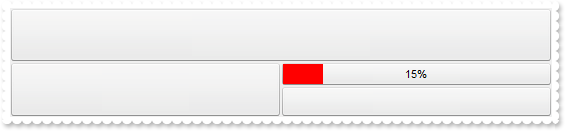
/*
	Copy and paste the following directives to your header file as
	it defines the namespace 'EXSTATUSBARLib' for the library: 'ExStatusBar 1.0 Control Library'

	#import <ExStatusBar.dll>
	using namespace EXSTATUSBARLib;
*/
EXSTATUSBARLib::IStatusBarPtr spStatusBar1 = GetDlgItem(IDC_STATUSBAR1)->GetControlUnknown();
spStatusBar1->BeginUpdate();
spStatusBar1->GetVisualAppearance()->Add(4,"c:\\exontrol\\images\\border.ebn");
spStatusBar1->GetVisualAppearance()->Add(5,"CP:4 1 1 -1 -1");
spStatusBar1->PutBackColorPanels(0x5000000);
spStatusBar1->PutBackColor(0x8000000f);
spStatusBar1->PutFormat(L"1/2,(24;5/6)");
EXSTATUSBARLib::IPanelPtr var_Panel = spStatusBar1->GetPanel(long(5));
	var_Panel->PutText(L"15%");
	var_Panel->PutPercent(15);
	var_Panel->PutBackColorPercent(RGB(255,0,0));
spStatusBar1->EndUpdate();
|
|
93
|
How can I display a percent or a progress-bar inside the panel
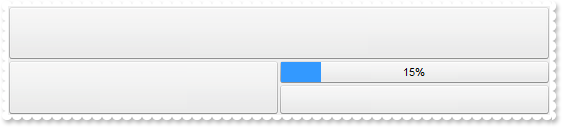
/*
	Copy and paste the following directives to your header file as
	it defines the namespace 'EXSTATUSBARLib' for the library: 'ExStatusBar 1.0 Control Library'

	#import <ExStatusBar.dll>
	using namespace EXSTATUSBARLib;
*/
EXSTATUSBARLib::IStatusBarPtr spStatusBar1 = GetDlgItem(IDC_STATUSBAR1)->GetControlUnknown();
spStatusBar1->BeginUpdate();
spStatusBar1->GetVisualAppearance()->Add(4,"c:\\exontrol\\images\\border.ebn");
spStatusBar1->GetVisualAppearance()->Add(5,"CP:4 1 1 -1 -1");
spStatusBar1->PutBackColorPanels(0x5000000);
spStatusBar1->PutBackColor(0x8000000f);
spStatusBar1->PutFormat(L"1/2,(24;5/6)");
EXSTATUSBARLib::IPanelPtr var_Panel = spStatusBar1->GetPanel(long(5));
	var_Panel->PutText(L"15%");
	var_Panel->PutPercent(15);
spStatusBar1->EndUpdate();
|
|
92
|
Is there any property to get the width/height of the panel
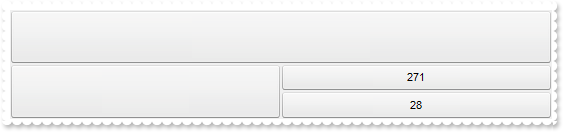
/*
	Copy and paste the following directives to your header file as
	it defines the namespace 'EXSTATUSBARLib' for the library: 'ExStatusBar 1.0 Control Library'

	#import <ExStatusBar.dll>
	using namespace EXSTATUSBARLib;
*/
EXSTATUSBARLib::IStatusBarPtr spStatusBar1 = GetDlgItem(IDC_STATUSBAR1)->GetControlUnknown();
spStatusBar1->BeginUpdate();
spStatusBar1->GetVisualAppearance()->Add(4,"c:\\exontrol\\images\\border.ebn");
spStatusBar1->GetVisualAppearance()->Add(5,"CP:4 1 1 -1 -1");
spStatusBar1->PutBackColorPanels(0x5000000);
spStatusBar1->PutBackColor(0x8000000f);
spStatusBar1->PutFormat(L"1/2,(5/6)");
EXSTATUSBARLib::IPanelPtr var_Panel = spStatusBar1->GetPanel(long(5));
	var_Panel->PutText(_bstr_t(var_Panel->GetWidth()));
EXSTATUSBARLib::IPanelPtr var_Panel1 = spStatusBar1->GetPanel(long(6));
	var_Panel1->PutText(_bstr_t(var_Panel1->GetHeight()));
spStatusBar1->EndUpdate();
|
|
91
|
How can I disable a panel
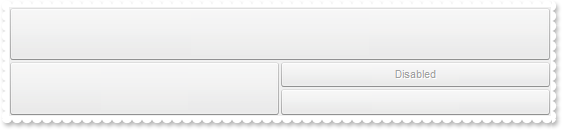
/*
	Copy and paste the following directives to your header file as
	it defines the namespace 'EXSTATUSBARLib' for the library: 'ExStatusBar 1.0 Control Library'

	#import <ExStatusBar.dll>
	using namespace EXSTATUSBARLib;
*/
EXSTATUSBARLib::IStatusBarPtr spStatusBar1 = GetDlgItem(IDC_STATUSBAR1)->GetControlUnknown();
spStatusBar1->BeginUpdate();
spStatusBar1->GetVisualAppearance()->Add(4,"c:\\exontrol\\images\\border.ebn");
spStatusBar1->GetVisualAppearance()->Add(5,"CP:4 1 1 -1 -1");
spStatusBar1->PutBackColorPanels(0x5000000);
spStatusBar1->PutBackColor(0x8000000f);
spStatusBar1->PutFormat(L"1/2,(5/6)");
EXSTATUSBARLib::IPanelPtr var_Panel = spStatusBar1->GetPanel(long(5));
	var_Panel->PutText(L"Disabled");
	var_Panel->PutEnabled(VARIANT_FALSE);
spStatusBar1->EndUpdate();
|
|
90
|
How can I assign an extra data to my panel
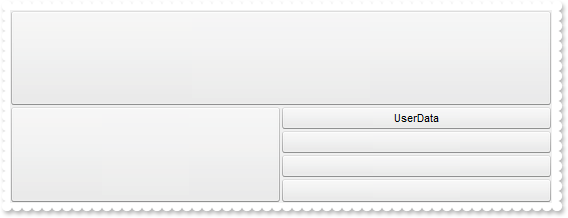
/*
	Copy and paste the following directives to your header file as
	it defines the namespace 'EXSTATUSBARLib' for the library: 'ExStatusBar 1.0 Control Library'

	#import <ExStatusBar.dll>
	using namespace EXSTATUSBARLib;
*/
EXSTATUSBARLib::IStatusBarPtr spStatusBar1 = GetDlgItem(IDC_STATUSBAR1)->GetControlUnknown();
spStatusBar1->BeginUpdate();
spStatusBar1->GetVisualAppearance()->Add(4,"c:\\exontrol\\images\\border.ebn");
spStatusBar1->GetVisualAppearance()->Add(5,"CP:4 1 1 -1 -1");
spStatusBar1->PutBackColorPanels(0x5000000);
spStatusBar1->PutBackColor(0x8000000f);
spStatusBar1->PutFormat(L"1/2,(5/6/7/8)");
EXSTATUSBARLib::IPanelPtr var_Panel = spStatusBar1->GetPanel(long(5));
	var_Panel->PutText(L"UserData");
	var_Panel->PutUserData("this is just some extra data associated to the panel");
	var_Panel->PutToolTipText(_bstr_t(var_Panel->GetUserData()));
spStatusBar1->EndUpdate();
|
|
89
|
Is there any option to draw myself the panel
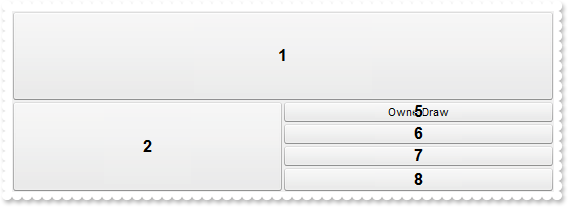
/*
	Copy and paste the following directives to your header file as
	it defines the namespace 'EXSTATUSBARLib' for the library: 'ExStatusBar 1.0 Control Library'

	#import <ExStatusBar.dll>
	using namespace EXSTATUSBARLib;
*/
EXSTATUSBARLib::IStatusBarPtr spStatusBar1 = GetDlgItem(IDC_STATUSBAR1)->GetControlUnknown();
spStatusBar1->BeginUpdate();
spStatusBar1->GetVisualAppearance()->Add(4,"c:\\exontrol\\images\\border.ebn");
spStatusBar1->GetVisualAppearance()->Add(5,"CP:4 1 1 -1 -1");
spStatusBar1->PutBackColorPanels(0x5000000);
spStatusBar1->PutBackColor(0x8000000f);
spStatusBar1->PutFormat(L"1/2,(5/6/7/8)");
EXSTATUSBARLib::IPanelPtr var_Panel = spStatusBar1->GetPanel(long(5));
	var_Panel->PutText(L"OwnerDraw");
	var_Panel->PutOwnerDraw(VARIANT_TRUE);
spStatusBar1->PutDebug(VARIANT_TRUE);
spStatusBar1->EndUpdate();
|
|
88
|
How can I assign a tooltip to a panel
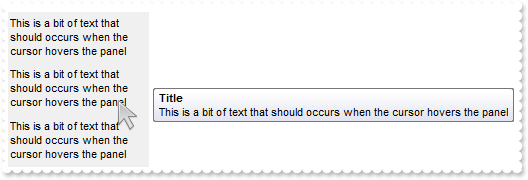
/*
	Copy and paste the following directives to your header file as
	it defines the namespace 'EXSTATUSBARLib' for the library: 'ExStatusBar 1.0 Control Library'

	#import <ExStatusBar.dll>
	using namespace EXSTATUSBARLib;
*/
EXSTATUSBARLib::IStatusBarPtr spStatusBar1 = GetDlgItem(IDC_STATUSBAR1)->GetControlUnknown();
spStatusBar1->BeginUpdate();
spStatusBar1->PutToolTipDelay(1);
spStatusBar1->PutToolTipWidth(364);
spStatusBar1->PutFormat(L"1/2/3");
EXSTATUSBARLib::IPanelPtr var_Panel = spStatusBar1->GetPanel(long(1));
	var_Panel->PutText(L"This is a bit of text that should occurs when the cursor hovers the panel");
	var_Panel->PutToolTipText(var_Panel->GetText());
	var_Panel->PutToolTipTitle(L"Title");
	var_Panel->PutAlignment(EXSTATUSBARLib::exAlignMiddleLeft);
EXSTATUSBARLib::IPanelPtr var_Panel1 = spStatusBar1->GetPanel(long(2));
	var_Panel1->PutText(L"This is a bit of text that should occurs when the cursor hovers the panel");
	var_Panel1->PutToolTipText(var_Panel1->GetText());
	var_Panel1->PutToolTipTitle(L"Title");
	var_Panel1->PutAlignment(EXSTATUSBARLib::exAlignMiddleLeft);
EXSTATUSBARLib::IPanelPtr var_Panel2 = spStatusBar1->GetPanel(long(3));
	var_Panel2->PutText(L"This is a bit of text that should occurs when the cursor hovers the panel");
	var_Panel2->PutToolTipText(var_Panel2->GetText());
	var_Panel2->PutToolTipTitle(L"Title");
	var_Panel2->PutAlignment(EXSTATUSBARLib::exAlignMiddleLeft);
spStatusBar1->EndUpdate();
|
|
87
|
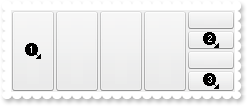
How can I assign an icon/image to a panel
/*
	Copy and paste the following directives to your header file as
	it defines the namespace 'EXSTATUSBARLib' for the library: 'ExStatusBar 1.0 Control Library'

	#import <ExStatusBar.dll>
	using namespace EXSTATUSBARLib;
*/
EXSTATUSBARLib::IStatusBarPtr spStatusBar1 = GetDlgItem(IDC_STATUSBAR1)->GetControlUnknown();
spStatusBar1->BeginUpdate();
spStatusBar1->Images(_bstr_t("gBJJgBAIDAAGAAEAAQhYAf8Pf4hh0QihCJo2AEZjQAjEZFEaIEaEEaAIAkcbk0olUrlktl0vmExmUzmk1m03nE5nU7nk9n0/oFBoVDolFo1HpFJpVLplNp1PqFRqVTq") +
	"lVq1XrFZrVbrldr1fsFhsVjslls1ntFptVrtltt1vuFxuVzul1u13vF5vV7vl9v1/wGBwWDwmFw2HxGJxWLxmNx0xiFdyOTh8Tf9ZymXx+QytcyNgz8r0OblWjyWds+m" +
	"0ka1Vf1ta1+r1mos2xrG2xeZ0+a0W0qOx3GO4NV3WeyvD2XJ5XL5nN51aiw+lfSj0gkUkAEllHanHI5j/cHg8EZf7w8vl8j4f/qfEZeB09/vjLAB30+kZQAP/P5/H6/y" +
	"NAOAEAwCjMBwFAEDwJBMDwLBYAP2/8Hv8/gAGAD8LQs9w/nhDY/oygIA=");
spStatusBar1->GetVisualAppearance()->Add(4,"c:\\exontrol\\images\\border.ebn");
spStatusBar1->GetVisualAppearance()->Add(5,"CP:4 1 1 -1 -1");
spStatusBar1->PutBackColorPanels(0x5000000);
spStatusBar1->PutBackColor(0x8000000f);
spStatusBar1->PutFormat(L"1,2,3,4,(5/6/7/8)");
spStatusBar1->GetPanel(long(1))->PutImage(1);
spStatusBar1->GetPanel(long(6))->PutImage(2);
spStatusBar1->GetPanel(long(8))->PutImage(3);
spStatusBar1->EndUpdate();
|
|
86
|
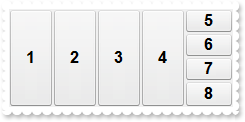
How can I get the index of the panel
/*
	Copy and paste the following directives to your header file as
	it defines the namespace 'EXSTATUSBARLib' for the library: 'ExStatusBar 1.0 Control Library'

	#import <ExStatusBar.dll>
	using namespace EXSTATUSBARLib;
*/
EXSTATUSBARLib::IStatusBarPtr spStatusBar1 = GetDlgItem(IDC_STATUSBAR1)->GetControlUnknown();
spStatusBar1->BeginUpdate();
spStatusBar1->PutAppearance(EXSTATUSBARLib::None2);
spStatusBar1->GetVisualAppearance()->Add(4,"c:\\exontrol\\images\\border.ebn");
spStatusBar1->GetVisualAppearance()->Add(5,"CP:4 1 1 -1 -1");
spStatusBar1->PutBackColorPanels(0x5000000);
spStatusBar1->PutBackColor(0x8000000f);
spStatusBar1->PutFormat(L"1,2,3,4,(5/6/7/8)");
spStatusBar1->PutDebug(VARIANT_TRUE);
spStatusBar1->EndUpdate();
|
|
85
|
How can I get the index of the panel
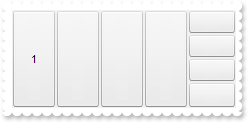
/*
	Copy and paste the following directives to your header file as
	it defines the namespace 'EXSTATUSBARLib' for the library: 'ExStatusBar 1.0 Control Library'

	#import <ExStatusBar.dll>
	using namespace EXSTATUSBARLib;
*/
EXSTATUSBARLib::IStatusBarPtr spStatusBar1 = GetDlgItem(IDC_STATUSBAR1)->GetControlUnknown();
spStatusBar1->BeginUpdate();
spStatusBar1->PutAppearance(EXSTATUSBARLib::None2);
spStatusBar1->GetVisualAppearance()->Add(4,"c:\\exontrol\\images\\border.ebn");
spStatusBar1->GetVisualAppearance()->Add(5,"CP:4 1 1 -1 -1");
spStatusBar1->PutBackColorPanels(0x5000000);
spStatusBar1->PutBackColor(0x8000000f);
spStatusBar1->PutFormat(L"1,2,3,4,(5/6/7/8)");
spStatusBar1->GetPanel(long(1))->PutText(_bstr_t(spStatusBar1->GetPanel(long(1))->GetIndex()));
spStatusBar1->EndUpdate();
|
|
84
|
How can I change the panel's visual appearance using EBN files
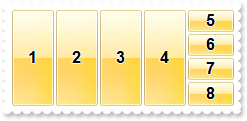
/*
	Copy and paste the following directives to your header file as
	it defines the namespace 'EXSTATUSBARLib' for the library: 'ExStatusBar 1.0 Control Library'

	#import <ExStatusBar.dll>
	using namespace EXSTATUSBARLib;
*/
EXSTATUSBARLib::IStatusBarPtr spStatusBar1 = GetDlgItem(IDC_STATUSBAR1)->GetControlUnknown();
spStatusBar1->BeginUpdate();
spStatusBar1->PutAppearance(EXSTATUSBARLib::None2);
spStatusBar1->GetVisualAppearance()->Add(4,"c:\\exontrol\\images\\border.ebn");
spStatusBar1->GetVisualAppearance()->Add(5,"CP:4 1 1 -1 -1");
spStatusBar1->PutBackColorPanels(0x5000000);
spStatusBar1->PutBackColor(0x8000000f);
spStatusBar1->PutFormat(L"1,2,3,4,(5/6/7/8)");
spStatusBar1->PutDebug(VARIANT_TRUE);
spStatusBar1->EndUpdate();
|
|
83
|
How can I change the panel's visual appearance using EBN files
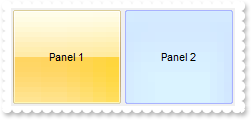
/*
	Copy and paste the following directives to your header file as
	it defines the namespace 'EXSTATUSBARLib' for the library: 'ExStatusBar 1.0 Control Library'

	#import <ExStatusBar.dll>
	using namespace EXSTATUSBARLib;
*/
EXSTATUSBARLib::IStatusBarPtr spStatusBar1 = GetDlgItem(IDC_STATUSBAR1)->GetControlUnknown();
spStatusBar1->BeginUpdate();
EXSTATUSBARLib::IAppearancePtr var_Appearance = spStatusBar1->GetVisualAppearance();
	var_Appearance->Add(3,"c:\\exontrol\\images\\normal.ebn");
	var_Appearance->Add(4,"c:\\exontrol\\images\\pushed.ebn");
	var_Appearance->Add(1,"CP:3 2 2 -2 -2");
	var_Appearance->Add(2,"CP:4 2 2 -2 -2");
spStatusBar1->PutBackColorPanels(0x5000000);
spStatusBar1->PutFormat(L"1,2");
EXSTATUSBARLib::IPanelPtr var_Panel = spStatusBar1->GetPanel(long(1));
	var_Panel->PutText(L"Panel 1");
	var_Panel->PutBackColor(0x1000000);
EXSTATUSBARLib::IPanelPtr var_Panel1 = spStatusBar1->GetPanel(long(2));
	var_Panel1->PutText(L"Panel 2");
	var_Panel1->PutBackColor(0x2000000);
spStatusBar1->EndUpdate();
|
|
82
|
How can I change the panel's visual appearance using EBN files
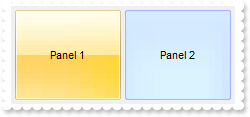
/*
	Copy and paste the following directives to your header file as
	it defines the namespace 'EXSTATUSBARLib' for the library: 'ExStatusBar 1.0 Control Library'

	#import <ExStatusBar.dll>
	using namespace EXSTATUSBARLib;
*/
EXSTATUSBARLib::IStatusBarPtr spStatusBar1 = GetDlgItem(IDC_STATUSBAR1)->GetControlUnknown();
spStatusBar1->BeginUpdate();
spStatusBar1->GetVisualAppearance()->Add(1,"c:\\exontrol\\images\\normal.ebn");
spStatusBar1->GetVisualAppearance()->Add(2,"c:\\exontrol\\images\\pushed.ebn");
spStatusBar1->PutBackColorPanels(0x5000000);
spStatusBar1->PutFormat(L"\"\":4,((4;\"\"/1/4;\"\"),\"\":4,(4;\"\"/2/4;\"\")),\"\":4");
EXSTATUSBARLib::IPanelPtr var_Panel = spStatusBar1->GetPanel(long(1));
	var_Panel->PutText(L"Panel 1");
	var_Panel->PutBackColor(0x1000000);
EXSTATUSBARLib::IPanelPtr var_Panel1 = spStatusBar1->GetPanel(long(2));
	var_Panel1->PutText(L"Panel 2");
	var_Panel1->PutBackColor(0x2000000);
spStatusBar1->EndUpdate();
|
|
81
|
How can I change the panel's background color
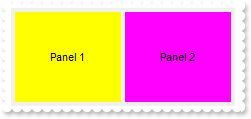
/*
	Copy and paste the following directives to your header file as
	it defines the namespace 'EXSTATUSBARLib' for the library: 'ExStatusBar 1.0 Control Library'

	#import <ExStatusBar.dll>
	using namespace EXSTATUSBARLib;
*/
EXSTATUSBARLib::IStatusBarPtr spStatusBar1 = GetDlgItem(IDC_STATUSBAR1)->GetControlUnknown();
spStatusBar1->BeginUpdate();
spStatusBar1->PutFormat(L"\"\":4,((4;\"\"/1/4;\"\"),\"\":4,(4;\"\"/2/4;\"\")),\"\":4");
EXSTATUSBARLib::IPanelPtr var_Panel = spStatusBar1->GetPanel(long(1));
	var_Panel->PutText(L"Panel 1");
	var_Panel->PutBackColor(RGB(255,255,0));
EXSTATUSBARLib::IPanelPtr var_Panel1 = spStatusBar1->GetPanel(long(2));
	var_Panel1->PutText(L"Panel 2");
	var_Panel1->PutBackColor(RGB(255,0,255));
spStatusBar1->EndUpdate();
|
|
80
|
How can I change the caption's foreground color
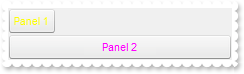
/*
	Copy and paste the following directives to your header file as
	it defines the namespace 'EXSTATUSBARLib' for the library: 'ExStatusBar 1.0 Control Library'

	#import <ExStatusBar.dll>
	using namespace EXSTATUSBARLib;
*/
EXSTATUSBARLib::IStatusBarPtr spStatusBar1 = GetDlgItem(IDC_STATUSBAR1)->GetControlUnknown();
spStatusBar1->BeginUpdate();
spStatusBar1->GetVisualAppearance()->Add(4,"c:\\exontrol\\images\\border.ebn");
spStatusBar1->GetVisualAppearance()->Add(5,"CP:4 1 1 -1 -1");
spStatusBar1->PutBackColorPanels(0x5000000);
spStatusBar1->PutBackColor(0x8000000f);
spStatusBar1->PutFormat(L"1:48/2");
EXSTATUSBARLib::IPanelPtr var_Panel = spStatusBar1->GetPanel(long(1));
	var_Panel->PutText(L"Panel 1");
	var_Panel->PutForeColor(RGB(255,255,0));
EXSTATUSBARLib::IPanelPtr var_Panel = spStatusBar1->GetPanel(long(2));
	var_Panel->PutText(L"Panel 2");
	var_Panel->PutForeColor(RGB(255,0,255));
spStatusBar1->EndUpdate();
|
|
79
|
How can I show in strikeout the caption in the panel

/*
	Copy and paste the following directives to your header file as
	it defines the namespace 'EXSTATUSBARLib' for the library: 'ExStatusBar 1.0 Control Library'

	#import <ExStatusBar.dll>
	using namespace EXSTATUSBARLib;
*/
EXSTATUSBARLib::IStatusBarPtr spStatusBar1 = GetDlgItem(IDC_STATUSBAR1)->GetControlUnknown();
spStatusBar1->BeginUpdate();
spStatusBar1->GetVisualAppearance()->Add(4,"c:\\exontrol\\images\\border.ebn");
spStatusBar1->GetVisualAppearance()->Add(5,"CP:4 1 1 -1 -1");
spStatusBar1->PutBackColorPanels(0x5000000);
spStatusBar1->PutBackColor(0x8000000f);
spStatusBar1->PutFormat(L"1/2");
EXSTATUSBARLib::IPanelPtr var_Panel = spStatusBar1->GetPanel(long(1));
	var_Panel->PutText(L"Panel 1");
	var_Panel->PutStrikeOut(VARIANT_TRUE);
spStatusBar1->GetPanel(long(2))->PutText(L"<s>Panel</s> 2");
spStatusBar1->EndUpdate();
|
|
78
|
How can I underline the caption in the panel

/*
	Copy and paste the following directives to your header file as
	it defines the namespace 'EXSTATUSBARLib' for the library: 'ExStatusBar 1.0 Control Library'

	#import <ExStatusBar.dll>
	using namespace EXSTATUSBARLib;
*/
EXSTATUSBARLib::IStatusBarPtr spStatusBar1 = GetDlgItem(IDC_STATUSBAR1)->GetControlUnknown();
spStatusBar1->BeginUpdate();
spStatusBar1->GetVisualAppearance()->Add(4,"c:\\exontrol\\images\\border.ebn");
spStatusBar1->GetVisualAppearance()->Add(5,"CP:4 1 1 -1 -1");
spStatusBar1->PutBackColorPanels(0x5000000);
spStatusBar1->PutBackColor(0x8000000f);
spStatusBar1->PutFormat(L"1/2");
EXSTATUSBARLib::IPanelPtr var_Panel = spStatusBar1->GetPanel(long(1));
	var_Panel->PutText(L"Panel 1");
	var_Panel->PutUnderline(VARIANT_TRUE);
spStatusBar1->GetPanel(long(2))->PutText(L"<u>Panel</u> 2");
spStatusBar1->EndUpdate();
|
|
77
|
How can I show in italic a specified panel

/*
	Copy and paste the following directives to your header file as
	it defines the namespace 'EXSTATUSBARLib' for the library: 'ExStatusBar 1.0 Control Library'

	#import <ExStatusBar.dll>
	using namespace EXSTATUSBARLib;
*/
EXSTATUSBARLib::IStatusBarPtr spStatusBar1 = GetDlgItem(IDC_STATUSBAR1)->GetControlUnknown();
spStatusBar1->BeginUpdate();
spStatusBar1->GetVisualAppearance()->Add(4,"c:\\exontrol\\images\\border.ebn");
spStatusBar1->GetVisualAppearance()->Add(5,"CP:4 1 1 -1 -1");
spStatusBar1->PutBackColorPanels(0x5000000);
spStatusBar1->PutBackColor(0x8000000f);
spStatusBar1->PutFormat(L"1/2");
EXSTATUSBARLib::IPanelPtr var_Panel = spStatusBar1->GetPanel(long(1));
	var_Panel->PutText(L"Panel 1");
	var_Panel->PutItalic(VARIANT_TRUE);
spStatusBar1->GetPanel(long(2))->PutText(L"<i>Panel</i> 2");
spStatusBar1->EndUpdate();
|
|
76
|
How can I show in bold a specified panel

/*
	Copy and paste the following directives to your header file as
	it defines the namespace 'EXSTATUSBARLib' for the library: 'ExStatusBar 1.0 Control Library'

	#import <ExStatusBar.dll>
	using namespace EXSTATUSBARLib;
*/
EXSTATUSBARLib::IStatusBarPtr spStatusBar1 = GetDlgItem(IDC_STATUSBAR1)->GetControlUnknown();
spStatusBar1->BeginUpdate();
spStatusBar1->GetVisualAppearance()->Add(4,"c:\\exontrol\\images\\border.ebn");
spStatusBar1->GetVisualAppearance()->Add(5,"CP:4 1 1 -1 -1");
spStatusBar1->PutBackColorPanels(0x5000000);
spStatusBar1->PutBackColor(0x8000000f);
spStatusBar1->PutFormat(L"1/2");
EXSTATUSBARLib::IPanelPtr var_Panel = spStatusBar1->GetPanel(long(1));
	var_Panel->PutText(L"Panel 1");
	var_Panel->PutBold(VARIANT_TRUE);
spStatusBar1->GetPanel(long(2))->PutText(L"<b>Panel</b> 2");
spStatusBar1->EndUpdate();
|
|
75
|
How do I control the padding on the left, top or other sides
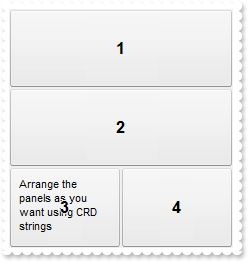
/*
	Copy and paste the following directives to your header file as
	it defines the namespace 'EXSTATUSBARLib' for the library: 'ExStatusBar 1.0 Control Library'

	#import <ExStatusBar.dll>
	using namespace EXSTATUSBARLib;
*/
EXSTATUSBARLib::IStatusBarPtr spStatusBar1 = GetDlgItem(IDC_STATUSBAR1)->GetControlUnknown();
spStatusBar1->BeginUpdate();
spStatusBar1->PutDebug(VARIANT_TRUE);
spStatusBar1->GetVisualAppearance()->Add(4,"c:\\exontrol\\images\\border.ebn");
spStatusBar1->GetVisualAppearance()->Add(5,"CP:4 1 1 -1 -1");
spStatusBar1->PutBackColorPanels(0x5000000);
spStatusBar1->PutBackColor(0x8000000f);
spStatusBar1->PutFormat(L"1/2/(3,4)");
EXSTATUSBARLib::IPanelPtr var_Panel = spStatusBar1->GetPanel(long(3));
	var_Panel->PutText(L"Arrange the panels as you want using CRD strings");
	var_Panel->PutAlignment(EXSTATUSBARLib::exAlignTopLeft);
	var_Panel->PutToolTipText(var_Panel->GetText());
	var_Panel->PutOffset(L"10 10 -10 -10");
spStatusBar1->EndUpdate();
|
|
74
|
How can I display the panel using a single line
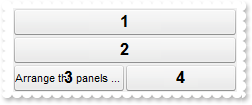
/*
	Copy and paste the following directives to your header file as
	it defines the namespace 'EXSTATUSBARLib' for the library: 'ExStatusBar 1.0 Control Library'

	#import <ExStatusBar.dll>
	using namespace EXSTATUSBARLib;
*/
EXSTATUSBARLib::IStatusBarPtr spStatusBar1 = GetDlgItem(IDC_STATUSBAR1)->GetControlUnknown();
spStatusBar1->BeginUpdate();
spStatusBar1->PutDebug(VARIANT_TRUE);
spStatusBar1->GetVisualAppearance()->Add(4,"c:\\exontrol\\images\\border.ebn");
spStatusBar1->GetVisualAppearance()->Add(5,"CP:4 1 1 -1 -1");
spStatusBar1->PutBackColorPanels(0x5000000);
spStatusBar1->PutBackColor(0x8000000f);
spStatusBar1->PutFormat(L"1/2/(3,4)");
EXSTATUSBARLib::IPanelPtr var_Panel = spStatusBar1->GetPanel(long(3));
	var_Panel->PutText(L"Arrange the panels as you want using CRD strings");
	var_Panel->PutToolTipText(var_Panel->GetText());
	var_Panel->PutWordWrap(VARIANT_FALSE);
spStatusBar1->EndUpdate();
|
|
73
|
How can I align the text inside the panel
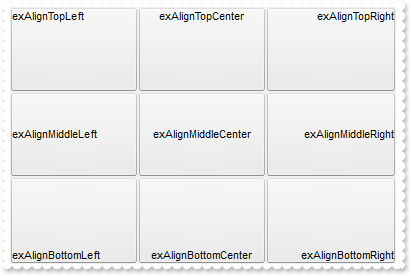
/*
	Copy and paste the following directives to your header file as
	it defines the namespace 'EXSTATUSBARLib' for the library: 'ExStatusBar 1.0 Control Library'

	#import <ExStatusBar.dll>
	using namespace EXSTATUSBARLib;
*/
EXSTATUSBARLib::IStatusBarPtr spStatusBar1 = GetDlgItem(IDC_STATUSBAR1)->GetControlUnknown();
spStatusBar1->BeginUpdate();
spStatusBar1->GetVisualAppearance()->Add(4,"c:\\exontrol\\images\\border.ebn");
spStatusBar1->GetVisualAppearance()->Add(5,"CP:4 1 1 -1 -1");
spStatusBar1->PutBackColorPanels(0x5000000);
spStatusBar1->PutBackColor(0x8000000f);
spStatusBar1->PutFormat(L"(0/16/32),(1/17/33),(2/18/34)");
EXSTATUSBARLib::IPanelPtr var_Panel = spStatusBar1->GetPanel(long(0));
	var_Panel->PutText(L"exAlignTopLeft");
	var_Panel->PutAlignment(EXSTATUSBARLib::exAlignTopLeft);
EXSTATUSBARLib::IPanelPtr var_Panel1 = spStatusBar1->GetPanel(long(1));
	var_Panel1->PutText(L"exAlignTopCenter");
	var_Panel1->PutAlignment(EXSTATUSBARLib::exAlignTopCenter);
EXSTATUSBARLib::IPanelPtr var_Panel2 = spStatusBar1->GetPanel(long(2));
	var_Panel2->PutText(L"exAlignTopRight");
	var_Panel2->PutAlignment(EXSTATUSBARLib::exAlignTopRight);
EXSTATUSBARLib::IPanelPtr var_Panel3 = spStatusBar1->GetPanel(long(16));
	var_Panel3->PutText(L"exAlignMiddleLeft");
	var_Panel3->PutAlignment(EXSTATUSBARLib::exAlignMiddleLeft);
EXSTATUSBARLib::IPanelPtr var_Panel4 = spStatusBar1->GetPanel(long(17));
	var_Panel4->PutText(L"exAlignMiddleCenter");
	var_Panel4->PutAlignment(EXSTATUSBARLib::exAlignMiddleCenter);
EXSTATUSBARLib::IPanelPtr var_Panel5 = spStatusBar1->GetPanel(long(18));
	var_Panel5->PutText(L"exAlignMiddleRight");
	var_Panel5->PutAlignment(EXSTATUSBARLib::exAlignMiddleRight);
EXSTATUSBARLib::IPanelPtr var_Panel6 = spStatusBar1->GetPanel(long(32));
	var_Panel6->PutText(L"exAlignBottomLeft");
	var_Panel6->PutAlignment(EXSTATUSBARLib::exAlignBottomLeft);
EXSTATUSBARLib::IPanelPtr var_Panel7 = spStatusBar1->GetPanel(long(33));
	var_Panel7->PutText(L"exAlignBottomCenter");
	var_Panel7->PutAlignment(EXSTATUSBARLib::exAlignBottomCenter);
EXSTATUSBARLib::IPanelPtr var_Panel8 = spStatusBar1->GetPanel(long(34));
	var_Panel8->PutText(L"exAlignBottomRight");
	var_Panel8->PutAlignment(EXSTATUSBARLib::exAlignBottomRight);
spStatusBar1->EndUpdate();
|
|
72
|
How can I display the <b> in the panel's caption

/*
	Copy and paste the following directives to your header file as
	it defines the namespace 'EXSTATUSBARLib' for the library: 'ExStatusBar 1.0 Control Library'

	#import <ExStatusBar.dll>
	using namespace EXSTATUSBARLib;
*/
EXSTATUSBARLib::IStatusBarPtr spStatusBar1 = GetDlgItem(IDC_STATUSBAR1)->GetControlUnknown();
spStatusBar1->BeginUpdate();
spStatusBar1->GetVisualAppearance()->Add(4,"c:\\exontrol\\images\\border.ebn");
spStatusBar1->GetVisualAppearance()->Add(5,"CP:4 1 1 -1 -1");
spStatusBar1->PutBackColorPanels(0x5000000);
spStatusBar1->PutBackColor(0x8000000f);
spStatusBar1->PutFormat(L"1");
spStatusBar1->GetPanel(long(1))->PutText(L"<b>Bold</b>");
spStatusBar1->EndUpdate();
|
|
71
|
How can I insert anchors or hyperlinks

/*
	Copy and paste the following directives to your header file as
	it defines the namespace 'EXSTATUSBARLib' for the library: 'ExStatusBar 1.0 Control Library'

	#import <ExStatusBar.dll>
	using namespace EXSTATUSBARLib;
*/
EXSTATUSBARLib::IStatusBarPtr spStatusBar1 = GetDlgItem(IDC_STATUSBAR1)->GetControlUnknown();
spStatusBar1->BeginUpdate();
spStatusBar1->GetVisualAppearance()->Add(4,"c:\\exontrol\\images\\border.ebn");
spStatusBar1->GetVisualAppearance()->Add(5,"CP:4 1 1 -1 -1");
spStatusBar1->PutBackColorPanels(0x5000000);
spStatusBar1->PutBackColor(0x8000000f);
spStatusBar1->PutFormat(L"1/2");
spStatusBar1->GetPanel(long(1))->PutText(L"Link <a1>1</a>");
spStatusBar1->GetPanel(long(2))->PutText(L"<a2>Link 2</a>");
spStatusBar1->EndUpdate();
|
|
70
|
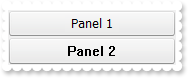
How can I change the font for a panel
/*
	Copy and paste the following directives to your header file as
	it defines the namespace 'EXSTATUSBARLib' for the library: 'ExStatusBar 1.0 Control Library'

	#import <ExStatusBar.dll>
	using namespace EXSTATUSBARLib;
*/
EXSTATUSBARLib::IStatusBarPtr spStatusBar1 = GetDlgItem(IDC_STATUSBAR1)->GetControlUnknown();
spStatusBar1->BeginUpdate();
spStatusBar1->GetVisualAppearance()->Add(4,"c:\\exontrol\\images\\border.ebn");
spStatusBar1->GetVisualAppearance()->Add(5,"CP:4 1 1 -1 -1");
spStatusBar1->PutBackColorPanels(0x5000000);
spStatusBar1->PutBackColor(0x8000000f);
spStatusBar1->PutFormat(L"1/2");
spStatusBar1->GetPanel(long(1))->PutText(L"<font Tahoma>Panel 1</font>");
spStatusBar1->GetPanel(long(2))->PutText(L"<font System>Panel 2</font>");
spStatusBar1->EndUpdate();
|
|
69
|
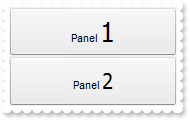
Is there any option to display the text using different fonts
/*
	Copy and paste the following directives to your header file as
	it defines the namespace 'EXSTATUSBARLib' for the library: 'ExStatusBar 1.0 Control Library'

	#import <ExStatusBar.dll>
	using namespace EXSTATUSBARLib;
*/
EXSTATUSBARLib::IStatusBarPtr spStatusBar1 = GetDlgItem(IDC_STATUSBAR1)->GetControlUnknown();
spStatusBar1->BeginUpdate();
spStatusBar1->GetVisualAppearance()->Add(4,"c:\\exontrol\\images\\border.ebn");
spStatusBar1->GetVisualAppearance()->Add(5,"CP:4 1 1 -1 -1");
spStatusBar1->PutBackColorPanels(0x5000000);
spStatusBar1->PutBackColor(0x8000000f);
spStatusBar1->PutFormat(L"1/2");
spStatusBar1->GetPanel(long(1))->PutText(L"Panel <font Tahoma;20>1</font>");
spStatusBar1->GetPanel(long(2))->PutText(L"Panel <font Tahoma;16>2</font>");
spStatusBar1->EndUpdate();
|
|
68
|
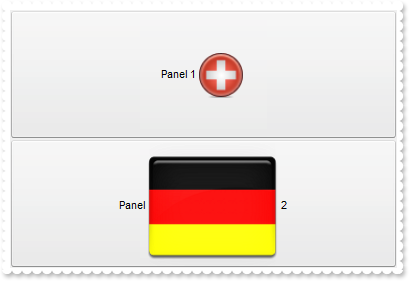
Is there any option to insert custom size pictures in the text
/*
	Copy and paste the following directives to your header file as
	it defines the namespace 'EXSTATUSBARLib' for the library: 'ExStatusBar 1.0 Control Library'

	#import <ExStatusBar.dll>
	using namespace EXSTATUSBARLib;
*/
EXSTATUSBARLib::IStatusBarPtr spStatusBar1 = GetDlgItem(IDC_STATUSBAR1)->GetControlUnknown();
spStatusBar1->BeginUpdate();
spStatusBar1->PutHTMLPicture(L"pic1","c:\\exontrol\\images\\zipdisk.gif");
spStatusBar1->PutHTMLPicture(L"pic2","c:\\exontrol\\images\\auction.gif");
spStatusBar1->GetVisualAppearance()->Add(4,"c:\\exontrol\\images\\border.ebn");
spStatusBar1->GetVisualAppearance()->Add(5,"CP:4 1 1 -1 -1");
spStatusBar1->PutBackColorPanels(0x5000000);
spStatusBar1->PutBackColor(0x8000000f);
spStatusBar1->PutFormat(L"1/2");
spStatusBar1->GetPanel(long(1))->PutText(L"Panel 1<img>pic1</img>");
spStatusBar1->GetPanel(long(2))->PutText(L"Panel <img>pic2</img> 2");
spStatusBar1->EndUpdate();
|
|
67
|
Is there any option to insert icons in the text

/*
	Copy and paste the following directives to your header file as
	it defines the namespace 'EXSTATUSBARLib' for the library: 'ExStatusBar 1.0 Control Library'

	#import <ExStatusBar.dll>
	using namespace EXSTATUSBARLib;
*/
EXSTATUSBARLib::IStatusBarPtr spStatusBar1 = GetDlgItem(IDC_STATUSBAR1)->GetControlUnknown();
spStatusBar1->BeginUpdate();
spStatusBar1->Images(_bstr_t("gBJJgBAIDAAGAAEAAQhYAf8Pf4hh0QihCJo2AEZjQAjEZFEaIEaEEaAIAkcbk0olUrlktl0vmExmUzmk1m03nE5nU7nk9n0/oFBoVDolFo1HpFJpVLplNp1PqFRqVTq") +
	"lVq1XrFZrVbrldr1fsFhsVjslls1ntFptVrtltt1vuFxuVzul1u13vF5vV7vl9v1/wGBwWDwmFw2HxGJxWLxmNx0xiFdyOTh8Tf9ZymXx+QytcyNgz8r0OblWjyWds+m" +
	"0ka1Vf1ta1+r1mos2xrG2xeZ0+a0W0qOx3GO4NV3WeyvD2XJ5XL5nN51aiw+lfSj0gkUkAEllHanHI5j/cHg8EZf7w8vl8j4f/qfEZeB09/vjLAB30+kZQAP/P5/H6/y" +
	"NAOAEAwCjMBwFAEDwJBMDwLBYAP2/8Hv8/gAGAD8LQs9w/nhDY/oygIA=");
spStatusBar1->GetVisualAppearance()->Add(4,"c:\\exontrol\\images\\border.ebn");
spStatusBar1->GetVisualAppearance()->Add(5,"CP:4 1 1 -1 -1");
spStatusBar1->PutBackColorPanels(0x5000000);
spStatusBar1->PutBackColor(0x8000000f);
spStatusBar1->PutFormat(L"1/2");
spStatusBar1->GetPanel(long(1))->PutText(L"Panel 1<img>1</img>");
spStatusBar1->GetPanel(long(2))->PutText(L"<img>2</img>Panel 2");
spStatusBar1->EndUpdate();
|
|
66
|
How do I show the panel's caption using multiple lines
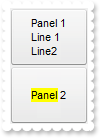
/*
	Copy and paste the following directives to your header file as
	it defines the namespace 'EXSTATUSBARLib' for the library: 'ExStatusBar 1.0 Control Library'

	#import <ExStatusBar.dll>
	using namespace EXSTATUSBARLib;
*/
EXSTATUSBARLib::IStatusBarPtr spStatusBar1 = GetDlgItem(IDC_STATUSBAR1)->GetControlUnknown();
spStatusBar1->BeginUpdate();
spStatusBar1->GetVisualAppearance()->Add(4,"c:\\exontrol\\images\\border.ebn");
spStatusBar1->GetVisualAppearance()->Add(5,"CP:4 1 1 -1 -1");
spStatusBar1->PutBackColorPanels(0x5000000);
spStatusBar1->PutBackColor(0x8000000f);
spStatusBar1->PutFormat(L"1/2");
spStatusBar1->GetPanel(long(1))->PutText(L"Panel 1<br>Line 1<br>Line2");
spStatusBar1->GetPanel(long(2))->PutText(L"<bgcolor=FFFF00>Panel</bgcolor> 2");
spStatusBar1->EndUpdate();
|
|
65
|
How do I show a portion of the text using a different background color
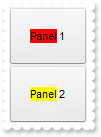
/*
	Copy and paste the following directives to your header file as
	it defines the namespace 'EXSTATUSBARLib' for the library: 'ExStatusBar 1.0 Control Library'

	#import <ExStatusBar.dll>
	using namespace EXSTATUSBARLib;
*/
EXSTATUSBARLib::IStatusBarPtr spStatusBar1 = GetDlgItem(IDC_STATUSBAR1)->GetControlUnknown();
spStatusBar1->BeginUpdate();
spStatusBar1->GetVisualAppearance()->Add(4,"c:\\exontrol\\images\\border.ebn");
spStatusBar1->GetVisualAppearance()->Add(5,"CP:4 1 1 -1 -1");
spStatusBar1->PutBackColorPanels(0x5000000);
spStatusBar1->PutBackColor(0x8000000f);
spStatusBar1->PutFormat(L"1/2");
spStatusBar1->GetPanel(long(1))->PutText(L"<bgcolor=FF0000>Panel</bgcolor> 1");
spStatusBar1->GetPanel(long(2))->PutText(L"<bgcolor=FFFF00>Panel</bgcolor> 2");
spStatusBar1->EndUpdate();
|
|
64
|
How do I show a portion of the text in a different color
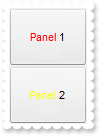
/*
	Copy and paste the following directives to your header file as
	it defines the namespace 'EXSTATUSBARLib' for the library: 'ExStatusBar 1.0 Control Library'

	#import <ExStatusBar.dll>
	using namespace EXSTATUSBARLib;
*/
EXSTATUSBARLib::IStatusBarPtr spStatusBar1 = GetDlgItem(IDC_STATUSBAR1)->GetControlUnknown();
spStatusBar1->BeginUpdate();
spStatusBar1->GetVisualAppearance()->Add(4,"c:\\exontrol\\images\\border.ebn");
spStatusBar1->GetVisualAppearance()->Add(5,"CP:4 1 1 -1 -1");
spStatusBar1->PutBackColorPanels(0x5000000);
spStatusBar1->PutBackColor(0x8000000f);
spStatusBar1->PutFormat(L"1/2");
spStatusBar1->GetPanel(long(1))->PutText(L"<fgcolor=FF0000>Panel</fgcolor> 1");
spStatusBar1->GetPanel(long(2))->PutText(L"<fgcolor=FFFF00>Panel</fgcolor> 2");
spStatusBar1->EndUpdate();
|
|
63
|
How do I show a portion of the text as italic in the panel
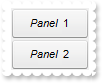
/*
	Copy and paste the following directives to your header file as
	it defines the namespace 'EXSTATUSBARLib' for the library: 'ExStatusBar 1.0 Control Library'

	#import <ExStatusBar.dll>
	using namespace EXSTATUSBARLib;
*/
EXSTATUSBARLib::IStatusBarPtr spStatusBar1 = GetDlgItem(IDC_STATUSBAR1)->GetControlUnknown();
spStatusBar1->BeginUpdate();
spStatusBar1->GetVisualAppearance()->Add(4,"c:\\exontrol\\images\\border.ebn");
spStatusBar1->GetVisualAppearance()->Add(5,"CP:4 1 1 -1 -1");
spStatusBar1->PutBackColorPanels(0x5000000);
spStatusBar1->PutBackColor(0x8000000f);
spStatusBar1->PutFormat(L"1/2");
spStatusBar1->GetPanel(long(1))->PutText(L"<i>Panel</i> 1");
spStatusBar1->GetPanel(long(2))->PutText(L"<i>Panel</i> 2");
spStatusBar1->EndUpdate();
|
|
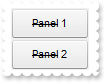
62
|
How do I show a portion of the text as strikeout in the panel
/*
	Copy and paste the following directives to your header file as
	it defines the namespace 'EXSTATUSBARLib' for the library: 'ExStatusBar 1.0 Control Library'

	#import <ExStatusBar.dll>
	using namespace EXSTATUSBARLib;
*/
EXSTATUSBARLib::IStatusBarPtr spStatusBar1 = GetDlgItem(IDC_STATUSBAR1)->GetControlUnknown();
spStatusBar1->BeginUpdate();
spStatusBar1->GetVisualAppearance()->Add(4,"c:\\exontrol\\images\\border.ebn");
spStatusBar1->GetVisualAppearance()->Add(5,"CP:4 1 1 -1 -1");
spStatusBar1->PutBackColorPanels(0x5000000);
spStatusBar1->PutBackColor(0x8000000f);
spStatusBar1->PutFormat(L"1/2");
spStatusBar1->GetPanel(long(1))->PutText(L"<s>Panel</s> 1");
spStatusBar1->GetPanel(long(2))->PutText(L"<s>Panel</s> 2");
spStatusBar1->EndUpdate();
|
|
61
|
How do I underline a portion of the text in the panel

/*
	Copy and paste the following directives to your header file as
	it defines the namespace 'EXSTATUSBARLib' for the library: 'ExStatusBar 1.0 Control Library'

	#import <ExStatusBar.dll>
	using namespace EXSTATUSBARLib;
*/
EXSTATUSBARLib::IStatusBarPtr spStatusBar1 = GetDlgItem(IDC_STATUSBAR1)->GetControlUnknown();
spStatusBar1->BeginUpdate();
spStatusBar1->GetVisualAppearance()->Add(4,"c:\\exontrol\\images\\border.ebn");
spStatusBar1->GetVisualAppearance()->Add(5,"CP:4 1 1 -1 -1");
spStatusBar1->PutBackColorPanels(0x5000000);
spStatusBar1->PutBackColor(0x8000000f);
spStatusBar1->PutFormat(L"1/2");
spStatusBar1->GetPanel(long(1))->PutText(L"<u>Panel</u> 1");
spStatusBar1->GetPanel(long(2))->PutText(L"<u>Panel</u> 2");
spStatusBar1->EndUpdate();
|
|
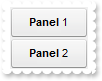
60
|
How do I bold a portion of the text in the panel
/*
	Copy and paste the following directives to your header file as
	it defines the namespace 'EXSTATUSBARLib' for the library: 'ExStatusBar 1.0 Control Library'

	#import <ExStatusBar.dll>
	using namespace EXSTATUSBARLib;
*/
EXSTATUSBARLib::IStatusBarPtr spStatusBar1 = GetDlgItem(IDC_STATUSBAR1)->GetControlUnknown();
spStatusBar1->BeginUpdate();
spStatusBar1->GetVisualAppearance()->Add(4,"c:\\exontrol\\images\\border.ebn");
spStatusBar1->GetVisualAppearance()->Add(5,"CP:4 1 1 -1 -1");
spStatusBar1->PutBackColorPanels(0x5000000);
spStatusBar1->PutBackColor(0x8000000f);
spStatusBar1->PutFormat(L"1/2");
spStatusBar1->GetPanel(long(1))->PutText(L"<b>Panel</b> 1");
spStatusBar1->GetPanel(long(2))->PutText(L"<b>Panel</b> 2");
spStatusBar1->EndUpdate();
|
|
59
|
How do I assign a caption or a text to a panel

/*
	Copy and paste the following directives to your header file as
	it defines the namespace 'EXSTATUSBARLib' for the library: 'ExStatusBar 1.0 Control Library'

	#import <ExStatusBar.dll>
	using namespace EXSTATUSBARLib;
*/
EXSTATUSBARLib::IStatusBarPtr spStatusBar1 = GetDlgItem(IDC_STATUSBAR1)->GetControlUnknown();
spStatusBar1->BeginUpdate();
spStatusBar1->GetVisualAppearance()->Add(4,"c:\\exontrol\\images\\border.ebn");
spStatusBar1->GetVisualAppearance()->Add(5,"CP:4 1 1 -1 -1");
spStatusBar1->PutBackColorPanels(0x5000000);
spStatusBar1->PutBackColor(0x8000000f);
spStatusBar1->PutFormat(L"1/2");
spStatusBar1->GetPanel(long(1))->PutText(L"Panel 1");
spStatusBar1->GetPanel(long(2))->PutText(L"Panel 2");
spStatusBar1->EndUpdate();
|
|
58
|
How do I access properties and methods of the panel

/*
	Copy and paste the following directives to your header file as
	it defines the namespace 'EXSTATUSBARLib' for the library: 'ExStatusBar 1.0 Control Library'

	#import <ExStatusBar.dll>
	using namespace EXSTATUSBARLib;
*/
EXSTATUSBARLib::IStatusBarPtr spStatusBar1 = GetDlgItem(IDC_STATUSBAR1)->GetControlUnknown();
spStatusBar1->BeginUpdate();
spStatusBar1->GetVisualAppearance()->Add(4,"c:\\exontrol\\images\\border.ebn");
spStatusBar1->GetVisualAppearance()->Add(5,"CP:4 1 1 -1 -1");
spStatusBar1->PutBackColorPanels(0x5000000);
spStatusBar1->PutFormat(L"1010/2020");
EXSTATUSBARLib::IPanelPtr var_Panel = spStatusBar1->GetPanel(long(1010));
	var_Panel->PutText(L"Panel 1");
	var_Panel->PutBold(VARIANT_TRUE);
spStatusBar1->GetPanel(long(2020))->PutText(L"Panel 2");
spStatusBar1->EndUpdate();
|
|
57
|
How do I clear the panels

/*
	Copy and paste the following directives to your header file as
	it defines the namespace 'EXSTATUSBARLib' for the library: 'ExStatusBar 1.0 Control Library'

	#import <ExStatusBar.dll>
	using namespace EXSTATUSBARLib;
*/
EXSTATUSBARLib::IStatusBarPtr spStatusBar1 = GetDlgItem(IDC_STATUSBAR1)->GetControlUnknown();
spStatusBar1->BeginUpdate();
spStatusBar1->PutBackColor(0x8000000f);
spStatusBar1->Images(_bstr_t("gBJJgBAIDAAGAAEAAQhYAf8Pf4hh0QihCJo2AEZjQAjEZFEaIEaEEaAIAkcbk0olUrlktl0vmExmUzmk1m03nE5nU7nk9n0/oFBoVDolFo1HpFJpVLplNp1PqFRqVTq") +
	"lVq1XrFZrVbrldr1fsFhsVjslls1ntFptVrtltt1vuFxuVzul1u13vF5vV7vl9v1/wGBwWDwmFw2HxGJxWLxmNx0xiFdyOTh8Tf9ZymXx+QytcyNgz8r0OblWjyWds+m" +
	"0ka1Vf1ta1+r1mos2xrG2xeZ0+a0W0qOx3GO4NV3WeyvD2XJ5XL5nN51aiw+lfSj0gkUkAEllHanHI5j/cHg8EZf7w8vl8j4f/qfEZeB09/vjLAB30+kZQAP/P5/H6/y" +
	"NAOAEAwCjMBwFAEDwJBMDwLBYAP2/8Hv8/gAGAD8LQs9w/nhDY/oygIA=");
spStatusBar1->GetVisualAppearance()->Add(4,"c:\\exontrol\\images\\border.ebn");
spStatusBar1->GetVisualAppearance()->Add(5,"CP:4 1 1 -1 -1");
spStatusBar1->PutBackColorPanels(0x5000000);
spStatusBar1->PutFormat(L"1/2/48;(3,4:48)");
spStatusBar1->GetPanel(long(1))->PutText(L"Panel 1");
spStatusBar1->GetPanel(long(2))->PutText(L"Panel 2");
spStatusBar1->GetPanel(long(3))->PutText(L"Panel 3");
spStatusBar1->GetPanel(long(4))->PutText(L"Panel 4");
spStatusBar1->ClearPanels();
spStatusBar1->EndUpdate();
|
|
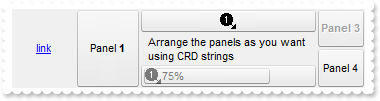
56
|
How can I add or arrange the panels in the status bar control
/*
	Copy and paste the following directives to your header file as
	it defines the namespace 'EXSTATUSBARLib' for the library: 'ExStatusBar 1.0 Control Library'

	#import <ExStatusBar.dll>
	using namespace EXSTATUSBARLib;
*/
EXSTATUSBARLib::IStatusBarPtr spStatusBar1 = GetDlgItem(IDC_STATUSBAR1)->GetControlUnknown();
spStatusBar1->BeginUpdate();
spStatusBar1->PutFormat(L"\"<a1>link</a>\"[a=17]:64,11:64,((24;21/\"Arrange the panels as you want using CRD strings\"[a=17][ww])/24;3),(33/44):48");
spStatusBar1->Images(_bstr_t("gBJJgBAIDAAGAAEAAQhYAf8Pf4hh0QihCJo2AEZjQAjEZFEaIEaEEaAIAkcbk0olUrlktl0vmExmUzmk1m03nE5nU7nk9n0/oFBoVDolFo1HpFJpVLplNp1PqFRqVTq") +
	"lVq1XrFZrVbrldr1fsFhsVjslls1ntFptVrtltt1vuFxuVzul1u13vF5vV7vl9v1/wGBwWDwmFw2HxGJxWLxmNx0xiFdyOTh8Tf9ZymXx+QytcyNgz8r0OblWjyWds+m" +
	"0ka1Vf1ta1+r1mos2xrG2xeZ0+a0W0qOx3GO4NV3WeyvD2XJ5XL5nN51aiw+lfSj0gkUkAEllHanHI5j/cHg8EZf7w8vl8j4f/qfEZeB09/vjLAB30+kZQAP/P5/H6/y" +
	"NAOAEAwCjMBwFAEDwJBMDwLBYAP2/8Hv8/gAGAD8LQs9w/nhDY/oygIA=");
EXSTATUSBARLib::IAppearancePtr var_Appearance = spStatusBar1->GetVisualAppearance();
	var_Appearance->Add(1,"c:\\exontrol\\images\\border.ebn");
	var_Appearance->Add(2,"c:\\exontrol\\images\\border.ebn");
	var_Appearance->Add(3,"CP:2 1 1 -1 -1");
spStatusBar1->PutAppearance(EXSTATUSBARLib::None2);
spStatusBar1->PutBackColor(0x8000000f);
spStatusBar1->PutBackColorPanels(0x3000000);
spStatusBar1->GetPanel(long(11))->PutText(L"Panel <b>1</b>");
EXSTATUSBARLib::IPanelPtr var_Panel = spStatusBar1->GetPanel(long(3));
	var_Panel->PutTransparency(50);
	var_Panel->PutText(L"<img>1</img>75%");
	var_Panel->PutPercent(75);
	var_Panel->PutAlignment(EXSTATUSBARLib::exAlignMiddleLeft);
	var_Panel->PutOffset(L"4 4 -4 -4");
	var_Panel->PutOffsetPercent(var_Panel->GetOffset());
	var_Panel->PutBackColorPercent(0x1000000);
spStatusBar1->GetPanel(long(21))->PutImage(1);
EXSTATUSBARLib::IPanelPtr var_Panel1 = spStatusBar1->GetPanel(long(33));
	var_Panel1->PutText(L"Panel 3");
	var_Panel1->PutBold(VARIANT_TRUE);
	var_Panel1->PutEnabled(VARIANT_FALSE);
spStatusBar1->GetPanel(long(44))->PutText(L"Panel 4");
spStatusBar1->EndUpdate();
|
|
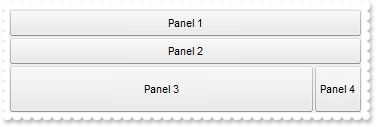
55
|
How can I add three panels aligned from top to bottom, and the last divided in two panels
/*
	Copy and paste the following directives to your header file as
	it defines the namespace 'EXSTATUSBARLib' for the library: 'ExStatusBar 1.0 Control Library'

	#import <ExStatusBar.dll>
	using namespace EXSTATUSBARLib;
*/
EXSTATUSBARLib::IStatusBarPtr spStatusBar1 = GetDlgItem(IDC_STATUSBAR1)->GetControlUnknown();
spStatusBar1->BeginUpdate();
spStatusBar1->PutBackColor(0x8000000f);
spStatusBar1->Images(_bstr_t("gBJJgBAIDAAGAAEAAQhYAf8Pf4hh0QihCJo2AEZjQAjEZFEaIEaEEaAIAkcbk0olUrlktl0vmExmUzmk1m03nE5nU7nk9n0/oFBoVDolFo1HpFJpVLplNp1PqFRqVTq") +
	"lVq1XrFZrVbrldr1fsFhsVjslls1ntFptVrtltt1vuFxuVzul1u13vF5vV7vl9v1/wGBwWDwmFw2HxGJxWLxmNx0xiFdyOTh8Tf9ZymXx+QytcyNgz8r0OblWjyWds+m" +
	"0ka1Vf1ta1+r1mos2xrG2xeZ0+a0W0qOx3GO4NV3WeyvD2XJ5XL5nN51aiw+lfSj0gkUkAEllHanHI5j/cHg8EZf7w8vl8j4f/qfEZeB09/vjLAB30+kZQAP/P5/H6/y" +
	"NAOAEAwCjMBwFAEDwJBMDwLBYAP2/8Hv8/gAGAD8LQs9w/nhDY/oygIA=");
spStatusBar1->GetVisualAppearance()->Add(4,"c:\\exontrol\\images\\border.ebn");
spStatusBar1->GetVisualAppearance()->Add(5,"CP:4 1 1 -1 -1");
spStatusBar1->PutBackColorPanels(0x5000000);
spStatusBar1->PutFormat(L"1/2/48;(3,4:48)");
spStatusBar1->GetPanel(long(1))->PutText(L"Panel 1");
spStatusBar1->GetPanel(long(2))->PutText(L"Panel 2");
spStatusBar1->GetPanel(long(3))->PutText(L"Panel 3");
spStatusBar1->GetPanel(long(4))->PutText(L"Panel 4");
spStatusBar1->EndUpdate();
|
|
54
|
How can I add three panels aligned from top to bottom
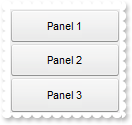
/*
	Copy and paste the following directives to your header file as
	it defines the namespace 'EXSTATUSBARLib' for the library: 'ExStatusBar 1.0 Control Library'

	#import <ExStatusBar.dll>
	using namespace EXSTATUSBARLib;
*/
EXSTATUSBARLib::IStatusBarPtr spStatusBar1 = GetDlgItem(IDC_STATUSBAR1)->GetControlUnknown();
spStatusBar1->BeginUpdate();
spStatusBar1->PutBackColor(0x8000000f);
spStatusBar1->Images(_bstr_t("gBJJgBAIDAAGAAEAAQhYAf8Pf4hh0QihCJo2AEZjQAjEZFEaIEaEEaAIAkcbk0olUrlktl0vmExmUzmk1m03nE5nU7nk9n0/oFBoVDolFo1HpFJpVLplNp1PqFRqVTq") +
	"lVq1XrFZrVbrldr1fsFhsVjslls1ntFptVrtltt1vuFxuVzul1u13vF5vV7vl9v1/wGBwWDwmFw2HxGJxWLxmNx0xiFdyOTh8Tf9ZymXx+QytcyNgz8r0OblWjyWds+m" +
	"0ka1Vf1ta1+r1mos2xrG2xeZ0+a0W0qOx3GO4NV3WeyvD2XJ5XL5nN51aiw+lfSj0gkUkAEllHanHI5j/cHg8EZf7w8vl8j4f/qfEZeB09/vjLAB30+kZQAP/P5/H6/y" +
	"NAOAEAwCjMBwFAEDwJBMDwLBYAP2/8Hv8/gAGAD8LQs9w/nhDY/oygIA=");
spStatusBar1->GetVisualAppearance()->Add(4,"c:\\exontrol\\images\\border.ebn");
spStatusBar1->GetVisualAppearance()->Add(5,"CP:4 1 1 -1 -1");
spStatusBar1->PutBackColorPanels(0x5000000);
spStatusBar1->PutFormat(L"1/2/3");
spStatusBar1->GetPanel(long(1))->PutText(L"Panel 1");
spStatusBar1->GetPanel(long(2))->PutText(L"Panel 2");
spStatusBar1->GetPanel(long(3))->PutText(L"Panel 3");
spStatusBar1->EndUpdate();
|
|
53
|
How can I add two panels to the status bar control, first aligned to the left, the second aligned to the right, and in the middle some text

/*
	Copy and paste the following directives to your header file as
	it defines the namespace 'EXSTATUSBARLib' for the library: 'ExStatusBar 1.0 Control Library'

	#import <ExStatusBar.dll>
	using namespace EXSTATUSBARLib;
*/
EXSTATUSBARLib::IStatusBarPtr spStatusBar1 = GetDlgItem(IDC_STATUSBAR1)->GetControlUnknown();
spStatusBar1->BeginUpdate();
spStatusBar1->PutBackColor(0x8000000f);
spStatusBar1->Images(_bstr_t("gBJJgBAIDAAGAAEAAQhYAf8Pf4hh0QihCJo2AEZjQAjEZFEaIEaEEaAIAkcbk0olUrlktl0vmExmUzmk1m03nE5nU7nk9n0/oFBoVDolFo1HpFJpVLplNp1PqFRqVTq") +
	"lVq1XrFZrVbrldr1fsFhsVjslls1ntFptVrtltt1vuFxuVzul1u13vF5vV7vl9v1/wGBwWDwmFw2HxGJxWLxmNx0xiFdyOTh8Tf9ZymXx+QytcyNgz8r0OblWjyWds+m" +
	"0ka1Vf1ta1+r1mos2xrG2xeZ0+a0W0qOx3GO4NV3WeyvD2XJ5XL5nN51aiw+lfSj0gkUkAEllHanHI5j/cHg8EZf7w8vl8j4f/qfEZeB09/vjLAB30+kZQAP/P5/H6/y" +
	"NAOAEAwCjMBwFAEDwJBMDwLBYAP2/8Hv8/gAGAD8LQs9w/nhDY/oygIA=");
spStatusBar1->GetVisualAppearance()->Add(4,"c:\\exontrol\\images\\border.ebn");
spStatusBar1->GetVisualAppearance()->Add(5,"CP:4 1 1 -1 -1");
spStatusBar1->PutBackColorPanels(0x5000000);
spStatusBar1->PutFormat(L"1:64,\"<img>1</img> just text and so on ...\"[a=17],2:96");
spStatusBar1->GetPanel(long(1))->PutText(L"Panel 1");
spStatusBar1->GetPanel(long(2))->PutText(L"Panel 2");
spStatusBar1->EndUpdate();
|
|
52
|
How can I add two panels to the status bar control, first aligned to the left, the second aligned to the right

/*
	Copy and paste the following directives to your header file as
	it defines the namespace 'EXSTATUSBARLib' for the library: 'ExStatusBar 1.0 Control Library'

	#import <ExStatusBar.dll>
	using namespace EXSTATUSBARLib;
*/
EXSTATUSBARLib::IStatusBarPtr spStatusBar1 = GetDlgItem(IDC_STATUSBAR1)->GetControlUnknown();
spStatusBar1->BeginUpdate();
spStatusBar1->GetVisualAppearance()->Add(4,"c:\\exontrol\\images\\border.ebn");
spStatusBar1->GetVisualAppearance()->Add(5,"CP:4 1 1 -1 -1");
spStatusBar1->PutBackColorPanels(0x5000000);
spStatusBar1->PutFormat(L"1:64,\"\",2:96");
spStatusBar1->GetPanel(long(1))->PutText(L"Panel 1");
spStatusBar1->GetPanel(long(2))->PutText(L"Panel 2");
spStatusBar1->EndUpdate();
|
|
51
|
How can I add two panels to the status bar control, so the first has a specified width

/*
	Copy and paste the following directives to your header file as
	it defines the namespace 'EXSTATUSBARLib' for the library: 'ExStatusBar 1.0 Control Library'

	#import <ExStatusBar.dll>
	using namespace EXSTATUSBARLib;
*/
EXSTATUSBARLib::IStatusBarPtr spStatusBar1 = GetDlgItem(IDC_STATUSBAR1)->GetControlUnknown();
spStatusBar1->BeginUpdate();
spStatusBar1->GetVisualAppearance()->Add(4,"c:\\exontrol\\images\\border.ebn");
spStatusBar1->GetVisualAppearance()->Add(5,"CP:4 1 1 -1 -1");
spStatusBar1->PutBackColorPanels(0x5000000);
spStatusBar1->PutFormat(L"1:64,2");
spStatusBar1->GetPanel(long(1))->PutText(L"Panel 1");
spStatusBar1->GetPanel(long(2))->PutText(L"Panel 2");
spStatusBar1->EndUpdate();
|
|
50
|
How can I add two panels to the status bar control, so the second has a specified width

/*
	Copy and paste the following directives to your header file as
	it defines the namespace 'EXSTATUSBARLib' for the library: 'ExStatusBar 1.0 Control Library'

	#import <ExStatusBar.dll>
	using namespace EXSTATUSBARLib;
*/
EXSTATUSBARLib::IStatusBarPtr spStatusBar1 = GetDlgItem(IDC_STATUSBAR1)->GetControlUnknown();
spStatusBar1->BeginUpdate();
spStatusBar1->GetVisualAppearance()->Add(4,"c:\\exontrol\\images\\border.ebn");
spStatusBar1->GetVisualAppearance()->Add(5,"CP:4 1 1 -1 -1");
spStatusBar1->PutBackColorPanels(0x5000000);
spStatusBar1->PutFormat(L"1,2:64");
spStatusBar1->GetPanel(long(1))->PutText(L"Panel 1");
spStatusBar1->GetPanel(long(2))->PutText(L"Panel 2");
spStatusBar1->EndUpdate();
|
|
49
|
How can I add two panels to the status bar control

/*
	Copy and paste the following directives to your header file as
	it defines the namespace 'EXSTATUSBARLib' for the library: 'ExStatusBar 1.0 Control Library'

	#import <ExStatusBar.dll>
	using namespace EXSTATUSBARLib;
*/
EXSTATUSBARLib::IStatusBarPtr spStatusBar1 = GetDlgItem(IDC_STATUSBAR1)->GetControlUnknown();
spStatusBar1->BeginUpdate();
spStatusBar1->GetVisualAppearance()->Add(4,"c:\\exontrol\\images\\border.ebn");
spStatusBar1->GetVisualAppearance()->Add(5,"CP:4 1 1 -1 -1");
spStatusBar1->PutBackColorPanels(0x5000000);
spStatusBar1->PutFormat(L"1,2");
spStatusBar1->GetPanel(long(1))->PutText(L"Panel 1");
spStatusBar1->GetPanel(long(2))->PutText(L"Panel 2");
spStatusBar1->EndUpdate();
|
|
48
|
How do I add one panel to the status bar control

/*
	Copy and paste the following directives to your header file as
	it defines the namespace 'EXSTATUSBARLib' for the library: 'ExStatusBar 1.0 Control Library'

	#import <ExStatusBar.dll>
	using namespace EXSTATUSBARLib;
*/
EXSTATUSBARLib::IStatusBarPtr spStatusBar1 = GetDlgItem(IDC_STATUSBAR1)->GetControlUnknown();
spStatusBar1->BeginUpdate();
spStatusBar1->GetVisualAppearance()->Add(4,"c:\\exontrol\\images\\border.ebn");
spStatusBar1->GetVisualAppearance()->Add(5,"CP:4 2 2 -2 -2");
spStatusBar1->PutBackColorPanels(0x5000000);
spStatusBar1->PutFormat(L"1");
spStatusBar1->GetPanel(long(1))->PutText(L"Panel 1");
spStatusBar1->EndUpdate();
|
|
47
|
How do I arrange the panels in the status bar
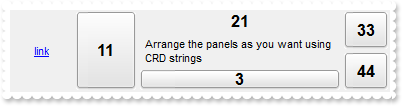
/*
	Copy and paste the following directives to your header file as
	it defines the namespace 'EXSTATUSBARLib' for the library: 'ExStatusBar 1.0 Control Library'

	#import <ExStatusBar.dll>
	using namespace EXSTATUSBARLib;
*/
EXSTATUSBARLib::IStatusBarPtr spStatusBar1 = GetDlgItem(IDC_STATUSBAR1)->GetControlUnknown();
spStatusBar1->BeginUpdate();
spStatusBar1->PutDebug(VARIANT_TRUE);
spStatusBar1->GetVisualAppearance()->Add(4,"c:\\exontrol\\images\\hot.ebn");
spStatusBar1->GetVisualAppearance()->Add(5,"CP:4 2 2 -2 -2");
spStatusBar1->PutBackColorPanels(0x5000000);
spStatusBar1->PutFormat(L"\"<a1>link</a>\"[a=17]:64,11:64,((24;21/\"Arrange the panels as you want using CRD strings\"[a=17][ww])/24;3),(33/44):48");
spStatusBar1->EndUpdate();
|
|
46
|
How do I arrange the panels in the status bar
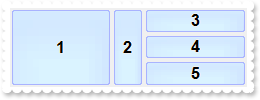
/*
	Copy and paste the following directives to your header file as
	it defines the namespace 'EXSTATUSBARLib' for the library: 'ExStatusBar 1.0 Control Library'

	#import <ExStatusBar.dll>
	using namespace EXSTATUSBARLib;
*/
EXSTATUSBARLib::IStatusBarPtr spStatusBar1 = GetDlgItem(IDC_STATUSBAR1)->GetControlUnknown();
spStatusBar1->BeginUpdate();
spStatusBar1->PutDebug(VARIANT_TRUE);
spStatusBar1->GetVisualAppearance()->Add(4,"c:\\exontrol\\images\\pushed.ebn");
spStatusBar1->GetVisualAppearance()->Add(5,"CP:4 2 2 -2 -2");
spStatusBar1->PutBackColorPanels(0x5000000);
spStatusBar1->PutFormat(L"1,2:32,(3/4/5)");
spStatusBar1->EndUpdate();
|
|
45
|
How do I arrange the panels in the status bar
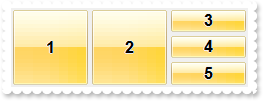
/*
	Copy and paste the following directives to your header file as
	it defines the namespace 'EXSTATUSBARLib' for the library: 'ExStatusBar 1.0 Control Library'

	#import <ExStatusBar.dll>
	using namespace EXSTATUSBARLib;
*/
EXSTATUSBARLib::IStatusBarPtr spStatusBar1 = GetDlgItem(IDC_STATUSBAR1)->GetControlUnknown();
spStatusBar1->BeginUpdate();
spStatusBar1->PutDebug(VARIANT_TRUE);
spStatusBar1->GetVisualAppearance()->Add(4,"c:\\exontrol\\images\\normal.ebn");
spStatusBar1->GetVisualAppearance()->Add(5,"CP:4 2 2 -2 -2");
spStatusBar1->PutBackColorPanels(0x5000000);
spStatusBar1->PutFormat(L"1,2,(3/4/5)");
spStatusBar1->EndUpdate();
|
|
44
|
How do I get the panel from the cursor
/*
	Copy and paste the following directives to your header file as
	it defines the namespace 'EXSTATUSBARLib' for the library: 'ExStatusBar 1.0 Control Library'

	#import <ExStatusBar.dll>
	using namespace EXSTATUSBARLib;
*/
EXSTATUSBARLib::IStatusBarPtr spStatusBar1 = GetDlgItem(IDC_STATUSBAR1)->GetControlUnknown();
ObjectPtr p = ((ObjectPtr)(spStatusBar1->GetPanelFromPoint(-1,-1)));
|
|
43
|
How do I draw a border for all panels
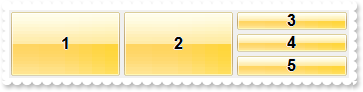
/*
	Copy and paste the following directives to your header file as
	it defines the namespace 'EXSTATUSBARLib' for the library: 'ExStatusBar 1.0 Control Library'

	#import <ExStatusBar.dll>
	using namespace EXSTATUSBARLib;
*/
EXSTATUSBARLib::IStatusBarPtr spStatusBar1 = GetDlgItem(IDC_STATUSBAR1)->GetControlUnknown();
spStatusBar1->BeginUpdate();
spStatusBar1->PutDebug(VARIANT_TRUE);
spStatusBar1->GetVisualAppearance()->Add(4,"c:\\exontrol\\images\\normal.ebn");
spStatusBar1->GetVisualAppearance()->Add(5,"CP:4 2 2 -2 -2");
spStatusBar1->PutBackColorPanels(0x5000000);
spStatusBar1->PutFormat(L"1,2,(3/4/5)");
spStatusBar1->EndUpdate();
|
|
42
|
How do I draw a border for all panels
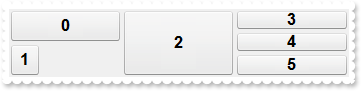
/*
	Copy and paste the following directives to your header file as
	it defines the namespace 'EXSTATUSBARLib' for the library: 'ExStatusBar 1.0 Control Library'

	#import <ExStatusBar.dll>
	using namespace EXSTATUSBARLib;
*/
EXSTATUSBARLib::IStatusBarPtr spStatusBar1 = GetDlgItem(IDC_STATUSBAR1)->GetControlUnknown();
spStatusBar1->BeginUpdate();
spStatusBar1->GetVisualAppearance()->Add(4,"c:\\exontrol\\images\\border.ebn");
spStatusBar1->GetVisualAppearance()->Add(5,"CP:4 2 2 -2 -2");
spStatusBar1->PutBackColorPanels(0x5000000);
spStatusBar1->PutDebug(VARIANT_TRUE);
spStatusBar1->PutFormat(L"(0/1:32),2,(3/4/5)");
spStatusBar1->EndUpdate();
|
|
41
|
Is there any option to display the identifiers of the panels

/*
	Copy and paste the following directives to your header file as
	it defines the namespace 'EXSTATUSBARLib' for the library: 'ExStatusBar 1.0 Control Library'

	#import <ExStatusBar.dll>
	using namespace EXSTATUSBARLib;
*/
EXSTATUSBARLib::IStatusBarPtr spStatusBar1 = GetDlgItem(IDC_STATUSBAR1)->GetControlUnknown();
spStatusBar1->BeginUpdate();
spStatusBar1->PutDebug(VARIANT_TRUE);
spStatusBar1->GetVisualAppearance()->Add(4,"c:\\exontrol\\images\\border.ebn");
spStatusBar1->GetVisualAppearance()->Add(5,"CP:4 1 1 -1 -1");
spStatusBar1->PutBackColorPanels(0x5000000);
spStatusBar1->PutFormat(L"1,2,3");
spStatusBar1->GetPanel(long(1))->PutText(L"Panel 1");
spStatusBar1->GetPanel(long(2))->PutText(L"Panel 2");
spStatusBar1->GetPanel(long(3))->PutText(L"Panel 3");
spStatusBar1->EndUpdate();
|
|
40
|
Can I get the anchor from the point so I can display a tooltip
/*
	Copy and paste the following directives to your header file as
	it defines the namespace 'EXSTATUSBARLib' for the library: 'ExStatusBar 1.0 Control Library'

	#import <ExStatusBar.dll>
	using namespace EXSTATUSBARLib;
*/
EXSTATUSBARLib::IStatusBarPtr spStatusBar1 = GetDlgItem(IDC_STATUSBAR1)->GetControlUnknown();
spStatusBar1->BeginUpdate();
spStatusBar1->GetVisualAppearance()->Add(4,"c:\\exontrol\\images\\border.ebn");
spStatusBar1->GetVisualAppearance()->Add(5,"CP:4 1 1 -1 -1");
spStatusBar1->PutBackColorPanels(0x5000000);
spStatusBar1->PutFormat(L"1,2,3");
spStatusBar1->GetPanel(long(1))->PutText(L"<a1>link 1</a>");
spStatusBar1->GetPanel(long(2))->PutText(L"<a2>link 2</a>");
spStatusBar1->GetPanel(long(3))->PutText(L"<a3>link 3</a>");
spStatusBar1->ShowToolTip(spStatusBar1->GetAnchorFromPoint(-1,-1),vtMissing,vtMissing,vtMissing,vtMissing);
spStatusBar1->EndUpdate();
|
|
39
|
Can I change the visual effect, appearance for the anchor, hyperlink elements, in HTML captions, after the user clicks it

/*
	Copy and paste the following directives to your header file as
	it defines the namespace 'EXSTATUSBARLib' for the library: 'ExStatusBar 1.0 Control Library'

	#import <ExStatusBar.dll>
	using namespace EXSTATUSBARLib;
*/
EXSTATUSBARLib::IStatusBarPtr spStatusBar1 = GetDlgItem(IDC_STATUSBAR1)->GetControlUnknown();
spStatusBar1->BeginUpdate();
spStatusBar1->PutFormatAnchor(VARIANT_FALSE,L"<b><u><fgcolor=880000> </fgcolor></u></b>");
spStatusBar1->GetVisualAppearance()->Add(4,"c:\\exontrol\\images\\border.ebn");
spStatusBar1->GetVisualAppearance()->Add(5,"CP:4 1 1 -1 -1");
spStatusBar1->PutBackColorPanels(0x5000000);
spStatusBar1->PutFormat(L"1,2,3");
spStatusBar1->GetPanel(long(1))->PutText(L"<a1>link 1</a>");
spStatusBar1->GetPanel(long(2))->PutText(L"<a2>link 2</a>");
spStatusBar1->GetPanel(long(3))->PutText(L"<a3>link 3</a>");
spStatusBar1->EndUpdate();
|
|
38
|
Can I change the visual effect, appearance for the anchor, hyperlink elements, in HTML captions

/*
	Copy and paste the following directives to your header file as
	it defines the namespace 'EXSTATUSBARLib' for the library: 'ExStatusBar 1.0 Control Library'

	#import <ExStatusBar.dll>
	using namespace EXSTATUSBARLib;
*/
EXSTATUSBARLib::IStatusBarPtr spStatusBar1 = GetDlgItem(IDC_STATUSBAR1)->GetControlUnknown();
spStatusBar1->BeginUpdate();
spStatusBar1->PutFormatAnchor(VARIANT_TRUE,L"<b><u><fgcolor=FF0000> </fgcolor></u></b>");
spStatusBar1->GetVisualAppearance()->Add(4,"c:\\exontrol\\images\\border.ebn");
spStatusBar1->GetVisualAppearance()->Add(5,"CP:4 1 1 -1 -1");
spStatusBar1->PutBackColorPanels(0x5000000);
spStatusBar1->PutFormat(L"1,2,3");
spStatusBar1->GetPanel(long(1))->PutText(L"<a1>link 1</a>");
spStatusBar1->GetPanel(long(2))->PutText(L"<a2>link 2</a>");
spStatusBar1->GetPanel(long(3))->PutText(L"<a3>link 3</a>");
spStatusBar1->EndUpdate();
|
|
37
|
Can I displays a custom size picture to panels

/*
	Copy and paste the following directives to your header file as
	it defines the namespace 'EXSTATUSBARLib' for the library: 'ExStatusBar 1.0 Control Library'

	#import <ExStatusBar.dll>
	using namespace EXSTATUSBARLib;
*/
EXSTATUSBARLib::IStatusBarPtr spStatusBar1 = GetDlgItem(IDC_STATUSBAR1)->GetControlUnknown();
spStatusBar1->BeginUpdate();
spStatusBar1->GetVisualAppearance()->Add(4,"c:\\exontrol\\images\\border.ebn");
spStatusBar1->GetVisualAppearance()->Add(5,"CP:4 1 1 -1 -1");
spStatusBar1->PutBackColorPanels(0x5000000);
spStatusBar1->PutHTMLPicture(L"pic1","c:\\exontrol\\images\\zipdisk.gif");
spStatusBar1->PutFormat(L"1,2,3,4");
spStatusBar1->GetPanel(long(1))->PutText(L"<img>pic1</img>");
spStatusBar1->EndUpdate();
|
|
36
|
How can I show the tooltip programatically
/*
	Copy and paste the following directives to your header file as
	it defines the namespace 'EXSTATUSBARLib' for the library: 'ExStatusBar 1.0 Control Library'

	#import <ExStatusBar.dll>
	using namespace EXSTATUSBARLib;
*/
EXSTATUSBARLib::IStatusBarPtr spStatusBar1 = GetDlgItem(IDC_STATUSBAR1)->GetControlUnknown();
spStatusBar1->ShowToolTip(L"This is a bit of text that should appear when ShowToolTip method is called.",vtMissing,vtMissing,vtMissing,vtMissing);
|
|
35
|
I've seen that the width of the tooltip is variable. Can I make it larger

/*
	Copy and paste the following directives to your header file as
	it defines the namespace 'EXSTATUSBARLib' for the library: 'ExStatusBar 1.0 Control Library'

	#import <ExStatusBar.dll>
	using namespace EXSTATUSBARLib;
*/
EXSTATUSBARLib::IStatusBarPtr spStatusBar1 = GetDlgItem(IDC_STATUSBAR1)->GetControlUnknown();
spStatusBar1->BeginUpdate();
spStatusBar1->PutToolTipDelay(1);
spStatusBar1->PutToolTipWidth(426);
spStatusBar1->PutFormat(L"1");
EXSTATUSBARLib::IPanelPtr var_Panel = spStatusBar1->GetPanel(long(1));
	var_Panel->PutText(L"This is a bit of text that should occurs when the cursor hovers the panel");
	var_Panel->PutToolTipText(var_Panel->GetText());
	var_Panel->PutToolTipTitle(L"Title");
	var_Panel->PutAlignment(EXSTATUSBARLib::exAlignMiddleLeft);
spStatusBar1->EndUpdate();
|
|
34
|
How do I call your x-script language
/*
	Copy and paste the following directives to your header file as
	it defines the namespace 'EXSTATUSBARLib' for the library: 'ExStatusBar 1.0 Control Library'

	#import <ExStatusBar.dll>
	using namespace EXSTATUSBARLib;
*/
EXSTATUSBARLib::IStatusBarPtr spStatusBar1 = GetDlgItem(IDC_STATUSBAR1)->GetControlUnknown();
spStatusBar1->PutDebug(VARIANT_TRUE);
spStatusBar1->PutFormat(L"1");
((EXSTATUSBARLib::IPanelPtr)(spStatusBar1->ExecuteTemplate(L"Panel(1)")))->PutText(L"this is called through ExecuteTemplate property");
|
|
33
|
How do I call your x-script language

/*
	Copy and paste the following directives to your header file as
	it defines the namespace 'EXSTATUSBARLib' for the library: 'ExStatusBar 1.0 Control Library'

	#import <ExStatusBar.dll>
	using namespace EXSTATUSBARLib;
*/
EXSTATUSBARLib::IStatusBarPtr spStatusBar1 = GetDlgItem(IDC_STATUSBAR1)->GetControlUnknown();
spStatusBar1->PutTemplate(L"BackColor = RGB(255,0,0)");
|
|
32
|
How can I disable the control

/*
	Copy and paste the following directives to your header file as
	it defines the namespace 'EXSTATUSBARLib' for the library: 'ExStatusBar 1.0 Control Library'

	#import <ExStatusBar.dll>
	using namespace EXSTATUSBARLib;
*/
EXSTATUSBARLib::IStatusBarPtr spStatusBar1 = GetDlgItem(IDC_STATUSBAR1)->GetControlUnknown();
spStatusBar1->BeginUpdate();
spStatusBar1->PutEnabled(VARIANT_FALSE);
spStatusBar1->Images(_bstr_t("gBJJgBAIDAAGAAEAAQhYAf8Pf4hh0QihCJo2AEZjQAjEZFEaIEaEEaAIAkcbk0olUrlktl0vmExmUzmk1m03nE5nU7nk9n0/oFBoVDolFo1HpFJpVLplNp1PqFRqVTq") +
	"lVq1XrFZrVbrldr1fsFhsVjslls1ntFptVrtltt1vuFxuVzul1u13vF5vV7vl9v1/wGBwWDwmFw2HxGJxWLxmNx0xiFdyOTh8Tf9ZymXx+QytcyNgz8r0OblWjyWds+m" +
	"0ka1Vf1ta1+r1mos2xrG2xeZ0+a0W0qOx3GO4NV3WeyvD2XJ5XL5nN51aiw+lfSj0gkUkAEllHanHI5j/cHg8EZf7w8vl8j4f/qfEZeB09/vjLAB30+kZQAP/P5/H6/y" +
	"NAOAEAwCjMBwFAEDwJBMDwLBYAP2/8Hv8/gAGAD8LQs9w/nhDY/oygIA=");
spStatusBar1->GetVisualAppearance()->Add(4,"c:\\exontrol\\images\\border.ebn");
spStatusBar1->GetVisualAppearance()->Add(5,"CP:4 1 1 -1 -1");
spStatusBar1->PutBackColorPanels(0x5000000);
spStatusBar1->PutFormat(L"1,2,3,4,(5/6/7/8)");
spStatusBar1->GetPanel(long(1))->PutImage(1);
spStatusBar1->GetPanel(long(2))->PutText(L"<img>1:4</img><img>1:4</img><img>1:4</img><img>1</img> icons");
EXSTATUSBARLib::IPanelPtr var_Panel = spStatusBar1->GetPanel(long(3));
	var_Panel->PutText(L"<img>2</img>");
	var_Panel->PutAlignment(EXSTATUSBARLib::exAlignMiddleRight);
spStatusBar1->EndUpdate();
|
|
31
|
How do I let the tooltip being displayed longer
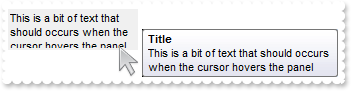
/*
	Copy and paste the following directives to your header file as
	it defines the namespace 'EXSTATUSBARLib' for the library: 'ExStatusBar 1.0 Control Library'

	#import <ExStatusBar.dll>
	using namespace EXSTATUSBARLib;
*/
EXSTATUSBARLib::IStatusBarPtr spStatusBar1 = GetDlgItem(IDC_STATUSBAR1)->GetControlUnknown();
spStatusBar1->BeginUpdate();
spStatusBar1->PutToolTipDelay(1);
spStatusBar1->PutToolTipPopDelay(10000);
spStatusBar1->PutFormat(L"1");
EXSTATUSBARLib::IPanelPtr var_Panel = spStatusBar1->GetPanel(long(1));
	var_Panel->PutText(L"This is a bit of text that should occurs when the cursor hovers the panel");
	var_Panel->PutToolTipText(var_Panel->GetText());
	var_Panel->PutToolTipTitle(L"Title");
	var_Panel->PutAlignment(EXSTATUSBARLib::exAlignMiddleLeft);
spStatusBar1->EndUpdate();
|
|
30
|
Can I change the background color for the tooltip
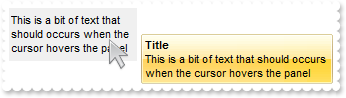
/*
	Copy and paste the following directives to your header file as
	it defines the namespace 'EXSTATUSBARLib' for the library: 'ExStatusBar 1.0 Control Library'

	#import <ExStatusBar.dll>
	using namespace EXSTATUSBARLib;
*/
EXSTATUSBARLib::IStatusBarPtr spStatusBar1 = GetDlgItem(IDC_STATUSBAR1)->GetControlUnknown();
spStatusBar1->BeginUpdate();
spStatusBar1->PutToolTipDelay(1);
spStatusBar1->GetVisualAppearance()->Add(1,"c:\\exontrol\\images\\normal.ebn");
spStatusBar1->PutBackground(EXSTATUSBARLib::exToolTipAppearance,0x1000000);
spStatusBar1->PutBackground(EXSTATUSBARLib::exToolTipBackColor,RGB(246,245,240));
spStatusBar1->PutFormat(L"1");
EXSTATUSBARLib::IPanelPtr var_Panel = spStatusBar1->GetPanel(long(1));
	var_Panel->PutText(L"This is a bit of text that should occurs when the cursor hovers the panel");
	var_Panel->PutToolTipText(var_Panel->GetText());
	var_Panel->PutToolTipTitle(L"Title");
	var_Panel->PutAlignment(EXSTATUSBARLib::exAlignMiddleLeft);
spStatusBar1->EndUpdate();
|
|
29
|
Can I change the background color for the tooltip
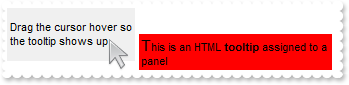
/*
	Copy and paste the following directives to your header file as
	it defines the namespace 'EXSTATUSBARLib' for the library: 'ExStatusBar 1.0 Control Library'

	#import <ExStatusBar.dll>
	using namespace EXSTATUSBARLib;
*/
EXSTATUSBARLib::IStatusBarPtr spStatusBar1 = GetDlgItem(IDC_STATUSBAR1)->GetControlUnknown();
spStatusBar1->BeginUpdate();
spStatusBar1->PutToolTipDelay(1);
spStatusBar1->PutBackground(EXSTATUSBARLib::exToolTipBackColor,RGB(255,0,0));
spStatusBar1->PutFormat(L"1");
EXSTATUSBARLib::IPanelPtr var_Panel = spStatusBar1->GetPanel(long(1));
	var_Panel->PutText(L"Drag the cursor hover so the tooltip shows up");
	var_Panel->PutToolTipText(L"<font Tahoma;11>T</font>his is an HTML <b>tooltip</b> assigned to a panel");
spStatusBar1->EndUpdate();
|
|
28
|
Does the tooltip support HTML format
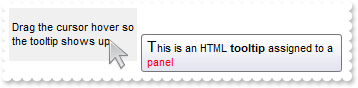
/*
	Copy and paste the following directives to your header file as
	it defines the namespace 'EXSTATUSBARLib' for the library: 'ExStatusBar 1.0 Control Library'

	#import <ExStatusBar.dll>
	using namespace EXSTATUSBARLib;
*/
EXSTATUSBARLib::IStatusBarPtr spStatusBar1 = GetDlgItem(IDC_STATUSBAR1)->GetControlUnknown();
spStatusBar1->BeginUpdate();
spStatusBar1->PutToolTipDelay(1);
spStatusBar1->PutFormat(L"1");
EXSTATUSBARLib::IPanelPtr var_Panel = spStatusBar1->GetPanel(long(1));
	var_Panel->PutText(L"Drag the cursor hover so the tooltip shows up");
	var_Panel->PutToolTipText(L"<font Tahoma;11>T</font>his is an HTML <b>tooltip</b> assigned to a <fgcolor=FF0000>panel</fgcolor>");
spStatusBar1->EndUpdate();
|
|
27
|
Can I change the forecolor for the tooltip
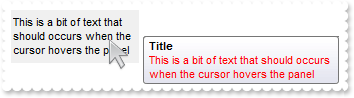
/*
	Copy and paste the following directives to your header file as
	it defines the namespace 'EXSTATUSBARLib' for the library: 'ExStatusBar 1.0 Control Library'

	#import <ExStatusBar.dll>
	using namespace EXSTATUSBARLib;
*/
EXSTATUSBARLib::IStatusBarPtr spStatusBar1 = GetDlgItem(IDC_STATUSBAR1)->GetControlUnknown();
spStatusBar1->BeginUpdate();
spStatusBar1->PutToolTipDelay(1);
spStatusBar1->PutBackground(EXSTATUSBARLib::exToolTipForeColor,RGB(255,0,0));
spStatusBar1->PutFormat(L"1");
EXSTATUSBARLib::IPanelPtr var_Panel = spStatusBar1->GetPanel(long(1));
	var_Panel->PutText(L"This is a bit of text that should occurs when the cursor hovers the panel");
	var_Panel->PutToolTipText(var_Panel->GetText());
	var_Panel->PutToolTipTitle(L"Title");
	var_Panel->PutAlignment(EXSTATUSBARLib::exAlignMiddleLeft);
spStatusBar1->EndUpdate();
|
|
26
|
Can I change the foreground color for the tooltip
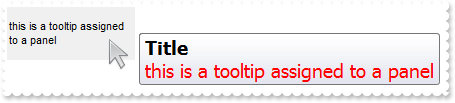
/*
	Copy and paste the following directives to your header file as
	it defines the namespace 'EXSTATUSBARLib' for the library: 'ExStatusBar 1.0 Control Library'

	#import <ExStatusBar.dll>
	using namespace EXSTATUSBARLib;
*/
EXSTATUSBARLib::IStatusBarPtr spStatusBar1 = GetDlgItem(IDC_STATUSBAR1)->GetControlUnknown();
spStatusBar1->BeginUpdate();
spStatusBar1->PutToolTipDelay(1);
/*
	Copy and paste the following directives to your header file as
	it defines the namespace 'stdole' for the library: 'OLE Automation'

	#import <stdole2.tlb>
*/
stdole::FontPtr var_StdFont = spStatusBar1->GetToolTipFont();
	var_StdFont->PutName(L"Tahoma");
	var_StdFont->PutSize(_variant_t(long(14)));
spStatusBar1->PutToolTipWidth(364);
spStatusBar1->PutFormat(L"1");
EXSTATUSBARLib::IPanelPtr var_Panel = spStatusBar1->GetPanel(long(1));
	var_Panel->PutText(L"this is a tooltip assigned to a panel");
	var_Panel->PutToolTipText(L"<fgcolor=FF0000>this is a tooltip assigned to a panel</fgcolor>");
	var_Panel->PutToolTipTitle(L"Title");
	var_Panel->PutAlignment(EXSTATUSBARLib::exAlignMiddleLeft);
spStatusBar1->EndUpdate();
|
|
25
|
Can I change the font for the tooltip
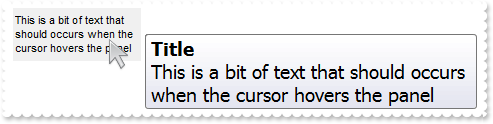
/*
	Copy and paste the following directives to your header file as
	it defines the namespace 'EXSTATUSBARLib' for the library: 'ExStatusBar 1.0 Control Library'

	#import <ExStatusBar.dll>
	using namespace EXSTATUSBARLib;
*/
EXSTATUSBARLib::IStatusBarPtr spStatusBar1 = GetDlgItem(IDC_STATUSBAR1)->GetControlUnknown();
spStatusBar1->BeginUpdate();
spStatusBar1->PutToolTipDelay(1);
/*
	Copy and paste the following directives to your header file as
	it defines the namespace 'stdole' for the library: 'OLE Automation'

	#import <stdole2.tlb>
*/
stdole::FontPtr var_StdFont = spStatusBar1->GetToolTipFont();
	var_StdFont->PutName(L"Tahoma");
	var_StdFont->PutSize(_variant_t(long(14)));
spStatusBar1->PutToolTipWidth(364);
spStatusBar1->PutFormat(L"1");
EXSTATUSBARLib::IPanelPtr var_Panel = spStatusBar1->GetPanel(long(1));
	var_Panel->PutText(L"This is a bit of text that should occurs when the cursor hovers the panel");
	var_Panel->PutToolTipText(var_Panel->GetText());
	var_Panel->PutToolTipTitle(L"Title");
	var_Panel->PutAlignment(EXSTATUSBARLib::exAlignMiddleLeft);
spStatusBar1->EndUpdate();
|
|
24
|
How do I disable showing the tooltip for all control
/*
	Copy and paste the following directives to your header file as
	it defines the namespace 'EXSTATUSBARLib' for the library: 'ExStatusBar 1.0 Control Library'

	#import <ExStatusBar.dll>
	using namespace EXSTATUSBARLib;
*/
EXSTATUSBARLib::IStatusBarPtr spStatusBar1 = GetDlgItem(IDC_STATUSBAR1)->GetControlUnknown();
spStatusBar1->BeginUpdate();
spStatusBar1->PutToolTipDelay(0);
spStatusBar1->PutFormat(L"1");
EXSTATUSBARLib::IPanelPtr var_Panel = spStatusBar1->GetPanel(long(1));
	var_Panel->PutText(L"This is a bit of text that should occurs when the cursor hovers the panel");
	var_Panel->PutToolTipText(var_Panel->GetText());
	var_Panel->PutToolTipTitle(L"Title");
	var_Panel->PutAlignment(EXSTATUSBARLib::exAlignMiddleLeft);
spStatusBar1->EndUpdate();
|
|
23
|
How do I show the tooltip quicker

/*
	Copy and paste the following directives to your header file as
	it defines the namespace 'EXSTATUSBARLib' for the library: 'ExStatusBar 1.0 Control Library'

	#import <ExStatusBar.dll>
	using namespace EXSTATUSBARLib;
*/
EXSTATUSBARLib::IStatusBarPtr spStatusBar1 = GetDlgItem(IDC_STATUSBAR1)->GetControlUnknown();
spStatusBar1->BeginUpdate();
spStatusBar1->PutToolTipDelay(1);
spStatusBar1->PutToolTipWidth(364);
spStatusBar1->GetVisualAppearance()->Add(1,"c:\\exontrol\\images\\normal.ebn");
spStatusBar1->PutBackground(EXSTATUSBARLib::exToolTipAppearance,0x1000000);
spStatusBar1->PutFormat(L"1");
EXSTATUSBARLib::IPanelPtr var_Panel = spStatusBar1->GetPanel(long(1));
	var_Panel->PutText(L"This is a bit of text that should occurs when the cursor hovers the panel");
	var_Panel->PutToolTipText(var_Panel->GetText());
	var_Panel->PutToolTipTitle(L"Title");
	var_Panel->PutAlignment(EXSTATUSBARLib::exAlignMiddleLeft);
spStatusBar1->EndUpdate();
|
|
22
|
Can I change the default border of the tooltip, using your EBN files

/*
	Copy and paste the following directives to your header file as
	it defines the namespace 'EXSTATUSBARLib' for the library: 'ExStatusBar 1.0 Control Library'

	#import <ExStatusBar.dll>
	using namespace EXSTATUSBARLib;
*/
EXSTATUSBARLib::IStatusBarPtr spStatusBar1 = GetDlgItem(IDC_STATUSBAR1)->GetControlUnknown();
spStatusBar1->BeginUpdate();
spStatusBar1->PutToolTipDelay(1);
spStatusBar1->PutToolTipWidth(364);
spStatusBar1->GetVisualAppearance()->Add(1,"c:\\exontrol\\images\\normal.ebn");
spStatusBar1->PutBackground(EXSTATUSBARLib::exToolTipAppearance,0x1000000);
spStatusBar1->PutFormat(L"1");
EXSTATUSBARLib::IPanelPtr var_Panel = spStatusBar1->GetPanel(long(1));
	var_Panel->PutText(L"This is a bit of text that should occurs when the cursor hovers the panel");
	var_Panel->PutToolTipText(var_Panel->GetText());
	var_Panel->PutToolTipTitle(L"Title");
	var_Panel->PutAlignment(EXSTATUSBARLib::exAlignMiddleLeft);
spStatusBar1->EndUpdate();
|
|
21
|
How do I retrieve the handle of the window
/*
	Copy and paste the following directives to your header file as
	it defines the namespace 'EXSTATUSBARLib' for the library: 'ExStatusBar 1.0 Control Library'

	#import <ExStatusBar.dll>
	using namespace EXSTATUSBARLib;
*/
EXSTATUSBARLib::IStatusBarPtr spStatusBar1 = GetDlgItem(IDC_STATUSBAR1)->GetControlUnknown();
spStatusBar1->PutFormat(_bstr_t(spStatusBar1->GethWnd()));
spStatusBar1->ClearPanels();
|
|
20
|
How can I prevent the control from painting when multiple changes occurs
/*
	Copy and paste the following directives to your header file as
	it defines the namespace 'EXSTATUSBARLib' for the library: 'ExStatusBar 1.0 Control Library'

	#import <ExStatusBar.dll>
	using namespace EXSTATUSBARLib;
*/
EXSTATUSBARLib::IStatusBarPtr spStatusBar1 = GetDlgItem(IDC_STATUSBAR1)->GetControlUnknown();
spStatusBar1->BeginUpdate();
spStatusBar1->Images(_bstr_t("gBJJgBAIDAAGAAEAAQhYAf8Pf4hh0QihCJo2AEZjQAjEZFEaIEaEEaAIAkcbk0olUrlktl0vmExmUzmk1m03nE5nU7nk9n0/oFBoVDolFo1HpFJpVLplNp1PqFRqVTq") +
	"lVq1XrFZrVbrldr1fsFhsVjslls1ntFptVrtltt1vuFxuVzul1u13vF5vV7vl9v1/wGBwWDwmFw2HxGJxWLxmNx0xiFdyOTh8Tf9ZymXx+QytcyNgz8r0OblWjyWds+m" +
	"0ka1Vf1ta1+r1mos2xrG2xeZ0+a0W0qOx3GO4NV3WeyvD2XJ5XL5nN51aiw+lfSj0gkUkAEllHanHI5j/cHg8EZf7w8vl8j4f/qfEZeB09/vjLAB30+kZQAP/P5/H6/y" +
	"NAOAEAwCjMBwFAEDwJBMDwLBYAP2/8Hv8/gAGAD8LQs9w/nhDY/oygIA=");
spStatusBar1->GetVisualAppearance()->Add(4,"c:\\exontrol\\images\\border.ebn");
spStatusBar1->GetVisualAppearance()->Add(5,"CP:4 1 1 -1 -1");
spStatusBar1->PutBackColorPanels(0x5000000);
spStatusBar1->PutFormat(L"1,2,3,4,(5/6/7/8)");
spStatusBar1->GetPanel(long(1))->PutImage(1);
spStatusBar1->GetPanel(long(2))->PutText(L"<img>1:4</img><img>1:4</img><img>1:4</img><img>1</img> icons");
EXSTATUSBARLib::IPanelPtr var_Panel = spStatusBar1->GetPanel(long(3));
	var_Panel->PutText(L"<img>2</img>");
	var_Panel->PutAlignment(EXSTATUSBARLib::exAlignMiddleRight);
spStatusBar1->EndUpdate();
|
|
19
|
How can I insert an icon aligned to the right

/*
	Copy and paste the following directives to your header file as
	it defines the namespace 'EXSTATUSBARLib' for the library: 'ExStatusBar 1.0 Control Library'

	#import <ExStatusBar.dll>
	using namespace EXSTATUSBARLib;
*/
EXSTATUSBARLib::IStatusBarPtr spStatusBar1 = GetDlgItem(IDC_STATUSBAR1)->GetControlUnknown();
spStatusBar1->BeginUpdate();
spStatusBar1->Images(_bstr_t("gBJJgBAIDAAGAAEAAQhYAf8Pf4hh0QihCJo2AEZjQAjEZFEaIEaEEaAIAkcbk0olUrlktl0vmExmUzmk1m03nE5nU7nk9n0/oFBoVDolFo1HpFJpVLplNp1PqFRqVTq") +
	"lVq1XrFZrVbrldr1fsFhsVjslls1ntFptVrtltt1vuFxuVzul1u13vF5vV7vl9v1/wGBwWDwmFw2HxGJxWLxmNx0xiFdyOTh8Tf9ZymXx+QytcyNgz8r0OblWjyWds+m" +
	"0ka1Vf1ta1+r1mos2xrG2xeZ0+a0W0qOx3GO4NV3WeyvD2XJ5XL5nN51aiw+lfSj0gkUkAEllHanHI5j/cHg8EZf7w8vl8j4f/qfEZeB09/vjLAB30+kZQAP/P5/H6/y" +
	"NAOAEAwCjMBwFAEDwJBMDwLBYAP2/8Hv8/gAGAD8LQs9w/nhDY/oygIA=");
spStatusBar1->GetVisualAppearance()->Add(4,"c:\\exontrol\\images\\border.ebn");
spStatusBar1->GetVisualAppearance()->Add(5,"CP:4 1 1 -1 -1");
spStatusBar1->PutBackColorPanels(0x5000000);
spStatusBar1->PutFormat(L"1,2,3,4,(5/6/7/8)");
EXSTATUSBARLib::IPanelPtr var_Panel = spStatusBar1->GetPanel(long(2));
	var_Panel->PutText(L"<img>2</img>");
	var_Panel->PutAlignment(EXSTATUSBARLib::exAlignMiddleRight);
spStatusBar1->EndUpdate();
|
|
18
|
How can I insert an icon to a panel
/*
	Copy and paste the following directives to your header file as
	it defines the namespace 'EXSTATUSBARLib' for the library: 'ExStatusBar 1.0 Control Library'

	#import <ExStatusBar.dll>
	using namespace EXSTATUSBARLib;
*/
EXSTATUSBARLib::IStatusBarPtr spStatusBar1 = GetDlgItem(IDC_STATUSBAR1)->GetControlUnknown();
spStatusBar1->BeginUpdate();
spStatusBar1->Images(_bstr_t("gBJJgBAIDAAGAAEAAQhYAf8Pf4hh0QihCJo2AEZjQAjEZFEaIEaEEaAIAkcbk0olUrlktl0vmExmUzmk1m03nE5nU7nk9n0/oFBoVDolFo1HpFJpVLplNp1PqFRqVTq") +
	"lVq1XrFZrVbrldr1fsFhsVjslls1ntFptVrtltt1vuFxuVzul1u13vF5vV7vl9v1/wGBwWDwmFw2HxGJxWLxmNx0xiFdyOTh8Tf9ZymXx+QytcyNgz8r0OblWjyWds+m" +
	"0ka1Vf1ta1+r1mos2xrG2xeZ0+a0W0qOx3GO4NV3WeyvD2XJ5XL5nN51aiw+lfSj0gkUkAEllHanHI5j/cHg8EZf7w8vl8j4f/qfEZeB09/vjLAB30+kZQAP/P5/H6/y" +
	"NAOAEAwCjMBwFAEDwJBMDwLBYAP2/8Hv8/gAGAD8LQs9w/nhDY/oygIA=");
spStatusBar1->GetVisualAppearance()->Add(4,"c:\\exontrol\\images\\border.ebn");
spStatusBar1->GetVisualAppearance()->Add(5,"CP:4 1 1 -1 -1");
spStatusBar1->PutBackColorPanels(0x5000000);
spStatusBar1->PutFormat(L"1,2,3,4,(5/6/7/8)");
spStatusBar1->GetPanel(long(2))->PutText(L"<img>2</img>");
spStatusBar1->EndUpdate();
|
|
17
|
How can I insert icons to status bar control

/*
	Copy and paste the following directives to your header file as
	it defines the namespace 'EXSTATUSBARLib' for the library: 'ExStatusBar 1.0 Control Library'

	#import <ExStatusBar.dll>
	using namespace EXSTATUSBARLib;
*/
EXSTATUSBARLib::IStatusBarPtr spStatusBar1 = GetDlgItem(IDC_STATUSBAR1)->GetControlUnknown();
spStatusBar1->BeginUpdate();
spStatusBar1->Images(_bstr_t("gBJJgBAIDAAGAAEAAQhYAf8Pf4hh0QihCJo2AEZjQAjEZFEaIEaEEaAIAkcbk0olUrlktl0vmExmUzmk1m03nE5nU7nk9n0/oFBoVDolFo1HpFJpVLplNp1PqFRqVTq") +
	"lVq1XrFZrVbrldr1fsFhsVjslls1ntFptVrtltt1vuFxuVzul1u13vF5vV7vl9v1/wGBwWDwmFw2HxGJxWLxmNx0xiFdyOTh8Tf9ZymXx+QytcyNgz8r0OblWjyWds+m" +
	"0ka1Vf1ta1+r1mos2xrG2xeZ0+a0W0qOx3GO4NV3WeyvD2XJ5XL5nN51aiw+lfSj0gkUkAEllHanHI5j/cHg8EZf7w8vl8j4f/qfEZeB09/vjLAB30+kZQAP/P5/H6/y" +
	"NAOAEAwCjMBwFAEDwJBMDwLBYAP2/8Hv8/gAGAD8LQs9w/nhDY/oygIA=");
spStatusBar1->GetVisualAppearance()->Add(4,"c:\\exontrol\\images\\border.ebn");
spStatusBar1->GetVisualAppearance()->Add(5,"CP:4 1 1 -1 -1");
spStatusBar1->PutBackColorPanels(0x5000000);
spStatusBar1->PutFormat(L"1,2,3,4,(5/6/7/8)");
spStatusBar1->GetPanel(long(1))->PutImage(1);
spStatusBar1->GetPanel(long(2))->PutText(L"<img>1:4</img><img>1:4</img><img>1:4</img><img>1</img> icons");
EXSTATUSBARLib::IPanelPtr var_Panel = spStatusBar1->GetPanel(long(3));
	var_Panel->PutText(L"<img>2</img>");
	var_Panel->PutAlignment(EXSTATUSBARLib::exAlignMiddleRight);
spStatusBar1->EndUpdate();
|
|
16
|
How can I insert an icon to a panel

/*
	Copy and paste the following directives to your header file as
	it defines the namespace 'EXSTATUSBARLib' for the library: 'ExStatusBar 1.0 Control Library'

	#import <ExStatusBar.dll>
	using namespace EXSTATUSBARLib;
*/
EXSTATUSBARLib::IStatusBarPtr spStatusBar1 = GetDlgItem(IDC_STATUSBAR1)->GetControlUnknown();
spStatusBar1->BeginUpdate();
spStatusBar1->Images(_bstr_t("gBJJgBAIDAAGAAEAAQhYAf8Pf4hh0QihCJo2AEZjQAjEZFEaIEaEEaAIAkcbk0olUrlktl0vmExmUzmk1m03nE5nU7nk9n0/oFBoVDolFo1HpFJpVLplNp1PqFRqVTq") +
	"lVq1XrFZrVbrldr1fsFhsVjslls1ntFptVrtltt1vuFxuVzul1u13vF5vV7vl9v1/wGBwWDwmFw2HxGJxWLxmNx0xiFdyOTh8Tf9ZymXx+QytcyNgz8r0OblWjyWds+m" +
	"0ka1Vf1ta1+r1mos2xrG2xeZ0+a0W0qOx3GO4NV3WeyvD2XJ5XL5nN51aiw+lfSj0gkUkAEllHanHI5j/cHg8EZf7w8vl8j4f/qfEZeB09/vjLAB30+kZQAP/P5/H6/y" +
	"NAOAEAwCjMBwFAEDwJBMDwLBYAP2/8Hv8/gAGAD8LQs9w/nhDY/oygIA=");
spStatusBar1->GetVisualAppearance()->Add(4,"c:\\exontrol\\images\\border.ebn");
spStatusBar1->GetVisualAppearance()->Add(5,"CP:4 1 1 -1 -1");
spStatusBar1->PutBackColorPanels(0x5000000);
spStatusBar1->PutFormat(L"1,2,3,4,(5/6/7/8)");
spStatusBar1->GetPanel(long(1))->PutImage(1);
spStatusBar1->EndUpdate();
|
|
15
|
Is there any option to increase the empty space on borders of the control
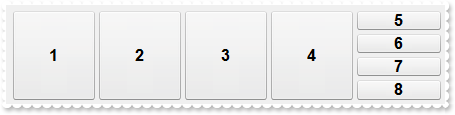
/*
	Copy and paste the following directives to your header file as
	it defines the namespace 'EXSTATUSBARLib' for the library: 'ExStatusBar 1.0 Control Library'

	#import <ExStatusBar.dll>
	using namespace EXSTATUSBARLib;
*/
EXSTATUSBARLib::IStatusBarPtr spStatusBar1 = GetDlgItem(IDC_STATUSBAR1)->GetControlUnknown();
spStatusBar1->BeginUpdate();
spStatusBar1->PutBorderWidth(20);
spStatusBar1->PutBorderHeight(20);
spStatusBar1->GetVisualAppearance()->Add(4,"c:\\exontrol\\images\\border.ebn");
spStatusBar1->GetVisualAppearance()->Add(5,"CP:4 1 1 -1 -1");
spStatusBar1->PutBackColorPanels(0x5000000);
spStatusBar1->PutFormat(L"1,2,3,4,(5/6/7/8)");
spStatusBar1->PutDebug(VARIANT_TRUE);
spStatusBar1->EndUpdate();
|
|
14
|
How do I get the version of the control
/*
	Copy and paste the following directives to your header file as
	it defines the namespace 'EXSTATUSBARLib' for the library: 'ExStatusBar 1.0 Control Library'

	#import <ExStatusBar.dll>
	using namespace EXSTATUSBARLib;
*/
EXSTATUSBARLib::IStatusBarPtr spStatusBar1 = GetDlgItem(IDC_STATUSBAR1)->GetControlUnknown();
spStatusBar1->BeginUpdate();
spStatusBar1->PutFormat(spStatusBar1->GetVersion());
spStatusBar1->ClearPanels();
spStatusBar1->EndUpdate();
|
|
13
|
How do I put a picture on the center of the control
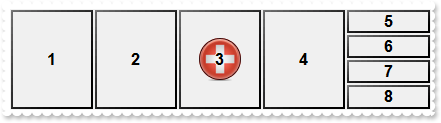
/*
	Copy and paste the following directives to your header file as
	it defines the namespace 'EXSTATUSBARLib' for the library: 'ExStatusBar 1.0 Control Library'

	#import <ExStatusBar.dll>
	using namespace EXSTATUSBARLib;
*/
EXSTATUSBARLib::IStatusBarPtr spStatusBar1 = GetDlgItem(IDC_STATUSBAR1)->GetControlUnknown();
spStatusBar1->BeginUpdate();
spStatusBar1->PutPicture(IPictureDispPtr(((IDispatch*)(spStatusBar1->ExecuteTemplate("loadpicture(`c:\\exontrol\\images\\zipdisk.gif`)")))));
spStatusBar1->PutPictureDisplay(EXSTATUSBARLib::MiddleCenter);
spStatusBar1->GetVisualAppearance()->Add(4,"c:\\exontrol\\images\\border.ebn");
spStatusBar1->GetVisualAppearance()->Add(5,"CP:4 1 1 -1 -1");
spStatusBar1->PutBackColorPanels(0x5000000);
spStatusBar1->PutFormat(L"1,2,3,4,(5/6/7/8)");
spStatusBar1->PutDebug(VARIANT_TRUE);
spStatusBar1->EndUpdate();
|
|
12
|
How do I resize/stretch a picture on the control's background
/*
	Copy and paste the following directives to your header file as
	it defines the namespace 'EXSTATUSBARLib' for the library: 'ExStatusBar 1.0 Control Library'

	#import <ExStatusBar.dll>
	using namespace EXSTATUSBARLib;
*/
EXSTATUSBARLib::IStatusBarPtr spStatusBar1 = GetDlgItem(IDC_STATUSBAR1)->GetControlUnknown();
spStatusBar1->BeginUpdate();
spStatusBar1->PutPicture(IPictureDispPtr(((IDispatch*)(spStatusBar1->ExecuteTemplate("loadpicture(`c:\\exontrol\\images\\zipdisk.gif`)")))));
spStatusBar1->PutPictureDisplay(EXSTATUSBARLib::Stretch);
spStatusBar1->GetVisualAppearance()->Add(4,"c:\\exontrol\\images\\border.ebn");
spStatusBar1->GetVisualAppearance()->Add(5,"CP:4 1 1 -1 -1");
spStatusBar1->PutBackColorPanels(0x5000000);
spStatusBar1->PutFormat(L"1,2,3,4,(5/6/7/8)");
spStatusBar1->PutDebug(VARIANT_TRUE);
spStatusBar1->EndUpdate();
|
|
11
|
How do I put a picture on the control's center right bottom side
/*
	Copy and paste the following directives to your header file as
	it defines the namespace 'EXSTATUSBARLib' for the library: 'ExStatusBar 1.0 Control Library'

	#import <ExStatusBar.dll>
	using namespace EXSTATUSBARLib;
*/
EXSTATUSBARLib::IStatusBarPtr spStatusBar1 = GetDlgItem(IDC_STATUSBAR1)->GetControlUnknown();
spStatusBar1->BeginUpdate();
spStatusBar1->PutPicture(IPictureDispPtr(((IDispatch*)(spStatusBar1->ExecuteTemplate("loadpicture(`c:\\exontrol\\images\\zipdisk.gif`)")))));
spStatusBar1->PutPictureDisplay(EXSTATUSBARLib::LowerRight);
spStatusBar1->GetVisualAppearance()->Add(4,"c:\\exontrol\\images\\border.ebn");
spStatusBar1->GetVisualAppearance()->Add(5,"CP:4 1 1 -1 -1");
spStatusBar1->PutBackColorPanels(0x5000000);
spStatusBar1->PutFormat(L"1,2,3,4,(5/6/7/8)");
spStatusBar1->PutDebug(VARIANT_TRUE);
spStatusBar1->EndUpdate();
|
|
10
|
How do I put a picture on the control's center left bottom side
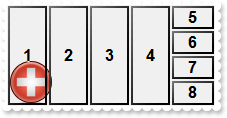
/*
	Copy and paste the following directives to your header file as
	it defines the namespace 'EXSTATUSBARLib' for the library: 'ExStatusBar 1.0 Control Library'

	#import <ExStatusBar.dll>
	using namespace EXSTATUSBARLib;
*/
EXSTATUSBARLib::IStatusBarPtr spStatusBar1 = GetDlgItem(IDC_STATUSBAR1)->GetControlUnknown();
spStatusBar1->BeginUpdate();
spStatusBar1->PutPicture(IPictureDispPtr(((IDispatch*)(spStatusBar1->ExecuteTemplate("loadpicture(`c:\\exontrol\\images\\zipdisk.gif`)")))));
spStatusBar1->PutPictureDisplay(EXSTATUSBARLib::LowerLeft);
spStatusBar1->GetVisualAppearance()->Add(4,"c:\\exontrol\\images\\border.ebn");
spStatusBar1->GetVisualAppearance()->Add(5,"CP:4 1 1 -1 -1");
spStatusBar1->PutBackColorPanels(0x5000000);
spStatusBar1->PutFormat(L"1,2,3,4,(5/6/7/8)");
spStatusBar1->PutDebug(VARIANT_TRUE);
spStatusBar1->EndUpdate();
|
|
9
|
How do I put a picture on the control's center top side
/*
	Copy and paste the following directives to your header file as
	it defines the namespace 'EXSTATUSBARLib' for the library: 'ExStatusBar 1.0 Control Library'

	#import <ExStatusBar.dll>
	using namespace EXSTATUSBARLib;
*/
EXSTATUSBARLib::IStatusBarPtr spStatusBar1 = GetDlgItem(IDC_STATUSBAR1)->GetControlUnknown();
spStatusBar1->BeginUpdate();
spStatusBar1->PutPicture(IPictureDispPtr(((IDispatch*)(spStatusBar1->ExecuteTemplate("loadpicture(`c:\\exontrol\\images\\zipdisk.gif`)")))));
spStatusBar1->PutPictureDisplay(EXSTATUSBARLib::UpperCenter);
spStatusBar1->GetVisualAppearance()->Add(4,"c:\\exontrol\\images\\border.ebn");
spStatusBar1->GetVisualAppearance()->Add(5,"CP:4 1 1 -1 -1");
spStatusBar1->PutBackColorPanels(0x5000000);
spStatusBar1->PutFormat(L"1,2,3,4,(5/6/7/8)");
spStatusBar1->PutDebug(VARIANT_TRUE);
spStatusBar1->EndUpdate();
|
|
8
|
How do I put a picture on the control's right top corner
/*
	Copy and paste the following directives to your header file as
	it defines the namespace 'EXSTATUSBARLib' for the library: 'ExStatusBar 1.0 Control Library'

	#import <ExStatusBar.dll>
	using namespace EXSTATUSBARLib;
*/
EXSTATUSBARLib::IStatusBarPtr spStatusBar1 = GetDlgItem(IDC_STATUSBAR1)->GetControlUnknown();
spStatusBar1->BeginUpdate();
spStatusBar1->PutPicture(IPictureDispPtr(((IDispatch*)(spStatusBar1->ExecuteTemplate("loadpicture(`c:\\exontrol\\images\\zipdisk.gif`)")))));
spStatusBar1->PutPictureDisplay(EXSTATUSBARLib::UpperRight);
spStatusBar1->GetVisualAppearance()->Add(4,"c:\\exontrol\\images\\border.ebn");
spStatusBar1->GetVisualAppearance()->Add(5,"CP:4 1 1 -1 -1");
spStatusBar1->PutBackColorPanels(0x5000000);
spStatusBar1->PutFormat(L"1,2,3,4,(5/6/7/8)");
spStatusBar1->PutDebug(VARIANT_TRUE);
spStatusBar1->EndUpdate();
|
|
7
|
How do I put a picture on the control's left top corner
/*
	Copy and paste the following directives to your header file as
	it defines the namespace 'EXSTATUSBARLib' for the library: 'ExStatusBar 1.0 Control Library'

	#import <ExStatusBar.dll>
	using namespace EXSTATUSBARLib;
*/
EXSTATUSBARLib::IStatusBarPtr spStatusBar1 = GetDlgItem(IDC_STATUSBAR1)->GetControlUnknown();
spStatusBar1->BeginUpdate();
spStatusBar1->PutPicture(IPictureDispPtr(((IDispatch*)(spStatusBar1->ExecuteTemplate("loadpicture(`c:\\exontrol\\images\\zipdisk.gif`)")))));
spStatusBar1->PutPictureDisplay(EXSTATUSBARLib::UpperLeft);
spStatusBar1->GetVisualAppearance()->Add(4,"c:\\exontrol\\images\\border.ebn");
spStatusBar1->GetVisualAppearance()->Add(5,"CP:4 1 1 -1 -1");
spStatusBar1->PutBackColorPanels(0x5000000);
spStatusBar1->PutFormat(L"1,2,3,4,(5/6/7/8)");
spStatusBar1->PutDebug(VARIANT_TRUE);
spStatusBar1->EndUpdate();
|