|
49
|
Is it possible to display information about the firing events
// Event event - Notifies the application once the control fires an event.
void OnEventExShellView1(long   EventID)
{
	/*
		Copy and paste the following directives to your header file as
		it defines the namespace 'EXSHELLVIEWLib' for the library: 'ExShellView 1.0 Control Library'
		#import <ExShellView.dll>
		using namespace EXSHELLVIEWLib;
	*/
	EXSHELLVIEWLib::IExShellViewPtr spExShellView1 = GetDlgItem(IDC_EXSHELLVIEW1)->GetControlUnknown();
	OutputDebugStringW( _bstr_t(spExShellView1->GetEventParam(-2)) );
}
|
|
48
|
Is there a way to change the header names

/*
	Copy and paste the following directives to your header file as
	it defines the namespace 'EXSHELLVIEWLib' for the library: 'ExShellView 1.0 Control Library'

	#import <ExShellView.dll>
	using namespace EXSHELLVIEWLib;
*/
EXSHELLVIEWLib::IExShellViewPtr spExShellView1 = GetDlgItem(IDC_EXSHELLVIEW1)->GetControlUnknown();
spExShellView1->PutColumnNames(L"Name(Ime),Date modified(Datum),Item type(Tip),Size(Velikost)");
|
|
47
|
Disable or prevent the header's context-menu
/*
	Copy and paste the following directives to your header file as
	it defines the namespace 'EXSHELLVIEWLib' for the library: 'ExShellView 1.0 Control Library'

	#import <ExShellView.dll>
	using namespace EXSHELLVIEWLib;
*/
EXSHELLVIEWLib::IExShellViewPtr spExShellView1 = GetDlgItem(IDC_EXSHELLVIEW1)->GetControlUnknown();
spExShellView1->PutAllowContextMenu(EXSHELLVIEWLib::exAllowListViewContextMenu);
|
|
46
|
Disable or prevent the list-view's context-menu
/*
	Copy and paste the following directives to your header file as
	it defines the namespace 'EXSHELLVIEWLib' for the library: 'ExShellView 1.0 Control Library'

	#import <ExShellView.dll>
	using namespace EXSHELLVIEWLib;
*/
EXSHELLVIEWLib::IExShellViewPtr spExShellView1 = GetDlgItem(IDC_EXSHELLVIEW1)->GetControlUnknown();
spExShellView1->PutAllowContextMenu(EXSHELLVIEWLib::exAllowHeaderContextMenu);
|
|
45
|
Disable or prevent the control's context-menu
/*
	Copy and paste the following directives to your header file as
	it defines the namespace 'EXSHELLVIEWLib' for the library: 'ExShellView 1.0 Control Library'

	#import <ExShellView.dll>
	using namespace EXSHELLVIEWLib;
*/
EXSHELLVIEWLib::IExShellViewPtr spExShellView1 = GetDlgItem(IDC_EXSHELLVIEW1)->GetControlUnknown();
spExShellView1->PutAllowContextMenu(EXSHELLVIEWLib::exDisableContextMenu);
|
|
44
|
How can I add my own items, without the default context menu
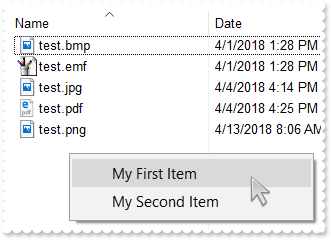
// InvokeMenuCommand event - Fired when the user selects an item context menu that has been added during QueryContextMenu event.
void OnInvokeMenuCommandExShellView1(LPCTSTR   Command)
{
	/*
		Copy and paste the following directives to your header file as
		it defines the namespace 'EXSHELLVIEWLib' for the library: 'ExShellView 1.0 Control Library'
		#import <ExShellView.dll>
		using namespace EXSHELLVIEWLib;
	*/
	EXSHELLVIEWLib::IExShellViewPtr spExShellView1 = GetDlgItem(IDC_EXSHELLVIEW1)->GetControlUnknown();
	OutputDebugStringW( L"Command" );
}

// QueryContextMenu event - Fired when the context menu is about to be active. You can supply new items to the context menu.
void OnQueryContextMenuExShellView1(LPCTSTR FAR*   Items, LPCTSTR FAR*   Separator)
{
	EXSHELLVIEWLib::IExShellViewPtr spExShellView1 = GetDlgItem(IDC_EXSHELLVIEW1)->GetControlUnknown();
	Separator = ",";
	Items = "My First Item,My Second Item";
}

EXSHELLVIEWLib::IExShellViewPtr spExShellView1 = GetDlgItem(IDC_EXSHELLVIEW1)->GetControlUnknown();
spExShellView1->PutDefaultMenuItems(VARIANT_FALSE);
spExShellView1->PutBrowseFolder("c:\\Temp");
|
|
43
|
How can I add my own items
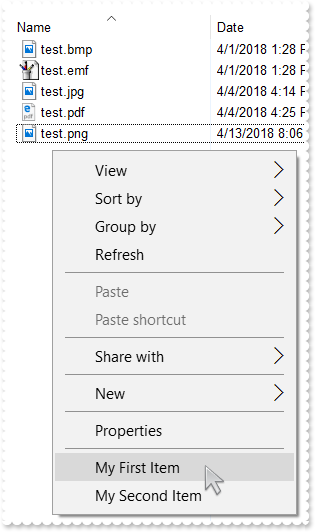
// InvokeMenuCommand event - Fired when the user selects an item context menu that has been added during QueryContextMenu event.
void OnInvokeMenuCommandExShellView1(LPCTSTR   Command)
{
	/*
		Copy and paste the following directives to your header file as
		it defines the namespace 'EXSHELLVIEWLib' for the library: 'ExShellView 1.0 Control Library'
		#import <ExShellView.dll>
		using namespace EXSHELLVIEWLib;
	*/
	EXSHELLVIEWLib::IExShellViewPtr spExShellView1 = GetDlgItem(IDC_EXSHELLVIEW1)->GetControlUnknown();
	OutputDebugStringW( L"Command" );
}

// QueryContextMenu event - Fired when the context menu is about to be active. You can supply new items to the context menu.
void OnQueryContextMenuExShellView1(LPCTSTR FAR*   Items, LPCTSTR FAR*   Separator)
{
	EXSHELLVIEWLib::IExShellViewPtr spExShellView1 = GetDlgItem(IDC_EXSHELLVIEW1)->GetControlUnknown();
	Separator = ",";
	Items = ",My First Item,My Second Item";
}

EXSHELLVIEWLib::IExShellViewPtr spExShellView1 = GetDlgItem(IDC_EXSHELLVIEW1)->GetControlUnknown();
spExShellView1->PutBrowseFolder("c:\\Temp");
|
|
42
|
The InvokeCommand("open") will not work on a german. What can I do
// DblClick event - Occurs when the user dblclk the left mouse button over an object.
void OnDblClickExShellView1()
{
	// Objects(0).InvokeCommand("Open")
	/*
		Copy and paste the following directives to your header file as
		it defines the namespace 'EXSHELLVIEWLib' for the library: 'ExShellView 1.0 Control Library'
		#import <ExShellView.dll>
		using namespace EXSHELLVIEWLib;
	*/
	EXSHELLVIEWLib::IExShellViewPtr spExShellView1 = GetDlgItem(IDC_EXSHELLVIEW1)->GetControlUnknown();
	spExShellView1->GetObjects()->Get(EXSHELLVIEWLib::SelectedItems);
}

// InvokeItemMenu event - Notifies the application once the user selects a command in the context menu.
void OnInvokeItemMenuExShellView1(long   Command)
{
	EXSHELLVIEWLib::IExShellViewPtr spExShellView1 = GetDlgItem(IDC_EXSHELLVIEW1)->GetControlUnknown();
	OutputDebugStringW( L"Command" );
}

EXSHELLVIEWLib::IExShellViewPtr spExShellView1 = GetDlgItem(IDC_EXSHELLVIEW1)->GetControlUnknown();
spExShellView1->PutBrowseFolder("c:\\Temp");
|
|
41
|
How can I open the file's properties when user double clicks it
// DblClick event - Occurs when the user dblclk the left mouse button over an object.
void OnDblClickExShellView1()
{
	// Objects(0).InvokeCommand("Properties")
	/*
		Copy and paste the following directives to your header file as
		it defines the namespace 'EXSHELLVIEWLib' for the library: 'ExShellView 1.0 Control Library'
		#import <ExShellView.dll>
		using namespace EXSHELLVIEWLib;
	*/
	EXSHELLVIEWLib::IExShellViewPtr spExShellView1 = GetDlgItem(IDC_EXSHELLVIEW1)->GetControlUnknown();
	spExShellView1->GetObjects()->Get(EXSHELLVIEWLib::SelectedItems);
}

EXSHELLVIEWLib::IExShellViewPtr spExShellView1 = GetDlgItem(IDC_EXSHELLVIEW1)->GetControlUnknown();
spExShellView1->PutBrowseFolder("c:\\Temp");
|
|
40
|
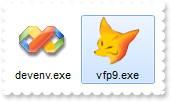
We're looking for a control to show files, just like the eXShellView, but than we would like to specify the files themselves. Is that possible using your control
/*
	Copy and paste the following directives to your header file as
	it defines the namespace 'EXSHELLVIEWLib' for the library: 'ExShellView 1.0 Control Library'

	#import <ExShellView.dll>
	using namespace EXSHELLVIEWLib;
*/
EXSHELLVIEWLib::IExShellViewPtr spExShellView1 = GetDlgItem(IDC_EXSHELLVIEW1)->GetControlUnknown();
spExShellView1->PutViewMode(EXSHELLVIEWLib::LargeIcons);
spExShellView1->PutHeaderVisible(VARIANT_FALSE);
spExShellView1->PutBrowseFiles(_bstr_t("C:\\Program Files\\Microsoft Visual Studio 9.0\\Common7\\IDE\\devenv.exe|C:\\Program Files\\Microsoft Visual FoxPro 9\\vfp9.exe") +
	"");
|
|
39
|
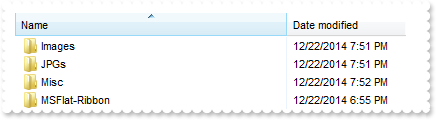
How do I prevent pressing the Backspace, or go up to the parent
// KeyDown event - Occurs when the user presses a key while an object has the focus.
void OnKeyDownExShellView1(short FAR*   KeyCode, short   Shift)
{
	/*
		Copy and paste the following directives to your header file as
		it defines the namespace 'EXSHELLVIEWLib' for the library: 'ExShellView 1.0 Control Library'
		#import <ExShellView.dll>
		using namespace EXSHELLVIEWLib;
	*/
	EXSHELLVIEWLib::IExShellViewPtr spExShellView1 = GetDlgItem(IDC_EXSHELLVIEW1)->GetControlUnknown();
	OutputDebugStringW( L"Set the KeyCode = 0, if the KeyCode is 8 " );
	KeyCode = 0;
}

EXSHELLVIEWLib::IExShellViewPtr spExShellView1 = GetDlgItem(IDC_EXSHELLVIEW1)->GetControlUnknown();
spExShellView1->PutViewMode(EXSHELLVIEWLib::Details);
spExShellView1->PutBrowseFolder("c:\\Temp");
spExShellView1->Refresh();
|
|
38
|
How can I show grid lines around items
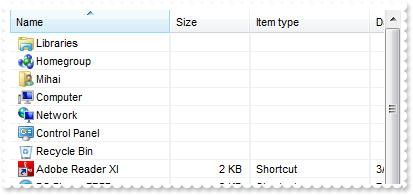
/*
	Copy and paste the following directives to your header file as
	it defines the namespace 'EXSHELLVIEWLib' for the library: 'ExShellView 1.0 Control Library'

	#import <ExShellView.dll>
	using namespace EXSHELLVIEWLib;
*/
EXSHELLVIEWLib::IExShellViewPtr spExShellView1 = GetDlgItem(IDC_EXSHELLVIEW1)->GetControlUnknown();
spExShellView1->PutViewMode(EXSHELLVIEWLib::Details);
spExShellView1->PutDrawGridLines(VARIANT_TRUE);
spExShellView1->Refresh();
|
|
37
|
How can I prevent shwoing the overlay icons (shortcut icons have a small arrow in lower-left corner, shared folders have a hand that shows that folder is shared, etc. )
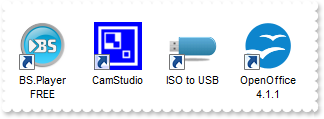
/*
	Copy and paste the following directives to your header file as
	it defines the namespace 'EXSHELLVIEWLib' for the library: 'ExShellView 1.0 Control Library'

	#import <ExShellView.dll>
	using namespace EXSHELLVIEWLib;
*/
EXSHELLVIEWLib::IExShellViewPtr spExShellView1 = GetDlgItem(IDC_EXSHELLVIEW1)->GetControlUnknown();
spExShellView1->PutViewMode(EXSHELLVIEWLib::LargeIcons);
spExShellView1->PutOverlayIcons(VARIANT_FALSE);
spExShellView1->Refresh();
|
|
36
|
I need to provide my own context menu but I am not able to find RClick event. What can be done
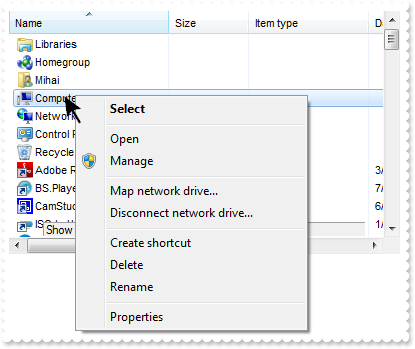
// QueryContextMenu event - Fired when the context menu is about to be active. You can supply new items to the context menu.
void OnQueryContextMenuExShellView1(LPCTSTR FAR*   Items, LPCTSTR FAR*   Separator)
{
	/*
		Copy and paste the following directives to your header file as
		it defines the namespace 'EXSHELLVIEWLib' for the library: 'ExShellView 1.0 Control Library'
		#import <ExShellView.dll>
		using namespace EXSHELLVIEWLib;
	*/
	EXSHELLVIEWLib::IExShellViewPtr spExShellView1 = GetDlgItem(IDC_EXSHELLVIEW1)->GetControlUnknown();
	OutputDebugStringW( L"Show here your popup/context menu" );
}

EXSHELLVIEWLib::IExShellViewPtr spExShellView1 = GetDlgItem(IDC_EXSHELLVIEW1)->GetControlUnknown();
spExShellView1->PutDefaultMenuItems(VARIANT_FALSE);
|
|
35
|
How can I provide my own context menu (RClick event is missing)
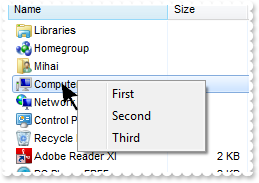
// InvokeMenuCommand event - Fired when the user selects an item context menu that has been added during QueryContextMenu event.
void OnInvokeMenuCommandExShellView1(LPCTSTR   Command)
{
	/*
		Copy and paste the following directives to your header file as
		it defines the namespace 'EXSHELLVIEWLib' for the library: 'ExShellView 1.0 Control Library'
		#import <ExShellView.dll>
		using namespace EXSHELLVIEWLib;
	*/
	EXSHELLVIEWLib::IExShellViewPtr spExShellView1 = GetDlgItem(IDC_EXSHELLVIEW1)->GetControlUnknown();
	OutputDebugStringW( L"Command" );
}

// QueryContextMenu event - Fired when the context menu is about to be active. You can supply new items to the context menu.
void OnQueryContextMenuExShellView1(LPCTSTR FAR*   Items, LPCTSTR FAR*   Separator)
{
	EXSHELLVIEWLib::IExShellViewPtr spExShellView1 = GetDlgItem(IDC_EXSHELLVIEW1)->GetControlUnknown();
	Separator = ",";
	Items = "First,Second,Third";
}

EXSHELLVIEWLib::IExShellViewPtr spExShellView1 = GetDlgItem(IDC_EXSHELLVIEW1)->GetControlUnknown();
spExShellView1->PutDefaultMenuItems(VARIANT_FALSE);
|
|
34
|
Is it possible to specify the "Extra Large Icons" view

/*
	Copy and paste the following directives to your header file as
	it defines the namespace 'EXSHELLVIEWLib' for the library: 'ExShellView 1.0 Control Library'

	#import <ExShellView.dll>
	using namespace EXSHELLVIEWLib;
*/
EXSHELLVIEWLib::IExShellViewPtr spExShellView1 = GetDlgItem(IDC_EXSHELLVIEW1)->GetControlUnknown();
spExShellView1->PutViewMode(EXSHELLVIEWLib::Extra_Large_Icons);
|
|
33
|
Is it possible to specify the "Large Icons" view

/*
	Copy and paste the following directives to your header file as
	it defines the namespace 'EXSHELLVIEWLib' for the library: 'ExShellView 1.0 Control Library'

	#import <ExShellView.dll>
	using namespace EXSHELLVIEWLib;
*/
EXSHELLVIEWLib::IExShellViewPtr spExShellView1 = GetDlgItem(IDC_EXSHELLVIEW1)->GetControlUnknown();
spExShellView1->PutViewMode(EXSHELLVIEWLib::Large_Icons);
|
|
32
|
Is it possible to specify the "Medium Icons" view

/*
	Copy and paste the following directives to your header file as
	it defines the namespace 'EXSHELLVIEWLib' for the library: 'ExShellView 1.0 Control Library'

	#import <ExShellView.dll>
	using namespace EXSHELLVIEWLib;
*/
EXSHELLVIEWLib::IExShellViewPtr spExShellView1 = GetDlgItem(IDC_EXSHELLVIEW1)->GetControlUnknown();
spExShellView1->PutViewMode(EXSHELLVIEWLib::Medium_Icons);
|
|
31
|
How can I hide the file names
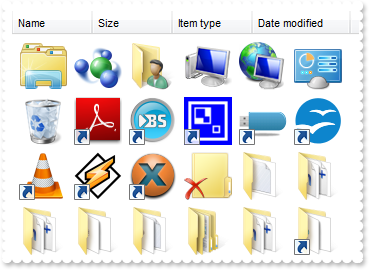
/*
	Copy and paste the following directives to your header file as
	it defines the namespace 'EXSHELLVIEWLib' for the library: 'ExShellView 1.0 Control Library'

	#import <ExShellView.dll>
	using namespace EXSHELLVIEWLib;
*/
EXSHELLVIEWLib::IExShellViewPtr spExShellView1 = GetDlgItem(IDC_EXSHELLVIEW1)->GetControlUnknown();
spExShellView1->PutHideFileNames(VARIANT_TRUE);
spExShellView1->PutViewMode(EXSHELLVIEWLib::Thumbnail);
|
|
30
|
Is it possible to set the Auto Arrange and Align To Grid flags by code
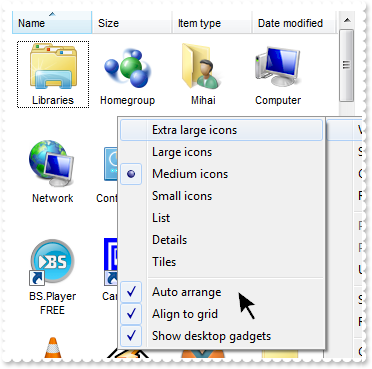
/*
	Copy and paste the following directives to your header file as
	it defines the namespace 'EXSHELLVIEWLib' for the library: 'ExShellView 1.0 Control Library'

	#import <ExShellView.dll>
	using namespace EXSHELLVIEWLib;
*/
EXSHELLVIEWLib::IExShellViewPtr spExShellView1 = GetDlgItem(IDC_EXSHELLVIEW1)->GetControlUnknown();
spExShellView1->PutAutoArrange(VARIANT_TRUE);
spExShellView1->PutAlignToGrid(VARIANT_TRUE);
spExShellView1->PutViewMode(EXSHELLVIEWLib::Thumbnail);
|
|
29
|
Is it possible to set the Auto Arrange flag by code
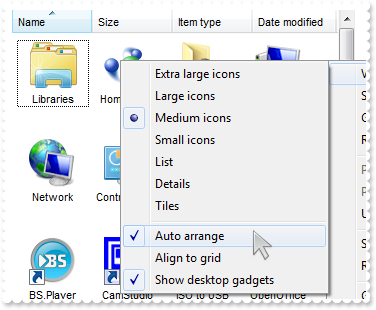
/*
	Copy and paste the following directives to your header file as
	it defines the namespace 'EXSHELLVIEWLib' for the library: 'ExShellView 1.0 Control Library'

	#import <ExShellView.dll>
	using namespace EXSHELLVIEWLib;
*/
EXSHELLVIEWLib::IExShellViewPtr spExShellView1 = GetDlgItem(IDC_EXSHELLVIEW1)->GetControlUnknown();
spExShellView1->PutAutoArrange(VARIANT_TRUE);
spExShellView1->PutViewMode(EXSHELLVIEWLib::Thumbnail);
|
|
28
|
How do I specify the current folder
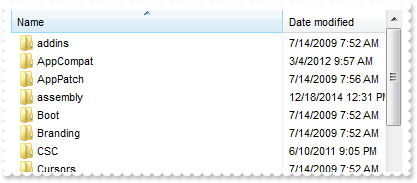
/*
	Copy and paste the following directives to your header file as
	it defines the namespace 'EXSHELLVIEWLib' for the library: 'ExShellView 1.0 Control Library'

	#import <ExShellView.dll>
	using namespace EXSHELLVIEWLib;
*/
EXSHELLVIEWLib::IExShellViewPtr spExShellView1 = GetDlgItem(IDC_EXSHELLVIEW1)->GetControlUnknown();
spExShellView1->PutCurrentFolder(L"c:\\windows");
|
|
27
|
Is it possible to disable showing tooltips for files and folders

/*
	Copy and paste the following directives to your header file as
	it defines the namespace 'EXSHELLVIEWLib' for the library: 'ExShellView 1.0 Control Library'

	#import <ExShellView.dll>
	using namespace EXSHELLVIEWLib;
*/
EXSHELLVIEWLib::IExShellViewPtr spExShellView1 = GetDlgItem(IDC_EXSHELLVIEW1)->GetControlUnknown();
spExShellView1->PutHideToolTips(VARIANT_TRUE);
|
|
26
|
Is it possible to hide the control's header
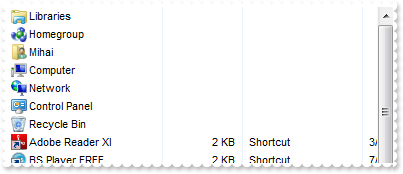
/*
	Copy and paste the following directives to your header file as
	it defines the namespace 'EXSHELLVIEWLib' for the library: 'ExShellView 1.0 Control Library'

	#import <ExShellView.dll>
	using namespace EXSHELLVIEWLib;
*/
EXSHELLVIEWLib::IExShellViewPtr spExShellView1 = GetDlgItem(IDC_EXSHELLVIEW1)->GetControlUnknown();
spExShellView1->PutHeaderVisible(VARIANT_FALSE);
|
|
25
|
How can I get the name of file being double clicked
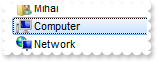
// ObjectSelect event - Fired when the user selects a new object for browsing.
void OnObjectSelectExShellView1(LPDISPATCH   Object)
{
	/*
		Copy and paste the following directives to your header file as
		it defines the namespace 'EXSHELLVIEWLib' for the library: 'ExShellView 1.0 Control Library'
		#import <ExShellView.dll>
		using namespace EXSHELLVIEWLib;
	*/
	EXSHELLVIEWLib::IExShellViewPtr spExShellView1 = GetDlgItem(IDC_EXSHELLVIEW1)->GetControlUnknown();
	spExShellView1->CancelObjectSelect();
	OutputDebugStringW( L"Object" );
}
|
|
24
|
How can I prevent opening or selecting a folder or zip files when user double click it
// ObjectSelect event - Fired when the user selects a new object for browsing.
void OnObjectSelectExShellView1(LPDISPATCH   Object)
{
	/*
		Copy and paste the following directives to your header file as
		it defines the namespace 'EXSHELLVIEWLib' for the library: 'ExShellView 1.0 Control Library'
		#import <ExShellView.dll>
		using namespace EXSHELLVIEWLib;
	*/
	EXSHELLVIEWLib::IExShellViewPtr spExShellView1 = GetDlgItem(IDC_EXSHELLVIEW1)->GetControlUnknown();
	spExShellView1->CancelObjectSelect();
}
|
|
23
|
Is it possible to list only files, no folders
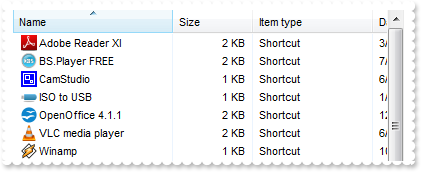
/*
	Copy and paste the following directives to your header file as
	it defines the namespace 'EXSHELLVIEWLib' for the library: 'ExShellView 1.0 Control Library'

	#import <ExShellView.dll>
	using namespace EXSHELLVIEWLib;
*/
EXSHELLVIEWLib::IExShellViewPtr spExShellView1 = GetDlgItem(IDC_EXSHELLVIEW1)->GetControlUnknown();
spExShellView1->ModifyFolderFlags(EXSHELLVIEWLib::NoSubFolders,EXSHELLVIEWLib::NoFlag);
|
|
22
|
How can I enable multiple selection
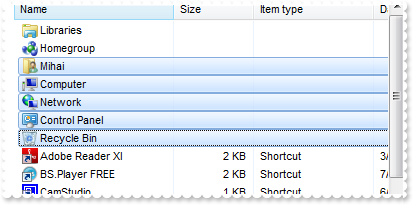
/*
	Copy and paste the following directives to your header file as
	it defines the namespace 'EXSHELLVIEWLib' for the library: 'ExShellView 1.0 Control Library'

	#import <ExShellView.dll>
	using namespace EXSHELLVIEWLib;
*/
EXSHELLVIEWLib::IExShellViewPtr spExShellView1 = GetDlgItem(IDC_EXSHELLVIEW1)->GetControlUnknown();
spExShellView1->ModifyFolderFlags(EXSHELLVIEWLib::NoFlag,EXSHELLVIEWLib::SingleSel);
spExShellView1->Refresh();
|
|
21
|
How can I select a file or a folder
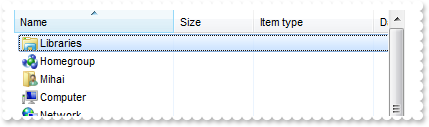
/*
	Copy and paste the following directives to your header file as
	it defines the namespace 'EXSHELLVIEWLib' for the library: 'ExShellView 1.0 Control Library'

	#import <ExShellView.dll>
	using namespace EXSHELLVIEWLib;
*/
EXSHELLVIEWLib::IExShellViewPtr spExShellView1 = GetDlgItem(IDC_EXSHELLVIEW1)->GetControlUnknown();
spExShellView1->GetObjects()->Get(EXSHELLVIEWLib::AllItems);
spExShellView1->GetObjects()->GetItem(long(0))->SelectItem(EXSHELLVIEWLib::Select);
|
|
20
|
How can I get all files and folders as they are listed
/*
	Copy and paste the following directives to your header file as
	it defines the namespace 'EXSHELLVIEWLib' for the library: 'ExShellView 1.0 Control Library'

	#import <ExShellView.dll>
	using namespace EXSHELLVIEWLib;
*/
EXSHELLVIEWLib::IExShellViewPtr spExShellView1 = GetDlgItem(IDC_EXSHELLVIEW1)->GetControlUnknown();
spExShellView1->GetObjects()->Get(EXSHELLVIEWLib::ObjectTypeEnum(EXSHELLVIEWLib::AsDisplayed | EXSHELLVIEWLib::AllItems));
OutputDebugStringW( _bstr_t(spExShellView1->GetObjects()->GetCount()) );
|
|
19
|
How can I get all files and folders being displayed
/*
	Copy and paste the following directives to your header file as
	it defines the namespace 'EXSHELLVIEWLib' for the library: 'ExShellView 1.0 Control Library'

	#import <ExShellView.dll>
	using namespace EXSHELLVIEWLib;
*/
EXSHELLVIEWLib::IExShellViewPtr spExShellView1 = GetDlgItem(IDC_EXSHELLVIEW1)->GetControlUnknown();
spExShellView1->GetObjects()->Get(EXSHELLVIEWLib::AllItems);
OutputDebugStringW( _bstr_t(spExShellView1->GetObjects()->GetCount()) );
|
|
18
|
How do I get the selected files or folders as they are displayed
/*
	Copy and paste the following directives to your header file as
	it defines the namespace 'EXSHELLVIEWLib' for the library: 'ExShellView 1.0 Control Library'

	#import <ExShellView.dll>
	using namespace EXSHELLVIEWLib;
*/
EXSHELLVIEWLib::IExShellViewPtr spExShellView1 = GetDlgItem(IDC_EXSHELLVIEW1)->GetControlUnknown();
spExShellView1->GetObjects()->Get(EXSHELLVIEWLib::ObjectTypeEnum(EXSHELLVIEWLib::AsDisplayed | EXSHELLVIEWLib::SelectedItems));
OutputDebugStringW( _bstr_t(spExShellView1->GetObjects()->GetCount()) );
|
|
17
|
How do I get the selected files or folders
/*
	Copy and paste the following directives to your header file as
	it defines the namespace 'EXSHELLVIEWLib' for the library: 'ExShellView 1.0 Control Library'

	#import <ExShellView.dll>
	using namespace EXSHELLVIEWLib;
*/
EXSHELLVIEWLib::IExShellViewPtr spExShellView1 = GetDlgItem(IDC_EXSHELLVIEW1)->GetControlUnknown();
spExShellView1->GetObjects()->Get(EXSHELLVIEWLib::SelectedItems);
OutputDebugStringW( _bstr_t(spExShellView1->GetObjects()->GetCount()) );
|
|
16
|
How can I disable or enable the control's context menu
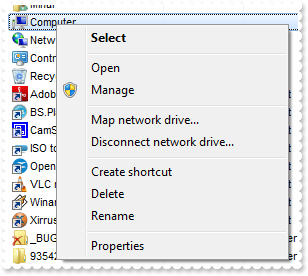
/*
	Copy and paste the following directives to your header file as
	it defines the namespace 'EXSHELLVIEWLib' for the library: 'ExShellView 1.0 Control Library'

	#import <ExShellView.dll>
	using namespace EXSHELLVIEWLib;
*/
EXSHELLVIEWLib::IExShellViewPtr spExShellView1 = GetDlgItem(IDC_EXSHELLVIEW1)->GetControlUnknown();
spExShellView1->PutDefaultMenuItems(VARIANT_FALSE);
|
|
15
|
How can I include only files that match a pattern
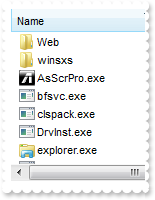
/*
	Copy and paste the following directives to your header file as
	it defines the namespace 'EXSHELLVIEWLib' for the library: 'ExShellView 1.0 Control Library'

	#import <ExShellView.dll>
	using namespace EXSHELLVIEWLib;
*/
EXSHELLVIEWLib::IExShellViewPtr spExShellView1 = GetDlgItem(IDC_EXSHELLVIEW1)->GetControlUnknown();
spExShellView1->PutIncludeObjectType(EXSHELLVIEWLib::PatternObjects);
spExShellView1->PutFilePattern(L"*.exe *.lnk");
|
|
14
|
How can I include only files that match a pattern
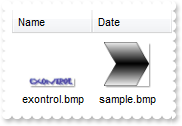
/*
	Copy and paste the following directives to your header file as
	it defines the namespace 'EXSHELLVIEWLib' for the library: 'ExShellView 1.0 Control Library'

	#import <ExShellView.dll>
	using namespace EXSHELLVIEWLib;
*/
EXSHELLVIEWLib::IExShellViewPtr spExShellView1 = GetDlgItem(IDC_EXSHELLVIEW1)->GetControlUnknown();
spExShellView1->PutIncludeObjectType(EXSHELLVIEWLib::PatternObjects);
spExShellView1->PutFilePattern(L"*.bmp");
|
|
13
|
How can I list only folders in the view
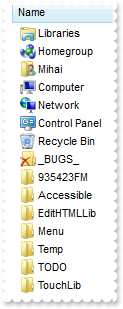
/*
	Copy and paste the following directives to your header file as
	it defines the namespace 'EXSHELLVIEWLib' for the library: 'ExShellView 1.0 Control Library'

	#import <ExShellView.dll>
	using namespace EXSHELLVIEWLib;
*/
EXSHELLVIEWLib::IExShellViewPtr spExShellView1 = GetDlgItem(IDC_EXSHELLVIEW1)->GetControlUnknown();
spExShellView1->PutIncludeObjectType(EXSHELLVIEWLib::FoldersOnly);
|
|
12
|
How do I specify what objects files or folders should be included in the list
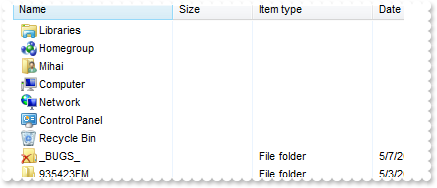
/*
	Copy and paste the following directives to your header file as
	it defines the namespace 'EXSHELLVIEWLib' for the library: 'ExShellView 1.0 Control Library'

	#import <ExShellView.dll>
	using namespace EXSHELLVIEWLib;
*/
EXSHELLVIEWLib::IExShellViewPtr spExShellView1 = GetDlgItem(IDC_EXSHELLVIEW1)->GetControlUnknown();
spExShellView1->PutIncludeObjectType(EXSHELLVIEWLib::FoldersOnly);
|
|
11
|
How do I browse a special folder
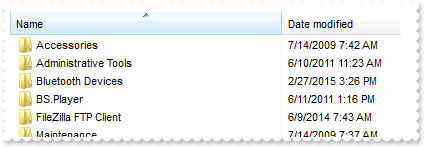
/*
	Copy and paste the following directives to your header file as
	it defines the namespace 'EXSHELLVIEWLib' for the library: 'ExShellView 1.0 Control Library'

	#import <ExShellView.dll>
	using namespace EXSHELLVIEWLib;
*/
EXSHELLVIEWLib::IExShellViewPtr spExShellView1 = GetDlgItem(IDC_EXSHELLVIEW1)->GetControlUnknown();
spExShellView1->PutBrowseFolder(((EXSHELLVIEWLib::IExShellFolderPtr)(spExShellView1->GetShellFolder(spExShellView1->GetSpecialFolder(EXSHELLVIEWLib::Programs)))));
|
|
10
|
How can I go up to one level, so I can browse the parent folder
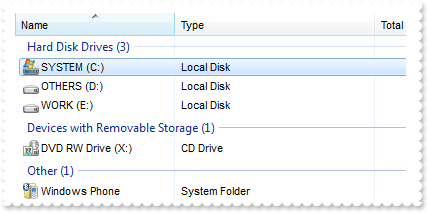
/*
	Copy and paste the following directives to your header file as
	it defines the namespace 'EXSHELLVIEWLib' for the library: 'ExShellView 1.0 Control Library'

	#import <ExShellView.dll>
	using namespace EXSHELLVIEWLib;
*/
EXSHELLVIEWLib::IExShellViewPtr spExShellView1 = GetDlgItem(IDC_EXSHELLVIEW1)->GetControlUnknown();
spExShellView1->PutBrowseFolder(((EXSHELLVIEWLib::IExShellFolderPtr)(spExShellView1->GetShellFolder("C:\\"))));
spExShellView1->UpOneLevel();
|
|
9
|
How do I browse a specified folder
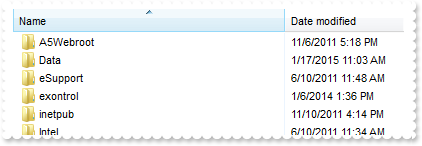
/*
	Copy and paste the following directives to your header file as
	it defines the namespace 'EXSHELLVIEWLib' for the library: 'ExShellView 1.0 Control Library'

	#import <ExShellView.dll>
	using namespace EXSHELLVIEWLib;
*/
EXSHELLVIEWLib::IExShellViewPtr spExShellView1 = GetDlgItem(IDC_EXSHELLVIEW1)->GetControlUnknown();
spExShellView1->PutBrowseFolder(((EXSHELLVIEWLib::IExShellFolderPtr)(spExShellView1->GetShellFolder("C:\\"))));
|
|
8
|
How can I disable or enable the entire control
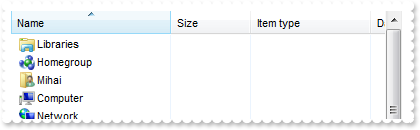
/*
	Copy and paste the following directives to your header file as
	it defines the namespace 'EXSHELLVIEWLib' for the library: 'ExShellView 1.0 Control Library'

	#import <ExShellView.dll>
	using namespace EXSHELLVIEWLib;
*/
EXSHELLVIEWLib::IExShellViewPtr spExShellView1 = GetDlgItem(IDC_EXSHELLVIEW1)->GetControlUnknown();
spExShellView1->PutEnabled(VARIANT_FALSE);
|
|
7
|
How do I refresh the control
/*
	Copy and paste the following directives to your header file as
	it defines the namespace 'EXSHELLVIEWLib' for the library: 'ExShellView 1.0 Control Library'

	#import <ExShellView.dll>
	using namespace EXSHELLVIEWLib;
*/
EXSHELLVIEWLib::IExShellViewPtr spExShellView1 = GetDlgItem(IDC_EXSHELLVIEW1)->GetControlUnknown();
spExShellView1->Refresh();
|
|
6
|
How can I change the control's font
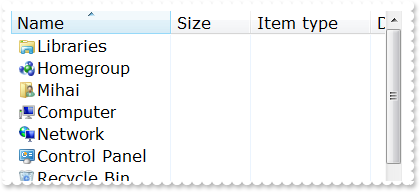
/*
	Copy and paste the following directives to your header file as
	it defines the namespace 'EXSHELLVIEWLib' for the library: 'ExShellView 1.0 Control Library'

	#import <ExShellView.dll>
	using namespace EXSHELLVIEWLib;
*/
EXSHELLVIEWLib::IExShellViewPtr spExShellView1 = GetDlgItem(IDC_EXSHELLVIEW1)->GetControlUnknown();
/*
	Includes the definition for CreateObject function like follows:

	#include <comdef.h>
	IUnknownPtr CreateObject( BSTR Object )
	{
		IUnknownPtr spResult;
		spResult.CreateInstance( Object );
		return spResult;
	};

*/
/*
	Copy and paste the following directives to your header file as
	it defines the namespace 'stdole' for the library: 'OLE Automation'

	#import <stdole2.tlb>
*/
stdole::FontPtr f = ::CreateObject(L"StdFont");
	f->PutName(L"Verdana");
	f->PutSize(_variant_t(long(12)));
spExShellView1->PutFont(IFontDispPtr(((stdole::FontPtr)(f))));
|
|
5
|
How can I change the view, so it displays as THUMBNAIL
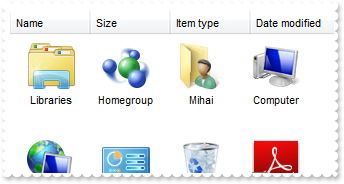
/*
	Copy and paste the following directives to your header file as
	it defines the namespace 'EXSHELLVIEWLib' for the library: 'ExShellView 1.0 Control Library'

	#import <ExShellView.dll>
	using namespace EXSHELLVIEWLib;
*/
EXSHELLVIEWLib::IExShellViewPtr spExShellView1 = GetDlgItem(IDC_EXSHELLVIEW1)->GetControlUnknown();
spExShellView1->PutViewMode(EXSHELLVIEWLib::Thumbnail);
|
|
4
|
How can I change the view, so it displays as a a grid with details
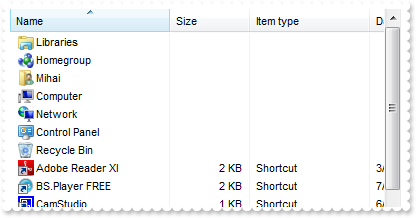
/*
	Copy and paste the following directives to your header file as
	it defines the namespace 'EXSHELLVIEWLib' for the library: 'ExShellView 1.0 Control Library'

	#import <ExShellView.dll>
	using namespace EXSHELLVIEWLib;
*/
EXSHELLVIEWLib::IExShellViewPtr spExShellView1 = GetDlgItem(IDC_EXSHELLVIEW1)->GetControlUnknown();
spExShellView1->PutViewMode(EXSHELLVIEWLib::Details);
|
|
3
|
How can I change the view, so it displays as a list
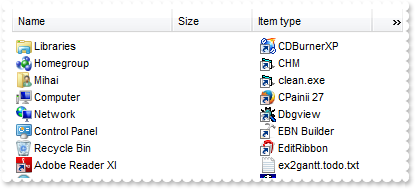
/*
	Copy and paste the following directives to your header file as
	it defines the namespace 'EXSHELLVIEWLib' for the library: 'ExShellView 1.0 Control Library'

	#import <ExShellView.dll>
	using namespace EXSHELLVIEWLib;
*/
EXSHELLVIEWLib::IExShellViewPtr spExShellView1 = GetDlgItem(IDC_EXSHELLVIEW1)->GetControlUnknown();
spExShellView1->PutViewMode(EXSHELLVIEWLib::List);
|
|
2
|
How can I change the view, so it displays small icons
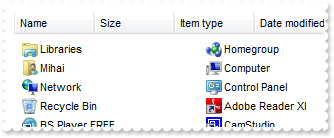
/*
	Copy and paste the following directives to your header file as
	it defines the namespace 'EXSHELLVIEWLib' for the library: 'ExShellView 1.0 Control Library'

	#import <ExShellView.dll>
	using namespace EXSHELLVIEWLib;
*/
EXSHELLVIEWLib::IExShellViewPtr spExShellView1 = GetDlgItem(IDC_EXSHELLVIEW1)->GetControlUnknown();
spExShellView1->PutViewMode(EXSHELLVIEWLib::SmallIcon);
|
|
1
|
How can I change the view, so it displays large icons
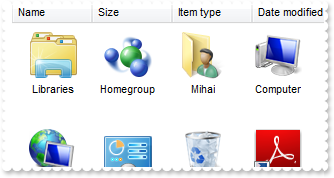
/*
	Copy and paste the following directives to your header file as
	it defines the namespace 'EXSHELLVIEWLib' for the library: 'ExShellView 1.0 Control Library'

	#import <ExShellView.dll>
	using namespace EXSHELLVIEWLib;
*/
EXSHELLVIEWLib::IExShellViewPtr spExShellView1 = GetDlgItem(IDC_EXSHELLVIEW1)->GetControlUnknown();
spExShellView1->PutViewMode(EXSHELLVIEWLib::LargeIcons);
|