|
206
|
Format the value of each enum literal
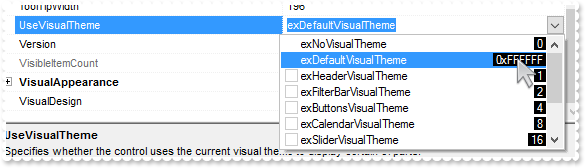
expropertieslist1.FormatEnumValue = "`<bgcolor black><fgcolor white> ` + (len(value) > 2 ? `0x` + hex(value) : value ) + ` `";
expropertieslist1.AllowMultipleValuesOnEnum = true;
expropertieslist1.Sort(true,null);
expropertieslist1.Select(expropertieslist1);
|
|
205
|
Display the value of each enum literal
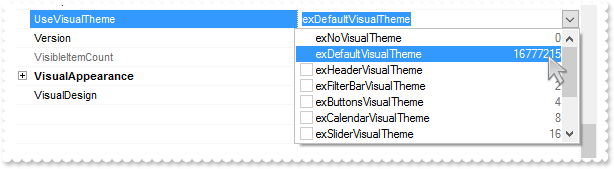
expropertieslist1.FormatEnumValue = "value";
expropertieslist1.AllowMultipleValuesOnEnum = true;
expropertieslist1.Sort(true,null);
expropertieslist1.Select(expropertieslist1);
|
|
204
|
How can I replace or add an icon at runtime

expropertieslist1.BeginUpdate();
expropertieslist1.ReplaceIcon("gAAAABgYACEHgUJFEEAAWhUJCEJEEJggEhMCYEXjUbjkJQECj8gj8hAEjkshYEpk8kf8ClsulsvAExmcvf83js5nU7nkCeEcn8boMaocXosCB9Hn09pkzcEuoL/fE+O" +
	"kYB0gB9YhIHrddgVcr9aktZADAD8+P8CgIA==",null);
expropertieslist1.ReplaceIcon("C:\\images\\favicon.ico",0);
exontrol.EXPROPERTIESLISTLib.Property var_Property = expropertieslist1.Add("I2","link1",exontrol.EXPROPERTIESLISTLib.EditTypeEnum.Edit,null,null,null);
	var_Property.HTMLName = "Property <img>1</img>";
expropertieslist1.EndUpdate();
|
|
203
|
Disable temporarily the column's sort, resize and drag and drop
expropertieslist1.HeaderHeight = 24;
expropertieslist1.HeaderVisible = true;
expropertieslist1.HeaderAppearance = exontrol.EXPROPERTIESLISTLib.AppearanceEnum.Etched;
expropertieslist1.HeaderEnabled = false;
expropertieslist1.Select(expropertieslist1);
|
|
202
|
Force hover-all feature
expropertieslist1.set_Background32(exontrol.EXPROPERTIESLISTLib.BackgroundPartEnum.exScrollHoverAll,-1);
expropertieslist1.Select(expropertieslist1);
|
|
201
|
Disable hover-all feature (Windows 11 or greater)
expropertieslist1.set_Background(exontrol.EXPROPERTIESLISTLib.BackgroundPartEnum.exScrollHoverAll,Color.FromArgb(1,0,0));
expropertieslist1.Select(expropertieslist1);
|
|
200
|
Display a custom tooltip
// MouseMove event - Occurs when the user moves the mouse.
private void expropertieslist1_MouseMoveEvent(object sender, short   Button, short   Shift, int   X, int   Y)
{
	expropertieslist1.ShowToolTip("new content","",null,"+8","+8");
}
//this.expropertieslist1.MouseMoveEvent += new exontrol.EXPROPERTIESLISTLib.exg2antt.MouseMoveEventHandler(this.expropertieslist1_MouseMoveEvent);

expropertieslist1.Select(expropertieslist1);
|
|
199
|
Shows the tooltip of the object moved relative to its default position
// MouseMove event - Occurs when the user moves the mouse.
private void expropertieslist1_MouseMoveEvent(object sender, short   Button, short   Shift, int   X, int   Y)
{
	expropertieslist1.ShowToolTip("<null>","<null>",null,"+8","+8");
}
//this.expropertieslist1.MouseMoveEvent += new exontrol.EXPROPERTIESLISTLib.exg2antt.MouseMoveEventHandler(this.expropertieslist1_MouseMoveEvent);

expropertieslist1.AllowTooltip = true;
expropertieslist1.Select(expropertieslist1);
|
|
198
|
Is it possible to change the header's visual appearance (EBN)

expropertieslist1.BeginUpdate();
expropertieslist1.VisualAppearance.Add(1,"c:\\exontrol\\images\\normal.ebn");
expropertieslist1.HeaderVisible = true;
expropertieslist1.BackColorHeader32 = 0x1000000;
expropertieslist1.HeaderHeight = 22;
expropertieslist1.EndUpdate();
|
|
197
|
Is it possible to change the header's visual appearance

expropertieslist1.BeginUpdate();
expropertieslist1.HeaderVisible = true;
expropertieslist1.HeaderAppearance = exontrol.EXPROPERTIESLISTLib.AppearanceEnum.Etched;
expropertieslist1.HeaderHeight = 22;
expropertieslist1.EndUpdate();
|
|
196
|
ImageSize property on 32 (specifies the size of control' icons/images/check-boxes/radio-buttons)
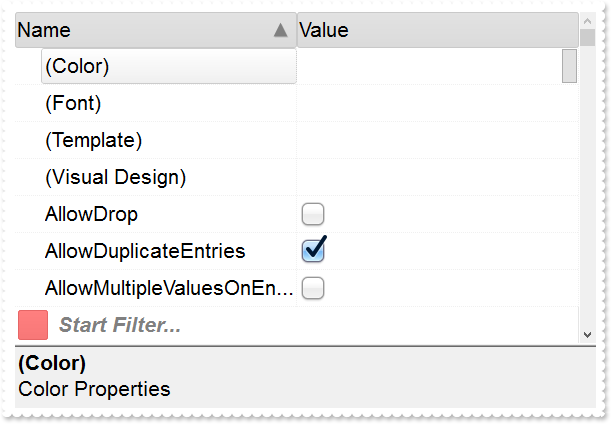
expropertieslist1.BeginUpdate();
expropertieslist1.ImageSize = 32;
expropertieslist1.DefaultItemHeight = 36;
expropertieslist1.HeaderHeight = expropertieslist1.DefaultItemHeight;
expropertieslist1.Font.Size = 16;
expropertieslist1.ToolTipFont.Size = expropertieslist1.Font.Size;
expropertieslist1.FilterBarFont.Size = expropertieslist1.Font.Size;
expropertieslist1.Indent = 26;
expropertieslist1.DescriptionHeight = 96;
expropertieslist1.DisplayBoolAs = exontrol.EXPROPERTIESLISTLib.DisplayBoolEnum.exBoolCheck;
expropertieslist1.FilterBarPromptVisible = exontrol.EXPROPERTIESLISTLib.FilterBarVisibleEnum.exFilterBarVisible;
expropertieslist1.HeaderVisible = true;
expropertieslist1.Images("gBJJgBAIDAAEg4AEEKAD/hz/EMNh8TIRNGwAjEZAEXjAojKAjMLjABhkaABAk0plUrlktl0vmExmUzmk1m03nE5nU7nk9miAoE+oVDolFo1HpFJpU5h8Sf9OqFNqUOq" +
	"NUqdPq9VrFWrlbr1QpdhAFAkFis1ntFptVrtkrpszrNvmVxqk3uVtm1kmF3sdBvF/wGBmV+j9BYGHwWJulfxdax2NyFdx2JlV6l9Nw7AAGZymdz2Cy2GxErvWcz9ivlw" +
	"yV21cuxugwktzGIzmvwtl0+53U5y0a0Wazmmyu/3dCyOMyXHx/J5nIr9q3uyqnBxFN3G46ma4vb7mD2Ng4nZze00fDkHC7t7us2rOX5tguetpHRlmz4HVqnXk1PjHO+C" +
	"MPo9MBMC+j2vC8j7wS8cFNI4kBo05UIvfCT/NsnsApU+0Fqg/T+oy/kPxC0sEQfErKQK96+w28UWRI8UGvO8sTLS9r2PWmsMJTDTask3CsIbIEQRA3shOXEEAO/GclJ9" +
	"FEKrrA8FRbKMXRIlb0JxCkjS1LMswhCcvuel0cv26cSMa8Ufx+2sQwhEUoSXOCjSbLcnxjKc7sdKUVyq28NtVI71P9P7JxtQEapjQ6fzfM8zPfNE2PhIsLL63E40slk5" +
	"y7N89LcyU9SvMb3SdUc6VJLj5VLVLfO/PS9KzNFHUa/0XyBD0dxlS9cxhMlTRSoNXypPErWDPyfNS+MwprRNO0FD8wVVZ1AI08URwVRjtJ1WCn21QkkUrXVLVPQS/XIk" +
	"FgTxT9iONZ9xVTdq+L1eKg3kkF6Upe68XtfV51/MtrVjBlwYFL1ev8y1/P6/lyzzYl02wntj0RVFmS1Qa+M5as93QxEUW9e993rfmQ2+vy65M/mL1lhl/2bj2ByVduMt" +
	"NhCJT9hdz41nN14Ld12Z9UjfI/oUAaGseiw6+uFLLhcVabJOS5RqOE0BHlZ5VnEr5fOMs3st+aa/bbRzrJGV51Y0b0DbqaWXZD90hIsPbjWu52+6Wyadpe66hhO+P/Xi" +
	"oW5rD8ZbrUZuVg6n1dsE/cXmewu1m9PVwnd35/nueXho/NaJzmjc61W76esuT77eG8pTquy9TwWH8LEzG8RDfFalx3Gcfvna9rvG/cptGLd9tuI6TZOP5Fiqi99vea+X" +
	"4VRcBq/JZZtVQ9cwSs5lsXE372+a9z7PbfB3VVqHyvMctLto8uob6eV0m/cD6MN2v+T33t6sBut42vdv2bJ8a997x2maFJfK+qArbGJPEKE+1qTflMsIdW/GCJX17KcT" +
	"6/czr/X+u1g29B7j/4BQfWkkx4zIHisjhPCmE0K4SwtXM+d4BvHRwNZOoBph9IJvPek9d40FoMJxf691jj2ywQQcHEWET4XJwkTszlVqm2GokewxtBT1DpQjRxDN0rUV" +
	"DNKdC3lb6tzNOwh6upMSSYfv4YBCl/bsn9PxiFCEo7SI6Obc9HeOrnY8x4jtHtdpN4GRbaorhsbu18Pph5CiHymI0RpSXGJ/z2oUOxYxG858AyiI+bfJtuTcG5yelBJy" +
	"T8okhqFd4a5yxL0rvulYtKCsZiWxWkc1s1cRoxxwhA31DLE0mR9l9HqX8fJgTDmFMVH0MIsRzVYnwnMi1dyzmhLt2kS2pxIiU62Wj5ptQGlSYFakLonTUJNLKaM5Wzlf" +
	"fEkuFkk5wTrhVO2eE7G6lJhxFFYUZ55zmn0WuBCD4pzhirFCKkbomsOoIYmZx5p90LoYWGPdD5g0QmJRKYxbZ6zYoVQ2jVGylSak7KSkFH6RSjpHKFuU+YMyNo5SulkC" +
	"6I0vonTCitMXPoEpVS2H5FQfEqp2R1opIgAEkJISYARTCukOhmPNI5Ex/wzGHUsicMwA1LHgQ90Y/KpoQHAD+pB/R4NzIaMAB9Xaw1gqaAOsh/A/ptIkWUfhGK1kZH8R" +
	"gH5GqvgArqRmt4AAPrTroRofBGADkqr6Rmu4D7CEaHARiwpJrEEZsXXwlVjyMWRsaRqwdkLGNBABZmytmyMnaINZqyVpLR2ftKAAAdd6h2osbaskdiq4EZtgSmyNcbVW" +
	"RJNXe3AA7REar3b0stlAAXBtoRmvJGLjEYAHUWsFcwCD/rnaop9aEICMAPdK5hT6xpeuzdOtAgKuJeGfdq6ggEbkTvAP+p9UCHXrvKkcgIA==");
exontrol.EXPROPERTIESLISTLib.Appearance var_Appearance = expropertieslist1.VisualAppearance;
	var_Appearance.Add(1,"gBFLBCJwBAEHhEJAAEhABfICg6AADACAxRDgMQBQKAAzQFAYbhkGCGAAGMZxRgmFgAQhFcZQSKUOQTDKMIziaQAGgkNQwCSLIwjNIsBxPFKVQChEYxSjKA40SJNUgyj" +
	"6CCY+QLIE5PfQgAL9I6eJABCCSQKkYx0HScRiwPBIbAZAYhCZqaKhWgkKI/WBQIABRDVLx5ESiLRtKy7Mq2bpvXBcNxXHalaztO68LxvKyqHb5fJ/PpgL4YHgmC4NQ7E" +
	"MRwF6rfbyfZ7Xg/ORPTijZ4sdzMHTzJyscx3HqfaBoOaZU5eMLceTUMofHIndxCcasPbsOatVqjG5sYjcGC3La9cz3Pq/bpuDCbMxuaK1TrYXr1TTrcofBDldAxXRKDx" +
	"RDWVhLnYOw9i6XxzjuXprCaOoKB6EwbiCZZCGOdZYlcT4xHmbhMnwNxtn+G5bmqdZ7n4Pw/i+X5zm+dQ9g4CAFjsfAJheOI8HsDoWDWTB/lwSAQkmA5PEgRYoDyDwYFY" +
	"FoFmGCBmBqBphDgRJ0gOTIYBGRB/lyRh0iSCZbjYWJzgWDwIjYLoLmMCJGDKDJjBgWgqG6YhyhGHRzA2aJ1mCABOAiOJvhCZBJBYRoRmSCQmEqEQimkAZgg8TZnDCV4U" +
	"kmCUmBKZYJGYWoWCUUhiFMNZckNUh2GENoaGaGZmgmJhqhqZpGGIEx2GYIxSGGGJdggWJth2Z4JmYeoemeSZ2H6H4hGmQhihyTRHGYLg7CiCgmgqIpokoNoOiOaJ4jqA" +
	"ochqaZGgaCxpAoZoaiaaJqEmWIcGgShcnCJwqEqFoR3YOoFlgchflqNouiuawHmWSYqGkWZQhcatzmaOoumuSp2j6L5bBaKo0GQKRnGGCxqiyCwmkqMpsksNpOGUGI7A" +
	"0ew1G0Rxlg0PptgsZuDG2Sx2l6N5tnYNZZjUDRXDCVo5l2FoymqOpukuNpujubwLjmWY5k0ZwxkaFxYlWdp6j6b5Lnafo/nABQdg2FxcUsY5BkmXAkmeQpckwNRrkKTh" +
	"8CSHZBk4NwyC4KxxgMDwakOMZDn8GgwnGAo2C4cwthMcwmCcMoHBMHRehwTIghySYNksZwcH4HBMEsHx5hyPItiweYxnwSZEH4Mozn0fR+DMAo7EYJ50gkdZelKdNql2" +
	"UgJn0GIukwH4HicQRai2GI4mSVpNl0dZGledgNgcYpYDWUx3FsOQi5YV5anaTY3G6W53A2RxylydxFjiaxEFCCgBBAQ==");
	var_Appearance.Add(2,"gBFLBCJwBAEHhEJAAEhABcoFg6AADACAxRDgMQBQKAAzQFAYbhkGCGAAGMZxRgmFgAQhFcZQSKUOQTDKMIziaQAGgkNQwCSLIwjNIsBxPFKVQChEYxSjKA40SJNUgyj" +
	"6CCY+QLIE5PfQgAL9I6eJABCCSQKkYx0HScRiwPBIbAZAYhCZqaKhWgkKI/WBQIABRDVLx5ESiLRtKy7Mq2bpvXBcNxXHalaztO68LxvKyqHb5fJ/PpgL4YHgmC4NQ7E" +
	"MRwF6rfbyfZ7Xg/ORPTijZ4sdzMHTzJyscx3HqfaBoOaZU5eMLceTUMofHIndxCcasPbsLpOS5LNKsaxmWLYdhFdTxQi6LpvfA8BwXC6JY7heRYRbFbYxRjGNi1TS7G4" +
	"nGKd5WGuL4UHwI4VkaYxii8V4pgQMgVBQdQ5iCTYGi8T4vlWbJ3nuPg+l+H5AlSCg6ByPBoE8Ap3jqYxhBido5g0OgOGOGI4CsSpCCAcgcAuEokiEN5NCKfJ9DyTRjnS" +
	"cg1CEYxOBmBpPCgagdgcIZoHoGIFA4AxQkCAxKAgKBwgGSpIBCZhjF2E5UnQPQMiMCJBCIBwxkSQgsgo+JtDKT4ziiQw+k6EwAnsOgLnkHI+yCQ4iEuE4klkPhShEJBp" +
	"AoPgymOMoaDgHBjFMBgyD0HYTiCZSZhIIIGC4ChiHSew5kwM5omILZPiOBI0hwZw5kodIdA+M4Uj4PxOmMSJ9DuTQzmyZgviceZagaHVfj4awwmaAh2GUIYmCOEZZDaD" +
	"RDFGdwcg4EwyHMN4LBOaJbCoaZqgKH8qkMfIyD8DozDyfA7A0Coui0OpMmOZJdCsahKg6NooioChwmEMxLEoXJbDUTRXGSUgykyMgQG0GpPHMdI3D4TRCgSeQ0kmaw+l" +
	"GNAtCOZJVCiT5DhyRQwAqMg0EoDBBGEGAsASC5yiSCw+k4Mp6lWNQuksTpRjMTxDGzJwGmGMpDDKXYTECSAxl6Q5olkK4PgMMIVkASRMBMBgzEkaZEjsNALhIZA6AeQB" +
	"gk0ZJEgAAJ0CIAgODMNIsD6DRih9uYwFyAwfCUb5ijmbI+gwdxkk8MZMGeMpPCkDxzBiC5MHMPJLDSSROFMLIoBEQogEMFJPnENYQGgE4DCOaJfC7tYkhGTQ0kyWwyku" +
	"XpMiyRpKjKR4wngM4JmOWJACCdYtHMWw+Eych4nINYLAEYA8AgdAEEsQZajaQoog4GxPiMVIolcdxNG8XZVkmNoRwWRVBlFeFEeAZQJgnFiHgHwcAhjhHgGMSI5xki2C" +
	"yA4EQsA3i0HkBsLwKRFgAHcPkHopBJBcBeDUYI7xyDOHqKkWo2hLCsDIBIY4qQ5A8DoMMYwOAqCSBGKgU4yB2iDBwIgB4hxQgAAWNgBoAgsBdEcBUQ4sQ9A/HqD0JI8R" +
	"pBzH2OYVgahLBHFiJQJweQiDhDUE4SAARQAzFsG0EQwA6AOWSBkFgVAIBCHeGERQFQiCQHeFkC4vkiB8DyB4F4QxVDvGMNEOQexMjlBeOAKQiQLgfDA7QEAaRiBdEkH8" +
	"TI7AZiFBAGYBIABWjYBiGACioQ4C1A+AMMgWhfgxHgPsT4URIB0COKgPgjRwiAB8AYUArxBgCF6J4GY5hrAOCAPAAoGRRCsCIMEXATXfgAF8BMJwURuEQDgD4Q4OBoAe" +
	"HGFgLIwQrC2D0JoSQ+QvhrHoSgQI8AbDFGID8C4Ah6BQAQAASACwgCYCMAUMARAvCKAiAMCAokeCKBEOAKgCBoDaHuMsEAqwJDiACDURg8R6gPCyDofYWAhgoDIJ4ZAu" +
	"hoiGAYGgRoQw/A0GMMga4GwxiEDeIYYInATCDBQAoBAwAoDlA0KMBoVRGiDGwDQUYIRsgaGGDgM4LAwDWB8EcIA1APhjEgGQVwgRIgjFIIQHokgZA+CSEkLIKQSjHAwM" +
	"sCwDAsAEB2ABTIwRwD6A8CMToSxkAxE4HYIw+BsgbBEDAHYBwojCBoIYFgXSjABE4MsHIbQWhlGILQS4UhvBdAUKEEwHgxDAAABQQQUAhgKHiDwE4JS4A7BGLQZwCR4g" +
	"aBEMUYAqgKApHgGwVAIRNgvBMMQXImwZDtE4I8UIyAZCDCAE8AwrhgAdEEBACQLRCg4FEB4AYtA7CdEiPQMoJAMDNCkOMCAXAFDhH0D0Q4EgfAaGSK4NYzRUj9BuCgAg" +
	"swOBjB4Fqpw8B2ADAwE4A4Qx2DAE6JIaQPQGhAGKBcIQ5B5gHByKIFARwADbAyKUfgdBKBBGyEcVIAB/ijHoIoSA0gdBNl+OATYERZgBGSDYWIWAUCEGKA4FAhR7CIBt" +
	"YQGYZg4CMAiKEcAOwkBjHWE8Z4lQgA+DkBoTohwwCeAaMEEgBQCCABgHMRwQRhhMEWFQd4HwZgwDqFESItAbAGEANCpINAzANCCJkK4ah+heFYBURwsQrS2CsMYMoWGB" +
	"hYDWI0EInQgiApXaOVI1QFDsC8MUNoMBMA1HMJga4eh+BeAWOgNNowGjYzCGAAwax+iJBeBVT4gxoBIAGFsJFBxgBiGKFkKQ7g5DFFQEcAo4AzDDACKEQQLgCiJDYB0M" +
	"gRBCCQAgQEA==");
	var_Appearance.Add(3,"gBFLBCJwBAEHhEJAAEhABQ4Fg6AADACAxRDgMQBQKAAzQFAYbhkGCGAAGMZxRgmFgAQhFcZQSKUOQTDKMIziaQAGgkNQwCSLIwjNIsBxPFKVQChEYxSjKA40SJNUgyj" +
	"6CCY+QLIE5PfQgAL9I6eJABCCSQKkYx0HScRiwPBIbAZAYhCZqaKhWgkKI/WBQIABRDVLx5ESiLRtKy7Mq2bpvXBcNxXHalaztO68LxvKyqHb5fJ/PpgL4YHgmC4NQ7E" +
	"MRwF6rfbyfZ7Xg/ORPTijZ4sdzMHTzJyscx3HqfaBoOaZU5eMLceTUMofHIndxCcasPbsLpOS5LNKsaxmWLYdhFdTxQi6LpvfA8BwXC6JY7heRYRbFbYxRjGNi1TS7G4" +
	"nGKd5WGuL4UHwI4VkaYxii8V4pgQMgVBQdQ5iCTYGi8T4vlWbJ3nuPg+l+H5AlSCg6ByPBoE8Ap3jqYxhBido5g0OgOGOGI4CsSpCCAcgcAuEosiYN5NHMOJ+D4TpTnS" +
	"eQ7CEY4uBmBpPhgagdgcIZoHibIEyUBJZDQIJShoCgcCAcoyAQOYYlcZJ1D0DxDCiQgwEiAZMHEMJLFKPJ9D2DoDnidQ4k+Y5QmKEROBkIhKD0JIZDIS4TGUCQuEeEJj" +
	"nOIg8CuY4RkYNgwGMM5RllGpThDRYIGKZIpCkJFUH0PINyWcQ3CaaZCG+HBnEOTJhD8Tx4GoeQ/GcaZSHOH5nCmQhshoZhihYYwhiYA4RlkNoNEMUZ3ByDjwEsPxOnMa" +
	"J9DuDR6F6GYmCmKh0nANtMioP4Gg8aoSiIO5NhodociqaY6GaFYkEyOg8lsNRNTaUgykyMgQG0GpPiONJbD8DpDEyfA6k0KwOkWMQsGsAJU0SagwkoJQJDIPISCQCJTG" +
	"SUwyGaM4KkmMgtksHpFjAZ4TGCBAbgaSpcksdhNAMIJHHsD5TjSWWMAMOpwjyLwbk6cAz0KRJiDkDYzESCwiggcgcgYIQwCIEINCMCITj6TVxkMXp2j0cQLlCTo7E2F4" +
	"ymkMZdhMPJHDGHpLAyVg+k4UwrCCSIyByDJ8DuDY8CiWY0kiXAXC6QJwFKGIjCeJpjgyezjlyDw6klHx5myRoMGwZwbkcToTEiew4kwbQfEmUgPkOKJUD4DpTHSHQmgk" +
	"XI/ASTA1g0XIEDMTBimyfI7jSLYHEiUoPk0Fw/kadAsHGao8A0A5smEMJ2mNyg5gzJZwDgCpChyIZVyIZwFCMJEPASRkBqE+IcHInRcDxA2H4bIsx0AtDsIBpwZwYicD" +
	"6BscwDwUBgHCIYaIfgtiVH2O4WgUwJjEFeAEQA7y4hMCiBMS4aRdB9A4CYE4LxljyBMHcDItBxinDCLcTYmgejBFQ9UTg9gFBOEmAQTI7A4iZGMGkQAWQ7jYA2HIL8BR" +
	"AjDG4HcCwARbjZHiNoDw1nLDnGyNINQ+wjCpBMEgcovQUgICQJEcgWRuBvAyJ4d4ugpCUAINcHogxIgnDiM4N4axzD3F2JMTY/hRqYF6FsWIxhYAGGoAALQYgYirBwBE" +
	"BwpAjBEAAIEIYsA2gOHCMAGgXAACIDmMITAUgFABH0D0I4WwvhNFGMAOIvxRD2GKNcMA8gjAPDCPwBogRPAxA8PgRwZRICYDED8RAXQEghEAN8DIgwIBdB4JYWwMgtiQ" +
	"HoFQKAiRFguFKGwGQhglDsEOVwEQQRkCKBwOIHgSREDRBYHEXQcQdD7GIGARQHRxipBrMobgewDCUCADsEYWAzgMHKHQDQxxsDzA6EMfAeQHB4GQDkUYPA0iECiKoGgR" +
	"hcDdA2GMQA8AOCjDSPgHI4QnApAKBICwHg1A+BcAwcYsgbjGGQNkCIgRsA6EcBEWANADjsB0B8YYzQQDIGSBcEYZBCCPEkFIHQSgkgZAwG4IwBAbAYGGAgL4Ch4g8BOC" +
	"QAA2KKC0GcAke4AAXAFCoHkDw4xbBFEcJkE4JRSiEFeJYKQVRMgJHODwX4xAgC/AsIIZAeAHDRG0HYI40RKCLEGDUI4jAghwBWIceA+whCpHMFYZYOQxglDMHMBQGxYj" +
	"VHiAoBIPgfgHGwPsHYJRSB6A0IERQLhCjJHMA4OQoAoCOACLYGYSx8DpBQIMWQdRnDRH+DsE4fB3CeAmM67kAAXBFEIDYDI7wLBtEoEIfYNwjiUGGJQYQMAjCHEAO0C4" +
	"zxW29CoCgfIxR9AKA6J8BgUAIhDGMIoJ40hqgwCgKETgnBhhqCGI0AIqgZhGDANQDIlBDCRGkCoJISR0g1BSKQOgfAzBRG0DYHARh4DeDAOwANuw8ApCKKkYg/RPhjBs" +
	"H0J4yg5hPGWN0GwFBHQBFaDoQIURljFAoB4GgzRVzbBECQFQRQoguHGHANwDRdCKy8CgSIGwhhoDYJYYI1giBICSAEgI=");
	var_Appearance.Add(4,"gBFLBCJwBAEHhEJAAEhABUYCg6AADACAxRDgMQBQKAAzQFAYbhkGCGAAGMZxRgmFgAQhFcZQSKUOQTDKMIziYBYfgkMIgSbJUgDGAkRRdDSOYDmGQYDiCIoRShOMIjH" +
	"LUXxtDaIZwhEAoJb+RgAUY/cTzaAEUwHHiTKInaCQShsFYJUJAdRURQ9EwvCIZBpEWwLChENQwWLCNj2TScBwjCyqbale45ViqdoDU5EUiXJJ8ZxnECfYyrGjaMpCeKB" +
	"UrGYTVRBIMxLLSia5oeJqMrnBpNVrIUgXCAGFwHK6BcauXIIDp6XoWWRbAAWDpVVzNNC3YzkCIceADHKiXxmVz4JLdGZ1QTGID2XaYaxWK4oZjsVSc4KDHbETbHFi9Fo" +
	"3NaaxGisew+GYc4HlCR5NAAAIIEkQJSGMOgdE4RhYDwJJsAaAYQgmPpolCWgSCiBJzjcEIAkQXIBm8d5UhOQgCDUIBDDJDhgggJgKgKYJIDSVoDk8KBFF4OohEMZgWDs" +
	"YYDj4GoGmGSB2B6B5iAiBgYDsYRjGSbIJo4RgqDuIpIAoLoLmMCJGDKDJjJiLA7xqUAAgGTwYnYPoPmQCQGEKEJkEkFg9gGY44BoRoSmSSQ2EKEggHgRhShSZRJFYVoV" +
	"mWCRmFKFAgGOTheheZgJgYYoYmYSYWGaF4lkMMJ0hqZpJjYbobmcCZGHKHJmjmJh0h2Z4JmYcIaE8WZ2H6H5oAoBoCiCaBKBYfdjGoJoKiKaJKDaDojmkChGgmIgpCoV" +
	"oWiWaJZiSd4mmmSh2h6J5qAqBoiiiaY5iSeIpmqComiqKpqkqNouiuah6hqMIsmsSpWiuGhP1kOoumuSp2j6L5sAsBo54gKwWkaMZsgsJpKjKbJLDaRYxYWRpSjSbIZi" +
	"Se41m2CxmlqNptksdpejebR5iSfI4m4S4W16boLiaao6m5fJ9jubwLkaco8m8S5WnaPZunuOp4j6b5Lnac4SA0PAGlgP4wEwFwGkGcIMCcCpCnCCxiA8NYAAmMJfkSbh" +
	"FCcFpFnGDBnBqRpUhuEwTDeZ5lHCfw6HIQxLCaAxygyJwqgGcATE4FA6hWY4tjEAAQBAgIA==");
expropertieslist1.BackColorHeader32 = 0x4c6c6c6;
expropertieslist1.SelBackColor32 = 0x4000000;
expropertieslist1.SelForeColor = Color.FromArgb(0,0,1);
expropertieslist1.set_Background32(exontrol.EXPROPERTIESLISTLib.BackgroundPartEnum.exCursorHoverColumn,-1);
expropertieslist1.set_Background32(exontrol.EXPROPERTIESLISTLib.BackgroundPartEnum.exHeaderFilterBarButton,0x4000000);
expropertieslist1.set_Background32(exontrol.EXPROPERTIESLISTLib.BackgroundPartEnum.exFooterFilterBarButton,0x40000ff);
expropertieslist1.set_Background32(exontrol.EXPROPERTIESLISTLib.BackgroundPartEnum.exCheckBoxState0,0x1000000);
expropertieslist1.set_Background32(exontrol.EXPROPERTIESLISTLib.BackgroundPartEnum.exCheckBoxState1,0x2000000);
expropertieslist1.set_Background32(exontrol.EXPROPERTIESLISTLib.BackgroundPartEnum.exCheckBoxState2,0x3000000);
expropertieslist1.Select(expropertieslist1);
expropertieslist1.Sort(null,null);
expropertieslist1.EndUpdate();
|
|
195
|
ImageSize property on 16 (default) (specifies the size of control' icons/images/check-boxes/radio-buttons)
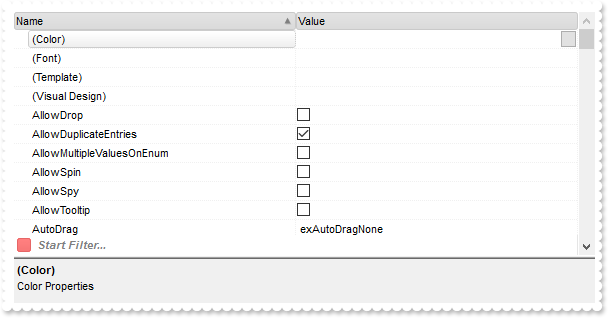
expropertieslist1.BeginUpdate();
expropertieslist1.ImageSize = 16;
expropertieslist1.DisplayBoolAs = exontrol.EXPROPERTIESLISTLib.DisplayBoolEnum.exBoolCheck;
expropertieslist1.FilterBarPromptVisible = exontrol.EXPROPERTIESLISTLib.FilterBarVisibleEnum.exFilterBarVisible;
expropertieslist1.HeaderVisible = true;
expropertieslist1.Images("gBJJgBAIDAAEg4AEEKAD/hz/EMNh8TIRNGwAjEZAEXjAojKAjMLjABhkaABAk0plUrlktl0vmExmUzmk1m03nE5nU7nk9miAoE+oVDolFo1HpFJpU5h8Sf9OqFNqUOq" +
	"NUqdPq9VrFWrlbr1QpdhAFAkFis1ntFptVrtkrpszrNvmVxqk3uVtm1kmF3sdBvF/wGBmV+j9BYGHwWJulfxdax2NyFdx2JlV6l9Nw7AAGZymdz2Cy2GxErvWcz9ivlw" +
	"yV21cuxugwktzGIzmvwtl0+53U5y0a0Wazmmyu/3dCyOMyXHx/J5nIr9q3uyqnBxFN3G46ma4vb7mD2Ng4nZze00fDkHC7t7us2rOX5tguetpHRlmz4HVqnXk1PjHO+C" +
	"MPo9MBMC+j2vC8j7wS8cFNI4kBo05UIvfCT/NsnsApU+0Fqg/T+oy/kPxC0sEQfErKQK96+w28UWRI8UGvO8sTLS9r2PWmsMJTDTask3CsIbIEQRA3shOXEEAO/GclJ9" +
	"FEKrrA8FRbKMXRIlb0JxCkjS1LMswhCcvuel0cv26cSMa8Ufx+2sQwhEUoSXOCjSbLcnxjKc7sdKUVyq28NtVI71P9P7JxtQEapjQ6fzfM8zPfNE2PhIsLL63E40slk5" +
	"y7N89LcyU9SvMb3SdUc6VJLj5VLVLfO/PS9KzNFHUa/0XyBD0dxlS9cxhMlTRSoNXypPErWDPyfNS+MwprRNO0FD8wVVZ1AI08URwVRjtJ1WCn21QkkUrXVLVPQS/XIk" +
	"FgTxT9iONZ9xVTdq+L1eKg3kkF6Upe68XtfV51/MtrVjBlwYFL1ev8y1/P6/lyzzYl02wntj0RVFmS1Qa+M5as93QxEUW9e993rfmQ2+vy65M/mL1lhl/2bj2ByVduMt" +
	"NhCJT9hdz41nN14Ld12Z9UjfI/oUAaGseiw6+uFLLhcVabJOS5RqOE0BHlZ5VnEr5fOMs3st+aa/bbRzrJGV51Y0b0DbqaWXZD90hIsPbjWu52+6Wyadpe66hhO+P/Xi" +
	"oW5rD8ZbrUZuVg6n1dsE/cXmewu1m9PVwnd35/nueXho/NaJzmjc61W76esuT77eG8pTquy9TwWH8LEzG8RDfFalx3Gcfvna9rvG/cptGLd9tuI6TZOP5Fiqi99vea+X" +
	"4VRcBq/JZZtVQ9cwSs5lsXE372+a9z7PbfB3VVqHyvMctLto8uob6eV0m/cD6MN2v+T33t6sBut42vdv2bJ8a997x2maFJfK+qArbGJPEKE+1qTflMsIdW/GCJX17KcT" +
	"6/czr/X+u1g29B7j/4BQfWkkx4zIHisjhPCmE0K4SwtXM+d4BvHRwNZOoBph9IJvPek9d40FoMJxf691jj2ywQQcHEWET4XJwkTszlVqm2GokewxtBT1DpQjRxDN0rUV" +
	"DNKdC3lb6tzNOwh6upMSSYfv4YBCl/bsn9PxiFCEo7SI6Obc9HeOrnY8x4jtHtdpN4GRbaorhsbu18Pph5CiHymI0RpSXGJ/z2oUOxYxG858AyiI+bfJtuTcG5yelBJy" +
	"T8okhqFd4a5yxL0rvulYtKCsZiWxWkc1s1cRoxxwhA31DLE0mR9l9HqX8fJgTDmFMVH0MIsRzVYnwnMi1dyzmhLt2kS2pxIiU62Wj5ptQGlSYFakLonTUJNLKaM5Wzlf" +
	"fEkuFkk5wTrhVO2eE7G6lJhxFFYUZ55zmn0WuBCD4pzhirFCKkbomsOoIYmZx5p90LoYWGPdD5g0QmJRKYxbZ6zYoVQ2jVGylSak7KSkFH6RSjpHKFuU+YMyNo5SulkC" +
	"6I0vonTCitMXPoEpVS2H5FQfEqp2R1opIgAEkJISYARTCukOhmPNI5Ex/wzGHUsicMwA1LHgQ90Y/KpoQHAD+pB/R4NzIaMAB9Xaw1gqaAOsh/A/ptIkWUfhGK1kZH8R" +
	"gH5GqvgArqRmt4AAPrTroRofBGADkqr6Rmu4D7CEaHARiwpJrEEZsXXwlVjyMWRsaRqwdkLGNBABZmytmyMnaINZqyVpLR2ftKAAAdd6h2osbaskdiq4EZtgSmyNcbVW" +
	"RJNXe3AA7REar3b0stlAAXBtoRmvJGLjEYAHUWsFcwCD/rnaop9aEICMAPdK5hT6xpeuzdOtAgKuJeGfdq6ggEbkTvAP+p9UCHXrvKkcgIA==");
exontrol.EXPROPERTIESLISTLib.Appearance var_Appearance = expropertieslist1.VisualAppearance;
	var_Appearance.Add(4,"gBFLBCJwBAEHhEJAAEhABUYCg6AADACAxRDgMQBQKAAzQFAYbhkGCGAAGMZxRgmFgAQhFcZQSKUOQTDKMIziYBYfgkMIgSbJUgDGAkRRdDSOYDmGQYDiCIoRShOMIjH" +
	"LUXxtDaIZwhEAoJb+RgAUY/cTzaAEUwHHiTKInaCQShsFYJUJAdRURQ9EwvCIZBpEWwLChENQwWLCNj2TScBwjCyqbale45ViqdoDU5EUiXJJ8ZxnECfYyrGjaMpCeKB" +
	"UrGYTVRBIMxLLSia5oeJqMrnBpNVrIUgXCAGFwHK6BcauXIIDp6XoWWRbAAWDpVVzNNC3YzkCIceADHKiXxmVz4JLdGZ1QTGID2XaYaxWK4oZjsVSc4KDHbETbHFi9Fo" +
	"3NaaxGisew+GYc4HlCR5NAAAIIEkQJSGMOgdE4RhYDwJJsAaAYQgmPpolCWgSCiBJzjcEIAkQXIBm8d5UhOQgCDUIBDDJDhgggJgKgKYJIDSVoDk8KBFF4OohEMZgWDs" +
	"YYDj4GoGmGSB2B6B5iAiBgYDsYRjGSbIJo4RgqDuIpIAoLoLmMCJGDKDJjJiLA7xqUAAgGTwYnYPoPmQCQGEKEJkEkFg9gGY44BoRoSmSSQ2EKEggHgRhShSZRJFYVoV" +
	"mWCRmFKFAgGOTheheZgJgYYoYmYSYWGaF4lkMMJ0hqZpJjYbobmcCZGHKHJmjmJh0h2Z4JmYcIaE8WZ2H6H5oAoBoCiCaBKBYfdjGoJoKiKaJKDaDojmkChGgmIgpCoV" +
	"oWiWaJZiSd4mmmSh2h6J5qAqBoiiiaY5iSeIpmqComiqKpqkqNouiuah6hqMIsmsSpWiuGhP1kOoumuSp2j6L5sAsBo54gKwWkaMZsgsJpKjKbJLDaRYxYWRpSjSbIZi" +
	"Se41m2CxmlqNptksdpejebR5iSfI4m4S4W16boLiaao6m5fJ9jubwLkaco8m8S5WnaPZunuOp4j6b5Lnac4SA0PAGlgP4wEwFwGkGcIMCcCpCnCCxiA8NYAAmMJfkSbh" +
	"FCcFpFnGDBnBqRpUhuEwTDeZ5lHCfw6HIQxLCaAxygyJwqgGcATE4FA6hWY4tjEAAQBAgIA==");
expropertieslist1.BackColorHeader32 = 0x4c6c6c6;
expropertieslist1.SelBackColor32 = 0x4000000;
expropertieslist1.SelForeColor = Color.FromArgb(0,0,1);
expropertieslist1.set_Background32(exontrol.EXPROPERTIESLISTLib.BackgroundPartEnum.exCursorHoverColumn,-1);
expropertieslist1.set_Background32(exontrol.EXPROPERTIESLISTLib.BackgroundPartEnum.exHeaderFilterBarButton,0x4000000);
expropertieslist1.set_Background32(exontrol.EXPROPERTIESLISTLib.BackgroundPartEnum.exFooterFilterBarButton,0x40000ff);
expropertieslist1.Select(expropertieslist1);
expropertieslist1.Sort(null,null);
expropertieslist1.EndUpdate();
|
|
194
|
How can I add property of button type
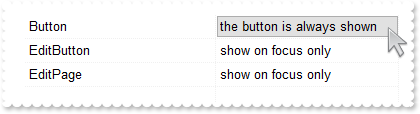
// ModalPropertyChange event - Fired when the properties browser is about to change a property's value using a modal dialog.
private void expropertieslist1_ModalPropertyChange(object sender, exontrol.EXPROPERTIESLISTLib.Property   Property, ref object   Value, ref bool   Cancel)
{
	System.Diagnostics.Debug.Print( expropertieslist1.get_Property(null).ToString() );
}
//this.expropertieslist1.ModalPropertyChange += new exontrol.EXPROPERTIESLISTLib.exg2antt.ModalPropertyChangeEventHandler(this.expropertieslist1_ModalPropertyChange);

expropertieslist1.BeginUpdate();
expropertieslist1.Add("Button","the button is always shown",exontrol.EXPROPERTIESLISTLib.EditTypeEnum.Button,null,null,null);
expropertieslist1.Add("EditButton","show on focus only",exontrol.EXPROPERTIESLISTLib.EditTypeEnum.EditButton,null,null,null);
expropertieslist1.Add("EditPage","show on focus only",exontrol.EXPROPERTIESLISTLib.EditTypeEnum.EditPage,null,null,null);
expropertieslist1.EndUpdate();
|
|
193
|
Is it possible to decode/view the control's Layout property
expropertieslist1.BeginUpdate();
expropertieslist1.Select(expropertieslist1);
// Add 'exontrol.exprint.dll(ExPrint.dll)' reference to your project.
// Add 'ExPrint 1.0 Control Library(ExPrint.dll)' reference to your project.
exontrol.EXPRINTLib.exprint var_Print = new exontrol.EXPRINTLib.exprint();
	System.Diagnostics.Debug.Print( var_Print.get_Decode64TextW(expropertieslist1.Layout) );
expropertieslist1.EndUpdate();
|
|
192
|
Does your control supports scrolling by touching the screen
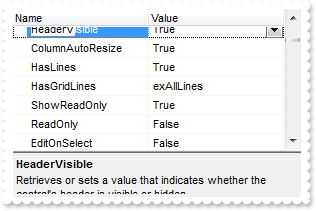
expropertieslist1.BeginUpdate();
expropertieslist1.Select(expropertieslist1);
expropertieslist1.AutoDrag = exontrol.EXPROPERTIESLISTLib.AutoDragEnum.exAutoDragScrollOnShortTouch | exontrol.EXPROPERTIESLISTLib.AutoDragEnum.exAutoDragScroll;
expropertieslist1.EndUpdate();
|
|
191
|
If I enabled the list filter on runtime, the user can click on [x] and close the filter text. Can I disabled this action
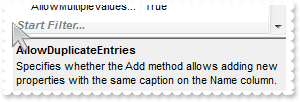
expropertieslist1.BeginUpdate();
expropertieslist1.AllowMultipleValuesOnEnum = true;
expropertieslist1.Select(expropertieslist1);
expropertieslist1.Sort(true,null);
expropertieslist1.FilterBarPromptVisible = exontrol.EXPROPERTIESLISTLib.FilterBarVisibleEnum.exFilterBarAlwaysVisible;
expropertieslist1.EndUpdate();
|
|
190
|
Is it possible to specify a different background/foreground color for the property from the cursor, aka hot item
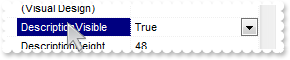
expropertieslist1.Select(expropertieslist1);
expropertieslist1.HotBackColor = Color.FromArgb(0,0,255);
expropertieslist1.HotForeColor = Color.FromArgb(255,255,255);
expropertieslist1.SelBackColor = Color.FromArgb(0,0,128);
expropertieslist1.SelForeColor = Color.FromArgb(255,255,255);
|
|
189
|
My development environment does not have any Object,GetOcx,DefaultDispatch,GetControlUnknown,nativeObject, ... property, is there any alternative I can pass the component to PrintExt so I can get printed
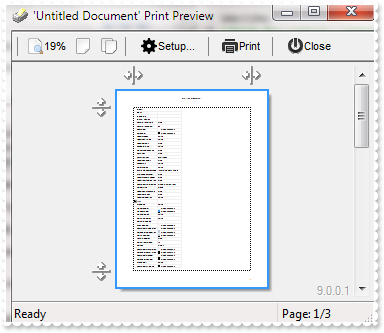
expropertieslist1.Select(expropertieslist1);
expropertieslist1.Template = "Dim p;p = CreateObject(`Exontrol.Print`);p.PrintExt = Me;p.AutoRelease = False;p.Preview();";
|
|
188
|
How can I display checkboxes for flags values only
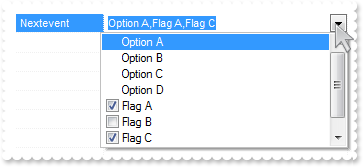
expropertieslist1.BeginUpdate();
expropertieslist1.AllowMultipleValuesOnEnum = true;
exontrol.EXPROPERTIESLISTLib.Property var_Property = expropertieslist1.Add("Nextevent",81,exontrol.EXPROPERTIESLISTLib.EditTypeEnum.EditEnum,null,null,null);
	var_Property.AddValue(1,"Option A");
	var_Property.AddValue(2,"Option B");
	var_Property.AddValue(3,"Option C");
	var_Property.AddValue(4,"Option D");
	var_Property.AddValue(16,"Flag A");
	var_Property.AddValue(32,"Flag B");
	var_Property.AddValue(64,"Flag C");
	var_Property.AddValue(128,"Flag D");
expropertieslist1.Refresh();
expropertieslist1.EndUpdate();
|
|
187
|
Is is possible to display a checkbox on ENUM types
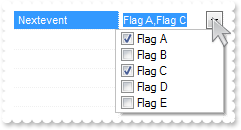
expropertieslist1.BeginUpdate();
expropertieslist1.AllowMultipleValuesOnEnum = true;
exontrol.EXPROPERTIESLISTLib.Property var_Property = expropertieslist1.Add("Nextevent",5,exontrol.EXPROPERTIESLISTLib.EditTypeEnum.EditEnum,null,null,null);
	var_Property.AddValue(1,"Flag A");
	var_Property.AddValue(2,"Flag B");
	var_Property.AddValue(4,"Flag C");
	var_Property.AddValue(8,"Flag D");
	var_Property.AddValue(16,"Flag E");
expropertieslist1.Refresh();
expropertieslist1.EndUpdate();
|
|
186
|
Is it possible to display the full path in the EditFolder editor
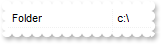
exontrol.EXPROPERTIESLISTLib.Property var_Property = expropertieslist1.Add("Folder","c:\\",exontrol.EXPROPERTIESLISTLib.EditTypeEnum.EditFolder,null,null,null);
	var_Property.set_Option(exontrol.EXPROPERTIESLISTLib.OptionEnum.exEditFolderTitle,"Current Folder");
	var_Property.set_Option(exontrol.EXPROPERTIESLISTLib.OptionEnum.exEditFolderShowEditBox,false);
	var_Property.set_Option(exontrol.EXPROPERTIESLISTLib.OptionEnum.exEditFolderShowPath,true);
|
|
185
|
How can I include a "New Folder" button so user can create new folders when using the EditFolder form
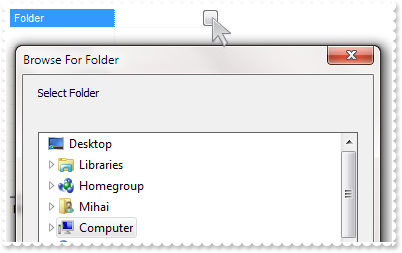
expropertieslist1.Add("Folder","",exontrol.EXPROPERTIESLISTLib.EditTypeEnum.EditFolder,null,null,null).set_Option(exontrol.EXPROPERTIESLISTLib.OptionEnum.exEditFolderAllowNewFolder,true);
|
|
184
|
Is it possible to show always the selection in the files/folders list in the EditFolder dialog
expropertieslist1.Add("Folder","",exontrol.EXPROPERTIESLISTLib.EditTypeEnum.EditFolder,null,null,null).set_Option(exontrol.EXPROPERTIESLISTLib.OptionEnum.exEditFolderNewUI,true);
|
|
183
|
How can I hide the editbox in the EditFolder editor
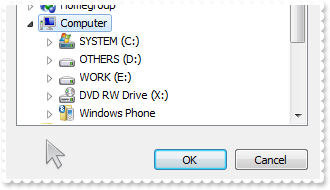
expropertieslist1.Add("Folder","",exontrol.EXPROPERTIESLISTLib.EditTypeEnum.EditFolder,null,null,null).set_Option(exontrol.EXPROPERTIESLISTLib.OptionEnum.exEditFolderShowEditBox,false);
|
|
182
|
How can I include the files in the in the EditFolder editor
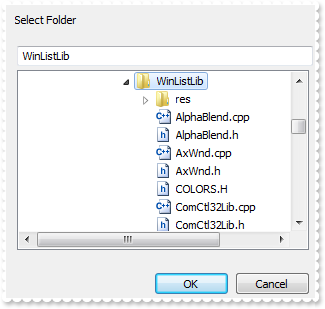
expropertieslist1.Add("Folder","",exontrol.EXPROPERTIESLISTLib.EditTypeEnum.EditFolder,null,null,null).set_Option(exontrol.EXPROPERTIESLISTLib.OptionEnum.exEditFolderIncludeFiles,true);
|
|
181
|
Is it possible to change the caption in the EditFolder editor
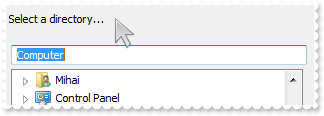
expropertieslist1.Add("Folder","",exontrol.EXPROPERTIESLISTLib.EditTypeEnum.EditFolder,null,null,null).set_Option(exontrol.EXPROPERTIESLISTLib.OptionEnum.exEditFolderTitle,"Select a directory...");
|
|
180
|
Is it possible to filter for properties that contains a specified text
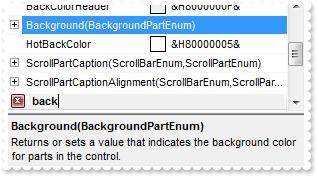
expropertieslist1.BeginUpdate();
expropertieslist1.Select(expropertieslist1);
expropertieslist1.Sort(true,null);
expropertieslist1.FilterBarPromptVisible = exontrol.EXPROPERTIESLISTLib.FilterBarVisibleEnum.exFilterBarVisible;
expropertieslist1.FilterBarPrompt = "<font ;7><fgcolor=FF0000><c>Start Filtering...";
expropertieslist1.FilterBarPromptPattern = "back";
expropertieslist1.IncrementalSearch = exontrol.EXPROPERTIESLISTLib.AutoSearchEnum.exContains;
expropertieslist1.EndUpdate();
|
|
179
|
How can I filter the properties at runtime
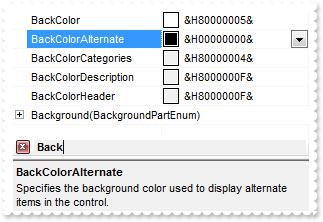
expropertieslist1.BeginUpdate();
expropertieslist1.Select(expropertieslist1);
expropertieslist1.Sort(true,null);
expropertieslist1.FilterBarPromptVisible = exontrol.EXPROPERTIESLISTLib.FilterBarVisibleEnum.exFilterBarVisible;
expropertieslist1.FilterBarPrompt = "<font ;7><fgcolor=FF0000><c>Start Filtering...";
expropertieslist1.FilterBarPromptPattern = "Back";
expropertieslist1.EndUpdate();
|
|
178
|
Is it possible to change the caption being displayed in the filter bar
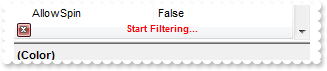
expropertieslist1.BeginUpdate();
expropertieslist1.Select(expropertieslist1);
expropertieslist1.Sort(true,null);
expropertieslist1.FilterBarPromptVisible = exontrol.EXPROPERTIESLISTLib.FilterBarVisibleEnum.exFilterBarVisible;
expropertieslist1.FilterBarPrompt = "<font ;7><fgcolor=FF0000><c>Start Filtering...";
expropertieslist1.EndUpdate();
|
|
177
|
How can I enable the filter-prompt feature
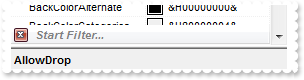
expropertieslist1.BeginUpdate();
expropertieslist1.Select(expropertieslist1);
expropertieslist1.Sort(true,null);
expropertieslist1.FilterBarPromptVisible = exontrol.EXPROPERTIESLISTLib.FilterBarVisibleEnum.exFilterBarVisible;
expropertieslist1.EndUpdate();
|
|
176
|
How do I specify the height of the control's header bar
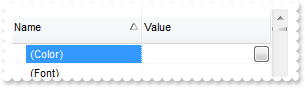
expropertieslist1.BeginUpdate();
expropertieslist1.HeaderVisible = true;
expropertieslist1.HeaderHeight = 36;
expropertieslist1.Select(expropertieslist1);
expropertieslist1.Sort(true,null);
expropertieslist1.EndUpdate();
|
|
175
|
Is it possible to display a checkbox for ENUM types that allow BIT combinations
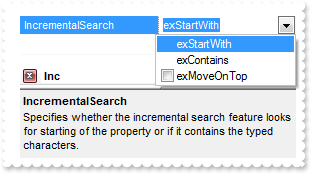
expropertieslist1.BeginUpdate();
expropertieslist1.AllowMultipleValuesOnEnum = true;
expropertieslist1.Select(expropertieslist1);
expropertieslist1.Sort(true,null);
expropertieslist1.FilterBarPromptVisible = exontrol.EXPROPERTIESLISTLib.FilterBarVisibleEnum.exFilterBarVisible;
expropertieslist1.FilterBarPromptPattern = "Inc";
expropertieslist1.EndUpdate();
|
|
174
|
Can I add different EditFile entries with different filters
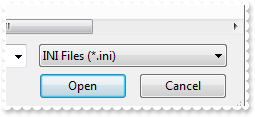
expropertieslist1.BeginUpdate();
expropertieslist1.Add("Text File","text.txt",exontrol.EXPROPERTIESLISTLib.EditTypeEnum.EditFile,null,null,null).set_Option(exontrol.EXPROPERTIESLISTLib.OptionEnum.exEditFileFilter,"Text Files (*.txt)|*.txt");
expropertieslist1.Add("INI File","text.ini",exontrol.EXPROPERTIESLISTLib.EditTypeEnum.EditFile,null,null,null).set_Option(exontrol.EXPROPERTIESLISTLib.OptionEnum.exEditFileFilter,"INI Files (*.ini)|*.ini");
expropertieslist1.EndUpdate();
|
|
173
|
Is it possible to expand items/entries when user types for searching properties
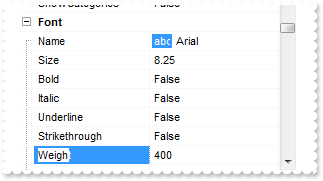
expropertieslist1.BeginUpdate();
expropertieslist1.ExpandOnSearch = true;
expropertieslist1.Select(expropertieslist1);
expropertieslist1.EndUpdate();
|
|
172
|
Is it possible to show ticks on the slider control
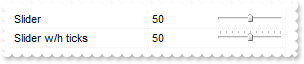
expropertieslist1.Add("Slider",50,exontrol.EXPROPERTIESLISTLib.EditTypeEnum.EditSlider,null,null,null);
exontrol.EXPROPERTIESLISTLib.Property var_Property = expropertieslist1.Add("Slider w/h ticks",50,exontrol.EXPROPERTIESLISTLib.EditTypeEnum.EditSlider,null,null,null);
	var_Property.SliderStep = 10;
	var_Property.SliderTickFrequency = 10;
expropertieslist1.Refresh();
|
|
171
|
How can I edit a number between a range or interval
expropertieslist1.BeginUpdate();
exontrol.EXPROPERTIESLISTLib.Property var_Property = expropertieslist1.Add("Slider",50,exontrol.EXPROPERTIESLISTLib.EditTypeEnum.EditSlider,null,null,null);
	var_Property.Numeric = true;
	var_Property.SpinStep = 0;
	var_Property.SliderWidth = 0;
	var_Property.SliderStep = 0;
	var_Property.SliderMin = 0;
	var_Property.SliderMax = 100;
|
|
170
|
How can I edit a number between a range or interval
expropertieslist1.BeginUpdate();
exontrol.EXPROPERTIESLISTLib.Property var_Property = expropertieslist1.Add("Slider","0.5",exontrol.EXPROPERTIESLISTLib.EditTypeEnum.EditSlider,null,null,null);
	var_Property.NumericFloat = true;
	var_Property.SpinStep = 0;
	var_Property.SliderWidth = 0;
	var_Property.SliderStep = 0;
	var_Property.SliderMin = 0;
	var_Property.SliderMax = 1;
|
|
169
|
How can I add a slider or track bar editor, with a fixed size
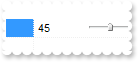
expropertieslist1.BeginUpdate();
expropertieslist1.Add("Slider","0.5",exontrol.EXPROPERTIESLISTLib.EditTypeEnum.EditSlider,null,null,null).SliderWidth = 48;
expropertieslist1.EndUpdate();
|
|
168
|
How can I add a slider or track bar editor, so it covers half of the cell
expropertieslist1.BeginUpdate();
expropertieslist1.Add("Slider","0.5",exontrol.EXPROPERTIESLISTLib.EditTypeEnum.EditSlider,null,null,null).SliderWidth = -50;
expropertieslist1.EndUpdate();
|
|
167
|
How can I add a slider or track bar editor, so it covers the full cell
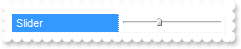
expropertieslist1.BeginUpdate();
expropertieslist1.Add("Slider","0.5",exontrol.EXPROPERTIESLISTLib.EditTypeEnum.EditSlider,null,null,null).SliderWidth = -100;
expropertieslist1.EndUpdate();
|
|
166
|
How can I add a spin editor within a range or interval of float numbers
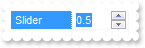
expropertieslist1.BeginUpdate();
expropertieslist1.AllowSpin = true;
exontrol.EXPROPERTIESLISTLib.Property var_Property = expropertieslist1.Add("Slider","0.5",exontrol.EXPROPERTIESLISTLib.EditTypeEnum.EditSlider,null,null,null);
	var_Property.NumericFloat = true;
	var_Property.SpinStep = ".01";
	var_Property.SliderWidth = 0;
	var_Property.SliderMin = 0;
	var_Property.SliderMax = 1;
expropertieslist1.EndUpdate();
|
|
165
|
How can I add a spin editor within a range or interval of numbers
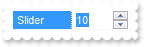
expropertieslist1.BeginUpdate();
expropertieslist1.AllowSpin = true;
exontrol.EXPROPERTIESLISTLib.Property var_Property = expropertieslist1.Add("Slider",10,exontrol.EXPROPERTIESLISTLib.EditTypeEnum.EditSlider,null,null,null);
	var_Property.Numeric = true;
	var_Property.SliderWidth = 0;
	var_Property.SliderMin = 5;
	var_Property.SliderMax = 15;
expropertieslist1.EndUpdate();
|
|
164
|
Can I use your HTML format to display a property
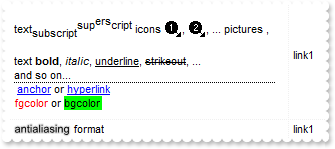
expropertieslist1.BeginUpdate();
expropertieslist1.VisualAppearance.Add(1,"c:\\exontrol\\images\\normal.ebn");
expropertieslist1.SelBackColor32 = 0x1000000;
expropertieslist1.SelForeColor = Color.FromArgb(0,0,0);
expropertieslist1.Images("gBJJgBAIDAAGAAEAAQhYAf8Pf4hh0QihCJo2AEZjQAjEZFEaIEaEEaAIAkcbk0olUrlktl0vmExmUzmk1m03nE5nU7nk9n0/oFBoVDolFo1HpFJpVLplNp1PqFRqVTq" +
	"lVq1XrFZrVbrldr1fsFhsVjslls1ntFptVrtltt1vuFxuVzul1u13vF5vV7vl9v1/wGBwWDwmFw2HxGJxWLxmNx0xiFdyOTh8Tf9ZymXx+QytcyNgz8r0OblWjyWds+m" +
	"0ka1Vf1ta1+r1mos2xrG2xeZ0+a0W0qOx3GO4NV3WeyvD2XJ5XL5nN51aiw+lfSj0gkUkAEllHanHI5j/cHg8EZf7w8vl8j4f/qfEZeB09/vjLAB30+kZQAP/P5/H6/y" +
	"NAOAEAwCjMBwFAEDwJBMDwLBYAP2/8Hv8/gAGAD8LQs9w/nhDY/oygIA=");
expropertieslist1.set_ColumnWidth(0,304);
exontrol.EXPROPERTIESLISTLib.Property var_Property = expropertieslist1.Add("I1","link1",exontrol.EXPROPERTIESLISTLib.EditTypeEnum.Edit,null,null,null);
	var_Property.HTMLName = "<br>text<off 4>subscript</off><off -4>sup<off -4>ers</off>cript</off> icons <img>1</img>, <img>2</img>, ... pictures <img>p1</i" +
	"mg>, <img>p2</img> <br><br>text <b>bold</b>, <i>italic</i>, <u>underline</u>, <s>strikeout</s>, ...<br><dotline>and so on...<br>" +
	" <a>anchor</a> or <a2>hyperlink</a><br><fgcolor=FF0000>fgcolor</fgcolor> or <bgcolor=00FF00>bgcolor</bgcolor>";
	var_Property.Height = 128;
exontrol.EXPROPERTIESLISTLib.Property var_Property1 = expropertieslist1.Add("I2","link1",exontrol.EXPROPERTIESLISTLib.EditTypeEnum.Edit,null,null,null);
	var_Property1.HTMLName = "<sha ;;0>antialiasing</sha> format";
expropertieslist1.EndUpdate();
|
|
163
|
How can I display I picture to a property
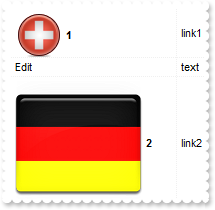
expropertieslist1.BeginUpdate();
expropertieslist1.set_HTMLPicture("pic1","c:\\exontrol\\images\\zipdisk.gif");
expropertieslist1.set_HTMLPicture("pic2","c:\\exontrol\\images\\auction.gif");
exontrol.EXPROPERTIESLISTLib.Property var_Property = expropertieslist1.Add("Picture 1","link1",exontrol.EXPROPERTIESLISTLib.EditTypeEnum.Edit,null,null,null);
	var_Property.HTMLName = "<img>pic1</img> <b>1</b>";
	var_Property.Height = 48;
expropertieslist1.Add("Edit","text",exontrol.EXPROPERTIESLISTLib.EditTypeEnum.Edit,null,null,null);
exontrol.EXPROPERTIESLISTLib.Property var_Property1 = expropertieslist1.Add("Picture 2","link2",exontrol.EXPROPERTIESLISTLib.EditTypeEnum.Edit,null,null,null);
	var_Property1.HTMLName = "<img>pic2</img> <b>2</b>";
	var_Property1.Height = 32;
expropertieslist1.EndUpdate();
|
|
162
|
How do I display an icon to a property
expropertieslist1.DefaultItemHeight = 18;
expropertieslist1.BeginUpdate();
expropertieslist1.Images("gBJJgBAIDAAGAAEAAQhYAf8Pf4hh0QihCJo2AEZjQAjEZFEaIEaEEaAIAkcbk0olUrlktl0vmExmUzmk1m03nE5nU7nk9n0/oFBoVDolFo1HpFJpVLplNp1PqFRqVTq" +
	"lVq1XrFZrVbrldr1fsFhsVjslls1ntFptVrtltt1vuFxuVzul1u13vF5vV7vl9v1/wGBwWDwmFw2HxGJxWLxmNx0xiFdyOTh8Tf9ZymXx+QytcyNgz8r0OblWjyWds+m" +
	"0ka1Vf1ta1+r1mos2xrG2xeZ0+a0W0qOx3GO4NV3WeyvD2XJ5XL5nN51aiw+lfSj0gkUkAEllHanHI5j/cHg8EZf7w8vl8j4f/qfEZeB09/vjLAB30+kZQAP/P5/H6/y" +
	"NAOAEAwCjMBwFAEDwJBMDwLBYAP2/8Hv8/gAGAD8LQs9w/nhDY/oygIA=");
expropertieslist1.Add("I1","link1",exontrol.EXPROPERTIESLISTLib.EditTypeEnum.Edit,null,null,null).HTMLName = "<img>1</img> <b>1</b>";
expropertieslist1.Add("Edit","text",exontrol.EXPROPERTIESLISTLib.EditTypeEnum.Edit,null,null,null);
expropertieslist1.Add("I2","link1",exontrol.EXPROPERTIESLISTLib.EditTypeEnum.Edit,null,null,null).HTMLName = "<img>2</img> <b>2</b>";
expropertieslist1.EndUpdate();
|
|
161
|
How do I specify the height of a property
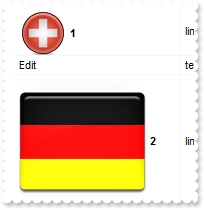
expropertieslist1.BeginUpdate();
expropertieslist1.set_HTMLPicture("pic1","c:\\exontrol\\images\\zipdisk.gif");
expropertieslist1.set_HTMLPicture("pic2","c:\\exontrol\\images\\auction.gif");
exontrol.EXPROPERTIESLISTLib.Property var_Property = expropertieslist1.Add("Picture 1","link1",exontrol.EXPROPERTIESLISTLib.EditTypeEnum.Edit,null,null,null);
	var_Property.HTMLName = "<img>pic1</img> <b>1</b>";
	var_Property.Height = 48;
expropertieslist1.Add("Edit","text",exontrol.EXPROPERTIESLISTLib.EditTypeEnum.Edit,null,null,null);
exontrol.EXPROPERTIESLISTLib.Property var_Property1 = expropertieslist1.Add("Picture 2","link2",exontrol.EXPROPERTIESLISTLib.EditTypeEnum.Edit,null,null,null);
	var_Property1.HTMLName = "<img>pic2</img> <b>2</b>";
	var_Property1.Height = 48;
expropertieslist1.EndUpdate();
|
|
160
|
How do I edit a float number
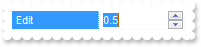
expropertieslist1.BeginUpdate();
expropertieslist1.AllowSpin = true;
exontrol.EXPROPERTIESLISTLib.Property var_Property = expropertieslist1.Add("Edit","0.5",exontrol.EXPROPERTIESLISTLib.EditTypeEnum.Edit,null,null,null);
	var_Property.NumericFloat = true;
	var_Property.SpinStep = "0.1";
expropertieslist1.EndUpdate();
|
|
159
|
How do I change the step for a spin

expropertieslist1.BeginUpdate();
expropertieslist1.AllowSpin = true;
expropertieslist1.Add("Edit",10,exontrol.EXPROPERTIESLISTLib.EditTypeEnum.Edit,null,null,null).SpinStep = 10;
expropertieslist1.EndUpdate();
|
|
158
|
How do I sort the items in a drop down editor
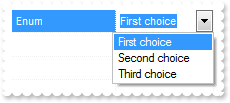
exontrol.EXPROPERTIESLISTLib.Property var_Property = expropertieslist1.Add("Enum",1,exontrol.EXPROPERTIESLISTLib.EditTypeEnum.EditEnum,null,null,null);
	var_Property.DropDownItems = 1;
	var_Property.AddValue(1,"First choice");
	var_Property.AddValue(2,"Second choice");
	var_Property.AddValue(3,"Third choice");
	var_Property.SortItems(null,null);
expropertieslist1.Refresh();
|
|
157
|
How do I specify the number of visible items in a drop down editor
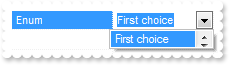
exontrol.EXPROPERTIESLISTLib.Property var_Property = expropertieslist1.Add("Enum",1,exontrol.EXPROPERTIESLISTLib.EditTypeEnum.EditEnum,null,null,null);
	var_Property.DropDownItems = 1;
	var_Property.AddValue(1,"First choice");
	var_Property.AddValue(2,"Second choice");
	var_Property.AddValue(3,"Third choice");
expropertieslist1.Refresh();
|
|
156
|
How do I bold a property
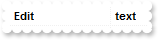
expropertieslist1.BeginUpdate();
expropertieslist1.Add("Edit","text",exontrol.EXPROPERTIESLISTLib.EditTypeEnum.Edit,null,null,null).Bold = true;
expropertieslist1.EndUpdate();
|
|
155
|
How do I disable or enable a property
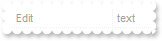
expropertieslist1.BeginUpdate();
expropertieslist1.Add("Edit","text",exontrol.EXPROPERTIESLISTLib.EditTypeEnum.Edit,null,null,null).Enabled = false;
expropertieslist1.EndUpdate();
|
|
154
|
How do I specify a tooltip for a property
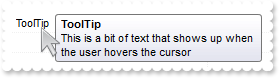
expropertieslist1.BeginUpdate();
expropertieslist1.AllowTooltip = true;
expropertieslist1.Add("ToolTip","",exontrol.EXPROPERTIESLISTLib.EditTypeEnum.Edit,null,null,null).ToolTip = "This is a bit of text that shows up when the user hovers the cursor";
expropertieslist1.EndUpdate();
|
|
153
|
How do I specify the masking character

expropertieslist1.BeginUpdate();
exontrol.EXPROPERTIESLISTLib.Property var_Property = expropertieslist1.Add("Edit",12,exontrol.EXPROPERTIESLISTLib.EditTypeEnum.Edit,null,null,null);
	var_Property.Mask = "##";
	var_Property.MaskChar = 48;
expropertieslist1.EndUpdate();
|
|
152
|
How do I specify a mask
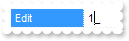
expropertieslist1.BeginUpdate();
expropertieslist1.Add("Edit",12,exontrol.EXPROPERTIESLISTLib.EditTypeEnum.Edit,null,null,null).Mask = "##";
expropertieslist1.EndUpdate();
|
|
151
|
How do I edit a number

expropertieslist1.BeginUpdate();
expropertieslist1.AllowSpin = true;
expropertieslist1.Add("Edit",15,exontrol.EXPROPERTIESLISTLib.EditTypeEnum.Edit,null,null,null).Numeric = true;
expropertieslist1.EndUpdate();
|
|
150
|
How do I change the foreground color for a cell

expropertieslist1.BeginUpdate();
expropertieslist1.Add("Edit","text",exontrol.EXPROPERTIESLISTLib.EditTypeEnum.Edit,null,null,null).set_CellForeColor(0,Color.FromArgb(255,0,0));
expropertieslist1.EndUpdate();
|
|
149
|
How do I change the foreground color for a cell

expropertieslist1.BeginUpdate();
expropertieslist1.Add("Edit","text",exontrol.EXPROPERTIESLISTLib.EditTypeEnum.Edit,null,null,null).set_CellForeColor(1,Color.FromArgb(255,0,0));
expropertieslist1.EndUpdate();
|
|
148
|
How do I change the background color for a cell

expropertieslist1.BeginUpdate();
expropertieslist1.Add("Edit","text",exontrol.EXPROPERTIESLISTLib.EditTypeEnum.Edit,null,null,null).set_CellBackColor(0,Color.FromArgb(255,0,0));
expropertieslist1.EndUpdate();
|
|
147
|
How do I change the background color for a cell

expropertieslist1.BeginUpdate();
expropertieslist1.Add("Edit","text",exontrol.EXPROPERTIESLISTLib.EditTypeEnum.Edit,null,null,null).set_CellBackColor(1,Color.FromArgb(255,0,0));
expropertieslist1.EndUpdate();
|
|
146
|
How do I change the background color for a property

expropertieslist1.BeginUpdate();
expropertieslist1.Add("Edit","text",exontrol.EXPROPERTIESLISTLib.EditTypeEnum.Edit,null,null,null).BackColor = Color.FromArgb(255,0,0);
expropertieslist1.EndUpdate();
|
|
145
|
How do I change the foreground color for a property
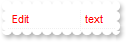
expropertieslist1.BeginUpdate();
expropertieslist1.Add("Edit","text",exontrol.EXPROPERTIESLISTLib.EditTypeEnum.Edit,null,null,null).ForeColor = Color.FromArgb(255,0,0);
expropertieslist1.EndUpdate();
|
|
144
|
How do I associate an extra data to a property

expropertieslist1.BeginUpdate();
expropertieslist1.Add("Color",255,exontrol.EXPROPERTIESLISTLib.EditTypeEnum.EditColor,null,null,null).UserData = "your data";
expropertieslist1.EndUpdate();
|
|
143
|
How do I get the caption of the property, as it is displayed in the browser
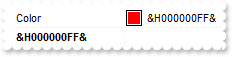
expropertieslist1.BeginUpdate();
expropertieslist1.Add("Color",255,exontrol.EXPROPERTIESLISTLib.EditTypeEnum.EditColor,null,null,null).ID = 12345;
expropertieslist1.Add(expropertieslist1.get_Property("Color").DisplayValue,"",exontrol.EXPROPERTIESLISTLib.EditTypeEnum.Label,null,null,null).Bold = true;
expropertieslist1.EndUpdate();
|
|
142
|
How do I get the value of the property
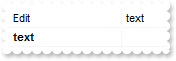
expropertieslist1.BeginUpdate();
expropertieslist1.Add("Edit","text",exontrol.EXPROPERTIESLISTLib.EditTypeEnum.Edit,null,null,null).ID = 12345;
expropertieslist1.Add(expropertieslist1.get_Property("Edit").Value,"",exontrol.EXPROPERTIESLISTLib.EditTypeEnum.Label,null,null,null).Bold = true;
expropertieslist1.EndUpdate();
|
|
141
|
How do I make a property read only
expropertieslist1.BeginUpdate();
expropertieslist1.Add("Edit","text",exontrol.EXPROPERTIESLISTLib.EditTypeEnum.Edit,null,null,null).Locked = true;
expropertieslist1.EndUpdate();
|
|
140
|
How do I specify a description for a property
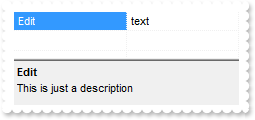
expropertieslist1.BeginUpdate();
expropertieslist1.Add("Edit","text",exontrol.EXPROPERTIESLISTLib.EditTypeEnum.Edit,null,null,null).Description = "This is just a description";
expropertieslist1.SelectedProperty = (expropertieslist1.get_Property("Edit") as exontrol.EXPROPERTIESLISTLib.Property);
expropertieslist1.EndUpdate();
|
|
139
|
How do I get the identifer of the property
expropertieslist1.Add("Edit","text",exontrol.EXPROPERTIESLISTLib.EditTypeEnum.Edit,null,null,null).ID = 12345;
expropertieslist1.Add(expropertieslist1.get_Property("Edit").ID,"",exontrol.EXPROPERTIESLISTLib.EditTypeEnum.Label,null,null,null).Bold = true;
expropertieslist1.Refresh();
|
|
138
|
How do I get the type of the property
expropertieslist1.Add("Edit","text",exontrol.EXPROPERTIESLISTLib.EditTypeEnum.Edit,null,null,null);
expropertieslist1.Add(expropertieslist1.get_Property("Edit").Type,"",exontrol.EXPROPERTIESLISTLib.EditTypeEnum.Label,null,null,null).Bold = true;
expropertieslist1.Refresh();
|
|
137
|
How do I get the name of the property
expropertieslist1.Add("Edit","text",exontrol.EXPROPERTIESLISTLib.EditTypeEnum.Edit,null,null,null);
expropertieslist1.Add(expropertieslist1.get_Property("Edit").Name,"",exontrol.EXPROPERTIESLISTLib.EditTypeEnum.Label,null,null,null).Bold = true;
expropertieslist1.Refresh();
|
|
136
|
How do I select a folder
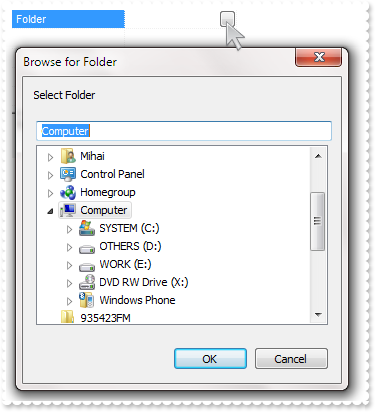
expropertieslist1.Add("Folder","",exontrol.EXPROPERTIESLISTLib.EditTypeEnum.EditFolder,null,null,null);
expropertieslist1.Refresh();
|
|
135
|
How do I select a file
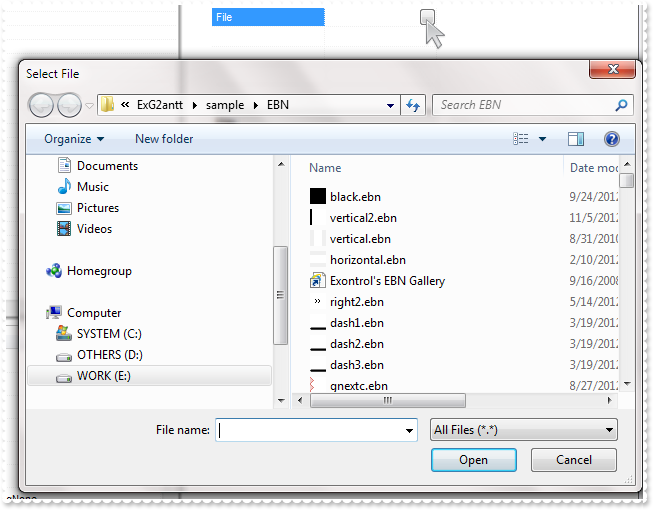
expropertieslist1.Add("File","",exontrol.EXPROPERTIESLISTLib.EditTypeEnum.EditFile,null,null,null);
expropertieslist1.Refresh();
|
|
134
|
How do I slider or trackbar editor

expropertieslist1.Add("Slider",50,exontrol.EXPROPERTIESLISTLib.EditTypeEnum.EditSlider,null,null,null);
expropertieslist1.Refresh();
|
|
133
|
How do I add a button

expropertieslist1.Add("Button","Aaa",exontrol.EXPROPERTIESLISTLib.EditTypeEnum.EditButton,null,null,null);
expropertieslist1.Refresh();
|
|
132
|
How do I add a check box editor

expropertieslist1.Add("Check",true,exontrol.EXPROPERTIESLISTLib.EditTypeEnum.EditCheck,null,null,null);
expropertieslist1.Refresh();
|
|
131
|
How do I add a color editor

expropertieslist1.Add("Color",255,exontrol.EXPROPERTIESLISTLib.EditTypeEnum.EditColorPage,null,null,null);
expropertieslist1.Refresh();
|
|
130
|
How do I add a new object properties inside the control
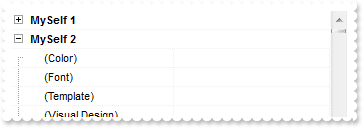
expropertieslist1.BeginUpdate();
expropertieslist1.Add("MySelf 1",expropertieslist1,exontrol.EXPROPERTIESLISTLib.EditTypeEnum.EditObject,null,null,null);
expropertieslist1.Add("MySelf 2",expropertieslist1,exontrol.EXPROPERTIESLISTLib.EditTypeEnum.EditObject,null,null,null);
expropertieslist1.EndUpdate();
|
|
129
|
How do I add a new objects inside the control
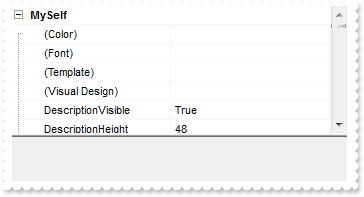
expropertieslist1.BeginUpdate();
expropertieslist1.Add("MySelf",expropertieslist1,exontrol.EXPROPERTIESLISTLib.EditTypeEnum.EditObject,null,null,null);
expropertieslist1.EndUpdate();
|
|
128
|
How do I add a drop down editor with some predefined values
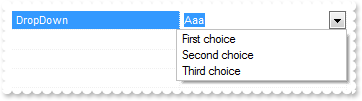
exontrol.EXPROPERTIESLISTLib.Property var_Property = expropertieslist1.Add("DropDown","Aaa",exontrol.EXPROPERTIESLISTLib.EditTypeEnum.EditDropDown,null,null,null);
	var_Property.AddValue(1,"First choice");
	var_Property.AddValue(2,"Second choice");
	var_Property.AddValue(3,"Third choice");
expropertieslist1.Refresh();
|
|
127
|
How do I add a password editor

expropertieslist1.Add("Password","pass",exontrol.EXPROPERTIESLISTLib.EditTypeEnum.EditPassword,null,null,null);
expropertieslist1.Refresh();
|
|
126
|
How do I add a date picker editor
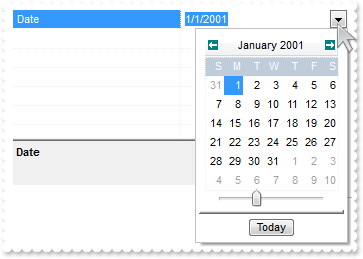
expropertieslist1.Add("Date","1/1/2001",exontrol.EXPROPERTIESLISTLib.EditTypeEnum.EditDate,null,null,null);
expropertieslist1.Refresh();
|
|
125
|
How do I add a drop down editor with some predefined values
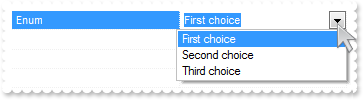
exontrol.EXPROPERTIESLISTLib.Property var_Property = expropertieslist1.Add("Enum",1,exontrol.EXPROPERTIESLISTLib.EditTypeEnum.EditEnum,null,null,null);
	var_Property.AddValue(1,"First choice");
	var_Property.AddValue(2,"Second choice");
	var_Property.AddValue(3,"Third choice");
expropertieslist1.Refresh();
|
|
124
|
How do I add a boolean editor
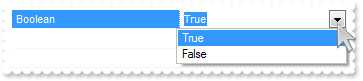
expropertieslist1.Add("Boolean",true,exontrol.EXPROPERTIESLISTLib.EditTypeEnum.EditBoolean,null,null,null);
expropertieslist1.Refresh();
|
|
123
|
How do I add a button or a page editor

expropertieslist1.Add("Page","",exontrol.EXPROPERTIESLISTLib.EditTypeEnum.EditPage,null,null,null);
expropertieslist1.Refresh();
|
|
122
|
How do I add a picture editor

expropertieslist1.Add("Picture",null,exontrol.EXPROPERTIESLISTLib.EditTypeEnum.EditPicture,null,null,null);
expropertieslist1.Refresh();
|
|
121
|
How do I add a font editor
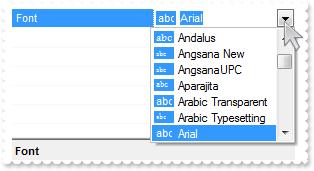
expropertieslist1.Add("Font","Arial",exontrol.EXPROPERTIESLISTLib.EditTypeEnum.EditFontName,null,null,null);
expropertieslist1.Refresh();
|
|
120
|
How do I add a font editor
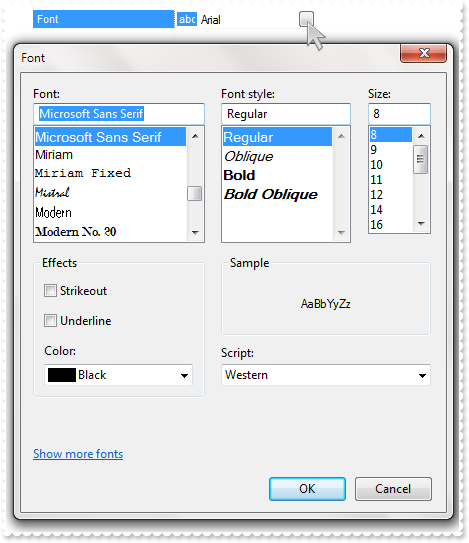
expropertieslist1.Add("Font","Arial",exontrol.EXPROPERTIESLISTLib.EditTypeEnum.EditFont,null,null,null);
expropertieslist1.Refresh();
|
|
119
|
How do I add a color editor
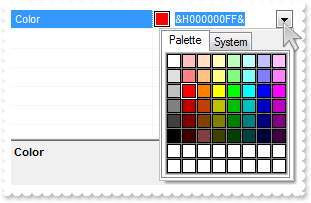
expropertieslist1.Add("Color",255,exontrol.EXPROPERTIESLISTLib.EditTypeEnum.EditColor,null,null,null);
expropertieslist1.Refresh();
|
|
118
|
How do I add an edit
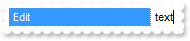
expropertieslist1.Add("Edit","text",exontrol.EXPROPERTIESLISTLib.EditTypeEnum.Edit,null,null,null);
expropertieslist1.Refresh();
|
|
117
|
How do I specify the character sets being included in the font editor
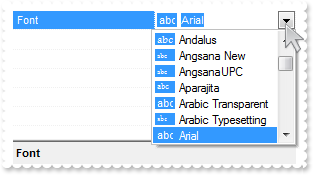
expropertieslist1.set_Option(exontrol.EXPROPERTIESLISTLib.OptionEnum.exFontCharSet,"0");
expropertieslist1.Add("Font","Arial",exontrol.EXPROPERTIESLISTLib.EditTypeEnum.EditFontName,null,null,null);
expropertieslist1.Refresh();
|
|
116
|
How do I show or hide the bottom scroll bar in the drop down date picker calendar editor
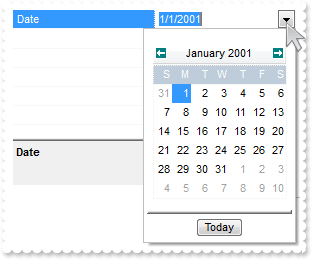
expropertieslist1.set_Option(exontrol.EXPROPERTIESLISTLib.OptionEnum.exDateShowScroll,false);
expropertieslist1.Add("Date","1/1/2001",exontrol.EXPROPERTIESLISTLib.EditTypeEnum.EditDate,null,null,null);
expropertieslist1.Refresh();
|
|
115
|
How do highlight the "Today" date is the drop down date picker calendar editor
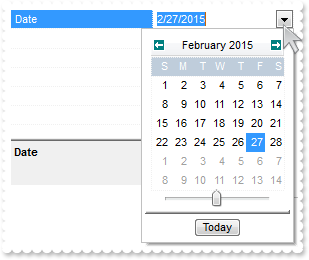
expropertieslist1.set_Option(exontrol.EXPROPERTIESLISTLib.OptionEnum.exDateMarkToday,true);
expropertieslist1.Add("Date","1/1/2001",exontrol.EXPROPERTIESLISTLib.EditTypeEnum.EditDate,null,null,null);
expropertieslist1.Refresh();
|
|
114
|
How do I show or hide the "Today" button is the drop down date picker calendar editor
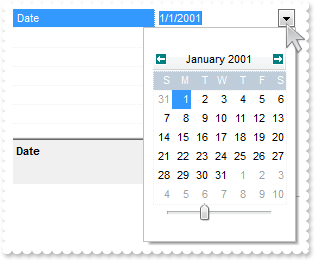
expropertieslist1.set_Option(exontrol.EXPROPERTIESLISTLib.OptionEnum.exDateShowTodayButton,false);
expropertieslist1.Add("Date","1/1/2001",exontrol.EXPROPERTIESLISTLib.EditTypeEnum.EditDate,null,null,null);
expropertieslist1.Refresh();
|
|
113
|
How to specify the first day of the week in the drop down date picker calendar editor
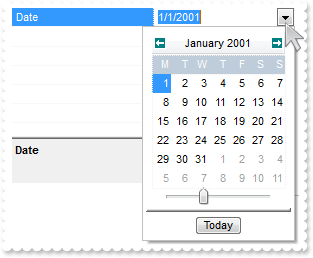
expropertieslist1.set_Option(exontrol.EXPROPERTIESLISTLib.OptionEnum.exDateFirstWeekDay,1);
expropertieslist1.Add("Date","1/1/2001",exontrol.EXPROPERTIESLISTLib.EditTypeEnum.EditDate,null,null,null);
expropertieslist1.Refresh();
|
|
112
|
How to specifies the shortcut for the weekdays to be displayed in the drop down date picker calendar editor
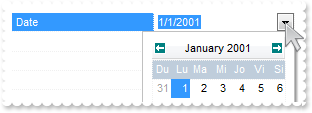
expropertieslist1.set_Option(exontrol.EXPROPERTIESLISTLib.OptionEnum.exDateWeekDays,"Du Lu Ma Mi Jo Vi Si");
expropertieslist1.Add("Date","1/1/2001",exontrol.EXPROPERTIESLISTLib.EditTypeEnum.EditDate,null,null,null);
expropertieslist1.Refresh();
|
|
111
|
How can I change the name of the months in the drop down date picker calendar editor
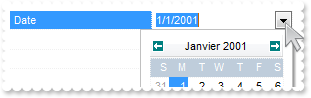
expropertieslist1.set_Option(exontrol.EXPROPERTIESLISTLib.OptionEnum.exDateMonths,"Janvier Février Mars Avril Mai Juin Juillet Août Septembre Octobre Novembre Décembre");
expropertieslist1.Add("Date","1/1/2001",exontrol.EXPROPERTIESLISTLib.EditTypeEnum.EditDate,null,null,null);
expropertieslist1.Refresh();
|
|
110
|
Can I change the "Today" caption being displayed in the drop down date picker calendar editor
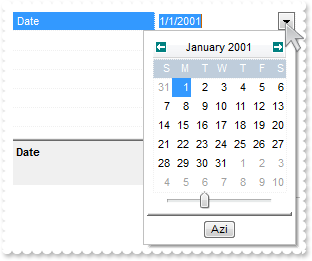
expropertieslist1.set_Option(exontrol.EXPROPERTIESLISTLib.OptionEnum.exDateTodayCaption,"Azi");
expropertieslist1.Add("Date","1/1/2001",exontrol.EXPROPERTIESLISTLib.EditTypeEnum.EditDate,null,null,null);
expropertieslist1.Refresh();
|
|
109
|
How can I open the drop down editors, using a different than F4 key
expropertieslist1.EditOnSelect = false;
expropertieslist1.EditOnKey = 113;
expropertieslist1.Select(expropertieslist1);
|
|
108
|
How do I display the color properties as RGB
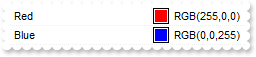
expropertieslist1.BeginUpdate();
expropertieslist1.DisplayColorAs = exontrol.EXPROPERTIESLISTLib.DisplayColorEnum.exRGB;
expropertieslist1.Add("Red",255,exontrol.EXPROPERTIESLISTLib.EditTypeEnum.EditColor,null,null,null);
expropertieslist1.Add("Blue",16711680,exontrol.EXPROPERTIESLISTLib.EditTypeEnum.EditColor,null,null,null);
expropertieslist1.EndUpdate();
|
|
107
|
How do I get the list of properties being listed as a string
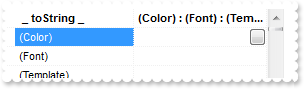
expropertieslist1.Select(expropertieslist1);
expropertieslist1.Add(" _ toString _ ",expropertieslist1.get_ToString(exontrol.EXPROPERTIESLISTLib.ToStringEnum.exLiterals),exontrol.EXPROPERTIESLISTLib.EditTypeEnum.EditButton,null,null,null).Bold = true;
expropertieslist1.Sort(true,null);
|
|
106
|
How can I display a picture to a property
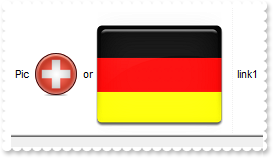
expropertieslist1.DefaultItemHeight = 48;
expropertieslist1.set_HTMLPicture("pic1","c:\\exontrol\\images\\zipdisk.gif");
expropertieslist1.set_HTMLPicture("pic2","c:\\exontrol\\images\\auction.gif");
expropertieslist1.Add("Picture 1","link1",exontrol.EXPROPERTIESLISTLib.EditTypeEnum.Edit,null,null,null).HTMLName = "Pic <img>pic1</img> or <img>pic2</img>";
expropertieslist1.Refresh();
|
|
105
|
How do I show or hide the properties with multiple parameters
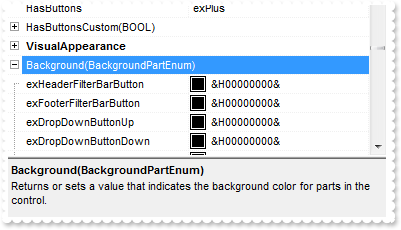
expropertieslist1.ShowMultipleParams = false;
expropertieslist1.Select(expropertieslist1);
|
|
104
|
How can I add a hyperlink or anchor element

expropertieslist1.BackColor = Color.FromArgb(255,255,255);
expropertieslist1.SelBackColor = expropertieslist1.BackColor;
expropertieslist1.SelForeColor = expropertieslist1.ForeColor;
expropertieslist1.Add("Link 1","link1",exontrol.EXPROPERTIESLISTLib.EditTypeEnum.Edit,null,null,null).HTMLName = "Link <a1>one</s>";
expropertieslist1.Refresh();
|
|
103
|
Can I change the visual effect, appearance for the anchor, hyperlink elements, in HTML captions, after the user clicks it

expropertieslist1.SelBackColor = Color.FromArgb(255,128,255);
expropertieslist1.set_FormatAnchor(false,"<b><u><fgcolor=880000> </fgcolor></u></b>");
expropertieslist1.Add("Link 1","link1",exontrol.EXPROPERTIESLISTLib.EditTypeEnum.Edit,null,null,null).HTMLName = "Link <a1>one</s>";
expropertieslist1.Refresh();
|
|
102
|
Can I change the visual effect, appearance for the anchor, hyperlink elements, in HTML captions

expropertieslist1.SelBackColor = Color.FromArgb(255,128,255);
expropertieslist1.set_FormatAnchor(true,"<b><u> </u></b>");
expropertieslist1.Add("Link 1","link1",exontrol.EXPROPERTIESLISTLib.EditTypeEnum.Edit,null,null,null).HTMLName = "Link <a1>one</s>";
expropertieslist1.Refresh();
|
|
101
|
How do I specify the indentation of the child items relative to their parents
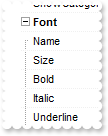
expropertieslist1.AutoIndent = false;
expropertieslist1.Indent = 8;
expropertieslist1.Select(expropertieslist1);
expropertieslist1.ExpandAll();
|