|
179
|
How can I replace or add an icon at runtime
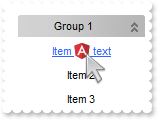
With ExplorerBar1
	.BeginUpdate
	.ReplaceIcon "gAAAABgYACEHgUJFEEAAWhUJCEJEEJggEhMCYEXjUbjkJQECj8gj8hAEjkshYEpk8kf8ClsulsvAExmcvf83js5nU7nkCeEcn8boMaocXosCB9Hn09pkzcEuoL/fE+O" & _
	"kYB0gB9YhIHrddgVcr9aktZADAD8+P8CgIA=="
	.ReplaceIcon "C:\images\favicon.ico",0
	With .Groups.Add("Group 1")
		.AddItem("Item <img>1</img> text").CaptionFormat = exHTML
		.AddItem("Item 2").Image = 2
		.AddItem("Item 3").Image = 3
		.Expanded = True
	End With
	.EndUpdate
End With
|
|
178
|
Display a custom tooltip
' MouseMove event - Occurs when the user moves the mouse.
Private Sub ExplorerBar1_MouseMove(Button As Integer, Shift As Integer, X As Single, Y As Single)
	With ExplorerBar1
		.ShowToolTip "new content","",,"+8","+8"
	End With
End Sub
|
|
177
|
Shows the tooltip of the object moved relative to its default position
' MouseMove event - Occurs when the user moves the mouse.
Private Sub ExplorerBar1_MouseMove(Button As Integer, Shift As Integer, X As Single, Y As Single)
	With ExplorerBar1
		.ShowToolTip "<null>","<null>",,"+8","+8"
	End With
End Sub

With ExplorerBar1
	.Groups.Add("ToolTip").ToolTip = "This is a bit of text that's shown when the cursor hovers the group."
End With
|
|
176
|
How can I select an item using on its full part, not only on its icon or caption
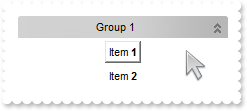
' Click event - Occurs when the user presses and then releases the left mouse button over the control.
Private Sub ExplorerBar1_Click()
	With ExplorerBar1
		Debug.Print( .ItemFromPoint(-1,-1) )
	End With
End Sub

With ExplorerBar1
	.HighlightItemType = HighLightItemEnum.exFull Or HighLightItemEnum.exUnion
	With .Groups.Add("Group 1")
		.AddItem("Item <b>1</b>").CaptionFormat = exHTML
		.AddItem("Item <b>2</b>").CaptionFormat = exHTML
		.Expanded = True
	End With
End With
|
|
175
|
How can I change the group's color
With ExplorerBar1
	.BackColorGroup = RGB(255,0,0)
	.BackColorGroup2 = .BackColorGroup
	.GroupAppearance = exNone
	With .Groups
		.Add "Group 1"
		.Add "Group 2"
	End With
End With
|
|
174
|
How can remove the group's appearance
With ExplorerBar1
	.BackColorGroup = .BackColor
	.BackColorGroup2 = .BackColor
	.GroupAppearance = exSingle
	With .Groups
		.Add "Group 1"
		.Add "Group 2"
	End With
End With
|
|
173
|
How can I align the group/item
With ExplorerBar1
	.BeginUpdate
	With .Groups.Add("Group 1")
		.Alignment = exLeft
		.AddItem("Item 1").Alignment = exLeft
		.Expanded = True
	End With
	.EndUpdate
End With
|
|
172
|
Just seen the BackgroundExt property. Not sure what I can do with that
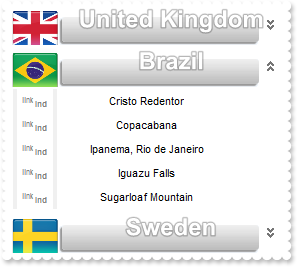
' AddGroup event - Occurs when a new group is added to collection.
Private Sub ExplorerBar1_AddGroup(ByVal Group As EXPLORERBARLibCtl.IGroup)
	With ExplorerBar1
		With Group
		End With
	End With
End Sub

' AddItem event - Occurs when a new item is added to a group.
Private Sub ExplorerBar1_AddItem(ByVal Item As EXPLORERBARLibCtl.IItem)
	With ExplorerBar1
		With Item
		End With
	End With
End Sub

With ExplorerBar1
	.BeginUpdate
	.Appearance = exNone
	With .VisualAppearance
		.Add 1,"c:\exontrol\images\normal.ebn"
		.Add 2,"CP:1 48 12 -24 0"
		.Add 3,"c:\exontrol\images\pushed.ebn"
	End With
	.HTMLPicture("uk") = "c:\exontrol\images\zipdisk.gif"
	.HTMLPicture("brazil") = "c:\exontrol\images\auction.gif"
	.HTMLPicture("sweden") = "c:\exontrol\images\colorize.gif"
	.BackColorGroup = &H2000000
	.BackColorGroup2 = .BackColorGroup
	.GroupHeight = 40
	With .Groups.Add("<b><font ;18><fgcolor FFFFFF><sha 0;;0>United Kingdom")
		.BackgroundExtValue(exIndexExt2,exTextExt) = "<img>uk:44</img>"
		.AddItem "London Eye"
		.AddItem "Tower of London"
		.AddItem "Buckingham Palace"
		.AddItem "River Thames"
		.AddItem "Stonehenge"
	End With
	With .Groups.Add("<b><font ;18><fgcolor FFFFFF><sha 0;;0>Brazil")
		.BackgroundExtValue(exIndexExt2,exTextExt) = "<img>brazil:44</img>"
		.AddItem "Cristo Redentor"
		.AddItem "Copacabana"
		.AddItem "Ipanema, Rio de Janeiro"
		.AddItem "Iguazu Falls"
		.AddItem "Sugarloaf Mountain"
		.Expanded = True
	End With
	With .Groups.Add("<b><font ;18><fgcolor FFFFFF><sha 0;;0>Sweden")
		.BackgroundExtValue(exIndexExt2,exTextExt) = "<img>sweden:44</img>"
		.AddItem "Gamla stan"
		.AddItem "Vasa Museum"
		.AddItem "Stockholm Palace"
		.AddItem "Skansen"
		.AddItem "Djurgården"
	End With
	.EndUpdate
End With
|
|
171
|
Can I specify a different colors for groups using your EBN files
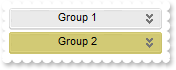
With ExplorerBar1
	.VisualAppearance.Add 1,"c:\exontrol\images\normal.ebn"
	.BackColorGroup = &H1000000
	.Groups.Add "Group 1"
	.Groups.Add("Group 2").BackColor = &H100aabb
End With
|
|
170
|
Can I change the color of the control's border (EBN files)
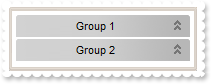
With ExplorerBar1
	.VisualAppearance.Add 1,"c:\exontrol\images\normal.ebn"
	.Appearance = &H1aabbc8 Or AppearanceEnum.exDrop
End With
|
|
169
|
How can I make the items visible automatically, or how can I ensure an item is visible or it is shown in the control's client area
With ExplorerBar1
	.BeginUpdate
	.GroupHeight = 48
	With .Groups
		.Add "Group 1"
		.Add "Group 2"
		.Add "Group 3"
		.Add "Group 4"
		.Add "Group 5"
		.Add "Group 6"
		.Add "Group 7"
		.Add "Group 8"
		.Add "Group 9"
		.Add "Group 10"
		.Add "Group 11"
		With .Add("Group 12")
			.AddItem 0
			.AddItem 1
			.AddItem 2
		End With
	End With
	.EnsureVisible 11,2
	.EndUpdate
End With
|
|
168
|
How can I scroll to the end of the groups
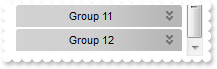
With ExplorerBar1
	.BeginUpdate
	.GroupHeight = 48
	With .Groups
		.Add "Group 1"
		.Add "Group 2"
		.Add "Group 3"
		.Add "Group 4"
		.Add "Group 5"
		.Add "Group 6"
		.Add "Group 7"
		.Add "Group 8"
		.Add "Group 9"
		.Add "Group 10"
		.Add "Group 11"
		.Add "Group 12"
	End With
	.EnsureVisible 11
	.EndUpdate
End With
|
|
167
|
How can I display an item by multiple lines
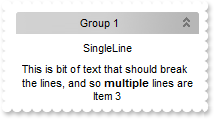
With ExplorerBar1
	With .Groups.Add("Group 1")
		.AddItem "SingleLine"
		With .AddItem("This is bit of text that should break the lines, and so <b>multiple</b> lines are displayed")
			.Alignment = exLeft
			.CaptionFormat = exHTML
			.SingleLine = False
		End With
		.AddItem "Item 3"
		.Expanded = True
	End With
End With
|
|
166
|
How can I indent an item
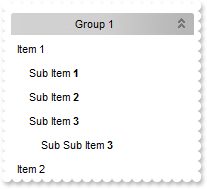
With ExplorerBar1
	With .Groups.Add("Group 1")
		.AddItem("Item 1").Alignment = exLeft
		With .AddItem("Sub Item <b>1</b>")
			.CaptionFormat = exHTML
			.Alignment = exLeft
			.Indent = 12
		End With
		With .AddItem("Sub Item <b>2</b>")
			.CaptionFormat = exHTML
			.Alignment = exLeft
			.Indent = 12
		End With
		With .AddItem("Sub Item <b>3</b>")
			.CaptionFormat = exHTML
			.Alignment = exLeft
			.Indent = 12
		End With
		With .AddItem("Sub Sub Item <b>3</b>")
			.CaptionFormat = exHTML
			.Alignment = exLeft
			.Indent = 24
		End With
		With .AddItem("Item 2")
			.Alignment = exLeft
		End With
		.Expanded = True
	End With
End With
|
|
165
|
How can I use HTML format to display my item
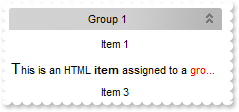
With ExplorerBar1
	With .Groups.Add("Group 1")
		.AddItem "Item 1"
		.AddItem("<font Tahoma;11>T</font>his is an HTML <b>item</b> assigned to a <fgcolor=FF0000>group</fgcolor>").CaptionFormat = exHTML
		.AddItem "Item 3"
		.Expanded = True
	End With
End With
|
|
164
|
How can I assign a tooltip to an item
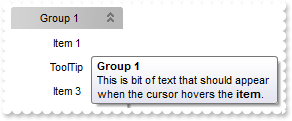
With ExplorerBar1
	With .Groups.Add("Group 1")
		.AddItem "Item 1"
		.AddItem("ToolTip").ToolTip = "This is bit of text that should appear when the cursor hovers the <b>item</b>."
		.AddItem "Item 3"
		.Expanded = True
	End With
End With
|
|
163
|
How can I show or hide an item

With ExplorerBar1
	With .Groups.Add("Group 1")
		.AddItem "Item 1"
		.AddItem("Item 2").Visible = False
		.AddItem "Item 3"
		.Expanded = True
	End With
End With
|
|
162
|
How can I align an icon for an item

With ExplorerBar1
	.Images "gBJJgBAIDAAGAAEAAQhYAf8Pf4hh0QihCJo2AEZjQAjEZFEaIEaEEaAIAkcbk0olUrlktl0vmExmUzmk1m03nE5nU7nk9n0/oFBoVDolFo1HpFJpVLplNp1PqFRqVTq" & _
	"lVq1XrFZrVbrldr1fsFhsVjslls1ntFptVrtltt1vuFxuVzul1u13vF5vV7vl9v1/wGBwWDwmFw2HxGJxWLxmNx0xiFdyOTh8Tf9ZymXx+QytcyNgz8r0OblWjyWds+m" & _
	"0ka1Vf1ta1+r1mos2xrG2xeZ0+a0W0qOx3GO4NV3WeyvD2XJ5XL5nN51aiw+lfSj0gkUkAEllHanHI5j/cHg8EZf7w8vl8j4f/qfEZeB09/vjLAB30+kZQAP/P5/H6/y" & _
	"NAOAEAwCjMBwFAEDwJBMDwLBYAP2/8Hv8/gAGAD8LQs9w/nhDY/oygIA="
	With .Groups.Add("Group 1")
		With .AddItem("Item 1")
			.Image = 1
			.ImageAlignment = exLeft
		End With
		With .AddItem("Item 2")
			.Image = 2
			.ImageAlignment = exRight
		End With
		.Expanded = True
	End With
End With
|
|
161
|
How can I stop highlighting an item

With ExplorerBar1
	With .Groups.Add("Group 1")
		.AddItem "Item 1"
		.AddItem("Item 2 - no ").AllowHighLight = False
		.AddItem "Item 3"
		.Expanded = True
	End With
End With
|
|
160
|
How can I change the item's background color
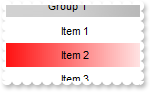
With ExplorerBar1
	With .Groups.Add("Group 1")
		.AddItem "Item 1"
		With .AddItem("Item 2")
			.BackColor = RGB(255,0,0)
			.BackColor2 = RGB(255,255,255)
		End With
		.AddItem "Item 3"
		.Expanded = True
	End With
End With
|
|
159
|
How can I change the item's background color
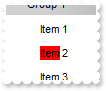
With ExplorerBar1
	With .Groups.Add("Group 1")
		.AddItem "Item 1"
		.AddItem("<bgcolor=FF0000>Item</bgcolor> 2").CaptionFormat = exHTML
		.AddItem "Item 3"
		.Expanded = True
	End With
End With
|
|
158
|
How can I change the item's foreground color

With ExplorerBar1
	With .Groups.Add("Group 1")
		.AddItem "Item 1"
		.AddItem("Item 2").ForeColor = RGB(255,0,0)
		.AddItem "Item 3"
		.Expanded = True
	End With
End With
|
|
157
|
How can I change the visual appearance of the item using your EBN files
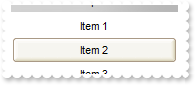
With ExplorerBar1
	.VisualAppearance.Add 1,"c:\exontrol\images\normal.ebn"
	With .Groups.Add("Group 1")
		.AddItem "Item 1"
		.AddItem("Item 2").BackColor = &H1000000
		.AddItem "Item 3"
		.Expanded = True
	End With
End With
|
|
156
|
How can I change the item's background color
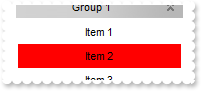
With ExplorerBar1
	With .Groups.Add("Group 1")
		.AddItem "Item 1"
		.AddItem("Item 2").BackColor = RGB(255,0,0)
		.AddItem "Item 3"
		.Expanded = True
	End With
End With
|
|
155
|
How can I get the group of the item
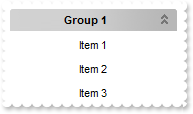
With ExplorerBar1
	With .Groups.Add("Group 1")
		.AddItem "Item 1"
		.AddItem("Item 2").Group.Bold = True
		.AddItem "Item 3"
		.Expanded = True
	End With
End With
|
|
154
|
How can I get the index of the item
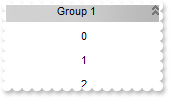
With ExplorerBar1
	With .Groups.Add("Group 1")
		With .AddItem("Item 1")
			.Caption = .Index
		End With
		With .AddItem("Item 2")
			.Caption = .Index
		End With
		With .AddItem("Item 3")
			.Caption = .Index
		End With
		.Expanded = True
	End With
End With
|
|
153
|
How can I draw underlined an item
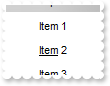
With ExplorerBar1
	With .Groups.Add("Group 1")
		.AddItem "Item 1"
		.AddItem("<u>Item</u> 2").CaptionFormat = exHTML
		.AddItem "Item 3"
		.Expanded = True
	End With
End With
|
|
152
|
How can I draw underlined an item
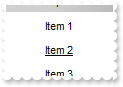
With ExplorerBar1
	With .Groups.Add("Group 1")
		.AddItem "Item 1"
		.AddItem("Item 2").Underline = True
		.AddItem "Item 3"
		.Expanded = True
	End With
End With
|
|
151
|
How can I draw as strikeout an item

With ExplorerBar1
	With .Groups.Add("Group 1")
		.AddItem "Item 1"
		.AddItem("<s>Item</s> 2").CaptionFormat = exHTML
		.AddItem "Item 3"
		.Expanded = True
	End With
End With
|
|
150
|
How can I draw as strikeout an item
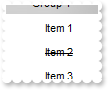
With ExplorerBar1
	With .Groups.Add("Group 1")
		.AddItem "Item 1"
		.AddItem("Item 2").StrikeOut = True
		.AddItem "Item 3"
		.Expanded = True
	End With
End With
|
|
149
|
How can I draw as italic an item

With ExplorerBar1
	With .Groups.Add("Group 1")
		.AddItem "Item 1"
		.AddItem("<i>Item</i> 2").CaptionFormat = exHTML
		.AddItem "Item 3"
		.Expanded = True
	End With
End With
|
|
148
|
How can I draw as italic an item

With ExplorerBar1
	With .Groups.Add("Group 1")
		.AddItem "Item 1"
		.AddItem("Item 2").Italic = True
		.AddItem "Item 3"
		.Expanded = True
	End With
End With
|
|
147
|
How can I add a anchor or a hyperlink

With ExplorerBar1
	.HighlightItemType = exNoHighlight
	.HandCursor = False
	With .Groups.Add("Group 1")
		.AddItem("Link <a1><b>1</b></a>").CaptionFormat = exHTML
		.AddItem("Link <a2><b>2</b></a>").CaptionFormat = exHTML
		.Expanded = True
	End With
End With
|
|
146
|
How do I bold an item
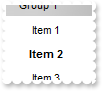
With ExplorerBar1
	With .Groups.Add("Group 1")
		.AddItem "Item 1"
		.AddItem("<b>Item</a> 2").CaptionFormat = exHTML
		.AddItem "Item 3"
		.Expanded = True
	End With
End With
|
|
145
|
How do I bold an item

With ExplorerBar1
	With .Groups.Add("Group 1")
		.AddItem "Item 1"
		.AddItem("Item 2").Bold = True
		.AddItem "Item 3"
		.Expanded = True
	End With
End With
|
|
144
|
How can I align an item
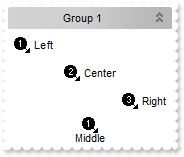
With ExplorerBar1
	.Images "gBJJgBAIDAAGAAEAAQhYAf8Pf4hh0QihCJo2AEZjQAjEZFEaIEaEEaAIAkcbk0olUrlktl0vmExmUzmk1m03nE5nU7nk9n0/oFBoVDolFo1HpFJpVLplNp1PqFRqVTq" & _
	"lVq1XrFZrVbrldr1fsFhsVjslls1ntFptVrtltt1vuFxuVzul1u13vF5vV7vl9v1/wGBwWDwmFw2HxGJxWLxmNx0xiFdyOTh8Tf9ZymXx+QytcyNgz8r0OblWjyWds+m" & _
	"0ka1Vf1ta1+r1mos2xrG2xeZ0+a0W0qOx3GO4NV3WeyvD2XJ5XL5nN51aiw+lfSj0gkUkAEllHanHI5j/cHg8EZf7w8vl8j4f/qfEZeB09/vjLAB30+kZQAP/P5/H6/y" & _
	"NAOAEAwCjMBwFAEDwJBMDwLBYAP2/8Hv8/gAGAD8LQs9w/nhDY/oygIA="
	With .Groups.Add("Group 1")
		.ItemHeight = 28
		.AddItem("Left",1).Alignment = exLeft
		.AddItem("Center",2).Alignment = exCenter
		.AddItem("Right",3).Alignment = exRight
		.AddItem("Middle",1).Alignment = exMiddle
		.Expanded = True
	End With
End With
|
|
143
|
How can I assign some extra data to an item

With ExplorerBar1
	With .Groups.Add("Group 1")
		.AddItem("Item 1").UserData = "your data"
		.AddItem "Item 2"
		.AddItem "Item 3"
		.Expanded = True
	End With
End With
|
|
142
|
How can I assign or display an icon for an item
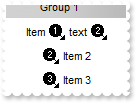
With ExplorerBar1
	.Images "gBJJgBAIDAAGAAEAAQhYAf8Pf4hh0QihCJo2AEZjQAjEZFEaIEaEEaAIAkcbk0olUrlktl0vmExmUzmk1m03nE5nU7nk9n0/oFBoVDolFo1HpFJpVLplNp1PqFRqVTq" & _
	"lVq1XrFZrVbrldr1fsFhsVjslls1ntFptVrtltt1vuFxuVzul1u13vF5vV7vl9v1/wGBwWDwmFw2HxGJxWLxmNx0xiFdyOTh8Tf9ZymXx+QytcyNgz8r0OblWjyWds+m" & _
	"0ka1Vf1ta1+r1mos2xrG2xeZ0+a0W0qOx3GO4NV3WeyvD2XJ5XL5nN51aiw+lfSj0gkUkAEllHanHI5j/cHg8EZf7w8vl8j4f/qfEZeB09/vjLAB30+kZQAP/P5/H6/y" & _
	"NAOAEAwCjMBwFAEDwJBMDwLBYAP2/8Hv8/gAGAD8LQs9w/nhDY/oygIA="
	With .Groups.Add("Group 1")
		.AddItem("Item <img>1</img> text <img>2</img>").CaptionFormat = exHTML
		.AddItem("Item 2").Image = 2
		.AddItem("Item 3").Image = 3
		.Expanded = True
	End With
End With
|
|
141
|
How can I assign or display an icon for an item

With ExplorerBar1
	.Images "gBJJgBAIDAAGAAEAAQhYAf8Pf4hh0QihCJo2AEZjQAjEZFEaIEaEEaAIAkcbk0olUrlktl0vmExmUzmk1m03nE5nU7nk9n0/oFBoVDolFo1HpFJpVLplNp1PqFRqVTq" & _
	"lVq1XrFZrVbrldr1fsFhsVjslls1ntFptVrtltt1vuFxuVzul1u13vF5vV7vl9v1/wGBwWDwmFw2HxGJxWLxmNx0xiFdyOTh8Tf9ZymXx+QytcyNgz8r0OblWjyWds+m" & _
	"0ka1Vf1ta1+r1mos2xrG2xeZ0+a0W0qOx3GO4NV3WeyvD2XJ5XL5nN51aiw+lfSj0gkUkAEllHanHI5j/cHg8EZf7w8vl8j4f/qfEZeB09/vjLAB30+kZQAP/P5/H6/y" & _
	"NAOAEAwCjMBwFAEDwJBMDwLBYAP2/8Hv8/gAGAD8LQs9w/nhDY/oygIA="
	With .Groups.Add("Group 1")
		.AddItem("Item 1").Image = 1
		.AddItem("Item 2").Image = 2
		.AddItem("Item 3").Image = 3
		.Expanded = True
	End With
End With
|
|
140
|
How can I assign or display an icon for an item
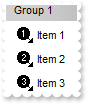
With ExplorerBar1
	.Images "gBJJgBAIDAAGAAEAAQhYAf8Pf4hh0QihCJo2AEZjQAjEZFEaIEaEEaAIAkcbk0olUrlktl0vmExmUzmk1m03nE5nU7nk9n0/oFBoVDolFo1HpFJpVLplNp1PqFRqVTq" & _
	"lVq1XrFZrVbrldr1fsFhsVjslls1ntFptVrtltt1vuFxuVzul1u13vF5vV7vl9v1/wGBwWDwmFw2HxGJxWLxmNx0xiFdyOTh8Tf9ZymXx+QytcyNgz8r0OblWjyWds+m" & _
	"0ka1Vf1ta1+r1mos2xrG2xeZ0+a0W0qOx3GO4NV3WeyvD2XJ5XL5nN51aiw+lfSj0gkUkAEllHanHI5j/cHg8EZf7w8vl8j4f/qfEZeB09/vjLAB30+kZQAP/P5/H6/y" & _
	"NAOAEAwCjMBwFAEDwJBMDwLBYAP2/8Hv8/gAGAD8LQs9w/nhDY/oygIA="
	With .Groups.Add("Group 1")
		.AddItem "Item 1",1
		.AddItem "Item 2",2
		.AddItem "Item 3",3
		.Expanded = True
	End With
End With
|
|
139
|
How can I change the item's position
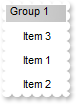
With ExplorerBar1
	With .Groups.Add("Group 1")
		.AddItem "Item 1"
		.AddItem "Item 2"
		.AddItem("Item 3").Position = 0
		.Expanded = True
	End With
End With
|
|
138
|
How can I change the item's caption
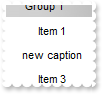
With ExplorerBar1
	With .Groups.Add("Group 1")
		.AddItem "Item 1"
		.AddItem("Item 2").Caption = "new caption"
		.AddItem "Item 3"
		.Expanded = True
	End With
End With
|
|
137
|
How do I add new items
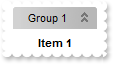
With ExplorerBar1
	.Groups.Add("Group 1").AddItem("Item 1").Bold = True
End With
|
|
136
|
How do I assign a group to a set in the shortcut bar
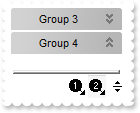
With ExplorerBar1
	.Images "gBJJgBAIDAAGAAEAAQhYAf8Pf4hh0QihCJo2AEZjQAjEZFEaIEaEEaAIAkcbk0olUrlktl0vmExmUzmk1m03nE5nU7nk9n0/oFBoVDolFo1HpFJpVLplNp1PqFRqVTq" & _
	"lVq1XrFZrVbrldr1fsFhsVjslls1ntFptVrtltt1vuFxuVzul1u13vF5vV7vl9v1/wGBwWDwmFw2HxGJxWLxmNx0xiFdyOTh8Tf9ZymXx+QytcyNgz8r0OblWjyWds+m" & _
	"0ka1Vf1ta1+r1mos2xrG2xeZ0+a0W0qOx3GO4NV3WeyvD2XJ5XL5nN51aiw+lfSj0gkUkAEllHanHI5j/cHg8EZf7w8vl8j4f/qfEZeB09/vjLAB30+kZQAP/P5/H6/y" & _
	"NAOAEAwCjMBwFAEDwJBMDwLBYAP2/8Hv8/gAGAD8LQs9w/nhDY/oygIA="
	.ShowShortcutBar = True
	.Groups.Add("Group 1").Shortcut = "Set <img>1</img>"
	.Groups.Add("Group 2").Shortcut = "Set <img>1</img>"
	.Groups.Add("Group 3").Shortcut = "Set <img>2</img>"
	.Groups.Add("Group 4").Shortcut = "Set <img>2</img>"
End With
|
|
135
|
How can I show or hide the expanding or collapsing button
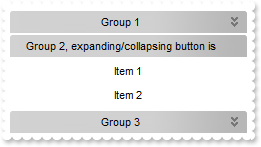
With ExplorerBar1
	.Groups.Add("Group 1").AddItem "Item 1"
	With .Groups.Add("Group 2, expanding/collapsing button is missing ")
		.AddItem "Item 1"
		.AddItem "Item 2"
		.Expanded = True
		.AllowExpand = False
	End With
	.Groups.Add("Group 3").AddItem "Item 1"
End With
|
|
134
|
How can I avoid expanding or collapsing a group
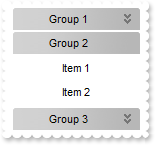
With ExplorerBar1
	.Groups.Add("Group 1").AddItem "Item 1"
	With .Groups.Add("Group 2")
		.AddItem "Item 1"
		.AddItem "Item 2"
		.Expanded = True
		.AllowExpand = False
	End With
	.Groups.Add("Group 3").AddItem "Item 1"
End With
|
|
133
|
How can I assign a tooltip to a group
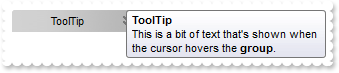
With ExplorerBar1
	.ToolTipDelay = 1
	.Groups.Add("ToolTip").ToolTip = "This is a bit of text that's shown when the cursor hovers the <b>group</b>."
End With
|
|
132
|
How can I display HTML text in the group's caption
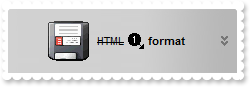
With ExplorerBar1
	.GroupHeight = 44
	.HTMLPicture("pic1") = "c:\exontrol\images\zipdisk.gif"
	.Images "gBJJgBAIDAAGAAEAAQhYAf8Pf4hh0QihCJo2AEZjQAjEZFEaIEaEEaAIAkcbk0olUrlktl0vmExmUzmk1m03nE5nU7nk9n0/oFBoVDolFo1HpFJpVLplNp1PqFRqVTq" & _
	"lVq1XrFZrVbrldr1fsFhsVjslls1ntFptVrtltt1vuFxuVzul1u13vF5vV7vl9v1/wGBwWDwmFw2HxGJxWLxmNx0xiFdyOTh8Tf9ZymXx+QytcyNgz8r0OblWjyWds+m" & _
	"0ka1Vf1ta1+r1mos2xrG2xeZ0+a0W0qOx3GO4NV3WeyvD2XJ5XL5nN51aiw+lfSj0gkUkAEllHanHI5j/cHg8EZf7w8vl8j4f/qfEZeB09/vjLAB30+kZQAP/P5/H6/y" & _
	"NAOAEAwCjMBwFAEDwJBMDwLBYAP2/8Hv8/gAGAD8LQs9w/nhDY/oygIA="
	.Groups.Add("<img>pic1</img> <s>HTML</s> <img>1</img> <b>format</b>").CaptionFormat = exHTML
End With
|
|
131
|
How can I disable scrolling the group's list when it is expanded or collapsed
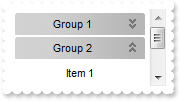
With ExplorerBar1
	.Groups.Add "Group 1"
	With .Groups.Add("Group 2")
		.AddItem "Item 1"
		.AddItem "Item 2"
		.Expanded = True
		.AllowScroll = False
	End With
	.Groups.Add "Group 3"
End With
|
|
130
|
How can I change the group's background color ( gradient )
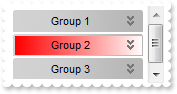
With ExplorerBar1
	.Groups.Add "Group 1"
	With .Groups.Add("Group 2")
		.BackColor = RGB(255,0,0)
		.BackColor2 = RGB(255,255,255)
	End With
	.Groups.Add "Group 3"
End With
|
|
129
|
How can I access the bounding rectangle of the group's area
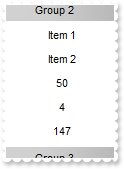
With ExplorerBar1
	.Groups.Add "Group 1"
	With .Groups.Add("Group 2")
		.AddItem "Item 1"
		.AddItem "Item 2"
		.AddItem .Top
		.AddItem .Left
		.AddItem .Width
		.Expanded = True
	End With
	.Groups.Add "Group 3"
End With
|
|
128
|
How can I expand or collapse a group
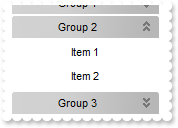
With ExplorerBar1
	.Groups.Add "Group 1"
	With .Groups.Add("Group 2")
		.AddItem "Item 1"
		.AddItem "Item 2"
		.Expanded = True
	End With
	.Groups.Add "Group 3"
End With
|
|
127
|
How can I specify the height of the items
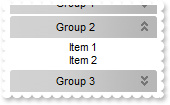
With ExplorerBar1
	.Groups.Add "Group 1"
	With .Groups.Add("Group 2")
		.AddItem "Item 1"
		.AddItem "Item 2"
		.ItemHeight = 13
		.Expanded = True
	End With
	.Groups.Add "Group 3"
End With
|
|
126
|
How do I put a picture on the group's background
With ExplorerBar1
	.Groups.Add "Group 1"
	With .Groups.Add("Group 2")
		.AddItem "Item 1"
		.AddItem "Item 2"
		.Picture = ExplorerBar1.ExecuteTemplate("loadpicture(`c:\exontrol\images\zipdisk.gif`)")
		.PictureDisplay = UpperRight
		.Expanded = True
	End With
	.Groups.Add "Group 3"
End With
|
|
125
|
How do I put a picture on the group's background
With ExplorerBar1
	.Groups.Add "Group 1"
	With .Groups.Add("Group 2")
		.AddItem "Item 1"
		.AddItem "Item 2"
		.Picture = ExplorerBar1.ExecuteTemplate("loadpicture(`c:\exontrol\images\zipdisk.gif`)")
		.Expanded = True
	End With
	.Groups.Add "Group 3"
End With
|
|
124
|
How can I change the foreground color for items
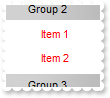
With ExplorerBar1
	.Groups.Add "Group 1"
	With .Groups.Add("Group 2")
		.AddItem "Item 1"
		.AddItem "Item 2"
		.ForeColorList = RGB(255,0,0)
		.Expanded = True
	End With
	.Groups.Add "Group 3"
End With
|
|
123
|
How can I change the background color for the items
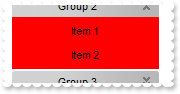
With ExplorerBar1
	.Groups.Add "Group 1"
	With .Groups.Add("Group 2")
		.AddItem "Item 1"
		.AddItem "Item 2"
		.BackColorList = RGB(255,0,0)
		.Expanded = True
	End With
	.Groups.Add "Group 3"
End With
|
|
122
|
How can I change the group's foreground color
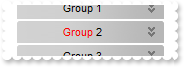
With ExplorerBar1
	.Groups.Add "Group 1"
	.Groups.Add("<fgcolor=FF0000>Group</fgcolor> 2").CaptionFormat = exHTML
	.Groups.Add "Group 3"
End With
|
|
121
|
How can I change the group's foreground color
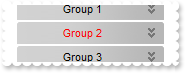
With ExplorerBar1
	.Groups.Add "Group 1"
	.Groups.Add("Group 2").ForeColor = RGB(255,0,0)
	.Groups.Add "Group 3"
End With
|
|
120
|
How can I change the group's background color
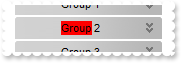
With ExplorerBar1
	.Groups.Add "Group 1"
	.Groups.Add("<bgcolor=FF0000>Group</bgcolor> 2").CaptionFormat = exHTML
	.Groups.Add "Group 3"
End With
|
|
119
|
How can I change the visual appearance of the group, using EBN files
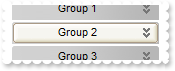
With ExplorerBar1
	.VisualAppearance.Add 1,"c:\exontrol\images\normal.ebn"
	.GroupAppearance = exSingle
	.Groups.Add "Group 1"
	.Groups.Add("Group 2").BackColor = &H1000000
	.Groups.Add "Group 3"
End With
|
|
118
|
How can I change the group's background color
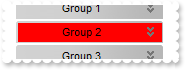
With ExplorerBar1
	.Groups.Add "Group 1"
	.Groups.Add("Group 2").BackColor = RGB(255,0,0)
	.Groups.Add "Group 3"
End With
|
|
117
|
How do I get the index of the group
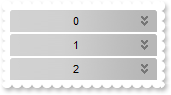
With ExplorerBar1
	With .Groups.Add("Group 1")
		.Caption = .Index
	End With
	With .Groups.Add("Group 2")
		.Caption = .Index
	End With
	With .Groups.Add("Group 3")
		.Caption = .Index
	End With
End With
|
|
116
|
How can I underline the group's name

With ExplorerBar1
	.Groups.Add("<u>Group</u> 1").CaptionFormat = exHTML
End With
|
|
115
|
How can I underline the group's name
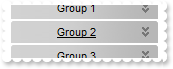
With ExplorerBar1
	.Groups.Add "Group 1"
	.Groups.Add("Group 2").Underline = True
	.Groups.Add "Group 3"
End With
|
|
114
|
How can I show the group's name as strikeout

With ExplorerBar1
	.Groups.Add("<s>Group</s> 1").CaptionFormat = exHTML
End With
|
|
113
|
How can I show the group's name as strikeout
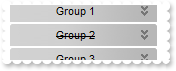
With ExplorerBar1
	.Groups.Add "Group 1"
	.Groups.Add("Group 2").StrikeOut = True
	.Groups.Add "Group 3"
End With
|
|
112
|
How can I draw as italic the group's name

With ExplorerBar1
	.Groups.Add("<i>Group</i> 1").CaptionFormat = exHTML
End With
|
|
111
|
How do I draw italic the group's name
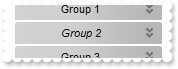
With ExplorerBar1
	.Groups.Add "Group 1"
	.Groups.Add("Group 2").Italic = True
	.Groups.Add "Group 3"
End With
|
|
110
|
How do I bold the group's name

With ExplorerBar1
	.Groups.Add("<b>Group</b> 1").CaptionFormat = exHTML
End With
|
|
109
|
How do I bold the group's name
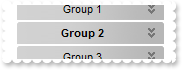
With ExplorerBar1
	.Groups.Add "Group 1"
	.Groups.Add("Group 2").Bold = True
	.Groups.Add "Group 3"
End With
|
|
108
|
How can I align the icon in the group's caption

With ExplorerBar1
	.Images "gBJJgBAIDAAGAAEAAQhYAf8Pf4hh0QihCJo2AEZjQAjEZFEaIEaEEaAIAkcbk0olUrlktl0vmExmUzmk1m03nE5nU7nk9n0/oFBoVDolFo1HpFJpVLplNp1PqFRqVTq" & _
	"lVq1XrFZrVbrldr1fsFhsVjslls1ntFptVrtltt1vuFxuVzul1u13vF5vV7vl9v1/wGBwWDwmFw2HxGJxWLxmNx0xiFdyOTh8Tf9ZymXx+QytcyNgz8r0OblWjyWds+m" & _
	"0ka1Vf1ta1+r1mos2xrG2xeZ0+a0W0qOx3GO4NV3WeyvD2XJ5XL5nN51aiw+lfSj0gkUkAEllHanHI5j/cHg8EZf7w8vl8j4f/qfEZeB09/vjLAB30+kZQAP/P5/H6/y" & _
	"NAOAEAwCjMBwFAEDwJBMDwLBYAP2/8Hv8/gAGAD8LQs9w/nhDY/oygIA="
	With .Groups.Add("Group 1")
		.Image = 1
		.ImageAlignment = exRight
		.Alignment = exRight
	End With
End With
|
|
107
|
How can I align the group's name

With ExplorerBar1
	.Groups.Add("Group 1").Alignment = exRight
End With
|
|
106
|
How can I align the group's name
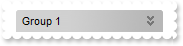
With ExplorerBar1
	.Groups.Add("Group 1").Alignment = exLeft
End With
|
|
105
|
How can I assign some extra data to a group

With ExplorerBar1
	.Groups.Add("Group 1").UserData = "your data"
End With
|
|
104
|
How can I display an icon in the group's caption

With ExplorerBar1
	.Images "gBJJgBAIDAAGAAEAAQhYAf8Pf4hh0QihCJo2AEZjQAjEZFEaIEaEEaAIAkcbk0olUrlktl0vmExmUzmk1m03nE5nU7nk9n0/oFBoVDolFo1HpFJpVLplNp1PqFRqVTq" & _
	"lVq1XrFZrVbrldr1fsFhsVjslls1ntFptVrtltt1vuFxuVzul1u13vF5vV7vl9v1/wGBwWDwmFw2HxGJxWLxmNx0xiFdyOTh8Tf9ZymXx+QytcyNgz8r0OblWjyWds+m" & _
	"0ka1Vf1ta1+r1mos2xrG2xeZ0+a0W0qOx3GO4NV3WeyvD2XJ5XL5nN51aiw+lfSj0gkUkAEllHanHI5j/cHg8EZf7w8vl8j4f/qfEZeB09/vjLAB30+kZQAP/P5/H6/y" & _
	"NAOAEAwCjMBwFAEDwJBMDwLBYAP2/8Hv8/gAGAD8LQs9w/nhDY/oygIA="
	.Groups.Add("Group <img>1</img> text <img>2</img>").CaptionFormat = exHTML
End With
|
|
103
|
How can I display an icon in the group's caption

With ExplorerBar1
	.Images "gBJJgBAIDAAGAAEAAQhYAf8Pf4hh0QihCJo2AEZjQAjEZFEaIEaEEaAIAkcbk0olUrlktl0vmExmUzmk1m03nE5nU7nk9n0/oFBoVDolFo1HpFJpVLplNp1PqFRqVTq" & _
	"lVq1XrFZrVbrldr1fsFhsVjslls1ntFptVrtltt1vuFxuVzul1u13vF5vV7vl9v1/wGBwWDwmFw2HxGJxWLxmNx0xiFdyOTh8Tf9ZymXx+QytcyNgz8r0OblWjyWds+m" & _
	"0ka1Vf1ta1+r1mos2xrG2xeZ0+a0W0qOx3GO4NV3WeyvD2XJ5XL5nN51aiw+lfSj0gkUkAEllHanHI5j/cHg8EZf7w8vl8j4f/qfEZeB09/vjLAB30+kZQAP/P5/H6/y" & _
	"NAOAEAwCjMBwFAEDwJBMDwLBYAP2/8Hv8/gAGAD8LQs9w/nhDY/oygIA="
	.Groups.Add("Group 1").Image = 1
End With
|
|
102
|
How can I access an item by its position
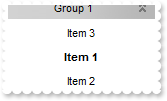
With ExplorerBar1
	With .Groups.Add("Group 1")
		.AddItem "Item 1"
		.AddItem "Item 2"
		.AddItem("Item 3").Position = 0
		.ItemByPos(1).Bold = True
		.Expanded = True
	End With
End With
|
|
101
|
How can I change the position of a group
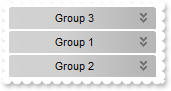
With ExplorerBar1
	.Groups.Add "Group 1"
	.Groups.Add "Group 2"
	.Groups.Add("Group 3").Position = 0
End With
|