|
179
|
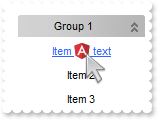
How can I replace or add an icon at runtime
/*
	Copy and paste the following directives to your header file as
	it defines the namespace 'EXPLORERBARLib' for the library: 'ExplorerBar 1.0 Control Library'

	#import <ExplorerBar.dll>
	using namespace EXPLORERBARLib;
*/
EXPLORERBARLib::IExplorerBarPtr spExplorerBar1 = GetDlgItem(IDC_EXPLORERBAR1)->GetControlUnknown();
spExplorerBar1->BeginUpdate();
spExplorerBar1->ReplaceIcon(_bstr_t("gAAAABgYACEHgUJFEEAAWhUJCEJEEJggEhMCYEXjUbjkJQECj8gj8hAEjkshYEpk8kf8ClsulsvAExmcvf83js5nU7nkCeEcn8boMaocXosCB9Hn09pkzcEuoL/fE+O") +
	"kYB0gB9YhIHrddgVcr9aktZADAD8+P8CgIA==",vtMissing);
spExplorerBar1->ReplaceIcon("C:\\images\\favicon.ico",long(0));
EXPLORERBARLib::IGroupPtr var_Group = spExplorerBar1->GetGroups()->Add(L"Group 1");
	var_Group->AddItem(L"Item <img>1</img> text",vtMissing)->PutCaptionFormat(EXPLORERBARLib::exHTML);
	var_Group->AddItem(L"Item 2",vtMissing)->PutImage(long(2));
	var_Group->AddItem(L"Item 3",vtMissing)->PutImage(long(3));
	var_Group->PutExpanded(VARIANT_TRUE);
spExplorerBar1->EndUpdate();
|
|
178
|
Display a custom tooltip
// MouseMove event - Occurs when the user moves the mouse.
void OnMouseMoveExplorerBar1(short   Button, short   Shift, long   X, long   Y)
{
	/*
		Copy and paste the following directives to your header file as
		it defines the namespace 'EXPLORERBARLib' for the library: 'ExplorerBar 1.0 Control Library'
		#import <ExplorerBar.dll>
		using namespace EXPLORERBARLib;
	*/
	EXPLORERBARLib::IExplorerBarPtr spExplorerBar1 = GetDlgItem(IDC_EXPLORERBAR1)->GetControlUnknown();
	spExplorerBar1->ShowToolTip(L"new content","",vtMissing,"+8","+8");
}
|
|
177
|
Shows the tooltip of the object moved relative to its default position
// MouseMove event - Occurs when the user moves the mouse.
void OnMouseMoveExplorerBar1(short   Button, short   Shift, long   X, long   Y)
{
	/*
		Copy and paste the following directives to your header file as
		it defines the namespace 'EXPLORERBARLib' for the library: 'ExplorerBar 1.0 Control Library'
		#import <ExplorerBar.dll>
		using namespace EXPLORERBARLib;
	*/
	EXPLORERBARLib::IExplorerBarPtr spExplorerBar1 = GetDlgItem(IDC_EXPLORERBAR1)->GetControlUnknown();
	spExplorerBar1->ShowToolTip(L"<null>","<null>",vtMissing,"+8","+8");
}

EXPLORERBARLib::IExplorerBarPtr spExplorerBar1 = GetDlgItem(IDC_EXPLORERBAR1)->GetControlUnknown();
spExplorerBar1->GetGroups()->Add(L"ToolTip")->PutToolTip("This is a bit of text that's shown when the cursor hovers the group.");
|
|
176
|
How can I select an item using on its full part, not only on its icon or caption

// Click event - Occurs when the user presses and then releases the left mouse button over the control.
void OnClickExplorerBar1()
{
	/*
		Copy and paste the following directives to your header file as
		it defines the namespace 'EXPLORERBARLib' for the library: 'ExplorerBar 1.0 Control Library'
		#import <ExplorerBar.dll>
		using namespace EXPLORERBARLib;
	*/
	EXPLORERBARLib::IExplorerBarPtr spExplorerBar1 = GetDlgItem(IDC_EXPLORERBAR1)->GetControlUnknown();
	OutputDebugStringW( _bstr_t(spExplorerBar1->GetItemFromPoint(-1,-1)) );
}

EXPLORERBARLib::IExplorerBarPtr spExplorerBar1 = GetDlgItem(IDC_EXPLORERBAR1)->GetControlUnknown();
spExplorerBar1->PutHighlightItemType(EXPLORERBARLib::HighLightItemEnum(EXPLORERBARLib::exFull | EXPLORERBARLib::exUnion));
EXPLORERBARLib::IGroupPtr var_Group = spExplorerBar1->GetGroups()->Add(L"Group 1");
	var_Group->AddItem(L"Item <b>1</b>",vtMissing)->PutCaptionFormat(EXPLORERBARLib::exHTML);
	var_Group->AddItem(L"Item <b>2</b>",vtMissing)->PutCaptionFormat(EXPLORERBARLib::exHTML);
	var_Group->PutExpanded(VARIANT_TRUE);
|
|
175
|
How can I change the group's color
/*
	Copy and paste the following directives to your header file as
	it defines the namespace 'EXPLORERBARLib' for the library: 'ExplorerBar 1.0 Control Library'

	#import <ExplorerBar.dll>
	using namespace EXPLORERBARLib;
*/
EXPLORERBARLib::IExplorerBarPtr spExplorerBar1 = GetDlgItem(IDC_EXPLORERBAR1)->GetControlUnknown();
spExplorerBar1->PutBackColorGroup(RGB(255,0,0));
spExplorerBar1->PutBackColorGroup2(spExplorerBar1->GetBackColorGroup());
spExplorerBar1->PutGroupAppearance(EXPLORERBARLib::exNone);
EXPLORERBARLib::IGroupsPtr var_Groups = spExplorerBar1->GetGroups();
	var_Groups->Add(L"Group 1");
	var_Groups->Add(L"Group 2");
|
|
174
|
How can remove the group's appearance
/*
	Copy and paste the following directives to your header file as
	it defines the namespace 'EXPLORERBARLib' for the library: 'ExplorerBar 1.0 Control Library'

	#import <ExplorerBar.dll>
	using namespace EXPLORERBARLib;
*/
EXPLORERBARLib::IExplorerBarPtr spExplorerBar1 = GetDlgItem(IDC_EXPLORERBAR1)->GetControlUnknown();
spExplorerBar1->PutBackColorGroup(spExplorerBar1->GetBackColor());
spExplorerBar1->PutBackColorGroup2(spExplorerBar1->GetBackColor());
spExplorerBar1->PutGroupAppearance(EXPLORERBARLib::exSingle);
EXPLORERBARLib::IGroupsPtr var_Groups = spExplorerBar1->GetGroups();
	var_Groups->Add(L"Group 1");
	var_Groups->Add(L"Group 2");
|
|
173
|
How can I align the group/item
/*
	Copy and paste the following directives to your header file as
	it defines the namespace 'EXPLORERBARLib' for the library: 'ExplorerBar 1.0 Control Library'

	#import <ExplorerBar.dll>
	using namespace EXPLORERBARLib;
*/
EXPLORERBARLib::IExplorerBarPtr spExplorerBar1 = GetDlgItem(IDC_EXPLORERBAR1)->GetControlUnknown();
spExplorerBar1->BeginUpdate();
EXPLORERBARLib::IGroupPtr var_Group = spExplorerBar1->GetGroups()->Add(L"Group 1");
	var_Group->PutAlignment(EXPLORERBARLib::exLeft);
	var_Group->AddItem(L"Item 1",vtMissing)->PutAlignment(EXPLORERBARLib::exLeft);
	var_Group->PutExpanded(VARIANT_TRUE);
spExplorerBar1->EndUpdate();
|
|
172
|
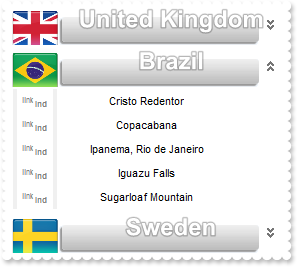
Just seen the BackgroundExt property. Not sure what I can do with that
// AddGroup event - Occurs when a new group is added to collection.
void OnAddGroupExplorerBar1(LPDISPATCH   Group)
{
}

// AddItem event - Occurs when a new item is added to a group.
void OnAddItemExplorerBar1(LPDISPATCH   Item)
{
}

/*
	Copy and paste the following directives to your header file as
	it defines the namespace 'EXPLORERBARLib' for the library: 'ExplorerBar 1.0 Control Library'

	#import <ExplorerBar.dll>
	using namespace EXPLORERBARLib;
*/
EXPLORERBARLib::IExplorerBarPtr spExplorerBar1 = GetDlgItem(IDC_EXPLORERBAR1)->GetControlUnknown();
EXPLORERBARLib::IExplorerBarPtr spExplorerBar1 = GetDlgItem(IDC_EXPLORERBAR1)->GetControlUnknown();
EXPLORERBARLib::IExplorerBarPtr spExplorerBar1 = GetDlgItem(IDC_EXPLORERBAR1)->GetControlUnknown();
spExplorerBar1->BeginUpdate();
spExplorerBar1->PutAppearance(EXPLORERBARLib::exNone);
EXPLORERBARLib::IAppearancePtr var_Appearance = spExplorerBar1->GetVisualAppearance();
	var_Appearance->Add(1,"c:\\exontrol\\images\\normal.ebn");
	var_Appearance->Add(2,"CP:1 48 12 -24 0");
	var_Appearance->Add(3,"c:\\exontrol\\images\\pushed.ebn");
spExplorerBar1->PutHTMLPicture(L"uk","c:\\exontrol\\images\\zipdisk.gif");
spExplorerBar1->PutHTMLPicture(L"brazil","c:\\exontrol\\images\\auction.gif");
spExplorerBar1->PutHTMLPicture(L"sweden","c:\\exontrol\\images\\colorize.gif");
spExplorerBar1->PutBackColorGroup(0x2000000);
spExplorerBar1->PutBackColorGroup2(spExplorerBar1->GetBackColorGroup());
spExplorerBar1->PutGroupHeight(40);
EXPLORERBARLib::IGroupPtr var_Group = spExplorerBar1->GetGroups()->Add(L"<b><font ;18><fgcolor FFFFFF><sha 0;;0>United Kingdom");
	var_Group->PutBackgroundExtValue(EXPLORERBARLib::exIndexExt2,EXPLORERBARLib::exTextExt,"<img>uk:44</img>");
	var_Group->AddItem(L"London Eye",vtMissing);
	var_Group->AddItem(L"Tower of London",vtMissing);
	var_Group->AddItem(L"Buckingham Palace",vtMissing);
	var_Group->AddItem(L"River Thames",vtMissing);
	var_Group->AddItem(L"Stonehenge",vtMissing);
EXPLORERBARLib::IGroupPtr var_Group1 = spExplorerBar1->GetGroups()->Add(L"<b><font ;18><fgcolor FFFFFF><sha 0;;0>Brazil");
	var_Group1->PutBackgroundExtValue(EXPLORERBARLib::exIndexExt2,EXPLORERBARLib::exTextExt,"<img>brazil:44</img>");
	var_Group1->AddItem(L"Cristo Redentor",vtMissing);
	var_Group1->AddItem(L"Copacabana",vtMissing);
	var_Group1->AddItem(L"Ipanema, Rio de Janeiro",vtMissing);
	var_Group1->AddItem(L"Iguazu Falls",vtMissing);
	var_Group1->AddItem(L"Sugarloaf Mountain",vtMissing);
	var_Group1->PutExpanded(VARIANT_TRUE);
EXPLORERBARLib::IGroupPtr var_Group2 = spExplorerBar1->GetGroups()->Add(L"<b><font ;18><fgcolor FFFFFF><sha 0;;0>Sweden");
	var_Group2->PutBackgroundExtValue(EXPLORERBARLib::exIndexExt2,EXPLORERBARLib::exTextExt,"<img>sweden:44</img>");
	var_Group2->AddItem(L"Gamla stan",vtMissing);
	var_Group2->AddItem(L"Vasa Museum",vtMissing);
	var_Group2->AddItem(L"Stockholm Palace",vtMissing);
	var_Group2->AddItem(L"Skansen",vtMissing);
	var_Group2->AddItem(L"Djurgården",vtMissing);
spExplorerBar1->EndUpdate();
|
|
171
|
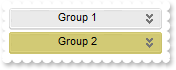
Can I specify a different colors for groups using your EBN files
/*
	Copy and paste the following directives to your header file as
	it defines the namespace 'EXPLORERBARLib' for the library: 'ExplorerBar 1.0 Control Library'

	#import <ExplorerBar.dll>
	using namespace EXPLORERBARLib;
*/
EXPLORERBARLib::IExplorerBarPtr spExplorerBar1 = GetDlgItem(IDC_EXPLORERBAR1)->GetControlUnknown();
spExplorerBar1->GetVisualAppearance()->Add(1,"c:\\exontrol\\images\\normal.ebn");
spExplorerBar1->PutBackColorGroup(0x1000000);
spExplorerBar1->GetGroups()->Add(L"Group 1");
spExplorerBar1->GetGroups()->Add(L"Group 2")->PutBackColor(0x100aabb);
|
|
170
|
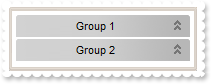
Can I change the color of the control's border (EBN files)
/*
	Copy and paste the following directives to your header file as
	it defines the namespace 'EXPLORERBARLib' for the library: 'ExplorerBar 1.0 Control Library'

	#import <ExplorerBar.dll>
	using namespace EXPLORERBARLib;
*/
EXPLORERBARLib::IExplorerBarPtr spExplorerBar1 = GetDlgItem(IDC_EXPLORERBAR1)->GetControlUnknown();
spExplorerBar1->GetVisualAppearance()->Add(1,"c:\\exontrol\\images\\normal.ebn");
spExplorerBar1->PutAppearance(EXPLORERBARLib::AppearanceEnum(0x1aabbc8 | EXPLORERBARLib::exDrop));
|
|
169
|
How can I make the items visible automatically, or how can I ensure an item is visible or it is shown in the control's client area
/*
	Copy and paste the following directives to your header file as
	it defines the namespace 'EXPLORERBARLib' for the library: 'ExplorerBar 1.0 Control Library'

	#import <ExplorerBar.dll>
	using namespace EXPLORERBARLib;
*/
EXPLORERBARLib::IExplorerBarPtr spExplorerBar1 = GetDlgItem(IDC_EXPLORERBAR1)->GetControlUnknown();
spExplorerBar1->BeginUpdate();
spExplorerBar1->PutGroupHeight(48);
EXPLORERBARLib::IGroupsPtr var_Groups = spExplorerBar1->GetGroups();
	var_Groups->Add(L"Group 1");
	var_Groups->Add(L"Group 2");
	var_Groups->Add(L"Group 3");
	var_Groups->Add(L"Group 4");
	var_Groups->Add(L"Group 5");
	var_Groups->Add(L"Group 6");
	var_Groups->Add(L"Group 7");
	var_Groups->Add(L"Group 8");
	var_Groups->Add(L"Group 9");
	var_Groups->Add(L"Group 10");
	var_Groups->Add(L"Group 11");
	EXPLORERBARLib::IGroupPtr var_Group = var_Groups->Add(L"Group 12");
		var_Group->AddItem(L"0",vtMissing);
		var_Group->AddItem(L"1",vtMissing);
		var_Group->AddItem(L"2",vtMissing);
spExplorerBar1->EnsureVisible(long(11),long(2),vtMissing);
spExplorerBar1->EndUpdate();
|
|
168
|
How can I scroll to the end of the groups

/*
	Copy and paste the following directives to your header file as
	it defines the namespace 'EXPLORERBARLib' for the library: 'ExplorerBar 1.0 Control Library'

	#import <ExplorerBar.dll>
	using namespace EXPLORERBARLib;
*/
EXPLORERBARLib::IExplorerBarPtr spExplorerBar1 = GetDlgItem(IDC_EXPLORERBAR1)->GetControlUnknown();
spExplorerBar1->BeginUpdate();
spExplorerBar1->PutGroupHeight(48);
EXPLORERBARLib::IGroupsPtr var_Groups = spExplorerBar1->GetGroups();
	var_Groups->Add(L"Group 1");
	var_Groups->Add(L"Group 2");
	var_Groups->Add(L"Group 3");
	var_Groups->Add(L"Group 4");
	var_Groups->Add(L"Group 5");
	var_Groups->Add(L"Group 6");
	var_Groups->Add(L"Group 7");
	var_Groups->Add(L"Group 8");
	var_Groups->Add(L"Group 9");
	var_Groups->Add(L"Group 10");
	var_Groups->Add(L"Group 11");
	var_Groups->Add(L"Group 12");
spExplorerBar1->EnsureVisible(long(11),vtMissing,vtMissing);
spExplorerBar1->EndUpdate();
|
|
167
|
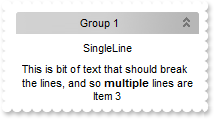
How can I display an item by multiple lines
/*
	Copy and paste the following directives to your header file as
	it defines the namespace 'EXPLORERBARLib' for the library: 'ExplorerBar 1.0 Control Library'

	#import <ExplorerBar.dll>
	using namespace EXPLORERBARLib;
*/
EXPLORERBARLib::IExplorerBarPtr spExplorerBar1 = GetDlgItem(IDC_EXPLORERBAR1)->GetControlUnknown();
EXPLORERBARLib::IGroupPtr var_Group = spExplorerBar1->GetGroups()->Add(L"Group 1");
	var_Group->AddItem(L"SingleLine",vtMissing);
	EXPLORERBARLib::IItemPtr var_Item = var_Group->AddItem(L"This is bit of text that should break the lines, and so <b>multiple</b> lines are displayed",vtMissing);
		var_Item->PutAlignment(EXPLORERBARLib::exLeft);
		var_Item->PutCaptionFormat(EXPLORERBARLib::exHTML);
		var_Item->PutSingleLine(VARIANT_FALSE);
	var_Group->AddItem(L"Item 3",vtMissing);
	var_Group->PutExpanded(VARIANT_TRUE);
|
|
166
|
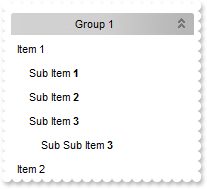
How can I indent an item
/*
	Copy and paste the following directives to your header file as
	it defines the namespace 'EXPLORERBARLib' for the library: 'ExplorerBar 1.0 Control Library'

	#import <ExplorerBar.dll>
	using namespace EXPLORERBARLib;
*/
EXPLORERBARLib::IExplorerBarPtr spExplorerBar1 = GetDlgItem(IDC_EXPLORERBAR1)->GetControlUnknown();
EXPLORERBARLib::IGroupPtr var_Group = spExplorerBar1->GetGroups()->Add(L"Group 1");
	var_Group->AddItem(L"Item 1",vtMissing)->PutAlignment(EXPLORERBARLib::exLeft);
	EXPLORERBARLib::IItemPtr var_Item = var_Group->AddItem(L"Sub Item <b>1</b>",vtMissing);
		var_Item->PutCaptionFormat(EXPLORERBARLib::exHTML);
		var_Item->PutAlignment(EXPLORERBARLib::exLeft);
		var_Item->PutIndent(12);
	EXPLORERBARLib::IItemPtr var_Item1 = var_Group->AddItem(L"Sub Item <b>2</b>",vtMissing);
		var_Item1->PutCaptionFormat(EXPLORERBARLib::exHTML);
		var_Item1->PutAlignment(EXPLORERBARLib::exLeft);
		var_Item1->PutIndent(12);
	EXPLORERBARLib::IItemPtr var_Item2 = var_Group->AddItem(L"Sub Item <b>3</b>",vtMissing);
		var_Item2->PutCaptionFormat(EXPLORERBARLib::exHTML);
		var_Item2->PutAlignment(EXPLORERBARLib::exLeft);
		var_Item2->PutIndent(12);
	EXPLORERBARLib::IItemPtr var_Item3 = var_Group->AddItem(L"Sub Sub Item <b>3</b>",vtMissing);
		var_Item3->PutCaptionFormat(EXPLORERBARLib::exHTML);
		var_Item3->PutAlignment(EXPLORERBARLib::exLeft);
		var_Item3->PutIndent(24);
	EXPLORERBARLib::IItemPtr var_Item4 = var_Group->AddItem(L"Item 2",vtMissing);
		var_Item4->PutAlignment(EXPLORERBARLib::exLeft);
	var_Group->PutExpanded(VARIANT_TRUE);
|
|
165
|
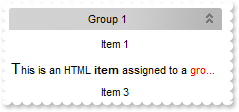
How can I use HTML format to display my item
/*
	Copy and paste the following directives to your header file as
	it defines the namespace 'EXPLORERBARLib' for the library: 'ExplorerBar 1.0 Control Library'

	#import <ExplorerBar.dll>
	using namespace EXPLORERBARLib;
*/
EXPLORERBARLib::IExplorerBarPtr spExplorerBar1 = GetDlgItem(IDC_EXPLORERBAR1)->GetControlUnknown();
EXPLORERBARLib::IGroupPtr var_Group = spExplorerBar1->GetGroups()->Add(L"Group 1");
	var_Group->AddItem(L"Item 1",vtMissing);
	var_Group->AddItem(L"<font Tahoma;11>T</font>his is an HTML <b>item</b> assigned to a <fgcolor=FF0000>group</fgcolor>",vtMissing)->PutCaptionFormat(EXPLORERBARLib::exHTML);
	var_Group->AddItem(L"Item 3",vtMissing);
	var_Group->PutExpanded(VARIANT_TRUE);
|
|
164
|
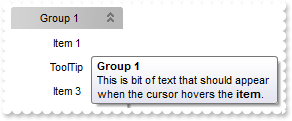
How can I assign a tooltip to an item
/*
	Copy and paste the following directives to your header file as
	it defines the namespace 'EXPLORERBARLib' for the library: 'ExplorerBar 1.0 Control Library'

	#import <ExplorerBar.dll>
	using namespace EXPLORERBARLib;
*/
EXPLORERBARLib::IExplorerBarPtr spExplorerBar1 = GetDlgItem(IDC_EXPLORERBAR1)->GetControlUnknown();
EXPLORERBARLib::IGroupPtr var_Group = spExplorerBar1->GetGroups()->Add(L"Group 1");
	var_Group->AddItem(L"Item 1",vtMissing);
	var_Group->AddItem(L"ToolTip",vtMissing)->PutToolTip("This is bit of text that should appear when the cursor hovers the <b>item</b>.");
	var_Group->AddItem(L"Item 3",vtMissing);
	var_Group->PutExpanded(VARIANT_TRUE);
|
|
163
|
How can I show or hide an item

/*
	Copy and paste the following directives to your header file as
	it defines the namespace 'EXPLORERBARLib' for the library: 'ExplorerBar 1.0 Control Library'

	#import <ExplorerBar.dll>
	using namespace EXPLORERBARLib;
*/
EXPLORERBARLib::IExplorerBarPtr spExplorerBar1 = GetDlgItem(IDC_EXPLORERBAR1)->GetControlUnknown();
EXPLORERBARLib::IGroupPtr var_Group = spExplorerBar1->GetGroups()->Add(L"Group 1");
	var_Group->AddItem(L"Item 1",vtMissing);
	var_Group->AddItem(L"Item 2",vtMissing)->PutVisible(VARIANT_FALSE);
	var_Group->AddItem(L"Item 3",vtMissing);
	var_Group->PutExpanded(VARIANT_TRUE);
|
|
162
|
How can I align an icon for an item

/*
	Copy and paste the following directives to your header file as
	it defines the namespace 'EXPLORERBARLib' for the library: 'ExplorerBar 1.0 Control Library'

	#import <ExplorerBar.dll>
	using namespace EXPLORERBARLib;
*/
EXPLORERBARLib::IExplorerBarPtr spExplorerBar1 = GetDlgItem(IDC_EXPLORERBAR1)->GetControlUnknown();
spExplorerBar1->Images(_bstr_t("gBJJgBAIDAAGAAEAAQhYAf8Pf4hh0QihCJo2AEZjQAjEZFEaIEaEEaAIAkcbk0olUrlktl0vmExmUzmk1m03nE5nU7nk9n0/oFBoVDolFo1HpFJpVLplNp1PqFRqVTq") +
	"lVq1XrFZrVbrldr1fsFhsVjslls1ntFptVrtltt1vuFxuVzul1u13vF5vV7vl9v1/wGBwWDwmFw2HxGJxWLxmNx0xiFdyOTh8Tf9ZymXx+QytcyNgz8r0OblWjyWds+m" +
	"0ka1Vf1ta1+r1mos2xrG2xeZ0+a0W0qOx3GO4NV3WeyvD2XJ5XL5nN51aiw+lfSj0gkUkAEllHanHI5j/cHg8EZf7w8vl8j4f/qfEZeB09/vjLAB30+kZQAP/P5/H6/y" +
	"NAOAEAwCjMBwFAEDwJBMDwLBYAP2/8Hv8/gAGAD8LQs9w/nhDY/oygIA=");
EXPLORERBARLib::IGroupPtr var_Group = spExplorerBar1->GetGroups()->Add(L"Group 1");
	EXPLORERBARLib::IItemPtr var_Item = var_Group->AddItem(L"Item 1",vtMissing);
		var_Item->PutImage(long(1));
		var_Item->PutImageAlignment(EXPLORERBARLib::exLeft);
	EXPLORERBARLib::IItemPtr var_Item1 = var_Group->AddItem(L"Item 2",vtMissing);
		var_Item1->PutImage(long(2));
		var_Item1->PutImageAlignment(EXPLORERBARLib::exRight);
	var_Group->PutExpanded(VARIANT_TRUE);
|
|
161
|
How can I stop highlighting an item

/*
	Copy and paste the following directives to your header file as
	it defines the namespace 'EXPLORERBARLib' for the library: 'ExplorerBar 1.0 Control Library'

	#import <ExplorerBar.dll>
	using namespace EXPLORERBARLib;
*/
EXPLORERBARLib::IExplorerBarPtr spExplorerBar1 = GetDlgItem(IDC_EXPLORERBAR1)->GetControlUnknown();
EXPLORERBARLib::IGroupPtr var_Group = spExplorerBar1->GetGroups()->Add(L"Group 1");
	var_Group->AddItem(L"Item 1",vtMissing);
	var_Group->AddItem(L"Item 2 - no ",vtMissing)->PutAllowHighLight(VARIANT_FALSE);
	var_Group->AddItem(L"Item 3",vtMissing);
	var_Group->PutExpanded(VARIANT_TRUE);
|
|
160
|
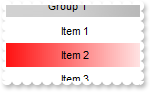
How can I change the item's background color
/*
	Copy and paste the following directives to your header file as
	it defines the namespace 'EXPLORERBARLib' for the library: 'ExplorerBar 1.0 Control Library'

	#import <ExplorerBar.dll>
	using namespace EXPLORERBARLib;
*/
EXPLORERBARLib::IExplorerBarPtr spExplorerBar1 = GetDlgItem(IDC_EXPLORERBAR1)->GetControlUnknown();
EXPLORERBARLib::IGroupPtr var_Group = spExplorerBar1->GetGroups()->Add(L"Group 1");
	var_Group->AddItem(L"Item 1",vtMissing);
	EXPLORERBARLib::IItemPtr var_Item = var_Group->AddItem(L"Item 2",vtMissing);
		var_Item->PutBackColor(RGB(255,0,0));
		var_Item->PutBackColor2(RGB(255,255,255));
	var_Group->AddItem(L"Item 3",vtMissing);
	var_Group->PutExpanded(VARIANT_TRUE);
|
|
159
|
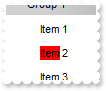
How can I change the item's background color
/*
	Copy and paste the following directives to your header file as
	it defines the namespace 'EXPLORERBARLib' for the library: 'ExplorerBar 1.0 Control Library'

	#import <ExplorerBar.dll>
	using namespace EXPLORERBARLib;
*/
EXPLORERBARLib::IExplorerBarPtr spExplorerBar1 = GetDlgItem(IDC_EXPLORERBAR1)->GetControlUnknown();
EXPLORERBARLib::IGroupPtr var_Group = spExplorerBar1->GetGroups()->Add(L"Group 1");
	var_Group->AddItem(L"Item 1",vtMissing);
	var_Group->AddItem(L"<bgcolor=FF0000>Item</bgcolor> 2",vtMissing)->PutCaptionFormat(EXPLORERBARLib::exHTML);
	var_Group->AddItem(L"Item 3",vtMissing);
	var_Group->PutExpanded(VARIANT_TRUE);
|
|
158
|
How can I change the item's foreground color

/*
	Copy and paste the following directives to your header file as
	it defines the namespace 'EXPLORERBARLib' for the library: 'ExplorerBar 1.0 Control Library'

	#import <ExplorerBar.dll>
	using namespace EXPLORERBARLib;
*/
EXPLORERBARLib::IExplorerBarPtr spExplorerBar1 = GetDlgItem(IDC_EXPLORERBAR1)->GetControlUnknown();
EXPLORERBARLib::IGroupPtr var_Group = spExplorerBar1->GetGroups()->Add(L"Group 1");
	var_Group->AddItem(L"Item 1",vtMissing);
	var_Group->AddItem(L"Item 2",vtMissing)->PutForeColor(RGB(255,0,0));
	var_Group->AddItem(L"Item 3",vtMissing);
	var_Group->PutExpanded(VARIANT_TRUE);
|
|
157
|
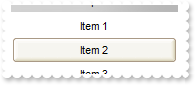
How can I change the visual appearance of the item using your EBN files
/*
	Copy and paste the following directives to your header file as
	it defines the namespace 'EXPLORERBARLib' for the library: 'ExplorerBar 1.0 Control Library'

	#import <ExplorerBar.dll>
	using namespace EXPLORERBARLib;
*/
EXPLORERBARLib::IExplorerBarPtr spExplorerBar1 = GetDlgItem(IDC_EXPLORERBAR1)->GetControlUnknown();
spExplorerBar1->GetVisualAppearance()->Add(1,"c:\\exontrol\\images\\normal.ebn");
EXPLORERBARLib::IGroupPtr var_Group = spExplorerBar1->GetGroups()->Add(L"Group 1");
	var_Group->AddItem(L"Item 1",vtMissing);
	var_Group->AddItem(L"Item 2",vtMissing)->PutBackColor(0x1000000);
	var_Group->AddItem(L"Item 3",vtMissing);
	var_Group->PutExpanded(VARIANT_TRUE);
|
|
156
|
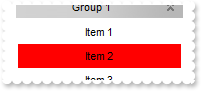
How can I change the item's background color
/*
	Copy and paste the following directives to your header file as
	it defines the namespace 'EXPLORERBARLib' for the library: 'ExplorerBar 1.0 Control Library'

	#import <ExplorerBar.dll>
	using namespace EXPLORERBARLib;
*/
EXPLORERBARLib::IExplorerBarPtr spExplorerBar1 = GetDlgItem(IDC_EXPLORERBAR1)->GetControlUnknown();
EXPLORERBARLib::IGroupPtr var_Group = spExplorerBar1->GetGroups()->Add(L"Group 1");
	var_Group->AddItem(L"Item 1",vtMissing);
	var_Group->AddItem(L"Item 2",vtMissing)->PutBackColor(RGB(255,0,0));
	var_Group->AddItem(L"Item 3",vtMissing);
	var_Group->PutExpanded(VARIANT_TRUE);
|
|
155
|
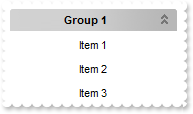
How can I get the group of the item
/*
	Copy and paste the following directives to your header file as
	it defines the namespace 'EXPLORERBARLib' for the library: 'ExplorerBar 1.0 Control Library'

	#import <ExplorerBar.dll>
	using namespace EXPLORERBARLib;
*/
EXPLORERBARLib::IExplorerBarPtr spExplorerBar1 = GetDlgItem(IDC_EXPLORERBAR1)->GetControlUnknown();
EXPLORERBARLib::IGroupPtr var_Group = spExplorerBar1->GetGroups()->Add(L"Group 1");
	var_Group->AddItem(L"Item 1",vtMissing);
	var_Group->AddItem(L"Item 2",vtMissing)->GetGroup()->PutBold(VARIANT_TRUE);
	var_Group->AddItem(L"Item 3",vtMissing);
	var_Group->PutExpanded(VARIANT_TRUE);
|
|
154
|
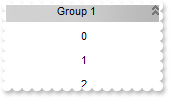
How can I get the index of the item
/*
	Copy and paste the following directives to your header file as
	it defines the namespace 'EXPLORERBARLib' for the library: 'ExplorerBar 1.0 Control Library'

	#import <ExplorerBar.dll>
	using namespace EXPLORERBARLib;
*/
EXPLORERBARLib::IExplorerBarPtr spExplorerBar1 = GetDlgItem(IDC_EXPLORERBAR1)->GetControlUnknown();
EXPLORERBARLib::IGroupPtr var_Group = spExplorerBar1->GetGroups()->Add(L"Group 1");
	EXPLORERBARLib::IItemPtr var_Item = var_Group->AddItem(L"Item 1",vtMissing);
		var_Item->PutCaption(_bstr_t(var_Item->GetIndex()));
	EXPLORERBARLib::IItemPtr var_Item1 = var_Group->AddItem(L"Item 2",vtMissing);
		var_Item1->PutCaption(_bstr_t(var_Item1->GetIndex()));
	EXPLORERBARLib::IItemPtr var_Item2 = var_Group->AddItem(L"Item 3",vtMissing);
		var_Item2->PutCaption(_bstr_t(var_Item2->GetIndex()));
	var_Group->PutExpanded(VARIANT_TRUE);
|
|
153
|
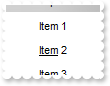
How can I draw underlined an item
/*
	Copy and paste the following directives to your header file as
	it defines the namespace 'EXPLORERBARLib' for the library: 'ExplorerBar 1.0 Control Library'

	#import <ExplorerBar.dll>
	using namespace EXPLORERBARLib;
*/
EXPLORERBARLib::IExplorerBarPtr spExplorerBar1 = GetDlgItem(IDC_EXPLORERBAR1)->GetControlUnknown();
EXPLORERBARLib::IGroupPtr var_Group = spExplorerBar1->GetGroups()->Add(L"Group 1");
	var_Group->AddItem(L"Item 1",vtMissing);
	var_Group->AddItem(L"<u>Item</u> 2",vtMissing)->PutCaptionFormat(EXPLORERBARLib::exHTML);
	var_Group->AddItem(L"Item 3",vtMissing);
	var_Group->PutExpanded(VARIANT_TRUE);
|
|
152
|
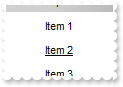
How can I draw underlined an item
/*
	Copy and paste the following directives to your header file as
	it defines the namespace 'EXPLORERBARLib' for the library: 'ExplorerBar 1.0 Control Library'

	#import <ExplorerBar.dll>
	using namespace EXPLORERBARLib;
*/
EXPLORERBARLib::IExplorerBarPtr spExplorerBar1 = GetDlgItem(IDC_EXPLORERBAR1)->GetControlUnknown();
EXPLORERBARLib::IGroupPtr var_Group = spExplorerBar1->GetGroups()->Add(L"Group 1");
	var_Group->AddItem(L"Item 1",vtMissing);
	var_Group->AddItem(L"Item 2",vtMissing)->PutUnderline(VARIANT_TRUE);
	var_Group->AddItem(L"Item 3",vtMissing);
	var_Group->PutExpanded(VARIANT_TRUE);
|
|
151
|
How can I draw as strikeout an item

/*
	Copy and paste the following directives to your header file as
	it defines the namespace 'EXPLORERBARLib' for the library: 'ExplorerBar 1.0 Control Library'

	#import <ExplorerBar.dll>
	using namespace EXPLORERBARLib;
*/
EXPLORERBARLib::IExplorerBarPtr spExplorerBar1 = GetDlgItem(IDC_EXPLORERBAR1)->GetControlUnknown();
EXPLORERBARLib::IGroupPtr var_Group = spExplorerBar1->GetGroups()->Add(L"Group 1");
	var_Group->AddItem(L"Item 1",vtMissing);
	var_Group->AddItem(L"<s>Item</s> 2",vtMissing)->PutCaptionFormat(EXPLORERBARLib::exHTML);
	var_Group->AddItem(L"Item 3",vtMissing);
	var_Group->PutExpanded(VARIANT_TRUE);
|
|
150
|
How can I draw as strikeout an item
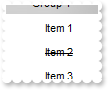
/*
	Copy and paste the following directives to your header file as
	it defines the namespace 'EXPLORERBARLib' for the library: 'ExplorerBar 1.0 Control Library'

	#import <ExplorerBar.dll>
	using namespace EXPLORERBARLib;
*/
EXPLORERBARLib::IExplorerBarPtr spExplorerBar1 = GetDlgItem(IDC_EXPLORERBAR1)->GetControlUnknown();
EXPLORERBARLib::IGroupPtr var_Group = spExplorerBar1->GetGroups()->Add(L"Group 1");
	var_Group->AddItem(L"Item 1",vtMissing);
	var_Group->AddItem(L"Item 2",vtMissing)->PutStrikeOut(VARIANT_TRUE);
	var_Group->AddItem(L"Item 3",vtMissing);
	var_Group->PutExpanded(VARIANT_TRUE);
|
|
149
|
How can I draw as italic an item

/*
	Copy and paste the following directives to your header file as
	it defines the namespace 'EXPLORERBARLib' for the library: 'ExplorerBar 1.0 Control Library'

	#import <ExplorerBar.dll>
	using namespace EXPLORERBARLib;
*/
EXPLORERBARLib::IExplorerBarPtr spExplorerBar1 = GetDlgItem(IDC_EXPLORERBAR1)->GetControlUnknown();
EXPLORERBARLib::IGroupPtr var_Group = spExplorerBar1->GetGroups()->Add(L"Group 1");
	var_Group->AddItem(L"Item 1",vtMissing);
	var_Group->AddItem(L"<i>Item</i> 2",vtMissing)->PutCaptionFormat(EXPLORERBARLib::exHTML);
	var_Group->AddItem(L"Item 3",vtMissing);
	var_Group->PutExpanded(VARIANT_TRUE);
|
|
148
|
How can I draw as italic an item

/*
	Copy and paste the following directives to your header file as
	it defines the namespace 'EXPLORERBARLib' for the library: 'ExplorerBar 1.0 Control Library'

	#import <ExplorerBar.dll>
	using namespace EXPLORERBARLib;
*/
EXPLORERBARLib::IExplorerBarPtr spExplorerBar1 = GetDlgItem(IDC_EXPLORERBAR1)->GetControlUnknown();
EXPLORERBARLib::IGroupPtr var_Group = spExplorerBar1->GetGroups()->Add(L"Group 1");
	var_Group->AddItem(L"Item 1",vtMissing);
	var_Group->AddItem(L"Item 2",vtMissing)->PutItalic(VARIANT_TRUE);
	var_Group->AddItem(L"Item 3",vtMissing);
	var_Group->PutExpanded(VARIANT_TRUE);
|
|
147
|
How can I add a anchor or a hyperlink

/*
	Copy and paste the following directives to your header file as
	it defines the namespace 'EXPLORERBARLib' for the library: 'ExplorerBar 1.0 Control Library'

	#import <ExplorerBar.dll>
	using namespace EXPLORERBARLib;
*/
EXPLORERBARLib::IExplorerBarPtr spExplorerBar1 = GetDlgItem(IDC_EXPLORERBAR1)->GetControlUnknown();
spExplorerBar1->PutHighlightItemType(EXPLORERBARLib::exNoHighlight);
spExplorerBar1->PutHandCursor(VARIANT_FALSE);
EXPLORERBARLib::IGroupPtr var_Group = spExplorerBar1->GetGroups()->Add(L"Group 1");
	var_Group->AddItem(L"Link <a1><b>1</b></a>",vtMissing)->PutCaptionFormat(EXPLORERBARLib::exHTML);
	var_Group->AddItem(L"Link <a2><b>2</b></a>",vtMissing)->PutCaptionFormat(EXPLORERBARLib::exHTML);
	var_Group->PutExpanded(VARIANT_TRUE);
|
|
146
|
How do I bold an item
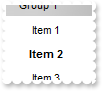
/*
	Copy and paste the following directives to your header file as
	it defines the namespace 'EXPLORERBARLib' for the library: 'ExplorerBar 1.0 Control Library'

	#import <ExplorerBar.dll>
	using namespace EXPLORERBARLib;
*/
EXPLORERBARLib::IExplorerBarPtr spExplorerBar1 = GetDlgItem(IDC_EXPLORERBAR1)->GetControlUnknown();
EXPLORERBARLib::IGroupPtr var_Group = spExplorerBar1->GetGroups()->Add(L"Group 1");
	var_Group->AddItem(L"Item 1",vtMissing);
	var_Group->AddItem(L"<b>Item</a> 2",vtMissing)->PutCaptionFormat(EXPLORERBARLib::exHTML);
	var_Group->AddItem(L"Item 3",vtMissing);
	var_Group->PutExpanded(VARIANT_TRUE);
|
|
145
|
How do I bold an item

/*
	Copy and paste the following directives to your header file as
	it defines the namespace 'EXPLORERBARLib' for the library: 'ExplorerBar 1.0 Control Library'

	#import <ExplorerBar.dll>
	using namespace EXPLORERBARLib;
*/
EXPLORERBARLib::IExplorerBarPtr spExplorerBar1 = GetDlgItem(IDC_EXPLORERBAR1)->GetControlUnknown();
EXPLORERBARLib::IGroupPtr var_Group = spExplorerBar1->GetGroups()->Add(L"Group 1");
	var_Group->AddItem(L"Item 1",vtMissing);
	var_Group->AddItem(L"Item 2",vtMissing)->PutBold(VARIANT_TRUE);
	var_Group->AddItem(L"Item 3",vtMissing);
	var_Group->PutExpanded(VARIANT_TRUE);
|
|
144
|
How can I align an item
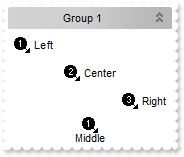
/*
	Copy and paste the following directives to your header file as
	it defines the namespace 'EXPLORERBARLib' for the library: 'ExplorerBar 1.0 Control Library'

	#import <ExplorerBar.dll>
	using namespace EXPLORERBARLib;
*/
EXPLORERBARLib::IExplorerBarPtr spExplorerBar1 = GetDlgItem(IDC_EXPLORERBAR1)->GetControlUnknown();
spExplorerBar1->Images(_bstr_t("gBJJgBAIDAAGAAEAAQhYAf8Pf4hh0QihCJo2AEZjQAjEZFEaIEaEEaAIAkcbk0olUrlktl0vmExmUzmk1m03nE5nU7nk9n0/oFBoVDolFo1HpFJpVLplNp1PqFRqVTq") +
	"lVq1XrFZrVbrldr1fsFhsVjslls1ntFptVrtltt1vuFxuVzul1u13vF5vV7vl9v1/wGBwWDwmFw2HxGJxWLxmNx0xiFdyOTh8Tf9ZymXx+QytcyNgz8r0OblWjyWds+m" +
	"0ka1Vf1ta1+r1mos2xrG2xeZ0+a0W0qOx3GO4NV3WeyvD2XJ5XL5nN51aiw+lfSj0gkUkAEllHanHI5j/cHg8EZf7w8vl8j4f/qfEZeB09/vjLAB30+kZQAP/P5/H6/y" +
	"NAOAEAwCjMBwFAEDwJBMDwLBYAP2/8Hv8/gAGAD8LQs9w/nhDY/oygIA=");
EXPLORERBARLib::IGroupPtr var_Group = spExplorerBar1->GetGroups()->Add(L"Group 1");
	var_Group->PutItemHeight(28);
	var_Group->AddItem(L"Left",long(1))->PutAlignment(EXPLORERBARLib::exLeft);
	var_Group->AddItem(L"Center",long(2))->PutAlignment(EXPLORERBARLib::exCenter);
	var_Group->AddItem(L"Right",long(3))->PutAlignment(EXPLORERBARLib::exRight);
	var_Group->AddItem(L"Middle",long(1))->PutAlignment(EXPLORERBARLib::exMiddle);
	var_Group->PutExpanded(VARIANT_TRUE);
|
|
143
|
How can I assign some extra data to an item

/*
	Copy and paste the following directives to your header file as
	it defines the namespace 'EXPLORERBARLib' for the library: 'ExplorerBar 1.0 Control Library'

	#import <ExplorerBar.dll>
	using namespace EXPLORERBARLib;
*/
EXPLORERBARLib::IExplorerBarPtr spExplorerBar1 = GetDlgItem(IDC_EXPLORERBAR1)->GetControlUnknown();
EXPLORERBARLib::IGroupPtr var_Group = spExplorerBar1->GetGroups()->Add(L"Group 1");
	var_Group->AddItem(L"Item 1",vtMissing)->PutUserData("your data");
	var_Group->AddItem(L"Item 2",vtMissing);
	var_Group->AddItem(L"Item 3",vtMissing);
	var_Group->PutExpanded(VARIANT_TRUE);
|
|
142
|
How can I assign or display an icon for an item
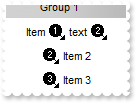
/*
	Copy and paste the following directives to your header file as
	it defines the namespace 'EXPLORERBARLib' for the library: 'ExplorerBar 1.0 Control Library'

	#import <ExplorerBar.dll>
	using namespace EXPLORERBARLib;
*/
EXPLORERBARLib::IExplorerBarPtr spExplorerBar1 = GetDlgItem(IDC_EXPLORERBAR1)->GetControlUnknown();
spExplorerBar1->Images(_bstr_t("gBJJgBAIDAAGAAEAAQhYAf8Pf4hh0QihCJo2AEZjQAjEZFEaIEaEEaAIAkcbk0olUrlktl0vmExmUzmk1m03nE5nU7nk9n0/oFBoVDolFo1HpFJpVLplNp1PqFRqVTq") +
	"lVq1XrFZrVbrldr1fsFhsVjslls1ntFptVrtltt1vuFxuVzul1u13vF5vV7vl9v1/wGBwWDwmFw2HxGJxWLxmNx0xiFdyOTh8Tf9ZymXx+QytcyNgz8r0OblWjyWds+m" +
	"0ka1Vf1ta1+r1mos2xrG2xeZ0+a0W0qOx3GO4NV3WeyvD2XJ5XL5nN51aiw+lfSj0gkUkAEllHanHI5j/cHg8EZf7w8vl8j4f/qfEZeB09/vjLAB30+kZQAP/P5/H6/y" +
	"NAOAEAwCjMBwFAEDwJBMDwLBYAP2/8Hv8/gAGAD8LQs9w/nhDY/oygIA=");
EXPLORERBARLib::IGroupPtr var_Group = spExplorerBar1->GetGroups()->Add(L"Group 1");
	var_Group->AddItem(L"Item <img>1</img> text <img>2</img>",vtMissing)->PutCaptionFormat(EXPLORERBARLib::exHTML);
	var_Group->AddItem(L"Item 2",vtMissing)->PutImage(long(2));
	var_Group->AddItem(L"Item 3",vtMissing)->PutImage(long(3));
	var_Group->PutExpanded(VARIANT_TRUE);
|
|
141
|
How can I assign or display an icon for an item

/*
	Copy and paste the following directives to your header file as
	it defines the namespace 'EXPLORERBARLib' for the library: 'ExplorerBar 1.0 Control Library'

	#import <ExplorerBar.dll>
	using namespace EXPLORERBARLib;
*/
EXPLORERBARLib::IExplorerBarPtr spExplorerBar1 = GetDlgItem(IDC_EXPLORERBAR1)->GetControlUnknown();
spExplorerBar1->Images(_bstr_t("gBJJgBAIDAAGAAEAAQhYAf8Pf4hh0QihCJo2AEZjQAjEZFEaIEaEEaAIAkcbk0olUrlktl0vmExmUzmk1m03nE5nU7nk9n0/oFBoVDolFo1HpFJpVLplNp1PqFRqVTq") +
	"lVq1XrFZrVbrldr1fsFhsVjslls1ntFptVrtltt1vuFxuVzul1u13vF5vV7vl9v1/wGBwWDwmFw2HxGJxWLxmNx0xiFdyOTh8Tf9ZymXx+QytcyNgz8r0OblWjyWds+m" +
	"0ka1Vf1ta1+r1mos2xrG2xeZ0+a0W0qOx3GO4NV3WeyvD2XJ5XL5nN51aiw+lfSj0gkUkAEllHanHI5j/cHg8EZf7w8vl8j4f/qfEZeB09/vjLAB30+kZQAP/P5/H6/y" +
	"NAOAEAwCjMBwFAEDwJBMDwLBYAP2/8Hv8/gAGAD8LQs9w/nhDY/oygIA=");
EXPLORERBARLib::IGroupPtr var_Group = spExplorerBar1->GetGroups()->Add(L"Group 1");
	var_Group->AddItem(L"Item 1",vtMissing)->PutImage(long(1));
	var_Group->AddItem(L"Item 2",vtMissing)->PutImage(long(2));
	var_Group->AddItem(L"Item 3",vtMissing)->PutImage(long(3));
	var_Group->PutExpanded(VARIANT_TRUE);
|
|
140
|
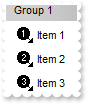
How can I assign or display an icon for an item
/*
	Copy and paste the following directives to your header file as
	it defines the namespace 'EXPLORERBARLib' for the library: 'ExplorerBar 1.0 Control Library'

	#import <ExplorerBar.dll>
	using namespace EXPLORERBARLib;
*/
EXPLORERBARLib::IExplorerBarPtr spExplorerBar1 = GetDlgItem(IDC_EXPLORERBAR1)->GetControlUnknown();
spExplorerBar1->Images(_bstr_t("gBJJgBAIDAAGAAEAAQhYAf8Pf4hh0QihCJo2AEZjQAjEZFEaIEaEEaAIAkcbk0olUrlktl0vmExmUzmk1m03nE5nU7nk9n0/oFBoVDolFo1HpFJpVLplNp1PqFRqVTq") +
	"lVq1XrFZrVbrldr1fsFhsVjslls1ntFptVrtltt1vuFxuVzul1u13vF5vV7vl9v1/wGBwWDwmFw2HxGJxWLxmNx0xiFdyOTh8Tf9ZymXx+QytcyNgz8r0OblWjyWds+m" +
	"0ka1Vf1ta1+r1mos2xrG2xeZ0+a0W0qOx3GO4NV3WeyvD2XJ5XL5nN51aiw+lfSj0gkUkAEllHanHI5j/cHg8EZf7w8vl8j4f/qfEZeB09/vjLAB30+kZQAP/P5/H6/y" +
	"NAOAEAwCjMBwFAEDwJBMDwLBYAP2/8Hv8/gAGAD8LQs9w/nhDY/oygIA=");
EXPLORERBARLib::IGroupPtr var_Group = spExplorerBar1->GetGroups()->Add(L"Group 1");
	var_Group->AddItem(L"Item 1",long(1));
	var_Group->AddItem(L"Item 2",long(2));
	var_Group->AddItem(L"Item 3",long(3));
	var_Group->PutExpanded(VARIANT_TRUE);
|
|
139
|
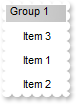
How can I change the item's position
/*
	Copy and paste the following directives to your header file as
	it defines the namespace 'EXPLORERBARLib' for the library: 'ExplorerBar 1.0 Control Library'

	#import <ExplorerBar.dll>
	using namespace EXPLORERBARLib;
*/
EXPLORERBARLib::IExplorerBarPtr spExplorerBar1 = GetDlgItem(IDC_EXPLORERBAR1)->GetControlUnknown();
EXPLORERBARLib::IGroupPtr var_Group = spExplorerBar1->GetGroups()->Add(L"Group 1");
	var_Group->AddItem(L"Item 1",vtMissing);
	var_Group->AddItem(L"Item 2",vtMissing);
	var_Group->AddItem(L"Item 3",vtMissing)->PutPosition(0);
	var_Group->PutExpanded(VARIANT_TRUE);
|
|
138
|
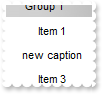
How can I change the item's caption
/*
	Copy and paste the following directives to your header file as
	it defines the namespace 'EXPLORERBARLib' for the library: 'ExplorerBar 1.0 Control Library'

	#import <ExplorerBar.dll>
	using namespace EXPLORERBARLib;
*/
EXPLORERBARLib::IExplorerBarPtr spExplorerBar1 = GetDlgItem(IDC_EXPLORERBAR1)->GetControlUnknown();
EXPLORERBARLib::IGroupPtr var_Group = spExplorerBar1->GetGroups()->Add(L"Group 1");
	var_Group->AddItem(L"Item 1",vtMissing);
	var_Group->AddItem(L"Item 2",vtMissing)->PutCaption(L"new caption");
	var_Group->AddItem(L"Item 3",vtMissing);
	var_Group->PutExpanded(VARIANT_TRUE);
|
|
137
|
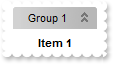
How do I add new items
/*
	Copy and paste the following directives to your header file as
	it defines the namespace 'EXPLORERBARLib' for the library: 'ExplorerBar 1.0 Control Library'

	#import <ExplorerBar.dll>
	using namespace EXPLORERBARLib;
*/
EXPLORERBARLib::IExplorerBarPtr spExplorerBar1 = GetDlgItem(IDC_EXPLORERBAR1)->GetControlUnknown();
spExplorerBar1->GetGroups()->Add(L"Group 1")->AddItem(L"Item 1",vtMissing)->PutBold(VARIANT_TRUE);
|
|
136
|
How do I assign a group to a set in the shortcut bar
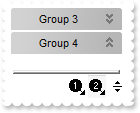
/*
	Copy and paste the following directives to your header file as
	it defines the namespace 'EXPLORERBARLib' for the library: 'ExplorerBar 1.0 Control Library'

	#import <ExplorerBar.dll>
	using namespace EXPLORERBARLib;
*/
EXPLORERBARLib::IExplorerBarPtr spExplorerBar1 = GetDlgItem(IDC_EXPLORERBAR1)->GetControlUnknown();
spExplorerBar1->Images(_bstr_t("gBJJgBAIDAAGAAEAAQhYAf8Pf4hh0QihCJo2AEZjQAjEZFEaIEaEEaAIAkcbk0olUrlktl0vmExmUzmk1m03nE5nU7nk9n0/oFBoVDolFo1HpFJpVLplNp1PqFRqVTq") +
	"lVq1XrFZrVbrldr1fsFhsVjslls1ntFptVrtltt1vuFxuVzul1u13vF5vV7vl9v1/wGBwWDwmFw2HxGJxWLxmNx0xiFdyOTh8Tf9ZymXx+QytcyNgz8r0OblWjyWds+m" +
	"0ka1Vf1ta1+r1mos2xrG2xeZ0+a0W0qOx3GO4NV3WeyvD2XJ5XL5nN51aiw+lfSj0gkUkAEllHanHI5j/cHg8EZf7w8vl8j4f/qfEZeB09/vjLAB30+kZQAP/P5/H6/y" +
	"NAOAEAwCjMBwFAEDwJBMDwLBYAP2/8Hv8/gAGAD8LQs9w/nhDY/oygIA=");
spExplorerBar1->PutShowShortcutBar(VARIANT_TRUE);
spExplorerBar1->GetGroups()->Add(L"Group 1")->PutShortcut(L"Set <img>1</img>");
spExplorerBar1->GetGroups()->Add(L"Group 2")->PutShortcut(L"Set <img>1</img>");
spExplorerBar1->GetGroups()->Add(L"Group 3")->PutShortcut(L"Set <img>2</img>");
spExplorerBar1->GetGroups()->Add(L"Group 4")->PutShortcut(L"Set <img>2</img>");
|
|
135
|
How can I show or hide the expanding or collapsing button
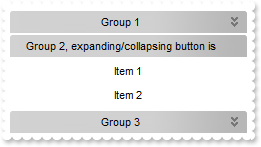
/*
	Copy and paste the following directives to your header file as
	it defines the namespace 'EXPLORERBARLib' for the library: 'ExplorerBar 1.0 Control Library'

	#import <ExplorerBar.dll>
	using namespace EXPLORERBARLib;
*/
EXPLORERBARLib::IExplorerBarPtr spExplorerBar1 = GetDlgItem(IDC_EXPLORERBAR1)->GetControlUnknown();
spExplorerBar1->GetGroups()->Add(L"Group 1")->AddItem(L"Item 1",vtMissing);
EXPLORERBARLib::IGroupPtr var_Group = spExplorerBar1->GetGroups()->Add(L"Group 2, expanding/collapsing button is missing ");
	var_Group->AddItem(L"Item 1",vtMissing);
	var_Group->AddItem(L"Item 2",vtMissing);
	var_Group->PutExpanded(VARIANT_TRUE);
	var_Group->PutAllowExpand(VARIANT_FALSE);
spExplorerBar1->GetGroups()->Add(L"Group 3")->AddItem(L"Item 1",vtMissing);
|
|
134
|
How can I avoid expanding or collapsing a group
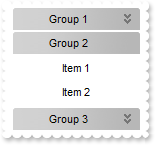
/*
	Copy and paste the following directives to your header file as
	it defines the namespace 'EXPLORERBARLib' for the library: 'ExplorerBar 1.0 Control Library'

	#import <ExplorerBar.dll>
	using namespace EXPLORERBARLib;
*/
EXPLORERBARLib::IExplorerBarPtr spExplorerBar1 = GetDlgItem(IDC_EXPLORERBAR1)->GetControlUnknown();
spExplorerBar1->GetGroups()->Add(L"Group 1")->AddItem(L"Item 1",vtMissing);
EXPLORERBARLib::IGroupPtr var_Group = spExplorerBar1->GetGroups()->Add(L"Group 2");
	var_Group->AddItem(L"Item 1",vtMissing);
	var_Group->AddItem(L"Item 2",vtMissing);
	var_Group->PutExpanded(VARIANT_TRUE);
	var_Group->PutAllowExpand(VARIANT_FALSE);
spExplorerBar1->GetGroups()->Add(L"Group 3")->AddItem(L"Item 1",vtMissing);
|
|
133
|
How can I assign a tooltip to a group
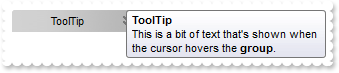
/*
	Copy and paste the following directives to your header file as
	it defines the namespace 'EXPLORERBARLib' for the library: 'ExplorerBar 1.0 Control Library'

	#import <ExplorerBar.dll>
	using namespace EXPLORERBARLib;
*/
EXPLORERBARLib::IExplorerBarPtr spExplorerBar1 = GetDlgItem(IDC_EXPLORERBAR1)->GetControlUnknown();
spExplorerBar1->PutToolTipDelay(1);
spExplorerBar1->GetGroups()->Add(L"ToolTip")->PutToolTip("This is a bit of text that's shown when the cursor hovers the <b>group</b>.");
|
|
132
|
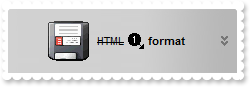
How can I display HTML text in the group's caption
/*
	Copy and paste the following directives to your header file as
	it defines the namespace 'EXPLORERBARLib' for the library: 'ExplorerBar 1.0 Control Library'

	#import <ExplorerBar.dll>
	using namespace EXPLORERBARLib;
*/
EXPLORERBARLib::IExplorerBarPtr spExplorerBar1 = GetDlgItem(IDC_EXPLORERBAR1)->GetControlUnknown();
spExplorerBar1->PutGroupHeight(44);
spExplorerBar1->PutHTMLPicture(L"pic1","c:\\exontrol\\images\\zipdisk.gif");
spExplorerBar1->Images(_bstr_t("gBJJgBAIDAAGAAEAAQhYAf8Pf4hh0QihCJo2AEZjQAjEZFEaIEaEEaAIAkcbk0olUrlktl0vmExmUzmk1m03nE5nU7nk9n0/oFBoVDolFo1HpFJpVLplNp1PqFRqVTq") +
	"lVq1XrFZrVbrldr1fsFhsVjslls1ntFptVrtltt1vuFxuVzul1u13vF5vV7vl9v1/wGBwWDwmFw2HxGJxWLxmNx0xiFdyOTh8Tf9ZymXx+QytcyNgz8r0OblWjyWds+m" +
	"0ka1Vf1ta1+r1mos2xrG2xeZ0+a0W0qOx3GO4NV3WeyvD2XJ5XL5nN51aiw+lfSj0gkUkAEllHanHI5j/cHg8EZf7w8vl8j4f/qfEZeB09/vjLAB30+kZQAP/P5/H6/y" +
	"NAOAEAwCjMBwFAEDwJBMDwLBYAP2/8Hv8/gAGAD8LQs9w/nhDY/oygIA=");
spExplorerBar1->GetGroups()->Add(L"<img>pic1</img> <s>HTML</s> <img>1</img> <b>format</b>")->PutCaptionFormat(EXPLORERBARLib::exHTML);
|
|
131
|
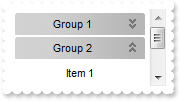
How can I disable scrolling the group's list when it is expanded or collapsed
/*
	Copy and paste the following directives to your header file as
	it defines the namespace 'EXPLORERBARLib' for the library: 'ExplorerBar 1.0 Control Library'

	#import <ExplorerBar.dll>
	using namespace EXPLORERBARLib;
*/
EXPLORERBARLib::IExplorerBarPtr spExplorerBar1 = GetDlgItem(IDC_EXPLORERBAR1)->GetControlUnknown();
spExplorerBar1->GetGroups()->Add(L"Group 1");
EXPLORERBARLib::IGroupPtr var_Group = spExplorerBar1->GetGroups()->Add(L"Group 2");
	var_Group->AddItem(L"Item 1",vtMissing);
	var_Group->AddItem(L"Item 2",vtMissing);
	var_Group->PutExpanded(VARIANT_TRUE);
	var_Group->PutAllowScroll(VARIANT_FALSE);
spExplorerBar1->GetGroups()->Add(L"Group 3");
|
|
130
|
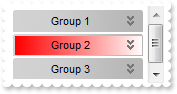
How can I change the group's background color ( gradient )
/*
	Copy and paste the following directives to your header file as
	it defines the namespace 'EXPLORERBARLib' for the library: 'ExplorerBar 1.0 Control Library'

	#import <ExplorerBar.dll>
	using namespace EXPLORERBARLib;
*/
EXPLORERBARLib::IExplorerBarPtr spExplorerBar1 = GetDlgItem(IDC_EXPLORERBAR1)->GetControlUnknown();
spExplorerBar1->GetGroups()->Add(L"Group 1");
EXPLORERBARLib::IGroupPtr var_Group = spExplorerBar1->GetGroups()->Add(L"Group 2");
	var_Group->PutBackColor(RGB(255,0,0));
	var_Group->PutBackColor2(RGB(255,255,255));
spExplorerBar1->GetGroups()->Add(L"Group 3");
|
|
129
|
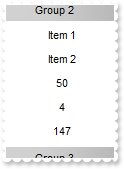
How can I access the bounding rectangle of the group's area
/*
	Copy and paste the following directives to your header file as
	it defines the namespace 'EXPLORERBARLib' for the library: 'ExplorerBar 1.0 Control Library'

	#import <ExplorerBar.dll>
	using namespace EXPLORERBARLib;
*/
EXPLORERBARLib::IExplorerBarPtr spExplorerBar1 = GetDlgItem(IDC_EXPLORERBAR1)->GetControlUnknown();
spExplorerBar1->GetGroups()->Add(L"Group 1");
EXPLORERBARLib::IGroupPtr var_Group = spExplorerBar1->GetGroups()->Add(L"Group 2");
	var_Group->AddItem(L"Item 1",vtMissing);
	var_Group->AddItem(L"Item 2",vtMissing);
	var_Group->AddItem(_bstr_t(var_Group->GetTop()),vtMissing);
	var_Group->AddItem(_bstr_t(var_Group->GetLeft()),vtMissing);
	var_Group->AddItem(_bstr_t(var_Group->GetWidth()),vtMissing);
	var_Group->PutExpanded(VARIANT_TRUE);
spExplorerBar1->GetGroups()->Add(L"Group 3");
|
|
128
|
How can I expand or collapse a group
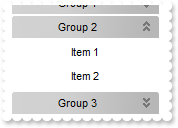
/*
	Copy and paste the following directives to your header file as
	it defines the namespace 'EXPLORERBARLib' for the library: 'ExplorerBar 1.0 Control Library'

	#import <ExplorerBar.dll>
	using namespace EXPLORERBARLib;
*/
EXPLORERBARLib::IExplorerBarPtr spExplorerBar1 = GetDlgItem(IDC_EXPLORERBAR1)->GetControlUnknown();
spExplorerBar1->GetGroups()->Add(L"Group 1");
EXPLORERBARLib::IGroupPtr var_Group = spExplorerBar1->GetGroups()->Add(L"Group 2");
	var_Group->AddItem(L"Item 1",vtMissing);
	var_Group->AddItem(L"Item 2",vtMissing);
	var_Group->PutExpanded(VARIANT_TRUE);
spExplorerBar1->GetGroups()->Add(L"Group 3");
|
|
127
|
How can I specify the height of the items
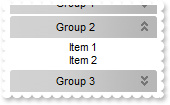
/*
	Copy and paste the following directives to your header file as
	it defines the namespace 'EXPLORERBARLib' for the library: 'ExplorerBar 1.0 Control Library'

	#import <ExplorerBar.dll>
	using namespace EXPLORERBARLib;
*/
EXPLORERBARLib::IExplorerBarPtr spExplorerBar1 = GetDlgItem(IDC_EXPLORERBAR1)->GetControlUnknown();
spExplorerBar1->GetGroups()->Add(L"Group 1");
EXPLORERBARLib::IGroupPtr var_Group = spExplorerBar1->GetGroups()->Add(L"Group 2");
	var_Group->AddItem(L"Item 1",vtMissing);
	var_Group->AddItem(L"Item 2",vtMissing);
	var_Group->PutItemHeight(13);
	var_Group->PutExpanded(VARIANT_TRUE);
spExplorerBar1->GetGroups()->Add(L"Group 3");
|
|
126
|
How do I put a picture on the group's background
/*
	Copy and paste the following directives to your header file as
	it defines the namespace 'EXPLORERBARLib' for the library: 'ExplorerBar 1.0 Control Library'

	#import <ExplorerBar.dll>
	using namespace EXPLORERBARLib;
*/
EXPLORERBARLib::IExplorerBarPtr spExplorerBar1 = GetDlgItem(IDC_EXPLORERBAR1)->GetControlUnknown();
spExplorerBar1->GetGroups()->Add(L"Group 1");
EXPLORERBARLib::IGroupPtr var_Group = spExplorerBar1->GetGroups()->Add(L"Group 2");
	var_Group->AddItem(L"Item 1",vtMissing);
	var_Group->AddItem(L"Item 2",vtMissing);
	var_Group->PutPicture(IPictureDispPtr(((IDispatch*)(spExplorerBar1->ExecuteTemplate("loadpicture(`c:\\exontrol\\images\\zipdisk.gif`)")))));
	var_Group->PutPictureDisplay(EXPLORERBARLib::UpperRight);
	var_Group->PutExpanded(VARIANT_TRUE);
spExplorerBar1->GetGroups()->Add(L"Group 3");
|
|
125
|
How do I put a picture on the group's background
/*
	Copy and paste the following directives to your header file as
	it defines the namespace 'EXPLORERBARLib' for the library: 'ExplorerBar 1.0 Control Library'

	#import <ExplorerBar.dll>
	using namespace EXPLORERBARLib;
*/
EXPLORERBARLib::IExplorerBarPtr spExplorerBar1 = GetDlgItem(IDC_EXPLORERBAR1)->GetControlUnknown();
spExplorerBar1->GetGroups()->Add(L"Group 1");
EXPLORERBARLib::IGroupPtr var_Group = spExplorerBar1->GetGroups()->Add(L"Group 2");
	var_Group->AddItem(L"Item 1",vtMissing);
	var_Group->AddItem(L"Item 2",vtMissing);
	var_Group->PutPicture(IPictureDispPtr(((IDispatch*)(spExplorerBar1->ExecuteTemplate("loadpicture(`c:\\exontrol\\images\\zipdisk.gif`)")))));
	var_Group->PutExpanded(VARIANT_TRUE);
spExplorerBar1->GetGroups()->Add(L"Group 3");
|
|
124
|
How can I change the foreground color for items
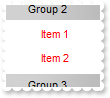
/*
	Copy and paste the following directives to your header file as
	it defines the namespace 'EXPLORERBARLib' for the library: 'ExplorerBar 1.0 Control Library'

	#import <ExplorerBar.dll>
	using namespace EXPLORERBARLib;
*/
EXPLORERBARLib::IExplorerBarPtr spExplorerBar1 = GetDlgItem(IDC_EXPLORERBAR1)->GetControlUnknown();
spExplorerBar1->GetGroups()->Add(L"Group 1");
EXPLORERBARLib::IGroupPtr var_Group = spExplorerBar1->GetGroups()->Add(L"Group 2");
	var_Group->AddItem(L"Item 1",vtMissing);
	var_Group->AddItem(L"Item 2",vtMissing);
	var_Group->PutForeColorList(RGB(255,0,0));
	var_Group->PutExpanded(VARIANT_TRUE);
spExplorerBar1->GetGroups()->Add(L"Group 3");
|
|
123
|
How can I change the background color for the items
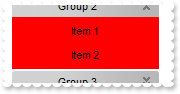
/*
	Copy and paste the following directives to your header file as
	it defines the namespace 'EXPLORERBARLib' for the library: 'ExplorerBar 1.0 Control Library'

	#import <ExplorerBar.dll>
	using namespace EXPLORERBARLib;
*/
EXPLORERBARLib::IExplorerBarPtr spExplorerBar1 = GetDlgItem(IDC_EXPLORERBAR1)->GetControlUnknown();
spExplorerBar1->GetGroups()->Add(L"Group 1");
EXPLORERBARLib::IGroupPtr var_Group = spExplorerBar1->GetGroups()->Add(L"Group 2");
	var_Group->AddItem(L"Item 1",vtMissing);
	var_Group->AddItem(L"Item 2",vtMissing);
	var_Group->PutBackColorList(RGB(255,0,0));
	var_Group->PutExpanded(VARIANT_TRUE);
spExplorerBar1->GetGroups()->Add(L"Group 3");
|
|
122
|
How can I change the group's foreground color

/*
	Copy and paste the following directives to your header file as
	it defines the namespace 'EXPLORERBARLib' for the library: 'ExplorerBar 1.0 Control Library'

	#import <ExplorerBar.dll>
	using namespace EXPLORERBARLib;
*/
EXPLORERBARLib::IExplorerBarPtr spExplorerBar1 = GetDlgItem(IDC_EXPLORERBAR1)->GetControlUnknown();
spExplorerBar1->GetGroups()->Add(L"Group 1");
spExplorerBar1->GetGroups()->Add(L"<fgcolor=FF0000>Group</fgcolor> 2")->PutCaptionFormat(EXPLORERBARLib::exHTML);
spExplorerBar1->GetGroups()->Add(L"Group 3");
|
|
121
|
How can I change the group's foreground color
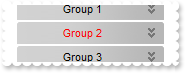
/*
	Copy and paste the following directives to your header file as
	it defines the namespace 'EXPLORERBARLib' for the library: 'ExplorerBar 1.0 Control Library'

	#import <ExplorerBar.dll>
	using namespace EXPLORERBARLib;
*/
EXPLORERBARLib::IExplorerBarPtr spExplorerBar1 = GetDlgItem(IDC_EXPLORERBAR1)->GetControlUnknown();
spExplorerBar1->GetGroups()->Add(L"Group 1");
spExplorerBar1->GetGroups()->Add(L"Group 2")->PutForeColor(RGB(255,0,0));
spExplorerBar1->GetGroups()->Add(L"Group 3");
|
|
120
|
How can I change the group's background color

/*
	Copy and paste the following directives to your header file as
	it defines the namespace 'EXPLORERBARLib' for the library: 'ExplorerBar 1.0 Control Library'

	#import <ExplorerBar.dll>
	using namespace EXPLORERBARLib;
*/
EXPLORERBARLib::IExplorerBarPtr spExplorerBar1 = GetDlgItem(IDC_EXPLORERBAR1)->GetControlUnknown();
spExplorerBar1->GetGroups()->Add(L"Group 1");
spExplorerBar1->GetGroups()->Add(L"<bgcolor=FF0000>Group</bgcolor> 2")->PutCaptionFormat(EXPLORERBARLib::exHTML);
spExplorerBar1->GetGroups()->Add(L"Group 3");
|
|
119
|
How can I change the visual appearance of the group, using EBN files

/*
	Copy and paste the following directives to your header file as
	it defines the namespace 'EXPLORERBARLib' for the library: 'ExplorerBar 1.0 Control Library'

	#import <ExplorerBar.dll>
	using namespace EXPLORERBARLib;
*/
EXPLORERBARLib::IExplorerBarPtr spExplorerBar1 = GetDlgItem(IDC_EXPLORERBAR1)->GetControlUnknown();
spExplorerBar1->GetVisualAppearance()->Add(1,"c:\\exontrol\\images\\normal.ebn");
spExplorerBar1->PutGroupAppearance(EXPLORERBARLib::exSingle);
spExplorerBar1->GetGroups()->Add(L"Group 1");
spExplorerBar1->GetGroups()->Add(L"Group 2")->PutBackColor(0x1000000);
spExplorerBar1->GetGroups()->Add(L"Group 3");
|
|
118
|
How can I change the group's background color
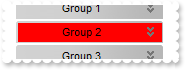
/*
	Copy and paste the following directives to your header file as
	it defines the namespace 'EXPLORERBARLib' for the library: 'ExplorerBar 1.0 Control Library'

	#import <ExplorerBar.dll>
	using namespace EXPLORERBARLib;
*/
EXPLORERBARLib::IExplorerBarPtr spExplorerBar1 = GetDlgItem(IDC_EXPLORERBAR1)->GetControlUnknown();
spExplorerBar1->GetGroups()->Add(L"Group 1");
spExplorerBar1->GetGroups()->Add(L"Group 2")->PutBackColor(RGB(255,0,0));
spExplorerBar1->GetGroups()->Add(L"Group 3");
|
|
117
|
How do I get the index of the group
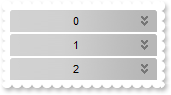
/*
	Copy and paste the following directives to your header file as
	it defines the namespace 'EXPLORERBARLib' for the library: 'ExplorerBar 1.0 Control Library'

	#import <ExplorerBar.dll>
	using namespace EXPLORERBARLib;
*/
EXPLORERBARLib::IExplorerBarPtr spExplorerBar1 = GetDlgItem(IDC_EXPLORERBAR1)->GetControlUnknown();
EXPLORERBARLib::IGroupPtr var_Group = spExplorerBar1->GetGroups()->Add(L"Group 1");
	var_Group->PutCaption(_bstr_t(var_Group->GetIndex()));
EXPLORERBARLib::IGroupPtr var_Group1 = spExplorerBar1->GetGroups()->Add(L"Group 2");
	var_Group1->PutCaption(_bstr_t(var_Group1->GetIndex()));
EXPLORERBARLib::IGroupPtr var_Group2 = spExplorerBar1->GetGroups()->Add(L"Group 3");
	var_Group2->PutCaption(_bstr_t(var_Group2->GetIndex()));
|
|
116
|
How can I underline the group's name

/*
	Copy and paste the following directives to your header file as
	it defines the namespace 'EXPLORERBARLib' for the library: 'ExplorerBar 1.0 Control Library'

	#import <ExplorerBar.dll>
	using namespace EXPLORERBARLib;
*/
EXPLORERBARLib::IExplorerBarPtr spExplorerBar1 = GetDlgItem(IDC_EXPLORERBAR1)->GetControlUnknown();
spExplorerBar1->GetGroups()->Add(L"<u>Group</u> 1")->PutCaptionFormat(EXPLORERBARLib::exHTML);
|
|
115
|
How can I underline the group's name
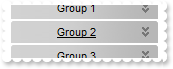
/*
	Copy and paste the following directives to your header file as
	it defines the namespace 'EXPLORERBARLib' for the library: 'ExplorerBar 1.0 Control Library'

	#import <ExplorerBar.dll>
	using namespace EXPLORERBARLib;
*/
EXPLORERBARLib::IExplorerBarPtr spExplorerBar1 = GetDlgItem(IDC_EXPLORERBAR1)->GetControlUnknown();
spExplorerBar1->GetGroups()->Add(L"Group 1");
spExplorerBar1->GetGroups()->Add(L"Group 2")->PutUnderline(VARIANT_TRUE);
spExplorerBar1->GetGroups()->Add(L"Group 3");
|
|
114
|
How can I show the group's name as strikeout

/*
	Copy and paste the following directives to your header file as
	it defines the namespace 'EXPLORERBARLib' for the library: 'ExplorerBar 1.0 Control Library'

	#import <ExplorerBar.dll>
	using namespace EXPLORERBARLib;
*/
EXPLORERBARLib::IExplorerBarPtr spExplorerBar1 = GetDlgItem(IDC_EXPLORERBAR1)->GetControlUnknown();
spExplorerBar1->GetGroups()->Add(L"<s>Group</s> 1")->PutCaptionFormat(EXPLORERBARLib::exHTML);
|
|
113
|
How can I show the group's name as strikeout

/*
	Copy and paste the following directives to your header file as
	it defines the namespace 'EXPLORERBARLib' for the library: 'ExplorerBar 1.0 Control Library'

	#import <ExplorerBar.dll>
	using namespace EXPLORERBARLib;
*/
EXPLORERBARLib::IExplorerBarPtr spExplorerBar1 = GetDlgItem(IDC_EXPLORERBAR1)->GetControlUnknown();
spExplorerBar1->GetGroups()->Add(L"Group 1");
spExplorerBar1->GetGroups()->Add(L"Group 2")->PutStrikeOut(VARIANT_TRUE);
spExplorerBar1->GetGroups()->Add(L"Group 3");
|
|
112
|
How can I draw as italic the group's name

/*
	Copy and paste the following directives to your header file as
	it defines the namespace 'EXPLORERBARLib' for the library: 'ExplorerBar 1.0 Control Library'

	#import <ExplorerBar.dll>
	using namespace EXPLORERBARLib;
*/
EXPLORERBARLib::IExplorerBarPtr spExplorerBar1 = GetDlgItem(IDC_EXPLORERBAR1)->GetControlUnknown();
spExplorerBar1->GetGroups()->Add(L"<i>Group</i> 1")->PutCaptionFormat(EXPLORERBARLib::exHTML);
|
|
111
|
How do I draw italic the group's name
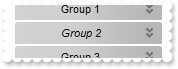
/*
	Copy and paste the following directives to your header file as
	it defines the namespace 'EXPLORERBARLib' for the library: 'ExplorerBar 1.0 Control Library'

	#import <ExplorerBar.dll>
	using namespace EXPLORERBARLib;
*/
EXPLORERBARLib::IExplorerBarPtr spExplorerBar1 = GetDlgItem(IDC_EXPLORERBAR1)->GetControlUnknown();
spExplorerBar1->GetGroups()->Add(L"Group 1");
spExplorerBar1->GetGroups()->Add(L"Group 2")->PutItalic(VARIANT_TRUE);
spExplorerBar1->GetGroups()->Add(L"Group 3");
|
|
110
|
How do I bold the group's name

/*
	Copy and paste the following directives to your header file as
	it defines the namespace 'EXPLORERBARLib' for the library: 'ExplorerBar 1.0 Control Library'

	#import <ExplorerBar.dll>
	using namespace EXPLORERBARLib;
*/
EXPLORERBARLib::IExplorerBarPtr spExplorerBar1 = GetDlgItem(IDC_EXPLORERBAR1)->GetControlUnknown();
spExplorerBar1->GetGroups()->Add(L"<b>Group</b> 1")->PutCaptionFormat(EXPLORERBARLib::exHTML);
|
|
109
|
How do I bold the group's name
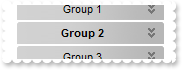
/*
	Copy and paste the following directives to your header file as
	it defines the namespace 'EXPLORERBARLib' for the library: 'ExplorerBar 1.0 Control Library'

	#import <ExplorerBar.dll>
	using namespace EXPLORERBARLib;
*/
EXPLORERBARLib::IExplorerBarPtr spExplorerBar1 = GetDlgItem(IDC_EXPLORERBAR1)->GetControlUnknown();
spExplorerBar1->GetGroups()->Add(L"Group 1");
spExplorerBar1->GetGroups()->Add(L"Group 2")->PutBold(VARIANT_TRUE);
spExplorerBar1->GetGroups()->Add(L"Group 3");
|
|
108
|
How can I align the icon in the group's caption

/*
	Copy and paste the following directives to your header file as
	it defines the namespace 'EXPLORERBARLib' for the library: 'ExplorerBar 1.0 Control Library'

	#import <ExplorerBar.dll>
	using namespace EXPLORERBARLib;
*/
EXPLORERBARLib::IExplorerBarPtr spExplorerBar1 = GetDlgItem(IDC_EXPLORERBAR1)->GetControlUnknown();
spExplorerBar1->Images(_bstr_t("gBJJgBAIDAAGAAEAAQhYAf8Pf4hh0QihCJo2AEZjQAjEZFEaIEaEEaAIAkcbk0olUrlktl0vmExmUzmk1m03nE5nU7nk9n0/oFBoVDolFo1HpFJpVLplNp1PqFRqVTq") +
	"lVq1XrFZrVbrldr1fsFhsVjslls1ntFptVrtltt1vuFxuVzul1u13vF5vV7vl9v1/wGBwWDwmFw2HxGJxWLxmNx0xiFdyOTh8Tf9ZymXx+QytcyNgz8r0OblWjyWds+m" +
	"0ka1Vf1ta1+r1mos2xrG2xeZ0+a0W0qOx3GO4NV3WeyvD2XJ5XL5nN51aiw+lfSj0gkUkAEllHanHI5j/cHg8EZf7w8vl8j4f/qfEZeB09/vjLAB30+kZQAP/P5/H6/y" +
	"NAOAEAwCjMBwFAEDwJBMDwLBYAP2/8Hv8/gAGAD8LQs9w/nhDY/oygIA=");
EXPLORERBARLib::IGroupPtr var_Group = spExplorerBar1->GetGroups()->Add(L"Group 1");
	var_Group->PutImage(long(1));
	var_Group->PutImageAlignment(EXPLORERBARLib::exRight);
	var_Group->PutAlignment(EXPLORERBARLib::exRight);
|
|
107
|
How can I align the group's name

/*
	Copy and paste the following directives to your header file as
	it defines the namespace 'EXPLORERBARLib' for the library: 'ExplorerBar 1.0 Control Library'

	#import <ExplorerBar.dll>
	using namespace EXPLORERBARLib;
*/
EXPLORERBARLib::IExplorerBarPtr spExplorerBar1 = GetDlgItem(IDC_EXPLORERBAR1)->GetControlUnknown();
spExplorerBar1->GetGroups()->Add(L"Group 1")->PutAlignment(EXPLORERBARLib::exRight);
|
|
106
|
How can I align the group's name

/*
	Copy and paste the following directives to your header file as
	it defines the namespace 'EXPLORERBARLib' for the library: 'ExplorerBar 1.0 Control Library'

	#import <ExplorerBar.dll>
	using namespace EXPLORERBARLib;
*/
EXPLORERBARLib::IExplorerBarPtr spExplorerBar1 = GetDlgItem(IDC_EXPLORERBAR1)->GetControlUnknown();
spExplorerBar1->GetGroups()->Add(L"Group 1")->PutAlignment(EXPLORERBARLib::exLeft);
|
|
105
|
How can I assign some extra data to a group

/*
	Copy and paste the following directives to your header file as
	it defines the namespace 'EXPLORERBARLib' for the library: 'ExplorerBar 1.0 Control Library'

	#import <ExplorerBar.dll>
	using namespace EXPLORERBARLib;
*/
EXPLORERBARLib::IExplorerBarPtr spExplorerBar1 = GetDlgItem(IDC_EXPLORERBAR1)->GetControlUnknown();
spExplorerBar1->GetGroups()->Add(L"Group 1")->PutUserData("your data");
|
|
104
|
How can I display an icon in the group's caption

/*
	Copy and paste the following directives to your header file as
	it defines the namespace 'EXPLORERBARLib' for the library: 'ExplorerBar 1.0 Control Library'

	#import <ExplorerBar.dll>
	using namespace EXPLORERBARLib;
*/
EXPLORERBARLib::IExplorerBarPtr spExplorerBar1 = GetDlgItem(IDC_EXPLORERBAR1)->GetControlUnknown();
spExplorerBar1->Images(_bstr_t("gBJJgBAIDAAGAAEAAQhYAf8Pf4hh0QihCJo2AEZjQAjEZFEaIEaEEaAIAkcbk0olUrlktl0vmExmUzmk1m03nE5nU7nk9n0/oFBoVDolFo1HpFJpVLplNp1PqFRqVTq") +
	"lVq1XrFZrVbrldr1fsFhsVjslls1ntFptVrtltt1vuFxuVzul1u13vF5vV7vl9v1/wGBwWDwmFw2HxGJxWLxmNx0xiFdyOTh8Tf9ZymXx+QytcyNgz8r0OblWjyWds+m" +
	"0ka1Vf1ta1+r1mos2xrG2xeZ0+a0W0qOx3GO4NV3WeyvD2XJ5XL5nN51aiw+lfSj0gkUkAEllHanHI5j/cHg8EZf7w8vl8j4f/qfEZeB09/vjLAB30+kZQAP/P5/H6/y" +
	"NAOAEAwCjMBwFAEDwJBMDwLBYAP2/8Hv8/gAGAD8LQs9w/nhDY/oygIA=");
spExplorerBar1->GetGroups()->Add(L"Group <img>1</img> text <img>2</img>")->PutCaptionFormat(EXPLORERBARLib::exHTML);
|
|
103
|
How can I display an icon in the group's caption

/*
	Copy and paste the following directives to your header file as
	it defines the namespace 'EXPLORERBARLib' for the library: 'ExplorerBar 1.0 Control Library'

	#import <ExplorerBar.dll>
	using namespace EXPLORERBARLib;
*/
EXPLORERBARLib::IExplorerBarPtr spExplorerBar1 = GetDlgItem(IDC_EXPLORERBAR1)->GetControlUnknown();
spExplorerBar1->Images(_bstr_t("gBJJgBAIDAAGAAEAAQhYAf8Pf4hh0QihCJo2AEZjQAjEZFEaIEaEEaAIAkcbk0olUrlktl0vmExmUzmk1m03nE5nU7nk9n0/oFBoVDolFo1HpFJpVLplNp1PqFRqVTq") +
	"lVq1XrFZrVbrldr1fsFhsVjslls1ntFptVrtltt1vuFxuVzul1u13vF5vV7vl9v1/wGBwWDwmFw2HxGJxWLxmNx0xiFdyOTh8Tf9ZymXx+QytcyNgz8r0OblWjyWds+m" +
	"0ka1Vf1ta1+r1mos2xrG2xeZ0+a0W0qOx3GO4NV3WeyvD2XJ5XL5nN51aiw+lfSj0gkUkAEllHanHI5j/cHg8EZf7w8vl8j4f/qfEZeB09/vjLAB30+kZQAP/P5/H6/y" +
	"NAOAEAwCjMBwFAEDwJBMDwLBYAP2/8Hv8/gAGAD8LQs9w/nhDY/oygIA=");
spExplorerBar1->GetGroups()->Add(L"Group 1")->PutImage(long(1));
|
|
102
|
How can I access an item by its position
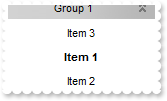
/*
	Copy and paste the following directives to your header file as
	it defines the namespace 'EXPLORERBARLib' for the library: 'ExplorerBar 1.0 Control Library'

	#import <ExplorerBar.dll>
	using namespace EXPLORERBARLib;
*/
EXPLORERBARLib::IExplorerBarPtr spExplorerBar1 = GetDlgItem(IDC_EXPLORERBAR1)->GetControlUnknown();
EXPLORERBARLib::IGroupPtr var_Group = spExplorerBar1->GetGroups()->Add(L"Group 1");
	var_Group->AddItem(L"Item 1",vtMissing);
	var_Group->AddItem(L"Item 2",vtMissing);
	var_Group->AddItem(L"Item 3",vtMissing)->PutPosition(0);
	var_Group->GetItemByPos(1)->PutBold(VARIANT_TRUE);
	var_Group->PutExpanded(VARIANT_TRUE);
|
|
101
|
How can I change the position of a group
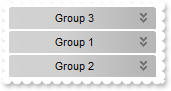
/*
	Copy and paste the following directives to your header file as
	it defines the namespace 'EXPLORERBARLib' for the library: 'ExplorerBar 1.0 Control Library'

	#import <ExplorerBar.dll>
	using namespace EXPLORERBARLib;
*/
EXPLORERBARLib::IExplorerBarPtr spExplorerBar1 = GetDlgItem(IDC_EXPLORERBAR1)->GetControlUnknown();
spExplorerBar1->GetGroups()->Add(L"Group 1");
spExplorerBar1->GetGroups()->Add(L"Group 2");
spExplorerBar1->GetGroups()->Add(L"Group 3")->PutPosition(0);
|