|
232
|
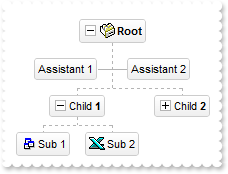
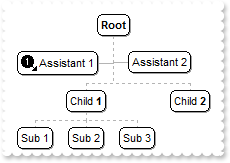
How can I replace or add an icon at runtime
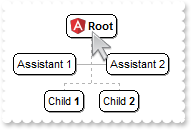
with thisform.ChartView1
	var_s = "gAAAABgYACEHgUJFEEAAWhUJCEJEEJggEhMCYEXjUbjkJQECj8gj8hAEjkshYEpk8kf8ClsulsvAExmcvf83js5nU7nkCeEcn8boMaocXosCB9Hn09pkzcEuoL/fE+Ok"
	var_s = var_s + "YB0gB9YhIHrddgVcr9aktZADAD8+P8CgIA=="
	.ReplaceIcon(var_s)
	.ReplaceIcon("C:\images\favicon.ico",0)
	with .Root
		.Image = 1
		.AddAssistant("Assistant 1")
		.AddAssistant("Assistant 2")
	endwith
	with .Nodes
		.Add("Child <b>1</b>",Null,"1234").Expanded = .F.
		.Add("Sub 1","1234")
		.Add("Sub 2","1234")
		.Add("Sub 3","1234")
		.Add("Child <b>2</b>")
	endwith
endwith
|
|
231
|
Expandable-caption
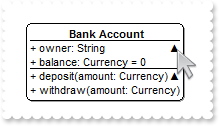
*** AnchorClick event - Occurs when an anchor element is clicked. ***
LPARAMETERS AnchorID, Options
	with thisform.ChartView1
		DEBUGOUT( AnchorID )
	endwith

with thisform.ChartView1
	with .Root
		.CaptionSingleLine = 1
		var_s = "<solidline> <c><b>Bank Account</b></solidline><br>+ owner: String <r><a 1;e64=gA8ABzABvABsABpABkg8JABuABlAA+AAgAECMcTi4AMwAM4AjM"
		var_s = var_s + "GhEGOUVAA4AAwk8plcqihwAElg0wiUlOkOiUEgQvgcFhsKhkIhUQiUUnccj0gn0jmMagUlowAMNOpEfkMNkkmlEqrctjQmAAjAA5AA2sssHcbnkdq1Ln1QtVSjQAAEBA"
		var_s = var_s + "==>▲</a><br><solidline>+ balance: Currency = 0</solidline><br>+ deposit(amount: Currency)<r><a 2;e64=gA8ABjAA+AECMwAM8DABv"
		var_s = var_s + "ABshoAOQAEAAHAAGEWjEajMGNoAMoAOgANERMgAOcHAAvAEJhcEh0Qh0Tg0CmkqMMFlUuhkxiMTisXjNCjk6EwAEYAHIAG1MjY7lUsnkwh8/nUClk5gwAAEBA==>`"
		var_s = var_s + "50;</a><br>+ withdraw(amount: Currency)"
		.Caption = var_s
	endwith
endwith
|
|
230
|
Expandable-caption
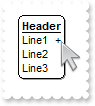
with thisform.ChartView1
	with .Root
		.CaptionSingleLine = 1
		.Caption = "<solidline><b>Header</b></solidline><br>Line1<r><a ;exp=show lines>+</a><br>Line2<br>Line3"
	endwith
endwith
|
|
229
|
Fullfit the caption on the element's width
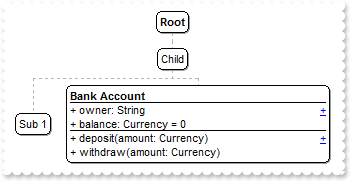
*** AnchorClick event - Occurs when an anchor element is clicked. ***
LPARAMETERS AnchorID, Options
	with thisform.ChartView1
		DEBUGOUT( AnchorID )
	endwith

with thisform.ChartView1
	.AllowSelectNothing = .T.
	.AllowEdit = 0
	with .Nodes
		.Add("Child",Null,"1234")
		.Add("Sub 1","1234")
		with .Add("Sub 2","1234")
			.FixedWidth = 256
			.CaptionSingleLine = 1
			var_s = "<solidline><b>Bank Account</b></solidline><br>+ owner: String <r><a 1;properties>+</a><br><solidline>+ balance: Currency = 0</so"
			var_s = var_s + "lidline><br>+ deposit(amount: Currency)<r><a 2;methods>+</a><br>+ withdraw(amount: Currency)"
			.Caption = var_s
		endwith
	endwith
endwith
|
|
228
|
Break-wrap the caption (truncated)
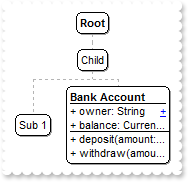
*** AnchorClick event - Occurs when an anchor element is clicked. ***
LPARAMETERS AnchorID, Options
	with thisform.ChartView1
		DEBUGOUT( AnchorID )
	endwith

with thisform.ChartView1
	.AllowSelectNothing = .T.
	.AllowEdit = 0
	with .Nodes
		.Add("Child",Null,"1234")
		.Add("Sub 1","1234")
		with .Add("Sub 2","1234")
			.FixedWidth = 96
			.CaptionSingleLine = 1
			var_s = "<solidline><b>Bank Account</b></solidline><br>+ owner: String <r><a 1;properties>+</a><br><solidline>+ balance: Currency = 0</so"
			var_s = var_s + "lidline><br>+ deposit(amount: Currency)<r><a 2;methods>+</a><br>+ withdraw(amount: Currency)"
			.Caption = var_s
		endwith
	endwith
endwith
|
|
227
|
Break-wrap the caption
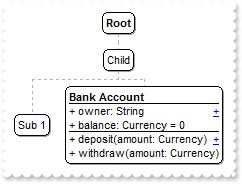
with thisform.ChartView1
	.AllowSelectNothing = .T.
	with .Nodes
		.Add("Child",Null,"1234")
		.Add("Sub 1","1234")
		with .Add("Sub 2","1234")
			.CaptionSingleLine = 1
			var_s = "<solidline><b>Bank Account</b></solidline><br>+ owner: String <r><a 1;properties>+</a><br><solidline>+ balance: Currency = 0</so"
			var_s = var_s + "lidline><br>+ deposit(amount: Currency)<r><a 2;methods>+</a><br>+ withdraw(amount: Currency)"
			.Caption = var_s
		endwith
	endwith
endwith
|
|
226
|
Wrap the caption by <br> or "\r\n" sequence only
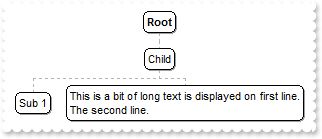
with thisform.ChartView1
	with .Nodes
		.Add("Child",Null,"1234")
		.Add("Sub 1","1234")
		with .Add("Sub 2","1234")
			.CaptionSingleLine = 1
			.Caption = "This is a bit of long text is displayed on first line.<br>The second line."
		endwith
	endwith
endwith
|
|
225
|
Word-wrap the caption (specify the width to wrap)
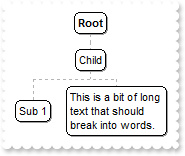
with thisform.ChartView1
	with .Nodes
		.Add("Child",Null,"1234")
		.Add("Sub 1","1234")
		with .Add("Sub 2","1234")
			.Width = 96
			.CaptionSingleLine = 0
			.Caption = "This is a bit of long text that should break into words."
		endwith
	endwith
endwith
|
|
224
|
Word-wrap the caption
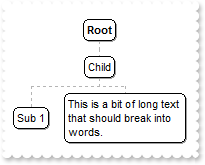
with thisform.ChartView1
	with .Nodes
		.Add("Child",Null,"1234")
		.Add("Sub 1","1234")
		with .Add("Sub 2","1234")
			.CaptionSingleLine = 0
			.Caption = "This is a bit of long text that should break into words."
		endwith
	endwith
endwith
|
|
223
|
Caption on a single line (truncated)
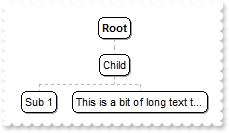
with thisform.ChartView1
	with .Nodes
		.Add("Child",Null,"1234")
		.Add("Sub 1","1234")
		with .Add("Sub 2","1234")
			.CaptionSingleLine = -1
			.Caption = "This is a bit of long text that should be truncated."
			.FixedWidth = 128
		endwith
	endwith
endwith
|
|
222
|
Caption on a single line
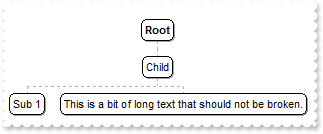
with thisform.ChartView1
	with .Nodes
		.Add("Child",Null,"1234")
		.Add("Sub 1","1234")
		with .Add("Sub 2","1234")
			.CaptionSingleLine = -1
			.Caption = "This is a bit of long text that should not be broken."
		endwith
	endwith
endwith
|
|
221
|
Force hover-all feature
with thisform.ChartView1
	.Object.Background(500) = -1
endwith
|
|
220
|
Disable hover-all feature (Windows 11 or greater)
with thisform.ChartView1
	.Object.Background(500) = RGB(1,0,0)
endwith
|
|
219
|
Display a custom tooltip
*** MouseMove event - Occurs when the user moves the mouse. ***
LPARAMETERS Button, Shift, X, Y
	with thisform.ChartView1
		.ShowToolTip("new content","",Null,"+8","+8")
	endwith
|
|
218
|
Shows the tooltip of the object moved relative to its default position
*** MouseMove event - Occurs when the user moves the mouse. ***
LPARAMETERS Button, Shift, X, Y
	with thisform.ChartView1
		.ShowToolTip("<null>","<null>",Null,"+8","+8")
	endwith

with thisform.ChartView1
	.Root.ToolTip = "This is a bit of text that's shown when the cursor hovers the node."
endwith
|
|
217
|
ImageSize property on 32 (specifies the size of control' icons/images/check-boxes/radio-buttons)
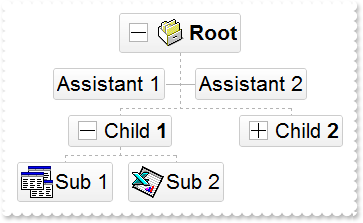
with thisform.ChartView1
	.BeginUpdate
	.ImageSize = 32
	.Font.Size = 16
	var_s = "gBJJgBAIDAAEg4AEEKAD/hz/EMNh8TIRNGwAjEZAEXjAojKAjMLjABhkaABAk0plUrlktl0vmExmUzmk1m03nE5nU7nk9miAoE+oVDolFo1HpFJpU5h8Sf9OqFNqUOqN"
	var_s = var_s + "UqdPq9VrFWrlbr1QpdhAFAkFis1ntFptVrtkrpszrNvmVxqk3uVtm1kmF3sdBvF/wGBmV+j9BYGHwWJulfxdax2NyFdx2JlV6l9Nw7AAGZymdz2Cy2GxErvWcz9ivlwy"
	var_s = var_s + "V21cuxugwktzGIzmvwtl0+53U5y0a0Wazmmyu/3dCyOMyXHx/J5nIr9q3uyqnBxFN3G46ma4vb7mD2Ng4nZze00fDkHC7t7us2rOX5tguetpHRlmz4HVqnXk1PjHO+CM"
	var_s = var_s + "Po9MBMC+j2vC8j7wS8cFNI4kBo05UIvfCT/NsnsApU+0Fqg/T+oy/kPxC0sEQfErKQK96+w28UWRI8UGvO8sTLS9r2PWmsMJTDTask3CsIbIEQRA3shOXEEAO/GclJ9F"
	var_s = var_s + "EKrrA8FRbKMXRIlb0JxCkjS1LMswhCcvuel0cv26cSMa8Ufx+2sQwhEUoSXOCjSbLcnxjKc7sdKUVyq28NtVI71P9P7JxtQEapjQ6fzfM8zPfNE2PhIsLL63E40slk5y"
	var_s = var_s + "7N89LcyU9SvMb3SdUc6VJLj5VLVLfO/PS9KzNFHUa/0XyBD0dxlS9cxhMlTRSoNXypPErWDPyfNS+MwprRNO0FD8wVVZ1AI08URwVRjtJ1WCn21QkkUrXVLVPQS/XIkF"
	var_s = var_s + "gTxT9iONZ9xVTdq+L1eKg3kkF6Upe68XtfV51/MtrVjBlwYFL1ev8y1/P6/lyzzYl02wntj0RVFmS1Qa+M5as93QxEUW9e993rfmQ2+vy65M/mL1lhl/2bj2ByVduMtN"
	var_s = var_s + "hCJT9hdz41nN14Ld12Z9UjfI/oUAaGseiw6+uFLLhcVabJOS5RqOE0BHlZ5VnEr5fOMs3st+aa/bbRzrJGV51Y0b0DbqaWXZD90hIsPbjWu52+6Wyadpe66hhO+P/Xio"
	var_s = var_s + "W5rD8ZbrUZuVg6n1dsE/cXmewu1m9PVwnd35/nueXho/NaJzmjc61W76esuT77eG8pTquy9TwWH8LEzG8RDfFalx3Gcfvna9rvG/cptGLd9tuI6TZOP5Fiqi99vea+X4"
	var_s = var_s + "VRcBq/JZZtVQ9cwSs5lsXE372+a9z7PbfB3VVqHyvMctLto8uob6eV0m/cD6MN2v+T33t6sBut42vdv2bJ8a997x2maFJfK+qArbGJPEKE+1qTflMsIdW/GCJX17KcT6"
	var_s = var_s + "/czr/X+u1g29B7j/4BQfWkkx4zIHisjhPCmE0K4SwtXM+d4BvHRwNZOoBph9IJvPek9d40FoMJxf691jj2ywQQcHEWET4XJwkTszlVqm2GokewxtBT1DpQjRxDN0rUVD"
	var_s = var_s + "NKdC3lb6tzNOwh6upMSSYfv4YBCl/bsn9PxiFCEo7SI6Obc9HeOrnY8x4jtHtdpN4GRbaorhsbu18Pph5CiHymI0RpSXGJ/z2oUOxYxG858AyiI+bfJtuTcG5yelBJyT"
	var_s = var_s + "8okhqFd4a5yxL0rvulYtKCsZiWxWkc1s1cRoxxwhA31DLE0mR9l9HqX8fJgTDmFMVH0MIsRzVYnwnMi1dyzmhLt2kS2pxIiU62Wj5ptQGlSYFakLonTUJNLKaM5Wzlff"
	var_s = var_s + "EkuFkk5wTrhVO2eE7G6lJhxFFYUZ55zmn0WuBCD4pzhirFCKkbomsOoIYmZx5p90LoYWGPdD5g0QmJRKYxbZ6zYoVQ2jVGylSak7KSkFH6RSjpHKFuU+YMyNo5SulkC6"
	var_s = var_s + "I0vonTCitMXPoEpVS2H5FQfEqp2R1opIgAEkJISYARTCukOhmPNI5Ex/wzGHUsicMwA1LHgQ90Y/KpoQHAD+pB/R4NzIaMAB9Xaw1gqaAOsh/A/ptIkWUfhGK1kZH8Rg"
	var_s = var_s + "H5GqvgArqRmt4AAPrTroRofBGADkqr6Rmu4D7CEaHARiwpJrEEZsXXwlVjyMWRsaRqwdkLGNBABZmytmyMnaINZqyVpLR2ftKAAAdd6h2osbaskdiq4EZtgSmyNcbVWR"
	var_s = var_s + "JNXe3AA7REar3b0stlAAXBtoRmvJGLjEYAHUWsFcwCD/rnaop9aEICMAPdK5hT6xpeuzdOtAgKuJeGfdq6ggEbkTvAP+p9UCHXrvKkcgIA=="
	.Images(var_s)
	with .VisualAppearance
		var_s1 = "gBFLBCJwBAEHhEJAAEhABUYCg6AADACAxRDgMQBQKAAzQFAYbhkGCGAAGMZxRgmFgAQhFcZQSKUOQTDKMIziYBYfgkMIgSbJUgDGAkRRdDSOYDmGQYDiCIoRShOMIjHL"
		var_s1 = var_s1 + "UXxtDaIZwhEAoJb+RgAUY/cTzaAEUwHHiTKInaCQShsFYJUJAdRURQ9EwvCIZBpEWwLChENQwWLCNj2TScBwjCyqbale45ViqdoDU5EUiXJJ8ZxnECfYyrGjaMpCeKBU"
		var_s1 = var_s1 + "rGYTVRBIMxLLSia5oeJqMrnBpNVrIUgXCAGFwHK6BcauXIIDp6XoWWRbAAWDpVVzNNC3YzkCIceADHKiXxmVz4JLdGZ1QTGID2XaYaxWK4oZjsVSc4KDHbETbHFi9Fo3"
		var_s1 = var_s1 + "NaaxGisew+GYc4HlCR5NAAAIIEkQJSGMOgdE4RhYDwJJsAaAYQgmPpolCWgSCiBJzjcEIAkQXIBm8d5UhOQgCDUIBDDJDhgggJgKgKYJIDSVoDk8KBFF4OohEMZgWDsY"
		var_s1 = var_s1 + "YDj4GoGmGSB2B6B5iAiBgYDsYRjGSbIJo4RgqDuIpIAoLoLmMCJGDKDJjJiLA7xqUAAgGTwYnYPoPmQCQGEKEJkEkFg9gGY44BoRoSmSSQ2EKEggHgRhShSZRJFYVoVm"
		var_s1 = var_s1 + "WCRmFKFAgGOTheheZgJgYYoYmYSYWGaF4lkMMJ0hqZpJjYbobmcCZGHKHJmjmJh0h2Z4JmYcIaE8WZ2H6H5oAoBoCiCaBKBYfdjGoJoKiKaJKDaDojmkChGgmIgpCoVo"
		var_s1 = var_s1 + "WiWaJZiSd4mmmSh2h6J5qAqBoiiiaY5iSeIpmqComiqKpqkqNouiuah6hqMIsmsSpWiuGhP1kOoumuSp2j6L5sAsBo54gKwWkaMZsgsJpKjKbJLDaRYxYWRpSjSbIZiS"
		var_s1 = var_s1 + "e41m2CxmlqNptksdpejebR5iSfI4m4S4W16boLiaao6m5fJ9jubwLkaco8m8S5WnaPZunuOp4j6b5Lnac4SA0PAGlgP4wEwFwGkGcIMCcCpCnCCxiA8NYAAmMJfkSbhF"
		var_s1 = var_s1 + "CcFpFnGDBnBqRpUhuEwTDeZ5lHCfw6HIQxLCaAxygyJwqgGcATE4FA6hWY4tjEAAQBAgIA=="
		.Add(4,var_s1)
	endwith
	.Object.Background(0) = 0x4000000
	.HasButtons = -1
	with .Root
		.Image = 1
		.AddAssistant("Assistant 1")
		.AddAssistant("Assistant 2")
	endwith
	with .Nodes
		.Add("Child <b>1</b>",Null,"1234")
		.Add("Sub 1","1234").Image = 2
		.Add("Sub 2","1234").Image = 3
		.Add("Child <b>2</b>",Null,"1235").Expanded = .F.
		.Add("Sub 2","1235")
	endwith
	.EndUpdate
endwith
|
|
216
|
ImageSize property on 16 (default) (specifies the size of control' icons/images/check-boxes/radio-buttons)
with thisform.ChartView1
	.BeginUpdate
	.ImageSize = 16
	var_s = "gBJJgBAIDAAEg4ACEKAD/hz/EMNh8TIRNGwAjEZAEXjAojJAjMLjABAAgjUYkUnlUrlktl0vmExmUzmk1m03nE5nU7nkrQCAntBoVDolFo1HoM/ADAplLptImdMYFOqd"
	var_s = var_s + "SqlXq1QrVbrlGpVWsFNrNdnNjsk7pQAtNroFnt0sh8Yr9iulTuNxs1Eu8OiT/vsnsNVutXlk/oGGtVKxGLxWNtsZtN8iUYuNvy0Zvd+xNYwdwvl4p870GCqc8vOeuVtt"
	var_s = var_s + "mp1knyOayWVy+WzN/ze1wOElenm+12WUz/Bv2/3UyyWrzeutux2GSyGP2dQ33C1ur3GD3M4zUNzHdlWjq/E3nGzVpjWv4HA7fRy/Tv2IrN8rPW6nZ3ve7mUlfu20Z8ac"
	var_s = var_s + "vQyb+vY9jasYoDwMm+LytVBDqKG3z8O3Cb8P+mkAuY9cCQ2uL4KaxDKvkp8RNLEjqugnrwQo/UWPzFyeQw5sNLZFENrI4kOqU66pw8uzmOKvTqNqjULJvGL1JO48GtTG"
	var_s = var_s + "sbLdEL3scxLlyiw8dQeoUVxdLTtyKmUjwGlslRPJsnK1HbAKbKCrsQo8uQk/CeP44iaR/ATnTNPLvyxPU+z9P9AUDQVBowiofJXQ6Oo+kKMpIkjztE4TKn4P6JowfgPn"
	var_s = var_s + "wD5/nAjB8AOeAPo0eAA1IAFH07UhAIMpYAVIYFHqBUhwVjV1S1EtQAHxW65V0AZwAeuQAnwB5gAPYViEDVhwAHTQBkCjB4gOhwDmCyhH0sACAg=="
	.Images(var_s)
	with .VisualAppearance
		var_s1 = "gBFLBCJwBAEHhEJAAEhABUYCg6AADACAxRDgMQBQKAAzQFAYbhkGCGAAGMZxRgmFgAQhFcZQSKUOQTDKMIziYBYfgkMIgSbJUgDGAkRRdDSOYDmGQYDiCIoRShOMIjHL"
		var_s1 = var_s1 + "UXxtDaIZwhEAoJb+RgAUY/cTzaAEUwHHiTKInaCQShsFYJUJAdRURQ9EwvCIZBpEWwLChENQwWLCNj2TScBwjCyqbale45ViqdoDU5EUiXJJ8ZxnECfYyrGjaMpCeKBU"
		var_s1 = var_s1 + "rGYTVRBIMxLLSia5oeJqMrnBpNVrIUgXCAGFwHK6BcauXIIDp6XoWWRbAAWDpVVzNNC3YzkCIceADHKiXxmVz4JLdGZ1QTGID2XaYaxWK4oZjsVSc4KDHbETbHFi9Fo3"
		var_s1 = var_s1 + "NaaxGisew+GYc4HlCR5NAAAIIEkQJSGMOgdE4RhYDwJJsAaAYQgmPpolCWgSCiBJzjcEIAkQXIBm8d5UhOQgCDUIBDDJDhgggJgKgKYJIDSVoDk8KBFF4OohEMZgWDsY"
		var_s1 = var_s1 + "YDj4GoGmGSB2B6B5iAiBgYDsYRjGSbIJo4RgqDuIpIAoLoLmMCJGDKDJjJiLA7xqUAAgGTwYnYPoPmQCQGEKEJkEkFg9gGY44BoRoSmSSQ2EKEggHgRhShSZRJFYVoVm"
		var_s1 = var_s1 + "WCRmFKFAgGOTheheZgJgYYoYmYSYWGaF4lkMMJ0hqZpJjYbobmcCZGHKHJmjmJh0h2Z4JmYcIaE8WZ2H6H5oAoBoCiCaBKBYfdjGoJoKiKaJKDaDojmkChGgmIgpCoVo"
		var_s1 = var_s1 + "WiWaJZiSd4mmmSh2h6J5qAqBoiiiaY5iSeIpmqComiqKpqkqNouiuah6hqMIsmsSpWiuGhP1kOoumuSp2j6L5sAsBo54gKwWkaMZsgsJpKjKbJLDaRYxYWRpSjSbIZiS"
		var_s1 = var_s1 + "e41m2CxmlqNptksdpejebR5iSfI4m4S4W16boLiaao6m5fJ9jubwLkaco8m8S5WnaPZunuOp4j6b5Lnac4SA0PAGlgP4wEwFwGkGcIMCcCpCnCCxiA8NYAAmMJfkSbhF"
		var_s1 = var_s1 + "CcFpFnGDBnBqRpUhuEwTDeZ5lHCfw6HIQxLCaAxygyJwqgGcATE4FA6hWY4tjEAAQBAgIA=="
		.Add(4,var_s1)
	endwith
	.Object.Background(0) = 0x4000000
	.HasButtons = -1
	with .Root
		.Image = 1
		.AddAssistant("Assistant 1")
		.AddAssistant("Assistant 2")
	endwith
	with .Nodes
		.Add("Child <b>1</b>",Null,"1234")
		.Add("Sub 1","1234").Image = 2
		.Add("Sub 2","1234").Image = 3
		.Add("Child <b>2</b>",Null,"1235").Expanded = .F.
		.Add("Sub 2","1235")
	endwith
	.EndUpdate
endwith
|
|
215
|
Is it possible to show a percent/progress-bar associated with a node (method 2)
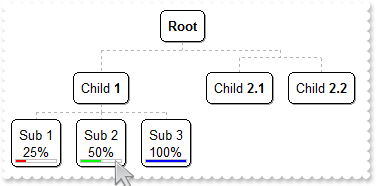
with thisform.ChartView1
	.BeginUpdate
	.Object.DefaultNodePadding(-1) = 4
	with .Nodes
		.Add("Child <b>1</b>",Null,"1234")
		var_s = "none[(4,100%-22,100%-8,18)](bottom[4](left[10%,back=RGB(255,0,0)]),none[(0,100%-4,100%,4),pattern=0x000,frame=RGB(192,192,192)],"
		var_s = var_s + "none[(2,100%-22,100%-4,22),text=`10%`,align=0x11]])"
		.Add("Sub 1<br>","1234","AK1").BackgroundExt = var_s
		var_s1 = "none[(4,100%-22,100%-8,18)](bottom[4](left[50%,back=RGB(0,255,0)]),none[(0,100%-4,100%,4),pattern=0x000,frame=RGB(192,192,192)],"
		var_s1 = var_s1 + "none[(2,100%-22,100%-4,22),text=`50%`,align=0x11]])"
		.Add("Sub 2<br>","1234","AK2").BackgroundExt = var_s1
		var_s2 = "none[(4,100%-22,100%-8,18)](bottom[4](left[100%,back=RGB(0,0,255)]),none[(0,100%-4,100%,4),pattern=0x000,frame=RGB(192,192,192)]"
		var_s2 = var_s2 + ",none[(2,100%-22,100%-4,22),text=`100%`,align=0x11]])"
		.Add("Sub 3<br>","1234","AK3").BackgroundExt = var_s2
		.Add("Child <b>2.1</b>").AddGroup("Child <b>2.2</b>")
	endwith
	with .Nodes.Item("AK1")
		.BackgroundExtValue(3,2) = "25%"
		.BackgroundExtValue(5,4) = .BackgroundExtValue(3,2)
	endwith
	.EndUpdate
endwith
|
|
214
|
Is it possible to show a percent/progress-bar associated with a node (method 1)
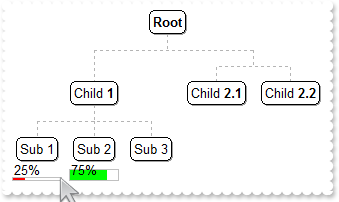
with thisform.ChartView1
	.BeginUpdate
	.IndentSiblingY = 32
	with .Nodes
		.Add("Child <b>1</b>",Null,"1234")
		.Add("Sub 1","1234","AK1")
		.Add("Sub 2","1234","AK2")
		.Add("Sub 3","1234")
		.Add("Child <b>2.1</b>").AddGroup("Child <b>2.2</b>")
	endwith
	with .Frames.Add("AK1")
		.Pattern.Type = 0
		.Padding(3) = 20
		var_s = "bottom[4](left[50%,back=RGB(255,0,0)]),none[(0,100%-4,100%,4),pattern=0x000,frame=RGB(192,192,192)],none[(2,100%-22,100%-4,22),t"
		var_s = var_s + "ext=`50%`]"
		.BackgroundExt = var_s
		f1 = .Index
	endwith
	with .Frames.Item(f1)
		.BackgroundExtValue(2,2) = "25%"
		.BackgroundExtValue(4,4) = .BackgroundExtValue(2,2)
	endwith
	with .Frames.Add("AK2")
		.Pattern.Type = 0
		.Padding(3) = 20
		var_s1 = "bottom[12](left[50%,back=RGB(255,0,0)]),none[(0,100%-12,100%,12),pattern=0x000,frame=RGB(192,192,192)],none[(2,100%-22,100%-4,22"
		var_s1 = var_s1 + "),text=`50%`]"
		.BackgroundExt = var_s1
		f2 = .Index
	endwith
	with .Frames.Item(f2)
		.BackgroundExtValue(2,2) = "75%"
		.BackgroundExtValue(2,1) = 65280
		.BackgroundExtValue(4,4) = .BackgroundExtValue(2,2)
	endwith
	.EndUpdate
endwith
|
|
213
|
How can I display the node's caption on multiple lines
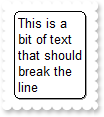
with thisform.ChartView1
	.WidthNode = 64
	.Root.Caption = "This is a bit of text that should break the line"
endwith
|
|
212
|
Is it possible to show some text/caption on the frame's background
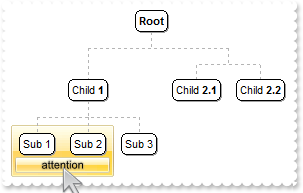
with thisform.ChartView1
	.BeginUpdate
	.IndentSiblingY = 32
	var_s = "gBFLBCJwBAEHhEJAADhABWMMACAADACAxRDAMgBQKAAzQFAYawdBgABoGUZ4JhUAIIRZGMIjFDcEwxC6NIpAWCYQDENAxAJCI4DBCAZBwGKPRiASQZUhmHIDTbIEBxfI"
	var_s = var_s + "MIRLE6PZgjOYZchqRYZSjAdIzUAFFr1J4AKbfKJpfoKBJERrScgxeBUNAZBKlY7paoKSpSGw1CTLNoRAKoYTTBK2bbmWwoap2So1XhAdS0XJcWxfGKRbxmWaZZh+R5mX"
	var_s = var_s + "pCMjVMAGGQPIa8MLCSwIJBaHqUQLZNixLStAyxHCtKKhG+vJwHL6BcqnPKKRqSUKcWbcQADFZdYTdNjbch1TWvSZVQSecSke7BQjGJQ2YxWcZUXReeaBDK9ZS4WK+HhR"
	var_s = var_s + "jqAZpCkeoNC8P4DDiWp3nYVwdkaSgrGGVhSnSHJum6CgGAiBIUA0JgziGVJkGWRgTiGBAiG+ZgyDYQhCgQJZbG+UIAGEFgGBEBw9FILJNAMXgMgOIJYD4EoEGESBCBYV"
	var_s = var_s + "IKGMIJTCiDpDliNQ+A+eB+CGCAiCiFgkgmT54HCdoGE0MhgkAM4LhOWJ/CQThIk4NQik4I5+DgP5IDOBJ/B2TgDnwaQ3k+cR0l4P5jBOfguDOCIimCSgwCMKJuDsIRjm"
	var_s = var_s + "kUJ/B8JBBkIRAYmQcRglwP5lAOfhNDKCAikSRgxE8WJyEQIJkEGdhHhuD5xlSXYQicMR0lsP5FBmXhoD+ZhTBgfQrgwMwUnQP5HikfoFhwZxxlYdwbW0CJaWKag8EuI5"
	var_s = var_s + "oTufwwkeIoskIMYPDOfB0iOaZznwbw2GoKoQGaKQFjqEBQikBBjGCf4nCgShoLyTCZnIP5GlqOo5YgAxejyL4GAqeBWi+BI6ngQYvisY5+jMMBHHKHJAjIRoDFqPI0gY"
	var_s = var_s + "OxSlIFptCERpSBGbQgn6SItmyUwAHaM4MgqXBljSLl7GANRuiuMBajsBQLEgRY0gOSxKmUP5uDuCpODIaxxgqbI/g+cR8lSQBwDEYpsBObpBBabAPG6S5yniM4HHKIJB"
	var_s = var_s + "DiT4TnyKQ6nEbBjBeRhPnKGwYCkMYCgcGAnnGDBSD+RIHhKKJDDmMRSkSbg/nKY58jAOxzCyUIuk0CpMlCKfXAyUwsdIEwMHxZ5TiieoSA6fQjEoLh0hKWxJC0NISksS"
	var_s = var_s + "QsDSHQaFeUQIAKRJIDuT5DnyQ4tnWfR7GCLZMBqXI+i2S5KlyOvukOfxZDICAylSSg8jWUwyGmXYPnMNhpl6/sLg0gxjNBmNkRIQR3CRHMOQIYlwjBxHQH4T45hSBBGO"
	var_s = var_s + "/sVgQRkv7EyO4P4mgeC5E+MsTIvBfgWD+PFBIFgvgaTaPwP4mxdA/CmNQOoWgci5FGJsLAqRYiKE0PgV4TQOh0EIHkQ4xw6DnBMLsb4Hx/AHEAHEdYpwIj2D+JwDwORf"
	var_s = var_s + "jjE+B0H4dA1ASKcK8UYnxzhXAyOsPQvhfgYDoPEQ4RwMBziqDYXY6g9AmFyCwMomwThxHkH0fA5x/jbHuJ8f4dxxj4D8Ecf41A+j8HMMoUgTBMjGG+Pgf4nx1j/EAFAA"
	var_s = var_s + "wAggAIAYFQQ4WgEggDIAQgI="
	.VisualAppearance.Add(1,var_s)
	with .Nodes
		.Add("Child <b>1</b>",Null,"1234")
		.Add("Sub 1","1234","AK1")
		.Add("Sub 2","1234","AK2")
		.Add("Sub 3","1234")
		.Add("Child <b>2.1</b>").AddGroup("Child <b>2.2</b>")
	endwith
	with .Frames.Add("AK1,AK2")
		.Padding(-1) = 8
		.Padding(3) = 22
		.BackColor = 0x1000000
		.Pattern.Type = 0
		.BackgroundExt = "top[4],left[4],right[4],client,bottom[4],bottom[16,back=0x01000000,text=`<sha ;;0>attention`,align=0x11]"
	endwith
	.EndUpdate
endwith
|
|
211
|
How can I draw the pattern with no frame
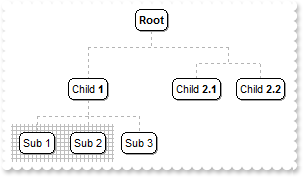
with thisform.ChartView1
	.BeginUpdate
	.IndentSiblingY = 32
	with .Nodes
		.Add("Child <b>1</b>",Null,"1234")
		.Add("Sub 1","1234","AK1")
		.Add("Sub 2","1234","AK2")
		.Add("Sub 3","1234")
		.Add("Child <b>2.1</b>").AddGroup("Child <b>2.2</b>")
	endwith
	with .Frames.Add("AK1,AK2")
		.Padding(-1) = 8
		with .Pattern
			.Type = 10
			.Color = RGB(190,190,190)
		endwith
	endwith
	.EndUpdate
endwith
|
|
210
|
How can I show the frame with an EBN color
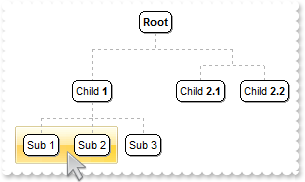
with thisform.ChartView1
	.BeginUpdate
	.IndentSiblingY = 32
	var_s = "gBFLBCJwBAEHhEJAADhABWMMACAADACAxRDAMgBQKAAzQFAYawdBgABoGUZ4JhUAIIRZGMIjFDcEwxC6NIpAWCYQDENAxAJCI4DBCAZBwGKPRiASQZUhmHIDTbIEBxfI"
	var_s = var_s + "MIRLE6PZgjOYZchqRYZSjAdIzUAFFr1J4AKbfKJpfoKBJERrScgxeBUNAZBKlY7paoKSpSGw1CTLNoRAKoYTTBK2bbmWwoap2So1XhAdS0XJcWxfGKRbxmWaZZh+R5mX"
	var_s = var_s + "pCMjVMAGGQPIa8MLCSwIJBaHqUQLZNixLStAyxHCtKKhG+vJwHL6BcqnPKKRqSUKcWbcQADFZdYTdNjbch1TWvSZVQSecSke7BQjGJQ2YxWcZUXReeaBDK9ZS4WK+HhR"
	var_s = var_s + "jqAZpCkeoNC8P4DDiWp3nYVwdkaSgrGGVhSnSHJum6CgGAiBIUA0JgziGVJkGWRgTiGBAiG+ZgyDYQhCgQJZbG+UIAGEFgGBEBw9FILJNAMXgMgOIJYD4EoEGESBCBYV"
	var_s = var_s + "IKGMIJTCiDpDliNQ+A+eB+CGCAiCiFgkgmT54HCdoGE0MhgkAM4LhOWJ/CQThIk4NQik4I5+DgP5IDOBJ/B2TgDnwaQ3k+cR0l4P5jBOfguDOCIimCSgwCMKJuDsIRjm"
	var_s = var_s + "kUJ/B8JBBkIRAYmQcRglwP5lAOfhNDKCAikSRgxE8WJyEQIJkEGdhHhuD5xlSXYQicMR0lsP5FBmXhoD+ZhTBgfQrgwMwUnQP5HikfoFhwZxxlYdwbW0CJaWKag8EuI5"
	var_s = var_s + "oTufwwkeIoskIMYPDOfB0iOaZznwbw2GoKoQGaKQFjqEBQikBBjGCf4nCgShoLyTCZnIP5GlqOo5YgAxejyL4GAqeBWi+BI6ngQYvisY5+jMMBHHKHJAjIRoDFqPI0gY"
	var_s = var_s + "OxSlIFptCERpSBGbQgn6SItmyUwAHaM4MgqXBljSLl7GANRuiuMBajsBQLEgRY0gOSxKmUP5uDuCpODIaxxgqbI/g+cR8lSQBwDEYpsBObpBBabAPG6S5yniM4HHKIJB"
	var_s = var_s + "DiT4TnyKQ6nEbBjBeRhPnKGwYCkMYCgcGAnnGDBSD+RIHhKKJDDmMRSkSbg/nKY58jAOxzCyUIuk0CpMlCKfXAyUwsdIEwMHxZ5TiieoSA6fQjEoLh0hKWxJC0NISksS"
	var_s = var_s + "QsDSHQaFeUQIAKRJIDuT5DnyQ4tnWfR7GCLZMBqXI+i2S5KlyOvukOfxZDICAylSSg8jWUwyGmXYPnMNhpl6/sLg0gxjNBmNkRIQR3CRHMOQIYlwjBxHQH4T45hSBBGO"
	var_s = var_s + "/sVgQRkv7EyO4P4mgeC5E+MsTIvBfgWD+PFBIFgvgaTaPwP4mxdA/CmNQOoWgci5FGJsLAqRYiKE0PgV4TQOh0EIHkQ4xw6DnBMLsb4Hx/AHEAHEdYpwIj2D+JwDwORf"
	var_s = var_s + "jjE+B0H4dA1ASKcK8UYnxzhXAyOsPQvhfgYDoPEQ4RwMBziqDYXY6g9AmFyCwMomwThxHkH0fA5x/jbHuJ8f4dxxj4D8Ecf41A+j8HMMoUgTBMjGG+Pgf4nx1j/EAFAA"
	var_s = var_s + "wAggAIAYFQQ4WgEggDIAQgI="
	.VisualAppearance.Add(1,var_s)
	with .Nodes
		.Add("Child <b>1</b>",Null,"1234")
		.Add("Sub 1","1234","AK1")
		.Add("Sub 2","1234","AK2")
		.Add("Sub 3","1234")
		.Add("Child <b>2.1</b>").AddGroup("Child <b>2.2</b>")
	endwith
	with .Frames.Add("AK1,AK2")
		.Padding(-1) = 8
		.BackColor = 0x1000000
		.Pattern.Type = 0
	endwith
	.EndUpdate
endwith
|
|
209
|
How can I show the frame with an EBN color
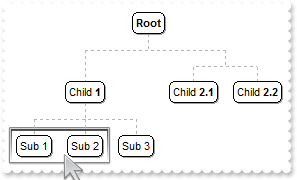
with thisform.ChartView1
	.BeginUpdate
	.IndentSiblingY = 32
	var_s = "gBFLBCJwBAEHhEJAADhABDYGg6AADACAxRDAMgBQKAAzQFAYawdBgABoGUZ4JhUAIIRZGMIjFDcEwxC6NIpAWCYQDEMw0AJCIyDFCAZBsHKPRoASQZUhmHIDTbIEBxfI"
	var_s = var_s + "MIRLE6PRhmGL4HjWOo0TLAdI0PJMBr3J4AKbfOJpfDSQZDRrTMyReDkNBBBKlY7rKoqRpCFYtDSJNoWVBIahhNiGbbiCQYfouFZdUpRV5VLTUVxbF6YZDvKZZZjmH48R"
	var_s = var_s + "pPUIyNS2FyxHDEIxyEALYACS5fTrCNZPVjgAY4fSqMToDDpKoSWp0QjlOS5jiyYoJZ7nWa2PDdUzXCC3LgADabThqdapcBAeqYHhORRRFSiYD4eAxYw2NaTUrSeS8JBm"
	var_s = var_s + "nmSIYlaOY6H2dwHC0CZWHSeobEmRpbGuOpeFsbhRmgS5/loAJtl4fg5E6b4LFEAwEEISgGhMGZQmocgZMWJA2AMEAxAgTYAlGEJZAkCgdngNYZAYEYYBGdRnk8CBUmqB"
	var_s = var_s + "ZOhgZgagaYZIHYHoHmICIGCKCJhiOPgmgUIRTEYKgviKQpyC6C5jAiRgygyYxIlYNoNmOAp2DoM5jwEb8miIUhCCGJBCBIRoRmSCQmEqEpkkkNhOhOZQJBCBgjmUSB0z"
	var_s = var_s + "CSBnjYWoWmWSR2F6F5mAmBhihiZZpFyBoHGQc54n4PxPCOSJxDwZppkIb4cGcSZOHaHInwWeYdmeKZ2HyH5nCmNJxhqD5ZB4aIRg+E5kngOpOiOJoMiOKJaD6EokGkSh"
	var_s = var_s + "ChaJJpHoVoYiaaYqHaGQ6GiE5i1aJRyBSdA9A8M4QmQOJqiqMorisawKj7ggrEqRo1iyaxqmaOIumsc4OicPJqFkWhXDwIhjHiXQ3GwawikeMhsksLpOjKLQLDaUYzm0"
	var_s = var_s + "KxWlSNZtDMdpEDubAahIVw7A6Q4slYNYNFMXJXDWLhriKZ46G6S4um6OovAuNpxjubwrladI9m4O4SmAOptlgbhSDoMADECUAzmKIxDAWQZNBwGwJkIMIsDcDJDnCPBH"
	var_s = var_s + "A6RIxAwTwCkCcADiIUoHGUI4WioMhMhMIJKTeHIPCWSWUCcKJKnIfI3CqS4ykyPwykwcxMgMIZHg4TBuByFIOCOBJhDCDAjASRHB34RZRDQbQnEiUp0H0NxKlONJND8U"
	var_s = var_s + "pUHUQwPEAMBzlOBw6gaSB9HSXpXkuQpsjoL4LlKcxklmNhdh8apaHaTYjG6Wp2n2NxwlydwtlYLpYjWcx7F0EMYYuxsi4DaJsMoqQ1MuHKLkNowh4D8BuBEYo8QuBvAm"
	var_s = var_s + "MceInBDgdGQPITgnwWBbDgEUUw/g2jvD2O4XSdATDBC4wsUoiQwBYagEcJ41B6idC+F0arQQ3hjGuPYLorw0jbEsB0DIWxoAbA4OwHIvRuDmFiFAKYlBihZCoFQfA3gj"
	var_s = var_s + "iPc+J43g5V+BvFGOcfQXhXipHWJUHwGQmjgHuNocIEAiNHFCKgKAlACgBCQFESgfwfjTHoH0L4bxsj3H6H8R43R8h+A+J8do+h/gFA+MgKAfATChAcPcaA6xvgRAGEwN"
	var_s = var_s + "IDQQg0BMEQZAngJiiDsAUIAyALgDDAIQB4ggoA6AUEEDAKwCDgFoBkQYEA2BOGAHEGYAQDCUAEIAF4fgBANACCgEgxBICYAkOILQFQhDICuAsMIhAXiGCgLoDQQwMBrA"
	var_s = var_s + "YOEWgORDgQHYEsIQcQSgJDCBIDggAmAkDQAgYIFgRDEEQJACQEQTAlGIKgTIExxB0CiIkWITgUBFCQKUCoYhiBXEWEIIQIwEC4ESBAKA3AhgZHGEAIYCAogIn+FARIjQ"
	var_s = var_s + "IiqBoMYXA3QNhjEIGwRwURfA5GOckDo4xaB5AiDESgQgGgYp6BAagAgwBjB4D8Q40B9AhCIBgQYkQJAqlQLkDoIwyCEEYJIKQPgkjJAyCkEo5BaCZAgHICgPhkA5AAIY"
	var_s = var_s + "MAEBngZGGDgHgBw4DsA+IMdAfBKgSFUFQZQuQugrDKIQVglgpC+CyMsDIaQWjlFoLkB4khKA7CUCFSAxwmChEoGEZAOADgAHgB0QYtBjiZBmCIMoTBs2uHMFwaImRphK"
	var_s = var_s + "DQE0HIrQahmGAHYTAgRhBfCYAkQgMxBhQlGCEYwYhnBAHCDkU4RByidCmJ4OozhMjZB2OcOg8ROizGcSgLIwgNBmHYAARATw/BBEMDAYQGAhhcHEKAEIphAjQC0AUII6"
	var_s = var_s + "ASgIFANQE04hdAdCEKgQoDROBTHwDAZKDQMBnHEDwBYoQ2AtnEMYDA6B6ggFGPQQ1YgdBNCQKkIoJRSg0E8JUKQ2gshLGGB0DYCw6BYCIEIGIEhg4JCoAoQIeAXCFG0H"
	var_s = var_s + "kJ4qR2g/FQFUAwosfiNCgOoHoRRUgVBcKUKg0BdhOCEKMAoexxAmAiMAGIogaCCDhccQIXAVCFCgLEK4ah+heFYBURwsQrBaGGFkdYJQ0CsGqKYWwVhdDLCuAIVoWQEi"
	var_s = var_s + "DCcKsYwBBA1zEmAkA4wB6AeEIGARQEQ1j1EAK8ewBhhBYB2A0MArEzixBsB4YoWBtgZDGMIFoewDi1L0EAEggBNhHEgIkWYQwkiBCEAUZANQ2D9FCBoWwghojaBWEkNI"
	var_s = var_s + "7QaipFoLYVw1AtDLCqGsIwrAQCzEGEIZoCBNgwCoJ0EArRbCwAUN4LY2w+hvHcAUYIuArgOHEEAFYaw3BKEgOsG4oAACAEAQEA=="
	.VisualAppearance.Add(1,var_s)
	with .Nodes
		.Add("Child <b>1</b>",Null,"1234")
		.Add("Sub 1","1234","AK1")
		.Add("Sub 2","1234","AK2")
		.Add("Sub 3","1234")
		.Add("Child <b>2.1</b>").AddGroup("Child <b>2.2</b>")
	endwith
	with .Frames.Add("AK1,AK2")
		.Padding(-1) = 8
		.BackColor = 0x1000000
		.Pattern.Type = 0
	endwith
	.EndUpdate
endwith
|
|
208
|
How can I show the frame with a solid color
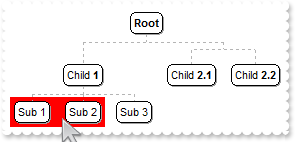
with thisform.ChartView1
	.BeginUpdate
	with .Nodes
		.Add("Child <b>1</b>",Null,"1234")
		.Add("Sub 1","1234","AK1")
		.Add("Sub 2","1234","AK2")
		.Add("Sub 3","1234")
		.Add("Child <b>2.1</b>").AddGroup("Child <b>2.2</b>")
	endwith
	with .Frames.Add("AK1,AK2")
		.BackColor = RGB(255,0,0)
		.Pattern.Type = 0
	endwith
	.EndUpdate
endwith
|
|
207
|
Is it possible to enlarge/shrink the frame
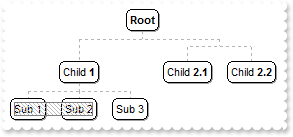
with thisform.ChartView1
	.BeginUpdate
	with .Nodes
		.Add("Child <b>1</b>",Null,"1234")
		.Add("Sub 1","1234","AK1")
		.Add("Sub 2","1234","AK2")
		.Add("Sub 3","1234")
		.Add("Child <b>2.1</b>").AddGroup("Child <b>2.2</b>")
	endwith
	with .Frames.Add("AK1,AK2")
		.ShowOnBackground = .F.
		.Padding(-1) = -4
		with .Pattern
			.Type = 261 && PatternEnum.exPatternFrame Or PatternEnum.exPatternFDiagonal
			.Color = RGB(190,190,190)
			.FrameColor = RGB(128,128,128)
		endwith
	endwith
	.EndUpdate
endwith
|
|
206
|
Is it possible to draw the frame in front, rather than showing it on the control's background
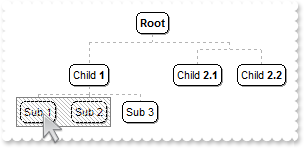
with thisform.ChartView1
	.BeginUpdate
	with .Nodes
		.Add("Child <b>1</b>",Null,"1234")
		.Add("Sub 1","1234","AK1")
		.Add("Sub 2","1234","AK2")
		.Add("Sub 3","1234")
		.Add("Child <b>2.1</b>").AddGroup("Child <b>2.2</b>")
	endwith
	with .Frames.Add("AK1,AK2")
		.ShowOnBackground = .F.
		with .Pattern
			.Type = 261 && PatternEnum.exPatternFrame Or PatternEnum.exPatternFDiagonal
			.Color = RGB(190,190,190)
			.FrameColor = RGB(128,128,128)
		endwith
	endwith
	.EndUpdate
endwith
|
|
205
|
How do I show or hide a frame
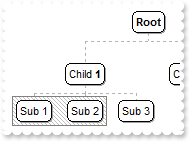
with thisform.ChartView1
	.BeginUpdate
	with .Nodes
		.Add("Child <b>1</b>",Null,"1234")
		.Add("Sub 1","1234","AK1")
		.Add("Sub 2","1234","AK2")
		.Add("Sub 3","1234")
		.Add("Child <b>2.1</b>").AddGroup("Child <b>2.2</b>")
	endwith
	with .Frames.Add("AK1,AK2")
		.Visible = .T.
		with .Pattern
			.Type = 261 && PatternEnum.exPatternFrame Or PatternEnum.exPatternFDiagonal
			.Color = RGB(190,190,190)
			.FrameColor = RGB(128,128,128)
		endwith
	endwith
	.EndUpdate
endwith
|
|
204
|
How can I display the frame arround the node itself
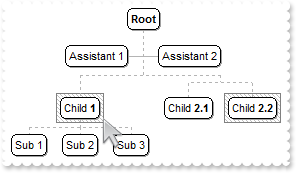
with thisform.ChartView1
	.BeginUpdate
	with .Root
		.AddAssistant("Assistant 1")
		.AddAssistant("Assistant 2")
	endwith
	with .Nodes
		.Add("Child <b>1</b>",Null,"1234")
		.Add("Sub 1","1234","AK1")
		.Add("Sub 2","1234","AK2")
		.Add("Sub 3","1234")
		.Add("Child <b>2.1</b>",Null,"GR1").AddGroup("Child <b>2.2</b>").Key = "GR2"
	endwith
	with .Frames.Add("1234")
		with .Pattern
			.Type = 261 && PatternEnum.exPatternFrame Or PatternEnum.exPatternFDiagonal
			.Color = RGB(190,190,190)
			.FrameColor = RGB(128,128,128)
		endwith
	endwith
	with .Frames.Add("GR2")
		with .Pattern
			.Type = 261 && PatternEnum.exPatternFrame Or PatternEnum.exPatternFDiagonal
			.Color = RGB(190,190,190)
			.FrameColor = RGB(128,128,128)
		endwith
	endwith
	.EndUpdate
endwith
|
|
203
|
How can I display the frame arround group nodes only
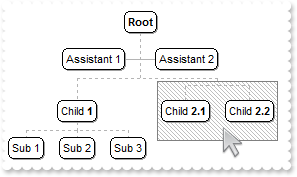
with thisform.ChartView1
	.BeginUpdate
	with .Root
		.AddAssistant("Assistant 1")
		.AddAssistant("Assistant 2")
	endwith
	with .Nodes
		.Add("Child <b>1</b>",Null,"1234")
		.Add("Sub 1","1234","AK1")
		.Add("Sub 2","1234","AK2")
		.Add("Sub 3","1234")
		.Add("Child <b>2.1</b>",Null,"GR1").AddGroup("Child <b>2.2</b>").Key = "GR2"
	endwith
	with .Frames.Add("root")
		.Nodes = "GR1(group)"
		with .Pattern
			.Type = 261 && PatternEnum.exPatternFrame Or PatternEnum.exPatternFDiagonal
			.Color = RGB(190,190,190)
			.FrameColor = RGB(128,128,128)
		endwith
	endwith
	.EndUpdate
endwith
|
|
202
|
How can I display the frame arround assistant nodes only
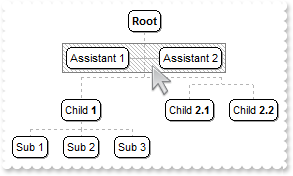
with thisform.ChartView1
	.BeginUpdate
	with .Root
		.AddAssistant("Assistant 1")
		.AddAssistant("Assistant 2")
	endwith
	with .Nodes
		.Add("Child <b>1</b>",Null,"1234")
		.Add("Sub 1","1234","AK1")
		.Add("Sub 2","1234","AK2")
		.Add("Sub 3","1234")
		.Add("Child <b>2.1</b>").AddGroup("Child <b>2.2</b>")
	endwith
	with .Frames.Add("root")
		.Nodes = "root(assistant)"
		with .Pattern
			.Type = 261 && PatternEnum.exPatternFrame Or PatternEnum.exPatternFDiagonal
			.Color = RGB(190,190,190)
			.FrameColor = RGB(128,128,128)
		endwith
	endwith
	.EndUpdate
endwith
|
|
201
|
How can I display the frame arround child nodes only
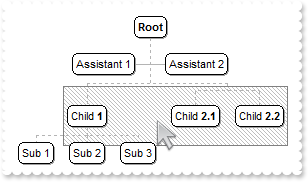
with thisform.ChartView1
	.BeginUpdate
	with .Root
		.AddAssistant("Assistant 1")
		.AddAssistant("Assistant 2")
	endwith
	with .Nodes
		.Add("Child <b>1</b>",Null,"1234")
		.Add("Sub 1","1234","AK1")
		.Add("Sub 2","1234","AK2")
		.Add("Sub 3","1234")
		.Add("Child <b>2.1</b>").AddGroup("Child <b>2.2</b>")
	endwith
	with .Frames.Add("root")
		.Nodes = "root(child)"
		with .Pattern
			.Type = 261 && PatternEnum.exPatternFrame Or PatternEnum.exPatternFDiagonal
			.Color = RGB(190,190,190)
			.FrameColor = RGB(128,128,128)
		endwith
	endwith
	.EndUpdate
endwith
|
|
200
|
How can I show the frame arround all child, assistant, group nodes
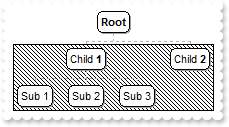
with thisform.ChartView1
	.BeginUpdate
	with .Root
		.AddAssistant("Assistant 1")
		.AddAssistant("Assistant 2")
	endwith
	with .Nodes
		.Add("Child <b>1</b>",Null,"1234")
		.Add("Sub 1","1234","AK1")
		.Add("Sub 2","1234","AK2")
		.Add("Sub 3","1234")
		.Add("Child <b>2.1</b>").AddGroup("Child <b>2.2</b>")
	endwith
	with .Frames.Add("root")
		.Nodes = "root(all)"
		with .Pattern
			.Type = 261 && PatternEnum.exPatternFrame Or PatternEnum.exPatternFDiagonal
			.Color = RGB(190,190,190)
			.FrameColor = RGB(128,128,128)
		endwith
	endwith
	.EndUpdate
endwith
|
|
199
|
We need to visualy group nodes that have the same parent but also have other siblings. Is it anyway possible to draw an additional border around a group of nodes in this control
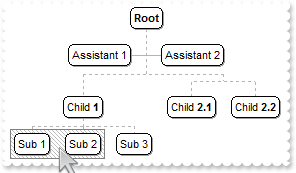
with thisform.ChartView1
	.BeginUpdate
	with .Root
		.AddAssistant("Assistant 1")
		.AddAssistant("Assistant 2")
	endwith
	with .Nodes
		.Add("Child <b>1</b>",Null,"1234")
		.Add("Sub 1","1234","AK1")
		.Add("Sub 2","1234","AK2")
		.Add("Sub 3","1234")
		.Add("Child <b>2.1</b>").AddGroup("Child <b>2.2</b>")
	endwith
	with .Frames.Add("AK1,AK2").Pattern
		.Type = 261 && PatternEnum.exPatternFrame Or PatternEnum.exPatternFDiagonal
		.Color = RGB(190,190,190)
		.FrameColor = RGB(128,128,128)
	endwith
	.EndUpdate
endwith
|
|
198
|
How can I draw a pattern on a node
with thisform.ChartView1
	.IndentSiblingY = 30
	.ShowLinksDir = .T.
	.PenWidthLink = 2
	.LinkColor = RGB(0,0,0)
	.AntiAliasing = .T.
	with .Nodes
		.Add("L1_A",Null,"LA").ShowLinkDir = .F.
		.Add("L1_B",Null,"LB")
		.Add("L2_A","LA","LA2")
		.Add("L2_B","LB","LB2")
	endwith
	with .Frames.Add("LB")
		.Padding(-1) = -2
		with .Pattern
			.Type = 6
			.Color = RGB(128,128,128)
		endwith
		.ShowOnBackground = .F.
	endwith
endwith
|
|
197
|
How do I use as a WBS control (WBS is a hierarchical and incremental decomposition of the project into phases, deliverables and work packages )
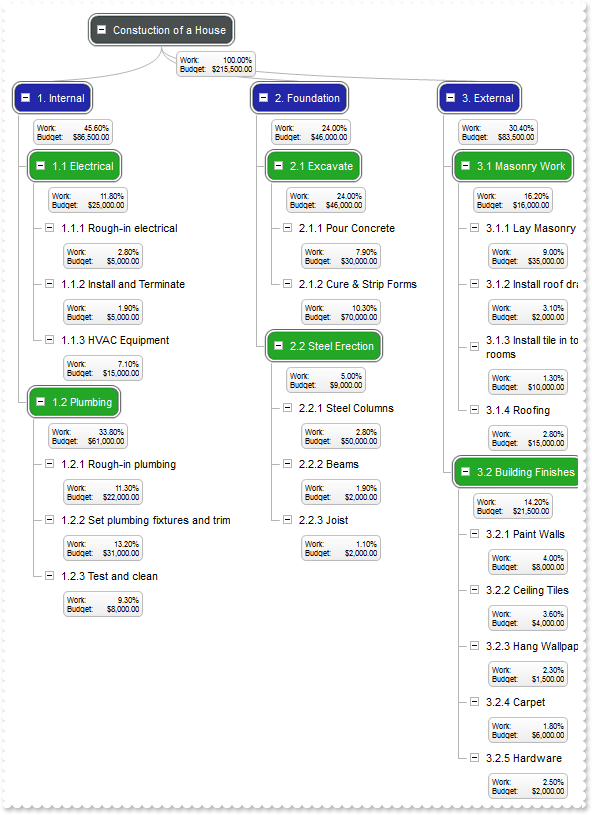
with thisform.ChartView1
	.BeginUpdate
	with .VisualAppearance
		var_s = "gBFLBCJwBAEHhEJAADhABdQFg6AADACAxRDAMgBQKAAzQFAYawdBgABoGUZ4JhUAIIRZGMIjFDcEwxC6NIpAWCYQDENQwSSMMJwSKYYBiASEYJASQZUhmHIDTbIEBxfI"
		var_s = var_s + "MIRLE6PZbmEYYfgeNY6TQCcIgVD0ExhAZ2Q4EQAKRpOFY/DBQNLgAKNCQ3LaQY7BaKgZouTYDVrVNSVFC0IBkGoSbauCIJHrGCZ1RBYMI0VDNRwHJiMbRtSyqXjGJ4pS"
		var_s = var_s + "rAcq0FAgYRHI6jZxnGL5chqPqGVjMNZ1bQuKwzT0Ld5wTYsdydBK1MIkTKKaoORZgRpYUI6FAeSgBWyPcCqPSoDrKdo4XLdYwbeAFcSPD6+NBhG7tXm/NarNTgTB6DBt"
		var_s = var_s + "hsGJbgYYw9AQVxBoOch2hEbh+nAARYkQdZ7CMPYGH+FxmlqbJ5lqDAdjMC5AmIW54hwaBvA4IQ8D+T8IFscgenAAZMHiEgWiWdRZlSAAhAkFAGq6dAdEcIYVF4QJKCAH"
		var_s = var_s + "QDBCBJYGUGQNhCEIhiSCJaGAYQWBsIYmEEFgJAGQ42CyC4iliPgygsT4olSXg3g2Qwwk0MpMiMLJIg8Y54niTYOmPPJMDMDIonSSU7jMJJbDaTYjlYUoMmMCRWFQAAlE"
		var_s = var_s + "kZgtDgTgjgCJQpEoIgkgkIQHnIAB7CACARnIaIaiaGYuG6GxmhmFB7CGSICAyHwoAmQxQlQNIlikWgthYIwaAYVQvAuQpsg0IxIhKTIzCwToTiiaYACkChGhKJJpEOQo"
		var_s = var_s + "WC+C5imyCgiggYpUzMZ5Yj6AIfg6UpcjgLYInIPILhOTYaEIUg9EoItfCGCByAiCV2lIKILCGK4qnKO4YggWpQgIJxJmIaJhDgDgKECaIykkUhUhILQLEKRh9iiYpzCS"
		var_s = var_s + "SQxmgcgkm2NppAKbI8C4RoBiQYgSgSMQQEEEIDjECBDA8LorjKa47EQMQSm4DpEhEKBDBeRgBGqMQnmkA5in4JAJAINoEC6JR4jyaQ6E6AhEhIIxNBMRJPiQCYyHCGAU"
		var_s = var_s + "gUMQwEgEhhkEOBHBOBJxCMHJHjGXB/CKSBxlENwaj1qgsEwERICIDB/iQDgjgiYYvE2cx8l2KIinoEI5CYSYiFqEAz0mMBZBbwIkEsEN+gMSpSHSTITEqSoEFyGBHCoS"
		var_s = var_s + "oihqEAsgsIo8ikKhKGiVJ6AADwTkicQlAkUhElA+Z4VUHpHGuRA8lMdI9DscJc8r5QQAaIYsGUOpOjoOwHCEJAUgBh8B1EAAcHIzg5gPCGNgdQfRPhnGiLINhhQEDCBc"
		var_s = var_s + "GUDYphxjLHkNgfwTARhiHEBYWAVxpI1HQDcDjthiAADoKcCgJgbs7FyG4LQagBBgE0CMOYOxLhtGY/AcAegNgTHIPkHISAHADEQNYOA2BwAHEQHABwQxMDbCQEscoEBA"
		var_s = var_s + "AgEOD0V4cR0jyGCPAPwHAvh0EAOIHIDRfA/EaGMfYfguAACiBQIg/xWAbH0F8J4bxSD6G8MUMo7Q9ieHuI8eA0gLjfG2PUPQnwvhvHsPsGABxhD8E+AMbgfhVDJH2L8U"
		var_s = var_s + "48wAjbEGPwPo7x8j4F4FccwHAhhiEgBQEQhAnCDGgHwBonxiAZD+G8Lo/hHj3H8PELIiBwgOFCNQHAqQAhYBWAUIARAECgHyKkIIqAIgGGCLgUIFAhB5CQAcFAGgcEHH"
		var_s = var_s + "KBwUYkAdiHDgOaAIKBigYCCFAFQhBzChAWKEOYzwDhCEwFMBQNxwD3C8CsPgHQhANEuA4Uw+gdhHDAOwBogRYAzFuGAQIEgQAzCSGUAIbAXAFCiKIGghhBCQAeAFIgDg"
		var_s = var_s + "wjMByEAAYXg1hiEwFgBYAQugAGIPsTodgnDSBgMca4LhqChCgD4CIYgYBDmcI4GIxgUCYAm1oPIjwgjmFQMYWA1gNCiBUqcII6gegUEAHwB4oRwhzEGLge4GAOC6HUAc"
		var_s = var_s + "MIsAbCGDqLYHYVBACTAkIIIAYigCIGcBQCArQKiiFQFERQUQhDMAOBgcIWAggUBGIMfAVAHhCBwEgBAMg+jbFqCcHYLxvg4D2A8QI3AziMHiJoUgFhACyCwIINofwHiJ"
		var_s = var_s + "DAJUKw2B2ARGEEAIwCxIh2BaNQQA/ROBRGoFYQ48B/AeEGEt99lQOgDFgGcAtFgdgHEANIMAhAIDKAygkQAEAAjxBeIoCI7QfjUEEEwDIIgWBFEQHUSANxsAqEEEUdwl"
		var_s = var_s + "A4iJCSFYEwhBsCXE0KoIAexnj4DoDkEwaBmgYCGAwMADAkCFCMMYAQOgMhQEIHsaIVQQDXFOOgRtwAUguAcAUU1iw1CWA6OwdIOQFBxCgCkDgeBribBmIgP4KQiAAB+K"
		var_s = var_s + "oAg2QNiDDoG0BQyQzg+EGOAWAFgRC4DsEURQYAdhWFKAoKAVQAB/AcHEaAORiioFqBYMWFATCZEsBsIYcA0gMGCJwGAhg4DQAwKsDAYQGzZBkAcSA8gODEBEGQVIQhaj"
		var_s = var_s + "UEeeYKY1QIDrBCIAEg0xIAwEgBNkAAADUTA6B4MQEwv0UEGLAUgzhf04AKGEg4BhYD2B0MUAABApAAvqI8WAqAdDGGwJsEIXwWDtE0AAA4fhmDZCmJMMwbBkgBIC"
		.Add(1,var_s)
		var_s1 = "gBFLBCJwBAEHhEJAADhABEEMACAADACAxRDAMgBQKAAzQFAYawdBgABoGUZ4JhUAIIRZGMIgdBINQTDCLYyiUBYJhAMYSAJCI4jBCAZRXEAaQIkKY4ZDKCY2QLIEgSFC"
		var_s1 = var_s1 + "ETQlEAYZgkCB5UiGNIkQLSFDABJMBraDgSAApeoYVj4NZASANFB0bKcQAVDSOKRjeCacpOUpQRZLIyiLZVWQSGoYLahW4YQiKIJKRTXdhULQtLS5FaWZbte6LchqOAAY"
		var_s1 = var_s1 + "bOV6ynSeV6NUJNc5xVicBgrBKlI6nGxIJqaZpVYzPeQQTTUby5OyEbyADJ4DqEAKaUrZNoZfhkBhlNa2YguC4gAzudaUZhCOqABpWYYLDS/JSGCYJGDcOaVRZ0FJUVwP"
		var_s1 = var_s1 + "g8GZkkCcBQDGJw0HOJ5gECdRUi0dxXi2IJbG4Jp+huHpzH0GouF2eA+B4F4bkESwEEISgGhMGZQmocgZFQFAki4TIAAECBNgCUYQsaCgRjQdRjAYERhmIBB5gIQBwm2B"
		var_s1 = var_s1 + "ROlOSgaDMIZCmoHoHmICIGB8MJiEOFgmD+IoIGEA4GA4aI0kSC5NliRJrgyYxIlYNoNkyGJkliDpPlidQDD2ZADBYQg6iQQ46EaEZkgkJhKhGTw5DSSITk4eRFAMNRlE"
		var_s1 = var_s1 + "MXhWDuZYJC4WoWmWA4+CYORMGmBQDguTBDg4Zg8GaA5CGqGpmkmNhuhuZoim4chAkuaZUmmHZPBgahoh6Z5JnYfofmGI5IjmIJnEmWh3D4D0nn+IpokmboBgeaBSnodw"
		var_s1 = var_s1 + "6E+I5YnOIBpgoZoaiaJ9IHOJAAAmVoSh2aRaF6G4pmqCBqh6KAqCkEJqD6TxzlKHosmsSpWjaExPEqZosh0apqkKMotmwCwCjkPQrjKeg0D8T4TlaQ4ymySw2k6LhPFs"
		var_s1 = var_s1 + "RpFDsLRDmCdw9i0GxmlqNptksdJ2jebBTjaYoQC0ex+maOZuguJppjkLBZByeI7m4S5GnKPJvEkApvD4Jwim6EY7i8C5Wn6P4vHuZoRhcT4cBad5BnCDAnAqO5wFOZwC"
		var_s1 = var_s1 + "igZxZiyepEnCXBXBaRZxgwFwTD6MJ6goaw+nETBnCKSIxjwdh1h6T5jm8IOuEyNwukuT4siie5JguaZsn+ShzAyZw6kyMJ4hCQ44g6U5/DeTI0E0FxGlGcojnMSgvDSS"
		var_s1 = var_s1 + "ROFQOANnMfxCD+dItFcVpVnWDRbFOFxMH0dQDiATItgaZpUnUOJ3GaWZ2gOdxklCDQNjYX4KmEaYYmMM43EkP0d4tR3gbBKKgOwGgtjsFQGodQuxCAvAWFIMwnwGgcEy"
		var_s1 = var_s1 + "CYC4FRijxE4Gl0AnAuCOFWBUAABwth+AACAEBAQ="
		.Add(2,var_s1)
		var_s2 = "gBFLBCJwBAEHhEJAADhABI8IQAAYAQGKIYBkAKBQAGaAoDDWDoMAANAyjPBMKgBBCLIxhEYobgmGIXRpFMbxAKQahLEiTIklBI8ExXFqMQCkGKocgONYgTLOMZOXCEEw"
		var_s2 = var_s2 + "CgI="
		.Add(3,var_s2)
	endwith
	.AntiAliasing = .T.
	.IndentSiblingY = 4
	.ShowRoundLink = .T.
	.PenLink = 0
	.SelColor = RGB(255,255,0)
	.HasButtons = -1
	.Object.DefaultNodePadding(-1) = 6
	with .Root
		.Caption = "Constuction of a House"
		.BackColor = 0x1000000
		.ForeColor = RGB(255,255,255)
		with .AddAssistant("<font ;6>Work:<r>100.00%<br>Budget:<r>$215,500.00")
			.Left = .F.
			.ShowLinks = .F.
			.Padding(-1) = 0
			.FixedWidth = 72
			.BackColor = 0x2000000
		endwith
	endwith
	with .Nodes
		with .Add("1. Internal","Root","Internal")
			.ArrangeSiblingNodesAs = 2
			.ShowRoundLink = .F.
			.BackColor = 0x1ff0000
			.ForeColor = RGB(255,255,255)
			with .AddAssistant("<font ;6>Work:<r>45.60%<br>Budget:<r>$86,500.00")
				.Left = .F.
				.ShowLinks = .F.
				.Padding(-1) = 0
				.FixedWidth = 72
				.BackColor = 0x2000000
			endwith
		endwith
		with .Add("1.1 Electrical","Internal","Electrical")
			.ShowRoundLink = .F.
			.BackColor = 0x100ff00
			.ForeColor = RGB(255,255,255)
			with .AddAssistant("<font ;6>Work:<r>11.80%<br>Budget:<r>$25,000.00")
				.Left = .F.
				.ShowLinks = .F.
				.Padding(-1) = 0
				.FixedWidth = 72
				.BackColor = 0x2000000
			endwith
		endwith
		with .Add("1.1.1 Rough-in electrical","Electrical","RoughElectrical")
			.BackColor = 0x3000000
			.Padding(-1) = 0
			with .AddAssistant("<font ;6>Work:<r>2.80%<br>Budget:<r>$5,000.00")
				.Left = .F.
				.ShowLinks = .F.
				.Padding(-1) = 0
				.FixedWidth = 72
				.BackColor = 0x2000000
			endwith
		endwith
		with .Add("1.1.2 Install and Terminate","Electrical","InstallTerminate")
			.BackColor = 0x3000000
			.Padding(-1) = 0
			with .AddAssistant("<font ;6>Work:<r>1.90%<br>Budget:<r>$5,000.00")
				.Left = .F.
				.ShowLinks = .F.
				.Padding(-1) = 0
				.FixedWidth = 72
				.BackColor = 0x2000000
			endwith
		endwith
		with .Add("1.1.3 HVAC Equipment","Electrical","HVAC")
			.BackColor = 0x3000000
			.Padding(-1) = 0
			with .AddAssistant("<font ;6>Work:<r>7.10%<br>Budget:<r>$15,000.00")
				.Left = .F.
				.ShowLinks = .F.
				.Padding(-1) = 0
				.FixedWidth = 72
				.BackColor = 0x2000000
			endwith
		endwith
		with .Add("1.2 Plumbing","Internal","Plumbing")
			.ShowRoundLink = .F.
			.BackColor = 0x100ff00
			.ForeColor = RGB(255,255,255)
			with .AddAssistant("<font ;6>Work:<r>33.80%<br>Budget:<r>$61,000.00")
				.Left = .F.
				.ShowLinks = .F.
				.Padding(-1) = 0
				.FixedWidth = 72
				.BackColor = 0x2000000
			endwith
		endwith
		with .Add("1.2.1 Rough-in plumbing","Plumbing","RoughPlumbing")
			.BackColor = 0x3000000
			.Padding(-1) = 0
			with .AddAssistant("<font ;6>Work:<r>11.30%<br>Budget:<r>$22,000.00")
				.Left = .F.
				.ShowLinks = .F.
				.Padding(-1) = 0
				.FixedWidth = 72
				.BackColor = 0x2000000
			endwith
		endwith
		with .Add("1.2.2 Set plumbing fixtures and trim","Plumbing","PlumbingFixtures")
			.Width = 256
			.BackColor = 0x3000000
			.Padding(-1) = 0
			with .AddAssistant("<font ;6>Work:<r>13.20%<br>Budget:<r>$31,000.00")
				.Left = .F.
				.ShowLinks = .F.
				.Padding(-1) = 0
				.FixedWidth = 72
				.BackColor = 0x2000000
			endwith
		endwith
		with .Add("1.2.3 Test and clean","Plumbing","PlumbingTest")
			.BackColor = 0x3000000
			.Padding(-1) = 0
			with .AddAssistant("<font ;6>Work:<r>9.30%<br>Budget:<r>$8,000.00")
				.Left = .F.
				.ShowLinks = .F.
				.Padding(-1) = 0
				.FixedWidth = 72
				.BackColor = 0x2000000
			endwith
		endwith
		with .Add("2. Foundation","Root","Foundation")
			.ArrangeSiblingNodesAs = 2
			.ShowRoundLink = .F.
			.BackColor = 0x1ff0000
			.ForeColor = RGB(255,255,255)
			with .AddAssistant("<font ;6>Work:<r>24.00%<br>Budget:<r>$46,000.00")
				.Left = .F.
				.ShowLinks = .F.
				.Padding(-1) = 0
				.FixedWidth = 72
				.BackColor = 0x2000000
			endwith
		endwith
		with .Add("2.1 Excavate","Foundation","Excavate")
			.ShowRoundLink = .F.
			.BackColor = 0x100ff00
			.ForeColor = RGB(255,255,255)
			with .AddAssistant("<font ;6>Work:<r>24.00%<br>Budget:<r>$46,000.00")
				.Left = .F.
				.ShowLinks = .F.
				.Padding(-1) = 0
				.FixedWidth = 72
				.BackColor = 0x2000000
			endwith
		endwith
		with .Add("2.1.1 Pour Concrete","Excavate","Concrete")
			.BackColor = 0x3000000
			.Padding(-1) = 0
			with .AddAssistant("<font ;6>Work:<r>7.90%<br>Budget:<r>$30,000.00")
				.Left = .F.
				.ShowLinks = .F.
				.Padding(-1) = 0
				.FixedWidth = 72
				.BackColor = 0x2000000
			endwith
		endwith
		with .Add("2.1.2 Cure & Strip Forms","Excavate","CureForms")
			.BackColor = 0x3000000
			.Padding(-1) = 0
			with .AddAssistant("<font ;6>Work:<r>10.30%<br>Budget:<r>$70,000.00")
				.Left = .F.
				.ShowLinks = .F.
				.Padding(-1) = 0
				.FixedWidth = 72
				.BackColor = 0x2000000
			endwith
		endwith
		with .Add("2.2 Steel Erection","Foundation","Steel")
			.ShowRoundLink = .F.
			.BackColor = 0x100ff00
			.ForeColor = RGB(255,255,255)
			with .AddAssistant("<font ;6>Work:<r>5.00%<br>Budget:<r>$9,000.00")
				.Left = .F.
				.ShowLinks = .F.
				.Padding(-1) = 0
				.FixedWidth = 72
				.BackColor = 0x2000000
			endwith
		endwith
		with .Add("2.2.1 Steel Columns","Steel","SteelColumns")
			.BackColor = 0x3000000
			.Padding(-1) = 0
			with .AddAssistant("<font ;6>Work:<r>2.80%<br>Budget:<r>$50,000.00")
				.Left = .F.
				.ShowLinks = .F.
				.Padding(-1) = 0
				.FixedWidth = 72
				.BackColor = 0x2000000
			endwith
		endwith
		with .Add("2.2.2 Beams","Steel","Beams")
			.Width = 256
			.BackColor = 0x3000000
			.Padding(-1) = 0
			with .AddAssistant("<font ;6>Work:<r>1.90%<br>Budget:<r>$2,000.00")
				.Left = .F.
				.ShowLinks = .F.
				.Padding(-1) = 0
				.FixedWidth = 72
				.BackColor = 0x2000000
			endwith
		endwith
		with .Add("2.2.3 Joist","Steel","Joist")
			.BackColor = 0x3000000
			.Padding(-1) = 0
			with .AddAssistant("<font ;6>Work:<r>1.10%<br>Budget:<r>$2,000.00")
				.Left = .F.
				.ShowLinks = .F.
				.Padding(-1) = 0
				.FixedWidth = 72
				.BackColor = 0x2000000
			endwith
		endwith
		with .Add("3. External","Root","External")
			.ArrangeSiblingNodesAs = 2
			.ShowRoundLink = .F.
			.BackColor = 0x1ff0000
			.ForeColor = RGB(255,255,255)
			with .AddAssistant("<font ;6>Work:<r>30.40%<br>Budget:<r>$83,500.00")
				.Left = .F.
				.ShowLinks = .F.
				.Padding(-1) = 0
				.FixedWidth = 72
				.BackColor = 0x2000000
			endwith
		endwith
		with .Add("3.1 Masonry Work","External","Masonry")
			.ShowRoundLink = .F.
			.BackColor = 0x100ff00
			.ForeColor = RGB(255,255,255)
			with .AddAssistant("<font ;6>Work:<r>16.20%<br>Budget:<r>$16,000.00")
				.Left = .F.
				.ShowLinks = .F.
				.Padding(-1) = 0
				.FixedWidth = 72
				.BackColor = 0x2000000
			endwith
		endwith
		with .Add("3.1.1 Lay Masonry","Masonry","LayMasonry")
			.BackColor = 0x3000000
			.Padding(-1) = 0
			with .AddAssistant("<font ;6>Work:<r>9.00%<br>Budget:<r>$35,000.00")
				.Left = .F.
				.ShowLinks = .F.
				.Padding(-1) = 0
				.FixedWidth = 72
				.BackColor = 0x2000000
			endwith
		endwith
		with .Add("3.1.2 Install roof drains","Masonry","RoofDrains")
			.BackColor = 0x3000000
			.Padding(-1) = 0
			with .AddAssistant("<font ;6>Work:<r>3.10%<br>Budget:<r>$2,000.00")
				.Left = .F.
				.ShowLinks = .F.
				.Padding(-1) = 0
				.FixedWidth = 72
				.BackColor = 0x2000000
			endwith
		endwith
		with .Add("3.1.3 Install tile in toilet rooms","Masonry","TileToiles")
			.BackColor = 0x3000000
			.Padding(-1) = 0
			with .AddAssistant("<font ;6>Work:<r>1.30%<br>Budget:<r>$10,000.00")
				.Left = .F.
				.ShowLinks = .F.
				.Padding(-1) = 0
				.FixedWidth = 72
				.BackColor = 0x2000000
			endwith
		endwith
		with .Add("3.1.4 Roofing","Masonry","Roofing")
			.BackColor = 0x3000000
			.Padding(-1) = 0
			with .AddAssistant("<font ;6>Work:<r>2.80%<br>Budget:<r>$15,000.00")
				.Left = .F.
				.ShowLinks = .F.
				.Padding(-1) = 0
				.FixedWidth = 72
				.BackColor = 0x2000000
			endwith
		endwith
		with .Add("3.2 Building Finishes","External","Building")
			.ShowRoundLink = .F.
			.BackColor = 0x100ff00
			.ForeColor = RGB(255,255,255)
			with .AddAssistant("<font ;6>Work:<r>14.20%<br>Budget:<r>$21,500.00")
				.Left = .F.
				.ShowLinks = .F.
				.Padding(-1) = 0
				.FixedWidth = 72
				.BackColor = 0x2000000
			endwith
		endwith
		with .Add("3.2.1 Paint Walls","Building","Paint")
			.BackColor = 0x3000000
			.Padding(-1) = 0
			with .AddAssistant("<font ;6>Work:<r>4.00%<br>Budget:<r>$8,000.00")
				.Left = .F.
				.ShowLinks = .F.
				.Padding(-1) = 0
				.FixedWidth = 72
				.BackColor = 0x2000000
			endwith
		endwith
		with .Add("3.2.2 Ceiling Tiles","Building","CeilingTiles")
			.Width = 256
			.BackColor = 0x3000000
			.Padding(-1) = 0
			with .AddAssistant("<font ;6>Work:<r>3.60%<br>Budget:<r>$4,000.00")
				.Left = .F.
				.ShowLinks = .F.
				.Padding(-1) = 0
				.FixedWidth = 72
				.BackColor = 0x2000000
			endwith
		endwith
		with .Add("3.2.3 Hang Wallpaper","Building","Wallpaper")
			.BackColor = 0x3000000
			.Padding(-1) = 0
			with .AddAssistant("<font ;6>Work:<r>2.30%<br>Budget:<r>$1,500.00")
				.Left = .F.
				.ShowLinks = .F.
				.Padding(-1) = 0
				.FixedWidth = 72
				.BackColor = 0x2000000
			endwith
		endwith
		with .Add("3.2.4 Carpet","Building","Carpet")
			.BackColor = 0x3000000
			.Padding(-1) = 0
			with .AddAssistant("<font ;6>Work:<r>1.80%<br>Budget:<r>$6,000.00")
				.Left = .F.
				.ShowLinks = .F.
				.Padding(-1) = 0
				.FixedWidth = 72
				.BackColor = 0x2000000
			endwith
		endwith
		with .Add("3.2.5 Hardware","Building","Hardware")
			.BackColor = 0x3000000
			.Padding(-1) = 0
			with .AddAssistant("<font ;6>Work:<r>2.50%<br>Budget:<r>$2,000.00")
				.Left = .F.
				.ShowLinks = .F.
				.Padding(-1) = 0
				.FixedWidth = 72
				.BackColor = 0x2000000
			endwith
		endwith
	endwith
	.EndUpdate
endwith
|
|
196
|
Does your control support padding (padding properties are used to generate space around content)
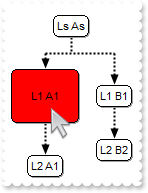
with thisform.ChartView1
	.BeginUpdate
	.IndentSiblingY = 30
	.ShowLinksDir = .T.
	.PenWidthLink = 2
	.LinkColor = RGB(0,0,0)
	.AntiAliasing = .T.
	with .Nodes
		with .Add("L1 A1",Null,"LA")
			.BackColor = RGB(255,0,0)
			.Padding(-1) = 16
		endwith
		.Add("L1 B1",Null,"LB")
		.Add("L2 A1","LA","LA2")
		.Add("L2 B2","LB","LB2")
	endwith
	.Nodes.Item("root").Caption = "Ls As"
	.EndUpdate
endwith
|
|
195
|
Does your control support padding (padding properties are used to generate space around content)
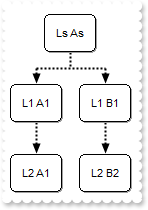
with thisform.ChartView1
	.BeginUpdate
	.Object.DefaultNodePadding(-1) = 8
	.IndentSiblingY = 30
	.ShowLinksDir = .T.
	.PenWidthLink = 2
	.LinkColor = RGB(0,0,0)
	.AntiAliasing = .T.
	with .Nodes
		.Add("L1 A1",Null,"LA")
		.Add("L1 B1",Null,"LB")
		.Add("L2 A1","LA","LA2")
		.Add("L2 B2","LB","LB2")
	endwith
	.Nodes.Item("root").Caption = "Ls As"
	.EndUpdate
endwith
|
|
194
|
How do I programmatically edit a node
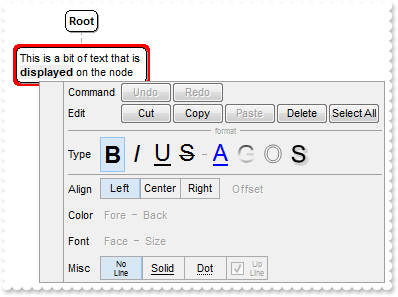
with thisform.ChartView1
	.Nodes.Add("Text",Null,"1234")
	.EditNode("1234")
endwith
|
|
193
|
WidthNode does not seem to do anything. What this property is for
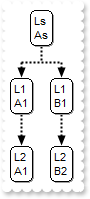
with thisform.ChartView1
	.WidthNode = 16
	.IndentSiblingY = 30
	.ShowLinksDir = .T.
	.PenWidthLink = 2
	.LinkColor = RGB(0,0,0)
	.AntiAliasing = .T.
	with .Nodes
		.Add("L1 A1",Null,"LA")
		.Add("L1 B1",Null,"LB")
		.Add("L2 A1","LA","LA2")
		.Add("L2 B2","LB","LB2")
	endwith
	.Nodes.Item("root").Caption = "Ls As"
endwith
|
|
192
|
Does your control support Print and Print-Preview, such as Fit-To-Page
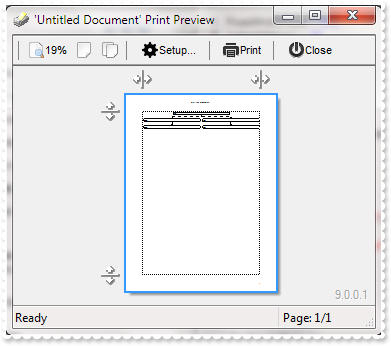
with thisform.ChartView1
	.FixedWidthNode = 512
	.IndentSiblingY = 30
	.ShowLinksDir = .T.
	.PenWidthLink = 2
	.LinkColor = RGB(0,0,0)
	.AntiAliasing = .T.
	with .Nodes
		.Add("L1_A",Null,"LA").ShowLinkDir = .F.
		.Add("L1_B",Null,"LB")
		.Add("L2_A","LA","LA2")
		.Add("L2_B","LB","LB2")
	endwith
	with CreateObject("Exontrol.Print")
		.Options = "FitToPage = On"
		.PrintExt = thisform.ChartView1.Object
		.Preview
	endwith
endwith
|
|
191
|
Does your control support Print and Print-Preview
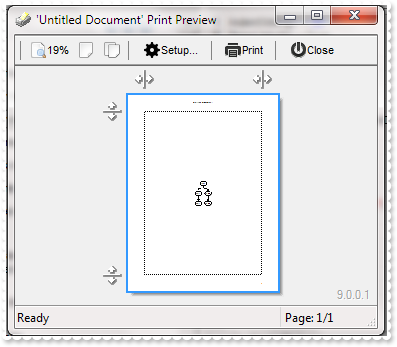
with thisform.ChartView1
	.IndentSiblingY = 30
	.ShowLinksDir = .T.
	.PenWidthLink = 2
	.LinkColor = RGB(0,0,0)
	.AntiAliasing = .T.
	with .Nodes
		.Add("L1_A",Null,"LA").ShowLinkDir = .F.
		.Add("L1_B",Null,"LB")
		.Add("L2_A","LA","LA2")
		.Add("L2_B","LB","LB2")
	endwith
	with CreateObject("Exontrol.Print")
		.PrintExts = thisform.ChartView1
		.Preview
	endwith
endwith
|
|
190
|
Does your control support subscript or superscript, in HTML captions
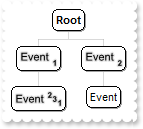
with thisform.ChartView1
	.AntiAliasing = .T.
	with .Nodes
		.Add("<sha ;;0>Event <b><font ;6><off 4>1",Null,"LA").ShowLinkDir = .F.
		.Add("<sha ;;0>Event <b><font ;6><off 4>2",Null,"LB")
		.Add("<sha ;;0>Event <b><font ;6><off -6>2<off 4>3<off 4>1","LA","LA2")
		.Add("Event","LB","LB2")
	endwith
endwith
|
|
189
|
Is it possible to move a node by a simple click rather than SHIFT + Click
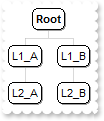
with thisform.ChartView1
	.AllowMoveChart = 0
	.AllowMoveNode = 1
	.AntiAliasing = .T.
	with .Nodes
		.Add("L1_A",Null,"LA").ShowLinkDir = .F.
		.Add("L1_B",Null,"LB")
		.Add("L2_A","LA","LA2")
		.Add("L2_B","LB","LB2")
	endwith
endwith
|
|
188
|
How can I disable moving the nodes at runtime
with thisform.ChartView1
	.AllowMoveNode = 0
endwith
|
|
187
|
How can I disable resizing the chart using the middle mouse button
with thisform.ChartView1
	.AllowResizeChart = 0
endwith
|
|
186
|
How can I disable inline editing
with thisform.ChartView1
	.AllowEdit = 0
endwith
|
|
185
|
Would like to be able to click on a node and have a pop-up window appear with additional detail and information about the individual in the node. Is this possible
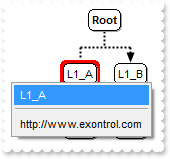
*** MouseUp event - Occurs when the user releases a mouse button. ***
LPARAMETERS Button, Shift, X, Y
	*** Items.Add(Me.NodeFromPoint(-1,-1).Caption,0,1234)
	with thisform.ChartView1
		with CreateObject("Exontrol.ExPopupMenu")
			DEBUGOUT( .ShowAtCursor )
		endwith
	endwith

with thisform.ChartView1
	.IndentSiblingY = 30
	.ShowLinksDir = .T.
	.PenWidthLink = 2
	.LinkColor = RGB(0,0,0)
	.AntiAliasing = .T.
	with .Nodes
		.Add("L1_A",Null,"LA").ShowLinkDir = .F.
		.Add("L1_B",Null,"LB")
		.Add("L2_A","LA","LA2")
		.Add("L2_B","LB","LB2")
	endwith
endwith
|
|
184
|
I am trying to create a hyperlink. I can get the link but I cannot tell the link where to go. What can I do

*** AnchorClick event - Occurs when an anchor element is clicked. ***
LPARAMETERS AnchorID, Options
	with thisform.ChartView1
		DEBUGOUT( Options )
	endwith

with thisform.ChartView1
	.Root.Image = 0
	with .Nodes
		.Add("<a;http://www.exontrol.com>exontrol</a>",Null,"1234")
	endwith
endwith
|
|
183
|
Is it possible to put a caption on the regular links
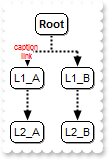
with thisform.ChartView1
	.IndentSiblingY = 30
	.ShowLinksDir = .T.
	.PenWidthLink = 2
	.LinkColor = RGB(0,0,0)
	.AntiAliasing = .T.
	with .Nodes
		.Add("L1_A",Null,"LA").LinkCaption = "<fgcolor=FF0000><font ;6>caption<br><c><bgcolor=FFFFFF><a>link"
		.Add("L1_B",Null,"LB")
		.Add("L2_A","LA","LA2")
		.Add("L2_B","LB","LB2")
	endwith
endwith
|
|
182
|
Is it possible to hide directions for specific links
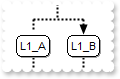
with thisform.ChartView1
	.IndentSiblingY = 30
	.ShowLinksDir = .T.
	.PenWidthLink = 2
	.LinkColor = RGB(0,0,0)
	.AntiAliasing = .T.
	with .Nodes
		.Add("L1_A",Null,"LA").ShowLinkDir = .F.
		.Add("L1_B",Null,"LB")
		.Add("L2_A","LA","LA2")
		.Add("L2_B","LB","LB2")
	endwith
endwith
|
|
181
|
Does your control supports multiple lines tooltip
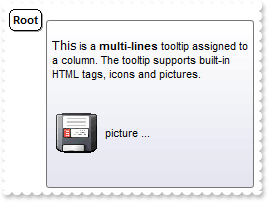
with thisform.ChartView1
	.Object.HTMLPicture("pic1") = "c:\exontrol\images\zipdisk.gif"
	.ToolTipDelay = 1
	var_s = "<br><font Tahoma;10>This</font> is a <b>multi-lines</b> tooltip assigned to a column. The tooltip supports built-in HTML tags, i"
	var_s = var_s + "cons and pictures.<br><br><br><img>pic1</img> picture ... <br><br>"
	.Root.ToolTip = var_s
endwith
|
|
180
|
Can I change the border's node, using your EBN technology, including specifying a color
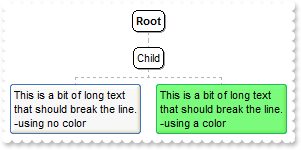
with thisform.ChartView1
	.VisualAppearance.Add(1,"c:\exontrol\images\hot.ebn")
	with .Nodes
		.Add("Child",Null,"1234")
		with .Add("Sub 1","1234")
			.Caption = "This is a bit of long text that should break the line.<br>-using no color"
			.BackColor = 0x1000000
		endwith
		with .Add("Sub 2","1234")
			.Caption = "This is a bit of long text that should break the line.<br>-using a color"
			.BackColor = 0x100ff00
		endwith
	endwith
endwith
|
|
179
|
Can the chart be arranged from the left to right (LTR)
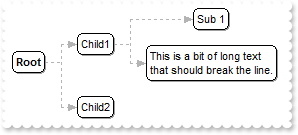
with thisform.ChartView1
	.BeginUpdate
	.Layout = 1
	.ShowLinksDir = 1
	.IndentSiblingX = 32
	with .Nodes
		.Add("Child1",Null,"1234")
		.Add("Child2",Null,"1235")
		.Add("Sub 1","1234")
		.Add("Sub 2","1234").Caption = "This is a bit of long text that should break the line."
	endwith
	.EndUpdate
endwith
|
|
178
|
Is there any property to keep the aspect ratio for all pictures, but still keep the size of nodes
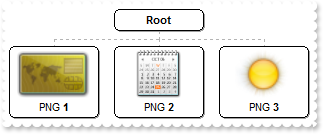
with thisform.ChartView1
	.BeginUpdate
	.PictureHeightNode = 48
	.PictureAspectRatioNode = 2
	.FixedWidthNode = 82
	with .Nodes
		with .Add("PNG <b>1",Null,"0")
			.Picture = "c:\exontrol\images\card.png"
			.Alignment = 1
		endwith
		with .Add("PNG <b>2",Null,"1")
			.Picture = "c:\exontrol\images\diary.png"
			.Alignment = 1
		endwith
		with .Add("PNG <b>3",Null,"2")
			.Picture = "c:\exontrol\images\sun.png"
			.Alignment = 1
		endwith
	endwith
	.Root.Alignment = 1
	.EndUpdate
endwith
|
|
177
|
Is there any property to keep the aspect ratio for all pictures
with thisform.ChartView1
	.BeginUpdate
	.PictureHeightNode = 48
	.PictureAspectRatioNode = 2
	with .Nodes
		with .Add("PNG <b>1",Null,"0")
			.Picture = "c:\exontrol\images\card.png"
		endwith
		with .Add("PNG <b>2",Null,"1")
			.Picture = "c:\exontrol\images\diary.png"
		endwith
		with .Add("PNG <b>3",Null,"2")
			.Picture = "c:\exontrol\images\sun.png"
		endwith
	endwith
	.EndUpdate
endwith
|
|
176
|
Is there any property to keep the aspect ratio for all pictures
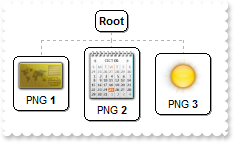
with thisform.ChartView1
	.BeginUpdate
	.PictureWidthNode = 48
	.PictureAspectRatioNode = 1
	with .Nodes
		with .Add("PNG <b>1",Null,"0")
			.Picture = "c:\exontrol\images\card.png"
		endwith
		with .Add("PNG <b>2",Null,"1")
			.Picture = "c:\exontrol\images\diary.png"
		endwith
		with .Add("PNG <b>3",Null,"2")
			.Picture = "c:\exontrol\images\sun.png"
		endwith
	endwith
	.EndUpdate
endwith
|
|
175
|
Is there any property to keep the aspect ratio for displayed picture
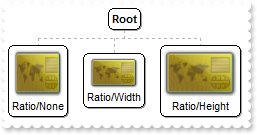
with thisform.ChartView1
	.BeginUpdate
	with .Nodes
		with .Add("Ratio/None",Null,"0")
			.Picture = "c:\exontrol\images\card.png"
			.PictureWidth = 48
			.PictureHeight = 48
		endwith
		with .Add("Ratio/Width",Null,"1")
			.Picture = "c:\exontrol\images\card.png"
			.PictureWidth = 48
			.PictureAspectRatio = 1
		endwith
		with .Add("Ratio/Height",Null,"2")
			.Picture = "c:\exontrol\images\card.png"
			.PictureHeight = 48
			.PictureAspectRatio = 2
		endwith
	endwith
	.EndUpdate
endwith
|
|
174
|
Is is possible to show the round an arbitrary link
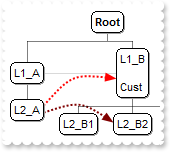
with thisform.ChartView1
	.AntiAliasing = .T.
	.ShowLinksDir = .F.
	.PenWidthLink = 1
	.LinkColor = RGB(0,0,0)
	with .Nodes
		.Add("L1_A",Null,"LA").LinkTo = "LB"
		.Add("L1_B<br><br>Cust",Null,"LB")
		with .Add("L2_A","LA","LA2")
			.LinkTo = "LB,LB22"
			.LinkToColor("LB") = RGB(255,0,0)
			.LinkToWidth("LB") = 2
			.LinkToPen("LB") = 2
			.LinkToShowDir("LB") = .T.
			.LinkToRound("LB") = .T.
			.LinkToRound("LB22") = .T.
			.LinkToShowDir("LB22") = .T.
			.LinkToColor("LB22") = RGB(128,0,0)
			.LinkToWidth("LB22") = 2
		endwith
		.Add("L2_B1","LB","LB21")
		.Add("L2_B2","LB","LB22")
		.Add("L2_B3","LB","LB23")
	endwith
endwith
|
|
173
|
Is is possible to show the round an arbitrary link
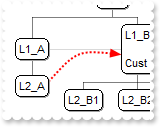
with thisform.ChartView1
	.AntiAliasing = .T.
	.ShowLinksDir = .F.
	.PenWidthLink = 1
	.LinkColor = RGB(0,0,0)
	with .Nodes
		.Add("L1_A",Null,"LA").LinkTo = "LB"
		.Add("L1_B<br><br>Cust",Null,"LB")
		with .Add("L2_A","LA","LA2")
			.LinkTo = "LB"
			.LinkToColor("LB") = RGB(255,0,0)
			.LinkToWidth("LB") = 2
			.LinkToPen("LB") = 2
			.LinkToShowDir("LB") = .T.
			.LinkToRound("LB") = .T.
		endwith
		.Add("L2_B1","LB","LB21")
		.Add("L2_B2","LB","LB22")
		.Add("L2_B3","LB","LB23")
	endwith
endwith
|
|
172
|
Is is possible to show the direction for a linktoline, even if the ShowLinksDir is False
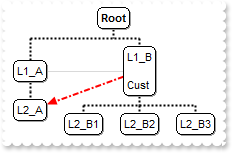
with thisform.ChartView1
	.ShowLinksDir = .F.
	.PenWidthLink = 2
	.LinkColor = RGB(0,0,0)
	.AntiAliasing = .T.
	with .Nodes
		.Add("L1_A",Null,"LA").LinkTo = "LB"
		with .Add("L1_B<br><br>Cust",Null,"LB")
			.LinkTo = "LA2"
			.LinkToColor("LA2") = RGB(255,0,0)
			.LinkToWidth("LA2") = 2
			.LinkToPen("LA2") = 3
			.LinkToShowDir("LA2") = .T.
		endwith
		.Add("L2_A","LA","LA2")
		.Add("L2_B1","LB","LB21")
		.Add("L2_B2","LB","LB22")
		.Add("L2_B3","LB","LB23")
	endwith
endwith
|
|
171
|
Is is possible to change the width for a specified linkto line
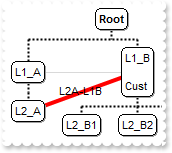
with thisform.ChartView1
	.PenWidthLink = 2
	.LinkColor = RGB(0,0,0)
	.AntiAliasing = .T.
	with .Nodes
		.Add("L1_A",Null,"LA").LinkTo = "LB"
		with .Add("L1_B<br><br>Cust",Null,"LB")
			.LinkTo = "LA2"
			.LinkToColor("LA2") = RGB(255,0,0)
			.LinkToWidth("LA2") = 4
			.LinkToPen("LA2") = 0
			.LinkToCaption("LA2") = "L2A-L1B"
		endwith
		.Add("L2_A","LA","LA2")
		.Add("L2_B1","LB","LB21")
		.Add("L2_B2","LB","LB22")
		.Add("L2_B3","LB","LB23")
	endwith
endwith
|
|
170
|
Is is possible to change the width for a specified linkto line
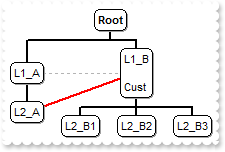
with thisform.ChartView1
	.PenWidthLink = 2
	.LinkColor = RGB(0,0,0)
	with .Nodes
		.Add("L1_A",Null,"LA").LinkTo = "LB"
		with .Add("L1_B<br><br>Cust",Null,"LB")
			.LinkTo = "LA2"
			.LinkToColor("LA2") = RGB(255,0,0)
			.LinkToWidth("LA2") = 2
		endwith
		.Add("L2_A","LA","LA2")
		.Add("L2_B1","LB","LB21")
		.Add("L2_B2","LB","LB22")
		.Add("L2_B3","LB","LB23")
	endwith
endwith
|
|
169
|
Is is possible to change the color for a specified linkto line
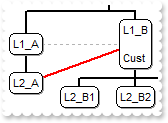
with thisform.ChartView1
	.PenWidthLink = 2
	.LinkColor = RGB(0,0,0)
	with .Nodes
		.Add("L1_A",Null,"LA").LinkTo = "LB"
		with .Add("L1_B<br><br>Cust",Null,"LB")
			.LinkTo = "LA2"
			.LinkToColor("LA2") = RGB(255,0,0)
			.LinkToWidth("LA2") = 2
		endwith
		.Add("L2_A","LA","LA2")
		.Add("L2_B1","LB","LB21")
		.Add("L2_B2","LB","LB22")
		.Add("L2_B3","LB","LB23")
	endwith
endwith
|
|
168
|
How can I specify the size for a picture being shown in a specified node only
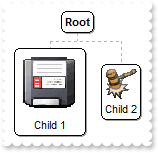
with thisform.ChartView1
	with .Nodes
		with .Add("Child 1",Null,"1")
			.Picture = "c:\exontrol\images\zipdisk.gif"
			.PictureWidth = 64
			.PictureHeight = 64
		endwith
		.Add("Child 2",Null,"2").Picture = "c:\exontrol\images\auction.gif"
	endwith
endwith
|
|
167
|
How can I resize the pictures being shown in the nodes
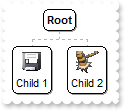
with thisform.ChartView1
	.PictureHeightNode = 24
	.PictureWidthNode = 24
	with .Nodes
		.Add("Child 1",Null,"1").Picture = "c:\exontrol\images\zipdisk.gif"
		.Add("Child 2",Null,"2").Picture = "c:\exontrol\images\auction.gif"
	endwith
endwith
|
|
166
|
Can I change the width of the node's border
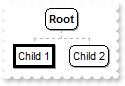
with thisform.ChartView1
	with .Nodes
		with .Add("Child 1",Null,"1")
			.BorderWidth = 3
			.DrawRoundNode = .F.
		endwith
		.Add("Child 2",Null,"2")
	endwith
endwith
|
|
165
|
Can I change the visual appearance of the node
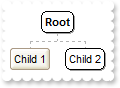
with thisform.ChartView1
	.VisualAppearance.Add(1,"c:\exontrol\images\normal.ebn")
	with .Nodes
		.Add("Child 1",Null,"1").BackColor = 0x1000000
		.Add("Child 2",Null,"2")
	endwith
endwith
|
|
164
|
Can I specify a different color for node's border
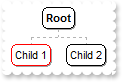
with thisform.ChartView1
	with .Nodes
		.Add("Child 1",Null,"1").BorderColor = RGB(255,0,0)
		.Add("Child 2",Null,"2")
	endwith
endwith
|
|
163
|
Can I display my image on my links
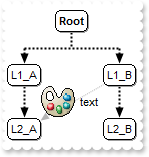
with thisform.ChartView1
	.Object.HTMLPicture("pic1") = "c:\exontrol\images\colorize.gif"
	.AntiAliasing = .T.
	.IndentSiblingY = 30
	.IndentSiblingX = 60
	.ShowLinksDir = .T.
	.PenWidthLink = 2
	.LinkColor = RGB(0,0,0)
	with .Nodes
		.Add("L1_A",Null,"LA")
		with .Add("L1_B",Null,"LB")
			.LinkTo = "LA2"
			.LinkToCaption("LA2") = "<img>pic1</img> text"
		endwith
		.Add("L2_A","LA","LA2")
		.Add("L2_B","LB","LB2")
	endwith
endwith
|
|
162
|
How can I show a caption on my link
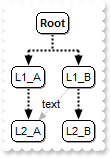
with thisform.ChartView1
	.AntiAliasing = .T.
	.IndentSiblingY = 30
	.ShowLinksDir = .T.
	.PenWidthLink = 2
	.LinkColor = RGB(0,0,0)
	with .Nodes
		.Add("L1_A",Null,"LA")
		with .Add("L1_B",Null,"LB")
			.LinkTo = "LA2"
			.LinkToCaption("LA2") = "text"
		endwith
		.Add("L2_A","LA","LA2")
		.Add("L2_B","LB","LB2")
	endwith
endwith
|
|
161
|
How can I show smootly the arrows
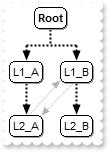
with thisform.ChartView1
	.AntiAliasing = .T.
	.IndentSiblingY = 30
	.ShowLinksDir = .T.
	.PenWidthLink = 2
	.LinkColor = RGB(0,0,0)
	with .Nodes
		.Add("L1_A",Null,"LA")
		.Add("L1_B",Null,"LB").LinkTo = "LA2"
		.Add("L2_A","LA","LA2").LinkTo = "LB"
		.Add("L2_B","LB","LB2")
	endwith
endwith
|
|
160
|
How can I show direction on my links
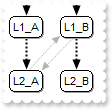
with thisform.ChartView1
	.IndentSiblingY = 30
	.ShowLinksDir = .T.
	.PenWidthLink = 2
	.LinkColor = RGB(0,0,0)
	.AntiAliasing = .T.
	with .Nodes
		.Add("L1_A",Null,"LA")
		.Add("L1_B",Null,"LB").LinkTo = "LA2"
		.Add("L2_A","LA","LA2").LinkTo = "LB"
		.Add("L2_B","LB","LB2")
	endwith
endwith
|
|
159
|
How can I add a doubled direction link
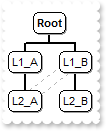
with thisform.ChartView1
	.PenWidthLink = 2
	.LinkColor = RGB(0,0,0)
	with .Nodes
		.Add("L1_A",Null,"LA")
		.Add("L1_B",Null,"LB").LinkTo = "LA2"
		.Add("L2_A","LA","LA2").LinkTo = "LB"
		.Add("L2_B","LB","LB2")
	endwith
endwith
|
|
158
|
How can I add arbitrary links
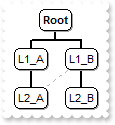
with thisform.ChartView1
	.PenWidthLink = 2
	.LinkColor = RGB(0,0,0)
	with .Nodes
		.Add("L1_A",Null,"LA")
		.Add("L1_B",Null,"LB").LinkTo = "LA2"
		.Add("L2_A","LA","LA2")
		.Add("L2_B","LB","LB2")
	endwith
endwith
|
|
157
|
How can I add multiple parents
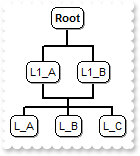
with thisform.ChartView1
	.PenWidthLink = 2
	.LinkColor = RGB(0,0,0)
	with .Nodes
		.Add("L1_A",Null,"L1").AddGroup("L1_B")
		.Add("L_A","L1")
		.Add("L_B","L1")
		.Add("L_C","L1")
	endwith
endwith
|
|
156
|
How can I add multiple parents or roots
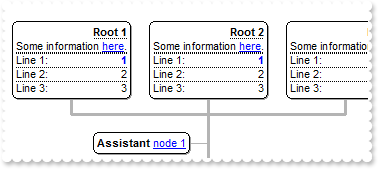
with thisform.ChartView1
	.BeginUpdate
	.HasButtons = 3
	.ButtonsAlign = 1
	.PenWidthLink = 3
	.IndentChild = 32
	with .Root
		.HasButton = .F.
		var_s = "<r><dotline><b>Root 1</b><br>Some information <a info>here</a>.<br><upline><dotline>Line 1:<r><fgcolor=0000FF><b>1</b></fgcolor>"
		var_s = var_s + "<br><upline><dotline>Line 2:<r>2<br><upline><dotline>Line 3:<r>3"
		.Caption = var_s
		.Image = 0
		var_s1 = "<r><dotline><b>Root 2</b><br>Some information <a info>here</a>.<br><upline><dotline>Line 1:<r><fgcolor=0000FF><b>1</b></fgcolor>"
		var_s1 = var_s1 + "<br><upline><dotline>Line 2:<r>2<br><upline><dotline>Line 3:<r>3"
		.AddGroup(var_s1)
		var_s2 = "<r><dotline><b>Root 3</b><br>Some information <a info>here</a>.<br><upline><dotline>Line 1:<r><fgcolor=0000FF><b>1</b></fgcolor>"
		var_s2 = var_s2 + "<br><upline><dotline>Line 2:<r>2<br><upline><dotline>Line 3:<r>3"
		.AddGroup(var_s2)
		.AddAssistant("<b>Assistant</b> <a1>node 1</a>").Key = "A"
		with .AddAssistant("<b>Assistant</b> <a2>node 2</a>")
			.Left = .T.
			.ShowLinks = .F.
			.LinkTo = "A"
		endwith
	endwith
	with .Nodes
		with .Add("Parent <b>1</b>",Null,"Key1")
			.HasButton = .F.
			.ArrangeSiblingNodesAs = 2
			.ShowRoundLink = .T.
			.AddGroup("Parent <b>2</b>")
			.AddGroup("Parent <b>3</b>")
		endwith
		.Add("SubItem 1","Key1","S1").HasButton = .F.
		.Add("SubItem 1.1","S1","S111")
		.Add("SubItem 1.2","S1","S112")
		.Add("SubItem 2","Key1")
		.Add("Item 2",Null,"Key2").Expanded = .F.
		.Add("SubItem 1","Key2")
		.Add("SubItem 2","Key2")
	endwith
	.EndUpdate
endwith
|
|
155
|
How can I align the text/caption on the scroll bar
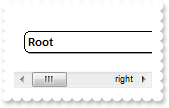
with thisform.ChartView1
	.Object.ScrollPartCaption(1,512) = "left"
	.Object.ScrollPartCaptionAlignment(1,512) = 0
	.Object.ScrollPartCaption(1,128) = "right"
	.Object.ScrollPartCaptionAlignment(1,128) = 2
	.FixedWidthNode = 320
endwith
|
|
154
|
How can I show round links
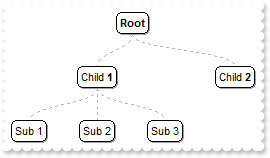
with thisform.ChartView1
	.ShowRoundLink = .T.
	.Root.Image = 0
	.IndentSiblingX = 32
	.IndentSiblingY = 64
	with .Nodes
		.Add("Child <b>1</b>",Null,"1234").ArrangeSiblingNodesAs = 1
		.Add("Sub 1","1234")
		.Add("Sub 2","1234")
		.Add("Sub 3","1234")
		.Add("Child <b>2</b>")
	endwith
endwith
|
|
153
|
How do I access a node by its key
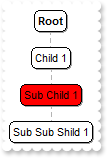
with thisform.ChartView1
	with .Nodes
		.Add("Child 1",Null,"C1")
		.Add("Sub Child 1","C1","SC1")
		.Add("Sub Sub Shild 1","SC1")
	endwith
	.Nodes.Item("SC1").BackColor = RGB(255,0,0)
endwith
|
|
152
|
How can I get the number of nodes
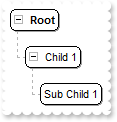
with thisform.ChartView1
	.HasButtons = -1
	.Root.ArrangeSiblingNodesAs = 2
	with .Nodes
		.Add("Child 1",Null,"C1")
		.Add("Sub Child 1","C1","SC1")
		.Add("Sub Sub Shild 1","SC1")
		.Remove(3)
	endwith
endwith
|
|
151
|
How can I remove all nodes in the chart
with thisform.ChartView1
	.Nodes.Clear
endwith
|
|
150
|
How can I clear the chart
with thisform.ChartView1
	.Nodes.Clear
endwith
|
|
149
|
How can I get the number of nodes
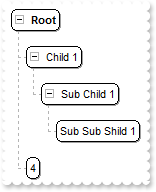
with thisform.ChartView1
	.HasButtons = -1
	.Root.ArrangeSiblingNodesAs = 2
	with .Nodes
		.Add("Child 1",Null,"C1")
		.Add("Sub Child 1","C1","SC1")
		.Add("Sub Sub Shild 1","SC1")
		.Add(.Count)
	endwith
endwith
|
|
148
|
How can I add a child node
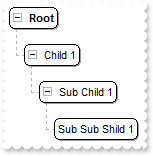
with thisform.ChartView1
	.HasButtons = -1
	.Root.ArrangeSiblingNodesAs = 2
	with .Nodes
		.Add("Child 1",Null,"C1")
		.Add("Sub Child 1","C1","SC1")
		.Add("Sub Sub Shild 1","SC1")
	endwith
endwith
|
|
147
|
How can I add a child node
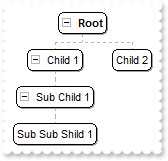
with thisform.ChartView1
	.HasButtons = -1
	with .Nodes
		.Add("Child 1",Null,"C1")
		.Add("Child 2",Null,"C2")
		.Add("Sub Child 1","C1","SC1")
		.Add("Sub Sub Shild 1","SC1")
	endwith
endwith
|
|
146
|
How can I draw link or a line between my own nodes
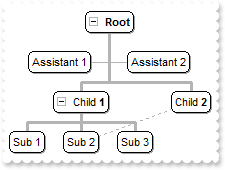
with thisform.ChartView1
	.HasButtons = -1
	.PenLink = 0
	.PenWidthLink = 3
	with .Root
		.Image = 0
		.AddAssistant("Assistant 1")
		.AddAssistant("Assistant 2")
	endwith
	with .Nodes
		.Add("Child <b>1</b>",Null,"1234")
		.Add("Sub 1","1234")
		with .Add("Sub 2","1234")
			.LinkTo = "AA"
		endwith
		.Add("Sub 3","1234")
		.Add("Child <b>2</b>",Null,"AA")
	endwith
endwith
|
|
145
|
How can I show or hide the link or a line between nodes
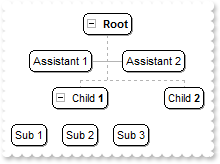
with thisform.ChartView1
	.HasButtons = -1
	with .Root
		.Image = 0
		.AddAssistant("Assistant 1")
		.AddAssistant("Assistant 2")
	endwith
	with .Nodes
		.Add("Child <b>1</b>",Null,"1234").ShowLinks = .F.
		.Add("Sub 1","1234")
		.Add("Sub 2","1234")
		.Add("Sub 3","1234")
		.Add("Child <b>2</b>")
	endwith
endwith
|
|
144
|
How can I hide or show the +/- expand/collapse buttons for a specified node
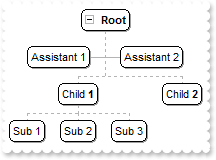
with thisform.ChartView1
	.HasButtons = -1
	with .Root
		.Image = 0
		.AddAssistant("Assistant 1")
		.AddAssistant("Assistant 2")
	endwith
	with .Nodes
		.Add("Child <b>1</b>",Null,"1234").HasButton = .F.
		.Add("Sub 1","1234")
		.Add("Sub 2","1234")
		.Add("Sub 3","1234")
		.Add("Child <b>2</b>")
	endwith
endwith
|
|
143
|
How can I expand or collapse a node
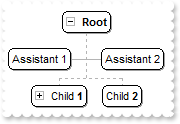
with thisform.ChartView1
	.HasButtons = -1
	with .Root
		.Image = 0
		.AddAssistant("Assistant 1")
		.AddAssistant("Assistant 2")
	endwith
	with .Nodes
		.Add("Child <b>1</b>",Null,"1234").Expanded = .F.
		.Add("Sub 1","1234")
		.Add("Sub 2","1234")
		.Add("Sub 3","1234")
		.Add("Child <b>2</b>")
	endwith
endwith
|
|
142
|
How can I assign an icon to the root node

with thisform.ChartView1
	var_s = "gBJJgBAIDAAGAAEAAQhYAf8Pf4hh0QihCJo2AEZjQAjEZFEaIEaEEaAIAkcbk0olUrlktl0vmExmUzmk1m03nE5nU7nk9n0/oFBoVDolFo1HpFJpVLplNp1PqFRqVTql"
	var_s = var_s + "Vq1XrFZrVbrldr1fsFhsVjslls1ntFptVrtltt1vuFxuVzul1u13vF5vV7vl9v1/wGBwWDwmFw2HxGJxWLxmNx0xiFdyOTh8Tf9ZymXx+QytcyNgz8r0OblWjyWds+m0"
	var_s = var_s + "ka1Vf1ta1+r1mos2xrG2xeZ0+a0W0qOx3GO4NV3WeyvD2XJ5XL5nN51aiw+lfSj0gkUkAEllHanHI5j/cHg8EZf7w8vl8j4f/qfEZeB09/vjLAB30+kZQAP/P5/H6/yN"
	var_s = var_s + "AOAEAwCjMBwFAEDwJBMDwLBYAP2/8Hv8/gAGAD8LQs9w/nhDY/oygIA="
	.Images(var_s)
	.Root.Image = 1
endwith
|
|
141
|
How can I access an assistant nodes
with thisform.ChartView1
	.BeginUpdate
	var_s = "gBJJgBAIDAAGAAEAAQhYAf8Pf4hh0QihCJo2AEZjQAjEZFEaIEaEEaAIAkcbk0olUrlktl0vmExmUzmk1m03nE5nU7nk9n0/oFBoVDolFo1HpFJpVLplNp1PqFRqVTql"
	var_s = var_s + "Vq1XrFZrVbrldr1fsFhsVjslls1ntFptVrtltt1vuFxuVzul1u13vF5vV7vl9v1/wGBwWDwmFw2HxGJxWLxmNx0xiFdyOTh8Tf9ZymXx+QytcyNgz8r0OblWjyWds+m0"
	var_s = var_s + "ka1Vf1ta1+r1mos2xrG2xeZ0+a0W0qOx3GO4NV3WeyvD2XJ5XL5nN51aiw+lfSj0gkUkAEllHanHI5j/cHg8EZf7w8vl8j4f/qfEZeB09/vjLAB30+kZQAP/P5/H6/yN"
	var_s = var_s + "AOAEAwCjMBwFAEDwJBMDwLBYAP2/8Hv8/gAGAD8LQs9w/nhDY/oygIA="
	.Images(var_s)
	with .Root
		.Image = 0
		.AddAssistant("Assistant 1")
		.AddAssistant("Assistant 2")
		.Assistant(0).Image = 1
	endwith
	with .Nodes
		.Add("Child <b>1</b>",Null,"1234")
		.Add("Sub 1","1234")
		.Add("Sub 2","1234")
		.Add("Sub 3","1234")
		.Add("Child <b>2</b>")
	endwith
	.EndUpdate
endwith
|
|
140
|
How can I get the number or count of assistant nodes
with thisform.ChartView1
	.BeginUpdate
	with .Root
		.Image = 0
		.AddAssistant("Assistant 1")
		.AddAssistant("Assistant 2")
		.AddAssistant(.CountAssistants)
	endwith
	with .Nodes
		.Add("Child <b>1</b>",Null,"1234")
		.Add("Sub 1","1234")
		.Add("Sub 2","1234")
		.Add("Sub 3","1234")
		.Add("Child <b>2</b>")
	endwith
	.EndUpdate
endwith
|
|
139
|
How can I display assistant nodes on the right side only
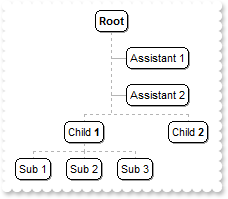
with thisform.ChartView1
	.BeginUpdate
	with .Root
		.Image = 0
		.AddAssistant("Assistant 1").Left = .F.
		.AddAssistant("Assistant 2").Left = .F.
	endwith
	with .Nodes
		.Add("Child <b>1</b>",Null,"1234")
		.Add("Sub 1","1234")
		.Add("Sub 2","1234")
		.Add("Sub 3","1234")
		.Add("Child <b>2</b>")
	endwith
	.EndUpdate
endwith
|
|
138
|
How can I display assistant nodes on the left side only
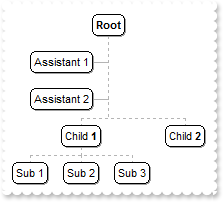
with thisform.ChartView1
	.BeginUpdate
	with .Root
		.Image = 0
		.AddAssistant("Assistant 1").Left = .T.
		.AddAssistant("Assistant 2").Left = .T.
	endwith
	with .Nodes
		.Add("Child <b>1</b>",Null,"1234")
		.Add("Sub 1","1234")
		.Add("Sub 2","1234")
		.Add("Sub 3","1234")
		.Add("Child <b>2</b>")
	endwith
	.EndUpdate
endwith
|
|
137
|
How can I clear or remove all assistant nodes
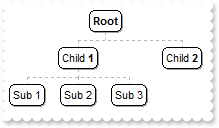
with thisform.ChartView1
	.BeginUpdate
	with .Root
		.Image = 0
		.AddAssistant("Assistant 1")
		.AddAssistant("Assistant 2")
		.ClearAssistants
	endwith
	with .Nodes
		.Add("Child <b>1</b>",Null,"1234")
		.Add("Sub 1","1234")
		.Add("Sub 2","1234")
		.Add("Sub 3","1234")
		.Add("Child <b>2</b>")
	endwith
	.EndUpdate
endwith
|
|
136
|
How can I remove an assistant node
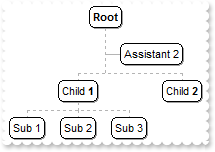
with thisform.ChartView1
	with .Root
		.Image = 0
		.AddAssistant("Assistant 1")
		.AddAssistant("Assistant 2")
		.RemoveAssistant(0)
	endwith
	with .Nodes
		.Add("Child <b>1</b>",Null,"1234")
		.Add("Sub 1","1234")
		.Add("Sub 2","1234")
		.Add("Sub 3","1234")
		.Add("Child <b>2</b>")
	endwith
endwith
|
|
135
|
How can I add assistant node
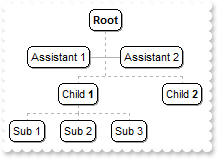
with thisform.ChartView1
	with .Root
		.Image = 0
		.AddAssistant("Assistant 1")
		.AddAssistant("Assistant 2")
	endwith
	with .Nodes
		.Add("Child <b>1</b>",Null,"1234")
		.Add("Sub 1","1234")
		.Add("Sub 2","1234")
		.Add("Sub 3","1234")
		.Add("Child <b>2</b>")
	endwith
endwith
|
|
134
|
Can I change the border's node, using your EBN technology
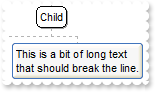
with thisform.ChartView1
	.VisualAppearance.Add(1,"c:\exontrol\images\hot.ebn")
	with .Nodes
		.Add("Child",Null,"1234")
		.Add("Sub 1","1234")
		with .Add("Sub 2","1234")
			.Caption = "This is a bit of long text that should break the line."
			.BackColor = 0x1000000
		endwith
	endwith
endwith
|
|
133
|
Can I remove the shadow for a specified node
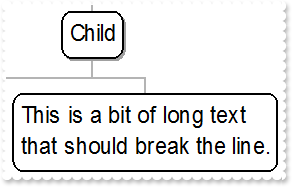
with thisform.ChartView1
	with .Nodes
		.Add("Child",Null,"1234")
		.Add("Sub 1","1234")
		with .Add("Sub 2","1234")
			.Caption = "This is a bit of long text that should break the line."
			.ShadowNode = .F.
		endwith
	endwith
endwith
|
|
132
|
Can I change the border for a specified node
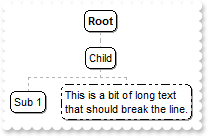
with thisform.ChartView1
	with .Nodes
		.Add("Child",Null,"1234")
		.Add("Sub 1","1234")
		with .Add("Sub 2","1234")
			.Caption = "This is a bit of long text that should break the line."
			.PenBorderNode = 4
		endwith
	endwith
endwith
|
|
131
|
Can I remove the round corner for a specified node
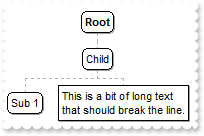
with thisform.ChartView1
	with .Nodes
		.Add("Child",Null,"1234")
		.Add("Sub 1","1234")
		with .Add("Sub 2","1234")
			.Caption = "This is a bit of long text that should break the line."
			.DrawRoundNode = .F.
		endwith
	endwith
endwith
|
|
130
|
How can I disable or enable a node
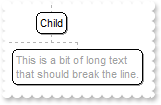
with thisform.ChartView1
	with .Nodes
		.Add("Child",Null,"1234")
		.Add("Sub 1","1234")
		with .Add("Sub 2","1234")
			.Caption = "This is a bit of long text that should break the line."
			.Enabled = .F.
		endwith
	endwith
endwith
|
|
129
|
How can I specify the height of the node
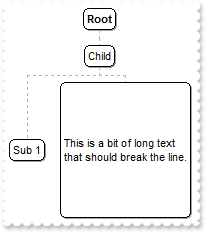
with thisform.ChartView1
	with .Nodes
		.Add("Child",Null,"1234")
		.Add("Sub 1","1234")
		with .Add("Sub 2","1234")
			.Caption = "This is a bit of long text that should break the line."
			.FixedHeight = 128
		endwith
	endwith
endwith
|
|
128
|
How can I specify the width of the node
with thisform.ChartView1
	with .Nodes
		.Add("Child",Null,"1234")
		.Add("Sub 1","1234")
		with .Add("Sub 2","1234")
			.Caption = "This is a bit of long text that should break the line."
			.FixedWidth = 128
		endwith
	endwith
endwith
|
|
127
|
How can I specify the width of the node to wrap it's content
with thisform.ChartView1
	with .Nodes
		.Add("Child",Null,"1234")
		.Add("Sub 1","1234")
		with .Add("Sub 2","1234")
			.Caption = "This is a bit of long text that should break the line."
			.Width = 128
		endwith
	endwith
endwith
|
|
126
|
How can I change the position of the node
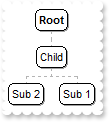
with thisform.ChartView1
	with .Nodes
		.Add("Child",Null,"1234")
		.Add("Sub 1","1234")
		.Add("Sub 2","1234").Position = 0
	endwith
endwith
|
|
125
|
How can I count or get the number of child nodes
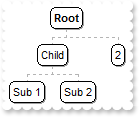
with thisform.ChartView1
	with .Nodes
		.Add("Child",Null,"1234")
		.Add("Sub 1","1234")
		.Add("Sub 2","1234")
		.Add(.Item("1234").NodeCount)
	endwith
endwith
|
|
124
|
How can I enumerate the child nodes
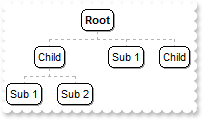
with thisform.ChartView1
	with .Nodes
		.Add("Child",Null,"1234")
		.Add("Sub 1","1234")
		.Add("Sub 2","1234")
		.Add(.Item("1234").FirstNode.Caption)
		.Add(.Item("1234").FirstNode.NextNode.Caption)
	endwith
endwith
|
|
123
|
How can I change the node's parent
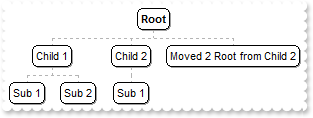
with thisform.ChartView1
	.BeginUpdate
	.Nodes.Add("Child 1",Null,"1234")
	.Nodes.Add("Sub 1","1234")
	.Nodes.Add("Sub 2","1234")
	.Nodes.Add("Child 2",Null,"1235")
	.Nodes.Add("Sub 1","1235")
	.Nodes.Add("To Move","1235","Move")
	with .Nodes.Item("Move")
		.Parent = thisform.ChartView1.Root
		.Caption = "Moved 2 Root from Child 2"
	endwith
	.EndUpdate
endwith
|
|
122
|
How can I assign a key to a node
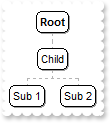
with thisform.ChartView1
	.Nodes.Add("Child",Null,"1234")
	.Nodes.Add("Sub 1","1234")
	.Nodes.Add("Sub 2","1234")
endwith
|
|
121
|
How can I assign a key to a node
with thisform.ChartView1
	.Nodes.Add("Child").Key = "1234"
	.Nodes.Add("Sub 1","1234")
	.Nodes.Add("Sub 2","1234")
endwith
|
|
120
|
How can I change the node's background color

with thisform.ChartView1
	with .Nodes.Add("Child")
		.BackColor = RGB(255,0,0)
		.ClearBackColor
	endwith
endwith
|
|
119
|
How can I change the node's background color

with thisform.ChartView1
	.Nodes.Add("Child").BackColor = RGB(255,0,0)
endwith
|
|
118
|
How can I change the node's foreground color

with thisform.ChartView1
	with .Nodes.Add("Child")
		.ForeColor = RGB(255,0,0)
		.ClearForeColor
	endwith
endwith
|
|
117
|
How can I change the node's foreground color

with thisform.ChartView1
	.Nodes.Add("Child").ForeColor = RGB(255,0,0)
endwith
|
|
116
|
How can I assign a tooltip to a node
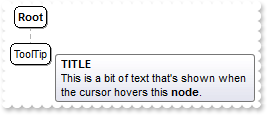
with thisform.ChartView1
	with .Nodes.Add("ToolTip")
		.ToolTip = "This is a bit of text that's shown when the cursor hovers this <b>node</b>."
		.ToolTipTitle = "TITLE"
	endwith
endwith
|
|
115
|
How can I assign a different font for the node's tooltip
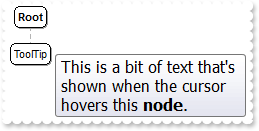
with thisform.ChartView1
	.Nodes.Add("ToolTip").ToolTip = "<font Tahoma;12>This is a bit of text that's shown when the cursor hovers this <b>node</b>.</font>"
endwith
|
|
114
|
How can I assign a tooltip to a node
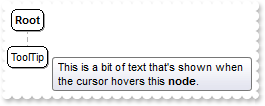
with thisform.ChartView1
	.Nodes.Add("ToolTip").ToolTip = "This is a bit of text that's shown when the cursor hovers this <b>node</b>."
endwith
|
|
113
|
How can I assign any extra data to my node

with thisform.ChartView1
	.Nodes.Add("Child").UserData = "your data"
endwith
|
|
112
|
How can I assign an icon and a picture to a node
with thisform.ChartView1
	var_s = "gBJJgBAIDAAGAAEAAQhYAf8Pf4hh0QihCJo2AEZjQAjEZFEaIEaEEaAIAkcbk0olUrlktl0vmExmUzmk1m03nE5nU7nk9n0/oFBoVDolFo1HpFJpVLplNp1PqFRqVTql"
	var_s = var_s + "Vq1XrFZrVbrldr1fsFhsVjslls1ntFptVrtltt1vuFxuVzul1u13vF5vV7vl9v1/wGBwWDwmFw2HxGJxWLxmNx0xiFdyOTh8Tf9ZymXx+QytcyNgz8r0OblWjyWds+m0"
	var_s = var_s + "ka1Vf1ta1+r1mos2xrG2xeZ0+a0W0qOx3GO4NV3WeyvD2XJ5XL5nN51aiw+lfSj0gkUkAEllHanHI5j/cHg8EZf7w8vl8j4f/qfEZeB09/vjLAB30+kZQAP/P5/H6/yN"
	var_s = var_s + "AOAEAwCjMBwFAEDwJBMDwLBYAP2/8Hv8/gAGAD8LQs9w/nhDY/oygIA="
	.Images(var_s)
	with .Nodes.Add("Child")
		.Image = 1
		.Picture = thisform.ChartView1.ExecuteTemplate("loadpicture(`c:\exontrol\images\zipdisk.gif`)")
		.PictureAlignment = 3
	endwith
endwith
|
|
111
|
How can I align the picture in the node
with thisform.ChartView1
	with .Nodes.Add("Child")
		.Picture = thisform.ChartView1.ExecuteTemplate("loadpicture(`c:\exontrol\images\zipdisk.gif`)")
		.PictureAlignment = 3
	endwith
endwith
|
|
110
|
How can I align the picture in the node
with thisform.ChartView1
	with .Nodes.Add("Child")
		.Picture = thisform.ChartView1.ExecuteTemplate("loadpicture(`c:\exontrol\images\zipdisk.gif`)")
		.PictureAlignment = 2
	endwith
endwith
|
|
109
|
How can I align the picture in the node
with thisform.ChartView1
	with .Nodes.Add("Child")
		.Picture = thisform.ChartView1.ExecuteTemplate("loadpicture(`c:\exontrol\images\zipdisk.gif`)")
		.PictureAlignment = 1
	endwith
endwith
|
|
108
|
How can I assign a picture to a node
with thisform.ChartView1
	.Nodes.Add("Child").Picture = thisform.ChartView1.ExecuteTemplate("loadpicture(`c:\exontrol\images\zipdisk.gif`)")
endwith
|
|
107
|
How can I align the icon in the node
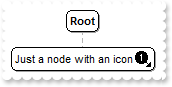
with thisform.ChartView1
	var_s = "gBJJgBAIDAAGAAEAAQhYAf8Pf4hh0QihCJo2AEZjQAjEZFEaIEaEEaAIAkcbk0olUrlktl0vmExmUzmk1m03nE5nU7nk9n0/oFBoVDolFo1HpFJpVLplNp1PqFRqVTql"
	var_s = var_s + "Vq1XrFZrVbrldr1fsFhsVjslls1ntFptVrtltt1vuFxuVzul1u13vF5vV7vl9v1/wGBwWDwmFw2HxGJxWLxmNx0xiFdyOTh8Tf9ZymXx+QytcyNgz8r0OblWjyWds+m0"
	var_s = var_s + "ka1Vf1ta1+r1mos2xrG2xeZ0+a0W0qOx3GO4NV3WeyvD2XJ5XL5nN51aiw+lfSj0gkUkAEllHanHI5j/cHg8EZf7w8vl8j4f/qfEZeB09/vjLAB30+kZQAP/P5/H6/yN"
	var_s = var_s + "AOAEAwCjMBwFAEDwJBMDwLBYAP2/8Hv8/gAGAD8LQs9w/nhDY/oygIA="
	.Images(var_s)
	with .Nodes.Add("Just a node with an icon")
		.Image = 1
		.ImageAlignment = 1
	endwith
endwith
|
|
106
|
How can I align the icon in the node
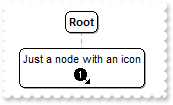
with thisform.ChartView1
	var_s = "gBJJgBAIDAAGAAEAAQhYAf8Pf4hh0QihCJo2AEZjQAjEZFEaIEaEEaAIAkcbk0olUrlktl0vmExmUzmk1m03nE5nU7nk9n0/oFBoVDolFo1HpFJpVLplNp1PqFRqVTql"
	var_s = var_s + "Vq1XrFZrVbrldr1fsFhsVjslls1ntFptVrtltt1vuFxuVzul1u13vF5vV7vl9v1/wGBwWDwmFw2HxGJxWLxmNx0xiFdyOTh8Tf9ZymXx+QytcyNgz8r0OblWjyWds+m0"
	var_s = var_s + "ka1Vf1ta1+r1mos2xrG2xeZ0+a0W0qOx3GO4NV3WeyvD2XJ5XL5nN51aiw+lfSj0gkUkAEllHanHI5j/cHg8EZf7w8vl8j4f/qfEZeB09/vjLAB30+kZQAP/P5/H6/yN"
	var_s = var_s + "AOAEAwCjMBwFAEDwJBMDwLBYAP2/8Hv8/gAGAD8LQs9w/nhDY/oygIA="
	.Images(var_s)
	with .Nodes.Add("Just a node with an icon")
		.Image = 1
		.ImageAlignment = 3
	endwith
endwith
|
|
105
|
How can I align the icon in the node
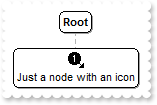
with thisform.ChartView1
	var_s = "gBJJgBAIDAAGAAEAAQhYAf8Pf4hh0QihCJo2AEZjQAjEZFEaIEaEEaAIAkcbk0olUrlktl0vmExmUzmk1m03nE5nU7nk9n0/oFBoVDolFo1HpFJpVLplNp1PqFRqVTql"
	var_s = var_s + "Vq1XrFZrVbrldr1fsFhsVjslls1ntFptVrtltt1vuFxuVzul1u13vF5vV7vl9v1/wGBwWDwmFw2HxGJxWLxmNx0xiFdyOTh8Tf9ZymXx+QytcyNgz8r0OblWjyWds+m0"
	var_s = var_s + "ka1Vf1ta1+r1mos2xrG2xeZ0+a0W0qOx3GO4NV3WeyvD2XJ5XL5nN51aiw+lfSj0gkUkAEllHanHI5j/cHg8EZf7w8vl8j4f/qfEZeB09/vjLAB30+kZQAP/P5/H6/yN"
	var_s = var_s + "AOAEAwCjMBwFAEDwJBMDwLBYAP2/8Hv8/gAGAD8LQs9w/nhDY/oygIA="
	.Images(var_s)
	with .Nodes.Add("Just a node with an icon")
		.Image = 1
		.ImageAlignment = 2
	endwith
endwith
|
|
104
|
How can I assign an icon to a node

with thisform.ChartView1
	var_s = "gBJJgBAIDAAGAAEAAQhYAf8Pf4hh0QihCJo2AEZjQAjEZFEaIEaEEaAIAkcbk0olUrlktl0vmExmUzmk1m03nE5nU7nk9n0/oFBoVDolFo1HpFJpVLplNp1PqFRqVTql"
	var_s = var_s + "Vq1XrFZrVbrldr1fsFhsVjslls1ntFptVrtltt1vuFxuVzul1u13vF5vV7vl9v1/wGBwWDwmFw2HxGJxWLxmNx0xiFdyOTh8Tf9ZymXx+QytcyNgz8r0OblWjyWds+m0"
	var_s = var_s + "ka1Vf1ta1+r1mos2xrG2xeZ0+a0W0qOx3GO4NV3WeyvD2XJ5XL5nN51aiw+lfSj0gkUkAEllHanHI5j/cHg8EZf7w8vl8j4f/qfEZeB09/vjLAB30+kZQAP/P5/H6/yN"
	var_s = var_s + "AOAEAwCjMBwFAEDwJBMDwLBYAP2/8Hv8/gAGAD8LQs9w/nhDY/oygIA="
	.Images(var_s)
	.Nodes.Add("Child").Image = 1
endwith
|
|
103
|
How can I change the font for a node
with thisform.ChartView1
	.Nodes.Add("Child").Caption = "<font Tahoma;12>new</font> caption"
endwith
|
|
102
|
How can I add a multiple lines node
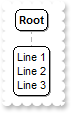
with thisform.ChartView1
	.Nodes.Add("").Caption = "Line 1<br>Line 2<br>Line3"
endwith
|
|
101
|
How can I add a multiple lines node
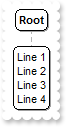
with thisform.ChartView1
	.Nodes.Add("Line 1<br>Line 2<br>Line3")
endwith
|