|
117
|
How can I replace or add an icon at runtime
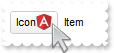
/*
	Copy and paste the following directives to your header file as
	it defines the namespace 'EXMENULib' for the library: 'ExMenu 1.0 Control Library'

	#import <ExMenu.dll>
	using namespace EXMENULib;
*/
EXMENULib::IExMenuPtr spExMenu1 = GetDlgItem(IDC_EXMENU1)->GetControlUnknown();
spExMenu1->PutAppearance(EXMENULib::Flat);
spExMenu1->ReplaceIcon(_bstr_t("gAAAABgYACEHgUJFEEAAWhUJCEJEEJggEhMCYEXjUbjkJQECj8gj8hAEjkshYEpk8kf8ClsulsvAExmcvf83js5nU7nkCeEcn8boMaocXosCB9Hn09pkzcEuoL/fE+O") +
	"kYB0gB9YhIHrddgVcr9aktZADAD8+P8CgIA==",vtMissing);
spExMenu1->ReplaceIcon("C:\\images\\favicon.ico",long(0));
EXMENULib::IAppearancePtr var_Appearance = spExMenu1->GetVisualAppearance();
	var_Appearance->Add(4,_bstr_t("gBFLBCJwBAEHhEJAAEhABUYCg6AADACAxRDgMQBQKAAzQFAYbhkGCGAAGMZxRgmFgAQhFcZQSKUOQTDKMIziYBYfgkMIgSbJUgDGAkRRdDSOYDmGQYDiCIoRShOMIjH") +
	"LUXxtDaIZwhEAoJb+RgAUY/cTzaAEUwHHiTKInaCQShsFYJUJAdRURQ9EwvCIZBpEWwLChENQwWLCNj2TScBwjCyqbale45ViqdoDU5EUiXJJ8ZxnECfYyrGjaMpCeKB" +
	"UrGYTVRBIMxLLSia5oeJqMrnBpNVrIUgXCAGFwHK6BcauXIIDp6XoWWRbAAWDpVVzNNC3YzkCIceADHKiXxmVz4JLdGZ1QTGID2XaYaxWK4oZjsVSc4KDHbETbHFi9Fo" +
	"3NaaxGisew+GYc4HlCR5NAAAIIEkQJSGMOgdE4RhYDwJJsAaAYQgmPpolCWgSCiBJzjcEIAkQXIBm8d5UhOQgCDUIBDDJDhgggJgKgKYJIDSVoDk8KBFF4OohEMZgWDs" +
	"YYDj4GoGmGSB2B6B5iAiBgYDsYRjGSbIJo4RgqDuIpIAoLoLmMCJGDKDJjJiLA7xqUAAgGTwYnYPoPmQCQGEKEJkEkFg9gGY44BoRoSmSSQ2EKEggHgRhShSZRJFYVoV" +
	"mWCRmFKFAgGOTheheZgJgYYoYmYSYWGaF4lkMMJ0hqZpJjYbobmcCZGHKHJmjmJh0h2Z4JmYcIaE8WZ2H6H5oAoBoCiCaBKBYfdjGoJoKiKaJKDaDojmkChGgmIgpCoV" +
	"oWiWaJZiSd4mmmSh2h6J5qAqBoiiiaY5iSeIpmqComiqKpqkqNouiuah6hqMIsmsSpWiuGhP1kOoumuSp2j6L5sAsBo54gKwWkaMZsgsJpKjKbJLDaRYxYWRpSjSbIZi" +
	"Se41m2CxmlqNptksdpejebR5iSfI4m4S4W16boLiaao6m5fJ9jubwLkaco8m8S5WnaPZunuOp4j6b5Lnac4SA0PAGlgP4wEwFwGkGcIMCcCpCnCCxiA8NYAAmMJfkSbh" +
	"FCcFpFnGDBnBqRpUhuEwTDeZ5lHCfw6HIQxLCaAxygyJwqgGcATE4FA6hWY4tjEAAQBAgIA==");
spExMenu1->PutSelBackColor(0x4000000);
spExMenu1->PutSelForeColor(RGB(0,0,1));
spExMenu1->PutBackColor(RGB(255,255,255));
spExMenu1->GetItems()->Add(L"Icon<img>1</img>",vtMissing,vtMissing);
spExMenu1->GetItems()->Add(L"Item",vtMissing,vtMissing);
spExMenu1->Refresh();
|
|
116
|
ImageSize property on 32 (specifies the size of control' icons)
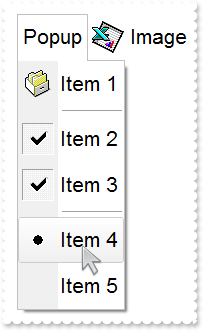
/*
	Copy and paste the following directives to your header file as
	it defines the namespace 'EXMENULib' for the library: 'ExMenu 1.0 Control Library'

	#import <ExMenu.dll>
	using namespace EXMENULib;
*/
EXMENULib::IExMenuPtr spExMenu1 = GetDlgItem(IDC_EXMENU1)->GetControlUnknown();
spExMenu1->PutImageSize(32);
spExMenu1->GetFont()->PutSize(_variant_t(long(16)));
spExMenu1->PutAppearance(EXMENULib::Flat);
spExMenu1->PutItemHeight(spExMenu1->GetAppearance(),46);
spExMenu1->Images(_bstr_t("gBJJgBAIDAAEg4AEEKAD/hz/EMNh8TIRNGwAjEZAEXjAojKAjMLjABhkaABAk0plUrlktl0vmExmUzmk1m03nE5nU7nk9miAoE+oVDolFo1HpFJpU5h8Sf9OqFNqUOq") +
	"NUqdPq9VrFWrlbr1QpdhAFAkFis1ntFptVrtkrpszrNvmVxqk3uVtm1kmF3sdBvF/wGBmV+j9BYGHwWJulfxdax2NyFdx2JlV6l9Nw7AAGZymdz2Cy2GxErvWcz9ivlw" +
	"yV21cuxugwktzGIzmvwtl0+53U5y0a0Wazmmyu/3dCyOMyXHx/J5nIr9q3uyqnBxFN3G46ma4vb7mD2Ng4nZze00fDkHC7t7us2rOX5tguetpHRlmz4HVqnXk1PjHO+C" +
	"MPo9MBMC+j2vC8j7wS8cFNI4kBo05UIvfCT/NsnsApU+0Fqg/T+oy/kPxC0sEQfErKQK96+w28UWRI8UGvO8sTLS9r2PWmsMJTDTask3CsIbIEQRA3shOXEEAO/GclJ9" +
	"FEKrrA8FRbKMXRIlb0JxCkjS1LMswhCcvuel0cv26cSMa8Ufx+2sQwhEUoSXOCjSbLcnxjKc7sdKUVyq28NtVI71P9P7JxtQEapjQ6fzfM8zPfNE2PhIsLL63E40slk5" +
	"y7N89LcyU9SvMb3SdUc6VJLj5VLVLfO/PS9KzNFHUa/0XyBD0dxlS9cxhMlTRSoNXypPErWDPyfNS+MwprRNO0FD8wVVZ1AI08URwVRjtJ1WCn21QkkUrXVLVPQS/XIk" +
	"FgTxT9iONZ9xVTdq+L1eKg3kkF6Upe68XtfV51/MtrVjBlwYFL1ev8y1/P6/lyzzYl02wntj0RVFmS1Qa+M5as93QxEUW9e993rfmQ2+vy65M/mL1lhl/2bj2ByVduMt" +
	"NhCJT9hdz41nN14Ld12Z9UjfI/oUAaGseiw6+uFLLhcVabJOS5RqOE0BHlZ5VnEr5fOMs3st+aa/bbRzrJGV51Y0b0DbqaWXZD90hIsPbjWu52+6Wyadpe66hhO+P/Xi" +
	"oW5rD8ZbrUZuVg6n1dsE/cXmewu1m9PVwnd35/nueXho/NaJzmjc61W76esuT77eG8pTquy9TwWH8LEzG8RDfFalx3Gcfvna9rvG/cptGLd9tuI6TZOP5Fiqi99vea+X" +
	"4VRcBq/JZZtVQ9cwSs5lsXE372+a9z7PbfB3VVqHyvMctLto8uob6eV0m/cD6MN2v+T33t6sBut42vdv2bJ8a997x2maFJfK+qArbGJPEKE+1qTflMsIdW/GCJX17KcT" +
	"6/czr/X+u1g29B7j/4BQfWkkx4zIHisjhPCmE0K4SwtXM+d4BvHRwNZOoBph9IJvPek9d40FoMJxf691jj2ywQQcHEWET4XJwkTszlVqm2GokewxtBT1DpQjRxDN0rUV" +
	"DNKdC3lb6tzNOwh6upMSSYfv4YBCl/bsn9PxiFCEo7SI6Obc9HeOrnY8x4jtHtdpN4GRbaorhsbu18Pph5CiHymI0RpSXGJ/z2oUOxYxG858AyiI+bfJtuTcG5yelBJy" +
	"T8okhqFd4a5yxL0rvulYtKCsZiWxWkc1s1cRoxxwhA31DLE0mR9l9HqX8fJgTDmFMVH0MIsRzVYnwnMi1dyzmhLt2kS2pxIiU62Wj5ptQGlSYFakLonTUJNLKaM5Wzlf" +
	"fEkuFkk5wTrhVO2eE7G6lJhxFFYUZ55zmn0WuBCD4pzhirFCKkbomsOoIYmZx5p90LoYWGPdD5g0QmJRKYxbZ6zYoVQ2jVGylSak7KSkFH6RSjpHKFuU+YMyNo5SulkC" +
	"6I0vonTCitMXPoEpVS2H5FQfEqp2R1opIgAEkJISYARTCukOhmPNI5Ex/wzGHUsicMwA1LHgQ90Y/KpoQHAD+pB/R4NzIaMAB9Xaw1gqaAOsh/A/ptIkWUfhGK1kZH8R" +
	"gH5GqvgArqRmt4AAPrTroRofBGADkqr6Rmu4D7CEaHARiwpJrEEZsXXwlVjyMWRsaRqwdkLGNBABZmytmyMnaINZqyVpLR2ftKAAAdd6h2osbaskdiq4EZtgSmyNcbVW" +
	"RJNXe3AA7REar3b0stlAAXBtoRmvJGLjEYAHUWsFcwCD/rnaop9aEICMAPdK5hT6xpeuzdOtAgKuJeGfdq6ggEbkTvAP+p9UCHXrvKkcgIA==");
EXMENULib::IAppearancePtr var_Appearance = spExMenu1->GetVisualAppearance();
	var_Appearance->Add(4,_bstr_t("gBFLBCJwBAEHhEJAAEhABUYCg6AADACAxRDgMQBQKAAzQFAYbhkGCGAAGMZxRgmFgAQhFcZQSKUOQTDKMIziYBYfgkMIgSbJUgDGAkRRdDSOYDmGQYDiCIoRShOMIjH") +
	"LUXxtDaIZwhEAoJb+RgAUY/cTzaAEUwHHiTKInaCQShsFYJUJAdRURQ9EwvCIZBpEWwLChENQwWLCNj2TScBwjCyqbale45ViqdoDU5EUiXJJ8ZxnECfYyrGjaMpCeKB" +
	"UrGYTVRBIMxLLSia5oeJqMrnBpNVrIUgXCAGFwHK6BcauXIIDp6XoWWRbAAWDpVVzNNC3YzkCIceADHKiXxmVz4JLdGZ1QTGID2XaYaxWK4oZjsVSc4KDHbETbHFi9Fo" +
	"3NaaxGisew+GYc4HlCR5NAAAIIEkQJSGMOgdE4RhYDwJJsAaAYQgmPpolCWgSCiBJzjcEIAkQXIBm8d5UhOQgCDUIBDDJDhgggJgKgKYJIDSVoDk8KBFF4OohEMZgWDs" +
	"YYDj4GoGmGSB2B6B5iAiBgYDsYRjGSbIJo4RgqDuIpIAoLoLmMCJGDKDJjJiLA7xqUAAgGTwYnYPoPmQCQGEKEJkEkFg9gGY44BoRoSmSSQ2EKEggHgRhShSZRJFYVoV" +
	"mWCRmFKFAgGOTheheZgJgYYoYmYSYWGaF4lkMMJ0hqZpJjYbobmcCZGHKHJmjmJh0h2Z4JmYcIaE8WZ2H6H5oAoBoCiCaBKBYfdjGoJoKiKaJKDaDojmkChGgmIgpCoV" +
	"oWiWaJZiSd4mmmSh2h6J5qAqBoiiiaY5iSeIpmqComiqKpqkqNouiuah6hqMIsmsSpWiuGhP1kOoumuSp2j6L5sAsBo54gKwWkaMZsgsJpKjKbJLDaRYxYWRpSjSbIZi" +
	"Se41m2CxmlqNptksdpejebR5iSfI4m4S4W16boLiaao6m5fJ9jubwLkaco8m8S5WnaPZunuOp4j6b5Lnac4SA0PAGlgP4wEwFwGkGcIMCcCpCnCCxiA8NYAAmMJfkSbh" +
	"FCcFpFnGDBnBqRpUhuEwTDeZ5lHCfw6HIQxLCaAxygyJwqgGcATE4FA6hWY4tjEAAQBAgIA==");
spExMenu1->PutSelBackColor(0x4000000);
spExMenu1->PutSelForeColor(RGB(0,0,1));
spExMenu1->PutBackColor(RGB(255,255,255));
EXMENULib::IMenuPtr var_Menu = spExMenu1->GetItems()->Add(L"Popup",long(2),vtMissing)->GetSubMenu();
	var_Menu->Add(L"Item 1",vtMissing,vtMissing)->PutImage(0);
	var_Menu->Add(L"",long(1),vtMissing);
	var_Menu->Add(L"Item 2",vtMissing,vtMissing)->PutCheck(VARIANT_TRUE);
	var_Menu->Add(L"Item 3",vtMissing,vtMissing)->PutCheck(VARIANT_TRUE);
	var_Menu->Add(L"",long(1),vtMissing);
	EXMENULib::IItemPtr var_item = var_Menu->Add(L"Item 4",vtMissing,vtMissing);
		var_item->PutCheckEffect(VARIANT_FALSE);
		var_item->PutCheck(VARIANT_TRUE);
		var_item->PutBullet(VARIANT_TRUE);
	var_Menu->Add(L"Item 5",vtMissing,vtMissing);
spExMenu1->GetItems()->Add(L"Image",vtMissing,vtMissing)->PutImage(2);
spExMenu1->Refresh();
|
|
115
|
ImageSize property on 16 (specifies the size of control' icons)
/*
	Copy and paste the following directives to your header file as
	it defines the namespace 'EXMENULib' for the library: 'ExMenu 1.0 Control Library'

	#import <ExMenu.dll>
	using namespace EXMENULib;
*/
EXMENULib::IExMenuPtr spExMenu1 = GetDlgItem(IDC_EXMENU1)->GetControlUnknown();
spExMenu1->PutImageSize(16);
spExMenu1->PutAppearance(EXMENULib::Flat);
spExMenu1->Images(_bstr_t("gBJJgBAIDAAEg4ACEKAD/hz/EMNh8TIRNGwAjEZAEXjAojJAjMLjABAAgjUYkUnlUrlktl0vmExmUzmk1m03nE5nU7nkrQCAntBoVDolFo1HoM/ADAplLptImdMYFOq") +
	"dSqlXq1QrVbrlGpVWsFNrNdnNjsk7pQAtNroFnt0sh8Yr9iulTuNxs1Eu8OiT/vsnsNVutXlk/oGGtVKxGLxWNtsZtN8iUYuNvy0Zvd+xNYwdwvl4p870GCqc8vOeuVt" +
	"tmp1knyOayWVy+WzN/ze1wOElenm+12WUz/Bv2/3UyyWrzeutux2GSyGP2dQ33C1ur3GD3M4zUNzHdlWjq/E3nGzVpjWv4HA7fRy/Tv2IrN8rPW6nZ3ve7mUlfu20Z8a" +
	"cvQyb+vY9jasYoDwMm+LytVBDqKG3z8O3Cb8P+mkAuY9cCQ2uL4KaxDKvkp8RNLEjqugnrwQo/UWPzFyeQw5sNLZFENrI4kOqU66pw8uzmOKvTqNqjULJvGL1JO48GtT" +
	"GsbLdEL3scxLlyiw8dQeoUVxdLTtyKmUjwGlslRPJsnK1HbAKbKCrsQo8uQk/CeP44iaR/ATnTNPLvyxPU+z9P9AUDQVBowiofJXQ6Oo+kKMpIkjztE4TKn4P6JowfgP" +
	"nwD5/nAjB8AOeAPo0eAA1IAFH07UhAIMpYAVIYFHqBUhwVjV1S1EtQAHxW65V0AZwAeuQAnwB5gAPYViEDVhwAHTQBkCjB4gOhwDmCyhH0sACAg==");
EXMENULib::IAppearancePtr var_Appearance = spExMenu1->GetVisualAppearance();
	var_Appearance->Add(4,_bstr_t("gBFLBCJwBAEHhEJAAEhABUYCg6AADACAxRDgMQBQKAAzQFAYbhkGCGAAGMZxRgmFgAQhFcZQSKUOQTDKMIziYBYfgkMIgSbJUgDGAkRRdDSOYDmGQYDiCIoRShOMIjH") +
	"LUXxtDaIZwhEAoJb+RgAUY/cTzaAEUwHHiTKInaCQShsFYJUJAdRURQ9EwvCIZBpEWwLChENQwWLCNj2TScBwjCyqbale45ViqdoDU5EUiXJJ8ZxnECfYyrGjaMpCeKB" +
	"UrGYTVRBIMxLLSia5oeJqMrnBpNVrIUgXCAGFwHK6BcauXIIDp6XoWWRbAAWDpVVzNNC3YzkCIceADHKiXxmVz4JLdGZ1QTGID2XaYaxWK4oZjsVSc4KDHbETbHFi9Fo" +
	"3NaaxGisew+GYc4HlCR5NAAAIIEkQJSGMOgdE4RhYDwJJsAaAYQgmPpolCWgSCiBJzjcEIAkQXIBm8d5UhOQgCDUIBDDJDhgggJgKgKYJIDSVoDk8KBFF4OohEMZgWDs" +
	"YYDj4GoGmGSB2B6B5iAiBgYDsYRjGSbIJo4RgqDuIpIAoLoLmMCJGDKDJjJiLA7xqUAAgGTwYnYPoPmQCQGEKEJkEkFg9gGY44BoRoSmSSQ2EKEggHgRhShSZRJFYVoV" +
	"mWCRmFKFAgGOTheheZgJgYYoYmYSYWGaF4lkMMJ0hqZpJjYbobmcCZGHKHJmjmJh0h2Z4JmYcIaE8WZ2H6H5oAoBoCiCaBKBYfdjGoJoKiKaJKDaDojmkChGgmIgpCoV" +
	"oWiWaJZiSd4mmmSh2h6J5qAqBoiiiaY5iSeIpmqComiqKpqkqNouiuah6hqMIsmsSpWiuGhP1kOoumuSp2j6L5sAsBo54gKwWkaMZsgsJpKjKbJLDaRYxYWRpSjSbIZi" +
	"Se41m2CxmlqNptksdpejebR5iSfI4m4S4W16boLiaao6m5fJ9jubwLkaco8m8S5WnaPZunuOp4j6b5Lnac4SA0PAGlgP4wEwFwGkGcIMCcCpCnCCxiA8NYAAmMJfkSbh" +
	"FCcFpFnGDBnBqRpUhuEwTDeZ5lHCfw6HIQxLCaAxygyJwqgGcATE4FA6hWY4tjEAAQBAgIA==");
spExMenu1->PutSelBackColor(0x4000000);
spExMenu1->PutSelForeColor(RGB(0,0,1));
spExMenu1->PutBackColor(RGB(255,255,255));
EXMENULib::IMenuPtr var_Menu = spExMenu1->GetItems()->Add(L"Popup",long(2),vtMissing)->GetSubMenu();
	var_Menu->Add(L"Item 1",vtMissing,vtMissing)->PutImage(0);
	var_Menu->Add(L"",long(1),vtMissing);
	var_Menu->Add(L"Item 2",vtMissing,vtMissing)->PutCheck(VARIANT_TRUE);
	var_Menu->Add(L"Item 3",vtMissing,vtMissing)->PutCheck(VARIANT_TRUE);
	var_Menu->Add(L"",long(1),vtMissing);
	EXMENULib::IItemPtr var_item = var_Menu->Add(L"Item 4",vtMissing,vtMissing);
		var_item->PutCheckEffect(VARIANT_FALSE);
		var_item->PutCheck(VARIANT_TRUE);
		var_item->PutBullet(VARIANT_TRUE);
	var_Menu->Add(L"Item 5",vtMissing,vtMissing);
spExMenu1->GetItems()->Add(L"Image",vtMissing,vtMissing)->PutImage(2);
spExMenu1->Refresh();
|
|
114
|
Click event
// Click event - Fired when the user clicks an item.
void OnClickExMenu1(long   ID)
{
	/*
		Copy and paste the following directives to your header file as
		it defines the namespace 'EXMENULib' for the library: 'ExMenu 1.0 Control Library'
		#import <ExMenu.dll>
		using namespace EXMENULib;
	*/
	EXMENULib::IExMenuPtr spExMenu1 = GetDlgItem(IDC_EXMENU1)->GetControlUnknown();
	OutputDebugStringW( L"ID" );
}

EXMENULib::IExMenuPtr spExMenu1 = GetDlgItem(IDC_EXMENU1)->GetControlUnknown();
spExMenu1->PutDebug(VARIANT_TRUE);
spExMenu1->PutBackColor(0x80000005);
spExMenu1->GetItems()->PutToString(_bstr_t("Item 1[id=10](SubItem 1[id=20](SubItem 1.1[id=30],SubItem 1.2[id=40]),SubItem 2[id=50]),Item 2[id=60](SubItem 1[id=70],SubItem ") +
	"2[id=80])");
|
|
113
|
Select event
// Select event - Occurs when an item is selected by clicking or by pressing RETURN key.
void OnSelectExMenu1(long   ID)
{
	/*
		Copy and paste the following directives to your header file as
		it defines the namespace 'EXMENULib' for the library: 'ExMenu 1.0 Control Library'
		#import <ExMenu.dll>
		using namespace EXMENULib;
	*/
	EXMENULib::IExMenuPtr spExMenu1 = GetDlgItem(IDC_EXMENU1)->GetControlUnknown();
	OutputDebugStringW( L"ID" );
}

EXMENULib::IExMenuPtr spExMenu1 = GetDlgItem(IDC_EXMENU1)->GetControlUnknown();
spExMenu1->PutDebug(VARIANT_TRUE);
spExMenu1->PutBackColor(0x80000005);
spExMenu1->GetItems()->PutToString(_bstr_t("Item 1[id=10](SubItem 1[id=20](SubItem 1.1[id=30],SubItem 1.2[id=40]),SubItem 2[id=50]),Item 2[id=60](SubItem 1[id=70],SubItem ") +
	"2[id=80])");
|
|
112
|
How can I display a chart/organigram view inside
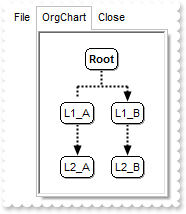
/*
	Copy and paste the following directives to your header file as
	it defines the namespace 'EXMENULib' for the library: 'ExMenu 1.0 Control Library'

	#import <ExMenu.dll>
	using namespace EXMENULib;
*/
EXMENULib::IExMenuPtr spExMenu1 = GetDlgItem(IDC_EXMENU1)->GetControlUnknown();
EXMENULib::IMenuPtr var_Menu = spExMenu1->GetItems();
	var_Menu->Add(L"File",vtMissing,vtMissing);
	EXMENULib::IControlPtr var_Control = var_Menu->Add(L"OrgChart",long(3),vtMissing)->GetSubControl();
		var_Control->PutControlID(L"Exontrol.ChartView");
		var_Control->PutWidth(128);
		var_Control->PutHeight(164);
		var_Control->Create();
		/*
	Copy and paste the following directives to your header file as
	it defines the namespace 'EXORGCHARTLib' for the library: 'ExOrgChart 1.0 Control Library'

	#import <ExOrgChart.dll>
	using namespace EXORGCHARTLib;
*/
		EXORGCHARTLib::IChartViewPtr var_ChartView = ((EXORGCHARTLib::IChartViewPtr)(var_Control->GetObject()));
			var_ChartView->PutIndentSiblingY(30);
			var_ChartView->PutShowLinksDir(VARIANT_TRUE);
			var_ChartView->PutPenWidthLink(2);
			var_ChartView->PutLinkColor(RGB(0,0,0));
			var_ChartView->PutAntiAliasing(VARIANT_TRUE);
			EXORGCHARTLib::INodesPtr var_Nodes = var_ChartView->GetNodes();
				var_Nodes->Add(L"L1_A",vtMissing,"LA",vtMissing,vtMissing)->PutShowLinkDir(VARIANT_FALSE);
				var_Nodes->Add(L"L1_B",vtMissing,"LB",vtMissing,vtMissing);
				var_Nodes->Add(L"L2_A","LA","LA2",vtMissing,vtMissing);
				var_Nodes->Add(L"L2_B","LB","LB2",vtMissing,vtMissing);
	var_Menu->Add(L"Close",vtMissing,vtMissing);
spExMenu1->Refresh();
|
|
111
|
How do I uncheck the item

// Select event - Occurs when an item is selected by clicking or by pressing RETURN key.
void OnSelectExMenu1(long   ID)
{
	// Item(ID).Check = False
}

/*
	Copy and paste the following directives to your header file as
	it defines the namespace 'EXMENULib' for the library: 'ExMenu 1.0 Control Library'

	#import <ExMenu.dll>
	using namespace EXMENULib;
*/
EXMENULib::IExMenuPtr spExMenu1 = GetDlgItem(IDC_EXMENU1)->GetControlUnknown();
EXMENULib::IMenuPtr var_Menu = spExMenu1->GetItems();
	EXMENULib::IItemPtr var_item = var_Menu->Add(L"Horizontal View",vtMissing,long(210));
		var_item->PutCheck(VARIANT_TRUE);
		var_item->PutCheckEffect(VARIANT_FALSE);
spExMenu1->Refresh();
|
|
110
|
How do I get the identifier of the item being clicked / selected
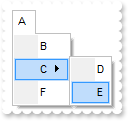
// Select event - Occurs when an item is selected by clicking or by pressing RETURN key.
void OnSelectExMenu1(long   ID)
{
	/*
		Copy and paste the following directives to your header file as
		it defines the namespace 'EXMENULib' for the library: 'ExMenu 1.0 Control Library'
		#import <ExMenu.dll>
		using namespace EXMENULib;
	*/
	EXMENULib::IExMenuPtr spExMenu1 = GetDlgItem(IDC_EXMENU1)->GetControlUnknown();
	OutputDebugStringW( L"Using ID parameter:" );
	OutputDebugStringW( L"ID" );
	OutputDebugStringW( L"Using the EventParam property: " );
	OutputDebugStringW( _bstr_t(spExMenu1->GetEventParam(0)) );
	OutputDebugStringW( L"Using the ExecuteTemplate property: " );
	OutputDebugStringW( _bstr_t(spExMenu1->ExecuteTemplate(L"EventParam(0)")) );
	spExMenu1->PutTemplate(L"EventParam(0)");
	OutputDebugStringW( L"Using TemplateResult property:" );
	OutputDebugStringW( _bstr_t(spExMenu1->GetTemplateResult()) );
	OutputDebugStringW( L"Using TemplateResultN property:" );
	OutputDebugStringW( _bstr_t(spExMenu1->GetTemplateResultN()) );
	OutputDebugStringW( L"Using TemplateResultS property:" );
	OutputDebugStringW( spExMenu1->GetTemplateResultS() );
}

EXMENULib::IExMenuPtr spExMenu1 = GetDlgItem(IDC_EXMENU1)->GetControlUnknown();
spExMenu1->GetItems()->PutToString(L"A[id=10](B[id=20],C[id=30](D[id=40],E[id=50]),F[id=60])");
|
|
109
|
How can I assign an icon to an item using an external ICO file

/*
	Copy and paste the following directives to your header file as
	it defines the namespace 'EXMENULib' for the library: 'ExMenu 1.0 Control Library'

	#import <ExMenu.dll>
	using namespace EXMENULib;
*/
EXMENULib::IExMenuPtr spExMenu1 = GetDlgItem(IDC_EXMENU1)->GetControlUnknown();
spExMenu1->PutHTMLPicture(L"ico1","C:\\Program Files\\Exontrol\\ExMenu\\Sample\\VC\\Sample\\res\\sample.ico");
spExMenu1->GetItems()->Add(L"<img>ico1:16</img> Caption",vtMissing,vtMissing);
spExMenu1->Refresh();
|
|
108
|
How can I assign an icon to an item using an external ICO file

/*
	Copy and paste the following directives to your header file as
	it defines the namespace 'EXMENULib' for the library: 'ExMenu 1.0 Control Library'

	#import <ExMenu.dll>
	using namespace EXMENULib;
*/
EXMENULib::IExMenuPtr spExMenu1 = GetDlgItem(IDC_EXMENU1)->GetControlUnknown();
spExMenu1->ReplaceIcon(spExMenu1->ExecuteTemplate("loadpicture(`C:\\Program Files\\Exontrol\\ExMenu\\Sample\\VC\\Sample\\res\\sample.ico`)"),vtMissing);
spExMenu1->GetItems()->Add(L"Caption",long(0),vtMissing)->PutImage(0);
spExMenu1->Refresh();
|
|
107
|
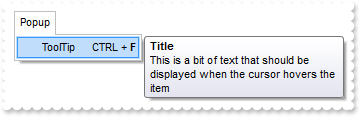
How can I assign a tooltip for an item
/*
	Copy and paste the following directives to your header file as
	it defines the namespace 'EXMENULib' for the library: 'ExMenu 1.0 Control Library'

	#import <ExMenu.dll>
	using namespace EXMENULib;
*/
EXMENULib::IExMenuPtr spExMenu1 = GetDlgItem(IDC_EXMENU1)->GetControlUnknown();
EXMENULib::IMenuPtr var_Menu = spExMenu1->GetItems()->Add(L"Popup",long(2),vtMissing)->GetSubMenu();
	EXMENULib::IItemPtr var_item = var_Menu->Add(L"ToolTip     CTRL + <b>F</b>",vtMissing,vtMissing);
		var_item->PutTooltip("This is a bit of text that should be displayed when the cursor hovers the item");
		var_item->PutTooltipTitle("Title");
spExMenu1->Refresh();
|
|
106
|
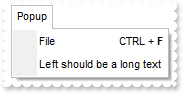
How can I specify some keys on the right of the item
/*
	Copy and paste the following directives to your header file as
	it defines the namespace 'EXMENULib' for the library: 'ExMenu 1.0 Control Library'

	#import <ExMenu.dll>
	using namespace EXMENULib;
*/
EXMENULib::IExMenuPtr spExMenu1 = GetDlgItem(IDC_EXMENU1)->GetControlUnknown();
EXMENULib::IMenuPtr var_Menu = spExMenu1->GetItems()->Add(L"Popup",long(2),vtMissing)->GetSubMenu();
	var_Menu->Add(L"File     CTRL + <b>F</b>",vtMissing,vtMissing);
	var_Menu->Add(L"Left should be a long text",vtMissing,vtMissing);
spExMenu1->Refresh();
|
|
105
|
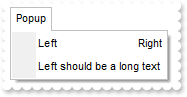
How do I specify the item's alignment
/*
	Copy and paste the following directives to your header file as
	it defines the namespace 'EXMENULib' for the library: 'ExMenu 1.0 Control Library'

	#import <ExMenu.dll>
	using namespace EXMENULib;
*/
EXMENULib::IExMenuPtr spExMenu1 = GetDlgItem(IDC_EXMENU1)->GetControlUnknown();
EXMENULib::IMenuPtr var_Menu = spExMenu1->GetItems()->Add(L"Popup",long(2),vtMissing)->GetSubMenu();
	var_Menu->Add(L"Left<r>Right",vtMissing,vtMissing);
	var_Menu->Add(L"Left should be a long text",vtMissing,vtMissing);
spExMenu1->Refresh();
|
|
104
|
How do I specify the item's alignment
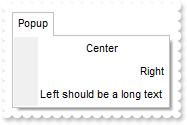
/*
	Copy and paste the following directives to your header file as
	it defines the namespace 'EXMENULib' for the library: 'ExMenu 1.0 Control Library'

	#import <ExMenu.dll>
	using namespace EXMENULib;
*/
EXMENULib::IExMenuPtr spExMenu1 = GetDlgItem(IDC_EXMENU1)->GetControlUnknown();
EXMENULib::IMenuPtr var_Menu = spExMenu1->GetItems()->Add(L"Popup",long(2),vtMissing)->GetSubMenu();
	var_Menu->Add(L"Center",vtMissing,vtMissing)->PutAlignment(EXMENULib::exCenter);
	var_Menu->Add(L"Right",vtMissing,vtMissing)->PutAlignment(EXMENULib::exRight);
	var_Menu->Add(L"Left should be a long text",vtMissing,vtMissing);
spExMenu1->Refresh();
|
|
103
|
How can I remove the border of the item's text box or an edit control
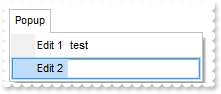
/*
	Copy and paste the following directives to your header file as
	it defines the namespace 'EXMENULib' for the library: 'ExMenu 1.0 Control Library'

	#import <ExMenu.dll>
	using namespace EXMENULib;
*/
EXMENULib::IExMenuPtr spExMenu1 = GetDlgItem(IDC_EXMENU1)->GetControlUnknown();
EXMENULib::IMenuPtr var_Menu = spExMenu1->GetItems()->Add(L"Popup",long(2),vtMissing)->GetSubMenu();
	EXMENULib::IItemPtr var_item = var_Menu->Add(L"Edit 1",vtMissing,vtMissing);
		var_item->PutAllowEdit(VARIANT_TRUE);
		var_item->PutEditCaption(L"test");
		var_item->PutEditWidth(128);
		var_item->PutEditBorder(EXMENULib::exEditBorderNone);
	var_Menu->Add(L"Edit 2",vtMissing,vtMissing)->PutAllowEdit(VARIANT_TRUE);
spExMenu1->Refresh();
|
|
102
|
How can I specify a single border for the item's text box or an edit control
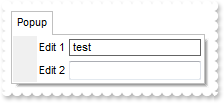
/*
	Copy and paste the following directives to your header file as
	it defines the namespace 'EXMENULib' for the library: 'ExMenu 1.0 Control Library'

	#import <ExMenu.dll>
	using namespace EXMENULib;
*/
EXMENULib::IExMenuPtr spExMenu1 = GetDlgItem(IDC_EXMENU1)->GetControlUnknown();
EXMENULib::IMenuPtr var_Menu = spExMenu1->GetItems()->Add(L"Popup",long(2),vtMissing)->GetSubMenu();
	EXMENULib::IItemPtr var_item = var_Menu->Add(L"Edit 1",vtMissing,vtMissing);
		var_item->PutAllowEdit(VARIANT_TRUE);
		var_item->PutEditCaption(L"test");
		var_item->PutEditWidth(128);
		var_item->PutEditBorder(EXMENULib::exEditBorderSingle);
	var_Menu->Add(L"Edit 2",vtMissing,vtMissing)->PutAllowEdit(VARIANT_TRUE);
spExMenu1->Refresh();
|
|
101
|
How can I add a checkbox

/*
	Copy and paste the following directives to your header file as
	it defines the namespace 'EXMENULib' for the library: 'ExMenu 1.0 Control Library'

	#import <ExMenu.dll>
	using namespace EXMENULib;
*/
EXMENULib::IExMenuPtr spExMenu1 = GetDlgItem(IDC_EXMENU1)->GetControlUnknown();
EXMENULib::IItemPtr var_item = spExMenu1->GetItems()->Add(L"Checked",vtMissing,vtMissing);
	var_item->PutCheck(VARIANT_TRUE);
	var_item->PutCheckEffect(VARIANT_FALSE);
spExMenu1->Refresh();
|
|
100
|
How can I specify the shape of the cursor while it hovers an item

/*
	Copy and paste the following directives to your header file as
	it defines the namespace 'EXMENULib' for the library: 'ExMenu 1.0 Control Library'

	#import <ExMenu.dll>
	using namespace EXMENULib;
*/
EXMENULib::IExMenuPtr spExMenu1 = GetDlgItem(IDC_EXMENU1)->GetControlUnknown();
EXMENULib::IMenuPtr var_Menu = spExMenu1->GetItems()->Add(L"Popup",long(2),vtMissing)->GetSubMenu();
	var_Menu->Add(L"Item 1",vtMissing,vtMissing)->PutCursor("exHelp");
	var_Menu->Add(L"Item 2",vtMissing,vtMissing);
spExMenu1->Refresh();
|
|
99
|
How can I specify the width for text box or an edit control
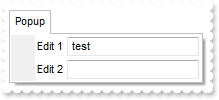
/*
	Copy and paste the following directives to your header file as
	it defines the namespace 'EXMENULib' for the library: 'ExMenu 1.0 Control Library'

	#import <ExMenu.dll>
	using namespace EXMENULib;
*/
EXMENULib::IExMenuPtr spExMenu1 = GetDlgItem(IDC_EXMENU1)->GetControlUnknown();
EXMENULib::IMenuPtr var_Menu = spExMenu1->GetItems()->Add(L"Popup",long(2),vtMissing)->GetSubMenu();
	EXMENULib::IItemPtr var_item = var_Menu->Add(L"Edit 1",vtMissing,vtMissing);
		var_item->PutAllowEdit(VARIANT_TRUE);
		var_item->PutEditCaption(L"test");
		var_item->PutEditWidth(128);
	var_Menu->Add(L"Edit 2",vtMissing,vtMissing)->PutAllowEdit(VARIANT_TRUE);
spExMenu1->Refresh();
|
|
98
|
How can I show or hide an item

/*
	Copy and paste the following directives to your header file as
	it defines the namespace 'EXMENULib' for the library: 'ExMenu 1.0 Control Library'

	#import <ExMenu.dll>
	using namespace EXMENULib;
*/
EXMENULib::IExMenuPtr spExMenu1 = GetDlgItem(IDC_EXMENU1)->GetControlUnknown();
EXMENULib::IItemPtr var_item = spExMenu1->GetItems()->Add(L"Popup",long(2),vtMissing);
	EXMENULib::IMenuPtr var_Menu = var_item->GetSubMenu();
		var_Menu->Add(L"Visible",vtMissing,vtMissing);
		var_Menu->Add(L"Hidden",vtMissing,vtMissing)->PutVisible(VARIANT_FALSE);
spExMenu1->Refresh();
|
|
97
|
Is there any function to display the popup menu up not down
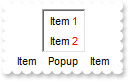
/*
	Copy and paste the following directives to your header file as
	it defines the namespace 'EXMENULib' for the library: 'ExMenu 1.0 Control Library'

	#import <ExMenu.dll>
	using namespace EXMENULib;
*/
EXMENULib::IExMenuPtr spExMenu1 = GetDlgItem(IDC_EXMENU1)->GetControlUnknown();
spExMenu1->GetItems()->Add(L"Item",vtMissing,vtMissing);
EXMENULib::IItemPtr var_item = spExMenu1->GetItems()->Add(L"Popup",long(2),vtMissing);
	var_item->PutShowDown(VARIANT_FALSE);
	EXMENULib::IMenuPtr var_Menu = var_item->GetSubMenu();
		var_Menu->Add(L"Item <fgcolor=FF0000>1</fgcolor>",vtMissing,vtMissing);
		var_Menu->Add(L"Item 2",vtMissing,vtMissing)->PutCaption(L"Item <fgcolor=FF0000>2</fgcolor>");
spExMenu1->GetItems()->Add(L"Item",vtMissing,vtMissing);
spExMenu1->PutAppearance(EXMENULib::Normal);
spExMenu1->PutBorder(EXMENULib::SunkenBorder);
spExMenu1->Refresh();
|
|
96
|
How can I specify the item's foreground color

/*
	Copy and paste the following directives to your header file as
	it defines the namespace 'EXMENULib' for the library: 'ExMenu 1.0 Control Library'

	#import <ExMenu.dll>
	using namespace EXMENULib;
*/
EXMENULib::IExMenuPtr spExMenu1 = GetDlgItem(IDC_EXMENU1)->GetControlUnknown();
EXMENULib::IMenuPtr var_Menu = spExMenu1->GetItems()->Add(L"Popup",long(2),vtMissing)->GetSubMenu();
	var_Menu->Add(L"Item <fgcolor=FF0000>1</fgcolor>",vtMissing,vtMissing);
	var_Menu->Add(L"Item 2",vtMissing,vtMissing)->PutCaption(L"Item <fgcolor=FF0000>2</fgcolor>");
spExMenu1->Refresh();
|
|
95
|
How can I specify the item's foreground color
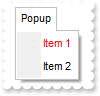
/*
	Copy and paste the following directives to your header file as
	it defines the namespace 'EXMENULib' for the library: 'ExMenu 1.0 Control Library'

	#import <ExMenu.dll>
	using namespace EXMENULib;
*/
EXMENULib::IExMenuPtr spExMenu1 = GetDlgItem(IDC_EXMENU1)->GetControlUnknown();
EXMENULib::IMenuPtr var_Menu = spExMenu1->GetItems()->Add(L"Popup",long(2),vtMissing)->GetSubMenu();
	var_Menu->Add(L"Item 1",vtMissing,vtMissing)->PutForeColor(RGB(255,0,0));
	var_Menu->Add(L"Item 2",vtMissing,vtMissing);
spExMenu1->Refresh();
|
|
94
|
How can I specify the item's background color

/*
	Copy and paste the following directives to your header file as
	it defines the namespace 'EXMENULib' for the library: 'ExMenu 1.0 Control Library'

	#import <ExMenu.dll>
	using namespace EXMENULib;
*/
EXMENULib::IExMenuPtr spExMenu1 = GetDlgItem(IDC_EXMENU1)->GetControlUnknown();
EXMENULib::IMenuPtr var_Menu = spExMenu1->GetItems()->Add(L"Popup",long(2),vtMissing)->GetSubMenu();
	var_Menu->Add(L"Item 1",vtMissing,vtMissing)->PutBackColor(RGB(255,0,0));
	var_Menu->Add(L"Item 2",vtMissing,vtMissing);
spExMenu1->Refresh();
|
|
93
|
How can I add an item with a text box or an edit control
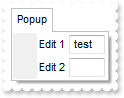
/*
	Copy and paste the following directives to your header file as
	it defines the namespace 'EXMENULib' for the library: 'ExMenu 1.0 Control Library'

	#import <ExMenu.dll>
	using namespace EXMENULib;
*/
EXMENULib::IExMenuPtr spExMenu1 = GetDlgItem(IDC_EXMENU1)->GetControlUnknown();
EXMENULib::IMenuPtr var_Menu = spExMenu1->GetItems()->Add(L"Popup",long(2),vtMissing)->GetSubMenu();
	EXMENULib::IItemPtr var_item = var_Menu->Add(L"Edit 1",vtMissing,vtMissing);
		var_item->PutAllowEdit(VARIANT_TRUE);
		var_item->PutEditCaption(L"test");
	var_Menu->Add(L"Edit 2",vtMissing,vtMissing)->PutAllowEdit(VARIANT_TRUE);
spExMenu1->Refresh();
|
|
92
|
How can I add an item with a text box or an edit control
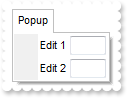
/*
	Copy and paste the following directives to your header file as
	it defines the namespace 'EXMENULib' for the library: 'ExMenu 1.0 Control Library'

	#import <ExMenu.dll>
	using namespace EXMENULib;
*/
EXMENULib::IExMenuPtr spExMenu1 = GetDlgItem(IDC_EXMENU1)->GetControlUnknown();
EXMENULib::IMenuPtr var_Menu = spExMenu1->GetItems()->Add(L"Popup",long(2),vtMissing)->GetSubMenu();
	var_Menu->Add(L"Edit 1",vtMissing,vtMissing)->PutAllowEdit(VARIANT_TRUE);
	var_Menu->Add(L"Edit 2",vtMissing,vtMissing)->PutAllowEdit(VARIANT_TRUE);
spExMenu1->Refresh();
|
|
91
|
How can I add a bullet

/*
	Copy and paste the following directives to your header file as
	it defines the namespace 'EXMENULib' for the library: 'ExMenu 1.0 Control Library'

	#import <ExMenu.dll>
	using namespace EXMENULib;
*/
EXMENULib::IExMenuPtr spExMenu1 = GetDlgItem(IDC_EXMENU1)->GetControlUnknown();
EXMENULib::IItemPtr var_item = spExMenu1->GetItems()->Add(L"Bullet",vtMissing,vtMissing);
	var_item->PutCheck(VARIANT_TRUE);
	var_item->PutBullet(VARIANT_TRUE);
spExMenu1->Refresh();
|
|
90
|
How can I add a checkbox

/*
	Copy and paste the following directives to your header file as
	it defines the namespace 'EXMENULib' for the library: 'ExMenu 1.0 Control Library'

	#import <ExMenu.dll>
	using namespace EXMENULib;
*/
EXMENULib::IExMenuPtr spExMenu1 = GetDlgItem(IDC_EXMENU1)->GetControlUnknown();
spExMenu1->GetItems()->Add(L"Checked",vtMissing,vtMissing)->PutCheck(VARIANT_TRUE);
spExMenu1->Refresh();
|
|
89
|
How can I enable or disable an item

/*
	Copy and paste the following directives to your header file as
	it defines the namespace 'EXMENULib' for the library: 'ExMenu 1.0 Control Library'

	#import <ExMenu.dll>
	using namespace EXMENULib;
*/
EXMENULib::IExMenuPtr spExMenu1 = GetDlgItem(IDC_EXMENU1)->GetControlUnknown();
spExMenu1->GetItems()->Add(L"Disabled",vtMissing,vtMissing)->PutEnabled(VARIANT_FALSE);
spExMenu1->Refresh();
|
|
88
|
How can I display an icon

/*
	Copy and paste the following directives to your header file as
	it defines the namespace 'EXMENULib' for the library: 'ExMenu 1.0 Control Library'

	#import <ExMenu.dll>
	using namespace EXMENULib;
*/
EXMENULib::IExMenuPtr spExMenu1 = GetDlgItem(IDC_EXMENU1)->GetControlUnknown();
spExMenu1->Images(_bstr_t("gBJJgBAIDAAGAAEAAQhYAf8Pf4hh0QihCJo2AEZjQAjEZFEaIEaEEaAIAkcbk0olUrlktl0vmExmUzmk1m03nE5nU7nk9n0/oFBoVDolFo1HpFJpVLplNp1PqFRqVTq") +
	"lVq1XrFZrVbrldr1fsFhsVjslls1ntFptVrtltt1vuFxuVzul1u13vF5vV7vl9v1/wGBwWDwmFw2HxGJxWLxmNx0xiFdyOTh8Tf9ZymXx+QytcyNgz8r0OblWjyWds+m" +
	"0ka1Vf1ta1+r1mos2xrG2xeZ0+a0W0qOx3GO4NV3WeyvD2XJ5XL5nN51aiw+lfSj0gkUkAEllHanHI5j/cHg8EZf7w8vl8j4f/qfEZeB09/vjLAB30+kZQAP/P5/H6/y" +
	"NAOAEAwCjMBwFAEDwJBMDwLBYAP2/8Hv8/gAGAD8LQs9w/nhDY/oygIA=");
spExMenu1->GetItems()->Add(L"A",vtMissing,vtMissing)->PutImage(1);
spExMenu1->Refresh();
|
|
87
|
How can I specify the item's identifier

/*
	Copy and paste the following directives to your header file as
	it defines the namespace 'EXMENULib' for the library: 'ExMenu 1.0 Control Library'

	#import <ExMenu.dll>
	using namespace EXMENULib;
*/
EXMENULib::IExMenuPtr spExMenu1 = GetDlgItem(IDC_EXMENU1)->GetControlUnknown();
spExMenu1->GetItems()->Add(L"A",vtMissing,vtMissing)->PutID(1000);
spExMenu1->Refresh();
|
|
86
|
How can I specify the item's identifier

/*
	Copy and paste the following directives to your header file as
	it defines the namespace 'EXMENULib' for the library: 'ExMenu 1.0 Control Library'

	#import <ExMenu.dll>
	using namespace EXMENULib;
*/
EXMENULib::IExMenuPtr spExMenu1 = GetDlgItem(IDC_EXMENU1)->GetControlUnknown();
spExMenu1->GetItems()->Add(L"A",long(0),long(1000));
spExMenu1->Refresh();
|
|
85
|
How can I assign an extra data to an item
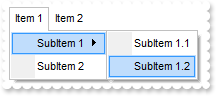
/*
	Copy and paste the following directives to your header file as
	it defines the namespace 'EXMENULib' for the library: 'ExMenu 1.0 Control Library'

	#import <ExMenu.dll>
	using namespace EXMENULib;
*/
EXMENULib::IExMenuPtr spExMenu1 = GetDlgItem(IDC_EXMENU1)->GetControlUnknown();
spExMenu1->GetItems()->PutToString(_bstr_t("Item 1[id=10](SubItem 1[id=20](SubItem 1.1[id=30],SubItem 1.2[id=40]),SubItem 2[id=50]),Item 2[id=60](SubItem 1[id=70],SubItem ") +
	"2[id=80])");
spExMenu1->GetItems()->Getitem(long(10))->PutUserData("your data");
spExMenu1->Refresh();
|
|
84
|
How can I underline an item
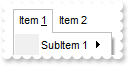
/*
	Copy and paste the following directives to your header file as
	it defines the namespace 'EXMENULib' for the library: 'ExMenu 1.0 Control Library'

	#import <ExMenu.dll>
	using namespace EXMENULib;
*/
EXMENULib::IExMenuPtr spExMenu1 = GetDlgItem(IDC_EXMENU1)->GetControlUnknown();
spExMenu1->GetItems()->PutToString(_bstr_t("Item 1[id=10](SubItem 1[id=20](SubItem 1.1[id=30],SubItem 1.2[id=40]),SubItem 2[id=50]),Item 2[id=60](SubItem 1[id=70],SubItem ") +
	"2[id=80])");
spExMenu1->GetItems()->Getitem(long(10))->PutCaption(L"Item <u>1</u>");
spExMenu1->Refresh();
|
|
83
|
How can I underline an item
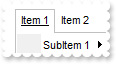
/*
	Copy and paste the following directives to your header file as
	it defines the namespace 'EXMENULib' for the library: 'ExMenu 1.0 Control Library'

	#import <ExMenu.dll>
	using namespace EXMENULib;
*/
EXMENULib::IExMenuPtr spExMenu1 = GetDlgItem(IDC_EXMENU1)->GetControlUnknown();
spExMenu1->GetItems()->PutToString(_bstr_t("Item 1[id=10](SubItem 1[id=20](SubItem 1.1[id=30],SubItem 1.2[id=40]),SubItem 2[id=50]),Item 2[id=60](SubItem 1[id=70],SubItem ") +
	"2[id=80])");
spExMenu1->GetItems()->Getitem(long(10))->PutUnderline(VARIANT_TRUE);
spExMenu1->Refresh();
|
|
82
|
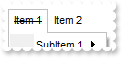
How can I display as strikeout an item
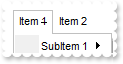
/*
	Copy and paste the following directives to your header file as
	it defines the namespace 'EXMENULib' for the library: 'ExMenu 1.0 Control Library'

	#import <ExMenu.dll>
	using namespace EXMENULib;
*/
EXMENULib::IExMenuPtr spExMenu1 = GetDlgItem(IDC_EXMENU1)->GetControlUnknown();
spExMenu1->GetItems()->PutToString(_bstr_t("Item 1[id=10](SubItem 1[id=20](SubItem 1.1[id=30],SubItem 1.2[id=40]),SubItem 2[id=50]),Item 2[id=60](SubItem 1[id=70],SubItem ") +
	"2[id=80])");
spExMenu1->GetItems()->Getitem(long(10))->PutCaption(L"Item <s>1</s>");
spExMenu1->Refresh();
|
|
81
|
How can I display as strikeout an item
/*
	Copy and paste the following directives to your header file as
	it defines the namespace 'EXMENULib' for the library: 'ExMenu 1.0 Control Library'

	#import <ExMenu.dll>
	using namespace EXMENULib;
*/
EXMENULib::IExMenuPtr spExMenu1 = GetDlgItem(IDC_EXMENU1)->GetControlUnknown();
spExMenu1->GetItems()->PutToString(_bstr_t("Item 1[id=10](SubItem 1[id=20](SubItem 1.1[id=30],SubItem 1.2[id=40]),SubItem 2[id=50]),Item 2[id=60](SubItem 1[id=70],SubItem ") +
	"2[id=80])");
spExMenu1->GetItems()->Getitem(long(10))->PutStrikeout(VARIANT_TRUE);
spExMenu1->Refresh();
|
|
80
|
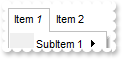
How can I display as italic an item
/*
	Copy and paste the following directives to your header file as
	it defines the namespace 'EXMENULib' for the library: 'ExMenu 1.0 Control Library'

	#import <ExMenu.dll>
	using namespace EXMENULib;
*/
EXMENULib::IExMenuPtr spExMenu1 = GetDlgItem(IDC_EXMENU1)->GetControlUnknown();
spExMenu1->GetItems()->PutToString(_bstr_t("Item 1[id=10](SubItem 1[id=20](SubItem 1.1[id=30],SubItem 1.2[id=40]),SubItem 2[id=50]),Item 2[id=60](SubItem 1[id=70],SubItem ") +
	"2[id=80])");
spExMenu1->GetItems()->Getitem(long(10))->PutCaption(L"Item <i>1</i>");
spExMenu1->Refresh();
|
|
79
|
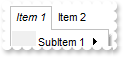
How can I display as italic an item
/*
	Copy and paste the following directives to your header file as
	it defines the namespace 'EXMENULib' for the library: 'ExMenu 1.0 Control Library'

	#import <ExMenu.dll>
	using namespace EXMENULib;
*/
EXMENULib::IExMenuPtr spExMenu1 = GetDlgItem(IDC_EXMENU1)->GetControlUnknown();
spExMenu1->GetItems()->PutToString(_bstr_t("Item 1[id=10](SubItem 1[id=20](SubItem 1.1[id=30],SubItem 1.2[id=40]),SubItem 2[id=50]),Item 2[id=60](SubItem 1[id=70],SubItem ") +
	"2[id=80])");
spExMenu1->GetItems()->Getitem(long(10))->PutItalic(VARIANT_TRUE);
spExMenu1->Refresh();
|
|
78
|
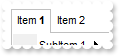
How do I bold an item
/*
	Copy and paste the following directives to your header file as
	it defines the namespace 'EXMENULib' for the library: 'ExMenu 1.0 Control Library'

	#import <ExMenu.dll>
	using namespace EXMENULib;
*/
EXMENULib::IExMenuPtr spExMenu1 = GetDlgItem(IDC_EXMENU1)->GetControlUnknown();
spExMenu1->GetItems()->PutToString(_bstr_t("Item 1[id=10](SubItem 1[id=20](SubItem 1.1[id=30],SubItem 1.2[id=40]),SubItem 2[id=50]),Item 2[id=60](SubItem 1[id=70],SubItem ") +
	"2[id=80])");
spExMenu1->GetItems()->Getitem(long(10))->PutCaption(L"Item <b>1</b>");
spExMenu1->Refresh();
|
|
77
|
How do I bold an item
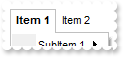
/*
	Copy and paste the following directives to your header file as
	it defines the namespace 'EXMENULib' for the library: 'ExMenu 1.0 Control Library'

	#import <ExMenu.dll>
	using namespace EXMENULib;
*/
EXMENULib::IExMenuPtr spExMenu1 = GetDlgItem(IDC_EXMENU1)->GetControlUnknown();
spExMenu1->GetItems()->PutToString(_bstr_t("Item 1[id=10](SubItem 1[id=20](SubItem 1.1[id=30],SubItem 1.2[id=40]),SubItem 2[id=50]),Item 2[id=60](SubItem 1[id=70],SubItem ") +
	"2[id=80])");
spExMenu1->GetItems()->Getitem(long(10))->PutBold(VARIANT_TRUE);
spExMenu1->Refresh();
|
|
76
|
How do I change the item's caption
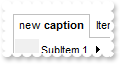
/*
	Copy and paste the following directives to your header file as
	it defines the namespace 'EXMENULib' for the library: 'ExMenu 1.0 Control Library'

	#import <ExMenu.dll>
	using namespace EXMENULib;
*/
EXMENULib::IExMenuPtr spExMenu1 = GetDlgItem(IDC_EXMENU1)->GetControlUnknown();
spExMenu1->GetItems()->PutToString(_bstr_t("Item 1[id=10](SubItem 1[id=20](SubItem 1.1[id=30],SubItem 1.2[id=40]),SubItem 2[id=50]),Item 2[id=60](SubItem 1[id=70],SubItem ") +
	"2[id=80])");
spExMenu1->GetItems()->Getitem(long(10))->PutCaption(L"new <b>caption</b>");
spExMenu1->Refresh();
|
|
75
|
How can I speciy the picture on the drop down menu
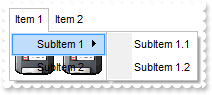
/*
	Copy and paste the following directives to your header file as
	it defines the namespace 'EXMENULib' for the library: 'ExMenu 1.0 Control Library'

	#import <ExMenu.dll>
	using namespace EXMENULib;
*/
EXMENULib::IExMenuPtr spExMenu1 = GetDlgItem(IDC_EXMENU1)->GetControlUnknown();
spExMenu1->GetItems()->PutToString(_bstr_t("Item 1[id=10](SubItem 1[id=20](SubItem 1.1[id=30],SubItem 1.2[id=40]),SubItem 2[id=50]),Item 2[id=60](SubItem 1[id=70],SubItem ") +
	"2[id=80])");
spExMenu1->GetItems()->Getitem(long(10))->GetSubMenu()->PutPicture(IPictureDispPtr(((IDispatch*)(spExMenu1->ExecuteTemplate("loadpicture(`c:\\exontrol\\images\\zipdisk.gif`)")))));
|
|
74
|
How can I speciy the number of visible items
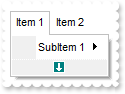
/*
	Copy and paste the following directives to your header file as
	it defines the namespace 'EXMENULib' for the library: 'ExMenu 1.0 Control Library'

	#import <ExMenu.dll>
	using namespace EXMENULib;
*/
EXMENULib::IExMenuPtr spExMenu1 = GetDlgItem(IDC_EXMENU1)->GetControlUnknown();
spExMenu1->GetItems()->PutToString(_bstr_t("Item 1[id=10](SubItem 1[id=20](SubItem 1.1[id=30],SubItem 1.2[id=40]),SubItem 2[id=50]),Item 2[id=60](SubItem 1[id=70],SubItem ") +
	"2[id=80])");
spExMenu1->GetItems()->Getitem(long(10))->GetSubMenu()->PutVisibleItemsCount(1);
|
|
73
|
How can I speciy the shape of the cursor when it hovers the menu

/*
	Copy and paste the following directives to your header file as
	it defines the namespace 'EXMENULib' for the library: 'ExMenu 1.0 Control Library'

	#import <ExMenu.dll>
	using namespace EXMENULib;
*/
EXMENULib::IExMenuPtr spExMenu1 = GetDlgItem(IDC_EXMENU1)->GetControlUnknown();
spExMenu1->GetItems()->PutToString(_bstr_t("Item 1[id=10](SubItem 1[id=20](SubItem 1.1[id=30],SubItem 1.2[id=40]),SubItem 2[id=50]),Item 2[id=60](SubItem 1[id=70],SubItem ") +
	"2[id=80])");
spExMenu1->GetItems()->Getitem(long(10))->PutCursor("exHelp");
|
|
72
|
How can I add items
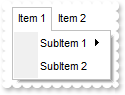
/*
	Copy and paste the following directives to your header file as
	it defines the namespace 'EXMENULib' for the library: 'ExMenu 1.0 Control Library'

	#import <ExMenu.dll>
	using namespace EXMENULib;
*/
EXMENULib::IExMenuPtr spExMenu1 = GetDlgItem(IDC_EXMENU1)->GetControlUnknown();
spExMenu1->GetItems()->PutToString(_bstr_t("Item 1[id=10](SubItem 1[id=20](SubItem 1.1[id=30],SubItem 1.2[id=40]),SubItem 2[id=50]),Item 2[id=60](SubItem 1[id=70],SubItem ") +
	"2[id=80])");
|
|
71
|
How I can remove an item
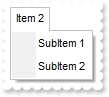
/*
	Copy and paste the following directives to your header file as
	it defines the namespace 'EXMENULib' for the library: 'ExMenu 1.0 Control Library'

	#import <ExMenu.dll>
	using namespace EXMENULib;
*/
EXMENULib::IExMenuPtr spExMenu1 = GetDlgItem(IDC_EXMENU1)->GetControlUnknown();
spExMenu1->GetItems()->PutToString(_bstr_t("Item 1[id=10](SubItem 1[id=20](SubItem 1.1[id=30],SubItem 1.2[id=40]),SubItem 2[id=50]),Item 2[id=60](SubItem 1[id=70],SubItem ") +
	"2[id=80])");
spExMenu1->GetItems()->Remove(long(10));
spExMenu1->Refresh();
|
|
70
|
How I can get the number or the count of the items in the menu
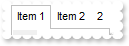
/*
	Copy and paste the following directives to your header file as
	it defines the namespace 'EXMENULib' for the library: 'ExMenu 1.0 Control Library'

	#import <ExMenu.dll>
	using namespace EXMENULib;
*/
EXMENULib::IExMenuPtr spExMenu1 = GetDlgItem(IDC_EXMENU1)->GetControlUnknown();
spExMenu1->GetItems()->PutToString(_bstr_t("Item 1[id=10](SubItem 1[id=20](SubItem 1.1[id=30],SubItem 1.2[id=40]),SubItem 2[id=50]),Item 2[id=60](SubItem 1[id=70],SubItem ") +
	"2[id=80])");
EXMENULib::IMenuPtr var_Menu = spExMenu1->GetItems();
	var_Menu->Add(_bstr_t(var_Menu->GetCount()),vtMissing,vtMissing);
spExMenu1->Refresh();
|
|
69
|
How I can clear a menu

/*
	Copy and paste the following directives to your header file as
	it defines the namespace 'EXMENULib' for the library: 'ExMenu 1.0 Control Library'

	#import <ExMenu.dll>
	using namespace EXMENULib;
*/
EXMENULib::IExMenuPtr spExMenu1 = GetDlgItem(IDC_EXMENU1)->GetControlUnknown();
spExMenu1->GetItems()->PutToString(_bstr_t("Item 1[id=10](SubItem 1[id=20](SubItem 1.1[id=30],SubItem 1.2[id=40]),SubItem 2[id=50]),Item 2[id=60](SubItem 1[id=70],SubItem ") +
	"2[id=80])");
spExMenu1->GetItems()->Clear();
spExMenu1->GetItems()->PutToString(L"Item 1");
|
|
68
|
How do I specify to close an ActiveX item when user clicks it
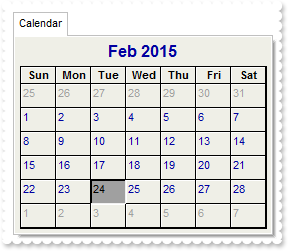
/*
	Copy and paste the following directives to your header file as
	it defines the namespace 'EXMENULib' for the library: 'ExMenu 1.0 Control Library'

	#import <ExMenu.dll>
	using namespace EXMENULib;
*/
EXMENULib::IExMenuPtr spExMenu1 = GetDlgItem(IDC_EXMENU1)->GetControlUnknown();
EXMENULib::IControlPtr var_Control = spExMenu1->GetItems()->Add(L"Calendar",long(3),vtMissing)->GetSubControl();
	var_Control->PutControlID(L"MSCal.Calendar");
	var_Control->PutWidth(256);
	var_Control->PutHeight(196);
	var_Control->Create();
	/*
	Copy and paste the following directives to your header file as
	it defines the namespace 'MSACAL' for the library: 'Microsoft Calendar Control 8.0'

	#import <MSCAL.OCX>
*/
	MSACAL::ICalendarPtr var_Calendar = ((MSACAL::ICalendarPtr)(var_Control->GetObject()));
		var_Calendar->PutShowDateSelectors(VARIANT_FALSE);
		var_Calendar->PutBackColor(RGB(239,239,231));
	var_Control->PutCloseOn(EXMENULib::exLButtonUp);
spExMenu1->Refresh();
|
|
67
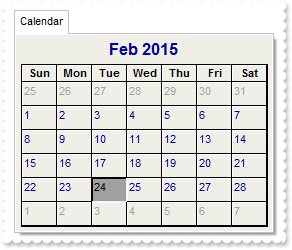
|
How can I access the properties and methods for an ActiveX item
/*
	Copy and paste the following directives to your header file as
	it defines the namespace 'EXMENULib' for the library: 'ExMenu 1.0 Control Library'

	#import <ExMenu.dll>
	using namespace EXMENULib;
*/
EXMENULib::IExMenuPtr spExMenu1 = GetDlgItem(IDC_EXMENU1)->GetControlUnknown();
EXMENULib::IControlPtr var_Control = spExMenu1->GetItems()->Add(L"Calendar",long(3),vtMissing)->GetSubControl();
	var_Control->PutControlID(L"MSCal.Calendar");
	var_Control->PutWidth(256);
	var_Control->PutHeight(196);
	var_Control->Create();
	/*
	Copy and paste the following directives to your header file as
	it defines the namespace 'MSACAL' for the library: 'Microsoft Calendar Control 8.0'

	#import <MSCAL.OCX>
*/
	MSACAL::ICalendarPtr var_Calendar = ((MSACAL::ICalendarPtr)(var_Control->GetObject()));
		var_Calendar->PutShowDateSelectors(VARIANT_FALSE);
		var_Calendar->PutBackColor(RGB(239,239,231));
spExMenu1->Refresh();
|
|
66
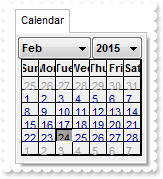
|
I can't see the ActiveX item
/*
	Copy and paste the following directives to your header file as
	it defines the namespace 'EXMENULib' for the library: 'ExMenu 1.0 Control Library'

	#import <ExMenu.dll>
	using namespace EXMENULib;
*/
EXMENULib::IExMenuPtr spExMenu1 = GetDlgItem(IDC_EXMENU1)->GetControlUnknown();
EXMENULib::IControlPtr var_Control = spExMenu1->GetItems()->Add(L"Calendar",long(3),vtMissing)->GetSubControl();
	var_Control->PutControlID(L"MSCal.Calendar");
	var_Control->Create();
spExMenu1->Refresh();
|
|
65
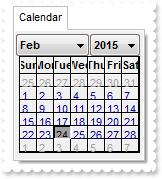
|
How can I specify the runtime license key for an ActiveX item
/*
	Copy and paste the following directives to your header file as
	it defines the namespace 'EXMENULib' for the library: 'ExMenu 1.0 Control Library'

	#import <ExMenu.dll>
	using namespace EXMENULib;
*/
EXMENULib::IExMenuPtr spExMenu1 = GetDlgItem(IDC_EXMENU1)->GetControlUnknown();
EXMENULib::IControlPtr var_Control = spExMenu1->GetItems()->Add(L"Calendar",long(3),vtMissing)->GetSubControl();
	var_Control->PutControlID(L"MSCal.Calendar");
	var_Control->PutLicenseKey(L"");
	var_Control->Create();
spExMenu1->Refresh();
|
|
64
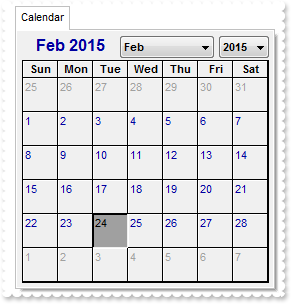
|
How can I specify the width and the height for an ActiveX item
/*
	Copy and paste the following directives to your header file as
	it defines the namespace 'EXMENULib' for the library: 'ExMenu 1.0 Control Library'

	#import <ExMenu.dll>
	using namespace EXMENULib;
*/
EXMENULib::IExMenuPtr spExMenu1 = GetDlgItem(IDC_EXMENU1)->GetControlUnknown();
EXMENULib::IControlPtr var_Control = spExMenu1->GetItems()->Add(L"Calendar",long(3),vtMissing)->GetSubControl();
	var_Control->PutControlID(L"MSCal.Calendar");
	var_Control->PutWidth(256);
	var_Control->PutHeight(256);
	var_Control->Create();
spExMenu1->Refresh();
|
|
63
|
How can I select a date
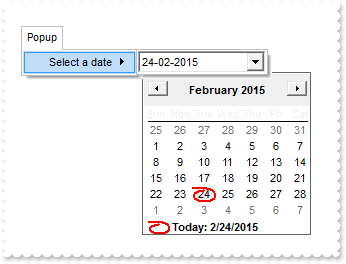
/*
	Copy and paste the following directives to your header file as
	it defines the namespace 'EXMENULib' for the library: 'ExMenu 1.0 Control Library'

	#import <ExMenu.dll>
	using namespace EXMENULib;
*/
EXMENULib::IExMenuPtr spExMenu1 = GetDlgItem(IDC_EXMENU1)->GetControlUnknown();
EXMENULib::IMenuPtr var_Menu = spExMenu1->GetItems()->Add(L"Popup",long(2),vtMissing)->GetSubMenu();
	EXMENULib::IControlPtr var_Control = var_Menu->Add(L"Select a date",long(3),vtMissing)->GetSubControl();
		var_Control->PutControlID(L"MSComCtl2.DTPicker");
		var_Control->PutWidth(128);
		var_Control->PutHeight(22);
		var_Control->Create();
		/*
	Copy and paste the following directives to your header file as
	it defines the namespace 'MSComCtl2' for the library: 'Microsoft Windows Common Controls-2 6.0 (SP6)'

	#import <MSCOMCT2.OCX>
*/
		MSComCtl2::IDTPickerPtr var_DTPicker = ((MSComCtl2::IDTPickerPtr)(var_Control->GetObject()));
			var_DTPicker->PutFormat(MSComCtl2::dtpCustom);
			var_DTPicker->PutCustomFormat(L"dd-MM-yyy");
			var_DTPicker->Refresh();
spExMenu1->Refresh();
|
|
62
|
How can I add an ActiveX item
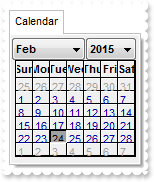
/*
	Copy and paste the following directives to your header file as
	it defines the namespace 'EXMENULib' for the library: 'ExMenu 1.0 Control Library'

	#import <ExMenu.dll>
	using namespace EXMENULib;
*/
EXMENULib::IExMenuPtr spExMenu1 = GetDlgItem(IDC_EXMENU1)->GetControlUnknown();
EXMENULib::IControlPtr var_Control = spExMenu1->GetItems()->Add(L"Calendar",long(3),vtMissing)->GetSubControl();
	var_Control->PutControlID(L"MSCal.Calendar");
	var_Control->Create();
spExMenu1->Refresh();
|
|
61
|
How can I add a separator item
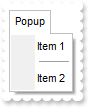
/*
	Copy and paste the following directives to your header file as
	it defines the namespace 'EXMENULib' for the library: 'ExMenu 1.0 Control Library'

	#import <ExMenu.dll>
	using namespace EXMENULib;
*/
EXMENULib::IExMenuPtr spExMenu1 = GetDlgItem(IDC_EXMENU1)->GetControlUnknown();
EXMENULib::IMenuPtr var_Menu = spExMenu1->GetItems()->Add(L"Popup",long(2),vtMissing)->GetSubMenu();
	var_Menu->Add(L"Item 1",vtMissing,vtMissing);
	var_Menu->Add(L"",long(1),vtMissing);
	var_Menu->Add(L"Item 2",vtMissing,vtMissing);
spExMenu1->Refresh();
|
|
60
|
How can I add a popup or a submenu
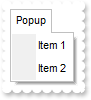
/*
	Copy and paste the following directives to your header file as
	it defines the namespace 'EXMENULib' for the library: 'ExMenu 1.0 Control Library'

	#import <ExMenu.dll>
	using namespace EXMENULib;
*/
EXMENULib::IExMenuPtr spExMenu1 = GetDlgItem(IDC_EXMENU1)->GetControlUnknown();
EXMENULib::IMenuPtr var_Menu = spExMenu1->GetItems()->Add(L"Popup",long(2),vtMissing)->GetSubMenu();
	var_Menu->Add(L"Item 1",vtMissing,vtMissing);
	var_Menu->Add(L"Item 2",vtMissing,vtMissing);
spExMenu1->Refresh();
|
|
59
|
How can I add a new item

/*
	Copy and paste the following directives to your header file as
	it defines the namespace 'EXMENULib' for the library: 'ExMenu 1.0 Control Library'

	#import <ExMenu.dll>
	using namespace EXMENULib;
*/
EXMENULib::IExMenuPtr spExMenu1 = GetDlgItem(IDC_EXMENU1)->GetControlUnknown();
spExMenu1->GetItems()->Add(L"Item 1",vtMissing,vtMissing);
spExMenu1->Refresh();
|
|
58
|
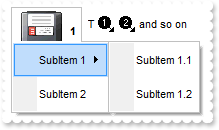
How I can assign a picture or an icon to an item
/*
	Copy and paste the following directives to your header file as
	it defines the namespace 'EXMENULib' for the library: 'ExMenu 1.0 Control Library'

	#import <ExMenu.dll>
	using namespace EXMENULib;
*/
EXMENULib::IExMenuPtr spExMenu1 = GetDlgItem(IDC_EXMENU1)->GetControlUnknown();
spExMenu1->Images(_bstr_t("gBJJgBAIDAAGAAEAAQhYAf8Pf4hh0QihCJo2AEZjQAjEZFEaIEaEEaAIAkcbk0olUrlktl0vmExmUzmk1m03nE5nU7nk9n0/oFBoVDolFo1HpFJpVLplNp1PqFRqVTq") +
	"lVq1XrFZrVbrldr1fsFhsVjslls1ntFptVrtltt1vuFxuVzul1u13vF5vV7vl9v1/wGBwWDwmFw2HxGJxWLxmNx0xiFdyOTh8Tf9ZymXx+QytcyNgz8r0OblWjyWds+m" +
	"0ka1Vf1ta1+r1mos2xrG2xeZ0+a0W0qOx3GO4NV3WeyvD2XJ5XL5nN51aiw+lfSj0gkUkAEllHanHI5j/cHg8EZf7w8vl8j4f/qfEZeB09/vjLAB30+kZQAP/P5/H6/y" +
	"NAOAEAwCjMBwFAEDwJBMDwLBYAP2/8Hv8/gAGAD8LQs9w/nhDY/oygIA=");
spExMenu1->PutHTMLPicture(L"pic1","c:\\exontrol\\images\\zipdisk.gif");
spExMenu1->PutItemHeight(EXMENULib::Button,34);
spExMenu1->GetItems()->PutToString(_bstr_t("Item 1[id=10](SubItem 1[id=20](SubItem 1.1[id=30],SubItem 1.2[id=40]),SubItem 2[id=50]),Item 2[id=60](SubItem 1[id=70],SubItem ") +
	"2[id=80])");
spExMenu1->GetItems()->Getitem(long(10))->PutCaption(L"<img>pic1</img> <b>1</b>");
spExMenu1->GetItems()->Getitem(long(60))->PutCaption(L"T <img>1</img> <img>2</img> and so on ");
spExMenu1->Refresh();
|
|
57
|
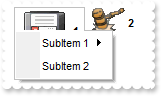
How I can assign a picture to an item
/*
	Copy and paste the following directives to your header file as
	it defines the namespace 'EXMENULib' for the library: 'ExMenu 1.0 Control Library'

	#import <ExMenu.dll>
	using namespace EXMENULib;
*/
EXMENULib::IExMenuPtr spExMenu1 = GetDlgItem(IDC_EXMENU1)->GetControlUnknown();
spExMenu1->PutHTMLPicture(L"pic1","c:\\exontrol\\images\\zipdisk.gif");
spExMenu1->PutHTMLPicture(L"pic2","c:\\exontrol\\images\\auction.gif");
spExMenu1->GetItems()->PutToString(_bstr_t("Item 1[id=10](SubItem 1[id=20](SubItem 1.1[id=30],SubItem 1.2[id=40]),SubItem 2[id=50]),Item 2[id=60](SubItem 1[id=70],SubItem ") +
	"2[id=80])");
spExMenu1->GetItems()->Getitem(long(10))->PutCaption(L"<img>pic1</img> <b>1</b>");
spExMenu1->GetItems()->Getitem(long(60))->PutCaption(L"<img>pic2</img> <b>2</b>");
spExMenu1->Refresh();
|
|
56
|
How do I call your x-script language
/*
	Copy and paste the following directives to your header file as
	it defines the namespace 'EXMENULib' for the library: 'ExMenu 1.0 Control Library'

	#import <ExMenu.dll>
	using namespace EXMENULib;
*/
EXMENULib::IExMenuPtr spExMenu1 = GetDlgItem(IDC_EXMENU1)->GetControlUnknown();
spExMenu1->PutTemplate(L"Items.ToString = `Item 1,Item 2`");
|
|
55
|
How do I change the shape of the cursor whether it hovers the control
/*
	Copy and paste the following directives to your header file as
	it defines the namespace 'EXMENULib' for the library: 'ExMenu 1.0 Control Library'

	#import <ExMenu.dll>
	using namespace EXMENULib;
*/
EXMENULib::IExMenuPtr spExMenu1 = GetDlgItem(IDC_EXMENU1)->GetControlUnknown();
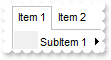
spExMenu1->PutCursor("exHelp");
spExMenu1->GetItems()->PutToString(_bstr_t("Item 1[id=10](SubItem 1[id=20](SubItem 1.1[id=30],SubItem 1.2[id=40]),SubItem 2[id=50]),Item 2[id=60](SubItem 1[id=70],SubItem ") +
	"2[id=80])");
|
|
54
|
How do I specify whether the item gets selected whether the user presses or releases the mouse

/*
	Copy and paste the following directives to your header file as
	it defines the namespace 'EXMENULib' for the library: 'ExMenu 1.0 Control Library'

	#import <ExMenu.dll>
	using namespace EXMENULib;
*/
EXMENULib::IExMenuPtr spExMenu1 = GetDlgItem(IDC_EXMENU1)->GetControlUnknown();
spExMenu1->PutSelectOn(EXMENULib::exMouseUp);
spExMenu1->GetItems()->PutToString(_bstr_t("Item 1[id=10](SubItem 1[id=20](SubItem 1.1[id=30],SubItem 1.2[id=40]),SubItem 2[id=50]),Item 2[id=60](SubItem 1[id=70],SubItem ") +
	"2[id=80])");
|
|
53
|
How do I change the picture or icon for the chevrons
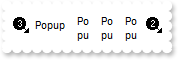
/*
	Copy and paste the following directives to your header file as
	it defines the namespace 'EXMENULib' for the library: 'ExMenu 1.0 Control Library'

	#import <ExMenu.dll>
	using namespace EXMENULib;
*/
EXMENULib::IExMenuPtr spExMenu1 = GetDlgItem(IDC_EXMENU1)->GetControlUnknown();
spExMenu1->Images(_bstr_t("gBJJgBAIDAAGAAEAAQhYAf8Pf4hh0QihCJo2AEZjQAjEZFEaIEaEEaAIAkcbk0olUrlktl0vmExmUzmk1m03nE5nU7nk9n0/oFBoVDolFo1HpFJpVLplNp1PqFRqVTq") +
	"lVq1XrFZrVbrldr1fsFhsVjslls1ntFptVrtltt1vuFxuVzul1u13vF5vV7vl9v1/wGBwWDwmFw2HxGJxWLxmNx0xiFdyOTh8Tf9ZymXx+QytcyNgz8r0OblWjyWds+m" +
	"0ka1Vf1ta1+r1mos2xrG2xeZ0+a0W0qOx3GO4NV3WeyvD2XJ5XL5nN51aiw+lfSj0gkUkAEllHanHI5j/cHg8EZf7w8vl8j4f/qfEZeB09/vjLAB30+kZQAP/P5/H6/y" +
	"NAOAEAwCjMBwFAEDwJBMDwLBYAP2/8Hv8/gAGAD8LQs9w/nhDY/oygIA=");
spExMenu1->PutScrollImage(VARIANT_TRUE,1);
spExMenu1->PutScrollImage(VARIANT_FALSE,2);
spExMenu1->PutAllowChevron(EXMENULib::exScroll);
spExMenu1->GetItems()->PutToString(_bstr_t("Popup[id=10](Item 1[id=20],[sep][id=30],Item 2[id=40]),Popup[id=10](Item 1[id=20],[sep][id=30],Item 2[id=40]),Popup[id=10](Item") +
	" 1[id=20],[sep][id=30],Item 2[id=40]),Popup[id=10](Item 1[id=20],[sep][id=30],Item 2[id=40]),Popup[id=10](Item 1[id=20],[sep][id" +
	"=30],Item 2[id=40]),Popup[id=10](Item 1[id=20],[sep][id=30],Item 2[id=40]),Popup[id=10](Item 1[id=20],[sep][id=30],Item 2[id=40]" +
	"),Popup[id=10](Item 1[id=20],[sep][id=30],Item 2[id=40]),Popup[id=10](Item 1[id=20],[sep][id=30],Item 2[id=40]),Popup[id=10](Ite" +
	"m 1[id=20],[sep][id=30],Item 2[id=40])");
|
|
52
|
How do I specify the height for items
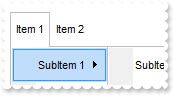
/*
	Copy and paste the following directives to your header file as
	it defines the namespace 'EXMENULib' for the library: 'ExMenu 1.0 Control Library'

	#import <ExMenu.dll>
	using namespace EXMENULib;
*/
EXMENULib::IExMenuPtr spExMenu1 = GetDlgItem(IDC_EXMENU1)->GetControlUnknown();
spExMenu1->PutItemHeight(EXMENULib::Button,34);
spExMenu1->GetItems()->PutToString(_bstr_t("Item 1[id=10](SubItem 1[id=20](SubItem 1.1[id=30],SubItem 1.2[id=40]),SubItem 2[id=50]),Item 2[id=60](SubItem 1[id=70],SubItem ") +
	"2[id=80])");
|
|
51
|
How do I change the picture or icon for the chevrons
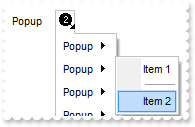
/*
	Copy and paste the following directives to your header file as
	it defines the namespace 'EXMENULib' for the library: 'ExMenu 1.0 Control Library'

	#import <ExMenu.dll>
	using namespace EXMENULib;
*/
EXMENULib::IExMenuPtr spExMenu1 = GetDlgItem(IDC_EXMENU1)->GetControlUnknown();
spExMenu1->Images(_bstr_t("gBJJgBAIDAAGAAEAAQhYAf8Pf4hh0QihCJo2AEZjQAjEZFEaIEaEEaAIAkcbk0olUrlktl0vmExmUzmk1m03nE5nU7nk9n0/oFBoVDolFo1HpFJpVLplNp1PqFRqVTq") +
	"lVq1XrFZrVbrldr1fsFhsVjslls1ntFptVrtltt1vuFxuVzul1u13vF5vV7vl9v1/wGBwWDwmFw2HxGJxWLxmNx0xiFdyOTh8Tf9ZymXx+QytcyNgz8r0OblWjyWds+m" +
	"0ka1Vf1ta1+r1mos2xrG2xeZ0+a0W0qOx3GO4NV3WeyvD2XJ5XL5nN51aiw+lfSj0gkUkAEllHanHI5j/cHg8EZf7w8vl8j4f/qfEZeB09/vjLAB30+kZQAP/P5/H6/y" +
	"NAOAEAwCjMBwFAEDwJBMDwLBYAP2/8Hv8/gAGAD8LQs9w/nhDY/oygIA=");
spExMenu1->PutChevronImage(1);
spExMenu1->PutAllowChevron(EXMENULib::exChevron);
spExMenu1->GetItems()->PutToString(_bstr_t("Popup[id=10](Item 1[id=20],[sep][id=30],Item 2[id=40]),Popup[id=10](Item 1[id=20],[sep][id=30],Item 2[id=40]),Popup[id=10](Item") +
	" 1[id=20],[sep][id=30],Item 2[id=40]),Popup[id=10](Item 1[id=20],[sep][id=30],Item 2[id=40]),Popup[id=10](Item 1[id=20],[sep][id" +
	"=30],Item 2[id=40]),Popup[id=10](Item 1[id=20],[sep][id=30],Item 2[id=40]),Popup[id=10](Item 1[id=20],[sep][id=30],Item 2[id=40]" +
	"),Popup[id=10](Item 1[id=20],[sep][id=30],Item 2[id=40]),Popup[id=10](Item 1[id=20],[sep][id=30],Item 2[id=40]),Popup[id=10](Ite" +
	"m 1[id=20],[sep][id=30],Item 2[id=40])");
|
|
50
|
How do I disable chevrons
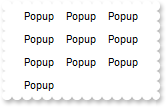
/*
	Copy and paste the following directives to your header file as
	it defines the namespace 'EXMENULib' for the library: 'ExMenu 1.0 Control Library'

	#import <ExMenu.dll>
	using namespace EXMENULib;
*/
EXMENULib::IExMenuPtr spExMenu1 = GetDlgItem(IDC_EXMENU1)->GetControlUnknown();
spExMenu1->PutAllowChevron(EXMENULib::exDefault);
spExMenu1->GetItems()->PutToString(_bstr_t("Popup[id=10](Item 1[id=20],[sep][id=30],Item 2[id=40]),Popup[id=10](Item 1[id=20],[sep][id=30],Item 2[id=40]),Popup[id=10](Item") +
	" 1[id=20],[sep][id=30],Item 2[id=40]),Popup[id=10](Item 1[id=20],[sep][id=30],Item 2[id=40]),Popup[id=10](Item 1[id=20],[sep][id" +
	"=30],Item 2[id=40]),Popup[id=10](Item 1[id=20],[sep][id=30],Item 2[id=40]),Popup[id=10](Item 1[id=20],[sep][id=30],Item 2[id=40]" +
	"),Popup[id=10](Item 1[id=20],[sep][id=30],Item 2[id=40]),Popup[id=10](Item 1[id=20],[sep][id=30],Item 2[id=40]),Popup[id=10](Ite" +
	"m 1[id=20],[sep][id=30],Item 2[id=40])");
|
|
49
|
How do I allow chevrons
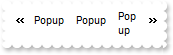
/*
	Copy and paste the following directives to your header file as
	it defines the namespace 'EXMENULib' for the library: 'ExMenu 1.0 Control Library'

	#import <ExMenu.dll>
	using namespace EXMENULib;
*/
EXMENULib::IExMenuPtr spExMenu1 = GetDlgItem(IDC_EXMENU1)->GetControlUnknown();
spExMenu1->PutAllowChevron(EXMENULib::exScroll);
spExMenu1->GetItems()->PutToString(_bstr_t("Popup[id=10](Item 1[id=20],[sep][id=30],Item 2[id=40]),Popup[id=10](Item 1[id=20],[sep][id=30],Item 2[id=40]),Popup[id=10](Item") +
	" 1[id=20],[sep][id=30],Item 2[id=40]),Popup[id=10](Item 1[id=20],[sep][id=30],Item 2[id=40]),Popup[id=10](Item 1[id=20],[sep][id" +
	"=30],Item 2[id=40]),Popup[id=10](Item 1[id=20],[sep][id=30],Item 2[id=40]),Popup[id=10](Item 1[id=20],[sep][id=30],Item 2[id=40]" +
	"),Popup[id=10](Item 1[id=20],[sep][id=30],Item 2[id=40]),Popup[id=10](Item 1[id=20],[sep][id=30],Item 2[id=40]),Popup[id=10](Ite" +
	"m 1[id=20],[sep][id=30],Item 2[id=40])");
|
|
48
|
How do I allow chevrons
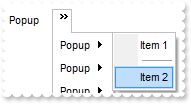
/*
	Copy and paste the following directives to your header file as
	it defines the namespace 'EXMENULib' for the library: 'ExMenu 1.0 Control Library'

	#import <ExMenu.dll>
	using namespace EXMENULib;
*/
EXMENULib::IExMenuPtr spExMenu1 = GetDlgItem(IDC_EXMENU1)->GetControlUnknown();
spExMenu1->PutAllowChevron(EXMENULib::exChevron);
spExMenu1->GetItems()->PutToString(_bstr_t("Popup[id=10](Item 1[id=20],[sep][id=30],Item 2[id=40]),Popup[id=10](Item 1[id=20],[sep][id=30],Item 2[id=40]),Popup[id=10](Item") +
	" 1[id=20],[sep][id=30],Item 2[id=40]),Popup[id=10](Item 1[id=20],[sep][id=30],Item 2[id=40]),Popup[id=10](Item 1[id=20],[sep][id" +
	"=30],Item 2[id=40]),Popup[id=10](Item 1[id=20],[sep][id=30],Item 2[id=40]),Popup[id=10](Item 1[id=20],[sep][id=30],Item 2[id=40]" +
	"),Popup[id=10](Item 1[id=20],[sep][id=30],Item 2[id=40]),Popup[id=10](Item 1[id=20],[sep][id=30],Item 2[id=40]),Popup[id=10](Ite" +
	"m 1[id=20],[sep][id=30],Item 2[id=40])");
|
|
47
|
How do I show directly the drop down menu, without scrolling
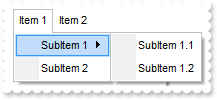
/*
	Copy and paste the following directives to your header file as
	it defines the namespace 'EXMENULib' for the library: 'ExMenu 1.0 Control Library'

	#import <ExMenu.dll>
	using namespace EXMENULib;
*/
EXMENULib::IExMenuPtr spExMenu1 = GetDlgItem(IDC_EXMENU1)->GetControlUnknown();
spExMenu1->PutScrollOnDrop(EXMENULib::exShowPopupDirect);
spExMenu1->GetItems()->PutToString(_bstr_t("Item 1[id=10](SubItem 1[id=20](SubItem 1.1[id=30],SubItem 1.2[id=40]),SubItem 2[id=50]),Item 2[id=60](SubItem 1[id=70],SubItem ") +
	"2[id=80])");
|
|
46
|
How can I change the visual appearance for for a top level item, when the Appearance property is Flat
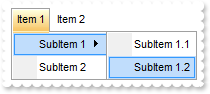
/*
	Copy and paste the following directives to your header file as
	it defines the namespace 'EXMENULib' for the library: 'ExMenu 1.0 Control Library'

	#import <ExMenu.dll>
	using namespace EXMENULib;
*/
EXMENULib::IExMenuPtr spExMenu1 = GetDlgItem(IDC_EXMENU1)->GetControlUnknown();
spExMenu1->GetVisualAppearance()->Add(1,"c:\\exontrol\\images\\normal.ebn");
spExMenu1->PutBackground(EXMENULib::exSelectRootItem,0x1000000);
spExMenu1->PutAppearance(EXMENULib::Flat);
spExMenu1->PutBorder(EXMENULib::FlatBorder);
spExMenu1->GetItems()->PutToString(_bstr_t("Item 1[id=10](SubItem 1[id=20](SubItem 1.1[id=30],SubItem 1.2[id=40]),SubItem 2[id=50]),Item 2[id=60](SubItem 1[id=70],SubItem ") +
	"2[id=80])");
|
|
45
|
How can I change the visual appearance for an item, when the Appearance property is Button
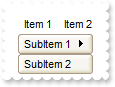
/*
	Copy and paste the following directives to your header file as
	it defines the namespace 'EXMENULib' for the library: 'ExMenu 1.0 Control Library'

	#import <ExMenu.dll>
	using namespace EXMENULib;
*/
EXMENULib::IExMenuPtr spExMenu1 = GetDlgItem(IDC_EXMENU1)->GetControlUnknown();
spExMenu1->GetVisualAppearance()->Add(1,"c:\\exontrol\\images\\normal.ebn");
spExMenu1->PutBackground(EXMENULib::exButtonItem,0x1000000);
spExMenu1->PutAppearance(EXMENULib::Button);
spExMenu1->PutBorder(EXMENULib::FlatBorder);
spExMenu1->GetItems()->PutToString(_bstr_t("Item 1[id=10](SubItem 1[id=20](SubItem 1.1[id=30],SubItem 1.2[id=40]),SubItem 2[id=50]),Item 2[id=60](SubItem 1[id=70],SubItem ") +
	"2[id=80])");
|
|
44
|
Can I change the visual appearance for separator items
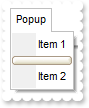
/*
	Copy and paste the following directives to your header file as
	it defines the namespace 'EXMENULib' for the library: 'ExMenu 1.0 Control Library'

	#import <ExMenu.dll>
	using namespace EXMENULib;
*/
EXMENULib::IExMenuPtr spExMenu1 = GetDlgItem(IDC_EXMENU1)->GetControlUnknown();
spExMenu1->GetVisualAppearance()->Add(1,"c:\\exontrol\\images\\normal.ebn");
spExMenu1->PutBackground(EXMENULib::exSeparatorItem,0x1000000);
spExMenu1->GetItems()->PutToString(L"Popup[id=10](Item 1[id=20],[sep][id=30],Item 2[id=40])");
|
|
43
|
Can I change the forecolor for the tooltip
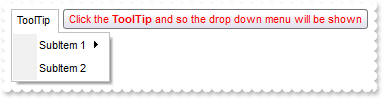
/*
	Copy and paste the following directives to your header file as
	it defines the namespace 'EXMENULib' for the library: 'ExMenu 1.0 Control Library'

	#import <ExMenu.dll>
	using namespace EXMENULib;
*/
EXMENULib::IExMenuPtr spExMenu1 = GetDlgItem(IDC_EXMENU1)->GetControlUnknown();
spExMenu1->PutToolTipDelay(1);
spExMenu1->PutToolTipWidth(364);
spExMenu1->PutBackground(EXMENULib::exToolTipForeColor,RGB(255,0,0));
spExMenu1->GetItems()->PutToString(L"ToolTip [id=10](SubItem 1[id=20](SubItem 1.1[id=30],SubItem 1.2[id=40]),SubItem 2[id=50])");
spExMenu1->GetItems()->Getitem(long(10))->PutTooltip("Click the <b>ToolTip</b> and so the drop down menu will be shown");
spExMenu1->Refresh();
|
|
42
|
Can I change the background color for the tooltip
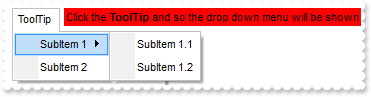
/*
	Copy and paste the following directives to your header file as
	it defines the namespace 'EXMENULib' for the library: 'ExMenu 1.0 Control Library'

	#import <ExMenu.dll>
	using namespace EXMENULib;
*/
EXMENULib::IExMenuPtr spExMenu1 = GetDlgItem(IDC_EXMENU1)->GetControlUnknown();
spExMenu1->PutToolTipDelay(1);
spExMenu1->PutToolTipWidth(364);
spExMenu1->PutBackground(EXMENULib::exToolTipBackColor,RGB(255,0,0));
spExMenu1->GetItems()->PutToString(L"ToolTip [id=10](SubItem 1[id=20](SubItem 1.1[id=30],SubItem 1.2[id=40]),SubItem 2[id=50])");
spExMenu1->GetItems()->Getitem(long(10))->PutTooltip("Click the <b>ToolTip</b> and so the drop down menu will be shown");
spExMenu1->Refresh();
|
|
41
|
Can I change the default border of the tooltip, using your EBN files
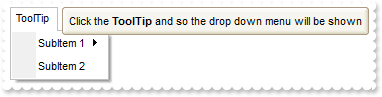
/*
	Copy and paste the following directives to your header file as
	it defines the namespace 'EXMENULib' for the library: 'ExMenu 1.0 Control Library'

	#import <ExMenu.dll>
	using namespace EXMENULib;
*/
EXMENULib::IExMenuPtr spExMenu1 = GetDlgItem(IDC_EXMENU1)->GetControlUnknown();
spExMenu1->PutToolTipDelay(1);
spExMenu1->PutToolTipWidth(364);
spExMenu1->GetVisualAppearance()->Add(1,"c:\\exontrol\\images\\normal.ebn");
spExMenu1->PutBackground(EXMENULib::exToolTipAppearance,0x1000000);
spExMenu1->GetItems()->PutToString(L"ToolTip [id=10](SubItem 1[id=20](SubItem 1.1[id=30],SubItem 1.2[id=40]),SubItem 2[id=50])");
spExMenu1->GetItems()->Getitem(long(10))->PutTooltip("Click the <b>ToolTip</b> and so the drop down menu will be shown");
spExMenu1->Refresh();
|
|
40
|
Can I change the font for the tooltip
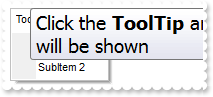
/*
	Copy and paste the following directives to your header file as
	it defines the namespace 'EXMENULib' for the library: 'ExMenu 1.0 Control Library'

	#import <ExMenu.dll>
	using namespace EXMENULib;
*/
EXMENULib::IExMenuPtr spExMenu1 = GetDlgItem(IDC_EXMENU1)->GetControlUnknown();
spExMenu1->PutToolTipDelay(1);
/*
	Copy and paste the following directives to your header file as
	it defines the namespace 'stdole' for the library: 'OLE Automation'

	#import <stdole2.tlb>
*/
stdole::FontPtr var_StdFont = spExMenu1->GetToolTipFont();
	var_StdFont->PutName(L"Tahoma");
	var_StdFont->PutSize(_variant_t(long(14)));
spExMenu1->PutToolTipWidth(400);
spExMenu1->GetItems()->PutToString(L"ToolTip [id=10](SubItem 1[id=20](SubItem 1.1[id=30],SubItem 1.2[id=40]),SubItem 2[id=50])");
spExMenu1->GetItems()->Getitem(long(10))->PutTooltip("Click the <b>ToolTip</b> and so the drop down menu will be shown");
spExMenu1->Refresh();
|
|
39
|
I've seen that the width of the tooltip is variable. Can I make it larger

/*
	Copy and paste the following directives to your header file as
	it defines the namespace 'EXMENULib' for the library: 'ExMenu 1.0 Control Library'

	#import <ExMenu.dll>
	using namespace EXMENULib;
*/
EXMENULib::IExMenuPtr spExMenu1 = GetDlgItem(IDC_EXMENU1)->GetControlUnknown();
spExMenu1->PutToolTipWidth(328);
spExMenu1->GetItems()->PutToString(L"ToolTip [id=10](SubItem 1[id=20](SubItem 1.1[id=30],SubItem 1.2[id=40]),SubItem 2[id=50])");
spExMenu1->GetItems()->Getitem(long(10))->PutTooltip("Click the <b>ToolTip</b> and so the drop down menu will open");
spExMenu1->Refresh();
|
|
38
|
How do I let the tooltip being displayed longer
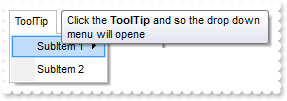
/*
	Copy and paste the following directives to your header file as
	it defines the namespace 'EXMENULib' for the library: 'ExMenu 1.0 Control Library'

	#import <ExMenu.dll>
	using namespace EXMENULib;
*/
EXMENULib::IExMenuPtr spExMenu1 = GetDlgItem(IDC_EXMENU1)->GetControlUnknown();
spExMenu1->PutToolTipPopDelay(10000);
spExMenu1->GetItems()->PutToString(L"ToolTip [id=10](SubItem 1[id=20](SubItem 1.1[id=30],SubItem 1.2[id=40]),SubItem 2[id=50])");
spExMenu1->GetItems()->Getitem(long(10))->PutTooltip("Click the <b>ToolTip</b> and so the drop down menu will opene");
spExMenu1->Refresh();
|
|
37
|
How do I disable showing the tooltip for all control
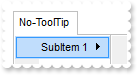
/*
	Copy and paste the following directives to your header file as
	it defines the namespace 'EXMENULib' for the library: 'ExMenu 1.0 Control Library'

	#import <ExMenu.dll>
	using namespace EXMENULib;
*/
EXMENULib::IExMenuPtr spExMenu1 = GetDlgItem(IDC_EXMENU1)->GetControlUnknown();
spExMenu1->PutToolTipDelay(0);
spExMenu1->GetItems()->PutToString(L"No-ToolTip [id=10](SubItem 1[id=20](SubItem 1.1[id=30],SubItem 1.2[id=40]),SubItem 2[id=50])");
spExMenu1->GetItems()->Getitem(long(10))->PutTooltip("Click the <b>ToolTip</b> and so the drop down menu will opene");
spExMenu1->Refresh();
|
|
36
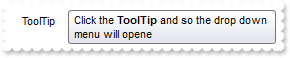
|
How do I show the tooltip quicker
/*
	Copy and paste the following directives to your header file as
	it defines the namespace 'EXMENULib' for the library: 'ExMenu 1.0 Control Library'

	#import <ExMenu.dll>
	using namespace EXMENULib;
*/
EXMENULib::IExMenuPtr spExMenu1 = GetDlgItem(IDC_EXMENU1)->GetControlUnknown();
spExMenu1->PutToolTipDelay(1);
spExMenu1->GetItems()->PutToString(L"ToolTip [id=10](SubItem 1[id=20](SubItem 1.1[id=30],SubItem 1.2[id=40]),SubItem 2[id=50])");
spExMenu1->GetItems()->Getitem(long(10))->PutTooltip("Click the <b>ToolTip</b> and so the drop down menu will opene");
spExMenu1->Refresh();
|
|
35
|
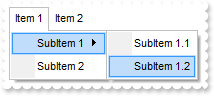
How do I open the menu as user clicks the menu
/*
	Copy and paste the following directives to your header file as
	it defines the namespace 'EXMENULib' for the library: 'ExMenu 1.0 Control Library'

	#import <ExMenu.dll>
	using namespace EXMENULib;
*/
EXMENULib::IExMenuPtr spExMenu1 = GetDlgItem(IDC_EXMENU1)->GetControlUnknown();
spExMenu1->PutOpenOnClick(EXMENULib::exAlwaysClick);
spExMenu1->GetItems()->PutToString(_bstr_t("Item 1[id=10](SubItem 1[id=20](SubItem 1.1[id=30],SubItem 1.2[id=40]),SubItem 2[id=50]),Item 2[id=60](SubItem 1[id=70],SubItem ") +
	"2[id=80])");
|
|
34
|
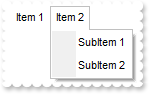
How do I open the menu as cursor hovers the menu bar
/*
	Copy and paste the following directives to your header file as
	it defines the namespace 'EXMENULib' for the library: 'ExMenu 1.0 Control Library'

	#import <ExMenu.dll>
	using namespace EXMENULib;
*/
EXMENULib::IExMenuPtr spExMenu1 = GetDlgItem(IDC_EXMENU1)->GetControlUnknown();
spExMenu1->PutOpenOnClick(EXMENULib::exHoverMenuBar);
spExMenu1->GetItems()->PutToString(_bstr_t("Item 1[id=10](SubItem 1[id=20](SubItem 1.1[id=30],SubItem 1.2[id=40]),SubItem 2[id=50]),Item 2[id=60](SubItem 1[id=70],SubItem ") +
	"2[id=80])");
|
|
33
|
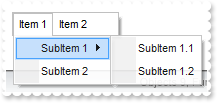
Can I make the menu partialy visible
/*
	Copy and paste the following directives to your header file as
	it defines the namespace 'EXMENULib' for the library: 'ExMenu 1.0 Control Library'

	#import <ExMenu.dll>
	using namespace EXMENULib;
*/
EXMENULib::IExMenuPtr spExMenu1 = GetDlgItem(IDC_EXMENU1)->GetControlUnknown();
spExMenu1->PutVisibility(90);
spExMenu1->GetItems()->PutToString(_bstr_t("Item 1[id=10](SubItem 1[id=20](SubItem 1.1[id=30],SubItem 1.2[id=40]),SubItem 2[id=50]),Item 2[id=60](SubItem 1[id=70],SubItem ") +
	"2[id=80])");
|
|
32
|
How do I remove or clear the accelerator keys
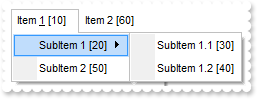
/*
	Copy and paste the following directives to your header file as
	it defines the namespace 'EXMENULib' for the library: 'ExMenu 1.0 Control Library'

	#import <ExMenu.dll>
	using namespace EXMENULib;
*/
EXMENULib::IExMenuPtr spExMenu1 = GetDlgItem(IDC_EXMENU1)->GetControlUnknown();
spExMenu1->PutDebug(VARIANT_TRUE);
spExMenu1->GetItems()->PutToString(_bstr_t("Item &1[id=10](SubItem 1[id=20](SubItem 1.1[id=30],SubItem 1.2[id=40]),SubItem 2[id=50]),Item 2[id=60](SubItem 1[id=70],SubItem") +
	" 2[id=80])");
spExMenu1->AddAcelerator(10,49,VARIANT_FALSE,VARIANT_TRUE,VARIANT_FALSE);
|
|
31
|
How do I add or assign an accelerator key to an item
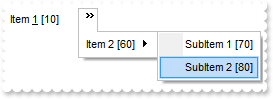
/*
	Copy and paste the following directives to your header file as
	it defines the namespace 'EXMENULib' for the library: 'ExMenu 1.0 Control Library'

	#import <ExMenu.dll>
	using namespace EXMENULib;
*/
EXMENULib::IExMenuPtr spExMenu1 = GetDlgItem(IDC_EXMENU1)->GetControlUnknown();
spExMenu1->PutDebug(VARIANT_TRUE);
spExMenu1->GetItems()->PutToString(_bstr_t("Item &1[id=10](SubItem 1[id=20](SubItem 1.1[id=30],SubItem 1.2[id=40]),SubItem 2[id=50]),Item 2[id=60](SubItem 1[id=70],SubItem") +
	" 2[id=80])");
spExMenu1->AddAcelerator(10,49,VARIANT_FALSE,VARIANT_TRUE,VARIANT_FALSE);
|
|
28
|
How do I put a picture on the center of the control
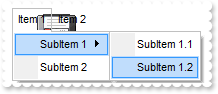
/*
	Copy and paste the following directives to your header file as
	it defines the namespace 'EXMENULib' for the library: 'ExMenu 1.0 Control Library'

	#import <ExMenu.dll>
	using namespace EXMENULib;
*/
EXMENULib::IExMenuPtr spExMenu1 = GetDlgItem(IDC_EXMENU1)->GetControlUnknown();
spExMenu1->PutPicture(IPictureDispPtr(((IDispatch*)(spExMenu1->ExecuteTemplate("loadpicture(`c:\\exontrol\\images\\zipdisk.gif`)")))));
spExMenu1->PutPictureDisplay(EXMENULib::MiddleCenter);
|
|
27
|
How do I resize/stretch a picture on the control's background
/*
	Copy and paste the following directives to your header file as
	it defines the namespace 'EXMENULib' for the library: 'ExMenu 1.0 Control Library'

	#import <ExMenu.dll>
	using namespace EXMENULib;
*/
EXMENULib::IExMenuPtr spExMenu1 = GetDlgItem(IDC_EXMENU1)->GetControlUnknown();
spExMenu1->PutPicture(IPictureDispPtr(((IDispatch*)(spExMenu1->ExecuteTemplate("loadpicture(`c:\\exontrol\\images\\zipdisk.gif`)")))));
spExMenu1->PutPictureDisplay(EXMENULib::Stretch);
|
|
26
|
How do I put a picture on the control's center right bottom side
/*
	Copy and paste the following directives to your header file as
	it defines the namespace 'EXMENULib' for the library: 'ExMenu 1.0 Control Library'

	#import <ExMenu.dll>
	using namespace EXMENULib;
*/
EXMENULib::IExMenuPtr spExMenu1 = GetDlgItem(IDC_EXMENU1)->GetControlUnknown();
spExMenu1->PutPicture(IPictureDispPtr(((IDispatch*)(spExMenu1->ExecuteTemplate("loadpicture(`c:\\exontrol\\images\\zipdisk.gif`)")))));
spExMenu1->PutPictureDisplay(EXMENULib::LowerRight);
|
|
25
|
How do I put a picture on the control's center left bottom side
/*
	Copy and paste the following directives to your header file as
	it defines the namespace 'EXMENULib' for the library: 'ExMenu 1.0 Control Library'

	#import <ExMenu.dll>
	using namespace EXMENULib;
*/
EXMENULib::IExMenuPtr spExMenu1 = GetDlgItem(IDC_EXMENU1)->GetControlUnknown();
spExMenu1->PutPicture(IPictureDispPtr(((IDispatch*)(spExMenu1->ExecuteTemplate("loadpicture(`c:\\exontrol\\images\\zipdisk.gif`)")))));
spExMenu1->PutPictureDisplay(EXMENULib::LowerLeft);
|
|
24
|
How do I put a picture on the control's center top side
/*
	Copy and paste the following directives to your header file as
	it defines the namespace 'EXMENULib' for the library: 'ExMenu 1.0 Control Library'

	#import <ExMenu.dll>
	using namespace EXMENULib;
*/
EXMENULib::IExMenuPtr spExMenu1 = GetDlgItem(IDC_EXMENU1)->GetControlUnknown();
spExMenu1->PutPicture(IPictureDispPtr(((IDispatch*)(spExMenu1->ExecuteTemplate("loadpicture(`c:\\exontrol\\images\\zipdisk.gif`)")))));
spExMenu1->PutPictureDisplay(EXMENULib::UpperCenter);
|
|
23
|
How do I put a picture on the control's right top corner
/*
	Copy and paste the following directives to your header file as
	it defines the namespace 'EXMENULib' for the library: 'ExMenu 1.0 Control Library'

	#import <ExMenu.dll>
	using namespace EXMENULib;
*/
EXMENULib::IExMenuPtr spExMenu1 = GetDlgItem(IDC_EXMENU1)->GetControlUnknown();
spExMenu1->PutPicture(IPictureDispPtr(((IDispatch*)(spExMenu1->ExecuteTemplate("loadpicture(`c:\\exontrol\\images\\zipdisk.gif`)")))));
spExMenu1->PutPictureDisplay(EXMENULib::UpperRight);
|
|
22
|
How do I put a picture on the control's left top corner
/*
	Copy and paste the following directives to your header file as
	it defines the namespace 'EXMENULib' for the library: 'ExMenu 1.0 Control Library'

	#import <ExMenu.dll>
	using namespace EXMENULib;
*/
EXMENULib::IExMenuPtr spExMenu1 = GetDlgItem(IDC_EXMENU1)->GetControlUnknown();
spExMenu1->PutPicture(IPictureDispPtr(((IDispatch*)(spExMenu1->ExecuteTemplate("loadpicture(`c:\\exontrol\\images\\zipdisk.gif`)")))));
spExMenu1->PutPictureDisplay(EXMENULib::UpperLeft);
|
|
21
|
How do I put a picture on the control's background
/*
	Copy and paste the following directives to your header file as
	it defines the namespace 'EXMENULib' for the library: 'ExMenu 1.0 Control Library'

	#import <ExMenu.dll>
	using namespace EXMENULib;
*/
EXMENULib::IExMenuPtr spExMenu1 = GetDlgItem(IDC_EXMENU1)->GetControlUnknown();
spExMenu1->PutPicture(IPictureDispPtr(((IDispatch*)(spExMenu1->ExecuteTemplate("loadpicture(`c:\\exontrol\\images\\zipdisk.gif`)")))));
|
|
20
|
Is there any function to display the item's identifiers
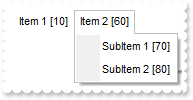
/*
	Copy and paste the following directives to your header file as
	it defines the namespace 'EXMENULib' for the library: 'ExMenu 1.0 Control Library'

	#import <ExMenu.dll>
	using namespace EXMENULib;
*/
EXMENULib::IExMenuPtr spExMenu1 = GetDlgItem(IDC_EXMENU1)->GetControlUnknown();
spExMenu1->PutDebug(VARIANT_TRUE);
spExMenu1->GetItems()->PutToString(_bstr_t("Item 1[id=10](SubItem 1[id=20](SubItem 1.1[id=30],SubItem 1.2[id=40]),SubItem 2[id=50]),Item 2[id=60](SubItem 1[id=70],SubItem ") +
	"2[id=80])");
|
|
19
|
How do I find an item giving its name
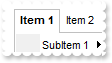
/*
	Copy and paste the following directives to your header file as
	it defines the namespace 'EXMENULib' for the library: 'ExMenu 1.0 Control Library'

	#import <ExMenu.dll>
	using namespace EXMENULib;
*/
EXMENULib::IExMenuPtr spExMenu1 = GetDlgItem(IDC_EXMENU1)->GetControlUnknown();
spExMenu1->GetItems()->PutToString(_bstr_t("Item 1[id=10](SubItem 1[id=20](SubItem 1.1[id=30],SubItem 1.2[id=40]),SubItem 2[id=50]),Item 2[id=60](SubItem 1[id=70],SubItem ") +
	"2[id=80])");
spExMenu1->Getitem("Item 1")->PutBold(VARIANT_TRUE);
spExMenu1->Refresh();
|
|
18
|
How do I find an item giving its identifier
/*
	Copy and paste the following directives to your header file as
	it defines the namespace 'EXMENULib' for the library: 'ExMenu 1.0 Control Library'

	#import <ExMenu.dll>
	using namespace EXMENULib;
*/
EXMENULib::IExMenuPtr spExMenu1 = GetDlgItem(IDC_EXMENU1)->GetControlUnknown();
spExMenu1->GetItems()->PutToString(_bstr_t("Item 1[id=10](SubItem 1[id=20](SubItem 1.1[id=30],SubItem 1.2[id=40]),SubItem 2[id=50]),Item 2[id=60](SubItem 1[id=70],SubItem ") +
	"2[id=80])");
spExMenu1->Getitem(long(10))->PutBold(VARIANT_TRUE);
spExMenu1->Refresh();
|