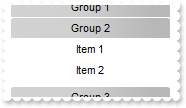
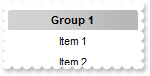
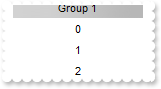
162. How do I get notified once the user selects or activates a group
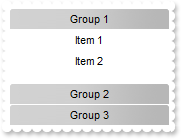
// SelectGroup event - Occurs when a group is selected.
void OnSelectGroupListBar1(LPDISPATCH OldGroup,LPDISPATCH NewGroup)
{
	/*
		Copy and paste the following directives to your header file as
		it defines the namespace 'EXLISTBARLib' for the library: 'ExListBar 1.0 Control Library'
		#import <ExListBar.dll>
		using namespace EXLISTBARLib;
	*/
	EXLISTBARLib::IListBarPtr spListBar1 = GetDlgItem(IDC_LISTBAR1)->GetControlUnknown();
	OutputDebugStringW( L"NewGroup = "Current "" );
	OutputDebugStringW( L"0" );
	OutputDebugStringW( L"OldGroup = "Previously "" );
	OutputDebugStringW( L"0" );
}

EXLISTBARLib::IListBarPtr spListBar1 = GetDlgItem(IDC_LISTBAR1)->GetControlUnknown();
EXLISTBARLib::IGroupPtr var_Group = spListBar1->GetGroups()->Add(L"Group 1");
	var_Group->AddItem(L"Item 1",vtMissing);
	var_Group->AddItem(L"Item 2",vtMissing);
EXLISTBARLib::IGroupPtr var_Group1 = spListBar1->GetGroups()->Add(L"Group 2");
	var_Group1->AddItem(L"Item 1",vtMissing);
	var_Group1->AddItem(L"Item 2",vtMissing);
EXLISTBARLib::IGroupPtr var_Group2 = spListBar1->GetGroups()->Add(L"Group 3");
	var_Group2->AddItem(L"Item 1",vtMissing);
	var_Group2->AddItem(L"Item 2",vtMissing);

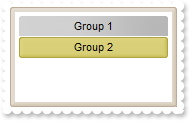
161. Can I specify a different colors for groups using your EBN files

/*
	Copy and paste the following directives to your header file as
	it defines the namespace 'EXLISTBARLib' for the library: 'ExListBar 1.0 Control Library'

	#import <ExListBar.dll>
	using namespace EXLISTBARLib;
*/
EXLISTBARLib::IListBarPtr spListBar1 = GetDlgItem(IDC_LISTBAR1)->GetControlUnknown();
spListBar1->GetVisualAppearance()->Add(1,"c:\\exontrol\\images\\normal.ebn");
spListBar1->PutBackColorGroup(0x1000000);
spListBar1->GetGroups()->Add(L"Group 1");
spListBar1->GetGroups()->Add(L"Group 2")->PutBackColor(0x100aabb);
spListBar1->PutSelectGroup(1);

160. Can I change the color of the control's border (EBN files)
/*
	Copy and paste the following directives to your header file as
	it defines the namespace 'EXLISTBARLib' for the library: 'ExListBar 1.0 Control Library'

	#import <ExListBar.dll>
	using namespace EXLISTBARLib;
*/
EXLISTBARLib::IListBarPtr spListBar1 = GetDlgItem(IDC_LISTBAR1)->GetControlUnknown();
spListBar1->GetVisualAppearance()->Add(1,"c:\\exontrol\\images\\normal.ebn");
spListBar1->PutAppearance(EXLISTBARLib::AppearanceEnum(0x1aabbc8 | EXLISTBARLib::exDrop));

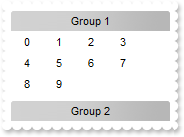
159. How do I specify the width of the item
/*
	Copy and paste the following directives to your header file as
	it defines the namespace 'EXLISTBARLib' for the library: 'ExListBar 1.0 Control Library'

	#import <ExListBar.dll>
	using namespace EXLISTBARLib;
*/
EXLISTBARLib::IListBarPtr spListBar1 = GetDlgItem(IDC_LISTBAR1)->GetControlUnknown();
spListBar1->PutHighlightItemType(EXLISTBARLib::exNoHighlight);
EXLISTBARLib::IGroupPtr var_Group = spListBar1->GetGroups()->Add(L"Group 1");
	var_Group->PutItemWidth(32);
	var_Group->AddItem(L"0",vtMissing);
	var_Group->AddItem(L"1",vtMissing);
	var_Group->AddItem(L"2",vtMissing);
	var_Group->AddItem(L"3",vtMissing);
	var_Group->AddItem(L"4",vtMissing);
	var_Group->AddItem(L"5",vtMissing);
	var_Group->AddItem(L"6",vtMissing);
	var_Group->AddItem(L"7",vtMissing);
	var_Group->AddItem(L"8",vtMissing);
	var_Group->AddItem(L"9",vtMissing);
spListBar1->GetGroups()->Add(L"Group 2");

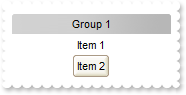
158. How do I change the visual appearance of the item from the cursor, using EBN files
/*
	Copy and paste the following directives to your header file as
	it defines the namespace 'EXLISTBARLib' for the library: 'ExListBar 1.0 Control Library'

	#import <ExListBar.dll>
	using namespace EXLISTBARLib;
*/
EXLISTBARLib::IListBarPtr spListBar1 = GetDlgItem(IDC_LISTBAR1)->GetControlUnknown();
EXLISTBARLib::IAppearancePtr var_Appearance = spListBar1->GetVisualAppearance();
	var_Appearance->Add(1,"c:\\exontrol\\images\\normal.ebn");
	var_Appearance->Add(22,"c:\\exontrol\\images\\pushed.ebn");
	var_Appearance->Add(2,"CP:22 0 8 0 -8");
spListBar1->PutBackground(EXLISTBARLib::exSelectItem,0x1000000);
spListBar1->PutBackground(EXLISTBARLib::exHightlightItem,0x2000000);
EXLISTBARLib::IGroupPtr var_Group = spListBar1->GetGroups()->Add(L"Group 1");
	var_Group->AddItem(L"Item 1",vtMissing);
	var_Group->AddItem(L"Item 2",vtMissing);
	var_Group->PutSelectItem(1);
spListBar1->GetGroups()->Add(L"Group 2");

157. How do I change the visual appearance of the selected item, using EBN files
/*
	Copy and paste the following directives to your header file as
	it defines the namespace 'EXLISTBARLib' for the library: 'ExListBar 1.0 Control Library'

	#import <ExListBar.dll>
	using namespace EXLISTBARLib;
*/
EXLISTBARLib::IListBarPtr spListBar1 = GetDlgItem(IDC_LISTBAR1)->GetControlUnknown();
spListBar1->GetVisualAppearance()->Add(1,"c:\\exontrol\\images\\normal.ebn");
spListBar1->PutBackground(EXLISTBARLib::exSelectItem,0x1000000);
EXLISTBARLib::IGroupPtr var_Group = spListBar1->GetGroups()->Add(L"Group 1");
	var_Group->AddItem(L"Item 1",vtMissing);
	var_Group->AddItem(L"Item 2",vtMissing);
	var_Group->PutSelectItem(1);
spListBar1->GetGroups()->Add(L"Group 2");

156. How do I select an item
/*
	Copy and paste the following directives to your header file as
	it defines the namespace 'EXLISTBARLib' for the library: 'ExListBar 1.0 Control Library'

	#import <ExListBar.dll>
	using namespace EXLISTBARLib;
*/
EXLISTBARLib::IListBarPtr spListBar1 = GetDlgItem(IDC_LISTBAR1)->GetControlUnknown();
spListBar1->PutSelectItemType(EXLISTBARLib::exSelectPop);
EXLISTBARLib::IGroupPtr var_Group = spListBar1->GetGroups()->Add(L"Group 1");
	var_Group->AddItem(L"Item 1",vtMissing);
	var_Group->AddItem(L"Item 2",vtMissing);
	var_Group->PutSelectItem(1);
spListBar1->GetGroups()->Add(L"Group 2");

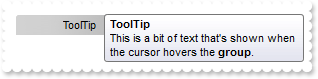
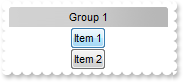
155. How do I specify how a selected item shows
/*
	Copy and paste the following directives to your header file as
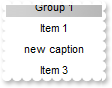
	it defines the namespace 'EXLISTBARLib' for the library: 'ExListBar 1.0 Control Library'

	#import <ExListBar.dll>
	using namespace EXLISTBARLib;
*/
EXLISTBARLib::IListBarPtr spListBar1 = GetDlgItem(IDC_LISTBAR1)->GetControlUnknown();
spListBar1->PutSelectItemType(EXLISTBARLib::exSelectPop);
EXLISTBARLib::IGroupPtr var_Group = spListBar1->GetGroups()->Add(L"Group 1");
	var_Group->AddItem(L"Item 1",vtMissing);
	var_Group->AddItem(L"Item 2",vtMissing);
spListBar1->GetGroups()->Add(L"Group 2");

154. How do I select or activate a group
/*
	Copy and paste the following directives to your header file as
	it defines the namespace 'EXLISTBARLib' for the library: 'ExListBar 1.0 Control Library'

	#import <ExListBar.dll>
	using namespace EXLISTBARLib;
*/
EXLISTBARLib::IListBarPtr spListBar1 = GetDlgItem(IDC_LISTBAR1)->GetControlUnknown();
spListBar1->GetGroups()->Add(L"Group 1");
EXLISTBARLib::IGroupPtr var_Group = spListBar1->GetGroups()->Add(L"Group 2");
	var_Group->AddItem(L"Item 1",vtMissing);
	var_Group->AddItem(L"Item 2",vtMissing);
spListBar1->GetGroups()->Add(L"Group 3");
spListBar1->PutSelectGroup(1);

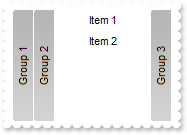
153. Is there any option to display groups from left to right
/*
	Copy and paste the following directives to your header file as
	it defines the namespace 'EXLISTBARLib' for the library: 'ExListBar 1.0 Control Library'

	#import <ExListBar.dll>
	using namespace EXLISTBARLib;
*/
EXLISTBARLib::IListBarPtr spListBar1 = GetDlgItem(IDC_LISTBAR1)->GetControlUnknown();
spListBar1->PutOrientation(EXLISTBARLib::exHorizontal);
spListBar1->GetGroups()->Add(L"Group 1");
EXLISTBARLib::IGroupPtr var_Group = spListBar1->GetGroups()->Add(L"Group 2");
	var_Group->AddItem(L"Item 1",vtMissing);
	var_Group->AddItem(L"Item 2",vtMissing);
spListBar1->GetGroups()->Add(L"Group 3");
spListBar1->PutSelectGroup(1);

152. How do I change the foreground color of the selected group

/*
	Copy and paste the following directives to your header file as
	it defines the namespace 'EXLISTBARLib' for the library: 'ExListBar 1.0 Control Library'

	#import <ExListBar.dll>
	using namespace EXLISTBARLib;
*/
EXLISTBARLib::IListBarPtr spListBar1 = GetDlgItem(IDC_LISTBAR1)->GetControlUnknown();
spListBar1->PutMarkSelectGroup(VARIANT_TRUE);
spListBar1->PutSelBackColorGroup(spListBar1->GetBackColorGroup());
spListBar1->PutSelForeColorGroup(RGB(255,0,0));
spListBar1->GetGroups()->Add(L"Group 1");
EXLISTBARLib::IGroupPtr var_Group = spListBar1->GetGroups()->Add(L"Group 2");
	var_Group->AddItem(L"Item 1",vtMissing);
	var_Group->AddItem(L"Item 2",vtMissing);
spListBar1->GetGroups()->Add(L"Group 3");
spListBar1->PutSelectGroup(1);

151. How do I highlight the selected group
/*
	Copy and paste the following directives to your header file as
	it defines the namespace 'EXLISTBARLib' for the library: 'ExListBar 1.0 Control Library'

	#import <ExListBar.dll>
	using namespace EXLISTBARLib;
*/
EXLISTBARLib::IListBarPtr spListBar1 = GetDlgItem(IDC_LISTBAR1)->GetControlUnknown();
spListBar1->GetVisualAppearance()->Add(1,"c:\\exontrol\\images\\normal.ebn");
spListBar1->PutMarkSelectGroup(VARIANT_TRUE);
spListBar1->PutSelBackColorGroup(0x1000000);
spListBar1->PutSelForeColorGroup(RGB(0,0,0));
spListBar1->GetGroups()->Add(L"Group 1");
EXLISTBARLib::IGroupPtr var_Group = spListBar1->GetGroups()->Add(L"Group 2");
	var_Group->AddItem(L"Item 1",vtMissing);
	var_Group->AddItem(L"Item 2",vtMissing);
spListBar1->GetGroups()->Add(L"Group 3");
spListBar1->PutSelectGroup(1);

150. How do I change the visual appearance of the selected group, using your EBN files
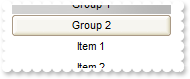
/*
	Copy and paste the following directives to your header file as
	it defines the namespace 'EXLISTBARLib' for the library: 'ExListBar 1.0 Control Library'

	#import <ExListBar.dll>
	using namespace EXLISTBARLib;
*/
EXLISTBARLib::IListBarPtr spListBar1 = GetDlgItem(IDC_LISTBAR1)->GetControlUnknown();
spListBar1->GetVisualAppearance()->Add(1,"c:\\exontrol\\images\\normal.ebn");
spListBar1->PutMarkSelectGroup(VARIANT_TRUE);
spListBar1->PutSelBackColorGroup(0x1000000);
spListBar1->PutSelForeColorGroup(RGB(0,0,0));
spListBar1->GetGroups()->Add(L"Group 1");
EXLISTBARLib::IGroupPtr var_Group = spListBar1->GetGroups()->Add(L"Group 2");
	var_Group->AddItem(L"Item 1",vtMissing);
	var_Group->AddItem(L"Item 2",vtMissing);
spListBar1->GetGroups()->Add(L"Group 3");
spListBar1->PutSelectGroup(1);

149. How do I specify the background color for selected group

/*
	Copy and paste the following directives to your header file as
	it defines the namespace 'EXLISTBARLib' for the library: 'ExListBar 1.0 Control Library'

	#import <ExListBar.dll>
	using namespace EXLISTBARLib;
*/
EXLISTBARLib::IListBarPtr spListBar1 = GetDlgItem(IDC_LISTBAR1)->GetControlUnknown();
spListBar1->PutMarkSelectGroup(VARIANT_TRUE);
spListBar1->PutSelBackColorGroup(RGB(255,0,0));
spListBar1->GetGroups()->Add(L"Group 1");
EXLISTBARLib::IGroupPtr var_Group = spListBar1->GetGroups()->Add(L"Group 2");
	var_Group->AddItem(L"Item 1",vtMissing);
	var_Group->AddItem(L"Item 2",vtMissing);
spListBar1->GetGroups()->Add(L"Group 3");
spListBar1->PutSelectGroup(1);

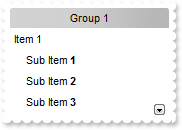
148. How can I indent an item
/*
	Copy and paste the following directives to your header file as
	it defines the namespace 'EXLISTBARLib' for the library: 'ExListBar 1.0 Control Library'

	#import <ExListBar.dll>
	using namespace EXLISTBARLib;
*/
EXLISTBARLib::IListBarPtr spListBar1 = GetDlgItem(IDC_LISTBAR1)->GetControlUnknown();
EXLISTBARLib::IGroupPtr var_Group = spListBar1->GetGroups()->Add(L"Group 1");
	var_Group->AddItem(L"Item 1",vtMissing)->PutAlignment(EXLISTBARLib::exLeft);
	EXLISTBARLib::IItemPtr var_Item = var_Group->AddItem(L"Sub Item <b>1</b>",vtMissing);
		var_Item->PutCaptionFormat(EXLISTBARLib::exHTML);
		var_Item->PutAlignment(EXLISTBARLib::exLeft);
		var_Item->PutIndent(12);
	EXLISTBARLib::IItemPtr var_Item1 = var_Group->AddItem(L"Sub Item <b>2</b>",vtMissing);
		var_Item1->PutCaptionFormat(EXLISTBARLib::exHTML);
		var_Item1->PutAlignment(EXLISTBARLib::exLeft);
		var_Item1->PutIndent(12);
	EXLISTBARLib::IItemPtr var_Item2 = var_Group->AddItem(L"Sub Item <b>3</b>",vtMissing);
		var_Item2->PutCaptionFormat(EXLISTBARLib::exHTML);
		var_Item2->PutAlignment(EXLISTBARLib::exLeft);
		var_Item2->PutIndent(12);
	EXLISTBARLib::IItemPtr var_Item3 = var_Group->AddItem(L"Sub Sub Item <b>3</b>",vtMissing);
		var_Item3->PutCaptionFormat(EXLISTBARLib::exHTML);
		var_Item3->PutAlignment(EXLISTBARLib::exLeft);
		var_Item3->PutIndent(24);
	EXLISTBARLib::IItemPtr var_Item4 = var_Group->AddItem(L"Item 2",vtMissing);
		var_Item4->PutAlignment(EXLISTBARLib::exLeft);

147. How can I use HTML format to display my item
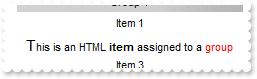
/*
	Copy and paste the following directives to your header file as
	it defines the namespace 'EXLISTBARLib' for the library: 'ExListBar 1.0 Control Library'

	#import <ExListBar.dll>
	using namespace EXLISTBARLib;
*/
EXLISTBARLib::IListBarPtr spListBar1 = GetDlgItem(IDC_LISTBAR1)->GetControlUnknown();
EXLISTBARLib::IGroupPtr var_Group = spListBar1->GetGroups()->Add(L"Group 1");
	var_Group->AddItem(L"Item 1",vtMissing);
	var_Group->AddItem(_bstr_t("<font Tahoma;11>T</font>his is an HTML <b>item</b> assigned to a <fgcolor=FF0000>group</fgcolor") +
">",vtMissing)->PutCaptionFormat(EXLISTBARLib::exHTML);
	var_Group->AddItem(L"Item 3",vtMissing);

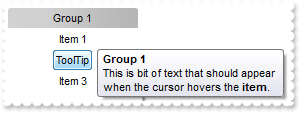
146. How can I assign a tooltip to an item
/*
	Copy and paste the following directives to your header file as
	it defines the namespace 'EXLISTBARLib' for the library: 'ExListBar 1.0 Control Library'

	#import <ExListBar.dll>
	using namespace EXLISTBARLib;
*/
EXLISTBARLib::IListBarPtr spListBar1 = GetDlgItem(IDC_LISTBAR1)->GetControlUnknown();
EXLISTBARLib::IGroupPtr var_Group = spListBar1->GetGroups()->Add(L"Group 1");
	var_Group->AddItem(L"Item 1",vtMissing);
	var_Group->AddItem(L"ToolTip",vtMissing)->PutToolTip("This is bit of text that should appear when the cursor hovers the <b>item</b>.");
	var_Group->AddItem(L"Item 3",vtMissing);

145. How can I show or hide an item
/*
	Copy and paste the following directives to your header file as
	it defines the namespace 'EXLISTBARLib' for the library: 'ExListBar 1.0 Control Library'

	#import <ExListBar.dll>
	using namespace EXLISTBARLib;
*/
EXLISTBARLib::IListBarPtr spListBar1 = GetDlgItem(IDC_LISTBAR1)->GetControlUnknown();
EXLISTBARLib::IGroupPtr var_Group = spListBar1->GetGroups()->Add(L"Group 1");
	var_Group->AddItem(L"Item 1",vtMissing);
	var_Group->AddItem(L"Item 2",vtMissing)->PutVisible(VARIANT_FALSE);
	var_Group->AddItem(L"Item 3",vtMissing);

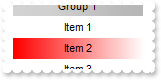
144. How can I change the item's background color
/*
	Copy and paste the following directives to your header file as
	it defines the namespace 'EXLISTBARLib' for the library: 'ExListBar 1.0 Control Library'

	#import <ExListBar.dll>
	using namespace EXLISTBARLib;
*/
EXLISTBARLib::IListBarPtr spListBar1 = GetDlgItem(IDC_LISTBAR1)->GetControlUnknown();
EXLISTBARLib::IGroupPtr var_Group = spListBar1->GetGroups()->Add(L"Group 1");
	var_Group->AddItem(L"Item 1",vtMissing);
	EXLISTBARLib::IItemPtr var_Item = var_Group->AddItem(L"Item 2",vtMissing);
		var_Item->PutBackColor(RGB(255,0,0));
		var_Item->PutBackColor2(RGB(255,255,255));
	var_Group->AddItem(L"Item 3",vtMissing);

143. How can I change the item's background color
/*
	Copy and paste the following directives to your header file as
	it defines the namespace 'EXLISTBARLib' for the library: 'ExListBar 1.0 Control Library'

	#import <ExListBar.dll>
	using namespace EXLISTBARLib;
*/
EXLISTBARLib::IListBarPtr spListBar1 = GetDlgItem(IDC_LISTBAR1)->GetControlUnknown();
EXLISTBARLib::IGroupPtr var_Group = spListBar1->GetGroups()->Add(L"Group 1");
	var_Group->AddItem(L"Item 1",vtMissing);
	var_Group->AddItem(L"<bgcolor=FF0000>Item</bgcolor> 2",vtMissing)->PutCaptionFormat(EXLISTBARLib::exHTML);
	var_Group->AddItem(L"Item 3",vtMissing);

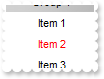
142. How can I change the item's foreground color
/*
	Copy and paste the following directives to your header file as
	it defines the namespace 'EXLISTBARLib' for the library: 'ExListBar 1.0 Control Library'

	#import <ExListBar.dll>
	using namespace EXLISTBARLib;
*/
EXLISTBARLib::IListBarPtr spListBar1 = GetDlgItem(IDC_LISTBAR1)->GetControlUnknown();
EXLISTBARLib::IGroupPtr var_Group = spListBar1->GetGroups()->Add(L"Group 1");
	var_Group->AddItem(L"Item 1",vtMissing);
	var_Group->AddItem(L"Item 2",vtMissing)->PutForeColor(RGB(255,0,0));
	var_Group->AddItem(L"Item 3",vtMissing);

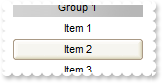
141. How can I change the visual appearance of the item using your EBN files
/*
	Copy and paste the following directives to your header file as
	it defines the namespace 'EXLISTBARLib' for the library: 'ExListBar 1.0 Control Library'

	#import <ExListBar.dll>
	using namespace EXLISTBARLib;
*/
EXLISTBARLib::IListBarPtr spListBar1 = GetDlgItem(IDC_LISTBAR1)->GetControlUnknown();
spListBar1->GetVisualAppearance()->Add(1,"c:\\exontrol\\images\\normal.ebn");
EXLISTBARLib::IGroupPtr var_Group = spListBar1->GetGroups()->Add(L"Group 1");
	var_Group->AddItem(L"Item 1",vtMissing);
	var_Group->AddItem(L"Item 2",vtMissing)->PutBackColor(0x1000000);
	var_Group->AddItem(L"Item 3",vtMissing);

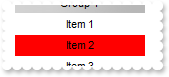
140. How can I change the item's background color
/*
	Copy and paste the following directives to your header file as
	it defines the namespace 'EXLISTBARLib' for the library: 'ExListBar 1.0 Control Library'

	#import <ExListBar.dll>
	using namespace EXLISTBARLib;
*/
EXLISTBARLib::IListBarPtr spListBar1 = GetDlgItem(IDC_LISTBAR1)->GetControlUnknown();
EXLISTBARLib::IGroupPtr var_Group = spListBar1->GetGroups()->Add(L"Group 1");
	var_Group->AddItem(L"Item 1",vtMissing);
	var_Group->AddItem(L"Item 2",vtMissing)->PutBackColor(RGB(255,0,0));
	var_Group->AddItem(L"Item 3",vtMissing);

139. How can I get the group of the item
/*
	Copy and paste the following directives to your header file as
	it defines the namespace 'EXLISTBARLib' for the library: 'ExListBar 1.0 Control Library'

	#import <ExListBar.dll>
	using namespace EXLISTBARLib;
*/
EXLISTBARLib::IListBarPtr spListBar1 = GetDlgItem(IDC_LISTBAR1)->GetControlUnknown();
EXLISTBARLib::IGroupPtr var_Group = spListBar1->GetGroups()->Add(L"Group 1");
	var_Group->AddItem(L"Item 1",vtMissing);
	var_Group->AddItem(L"Item 2",vtMissing)->GetGroup()->PutBold(VARIANT_TRUE);
	var_Group->AddItem(L"Item 3",vtMissing);

138. How can I get the index of the item
/*
	Copy and paste the following directives to your header file as
	it defines the namespace 'EXLISTBARLib' for the library: 'ExListBar 1.0 Control Library'

	#import <ExListBar.dll>
	using namespace EXLISTBARLib;
*/
EXLISTBARLib::IListBarPtr spListBar1 = GetDlgItem(IDC_LISTBAR1)->GetControlUnknown();
EXLISTBARLib::IGroupPtr var_Group = spListBar1->GetGroups()->Add(L"Group 1");
	EXLISTBARLib::IItemPtr var_Item = var_Group->AddItem(L"Item 1",vtMissing);
		var_Item->PutCaption(_bstr_t(var_Item->GetIndex()));
	EXLISTBARLib::IItemPtr var_Item1 = var_Group->AddItem(L"Item 2",vtMissing);
		var_Item1->PutCaption(_bstr_t(var_Item1->GetIndex()));
	EXLISTBARLib::IItemPtr var_Item2 = var_Group->AddItem(L"Item 3",vtMissing);
		var_Item2->PutCaption(_bstr_t(var_Item2->GetIndex()));

137. How can I draw underlined an item
/*
	Copy and paste the following directives to your header file as
	it defines the namespace 'EXLISTBARLib' for the library: 'ExListBar 1.0 Control Library'

	#import <ExListBar.dll>
	using namespace EXLISTBARLib;
*/
EXLISTBARLib::IListBarPtr spListBar1 = GetDlgItem(IDC_LISTBAR1)->GetControlUnknown();
EXLISTBARLib::IGroupPtr var_Group = spListBar1->GetGroups()->Add(L"Group 1");
	var_Group->AddItem(L"Item 1",vtMissing);
	var_Group->AddItem(L"<u>Item</u> 2",vtMissing)->PutCaptionFormat(EXLISTBARLib::exHTML);
	var_Group->AddItem(L"Item 3",vtMissing);

136. How can I draw underlined an item
/*
	Copy and paste the following directives to your header file as
	it defines the namespace 'EXLISTBARLib' for the library: 'ExListBar 1.0 Control Library'

	#import <ExListBar.dll>
	using namespace EXLISTBARLib;
*/
EXLISTBARLib::IListBarPtr spListBar1 = GetDlgItem(IDC_LISTBAR1)->GetControlUnknown();
EXLISTBARLib::IGroupPtr var_Group = spListBar1->GetGroups()->Add(L"Group 1");
	var_Group->AddItem(L"Item 1",vtMissing);
	var_Group->AddItem(L"Item 2",vtMissing)->PutUnderline(VARIANT_TRUE);
	var_Group->AddItem(L"Item 3",vtMissing);

135. How can I draw as strikeout an item
/*
	Copy and paste the following directives to your header file as
	it defines the namespace 'EXLISTBARLib' for the library: 'ExListBar 1.0 Control Library'

	#import <ExListBar.dll>
	using namespace EXLISTBARLib;
*/
EXLISTBARLib::IListBarPtr spListBar1 = GetDlgItem(IDC_LISTBAR1)->GetControlUnknown();
EXLISTBARLib::IGroupPtr var_Group = spListBar1->GetGroups()->Add(L"Group 1");
	var_Group->AddItem(L"Item 1",vtMissing);
	var_Group->AddItem(L"<s>Item</s> 2",vtMissing)->PutCaptionFormat(EXLISTBARLib::exHTML);
	var_Group->AddItem(L"Item 3",vtMissing);

134. How can I draw as strikeout an item
/*
	Copy and paste the following directives to your header file as
	it defines the namespace 'EXLISTBARLib' for the library: 'ExListBar 1.0 Control Library'

	#import <ExListBar.dll>
	using namespace EXLISTBARLib;
*/
EXLISTBARLib::IListBarPtr spListBar1 = GetDlgItem(IDC_LISTBAR1)->GetControlUnknown();
EXLISTBARLib::IGroupPtr var_Group = spListBar1->GetGroups()->Add(L"Group 1");
	var_Group->AddItem(L"Item 1",vtMissing);
	var_Group->AddItem(L"Item 2",vtMissing)->PutStrikeOut(VARIANT_TRUE);
	var_Group->AddItem(L"Item 3",vtMissing);

133. How can I draw as italic an item
/*
	Copy and paste the following directives to your header file as
	it defines the namespace 'EXLISTBARLib' for the library: 'ExListBar 1.0 Control Library'

	#import <ExListBar.dll>
	using namespace EXLISTBARLib;
*/
EXLISTBARLib::IListBarPtr spListBar1 = GetDlgItem(IDC_LISTBAR1)->GetControlUnknown();
EXLISTBARLib::IGroupPtr var_Group = spListBar1->GetGroups()->Add(L"Group 1");
	var_Group->AddItem(L"Item 1",vtMissing);
	var_Group->AddItem(L"<i>Item</i> 2",vtMissing)->PutCaptionFormat(EXLISTBARLib::exHTML);
	var_Group->AddItem(L"Item 3",vtMissing);

132. How can I draw as italic an item
/*
	Copy and paste the following directives to your header file as
	it defines the namespace 'EXLISTBARLib' for the library: 'ExListBar 1.0 Control Library'

	#import <ExListBar.dll>
	using namespace EXLISTBARLib;
*/
EXLISTBARLib::IListBarPtr spListBar1 = GetDlgItem(IDC_LISTBAR1)->GetControlUnknown();
EXLISTBARLib::IGroupPtr var_Group = spListBar1->GetGroups()->Add(L"Group 1");
	var_Group->AddItem(L"Item 1",vtMissing);
	var_Group->AddItem(L"Item 2",vtMissing)->PutItalic(VARIANT_TRUE);
	var_Group->AddItem(L"Item 3",vtMissing);

131. How can I add a anchor or a hyperlink
/*
	Copy and paste the following directives to your header file as
	it defines the namespace 'EXLISTBARLib' for the library: 'ExListBar 1.0 Control Library'

	#import <ExListBar.dll>
	using namespace EXLISTBARLib;
*/
EXLISTBARLib::IListBarPtr spListBar1 = GetDlgItem(IDC_LISTBAR1)->GetControlUnknown();
spListBar1->PutHighlightItemType(EXLISTBARLib::exNoHighlight);
EXLISTBARLib::IGroupPtr var_Group = spListBar1->GetGroups()->Add(L"Group 1");
	var_Group->AddItem(L"Link <a1><b>1</b></a>",vtMissing)->PutCaptionFormat(EXLISTBARLib::exHTML);
	var_Group->AddItem(L"Link <a2><b>2</b></a>",vtMissing)->PutCaptionFormat(EXLISTBARLib::exHTML);

130. How do I bold an item
/*
	Copy and paste the following directives to your header file as
	it defines the namespace 'EXLISTBARLib' for the library: 'ExListBar 1.0 Control Library'

	#import <ExListBar.dll>
	using namespace EXLISTBARLib;
*/
EXLISTBARLib::IListBarPtr spListBar1 = GetDlgItem(IDC_LISTBAR1)->GetControlUnknown();
EXLISTBARLib::IGroupPtr var_Group = spListBar1->GetGroups()->Add(L"Group 1");
	var_Group->AddItem(L"Item 1",vtMissing);
	var_Group->AddItem(L"<b>Item</a> 2",vtMissing)->PutCaptionFormat(EXLISTBARLib::exHTML);
	var_Group->AddItem(L"Item 3",vtMissing);

129. How do I bold an item
/*
	Copy and paste the following directives to your header file as
	it defines the namespace 'EXLISTBARLib' for the library: 'ExListBar 1.0 Control Library'

	#import <ExListBar.dll>
	using namespace EXLISTBARLib;
*/
EXLISTBARLib::IListBarPtr spListBar1 = GetDlgItem(IDC_LISTBAR1)->GetControlUnknown();
EXLISTBARLib::IGroupPtr var_Group = spListBar1->GetGroups()->Add(L"Group 1");
	var_Group->AddItem(L"Item 1",vtMissing);
	var_Group->AddItem(L"Item 2",vtMissing)->PutBold(VARIANT_TRUE);
	var_Group->AddItem(L"Item 3",vtMissing);

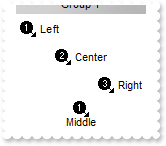
128. How can I align an item
/*
	Copy and paste the following directives to your header file as
	it defines the namespace 'EXLISTBARLib' for the library: 'ExListBar 1.0 Control Library'

	#import <ExListBar.dll>
	using namespace EXLISTBARLib;
*/
EXLISTBARLib::IListBarPtr spListBar1 = GetDlgItem(IDC_LISTBAR1)->GetControlUnknown();
spListBar1->Images(_bstr_t("gBJJgBAIDAAGAAEAAQhYAf8Pf4hh0QihCJo2AEZjQAjEZFEaIEaEEaAIAkcbk0olUrlktl0vmExmUzmk1m03nE5nU7nk9n0") +
"/oFBoVDolFo1HpFJpVLplNp1PqFRqVTqlVq1XrFZrVbrldr1fsFhsVjslls1ntFptVrtltt1vuFxuVzul1u13vF5vV7vl9v1" +
"/wGBwWDwmFw2HxGJxWLxmNx0xiFdyOTh8Tf9ZymXx+QytcyNgz8r0OblWjyWds+m0ka1Vf1ta1+r1mos2xrG2xeZ0+a0W0qO" +
"x3GO4NV3WeyvD2XJ5XL5nN51aiw+lfSj0gkUkAEllHanHI5j/cHg8EZf7w8vl8j4f/qfEZeB09/vjLAB30+kZQAP/P5/H6/y" +
"NAOAEAwCjMBwFAEDwJBMDwLBYAP2/8Hv8/gAGAD8LQs9w/nhDY/oygIA=");
EXLISTBARLib::IGroupPtr var_Group = spListBar1->GetGroups()->Add(L"Group 1");
	var_Group->PutItemHeight(28);
	var_Group->AddItem(L"Left",long(1))->PutAlignment(EXLISTBARLib::exLeft);
	var_Group->AddItem(L"Center",long(2))->PutAlignment(EXLISTBARLib::exCenter);
	var_Group->AddItem(L"Right",long(3))->PutAlignment(EXLISTBARLib::exRight);
	var_Group->AddItem(L"Middle",long(1))->PutAlignment(EXLISTBARLib::exMiddle);

127. How can I assign some extra data to an item
/*
	Copy and paste the following directives to your header file as
	it defines the namespace 'EXLISTBARLib' for the library: 'ExListBar 1.0 Control Library'

	#import <ExListBar.dll>
	using namespace EXLISTBARLib;
*/
EXLISTBARLib::IListBarPtr spListBar1 = GetDlgItem(IDC_LISTBAR1)->GetControlUnknown();
EXLISTBARLib::IGroupPtr var_Group = spListBar1->GetGroups()->Add(L"Group 1");
	var_Group->AddItem(L"Item 1",vtMissing)->PutUserData("your data");
	var_Group->AddItem(L"Item 2",vtMissing);
	var_Group->AddItem(L"Item 3",vtMissing);

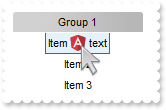
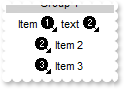
126. How can I assign or display an icon for an item
/*
	Copy and paste the following directives to your header file as
	it defines the namespace 'EXLISTBARLib' for the library: 'ExListBar 1.0 Control Library'

	#import <ExListBar.dll>
	using namespace EXLISTBARLib;
*/
EXLISTBARLib::IListBarPtr spListBar1 = GetDlgItem(IDC_LISTBAR1)->GetControlUnknown();
spListBar1->Images(_bstr_t("gBJJgBAIDAAGAAEAAQhYAf8Pf4hh0QihCJo2AEZjQAjEZFEaIEaEEaAIAkcbk0olUrlktl0vmExmUzmk1m03nE5nU7nk9n0") +
"/oFBoVDolFo1HpFJpVLplNp1PqFRqVTqlVq1XrFZrVbrldr1fsFhsVjslls1ntFptVrtltt1vuFxuVzul1u13vF5vV7vl9v1" +
"/wGBwWDwmFw2HxGJxWLxmNx0xiFdyOTh8Tf9ZymXx+QytcyNgz8r0OblWjyWds+m0ka1Vf1ta1+r1mos2xrG2xeZ0+a0W0qO" +
"x3GO4NV3WeyvD2XJ5XL5nN51aiw+lfSj0gkUkAEllHanHI5j/cHg8EZf7w8vl8j4f/qfEZeB09/vjLAB30+kZQAP/P5/H6/y" +
"NAOAEAwCjMBwFAEDwJBMDwLBYAP2/8Hv8/gAGAD8LQs9w/nhDY/oygIA=");
EXLISTBARLib::IGroupPtr var_Group = spListBar1->GetGroups()->Add(L"Group 1");
	var_Group->AddItem(L"Item <img>1</img> text <img>2</img>",vtMissing)->PutCaptionFormat(EXLISTBARLib::exHTML);
	var_Group->AddItem(L"Item 2",vtMissing)->PutImage(long(2));
	var_Group->AddItem(L"Item 3",vtMissing)->PutImage(long(3));

125. How can I assign or display an icon for an item
/*
	Copy and paste the following directives to your header file as
	it defines the namespace 'EXLISTBARLib' for the library: 'ExListBar 1.0 Control Library'

	#import <ExListBar.dll>
	using namespace EXLISTBARLib;
*/
EXLISTBARLib::IListBarPtr spListBar1 = GetDlgItem(IDC_LISTBAR1)->GetControlUnknown();
spListBar1->Images(_bstr_t("gBJJgBAIDAAGAAEAAQhYAf8Pf4hh0QihCJo2AEZjQAjEZFEaIEaEEaAIAkcbk0olUrlktl0vmExmUzmk1m03nE5nU7nk9n0") +
"/oFBoVDolFo1HpFJpVLplNp1PqFRqVTqlVq1XrFZrVbrldr1fsFhsVjslls1ntFptVrtltt1vuFxuVzul1u13vF5vV7vl9v1" +
"/wGBwWDwmFw2HxGJxWLxmNx0xiFdyOTh8Tf9ZymXx+QytcyNgz8r0OblWjyWds+m0ka1Vf1ta1+r1mos2xrG2xeZ0+a0W0qO" +
"x3GO4NV3WeyvD2XJ5XL5nN51aiw+lfSj0gkUkAEllHanHI5j/cHg8EZf7w8vl8j4f/qfEZeB09/vjLAB30+kZQAP/P5/H6/y" +
"NAOAEAwCjMBwFAEDwJBMDwLBYAP2/8Hv8/gAGAD8LQs9w/nhDY/oygIA=");
EXLISTBARLib::IGroupPtr var_Group = spListBar1->GetGroups()->Add(L"Group 1");
	var_Group->AddItem(L"Item 1",vtMissing)->PutImage(long(1));
	var_Group->AddItem(L"Item 2",vtMissing)->PutImage(long(2));
	var_Group->AddItem(L"Item 3",vtMissing)->PutImage(long(3));

124. How can I assign or display an icon for an item
/*
	Copy and paste the following directives to your header file as
	it defines the namespace 'EXLISTBARLib' for the library: 'ExListBar 1.0 Control Library'

	#import <ExListBar.dll>
	using namespace EXLISTBARLib;
*/
EXLISTBARLib::IListBarPtr spListBar1 = GetDlgItem(IDC_LISTBAR1)->GetControlUnknown();
spListBar1->Images(_bstr_t("gBJJgBAIDAAGAAEAAQhYAf8Pf4hh0QihCJo2AEZjQAjEZFEaIEaEEaAIAkcbk0olUrlktl0vmExmUzmk1m03nE5nU7nk9n0") +
"/oFBoVDolFo1HpFJpVLplNp1PqFRqVTqlVq1XrFZrVbrldr1fsFhsVjslls1ntFptVrtltt1vuFxuVzul1u13vF5vV7vl9v1" +
"/wGBwWDwmFw2HxGJxWLxmNx0xiFdyOTh8Tf9ZymXx+QytcyNgz8r0OblWjyWds+m0ka1Vf1ta1+r1mos2xrG2xeZ0+a0W0qO" +
"x3GO4NV3WeyvD2XJ5XL5nN51aiw+lfSj0gkUkAEllHanHI5j/cHg8EZf7w8vl8j4f/qfEZeB09/vjLAB30+kZQAP/P5/H6/y" +
"NAOAEAwCjMBwFAEDwJBMDwLBYAP2/8Hv8/gAGAD8LQs9w/nhDY/oygIA=");
EXLISTBARLib::IGroupPtr var_Group = spListBar1->GetGroups()->Add(L"Group 1");
	var_Group->AddItem(L"Item 1",long(1));
	var_Group->AddItem(L"Item 2",long(2));
	var_Group->AddItem(L"Item 3",long(3));

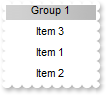
123. How can I change the item's position
/*
	Copy and paste the following directives to your header file as
	it defines the namespace 'EXLISTBARLib' for the library: 'ExListBar 1.0 Control Library'

	#import <ExListBar.dll>
	using namespace EXLISTBARLib;
*/
EXLISTBARLib::IListBarPtr spListBar1 = GetDlgItem(IDC_LISTBAR1)->GetControlUnknown();
EXLISTBARLib::IGroupPtr var_Group = spListBar1->GetGroups()->Add(L"Group 1");
	var_Group->AddItem(L"Item 1",vtMissing);
	var_Group->AddItem(L"Item 2",vtMissing);
	var_Group->AddItem(L"Item 3",vtMissing)->PutPosition(0);

122. How can I change the item's caption
/*
	Copy and paste the following directives to your header file as
	it defines the namespace 'EXLISTBARLib' for the library: 'ExListBar 1.0 Control Library'

	#import <ExListBar.dll>
	using namespace EXLISTBARLib;
*/
EXLISTBARLib::IListBarPtr spListBar1 = GetDlgItem(IDC_LISTBAR1)->GetControlUnknown();
EXLISTBARLib::IGroupPtr var_Group = spListBar1->GetGroups()->Add(L"Group 1");
	var_Group->AddItem(L"Item 1",vtMissing);
	var_Group->AddItem(L"Item 2",vtMissing)->PutCaption(L"new caption");
	var_Group->AddItem(L"Item 3",vtMissing);

121. How do I add new items
/*
	Copy and paste the following directives to your header file as
	it defines the namespace 'EXLISTBARLib' for the library: 'ExListBar 1.0 Control Library'

	#import <ExListBar.dll>
	using namespace EXLISTBARLib;
*/
EXLISTBARLib::IListBarPtr spListBar1 = GetDlgItem(IDC_LISTBAR1)->GetControlUnknown();
spListBar1->GetGroups()->Add(L"Group 1")->AddItem(L"Item 1",vtMissing)->PutBold(VARIANT_TRUE);

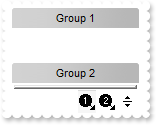
120. How do I assign a group to a set in the shortcut bar
/*
	Copy and paste the following directives to your header file as
	it defines the namespace 'EXLISTBARLib' for the library: 'ExListBar 1.0 Control Library'

	#import <ExListBar.dll>
	using namespace EXLISTBARLib;
*/
EXLISTBARLib::IListBarPtr spListBar1 = GetDlgItem(IDC_LISTBAR1)->GetControlUnknown();
spListBar1->Images(_bstr_t("gBJJgBAIDAAGAAEAAQhYAf8Pf4hh0QihCJo2AEZjQAjEZFEaIEaEEaAIAkcbk0olUrlktl0vmExmUzmk1m03nE5nU7nk9n0") +
"/oFBoVDolFo1HpFJpVLplNp1PqFRqVTqlVq1XrFZrVbrldr1fsFhsVjslls1ntFptVrtltt1vuFxuVzul1u13vF5vV7vl9v1" +
"/wGBwWDwmFw2HxGJxWLxmNx0xiFdyOTh8Tf9ZymXx+QytcyNgz8r0OblWjyWds+m0ka1Vf1ta1+r1mos2xrG2xeZ0+a0W0qO" +
"x3GO4NV3WeyvD2XJ5XL5nN51aiw+lfSj0gkUkAEllHanHI5j/cHg8EZf7w8vl8j4f/qfEZeB09/vjLAB30+kZQAP/P5/H6/y" +
"NAOAEAwCjMBwFAEDwJBMDwLBYAP2/8Hv8/gAGAD8LQs9w/nhDY/oygIA=");
spListBar1->PutShowShortcutBar(VARIANT_TRUE);
spListBar1->GetGroups()->Add(L"Group 1")->PutShortcut(L"Set <img>1</img>");
spListBar1->GetGroups()->Add(L"Group 2")->PutShortcut(L"Set <img>1</img>");
spListBar1->GetGroups()->Add(L"Group 3")->PutShortcut(L"Set <img>2</img>");
spListBar1->GetGroups()->Add(L"Group 4")->PutShortcut(L"Set <img>2</img>");

119. How can I assign a tooltip to a group
/*
	Copy and paste the following directives to your header file as
	it defines the namespace 'EXLISTBARLib' for the library: 'ExListBar 1.0 Control Library'

	#import <ExListBar.dll>
	using namespace EXLISTBARLib;
*/
EXLISTBARLib::IListBarPtr spListBar1 = GetDlgItem(IDC_LISTBAR1)->GetControlUnknown();
spListBar1->PutToolTipDelay(1);
spListBar1->GetGroups()->Add(L"ToolTip")->PutToolTip("This is a bit of text that's shown when the cursor hovers the <b>group</b>.");

118. How can I display HTML text in the group's caption

/*
	Copy and paste the following directives to your header file as
	it defines the namespace 'EXLISTBARLib' for the library: 'ExListBar 1.0 Control Library'

	#import <ExListBar.dll>
	using namespace EXLISTBARLib;
*/
EXLISTBARLib::IListBarPtr spListBar1 = GetDlgItem(IDC_LISTBAR1)->GetControlUnknown();
spListBar1->PutGroupHeight(44);
spListBar1->PutHTMLPicture(L"pic1","c:\\exontrol\\images\\zipdisk.gif");
spListBar1->Images(_bstr_t("gBJJgBAIDAAGAAEAAQhYAf8Pf4hh0QihCJo2AEZjQAjEZFEaIEaEEaAIAkcbk0olUrlktl0vmExmUzmk1m03nE5nU7nk9n0") +
"/oFBoVDolFo1HpFJpVLplNp1PqFRqVTqlVq1XrFZrVbrldr1fsFhsVjslls1ntFptVrtltt1vuFxuVzul1u13vF5vV7vl9v1" +
"/wGBwWDwmFw2HxGJxWLxmNx0xiFdyOTh8Tf9ZymXx+QytcyNgz8r0OblWjyWds+m0ka1Vf1ta1+r1mos2xrG2xeZ0+a0W0qO" +
"x3GO4NV3WeyvD2XJ5XL5nN51aiw+lfSj0gkUkAEllHanHI5j/cHg8EZf7w8vl8j4f/qfEZeB09/vjLAB30+kZQAP/P5/H6/y" +
"NAOAEAwCjMBwFAEDwJBMDwLBYAP2/8Hv8/gAGAD8LQs9w/nhDY/oygIA=");
spListBar1->GetGroups()->Add(L"<img>pic1</img> <s>HTML</s> <img>1</img> <b>format</b>")->PutCaptionFormat(EXLISTBARLib::exHTML);

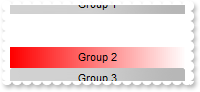
117. How can I change the group's background color ( gradient )
/*
	Copy and paste the following directives to your header file as
	it defines the namespace 'EXLISTBARLib' for the library: 'ExListBar 1.0 Control Library'

	#import <ExListBar.dll>
	using namespace EXLISTBARLib;
*/
EXLISTBARLib::IListBarPtr spListBar1 = GetDlgItem(IDC_LISTBAR1)->GetControlUnknown();
spListBar1->GetGroups()->Add(L"Group 1");
EXLISTBARLib::IGroupPtr var_Group = spListBar1->GetGroups()->Add(L"Group 2");
	var_Group->PutBackColor(RGB(255,0,0));
	var_Group->PutBackColor2(RGB(255,255,255));
spListBar1->GetGroups()->Add(L"Group 3");

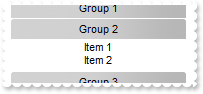
116. How can I specify the height of the items
/*
	Copy and paste the following directives to your header file as
	it defines the namespace 'EXLISTBARLib' for the library: 'ExListBar 1.0 Control Library'

	#import <ExListBar.dll>
	using namespace EXLISTBARLib;
*/
EXLISTBARLib::IListBarPtr spListBar1 = GetDlgItem(IDC_LISTBAR1)->GetControlUnknown();
spListBar1->GetGroups()->Add(L"Group 1");
EXLISTBARLib::IGroupPtr var_Group = spListBar1->GetGroups()->Add(L"Group 2");
	var_Group->AddItem(L"Item 1",vtMissing);
	var_Group->AddItem(L"Item 2",vtMissing);
	var_Group->PutItemHeight(13);
spListBar1->GetGroups()->Add(L"Group 3");
spListBar1->PutSelectGroup(1);

115. How do I put a picture on the group's background
/*
	Copy and paste the following directives to your header file as
	it defines the namespace 'EXLISTBARLib' for the library: 'ExListBar 1.0 Control Library'

	#import <ExListBar.dll>
	using namespace EXLISTBARLib;
*/
EXLISTBARLib::IListBarPtr spListBar1 = GetDlgItem(IDC_LISTBAR1)->GetControlUnknown();
spListBar1->GetGroups()->Add(L"Group 1");
EXLISTBARLib::IGroupPtr var_Group = spListBar1->GetGroups()->Add(L"Group 2");
	var_Group->AddItem(L"Item 1",vtMissing);
	var_Group->AddItem(L"Item 2",vtMissing);
	var_Group->PutPicture(IPictureDispPtr(((IDispatch*)(spListBar1->ExecuteTemplate("loadpicture(`c:\\exontrol\\images\\zipdisk.gif`)")))));
	var_Group->PutPictureDisplay(EXLISTBARLib::UpperRight);
spListBar1->GetGroups()->Add(L"Group 3");
spListBar1->PutSelectGroup(1);

114. How do I put a picture on the group's background
/*
	Copy and paste the following directives to your header file as
	it defines the namespace 'EXLISTBARLib' for the library: 'ExListBar 1.0 Control Library'

	#import <ExListBar.dll>
	using namespace EXLISTBARLib;
*/
EXLISTBARLib::IListBarPtr spListBar1 = GetDlgItem(IDC_LISTBAR1)->GetControlUnknown();
spListBar1->GetGroups()->Add(L"Group 1");
EXLISTBARLib::IGroupPtr var_Group = spListBar1->GetGroups()->Add(L"Group 2");
	var_Group->AddItem(L"Item 1",vtMissing);
	var_Group->AddItem(L"Item 2",vtMissing);
	var_Group->PutPicture(IPictureDispPtr(((IDispatch*)(spListBar1->ExecuteTemplate("loadpicture(`c:\\exontrol\\images\\zipdisk.gif`)")))));
spListBar1->GetGroups()->Add(L"Group 3");
spListBar1->PutSelectGroup(1);

113. How can I change the foreground color for items
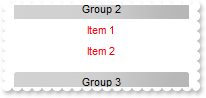
/*
	Copy and paste the following directives to your header file as
	it defines the namespace 'EXLISTBARLib' for the library: 'ExListBar 1.0 Control Library'

	#import <ExListBar.dll>
	using namespace EXLISTBARLib;
*/
EXLISTBARLib::IListBarPtr spListBar1 = GetDlgItem(IDC_LISTBAR1)->GetControlUnknown();
spListBar1->GetGroups()->Add(L"Group 1");
EXLISTBARLib::IGroupPtr var_Group = spListBar1->GetGroups()->Add(L"Group 2");
	var_Group->AddItem(L"Item 1",vtMissing);
	var_Group->AddItem(L"Item 2",vtMissing);
	var_Group->PutForeColorList(RGB(255,0,0));
spListBar1->GetGroups()->Add(L"Group 3");
spListBar1->PutSelectGroup(1);

112. How can I change the background color for the items
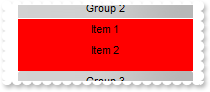
/*
	Copy and paste the following directives to your header file as
	it defines the namespace 'EXLISTBARLib' for the library: 'ExListBar 1.0 Control Library'

	#import <ExListBar.dll>
	using namespace EXLISTBARLib;
*/
EXLISTBARLib::IListBarPtr spListBar1 = GetDlgItem(IDC_LISTBAR1)->GetControlUnknown();
spListBar1->GetGroups()->Add(L"Group 1");
EXLISTBARLib::IGroupPtr var_Group = spListBar1->GetGroups()->Add(L"Group 2");
	var_Group->AddItem(L"Item 1",vtMissing);
	var_Group->AddItem(L"Item 2",vtMissing);
	var_Group->PutBackColorList(RGB(255,0,0));
spListBar1->GetGroups()->Add(L"Group 3");
spListBar1->PutSelectGroup(1);

111. How can I change the group's foreground color
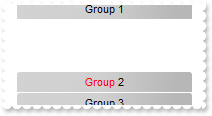
/*
	Copy and paste the following directives to your header file as
	it defines the namespace 'EXLISTBARLib' for the library: 'ExListBar 1.0 Control Library'

	#import <ExListBar.dll>
	using namespace EXLISTBARLib;
*/
EXLISTBARLib::IListBarPtr spListBar1 = GetDlgItem(IDC_LISTBAR1)->GetControlUnknown();
spListBar1->GetGroups()->Add(L"Group 1");
spListBar1->GetGroups()->Add(L"<fgcolor=FF0000>Group</fgcolor> 2")->PutCaptionFormat(EXLISTBARLib::exHTML);
spListBar1->GetGroups()->Add(L"Group 3");

110. How can I change the group's foreground color
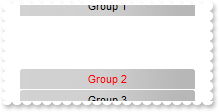
/*
	Copy and paste the following directives to your header file as
	it defines the namespace 'EXLISTBARLib' for the library: 'ExListBar 1.0 Control Library'

	#import <ExListBar.dll>
	using namespace EXLISTBARLib;
*/
EXLISTBARLib::IListBarPtr spListBar1 = GetDlgItem(IDC_LISTBAR1)->GetControlUnknown();
spListBar1->GetGroups()->Add(L"Group 1");
spListBar1->GetGroups()->Add(L"Group 2")->PutForeColor(RGB(255,0,0));
spListBar1->GetGroups()->Add(L"Group 3");

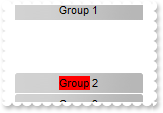
109. How can I change the group's background color
/*
	Copy and paste the following directives to your header file as
	it defines the namespace 'EXLISTBARLib' for the library: 'ExListBar 1.0 Control Library'

	#import <ExListBar.dll>
	using namespace EXLISTBARLib;
*/
EXLISTBARLib::IListBarPtr spListBar1 = GetDlgItem(IDC_LISTBAR1)->GetControlUnknown();
spListBar1->GetGroups()->Add(L"Group 1");
spListBar1->GetGroups()->Add(L"<bgcolor=FF0000>Group</bgcolor> 2")->PutCaptionFormat(EXLISTBARLib::exHTML);
spListBar1->GetGroups()->Add(L"Group 3");

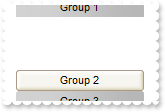
108. How can I change the visual appearance of the group, using EBN files
/*
	Copy and paste the following directives to your header file as
	it defines the namespace 'EXLISTBARLib' for the library: 'ExListBar 1.0 Control Library'

	#import <ExListBar.dll>
	using namespace EXLISTBARLib;
*/
EXLISTBARLib::IListBarPtr spListBar1 = GetDlgItem(IDC_LISTBAR1)->GetControlUnknown();
spListBar1->GetVisualAppearance()->Add(1,"c:\\exontrol\\images\\normal.ebn");
spListBar1->PutGroupAppearance(EXLISTBARLib::exSingle);
spListBar1->GetGroups()->Add(L"Group 1");
spListBar1->GetGroups()->Add(L"Group 2")->PutBackColor(0x1000000);
spListBar1->GetGroups()->Add(L"Group 3");

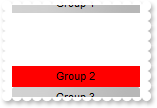
107. How can I change the group's background color
/*
	Copy and paste the following directives to your header file as
	it defines the namespace 'EXLISTBARLib' for the library: 'ExListBar 1.0 Control Library'

	#import <ExListBar.dll>
	using namespace EXLISTBARLib;
*/
EXLISTBARLib::IListBarPtr spListBar1 = GetDlgItem(IDC_LISTBAR1)->GetControlUnknown();
spListBar1->GetGroups()->Add(L"Group 1");
spListBar1->GetGroups()->Add(L"Group 2")->PutBackColor(RGB(255,0,0));
spListBar1->GetGroups()->Add(L"Group 3");

106. How do I get the index of the group
/*
	Copy and paste the following directives to your header file as
	it defines the namespace 'EXLISTBARLib' for the library: 'ExListBar 1.0 Control Library'

	#import <ExListBar.dll>
	using namespace EXLISTBARLib;
*/
EXLISTBARLib::IListBarPtr spListBar1 = GetDlgItem(IDC_LISTBAR1)->GetControlUnknown();
EXLISTBARLib::IGroupPtr var_Group = spListBar1->GetGroups()->Add(L"Group 1");
	var_Group->PutCaption(_bstr_t(var_Group->GetIndex()));
EXLISTBARLib::IGroupPtr var_Group1 = spListBar1->GetGroups()->Add(L"Group 2");
	var_Group1->PutCaption(_bstr_t(var_Group1->GetIndex()));
EXLISTBARLib::IGroupPtr var_Group2 = spListBar1->GetGroups()->Add(L"Group 3");
	var_Group2->PutCaption(_bstr_t(var_Group2->GetIndex()));

105. How can I underline the group's name
/*
	Copy and paste the following directives to your header file as
	it defines the namespace 'EXLISTBARLib' for the library: 'ExListBar 1.0 Control Library'

	#import <ExListBar.dll>
	using namespace EXLISTBARLib;
*/
EXLISTBARLib::IListBarPtr spListBar1 = GetDlgItem(IDC_LISTBAR1)->GetControlUnknown();
spListBar1->GetGroups()->Add(L"<u>Group</u> 1")->PutCaptionFormat(EXLISTBARLib::exHTML);

104. How can I underline the group's name
/*
	Copy and paste the following directives to your header file as
	it defines the namespace 'EXLISTBARLib' for the library: 'ExListBar 1.0 Control Library'

	#import <ExListBar.dll>
	using namespace EXLISTBARLib;
*/
EXLISTBARLib::IListBarPtr spListBar1 = GetDlgItem(IDC_LISTBAR1)->GetControlUnknown();
spListBar1->GetGroups()->Add(L"Group 1");
spListBar1->GetGroups()->Add(L"Group 2")->PutUnderline(VARIANT_TRUE);
spListBar1->GetGroups()->Add(L"Group 3");

103. How can I show the group's name as strikeout

/*
	Copy and paste the following directives to your header file as
	it defines the namespace 'EXLISTBARLib' for the library: 'ExListBar 1.0 Control Library'

	#import <ExListBar.dll>
	using namespace EXLISTBARLib;
*/
EXLISTBARLib::IListBarPtr spListBar1 = GetDlgItem(IDC_LISTBAR1)->GetControlUnknown();
spListBar1->GetGroups()->Add(L"<s>Group</s> 1")->PutCaptionFormat(EXLISTBARLib::exHTML);

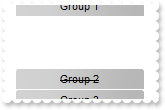
102. How can I show the group's name as strikeout
/*
	Copy and paste the following directives to your header file as
	it defines the namespace 'EXLISTBARLib' for the library: 'ExListBar 1.0 Control Library'

	#import <ExListBar.dll>
	using namespace EXLISTBARLib;
*/
EXLISTBARLib::IListBarPtr spListBar1 = GetDlgItem(IDC_LISTBAR1)->GetControlUnknown();
spListBar1->GetGroups()->Add(L"Group 1");
spListBar1->GetGroups()->Add(L"Group 2")->PutStrikeOut(VARIANT_TRUE);
spListBar1->GetGroups()->Add(L"Group 3");

101. How can I draw as italic the group's name

/*
	Copy and paste the following directives to your header file as
	it defines the namespace 'EXLISTBARLib' for the library: 'ExListBar 1.0 Control Library'

	#import <ExListBar.dll>
	using namespace EXLISTBARLib;
*/
EXLISTBARLib::IListBarPtr spListBar1 = GetDlgItem(IDC_LISTBAR1)->GetControlUnknown();
spListBar1->GetGroups()->Add(L"<i>Group</i> 1")->PutCaptionFormat(EXLISTBARLib::exHTML);

100. How do I draw italic the group's name
/*
	Copy and paste the following directives to your header file as
	it defines the namespace 'EXLISTBARLib' for the library: 'ExListBar 1.0 Control Library'

	#import <ExListBar.dll>
	using namespace EXLISTBARLib;
*/
EXLISTBARLib::IListBarPtr spListBar1 = GetDlgItem(IDC_LISTBAR1)->GetControlUnknown();
spListBar1->GetGroups()->Add(L"Group 1");
spListBar1->GetGroups()->Add(L"Group 2")->PutItalic(VARIANT_TRUE);
spListBar1->GetGroups()->Add(L"Group 3");

99. How do I bold the group's name
/*
	Copy and paste the following directives to your header file as
	it defines the namespace 'EXLISTBARLib' for the library: 'ExListBar 1.0 Control Library'

	#import <ExListBar.dll>
	using namespace EXLISTBARLib;
*/
EXLISTBARLib::IListBarPtr spListBar1 = GetDlgItem(IDC_LISTBAR1)->GetControlUnknown();
spListBar1->GetGroups()->Add(L"<b>Group</b> 1")->PutCaptionFormat(EXLISTBARLib::exHTML);

98. How do I bold the group's name
/*
	Copy and paste the following directives to your header file as
	it defines the namespace 'EXLISTBARLib' for the library: 'ExListBar 1.0 Control Library'

	#import <ExListBar.dll>
	using namespace EXLISTBARLib;
*/
EXLISTBARLib::IListBarPtr spListBar1 = GetDlgItem(IDC_LISTBAR1)->GetControlUnknown();
spListBar1->GetGroups()->Add(L"Group 1");
spListBar1->GetGroups()->Add(L"Group 2")->PutBold(VARIANT_TRUE);
spListBar1->GetGroups()->Add(L"Group 3");

97. How can I align the icon in the group's caption
/*
	Copy and paste the following directives to your header file as
	it defines the namespace 'EXLISTBARLib' for the library: 'ExListBar 1.0 Control Library'

	#import <ExListBar.dll>
	using namespace EXLISTBARLib;
*/
EXLISTBARLib::IListBarPtr spListBar1 = GetDlgItem(IDC_LISTBAR1)->GetControlUnknown();
spListBar1->Images(_bstr_t("gBJJgBAIDAAGAAEAAQhYAf8Pf4hh0QihCJo2AEZjQAjEZFEaIEaEEaAIAkcbk0olUrlktl0vmExmUzmk1m03nE5nU7nk9n0") +
"/oFBoVDolFo1HpFJpVLplNp1PqFRqVTqlVq1XrFZrVbrldr1fsFhsVjslls1ntFptVrtltt1vuFxuVzul1u13vF5vV7vl9v1" +
"/wGBwWDwmFw2HxGJxWLxmNx0xiFdyOTh8Tf9ZymXx+QytcyNgz8r0OblWjyWds+m0ka1Vf1ta1+r1mos2xrG2xeZ0+a0W0qO" +
"x3GO4NV3WeyvD2XJ5XL5nN51aiw+lfSj0gkUkAEllHanHI5j/cHg8EZf7w8vl8j4f/qfEZeB09/vjLAB30+kZQAP/P5/H6/y" +
"NAOAEAwCjMBwFAEDwJBMDwLBYAP2/8Hv8/gAGAD8LQs9w/nhDY/oygIA=");
EXLISTBARLib::IGroupPtr var_Group = spListBar1->GetGroups()->Add(L"Group 1 <img>1</img>");
	var_Group->PutCaptionFormat(EXLISTBARLib::exHTML);
	var_Group->PutAlignment(EXLISTBARLib::exRight);

96. How can I align the group's name
/*
	Copy and paste the following directives to your header file as
	it defines the namespace 'EXLISTBARLib' for the library: 'ExListBar 1.0 Control Library'

	#import <ExListBar.dll>
	using namespace EXLISTBARLib;
*/
EXLISTBARLib::IListBarPtr spListBar1 = GetDlgItem(IDC_LISTBAR1)->GetControlUnknown();
spListBar1->GetGroups()->Add(L"Group 1")->PutAlignment(EXLISTBARLib::exRight);

95. How can I align the group's name
/*
	Copy and paste the following directives to your header file as
	it defines the namespace 'EXLISTBARLib' for the library: 'ExListBar 1.0 Control Library'

	#import <ExListBar.dll>
	using namespace EXLISTBARLib;
*/
EXLISTBARLib::IListBarPtr spListBar1 = GetDlgItem(IDC_LISTBAR1)->GetControlUnknown();
spListBar1->GetGroups()->Add(L"Group 1")->PutAlignment(EXLISTBARLib::exLeft);

94. How can I assign some extra data to a group
/*
	Copy and paste the following directives to your header file as
	it defines the namespace 'EXLISTBARLib' for the library: 'ExListBar 1.0 Control Library'

	#import <ExListBar.dll>
	using namespace EXLISTBARLib;
*/
EXLISTBARLib::IListBarPtr spListBar1 = GetDlgItem(IDC_LISTBAR1)->GetControlUnknown();
spListBar1->GetGroups()->Add(L"Group 1")->PutUserData("your data");

93. How can I display an icon in the group's caption
/*
	Copy and paste the following directives to your header file as
	it defines the namespace 'EXLISTBARLib' for the library: 'ExListBar 1.0 Control Library'

	#import <ExListBar.dll>
	using namespace EXLISTBARLib;
*/
EXLISTBARLib::IListBarPtr spListBar1 = GetDlgItem(IDC_LISTBAR1)->GetControlUnknown();
spListBar1->Images(_bstr_t("gBJJgBAIDAAGAAEAAQhYAf8Pf4hh0QihCJo2AEZjQAjEZFEaIEaEEaAIAkcbk0olUrlktl0vmExmUzmk1m03nE5nU7nk9n0") +
"/oFBoVDolFo1HpFJpVLplNp1PqFRqVTqlVq1XrFZrVbrldr1fsFhsVjslls1ntFptVrtltt1vuFxuVzul1u13vF5vV7vl9v1" +
"/wGBwWDwmFw2HxGJxWLxmNx0xiFdyOTh8Tf9ZymXx+QytcyNgz8r0OblWjyWds+m0ka1Vf1ta1+r1mos2xrG2xeZ0+a0W0qO" +
"x3GO4NV3WeyvD2XJ5XL5nN51aiw+lfSj0gkUkAEllHanHI5j/cHg8EZf7w8vl8j4f/qfEZeB09/vjLAB30+kZQAP/P5/H6/y" +
"NAOAEAwCjMBwFAEDwJBMDwLBYAP2/8Hv8/gAGAD8LQs9w/nhDY/oygIA=");
spListBar1->GetGroups()->Add(L"Group <img>1</img> text <img>2</img>")->PutCaptionFormat(EXLISTBARLib::exHTML);

92. How can I display an icon in the group's caption
/*
	Copy and paste the following directives to your header file as
	it defines the namespace 'EXLISTBARLib' for the library: 'ExListBar 1.0 Control Library'

	#import <ExListBar.dll>
	using namespace EXLISTBARLib;
*/
EXLISTBARLib::IListBarPtr spListBar1 = GetDlgItem(IDC_LISTBAR1)->GetControlUnknown();
spListBar1->Images(_bstr_t("gBJJgBAIDAAGAAEAAQhYAf8Pf4hh0QihCJo2AEZjQAjEZFEaIEaEEaAIAkcbk0olUrlktl0vmExmUzmk1m03nE5nU7nk9n0") +
"/oFBoVDolFo1HpFJpVLplNp1PqFRqVTqlVq1XrFZrVbrldr1fsFhsVjslls1ntFptVrtltt1vuFxuVzul1u13vF5vV7vl9v1" +
"/wGBwWDwmFw2HxGJxWLxmNx0xiFdyOTh8Tf9ZymXx+QytcyNgz8r0OblWjyWds+m0ka1Vf1ta1+r1mos2xrG2xeZ0+a0W0qO" +
"x3GO4NV3WeyvD2XJ5XL5nN51aiw+lfSj0gkUkAEllHanHI5j/cHg8EZf7w8vl8j4f/qfEZeB09/vjLAB30+kZQAP/P5/H6/y" +
"NAOAEAwCjMBwFAEDwJBMDwLBYAP2/8Hv8/gAGAD8LQs9w/nhDY/oygIA=");
spListBar1->GetGroups()->Add(L"Group 1")->PutImage(long(1));

91. How can I access an item by its position
/*
	Copy and paste the following directives to your header file as
	it defines the namespace 'EXLISTBARLib' for the library: 'ExListBar 1.0 Control Library'

	#import <ExListBar.dll>
	using namespace EXLISTBARLib;
*/
EXLISTBARLib::IListBarPtr spListBar1 = GetDlgItem(IDC_LISTBAR1)->GetControlUnknown();
EXLISTBARLib::IGroupPtr var_Group = spListBar1->GetGroups()->Add(L"Group 1");
	var_Group->AddItem(L"Item 1",vtMissing);
	var_Group->AddItem(L"Item 2",vtMissing);
	var_Group->AddItem(L"Item 3",vtMissing)->PutPosition(0);
	var_Group->GetItemByPos(1)->PutBold(VARIANT_TRUE);

90. How can I change the position of a group
/*
	Copy and paste the following directives to your header file as
	it defines the namespace 'EXLISTBARLib' for the library: 'ExListBar 1.0 Control Library'

	#import <ExListBar.dll>
	using namespace EXLISTBARLib;
*/
EXLISTBARLib::IListBarPtr spListBar1 = GetDlgItem(IDC_LISTBAR1)->GetControlUnknown();
spListBar1->GetGroups()->Add(L"Group 1");
spListBar1->GetGroups()->Add(L"Group 2");
spListBar1->GetGroups()->Add(L"Group 3")->PutPosition(0);

89. How can I change the group's caption
/*
	Copy and paste the following directives to your header file as
	it defines the namespace 'EXLISTBARLib' for the library: 'ExListBar 1.0 Control Library'

	#import <ExListBar.dll>
	using namespace EXLISTBARLib;
*/
EXLISTBARLib::IListBarPtr spListBar1 = GetDlgItem(IDC_LISTBAR1)->GetControlUnknown();
EXLISTBARLib::IGroupPtr var_Group = spListBar1->GetGroups()->Add(L"Group 1");
	var_Group->AddItem(L"Item 1",vtMissing);
	var_Group->AddItem(L"Item 2",vtMissing);
	var_Group->AddItem(L"Item 3",vtMissing);
	var_Group->PutCaption(L"new caption");

88. How can I get the number or count of items in a group
/*
	Copy and paste the following directives to your header file as
	it defines the namespace 'EXLISTBARLib' for the library: 'ExListBar 1.0 Control Library'

	#import <ExListBar.dll>
	using namespace EXLISTBARLib;
*/
EXLISTBARLib::IListBarPtr spListBar1 = GetDlgItem(IDC_LISTBAR1)->GetControlUnknown();
EXLISTBARLib::IGroupPtr var_Group = spListBar1->GetGroups()->Add(L"Group 1");
	var_Group->AddItem(L"Item 1",vtMissing);
	var_Group->AddItem(L"Item 2",vtMissing);
	var_Group->AddItem(L"Item 3",vtMissing);
	var_Group->AddItem(_bstr_t(var_Group->GetCount()),vtMissing);

87. How can I access an item in a group
/*
	Copy and paste the following directives to your header file as
	it defines the namespace 'EXLISTBARLib' for the library: 'ExListBar 1.0 Control Library'

	#import <ExListBar.dll>
	using namespace EXLISTBARLib;
*/
EXLISTBARLib::IListBarPtr spListBar1 = GetDlgItem(IDC_LISTBAR1)->GetControlUnknown();
EXLISTBARLib::IGroupPtr var_Group = spListBar1->GetGroups()->Add(L"Group 1");
	var_Group->AddItem(L"Item 1",vtMissing);
	var_Group->AddItem(L"Item 2",vtMissing);
	var_Group->AddItem(L"Item 3",vtMissing);
	var_Group->GetItem(long(1))->PutBold(VARIANT_TRUE);

86. How can I remove all items, from a group
/*
	Copy and paste the following directives to your header file as
	it defines the namespace 'EXLISTBARLib' for the library: 'ExListBar 1.0 Control Library'

	#import <ExListBar.dll>
	using namespace EXLISTBARLib;
*/
EXLISTBARLib::IListBarPtr spListBar1 = GetDlgItem(IDC_LISTBAR1)->GetControlUnknown();
EXLISTBARLib::IGroupPtr var_Group = spListBar1->GetGroups()->Add(L"Group 1");
	var_Group->AddItem(L"Item 1",vtMissing);
	var_Group->AddItem(L"Item 2",vtMissing);
	var_Group->AddItem(L"Item 3",vtMissing);
	var_Group->Clear();

85. How can I remove an item, from a group
/*
	Copy and paste the following directives to your header file as
	it defines the namespace 'EXLISTBARLib' for the library: 'ExListBar 1.0 Control Library'

	#import <ExListBar.dll>
	using namespace EXLISTBARLib;
*/
EXLISTBARLib::IListBarPtr spListBar1 = GetDlgItem(IDC_LISTBAR1)->GetControlUnknown();
EXLISTBARLib::IGroupPtr var_Group = spListBar1->GetGroups()->Add(L"Group 1");
	var_Group->AddItem(L"Item 1",vtMissing);
	var_Group->AddItem(L"Item 2",vtMissing);
	var_Group->AddItem(L"Item 3",vtMissing);
	var_Group->RemoveItem(long(1));

84. How can I add a new item to a group
/*
	Copy and paste the following directives to your header file as
	it defines the namespace 'EXLISTBARLib' for the library: 'ExListBar 1.0 Control Library'

	#import <ExListBar.dll>
	using namespace EXLISTBARLib;
*/
EXLISTBARLib::IListBarPtr spListBar1 = GetDlgItem(IDC_LISTBAR1)->GetControlUnknown();
spListBar1->Images(_bstr_t("gBJJgBAIDAAGAAEAAQhYAf8Pf4hh0QihCJo2AEZjQAjEZFEaIEaEEaAIAkcbk0olUrlktl0vmExmUzmk1m03nE5nU7nk9n0") +
"/oFBoVDolFo1HpFJpVLplNp1PqFRqVTqlVq1XrFZrVbrldr1fsFhsVjslls1ntFptVrtltt1vuFxuVzul1u13vF5vV7vl9v1" +
"/wGBwWDwmFw2HxGJxWLxmNx0xiFdyOTh8Tf9ZymXx+QytcyNgz8r0OblWjyWds+m0ka1Vf1ta1+r1mos2xrG2xeZ0+a0W0qO" +
"x3GO4NV3WeyvD2XJ5XL5nN51aiw+lfSj0gkUkAEllHanHI5j/cHg8EZf7w8vl8j4f/qfEZeB09/vjLAB30+kZQAP/P5/H6/y" +
"NAOAEAwCjMBwFAEDwJBMDwLBYAP2/8Hv8/gAGAD8LQs9w/nhDY/oygIA=");
EXLISTBARLib::IGroupPtr var_Group = spListBar1->GetGroups()->Add(L"Group 1");
	var_Group->AddItem(L"Item 1",long(1));

83. How can I add a new item to a group
/*
	Copy and paste the following directives to your header file as
	it defines the namespace 'EXLISTBARLib' for the library: 'ExListBar 1.0 Control Library'

	#import <ExListBar.dll>
	using namespace EXLISTBARLib;
*/
EXLISTBARLib::IListBarPtr spListBar1 = GetDlgItem(IDC_LISTBAR1)->GetControlUnknown();
spListBar1->GetGroups()->Add(L"Group 1")->AddItem(L"Item 1",vtMissing);

82. How can I add a new item to a group
/*
	Copy and paste the following directives to your header file as
	it defines the namespace 'EXLISTBARLib' for the library: 'ExListBar 1.0 Control Library'

	#import <ExListBar.dll>
	using namespace EXLISTBARLib;
*/
EXLISTBARLib::IListBarPtr spListBar1 = GetDlgItem(IDC_LISTBAR1)->GetControlUnknown();
EXLISTBARLib::IGroupPtr var_Group = spListBar1->GetGroups()->Add(L"Group 1");
	var_Group->AddItem(L"Item 1",vtMissing);

81. How can I get the groups as they are listed
/*
	Copy and paste the following directives to your header file as
	it defines the namespace 'EXLISTBARLib' for the library: 'ExListBar 1.0 Control Library'

	#import <ExListBar.dll>
	using namespace EXLISTBARLib;
*/
EXLISTBARLib::IListBarPtr spListBar1 = GetDlgItem(IDC_LISTBAR1)->GetControlUnknown();
EXLISTBARLib::IGroupsPtr var_Groups = spListBar1->GetGroups();
	var_Groups->Add(L"Group 1");
	var_Groups->Add(L"Group 2");
	var_Groups->Add(L"Group 3");

80. How can I access a group by position
/*
	Copy and paste the following directives to your header file as
	it defines the namespace 'EXLISTBARLib' for the library: 'ExListBar 1.0 Control Library'

	#import <ExListBar.dll>
	using namespace EXLISTBARLib;
*/
EXLISTBARLib::IListBarPtr spListBar1 = GetDlgItem(IDC_LISTBAR1)->GetControlUnknown();
EXLISTBARLib::IGroupsPtr var_Groups = spListBar1->GetGroups();
	var_Groups->Add(L"Group 1");
	var_Groups->Add(L"Group 2");
	var_Groups->Add(L"Group 3");
	var_Groups->GetItemByPos(1)->PutBold(VARIANT_TRUE);

79. How can I access a group
/*
	Copy and paste the following directives to your header file as
	it defines the namespace 'EXLISTBARLib' for the library: 'ExListBar 1.0 Control Library'

	#import <ExListBar.dll>
	using namespace EXLISTBARLib;
*/
EXLISTBARLib::IListBarPtr spListBar1 = GetDlgItem(IDC_LISTBAR1)->GetControlUnknown();
EXLISTBARLib::IGroupsPtr var_Groups = spListBar1->GetGroups();
	var_Groups->Add(L"Group 1");
	var_Groups->Add(L"Group 2");
	var_Groups->Add(L"Group 3");
	var_Groups->GetItem(long(1))->PutBold(VARIANT_TRUE);

78. How can I clear the groups collection
/*
	Copy and paste the following directives to your header file as
	it defines the namespace 'EXLISTBARLib' for the library: 'ExListBar 1.0 Control Library'

	#import <ExListBar.dll>
	using namespace EXLISTBARLib;
*/
EXLISTBARLib::IListBarPtr spListBar1 = GetDlgItem(IDC_LISTBAR1)->GetControlUnknown();
EXLISTBARLib::IGroupsPtr var_Groups = spListBar1->GetGroups();
	var_Groups->Add(L"Group 1");
	var_Groups->Add(L"Group 2");
	var_Groups->Add(L"Group 3");
	var_Groups->Clear();

77. How can I remove a group
/*
	Copy and paste the following directives to your header file as
	it defines the namespace 'EXLISTBARLib' for the library: 'ExListBar 1.0 Control Library'

	#import <ExListBar.dll>
	using namespace EXLISTBARLib;
*/
EXLISTBARLib::IListBarPtr spListBar1 = GetDlgItem(IDC_LISTBAR1)->GetControlUnknown();
EXLISTBARLib::IGroupsPtr var_Groups = spListBar1->GetGroups();
	var_Groups->Add(L"Group 1");
	var_Groups->Add(L"Group 2");
	var_Groups->Add(L"Group 3");
	var_Groups->Remove(long(1));

76. How can I add a group
/*
	Copy and paste the following directives to your header file as
	it defines the namespace 'EXLISTBARLib' for the library: 'ExListBar 1.0 Control Library'

	#import <ExListBar.dll>
	using namespace EXLISTBARLib;
*/
EXLISTBARLib::IListBarPtr spListBar1 = GetDlgItem(IDC_LISTBAR1)->GetControlUnknown();
EXLISTBARLib::IGroupPtr var_Group = spListBar1->GetGroups()->Add(L"Group 1");
	var_Group->AddItem(L"Item 1",vtMissing);
	var_Group->AddItem(L"Item 2",vtMissing);

75. How do I count the number of groups
/*
	Copy and paste the following directives to your header file as
	it defines the namespace 'EXLISTBARLib' for the library: 'ExListBar 1.0 Control Library'

	#import <ExListBar.dll>
	using namespace EXLISTBARLib;
*/
EXLISTBARLib::IListBarPtr spListBar1 = GetDlgItem(IDC_LISTBAR1)->GetControlUnknown();
EXLISTBARLib::IGroupsPtr var_Groups = spListBar1->GetGroups();
	var_Groups->Add(L"Group 1");
	var_Groups->Add(L"Group 2");
	var_Groups->Add(L"Group 3");
	var_Groups->Add(_bstr_t(var_Groups->GetCount()));

74. How can I display pictures with a custom size, instead icons, in the shortcut bar
/*
	Copy and paste the following directives to your header file as
	it defines the namespace 'EXLISTBARLib' for the library: 'ExListBar 1.0 Control Library'

	#import <ExListBar.dll>
	using namespace EXLISTBARLib;
*/
EXLISTBARLib::IListBarPtr spListBar1 = GetDlgItem(IDC_LISTBAR1)->GetControlUnknown();
spListBar1->PutShowShortcutBar(VARIANT_TRUE);
spListBar1->GetGroups()->Add(L"Group 1")->PutShortcut(L"Set 1");
spListBar1->GetGroups()->Add(L"Group 2")->PutShortcut(L"Set 1");
spListBar1->GetGroups()->Add(L"Group 3")->PutShortcut(L"Set 2");
spListBar1->GetGroups()->Add(L"Group 4")->PutShortcut(L"Set 2");
spListBar1->PutShortcutPicture(L"Set 1",((IDispatch*)(spListBar1->ExecuteTemplate("loadpicture(`c:\\exontrol\\images\\zipdisk.gif`)"))));
spListBar1->PutShortcutPicture(L"Set 2",((IDispatch*)(spListBar1->ExecuteTemplate("loadpicture(`c:\\exontrol\\images\\auction.gif`)"))));
spListBar1->PutShortcutPictureWidth(32);
spListBar1->PutShortcutPictureHeight(32);
spListBar1->PutShortcutBarHeight(32);

73. How can I display pictures instead icons, in the shortcut bar
/*
	Copy and paste the following directives to your header file as
	it defines the namespace 'EXLISTBARLib' for the library: 'ExListBar 1.0 Control Library'

	#import <ExListBar.dll>
	using namespace EXLISTBARLib;
*/
EXLISTBARLib::IListBarPtr spListBar1 = GetDlgItem(IDC_LISTBAR1)->GetControlUnknown();
spListBar1->PutShowShortcutBar(VARIANT_TRUE);
spListBar1->GetGroups()->Add(L"Group 1")->PutShortcut(L"Set 1");
spListBar1->GetGroups()->Add(L"Group 2")->PutShortcut(L"Set 1");
spListBar1->GetGroups()->Add(L"Group 3")->PutShortcut(L"Set 2");
spListBar1->GetGroups()->Add(L"Group 4")->PutShortcut(L"Set 2");
spListBar1->PutShortcutPicture(L"Set 1",((IDispatch*)(spListBar1->ExecuteTemplate("loadpicture(`c:\\exontrol\\images\\zipdisk.gif`)"))));
spListBar1->PutShortcutPicture(L"Set 2",((IDispatch*)(spListBar1->ExecuteTemplate("loadpicture(`c:\\exontrol\\images\\auction.gif`)"))));
spListBar1->PutShortcutBarHeight(44);

72. How can I change the visual appearance of the shortcut bar, using EBN files
/*
	Copy and paste the following directives to your header file as
	it defines the namespace 'EXLISTBARLib' for the library: 'ExListBar 1.0 Control Library'

	#import <ExListBar.dll>
	using namespace EXLISTBARLib;
*/
EXLISTBARLib::IListBarPtr spListBar1 = GetDlgItem(IDC_LISTBAR1)->GetControlUnknown();
spListBar1->GetVisualAppearance()->Add(1,"c:\\exontrol\\images\\normal.ebn");
spListBar1->GetVisualAppearance()->Add(2,"c:\\exontrol\\images\\pushed.ebn");
spListBar1->Images(_bstr_t("gBJJgBAIDAAGAAEAAQhYAf8Pf4hh0QihCJo2AEZjQAjEZFEaIEaEEaAIAkcbk0olUrlktl0vmExmUzmk1m03nE5nU7nk9n0") +
"/oFBoVDolFo1HpFJpVLplNp1PqFRqVTqlVq1XrFZrVbrldr1fsFhsVjslls1ntFptVrtltt1vuFxuVzul1u13vF5vV7vl9v1" +
"/wGBwWDwmFw2HxGJxWLxmNx0xiFdyOTh8Tf9ZymXx+QytcyNgz8r0OblWjyWds+m0ka1Vf1ta1+r1mos2xrG2xeZ0+a0W0qO" +
"x3GO4NV3WeyvD2XJ5XL5nN51aiw+lfSj0gkUkAEllHanHI5j/cHg8EZf7w8vl8j4f/qfEZeB09/vjLAB30+kZQAP/P5/H6/y" +
"NAOAEAwCjMBwFAEDwJBMDwLBYAP2/8Hv8/gAGAD8LQs9w/nhDY/oygIA=");
spListBar1->PutShowShortcutBar(VARIANT_TRUE);
spListBar1->GetGroups()->Add(L"Group 1")->PutShortcut(L"Set <img>1</img>");
spListBar1->GetGroups()->Add(L"Group 2")->PutShortcut(L"Set <img>1</img>");
spListBar1->GetGroups()->Add(L"Group 3")->PutShortcut(L"Set <img>2</img>");
spListBar1->GetGroups()->Add(L"Group 4")->PutShortcut(L"Set <img>2</img>");
spListBar1->PutShortcutResizeBackColor(0x2000000);
spListBar1->PutShortcutBarSelCaptionBackColor(0x1000000);
spListBar1->PutShortcutBarSelBackColor(0x1000000);
spListBar1->PutBackColorGroup(0x1000000);

71. How can I change the visual appearance of the separator between groups and the shortcut bar, using your EBN files
/*
	Copy and paste the following directives to your header file as
	it defines the namespace 'EXLISTBARLib' for the library: 'ExListBar 1.0 Control Library'

	#import <ExListBar.dll>
	using namespace EXLISTBARLib;
*/
EXLISTBARLib::IListBarPtr spListBar1 = GetDlgItem(IDC_LISTBAR1)->GetControlUnknown();
spListBar1->GetVisualAppearance()->Add(1,"c:\\exontrol\\images\\normal.ebn");
spListBar1->Images(_bstr_t("gBJJgBAIDAAGAAEAAQhYAf8Pf4hh0QihCJo2AEZjQAjEZFEaIEaEEaAIAkcbk0olUrlktl0vmExmUzmk1m03nE5nU7nk9n0") +
"/oFBoVDolFo1HpFJpVLplNp1PqFRqVTqlVq1XrFZrVbrldr1fsFhsVjslls1ntFptVrtltt1vuFxuVzul1u13vF5vV7vl9v1" +
"/wGBwWDwmFw2HxGJxWLxmNx0xiFdyOTh8Tf9ZymXx+QytcyNgz8r0OblWjyWds+m0ka1Vf1ta1+r1mos2xrG2xeZ0+a0W0qO" +
"x3GO4NV3WeyvD2XJ5XL5nN51aiw+lfSj0gkUkAEllHanHI5j/cHg8EZf7w8vl8j4f/qfEZeB09/vjLAB30+kZQAP/P5/H6/y" +
"NAOAEAwCjMBwFAEDwJBMDwLBYAP2/8Hv8/gAGAD8LQs9w/nhDY/oygIA=");
spListBar1->PutShowShortcutBar(VARIANT_TRUE);
spListBar1->GetGroups()->Add(L"Group 1")->PutShortcut(L"Set <img>1</img>");
spListBar1->GetGroups()->Add(L"Group 2")->PutShortcut(L"Set <img>1</img>");
spListBar1->GetGroups()->Add(L"Group 3")->PutShortcut(L"Set <img>2</img>");
spListBar1->GetGroups()->Add(L"Group 4")->PutShortcut(L"Set <img>2</img>");
spListBar1->PutShortcutResizeBackColor(0x1000000);
spListBar1->PutExpandShortcutCount(1);

70. How do I change the background color of the separator between groups and the shortcut bar
/*
	Copy and paste the following directives to your header file as
	it defines the namespace 'EXLISTBARLib' for the library: 'ExListBar 1.0 Control Library'

	#import <ExListBar.dll>
	using namespace EXLISTBARLib;
*/
EXLISTBARLib::IListBarPtr spListBar1 = GetDlgItem(IDC_LISTBAR1)->GetControlUnknown();
spListBar1->Images(_bstr_t("gBJJgBAIDAAGAAEAAQhYAf8Pf4hh0QihCJo2AEZjQAjEZFEaIEaEEaAIAkcbk0olUrlktl0vmExmUzmk1m03nE5nU7nk9n0") +
"/oFBoVDolFo1HpFJpVLplNp1PqFRqVTqlVq1XrFZrVbrldr1fsFhsVjslls1ntFptVrtltt1vuFxuVzul1u13vF5vV7vl9v1" +
"/wGBwWDwmFw2HxGJxWLxmNx0xiFdyOTh8Tf9ZymXx+QytcyNgz8r0OblWjyWds+m0ka1Vf1ta1+r1mos2xrG2xeZ0+a0W0qO" +
"x3GO4NV3WeyvD2XJ5XL5nN51aiw+lfSj0gkUkAEllHanHI5j/cHg8EZf7w8vl8j4f/qfEZeB09/vjLAB30+kZQAP/P5/H6/y" +
"NAOAEAwCjMBwFAEDwJBMDwLBYAP2/8Hv8/gAGAD8LQs9w/nhDY/oygIA=");
spListBar1->PutShowShortcutBar(VARIANT_TRUE);
spListBar1->GetGroups()->Add(L"Group 1")->PutShortcut(L"Set <img>1</img>");
spListBar1->GetGroups()->Add(L"Group 2")->PutShortcut(L"Set <img>1</img>");
spListBar1->GetGroups()->Add(L"Group 3")->PutShortcut(L"Set <img>2</img>");
spListBar1->GetGroups()->Add(L"Group 4")->PutShortcut(L"Set <img>2</img>");
spListBar1->PutShortcutResizeBackColor(RGB(255,0,0));
spListBar1->PutExpandShortcutCount(1);

69. How can I change the visual appearance of the shortcut bar, using your EBN files
/*
	Copy and paste the following directives to your header file as
	it defines the namespace 'EXLISTBARLib' for the library: 'ExListBar 1.0 Control Library'

	#import <ExListBar.dll>
	using namespace EXLISTBARLib;
*/
EXLISTBARLib::IListBarPtr spListBar1 = GetDlgItem(IDC_LISTBAR1)->GetControlUnknown();
spListBar1->GetVisualAppearance()->Add(1,"c:\\exontrol\\images\\normal.ebn");
spListBar1->Images(_bstr_t("gBJJgBAIDAAGAAEAAQhYAf8Pf4hh0QihCJo2AEZjQAjEZFEaIEaEEaAIAkcbk0olUrlktl0vmExmUzmk1m03nE5nU7nk9n0") +
"/oFBoVDolFo1HpFJpVLplNp1PqFRqVTqlVq1XrFZrVbrldr1fsFhsVjslls1ntFptVrtltt1vuFxuVzul1u13vF5vV7vl9v1" +
"/wGBwWDwmFw2HxGJxWLxmNx0xiFdyOTh8Tf9ZymXx+QytcyNgz8r0OblWjyWds+m0ka1Vf1ta1+r1mos2xrG2xeZ0+a0W0qO" +
"x3GO4NV3WeyvD2XJ5XL5nN51aiw+lfSj0gkUkAEllHanHI5j/cHg8EZf7w8vl8j4f/qfEZeB09/vjLAB30+kZQAP/P5/H6/y" +
"NAOAEAwCjMBwFAEDwJBMDwLBYAP2/8Hv8/gAGAD8LQs9w/nhDY/oygIA=");
spListBar1->PutShowShortcutBar(VARIANT_TRUE);
spListBar1->GetGroups()->Add(L"Group 1")->PutShortcut(L"Set <img>1</img>");
spListBar1->GetGroups()->Add(L"Group 2")->PutShortcut(L"Set <img>1</img>");
spListBar1->GetGroups()->Add(L"Group 3")->PutShortcut(L"Set <img>2</img>");
spListBar1->GetGroups()->Add(L"Group 4")->PutShortcut(L"Set <img>2</img>");
spListBar1->PutShortcutBarSelCaptionBackColor(0x1000000);
spListBar1->PutExpandShortcutCount(1);

68. How do I change the selection background color in the shortcut bar
/*
	Copy and paste the following directives to your header file as
	it defines the namespace 'EXLISTBARLib' for the library: 'ExListBar 1.0 Control Library'

	#import <ExListBar.dll>
	using namespace EXLISTBARLib;
*/
EXLISTBARLib::IListBarPtr spListBar1 = GetDlgItem(IDC_LISTBAR1)->GetControlUnknown();
spListBar1->Images(_bstr_t("gBJJgBAIDAAGAAEAAQhYAf8Pf4hh0QihCJo2AEZjQAjEZFEaIEaEEaAIAkcbk0olUrlktl0vmExmUzmk1m03nE5nU7nk9n0") +
"/oFBoVDolFo1HpFJpVLplNp1PqFRqVTqlVq1XrFZrVbrldr1fsFhsVjslls1ntFptVrtltt1vuFxuVzul1u13vF5vV7vl9v1" +
"/wGBwWDwmFw2HxGJxWLxmNx0xiFdyOTh8Tf9ZymXx+QytcyNgz8r0OblWjyWds+m0ka1Vf1ta1+r1mos2xrG2xeZ0+a0W0qO" +
"x3GO4NV3WeyvD2XJ5XL5nN51aiw+lfSj0gkUkAEllHanHI5j/cHg8EZf7w8vl8j4f/qfEZeB09/vjLAB30+kZQAP/P5/H6/y" +
"NAOAEAwCjMBwFAEDwJBMDwLBYAP2/8Hv8/gAGAD8LQs9w/nhDY/oygIA=");
spListBar1->PutShowShortcutBar(VARIANT_TRUE);
spListBar1->GetGroups()->Add(L"Group 1")->PutShortcut(L"Set <img>1</img>");
spListBar1->GetGroups()->Add(L"Group 2")->PutShortcut(L"Set <img>1</img>");
spListBar1->GetGroups()->Add(L"Group 3")->PutShortcut(L"Set <img>2</img>");
spListBar1->GetGroups()->Add(L"Group 4")->PutShortcut(L"Set <img>2</img>");
spListBar1->PutShortcutBarSelCaptionBackColor(RGB(255,0,0));
spListBar1->PutExpandShortcutCount(1);

67. How can I change the visual appearance of the shortcut bar, using your EBN files
/*
	Copy and paste the following directives to your header file as
	it defines the namespace 'EXLISTBARLib' for the library: 'ExListBar 1.0 Control Library'

	#import <ExListBar.dll>
	using namespace EXLISTBARLib;
*/
EXLISTBARLib::IListBarPtr spListBar1 = GetDlgItem(IDC_LISTBAR1)->GetControlUnknown();
spListBar1->GetVisualAppearance()->Add(1,"c:\\exontrol\\images\\normal.ebn");
spListBar1->Images(_bstr_t("gBJJgBAIDAAGAAEAAQhYAf8Pf4hh0QihCJo2AEZjQAjEZFEaIEaEEaAIAkcbk0olUrlktl0vmExmUzmk1m03nE5nU7nk9n0") +
"/oFBoVDolFo1HpFJpVLplNp1PqFRqVTqlVq1XrFZrVbrldr1fsFhsVjslls1ntFptVrtltt1vuFxuVzul1u13vF5vV7vl9v1" +
"/wGBwWDwmFw2HxGJxWLxmNx0xiFdyOTh8Tf9ZymXx+QytcyNgz8r0OblWjyWds+m0ka1Vf1ta1+r1mos2xrG2xeZ0+a0W0qO" +
"x3GO4NV3WeyvD2XJ5XL5nN51aiw+lfSj0gkUkAEllHanHI5j/cHg8EZf7w8vl8j4f/qfEZeB09/vjLAB30+kZQAP/P5/H6/y" +
"NAOAEAwCjMBwFAEDwJBMDwLBYAP2/8Hv8/gAGAD8LQs9w/nhDY/oygIA=");
spListBar1->PutShowShortcutBar(VARIANT_TRUE);
spListBar1->GetGroups()->Add(L"Group 1")->PutShortcut(L"Set <img>1</img>");
spListBar1->GetGroups()->Add(L"Group 2")->PutShortcut(L"Set <img>1</img>");
spListBar1->GetGroups()->Add(L"Group 3")->PutShortcut(L"Set <img>2</img>");
spListBar1->GetGroups()->Add(L"Group 4")->PutShortcut(L"Set <img>2</img>");
spListBar1->PutShortcutBarSelBackColor(0x1000000);

66. How do I change the selection background color in the shortcut bar
/*
	Copy and paste the following directives to your header file as
	it defines the namespace 'EXLISTBARLib' for the library: 'ExListBar 1.0 Control Library'

	#import <ExListBar.dll>
	using namespace EXLISTBARLib;
*/
EXLISTBARLib::IListBarPtr spListBar1 = GetDlgItem(IDC_LISTBAR1)->GetControlUnknown();
spListBar1->Images(_bstr_t("gBJJgBAIDAAGAAEAAQhYAf8Pf4hh0QihCJo2AEZjQAjEZFEaIEaEEaAIAkcbk0olUrlktl0vmExmUzmk1m03nE5nU7nk9n0") +
"/oFBoVDolFo1HpFJpVLplNp1PqFRqVTqlVq1XrFZrVbrldr1fsFhsVjslls1ntFptVrtltt1vuFxuVzul1u13vF5vV7vl9v1" +
"/wGBwWDwmFw2HxGJxWLxmNx0xiFdyOTh8Tf9ZymXx+QytcyNgz8r0OblWjyWds+m0ka1Vf1ta1+r1mos2xrG2xeZ0+a0W0qO" +
"x3GO4NV3WeyvD2XJ5XL5nN51aiw+lfSj0gkUkAEllHanHI5j/cHg8EZf7w8vl8j4f/qfEZeB09/vjLAB30+kZQAP/P5/H6/y" +
"NAOAEAwCjMBwFAEDwJBMDwLBYAP2/8Hv8/gAGAD8LQs9w/nhDY/oygIA=");
spListBar1->PutShowShortcutBar(VARIANT_TRUE);
spListBar1->GetGroups()->Add(L"Group 1")->PutShortcut(L"Set <img>1</img>");
spListBar1->GetGroups()->Add(L"Group 2")->PutShortcut(L"Set <img>1</img>");
spListBar1->GetGroups()->Add(L"Group 3")->PutShortcut(L"Set <img>2</img>");
spListBar1->GetGroups()->Add(L"Group 4")->PutShortcut(L"Set <img>2</img>");
spListBar1->PutShortcutBarSelBackColor(RGB(255,0,0));

65. How can I change the visual appearance of the shortcut bar, using your EBN files
/*
	Copy and paste the following directives to your header file as
	it defines the namespace 'EXLISTBARLib' for the library: 'ExListBar 1.0 Control Library'

	#import <ExListBar.dll>
	using namespace EXLISTBARLib;
*/
EXLISTBARLib::IListBarPtr spListBar1 = GetDlgItem(IDC_LISTBAR1)->GetControlUnknown();
spListBar1->GetVisualAppearance()->Add(1,"c:\\exontrol\\images\\normal.ebn");
spListBar1->Images(_bstr_t("gBJJgBAIDAAGAAEAAQhYAf8Pf4hh0QihCJo2AEZjQAjEZFEaIEaEEaAIAkcbk0olUrlktl0vmExmUzmk1m03nE5nU7nk9n0") +
"/oFBoVDolFo1HpFJpVLplNp1PqFRqVTqlVq1XrFZrVbrldr1fsFhsVjslls1ntFptVrtltt1vuFxuVzul1u13vF5vV7vl9v1" +
"/wGBwWDwmFw2HxGJxWLxmNx0xiFdyOTh8Tf9ZymXx+QytcyNgz8r0OblWjyWds+m0ka1Vf1ta1+r1mos2xrG2xeZ0+a0W0qO" +
"x3GO4NV3WeyvD2XJ5XL5nN51aiw+lfSj0gkUkAEllHanHI5j/cHg8EZf7w8vl8j4f/qfEZeB09/vjLAB30+kZQAP/P5/H6/y" +
"NAOAEAwCjMBwFAEDwJBMDwLBYAP2/8Hv8/gAGAD8LQs9w/nhDY/oygIA=");
spListBar1->PutShowShortcutBar(VARIANT_TRUE);
spListBar1->GetGroups()->Add(L"Group 1")->PutShortcut(L"Set <img>1</img>");
spListBar1->GetGroups()->Add(L"Group 2")->PutShortcut(L"Set <img>1</img>");
spListBar1->GetGroups()->Add(L"Group 3")->PutShortcut(L"Set <img>2</img>");
spListBar1->GetGroups()->Add(L"Group 4")->PutShortcut(L"Set <img>2</img>");
spListBar1->PutShortcutBarBackColor(0x1000000);

64. How do I change the background color in the shortcut bar
/*
	Copy and paste the following directives to your header file as
	it defines the namespace 'EXLISTBARLib' for the library: 'ExListBar 1.0 Control Library'

	#import <ExListBar.dll>
	using namespace EXLISTBARLib;
*/
EXLISTBARLib::IListBarPtr spListBar1 = GetDlgItem(IDC_LISTBAR1)->GetControlUnknown();
spListBar1->Images(_bstr_t("gBJJgBAIDAAGAAEAAQhYAf8Pf4hh0QihCJo2AEZjQAjEZFEaIEaEEaAIAkcbk0olUrlktl0vmExmUzmk1m03nE5nU7nk9n0") +
"/oFBoVDolFo1HpFJpVLplNp1PqFRqVTqlVq1XrFZrVbrldr1fsFhsVjslls1ntFptVrtltt1vuFxuVzul1u13vF5vV7vl9v1" +
"/wGBwWDwmFw2HxGJxWLxmNx0xiFdyOTh8Tf9ZymXx+QytcyNgz8r0OblWjyWds+m0ka1Vf1ta1+r1mos2xrG2xeZ0+a0W0qO" +
"x3GO4NV3WeyvD2XJ5XL5nN51aiw+lfSj0gkUkAEllHanHI5j/cHg8EZf7w8vl8j4f/qfEZeB09/vjLAB30+kZQAP/P5/H6/y" +
"NAOAEAwCjMBwFAEDwJBMDwLBYAP2/8Hv8/gAGAD8LQs9w/nhDY/oygIA=");
spListBar1->PutShowShortcutBar(VARIANT_TRUE);
spListBar1->GetGroups()->Add(L"Group 1")->PutShortcut(L"Set <img>1</img>");
spListBar1->GetGroups()->Add(L"Group 2")->PutShortcut(L"Set <img>1</img>");
spListBar1->GetGroups()->Add(L"Group 3")->PutShortcut(L"Set <img>2</img>");
spListBar1->GetGroups()->Add(L"Group 4")->PutShortcut(L"Set <img>2</img>");
spListBar1->PutShortcutBarBackColor(RGB(255,0,0));

63. How can I programmatically change expand or collapse the shortcut bar
/*
	Copy and paste the following directives to your header file as
	it defines the namespace 'EXLISTBARLib' for the library: 'ExListBar 1.0 Control Library'

	#import <ExListBar.dll>
	using namespace EXLISTBARLib;
*/
EXLISTBARLib::IListBarPtr spListBar1 = GetDlgItem(IDC_LISTBAR1)->GetControlUnknown();
spListBar1->Images(_bstr_t("gBJJgBAIDAAGAAEAAQhYAf8Pf4hh0QihCJo2AEZjQAjEZFEaIEaEEaAIAkcbk0olUrlktl0vmExmUzmk1m03nE5nU7nk9n0") +
"/oFBoVDolFo1HpFJpVLplNp1PqFRqVTqlVq1XrFZrVbrldr1fsFhsVjslls1ntFptVrtltt1vuFxuVzul1u13vF5vV7vl9v1" +
"/wGBwWDwmFw2HxGJxWLxmNx0xiFdyOTh8Tf9ZymXx+QytcyNgz8r0OblWjyWds+m0ka1Vf1ta1+r1mos2xrG2xeZ0+a0W0qO" +
"x3GO4NV3WeyvD2XJ5XL5nN51aiw+lfSj0gkUkAEllHanHI5j/cHg8EZf7w8vl8j4f/qfEZeB09/vjLAB30+kZQAP/P5/H6/y" +
"NAOAEAwCjMBwFAEDwJBMDwLBYAP2/8Hv8/gAGAD8LQs9w/nhDY/oygIA=");
spListBar1->PutShowShortcutBar(VARIANT_TRUE);
spListBar1->GetGroups()->Add(L"Group 1")->PutShortcut(L"Set <img>1</img>");
spListBar1->GetGroups()->Add(L"Group 2")->PutShortcut(L"Set <img>1</img>");
spListBar1->GetGroups()->Add(L"Group 3")->PutShortcut(L"Set <img>2</img>");
spListBar1->GetGroups()->Add(L"Group 4")->PutShortcut(L"Set <img>2</img>");
spListBar1->PutExpandShortcutCount(1);

62. How do I change the icon for the expanding or collapsing the shortcut bar
/*
	Copy and paste the following directives to your header file as
	it defines the namespace 'EXLISTBARLib' for the library: 'ExListBar 1.0 Control Library'

	#import <ExListBar.dll>
	using namespace EXLISTBARLib;
*/
EXLISTBARLib::IListBarPtr spListBar1 = GetDlgItem(IDC_LISTBAR1)->GetControlUnknown();
spListBar1->Images(_bstr_t("gBJJgBAIDAAGAAEAAQhYAf8Pf4hh0QihCJo2AEZjQAjEZFEaIEaEEaAIAkcbk0olUrlktl0vmExmUzmk1m03nE5nU7nk9n0") +
"/oFBoVDolFo1HpFJpVLplNp1PqFRqVTqlVq1XrFZrVbrldr1fsFhsVjslls1ntFptVrtltt1vuFxuVzul1u13vF5vV7vl9v1" +
"/wGBwWDwmFw2HxGJxWLxmNx0xiFdyOTh8Tf9ZymXx+QytcyNgz8r0OblWjyWds+m0ka1Vf1ta1+r1mos2xrG2xeZ0+a0W0qO" +
"x3GO4NV3WeyvD2XJ5XL5nN51aiw+lfSj0gkUkAEllHanHI5j/cHg8EZf7w8vl8j4f/qfEZeB09/vjLAB30+kZQAP/P5/H6/y" +
"NAOAEAwCjMBwFAEDwJBMDwLBYAP2/8Hv8/gAGAD8LQs9w/nhDY/oygIA=");
spListBar1->PutShowShortcutBar(VARIANT_TRUE);
spListBar1->GetGroups()->Add(L"Group 1")->PutShortcut(L"Set <img>1</img>");
spListBar1->GetGroups()->Add(L"Group 2")->PutShortcut(L"Set <img>1</img>");
spListBar1->GetGroups()->Add(L"Group 3")->PutShortcut(L"Set <img>2</img>");
spListBar1->GetGroups()->Add(L"Group 4")->PutShortcut(L"Set <img>2</img>");
spListBar1->PutExpandShortcutImage(3);

61. How can I enable or disable resizing the shortcut bar
/*
	Copy and paste the following directives to your header file as
	it defines the namespace 'EXLISTBARLib' for the library: 'ExListBar 1.0 Control Library'

	#import <ExListBar.dll>
	using namespace EXLISTBARLib;
*/
EXLISTBARLib::IListBarPtr spListBar1 = GetDlgItem(IDC_LISTBAR1)->GetControlUnknown();
spListBar1->Images(_bstr_t("gBJJgBAIDAAGAAEAAQhYAf8Pf4hh0QihCJo2AEZjQAjEZFEaIEaEEaAIAkcbk0olUrlktl0vmExmUzmk1m03nE5nU7nk9n0") +
"/oFBoVDolFo1HpFJpVLplNp1PqFRqVTqlVq1XrFZrVbrldr1fsFhsVjslls1ntFptVrtltt1vuFxuVzul1u13vF5vV7vl9v1" +
"/wGBwWDwmFw2HxGJxWLxmNx0xiFdyOTh8Tf9ZymXx+QytcyNgz8r0OblWjyWds+m0ka1Vf1ta1+r1mos2xrG2xeZ0+a0W0qO" +
"x3GO4NV3WeyvD2XJ5XL5nN51aiw+lfSj0gkUkAEllHanHI5j/cHg8EZf7w8vl8j4f/qfEZeB09/vjLAB30+kZQAP/P5/H6/y" +
"NAOAEAwCjMBwFAEDwJBMDwLBYAP2/8Hv8/gAGAD8LQs9w/nhDY/oygIA=");
spListBar1->PutShowShortcutBar(VARIANT_TRUE);
spListBar1->GetGroups()->Add(L"Group 1")->PutShortcut(L"Set <img>1</img>");
spListBar1->GetGroups()->Add(L"Group 2")->PutShortcut(L"Set <img>1</img>");
spListBar1->GetGroups()->Add(L"Group 3")->PutShortcut(L"Set <img>2</img>");
spListBar1->GetGroups()->Add(L"Group 4")->PutShortcut(L"Set <img>2</img>");
spListBar1->PutExpandShortcutCount(1);
spListBar1->PutAllowResizeShortcutBar(VARIANT_FALSE);

60. How do I specify the height of the shortcut bar
/*
	Copy and paste the following directives to your header file as
	it defines the namespace 'EXLISTBARLib' for the library: 'ExListBar 1.0 Control Library'

	#import <ExListBar.dll>
	using namespace EXLISTBARLib;
*/
EXLISTBARLib::IListBarPtr spListBar1 = GetDlgItem(IDC_LISTBAR1)->GetControlUnknown();
spListBar1->Images(_bstr_t("gBJJgBAIDAAGAAEAAQhYAf8Pf4hh0QihCJo2AEZjQAjEZFEaIEaEEaAIAkcbk0olUrlktl0vmExmUzmk1m03nE5nU7nk9n0") +
"/oFBoVDolFo1HpFJpVLplNp1PqFRqVTqlVq1XrFZrVbrldr1fsFhsVjslls1ntFptVrtltt1vuFxuVzul1u13vF5vV7vl9v1" +
"/wGBwWDwmFw2HxGJxWLxmNx0xiFdyOTh8Tf9ZymXx+QytcyNgz8r0OblWjyWds+m0ka1Vf1ta1+r1mos2xrG2xeZ0+a0W0qO" +
"x3GO4NV3WeyvD2XJ5XL5nN51aiw+lfSj0gkUkAEllHanHI5j/cHg8EZf7w8vl8j4f/qfEZeB09/vjLAB30+kZQAP/P5/H6/y" +
"NAOAEAwCjMBwFAEDwJBMDwLBYAP2/8Hv8/gAGAD8LQs9w/nhDY/oygIA=");
spListBar1->PutShowShortcutBar(VARIANT_TRUE);
spListBar1->GetGroups()->Add(L"Group 1")->PutShortcut(L"Set <img>1</img>");
spListBar1->GetGroups()->Add(L"Group 2")->PutShortcut(L"Set <img>1</img>");
spListBar1->GetGroups()->Add(L"Group 3")->PutShortcut(L"Set <img>2</img>");
spListBar1->GetGroups()->Add(L"Group 4")->PutShortcut(L"Set <img>2</img>");
spListBar1->PutExpandShortcutCount(1);
spListBar1->PutShortcutBarHeight(16);

59. How do I select a shortcut
/*
	Copy and paste the following directives to your header file as
	it defines the namespace 'EXLISTBARLib' for the library: 'ExListBar 1.0 Control Library'

	#import <ExListBar.dll>
	using namespace EXLISTBARLib;
*/
EXLISTBARLib::IListBarPtr spListBar1 = GetDlgItem(IDC_LISTBAR1)->GetControlUnknown();
spListBar1->Images(_bstr_t("gBJJgBAIDAAGAAEAAQhYAf8Pf4hh0QihCJo2AEZjQAjEZFEaIEaEEaAIAkcbk0olUrlktl0vmExmUzmk1m03nE5nU7nk9n0") +
"/oFBoVDolFo1HpFJpVLplNp1PqFRqVTqlVq1XrFZrVbrldr1fsFhsVjslls1ntFptVrtltt1vuFxuVzul1u13vF5vV7vl9v1" +
"/wGBwWDwmFw2HxGJxWLxmNx0xiFdyOTh8Tf9ZymXx+QytcyNgz8r0OblWjyWds+m0ka1Vf1ta1+r1mos2xrG2xeZ0+a0W0qO" +
"x3GO4NV3WeyvD2XJ5XL5nN51aiw+lfSj0gkUkAEllHanHI5j/cHg8EZf7w8vl8j4f/qfEZeB09/vjLAB30+kZQAP/P5/H6/y" +
"NAOAEAwCjMBwFAEDwJBMDwLBYAP2/8Hv8/gAGAD8LQs9w/nhDY/oygIA=");
spListBar1->PutShowShortcutBar(VARIANT_TRUE);
spListBar1->GetGroups()->Add(L"Group 1")->PutShortcut(L"Set <img>1</img>");
spListBar1->GetGroups()->Add(L"Group 2")->PutShortcut(L"Set <img>1</img>");
spListBar1->GetGroups()->Add(L"Group 3")->PutShortcut(L"Set <img>2</img>");
spListBar1->GetGroups()->Add(L"Group 4")->PutShortcut(L"Set <img>2</img>");
spListBar1->PutExpandShortcutCount(1);
spListBar1->PutSelectShortcut("Set <img>2</img>");

58. How do I show or hide the shortcut bar
/*
	Copy and paste the following directives to your header file as
	it defines the namespace 'EXLISTBARLib' for the library: 'ExListBar 1.0 Control Library'

	#import <ExListBar.dll>
	using namespace EXLISTBARLib;
*/
EXLISTBARLib::IListBarPtr spListBar1 = GetDlgItem(IDC_LISTBAR1)->GetControlUnknown();
spListBar1->Images(_bstr_t("gBJJgBAIDAAGAAEAAQhYAf8Pf4hh0QihCJo2AEZjQAjEZFEaIEaEEaAIAkcbk0olUrlktl0vmExmUzmk1m03nE5nU7nk9n0") +
"/oFBoVDolFo1HpFJpVLplNp1PqFRqVTqlVq1XrFZrVbrldr1fsFhsVjslls1ntFptVrtltt1vuFxuVzul1u13vF5vV7vl9v1" +
"/wGBwWDwmFw2HxGJxWLxmNx0xiFdyOTh8Tf9ZymXx+QytcyNgz8r0OblWjyWds+m0ka1Vf1ta1+r1mos2xrG2xeZ0+a0W0qO" +
"x3GO4NV3WeyvD2XJ5XL5nN51aiw+lfSj0gkUkAEllHanHI5j/cHg8EZf7w8vl8j4f/qfEZeB09/vjLAB30+kZQAP/P5/H6/y" +
"NAOAEAwCjMBwFAEDwJBMDwLBYAP2/8Hv8/gAGAD8LQs9w/nhDY/oygIA=");
spListBar1->PutShowShortcutBar(VARIANT_TRUE);
spListBar1->GetGroups()->Add(L"Group 1")->PutShortcut(L"Set <img>1</img>");
spListBar1->GetGroups()->Add(L"Group 2")->PutShortcut(L"Set <img>1</img>");
spListBar1->GetGroups()->Add(L"Group 3")->PutShortcut(L"Set <img>2</img>");
spListBar1->GetGroups()->Add(L"Group 4")->PutShortcut(L"Set <img>2</img>");
spListBar1->PutExpandShortcutCount(1);

57. How do I access the groups collection
/*
	Copy and paste the following directives to your header file as
	it defines the namespace 'EXLISTBARLib' for the library: 'ExListBar 1.0 Control Library'

	#import <ExListBar.dll>
	using namespace EXLISTBARLib;
*/
EXLISTBARLib::IListBarPtr spListBar1 = GetDlgItem(IDC_LISTBAR1)->GetControlUnknown();
spListBar1->GetGroups()->Add(L"Group 1");

56. Can I change the visual effect, appearance for the anchor, hyperlink elements, in HTML captions, after the user clicks it
/*
	Copy and paste the following directives to your header file as
	it defines the namespace 'EXLISTBARLib' for the library: 'ExListBar 1.0 Control Library'

	#import <ExListBar.dll>
	using namespace EXLISTBARLib;
*/
EXLISTBARLib::IListBarPtr spListBar1 = GetDlgItem(IDC_LISTBAR1)->GetControlUnknown();
spListBar1->PutFormatAnchor(VARIANT_FALSE,L"<b><u><fgcolor=FF0000> </fgcolor></u></b>");
spListBar1->PutHighlightItemType(EXLISTBARLib::exNoHighlight);
spListBar1->GetGroups()->Add(L"Group <a1><b>1</b></a>")->PutCaptionFormat(EXLISTBARLib::exHTML);

55. Can I change the visual effect, appearance for the anchor, hyperlink elements, in HTML captions, after the user clicks it
/*
	Copy and paste the following directives to your header file as
	it defines the namespace 'EXLISTBARLib' for the library: 'ExListBar 1.0 Control Library'

	#import <ExListBar.dll>
	using namespace EXLISTBARLib;
*/
EXLISTBARLib::IListBarPtr spListBar1 = GetDlgItem(IDC_LISTBAR1)->GetControlUnknown();
spListBar1->PutFormatAnchor(VARIANT_FALSE,L"<b><u><fgcolor=FF0000> </fgcolor></u></b>");
spListBar1->PutHighlightItemType(EXLISTBARLib::exNoHighlight);
EXLISTBARLib::IGroupPtr var_Group = spListBar1->GetGroups()->Add(L"Group 1");
	var_Group->AddItem(L"Item <a1><b>1</b></a>",vtMissing)->PutCaptionFormat(EXLISTBARLib::exHTML);

54. Can I change the visual effect, appearance for the anchor, hyperlink elements, in HTML captions
/*
	Copy and paste the following directives to your header file as
	it defines the namespace 'EXLISTBARLib' for the library: 'ExListBar 1.0 Control Library'

	#import <ExListBar.dll>
	using namespace EXLISTBARLib;
*/
EXLISTBARLib::IListBarPtr spListBar1 = GetDlgItem(IDC_LISTBAR1)->GetControlUnknown();
spListBar1->PutHighlightItemType(EXLISTBARLib::exNoHighlight);
spListBar1->PutFormatAnchor(VARIANT_TRUE,L"<b><u><fgcolor=FF0000> </fgcolor></u></b>");
spListBar1->GetGroups()->Add(L"Group <a1><b>1</b></a>")->PutCaptionFormat(EXLISTBARLib::exHTML);

53. Can I change the visual effect, appearance for the anchor, hyperlink elements, in HTML captions
/*
	Copy and paste the following directives to your header file as
	it defines the namespace 'EXLISTBARLib' for the library: 'ExListBar 1.0 Control Library'

	#import <ExListBar.dll>
	using namespace EXLISTBARLib;
*/
EXLISTBARLib::IListBarPtr spListBar1 = GetDlgItem(IDC_LISTBAR1)->GetControlUnknown();
spListBar1->PutHighlightItemType(EXLISTBARLib::exNoHighlight);
spListBar1->PutFormatAnchor(VARIANT_TRUE,L"<b><u><fgcolor=FF0000> </fgcolor></u></b>");
EXLISTBARLib::IGroupPtr var_Group = spListBar1->GetGroups()->Add(L"Group 1");
	var_Group->AddItem(L"Item <a1><b>1</b></a>",vtMissing)->PutCaptionFormat(EXLISTBARLib::exHTML);

52. How can I add several pictures and icons to an item
/*
	Copy and paste the following directives to your header file as
	it defines the namespace 'EXLISTBARLib' for the library: 'ExListBar 1.0 Control Library'

	#import <ExListBar.dll>
	using namespace EXLISTBARLib;
*/
EXLISTBARLib::IListBarPtr spListBar1 = GetDlgItem(IDC_LISTBAR1)->GetControlUnknown();
spListBar1->Images(_bstr_t("gBJJgBAIDAAGAAEAAQhYAf8Pf4hh0QihCJo2AEZjQAjEZFEaIEaEEaAIAkcbk0olUrlktl0vmExmUzmk1m03nE5nU7nk9n0") +
"/oFBoVDolFo1HpFJpVLplNp1PqFRqVTqlVq1XrFZrVbrldr1fsFhsVjslls1ntFptVrtltt1vuFxuVzul1u13vF5vV7vl9v1" +
"/wGBwWDwmFw2HxGJxWLxmNx0xiFdyOTh8Tf9ZymXx+QytcyNgz8r0OblWjyWds+m0ka1Vf1ta1+r1mos2xrG2xeZ0+a0W0qO" +
"x3GO4NV3WeyvD2XJ5XL5nN51aiw+lfSj0gkUkAEllHanHI5j/cHg8EZf7w8vl8j4f/qfEZeB09/vjLAB30+kZQAP/P5/H6/y" +
"NAOAEAwCjMBwFAEDwJBMDwLBYAP2/8Hv8/gAGAD8LQs9w/nhDY/oygIA=");
spListBar1->PutHTMLPicture(L"pic1","c:\\exontrol\\images\\zipdisk.gif");
spListBar1->PutHTMLPicture(L"pic2","c:\\exontrol\\images\\auction.gif");
EXLISTBARLib::IGroupPtr var_Group = spListBar1->GetGroups()->Add(L"Group 1");
	var_Group->PutItemHeight(48);
	EXLISTBARLib::IItemPtr var_Item = var_Group->AddItem(L"<img>pic1</img> te <img>1:4</img><img>1:4</img><img>1:4</img><img>1</img> xt <img>pic2</img>",vtMissing);
		var_Item->PutImage(long(2));
		var_Item->PutCaptionFormat(EXLISTBARLib::exHTML);

51. How can I add several pictures and icons to an item
/*
	Copy and paste the following directives to your header file as
	it defines the namespace 'EXLISTBARLib' for the library: 'ExListBar 1.0 Control Library'

	#import <ExListBar.dll>
	using namespace EXLISTBARLib;
*/
EXLISTBARLib::IListBarPtr spListBar1 = GetDlgItem(IDC_LISTBAR1)->GetControlUnknown();
spListBar1->Images(_bstr_t("gBJJgBAIDAAGAAEAAQhYAf8Pf4hh0QihCJo2AEZjQAjEZFEaIEaEEaAIAkcbk0olUrlktl0vmExmUzmk1m03nE5nU7nk9n0") +
"/oFBoVDolFo1HpFJpVLplNp1PqFRqVTqlVq1XrFZrVbrldr1fsFhsVjslls1ntFptVrtltt1vuFxuVzul1u13vF5vV7vl9v1" +
"/wGBwWDwmFw2HxGJxWLxmNx0xiFdyOTh8Tf9ZymXx+QytcyNgz8r0OblWjyWds+m0ka1Vf1ta1+r1mos2xrG2xeZ0+a0W0qO" +
"x3GO4NV3WeyvD2XJ5XL5nN51aiw+lfSj0gkUkAEllHanHI5j/cHg8EZf7w8vl8j4f/qfEZeB09/vjLAB30+kZQAP/P5/H6/y" +
"NAOAEAwCjMBwFAEDwJBMDwLBYAP2/8Hv8/gAGAD8LQs9w/nhDY/oygIA=");
spListBar1->PutHTMLPicture(L"pic1","c:\\exontrol\\images\\zipdisk.gif");
spListBar1->PutHTMLPicture(L"pic2","c:\\exontrol\\images\\auction.gif");
EXLISTBARLib::IGroupPtr var_Group = spListBar1->GetGroups()->Add(L"Group 1");
	var_Group->PutItemHeight(48);
	EXLISTBARLib::IItemPtr var_Item = var_Group->AddItem(L"<img>pic1</img> te <img>1:4</img><img>1:4</img><img>1:4</img><img>1</img> xt <img>pic2</img>",vtMissing);
		var_Item->PutImage(long(2));
		var_Item->PutCaptionFormat(EXLISTBARLib::exHTML);

50. How can I add several pictures to an item
/*
	Copy and paste the following directives to your header file as
	it defines the namespace 'EXLISTBARLib' for the library: 'ExListBar 1.0 Control Library'

	#import <ExListBar.dll>
	using namespace EXLISTBARLib;
*/
EXLISTBARLib::IListBarPtr spListBar1 = GetDlgItem(IDC_LISTBAR1)->GetControlUnknown();
spListBar1->PutHTMLPicture(L"pic1","c:\\exontrol\\images\\zipdisk.gif");
spListBar1->PutHTMLPicture(L"pic2","c:\\exontrol\\images\\auction.gif");
EXLISTBARLib::IGroupPtr var_Group = spListBar1->GetGroups()->Add(L"Group 1");
	var_Group->PutItemHeight(48);
	var_Group->AddItem(L"<img>pic1</img> text <img>pic2</img>",vtMissing)->PutCaptionFormat(EXLISTBARLib::exHTML);

49. How can I add several pictures to a group
/*
	Copy and paste the following directives to your header file as
	it defines the namespace 'EXLISTBARLib' for the library: 'ExListBar 1.0 Control Library'

	#import <ExListBar.dll>
	using namespace EXLISTBARLib;
*/
EXLISTBARLib::IListBarPtr spListBar1 = GetDlgItem(IDC_LISTBAR1)->GetControlUnknown();
spListBar1->Images(_bstr_t("gBJJgBAIDAAGAAEAAQhYAf8Pf4hh0QihCJo2AEZjQAjEZFEaIEaEEaAIAkcbk0olUrlktl0vmExmUzmk1m03nE5nU7nk9n0") +
"/oFBoVDolFo1HpFJpVLplNp1PqFRqVTqlVq1XrFZrVbrldr1fsFhsVjslls1ntFptVrtltt1vuFxuVzul1u13vF5vV7vl9v1" +
"/wGBwWDwmFw2HxGJxWLxmNx0xiFdyOTh8Tf9ZymXx+QytcyNgz8r0OblWjyWds+m0ka1Vf1ta1+r1mos2xrG2xeZ0+a0W0qO" +
"x3GO4NV3WeyvD2XJ5XL5nN51aiw+lfSj0gkUkAEllHanHI5j/cHg8EZf7w8vl8j4f/qfEZeB09/vjLAB30+kZQAP/P5/H6/y" +
"NAOAEAwCjMBwFAEDwJBMDwLBYAP2/8Hv8/gAGAD8LQs9w/nhDY/oygIA=");
spListBar1->PutHTMLPicture(L"pic1","c:\\exontrol\\images\\zipdisk.gif");
spListBar1->PutHTMLPicture(L"pic2","c:\\exontrol\\images\\auction.gif");
spListBar1->PutGroupHeight(48);
EXLISTBARLib::IGroupPtr var_Group = spListBar1->GetGroups()->Add(L"<img>pic1</img> te <img>1:4</img><img>1:4</img><img>1:4</img><img>1</img> xt <img>pic2</img>");
	var_Group->PutImage(long(2));
	var_Group->PutCaptionFormat(EXLISTBARLib::exHTML);
	var_Group->PutPicture(IPictureDispPtr(((IDispatch*)(spListBar1->ExecuteTemplate("loadpicture(`c:\\exontrol\\images\\colorize.gif`)")))));
	var_Group->AddItem(L"Item 1",vtMissing);
	var_Group->AddItem(L"Item 2",vtMissing);

48. How can I add several pictures and icons to a group
/*
	Copy and paste the following directives to your header file as
	it defines the namespace 'EXLISTBARLib' for the library: 'ExListBar 1.0 Control Library'

	#import <ExListBar.dll>
	using namespace EXLISTBARLib;
*/
EXLISTBARLib::IListBarPtr spListBar1 = GetDlgItem(IDC_LISTBAR1)->GetControlUnknown();
spListBar1->Images(_bstr_t("gBJJgBAIDAAGAAEAAQhYAf8Pf4hh0QihCJo2AEZjQAjEZFEaIEaEEaAIAkcbk0olUrlktl0vmExmUzmk1m03nE5nU7nk9n0") +
"/oFBoVDolFo1HpFJpVLplNp1PqFRqVTqlVq1XrFZrVbrldr1fsFhsVjslls1ntFptVrtltt1vuFxuVzul1u13vF5vV7vl9v1" +
"/wGBwWDwmFw2HxGJxWLxmNx0xiFdyOTh8Tf9ZymXx+QytcyNgz8r0OblWjyWds+m0ka1Vf1ta1+r1mos2xrG2xeZ0+a0W0qO" +
"x3GO4NV3WeyvD2XJ5XL5nN51aiw+lfSj0gkUkAEllHanHI5j/cHg8EZf7w8vl8j4f/qfEZeB09/vjLAB30+kZQAP/P5/H6/y" +
"NAOAEAwCjMBwFAEDwJBMDwLBYAP2/8Hv8/gAGAD8LQs9w/nhDY/oygIA=");
spListBar1->PutHTMLPicture(L"pic1","c:\\exontrol\\images\\zipdisk.gif");
spListBar1->PutHTMLPicture(L"pic2","c:\\exontrol\\images\\auction.gif");
spListBar1->PutGroupHeight(48);
spListBar1->GetGroups()->Add(L"<img>pic1</img> te <img>1:4</img><img>1:4</img><img>1:4</img><img>1</img> xt <img>pic2</img>")->PutCaptionFormat(EXLISTBARLib::exHTML);

47. How can I add several pictures to a group
/*
	Copy and paste the following directives to your header file as
	it defines the namespace 'EXLISTBARLib' for the library: 'ExListBar 1.0 Control Library'

	#import <ExListBar.dll>
	using namespace EXLISTBARLib;
*/
EXLISTBARLib::IListBarPtr spListBar1 = GetDlgItem(IDC_LISTBAR1)->GetControlUnknown();
spListBar1->PutHTMLPicture(L"pic1","c:\\exontrol\\images\\zipdisk.gif");
spListBar1->PutHTMLPicture(L"pic2","c:\\exontrol\\images\\auction.gif");
spListBar1->PutGroupHeight(48);
EXLISTBARLib::IGroupPtr var_Group = spListBar1->GetGroups()->Add(L"<img>pic1</img> text <img>pic2</img>");
	var_Group->PutCaptionFormat(EXLISTBARLib::exHTML);
	var_Group->PutPicture(IPictureDispPtr(((IDispatch*)(spListBar1->ExecuteTemplate("loadpicture(`c:\\exontrol\\images\\colorize.gif`)")))));
	var_Group->AddItem(L"Item 1",vtMissing);
	var_Group->AddItem(L"Item 2",vtMissing);

46. How can I add several pictures to a group
/*
	Copy and paste the following directives to your header file as
	it defines the namespace 'EXLISTBARLib' for the library: 'ExListBar 1.0 Control Library'

	#import <ExListBar.dll>
	using namespace EXLISTBARLib;
*/
EXLISTBARLib::IListBarPtr spListBar1 = GetDlgItem(IDC_LISTBAR1)->GetControlUnknown();
spListBar1->PutHTMLPicture(L"pic1","c:\\exontrol\\images\\zipdisk.gif");
spListBar1->PutHTMLPicture(L"pic2","c:\\exontrol\\images\\auction.gif");
spListBar1->PutGroupHeight(48);
spListBar1->GetGroups()->Add(L"<img>pic1</img> text <img>pic2</img>")->PutCaptionFormat(EXLISTBARLib::exHTML);

45. How do I force refreshing the control
/*
	Copy and paste the following directives to your header file as
	it defines the namespace 'EXLISTBARLib' for the library: 'ExListBar 1.0 Control Library'

	#import <ExListBar.dll>
	using namespace EXLISTBARLib;
*/
EXLISTBARLib::IListBarPtr spListBar1 = GetDlgItem(IDC_LISTBAR1)->GetControlUnknown();
spListBar1->BeginUpdate();
EXLISTBARLib::IGroupPtr var_Group = spListBar1->GetGroups()->Add(L"Group 1");
	var_Group->AddItem(L"Item 1",vtMissing);
spListBar1->EndUpdate();

44. I've seen that the width of the tooltip is variable. Can I make it larger
/*
	Copy and paste the following directives to your header file as
	it defines the namespace 'EXLISTBARLib' for the library: 'ExListBar 1.0 Control Library'

	#import <ExListBar.dll>
	using namespace EXLISTBARLib;
*/
EXLISTBARLib::IListBarPtr spListBar1 = GetDlgItem(IDC_LISTBAR1)->GetControlUnknown();
spListBar1->PutToolTipWidth(328);
spListBar1->GetGroups()->Add(L"ToolTip")->PutToolTip("<font Tahoma;11>T</font>his is an HTML <b>tooltip</b> assigned to a group.");

43. How do I let the tooltip being displayed longer
/*
	Copy and paste the following directives to your header file as
	it defines the namespace 'EXLISTBARLib' for the library: 'ExListBar 1.0 Control Library'

	#import <ExListBar.dll>
	using namespace EXLISTBARLib;
*/
EXLISTBARLib::IListBarPtr spListBar1 = GetDlgItem(IDC_LISTBAR1)->GetControlUnknown();
spListBar1->PutToolTipPopDelay(10000);
spListBar1->GetGroups()->Add(L"ToolTip")->PutToolTip("<font Tahoma;11>T</font>his is an HTML <b>tooltip</b> assigned to a group.");

42. Can I change the default border of the tooltip, using your EBN files
/*
	Copy and paste the following directives to your header file as
	it defines the namespace 'EXLISTBARLib' for the library: 'ExListBar 1.0 Control Library'

	#import <ExListBar.dll>
	using namespace EXLISTBARLib;
*/
EXLISTBARLib::IListBarPtr spListBar1 = GetDlgItem(IDC_LISTBAR1)->GetControlUnknown();
spListBar1->PutToolTipDelay(1);
spListBar1->PutToolTipWidth(364);
spListBar1->GetVisualAppearance()->Add(1,"c:\\exontrol\\images\\normal.ebn");
spListBar1->PutBackground(EXLISTBARLib::exToolTipAppearance,0x1000000);
spListBar1->GetGroups()->Add(L"ToolTip")->PutToolTip("<font Tahoma;11>T</font>his is an HTML <b>tooltip</b> assigned to a group.");

41. Can I change the background color for the tooltip
/*
	Copy and paste the following directives to your header file as
	it defines the namespace 'EXLISTBARLib' for the library: 'ExListBar 1.0 Control Library'

	#import <ExListBar.dll>
	using namespace EXLISTBARLib;
*/
EXLISTBARLib::IListBarPtr spListBar1 = GetDlgItem(IDC_LISTBAR1)->GetControlUnknown();
spListBar1->PutToolTipDelay(1);
spListBar1->PutToolTipWidth(364);
spListBar1->PutBackground(EXLISTBARLib::exToolTipBackColor,RGB(255,0,0));
spListBar1->GetGroups()->Add(L"ToolTip")->PutToolTip("<font Tahoma;11>T</font>his is an HTML <b>tooltip</b> assigned to a group.");

40. Does the tooltip support HTML format
/*
	Copy and paste the following directives to your header file as
	it defines the namespace 'EXLISTBARLib' for the library: 'ExListBar 1.0 Control Library'

	#import <ExListBar.dll>
	using namespace EXLISTBARLib;
*/
EXLISTBARLib::IListBarPtr spListBar1 = GetDlgItem(IDC_LISTBAR1)->GetControlUnknown();
spListBar1->PutToolTipDelay(1);
spListBar1->PutToolTipWidth(364);
spListBar1->GetGroups()->Add(L"ToolTip")->PutToolTip(_bstr_t("<font Tahoma;11>T</font>his is an HTML <b>tooltip</b> assigned to a <fgcolor=FF0000>group</fgco") +
"lor>");

39. Can I change the forecolor for the tooltip
/*
	Copy and paste the following directives to your header file as
	it defines the namespace 'EXLISTBARLib' for the library: 'ExListBar 1.0 Control Library'

	#import <ExListBar.dll>
	using namespace EXLISTBARLib;
*/
EXLISTBARLib::IListBarPtr spListBar1 = GetDlgItem(IDC_LISTBAR1)->GetControlUnknown();
spListBar1->PutToolTipDelay(1);
spListBar1->PutToolTipWidth(364);
spListBar1->PutBackground(EXLISTBARLib::exToolTipForeColor,RGB(255,0,0));
spListBar1->GetGroups()->Add(L"ToolTip")->PutToolTip("This is a bit of text that's shown when the cursor hovers the group.");

38. Can I change the foreground color for the tooltip
/*
	Copy and paste the following directives to your header file as
	it defines the namespace 'EXLISTBARLib' for the library: 'ExListBar 1.0 Control Library'

	#import <ExListBar.dll>
	using namespace EXLISTBARLib;
*/
EXLISTBARLib::IListBarPtr spListBar1 = GetDlgItem(IDC_LISTBAR1)->GetControlUnknown();
spListBar1->PutToolTipDelay(1);
spListBar1->PutToolTipWidth(364);
spListBar1->GetGroups()->Add(L"ToolTip")->PutToolTip("<fgcolor=FF0000>This is a bit of text that's shown when the cursor hovers the group.</fgcolor>");

37. Can I change the font for the tooltip
/*
	Copy and paste the following directives to your header file as
	it defines the namespace 'EXLISTBARLib' for the library: 'ExListBar 1.0 Control Library'

	#import <ExListBar.dll>
	using namespace EXLISTBARLib;
*/
EXLISTBARLib::IListBarPtr spListBar1 = GetDlgItem(IDC_LISTBAR1)->GetControlUnknown();
spListBar1->PutToolTipDelay(1);
spListBar1->PutToolTipWidth(364);
spListBar1->GetGroups()->Add(L"ToolTip")->PutToolTip(_bstr_t("<font Tahoma>This is a bit of text that's shown when the cursor hovers the group.</font> Back t") +
"o the normal font");

36. Can I change the font for the tooltip
/*
	Copy and paste the following directives to your header file as
	it defines the namespace 'EXLISTBARLib' for the library: 'ExListBar 1.0 Control Library'

	#import <ExListBar.dll>
	using namespace EXLISTBARLib;
*/
EXLISTBARLib::IListBarPtr spListBar1 = GetDlgItem(IDC_LISTBAR1)->GetControlUnknown();
spListBar1->PutToolTipDelay(1);
/*
	Copy and paste the following directives to your header file as
	it defines the namespace 'stdole' for the library: 'OLE Automation'

	#import <stdole2.tlb>
*/
stdole::FontPtr var_StdFont = spListBar1->GetToolTipFont();
	var_StdFont->PutName(L"Tahoma");
	var_StdFont->PutSize(_variant_t(long(14)));
spListBar1->PutToolTipWidth(364);
spListBar1->GetGroups()->Add(L"ToolTip")->PutToolTip("This is a bit of text that's shown when the cursor hovers the group.");

35. How do I disable showing the tooltip for all control
/*
	Copy and paste the following directives to your header file as
	it defines the namespace 'EXLISTBARLib' for the library: 'ExListBar 1.0 Control Library'

	#import <ExListBar.dll>
	using namespace EXLISTBARLib;
*/
EXLISTBARLib::IListBarPtr spListBar1 = GetDlgItem(IDC_LISTBAR1)->GetControlUnknown();
spListBar1->PutToolTipDelay(0);
spListBar1->GetGroups()->Add(L"ToolTip")->PutToolTip("This is a bit of text that's shown when the cursor hovers the group.");

34. How do I show the tooltip quicker
/*
	Copy and paste the following directives to your header file as
	it defines the namespace 'EXLISTBARLib' for the library: 'ExListBar 1.0 Control Library'

	#import <ExListBar.dll>
	using namespace EXLISTBARLib;
*/
EXLISTBARLib::IListBarPtr spListBar1 = GetDlgItem(IDC_LISTBAR1)->GetControlUnknown();
spListBar1->PutToolTipDelay(1);
spListBar1->GetGroups()->Add(L"ToolTip")->PutToolTip("This is a bit of text that's shown when the cursor hovers the group.");

33. How do I call your x-script language
/*
	Copy and paste the following directives to your header file as
	it defines the namespace 'EXLISTBARLib' for the library: 'ExListBar 1.0 Control Library'

	#import <ExListBar.dll>
	using namespace EXLISTBARLib;
*/
EXLISTBARLib::IListBarPtr spListBar1 = GetDlgItem(IDC_LISTBAR1)->GetControlUnknown();
((EXLISTBARLib::IGroupPtr)(spListBar1->ExecuteTemplate(L"Groups.Add(`Group 1`)")))->AddItem(L"Item 1",vtMissing);

32. How do I call your x-script language
/*
	Copy and paste the following directives to your header file as
	it defines the namespace 'EXLISTBARLib' for the library: 'ExListBar 1.0 Control Library'

	#import <ExListBar.dll>
	using namespace EXLISTBARLib;
*/
EXLISTBARLib::IListBarPtr spListBar1 = GetDlgItem(IDC_LISTBAR1)->GetControlUnknown();
spListBar1->PutTemplate(L"BackColor = RGB(255,0,0)");

31. How do I remove the control's borders
/*
	Copy and paste the following directives to your header file as
	it defines the namespace 'EXLISTBARLib' for the library: 'ExListBar 1.0 Control Library'

	#import <ExListBar.dll>
	using namespace EXLISTBARLib;
*/
EXLISTBARLib::IListBarPtr spListBar1 = GetDlgItem(IDC_LISTBAR1)->GetControlUnknown();
spListBar1->BeginUpdate();
spListBar1->PutAppearance(EXLISTBARLib::exNone);
spListBar1->PutBorderWidth(0);
spListBar1->PutBorderHeight(0);
spListBar1->Images(_bstr_t("gBJJgBAIDAAGAAEAAQhYAf8Pf4hh0QihCJo2AEZjQAjEZFEaIEaEEaAIAkcbk0olUrlktl0vmExmUzmk1m03nE5nU7nk9n0") +
"/oFBoVDolFo1HpFJpVLplNp1PqFRqVTqlVq1XrFZrVbrldr1fsFhsVjslls1ntFptVrtltt1vuFxuVzul1u13vF5vV7vl9v1" +
"/wGBwWDwmFw2HxGJxWLxmNx0xiFdyOTh8Tf9ZymXx+QytcyNgz8r0OblWjyWds+m0ka1Vf1ta1+r1mos2xrG2xeZ0+a0W0qO" +
"x3GO4NV3WeyvD2XJ5XL5nN51aiw+lfSj0gkUkAEllHanHI5j/cHg8EZf7w8vl8j4f/qfEZeB09/vjLAB30+kZQAP/P5/H6/y" +
"NAOAEAwCjMBwFAEDwJBMDwLBYAP2/8Hv8/gAGAD8LQs9w/nhDY/oygIA=");
spListBar1->GetGroups()->Add(L"Group 1")->AddItem(L"Item 1",vtMissing)->PutImage(long(1));
spListBar1->GetGroups()->Add(L"Group 2")->AddItem(L"Item 2",vtMissing);
spListBar1->EndUpdate();

30. How do I specify width or the height of the control's borders
/*
	Copy and paste the following directives to your header file as
	it defines the namespace 'EXLISTBARLib' for the library: 'ExListBar 1.0 Control Library'

	#import <ExListBar.dll>
	using namespace EXLISTBARLib;
*/
EXLISTBARLib::IListBarPtr spListBar1 = GetDlgItem(IDC_LISTBAR1)->GetControlUnknown();
spListBar1->BeginUpdate();
spListBar1->PutAppearance(EXLISTBARLib::exNone);
spListBar1->PutBorderWidth(0);
spListBar1->PutBorderHeight(0);
spListBar1->Images(_bstr_t("gBJJgBAIDAAGAAEAAQhYAf8Pf4hh0QihCJo2AEZjQAjEZFEaIEaEEaAIAkcbk0olUrlktl0vmExmUzmk1m03nE5nU7nk9n0") +
"/oFBoVDolFo1HpFJpVLplNp1PqFRqVTqlVq1XrFZrVbrldr1fsFhsVjslls1ntFptVrtltt1vuFxuVzul1u13vF5vV7vl9v1" +
"/wGBwWDwmFw2HxGJxWLxmNx0xiFdyOTh8Tf9ZymXx+QytcyNgz8r0OblWjyWds+m0ka1Vf1ta1+r1mos2xrG2xeZ0+a0W0qO" +
"x3GO4NV3WeyvD2XJ5XL5nN51aiw+lfSj0gkUkAEllHanHI5j/cHg8EZf7w8vl8j4f/qfEZeB09/vjLAB30+kZQAP/P5/H6/y" +
"NAOAEAwCjMBwFAEDwJBMDwLBYAP2/8Hv8/gAGAD8LQs9w/nhDY/oygIA=");
spListBar1->GetGroups()->Add(L"Group 1")->AddItem(L"Item 1",vtMissing)->PutImage(long(1));
spListBar1->GetGroups()->Add(L"Group 2")->AddItem(L"Item 2",vtMissing);
spListBar1->EndUpdate();

27. How do I specify to highlight the items in the group, when the cursor hovers the item
/*
	Copy and paste the following directives to your header file as
	it defines the namespace 'EXLISTBARLib' for the library: 'ExListBar 1.0 Control Library'

	#import <ExListBar.dll>
	using namespace EXLISTBARLib;
*/
EXLISTBARLib::IListBarPtr spListBar1 = GetDlgItem(IDC_LISTBAR1)->GetControlUnknown();
spListBar1->BeginUpdate();
spListBar1->Images(_bstr_t("gBJJgBAIDAAGAAEAAQhYAf8Pf4hh0QihCJo2AEZjQAjEZFEaIEaEEaAIAkcbk0olUrlktl0vmExmUzmk1m03nE5nU7nk9n0") +
"/oFBoVDolFo1HpFJpVLplNp1PqFRqVTqlVq1XrFZrVbrldr1fsFhsVjslls1ntFptVrtltt1vuFxuVzul1u13vF5vV7vl9v1" +
"/wGBwWDwmFw2HxGJxWLxmNx0xiFdyOTh8Tf9ZymXx+QytcyNgz8r0OblWjyWds+m0ka1Vf1ta1+r1mos2xrG2xeZ0+a0W0qO" +
"x3GO4NV3WeyvD2XJ5XL5nN51aiw+lfSj0gkUkAEllHanHI5j/cHg8EZf7w8vl8j4f/qfEZeB09/vjLAB30+kZQAP/P5/H6/y" +
"NAOAEAwCjMBwFAEDwJBMDwLBYAP2/8Hv8/gAGAD8LQs9w/nhDY/oygIA=");
spListBar1->PutHighlightItemType(EXLISTBARLib::exUnion);
spListBar1->GetGroups()->Add(L"Group 1")->AddItem(L"Item 1",vtMissing)->PutImage(long(1));
spListBar1->GetGroups()->Add(L"Group 2")->AddItem(L"Item 2",vtMissing);
spListBar1->EndUpdate();

26. How do I specify to highlight the items in the group, when the cursor hovers the item
/*
	Copy and paste the following directives to your header file as
	it defines the namespace 'EXLISTBARLib' for the library: 'ExListBar 1.0 Control Library'

	#import <ExListBar.dll>
	using namespace EXLISTBARLib;
*/
EXLISTBARLib::IListBarPtr spListBar1 = GetDlgItem(IDC_LISTBAR1)->GetControlUnknown();
spListBar1->BeginUpdate();
spListBar1->Images(_bstr_t("gBJJgBAIDAAGAAEAAQhYAf8Pf4hh0QihCJo2AEZjQAjEZFEaIEaEEaAIAkcbk0olUrlktl0vmExmUzmk1m03nE5nU7nk9n0") +
"/oFBoVDolFo1HpFJpVLplNp1PqFRqVTqlVq1XrFZrVbrldr1fsFhsVjslls1ntFptVrtltt1vuFxuVzul1u13vF5vV7vl9v1" +
"/wGBwWDwmFw2HxGJxWLxmNx0xiFdyOTh8Tf9ZymXx+QytcyNgz8r0OblWjyWds+m0ka1Vf1ta1+r1mos2xrG2xeZ0+a0W0qO" +
"x3GO4NV3WeyvD2XJ5XL5nN51aiw+lfSj0gkUkAEllHanHI5j/cHg8EZf7w8vl8j4f/qfEZeB09/vjLAB30+kZQAP/P5/H6/y" +
"NAOAEAwCjMBwFAEDwJBMDwLBYAP2/8Hv8/gAGAD8LQs9w/nhDY/oygIA=");
spListBar1->PutHighlightItemType(EXLISTBARLib::exIcon);
spListBar1->GetGroups()->Add(L"Group 1")->AddItem(L"Item 1",vtMissing)->PutImage(long(1));
spListBar1->GetGroups()->Add(L"Group 2")->AddItem(L"Item 2",vtMissing);
spListBar1->EndUpdate();

25. How do I specify to highlight the items in the group, when the cursor hovers the item
/*
	Copy and paste the following directives to your header file as
	it defines the namespace 'EXLISTBARLib' for the library: 'ExListBar 1.0 Control Library'

	#import <ExListBar.dll>
	using namespace EXLISTBARLib;
*/
EXLISTBARLib::IListBarPtr spListBar1 = GetDlgItem(IDC_LISTBAR1)->GetControlUnknown();
spListBar1->BeginUpdate();
spListBar1->Images(_bstr_t("gBJJgBAIDAAGAAEAAQhYAf8Pf4hh0QihCJo2AEZjQAjEZFEaIEaEEaAIAkcbk0olUrlktl0vmExmUzmk1m03nE5nU7nk9n0") +
"/oFBoVDolFo1HpFJpVLplNp1PqFRqVTqlVq1XrFZrVbrldr1fsFhsVjslls1ntFptVrtltt1vuFxuVzul1u13vF5vV7vl9v1" +
"/wGBwWDwmFw2HxGJxWLxmNx0xiFdyOTh8Tf9ZymXx+QytcyNgz8r0OblWjyWds+m0ka1Vf1ta1+r1mos2xrG2xeZ0+a0W0qO" +
"x3GO4NV3WeyvD2XJ5XL5nN51aiw+lfSj0gkUkAEllHanHI5j/cHg8EZf7w8vl8j4f/qfEZeB09/vjLAB30+kZQAP/P5/H6/y" +
"NAOAEAwCjMBwFAEDwJBMDwLBYAP2/8Hv8/gAGAD8LQs9w/nhDY/oygIA=");
spListBar1->PutHighlightItemType(EXLISTBARLib::exCaption);
spListBar1->GetGroups()->Add(L"Group 1")->AddItem(L"Item 1",vtMissing)->PutImage(long(1));
spListBar1->GetGroups()->Add(L"Group 2")->AddItem(L"Item 2",vtMissing);
spListBar1->EndUpdate();

24. How do I specify the way the control highlight the items in the group
/*
	Copy and paste the following directives to your header file as
	it defines the namespace 'EXLISTBARLib' for the library: 'ExListBar 1.0 Control Library'

	#import <ExListBar.dll>
	using namespace EXLISTBARLib;
*/
EXLISTBARLib::IListBarPtr spListBar1 = GetDlgItem(IDC_LISTBAR1)->GetControlUnknown();
spListBar1->BeginUpdate();
spListBar1->PutHighlightItemType(EXLISTBARLib::exNoHighlight);
spListBar1->GetGroups()->Add(L"Group 1")->AddItem(L"Item 1",vtMissing);
spListBar1->GetGroups()->Add(L"Group 2")->AddItem(L"Item 2",vtMissing);
spListBar1->EndUpdate();

23. Is there any function to avoid painting the control while adding multiple items and groups
/*
	Copy and paste the following directives to your header file as
	it defines the namespace 'EXLISTBARLib' for the library: 'ExListBar 1.0 Control Library'

	#import <ExListBar.dll>
	using namespace EXLISTBARLib;
*/
EXLISTBARLib::IListBarPtr spListBar1 = GetDlgItem(IDC_LISTBAR1)->GetControlUnknown();
spListBar1->BeginUpdate();
spListBar1->GetGroups()->Add(L"Group 1")->AddItem(L"Item 1",vtMissing);
spListBar1->GetGroups()->Add(L"Group 2")->AddItem(L"Item 2",vtMissing);
spListBar1->EndUpdate();

22. How do I decrease the delay to scroll a group
/*
	Copy and paste the following directives to your header file as
	it defines the namespace 'EXLISTBARLib' for the library: 'ExListBar 1.0 Control Library'

	#import <ExListBar.dll>
	using namespace EXLISTBARLib;
*/
EXLISTBARLib::IListBarPtr spListBar1 = GetDlgItem(IDC_LISTBAR1)->GetControlUnknown();
spListBar1->PutDelayScroll(0);
spListBar1->GetGroups()->Add(L"Group 1")->AddItem(L"Item 1",vtMissing);
spListBar1->GetGroups()->Add(L"Group 2")->AddItem(L"Item 2",vtMissing);

21. How do I display icons
/*
	Copy and paste the following directives to your header file as
	it defines the namespace 'EXLISTBARLib' for the library: 'ExListBar 1.0 Control Library'

	#import <ExListBar.dll>
	using namespace EXLISTBARLib;
*/
EXLISTBARLib::IListBarPtr spListBar1 = GetDlgItem(IDC_LISTBAR1)->GetControlUnknown();
spListBar1->PutSmallIcons(VARIANT_TRUE);
spListBar1->Images(_bstr_t("gBJJgBAIDAAGAAEAAQhYAf8Pf4hh0QihCJo2AEZjQAjEZFEaIEaEEaAIAkcbk0olUrlktl0vmExmUzmk1m03nE5nU7nk9n0") +
"/oFBoVDolFo1HpFJpVLplNp1PqFRqVTqlVq1XrFZrVbrldr1fsFhsVjslls1ntFptVrtltt1vuFxuVzul1u13vF5vV7vl9v1" +
"/wGBwWDwmFw2HxGJxWLxmNx0xiFdyOTh8Tf9ZymXx+QytcyNgz8r0OblWjyWds+m0ka1Vf1ta1+r1mos2xrG2xeZ0+a0W0qO" +
"x3GO4NV3WeyvD2XJ5XL5nN51aiw+lfSj0gkUkAEllHanHI5j/cHg8EZf7w8vl8j4f/qfEZeB09/vjLAB30+kZQAP/P5/H6/y" +
"NAOAEAwCjMBwFAEDwJBMDwLBYAP2/8Hv8/gAGAD8LQs9w/nhDY/oygIA=");
spListBar1->GetGroups()->Add(L"Group 1")->PutImage(long(1));

20. How do I display 32x32 icons
/*
	Copy and paste the following directives to your header file as
	it defines the namespace 'EXLISTBARLib' for the library: 'ExListBar 1.0 Control Library'

	#import <ExListBar.dll>
	using namespace EXLISTBARLib;
*/
EXLISTBARLib::IListBarPtr spListBar1 = GetDlgItem(IDC_LISTBAR1)->GetControlUnknown();
spListBar1->PutSmallIcons(VARIANT_FALSE);
spListBar1->PutGroupHeight(36);
spListBar1->Images(_bstr_t("gBJJgBAIDAAGAAEAAQhYAf8Pf4hh0QihCJo2AEZjQAjEZFEaIEaEEaAIAkcbk0olUrlktl0vmExmUzmk1m03nE5nU7nk9n0") +
"/oFBoVDolFo1HpFJpVLplNp1PqFRqVTqlVq1XrFZrVbrldr1fsFhsVjslls1ntFptVrtltt1vuFxuVzul1u13vF5vV7vl9v1" +
"/wGBwWDwmFw2HxGJxWLxmNx0xiFdyOTh8Tf9ZymXx+QytcyNgz8r0OblWjyWds+m0ka1Vf1ta1+r1mos2xrG2xeZ0+a0W0qO" +
"x3GO4NV3WeyvD2XJ5XL5nN51aiw+lfSj0gkUkAEllHanHI5j/cHg8EZf7w8vl8j4f/qfEZeB09/vjLAB30+kZQAP/P5/H6/y" +
"NAOAEAwCjMBwFAEDwJBMDwLBYAP2/8Hv8/gAGAD8LQs9w/nhDY/oygIA=");
spListBar1->GetGroups()->Add(L"Group 1")->PutImage(long(1));

19. How do I specify the height of the groups
/*
	Copy and paste the following directives to your header file as
	it defines the namespace 'EXLISTBARLib' for the library: 'ExListBar 1.0 Control Library'

	#import <ExListBar.dll>
	using namespace EXLISTBARLib;
*/
EXLISTBARLib::IListBarPtr spListBar1 = GetDlgItem(IDC_LISTBAR1)->GetControlUnknown();
spListBar1->PutGroupHeight(40);
spListBar1->GetGroups()->Add(L"Group 1");
spListBar1->GetGroups()->Add(L"Group 2");

18. How do I change the visual appearance of the groups
/*
	Copy and paste the following directives to your header file as
	it defines the namespace 'EXLISTBARLib' for the library: 'ExListBar 1.0 Control Library'

	#import <ExListBar.dll>
	using namespace EXLISTBARLib;
*/
EXLISTBARLib::IListBarPtr spListBar1 = GetDlgItem(IDC_LISTBAR1)->GetControlUnknown();
spListBar1->PutGroupAppearance(EXLISTBARLib::exSingle);
spListBar1->GetGroups()->Add(L"Group 1");
spListBar1->GetGroups()->Add(L"Group 2");

17. How do I change the visual appearance of the groups, using your EBN files
/*
	Copy and paste the following directives to your header file as
	it defines the namespace 'EXLISTBARLib' for the library: 'ExListBar 1.0 Control Library'

	#import <ExListBar.dll>
	using namespace EXLISTBARLib;
*/
EXLISTBARLib::IListBarPtr spListBar1 = GetDlgItem(IDC_LISTBAR1)->GetControlUnknown();
spListBar1->GetVisualAppearance()->Add(1,"c:\\exontrol\\images\\normal.ebn");
spListBar1->PutBackColorGroup(0x1000000);
spListBar1->GetGroups()->Add(L"Group 1");
spListBar1->GetGroups()->Add(L"Group 2");

16. How do I change the background color for the groups
/*
	Copy and paste the following directives to your header file as
	it defines the namespace 'EXLISTBARLib' for the library: 'ExListBar 1.0 Control Library'

	#import <ExListBar.dll>
	using namespace EXLISTBARLib;
*/
EXLISTBARLib::IListBarPtr spListBar1 = GetDlgItem(IDC_LISTBAR1)->GetControlUnknown();
spListBar1->PutBackColorGroup(RGB(255,0,0));
spListBar1->PutBackColorGroup2(RGB(255,0,0));
spListBar1->GetGroups()->Add(L"Group 1");

15. How do I change the background color for the groups
/*
	Copy and paste the following directives to your header file as
	it defines the namespace 'EXLISTBARLib' for the library: 'ExListBar 1.0 Control Library'

	#import <ExListBar.dll>
	using namespace EXLISTBARLib;
*/
EXLISTBARLib::IListBarPtr spListBar1 = GetDlgItem(IDC_LISTBAR1)->GetControlUnknown();
spListBar1->PutBackColorGroup(RGB(255,0,0));
spListBar1->GetGroups()->Add(L"Group 1");

14. How do I change the control's foreground color
/*
	Copy and paste the following directives to your header file as
	it defines the namespace 'EXLISTBARLib' for the library: 'ExListBar 1.0 Control Library'

	#import <ExListBar.dll>
	using namespace EXLISTBARLib;
*/
EXLISTBARLib::IListBarPtr spListBar1 = GetDlgItem(IDC_LISTBAR1)->GetControlUnknown();
spListBar1->PutForeColor(RGB(0,0,255));
spListBar1->PutForeColorGroup(RGB(255,0,0));
spListBar1->GetGroups()->Add(L"Group 1")->AddItem(L"Item 1",vtMissing);
spListBar1->GetGroups()->Add(L"Group 2");

13. How can I change the control's font
/*
	Copy and paste the following directives to your header file as
	it defines the namespace 'EXLISTBARLib' for the library: 'ExListBar 1.0 Control Library'

	#import <ExListBar.dll>
	using namespace EXLISTBARLib;
*/
EXLISTBARLib::IListBarPtr spListBar1 = GetDlgItem(IDC_LISTBAR1)->GetControlUnknown();
spListBar1->GetFont()->PutName(L"Tahoma");
spListBar1->GetGroups()->Add(L"Group 1");

12. How do I change the control's foreground color
/*
	Copy and paste the following directives to your header file as
	it defines the namespace 'EXLISTBARLib' for the library: 'ExListBar 1.0 Control Library'

	#import <ExListBar.dll>
	using namespace EXLISTBARLib;
*/
EXLISTBARLib::IListBarPtr spListBar1 = GetDlgItem(IDC_LISTBAR1)->GetControlUnknown();
spListBar1->PutForeColor(RGB(255,0,0));
spListBar1->GetGroups()->Add(L"Group 1")->AddItem(L"Item 1",vtMissing);

11. How do I change the control's background color
/*
	Copy and paste the following directives to your header file as
	it defines the namespace 'EXLISTBARLib' for the library: 'ExListBar 1.0 Control Library'

	#import <ExListBar.dll>
	using namespace EXLISTBARLib;
*/
EXLISTBARLib::IListBarPtr spListBar1 = GetDlgItem(IDC_LISTBAR1)->GetControlUnknown();
spListBar1->PutBackColor(RGB(200,200,200));

10. How do I change the control's border, using your EBN files
/*
	Copy and paste the following directives to your header file as
	it defines the namespace 'EXLISTBARLib' for the library: 'ExListBar 1.0 Control Library'

	#import <ExListBar.dll>
	using namespace EXLISTBARLib;
*/
EXLISTBARLib::IListBarPtr spListBar1 = GetDlgItem(IDC_LISTBAR1)->GetControlUnknown();
spListBar1->GetVisualAppearance()->Add(1,"c:\\exontrol\\images\\normal.ebn");
spListBar1->PutAppearance(EXLISTBARLib::AppearanceEnum(0x1000000));

9. How do I remove the control's border
/*
	Copy and paste the following directives to your header file as
	it defines the namespace 'EXLISTBARLib' for the library: 'ExListBar 1.0 Control Library'

	#import <ExListBar.dll>
	using namespace EXLISTBARLib;
*/
EXLISTBARLib::IListBarPtr spListBar1 = GetDlgItem(IDC_LISTBAR1)->GetControlUnknown();
spListBar1->PutAppearance(EXLISTBARLib::exNone);

8. How do I put a picture on the center of the control
/*
	Copy and paste the following directives to your header file as
	it defines the namespace 'EXLISTBARLib' for the library: 'ExListBar 1.0 Control Library'

	#import <ExListBar.dll>
	using namespace EXLISTBARLib;
*/
EXLISTBARLib::IListBarPtr spListBar1 = GetDlgItem(IDC_LISTBAR1)->GetControlUnknown();
spListBar1->PutPicture(IPictureDispPtr(((IDispatch*)(spListBar1->ExecuteTemplate("loadpicture(`c:\\exontrol\\images\\zipdisk.gif`)")))));
spListBar1->PutPictureDisplay(EXLISTBARLib::MiddleCenter);

7. How do I resize/stretch a picture on the control's background
/*
	Copy and paste the following directives to your header file as
	it defines the namespace 'EXLISTBARLib' for the library: 'ExListBar 1.0 Control Library'

	#import <ExListBar.dll>
	using namespace EXLISTBARLib;
*/
EXLISTBARLib::IListBarPtr spListBar1 = GetDlgItem(IDC_LISTBAR1)->GetControlUnknown();
spListBar1->PutPicture(IPictureDispPtr(((IDispatch*)(spListBar1->ExecuteTemplate("loadpicture(`c:\\exontrol\\images\\zipdisk.gif`)")))));
spListBar1->PutPictureDisplay(EXLISTBARLib::Stretch);

6. How do I put a picture on the control's center right bottom side
/*
	Copy and paste the following directives to your header file as
	it defines the namespace 'EXLISTBARLib' for the library: 'ExListBar 1.0 Control Library'

	#import <ExListBar.dll>
	using namespace EXLISTBARLib;
*/
EXLISTBARLib::IListBarPtr spListBar1 = GetDlgItem(IDC_LISTBAR1)->GetControlUnknown();
spListBar1->PutPicture(IPictureDispPtr(((IDispatch*)(spListBar1->ExecuteTemplate("loadpicture(`c:\\exontrol\\images\\zipdisk.gif`)")))));
spListBar1->PutPictureDisplay(EXLISTBARLib::LowerRight);

5. How do I put a picture on the control's center left bottom side
/*
	Copy and paste the following directives to your header file as
	it defines the namespace 'EXLISTBARLib' for the library: 'ExListBar 1.0 Control Library'

	#import <ExListBar.dll>
	using namespace EXLISTBARLib;
*/
EXLISTBARLib::IListBarPtr spListBar1 = GetDlgItem(IDC_LISTBAR1)->GetControlUnknown();
spListBar1->PutPicture(IPictureDispPtr(((IDispatch*)(spListBar1->ExecuteTemplate("loadpicture(`c:\\exontrol\\images\\zipdisk.gif`)")))));
spListBar1->PutPictureDisplay(EXLISTBARLib::LowerLeft);

4. How do I put a picture on the control's center top side
/*
	Copy and paste the following directives to your header file as
	it defines the namespace 'EXLISTBARLib' for the library: 'ExListBar 1.0 Control Library'

	#import <ExListBar.dll>
	using namespace EXLISTBARLib;
*/
EXLISTBARLib::IListBarPtr spListBar1 = GetDlgItem(IDC_LISTBAR1)->GetControlUnknown();
spListBar1->PutPicture(IPictureDispPtr(((IDispatch*)(spListBar1->ExecuteTemplate("loadpicture(`c:\\exontrol\\images\\zipdisk.gif`)")))));
spListBar1->PutPictureDisplay(EXLISTBARLib::UpperCenter);

3. How do I put a picture on the control's right top corner
/*
	Copy and paste the following directives to your header file as
	it defines the namespace 'EXLISTBARLib' for the library: 'ExListBar 1.0 Control Library'

	#import <ExListBar.dll>
	using namespace EXLISTBARLib;
*/
EXLISTBARLib::IListBarPtr spListBar1 = GetDlgItem(IDC_LISTBAR1)->GetControlUnknown();
spListBar1->PutPicture(IPictureDispPtr(((IDispatch*)(spListBar1->ExecuteTemplate("loadpicture(`c:\\exontrol\\images\\zipdisk.gif`)")))));
spListBar1->PutPictureDisplay(EXLISTBARLib::UpperRight);

2. How do I put a picture on the control's left top corner
/*
	Copy and paste the following directives to your header file as
	it defines the namespace 'EXLISTBARLib' for the library: 'ExListBar 1.0 Control Library'

	#import <ExListBar.dll>
	using namespace EXLISTBARLib;
*/
EXLISTBARLib::IListBarPtr spListBar1 = GetDlgItem(IDC_LISTBAR1)->GetControlUnknown();
spListBar1->PutPicture(IPictureDispPtr(((IDispatch*)(spListBar1->ExecuteTemplate("loadpicture(`c:\\exontrol\\images\\zipdisk.gif`)")))));
spListBar1->PutPictureDisplay(EXLISTBARLib::UpperLeft);

1. How do I put a picture on the control's background
/*
	Copy and paste the following directives to your header file as
	it defines the namespace 'EXLISTBARLib' for the library: 'ExListBar 1.0 Control Library'

	#import <ExListBar.dll>
	using namespace EXLISTBARLib;
*/
EXLISTBARLib::IListBarPtr spListBar1 = GetDlgItem(IDC_LISTBAR1)->GetControlUnknown();
spListBar1->PutPicture(IPictureDispPtr(((IDispatch*)(spListBar1->ExecuteTemplate("loadpicture(`c:\\exontrol\\images\\zipdisk.gif`)")))));