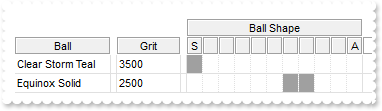
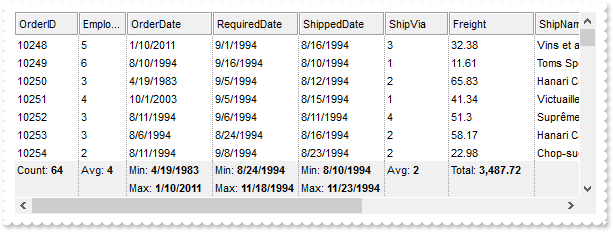
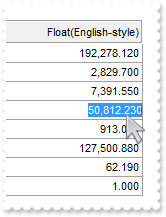
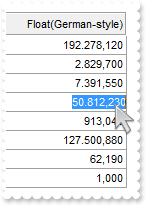
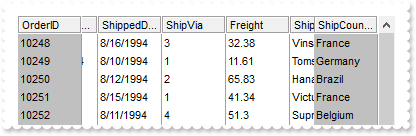
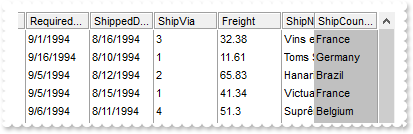
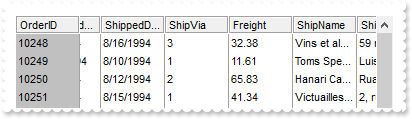
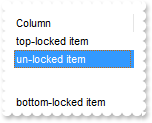
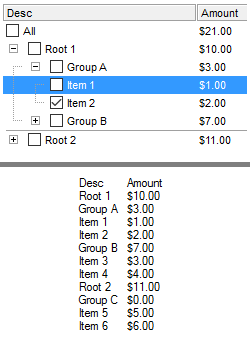
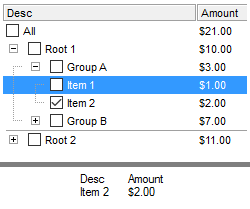
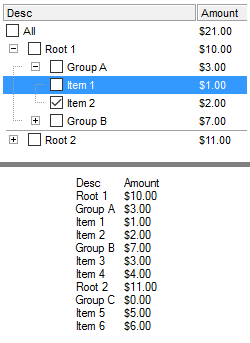
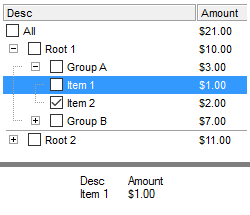
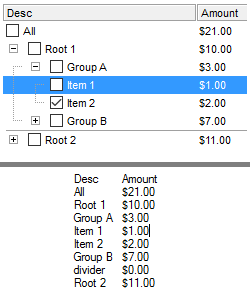
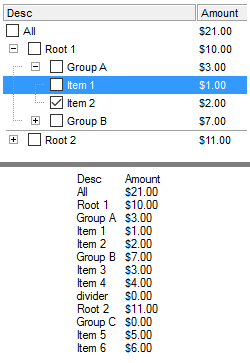
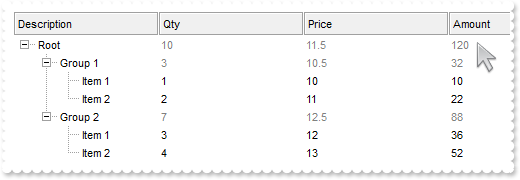
771. Is it possible the Items.FormatCell or Column.FormatColumn to use values from other columns
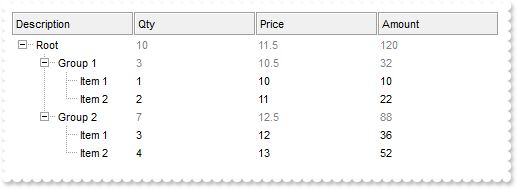
with thisform.Grid1
	with .Columns
		.Add("A").Editor.EditType = 4
		.Add("B").FormatColumn = "currency(%0)"
		.Add("C").FormatColumn = "%1 format ''"
	endwith
	with .Items
		.AddItem(1)
		.AddItem(2)
		.AddItem(3)
	endwith
endwith
770. Is it possible to do un-grouping the items
*** Click event - Occurs when the user presses and then releases the left mouse button over the grid control. ***
LPARAMETERS nop
	with thisform.Grid1
		.Ungroup
	endwith

with thisform.Grid1
	.BeginUpdate
	.ColumnAutoResize = .F.
	rs = CreateObject("ADOR.Recordset")
	with rs
		var_s = "Provider=Microsoft.Jet.OLEDB.4.0;Data Source=C:\Program Files\Exontrol\ExGrid\Sample\SAMPLE.MDB"
		.Open("Orders",var_s,3,3)
	endwith
	.DataSource = rs
	.SortBarHeight = 24
	.HeaderHeight = 24
	.SortBarVisible = .T.
	.SortBarCaption = "Drag a <b>column</b> header here to group by that column."
	.AllowGroupBy = .T.
	.ReadOnly = -1
	with .Columns.Item(1)
		.Alignment = 1
		.Def(4) = 15790320
		.SortOrder = .T.
	endwith
	.EndUpdate
endwith
769. How can I change the visual aspect of the links in the sort bar
with thisform.Grid1
	.BeginUpdate
	.ColumnAutoResize = .F.
	rs = CreateObject("ADOR.Recordset")
	with rs
		var_s = "Provider=Microsoft.Jet.OLEDB.4.0;Data Source=C:\Program Files\Exontrol\ExGrid\Sample\SAMPLE.MDB"
		.Open("Orders",var_s,3,3)
	endwith
	.DataSource = rs
	.SortBarHeight = 24
	.HeaderHeight = 24
	.BackColorSortBar = RGB(240,240,240)
	.BackColorSortBarCaption = .BackColor
	var_s1 = "gBFLBCJwBAEHhEJAEGg4BdsIQAAYAQGKIYBkAKBQAGaAoDDgNw0QwAAxjMK0EwsACEIrjKCRShyCYZRhGcTSBCIZBqEqSZLi"
	var_s1 = var_s1 + "EZRQiiCYsS5GQBSFDcOwHGyQYDkCQpAAWL4tCyMc7QHKAWhrEAbJjgQYJUh+TQAAZCIJRXRQAL/K6rKwnSCQIgkUBpGKdByn"
	var_s1 = var_s1 + "EYoYxAfyESCJWyIahWAwoQjUMB1HLQAAxC5kKbkIxyBABFBdVjVeBYG78Bz+ABjEovbAMEwPBqAMwmIAZDheA4FR4AGhTXKc"
	var_s1 = var_s1 + "bxrFaXZSzKckPRoADSZq1Sg5LjDJI2ABqU6ABqNLZtJKsZS4apABrWeZ3Q7QMLdFTwA4PH6EZhxXAYbTVeaPZjQIBAgI"
	.VisualAppearance.Add(1,var_s1)
	.SortBarVisible = .T.
	.SortBarCaption = "Drag a <b>column</b> header here to group by that column."
	.AllowGroupBy = .T.
	with .Columns.Item(1)
		.Alignment = 1
		.Def(4) = 15790320
		.SortOrder = .T.
	endwith
	with .Columns.Item(5)
		.Alignment = 1
		.Def(4) = 16119285
		.SortOrder = .T.
	endwith
	.Object.Background(28) = 0x1000000
	.EndUpdate
endwith
768. Is it possible to display no +/- button for grouped items
with thisform.Grid1
	.BeginUpdate
	.ColumnAutoResize = .F.
	rs = CreateObject("ADOR.Recordset")
	with rs
		var_s = "Provider=Microsoft.Jet.OLEDB.4.0;Data Source=C:\Program Files\Exontrol\ExGrid\Sample\SAMPLE.MDB"
		.Open("Orders",var_s,3,3)
	endwith
	.DataSource = rs
	.SortBarVisible = .T.
	.SortBarCaption = "Drag a <b>column</b> header here to group by that column."
	.AllowGroupBy = .T.
	with .Columns.Item(1)
		.Alignment = 1
		.Def(4) = 15790320
	endwith
	.EndUpdate
endwith
767. How can I remove the extra information that grouped items display
with thisform.Grid1
	.BeginUpdate
	.LinesAtRoot = 5
	.ColumnAutoResize = .F.
	rs = CreateObject("ADOR.Recordset")
	with rs
		var_s = "Provider=Microsoft.Jet.OLEDB.4.0;Data Source=C:\Program Files\Exontrol\ExGrid\Sample\SAMPLE.MDB"
		.Open("Orders",var_s,3,3)
	endwith
	.DataSource = rs
	.SortBarVisible = .T.
	.SortBarCaption = "Drag a <b>column</b> header here to group by that column."
	.AllowGroupBy = .T.
	.Columns.Item(6).AllowGroupBy = .F.
	with .Columns.Item(1)
		.GroupByTotalField = ""
		.GroupByFormatCell = ""
	endwith
	.EndUpdate
endwith
766. How can I change the label, caption or the formula of the grouped items
*** AddItem event - Occurs after a new Item has been inserted to Items collection. ***
LPARAMETERS Item
	with thisform.Grid1
		.DefaultItem = Item
		.Items.ItemDividerLineAlignment(0) = 3
	endwith

*** Change event - Occurs when the user changes the cell's content. ***
LPARAMETERS Item,ColIndex,NewValue
	with thisform.Grid1
		.Refresh
	endwith

with thisform.Grid1
	.BeginUpdate
	.ScrollBySingleLine = .T.
	.LinesAtRoot = 5
	.ColumnAutoResize = .F.
	rs = CreateObject("ADOR.Recordset")
	with rs
		var_s = "Provider=Microsoft.Jet.OLEDB.4.0;Data Source=C:\Program Files\Exontrol\ExGrid\Sample\SAMPLE.MDB"
		.Open("Orders",var_s,3,3)
	endwith
	.DataSource = rs
	.SortBarVisible = .T.
	.SortBarCaption = "Drag a <b>column</b> header here to group by that column."
	.AllowGroupBy = .T.
	.Columns.Item(6).AllowGroupBy = .F.
	with .Columns.Item(1)
		.GroupByTotalField = "sum(current,rec,%6)"
		.GroupByFormatCell = "'<font ;11>' + <caption> + '</font> <fgcolor=808080>( Freight: ' + currency(value) + ')'"
	endwith
	.DefaultItemHeight = 28
	.EndUpdate
endwith
765. How can I change the aspect of grouped items
*** AddItem event - Occurs after a new Item has been inserted to Items collection. ***
LPARAMETERS Item
	with thisform.Grid1
		with .Items
			.DefaultItem = Item
			.ItemDividerLine(0) = 0
			l = .GroupItem(Item)
			.DefaultItem = Item
			.CellSingleLine(0,l) = .F.
			.DefaultItem = Item
			.CellBold(0,l) = .T.
			.DefaultItem = Item
			.CellBackColor(0,l) = 0x1000000
		endwith
	endwith

with thisform.Grid1
	.BeginUpdate
	.ScrollBySingleLine = .T.
	.LinesAtRoot = 0
	.TreeColumnIndex = -1
	.ColumnAutoResize = .F.
	rs = CreateObject("ADOR.Recordset")
	with rs
		var_s = "Provider=Microsoft.Jet.OLEDB.4.0;Data Source=C:\Program Files\Exontrol\ExGrid\Sample\SAMPLE.MDB"
		.Open("Orders",var_s,3,3)
	endwith
	var_s1 = "gBFLBCJwBAEHhEJAEGg4BKoCg6AADACAxRDAMgBQKAAzQFAYcBuGiGAAGMZhWgmFgAQhFcZQSKUOQTDKMIziaQIRDEMw5SSN"
	var_s1 = var_s1 + "IxyAK0QBkAqNQCkKKwIgmNYDSBMYABBIMBwiGQaRJnegYRDUMJCQjRVITVLMNoXDKZIyqEAHfpWVJWSLHcIhDBJUjcOYyTiO"
	var_s1 = var_s1 + "QrzCK8dB0G6bIrGEZpYRAPwEYDIIjbQhqFYDChCNLwHScEAxC4kLhnKK6Vb9d6HYhiOJYXhmDrfR7IMhyLI8QafFqXZhmOZZ"
	var_s1 = var_s1 + "XizPY9T7QNB0LQ8eZbJqnahqOpaOx2W5dV7YNh2LTWGzXNq3bhuOzLbrme59X7gOB3RZeE4XRrHchxKq8XxnG6dZ7oOTUXof"
	var_s1 = var_s1 + "FOK5WmudQTh2LpfHOO5em+doSh4LwfhOS5mnGIw9D6LxfjOW5unSIQ+D8L4flOa5yD2fg/D+L5fnOe54ByigGAKAJgEgBBrg"
	var_s1 = var_s1 + "GYIICYCoCmCSAcGOA5hAgRgSgSYQBGoFoFmGCBmBqBphGESgegeYgIgYIoHkSKIWCaCZigiJgqgqYhog4LoLmGSJGDKBZhEi"
	var_s1 = var_s1 + "Vg2gMY4ImYCIBGOSJ1n6D5kAeZZ2hCZBHj4RoRl6J4eEqEpeAkNhOHaXYJEYUh0GUSRVkwchlgkZZChaZZGnWOoXmYBpOGKG"
	var_s1 = var_s1 + "JamaLhmhmWhJiYahnlmSY2G4ZZZEmRhyGMZxJlWCBhFCFgWHaHpYkmSh+GSJp6AWG4amgRoOGeIZahmEoKGyJgKDWOIXGkBw"
	var_s1 = var_s1 + "GFmJJcHkWoWHQJQqGWVoTmmRx+EuJ5eFkIoiHuJBKhWdIQGqB52D2KpgDiaougMIxqyODJrEgbgvi2YgYjKOoumKSpij4FIr"
	var_s1 = var_s1 + "FsBg0iyLBKj6RoOmqSwmimMpkCqGpOiibQJCaII0mmWxWFCJotgoXpahWaRLHaEY3mWag6mKIpuEmFoIjmaBbiYbIgi6RhaH"
	var_s1 = var_s1 + "+O5Onmcpyh2VYAAEASAg"
	.VisualAppearance.Add(1,var_s1)
	.DrawGridLines = 1
	.DataSource = rs
	.SortBarVisible = .T.
	.SortBarCaption = "Drag a <b>column</b> header here to group by that column."
	.AllowGroupBy = .T.
	with .Columns.Item(1)
		.GroupByFormatCell = "'EmployeeID: ' + <caption> + '<br><font ;7><fgcolor=808080>Count: ' + value"
	endwith
	.EndUpdate
endwith
764. How can I remove or change the line it shows for grouped items
*** AddItem event - Occurs after a new Item has been inserted to Items collection. ***
LPARAMETERS Item
	with thisform.Grid1
		.DefaultItem = Item
		.Items.ItemDividerLine(0) = 0
	endwith

with thisform.Grid1
	.BeginUpdate
	.ColumnAutoResize = .F.
	rs = CreateObject("ADOR.Recordset")
	with rs
		var_s = "Provider=Microsoft.Jet.OLEDB.4.0;Data Source=C:\Program Files\Exontrol\ExGrid\Sample\SAMPLE.MDB"
		.Open("Orders",var_s,3,3)
	endwith
	.DataSource = rs
	.SortBarVisible = .T.
	.SortBarCaption = "Drag a <b>column</b> header here to group by that column."
	.AllowGroupBy = .T.
	.EndUpdate
endwith
763. Is it possible to determine whether an item is regular or a group by item
*** MouseMove event - Occurs when the user moves the mouse. ***
LPARAMETERS Button,Shift,X,Y
	with thisform.Grid1
		h = .ItemFromPoint(-1,-1,c,hit)
		DEBUGOUT( .Items.GroupItem(h) )
	endwith

with thisform.Grid1
	.BeginUpdate
	.ColumnAutoResize = .F.
	rs = CreateObject("ADOR.Recordset")
	with rs
		var_s = "Provider=Microsoft.Jet.OLEDB.4.0;Data Source=C:\Program Files\Exontrol\ExGrid\Sample\SAMPLE.MDB"
		.Open("Orders",var_s,3,3)
	endwith
	.DataSource = rs
	.SortBarVisible = .T.
	.SortBarCaption = "Drag a <b>column</b> header here to group by that column."
	.AllowGroupBy = .T.
	.EndUpdate
endwith
762. How can I collapse all items when user peforms a grouping
*** AddItem event - Occurs after a new Item has been inserted to Items collection. ***
LPARAMETERS Item
	with thisform.Grid1
		.DefaultItem = Item
		.Items.ExpandItem(0) = .F.
	endwith

with thisform.Grid1
	.BeginUpdate
	.ColumnAutoResize = .F.
	rs = CreateObject("ADOR.Recordset")
	with rs
		var_s = "Provider=Microsoft.Jet.OLEDB.4.0;Data Source=C:\Program Files\Exontrol\ExGrid\Sample\SAMPLE.MDB"
		.Open("Orders",var_s,3,3)
	endwith
	.DataSource = rs
	.SortBarVisible = .T.
	.SortBarCaption = "Drag a <b>column</b> header here to group by that column."
	.AllowGroupBy = .T.
	.EndUpdate
endwith
761. Is it possible to select columns that user can drop to the sort bar, when using the Group By feature
with thisform.Grid1
	.BeginUpdate
	.ColumnAutoResize = .F.
	rs = CreateObject("ADOR.Recordset")
	with rs
		var_s = "Provider=Microsoft.Jet.OLEDB.4.0;Data Source=C:\Program Files\Exontrol\ExGrid\Sample\SAMPLE.MDB"
		.Open("Orders",var_s,3,3)
	endwith
	.DataSource = rs
	.SortBarVisible = .T.
	.SortBarCaption = "<fgcolor=FF0000>Try to drag the EmployeeID column here."
	.AllowGroupBy = .T.
	.Columns.Item(1).AllowGroupBy = .F.
	.EndUpdate
endwith
760. How can I enable the Group By support, with no sort bar
with thisform.Grid1
	.BeginUpdate
	.ColumnAutoResize = .F.
	rs = CreateObject("ADOR.Recordset")
	with rs
		var_s = "Provider=Microsoft.Jet.OLEDB.4.0;Data Source=C:\Program Files\Exontrol\ExGrid\Sample\SAMPLE.MDB"
		.Open("Orders",var_s,3,3)
	endwith
	.DataSource = rs
	.SingleSort = .F.
	.AllowGroupBy = .T.
	.Columns.Item(1).SortOrder = .T.
	.EndUpdate
endwith
759. Does your control support Group-By feature
with thisform.Grid1
	.BeginUpdate
	.ColumnAutoResize = .F.
	rs = CreateObject("ADOR.Recordset")
	with rs
		var_s = "Provider=Microsoft.Jet.OLEDB.4.0;Data Source=C:\Program Files\Exontrol\ExGrid\Sample\SAMPLE.MDB"
		.Open("Orders",var_s,3,3)
	endwith
	.DataSource = rs
	.SortBarVisible = .T.
	.SortBarCaption = "Drag a <b>column</b> header here to group by that column."
	.AllowGroupBy = .T.
	.EndUpdate
endwith
758. How can I restrict a field to number only (Method 3, Float)
with thisform.Grid1
	with .Columns.Add("Numbers").Editor
		.EditType = 1
		.Numeric = 1
	endwith
	.Items.AddItem(12)
endwith
757. How can I restrict a field to number only (Method 2, Integer only)
with thisform.Grid1
	with .Columns.Add("Numbers").Editor
		.EditType = 1
		.Numeric = -1
	endwith
	.Items.AddItem(12)
endwith
756. How can I restrict a field to number only (Method 1)
with thisform.Grid1
	with .Columns.Add("Numbers").Editor
		.EditType = 8
		.Mask = "###.###"
	endwith
	.Items.AddItem(12)
endwith
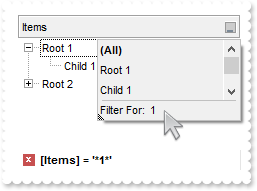
755. Is it possible to include only leaf items ( items with no childs ) in the drop down list
with thisform.Grid1
	.BeginUpdate
	.LinesAtRoot = -1
	with .Columns.Add("Items")
		.DisplayFilterButton = .T.
		.DisplayFilterPattern = .F.
		.FilterList = 1315
	endwith
	with .Items
		h = .AddItem("Root 1")
		.InsertItem(h,0,"Child 1")
		.InsertItem(h,0,"Child 2")
		.DefaultItem = h
		.ExpandItem(0) = .T.
		h = .AddItem("Root 2")
		.InsertItem(h,0,"Child 1")
		.InsertItem(h,0,"Child 2")
		.InsertItem(h,0,"Child 3")
		.DefaultItem = h
		.ExpandItem(0) = .T.
	endwith
	.EndUpdate
endwith
754. I have several columns, but noticed that the filter is using AND between columns, but I need OR clause for filtering. Is it possible
with thisform.Grid1
	.BeginUpdate
	.LinesAtRoot = -1
	with .Columns.Add("Item")
		.DisplayFilterButton = .T.
		.DisplayFilterPattern = .F.
		.Filter = "Child 1"
		.FilterType = 240
	endwith
	with .Columns.Add("Date")
		.DisplayFilterButton = .T.
		.DisplayFilterPattern = .F.
		.DisplayFilterDate = .T.
		.FilterList = 9474
		.Filter = {^2010-12-28}
		.FilterType = 4
	endwith
	.FilterCriteria = "%0 or %1"
	.Object.Description(23) = "<font ;18><fgcolor=FF0000>or</fgcolor></font>"
	.Object.Description(11) = "<font ;18><fgcolor=FF0000>and</fgcolor></font>"
	with .Items
		h = .AddItem("Root 1")
		.DefaultItem = .InsertItem(h,0,"Child 1")
		.CellValue(0,1) = {^2010-12-27}
		.DefaultItem = .InsertItem(h,0,"Child 2")
		.CellValue(0,1) = {^2010-12-28}
		.DefaultItem = h
		.ExpandItem(0) = .T.
		h = .AddItem("Root 2")
		.DefaultItem = .InsertItem(h,0,"Child 1")
		.CellValue(0,1) = {^2010-12-29}
		.DefaultItem = .InsertItem(h,0,"Child 2")
		.CellValue(0,1) = {^2010-12-30}
	endwith
	.ApplyFilter
	.EndUpdate
endwith
753. Is it possible exclude the dates being selected in the drop down filter window
with thisform.Grid1
	.BeginUpdate
	with .Columns.Add("Date")
		.SortType = 2
		.DisplayFilterButton = .T.
		.DisplayFilterPattern = .F.
		.DisplayFilterDate = .T.
		.FilterList = 9474
	endwith
	with .Items
		.AddItem({^2010-12-27})
		.AddItem({^2010-12-28})
		.AddItem({^2010-12-29})
		.AddItem({^2010-12-30})
		.AddItem({^2010-12-31})
	endwith
	.EndUpdate
endwith
752. How can I display a calendar control inside the drop down filter window
with thisform.Grid1
	.BeginUpdate
	with .Columns.Add("Date")
		.SortType = 2
		.DisplayFilterButton = .T.
		.DisplayFilterPattern = .F.
		.DisplayFilterDate = .T.
		.FilterList = 1282
	endwith
	with .Items
		.AddItem({^2010-12-27})
		.AddItem({^2010-12-28})
		.AddItem({^2010-12-29})
		.AddItem({^2010-12-30})
		.AddItem({^2010-12-31})
	endwith
	.EndUpdate
endwith
751. Is it possible to include the dates as checkb-boxes in the drop down filter window
with thisform.Grid1
	.BeginUpdate
	with .Columns.Add("Dates")
		.SortType = 2
		.DisplayFilterButton = .T.
		.DisplayFilterPattern = .T.
		.DisplayFilterDate = .T.
		.FilterList = 1280
		.Filter = "to 12/27/2010"
		.FilterType = 4
	endwith
	with .Items
		.AddItem({^2010-12-27})
		.AddItem({^2010-12-28})
		.AddItem({^2010-12-29})
		.AddItem({^2010-12-30})
		.AddItem({^2010-12-31})
	endwith
	.ApplyFilter
	.EndUpdate
endwith
750. How can I filter items for dates before a specified date
with thisform.Grid1
	.BeginUpdate
	with .Columns.Add("Dates")
		.SortType = 2
		.DisplayFilterButton = .T.
		.DisplayFilterPattern = .T.
		.DisplayFilterDate = .T.
		.FilterList = 1026
		.Filter = "to 12/27/2010"
		.FilterType = 4
	endwith
	with .Items
		.AddItem({^2010-12-27})
		.AddItem({^2010-12-28})
		.AddItem({^2010-12-29})
		.AddItem({^2010-12-30})
		.AddItem({^2010-12-31})
	endwith
	.ApplyFilter
	.EndUpdate
endwith
749. Is it possible to filter dates
with thisform.Grid1
	.BeginUpdate
	with .Columns.Add("Dates")
		.SortType = 2
		.DisplayFilterButton = .T.
		.DisplayFilterPattern = .T.
		.DisplayFilterDate = .T.
		.FilterList = 1026
	endwith
	with .Items
		.AddItem({^2010-12-27})
		.AddItem({^2010-12-28})
		.AddItem({^2010-12-29})
		.AddItem({^2010-12-30})
		.AddItem({^2010-12-31})
	endwith
	.EndUpdate
endwith
748. Is it possible to change the Exclude field name to something different, in the drop down filter window
with thisform.Grid1
	.BeginUpdate
	.LinesAtRoot = -1
	.Object.Description(25) = "Leaving out"
	with .Columns.Add("Items")
		.DisplayFilterButton = .T.
		.DisplayFilterPattern = .F.
		.FilterList = 9472
	endwith
	with .Items
		h = .AddItem("Root 1")
		.InsertItem(h,0,"Child 1")
		.InsertItem(h,0,"Child 2")
		.DefaultItem = h
		.ExpandItem(0) = .T.
		h = .AddItem("Root 2")
		.InsertItem(h,0,"Child 1")
	endwith
	.EndUpdate
endwith
747. How can I display the Exclude field in the drop down filter window
with thisform.Grid1
	.BeginUpdate
	.LinesAtRoot = -1
	with .Columns.Add("Items")
		.DisplayFilterButton = .T.
		.DisplayFilterPattern = .F.
		.FilterList = 9472
	endwith
	with .Items
		h = .AddItem("Root 1")
		.InsertItem(h,0,"Child 1")
		.InsertItem(h,0,"Child 2")
		.DefaultItem = h
		.ExpandItem(0) = .T.
		h = .AddItem("Root 2")
		.InsertItem(h,0,"Child 1")
	endwith
	.EndUpdate
endwith
746. Is it possible to show and ensure the focused item from the control, in the drop down filter window
with thisform.Grid1
	.BeginUpdate
	.LinesAtRoot = -1
	with .Columns.Add("Items")
		.DisplayFilterButton = .T.
		.DisplayFilterPattern = .F.
		.FilterList = 1280
	endwith
	with .Items
		h = .AddItem("Root 1")
		.InsertItem(h,0,"Child 1")
		.InsertItem(h,0,"Child 2")
		.DefaultItem = h
		.ExpandItem(0) = .T.
		h = .AddItem("Root 2")
		.InsertItem(h,0,"Child 1")
		.DefaultItem = .InsertItem(h,0,"Child 2")
		.SelectItem(0) = .T.
		.DefaultItem = h
		.ExpandItem(0) = .T.
	endwith
	.EndUpdate
endwith
745. Is it possible to show only blanks items with no listed items from the control
with thisform.Grid1
	.BeginUpdate
	.LinesAtRoot = -1
	with .Columns.Add("Items")
		.DisplayFilterButton = .T.
		.DisplayFilterPattern = .F.
		.FilterList = 16386
	endwith
	with .Items
		h = .AddItem("Root 1")
		.InsertItem(h,0,"Child 1")
		.InsertItem(h,0,"Child 2")
		.DefaultItem = h
		.ExpandItem(0) = .T.
		h = .AddItem("Root 2")
		.InsertItem(h,0,"Child 1")
		.InsertItem(h,0,"Child 2")
	endwith
	.EndUpdate
endwith
744. How can I include the blanks items in the drop down filter window
with thisform.Grid1
	.BeginUpdate
	.LinesAtRoot = -1
	with .Columns.Add("Items")
		.DisplayFilterButton = .T.
		.DisplayFilterPattern = .F.
		.FilterList = 16640
	endwith
	with .Items
		h = .AddItem("Root 1")
		.InsertItem(h,0,"Child 1")
		.InsertItem(h,0,"Child 2")
		.DefaultItem = h
		.ExpandItem(0) = .T.
		h = .AddItem("Root 2")
		.InsertItem(h,0,"Child 1")
		.InsertItem(h,0,"Child 2")
	endwith
	.EndUpdate
endwith
743. How can I select multiple items in the drop down filter window, using check-boxes
with thisform.Grid1
	.BeginUpdate
	.LinesAtRoot = -1
	with .Columns.Add("Items")
		.DisplayFilterButton = .T.
		.DisplayFilterPattern = .F.
		.FilterList = 256
	endwith
	with .Items
		h = .AddItem("Root 1")
		.InsertItem(h,0,"Child 1")
		.InsertItem(h,0,"Child 2")
		.DefaultItem = h
		.ExpandItem(0) = .T.
		h = .AddItem("Root 2")
		.InsertItem(h,0,"Child 1")
		.InsertItem(h,0,"Child 2")
	endwith
	.EndUpdate
endwith
742. Is it possible to allow a single item being selected in the drop down filter window
with thisform.Grid1
	.BeginUpdate
	.LinesAtRoot = -1
	with .Columns.Add("Items")
		.DisplayFilterButton = .T.
		.DisplayFilterPattern = .F.
		.FilterList = 128
	endwith
	with .Items
		h = .AddItem("Root 1")
		.InsertItem(h,0,"Child 1")
		.InsertItem(h,0,"Child 2")
		.DefaultItem = h
		.ExpandItem(0) = .T.
		h = .AddItem("Root 2")
		.InsertItem(h,0,"Child 1")
		.InsertItem(h,0,"Child 2")
	endwith
	.EndUpdate
endwith
741. How can I display no (All) item in the drop down filter window
with thisform.Grid1
	.BeginUpdate
	.LinesAtRoot = -1
	.Object.Description(0) = ""
	with .Columns.Add("Items")
		.DisplayFilterButton = .T.
		.DisplayFilterPattern = .T.
		.FilterList = 2
	endwith
	with .Items
		h = .AddItem("Root 1")
		.InsertItem(h,0,"Child 1")
		.InsertItem(h,0,"Child 2")
		.DefaultItem = h
		.ExpandItem(0) = .T.
		h = .AddItem("Root 2")
		.InsertItem(h,0,"Child 1")
		.InsertItem(h,0,"Child 2")
	endwith
	.EndUpdate
endwith
740. Is it possible to display no items in the drop down filter window, so only the pattern is visible
with thisform.Grid1
	.BeginUpdate
	.LinesAtRoot = -1
	with .Columns.Add("Items")
		.DisplayFilterButton = .T.
		.DisplayFilterPattern = .T.
		.FilterList = 2
	endwith
	with .Items
		h = .AddItem("Root 1")
		.InsertItem(h,0,"Child 1")
		.InsertItem(h,0,"Child 2")
		.DefaultItem = h
		.ExpandItem(0) = .T.
		h = .AddItem("Root 2")
		.InsertItem(h,0,"Child 1")
		.InsertItem(h,0,"Child 2")
	endwith
	.EndUpdate
endwith
739. How can I show the child items with no identation
with thisform.Grid1
	.LinesAtRoot = 5
	.Indent = 12
	.HasLines = 2
	.Columns.Add("Default")
	with .Items
		h = .AddItem("Root 1")
		.InsertItem(h,0,"Child 1")
		.InsertItem(h,0,"Child 2")
		.InsertItem(h,0,"Child 3")
		.DefaultItem = h
		.ExpandItem(0) = .T.
		h = .AddItem("Root 2")
		.InsertItem(h,0,"Child 1")
		.InsertItem(h,0,"Child 2")
		.InsertItem(h,0,"Child 3")
	endwith
endwith
738. Is there other ways of showing the hierarchy lines (exGroupLinesAtRoot)
with thisform.Grid1
	.LinesAtRoot = 1
	.Indent = 12
	.Columns.Add("Default")
	with .Items
		h = .AddItem("Root")
		.InsertItem(h,0,"Child 1")
		.InsertItem(h,0,"Child 2")
		.InsertItem(h,0,"Child 3")
		.DefaultItem = h
		.ExpandItem(0) = .T.
	endwith
endwith
737. Is there other ways of showing the hierarchy lines (exGroupLinesOutside)
with thisform.Grid1
	.LinesAtRoot = 5
	.Indent = 12
	.Columns.Add("Default")
	with .Items
		h = .AddItem("Root 1")
		.InsertItem(h,0,"Child 1")
		.InsertItem(h,0,"Child 2")
		.InsertItem(h,0,"Child 3")
		.DefaultItem = h
		.ExpandItem(0) = .T.
		h = .AddItem("Root 2")
		.InsertItem(h,0,"Child 1")
		.InsertItem(h,0,"Child 2")
		.InsertItem(h,0,"Child 3")
	endwith
endwith
736. Is there other ways of showing the hierarchy lines (exGroupLinesInsideLeaf)
with thisform.Grid1
	.LinesAtRoot = 4
	.Indent = 12
	.Columns.Add("Default")
	with .Items
		h = .AddItem("Root")
		.InsertItem(h,0,"Child 1")
		.InsertItem(h,0,"Child 2")
		.InsertItem(h,0,"Child 3")
		.DefaultItem = h
		.ExpandItem(0) = .T.
	endwith
endwith
735. Is there other ways of showing the hierarchy lines (exGroupLinesInside)
with thisform.Grid1
	.LinesAtRoot = 3
	.Indent = 12
	.Columns.Add("Default")
	with .Items
		h = .AddItem("Root")
		.InsertItem(h,0,"Child 1")
		.InsertItem(h,0,"Child 2")
		.InsertItem(h,0,"Child 3")
		.DefaultItem = h
		.ExpandItem(0) = .T.
	endwith
endwith
734. Is there other ways of showing the hierarchy lines (exGroupLines)
with thisform.Grid1
	.LinesAtRoot = 2
	.Indent = 12
	.Columns.Add("Default")
	with .Items
		h = .AddItem("Root")
		.InsertItem(h,0,"Child 1")
		.InsertItem(.InsertItem(h,0,"Child 2"),0,"SubChild 2")
		.InsertItem(h,0,"Child 3")
		.DefaultItem = h
		.ExpandItem(0) = .T.
	endwith
endwith
733. Is it possible to display a column with buttons when using exCRD format
with thisform.Grid1
	.BeginUpdate
	.DrawGridLines = -2
	.DefaultItemHeight = 36
	.FullRowSelect = 0
	with .Columns
		with .Add("Column1")
			.Visible = .F.
			.Editor.EditType = 1
		endwith
		with .Add("Column2")
			.Visible = .F.
			.Editor.EditType = 1
		endwith
		with .Add("Column3")
			.Alignment = 1
			.HeaderAlignment = 1
			.Visible = .F.
			.Def(2) = .T.
			.Def(3) = .T.
		endwith
		with .Add("FormatLevel")
			.FormatLevel = "(0/1),2:64"
			.Def(32) = .FormatLevel
		endwith
	endwith
	with .Items
		h = .AddItem("Cell 1.1")
		.DefaultItem = h
		.CellValue(0,1) = "Cell 1.2"
		.DefaultItem = h
		.CellValue(0,2) = "Cell 1.3"
		h = .AddItem("Cell 2.1")
		.DefaultItem = h
		.CellValue(0,1) = "Cell 2.2"
		.DefaultItem = h
		.CellValue(0,2) = "Cell 2.3"
	endwith
	.EndUpdate
endwith
732. How can I change the check-boxes appearance
with thisform.Grid1
	.LinesAtRoot = -1
	with .Columns.Add("Default")
		.Def(0) = .T.
		.PartialCheck = .T.
	endwith
	with .Items
		h = .AddItem("Root")
		.InsertItem(h,0,"Child 1")
		.InsertItem(h,0,"Child 2")
		.DefaultItem = h
		.ExpandItem(0) = .T.
	endwith
	with .VisualAppearance
		.Add(1,"XP:Button 3 12")
		.Add(2,"XP:Button 3 11")
		.Add(3,"XP:Button 3 10")
	endwith
	.Object.CheckImage(0) = 16777216
	.Object.CheckImage(1) = 33554432
	.Object.CheckImage(2) = 50331648
endwith
731. Is it possible to disable the cell's editor context menu
with thisform.Grid1
	with .Columns.Add("Edit").Editor
		.EditType = 1
		.Option(202) = .F.
	endwith
	with .Items
		.AddItem(10)
		.AddItem(20)
	endwith
endwith
730. How can I find a value in a drop down editor
with thisform.Grid1
	with .Columns.Add("DropDownList").Editor
		.EditType = 3
		.AddItem(1,"DDList 1")
		.AddItem(2,"DDList 2")
		.AddItem(3,"DDList 3")
	endwith
	with .Columns.Add("DropDown").Editor
		.EditType = 2
		.AddItem(1,"DDType 1")
		.AddItem(2,"DDType 2")
		.AddItem(3,"DDType 3")
	endwith
	with .Items
		.DefaultItem = .AddItem(1)
		.CellValue(0,1) = thisform.Grid1.Columns.Item(1).Editor.FindItem(1)
		.DefaultItem = .AddItem(2)
		.CellValue(0,1) = thisform.Grid1.Columns.Item(1).Editor.FindItem(2)
	endwith
endwith
729. What is the difference between DropDownType and DropDownListType
with thisform.Grid1
	with .Columns.Add("DropDownList").Editor
		.EditType = 3
		.AddItem(1,"First item")
		.AddItem(2,"Second item")
		.AddItem(3,"Third item")
	endwith
	with .Columns.Add("DropDown").Editor
		.EditType = 2
		.AddItem(1,"First item")
		.AddItem(2,"Second item")
		.AddItem(3,"Third item")
	endwith
	with .Items
		.DefaultItem = .AddItem(1)
		.CellValue(0,1) = "Any"
		.DefaultItem = .AddItem(2)
		.CellValue(0,1) = "Any"
	endwith
endwith
728. How can I add or change the padding (spaces) for captions in the control's header
with thisform.Grid1
	.BeginUpdate
	.Columns.Add("Padding-Left").Def(52) = 18
	with .Columns.Add("Padding-Right")
		.Def(53) = 18
		.HeaderAlignment = 2
	endwith
	.EndUpdate
endwith
727. Do you have any plans to add cell spacing and cell padding to the cells
with thisform.Grid1
	.BeginUpdate
	.DrawGridLines = -2
	with .Columns.Add("Padding-Left")
		.Def(0) = .T.
		.Def(48) = 18
	endwith
	.Columns.Add("No-Padding").Def(0) = .T.
	.Columns.Add("Empty").Position = 0
	with .Items
		.DefaultItem = .AddItem("Item A.1")
		.CellValue(0,1) = "Item A.2"
		.DefaultItem = .AddItem("Item B.1")
		.CellValue(0,1) = "Item B.2"
		.DefaultItem = .AddItem("Item C.1")
		.CellValue(0,1) = "Item C.2"
	endwith
	.EndUpdate
endwith
726. Is it possible to change the height for all items at once
with thisform.Grid1
	.BeginUpdate
	.LinesAtRoot = -1
	.Columns.Add("Items")
	with .Items
		h = .AddItem("Root 1")
		.InsertItem(h,0,"Child 1")
		.InsertItem(h,0,"Child 2")
		h = .AddItem("Root 2")
		.InsertItem(h,0,"Child 1")
		.InsertItem(h,0,"Child 2")
		.ExpandItem(0) = .T.
	endwith
	.EndUpdate
	.DefaultItemHeight = 12
	.Items.ItemHeight(0) = 12
endwith
725. Can I display somehow the filter just on the top of the list, with an editor associated to each column
*** Change event - Occurs when the user changes the cell's content. ***
LPARAMETERS Item,ColIndex,NewValue
	with thisform.Grid1
		DEBUGOUT( "Locked:" )
		DEBUGOUT( .Items.IsItemLocked(Item) )
		with .Columns.Item(ColIndex)
			.Filter = NewValue
			.FilterType = 3
		endwith
		.ApplyFilter
	endwith

*** MouseUp event - Occurs when the user releases a mouse button. ***
LPARAMETERS Button,Shift,X,Y
	with thisform.Grid1
		.Edit(.Items.LockedItem(0,0))
	endwith

with thisform.Grid1
	.ColumnAutoResize = .F.
	.ScrollBySingleLine = .T.
	.ContinueColumnScroll = .F.
	rs = CreateObject("ADOR.Recordset")
	with rs
		var_s = "Provider=Microsoft.Jet.OLEDB.4.0;Data Source=C:\Program Files\Exontrol\ExGrid\Sample\SAMPLE.MDB"
		.Open("Orders",var_s,3,3)
	endwith
	.DataSource = rs
	with .Items
		.LockedItemCount(0) = 2
		h = .LockedItem(0,0)
		.CellEditor(h,0).EditType = 1
		h = .LockedItem(0,1)
		.DefaultItem = h
		.ItemHeight(0) = 4
		.DefaultItem = h
		.ItemDivider(0) = 0
		.DefaultItem = h
		.SelectableItem(0) = .F.
	endwith
endwith
724. Is it possible to display information about the firing events
*** Event event - Notifies the application once the control fires an event. ***
LPARAMETERS EventID
	with thisform.Grid1
		DEBUGOUT( .EventParam(-2) )
	endwith


723. How can I change the layout of my columns when using the exCRD
with thisform.Grid1
	.BeginUpdate
	.DrawGridLines = -2
	.DefaultItemHeight = 36
	with .Columns
		with .Add("Column1")
			.Visible = .F.
			.Editor.EditType = 1
		endwith
		with .Add("Column2")
			.Visible = .F.
			.Editor.EditType = 1
		endwith
		.Add("Column3").Visible = .F.
		with .Add("FormatLevel")
			.FormatLevel = "(0/1),2"
			.Def(32) = .FormatLevel
		endwith
	endwith
	with .Items
		h = .AddItem("Cell 1.1")
		.DefaultItem = h
		.CellValue(0,1) = "Cell 1.2"
		.DefaultItem = h
		.CellValue(0,2) = "Cell 1.3"
		h = .AddItem("Cell 2.1")
		.DefaultItem = h
		.CellValue(0,1) = "Cell 2.2"
		.DefaultItem = h
		.CellValue(0,2) = "Cell 2.3"
	endwith
	.EndUpdate
endwith
722. Is it possible to scroll the control's content by clicking and moving the mouse up or down
with thisform.Grid1
	.BeginUpdate
	.ColumnAutoResize = .F.
	.ContinueColumnScroll = .F.
	rs = CreateObject("ADOR.Recordset")
	with rs
		var_s = "Provider=Microsoft.Jet.OLEDB.4.0;Data Source=C:\Program Files\Exontrol\ExGrid\Sample\SAMPLE.MDB"
		.Open("Orders",var_s,3,3)
	endwith
	.DataSource = rs
	.AutoDrag = 16
	.EndUpdate
endwith
721. How can copy and paste the selection to Microsoft Word, any OLE compliant application, as a snapshot
with thisform.Grid1
	.BeginUpdate
	.VisualAppearance.Add(1,"c:\exontrol\images\normal.ebn")
	.Object.HTMLPicture("p1") = "c:\exontrol\images\card.png"
	.Object.HTMLPicture("p2") = "c:\exontrol\images\sun.png"
	.AutoDrag = 11
	.LinesAtRoot = 0
	.HasLines = 2
	.ShowFocusRect = .F.
	.DefaultItemHeight = 26
	.Columns.Add("Task")
	with .Items
		h = .AddItem("<img>p1:32</img>Group 1")
		.DefaultItem = h
		.CellValueFormat(0,0) = 1
		.DefaultItem = h
		.ItemDivider(0) = 0
		.DefaultItem = h
		.ItemBold(0) = .T.
		h1 = .InsertItem(h,0,"Task 1")
		h2 = .InsertItem(h,0,"Task 2")
		h3 = .InsertItem(h,0,"Task 3")
		h = .AddItem("<img>p2:32</img>Group 2")
		.DefaultItem = h
		.CellValueFormat(0,0) = 1
		.DefaultItem = h
		.ItemBold(0) = .T.
		.DefaultItem = h
		.ItemDivider(0) = 0
		h1 = .InsertItem(h,0,"Task")
		.ExpandItem(0) = .T.
	endwith
	.EndUpdate
endwith
720. How can copy and paste the selection to Microsoft Word, any OLE compliant application, as a image
with thisform.Grid1
	.BeginUpdate
	var_s = "gCJKBOI4NBQaBQAhQNJJIIhShQAIERFQIA0RAYGLriiIEM5BJpBiIARYlMBNhQPLhJIhBKhoQLlTTLV4la5VYx/fZVOoee7d"
	var_s = var_s + "e62drYdI4YIWcIteIQEbEEAzCghEwIRIZKSmJD8EIZMzARgZKYmEAmDISYgEAISIJKdg4JzSOK7bp9b73HiqezeNYxLD7Th7"
	var_s = var_s + "N67dpmQSQIZJUpzVRqT46PY9Xy1yL2Qz/c6HXbzHoAKYgWrzC7tZDtLgBOpzOajQApWDXZwOdABb6eHa+fCHMTCB7AMo7S6A"
	var_s = var_s + "IxMcADcAIfHEe6AQ7/G7zfhfHqeAb/AJ8B6TfITMAVGLrd4Db78aY/fydH77axfPjjS5fP7tcLMY6EOYed4dbyHcwHCoHfAI"
	var_s = var_s + "CCApOHEDgcA+OAnACAJgBya5jAoLh5hCc4OGcQ47GeQIBneNoGHaTI5kAKxOHuHAzjGXp5mwAZgnyNB/nCPh9g+ABinGYA1k"
	var_s = var_s + "mGYAAqThjgGQRwHiThPC8Vhfnma5/ngXZvn8ew7keQBfmOUAYCIBj7ngbY/nqS4/nkDYzieXwLn+dp+j+EpiE8CAAEKNwZFO"
	var_s = var_s + "TZ3FCOpgHyRQHkCcAJmUDRzgEHwhAYHoRAGHxADuCAxAeDxOAcHA3jmRw4guaoamcbZMAwM4EDWTkNgGqQqHYPJEDmKhrDwB"
	var_s = var_s + "4QmcKAsgkcQGGQHBLiYfBGjcCESFATIID0KgDjgBJ3hGVQVk4JZqHcbpklef58g+fwFScd09j+AwnECWY0FeEIBFmdIyAsZ4"
	var_s = var_s + "fHyEIRB6Ch4F8UZLDWdQ5CAAheEOTAxGmWgDhqYIaEGO4AgiAYNm8RhwACKo4HaCgviCHptB4Uo9ACAQlFsG5rEINAFh4Wpx"
	var_s = var_s + "AQRAqE4QAlGARJGjmLw2EYfAdk8DIomYGJKjISY5AiChKGYIg/EMUg7iEGZ7B8GABn4Do0jYWRVASMgiGoLwTHMdJKEkaI9C"
	var_s = var_s + "aZwej6H85mcCAGlwBQfFoH4bFyJgEAOdRBBCEoSC4ZpUAOOpwBURBbieeYzEeKwIAOJQAFSVABp6U5Kg+PhvkGex8HAOJnE2"
	var_s = var_s + "ZgPF4WY1kQHALiic54lcYYQiAQ55g6VQbHMdZfjyF4PCYTTLkaAQGCadRIE0VImlQLQgm0EhalsNYMkgHRMDKHpiGoEYmlAR"
	var_s = var_s + "pZDQYQMiECYzHwQhEHCKZOmOVZ+mMJYgFqIRgBYVoLCmXgHlAaoeCUYJKgcU4IneHoQiIQR5kIDBEBiGhMDoHgL4CQ/BiBeE"
	var_s = var_s + "IOILgRBaBwL8fweAZiZGaNEWoYBwjuBSAAOoiASBECMJwG44Qih6EEDMcIRBmCyBcPQRgwwBCRECJgPQ+h0gRBCDQZYNwXjw"
	var_s = var_s + "B8FAVYvQsC8BSKYWy+BvABC8DwSobAghSAEOoFgjGKAVEeJCA4oBxDZB2PwWQCWqgQAkCEAgfA4D2HSB0PwEwsBdCICkBoKg"
	var_s = var_s + "IjVAEFcD4gw8D0CsAEXwnQtgFBoAUPIahmiICANQRwWgjCDGKAsbwEBaCjEozkWQDhECcCiMsIAjBIiQBMAYA4DRUCMBsCkY"
	var_s = var_s + "A+xaCFESG8P4LwBCqGqIQOgiRtASESIYOA+xmAnCoIUYo1QJhiE4BIAT+REghVkG0SwcgnCbAEJoI44QoCnFQFQCgjx0BdCS"
	var_s = var_s + "G8XIzQegFc0KgbIJgWgkDUBkOIrgEicCOKAM4HBwDnA+JkIQXg9jYBmJ1SI3w4hxDsIYNQzxnDeEUPkZwIQfAaFcE0LQmwsA"
	var_s = var_s + "tEsEYAo8BXCjCsEAAYLggDQEIOQYIsBWgeFSBkEo4A+iPBQIQGAIQ8AIBCBEPowBDjQCkKQAAHhoiMBGFEWoggFDqEkBkIA7"
	var_s = var_s + "RcjKDwNcAYthjh9AeBAIoKhCDUDaD0YIewUAlFiFoRqrBlhVGOHoAoXw9ADH0H4cA2RZieFmAsZAQwnitHgPoS4RhfDyEqHM"
	var_s = var_s + "aQcAhiaHoAQa4gwDCzCEB4GISgIgACeM0DIHwQi0AZAkOIGgoCfFQncQ4ZhcgqHYB8HwagsCPGaOoZwAhQATHGAwKgcAAiVG"
	var_s = var_s + "MjsSIihRBcFeK4CILQ7hjGAMsCoUBSgiEANMYg1RiiCAoKAd45wuCeDMK4VwYAbA3AQDgIwchDCUD2EIdAqA8gkCuAsSgXQZ"
	var_s = var_s + "CcFeFcM4jAxhPHYOYZgdxHChAwCwJQhQ4hMB4H8SwKAKgeA4MMfwQQRV9qGPcGwUQDjOBOGoDwUA9BWBuJ8CEIxlh7G+MgKg"
	var_s = var_s + "xRciEEkHERo9hUBWWIJURgqhRA4CoEsJYjxXhQAAKKoY8R6DjGYLMaYjgMAgBKKgAQwQ7jcBYGAP4Fx9TnE8MMOgAhDiHFgF"
	var_s = var_s + "gYAcAFA7F2DATYdxGCjCCGcWIgBzinAWI4R4MxZh5FEMgEIVwrgzCUPESgIhCCYCwP4CgPg/DiASDEQIwhnBuBIMYIQ6g9X2"
	var_s = var_s + "D2GYOYmxTD3AcB8CQ3hbh4FaGoHI3gkj7HIE4awEAiAtAaCkXwxQSBAH6CsEAgBhi5BSMscoihug5HxmgLgZQFhYAqKYGIMR"
	var_s = var_s + "PgvCwCwFgqh9gwFOOQAoKg4D8pm2UOIeQOAAHwOgEYWBXA7BcC4I4tBHDgBlkoQ95x7hJFaN4OgwRbgAHWPEYIcw6gFFqEYU"
	var_s = var_s + "wUxnhsB8DITYGQciaHeL0bIKBZADAoG0CgFxWioDuGYNolQLAEAWkEagowVCs2SFAeIWBzD7A5NwC4kAuB4DgAQWYqRuj7GS"
	var_s = var_s + "AoQwDCtgZH0OQCYGBjgOAiDgbAzxmBmDgHzjQQBvh3k+CwS4PR1jRHEMcNgAhLgXGMCsPgGAsguGeBkQ4cxTDzCGKYWYfQpD"
	var_s = var_s + "wCoAoRQZwzguA4B4BrVhsA7HhycDIpQjhrDCHkeoiR4gLDQIQYIXAtMfD6EAdQaBrMBEiLEJIFAoAdCiBEKgow8jNHOCqwgr"
	var_s = var_s + "hMi+A2PEMIThWiZFcIMaoCBIhEGSJkTgOwhCAFGAcBIRxvCmBqIcLIvwrC4FyIEdYBRqDaEiEcRAYRBi/GcFIc4OBJDLCmNY"
	var_s = var_s + "VYGwzdGBMNMDIqgYC2DyO8dwQQLgHCWLsJwEB4hIHGNkVwWRvreAiI0LQKwRDZGwKAVgUQGD7AcEEUgIAnBQFEI0f4XAEO6G"
	var_s = var_s + "sHADoaBSDkEKE0DQwwoCuBMMwQYBx4DwAIEoDwjQOBYhUgNhGAGBwgWB9gCADhXBZhkBfgtAAgFApBNhKABAcuohnAPhphug"
	var_s = var_s + "6B2B3BehghyAghRArAWBgAjBghDhPApAZF1DsB4hjAlBUBFBEhThiheArAFhVBtB1BIhuBiAHgUALBMgXhXg/hGAqAggbAuB"
	var_s = var_s + "+hZgKgQHdBSgTAxA2A1AfBDhigRBAgyBzApgFhAAjh9goAlhvBSBsArACsBgshABBhNgVgphqBvBAg8higxA0hPhoghhkgNg"
	var_s = var_s + "cBaBtBRhhBdBHB2B2AeBQgFgRhxh4ADAYgsgtBWBahchdBgB6h8gjgTBMABgIgghqh0AXAcAJhtBEAQAVBigZBMh5hUAKBNg"
	var_s = var_s + "uAKAph+BVgQBYBglUBUgKgbAOhZgEgOAOhghygagOAOAgAlARhRA5hOByAWh6g6p/gugChjAAhrABhWBDBHA6hDByBtgaBeg"
	var_s = var_s + "8hpATBVvSg2vRgDhSAHJxvQA+AhB4A5hJB3h0gzgjhUAEBagFAnhPg/g2BUhIqJhchGA3hUgJBmh8BIAmAAgnB4BnBxhegjg"
	var_s = var_s + "MgtAyhsgphVheAdADA+O2hAhzB4AQBxA+AzAsABhpBYgBATBuhOheB1BshTBNBZg5gsBWAWAnBWALBYBUAOwAh0gTARhoB4s"
	var_s = var_s + "egWBrg4A/Awhgh5h6Bch4hFhRghgFhSAjgjhwAshYBcAfAhh1AgAkAeg3geh5A8G2BSh6gHAAAVBnAghGBQBdA3A+gEAggMg"
	var_s = var_s + "fhqgth4BQlMBXgGBBA3BJgxhZg0g7BVhEBhB/A3AxBahlBWP0g7BMh0h9BiBoh/AkBvhMh4AqnwABhjAWh0hEBUgCgjh2gUA"
	var_s = var_s + "1gcAdBAhOgOhMAmBggZh5BjA1gOgtBQh3h2hWBCg2gLgpAVsNBWhnAUBZhAhfBvgRhCAwASh6hbAUgyBihJBEBwA6gmh4Bgg"
	var_s = var_s + "BBSBBAygABghEgIgWAaBQB3BKgFAYBRAQAFBggig0BGgFAIg5hYhKBwB5BlAYBegPAwAuA6h2B3hhhnA+ASBiBGA5g4BYADg"
	var_s = var_s + "YhGBUBBhVhNhcgispBFA4A/hnhyAFhnAEBKH9hjh6gNBnAnAwgfB1gMhjhAh0hmBsAwBWhQAsBygshDAChYhNhZguB6AuESB"
	var_s = var_s + "eB+gXB+ByABg3gugVgeAvg9g7hwBBgPh3z/AmATBYA/gsBshthngrBlBZhiBCgugaBeAFABBnA2h4hWAtB3BcBnBWghAxA1g"
	var_s = var_s + "/BCACBFgahKAFA+hrgIimgXAIhhBkBghAhihCwVArhshvA4h+AwASAChAAHAqhVgVoTB5B1gIoOAxBBBphzgegbgFgcAeB2B"
	var_s = var_s + "ggMgWA1BDBWB4BxgHgLAmMrBrB1gHAUgdgeA9BdgJEbhDgfhNAQhah5B7AXhWhIhdByAjh3gCgpB2Acg+hvB5hzBLhLhSBnB"
	var_s = var_s + "0BdhfBSBfqRgNhVAFAQhMB1hrhNAEhQhY1SB0ANAxgxA7gDg7A7gwBWAMg+BRB1hmBxApAjhlhtg6ADBAhdA8g8hZBpArBGA"
	var_s = var_s + "NBFhTA2g3hQhLBIhshWBxhggQgmA9g8B/BeBxzzh/AXh8JCgDAqAdglAMg8B+AJhMBnBwB0BgggAPAjhrBFgThqA4gigPADg"
	var_s = var_s + "iAVASudB6gJBUhAgtAwB3h4BFFxhwBhh7hQhyAhBnAlh6ASgOh/B9gFBIBrA8g6hbh2hWgrBmgpA1BjB9gkAmAWgAALBMA7g"
	var_s = var_s + "4A6AABnA6hLACglBjBChCAVBth9Atg1BTB3gGhZhhg0BrhvBNhJBSBvAzBTBjgnhwBTgPhhBig8hjsJBIgRBKhPBJAjgXAXo"
	var_s = var_s + "YgPAHAHgABrhRhoB8U0B5BzBGBqhxBFAVAYBGAVg5BUhqAtAMhrgFhzAdgbhSAqA8B7AKAlAvB4gJANB4AxALAoAiVhpxBkh"
	var_s = var_s + "qBZARBiAUgZBXBbAvKRARAzhFgGg9hdhMhshmAMARAMAIh5BnBeAgA6AyAdAMhUi4BeBPhsBMqrgzhJh3BdAchRARhXBYhhA"
	var_s = var_s + "Yg7guAuhGAEBzAchLgrhYBeAMosB0AUB8hNBygmhnquAbgbgOgHAVhaA/B6AvBvgwBthRhdBwB9h/g3A4BEhohdBgh3h/gwA"
	var_s = var_s + "3BHge0eg4B6BwBLBtg+BHABAOBagzApBNApBOh6gBghB5gBAI4QgLhTAEBMhBgugRgkhnAihOBlgtglhLBNBEg0hFBzBIvEh"
	var_s = var_s + "bhvBYBkB3gugzg+BehNBTg8A3hrhRBjAGhvA/BqBwhuBkBigygjgkAOgugbg5A+gGhpgkhnhkghh1gvAdAzhWhdBLBWAoAMh"
	var_s = var_s + "4BYhbg3AqAZBHhBBjhiB/ACBqgPBjhADNAfh+hoBdAtgpAfgmhCh3gghgANBIg2BegABQAaAXg0AHBBBLAxAYM0AiBXg6gyh"
	var_s = var_s + "SgWANhLgzglhRAoBMB6ARgpAWhWg3BtBrR9hAAqg8gLAPtxAZhlgZAjhDgRgHgn1PgEBhgxBiB9hHAHgfgAAI09A1BYhZqNA"
	var_s = var_s + "wAYAHBWklgGBsgIBYhizSB4BMA4g8BjBcLHXkhCjqAIg1AsgwPRhWhsBshcBJBqgEhMhhhBgUg8gsA2gCgHAQhBYYAzBaBAg"
	var_s = var_s + "nBkgAARgRZShpgLANA3BxgChmgVhyBnAmBBADgaBJmrh0iUB+hwB+gzB+h2gyA9hRhigdAIA+BHhkAkgtnMgAhehShtAHZzB"
	var_s = var_s + "RgUidgqNYrtR1hThggtAEAfAohiBCBOA6AjA4gyhZgHA4ATg3BsB6g2hytDhPQwhjD5gLAVp+BDBsATgppBBkgMhzgdoOP+Y"
	var_s = var_s + "ahHB0BBW7gHBHAdBDB6hkB4gEhqAdB4ByBRhPBbuqBLBrACAPB/g2BwBmhbhPBQgWg2h/B2BhgJhvA+B6AGBzhwB+AGOkAJh"
	var_s = var_s + "SB6B0All2BUgaB0BtAtBEgkBjAbgbAUBJBbh7rOgyh9h2A7B2A+gzhtACAmBaZ1Bqh6BWgWgmgrAMvbBdgLALgjAOA0gdsEB"
	var_s = var_s + "fhlgLAhhrA1hcBcBYAzhaggAUgoAjBxgQhpBVBoBJBsgXBzBqI4gLgTgGB1gJgHBHgNApg+gkgLA8BQgjhqAaBqBpBQA1guh"
	var_s = var_s + "5gWg6BNB/hEhvArhkBlhdBWgbBDA9gxgbAChuAjAcA2hSh6ATBWgkglhPhNgKAEhOgug1hxB0AEA3BXBmhRQRAZBrgBApBPg"
	var_s = var_s + "2g8hCgaByhUE8BUhKhwBHvMhKhwhrAPA9h4g8A0gYhaBMhqAzhvA/h4hwhlgDA/hrBQh7g1gDBcAug4AogAhSAhgbh6hiAjA"
	var_s = var_s + "Qg1BXB+h9B1gjBKBdACBageBxh0hpgJgOATgUATBwBJhPhPhwAeh6ApzQgnA8B2glgegVBhgrAgg9AlgChbgZhHAXhvBsAuB"
	var_s = var_s + "eA2ArhiA7BoBFgHgvgZBsBIgvBVAMA1gxgAhtA2hfg3geBkAlB1BYrbhbgKhzBbBUhEpeMhgOhnA+hGg7hvBQhWgwBGhSB3A"
	var_s = var_s + "1heB5h3AahUhvhahtBvgGhQAOgRBhhbAtg6gDgBA2gEhjBtTmA2gMgshvOYB8h4B8BVgLAig+g1AGhChtheBdgIh0B3AZgYB"
	var_s = var_s + "5B5gUgCg8BBhghFglBdAHhLg8ccBaghgShvB0hwAhBWgxglhlgNgkBSArA612tcg6gZhrBLUohIgZBQZVAWFNh1h/BVhyBNh"
	var_s = var_s + "NgGAKA2BTgkAAhtgQhZBsgdB5BPhvh8hNhfh9h9A3g+h5gNhfhdAdB9B+h0Ahg2BmgiBYhGgGhYB2hUh8gIAthHhXA2hEB4B"
	var_s = var_s + "bB0E5haBwAOBvAjgxgvBtgTBFhjg8hHhqA5A/gmA2glhxg2gJhDAWhKhsg5BLgChrhth9n6giAVgwhhhnhOg0hlBuh8h3O1g"
	var_s = var_s + "6h5gdg5gPhzgOhZAvBKg/h9EuB+AXhwAEg4TXBIhUgHAtgTA/AOg8AJh8ARhwBrhsAaABA/hYhHBFAEh/gXhgA9pRk8BjA8g"
	var_s = var_s + "7hAgxg2A3hoAIhbAsg1BFAUhxBFhfAohVAAhFAAhZh+AphwAYhbAzg0BsXwBcBugUhbBhh2g7Acgt5fhxAPhBAwg/AEguW/h"
	var_s = var_s + "gAkBBhgBzA0Bdg3faBwBFg3h+hmhYh4hBfSgxg5h1A/gBheADASgcAKg/gJAjCRgkgignAiBXAhAwBBCAg=="
	.Object.HTMLPicture("p1") = var_s
	var_s1 = "gCJKBOI4NBQaBQAhQNJJIIhShQAFUREQIA0RFKQJY2iIJOBILJzhQOYkjYgBSorBwbhQKJ5pIZDKBQNBvOhvOc1OAgJMxEBw"
	var_s1 = var_s1 + "ORvMxpNhlhR4bSdKZnKhTdIWHr3bz0IRLRCAShLN5SCoIEBSISLQAUSImFQhBIQJSIEKhbIVKLBCJFIoEDbIUCIAaORyARlw"
	var_s1 = var_s1 + "FgMRQKbAHcghUSOQajRCKZT7cJ7UZray8e7mZr+WrXHznVjzTqzZ4HYAIBiWJAzKI1QAMVJCDwRcCDY7EYzhcguICBBQkOAA"
	var_s1 = var_s1 + "CAIWZkEJzfojAIAfB+Hg8FYiYAHXwAAJ4aYLBAAYBNTbAGAcQ7/B7qISZLgBQCEALAOiRHBLBFjABAPSOISm+ZG9CdTAmKYA"
	var_s1 = var_s1 + "FAAgADAZYxjEcYACgFsBhOP5zGmABAE6fBMj25ItkoEIKgCUBIgAEAJjKRAiAANAdgAVhnisRQigALAYAACgzCWYgcgAbEFh"
	var_s1 = var_s1 + "gJIrjMJAAFgW7tGcCAFlkADTAAGAokQQoUgAAg9wGZARhGPAAEITMYiMeQrh4eIVlcCBzomAA8EyWQeFyEgciKQItgQFo4gO"
	var_s1 = var_s1 + "K4rhcDwUGcJILhWCgbDCAQwk0IAXGEPJMgyGRAhoB5wHmZiFQ6CrZEGeZ+jwZwHFcZxnBsRxbAcL4WnUX4DH+EQxQOfxymeV"
	var_s1 = var_s1 + "Y4CAhRwjoPxon8FgXlmDRAB2AxADafxRBKdwCDQLwFlAOp7kWMxZAeIBawAdJtCueY4OW5oilCSBcmybJynIchsCUYghC2MJ"
	var_s1 = var_s1 + "lCuPp/DOYQvmAK5+jYfLmH4e56nAXxxBIQIZC6QIjgIfBwGEZh6CYUoOGeSQEkIMRuHMR4jn4W4Fn+fgOmmERiCSMRciwFQK"
	var_s1 = var_s1 + "HGKIJDiRwiE0Rh5hkUoRESIRJBSYoSmkf4yHEb4WH2AYfG+GsfjUHwAj2SIWlQLoxgGewlhOCAsDoYBxHuhR5F2N5gmoFAEA"
	var_s1 = var_s1 + "GQA0EGcJnjuf53h+fojlAEsIjMJJJDihQvCIEgXCoZRZh+Y7sgAIhQECFRYCCDZ6GCDAWGAAwOGCApuGCBZ+DAGxCCEEhiGE"
	var_s1 = var_s1 + "IQICEBQyEADg5DAFJWEEIQUEMZpYA6FQwBeaggA6GhgCiNBDEmOAHUIKpcAcHo4AefQwgQTxghQXhAgSAggmQBAJjCEJtEQA"
	var_s1 = var_s1 + "IxEULARkcBALkyQp8BCYIkAICRFhIEBkkQCgohEJZIhqJAYikRQqBAKokA6eQejkAQckOLgjF0SIdmQAAZEEPwQwvAjgxEoI"
	var_s1 = var_s1 + "EWQUQejUAYLUIYuRUA3A0IQIwogFjQDIHQGImhHgWFAJsaAchaAaB6IwGwoRzjQFWGgB42hHg+CGMcGAwB0AYAODMYgbAYAu"
	var_s1 = var_s1 + "GMMMIQsQcAsASJMMYyxYgiFYAwVYxgNCwCsKwAYuxEj1DGM8WId3tiBCKMABINgCB3CECAMIHgghICwEwLAThsBIFQCADgJA"
	var_s1 = var_s1 + "aARG0AkG4CQBiECiMIE4IhJioCWLQEwugIj5GIBgMQMgYiHCwEgFgIxrASEeBMF4EA9iICGMQG4JAJCJCGDIE4uRIACCSLEU"
	var_s1 = var_s1 + "gVBpASGkEYaQbgpAjHSCwVImwaBIA0CMSYyRtBkDWLIA4ORKAsBACsZAhRyCdHIMMcgMxyAbMOPILYChOhiCAHEUg+ApjiBQ"
	var_s1 = var_s1 + "FIZQaglAZHKBAcoNBygGDKJgGQQQqijE0FIboqBQhUAiDUR4WghCtFCLYKQrwoiHFQBMGgdRNA5GaIMCwSQlilFaKISo0wNB"
	var_s1 = var_s1 + "oAuGge4aRXjoDpIAbolQPBOEuNAK40hljpCOOgS46ABj0DuAwBohgKm0EQGcFAGRNw0AwGcDIdwMCvEwEwUwGRpiLAyMcKgM"
	var_s1 = var_s1 + "AbgxHWJgc4mQHiZDeFVjwtgVB8AqJEZQChKhKEqCYSoGwVAvCoKkVQphVDeFUAsKo8wqjLCoI8VIXgph9FcEYKoMwpjjFSAk"
	var_s1 = var_s1 + "aglhVhVFUJ0KA6wpgbKWKkHYqBDiqDOKgN4VAfikD8FkfoiQDBZGGEwYYTwhikCiKAWIXxxi8GMCABYYwMizDwCwEIawGirE"
	var_s1 = var_s1 + "MHUQINRiAmFiM0bIfA7AqF2JgfoHRdiLB6KoVIoQchDBmEoGYVxZhSHmJQMwPwDjjEwHEfAnA6BOASOcFApxLjzD8IobwFB3"
	var_s1 = var_s1 + "gpHECkDYpgaBMFyDEMoXA1iqEsJcSwWBVhIFWFEVYRx1i9BsK4dopxOimF6EUXYWR9iBAcEEY4SgThcBOEcM4jxnAFE6OcKY"
	var_s1 = var_s1 + "2QpjdFOAoU4Fgmg9B0PUVwLhVBrFKBsUIuwiB3F+G4U47hMCeF8F4QAngmBvFON4PIvRzj6A4H0F4/QqD9DaPoU49QjgMCwA"
	var_s1 = var_s1 + "YWYDASAGG2AwZwGAeDFBqHEN4PAOgvGONseIUQhhdGGEAIYpQwiVDCJccIhBIi5GiDwUY1QjCNCMA8RgaRjBcHGCQcYbRjZ4"
	var_s1 = var_s1 + "FGCYAwJgQgmCWE0dQTR3TpCaLkUwKRTA7CZowY4zRmDNFEM0awmQaibB6DEa4Mhzib06NcTY3xbhgC0HgLQLBbCoFsLgMoSR"
	var_s1 = var_s1 + "ZDkC0KYLI7hbC8DcIULQOQsilCwFULQXRZhGFaJ0VoJRrC7FaLsU4ERTi5CcJMJwqxPDWDOMMWA8RbDJFsKkW4GRYDlGxkoV"
	var_s1 = var_s1 + "wtg2i2D6GEM4YgLhnFuMUVwwx3CTF6JMPoug+iNH6D0A4DRDjZAcKsDoWgOh+DmLQOQFAdBWB0N4TQzhODuB+H0Yo9BLDpBe"
	var_s1 = var_s1 + "GcLAzwIDPGwDMcYtgJjLBSMQNJShNjTwVusXIc1KCIEWIkJYghlguEuD4FwmwNjGG6MgXo5AlB0HqHELo4Q9DSHqJ0TYsxNj"
	var_s1 = var_s1 + "CHaKgbYrx3A2HcGkdwhxuCfGYDQT4KRPBZBmHMaAwxkBDHAFEco0QfgLE+JUGAaxvisD9ZQJ4gQzi1HOCMF4YwXiRCuK0a6Q"
	var_s1 = var_s1 + "BSh3FUPcMI7wLg+HsD4OQnxxg+HGDwG43gZDeCyF8ZgNxgC3GQLcZYTxhhvE8F8Qo3whh/BGzQf4eh/jRAAKcQAJQAhnAGIk"
	var_s1 = var_s1 + "QIQU3ACH2PgPQfAQi/EcD8HQ2wyj2FkNkdoQRGCgFyEECoQRHiCFaIIcowRWghDQMgdgkPqj3HOJgZwkRnBpAcIUKAfh0DWG"
	var_s1 = var_s1 + "gAcMI5gwiLGGH4BgJxCiHEKFcQwPxHBwEQFgDQ0QYhLgag7hohuAhg5hvgiB9AiBLAiBvBNgzgYgngchXgWglAagVAfBVAXA"
	var_s1 = var_s1 + "1AeBtAbhdAaBdAfhjAXAzAshmBqgsBOgsAkg2AlgOAcgXAVBXAbA3A2BfBvh+B2h5hDhxBOhxAFhxg9gLhMAXhkAug4A8hQh"
	var_s1 = var_s1 + "nBhB6BCsLhUgXAJAWAdBLAgAmBEAnAcBKB4AggIAVBUALBGASh5AJg7gShHAFA8hhAOhhAzgRAXhogbBohEBsAhguAVKLh5A"
	var_s1 = var_s1 + "kAVAmg9BJB2BIheAag8gSBigZhSgWByhchCAThUhIBeAmAGgmBuhNgdBPALBNA7AQA2gZMNBegYhBhJBIhIA4ghBVAQgmhJh"
	var_s1 = var_s1 + "bAzh1AzhzAzA7BlhWAyhChZB/Big3BFhbgXgPBKgDhkg1hZhIBWACgsgWgFBbD7h0AqAtAUBrgVADhZAzgykeBfhmhEhlAcq"
	var_s1 = var_s1 + "7BPAVhmh2hmBZhlBthIAbhOB3hPh/h2gJBhAJBwhJBbBShDAlgrgWgOgsBzBehWA1Ack0A4g8htgFBxgKgCgVhDArADBWAeB"
	var_s1 = var_s1 + "cBFKmA2hqgnhVh2grhLhXA/BegTA9Amg1hAgvBghlBBBghagAg1h1qxAFByhCg+h1huBrh2gugngsAXgshvhagwh9BDBOgNg"
	var_s1 = var_s1 + "fAKhEhFBXAKBtgLhLgKg/hsAUBuA8BygNhDg3hlBfhMhuBKBaBUhVhiBcgyBngzBpAzB0hzBvAWhPAtgHBLBVBLhzBLgHA3A"
	var_s1 = var_s1 + "GhshtBaAGhvgrBaB2h6h7AihtgXhLhmgUBthdhBhbIGhRhfyFBeAyhThkhnBmgdgfgqJRh6AqB9AqOpBpBuyahrh8A3Boh3A"
	var_s1 = var_s1 + "Ng9heB7AaB2BqhtgtjLB+gfBkhfBtgqgAgqgmhqgzBqgyh9gkh9hZh7gfhXBEhVB0h8BLB9g2guhWgnA2g4h2hjgBhpABh+g"
	var_s1 = var_s1 + "DgRgHBbBrhchqBqgOhpAegqApBHhrAVh1gjgHBjgPhfB/BOh3g7gWgGgbAGgqhGhOBjBxARg4AiA8hyB0h7gEhvh7gPAGgdB"
	var_s1 = var_s1 + "tA7BGA9hWBwgDhpgPg7AOgzsqg1AhBNB5BNAjBNgphNB9gtgxAthdAnhmAfBohrB1BvA9B+AjhtgPgHhOAaAeAsg8glB5gqB"
	var_s1 = var_s1 + "kg0htB0hBBphJgzh5BnhGBOhKhOg+g/AXB8huAwBthRBbA9hzgxhnBvg1AHg3h3hdAIA6BwhpAih/hFhzgdheAdhnAuB5BcA"
	var_s1 = var_s1 + "6B5BZBthygJgrhcArhNBXgdAvg2h1A6B1AeB/BJhpgnhjhdhOBdhNBXBcr0Bch3A9Behag9gzB7h0gNhPAbhnBuh6Beg8h4g"
	var_s1 = var_s1 + "LB/hrBqhPAcgehuheh5g9A3h7hil6hvgLBug/A5ATh+hnBlhdhsg7gTh3BWheAnheAvh6AgPjhsghhuhDhqgfgth/BuBsB3h"
	var_s1 = var_s1 + "uA/g1BgA7hQB5wBgjh7gDBChBhnh/BIh6hHgHghgChHhMhHhlhDKTh1hPAcAfAcgchxAfg5B+h0h+BTghhnysATBPALlfh/B"
	var_s1 = var_s1 + "lhXALgLAXg/B8Bqh1hrhnBohMBohQhLh5BLhJhfg2g+BSh+h1BgB1gMhXhthjBhBjAPBfBkg8AZgYgvB6ArB9h2hgg7huA7g"
	var_s1 = var_s1 + "Oh3hRhvgHgnhyA+AQA/gUB/g0B8hYh6gphoBTh9hJgMhJhJh/gCABhMB5h+AxgZgWhtiIgCAzgggmggiFBYhHA+B9gohJiIg"
	var_s1 = var_s1 + "QAxgkApAmiFA9GzkIhBiFB8h/iFBAB0iFA6kYAAB1AwCFAdBMCFALg3hJAvhigjCFAFh9AkgiAggqCkBWBMAshHguhjg4hjh"
	var_s1 = var_s1 + "/15Bsh3AZB7hnAGBDghg1AiBMgtCQBZASgtycBigkBIALh9gSg3gghfAgAfAkhfAkAIByASggBADqBBAWAgB5AIACBEAxAlh"
	var_s1 = var_s1 + "bAygWhqM8hDBRAcAZhOB6g3Azh0hWh5AYKaBpAItWg4gBhCg9hABBhth+h1h/quMOgxAzB+BygvjjhfBlAwAIBWA6AUA6gFh"
	var_s1 = var_s1 + "UAfBFBzALAKg6AEBGAvAIgzB5AVhnAyAngChRhuBag1hnhUh029AQh6hKxyhoh9g8BzgOh4A1grgZguB/hnANh8Bbg/g/ANg"
	var_s1 = var_s1 + "igjAIAihHBTBKhlhMgEh1BwAmhUBqAAASAPBWh7hxhfh8BtgjhngFBvgwAYBEBKBGAAATi5ABA2gWhshEhSAlBMg6gfBChOh"
	var_s1 = var_s1 + "7g3puANoXhJgYB2ArgMAHHyBggGAxATA+BZh4haggFDhBBEACAIh6hzA9gtA0BQhZJWhxh9gbhMhMhBhkBIBjhSBthzBgg7B"
	var_s1 = var_s1 + "ogvgLhbAch2g1BIgFAtBvhYBaA+gMBhAwBVAxhwAQAkBNASBEBnh7AGBABMggAiB/g3goAlAIAIBBEKBxAqAzBNBSA6Apg9h"
	var_s1 = var_s1 + "2AKBXgFBIhlguBzgUhqBJBlgogmBXAUhCgahPB9A9AgAehlA+rahPh2APh5hkg4gvg+gYBcgbA2hxgjgigRB1gqgpALBWg3B"
	var_s1 = var_s1 + "aAQAxASArAZGMgEAiglh5BXgEg9BbAigJAaBWAPhIBmgShKgqgUhqg6AfhFhnB1gZAWA6A2AyBPA9BigQBFgjhehUBegRgbg"
	var_s1 = var_s1 + "XhahmhWgaBYgHgihcgJAugJheAFhIB5h6AuA9BLhqhXAZwQgLB7h8hMgpgqhrh9BlA4ANAJg6g4hSgYB8WMhYBDBfBbBRBzh"
	var_s1 = var_s1 + "/gIBGACBOglg6h4h0BrhSh1gvgFhCBbBpA/BPBsglAKhfBMgygRBpAVA8BfAMhBgkA2grhNgbBrANhJAtgVhzBVMVhPAdAxg"
	var_s1 = var_s1 + "ahxgwA5AdAYBqgoA9gpBnB9gCh3hvBPBWg2BGh6BfBbtKBlBAAMh5kBBiB0hYhSg/gdgUAAgcAHgegogUALAvAGgyBb3VhVB"
	var_s1 = var_s1 + "ehNhxg7A2gehyAcgugmBYgPAYBmg9hujAgxgtAuAig9o/BzhZgwhDAwSBhEg0hLBhAeA3BihvB4AQAChahWgVgwhqhlAUAmT"
	var_s1 = var_s1 + "bB9yUBmhGgFgUh9BEg5hehXBqhrg+APBvArACAoBqAehnh+BqgKBSg5gxgTAogMBTg9xxAIABhzBygYAqg6AZAUAzBdhShnh"
	var_s1 = var_s1 + "6AoBCh7BSkZAR0+h9hqhFg9B9U+Agg3heg/g6gmhMBeABAgBEBvAwgfBPh+ByA4A/h7iagIgfgmArBvAegcA4B/g0h9heh1h"
	var_s1 = var_s1 + "dBhBkhhhRg3A3A9gVhpF0hXhxhJg9S8Bxg1hDg9hvA8OKhbhBBpBxhYAjAihkgWBSBFhogGBiA6AkBfBhhqAKA3ByAHBfANs"
	var_s1 = var_s1 + "Eq8BThvhchaBcB+hpgVgthx6ZBigf2shHhghhG8AzgZhSBEAoh6BcBuBnBjhFgDh7g/heB5h0hOgPhuBWB2gFBXg+h3hWhhh"
	var_s1 = var_s1 + "Oh2hPhMh/BzA8BKgfA/AjB8hLALhiglg7gRIpBfhbhQBTB4gWBCB8AlBFBBAghiASBUAaB5hOBBhbgmgKAMBEh9AsglBJhvA"
	var_s1 = var_s1 + "khGBdAcBfB/hJg3hkhugfg/B4hDhXhyBzBhAyniB4BVADBEgHASTegmgIhEgRAUAHh0Augshjhlh1gyhbA7A1h9gnhvhfB4g"
	var_s1 = var_s1 + "vhVhFhFhrhTA1g7B3htgTAzADgJh4hmBngJgJA2APA6gyg9BaBohLhvADhxBThA8aBIASgmhSgnAugbA3glAXASgqAwhhgYB"
	var_s1 = var_s1 + "aA2hTBthsg5g9A4h4BjAqg5h/gnhXB/h4AahFhVBHgQBzggBTAQhGABBIgeApgKAAAcAgg5AABDhABsA7AAABL7g3hwAjhyA"
	var_s1 = var_s1 + "/h3h+hBh2gwg4AXh/glgWh5A2g2huBAAKg8hiBDB3APArhagIgFhGB8gQgMBxAlgghEgABIgQA0gMA7h5huBcAFgkhKhehwB"
	var_s1 = var_s1 + "BAGhYh2hCg9BfA/A+g4hxhTsdg0BlhRAHhSA2AAhZALBSAMhIA0g8h+BOg9goABAcBBAqAABUgAB7APAwhogxB2h9AIArhdh"
	var_s1 = var_s1 + "nhXhfhZg7h4BIhuAUBbeWgRC9gegmANB6hEhcBpgDBVeQgnhTBqA5goBYgaARASAQhagogJh6hJBFg+BoBWBkB+hmhYgeA+h"
	var_s1 = var_s1 + "qhjh9A5BWA3h/BwBChzgugvhWgzAEAsgBgohshZgMgUABARAACNAoAfABgigBCIBCADhKADgkhHgaB70tBqgwPDBPh/Boh2h"
	var_s1 = var_s1 + "JhxBWhZdohACytSkQAwp26ISCyh0y3IEzO/jeKhUzzASQUjhs510AkmqTSVF24EeTEwf32+XCvWu+0uamI3ECcgEJE+QUkfg"
	var_s1 = var_s1 + "Y8hiRUilnezxA2R0JEcUGS4Xk2mc+Fmhy230eeViTSsZAULFCc2+NRiSgiCRkPFCqDw7CuAigRGSREgbkkoWQEGkzQWnheCj"
	var_s1 = var_s1 + "+eGgH3qTwo5RmwCYQBsAmoAW4Ai4AzSaW4LFaBSkc3sDhawA6iA4yCIJB8wnUyDCSEOLyOqWuwCwAyK2x0n1iNgyOAQRCaX0"
	var_s1 = var_s1 + "snkIEBItTAqwgchSyAMhsIGlIw0afmqgRKA34KUgrgGMAAIkA/CYVVCAUky1enwA9jOwmEAXQADMEA+gmqHlQD3o82S5jS11"
	var_s1 = var_s1 + "YhyM3hqujLFwYgjPIURkHEGhTAQLwnH8AiUM8jAAN8CQ0BMLSELcKhrKsTD4DEcy6FgaQ3NImgBCEwA8AM3ANJAfgFFAlwBM"
	var_s1 = var_s1 + "oABSAAyRHB4ChaK4IxyIASwgM0wDxFMIDeAUKxAGYQCuOo0goLUYT7IMCxkHoiwhGUjgFDkKQ2FgtTdBcBgTAMSAMCQJQSAo"
	var_s1 = var_s1 + "2RZCsXCRFEWzpNQFA+LYSjCAsEgAAsBiEAEYDAHEHxEAoJA3AAMQAMgAAQEsLxlAAHhgA8TgTHAuAPMQOSYCscCsCERSEJQS"
	var_s1 = var_s1 + "T6KYizNMkdAqHUPBhFkTgANkUhwCkBx9CEaACJACCcBwZT+MQXA4DUcCuMcpwxKQTgzMsfibHQywBKAqDAHIDDIAIxASIghz"
	var_s1 = var_s1 + "gDQAxiAUkjlDIsAIEABCnBoCAzIAawQCIWCWCAaQBCMAQ+IUDyqJM2iQM0qihLQ1RKEgtgGKkGClAkczEEcHznDcfSUBkFAl"
	var_s1 = var_s1 + "PslDFBomT0CoExBFskgSEoCyfHo8zaCsWA1AAcQJIIORTJAzAZBwSQwLsMwVJcCQfEgyxPK95AgO4wBwCAqiQEIixZJ0HydM"
	var_s1 = var_s1 + "o5g9G8ZgfMooA+KsUROLQrTaNE0DGBQXB6OoERKGABCoXIMQ1F0CDkDoLx5MYgQfHYVB9HQcjcHsYzcOYlCMAUtBdqgXSaF4"
	var_s1 = var_s1 + "TgnB4lTbGcPjqAAPjPA4BA4IIcCMFkmzhNA9x3KoqjwKUzh7KwTDhJkagFHY7j0NARzfD0NSPJ43yHLgiwyCY0zvBAQytGU2"
	var_s1 = var_s1 + "yWDo6CYPUpifB8rDtG4TTmJssiyOAmCBFQDhQP4GCwFoZg5AACAAIcsxoD83xAAI4AIFQtzYL8IzZNsyyfDAxQHE48A9MgNg"
	var_s1 = var_s1 + "lgghFFKJkKgTAiAyHiJca4owiBgAkCkdYDg6ipE0EIGQiQnCtA6LACI6hUD5GsI0bonQvhtB8LsBQeByBACiIAJgAQ9AEFWJ"
	var_s1 = var_s1 + "cWAOBBgkf2AYJACgkCEHIrQGLzRnixGuD0X4ew4jrBkDEMYsxBjeFeJkD4shYh1EoD4BobAXglC+OINIUQ/juC2BwQoSgmi+"
	var_s1 = var_s1 + "G0DgJQhxShYDoCUT4iAwhxH4JwUgtQDg3A+F4Xw1xdh9FwDUPQYQBjeEqIAZQAQogCGQEEWAjwmgZGANwAIXBBhBDAMcCADQ"
	var_s1 = var_s1 + "RhNHsHEfYbhrA8EgBcf4ehaisB8O8M4JRkjpBoFMbo8QUC2A6FMGYnxoBoAQPEUgoAnimFOHMF48AYBeAkJECojRJDJDiEYG"
	var_s1 = var_s1 + "YzRYDTEwK8bonA6DXDOO8Pw/BFg/H2J4bQ3gMC8HwBoQQrxgBcEAHQAIlgLDEA0CAQA2QBhJECOMLIfBUiYAgE8HxywvgeDs"
	var_s1 = var_s1 + "Lcfoqw/g3G4NgHgcATjzEeE4I49o+jxCECUC4Exnh1HgAgUA+hrCHEAJAL4CkaCYGAPAJIAg4BdEMBkPY9AniiA0NYNADxli"
	var_s1 = var_s1 + "8HQHcPYiw1h/HmNYPYnx+D5FWO4ToKx1hXC+AcRoxwkBqAAE4fI8haDiFmOgcwGhpATDQHERQyR7O8D6PMUAuxKheH+PsWgs"
	var_s1 = var_s1 + "h9BPCaL0XAXxWhvCMMkawuA0h7CWNoJQpQVDEBIBASAmx/gtAuL8FAPQejmAECEGIpQXApByBMC4DhSivAuDIFgzAlCWC6Go"
	var_s1 = var_s1 + "dQ5gBhbAcC8WoxQPj+GGH8P48hgw0HcLwfI/QzivHaAwQ4lxXDBFYDwA4sgxiAAKNgJoEB1j7EwO4PwjBujbDuOMewUQ7B7F"
	var_s1 = var_s1 + "sPofY/xfPWDkNAYIthYD6FQFkUggx/BmB+PYBQWwmAOG4MQQ46AkALGgKAf41AFD/A4JIDwVw7DOEGJoXADhrB3D8KAGGAwx"
	var_s1 = var_s1 + "DHCgCwAw6xChNDcPIbwIhvj6GyIQKwDw3jcEyLyLAeBZgYHsN4LgsxbDIEQIQeg3g6srCeE4XovQtibAuN8FYxxhijB4B8Hw"
	var_s1 = var_s1 + "CB8jgFCAkOAdQWC6CoEoGwVAahcH2NkagzQiivCuP4T4gh8xgH+DgGAExAjnGiLYIwGhNDFHCKESgXidBODuF0bgkRTD3BAJ"
	var_s1 = var_s1 + "ceYbBaBqA+B4Y4zQ7inBoKkR46xiggAmGpZ4MY3h6G2FccQngKg2DUCUe4ZAvAJC6LsaAcQ3iXBmG4KoJBoj6GEB0GwnhujB"
	var_s1 = var_s1 + "EoLMAIRQJAEFgPgLQ9x9BlFWAUBIQhogxCsOsYQBhYjhFuKsYwmRDiVCaMMZIIhOhsY4HcQYjh3gzHKLcfQQwYj0F8GoRYfh"
	var_s1 = var_s1 + "bClHkJgaITB3AEEyI4KoRBxCsHkK4YokRWDKAEKcaYtgPBfB0M0JoAx8DIDaJcQ4vAUDBDSPIRoWwdB8G8HAMQEhqBGf0GIM"
	var_s1 = var_s1 + "YNhXC3GaKwW46hHBmA4LYZgTg2AxH8HUMQ8woBnHyIYSg7gkAoGmAkdorBkDsCcCYFINB2jsCIAUHoZBNidBoLIHQyh8jIGM"
	var_s1 = var_s1 + "C4GoCwNB1DaKwMfLhyA2B6K0d48BKh7CeHwLwBgCAmB0OEIIKhrieCSJMaATwrj8GeHsRI3BBg2AaGYaIhwnBajQJECY6QkB"
	var_s1 = var_s1 + "CFwJwVI2A7ghYSOsOYrQmhDEyFUNogx9DUC8J4ZY6QIhtGeC8XQcRPAgEQH8W43QeACCwFIYQfgehIA8JoZIpBTDrFaH8Cy0"
	var_s1 = var_s1 + "ApC5EuB4Tg1BQBsB6DcY42hgCWGKGgcIkhJh1GmIQSozRqhuD0DwSYvQIjiBOHsYYlBVgOAoOMeQ/gjC/C2NAeYEQQ0pCQIk"
	var_s1 = var_s1 + "PoPhUC8HGAgY4QQMCjB0O8cwbAFB5GECnoYoh4gOCIL4NY0xOjbD3B4B1BUAmClAyAYDFDLDKDqDrB1BKD/BnAADtCOCxD1D"
	var_s1 = var_s1 + "LZnCEAAgZAABJBFBOBECuBCBgCCEBA=="
	.Object.HTMLPicture("p2") = var_s1
	var_HTMLPicture = .HTMLPicture("aka1")
	.HeaderHeight = 24
	.DefaultItemHeight = 48
	.DrawGridLines = -2
	.GridLineColor = RGB(240,240,240)
	.SelBackMode = 1
	.ColumnAutoResize = .F.
	.ContinueColumnScroll = .F.
	rs = CreateObject("ADOR.Recordset")
	with rs
		var_s2 = "Provider=Microsoft.Jet.OLEDB.4.0;Data Source=C:\Program Files\Exontrol\ExGrid\Sample\SAMPLE.MDB"
		.Open("Orders",var_s2,3,3)
	endwith
	.DataSource = rs
	.Columns.Item(0).Def(17) = 1
	.Columns.Item(0).FormatColumn = "value + ` <img>p` + (1 + (value mod 3 ) ) + `</img>`"
	.Columns.Item(0).Width = 112
	.Columns.Item(1).Def(0) = 1
	.Columns.Item(2).LevelKey = "1"
	.Columns.Item(3).LevelKey = "1"
	.Columns.Item(4).LevelKey = "1"
	.AutoDrag = 10
	.SingleSel = .F.
	with .Items
		h = .ItemByIndex(1)
		.DefaultItem = h
		.SelectItem(0) = .T.
		h = .ItemByIndex(2)
		.DefaultItem = h
		.SelectItem(0) = .T.
		h = .ItemByIndex(3)
		.DefaultItem = h
		.SelectItem(0) = .T.
		.LockedItemCount(2) = 1
		h = .LockedItem(2,0)
		.DefaultItem = h
		var_s3 = "<font ;16>Click the selection and <b>wait to start dragging</b>, and then drop to Microsoft Word"
		var_s3 = var_s3 + ", ..."
		.CellValue(0,1) = var_s3
		.DefaultItem = h
		.CellSingleLine(0,1) = .F.
		.DefaultItem = h
		.CellValueFormat(0,1) = 1
		.DefaultItem = h
		.CellHAlignment(0,1) = 1
		.DefaultItem = h
		.ItemDivider(0) = 1
		.DefaultItem = h
		.ItemDividerLineAlignment(0) = 2
	endwith
	.EndUpdate
endwith
719. How can copy and paste the selection to Microsoft Word, Excel or any OLE compliant application, as a text
with thisform.Grid1
	.BeginUpdate
	.ColumnAutoResize = .F.
	.ContinueColumnScroll = .F.
	rs = CreateObject("ADOR.Recordset")
	with rs
		var_s = "Provider=Microsoft.Jet.OLEDB.4.0;Data Source=C:\Program Files\Exontrol\ExGrid\Sample\SAMPLE.MDB"
		.Open("Orders",var_s,3,3)
	endwith
	.DataSource = rs
	.Columns.Item(2).LevelKey = "1"
	.Columns.Item(3).LevelKey = "1"
	.Columns.Item(4).LevelKey = "1"
	.AutoDrag = 9
	.SingleSel = .F.
	with .Items
		h = .ItemByIndex(1)
		.DefaultItem = h
		.SelectItem(0) = .T.
		h = .ItemByIndex(3)
		.DefaultItem = h
		.SelectItem(0) = .T.
		h = .ItemByIndex(4)
		.DefaultItem = h
		.SelectItem(0) = .T.
		h = .ItemByIndex(5)
		.DefaultItem = h
		.SelectItem(0) = .T.
		.LockedItemCount(2) = 1
		h = .LockedItem(2,0)
		.DefaultItem = h
		var_s1 = "<font ;16>Click the selection and <b>wait to start dragging</b>, and then drop to Microsoft Word"
		var_s1 = var_s1 + ", Excel, ..."
		.CellValue(0,0) = var_s1
		.DefaultItem = h
		.CellSingleLine(0,0) = .F.
		.DefaultItem = h
		.CellValueFormat(0,0) = 1
		.DefaultItem = h
		.CellHAlignment(0,0) = 1
		.DefaultItem = h
		.ItemDivider(0) = 0
		.DefaultItem = h
		.ItemDividerLineAlignment(0) = 2
	endwith
	.EndUpdate
endwith
718. Is it possible to change the indentation during the drag and drop
with thisform.Grid1
	.BeginUpdate
	.VisualAppearance.Add(1,"c:\exontrol\images\normal.ebn")
	.AutoDrag = 3
	.LinesAtRoot = 0
	.HasLines = 1
	.HasButtons = 3
	.ShowFocusRect = .F.
	.SelBackMode = 1
	.Columns.Add("Task")
	with .Items
		h = .AddItem("Group 1")
		.DefaultItem = h
		.ItemBold(0) = .T.
		.DefaultItem = h
		.ItemDivider(0) = 0
		h1 = .InsertItem(h,0,"Task 1")
		h2 = .InsertItem(h1,0,"Task 2")
		h2 = .InsertItem(h1,0,"Task 3")
		h3 = .InsertItem(h,0,"Task 3")
		.DefaultItem = h
		.ExpandItem(0) = .T.
		.DefaultItem = h1
		.ExpandItem(0) = .T.
		h = .AddItem("Group 2")
		.DefaultItem = h
		.ItemBold(0) = .T.
		.DefaultItem = h
		.ItemDivider(0) = 0
		.LockedItemCount(2) = 1
		h = .LockedItem(2,0)
		.DefaultItem = h
		var_s = "Click a row, and move by dragging <b>up, down</b> to change the row's parent or <b>left,right</b"
		var_s = var_s + "> to increase or decrease the indentation."
		.CellValue(0,0) = var_s
		.DefaultItem = h
		.CellSingleLine(0,0) = .F.
		.DefaultItem = h
		.CellValueFormat(0,0) = 1
	endwith
	.EndUpdate
endwith
717. Is it possible to allow moving an item to another, but keeping its indentation
with thisform.Grid1
	.BeginUpdate
	.VisualAppearance.Add(1,"c:\exontrol\images\normal.ebn")
	.AutoDrag = 2
	.LinesAtRoot = 0
	.HasLines = 2
	.ShowFocusRect = .F.
	.Columns.Add("Task")
	with .Items
		h = .AddItem("Group 1")
		.DefaultItem = h
		.ItemDivider(0) = 0
		.DefaultItem = h
		.ItemBold(0) = .T.
		h1 = .InsertItem(h,0,"Task 1")
		h2 = .InsertItem(h,0,"Task 2")
		h3 = .InsertItem(h,0,"Task 3")
		.DefaultItem = h
		.ExpandItem(0) = .T.
		h = .AddItem("Group 2")
		.DefaultItem = h
		.ItemBold(0) = .T.
		.DefaultItem = h
		.ItemDivider(0) = 0
	endwith
	.EndUpdate
endwith
716. How can I change the row's position to another, by drag and drop. Is it possible
with thisform.Grid1
	.BeginUpdate
	.VisualAppearance.Add(1,"c:\exontrol\images\normal.ebn")
	.AutoDrag = 1
	.Columns.Add("Task")
	with .Items
		h1 = .AddItem("Task 1")
		h2 = .AddItem("Task 2")
		h3 = .AddItem("Task 3")
	endwith
	.EndUpdate
endwith
715. Is it possible background color displayed when the mouse passes over an item
with thisform.Grid1
	.BeginUpdate
	.Columns.Add("Def")
	.HotBackColor = RGB(0,0,128)
	.HotForeColor = RGB(255,255,255)
	with .Items
		.AddItem("Item A")
		.AddItem("Item B")
		.AddItem("Item C")
	endwith
	.EndUpdate
endwith
714. My development environment does not have any Object,GetOcx,DefaultDispatch,GetControlUnknown,nativeObject, ... property, is there any alternative I can pass the component to PrintExt so I can get printed
with thisform.Grid1
	.BeginUpdate
	.Columns.Add("Task")
	with .Items
		.AddItem("Task 1")
		.AddItem("Task 2")
	endwith
	.EndUpdate
	.Template = "Dim p;p = CreateObject(`Exontrol.Print`);p.PrintExt = Me;p.AutoRelease = False;p.Preview();"
endwith
713. My development environment does not have any Object,GetOcx,DefaultDispatch,GetControlUnknown,nativeObject, ... property, is there any alternative I can pass the component to PrintExt so I can get printed
with thisform.Grid1
	.BeginUpdate
	.Columns.Add("Default")
	with .Items
		.AddItem("Item 1")
		.AddItem("Task 2")
	endwith
	.EndUpdate
	with CreateObject("Exontrol.Print")
		.PrintExt = thisform.Grid1.ExecuteTemplate("me")
		.Preview
	endwith
endwith
712. How can I apply the same ConditionalFormat on more than 1(one) column (multiple columns and not on item)
with thisform.Grid1
	.BeginUpdate
	with .ConditionalFormats.Add("1","K1")
		.BackColor = RGB(255,0,0)
		.ApplyTo = 1
	endwith
	with .ConditionalFormats.Add("1","K2")
		.BackColor = RGB(255,0,0)
		.ApplyTo = 2
	endwith
	.MarkSearchColumn = .F.
	.DrawGridLines = -2
	with .Columns
		.Add("Column 1")
		.Add("Column 2")
		.Add("Column 3")
	endwith
	with .Items
		.AddItem()
		.AddItem()
		.AddItem()
	endwith
	.EndUpdate
endwith
711. Is it possible to add new records and see them in the control's view using the DataSource
*** ButtonClick event - Occurs when user clicks on the cell's button. ***
LPARAMETERS Item,ColIndex,Key
	with thisform.Grid1
		.DataSource.AddNew()
	endwith

with thisform.Grid1
	rs = CreateObject("ADODB.Recordset")
	with rs.Fields
		.Append("Task",8)
		.Append("Start",7)
		.Append("End",7)
	endwith
	rs.Open()
	.DrawGridLines = -2
	.DetectAddNew = .T.
	.DetectDelete = .T.
	.DataSource = rs
	with .Items
		.LockedItemCount(0) = 1
		h = .LockedItem(0,0)
		.DefaultItem = h
		.ItemDivider(0) = 0
		.DefaultItem = h
		.ItemHeight(0) = 22
		.DefaultItem = h
		.CellValue(0,0) = "AddNew"
		.DefaultItem = h
		.CellHasButton(0,0) = .T.
		.DefaultItem = h
		.CellHAlignment(0,0) = 1
	endwith
endwith
710. How can I initiate an OLE Drag and Drop operation in /COM version
*** OLEStartDrag event - Occurs when the OLEDrag method is called. ***
LPARAMETERS Data,AllowedEffects

with thisform.Grid1
	.BeginUpdate
	.Columns.Add("Default")
	with .Items
		.AddItem("Item 1")
		.AddItem("Item 2")
		.AddItem("Item 3")
		.AddItem("Item 4")
		.AddItem("Item 5")
	endwith
	.OLEDropMode = 1
	.EndUpdate
endwith
709. How can I find the order of the events
*** AfterExpandItem event - Fired after an item is expanded (collapsed). ***
LPARAMETERS Item
	with thisform.Grid1
		DEBUGOUT( "AfterExpandItem" )
		DEBUGOUT( Item )
	endwith

*** AnchorClick event - Occurs when an anchor element is clicked. ***
LPARAMETERS AnchorID,Options
	with thisform.Grid1
		DEBUGOUT( "AnchorClick" )
		DEBUGOUT( AnchorID )
		DEBUGOUT( Options )
	endwith

*** BeforeExpandItem event - Fired before an item is about to be expanded (collapsed). ***
LPARAMETERS Item,Cancel
	with thisform.Grid1
		DEBUGOUT( "BeforeExpandItem" )
		DEBUGOUT( Item )
	endwith

*** ButtonClick event - Occurs when user clicks on the cell's button. ***
LPARAMETERS Item,ColIndex,Key
	with thisform.Grid1
		DEBUGOUT( "ButtonClick" )
		DEBUGOUT( Item )
		DEBUGOUT( ColIndex )
		DEBUGOUT( Key )
	endwith

*** CellImageClick event - Fired after the user clicks on the image's cell area. ***
LPARAMETERS Item,ColIndex
	with thisform.Grid1
		DEBUGOUT( "CellImageClick" )
		DEBUGOUT( Item )
		DEBUGOUT( ColIndex )
	endwith

*** CellStateChanged event - Fired after cell's state has been changed. ***
LPARAMETERS Item,ColIndex
	with thisform.Grid1
		DEBUGOUT( "CellStateChanged" )
		DEBUGOUT( Item )
		DEBUGOUT( ColIndex )
	endwith

*** Change event - Occurs when the user changes the cell's content. ***
LPARAMETERS Item,ColIndex,NewValue
	with thisform.Grid1
		DEBUGOUT( "Change" )
		DEBUGOUT( Item )
		DEBUGOUT( ColIndex )
		DEBUGOUT( NewValue )
	endwith

*** Click event - Occurs when the user presses and then releases the left mouse button over the grid control. ***
LPARAMETERS nop
	with thisform.Grid1
		DEBUGOUT( "Click" )
	endwith

*** ColumnClick event - Fired after the user clicks on column's header. ***
LPARAMETERS Column
	with thisform.Grid1
		DEBUGOUT( "ColumnClick" )
	endwith

*** DblClick event - Occurs when the user dblclk the left mouse button over an object. ***
LPARAMETERS Shift,X,Y
	with thisform.Grid1
		DEBUGOUT( "DblClick" )
		DEBUGOUT( Shift )
		DEBUGOUT( X )
		DEBUGOUT( Y )
		.Edit()
	endwith

*** Edit event - Occurs just before editing the focused cell. ***
LPARAMETERS Item,ColIndex,Cancel
	with thisform.Grid1
		DEBUGOUT( "Edit" )
		DEBUGOUT( Item )
		DEBUGOUT( ColIndex )
	endwith

*** EditClose event - Occurs when the edit operation ends. ***
LPARAMETERS nop
	with thisform.Grid1
		DEBUGOUT( "EditClose" )
	endwith

*** EditOpen event - Occurs when the edit operation starts. ***
LPARAMETERS nop
	with thisform.Grid1
		DEBUGOUT( "EditOpen" )
	endwith

*** FilterChange event - Occurs when filter was changed. ***
LPARAMETERS nop
	with thisform.Grid1
		DEBUGOUT( "FilterChange" )
	endwith

*** FilterChanging event - Notifies your application that the filter is about to change. ***
LPARAMETERS nop
	with thisform.Grid1
		DEBUGOUT( "FilterChanging" )
	endwith

*** FocusChanged event - Occurs when a new cell is focused. ***
LPARAMETERS nop
	with thisform.Grid1
		DEBUGOUT( "FocusChanged" )
	endwith

*** KeyDown event - Occurs when the user presses a key while an object has the focus. ***
LPARAMETERS KeyCode,Shift
	with thisform.Grid1
		DEBUGOUT( "KeyDown" )
		DEBUGOUT( KeyCode )
		DEBUGOUT( Shift )
	endwith

*** KeyPress event - Occurs when the user presses and releases an ANSI key. ***
LPARAMETERS KeyAscii
	with thisform.Grid1
		DEBUGOUT( "KeyPress" )
		DEBUGOUT( KeyAscii )
	endwith

*** KeyUp event - Occurs when the user releases a key while an object has the focus. ***
LPARAMETERS KeyCode,Shift
	with thisform.Grid1
		DEBUGOUT( "KeyUp" )
		DEBUGOUT( KeyCode )
		DEBUGOUT( Shift )
	endwith

*** LayoutChanged event - Occurs when column's position or column's size is changed. ***
LPARAMETERS nop
	with thisform.Grid1
		DEBUGOUT( "LayoutChanged" )
	endwith

*** MouseDown event - Occurs when the user presses a mouse button. ***
LPARAMETERS Button,Shift,X,Y
	with thisform.Grid1
		DEBUGOUT( "MouseDown" )
		DEBUGOUT( Button )
		DEBUGOUT( Shift )
		DEBUGOUT( X )
		DEBUGOUT( Y )
	endwith

*** MouseMove event - Occurs when the user moves the mouse. ***
LPARAMETERS Button,Shift,X,Y

*** MouseUp event - Occurs when the user releases a mouse button. ***
LPARAMETERS Button,Shift,X,Y
	with thisform.Grid1
		DEBUGOUT( "MouseUp" )
		DEBUGOUT( Button )
		DEBUGOUT( Shift )
		DEBUGOUT( X )
		DEBUGOUT( Y )
	endwith

*** OffsetChanged event - Occurs when the scroll position has been changed. ***
LPARAMETERS Horizontal,NewVal
	with thisform.Grid1
		DEBUGOUT( "OffsetChanged" )
		DEBUGOUT( Horizontal )
		DEBUGOUT( NewVal )
	endwith

*** OversizeChanged event - Occurs when the right range of the scroll has been changed. ***
LPARAMETERS Horizontal,NewVal
	with thisform.Grid1
		DEBUGOUT( "OversizeChanged" )
		DEBUGOUT( Horizontal )
		DEBUGOUT( NewVal )
	endwith

*** RClick event - Fired when right mouse button is clicked ***
LPARAMETERS nop
	with thisform.Grid1
		DEBUGOUT( "RClick" )
	endwith

*** ScrollButtonClick event - Occurs when the user clicks a button in the scrollbar. ***
LPARAMETERS ScrollBar,ScrollPart
	with thisform.Grid1
		DEBUGOUT( "ScrollButtonClick" )
		DEBUGOUT( ScrollBar )
		DEBUGOUT( ScrollPart )
	endwith

*** SelectionChanged event - Fired after a new item has been selected. ***
LPARAMETERS nop
	with thisform.Grid1
		DEBUGOUT( "SelectionChanged" )
	endwith

*** Sort event - Fired when the control sorts a column. ***
LPARAMETERS nop
	with thisform.Grid1
		DEBUGOUT( "Sort" )
	endwith

with thisform.Grid1
	.BeginUpdate
	var_s = "gBJJgBAIEAAGAEGCAAhb/hz/EIAh8Tf5CJo2AEZjQAjEZFEaIEaEEaAIAkcbk0olUrlktl0vmExmUzmk1m03nE5nU7nk9n0/"
	var_s = var_s + "oFBoVDolFo1HpFJpVLplNp1PqFRqVTqlVq1XrFZrVbrldr1fsFhsVjslls1ntFptVrtltt1vuFxuVzul1u13vF5vV7vl9v1B"
	var_s = var_s + "AmBhOCwMGwuDw2ExWJxmIx2HyGLv+TlykUCgABmGYzzObzuczWcKujzOa0ug02hz+r1Wtz2qoCA2QAYG1yk02YA3NMy2Yh8S"
	var_s = var_s + "h202zx4gA4jxADM5XG4vHACy6ESdjM6XUZiZTMS5bwZSm1c83+yQHCYHk81Q8O7qW18u/9NG3vAf/y83u4PQWQA0ZVADq/z6"
	var_s = var_s + "um6rkuw7TqH+5bYJu+z5vE8z2N02cGweoDfwfCrbQfBqkNzBb6QfDLxp6+LlOs5cSOTEzlm7FYACFFwADvGIAGvGjzOu7Mbw"
	var_s = var_s + "HHECQSmUOvS8cGwk20gQc2ycQs4MLvLD8MNtDSfyS+cmyZJzywa96axzDsTw6/x1AAL8xRbF8Vm65jkH/AL8QFNTqR6lsfuD"
	var_s = var_s + "Ib2uDKTzTo88FTtIk+PK3SNRDKiew5JVDSnK08NnOUGRClkt0PFEDUjMwAENS4AM2zj4udNznujT1PTgjdGQg8c71RPtESvC"
	var_s = var_s + "L1JrO8lozQUj1nP6d1TKtc0U8dS1jCaNRzGhrxnGthWJYdjUrYwc2ZMMx2NB8czZNk4VLPMstzXD6Q6mltVjPNAT0m1CvnDt"
	var_s = var_s + "BxBXlI3PRKNzZDtjQ6cd5TQ/TSU0/r/udC0A1Ez1SUja8/QhWVavrSLfpxWNzXZR2CygmVtXXVl03Lg+BV+lV3UjeDgzEL4A"
	var_s = var_s + "Xkcb6Pje5LZNDzhuLfrOX/RtT0TQbc5lENSvBi2K5xlFdUHhN1ZhJ9F59WybOU7NjWTFkvxhGT9zIIQAWYHIABFqmnABSsT0"
	var_s = var_s + "HUaNYlI1dZmjNuUDRybzvIVWyDoOc54n8Oyxm9Ta9cSUaLbbg44+b4xiO9nY/pt73u38Tuc52tpdruYxDVyUbBV+gYpu2c7P"
	var_s = var_s + "yGMKTt21cjnW6OvzO8PppUvP/Ljlt/wt/Vvn+v8V1eCdbgaa7fnMi8vyD0TnzGEJXyp/wJ3js98iXe+F3/hwGM3jeQZjTeUz"
	var_s = var_s + "nmOT5bTKJyqYcbm2c5bzXpqvsWw4FUkCO473wgB8cD9/znzO14n1+D4/efcTP4fl5+WKvxbbptmqV+B/ni/68R4514AvxeTA"
	var_s = var_s + "R50B3oPNei/iBhFgfErgeR4kBIiSAAJKSiC7PT5wMKIQ4fwfyHDzg2PwD4/B/jgg2PgA48AfjgB+RkeAARwAPGAA8jI4AADg"
	var_s = var_s + "AOMAAZGTyw6YbDkA7ZDaAHgxDyCxGgBw8EBBmJcS4LjAATDweBGoqjgAGP4jQ/AcjwAHBsiQex8gPH+MF7pDxxkB"
	.Images(var_s)
	.DrawGridLines = -1
	.LinesAtRoot = -1
	.GridLineStyle = 4
	.AutoEdit = .F.
	.ExpandOnDblClick = .F.
	with .Columns
		with .Add("Column")
			.DisplayFilterButton = .T.
			.Def(0) = .T.
			.Editor.EditType = 1
		endwith
		with .Add("Button")
			.AllowSizing = .F.
			.Width = 18
			.Def(2) = .T.
		endwith
	endwith
	with .Items
		h = .AddItem("parent")
		.DefaultItem = h
		.CellImage(0,0) = 1
		.InsertItem(h,"","child")
		.DefaultItem = h
		.ExpandItem(0) = .T.
	endwith
	.EndUpdate
endwith
708. Is it possible to select a column instead sorting it
*** ColumnClick event - Fired after the user clicks on column's header. ***
LPARAMETERS Column
	with thisform.Grid1
		.BeginUpdate
		.Columns.Item(0).Selected = .F.
		.Columns.Item(1).Selected = .F.
		.Items.SelectAll
		.EndUpdate
	endwith

with thisform.Grid1
	.BeginUpdate
	.MarkSearchColumn = .F.
	.ShowFocusRect = .F.
	.SingleSel = .F.
	.FullRowSelect = 1
	.SortOnClick = 0
	with .Columns
		.Add("Column1")
		.Add("Column2")
	endwith
	with .Items
		.DefaultItem = .AddItem("One")
		.CellValue(0,1) = "Three"
		.DefaultItem = .AddItem("Two")
		.CellValue(0,1) = "Four"
		.SelectAll
	endwith
	.EndUpdate
endwith
707. Is it possible to display empty strings for 0 values
with thisform.Grid1
	with .Columns.Add("Currency")
		.FormatColumn = "dbl(value) ? currency(dbl(value)) : ``"
		with .Editor
			.EditType = 1
			.Numeric = 1
		endwith
	endwith
	with .Items
		.AddItem(1.23)
		.AddItem(2.34)
		.AddItem(0)
		.AddItem(10000.99)
	endwith
endwith
706. Is it possible to display empty strings for 0 values
with thisform.Grid1
	.Columns.Add("Number")
	.Columns.Add("Currency").ComputedField = "%0 ? currency(%0) : ``"
	with .Items
		.AddItem(1.23)
		.AddItem(2.34)
		.AddItem(0)
		.AddItem(10000.99)
	endwith
endwith
705. How can I get the list of items as they are displayed
with thisform.Grid1
	.BeginUpdate
	.BackColorAlternate = RGB(240,240,240)
	.Columns.Add("Names")
	with .Items
		.AddItem("Mantel")
		.AddItem("Mechanik")
		.AddItem("Motor")
		.AddItem("Murks")
		.AddItem("Märchen")
		.AddItem("Möhren")
		.AddItem("Mühle")
	endwith
	.Columns.Item(0).SortOrder = 1
	.EndUpdate
	DEBUGOUT( .GetItems(1) )
endwith
704. Is it possible to add new rows, as I type like in Excel
*** EditClose event - Occurs when the edit operation ends. ***
LPARAMETERS nop
	with thisform.Grid1
		.Items.AddItem("")
	endwith

with thisform.Grid1
	.BeginUpdate
	.AutoEdit = .T.
	.Columns.Add("Default").Editor.EditType = 1
	.FullRowSelect = 0
	.Items.AddItem("")
	.DrawGridLines = -1
	.ScrollBars = 15
	.EndUpdate
endwith
703. Is posible to reduce the size of the picture to be shown in the column's caption
with thisform.Grid1
	.BeginUpdate
	.Object.HTMLPicture("pic1") = "c:\exontrol\images\zipdisk.gif"
	.HeaderHeight = 48
	.Columns.Add("DefaultSize").HTMLCaption = "Default-Size <img>pic1</img> Picture"
	.Columns.Add("CustomSize").HTMLCaption = "Custom-Size <img>pic1:16</img> Picture"
	.EndUpdate
endwith
702. How can I change the color, font, bold etc for the items/cells in the same column or for the entire column
with thisform.Grid1
	.BeginUpdate
	with .ConditionalFormats.Add("1")
		.Bold = .T.
		.ForeColor = RGB(255,0,0)
		.ApplyTo = 1
	endwith
	.Columns.Add("C1")
	with .Columns.Add("C2")
		.HeaderBold = .T.
		.HTMLCaption = "<fgcolor=FF0000>C2"
	endwith
	with .Items
		.DefaultItem = .AddItem(10)
		.CellValue(0,1) = 11
		.DefaultItem = .AddItem(12)
		.CellValue(0,1) = 13
	endwith
	.EndUpdate
endwith
701. How can I filter the check-boxes (method 2)
with thisform.Grid1
	with .Columns.Add("Check")
		with .Editor
			.EditType = 19
			.Option(17) = 1
		endwith
		.DisplayFilterButton = .T.
		.DisplayFilterPattern = .F.
		.CustomFilter = "checked||-1|||unchecked||0"
	endwith
	with .Items
		.AddItem(.T.)
		.AddItem(.T.)
		.AddItem(.F.)
		.AddItem(.T.)
		.AddItem(.F.)
		.AddItem(.T.)
		.AddItem(.F.)
	endwith
endwith
700. How can I filter the check-boxes (method 1)
with thisform.Grid1
	with .Columns.Add("Check")
		with .Editor
			.EditType = 19
			.Option(17) = 1
		endwith
		.DisplayFilterButton = .T.
		.DisplayFilterPattern = .F.
		.FilterType = 6
	endwith
	with .Items
		.AddItem(.T.)
		.AddItem(.T.)
		.AddItem(.F.)
		.AddItem(.T.)
		.AddItem(.F.)
		.AddItem(.T.)
		.AddItem(.F.)
	endwith
endwith
699. How can add a button to control
*** ButtonClick event - Occurs when user clicks on the cell's button. ***
LPARAMETERS Item,ColIndex,Key
	with thisform.Grid1
		DEBUGOUT( "ButtonClick" )
		DEBUGOUT( .Items.CellCaption(Item,ColIndex) )
		DEBUGOUT( Key )
	endwith

with thisform.Grid1
	.BeginUpdate
	.DefaultItemHeight = 22
	.HeaderHeight = 22
	.Appearance = 0
	.DrawGridLines = -2
	.ScrollBySingleLine = .F.
	var_s = "gBJJgBAIDAAGAAEAAQhYAf8Pf4hh0QihCJo2AEZjQAjEZFEaIEaEEaAIAkcbk0olUrlktl0vmExmUzmk1m03nE5nU7nk9n0/"
	var_s = var_s + "oFBoVDolFo1HpFJpVLplNp1PqFRqVTqlVq1XrFZrVbrldr1fsFhsVjslls1ntFptVrtltt1vuFxuVzul1u13vF5vV7vl9v1/"
	var_s = var_s + "wGBwWDwmFw2HxGJxWLxmNx0xiFdyOTh8Tf9ZymXx+QytcyNgz8r0OblWjyWds+m0ka1Vf1ta1+r1mos2xrG2xeZ0+a0W0qOx"
	var_s = var_s + "3GO4NV3WeyvD2XJ5XL5nN51aiw+lfSj0gkUkAEllHanHI5j/cHg8EZf7w8vl8j4f/qfEZeB09/vjLAB30+kZQAP/P5/H6/yN"
	var_s = var_s + "AOAEAwCjMBwFAEDwJBMDwLBYAP2/8Hv8/gAGAD8LQs9w/nhDY/oygIA="
	.Images(var_s)
	.Object.HTMLPicture("pic1") = "c:\exontrol\images\auction.gif"
	with .Columns
		with .Add("Type")
			.Width = 48
			.Def(17) = 1
		endwith
		with .Add("Appearance")
			.Def(17) = 1
			.Alignment = 1
			.HeaderAlignment = 1
		endwith
	endwith
	with .Items
		h = .AddItem("Items.<b>CellHasButton</b> property")
		.DefaultItem = h
		.CellValue(0,1) = "Button <b>1</b>"
		.DefaultItem = h
		.CellHasButton(0,1) = .T.
		h = .AddItem("Items.<b>CellButtonAutoWidth</b> property")
		.DefaultItem = h
		.CellValue(0,1) = " Button <b>2</b> "
		.DefaultItem = h
		.CellHasButton(0,1) = .T.
		.DefaultItem = h
		.CellButtonAutoWidth(0,1) = .T.
		h = .AddItem("Items.<b>CellHasButton</b> property")
		.DefaultItem = h
		.CellValue(0,1) = " <img>2</img>Button <b>3</b> "
		.DefaultItem = h
		.CellHasButton(0,1) = .T.
		.DefaultItem = h
		.CellButtonAutoWidth(0,1) = .T.
		h = .AddItem("Items.<b>CellHasButton</b> property")
		.DefaultItem = h
		.ItemHeight(0) = 32
		.DefaultItem = h
		.CellValue(0,1) = " <img>2</img>Button <b>4</b> <img>pic1</img> "
		.DefaultItem = h
		.CellHasButton(0,1) = .T.
		.DefaultItem = h
		.CellButtonAutoWidth(0,1) = .T.
		h = .AddItem("Items.<b>CellHasButton</b> in splitted cells")
		.DefaultItem = h
		.CellValue(0,1) = " Button <b>5.1</b> "
		.DefaultItem = h
		.CellHasButton(0,1) = .T.
		.DefaultItem = h
		.CellButtonAutoWidth(0,1) = .T.
		s = .SplitCell(h,1)
		.CellValue(0,s) = " Button <b>5.2</b> "
		.CellHasButton(0,s) = .T.
		.CellButtonAutoWidth(0,s) = .T.
		h = .AddItem("Column.<b>Editor</b>, Items.<b>CellEditor</b>")
		.DefaultItem = h
		.CellValue(0,1) = "Visible when clicking the cell"
		with .CellEditor(h,1)
			.EditType = 1
			.AddButton("B1",1,0,"This is a bit of text that's shown when the cursor hovers the button B1")
			.AddButton("B3",2,1,"This is a bit of text that's shown when the cursor hovers the button B3")
			.AddButton("B4",1,1,"This is a bit of text that's shown when the cursor hovers the button B4")
			.ButtonWidth = 24
		endwith
		h = .AddItem("Column.<b>Editor</b>, Items.<b>CellEditor</b>")
		.DefaultItem = h
		.CellValue(0,1) = 3
		with .CellEditor(h,1)
			.EditType = 6
			.AddItem(1,"Flag 1")
			.AddItem(2,"Flag 2")
			.AddItem(4,"Flag 4")
			.AddItem(8,"Flag 8")
			.AddButton("C1",1,0,"This is a bit of text that's shown when the cursor hovers the button C1")
			.AddButton("C3",2,0,"This is a bit of text that's shown when the cursor hovers the button C2")
			.AddButton("C4",1,0,"This is a bit of text that's shown when the cursor hovers the button C3")
			.ButtonWidth = 24
		endwith
	endwith
	.EndUpdate
endwith
698. The item is not getting selected when clicking the cell's checkbox. What should I do
*** CellStateChanged event - Fired after cell's state has been changed. ***
LPARAMETERS Item,ColIndex
	with thisform.Grid1
		.DefaultItem = Item
		.Items.SelectItem(0) = .T.
	endwith

with thisform.Grid1
	.Columns.Add("Check").Def(0) = .T.
	with .Items
		.AddItem(0)
		.AddItem(1)
		.AddItem(2)
		.AddItem(3)
	endwith
endwith
697. Is it possible to limit the height of the item while resizing
*** AddItem event - Occurs after a new Item has been inserted to Items collection. ***
LPARAMETERS Item
	with thisform.Grid1
		.DefaultItem = Item
		.Items.ItemMinHeight(0) = 18
		.DefaultItem = Item
		.Items.ItemMaxHeight(0) = 72
	endwith

with thisform.Grid1
	.BeginUpdate
	.ItemsAllowSizing = -1
	.ScrollBySingleLine = .F.
	.BackColorAlternate = RGB(240,240,240)
	.Columns.Add("Names")
	with .Items
		.AddItem("Mantel")
		.AddItem("Mechanik")
		.AddItem("Motor")
		.AddItem("Murks")
		.AddItem("Märchen")
		.AddItem("Möhren")
		.AddItem("Mühle")
	endwith
	.Columns.Item(0).SortOrder = 1
	.EndUpdate
endwith
696. Is it possible to copy the hierarchy of the control using the GetItems method
with thisform.Grid1
	.LinesAtRoot = -1
	.Columns.Add("Def")
	with .Items
		h = .AddItem("Root")
		.InsertItem(h,0,"Child 1")
		.InsertItem(h,0,"Child 2")
	endwith
	.PutItems(.GetItems(-1))
endwith
695. Is it possible to auto-numbering the children items but still keeps the position after filtering
with thisform.Grid1
	.BeginUpdate
	.LinesAtRoot = -1
	with .Columns.Add("Items")
		.DisplayFilterButton = .T.
		.FilterType = 240
		.Filter = "Child 2"
	endwith
	with .Columns.Add("Pos.1")
		.FormatColumn = "1 ropos ''"
		.Position = 0
		.Width = 32
		.AllowSizing = .F.
	endwith
	with .Columns.Add("Pos.2")
		.FormatColumn = "1 ropos ':'"
		.Position = 1
		.Width = 32
		.AllowSizing = .F.
	endwith
	with .Columns.Add("Pos.3")
		.FormatColumn = "1 ropos ':|A-Z'"
		.Position = 2
		.Width = 32
		.AllowSizing = .F.
	endwith
	with .Columns.Add("Pos.4")
		.FormatColumn = "1 ropos '|A-Z|'"
		.Position = 3
		.Width = 32
		.AllowSizing = .F.
	endwith
	with .Columns.Add("Pos.5")
		.FormatColumn = "'<font Tahoma;7>' + 1 ropos '-<b>||A-Z'"
		.Def(17) = 1
		.Position = 4
		.Width = 32
		.AllowSizing = .F.
	endwith
	with .Columns.Add("Pos.6")
		.FormatColumn = "'<b>'+ 1 ropos '</b>:<fgcolor=FF0000>|A-Z|'"
		.Def(17) = 1
		.Position = 5
		.Width = 48
		.AllowSizing = .F.
	endwith
	with .Items
		h = .AddItem("Root 1")
		.InsertItem(h,0,"Child 1")
		.InsertItem(h,0,"Child 2")
		.DefaultItem = h
		.ExpandItem(0) = .T.
		h = .AddItem("Root 2")
		.InsertItem(h,0,"Child 1")
		.InsertItem(h,0,"Child 2")
	endwith
	.ApplyFilter
	.EndUpdate
endwith
694. Is it possible to auto-numbering the children items too
with thisform.Grid1
	.BeginUpdate
	.LinesAtRoot = -1
	.Columns.Add("Items")
	with .Columns.Add("Pos.1")
		.FormatColumn = "1 rpos ''"
		.Position = 0
		.Width = 32
		.AllowSizing = .F.
	endwith
	with .Columns.Add("Pos.2")
		.FormatColumn = "1 rpos ':'"
		.Position = 1
		.Width = 32
		.AllowSizing = .F.
	endwith
	with .Columns.Add("Pos.3")
		.FormatColumn = "1 rpos ':|A-Z'"
		.Position = 2
		.Width = 32
		.AllowSizing = .F.
	endwith
	with .Columns.Add("Pos.4")
		.FormatColumn = "1 rpos '|A-Z|'"
		.Position = 3
		.Width = 32
		.AllowSizing = .F.
	endwith
	with .Columns.Add("Pos.5")
		.FormatColumn = "'<font Tahoma;7>' + 1 rpos '-<b>||A-Z'"
		.Def(17) = 1
		.Position = 4
		.Width = 32
		.AllowSizing = .F.
	endwith
	with .Columns.Add("Pos.6")
		.FormatColumn = "'<b>'+ 1 rpos '</b>:<fgcolor=FF0000>|A-Z|'"
		.Def(17) = 1
		.Position = 5
		.Width = 48
		.AllowSizing = .F.
	endwith
	with .Items
		h = .AddItem("Root 1")
		.InsertItem(h,0,"Child 1")
		.InsertItem(h,0,"Child 2")
		.DefaultItem = h
		.ExpandItem(0) = .T.
		h = .AddItem("Root 2")
		.InsertItem(h,0,"Child 1")
		.InsertItem(h,0,"Child 2")
	endwith
	.EndUpdate
endwith
693. Is it possible to cancel or discard the values during validation
*** ValidateValue event - Occurs before user changes the cell's value. ***
LPARAMETERS Item,ColIndex,NewValue,Cancel
	with thisform.Grid1
		DEBUGOUT( "ValidateValue" )
		DEBUGOUT( NewValue )
		DEBUGOUT( "Change the Cancel parameter for ValidateValue event to accept/decline the newly value. " )
		DEBUGOUT( "The DiscardValidateValue restores back the previously values." )
		.DiscardValidateValue
	endwith

with thisform.Grid1
	.BeginUpdate
	.CauseValidateValue = -1
	.Columns.Add("Date").Editor.EditType = 7
	.Columns.Add("Text").Editor.EditType = 1
	with .Items
		.DefaultItem = .AddItem({^2001-1-1})
		.CellValue(0,1) = "text"
		.DefaultItem = .AddItem({^2001-1-1})
		.CellValue(0,1) = "text"
		.DefaultItem = .AddItem({^2001-1-1})
		.CellValue(0,1) = "text"
		.DefaultItem = .AddItem({^2001-1-1})
		.CellValue(0,1) = "text"
		.DefaultItem = .AddItem({^2001-1-1})
		.CellValue(0,1) = "text"
	endwith
	.EndUpdate
endwith
692. Is it possible to validate the values of the cells only when user leaves the focused item
*** ValidateValue event - Occurs before user changes the cell's value. ***
LPARAMETERS Item,ColIndex,NewValue,Cancel
	with thisform.Grid1
		DEBUGOUT( "ValidateValue" )
		DEBUGOUT( NewValue )
		DEBUGOUT( "Change the Cancel parameter for ValidateValue event to accept/decline the newly value. " )
		Cancel = .T.
		DEBUGOUT( "You can not leave the item/record until the Cancel is False." )
	endwith

with thisform.Grid1
	.BeginUpdate
	.CauseValidateValue = 1
	.Columns.Add("Date").Editor.EditType = 7
	.Columns.Add("Text").Editor.EditType = 1
	with .Items
		.DefaultItem = .AddItem({^2001-1-1})
		.CellValue(0,1) = "text"
		.DefaultItem = .AddItem({^2001-1-1})
		.CellValue(0,1) = "text"
		.DefaultItem = .AddItem({^2001-1-1})
		.CellValue(0,1) = "text"
		.DefaultItem = .AddItem({^2001-1-1})
		.CellValue(0,1) = "text"
		.DefaultItem = .AddItem({^2001-1-1})
		.CellValue(0,1) = "text"
	endwith
	.EndUpdate
endwith
691. We would like to validate the values of the cells. Is it possible
*** ValidateValue event - Occurs before user changes the cell's value. ***
LPARAMETERS Item,ColIndex,NewValue,Cancel
	with thisform.Grid1
		DEBUGOUT( "ValidateValue" )
		DEBUGOUT( NewValue )
		DEBUGOUT( "Change the Cancel parameter for ValidateValue event to accept/decline the newly value." )
		Cancel = .T.
		DEBUGOUT( "You can not leave the cell until the Cancel is False." )
	endwith

with thisform.Grid1
	.BeginUpdate
	.CauseValidateValue = -1
	.Columns.Add("Date").Editor.EditType = 7
	.Columns.Add("Text").Editor.EditType = 1
	with .Items
		.DefaultItem = .AddItem({^2001-1-1})
		.CellValue(0,1) = "text"
		.DefaultItem = .AddItem({^2001-1-1})
		.CellValue(0,1) = "text"
		.DefaultItem = .AddItem({^2001-1-1})
		.CellValue(0,1) = "text"
		.DefaultItem = .AddItem({^2001-1-1})
		.CellValue(0,1) = "text"
		.DefaultItem = .AddItem({^2001-1-1})
		.CellValue(0,1) = "text"
	endwith
	.EndUpdate
endwith
690. Is there any way to add auto-numbering
with thisform.Grid1
	with .Columns
		.Add("Items")
		with .Add("Pos")
			.FormatColumn = "1 pos ''"
			.Position = 0
		endwith
	endwith
	with .Items
		.AddItem("Item 1")
		.AddItem("Item 2")
		.AddItem("Item 3")
	endwith
endwith
689. Does your control supports multiple lines tooltip
with thisform.Grid1
	.Object.HTMLPicture("pic1") = "c:\exontrol\images\zipdisk.gif"
	.ToolTipDelay = 1
	var_s = "<br><font Tahoma;10>This</font> is a <b>multi-lines</b> tooltip assigned to a column. The toolti"
	var_s = var_s + "p supports built-in HTML tags, icons and pictures.<br><br><br><img>pic1</img> picture ... <br><b"
	var_s = var_s + "r>"
	.Columns.Add("tootip").ToolTip = var_s
endwith
688. How can I prevent highlighting the column from the cursor - point
with thisform.Grid1
	var_s = "gBFLBCJwBAEHhEJAEGg4BI0IQAAYAQGKIYBkAKBQAGaAoDDUOQzQwAAxDKKUEwsACEIrjKCYVgOHYYRrIMYgBCMJhLEoaZLh"
	var_s = var_s + "EZRQiqDYtRDFQBSDDcPw/EaRZohGaYJgEgI="
	.VisualAppearance.Add(1,var_s)
	.Object.Background(32) = 0x1000000
	.Columns.Add("S").Width = 32
	.Columns.Add("Level 1").LevelKey = 1
	.Columns.Add("Level 2").LevelKey = 1
	.Columns.Add("Level 3").LevelKey = 1
	.Columns.Add("E1").Width = 32
	.Columns.Add("E2").Width = 32
	.Columns.Add("E3").Width = 32
	.Columns.Add("E4").Width = 32
endwith
687. Is it possible display numbers in the same format no matter of regional settings in the control panel
with thisform.Grid1
	.BeginUpdate
	.Columns.Add("Def").Def(17) = 1
	with .Items
		h = .AddItem(100000.27)
		.DefaultItem = h
		.FormatCell(0,0) = "(value format '') +  ' <fgcolor=808080>(default positive)'"
		h = .AddItem(100000.27)
		.DefaultItem = h
		.FormatCell(0,0) = "(value format '2|.|3|,|1|1')"
		h = .AddItem(-100000.27)
		.DefaultItem = h
		.FormatCell(0,0) = "(value format '') +  ' <fgcolor=808080>(default negative)'"
		h = .AddItem(-100000.27)
		.DefaultItem = h
		.FormatCell(0,0) = "(value format '2|.|3|,|1|1')"
	endwith
	.EndUpdate
endwith
686. Is it possible to add a 0 for numbers less than 1 instead .7 to show 0.8
with thisform.Grid1
	.BeginUpdate
	.Columns.Add("Def").Def(17) = 1
	with .Items
		h = .AddItem(0.27)
		.DefaultItem = h
		.FormatCell(0,0) = "(value format '') +  ' <fgcolor=808080>(default)'"
		h = .AddItem(0.27)
		.DefaultItem = h
		.FormatCell(0,0) = "(value format '|||||0') +  ' <fgcolor=808080>(Display no leading zeros)'"
	endwith
	.EndUpdate
endwith
685. How can I specify the format for negative numbers
with thisform.Grid1
	.BeginUpdate
	.Columns.Add("Def").Def(17) = 1
	with .Items
		h = .AddItem(-100000.27)
		.DefaultItem = h
		.FormatCell(0,0) = "(value format '') +  ' <fgcolor=808080>(default)'"
		h = .AddItem(-100000.27)
		.DefaultItem = h
		.FormatCell(0,0) = "(value format '||||1') +  ' <fgcolor=808080>(Negative sign, number; for example, -1.1)'"
	endwith
	.EndUpdate
endwith
684. Is it possible to change the grouping character when display numbers
with thisform.Grid1
	.BeginUpdate
	.Columns.Add("Def").Def(17) = 1
	with .Items
		h = .AddItem(100000.27)
		.DefaultItem = h
		.FormatCell(0,0) = "(value format '') +  ' <fgcolor=808080>(default)'"
		h = .AddItem(100000.27)
		.DefaultItem = h
		.FormatCell(0,0) = "(value format '|||-') +  ' <fgcolor=808080>(grouping character is -)'"
	endwith
	.EndUpdate
endwith
683. How can I display numbers with 2 digits in each group
with thisform.Grid1
	.BeginUpdate
	.Columns.Add("Def").Def(17) = 1
	with .Items
		h = .AddItem(100000.27)
		.DefaultItem = h
		.FormatCell(0,0) = "(value format '') +  ' <fgcolor=808080>(default)'"
		h = .AddItem(100000.27)
		.DefaultItem = h
		.FormatCell(0,0) = "(value format '||2') +  ' <fgcolor=808080>(grouping by 2 digits)'"
	endwith
	.EndUpdate
endwith
682. How can I display my numbers using a different decimal separator
with thisform.Grid1
	.BeginUpdate
	.Columns.Add("Def").Def(17) = 1
	with .Items
		h = .AddItem(100.27)
		.DefaultItem = h
		.FormatCell(0,0) = "(value format '') +  ' <fgcolor=808080>(default)'"
		h = .AddItem(100.27)
		.DefaultItem = h
		.FormatCell(0,0) = "(value format '|;') +  ' <fgcolor=808080>(decimal separator is <b>;</b>)'"
	endwith
	.EndUpdate
endwith
681. Is it possible to display the numbers using 3 (three) digits
with thisform.Grid1
	.BeginUpdate
	.Columns.Add("Def").Def(17) = 1
	with .Items
		h = .AddItem(100.27)
		.DefaultItem = h
		.FormatCell(0,0) = "(value format '') +  ' <fgcolor=808080>(default)'"
		h = .AddItem(100.27)
		.DefaultItem = h
		.FormatCell(0,0) = "(value format '3') +  ' <fgcolor=808080>(3 digits)'"
		h = .AddItem(100.27)
		.DefaultItem = h
		.FormatCell(0,0) = "(value format 2) +  '  <fgcolor=808080>(2 digits)'"
		h = .AddItem(100.27)
		.DefaultItem = h
		.FormatCell(0,0) = "(value format 1) +  ' <fgcolor=808080>(1 digit)'"
	endwith
	.EndUpdate
endwith
680. Is there any option to show the tooltip programmatically
*** MouseMove event - Occurs when the user moves the mouse. ***
LPARAMETERS Button,Shift,X,Y
	with thisform.Grid1
		.ShowToolTip(.ItemFromPoint(-1,-1,c,hit),"","8","8")
	endwith

with thisform.Grid1
	.BeginUpdate
	.Columns.Add("Def")
	with .Items
		.AddItem("Item 1")
		.AddItem("Item 2")
		.AddItem("Item 3")
	endwith
	.EndUpdate
endwith
679. How can I specify the column's width to be the same for all columns
with thisform.Grid1
	with .Columns
		.Add("A")
		.Add("B")
		.Add("C")
	endwith
	.DrawGridLines = -1
	.ColumnAutoResize = .T.
endwith
678. How can I set the column's width to my desired width
with thisform.Grid1
	.ColumnAutoResize = .F.
	with .Columns
		.Add("A").Width = 128
		.Add("B").Width = 128
	endwith
	.DrawGridLines = -1
endwith
677. Is it possible to format numbers
with thisform.Grid1
	.BeginUpdate
	.MarkSearchColumn = .F.
	with .Columns
		.Add("Name")
		with .Add("A")
			.SortType = 1
			.AllowSizing = .F.
			.Width = 36
			.FormatColumn = "len(value) ? value + ' +'"
			.Editor.EditType = 4
		endwith
		with .Add("B")
			.SortType = 1
			.AllowSizing = .F.
			.Width = 36
			.FormatColumn = "len(value) ? value + ' +'"
			.Editor.EditType = 4
		endwith
		with .Add("C")
			.SortType = 1
			.AllowSizing = .F.
			.Width = 36
			.FormatColumn = "len(value) ? value + ' ='"
			.Editor.EditType = 4
		endwith
		with .Add("A+B+C")
			.SortType = 1
			.Width = 64
			.ComputedField = "dbl(%1)+dbl(%2)+dbl(%3)"
			var_s = "type(value) in (0,1) ? 'null' : ( dbl(value)<0 ? '<fgcolor=FF0000>'+ (value format '2|.|3|,|1' )"
			var_s = var_s + " : (dbl(value)>0 ? '<fgcolor=0000FF>+'+(value format '2|.|3|,' ): '0.00') )"
			.FormatColumn = var_s
			.Def(17) = 1
		endwith
	endwith
	with .Items
		h = .AddItem("Root")
		.DefaultItem = h
		.CellValueFormat(0,4) = 2
		h1 = .InsertItem(h,0,"Child 1")
		.DefaultItem = h1
		.CellValue(0,1) = 7
		.DefaultItem = h1
		.CellValue(0,2) = 3
		.DefaultItem = h1
		.CellValue(0,3) = 1
		h1 = .InsertItem(h,0,"Child 2")
		.DefaultItem = h1
		.CellValue(0,1) = -2
		.DefaultItem = h1
		.CellValue(0,2) = -2
		.DefaultItem = h1
		.CellValue(0,3) = -4
		h1 = .InsertItem(h,0,"Child 3")
		.DefaultItem = h1
		.CellValue(0,1) = 2
		.DefaultItem = h1
		.CellValue(0,2) = 2
		.DefaultItem = h1
		.CellValue(0,3) = -4
		.DefaultItem = h
		.ExpandItem(0) = .T.
	endwith
	.EndUpdate
endwith
676. How can I collapse all items
with thisform.Grid1
	.BeginUpdate
	.LinesAtRoot = -1
	.Columns.Add("Items")
	with .Items
		h = .AddItem("Root 1")
		.InsertItem(h,0,"Child 1")
		.InsertItem(h,0,"Child 2")
		h = .AddItem("Root 2")
		.InsertItem(h,0,"Child 1")
		.InsertItem(h,0,"Child 2")
		.ExpandItem(0) = .F.
	endwith
	.EndUpdate
endwith
675. How can I expand all items
with thisform.Grid1
	.BeginUpdate
	.LinesAtRoot = -1
	.Columns.Add("Items")
	with .Items
		h = .AddItem("Root 1")
		.InsertItem(h,0,"Child 1")
		.InsertItem(h,0,"Child 2")
		h = .AddItem("Root 2")
		.InsertItem(h,0,"Child 1")
		.InsertItem(h,0,"Child 2")
		.ExpandItem(0) = .T.
	endwith
	.EndUpdate
endwith
674. Can I display a total field without having to add a child item
with thisform.Grid1
	.BeginUpdate
	with .Columns.Add("Numbers")
		.SortType = 1
		with .Editor
			.EditType = 4
			.Numeric = 1
		endwith
	endwith
	with .Items
		.AddItem(1)
		.AddItem(2)
		.AddItem(3)
		.AddItem(4)
		.LockedItemCount(2) = 1
		h = .LockedItem(2,0)
		.DefaultItem = h
		.CellValue(0,0) = "sum(all,dir,dbl(%0))"
		.DefaultItem = h
		.SortableItem(0) = .F.
		.DefaultItem = h
		.CellValueFormat(0,0) = 4
		.DefaultItem = h
		.CellHAlignment(0,0) = 2
		.DefaultItem = h
		.FormatCell(0,0) = "'SUM: '+value"
	endwith
	.EndUpdate
endwith
673. Can I display the number of child items
with thisform.Grid1
	.BeginUpdate
	.LinesAtRoot = 1
	.Columns.Add("")
	with .Items
		h = .AddItem("Root 1")
		hx = .SplitCell(h,0)
		.CellValue(0,hx) = "count(current,dir,1)"
		.CellValueFormat(0,hx) = 4
		.FormatCell(0,hx) = "'Childs: ' + value"
		.InsertItem(h,0,"Child 1")
		.InsertItem(h,0,"Child 2")
		.DefaultItem = h
		.ExpandItem(0) = .T.
		h = .AddItem("Root 2")
		hx = .SplitCell(h,0)
		.CellValue(0,hx) = "count(current,dir,1)"
		.CellValueFormat(0,hx) = 4
		.FormatCell(0,hx) = "'Childs: ' + value"
		.InsertItem(h,0,"Child 1")
		.InsertItem(h,0,"Child 2")
		.InsertItem(h,0,"Child 3")
		.InsertItem(h,0,"Child 4")
	endwith
	.EndUpdate
endwith
672. My field does not display the correctly computed value if I enter data using the control's editors ( concatenation of strings ). What am I doing wrong
with thisform.Grid1
	.BeginUpdate
	.Columns.Add("T")
	with .Columns.Add("A").Editor
		.Numeric = .T.
		.EditType = 4
	endwith
	with .Columns.Add("B").Editor
		.Numeric = .T.
		.EditType = 4
	endwith
	.Columns.Add("A+B")
	with .Items
		h = .AddItem("Incorrect")
		.DefaultItem = h
		.CellToolTip(0,0) = "Just type a number in the column A or B. The result will be concaternated"
		.DefaultItem = h
		.CellValue(0,1) = "10"
		.DefaultItem = h
		.CellValue(0,2) = "20"
		.DefaultItem = h
		.CellValue(0,3) = "currency(%1+%2)"
		.DefaultItem = h
		.CellValueFormat(0,3) = 2
		h = .AddItem("Correct")
		.DefaultItem = h
		.CellValue(0,1) = 10
		.DefaultItem = h
		.CellValue(0,2) = 20
		.DefaultItem = h
		.CellValue(0,3) = "currency(dbl(%1)+dbl(%2))"
		.DefaultItem = h
		.CellValueFormat(0,3) = 2
	endwith
	.EndUpdate
endwith
671. The CellValue/CellCaption property gets the result of a computed/total field with text formatting. Is it possible to get that value without text formatting
with thisform.Grid1
	.BeginUpdate
	.Columns.Add("A").Editor.EditType = 4
	.Columns.Add("B").Editor.EditType = 4
	.Columns.Add("A+B")
	with .Items
		h = .AddItem(10)
		.DefaultItem = h
		.CellValue(0,1) = 20
		.DefaultItem = h
		.CellValueFormat(0,2) = 2
		.DefaultItem = h
		.CellValue(0,2) = "currency(dbl(%0)+dbl(%1))"
		DEBUGOUT( "CellCaption returns " )
		DEBUGOUT( .CellCaption(h,2) )
		DEBUGOUT( "CellValue returns " )
		DEBUGOUT( .CellValue(h,2) )
		DEBUGOUT( "ComputeValue returns " )
		DEBUGOUT( .ComputeValue("dbl(%0)+dbl(%1)",h,0,.CellValueFormat(h,2)) )
	endwith
	.EndUpdate
endwith
670. Can I get the result of a specified formula as your control does using the ComputedField property
with thisform.Grid1
	.BeginUpdate
	.Columns.Add("A")
	.Columns.Add("B")
	with .Items
		h = .AddItem(10)
		.DefaultItem = h
		.CellValue(0,1) = 20
		DEBUGOUT( "A+B is " )
		DEBUGOUT( .ComputeValue("dbl(%0)+dbl(%1)",h,0,2) )
	endwith
	.EndUpdate
endwith
669. Is it possible to get the text without HTML formatting
with thisform.Grid1
	.BeginUpdate
	.Columns.Add("")
	with .Items
		h = .AddItem("<b>bold</b>")
		DEBUGOUT( .ComputeValue(.CellValue(h,0),h,0,1) )
	endwith
	.EndUpdate
endwith
668. Can I specify an item to be a separator
with thisform.Grid1
	.BeginUpdate
	.TreeColumnIndex = -1
	.SortOnClick = 0
	.Columns.Add("Numbers")
	with .Items
		.AddItem(1)
		.AddItem(2)
		h = .AddItem("separator")
		.DefaultItem = h
		.SelectableItem(0) = .F.
		.DefaultItem = h
		.ItemDivider(0) = 0
		.DefaultItem = h
		.ItemDividerLineAlignment(0) = 1
		.DefaultItem = h
		.ItemDividerLine(0) = 5
		.DefaultItem = h
		.CellHAlignment(0,0) = 1
		.AddItem(3)
		.AddItem(4)
	endwith
	.EndUpdate
endwith
667. How can I count only non-zero values
with thisform.Grid1
	.BeginUpdate
	.Columns.Add("Numbers").SortType = 1
	with .Items
		.AddItem(1)
		.AddItem(2)
		.AddItem(0)
		.AddItem(0)
		.AddItem(0)
		.AddItem(0)
		.AddItem(3)
		.AddItem(4)
		h = .AddItem("sum(all,dir,dbl(%0)?1:0)")
		.DefaultItem = h
		.SortableItem(0) = .F.
		.DefaultItem = h
		.CellValueFormat(0,0) = 4
		.DefaultItem = h
		.CellHAlignment(0,0) = 2
		.DefaultItem = h
		.FormatCell(0,0) = "'COUNT non-zero: '+value"
	endwith
	.EndUpdate
endwith
666. How can I add a AVG ( average ) field
with thisform.Grid1
	.BeginUpdate
	.Columns.Add("Numbers").SortType = 1
	with .Items
		.AddItem(1)
		.AddItem(2)
		.AddItem(3)
		.AddItem(4)
		h = .AddItem("avg(all,dir,dbl(%0))")
		.DefaultItem = h
		.SortableItem(0) = .F.
		.DefaultItem = h
		.CellValueFormat(0,0) = 4
		.DefaultItem = h
		.CellHAlignment(0,0) = 2
		.DefaultItem = h
		.FormatCell(0,0) = "'AVG: '+value"
	endwith
	.EndUpdate
endwith
665. How can I add a COUNT field
with thisform.Grid1
	.BeginUpdate
	.Columns.Add("Numbers").SortType = 1
	with .Items
		.AddItem(1)
		.AddItem(2)
		.AddItem(3)
		.AddItem(4)
		h = .AddItem("count(all,dir,0)")
		.DefaultItem = h
		.SortableItem(0) = .F.
		.DefaultItem = h
		.CellValueFormat(0,0) = 4
		.DefaultItem = h
		.CellHAlignment(0,0) = 2
		.DefaultItem = h
		.FormatCell(0,0) = "'COUNT: '+value"
	endwith
	.EndUpdate
endwith
664. How can I add a MAX field
with thisform.Grid1
	.BeginUpdate
	.Columns.Add("Numbers").SortType = 1
	with .Items
		.AddItem(1)
		.AddItem(2)
		.AddItem(3)
		.AddItem(4)
		h = .AddItem("max(all,dir,dbl(%0))")
		.DefaultItem = h
		.SortableItem(0) = .F.
		.DefaultItem = h
		.CellValueFormat(0,0) = 4
		.DefaultItem = h
		.CellHAlignment(0,0) = 2
		.DefaultItem = h
		.FormatCell(0,0) = "'MAX: '+value"
	endwith
	.EndUpdate
endwith
663. How can I add a MIN field
with thisform.Grid1
	.BeginUpdate
	.Columns.Add("Numbers").SortType = 1
	with .Items
		.AddItem(1)
		.AddItem(2)
		.AddItem(3)
		.AddItem(4)
		h = .AddItem("min(all,dir,dbl(%0))")
		.DefaultItem = h
		.SortableItem(0) = .F.
		.DefaultItem = h
		.CellValueFormat(0,0) = 4
		.DefaultItem = h
		.CellHAlignment(0,0) = 2
		.DefaultItem = h
		.FormatCell(0,0) = "'MIN: '+value"
	endwith
	.EndUpdate
endwith
662. How can I add a SUM field
with thisform.Grid1
	.BeginUpdate
	.Columns.Add("Numbers").SortType = 1
	with .Items
		.AddItem(1)
		.AddItem(2)
		.AddItem(3)
		.AddItem(4)
		h = .AddItem("sum(all,dir,dbl(%0))")
		.DefaultItem = h
		.SortableItem(0) = .F.
		.DefaultItem = h
		.CellValueFormat(0,0) = 4
		.DefaultItem = h
		.CellHAlignment(0,0) = 2
		.DefaultItem = h
		.FormatCell(0,0) = "'SUM: '+value"
	endwith
	.EndUpdate
endwith
661. How can I add total and subtotals fields
*** Change event - Occurs when the user changes the cell's content. ***
LPARAMETERS Item,ColIndex,NewValue
	with thisform.Grid1
		.Refresh
	endwith

with thisform.Grid1
	.BeginUpdate
	.LinesAtRoot = 1
	.Columns.Add("Members")
	with .Columns.Add("Values")
		.FormatColumn = "currency(value)"
		with .Editor
			.EditType = 4
			.Numeric = .T.
		endwith
	endwith
	with .Items
		h = .AddItem("Group 1")
		.DefaultItem = h
		.ItemBold(0) = .T.
		.DefaultItem = h
		.CellEditorVisible(0,1) = .F.
		.DefaultItem = h
		.CellValue(0,1) = "sum(current,dir,dbl(%1))"
		.DefaultItem = h
		.CellValueFormat(0,1) = 5
		.DefaultItem = h
		.CellHAlignment(0,1) = 2
		.DefaultItem = .InsertItem(h,0,"Child 1")
		.CellValue(0,1) = 10
		.DefaultItem = .InsertItem(h,0,"Child 2")
		.CellValue(0,1) = 20
		.DefaultItem = .InsertItem(h,0,"Child 3")
		.CellValue(0,1) = 30
		.DefaultItem = h
		.ExpandItem(0) = .T.
		h = .AddItem("Group 2")
		.DefaultItem = h
		.ItemBold(0) = .T.
		.DefaultItem = h
		.CellEditorVisible(0,1) = .F.
		.DefaultItem = h
		.CellValue(0,1) = "sum(current,dir,dbl(%1))"
		.DefaultItem = h
		.CellValueFormat(0,1) = 5
		.DefaultItem = h
		.CellHAlignment(0,1) = 2
		.DefaultItem = .InsertItem(h,0,"Child 1")
		.CellValue(0,1) = 5
		.DefaultItem = .InsertItem(h,0,"Child 2")
		.CellValue(0,1) = 15
		.DefaultItem = .InsertItem(h,0,"Child 3")
		.CellValue(0,1) = 35
		h = .AddItem("total")
		.DefaultItem = h
		.CellValue(0,1) = "sum(all,rec,dbl(%1))"
		.DefaultItem = h
		.CellValueFormat(0,1) = 5
		.DefaultItem = h
		.CellEditorVisible(0,1) = .F.
		.DefaultItem = h
		.FormatCell(0,1) = "'Total: <b>' + currency(value)"
		.DefaultItem = h
		.CellHAlignment(0,1) = 2
		.DefaultItem = h
		.ItemDivider(0) = 1
		.DefaultItem = h
		.ItemDividerLineAlignment(0) = 1
		.DefaultItem = h
		.ItemDividerLine(0) = 2
		.DefaultItem = h
		.SortableItem(0) = .F.
	endwith
	.EndUpdate
endwith
660. Is is possible to have subtotal items, and a grand total item
*** Change event - Occurs when the user changes the cell's content. ***
LPARAMETERS Item,ColIndex,NewValue
	with thisform.Grid1
		.Refresh
	endwith

with thisform.Grid1
	.BeginUpdate
	.BackColor = RGB(255,255,255)
	.LinesAtRoot = 1
	.ShowFocusRect = .F.
	.Columns.Add("Members")
	with .Columns.Add("Values")
		.FormatColumn = "currency(value)"
		with .Editor
			.EditType = 4
			.Numeric = .T.
		endwith
	endwith
	with .Items
		h = .AddItem("Group 1")
		.DefaultItem = h
		.ItemBold(0) = .T.
		.DefaultItem = h
		.SortableItem(0) = .F.
		.DefaultItem = h
		.CellEditorVisible(0,1) = .F.
		.DefaultItem = h
		.FormatCell(0,1) = " "
		.DefaultItem = .InsertItem(h,0,"Child 1")
		.CellValue(0,1) = 10
		.DefaultItem = .InsertItem(h,0,"Child 2")
		.CellValue(0,1) = 20
		.DefaultItem = .InsertItem(h,0,"Child 3")
		.CellValue(0,1) = 30
		hT = .InsertItem(h,0,"subtotal")
		.DefaultItem = hT
		.CellHAlignment(0,1) = 2
		.DefaultItem = hT
		.CellEditorVisible(0,1) = .F.
		.DefaultItem = hT
		.CellValue(0,1) = "sum(parent,dir,dbl(%1))"
		.DefaultItem = hT
		.CellValueFormat(0,1) = 5
		.DefaultItem = hT
		.FormatCell(0,1) = "'subtotal: <b>' + currency(value)"
		.DefaultItem = hT
		.ItemDivider(0) = 1
		.DefaultItem = hT
		.ItemDividerLineAlignment(0) = 1
		.DefaultItem = hT
		.SortableItem(0) = .F.
		.DefaultItem = hT
		.SelectableItem(0) = .F.
		.DefaultItem = hT
		.ItemDividerLine(0) = 3
		.DefaultItem = h
		.ExpandItem(0) = .T.
		h = .AddItem("Group 2")
		.DefaultItem = h
		.ItemBold(0) = .T.
		.DefaultItem = h
		.SortableItem(0) = .F.
		.DefaultItem = h
		.FormatCell(0,1) = " "
		.DefaultItem = h
		.CellEditorVisible(0,1) = .F.
		.DefaultItem = .InsertItem(h,0,"Child 1")
		.CellValue(0,1) = 15
		.DefaultItem = .InsertItem(h,0,"Child 2")
		.CellValue(0,1) = 25
		.DefaultItem = .InsertItem(h,0,"Child 3")
		.CellValue(0,1) = 18
		hT = .InsertItem(h,0,"subtotal")
		.DefaultItem = hT
		.CellHAlignment(0,1) = 2
		.DefaultItem = hT
		.CellEditorVisible(0,1) = .F.
		.DefaultItem = hT
		.CellValue(0,1) = "sum(parent,dir,dbl(%1))"
		.DefaultItem = hT
		.CellValueFormat(0,1) = 5
		.DefaultItem = hT
		.FormatCell(0,1) = "'subtotal: <b>' + currency(value)"
		.DefaultItem = hT
		.ItemDivider(0) = 1
		.DefaultItem = hT
		.ItemDividerLineAlignment(0) = 1
		.DefaultItem = hT
		.ItemDividerLine(0) = 3
		.DefaultItem = hT
		.SortableItem(0) = .F.
		.DefaultItem = hT
		.SelectableItem(0) = .F.
		.DefaultItem = h
		.ExpandItem(0) = .T.
		h = .AddItem("total")
		.DefaultItem = h
		.CellValue(0,1) = "sum(all,rec,dbl(%1))"
		.DefaultItem = h
		.CellValueFormat(0,1) = 5
		.DefaultItem = h
		.CellEditorVisible(0,1) = .F.
		.DefaultItem = h
		.FormatCell(0,1) = "'Total: <b><font ;11>' + currency(value)"
		.DefaultItem = h
		.CellHAlignment(0,1) = 1
		.DefaultItem = h
		.ItemDivider(0) = 1
		.DefaultItem = h
		.ItemDividerLineAlignment(0) = 1
		.DefaultItem = h
		.ItemDividerLine(0) = 2
		.DefaultItem = h
		.SortableItem(0) = .F.
		.DefaultItem = h
		.SelectableItem(0) = .F.
	endwith
	.EndUpdate
endwith
659. Is it possible to have a total field for each column
*** Change event - Occurs when the user changes the cell's content. ***
LPARAMETERS Item,ColIndex,NewValue
	with thisform.Grid1
		.Refresh
	endwith

with thisform.Grid1
	.BeginUpdate
	with .Columns.Add("C1")
		with .Editor
			.Numeric = -1
			.EditType = 4
		endwith
		.SortType = 1
	endwith
	with .Columns.Add("C2")
		with .Editor
			.Numeric = -1
			.EditType = 4
		endwith
		.SortType = 1
	endwith
	with .Items
		.LockedItemCount(2) = 1
		h = .LockedItem(2,0)
		.DefaultItem = h
		.ItemBackColor(0) = RGB(240,240,240)
		.DefaultItem = h
		.ItemBold(0) = .T.
		.DefaultItem = h
		.CellValue(0,0) = "sum(all,dir,dbl(%0))"
		.DefaultItem = h
		.CellValueFormat(0,0) = 4
		.DefaultItem = h
		.CellValue(0,1) = "sum(all,dir,dbl(%1))"
		.DefaultItem = h
		.CellValueFormat(0,1) = 4
	endwith
	with .Items
		.DefaultItem = .AddItem(10)
		.CellValue(0,1) = 12
		.DefaultItem = .AddItem(25)
		.CellValue(0,1) = 5
		.DefaultItem = .AddItem(31)
		.CellValue(0,1) = 17
		.DefaultItem = .AddItem(48)
		.CellValue(0,1) = 22
	endwith
	.EndUpdate
endwith
658. How can I add a total field for a DataSource being used
*** Change event - Occurs when the user changes the cell's content. ***
LPARAMETERS Item,ColIndex,NewValue
	with thisform.Grid1
		.Refresh
	endwith

with thisform.Grid1
	.ColumnAutoResize = .F.
	.ContinueColumnScroll = .F.
	rs = CreateObject("ADOR.Recordset")
	with rs
		var_s = "Provider=Microsoft.Jet.OLEDB.4.0;Data Source=C:\Program Files\Exontrol\ExGrid\Sample\SAMPLE.MDB"
		.Open("Orders",var_s,3,3)
	endwith
	.DataSource = rs
	with .Items
		.LockedItemCount(0) = 1
		h = .LockedItem(0,0)
		.DefaultItem = h
		.ItemDivider(0) = 0
		.DefaultItem = h
		.CellValueFormat(0,0) = 5
		.DefaultItem = h
		.CellValue(0,0) = "sum(all,dir,%1)"
	endwith
endwith
657. How can I add a total field
*** Change event - Occurs when the user changes the cell's content. ***
LPARAMETERS Item,ColIndex,NewValue
	with thisform.Grid1
		.Refresh
	endwith

with thisform.Grid1
	.BeginUpdate
	with .Columns.Add("Numbers")
		with .Editor
			.Numeric = -1
			.EditType = 4
		endwith
		.SortType = 1
	endwith
	with .Items
		.LockedItemCount(0) = 1
		h = .LockedItem(0,0)
		.DefaultItem = h
		.ItemBackColor(0) = RGB(240,240,240)
		.DefaultItem = h
		.CellValue(0,0) = "sum(all,dir,dbl(%0))"
		.DefaultItem = h
		.CellValueFormat(0,0) = 4
		.DefaultItem = h
		.CellHAlignment(0,0) = 2
		.DefaultItem = h
		.FormatCell(0,0) = "'Total: '+value"
	endwith
	with .Items
		.AddItem(10)
		.AddItem(25)
		.AddItem(31)
		.AddItem(48)
	endwith
	.EndUpdate
endwith
656. How can I add a total field
*** Change event - Occurs when the user changes the cell's content. ***
LPARAMETERS Item,ColIndex,NewValue
	with thisform.Grid1
		.Refresh
	endwith

with thisform.Grid1
	.BeginUpdate
	with .Columns.Add("Items").Editor
		.EditType = 4
		.Numeric = .T.
	endwith
	with .Items
		h = .AddItem("Group 1")
		.DefaultItem = h
		.CellEditorVisible(0,0) = .F.
		.InsertItem(h,0,10)
		.InsertItem(h,0,20)
		.InsertItem(h,0,30)
		hT = .InsertItem(h,0,"sum(parent,dir,dbl(%0))")
		.DefaultItem = hT
		.CellEditorVisible(0,0) = .F.
		.DefaultItem = hT
		.CellValueFormat(0,0) = 5
		.DefaultItem = hT
		.ItemDivider(0) = 0
		.DefaultItem = hT
		.ItemDividerLineAlignment(0) = 2
		.DefaultItem = hT
		.SelectableItem(0) = .F.
		.DefaultItem = hT
		.SortableItem(0) = .F.
		.DefaultItem = h
		.ExpandItem(0) = .T.
	endwith
	.EndUpdate
endwith
655. Is it possible to specify the cell's value but still want to display some formatted text instead the value
with thisform.Grid1
	.BeginUpdate
	.Columns.Add("Value")
	.Columns.Add("FormatCell")
	with .Items
		h = .AddItem(1)
		.DefaultItem = h
		.CellValue(0,1) = 12
		.DefaultItem = h
		.FormatCell(0,1) = "currency(value)"
		h = .AddItem({^2001-1-1})
		.DefaultItem = h
		.CellValue(0,1) = {^2001-1-1}
		.DefaultItem = h
		.CellValueFormat(0,1) = 1
		.DefaultItem = h
		.FormatCell(0,1) = "longdate(value) replace '2001' with '<b>2001</b>'"
	endwith
	.EndUpdate
endwith
654. How can I simulate displaying groups
with thisform.Grid1
	.HasLines = 0
	.ScrollBySingleLine = .T.
	with .Columns
		.Add("Name")
		.Add("A")
		.Add("B")
		.Add("C")
	endwith
	with .Items
		h = .AddItem("Group 1")
		.DefaultItem = h
		.CellHAlignment(0,0) = 1
		.DefaultItem = h
		.ItemDivider(0) = 0
		.DefaultItem = h
		.ItemDividerLineAlignment(0) = 3
		.DefaultItem = h
		.ItemHeight(0) = 24
		.DefaultItem = h
		.SortableItem(0) = .F.
		h1 = .InsertItem(h,0,"Child 1")
		.DefaultItem = h1
		.CellValue(0,1) = 1
		.DefaultItem = h1
		.CellValue(0,2) = 2
		.DefaultItem = h1
		.CellValue(0,3) = 3
		h1 = .InsertItem(h,0,"Child 2")
		.DefaultItem = h1
		.CellValue(0,1) = 4
		.DefaultItem = h1
		.CellValue(0,2) = 5
		.DefaultItem = h1
		.CellValue(0,3) = 6
		.DefaultItem = h
		.ExpandItem(0) = .T.
		h = .AddItem("Group 2")
		.DefaultItem = h
		.CellHAlignment(0,0) = 1
		.DefaultItem = h
		.ItemDivider(0) = 0
		.DefaultItem = h
		.ItemDividerLineAlignment(0) = 3
		.DefaultItem = h
		.ItemHeight(0) = 24
		.DefaultItem = h
		.SortableItem(0) = .F.
		h1 = .InsertItem(h,0,"Child 1")
		.DefaultItem = h1
		.CellValue(0,1) = 1
		.DefaultItem = h1
		.CellValue(0,2) = 2
		.DefaultItem = h1
		.CellValue(0,3) = 3
		h1 = .InsertItem(h,0,"Child 2")
		.DefaultItem = h1
		.CellValue(0,1) = 4
		.DefaultItem = h1
		.CellValue(0,2) = 5
		.DefaultItem = h1
		.CellValue(0,3) = 6
		.DefaultItem = h
		.ExpandItem(0) = .T.
	endwith
endwith
653. Is it possible to specify the cell's value but still want to display some formatted text instead the value
with thisform.Grid1
	.BeginUpdate
	.MarkSearchColumn = .F.
	with .Columns
		.Add("Name")
		with .Add("Values")
			.SortType = 1
			.AllowSizing = .F.
			.Width = 64
			.FormatColumn = "((0:=dbl(value)) < 10? '<fgcolor=808080><font ;7>' :'<b>') + currency(=:0)"
			.Def(17) = 1
		endwith
	endwith
	with .Items
		h = .AddItem("Root")
		.DefaultItem = h
		.FormatCell(0,1) = "'<none>'"
		.DefaultItem = .InsertItem(h,0,"Child 1")
		.CellValue(0,1) = 10
		.DefaultItem = .InsertItem(h,0,"Child 2")
		.CellValue(0,1) = 15
		.DefaultItem = .InsertItem(h,0,"Child 3")
		.CellValue(0,1) = 25
		.DefaultItem = h
		.ExpandItem(0) = .T.
	endwith
	.EndUpdate
endwith
652. I am using the FormatColumn to display the current currency, but would like hide some values. Is it possible
with thisform.Grid1
	.BeginUpdate
	.MarkSearchColumn = .F.
	with .Columns
		.Add("Name")
		with .Add("Values")
			.SortType = 1
			.AllowSizing = .F.
			.Width = 64
			.FormatColumn = "((0:=dbl(value)) < 10? '<fgcolor=808080><font ;7>' :'<b>') + currency(=:0)"
			.Def(17) = 1
		endwith
	endwith
	with .Items
		h = .AddItem("Root")
		.DefaultItem = h
		.FormatCell(0,1) = " "
		.DefaultItem = .InsertItem(h,0,"Child 1")
		.CellValue(0,1) = 10
		.DefaultItem = .InsertItem(h,0,"Child 2")
		.CellValue(0,1) = 15
		.DefaultItem = .InsertItem(h,0,"Child 3")
		.CellValue(0,1) = 25
		.DefaultItem = h
		.ExpandItem(0) = .T.
	endwith
	.EndUpdate
endwith
651. How can I specify an item to be always the first item
with thisform.Grid1
	.BeginUpdate
	.TreeColumnIndex = -1
	.Columns.Add("Numbers").SortType = 1
	with .Items
		.AddItem(1)
		.AddItem(2)
		.AddItem(3)
		.AddItem(4)
		h = .AddItem("first")
		.DefaultItem = h
		.ItemPosition(0) = 0
		.DefaultItem = h
		.CellHAlignment(0,0) = 2
		.DefaultItem = h
		.SortableItem(0) = .F.
		.SortChildren(0,0,.F.)
	endwith
	.EndUpdate
endwith
650. How can I specify an item to be always the last item
with thisform.Grid1
	.BeginUpdate
	.TreeColumnIndex = -1
	.Columns.Add("Numbers").SortType = 1
	with .Items
		.AddItem(1)
		.AddItem(2)
		.AddItem(3)
		.AddItem(4)
		h = .AddItem("last")
		.DefaultItem = h
		.CellHAlignment(0,0) = 2
		.DefaultItem = h
		.SortableItem(0) = .F.
		.SortChildren(0,0,.T.)
	endwith
	.EndUpdate
endwith
649. Can I allow sorting only the child items
with thisform.Grid1
	.BeginUpdate
	.Columns.Add("Childs")
	with .Items
		h = .AddItem("Root 1")
		.DefaultItem = h
		.SortableItem(0) = .F.
		.InsertItem(h,0,"Child 1")
		.InsertItem(h,0,"Child 2")
		.DefaultItem = h
		.ExpandItem(0) = .T.
		h = .AddItem("Root 2")
		.DefaultItem = h
		.SortableItem(0) = .F.
		.InsertItem(h,0,"Child 1")
		.InsertItem(h,0,"Child 2")
		.DefaultItem = h
		.ExpandItem(0) = .T.
	endwith
	.EndUpdate
endwith
648. Can I specify a terminal item so it will mark the end of childs
with thisform.Grid1
	.BeginUpdate
	.ScrollBySingleLine = .T.
	.Columns.Add("P1")
	with .Items
		h = .AddItem("Root 1")
		.InsertItem(h,0,"Child 1")
		.InsertItem(h,0,"Child 2")
		.DefaultItem = h
		.ExpandItem(0) = .T.
		h = .InsertItem(h,"","")
		.DefaultItem = h
		.ItemDivider(0) = 0
		.DefaultItem = h
		.ItemDividerLineAlignment(0) = 1
		.DefaultItem = h
		.ItemHeight(0) = 2
		.DefaultItem = h
		.SelectableItem(0) = .F.
		.DefaultItem = h
		.SortableItem(0) = .F.
		h = .AddItem("Root 2")
		.InsertItem(h,0,"Child 1")
		.InsertItem(h,0,"Child 2")
		.DefaultItem = h
		.ExpandItem(0) = .T.
		h = .InsertItem(h,"","")
		.DefaultItem = h
		.ItemDivider(0) = 0
		.DefaultItem = h
		.ItemDividerLineAlignment(0) = 1
		.DefaultItem = h
		.ItemHeight(0) = 2
		.DefaultItem = h
		.SelectableItem(0) = .F.
		.DefaultItem = h
		.SortableItem(0) = .F.
	endwith
	.EndUpdate
endwith
647. Is it possible to specify an item being unsortable so its position won't be changed after sorting
with thisform.Grid1
	.BeginUpdate
	.TreeColumnIndex = -1
	.Columns.Add("Numbers").SortType = 1
	with .Items
		.AddItem(1)
		.AddItem(2)
		.AddItem(3)
		.AddItem(4)
		h = .AddItem("top 3")
		.DefaultItem = h
		.ItemPosition(0) = 3
		.DefaultItem = h
		.CellHAlignment(0,0) = 2
		.DefaultItem = h
		.SortableItem(0) = .F.
		.SortChildren(0,0,.F.)
	endwith
	.EndUpdate
endwith
646. Is it possible to move an item from a parent to another
with thisform.Grid1
	.BeginUpdate
	.LinesAtRoot = -1
	.Columns.Add("Items")
	with .Items
		.AddItem("A")
		.AddItem("B")
		.InsertItem(.AddItem("C"),"","D")
		.SetParent(.FindItem("D",0),.FindItem("A",0))
	endwith
	.EndUpdate
endwith
645. How can I change the identation for an item
with thisform.Grid1
	.BeginUpdate
	.LinesAtRoot = -1
	.Columns.Add("Items")
	with .Items
		.AddItem("A")
		.AddItem("B")
		.InsertItem(.AddItem("C"),"","D")
		.SetParent(.FindItem("D",0),0)
	endwith
	.EndUpdate
endwith
644. How can I arrange the control's header on multiple levels
with thisform.Grid1
	.BeginUpdate
	.DefaultItemHeight = 48
	with .Columns
		.Add("Title").Visible = .F.
		.Add("FirstName").Visible = .F.
		.Add("LastName").Visible = .F.
		.Add("Photo").Visible = .F.
		with .Add("Address")
			.Visible = .F.
			.Def(16) = .F.
		endwith
		with .Add("Personal Info")
			.FormatLevel = "3:48,(0/1/2),4:96"
			.Def(32) = "3:48,(0/1/2),4:96"
		endwith
	endwith
	with .Items
		h = .AddItem("Sales Representative")
		.DefaultItem = h
		.CellValue(0,1) = "Nancy"
		.DefaultItem = h
		.CellValue(0,2) = "Davolio"
		.DefaultItem = h
		.CellPicture(0,3) = thisform.Grid1.ExecuteTemplate("loadpicture(`c:\exontrol\images\zipdisk.gif`)")
		.DefaultItem = h
		.CellValue(0,4) = "507-20th Ave. E.Apt.  2A"
	endwith
	.EndUpdate
endwith
643. How can I filter programatically using more columns
with thisform.Grid1
	.BeginUpdate
	with .Columns
		.Add("Car")
		.Add("Equipment")
	endwith
	with .Items
		.DefaultItem = .AddItem("Mazda")
		.CellValue(0,1) = "Air Bag"
		.DefaultItem = .AddItem("Toyota")
		.CellValue(0,1) = "Air Bag,Air condition"
		.DefaultItem = .AddItem("Ford")
		.CellValue(0,1) = "Air condition"
		.DefaultItem = .AddItem("Nissan")
		.CellValue(0,1) = "Air Bag,ABS,ESP"
		.DefaultItem = .AddItem("Mazda")
		.CellValue(0,1) = "Air Bag, ABS,ESP"
		.DefaultItem = .AddItem("Mazda")
		.CellValue(0,1) = "ABS,ESP"
	endwith
	with .Columns.Item("Car")
		.FilterType = 240
		.Filter = "Mazda"
	endwith
	with .Columns.Item("Equipment")
		.FilterType = 3
		.Filter = "*ABS*|*ESP*"
	endwith
	.ApplyFilter
	.EndUpdate
endwith
642. How can I show the ticks for a single slider field
with thisform.Grid1
	.BeginUpdate
	.Columns.Add("Slider").Editor.EditType = 20
	with .Items
		.AddItem(10)
		with .CellEditor(.AddItem(20),0)
			.EditType = 20
			.Option(53) = 10
		endwith
		.AddItem(30)
	endwith
	.EndUpdate
endwith
641. Is it possible to show ticks for slider fields
with thisform.Grid1
	with .Columns.Add("Slider").Editor
		.EditType = 20
		.Option(53) = 10
	endwith
	.Items.AddItem(10)
endwith
640. Is it possible to colour a particular column, I mean the cell's foreground color
with thisform.Grid1
	.BeginUpdate
	with .ConditionalFormats.Add("1")
		.ForeColor = RGB(255,0,0)
		.ApplyTo = 1
	endwith
	.MarkSearchColumn = .F.
	with .Columns
		.Add("Column 1")
		.Add("Column 2")
	endwith
	with .Items
		.DefaultItem = .AddItem(0)
		.CellValue(0,1) = 1
		.DefaultItem = .AddItem(2)
		.CellValue(0,1) = 3
		.DefaultItem = .AddItem(4)
		.CellValue(0,1) = 5
	endwith
	.EndUpdate
endwith
639. Is it possible to colour a particular column for specified values
with thisform.Grid1
	.BeginUpdate
	with .ConditionalFormats.Add("int(%1) in (3,4,5)")
		.BackColor = RGB(255,0,0)
		.ApplyTo = 1
	endwith
	.MarkSearchColumn = .F.
	with .Columns
		.Add("Column 1")
		.Add("Column 2")
	endwith
	with .Items
		.DefaultItem = .AddItem(0)
		.CellValue(0,1) = 1
		.DefaultItem = .AddItem(2)
		.CellValue(0,1) = 3
		.DefaultItem = .AddItem(4)
		.CellValue(0,1) = 5
	endwith
	.EndUpdate
endwith
638. Is it possible to colour a particular column
with thisform.Grid1
	.BeginUpdate
	.MarkSearchColumn = .F.
	with .Columns
		.Add("Column 1")
		.Add("Column 2").Def(4) = 255
	endwith
	with .Items
		.DefaultItem = .AddItem(0)
		.CellValue(0,1) = 1
		.DefaultItem = .AddItem(2)
		.CellValue(0,1) = 3
		.DefaultItem = .AddItem(4)
		.CellValue(0,1) = 5
	endwith
	.EndUpdate
endwith
637. How do i get all the children items that are under a certain parent Item handle
with thisform.Grid1
	.BeginUpdate
	.LinesAtRoot = -1
	.Columns.Add("P")
	with .Items
		h = .AddItem("Root")
		.InsertItem(h,0,"Child 1")
		.InsertItem(h,0,"Child 2")
		.DefaultItem = h
		.ExpandItem(0) = .T.
	endwith
	with .Items
		hChild = .ItemChild(.FirstVisibleItem)
		DEBUGOUT( .CellValue(hChild,0) )
		DEBUGOUT( .CellValue(.NextSiblingItem(hChild),0) )
	endwith
	.EndUpdate
endwith
636. Is is possible to use HTML tags to display in the filter caption
with thisform.Grid1
	.BeginUpdate
	.FilterBarPromptVisible = .T.
	.FilterBarCaption = "This is a bit of text being displayed in the filter bar."
	.Columns.Add("")
	with .Items
		.AddItem("Item 1")
		.AddItem("Item 2")
		.AddItem("Item 3")
	endwith
	.EndUpdate
endwith
635. How can I find the number of items after filtering
with thisform.Grid1
	.BeginUpdate
	.Columns.Add("")
	with .Items
		h = .AddItem("")
		.DefaultItem = h
		.CellValue(0,0) = .VisibleItemCount
	endwith
	.EndUpdate
endwith
634. How can I change the filter caption
with thisform.Grid1
	.BeginUpdate
	.ColumnAutoResize = .T.
	.ContinueColumnScroll = 0
	.FocusColumnIndex = 1
	.MarkSearchColumn = .F.
	.SearchColumnIndex = 1
	.FilterBarPromptVisible = .T.
	.FilterBarPromptType = 12801
	.FilterBarPromptPattern = "london robert"
	.FilterBarCaption = "<r>Found: ... "
	with .Columns
		.Add("Name").Width = 96
		.Add("Title").Width = 96
		.Add("City")
	endwith
	with .Items
		h0 = .AddItem("Nancy Davolio")
		.DefaultItem = h0
		.CellValue(0,1) = "Sales Representative"
		.DefaultItem = h0
		.CellValue(0,2) = "Seattle"
		h0 = .AddItem("Andrew Fuller")
		.DefaultItem = h0
		.CellValue(0,1) = "Vice President, Sales"
		.DefaultItem = h0
		.CellValue(0,2) = "Tacoma"
		.DefaultItem = h0
		.SelectItem(0) = .T.
		h0 = .AddItem("Janet Leverling")
		.DefaultItem = h0
		.CellValue(0,1) = "Sales Representative"
		.DefaultItem = h0
		.CellValue(0,2) = "Kirkland"
		h0 = .AddItem("Margaret Peacock")
		.DefaultItem = h0
		.CellValue(0,1) = "Sales Representative"
		.DefaultItem = h0
		.CellValue(0,2) = "Redmond"
		h0 = .AddItem("Steven Buchanan")
		.DefaultItem = h0
		.CellValue(0,1) = "Sales Manager"
		.DefaultItem = h0
		.CellValue(0,2) = "London"
		h0 = .AddItem("Michael Suyama")
		.DefaultItem = h0
		.CellValue(0,1) = "Sales Representative"
		.DefaultItem = h0
		.CellValue(0,2) = "London"
		h0 = .AddItem("Robert King")
		.DefaultItem = h0
		.CellValue(0,1) = "Sales Representative"
		.DefaultItem = h0
		.CellValue(0,2) = "London"
		h0 = .AddItem("Laura Callahan")
		.DefaultItem = h0
		.CellValue(0,1) = "Inside Sales Coordinator"
		.DefaultItem = h0
		.CellValue(0,2) = "Seattle"
		h0 = .AddItem("Anne Dodsworth")
		.DefaultItem = h0
		.CellValue(0,1) = "Sales Representative"
		.DefaultItem = h0
		.CellValue(0,2) = "London"
	endwith
	.EndUpdate
endwith
633. While using the filter prompt is it is possible to use wild characters
with thisform.Grid1
	.BeginUpdate
	.ColumnAutoResize = .T.
	.ContinueColumnScroll = 0
	.FocusColumnIndex = 1
	.MarkSearchColumn = .F.
	.SearchColumnIndex = 1
	.FilterBarPromptVisible = .T.
	.FilterBarPromptType = 16
	.FilterBarPromptPattern = "lon* seat*"
	with .Columns
		.Add("Name").Width = 96
		.Add("Title").Width = 96
		.Add("City")
	endwith
	with .Items
		h0 = .AddItem("Nancy Davolio")
		.DefaultItem = h0
		.CellValue(0,1) = "Sales Representative"
		.DefaultItem = h0
		.CellValue(0,2) = "Seattle"
		h0 = .AddItem("Andrew Fuller")
		.DefaultItem = h0
		.CellValue(0,1) = "Vice President, Sales"
		.DefaultItem = h0
		.CellValue(0,2) = "Tacoma"
		.DefaultItem = h0
		.SelectItem(0) = .T.
		h0 = .AddItem("Janet Leverling")
		.DefaultItem = h0
		.CellValue(0,1) = "Sales Representative"
		.DefaultItem = h0
		.CellValue(0,2) = "Kirkland"
		h0 = .AddItem("Margaret Peacock")
		.DefaultItem = h0
		.CellValue(0,1) = "Sales Representative"
		.DefaultItem = h0
		.CellValue(0,2) = "Redmond"
		h0 = .AddItem("Steven Buchanan")
		.DefaultItem = h0
		.CellValue(0,1) = "Sales Manager"
		.DefaultItem = h0
		.CellValue(0,2) = "London"
		h0 = .AddItem("Michael Suyama")
		.DefaultItem = h0
		.CellValue(0,1) = "Sales Representative"
		.DefaultItem = h0
		.CellValue(0,2) = "London"
		h0 = .AddItem("Robert King")
		.DefaultItem = h0
		.CellValue(0,1) = "Sales Representative"
		.DefaultItem = h0
		.CellValue(0,2) = "London"
		h0 = .AddItem("Laura Callahan")
		.DefaultItem = h0
		.CellValue(0,1) = "Inside Sales Coordinator"
		.DefaultItem = h0
		.CellValue(0,2) = "Seattle"
		h0 = .AddItem("Anne Dodsworth")
		.DefaultItem = h0
		.CellValue(0,1) = "Sales Representative"
		.DefaultItem = h0
		.CellValue(0,2) = "London"
	endwith
	.EndUpdate
endwith
632. How can I list all items that contains any of specified words, not necessary at the beggining
with thisform.Grid1
	.BeginUpdate
	.ColumnAutoResize = .T.
	.ContinueColumnScroll = 0
	.FocusColumnIndex = 1
	.MarkSearchColumn = .F.
	.SearchColumnIndex = 1
	.FilterBarPromptVisible = .T.
	.FilterBarPromptType = 4610
	.FilterBarPromptPattern = "london davolio"
	with .Columns
		.Add("Name").Width = 96
		.Add("Title").Width = 96
		.Add("City")
	endwith
	with .Items
		h0 = .AddItem("Nancy Davolio")
		.DefaultItem = h0
		.CellValue(0,1) = "Sales Representative"
		.DefaultItem = h0
		.CellValue(0,2) = "Seattle"
		h0 = .AddItem("Andrew Fuller")
		.DefaultItem = h0
		.CellValue(0,1) = "Vice President, Sales"
		.DefaultItem = h0
		.CellValue(0,2) = "Tacoma"
		.DefaultItem = h0
		.SelectItem(0) = .T.
		h0 = .AddItem("Janet Leverling")
		.DefaultItem = h0
		.CellValue(0,1) = "Sales Representative"
		.DefaultItem = h0
		.CellValue(0,2) = "Kirkland"
		h0 = .AddItem("Margaret Peacock")
		.DefaultItem = h0
		.CellValue(0,1) = "Sales Representative"
		.DefaultItem = h0
		.CellValue(0,2) = "Redmond"
		h0 = .AddItem("Steven Buchanan")
		.DefaultItem = h0
		.CellValue(0,1) = "Sales Manager"
		.DefaultItem = h0
		.CellValue(0,2) = "London"
		h0 = .AddItem("Michael Suyama")
		.DefaultItem = h0
		.CellValue(0,1) = "Sales Representative"
		.DefaultItem = h0
		.CellValue(0,2) = "London"
		h0 = .AddItem("Robert King")
		.DefaultItem = h0
		.CellValue(0,1) = "Sales Representative"
		.DefaultItem = h0
		.CellValue(0,2) = "London"
		h0 = .AddItem("Laura Callahan")
		.DefaultItem = h0
		.CellValue(0,1) = "Inside Sales Coordinator"
		.DefaultItem = h0
		.CellValue(0,2) = "Seattle"
		h0 = .AddItem("Anne Dodsworth")
		.DefaultItem = h0
		.CellValue(0,1) = "Sales Representative"
		.DefaultItem = h0
		.CellValue(0,2) = "London"
	endwith
	.EndUpdate
endwith
631. How can I list all items that contains any of specified words, not strings
with thisform.Grid1
	.BeginUpdate
	.ColumnAutoResize = .T.
	.ContinueColumnScroll = 0
	.FocusColumnIndex = 1
	.MarkSearchColumn = .F.
	.SearchColumnIndex = 1
	.FilterBarPromptVisible = .T.
	.FilterBarPromptType = 12802
	.FilterBarPromptPattern = "london nancy"
	with .Columns
		.Add("Name").Width = 96
		.Add("Title").Width = 96
		.Add("City")
	endwith
	with .Items
		h0 = .AddItem("Nancy Davolio")
		.DefaultItem = h0
		.CellValue(0,1) = "Sales Representative"
		.DefaultItem = h0
		.CellValue(0,2) = "Seattle"
		h0 = .AddItem("Andrew Fuller")
		.DefaultItem = h0
		.CellValue(0,1) = "Vice President, Sales"
		.DefaultItem = h0
		.CellValue(0,2) = "Tacoma"
		.DefaultItem = h0
		.SelectItem(0) = .T.
		h0 = .AddItem("Janet Leverling")
		.DefaultItem = h0
		.CellValue(0,1) = "Sales Representative"
		.DefaultItem = h0
		.CellValue(0,2) = "Kirkland"
		h0 = .AddItem("Margaret Peacock")
		.DefaultItem = h0
		.CellValue(0,1) = "Sales Representative"
		.DefaultItem = h0
		.CellValue(0,2) = "Redmond"
		h0 = .AddItem("Steven Buchanan")
		.DefaultItem = h0
		.CellValue(0,1) = "Sales Manager"
		.DefaultItem = h0
		.CellValue(0,2) = "London"
		h0 = .AddItem("Michael Suyama")
		.DefaultItem = h0
		.CellValue(0,1) = "Sales Representative"
		.DefaultItem = h0
		.CellValue(0,2) = "London"
		h0 = .AddItem("Robert King")
		.DefaultItem = h0
		.CellValue(0,1) = "Sales Representative"
		.DefaultItem = h0
		.CellValue(0,2) = "London"
		h0 = .AddItem("Laura Callahan")
		.DefaultItem = h0
		.CellValue(0,1) = "Inside Sales Coordinator"
		.DefaultItem = h0
		.CellValue(0,2) = "Seattle"
		h0 = .AddItem("Anne Dodsworth")
		.DefaultItem = h0
		.CellValue(0,1) = "Sales Representative"
		.DefaultItem = h0
		.CellValue(0,2) = "London"
	endwith
	.EndUpdate
endwith
630. How can I list all items that contains all specified words, not strings
with thisform.Grid1
	.BeginUpdate
	.ColumnAutoResize = .T.
	.ContinueColumnScroll = 0
	.FocusColumnIndex = 1
	.MarkSearchColumn = .F.
	.SearchColumnIndex = 1
	.FilterBarPromptVisible = .T.
	.FilterBarPromptType = 12801
	.FilterBarPromptPattern = "london robert"
	with .Columns
		.Add("Name").Width = 96
		.Add("Title").Width = 96
		.Add("City")
	endwith
	with .Items
		h0 = .AddItem("Nancy Davolio")
		.DefaultItem = h0
		.CellValue(0,1) = "Sales Representative"
		.DefaultItem = h0
		.CellValue(0,2) = "Seattle"
		h0 = .AddItem("Andrew Fuller")
		.DefaultItem = h0
		.CellValue(0,1) = "Vice President, Sales"
		.DefaultItem = h0
		.CellValue(0,2) = "Tacoma"
		.DefaultItem = h0
		.SelectItem(0) = .T.
		h0 = .AddItem("Janet Leverling")
		.DefaultItem = h0
		.CellValue(0,1) = "Sales Representative"
		.DefaultItem = h0
		.CellValue(0,2) = "Kirkland"
		h0 = .AddItem("Margaret Peacock")
		.DefaultItem = h0
		.CellValue(0,1) = "Sales Representative"
		.DefaultItem = h0
		.CellValue(0,2) = "Redmond"
		h0 = .AddItem("Steven Buchanan")
		.DefaultItem = h0
		.CellValue(0,1) = "Sales Manager"
		.DefaultItem = h0
		.CellValue(0,2) = "London"
		h0 = .AddItem("Michael Suyama")
		.DefaultItem = h0
		.CellValue(0,1) = "Sales Representative"
		.DefaultItem = h0
		.CellValue(0,2) = "London"
		h0 = .AddItem("Robert King")
		.DefaultItem = h0
		.CellValue(0,1) = "Sales Representative"
		.DefaultItem = h0
		.CellValue(0,2) = "London"
		h0 = .AddItem("Laura Callahan")
		.DefaultItem = h0
		.CellValue(0,1) = "Inside Sales Coordinator"
		.DefaultItem = h0
		.CellValue(0,2) = "Seattle"
		h0 = .AddItem("Anne Dodsworth")
		.DefaultItem = h0
		.CellValue(0,1) = "Sales Representative"
		.DefaultItem = h0
		.CellValue(0,2) = "London"
	endwith
	.EndUpdate
endwith
629. I've noticed that the filtering by prompt is not case sensitive, is is possible to make it case sensitive
with thisform.Grid1
	.BeginUpdate
	.ColumnAutoResize = .T.
	.ContinueColumnScroll = 0
	.FocusColumnIndex = 1
	.MarkSearchColumn = .F.
	.SearchColumnIndex = 1
	.FilterBarPromptVisible = .T.
	.FilterBarPromptType = 258
	.FilterBarPromptPattern = "Anne"
	with .Columns
		.Add("Name").Width = 96
		.Add("Title").Width = 96
		.Add("City")
	endwith
	with .Items
		h0 = .AddItem("Nancy Davolio")
		.DefaultItem = h0
		.CellValue(0,1) = "Sales Representative"
		.DefaultItem = h0
		.CellValue(0,2) = "Seattle"
		h0 = .AddItem("Andrew Fuller")
		.DefaultItem = h0
		.CellValue(0,1) = "Vice President, Sales"
		.DefaultItem = h0
		.CellValue(0,2) = "Tacoma"
		.DefaultItem = h0
		.SelectItem(0) = .T.
		h0 = .AddItem("Janet Leverling")
		.DefaultItem = h0
		.CellValue(0,1) = "Sales Representative"
		.DefaultItem = h0
		.CellValue(0,2) = "Kirkland"
		h0 = .AddItem("Margaret Peacock")
		.DefaultItem = h0
		.CellValue(0,1) = "Sales Representative"
		.DefaultItem = h0
		.CellValue(0,2) = "Redmond"
		h0 = .AddItem("Steven Buchanan")
		.DefaultItem = h0
		.CellValue(0,1) = "Sales Manager"
		.DefaultItem = h0
		.CellValue(0,2) = "London"
		h0 = .AddItem("Michael Suyama")
		.DefaultItem = h0
		.CellValue(0,1) = "Sales Representative"
		.DefaultItem = h0
		.CellValue(0,2) = "London"
		h0 = .AddItem("Robert King")
		.DefaultItem = h0
		.CellValue(0,1) = "Sales Representative"
		.DefaultItem = h0
		.CellValue(0,2) = "London"
		h0 = .AddItem("Laura Callahan")
		.DefaultItem = h0
		.CellValue(0,1) = "Inside Sales Coordinator"
		.DefaultItem = h0
		.CellValue(0,2) = "Seattle"
		h0 = .AddItem("Anne Dodsworth")
		.DefaultItem = h0
		.CellValue(0,1) = "Sales Representative"
		.DefaultItem = h0
		.CellValue(0,2) = "London"
	endwith
	.EndUpdate
endwith
628. Is it possible to list only items that ends with any of specified strings
with thisform.Grid1
	.BeginUpdate
	.ColumnAutoResize = .T.
	.ContinueColumnScroll = 0
	.FocusColumnIndex = 1
	.MarkSearchColumn = .F.
	.SearchColumnIndex = 1
	.FilterBarPromptVisible = .T.
	.FilterBarPromptType = 4
	.FilterBarPromptColumns = "0"
	.FilterBarPromptPattern = "Fuller"
	with .Columns
		.Add("Name").Width = 96
		.Add("Title").Width = 96
		.Add("City")
	endwith
	with .Items
		h0 = .AddItem("Nancy Davolio")
		.DefaultItem = h0
		.CellValue(0,1) = "Sales Representative"
		.DefaultItem = h0
		.CellValue(0,2) = "Seattle"
		h0 = .AddItem("Andrew Fuller")
		.DefaultItem = h0
		.CellValue(0,1) = "Vice President, Sales"
		.DefaultItem = h0
		.CellValue(0,2) = "Tacoma"
		.DefaultItem = h0
		.SelectItem(0) = .T.
		h0 = .AddItem("Janet Leverling")
		.DefaultItem = h0
		.CellValue(0,1) = "Sales Representative"
		.DefaultItem = h0
		.CellValue(0,2) = "Kirkland"
		h0 = .AddItem("Margaret Peacock")
		.DefaultItem = h0
		.CellValue(0,1) = "Sales Representative"
		.DefaultItem = h0
		.CellValue(0,2) = "Redmond"
		h0 = .AddItem("Steven Buchanan")
		.DefaultItem = h0
		.CellValue(0,1) = "Sales Manager"
		.DefaultItem = h0
		.CellValue(0,2) = "London"
		h0 = .AddItem("Michael Suyama")
		.DefaultItem = h0
		.CellValue(0,1) = "Sales Representative"
		.DefaultItem = h0
		.CellValue(0,2) = "London"
		h0 = .AddItem("Robert King")
		.DefaultItem = h0
		.CellValue(0,1) = "Sales Representative"
		.DefaultItem = h0
		.CellValue(0,2) = "London"
		h0 = .AddItem("Laura Callahan")
		.DefaultItem = h0
		.CellValue(0,1) = "Inside Sales Coordinator"
		.DefaultItem = h0
		.CellValue(0,2) = "Seattle"
		h0 = .AddItem("Anne Dodsworth")
		.DefaultItem = h0
		.CellValue(0,1) = "Sales Representative"
		.DefaultItem = h0
		.CellValue(0,2) = "London"
	endwith
	.EndUpdate
endwith
627. Is it possible to list only items that ends with any of specified strings
with thisform.Grid1
	.BeginUpdate
	.ColumnAutoResize = .T.
	.ContinueColumnScroll = 0
	.FocusColumnIndex = 1
	.MarkSearchColumn = .F.
	.SearchColumnIndex = 1
	.FilterBarPromptVisible = .T.
	.FilterBarPromptType = 4
	.FilterBarPromptColumns = "0"
	.FilterBarPromptPattern = "Fuller"
	with .Columns
		.Add("Name").Width = 96
		.Add("Title").Width = 96
		.Add("City")
	endwith
	with .Items
		h0 = .AddItem("Nancy Davolio")
		.DefaultItem = h0
		.CellValue(0,1) = "Sales Representative"
		.DefaultItem = h0
		.CellValue(0,2) = "Seattle"
		h0 = .AddItem("Andrew Fuller")
		.DefaultItem = h0
		.CellValue(0,1) = "Vice President, Sales"
		.DefaultItem = h0
		.CellValue(0,2) = "Tacoma"
		.DefaultItem = h0
		.SelectItem(0) = .T.
		h0 = .AddItem("Janet Leverling")
		.DefaultItem = h0
		.CellValue(0,1) = "Sales Representative"
		.DefaultItem = h0
		.CellValue(0,2) = "Kirkland"
		h0 = .AddItem("Margaret Peacock")
		.DefaultItem = h0
		.CellValue(0,1) = "Sales Representative"
		.DefaultItem = h0
		.CellValue(0,2) = "Redmond"
		h0 = .AddItem("Steven Buchanan")
		.DefaultItem = h0
		.CellValue(0,1) = "Sales Manager"
		.DefaultItem = h0
		.CellValue(0,2) = "London"
		h0 = .AddItem("Michael Suyama")
		.DefaultItem = h0
		.CellValue(0,1) = "Sales Representative"
		.DefaultItem = h0
		.CellValue(0,2) = "London"
		h0 = .AddItem("Robert King")
		.DefaultItem = h0
		.CellValue(0,1) = "Sales Representative"
		.DefaultItem = h0
		.CellValue(0,2) = "London"
		h0 = .AddItem("Laura Callahan")
		.DefaultItem = h0
		.CellValue(0,1) = "Inside Sales Coordinator"
		.DefaultItem = h0
		.CellValue(0,2) = "Seattle"
		h0 = .AddItem("Anne Dodsworth")
		.DefaultItem = h0
		.CellValue(0,1) = "Sales Representative"
		.DefaultItem = h0
		.CellValue(0,2) = "London"
	endwith
	.EndUpdate
endwith
626. Is it possible to list only items that starts with any of specified strings
with thisform.Grid1
	.BeginUpdate
	.ColumnAutoResize = .T.
	.ContinueColumnScroll = 0
	.FocusColumnIndex = 1
	.MarkSearchColumn = .F.
	.SearchColumnIndex = 1
	.FilterBarPromptVisible = .T.
	.FilterBarPromptType = 3
	.FilterBarPromptColumns = "0"
	.FilterBarPromptPattern = "An M"
	with .Columns
		.Add("Name").Width = 96
		.Add("Title").Width = 96
		.Add("City")
	endwith
	with .Items
		h0 = .AddItem("Nancy Davolio")
		.DefaultItem = h0
		.CellValue(0,1) = "Sales Representative"
		.DefaultItem = h0
		.CellValue(0,2) = "Seattle"
		h0 = .AddItem("Andrew Fuller")
		.DefaultItem = h0
		.CellValue(0,1) = "Vice President, Sales"
		.DefaultItem = h0
		.CellValue(0,2) = "Tacoma"
		.DefaultItem = h0
		.SelectItem(0) = .T.
		h0 = .AddItem("Janet Leverling")
		.DefaultItem = h0
		.CellValue(0,1) = "Sales Representative"
		.DefaultItem = h0
		.CellValue(0,2) = "Kirkland"
		h0 = .AddItem("Margaret Peacock")
		.DefaultItem = h0
		.CellValue(0,1) = "Sales Representative"
		.DefaultItem = h0
		.CellValue(0,2) = "Redmond"
		h0 = .AddItem("Steven Buchanan")
		.DefaultItem = h0
		.CellValue(0,1) = "Sales Manager"
		.DefaultItem = h0
		.CellValue(0,2) = "London"
		h0 = .AddItem("Michael Suyama")
		.DefaultItem = h0
		.CellValue(0,1) = "Sales Representative"
		.DefaultItem = h0
		.CellValue(0,2) = "London"
		h0 = .AddItem("Robert King")
		.DefaultItem = h0
		.CellValue(0,1) = "Sales Representative"
		.DefaultItem = h0
		.CellValue(0,2) = "London"
		h0 = .AddItem("Laura Callahan")
		.DefaultItem = h0
		.CellValue(0,1) = "Inside Sales Coordinator"
		.DefaultItem = h0
		.CellValue(0,2) = "Seattle"
		h0 = .AddItem("Anne Dodsworth")
		.DefaultItem = h0
		.CellValue(0,1) = "Sales Representative"
		.DefaultItem = h0
		.CellValue(0,2) = "London"
	endwith
	.EndUpdate
endwith
625. Is it possible to list only items that starts with specified string
with thisform.Grid1
	.BeginUpdate
	.ColumnAutoResize = .T.
	.ContinueColumnScroll = 0
	.FocusColumnIndex = 1
	.MarkSearchColumn = .F.
	.SearchColumnIndex = 1
	.FilterBarPromptVisible = .T.
	.FilterBarPromptType = 3
	.FilterBarPromptColumns = "0"
	.FilterBarPromptPattern = "A"
	with .Columns
		.Add("Name").Width = 96
		.Add("Title").Width = 96
		.Add("City")
	endwith
	with .Items
		h0 = .AddItem("Nancy Davolio")
		.DefaultItem = h0
		.CellValue(0,1) = "Sales Representative"
		.DefaultItem = h0
		.CellValue(0,2) = "Seattle"
		h0 = .AddItem("Andrew Fuller")
		.DefaultItem = h0
		.CellValue(0,1) = "Vice President, Sales"
		.DefaultItem = h0
		.CellValue(0,2) = "Tacoma"
		.DefaultItem = h0
		.SelectItem(0) = .T.
		h0 = .AddItem("Janet Leverling")
		.DefaultItem = h0
		.CellValue(0,1) = "Sales Representative"
		.DefaultItem = h0
		.CellValue(0,2) = "Kirkland"
		h0 = .AddItem("Margaret Peacock")
		.DefaultItem = h0
		.CellValue(0,1) = "Sales Representative"
		.DefaultItem = h0
		.CellValue(0,2) = "Redmond"
		h0 = .AddItem("Steven Buchanan")
		.DefaultItem = h0
		.CellValue(0,1) = "Sales Manager"
		.DefaultItem = h0
		.CellValue(0,2) = "London"
		h0 = .AddItem("Michael Suyama")
		.DefaultItem = h0
		.CellValue(0,1) = "Sales Representative"
		.DefaultItem = h0
		.CellValue(0,2) = "London"
		h0 = .AddItem("Robert King")
		.DefaultItem = h0
		.CellValue(0,1) = "Sales Representative"
		.DefaultItem = h0
		.CellValue(0,2) = "London"
		h0 = .AddItem("Laura Callahan")
		.DefaultItem = h0
		.CellValue(0,1) = "Inside Sales Coordinator"
		.DefaultItem = h0
		.CellValue(0,2) = "Seattle"
		h0 = .AddItem("Anne Dodsworth")
		.DefaultItem = h0
		.CellValue(0,1) = "Sales Representative"
		.DefaultItem = h0
		.CellValue(0,2) = "London"
	endwith
	.EndUpdate
endwith
624. How can I specify that the list should include any of the seqeunces in the pattern
with thisform.Grid1
	.BeginUpdate
	.ColumnAutoResize = .T.
	.ContinueColumnScroll = 0
	.FocusColumnIndex = 1
	.MarkSearchColumn = .F.
	.SearchColumnIndex = 1
	.FilterBarPromptVisible = .T.
	.FilterBarPromptType = 2
	.FilterBarPromptPattern = "london seattle"
	with .Columns
		.Add("Name").Width = 96
		.Add("Title").Width = 96
		.Add("City")
	endwith
	with .Items
		h0 = .AddItem("Nancy Davolio")
		.DefaultItem = h0
		.CellValue(0,1) = "Sales Representative"
		.DefaultItem = h0
		.CellValue(0,2) = "Seattle"
		h0 = .AddItem("Andrew Fuller")
		.DefaultItem = h0
		.CellValue(0,1) = "Vice President, Sales"
		.DefaultItem = h0
		.CellValue(0,2) = "Tacoma"
		.DefaultItem = h0
		.SelectItem(0) = .T.
		h0 = .AddItem("Janet Leverling")
		.DefaultItem = h0
		.CellValue(0,1) = "Sales Representative"
		.DefaultItem = h0
		.CellValue(0,2) = "Kirkland"
		h0 = .AddItem("Margaret Peacock")
		.DefaultItem = h0
		.CellValue(0,1) = "Sales Representative"
		.DefaultItem = h0
		.CellValue(0,2) = "Redmond"
		h0 = .AddItem("Steven Buchanan")
		.DefaultItem = h0
		.CellValue(0,1) = "Sales Manager"
		.DefaultItem = h0
		.CellValue(0,2) = "London"
		h0 = .AddItem("Michael Suyama")
		.DefaultItem = h0
		.CellValue(0,1) = "Sales Representative"
		.DefaultItem = h0
		.CellValue(0,2) = "London"
		h0 = .AddItem("Robert King")
		.DefaultItem = h0
		.CellValue(0,1) = "Sales Representative"
		.DefaultItem = h0
		.CellValue(0,2) = "London"
		h0 = .AddItem("Laura Callahan")
		.DefaultItem = h0
		.CellValue(0,1) = "Inside Sales Coordinator"
		.DefaultItem = h0
		.CellValue(0,2) = "Seattle"
		h0 = .AddItem("Anne Dodsworth")
		.DefaultItem = h0
		.CellValue(0,1) = "Sales Representative"
		.DefaultItem = h0
		.CellValue(0,2) = "London"
	endwith
	.EndUpdate
endwith
623. How can I specify that all sequences in the filter pattern must be included in the list
with thisform.Grid1
	.BeginUpdate
	.ColumnAutoResize = .T.
	.ContinueColumnScroll = 0
	.FocusColumnIndex = 1
	.MarkSearchColumn = .F.
	.SearchColumnIndex = 1
	.FilterBarPromptVisible = .T.
	.FilterBarPromptType = 1
	.FilterBarPromptPattern = "london manager"
	with .Columns
		.Add("Name").Width = 96
		.Add("Title").Width = 96
		.Add("City")
	endwith
	with .Items
		h0 = .AddItem("Nancy Davolio")
		.DefaultItem = h0
		.CellValue(0,1) = "Sales Representative"
		.DefaultItem = h0
		.CellValue(0,2) = "Seattle"
		h0 = .AddItem("Andrew Fuller")
		.DefaultItem = h0
		.CellValue(0,1) = "Vice President, Sales"
		.DefaultItem = h0
		.CellValue(0,2) = "Tacoma"
		.DefaultItem = h0
		.SelectItem(0) = .T.
		h0 = .AddItem("Janet Leverling")
		.DefaultItem = h0
		.CellValue(0,1) = "Sales Representative"
		.DefaultItem = h0
		.CellValue(0,2) = "Kirkland"
		h0 = .AddItem("Margaret Peacock")
		.DefaultItem = h0
		.CellValue(0,1) = "Sales Representative"
		.DefaultItem = h0
		.CellValue(0,2) = "Redmond"
		h0 = .AddItem("Steven Buchanan")
		.DefaultItem = h0
		.CellValue(0,1) = "Sales Manager"
		.DefaultItem = h0
		.CellValue(0,2) = "London"
		h0 = .AddItem("Michael Suyama")
		.DefaultItem = h0
		.CellValue(0,1) = "Sales Representative"
		.DefaultItem = h0
		.CellValue(0,2) = "London"
		h0 = .AddItem("Robert King")
		.DefaultItem = h0
		.CellValue(0,1) = "Sales Representative"
		.DefaultItem = h0
		.CellValue(0,2) = "London"
		h0 = .AddItem("Laura Callahan")
		.DefaultItem = h0
		.CellValue(0,1) = "Inside Sales Coordinator"
		.DefaultItem = h0
		.CellValue(0,2) = "Seattle"
		h0 = .AddItem("Anne Dodsworth")
		.DefaultItem = h0
		.CellValue(0,1) = "Sales Representative"
		.DefaultItem = h0
		.CellValue(0,2) = "London"
	endwith
	.EndUpdate
endwith
622. How do I change at runtime the filter prompt
with thisform.Grid1
	.BeginUpdate
	.ColumnAutoResize = .T.
	.ContinueColumnScroll = 0
	.FocusColumnIndex = 1
	.MarkSearchColumn = .F.
	.SearchColumnIndex = 1
	.FilterBarPromptVisible = .T.
	.FilterBarPromptPattern = "london manager"
	with .Columns
		.Add("Name").Width = 96
		.Add("Title").Width = 96
		.Add("City")
	endwith
	with .Items
		h0 = .AddItem("Nancy Davolio")
		.DefaultItem = h0
		.CellValue(0,1) = "Sales Representative"
		.DefaultItem = h0
		.CellValue(0,2) = "Seattle"
		h0 = .AddItem("Andrew Fuller")
		.DefaultItem = h0
		.CellValue(0,1) = "Vice President, Sales"
		.DefaultItem = h0
		.CellValue(0,2) = "Tacoma"
		.DefaultItem = h0
		.SelectItem(0) = .T.
		h0 = .AddItem("Janet Leverling")
		.DefaultItem = h0
		.CellValue(0,1) = "Sales Representative"
		.DefaultItem = h0
		.CellValue(0,2) = "Kirkland"
		h0 = .AddItem("Margaret Peacock")
		.DefaultItem = h0
		.CellValue(0,1) = "Sales Representative"
		.DefaultItem = h0
		.CellValue(0,2) = "Redmond"
		h0 = .AddItem("Steven Buchanan")
		.DefaultItem = h0
		.CellValue(0,1) = "Sales Manager"
		.DefaultItem = h0
		.CellValue(0,2) = "London"
		h0 = .AddItem("Michael Suyama")
		.DefaultItem = h0
		.CellValue(0,1) = "Sales Representative"
		.DefaultItem = h0
		.CellValue(0,2) = "London"
		h0 = .AddItem("Robert King")
		.DefaultItem = h0
		.CellValue(0,1) = "Sales Representative"
		.DefaultItem = h0
		.CellValue(0,2) = "London"
		h0 = .AddItem("Laura Callahan")
		.DefaultItem = h0
		.CellValue(0,1) = "Inside Sales Coordinator"
		.DefaultItem = h0
		.CellValue(0,2) = "Seattle"
		h0 = .AddItem("Anne Dodsworth")
		.DefaultItem = h0
		.CellValue(0,1) = "Sales Representative"
		.DefaultItem = h0
		.CellValue(0,2) = "London"
	endwith
	.EndUpdate
endwith
621. How do I specify to filter only a single column when using the filter prompt
with thisform.Grid1
	.BeginUpdate
	.ColumnAutoResize = .T.
	.ContinueColumnScroll = 0
	.FocusColumnIndex = 1
	.MarkSearchColumn = .F.
	.SearchColumnIndex = 1
	.FilterBarPromptVisible = .T.
	.FilterBarPromptColumns = "2,3"
	.FilterBarPromptPattern = "london"
	with .Columns
		.Add("Name").Width = 96
		.Add("Title").Width = 96
		.Add("City")
	endwith
	with .Items
		h0 = .AddItem("Nancy Davolio")
		.DefaultItem = h0
		.CellValue(0,1) = "Sales Representative"
		.DefaultItem = h0
		.CellValue(0,2) = "Seattle"
		h0 = .AddItem("Andrew Fuller")
		.DefaultItem = h0
		.CellValue(0,1) = "Vice President, Sales"
		.DefaultItem = h0
		.CellValue(0,2) = "Tacoma"
		.DefaultItem = h0
		.SelectItem(0) = .T.
		h0 = .AddItem("Janet Leverling")
		.DefaultItem = h0
		.CellValue(0,1) = "Sales Representative"
		.DefaultItem = h0
		.CellValue(0,2) = "Kirkland"
		h0 = .AddItem("Margaret Peacock")
		.DefaultItem = h0
		.CellValue(0,1) = "Sales Representative"
		.DefaultItem = h0
		.CellValue(0,2) = "Redmond"
		h0 = .AddItem("Steven Buchanan")
		.DefaultItem = h0
		.CellValue(0,1) = "Sales Manager"
		.DefaultItem = h0
		.CellValue(0,2) = "London"
		h0 = .AddItem("Michael Suyama")
		.DefaultItem = h0
		.CellValue(0,1) = "Sales Representative"
		.DefaultItem = h0
		.CellValue(0,2) = "London"
		h0 = .AddItem("Robert King")
		.DefaultItem = h0
		.CellValue(0,1) = "Sales Representative"
		.DefaultItem = h0
		.CellValue(0,2) = "London"
		h0 = .AddItem("Laura Callahan")
		.DefaultItem = h0
		.CellValue(0,1) = "Inside Sales Coordinator"
		.DefaultItem = h0
		.CellValue(0,2) = "Seattle"
		h0 = .AddItem("Anne Dodsworth")
		.DefaultItem = h0
		.CellValue(0,1) = "Sales Representative"
		.DefaultItem = h0
		.CellValue(0,2) = "London"
	endwith
	.EndUpdate
endwith
620. How do I change the prompt or the caption being displayed in the filter bar
with thisform.Grid1
	.BeginUpdate
	.ColumnAutoResize = .T.
	.ContinueColumnScroll = 0
	.FocusColumnIndex = 1
	.MarkSearchColumn = .F.
	.SearchColumnIndex = 1
	.FilterBarPromptVisible = .T.
	.FilterBarPrompt = "changed"
	with .Columns
		.Add("Name").Width = 96
		.Add("Title").Width = 96
		.Add("City")
	endwith
	.EndUpdate
endwith
619. How do I enable the filter prompt feature
with thisform.Grid1
	.BeginUpdate
	.ColumnAutoResize = .T.
	.ContinueColumnScroll = 0
	.FocusColumnIndex = 1
	.MarkSearchColumn = .F.
	.SearchColumnIndex = 1
	.FilterBarPromptVisible = .T.
	with .Columns
		.Add("Name").Width = 96
		.Add("Title").Width = 96
		.Add("City")
	endwith
	with .Items
		h0 = .AddItem("Nancy Davolio")
		.DefaultItem = h0
		.CellValue(0,1) = "Sales Representative"
		.DefaultItem = h0
		.CellValue(0,2) = "Seattle"
		h0 = .AddItem("Andrew Fuller")
		.DefaultItem = h0
		.CellValue(0,1) = "Vice President, Sales"
		.DefaultItem = h0
		.CellValue(0,2) = "Tacoma"
		.DefaultItem = h0
		.SelectItem(0) = .T.
		h0 = .AddItem("Janet Leverling")
		.DefaultItem = h0
		.CellValue(0,1) = "Sales Representative"
		.DefaultItem = h0
		.CellValue(0,2) = "Kirkland"
		h0 = .AddItem("Margaret Peacock")
		.DefaultItem = h0
		.CellValue(0,1) = "Sales Representative"
		.DefaultItem = h0
		.CellValue(0,2) = "Redmond"
		h0 = .AddItem("Steven Buchanan")
		.DefaultItem = h0
		.CellValue(0,1) = "Sales Manager"
		.DefaultItem = h0
		.CellValue(0,2) = "London"
		h0 = .AddItem("Michael Suyama")
		.DefaultItem = h0
		.CellValue(0,1) = "Sales Representative"
		.DefaultItem = h0
		.CellValue(0,2) = "London"
		h0 = .AddItem("Robert King")
		.DefaultItem = h0
		.CellValue(0,1) = "Sales Representative"
		.DefaultItem = h0
		.CellValue(0,2) = "London"
		h0 = .AddItem("Laura Callahan")
		.DefaultItem = h0
		.CellValue(0,1) = "Inside Sales Coordinator"
		.DefaultItem = h0
		.CellValue(0,2) = "Seattle"
		h0 = .AddItem("Anne Dodsworth")
		.DefaultItem = h0
		.CellValue(0,1) = "Sales Representative"
		.DefaultItem = h0
		.CellValue(0,2) = "London"
	endwith
	.EndUpdate
endwith
618. How can I control the colors that can be applied to an EBN part
*** Change event - Occurs when the user changes the cell's content. ***
LPARAMETERS Item,ColIndex,NewValue
	with thisform.Grid1
		with .Items
			.DefaultItem = .FirstVisibleItem
			.ItemBackColor(0) = NewValue
		endwith
	endwith

with thisform.Grid1
	.BeginUpdate
	with .VisualAppearance
		.Add(2,"c:\exontrol\images\normal.ebn")
		.Add(1,"CP:2 10 3 -10 -5")
	endwith
	.SelBackColor = .BackColor
	.SelForeColor = .ForeColor
	.ScrollBySingleLine = .T.
	.TreeColumnIndex = -1
	with .Columns
		with .Add("Test")
			.Width = 32
		endwith
		with .Add("RGB")
			with .Editor
				.EditType = 20
				.Option(44) = 255
				.Option(41) = -60
			endwith
		endwith
	endwith
	with .Items
		h = .AddItem("")
		.DefaultItem = h
		.CellHAlignment(0,0) = 1
		.DefaultItem = h
		.ItemDivider(0) = 0
		.DefaultItem = h
		.ItemBackColor(0) = 0x1000000
		.DefaultItem = h
		.ItemHeight(0) = 36
		.DefaultItem = h
		.SelectableItem(0) = .F.
		h = .InsertItem(0,1,"Red")
		.DefaultItem = h
		.CellValue(0,1) = 255
		h = .InsertItem(0,255,"Green")
		.DefaultItem = h
		.CellValue(0,1) = 255
		h = .InsertItem(0,65536,"Blue")
		.DefaultItem = h
		.CellValue(0,1) = 255
	endwith
	.EndUpdate
endwith
617. I know this is fairly basic, but could you send me a sample that places a tree in the first column
with thisform.Grid1
	.BeginUpdate
	.LinesAtRoot = -1
	.Columns.Add("heading")
	with .Items
		h = .AddItem("Parent 1")
		.InsertItem(h,0,"Child A")
		.InsertItem(.InsertItem(h,0,"Child B"),0,"GrandChild C")
		.DefaultItem = h
		.ExpandItem(0) = .T.
		h = .AddItem("Parent 2")
		.InsertItem(h,0,"Child D")
		.InsertItem(h,0,"Child E")
		.DefaultItem = h
		.ExpandItem(0) = .T.
	endwith
	.EndUpdate
endwith
616. How can I get the caption of focused item
*** SelectionChanged event - Fired after a new item has been selected. ***
LPARAMETERS nop
	with thisform.Grid1
		with .Items
			DEBUGOUT( "Handle" )
			DEBUGOUT( .FocusItem )
			DEBUGOUT( "Caption" )
			DEBUGOUT( .CellCaption(.FocusItem,0) )
		endwith
	endwith

with thisform.Grid1
	.BeginUpdate
	.LinesAtRoot = -1
	.Columns.Add("Items")
	with .Items
		h = .AddItem("R1")
		.InsertItem(h,0,"Cell 1.1")
		.InsertItem(h,0,"Cell 1.2")
		.DefaultItem = h
		.ExpandItem(0) = .T.
		h = .AddItem("R2")
		.InsertItem(h,0,"Cell 2.1")
		.InsertItem(h,0,"Cell 2.2")
		.DefaultItem = h
		.ExpandItem(0) = .T.
	endwith
	.EndUpdate
endwith
615. How can I get the caption of selected item
*** SelectionChanged event - Fired after a new item has been selected. ***
LPARAMETERS nop
	with thisform.Grid1
		with .Items
			DEBUGOUT( "Handle" )
			DEBUGOUT( .SelectedItem(0) )
			DEBUGOUT( "Caption" )
			DEBUGOUT( .CellCaption(.SelectedItem(0),0) )
		endwith
	endwith

with thisform.Grid1
	.BeginUpdate
	.LinesAtRoot = -1
	.Columns.Add("Items")
	with .Items
		h = .AddItem("R1")
		.InsertItem(h,0,"Cell 1.1")
		.InsertItem(h,0,"Cell 1.2")
		.DefaultItem = h
		.ExpandItem(0) = .T.
		h = .AddItem("R2")
		.InsertItem(h,0,"Cell 2.1")
		.InsertItem(h,0,"Cell 2.2")
		.DefaultItem = h
		.ExpandItem(0) = .T.
	endwith
	.EndUpdate
endwith
614. Is it possible to let users selects cells as in Excel
with thisform.Grid1
	.BeginUpdate
	.FullRowSelect = 1
	.SingleSel = .F.
	.ReadOnly = -1
	.MarkSearchColumn = .F.
	.ShowFocusRect = .F.
	.LinesAtRoot = -1
	.SelForeColor = RGB(0,0,0)
	.SelBackColor = RGB(200,225,242)
	with .Columns
		.Add("A")
		with .Add("B")
			.AllowSizing = .F.
			.Width = 24
		endwith
		with .Add("C")
			.AllowSizing = .F.
			.Width = 24
			.Def(0) = 1
			.PartialCheck = .T.
		endwith
		with .Add("D")
			.AllowSizing = .F.
			.Width = 24
			.Def(1) = 1
		endwith
	endwith
	with .Items
		h = .InsertItem(0,0,"Group 1")
		h1 = .InsertItem(h,0,16)
		.DefaultItem = h1
		.CellValue(0,1) = 17
		h1 = .InsertItem(h,0,2)
		.DefaultItem = h1
		.CellValue(0,1) = 11
		h1 = .InsertItem(h,0,2)
		.DefaultItem = h1
		.ItemBackColor(0) = RGB(240,240,240)
		.DefaultItem = h1
		.CellValue(0,1) = 9
		.DefaultItem = h
		.ExpandItem(0) = .T.
		h = .InsertItem(0,0,"Group 2")
		.DefaultItem = h
		.CellValueFormat(0,2) = 1
		h1 = .InsertItem(h,0,16)
		.DefaultItem = h1
		.CellValue(0,1) = 9
		h1 = .InsertItem(h,0,12)
		.DefaultItem = h1
		.CellValue(0,1) = 11
		h1 = .InsertItem(h,0,2)
		.DefaultItem = h1
		.CellValue(0,1) = 2
		.DefaultItem = h
		.ExpandItem(0) = .T.
		.DefaultItem = h
		.SelectItem(0) = .T.
	endwith
	.EndUpdate
endwith
613. Is it possible to change the style for the vertical or horizontal grid lines, in the list area
with thisform.Grid1
	.BeginUpdate
	.DrawGridLines = -1
	.GridLineStyle = 33
	.Columns.Add("C1")
	.Columns.Add("C2")
	.Columns.Add("C3")
	with .Items
		h = .AddItem("Item 1")
		.DefaultItem = h
		.CellValue(0,1) = "SubItem 1.2"
		.DefaultItem = h
		.CellValue(0,2) = "SubItem 1.3"
		h = .AddItem("Item 2")
		.DefaultItem = h
		.CellValue(0,1) = "SubItem 2.2"
		.DefaultItem = h
		.CellValue(0,2) = "SubItem 2.3"
	endwith
	.EndUpdate
endwith
612. Is it possible to change the style for the grid lines, for instance to be solid not dotted
with thisform.Grid1
	.BeginUpdate
	.DrawGridLines = -1
	.GridLineStyle = 48
	.Columns.Add("Column")
	.EndUpdate
endwith
611. I have some buttons added on the control's scroll bar, how can I can know when the button is being clicked
*** ScrollButtonClick event - Occurs when the user clicks a button in the scrollbar. ***
LPARAMETERS ScrollBar,ScrollPart
	with thisform.Grid1
		DEBUGOUT( ScrollBar )
		DEBUGOUT( ScrollPart )
	endwith

with thisform.Grid1
	.Object.ScrollPartVisible(1,32768) = .T.
	.Object.ScrollPartVisible(1,16384) = .T.
	.Object.ScrollPartVisible(1,1) = .T.
	.Object.ScrollPartVisible(1,2) = .T.
	.ScrollBars = 5
endwith
610. How do I get notified once the user clicks a hyperlink created using the anchor HTML tag
*** AnchorClick event - Occurs when an anchor element is clicked. ***
LPARAMETERS AnchorID,Options
	with thisform.Grid1
		DEBUGOUT( AnchorID )
		DEBUGOUT( Options )
	endwith

with thisform.Grid1
	.Columns.Add("Default").Def(17) = 1
	with .Items
		.AddItem("This is a link: <aex.com;1>www.exontrol.com</a>")
		.AddItem("This is a link: <aex.net;2>www.exontrol.net</a>")
	endwith
endwith
609. Is it possible to start editing a cell when double click it
*** DblClick event - Occurs when the user dblclk the left mouse button over an object. ***
LPARAMETERS Shift,X,Y
	with thisform.Grid1
		.Edit()
	endwith

with thisform.Grid1
	.BeginUpdate
	.AutoEdit = .F.
	.MarkSearchColumn = .F.
	.Columns.Add("Edit1").Editor.EditType = 1
	.Columns.Add("Edit2").Editor.EditType = 1
	with .Items
		.DefaultItem = .AddItem(1)
		.CellValue(0,1) = 2
	endwith
	with .Items
		.DefaultItem = .AddItem(3)
		.CellValue(0,1) = 4
	endwith
	.EndUpdate
endwith
608. Is it possible to disable standard single-click behavior for this column, so I manually could call Edit() when needed
*** DblClick event - Occurs when the user dblclk the left mouse button over an object. ***
LPARAMETERS Shift,X,Y
	with thisform.Grid1
		.Edit()
	endwith

with thisform.Grid1
	.BeginUpdate
	.AutoEdit = .F.
	.MarkSearchColumn = .F.
	.Columns.Add("Edit1").Editor.EditType = 1
	.Columns.Add("Edit2").Editor.EditType = 1
	with .Items
		.DefaultItem = .AddItem(1)
		.CellValue(0,1) = 2
	endwith
	with .Items
		.DefaultItem = .AddItem(3)
		.CellValue(0,1) = 4
	endwith
	.EndUpdate
endwith
607. How can I get or restore the old or previously value for the cell being changed
*** Change event - Occurs when the user changes the cell's content. ***
LPARAMETERS Item,ColIndex,NewValue
	with thisform.Grid1
		DEBUGOUT( "Old-Value:" )
		DEBUGOUT( .Items.CellValue(Item,ColIndex) )
		DEBUGOUT( "New-Value:" )
		DEBUGOUT( NewValue )
	endwith

with thisform.Grid1
	.BeginUpdate
	.MarkSearchColumn = .F.
	.Columns.Add("Edit1").Editor.EditType = 1
	.Columns.Add("Edit2").Editor.EditType = 1
	with .Items
		.DefaultItem = .AddItem(1)
		.CellValue(0,1) = 2
	endwith
	with .Items
		.DefaultItem = .AddItem(3)
		.CellValue(0,1) = 4
	endwith
	.EndUpdate
endwith
606. How can I get the item from the cursor
*** MouseMove event - Occurs when the user moves the mouse. ***
LPARAMETERS Button,Shift,X,Y
	with thisform.Grid1
		h = .ItemFromPoint(-1,-1,c,hit)
		DEBUGOUT( "Handle" )
		DEBUGOUT( h )
		DEBUGOUT( "Index" )
		DEBUGOUT( .Items.ItemToIndex(h) )
	endwith

with thisform.Grid1
	.BeginUpdate
	.LinesAtRoot = -1
	.DrawGridLines = 1
	.Columns.Add("Items")
	with .Items
		h = .AddItem("R1")
		.InsertItem(h,0,"Cell 1.1")
		.InsertItem(h,0,"Cell 1.2")
		.DefaultItem = h
		.ExpandItem(0) = .T.
		h = .AddItem("R2")
		.InsertItem(h,0,"Cell 2.1")
		.InsertItem(h,0,"Cell 2.2")
		.DefaultItem = h
		.ExpandItem(0) = .T.
	endwith
	.EndUpdate
endwith
605. How can I get the column from the cursor, not only in the header
*** MouseMove event - Occurs when the user moves the mouse. ***
LPARAMETERS Button,Shift,X,Y
	with thisform.Grid1
		DEBUGOUT( .ColumnFromPoint(-1,0) )
	endwith

with thisform.Grid1
	.BeginUpdate
	.LinesAtRoot = -1
	.Columns.Add("P1")
	.Columns.Add("P2")
	.DrawGridLines = -1
	with .Items
		h = .AddItem("R1")
		.DefaultItem = h
		.CellValue(0,1) = "R2"
		.DefaultItem = .InsertItem(h,0,"Cell 1.1")
		.CellValue(0,1) = "Cell 1.2"
		.DefaultItem = .InsertItem(h,0,"Cell 2.1")
		.CellValue(0,1) = "Cell 2.2"
		.DefaultItem = h
		.ExpandItem(0) = .T.
	endwith
	.EndUpdate
endwith
604. How can I get the column from the cursor
*** MouseMove event - Occurs when the user moves the mouse. ***
LPARAMETERS Button,Shift,X,Y
	with thisform.Grid1
		DEBUGOUT( .ColumnFromPoint(-1,-1) )
	endwith

with thisform.Grid1
	.BeginUpdate
	.LinesAtRoot = -1
	.DrawGridLines = -1
	.Columns.Add("P1")
	.Columns.Add("P2")
	with .Items
		h = .AddItem("R1")
		.DefaultItem = h
		.CellValue(0,1) = "R2"
		.DefaultItem = .InsertItem(h,0,"Cell 1.1")
		.CellValue(0,1) = "Cell 1.2"
		.DefaultItem = .InsertItem(h,0,"Cell 2.1")
		.CellValue(0,1) = "Cell 2.2"
		.DefaultItem = h
		.ExpandItem(0) = .T.
	endwith
	.EndUpdate
endwith
603. How can I get the cell's caption from the cursor
*** MouseMove event - Occurs when the user moves the mouse. ***
LPARAMETERS Button,Shift,X,Y
	with thisform.Grid1
		h = .ItemFromPoint(-1,-1,c,hit)
		DEBUGOUT( .Items.CellCaption(h,c) )
	endwith

with thisform.Grid1
	.BeginUpdate
	.LinesAtRoot = -1
	.Columns.Add("Items")
	with .Items
		h = .AddItem("R1")
		.InsertItem(h,0,"Cell 1.1")
		.InsertItem(h,0,"Cell 1.2")
		.DefaultItem = h
		.ExpandItem(0) = .T.
		h = .AddItem("R2")
		.InsertItem(h,0,"Cell 2.1")
		.InsertItem(h,0,"Cell 2.2")
		.DefaultItem = h
		.ExpandItem(0) = .T.
	endwith
	.EndUpdate
endwith
602. How can I customize the items based on the values in the cells
with thisform.Grid1
	.BeginUpdate
	.MarkSearchColumn = .F.
	with .ConditionalFormats
		with .Add("%1 >4")
			.Bold = .T.
			.StrikeOut = .T.
			.ForeColor = RGB(255,0,0)
			.ApplyTo = -1
		endwith
		with .Add("%2 > 4")
			.Bold = .T.
			.StrikeOut = .T.
			.ForeColor = RGB(255,0,0)
			.ApplyTo = 2
		endwith
		with .Add("%3 > 4")
			.Bold = .T.
			.StrikeOut = .T.
			.ForeColor = RGB(255,0,0)
			.ApplyTo = 3
		endwith
	endwith
	with .Columns
		.Add("Name")
		with .Add("A")
			.SortType = 1
			.AllowSizing = .F.
			.Width = 36
			.FormatColumn = "len(value) ? value + ' +'"
			.Editor.EditType = 4
		endwith
		with .Add("B")
			.SortType = 1
			.AllowSizing = .F.
			.Width = 36
			.FormatColumn = "len(value) ? value + ' +'"
			.Editor.EditType = 4
		endwith
		with .Add("C")
			.SortType = 1
			.AllowSizing = .F.
			.Width = 36
			.FormatColumn = "len(value) ? value + ' ='"
			.Editor.EditType = 4
		endwith
		with .Add("A+B+C")
			.SortType = 1
			.AllowSizing = .F.
			.Width = 64
			.ComputedField = "%1+%2+%3"
			.FormatColumn = "((0:=dbl(value)) < 10? '<fgcolor=808080><font ;7>' :'<b>') + currency(=:0)"
			.Def(17) = 1
		endwith
	endwith
	with .Items
		h = .AddItem("Root")
		.DefaultItem = h
		.CellValueFormat(0,4) = 2
		h1 = .InsertItem(h,0,"Child 1")
		.DefaultItem = h1
		.CellValue(0,1) = 7
		.DefaultItem = h1
		.CellValue(0,2) = 3
		.DefaultItem = h1
		.CellValue(0,3) = 1
		h1 = .InsertItem(h,0,"Child 2")
		.DefaultItem = h1
		.CellValue(0,1) = 2
		.DefaultItem = h1
		.CellValue(0,2) = 5
		.DefaultItem = h1
		.CellValue(0,3) = 12
		h1 = .InsertItem(h,0,"Child 3")
		.DefaultItem = h1
		.CellValue(0,1) = 2
		.DefaultItem = h1
		.CellValue(0,2) = 2
		.DefaultItem = h1
		.CellValue(0,3) = 4
		h1 = .InsertItem(h,0,"Child 4")
		.DefaultItem = h1
		.CellValue(0,1) = 2
		.DefaultItem = h1
		.CellValue(0,2) = 9
		.DefaultItem = h1
		.CellValue(0,3) = 4
		.DefaultItem = h
		.ExpandItem(0) = .T.
	endwith
	.EndUpdate
endwith
601. Is it is possible to have a column computing values from other columns
with thisform.Grid1
	.BeginUpdate
	.MarkSearchColumn = .F.
	with .Columns
		.Add("Name")
		with .Add("A")
			.SortType = 1
			.AllowSizing = .F.
			.Width = 36
			.FormatColumn = "len(value) ? value + ' +'"
			.Editor.EditType = 4
		endwith
		with .Add("B")
			.SortType = 1
			.AllowSizing = .F.
			.Width = 36
			.FormatColumn = "len(value) ? value + ' +'"
			.Editor.EditType = 4
		endwith
		with .Add("C")
			.SortType = 1
			.AllowSizing = .F.
			.Width = 36
			.FormatColumn = "len(value) ? value + ' ='"
			.Editor.EditType = 4
		endwith
		with .Add("A+B+C")
			.SortType = 1
			.AllowSizing = .F.
			.Width = 64
			.ComputedField = "%1+%2+%3"
			.FormatColumn = "((0:=dbl(value)) < 10? '<fgcolor=808080><font ;7>' :'<b>') + currency(=:0)"
			.Def(17) = 1
		endwith
	endwith
	with .Items
		h = .AddItem("Root")
		.DefaultItem = h
		.CellValueFormat(0,4) = 2
		h1 = .InsertItem(h,0,"Child 1")
		.DefaultItem = h1
		.CellValue(0,1) = 7
		.DefaultItem = h1
		.CellValue(0,2) = 3
		.DefaultItem = h1
		.CellValue(0,3) = 1
		h1 = .InsertItem(h,0,"Child 2")
		.DefaultItem = h1
		.CellValue(0,1) = 2
		.DefaultItem = h1
		.CellValue(0,2) = 5
		.DefaultItem = h1
		.CellValue(0,3) = 12
		h1 = .InsertItem(h,0,"Child 3")
		.DefaultItem = h1
		.CellValue(0,1) = 2
		.DefaultItem = h1
		.CellValue(0,2) = 2
		.DefaultItem = h1
		.CellValue(0,3) = 4
		h1 = .InsertItem(h,0,"Child 4")
		.DefaultItem = h1
		.CellValue(0,1) = 2
		.DefaultItem = h1
		.CellValue(0,2) = 9
		.DefaultItem = h1
		.CellValue(0,3) = 4
		.DefaultItem = h
		.ExpandItem(0) = .T.
	endwith
	.EndUpdate
endwith
600. How can I display the currency only for not empty cells
with thisform.Grid1
	.Columns.Add("Number")
	.Columns.Add("Currency").ComputedField = "len(%0) ? currency(dbl(%0)) : ''"
	with .Items
		.AddItem("1.23")
		.AddItem("2.34")
		.AddItem("0")
		.DefaultItem = .AddItem()
		.ItemBackColor(0) = RGB(255,128,128)
		.AddItem("10000.99")
	endwith
endwith
599. Is there a function to display the number of days between two date including the number of hours
with thisform.Grid1
	.Columns.Add("Start").Width = 32
	.Columns.Add("End")
	var_s = "((1:=int(0:= (date(%1)-date(%0)))) != 0 ? (=:1 + ' day(s)') : '') + (=:1 ? ' ' : '' ) + ((1:=int"
	var_s = var_s + "(0:=((=:0 - =:1 + 1/24/60/60/2)*24))) != 0 ? =:1 + ' hour(s) ' : '' ) + ((1:=round((=:0 - =:1)*6"
	var_s = var_s + "0)) != 0 ? =:1 + ' min(s)' : '')"
	.Columns.Add("Duration").ComputedField = var_s
	with .Items
		h = .AddItem({^2001-1-11})
		.DefaultItem = h
		.CellValue(0,1) = {^2001-1-14}
		h = .AddItem({^2002-2-22 12:00:00})
		.DefaultItem = h
		.CellValue(0,1) = {^2002-3-14 13:00:00}
		h = .AddItem({^2003-3-13})
		.DefaultItem = h
		.CellValue(0,1) = {^2003-4-11 11:00:00}
	endwith
endwith
598. Is there a function to display the number of days between two date including the number of hours
with thisform.Grid1
	.Columns.Add("Start")
	.Columns.Add("End")
	var_s = ""+chr(34)+"D "+chr(34)+" + int(date(%1)-date(%0)) + "+chr(34)+" H "+chr(34)+" + round(24*(date(%1)-date(%0) - floor(date(%1)-date(%0))))"
	.Columns.Add("Duration").ComputedField = var_s
	with .Items
		h = .AddItem({^2001-1-11})
		.DefaultItem = h
		.CellValue(0,1) = {^2001-1-14 23:00:00}
		h = .AddItem({^2002-2-22 12:00:00})
		.DefaultItem = h
		.CellValue(0,1) = {^2002-3-14 13:00:00}
		h = .AddItem({^2003-3-13})
		.DefaultItem = h
		.CellValue(0,1) = {^2003-4-11 11:00:00}
	endwith
endwith
597. How can I display the number of days between two dates
with thisform.Grid1
	.Columns.Add("Start")
	.Columns.Add("End")
	.Columns.Add("Duration").ComputedField = "(date(%1)-date(%0)) + ' days'"
	with .Items
		h = .AddItem({^2001-1-11})
		.DefaultItem = h
		.CellValue(0,1) = {^2001-1-14}
		h = .AddItem({^2002-2-22})
		.DefaultItem = h
		.CellValue(0,1) = {^2002-3-14}
		h = .AddItem({^2003-3-13})
		.DefaultItem = h
		.CellValue(0,1) = {^2003-4-11}
	endwith
endwith
596. How can I get second part of the date
with thisform.Grid1
	.Columns.Add("Date")
	.Columns.Add("Second").ComputedField = "sec(date(%0))"
	with .Items
		.AddItem({^2001-1-11 10:10:00})
		.AddItem({^2002-2-22 11:01:22})
		.AddItem({^2003-3-13 12:23:01})
		.AddItem({^2004-4-14 13:11:59})
	endwith
endwith
595. How can I get minute part of the date
with thisform.Grid1
	.Columns.Add("Date")
	.Columns.Add("Minute").ComputedField = "min(date(%0))"
	with .Items
		.AddItem({^2001-1-11 10:10:00})
		.AddItem({^2002-2-22 11:01:00})
		.AddItem({^2003-3-13 12:23:00})
		.AddItem({^2004-4-14 13:11:00})
	endwith
endwith
594. How can I check the hour part only so I know it was afternoon
with thisform.Grid1
	.ConditionalFormats.Add("hour(%0)>=12").Bold = .T.
	.Columns.Add("Date")
	.Columns.Add("Hour").ComputedField = "hour(%0)"
	with .Items
		.AddItem({^2001-1-11 10:00:00})
		.AddItem({^2002-2-22 11:00:00})
		.AddItem({^2003-3-13 12:00:00})
		.AddItem({^2004-4-14 13:00:00})
	endwith
endwith
593. What about a function to get the day in the week, or days since Sunday
with thisform.Grid1
	.Columns.Add("Date")
	.Columns.Add("WeekDay").ComputedField = "weekday(%0)"
	with .Items
		.AddItem({^2001-1-11 10:00:00})
		.AddItem({^2002-2-22 11:00:00})
		.AddItem({^2003-3-13 12:00:00})
		.AddItem({^2004-4-14 13:00:00})
	endwith
endwith
592. Is there any function to get the day of the year or number of days since January 1st
with thisform.Grid1
	.Columns.Add("Date")
	.Columns.Add("Day since January 1st").ComputedField = "yearday(%0)"
	with .Items
		.AddItem({^2001-1-11 10:00:00})
		.AddItem({^2002-2-22 11:00:00})
		.AddItem({^2003-3-13 12:00:00})
		.AddItem({^2004-4-14 13:00:00})
	endwith
endwith
591. How can I display only the day of the date
with thisform.Grid1
	.Columns.Add("Date")
	.Columns.Add("Day").ComputedField = "day(%0)"
	with .Items
		.AddItem({^2001-1-11 10:00:00})
		.AddItem({^2002-2-22 11:00:00})
		.AddItem({^2003-3-13 12:00:00})
		.AddItem({^2004-4-14 13:00:00})
	endwith
endwith
590. How can I display only the month of the date
with thisform.Grid1
	.Columns.Add("Date")
	.Columns.Add("Month").ComputedField = "month(%0)"
	with .Items
		.AddItem({^2001-1-1 10:00:00})
		.AddItem({^2002-2-2 11:00:00})
		.AddItem({^2003-3-3 12:00:00})
		.AddItem({^2004-4-4 13:00:00})
	endwith
endwith
589. How can I get only the year part from a date expression
with thisform.Grid1
	.Columns.Add("Date")
	.Columns.Add("Year").ComputedField = "year(%0)"
	with .Items
		.AddItem({^2001-1-1 10:00:00})
		.AddItem({^2002-2-2 11:00:00})
		.AddItem({^2003-3-3 12:00:00})
		.AddItem({^2004-4-4 13:00:00})
	endwith
endwith
588. Can I convert the expression to date
with thisform.Grid1
	.Columns.Add("Number")
	.Columns.Add("Date").ComputedField = "date(dbl(%0))"
	with .Items
		.AddItem("-1.98")
		.AddItem("30000.99")
		.AddItem("3561.23")
		.AddItem("1232.34")
	endwith
endwith
587. Can I convert the expression to a number, double or float
with thisform.Grid1
	.Columns.Add("Number")
	.Columns.Add("Number + 2").ComputedField = "dbl(%0)+2"
	with .Items
		.AddItem("-1.98")
		.AddItem("0.99")
		.AddItem("1.23")
		.AddItem("2.34")
	endwith
endwith
586. How can I display dates in long format
with thisform.Grid1
	.Columns.Add("Date")
	.Columns.Add("LongFormat").ComputedField = "longdate(%0)"
	with .Items
		.AddItem({^2001-1-1 10:00:00})
		.AddItem({^2002-2-2 11:00:00})
		.AddItem({^2003-3-3 12:00:00})
		.AddItem({^2004-4-4 13:00:00})
	endwith
endwith
585. How can I display dates in short format
with thisform.Grid1
	.Columns.Add("Date")
	.Columns.Add("ShortFormat").ComputedField = "shortdate(%0)"
	with .Items
		.AddItem({^2001-1-1 10:00:00})
		.AddItem({^2002-2-2 11:00:00})
		.AddItem({^2003-3-3 12:00:00})
		.AddItem({^2004-4-4 13:00:00})
	endwith
endwith
584. How can I display the time only of a date expression
with thisform.Grid1
	.Columns.Add("Date")
	.Columns.Add("Time").ComputedField = "'time is:' + time(date(%0))"
	with .Items
		.AddItem({^2001-1-1 10:00:00})
		.AddItem({^2002-2-2 11:00:00})
		.AddItem({^2003-3-3 12:00:00})
		.AddItem({^2004-4-4 13:00:00})
	endwith
endwith
583. Is there any function to display currencies, or money formatted as in the control panel
with thisform.Grid1
	.Columns.Add("Number")
	.Columns.Add("Currency").ComputedField = "currency(dbl(%0))"
	with .Items
		.AddItem("1.23")
		.AddItem("2.34")
		.AddItem("10000.99")
	endwith
endwith
582. How can I convert the expression to a string so I can look into the date string expression for month's name
with thisform.Grid1
	.Columns.Add("Number")
	.Columns.Add("Str").ComputedField = "str(%0) + ' AA'"
	with .Items
		.AddItem("-1.98")
		.AddItem("0.99")
		.AddItem("1.23")
		.AddItem("2.34")
	endwith
endwith
581. Can I display the absolute value or positive part of the number
with thisform.Grid1
	.Columns.Add("Number")
	.Columns.Add("Abs").ComputedField = "abs(%0)"
	with .Items
		.AddItem("-1.98")
		.AddItem("0.99")
		.AddItem("1.23")
		.AddItem("2.34")
	endwith
endwith
580. Is there any function to get largest number with no fraction part that is not greater than the value
with thisform.Grid1
	.Columns.Add("Number")
	.Columns.Add("Floor").ComputedField = "floor(%0)"
	with .Items
		.AddItem("-1.98")
		.AddItem("0.99")
		.AddItem("1.23")
		.AddItem("2.34")
	endwith
endwith
579. Is there any function to round the values base on the .5 value
with thisform.Grid1
	.Columns.Add("Number")
	.Columns.Add("Round").ComputedField = "round(%0)"
	with .Items
		.AddItem("-1.98")
		.AddItem("0.99")
		.AddItem("1.23")
		.AddItem("2.34")
	endwith
endwith
578. How can I get or display the integer part of the cell
with thisform.Grid1
	.Columns.Add("Number")
	.Columns.Add("Int").ComputedField = "int(%0)"
	with .Items
		.AddItem("-1.98")
		.AddItem("0.99")
		.AddItem("1.23")
		.AddItem("2.34")
	endwith
endwith
577. How can I display names as proper ( first leter of the word must be in uppercase, and the rest in lowercase )
with thisform.Grid1
	.Columns.Add("").ComputedField = "proper(%0)"
	with .Items
		h = .AddItem("root")
		.InsertItem(h,0,"child child")
		.InsertItem(h,0,"child child")
		.InsertItem(h,0,"child child")
		.DefaultItem = h
		.ExpandItem(0) = .T.
	endwith
endwith
576. Is there any option to display cells in uppercase
with thisform.Grid1
	.Columns.Add("").ComputedField = "upper(%0)"
	with .Items
		h = .AddItem("Root")
		.InsertItem(h,0,"Child 1")
		.InsertItem(h,0,"Child 2")
		.InsertItem(h,0,"Chld 3")
		.DefaultItem = h
		.ExpandItem(0) = .T.
	endwith
endwith
575. Is there any option to display cells in lowercase
with thisform.Grid1
	.Columns.Add("").ComputedField = "lower(%0)"
	with .Items
		h = .AddItem("Root")
		.InsertItem(h,0,"Child 1")
		.InsertItem(h,0,"Child 2")
		.InsertItem(h,0,"Chld 3")
		.DefaultItem = h
		.ExpandItem(0) = .T.
	endwith
endwith
574. How can I display the column using currency format and enlarge the font for certain values
with thisform.Grid1
	with .Columns.Add("Currency")
		.Def(17) = 1
		.FormatColumn = "len(value) ? ((0:=dbl(value)) < 10 ? '<fgcolor=808080><font ;7>' : '<b>') + currency(=:0)"
	endwith
	with .Items
		.AddItem("1.23")
		.AddItem("2.34")
		.AddItem("9.94")
		.AddItem("11.94")
		.AddItem("1000")
	endwith
endwith
573. How can I highlight only parts of the cells
with thisform.Grid1
	with .Columns.Add("")
		.Def(17) = 1
		.FormatColumn = "value replace 'hil' with '<fgcolor=FF0000><b>hil</b></fgcolor>'"
	endwith
	with .Items
		h = .AddItem("Root")
		.InsertItem(h,0,"Child 1")
		.InsertItem(h,0,"Child 2")
		.InsertItem(h,0,"Child 3")
		.DefaultItem = h
		.ExpandItem(0) = .T.
	endwith
endwith
572. How can I get the number of occurrences of a specified string in the cell
with thisform.Grid1
	.Columns.Add("")
	with .Columns.Add("occurrences")
		.ComputedField = "lower(%0) count 'o'"
		.FormatColumn = "'contains ' + value + ' of \'o\' chars'"
	endwith
	with .Items
		h = .AddItem("Root")
		.InsertItem(h,0,"Child 1 oooof the root")
		.InsertItem(h,0,"Child 2")
		.InsertItem(h,0,"Child 3")
		.DefaultItem = h
		.ExpandItem(0) = .T.
	endwith
endwith
571. How can I display dates in my format
with thisform.Grid1
	with .Columns.Add("Date")
		.Def(17) = 1
		var_s = "'<b>' + year(0:=date(value)) + '</b><fgcolor=808080><font ;6> (' + month(=:0) + ' - ' + day(=:0)"
		var_s = var_s + " +')'"
		.FormatColumn = var_s
	endwith
	with .Items
		.AddItem({^2001-1-21})
		.AddItem({^2002-2-22})
		.AddItem({^2003-3-13})
		.AddItem({^2004-4-24})
	endwith
endwith
570. How can I display dates in short format
with thisform.Grid1
	.Columns.Add("Date").FormatColumn = "shortdate(value)"
	with .Items
		.AddItem({^2001-1-1})
		.AddItem({^2002-2-2})
		.AddItem({^2003-3-3})
		.AddItem({^2004-4-4})
	endwith
endwith
569. How can I display dates in long format
with thisform.Grid1
	.Columns.Add("Date").FormatColumn = "longdate(value)"
	with .Items
		.AddItem({^2001-1-1})
		.AddItem({^2002-2-2})
		.AddItem({^2003-3-3})
		.AddItem({^2004-4-4})
	endwith
endwith
568. How can I display only the right part of the cell
with thisform.Grid1
	.Columns.Add("")
	with .Columns.Add("Right")
		.ComputedField = "%0 right 2"
		.FormatColumn = "'"+chr(34)+"' + value + '"+chr(34)+"'"
	endwith
	with .Items
		h = .AddItem("Root")
		.InsertItem(h,0,"Child 1")
		.InsertItem(h,0,"Child 2")
		.InsertItem(h,0,"SChild 3")
		.DefaultItem = h
		.ExpandItem(0) = .T.
	endwith
endwith
567. How can I display only the left part of the cell
with thisform.Grid1
	.Columns.Add("")
	.Columns.Add("Left").ComputedField = "%0 left 2"
	with .Items
		h = .AddItem("Root")
		.InsertItem(h,0,"Child 1")
		.InsertItem(h,0,"Child 2")
		.InsertItem(h,0,"SChild 3")
		.DefaultItem = h
		.ExpandItem(0) = .T.
	endwith
endwith
566. How can I display true or false instead 0 and -1
with thisform.Grid1
	.Columns.Add("Boolean").FormatColumn = "value != 0 ? 'true' : 'false'"
	with .Items
		.AddItem(.T.)
		.AddItem(.F.)
		.AddItem(.T.)
		.AddItem(0)
		.AddItem(1)
	endwith
endwith
565. How can I save data on XML format
with thisform.Grid1
	.LoadXML("http://www.exontrol.net/testing.xml")
	.SaveXML("c:/temp/exgrid.xml")
endwith
564. How can I load data on XML format
with thisform.Grid1
	.LoadXML("http://www.exontrol.net/testing.xml")
endwith
563. I have an EBN file how can I apply different colors to it, so no need to create a new one
with thisform.Grid1
	.VisualAppearance.Add(1,"c:\exontrol\images\normal.ebn")
	.SelBackColor = .BackColor
	.SelForeColor = .ForeColor
	.HasLines = 0
	.Columns.Add("Default")
	with .Items
		h = .AddItem("Root")
		hC = .InsertItem(h,0,"Default")
		.DefaultItem = hC
		.ItemBackColor(0) = 0x1000000
		.DefaultItem = .InsertItem(h,0,"")
		.ItemHeight(0) = 6
		hC = .InsertItem(h,0,"Light Green")
		.DefaultItem = hC
		.ItemBackColor(0) = 0x100ff00
		.DefaultItem = .InsertItem(h,0,"")
		.ItemHeight(0) = 6
		hC = .InsertItem(h,0,"Dark Green")
		.DefaultItem = hC
		.ItemBackColor(0) = 0x1007f00
		.DefaultItem = .InsertItem(h,0,"")
		.ItemHeight(0) = 6
		hC = .InsertItem(h,0,"Magenta")
		.DefaultItem = hC
		.ItemBackColor(0) = 0x1ff7fff
		.DefaultItem = .InsertItem(h,0,"")
		.ItemHeight(0) = 6
		hC = .InsertItem(h,0,"Yellow")
		.DefaultItem = hC
		.ItemBackColor(0) = 0x17fffff
		.DefaultItem = .InsertItem(h,0,"")
		.ItemHeight(0) = 6
		.DefaultItem = h
		.ExpandItem(0) = .T.
	endwith
endwith
562. How can I change the background color or the visual appearance using ebn for a particular column
with thisform.Grid1
	.VisualAppearance.Add(1,"c:\exontrol\images\normal.ebn")
	with .Columns
		.Add("Column 1")
		.Add("Column 2").Def(7) = 16777216
		.Add("Column 3").Def(7) = 16777471
		.Add("Column 4")
	endwith
endwith
561. How can I change the foreground color for a particular column
with thisform.Grid1
	with .Columns
		.Add("Column 1")
		.Add("Column 2").Def(8) = 8439039
		.Add("Column 3")
	endwith
endwith
560. How can I change the background color for a particular column
with thisform.Grid1
	with .Columns
		.Add("Column 1")
		.Add("Column 2").Def(7) = 8439039
		.Add("Column 3")
	endwith
endwith
559. Does your control support RightToLeft property for RTL languages or right to left
with thisform.Grid1
	.BeginUpdate
	.ScrollBars = 15
	.LinesAtRoot = -1
	with .Columns.Add("P1")
		.Def(0) = .T.
		.PartialCheck = .T.
	endwith
	with .Items
		h = .AddItem("Root")
		.InsertItem(h,0,"Child 1")
		.InsertItem(h,0,"Child 2")
		.DefaultItem = h
		.ExpandItem(0) = .T.
	endwith
	.RightToLeft = .T.
	.EndUpdate
endwith
558. Is there any way to display the vertical scroll bar on the left side, as I want to align my data to the right
with thisform.Grid1
	.BeginUpdate
	.ScrollBars = 15
	with .Columns
		.Add("C1")
		.Add("C2")
		.Add("C3")
		.Add("C4")
		.Add("C5")
		.Add("C6")
		.Add("C7")
		.Add("C8")
	endwith
	.RightToLeft = .T.
	.EndUpdate
endwith
557. Can I display the cell's check box after the text
with thisform.Grid1
	with .Columns.Add("Column")
		.Def(0) = .T.
		.Def(34) = "caption,check"
	endwith
	with .Items
		.DefaultItem = .AddItem("Caption 1")
		.CellHasCheckBox(0,0) = .T.
		.DefaultItem = .AddItem("Caption 2")
		.CellHasCheckBox(0,0) = .T.
	endwith
endwith
556. Can I change the order of the parts in the cell, as checkbox after the text, and so on
with thisform.Grid1
	var_s = "gBJJgBAIDAAGAAEAAQhYAf8Pf4hh0QihCJo2AEZjQAjEZFEaIEaEEaAIAkcbk0olUrlktl0vmExmUzmk1m03nE5nU7nk9n0/"
	var_s = var_s + "oFBoVDolFo1HpFJpVLplNp1PqFRqVTqlVq1XrFZrVbrldr1fsFhsVjslls1ntFptVrtltt1vuFxuVzul1u13vF5vV7vl9v1/"
	var_s = var_s + "wGBwWDwmFw2HxGJxWLxmNx0xiFdyOTh8Tf9ZymXx+QytcyNgz8r0OblWjyWds+m0ka1Vf1ta1+r1mos2xrG2xeZ0+a0W0qOx"
	var_s = var_s + "3GO4NV3WeyvD2XJ5XL5nN51aiw+lfSj0gkUkAEllHanHI5j/cHg8EZf7w8vl8j4f/qfEZeB09/vjLAB30+kZQAP/P5/H6/yN"
	var_s = var_s + "AOAEAwCjMBwFAEDwJBMDwLBYAP2/8Hv8/gAGAD8LQs9w/nhDY/oygIA="
	.Images(var_s)
	.Columns.Add("Column").Def(34) = "caption,check,icon,icons,picture"
	with .Items
		h = .AddItem("Text")
		.DefaultItem = h
		.CellImage(0,0) = 1
		.DefaultItem = h
		.CellHasCheckBox(0,0) = .T.
	endwith
endwith
555. Can I have an image displayed after the text. Can I get that effect without using HTML content
with thisform.Grid1
	var_s = "gBJJgBAIDAAGAAEAAQhYAf8Pf4hh0QihCJo2AEZjQAjEZFEaIEaEEaAIAkcbk0olUrlktl0vmExmUzmk1m03nE5nU7nk9n0/"
	var_s = var_s + "oFBoVDolFo1HpFJpVLplNp1PqFRqVTqlVq1XrFZrVbrldr1fsFhsVjslls1ntFptVrtltt1vuFxuVzul1u13vF5vV7vl9v1/"
	var_s = var_s + "wGBwWDwmFw2HxGJxWLxmNx0xiFdyOTh8Tf9ZymXx+QytcyNgz8r0OblWjyWds+m0ka1Vf1ta1+r1mos2xrG2xeZ0+a0W0qOx"
	var_s = var_s + "3GO4NV3WeyvD2XJ5XL5nN51aiw+lfSj0gkUkAEllHanHI5j/cHg8EZf7w8vl8j4f/qfEZeB09/vjLAB30+kZQAP/P5/H6/yN"
	var_s = var_s + "AOAEAwCjMBwFAEDwJBMDwLBYAP2/8Hv8/gAGAD8LQs9w/nhDY/oygIA="
	.Images(var_s)
	.Columns.Add("Column").Def(34) = "caption,icon,check,icons,picture"
	with .Items
		h = .AddItem("Text")
		.DefaultItem = h
		.CellImage(0,0) = 1
	endwith
endwith
554. How can I display the column's header using multiple lines
with thisform.Grid1
	.HeaderHeight = 128
	.HeaderSingleLine = .F.
	.Columns.Add("This is just a column that should break the header.").Width = 32
	.Columns.Add("This is just another column that should break the header.")
endwith
553. How can include the values in the inner cells in the drop down filter window
with thisform.Grid1
	.DrawGridLines = -2
	.VisualAppearance.Add(1,"c:\exontrol\images\normal.ebn")
	.Object.Description(1) = ""
	.Object.Description(2) = ""
	with .Columns.Add("Single Column")
		.HTMLCaption = "Single column with <b>inner cells</b>"
		.ToolTip = "Click the drop down filter button, and the filter list includes the inner cells values too."
		.DisplayFilterButton = .T.
		.DisplayFilterPattern = .F.
		.FilterList = 64
	endwith
	.ShowFocusRect = .F.
	with .Items
		s = .SplitCell(.AddItem("S 1.1"),0)
		.CellValue(0,s) = "S 1.2"
		.CellHAlignment(0,s) = 1
		.CellBackColor(0,s) = 0x1000000
		.CellWidth(0,s) = 84
		s = .SplitCell(.AddItem("S 2.1"),0)
		.CellValue(0,s) = "S 2.2"
		.CellHAlignment(0,s) = 1
		.CellWidth(0,s) = 84
		s = .SplitCell(.AddItem("S 3.1"),0)
		.CellValue(0,s) = "S 3.2"
		.CellHAlignment(0,s) = 1
		.CellBackColor(0,s) = 0x1000000
		.CellWidth(0,s) = 84
	endwith
endwith
552. How can I sort the value gets listed in the drop down filter window
with thisform.Grid1
	.LinesAtRoot = -1
	.MarkSearchColumn = .F.
	.Object.Description(0) = ""
	.Object.Description(1) = ""
	.Object.Description(2) = ""
	with .Columns.Add("P1")
		.DisplayFilterButton = .T.
		.DisplayFilterPattern = .F.
		.FilterList = 16
	endwith
	with .Columns.Add("P2")
		.DisplayFilterButton = .T.
		.DisplayFilterPattern = .F.
		.FilterList = 32
	endwith
	with .Items
		h = .AddItem("Z3")
		.DefaultItem = h
		.CellValue(0,1) = "C"
		.DefaultItem = .InsertItem(h,0,"Z1")
		.CellValue(0,1) = "B"
		.DefaultItem = .InsertItem(h,0,"Z2")
		.CellValue(0,1) = "A"
		.DefaultItem = h
		.ExpandItem(0) = .T.
	endwith
endwith
551. How can I align the text/caption on the scroll bar
with thisform.Grid1
	.Object.ScrollPartCaption(1,512) = "left"
	.Object.ScrollPartCaptionAlignment(1,512) = 0
	.Object.ScrollPartCaption(1,128) = "right"
	.Object.ScrollPartCaptionAlignment(1,128) = 2
	.ColumnAutoResize = .F.
	.Columns.Add(1)
	.Columns.Add(2)
	.Columns.Add(3)
	.Columns.Add(4)
	.Columns.Add(5)
	.Columns.Add(6)
endwith
550. How do I select the next row/item
with thisform.Grid1
	.Columns.Add("Column")
	with .Items
		.AddItem("Item 1")
		.AddItem("Item 2")
		.AddItem("Item 3")
		.DefaultItem = .NextVisibleItem(.FocusItem)
		.SelectItem(0) = .T.
	endwith
endwith
549. How do I enable resizing ( changing the height ) the items at runtime
with thisform.Grid1
	.ItemsAllowSizing = -1
	.DrawGridLines = 1
	.ScrollBySingleLine = .T.
	.Columns.Add("Column")
	.Items.AddItem("Item 1")
	with .Items
		.DefaultItem = .AddItem("Item 2")
		.ItemHeight(0) = 48
	endwith
	.Items.AddItem("Item 3")
	.Items.AddItem("Item 4")
endwith
548. How do I enable resizing all the items at runtime
with thisform.Grid1
	.ItemsAllowSizing = 1
	.DrawGridLines = 1
	.Columns.Add("Column")
	.Items.AddItem("Item 1")
	with .Items
		.DefaultItem = .AddItem("Item 2")
		.ItemHeight(0) = 48
	endwith
	.Items.AddItem("Item 3")
endwith
547. How can I remove the filter
with thisform.Grid1
	with .Columns.Add("Column")
		.DisplayFilterButton = .T.
		.FilterType = 1
	endwith
	.ApplyFilter
	.ClearFilter
endwith
546. How can I vertically display the column's caption, in the header
with thisform.Grid1
	.Columns.Add("A").HeaderVertical = .T.
	.Columns.Add("B").HeaderVertical = .T.
	.Columns.Add("H").HeaderVertical = .F.
endwith
545. When I have a column in a grid that is set to having a checkbox, and the grid's singlesel is set to false, I am able to toggle the checkboxes for a while, but lose this functionality eventually. Do you have a tip
with thisform.Grid1
	.Columns.Add("Check").Def(0) = .T.
	.SingleSel = .F.
	with .Items
		.AddItem(.T.)
		.AddItem(.F.)
		.AddItem(.F.)
	endwith
endwith
544. How do I arrange, format or layout the item on multiple levels or lines, as a subform
with thisform.Grid1
	var_s = "gBJJgBAIDAAGAAEAAQhYAf8Pf4hh0QihCJo2AEZjQAjEZFEaIEaEEaAIAkcbk0olUrlktl0vmExmUzmk1m03nE5nU7nk9n0/"
	var_s = var_s + "oFBoVDolFo1HpFJpVLplNp1PqFRqVTqlVq1XrFZrVbrldr1fsFhsVjslls1ntFptVrtltt1vuFxuVzul1u13vF5vV7vl9v1/"
	var_s = var_s + "wGBwWDwmFw2HxGJxWLxmNx0xiFdyOTh8Tf9ZymXx+QytcyNgz8r0OblWjyWds+m0ka1Vf1ta1+r1mos2xrG2xeZ0+a0W0qOx"
	var_s = var_s + "3GO4NV3WeyvD2XJ5XL5nN51aiw+lfSj0gkUkAEllHanHI5j/cHg8EZf7w8vl8j4f/qfEZeB09/vjLAB30+kZQAP/P5/H6/yN"
	var_s = var_s + "AOAEAwCjMBwFAEDwJBMDwLBYAP2/8Hv8/gAGAD8LQs9w/nhDY/oygIA="
	.Images(var_s)
	.DrawGridLines = -2
	.HeaderVisible = 0
	.ItemsAllowSizing = -1
	.MarkSearchColumn = 0
	.ScrollBySingleLine = -1
	.BackColor = RGB(255,255,255)
	.SelBackColor = RGB(255,255,255)
	.SelForeColor = 0x80000012
	with .Columns
		.Add("")
		var_Column = .Add("Column")
		with var_Column
			.Visible = .F.
			.Editor.EditType = 1
		endwith
		var_Column1 = .Add("Column")
		with var_Column1
			.Visible = .F.
			.Editor.EditType = 2
		endwith
		var_Column2 = .Add("Column")
		with var_Column2
			.Visible = .F.
			.Editor.EditType = 2
		endwith
		var_Column3 = .Add("Column")
		with var_Column3
			.Visible = .F.
			with .Editor
				.EditType = 19
				.Option(17) = 1
			endwith
		endwith
		var_Column4 = .Add("Column")
		with var_Column4
			.Visible = .F.
			.Editor.EditType = 7
		endwith
		.Add("Column").Visible = .F.
		var_Column5 = .Add("Column")
		with var_Column5
			.Visible = .F.
			.Editor.EditType = 2
		endwith
		var_Column6 = .Add("Column")
		with var_Column6
			.Visible = .F.
			.Def(16) = 0
			var_Editor = .Editor
			with var_Editor
				.EditType = 5
				.ButtonWidth = 17
				.Option(23) = 0
				.Option(25) = 0
				.Option(24) = 0
				.Option(20) = 0
				.Option(3) = 0
				.Option(2) = -1
				.Option(27) = 0
				.Option(26) = 0
				.Option(21) = 0
				.Option(22) = 0
			endwith
			.Visible = 0
		endwith
		.Add("Column").Visible = .F.
	endwith
	with .Items
		h0 = .AddItem("")
		.DefaultItem = h0
		.CellValue(0,9) = "Dismiss"
		.DefaultItem = h0
		var_s1 = "12;"+chr(34)+" "+chr(34)+"[b=0][bg=RGB(248,248,248)]/("+chr(34)+" "+chr(34)+"[b=0][bg=RGB(248,248,248)]:12,(1;"+chr(34)+" "+chr(34)+"[b=0]/("+chr(34)+" "+chr(34)+"[b=0]:1,(25;("
		var_s1 = var_s1 + "5;"+chr(34)+" "+chr(34)+"[b=0]/(("+chr(34)+"Subject:"+chr(34)+"[b=0]:80,(1;"+chr(34)+" "+chr(34)+"[b=0][bg=RGB(0,0,0)]/("+chr(34)+" "+chr(34)+"[b=0][bg=RGB(0,0,0)]:1,("+chr(34)+" "+chr(34)+"[b=0]["
		var_s1 = var_s1 + "bg=RGB(255,0,0)]:5,1[b=0]),"+chr(34)+" "+chr(34)+"[b=0][bg=RGB(0,0,0)]:1)/1;"+chr(34)+" "+chr(34)+"[b=0][bg=RGB(0,0,0)]))/1;"+chr(34)+" "+chr(34)+"[b=0]))/2"
		var_s1 = var_s1 + "0;("+chr(34)+"Location:"+chr(34)+"[b=0]:80,(1;"+chr(34)+" "+chr(34)+"[b=0][bg=RGB(0,0,0)]/("+chr(34)+" "+chr(34)+"[b=0][bg=RGB(0,0,0)]:1,2[b=0],"+chr(34)+" "+chr(34)+"[b=0][bg="
		var_s1 = var_s1 + "RGB(0,0,0)]:1)/1;"+chr(34)+" "+chr(34)+"[b=0][bg=RGB(0,0,0)]),(("+chr(34)+" "+chr(34)+"[b=0]:10,"+chr(34)+"Label:"+chr(34)+"[b=0])):50,(1;"+chr(34)+" "+chr(34)+"[b=0][bg=RGB(0,"
		var_s1 = var_s1 + "0,0)]/("+chr(34)+" "+chr(34)+"[b=0][bg=RGB(0,0,0)]:1,3[b=0],"+chr(34)+" "+chr(34)+"[b=0][bg=RGB(0,0,0)]:1)/1;"+chr(34)+" "+chr(34)+"[b=0][bg=RGB(0,0,0)]))/5"
		var_s1 = var_s1 + "0;(10;"+chr(34)+" "+chr(34)+"[b=0]/(1;"+chr(34)+" "+chr(34)+"[b=0][bg=RGB(255,0,0)]/("+chr(34)+"Recurrence:"+chr(34)+"[b=0]:80,"+chr(34)+"Occurs every day effective 2"
		var_s1 = var_s1 + "0/04/2007 from 01:00 to 01:01."+chr(34)+"[b=0])/1;"+chr(34)+" "+chr(34)+"[b=0][bg=RGB(255,0,0)])/10;"+chr(34)+" "+chr(34)+"[b=0])/23;(4[b=0]:20,"+chr(34)+"R"
		var_s1 = var_s1 + "eminder:"+chr(34)+"[b=0]:60,(1;"+chr(34)+" "+chr(34)+"[b=0][bg=RGB(0,0,0)]/("+chr(34)+" "+chr(34)+"[b=0][bg=RGB(0,0,0)]:1,5[b=0],"+chr(34)+" "+chr(34)+"[b=0][bg=RGB(0"
		var_s1 = var_s1 + ",0,0)]:1)/1;"+chr(34)+" "+chr(34)+"[b=0][bg=RGB(0,0,0)]),(("+chr(34)+" "+chr(34)+"[b=0]:5,6[b=0])):30,(("+chr(34)+" "+chr(34)+"[b=0]:10,"+chr(34)+"Show time as:"+chr(34)+"[b=0]"
		var_s1 = var_s1 + ")):90,(1;"+chr(34)+" "+chr(34)+"[b=0][bg=RGB(0,0,0)]/("+chr(34)+" "+chr(34)+"[b=0][bg=RGB(0,0,0)]:1,7[b=0],"+chr(34)+" "+chr(34)+"[b=0][bg=RGB(0,0,0)]:1)/1;"
		var_s1 = var_s1 + ""+chr(34)+" "+chr(34)+"[b=0][bg=RGB(0,0,0)]))/(12;"+chr(34)+" "+chr(34)+"[b=0]/(1;"+chr(34)+" "+chr(34)+"[b=0][bg=RGB(0,0,0)]/("+chr(34)+" "+chr(34)+"[b=0][bg=RGB(0,0,0)]:1,8[b"
		var_s1 = var_s1 + "=0],"+chr(34)+" "+chr(34)+"[b=0][bg=RGB(0,0,0)]:1)/1;"+chr(34)+" "+chr(34)+"[b=0][bg=RGB(0,0,0)]))/35;(5;"+chr(34)+" "+chr(34)+"[b=0]/("+chr(34)+" "+chr(34)+"[b=0],"+chr(34)+" "+chr(34)+"[b=0],(("+chr(34)+""
		var_s1 = var_s1 + " "+chr(34)+"[b=0]:40,9[b=0])))/5;"+chr(34)+" "+chr(34)+"[b=0])),"+chr(34)+" "+chr(34)+"[b=0]:1)/1;"+chr(34)+" "+chr(34)+"[b=0]),"+chr(34)+" "+chr(34)+"[b=0][bg=RGB(248,248,248)]:12)/12;"+chr(34)+""
		var_s1 = var_s1 + " "+chr(34)+"[b=0][bg=RGB(248,248,248)]"
		.CellFormatLevel(0,0) = var_s1
		.DefaultItem = h0
		.CellHasCheckBox(0,4) = -1
		.DefaultItem = h0
		.CellHasButton(0,9) = -1
		.DefaultItem = h0
		.CellHAlignment(0,9) = 1
		.DefaultItem = h0
		.CellVAlignment(0,8) = 0
		.DefaultItem = h0
		.CellForeColor(0,8) = RGB(0,0,0)
		.DefaultItem = h0
		.CellHasButton(0,6) = .T.
		.DefaultItem = h0
		.CellValue(0,6) = "<img>1</img>"
		.DefaultItem = h0
		.CellValueFormat(0,6) = 1
		.DefaultItem = h0
		.CellHAlignment(0,6) = 1
		.DefaultItem = h0
		.ItemHeight(0) = 296
	endwith
endwith
543. How do I arrange, format or layout the item on multiple levels or lines
with thisform.Grid1
	.DrawGridLines = -1
	.MarkSearchColumn = .F.
	.DefaultItemHeight = 34
	.Columns.Add(1).Visible = .F.
	.Columns.Add(2).Visible = .F.
	.Columns.Add(3).Visible = .F.
	.Columns.Add(4).Visible = .F.
	.Columns.Add(5).Visible = .F.
	.Columns.Add("General")
	with .Items
		.DefaultItem = .AddItem(0)
		.CellValue(0,1) = 1
		.CellValue(0,2) = 2
		.CellValue(0,3) = 3
		.CellValue(0,4) = 4
		.DefaultItem = .DefaultItem
		.CellFormatLevel(0,5) = "0,1,2/3,4"
		.DefaultItem = .AddItem(5)
		.CellValue(0,1) = 6
		.CellValue(0,2) = 7
		.CellValue(0,3) = 8
		.CellValue(0,4) = 9
		.DefaultItem = .DefaultItem
		.CellFormatLevel(0,5) = "3,4/0,1,2"
	endwith
endwith
542. How do I arrange, format or layout the column's header on multiple levels or lines
with thisform.Grid1
	.Columns.Add(1).Visible = .F.
	.Columns.Add(2).Visible = .F.
	.Columns.Add(3).Visible = .F.
	.Columns.Add(4).Visible = .F.
	.Columns.Add(5).Visible = .F.
	.HeaderHeight = 32
	.Columns.Add("General").FormatLevel = "0,1,2/3,4"
endwith
541. How do I arrange, format or layout the item on multiple levels or lines
with thisform.Grid1
	.MarkSearchColumn = .F.
	.DrawGridLines = -1
	.DefaultItemHeight = 53
	.Columns.Add("EmployeeID").Visible = .F.
	.Columns.Add("LastName").Visible = .F.
	.Columns.Add("FirstName").Visible = .F.
	.Columns.Add("Handler").Visible = .F.
	var_Column = .Columns.Add("Title")
	with var_Column
		.Visible = .F.
		.DisplayFilterButton = -1
	endwith
	var_Column1 = .Columns.Add("TitleOfCourtesy")
	with var_Column1
		.Visible = .F.
		.DisplayFilterButton = -1
	endwith
	.Columns.Add("BirthDate").Visible = .F.
	.Columns.Add("HideDate").Visible = .F.
	.Columns.Add("Address").Visible = .F.
	.Columns.Add("City").Visible = .F.
	.Columns.Add("Region").Visible = .F.
	.Columns.Add("PostCode").Visible = .F.
	.Columns.Add("Country").Visible = .F.
	.Columns.Add("HomePage").Visible = .F.
	.Columns.Add("Extension").Visible = .F.
	var_Column2 = .Columns.Add("Photo")
	with var_Column2
		.Visible = .F.
		with .Editor
			.DropDownVisible = 0
			.EditType = 11
			.Option(52) = 0
		endwith
	endwith
	.Columns.Add("Notes").Visible = .F.
	.Columns.Add("ReportsTo").Visible = .F.
	with .Columns.Add("Personal Info")
		.Def(32) = "15:54,(2/1/4)"
		.FormatLevel = "18;18/(15:54,(2/1/4))"
		.Width = 196
	endwith
	with .Columns.Add("General Info")
		.Def(32) = "(8/18;5):128,((((13/11/12),(6/7/10)),16))"
		.FormatLevel = "18;19/((8/18;5):128,((((13/11/12),(6/7/10)),16)))"
		.Width = 512
	endwith
	with .Items
		h0 = .AddItem(1)
		.DefaultItem = h0
		.CellValue(0,1) = "Davolio"
		.DefaultItem = h0
		.CellValue(0,2) = "Nancy"
		.DefaultItem = h0
		.CellValue(0,3) = 0
		.DefaultItem = h0
		.CellValue(0,4) = "Sales Representative"
		.DefaultItem = h0
		.CellValue(0,5) = "Ms."
		.DefaultItem = h0
		.CellValue(0,6) = "12/8/1948"
		.DefaultItem = h0
		.CellValue(0,7) = "5/1/1992"
		.DefaultItem = h0
		.CellValue(0,8) = "507-20th Ave. \r\nE.Apt.  2A"
		.DefaultItem = h0
		.CellValue(0,9) = "Seattle"
		.DefaultItem = h0
		.CellValue(0,10) = "WA"
		.DefaultItem = h0
		.CellValue(0,11) = "98122"
		.DefaultItem = h0
		.CellValue(0,12) = "USA"
		.DefaultItem = h0
		.CellValue(0,13) = "(206) 555-9857"
		.DefaultItem = h0
		.CellValue(0,14) = "5467"
		.DefaultItem = h0
		.CellValue(0,15) = 0
		.DefaultItem = h0
		var_s = "Education includes a BA in psychology from Colorado State University in 1970.  She also complete"
		var_s = var_s + "d "+chr(34)+"The Art of the Cold Call."+chr(34)+"  Nancy is a member of ToastmastersInternational."
		.CellValue(0,16) = var_s
		.DefaultItem = h0
		.CellValue(0,17) = 2
	endwith
	.PutItems(.GetItems(0))
	with .Items
		.DefaultItem = .FocusItem
		.CellFormatLevel(0,"General Info") = "15,10,4"
		.DefaultItem = .FocusItem
		.CellFormatLevel(0,"Personal Info") = "1/2"
	endwith
endwith
540. How do I arrange, format or layout the data on multiple levels or lines
with thisform.Grid1
	.MarkSearchColumn = .F.
	.DrawGridLines = -1
	.DefaultItemHeight = 53
	.Columns.Add("EmployeeID").Visible = .F.
	.Columns.Add("LastName").Visible = .F.
	.Columns.Add("FirstName").Visible = .F.
	.Columns.Add("Handler").Visible = .F.
	var_Column = .Columns.Add("Title")
	with var_Column
		.Visible = .F.
		.DisplayFilterButton = -1
	endwith
	var_Column1 = .Columns.Add("TitleOfCourtesy")
	with var_Column1
		.Visible = .F.
		.DisplayFilterButton = -1
	endwith
	.Columns.Add("BirthDate").Visible = .F.
	.Columns.Add("HideDate").Visible = .F.
	.Columns.Add("Address").Visible = .F.
	.Columns.Add("City").Visible = .F.
	.Columns.Add("Region").Visible = .F.
	.Columns.Add("PostCode").Visible = .F.
	.Columns.Add("Country").Visible = .F.
	.Columns.Add("HomePage").Visible = .F.
	.Columns.Add("Extension").Visible = .F.
	var_Column2 = .Columns.Add("Photo")
	with var_Column2
		.Visible = .F.
		with .Editor
			.DropDownVisible = 0
			.EditType = 11
			.Option(52) = 0
		endwith
	endwith
	.Columns.Add("Notes").Visible = .F.
	.Columns.Add("ReportsTo").Visible = .F.
	with .Columns.Add("Personal Info")
		.Def(32) = "15:54,(2/1/4)"
		.FormatLevel = "18;18/(15:54,(2/1/4))"
		.Width = 196
	endwith
	with .Columns.Add("General Info")
		.Def(32) = "(8/18;5):128,((((13/11/12),(6/7/10)),16))"
		.FormatLevel = "18;19/((8/18;5):128,((((13/11/12),(6/7/10)),16)))"
		.Width = 512
	endwith
	with .Items
		h0 = .AddItem(1)
		.DefaultItem = h0
		.CellValue(0,1) = "Davolio"
		.DefaultItem = h0
		.CellValue(0,2) = "Nancy"
		.DefaultItem = h0
		.CellValue(0,3) = 0
		.DefaultItem = h0
		.CellValue(0,4) = "Sales Representative"
		.DefaultItem = h0
		.CellValue(0,5) = "Ms."
		.DefaultItem = h0
		.CellValue(0,6) = "12/8/1948"
		.DefaultItem = h0
		.CellValue(0,7) = "5/1/1992"
		.DefaultItem = h0
		.CellValue(0,8) = "507-20th Ave. \r\nE.Apt.  2A"
		.DefaultItem = h0
		.CellValue(0,9) = "Seattle"
		.DefaultItem = h0
		.CellValue(0,10) = "WA"
		.DefaultItem = h0
		.CellValue(0,11) = "98122"
		.DefaultItem = h0
		.CellValue(0,12) = "USA"
		.DefaultItem = h0
		.CellValue(0,13) = "(206) 555-9857"
		.DefaultItem = h0
		.CellValue(0,14) = "5467"
		.DefaultItem = h0
		.CellValue(0,15) = 0
		.DefaultItem = h0
		var_s = "Education includes a BA in psychology from Colorado State University in 1970.  She also complete"
		var_s = var_s + "d "+chr(34)+"The Art of the Cold Call."+chr(34)+"  Nancy is a member of ToastmastersInternational."
		.CellValue(0,16) = var_s
		.DefaultItem = h0
		.CellValue(0,17) = 2
	endwith
	.PutItems(.GetItems(0))
	.PutItems(.GetItems(0))
	.PutItems(.GetItems(0))
endwith
539. How do I arrange, format or layout the column's data on multiple levels or lines
with thisform.Grid1
	.MarkSearchColumn = .F.
	.DrawGridLines = -1
	.DefaultItemHeight = 68
	.Columns.Add("EmployeeID").Visible = .F.
	.Columns.Add("LastName").Visible = .F.
	.Columns.Add("FirstName").Visible = .F.
	.Columns.Add("Handler").Visible = .F.
	var_Column = .Columns.Add("Title")
	with var_Column
		.Visible = .F.
		.DisplayFilterButton = -1
	endwith
	var_Column1 = .Columns.Add("TitleOfCourtesy")
	with var_Column1
		.Visible = .F.
		.DisplayFilterButton = -1
	endwith
	.Columns.Add("BirthDate").Visible = .F.
	.Columns.Add("HideDate").Visible = .F.
	.Columns.Add("Address").Visible = .F.
	.Columns.Add("City").Visible = .F.
	.Columns.Add("Region").Visible = .F.
	.Columns.Add("PostCode").Visible = .F.
	.Columns.Add("Country").Visible = .F.
	.Columns.Add("HomePage").Visible = .F.
	.Columns.Add("Extension").Visible = .F.
	.Columns.Add("Photo").Visible = .F.
	.Columns.Add("Notes").Visible = .F.
	.Columns.Add("ReportsTo").Visible = .F.
	with .Columns.Add("Personal Info")
		.Def(32) = "18;18/(15:54,(2/1/4))"
		.FormatLevel = "18;18/(15:54,(2/1/4))"
		.Width = 196
	endwith
	with .Columns.Add("General Info")
		.Def(32) = "18;19/((8/18;5):128,((((13/11/12),(6/7/10)),16)))"
		.FormatLevel = "18;19/((8/18;5):128,((((13/11/12),(6/7/10)),16)))"
		.Width = 512
	endwith
	.Items.AddItem("")
	.Items.AddItem("")
	.Items.AddItem("")
	.Items.AddItem("")
endwith
538. How do I arrange, format or layout the column's header on multiple levels or lines
with thisform.Grid1
	.Columns.Add("EmployeeID").Visible = .F.
	.Columns.Add("LastName").Visible = .F.
	.Columns.Add("FirstName").Visible = .F.
	.Columns.Add("Handler").Visible = .F.
	with .Columns.Add("Title")
		.Visible = .F.
		.DisplayFilterButton = -1
	endwith
	with .Columns.Add("TitleOfCourtesy")
		.Visible = .F.
		.DisplayFilterButton = -1
	endwith
	.Columns.Add("BirthDate").Visible = .F.
	.Columns.Add("HideDate").Visible = .F.
	.Columns.Add("Address").Visible = .F.
	.Columns.Add("City").Visible = .F.
	.Columns.Add("Region").Visible = .F.
	.Columns.Add("PostCode").Visible = .F.
	.Columns.Add("Country").Visible = .F.
	.Columns.Add("HomePage").Visible = .F.
	.Columns.Add("Extension").Visible = .F.
	.Columns.Add("Photo").Visible = .F.
	.Columns.Add("Notes").Visible = .F.
	.Columns.Add("ReportsTo").Visible = .F.
	with .Columns.Add("Personal Info")
		.FormatLevel = "18;18/(15:54,(2/1/4))"
		.Width = 196
	endwith
	with .Columns.Add("General Info")
		.FormatLevel = "18;19/((8/18;5):128,((((13/11/12),(6/7/10)),16)))"
		.Width = 512
	endwith
endwith
537. How can I select a cells like in excel
with thisform.Grid1
	.MarkSearchColumn = .F.
	.SingleSel = .F.
	.FullRowSelect = 1
	.Columns.Add("Column1").Selected = .T.
	.Columns.Add("Column2")
	.Columns.Add("Column3").Selected = .T.
	with .Items
		.DefaultItem = .AddItem(0)
		.CellValue(0,1) = 1
		.CellValue(0,2) = 2
		.DefaultItem = .AddItem(3)
		.CellValue(0,1) = 4
		.CellValue(0,2) = 5
		.DefaultItem = .AddItem(6)
		.CellValue(0,1) = 7
		.CellValue(0,2) = 8
	endwith
endwith
536. How can I select a multiple column
with thisform.Grid1
	.MarkSearchColumn = .F.
	.SingleSel = .F.
	.FullRowSelect = 1
	.Columns.Add("Column1").Selected = .T.
	.Columns.Add("Column2")
	.Columns.Add("Column3").Selected = .T.
	with .Items
		.DefaultItem = .AddItem(0)
		.CellValue(0,1) = 1
		.CellValue(0,2) = 2
		.DefaultItem = .AddItem(3)
		.CellValue(0,1) = 4
		.CellValue(0,2) = 5
		.DefaultItem = .AddItem(6)
		.CellValue(0,1) = 7
		.CellValue(0,2) = 8
	endwith
	.Items.SelectAll
endwith
535. How can I select a column
with thisform.Grid1
	.MarkSearchColumn = .F.
	.SingleSel = .F.
	.FullRowSelect = 1
	.Columns.Add("Column1").Selected = .T.
	.Columns.Add("Column2")
	with .Items
		.DefaultItem = .AddItem("One")
		.CellValue(0,1) = "One"
	endwith
	with .Items
		.DefaultItem = .AddItem("Two")
		.CellValue(0,1) = "Two"
	endwith
	.Items.SelectAll
endwith
534. How can I collapse all cards
with thisform.Grid1
	.DrawGridLines = -1
	.HeaderVisible = .F.
	.ViewMode = 1
	.Object.ViewModeOption(1,4) = "1"
	.Object.ViewModeOption(1,3) = 64
	.Columns.Add("Column 1")
	.Columns.Add("Column 2")
	with .Items
		.DefaultItem = .AddItem("Card 1")
		.CellValue(0,1) = "Expanded"
		.DefaultItem = .AddItem("Card 2")
		.CellValue(0,1) = "Card 1.2"
		.DefaultItem = .AddItem("Card 3")
		.CellValue(0,1) = "Card 1.3"
		.CollapseAllCards
	endwith
endwith
533. How can I expand all cards
with thisform.Grid1
	.DrawGridLines = -1
	.HeaderVisible = .F.
	.ViewMode = 1
	.Object.ViewModeOption(1,4) = "1"
	.Object.ViewModeOption(1,3) = 64
	.Columns.Add("Column 1")
	.Columns.Add("Column 2")
	with .Items
		.DefaultItem = .AddItem("Card 1")
		.CellValue(0,1) = "Expanded"
		.DefaultItem = .AddItem("Card 2")
		.CellValue(0,1) = "Card 1.2"
		.DefaultItem = .AddItem("Card 3")
		.CellValue(0,1) = "Card 1.3"
		.ExpandAllCards
	endwith
endwith
532. How can I expand or collapse a card
with thisform.Grid1
	.DrawGridLines = -1
	.HeaderVisible = .F.
	.ViewMode = 1
	.Object.ViewModeOption(1,4) = "1"
	.Object.ViewModeOption(1,3) = 64
	.Columns.Add("Column 1")
	.Columns.Add("Column 2")
	with .Items
		.DefaultItem = .AddItem("Card 1")
		.CellValue(0,1) = "Expanded"
		.DefaultItem = .AddItem("Card 2")
		.CellValue(0,1) = "Card 1.2"
		.DefaultItem = .AddItem("Card 3")
		.CellValue(0,1) = "Card 1.3"
		.DefaultItem = .FocusItem
		.ExpandCard(0) = .T.
	endwith
endwith
531. How can I format or arrange the data being displayed in the card
with thisform.Grid1
	.HasButtons = 0
	.DrawGridLines = -1
	.HeaderVisible = .F.
	.ItemsAllowSizing = .T.
	.ViewMode = 1
	.Object.ViewModeOption(1,5) = "("+chr(34)+"Title:"+chr(34)+",0),1"
	.Object.ViewModeOption(1,4) = ""
	.Object.ViewModeOption(1,2) = 164
	.Object.ViewModeOption(1,3) = 18
	.Columns.Add("Column 1")
	.Columns.Add("Column 2")
	with .Items
		.DefaultItem = .AddItem("Card 1")
		.CellValue(0,1) = "Card 1.1"
		.DefaultItem = .AddItem("Card 2")
		.CellValue(0,1) = "Card 1.2"
		.DefaultItem = .AddItem("Card 3")
		.CellValue(0,1) = "Card 1.3"
		.DefaultItem = .FocusItem
		.ExpandCard(0) = .T.
	endwith
endwith
530. How can I format or arrange the data being displayed in the card
with thisform.Grid1
	.DrawGridLines = -1
	.HeaderVisible = .F.
	.ItemsAllowSizing = .T.
	.ViewMode = 1
	.Object.ViewModeOption(1,4) = "("+chr(34)+"ABC"+chr(34)+",2)/(0,3,"+chr(34)+"DEFGH"+chr(34)+")/1/0/1/0/1/1,0[bg=RGB(230,230,230)][fg=RGB(255,0,0)"
	.Object.ViewModeOption(1,5) = ""
	.Columns.Add("Column 1")
	.Columns.Add("Column 2")
	with .Items
		.DefaultItem = .AddItem("Card 1")
		.CellValue(0,1) = "Card 1.1"
		.DefaultItem = .AddItem("Card 2")
		.CellValue(0,1) = "Card 1.2"
		.DefaultItem = .AddItem("Card 3")
		.CellValue(0,1) = "Card 1.3"
		.DefaultItem = .FocusItem
		.ExpandCard(0) = .T.
	endwith
endwith
529. How can I hide the tilte for the cards
with thisform.Grid1
	.DrawGridLines = -1
	.HeaderVisible = .F.
	.ItemsAllowSizing = .T.
	.ViewMode = 1
	.Object.ViewModeOption(1,4) = "0/1/0/1/0/1/0/1,0"
	.Object.ViewModeOption(1,5) = ""
	.Columns.Add("Column 1")
	.Columns.Add("Column 2")
	with .Items
		.DefaultItem = .AddItem("Card 1")
		.CellValue(0,1) = "Card 1.1"
		.DefaultItem = .AddItem("Card 2")
		.CellValue(0,1) = "Card 1.2"
		.DefaultItem = .AddItem("Card 3")
		.CellValue(0,1) = "Card 1.3"
		.DefaultItem = .FocusItem
		.ExpandCard(0) = .T.
	endwith
endwith
528. How can I display resizing lines between cards
with thisform.Grid1
	.DrawGridLines = -1
	.HeaderVisible = .F.
	.ItemsAllowSizing = .T.
	.ViewMode = 1
	.Object.ViewModeOption(1,4) = "1"
	.Object.ViewModeOption(1,3) = 36
	.Object.ViewModeOption(1,14) = .T.
	.Object.ViewModeOption(1,15) = .T.
	.Object.ViewModeOption(1,9) = 8
	.Object.ViewModeOption(1,10) = 8
	.Columns.Add("Column 1")
	.Columns.Add("Column 2")
	with .Items
		.DefaultItem = .AddItem("Card 1")
		.CellValue(0,1) = "Card 1.1"
		.DefaultItem = .AddItem("Card 2")
		.CellValue(0,1) = "Card 1.2"
		.DefaultItem = .AddItem("Card 3")
		.CellValue(0,1) = "Card 1.3"
		.DefaultItem = .FocusItem
		.ExpandCard(0) = .T.
	endwith
endwith
527. How can edit the text in the card
with thisform.Grid1
	.DrawGridLines = -1
	.HeaderVisible = .F.
	.ViewMode = 1
	.Object.ViewModeOption(1,4) = "1"
	.Object.ViewModeOption(1,3) = 64
	.Columns.Add("Column 1").Editor.EditType = 1
	.Columns.Add("Column 2").Editor.EditType = 1
	with .Items
		.DefaultItem = .AddItem("Card 1")
		.CellValue(0,1) = "Card 1.1"
		.DefaultItem = .AddItem("Card 2")
		.CellValue(0,1) = "Card 1.2"
		.DefaultItem = .AddItem("Card 3")
		.CellValue(0,1) = "Card 1.3"
		.DefaultItem = .FocusItem
		.ExpandCard(0) = .T.
	endwith
endwith
526. How can I change the height of the card
with thisform.Grid1
	.DrawGridLines = -1
	.HeaderVisible = .F.
	.ViewMode = 1
	.Object.ViewModeOption(1,4) = "1"
	.Object.ViewModeOption(1,3) = 64
	.Columns.Add("Column 1")
	.Columns.Add("Column 2")
	with .Items
		.DefaultItem = .AddItem("Card 1")
		.CellValue(0,1) = "Card 1.1"
		.DefaultItem = .AddItem("Card 2")
		.CellValue(0,1) = "Card 1.2"
		.DefaultItem = .AddItem("Card 3")
		.CellValue(0,1) = "Card 1.3"
		.DefaultItem = .FocusItem
		.ExpandCard(0) = .T.
	endwith
endwith
525. How can I display the cards from top to bottom
with thisform.Grid1
	.DrawGridLines = -1
	.HeaderVisible = .F.
	.ViewMode = 1
	.Object.ViewModeOption(1,4) = "1"
	.Object.ViewModeOption(1,3) = 36
	.Object.ViewModeOption(1,11) = .F.
	.Columns.Add("Column 1")
	.Columns.Add("Column 2")
	with .Items
		.DefaultItem = .AddItem("Card 1")
		.CellValue(0,1) = "Card 1.1"
		.DefaultItem = .AddItem("Card 2")
		.CellValue(0,1) = "Card 1.2"
		.DefaultItem = .AddItem("Card 3")
		.CellValue(0,1) = "Card 1.3"
		.DefaultItem = .FocusItem
		.ExpandCard(0) = .T.
	endwith
endwith
524. How do I change the background color for a specified card
with thisform.Grid1
	.DrawGridLines = -1
	.HeaderVisible = .F.
	.ViewMode = 1
	.Object.ViewModeOption(1,4) = "1"
	.Object.ViewModeOption(1,3) = 36
	.Columns.Add("Column 1")
	.Columns.Add("Column 2")
	with .Items
		.DefaultItem = .AddItem("Card 1")
		.CellValue(0,1) = "Card 1.1"
		.DefaultItem = .AddItem("Card 2")
		.CellValue(0,1) = "Card 1.2"
		.DefaultItem = .AddItem("Card 3")
		.CellValue(0,1) = "Card 1.3"
		.DefaultItem = .FocusItem
		.ExpandCard(0) = .T.
		.DefaultItem = .FocusItem
		.ItemForeColor(0) = RGB(255,0,0)
	endwith
endwith
523. How do I change the visual aspect for a specified card
with thisform.Grid1
	.VisualAppearance.Add(1,"c:\exontrol\images\normal.ebn")
	.DrawGridLines = -1
	.HeaderVisible = .F.
	.ViewMode = 1
	.Object.ViewModeOption(1,4) = "1"
	.Object.ViewModeOption(1,3) = 36
	.Columns.Add("Column 1")
	.Columns.Add("Column 2")
	with .Items
		.DefaultItem = .AddItem("Card 1")
		.CellValue(0,1) = "Card 1.1"
		.DefaultItem = .AddItem("Card 2")
		.CellValue(0,1) = "Card 1.2"
		.DefaultItem = .AddItem("Card 3")
		.CellValue(0,1) = "Card 1.3"
		.DefaultItem = .FocusItem
		.ExpandCard(0) = .T.
		.DefaultItem = .FocusItem
		.ItemBackColor(0) = 0x1000000
	endwith
endwith
522. How do I change the background color for a specified card
with thisform.Grid1
	.DrawGridLines = -1
	.HeaderVisible = .F.
	.ViewMode = 1
	.Object.ViewModeOption(1,4) = "1"
	.Object.ViewModeOption(1,3) = 36
	.Columns.Add("Column 1")
	.Columns.Add("Column 2")
	with .Items
		.DefaultItem = .AddItem("Card 1")
		.CellValue(0,1) = "Card 1.1"
		.DefaultItem = .AddItem("Card 2")
		.CellValue(0,1) = "Card 1.2"
		.DefaultItem = .AddItem("Card 3")
		.CellValue(0,1) = "Card 1.3"
		.DefaultItem = .FocusItem
		.ExpandCard(0) = .T.
		.DefaultItem = .FocusItem
		.ItemBackColor(0) = RGB(255,0,0)
	endwith
endwith
521. Is there any way to specify the foreground color for the title of the cards
with thisform.Grid1
	.DrawGridLines = -1
	.HeaderVisible = .F.
	.ViewMode = 1
	.Object.ViewModeOption(1,4) = "1"
	.Object.ViewModeOption(1,3) = 36
	.Object.ViewModeOption(1,7) = 255
	.Columns.Add("Column 1")
	.Columns.Add("Column 2")
	with .Items
		.DefaultItem = .AddItem("Card 1")
		.CellValue(0,1) = "Card 1.1"
		.DefaultItem = .AddItem("Card 2")
		.CellValue(0,1) = "Card 1.2"
		.DefaultItem = .AddItem("Card 3")
		.CellValue(0,1) = "Card 1.3"
		.DefaultItem = .FocusItem
		.ExpandCard(0) = .T.
	endwith
endwith
520. Is there any way to specify the foreground color for all cards, including its title
with thisform.Grid1
	.ForeColor = RGB(255,0,0)
	.DrawGridLines = -1
	.HeaderVisible = .F.
	.ViewMode = 1
	.Object.ViewModeOption(1,4) = "1"
	.Object.ViewModeOption(1,3) = 36
	.Columns.Add("Column 1")
	.Columns.Add("Column 2")
	with .Items
		.DefaultItem = .AddItem("Card 1")
		.CellValue(0,1) = "Card 1.1"
		.DefaultItem = .AddItem("Card 2")
		.CellValue(0,1) = "Card 1.2"
		.DefaultItem = .AddItem("Card 3")
		.CellValue(0,1) = "Card 1.3"
		.DefaultItem = .FocusItem
		.ExpandCard(0) = .T.
	endwith
endwith
519. How can I change the visual appearance for all cards, including the title
with thisform.Grid1
	.VisualAppearance.Add(1,"c:\exontrol\images\normal.ebn")
	.VisualAppearance.Add(2,"c:\exontrol\images\pushed.ebn")
	.DrawGridLines = -1
	.HeaderVisible = .F.
	.ViewMode = 1
	.Object.ViewModeOption(1,4) = "1"
	.Object.ViewModeOption(1,3) = 36
	.Object.ViewModeOption(1,8) = 16777216
	.Object.ViewModeOption(1,6) = 33554432
	.Columns.Add("Column 1")
	.Columns.Add("Column 2")
	with .Items
		.DefaultItem = .AddItem("Card 1")
		.CellValue(0,1) = "Card 1.1"
		.DefaultItem = .AddItem("Card 2")
		.CellValue(0,1) = "Card 1.2"
		.DefaultItem = .AddItem("Card 3")
		.CellValue(0,1) = "Card 1.3"
		.DefaultItem = .FocusItem
		.ExpandCard(0) = .T.
	endwith
endwith
518. Is there any way to specify the background color for all cards, including its title
with thisform.Grid1
	.DrawGridLines = -1
	.HeaderVisible = .F.
	.ViewMode = 1
	.Object.ViewModeOption(1,4) = "1"
	.Object.ViewModeOption(1,3) = 36
	.Object.ViewModeOption(1,8) = 255
	.Object.ViewModeOption(1,6) = 128
	.Columns.Add("Column 1")
	.Columns.Add("Column 2")
	with .Items
		.DefaultItem = .AddItem("Card 1")
		.CellValue(0,1) = "Card 1.1"
		.DefaultItem = .AddItem("Card 2")
		.CellValue(0,1) = "Card 1.2"
		.DefaultItem = .AddItem("Card 3")
		.CellValue(0,1) = "Card 1.3"
		.DefaultItem = .FocusItem
		.ExpandCard(0) = .T.
	endwith
endwith
517. Is there any way to specify the background color for all cards
with thisform.Grid1
	.DrawGridLines = -1
	.HeaderVisible = .F.
	.ViewMode = 1
	.Object.ViewModeOption(1,4) = "1"
	.Object.ViewModeOption(1,3) = 36
	.Object.ViewModeOption(1,8) = 255
	.Columns.Add("Column 1")
	.Columns.Add("Column 2")
	with .Items
		.DefaultItem = .AddItem("Card 1")
		.CellValue(0,1) = "Card 1.1"
		.DefaultItem = .AddItem("Card 2")
		.CellValue(0,1) = "Card 1.2"
		.DefaultItem = .AddItem("Card 3")
		.CellValue(0,1) = "Card 1.3"
		.DefaultItem = .FocusItem
		.ExpandCard(0) = .T.
	endwith
endwith
516. How can I specify the distance between cards
with thisform.Grid1
	.DrawGridLines = -1
	.HeaderVisible = .F.
	.ViewMode = 1
	.Object.ViewModeOption(1,4) = "1"
	.Object.ViewModeOption(1,3) = 36
	.Object.ViewModeOption(1,9) = 16
	.Object.ViewModeOption(1,10) = 16
	.Columns.Add("Column 1")
	.Columns.Add("Column 2")
	with .Items
		.DefaultItem = .AddItem("Card 1")
		.CellValue(0,1) = "Card 1.1"
		.DefaultItem = .AddItem("Card 2")
		.CellValue(0,1) = "Card 1.2"
		.DefaultItem = .AddItem("Card 3")
		.CellValue(0,1) = "Card 1.3"
		.DefaultItem = .FocusItem
		.ExpandCard(0) = .T.
	endwith
endwith
515. How can I resize the cards at runtime
with thisform.Grid1
	.DrawGridLines = -1
	.HeaderVisible = .F.
	.ItemsAllowSizing = .T.
	.ViewMode = 1
	.Object.ViewModeOption(1,4) = "1"
	.Object.ViewModeOption(1,3) = 36
	.Object.ViewModeOption(1,14) = .T.
	.Object.ViewModeOption(1,15) = .T.
	.Object.ViewModeOption(1,9) = 8
	.Object.ViewModeOption(1,10) = 8
	.Columns.Add("Column 1")
	.Columns.Add("Column 2")
	with .Items
		.DefaultItem = .AddItem("Card 1")
		.CellValue(0,1) = "Card 1.1"
		.DefaultItem = .AddItem("Card 2")
		.CellValue(0,1) = "Card 1.2"
		.DefaultItem = .AddItem("Card 3")
		.CellValue(0,1) = "Card 1.3"
		.DefaultItem = .FocusItem
		.ExpandCard(0) = .T.
	endwith
endwith
514. How can show the grid lines for my cards
with thisform.Grid1
	.DrawGridLines = -1
	.HeaderVisible = .F.
	.ViewMode = 1
	.Object.ViewModeOption(1,4) = "1"
	.Object.ViewModeOption(1,3) = 36
	.Columns.Add("Column 1")
	.Columns.Add("Column 2")
	with .Items
		.DefaultItem = .AddItem("Card 1")
		.CellValue(0,1) = "Card 1.1"
		.DefaultItem = .AddItem("Card 2")
		.CellValue(0,1) = "Card 1.2"
		.DefaultItem = .AddItem("Card 3")
		.CellValue(0,1) = "Card 1.3"
	endwith
endwith
513. How can I hide the +/- expanding / collapsing buttons in the cards
with thisform.Grid1
	.ExpandOnDblClick = .F.
	.DrawGridLines = -1
	.HeaderVisible = .F.
	.ViewMode = 1
	.Object.ViewModeOption(1,4) = "1"
	.Object.ViewModeOption(1,3) = 36
	.Columns.Add("Column 1")
	.Columns.Add("Column 2")
	with .Items
		.DefaultItem = .AddItem("Card 1")
		.CellValue(0,1) = "Card 1.1"
		.DefaultItem = .AddItem("Card 2")
		.CellValue(0,1) = "Card 1.2"
		.DefaultItem = .AddItem("Card 3")
		.CellValue(0,1) = "Card 1.3"
	endwith
endwith
512. How can I hide the +/- expanding / collapsing buttons in the cards
with thisform.Grid1
	.HasButtons = 0
	.DrawGridLines = -1
	.HeaderVisible = .F.
	.ViewMode = 1
	.Object.ViewModeOption(1,4) = "1"
	.Object.ViewModeOption(1,3) = 36
	.Columns.Add("Column 1")
	.Columns.Add("Column 2")
	with .Items
		.DefaultItem = .AddItem("Card 1")
		.CellValue(0,1) = "Card 1.1"
		.DefaultItem = .AddItem("Card 2")
		.CellValue(0,1) = "Card 1.2"
		.DefaultItem = .AddItem("Card 3")
		.CellValue(0,1) = "Card 1.3"
	endwith
endwith
511. Is there any way to to specify the number of cards being displayed from letf to right
with thisform.Grid1
	.DrawGridLines = -1
	.HeaderVisible = .F.
	.ViewMode = 1
	.Object.ViewModeOption(1,4) = "1"
	.Object.ViewModeOption(1,3) = 36
	.Object.ViewModeOption(1,12) = 3
	.Columns.Add("Column 1")
	.Columns.Add("Column 2")
	with .Items
		.DefaultItem = .AddItem("Card 1")
		.CellValue(0,1) = "Card 1.1"
		.DefaultItem = .AddItem("Card 2")
		.CellValue(0,1) = "Card 1.2"
		.DefaultItem = .AddItem("Card 3")
		.CellValue(0,1) = "Card 1.3"
	endwith
endwith
510. Is there any way to to specify the width of the cards, so they fit the control's client area
with thisform.Grid1
	.DrawGridLines = -1
	.HeaderVisible = .F.
	.ViewMode = 1
	.Object.ViewModeOption(1,4) = "1"
	.Object.ViewModeOption(1,2) = 0
	.Object.ViewModeOption(1,3) = 36
	.Object.ViewModeOption(1,12) = 2
	.Columns.Add("Column 1")
	.Columns.Add("Column 2")
	with .Items
		.DefaultItem = .AddItem("Card 1")
		.CellValue(0,1) = "Card 1.1"
		.DefaultItem = .AddItem("Card 2")
		.CellValue(0,1) = "Card 1.2"
		.DefaultItem = .AddItem("Card 3")
		.CellValue(0,1) = "Card 1.3"
	endwith
endwith
509. Is there any way to to specify the width of the cards, so they fit the control's client area
with thisform.Grid1
	.DrawGridLines = -1
	.HeaderVisible = .F.
	.ViewMode = 1
	.Object.ViewModeOption(1,4) = "1"
	.Object.ViewModeOption(1,2) = 0
	.Object.ViewModeOption(1,3) = 36
	.Columns.Add("Column 1")
	.Columns.Add("Column 2")
	with .Items
		.DefaultItem = .AddItem("Card 1")
		.CellValue(0,1) = "Card 1.1"
		.DefaultItem = .AddItem("Card 2")
		.CellValue(0,1) = "Card 1.2"
		.DefaultItem = .AddItem("Card 3")
		.CellValue(0,1) = "Card 1.3"
	endwith
endwith
508. Is there any way to to specify the width of the cards
with thisform.Grid1
	.DrawGridLines = -1
	.HeaderVisible = .F.
	.ViewMode = 1
	.Object.ViewModeOption(1,4) = "1"
	.Object.ViewModeOption(1,2) = 64
	.Object.ViewModeOption(1,3) = 36
	.Columns.Add("Column 1")
	.Columns.Add("Column 2")
	with .Items
		.DefaultItem = .AddItem("Card 1")
		.CellValue(0,1) = "Card 1.1"
		.DefaultItem = .AddItem("Card 2")
		.CellValue(0,1) = "Card 1.2"
		.DefaultItem = .AddItem("Card 3")
		.CellValue(0,1) = "Card 1.3"
	endwith
endwith
507. Is there any way to indent the control's data relative to the borders or the frame of the control
with thisform.Grid1
	.DrawGridLines = -1
	.HeaderVisible = .F.
	.ViewMode = 1
	.Object.ViewModeOption(1,0) = 8
	.Object.ViewModeOption(1,1) = 8
	.Object.ViewModeOption(1,4) = "1"
	.Object.ViewModeOption(1,3) = 36
	.Columns.Add("Column 1")
	.Columns.Add("Column 2")
	with .Items
		.DefaultItem = .AddItem("Card 1")
		.CellValue(0,1) = "Card 1.1"
		.DefaultItem = .AddItem("Card 2")
		.CellValue(0,1) = "Card 1.2"
		.DefaultItem = .AddItem("Card 3")
		.CellValue(0,1) = "Card 1.3"
	endwith
endwith
506. Is there any way to indent the control's data relative to the borders or the frame of the control
with thisform.Grid1
	.DrawGridLines = -1
	.ViewMode = 0
	.Object.ViewModeOption(0,0) = 8
	.Object.ViewModeOption(0,1) = 8
	.Columns.Add("Column 1")
	.Columns.Add("Column 2")
	with .Items
		.DefaultItem = .AddItem("Item 1")
		.CellValue(0,1) = "Item 1.1"
		.DefaultItem = .AddItem("Item 2")
		.CellValue(0,1) = "Item 1.2"
		.DefaultItem = .AddItem("Item 3")
		.CellValue(0,1) = "Item 1.3"
	endwith
endwith
505. How can I display my rows or items as a table
with thisform.Grid1
	.DrawGridLines = -1
	.ViewMode = 0
	.Columns.Add("Column 1")
	.Columns.Add("Column 2")
	with .Items
		.DefaultItem = .AddItem("Item 1")
		.CellValue(0,1) = "Item 1.1"
		.DefaultItem = .AddItem("Item 2")
		.CellValue(0,1) = "Item 1.2"
		.DefaultItem = .AddItem("Item 3")
		.CellValue(0,1) = "Item 1.3"
	endwith
endwith
504. How can I display my rows as cards
with thisform.Grid1
	.DrawGridLines = -1
	.ViewMode = 1
	.Object.ViewModeOption(1,4) = "1"
	.Object.ViewModeOption(1,3) = 36
	.Columns.Add("Column 1")
	.Columns.Add("Column 2")
	with .Items
		.DefaultItem = .AddItem("Card 1")
		.CellValue(0,1) = "Card 1.1"
		.DefaultItem = .AddItem("Card 2")
		.CellValue(0,1) = "Card 1.2"
		.DefaultItem = .AddItem("Card 3")
		.CellValue(0,1) = "Card 1.3"
	endwith
endwith
503. How can I avoid focusing a new cell, when user presses an arrow, page, home or end key, while the editor is opened
with thisform.Grid1
	.Object.DefaultEditorOption(20) = 0
	.Object.DefaultEditorOption(21) = 0
	.Object.DefaultEditorOption(22) = 0
	.Object.DefaultEditorOption(23) = 0
	.Object.DefaultEditorOption(24) = 0
	.Object.DefaultEditorOption(25) = 0
	.Object.DefaultEditorOption(26) = 0
	.Object.DefaultEditorOption(27) = 0
	.Columns.Add("Edit").Editor.EditType = 1
	.Columns.Add("Edit").Editor.EditType = 1
	with .Items
		.DefaultItem = .AddItem(0)
		.CellValue(0,1) = 1
	endwith
	with .Items
		.DefaultItem = .AddItem(2)
		.CellValue(0,1) = 3
	endwith
endwith
502. How can I expand predefined items in a drop down list editor as I type
with thisform.Grid1
	var_s = "gBJJgBAIDAAGAAEAAQhYAf8Pf4hh0QihCJo2AEZjQAjEZFEaIEaEEaAIAkcbk0olUrlktl0vmExmUzmk1m03nE5nU7nk9n0/"
	var_s = var_s + "oFBoVDolFo1HpFJpVLplNp1PqFRqVTqlVq1XrFZrVbrldr1fsFhsVjslls1ntFptVrtltt1vuFxuVzul1u13vF5vV7vl9v1/"
	var_s = var_s + "wGBwWDwmFw2HxGJxWLxmNx0xiFdyOTh8Tf9ZymXx+QytcyNgz8r0OblWjyWds+m0ka1Vf1ta1+r1mos2xrG2xeZ0+a0W0qOx"
	var_s = var_s + "3GO4NV3WeyvD2XJ5XL5nN51aiw+lfSj0gkUkAEllHanHI5j/cHg8EZf7w8vl8j4f/qfEZeB09/vjLAB30+kZQAP/P5/H6/yN"
	var_s = var_s + "AOAEAwCjMBwFAEDwJBMDwLBYAP2/8Hv8/gAGAD8LQs9w/nhDY/oygIA="
	.Images(var_s)
	with .Columns.Add("DropDown")
		.Def(17) = 1
		with .Editor
			.Option(38) = .T.
			.EditType = 3
			.DropDownAutoWidth = 0
			.AddItem(1,"<b>CObject</b> class",1)
			.InsertItem(2,"<b>CCmdTarget</b> class",2,1)
			.InsertItem(3,"<b>CWnd</b> class",3,2)
			.InsertItem(6,"<bgcolor=10A0E0><fgcolor=F0F0F0>S y n c</fgcolor>",1,1)
			.AddItem(4,"Exceptions",1)
			.InsertItem(7,"<b>System</b> Exceptions",2,4)
			.AddItem(5,"File Services",2)
		endwith
	endwith
	with .Items
		.AddItem(1)
		.AddItem(2)
	endwith
endwith
501. How can I add an extra button to a date picker editor
with thisform.Grid1
	var_s = "gBJJgBAIDAAGAAEAAQhYAf8Pf4hh0QihCJo2AEZjQAjEZFEaIEaEEaAIAkcbk0olUrlktl0vmExmUzmk1m03nE5nU7nk9n0/"
	var_s = var_s + "oFBoVDolFo1HpFJpVLplNp1PqFRqVTqlVq1XrFZrVbrldr1fsFhsVjslls1ntFptVrtltt1vuFxuVzul1u13vF5vV7vl9v1/"
	var_s = var_s + "wGBwWDwmFw2HxGJxWLxmNx0xiFdyOTh8Tf9ZymXx+QytcyNgz8r0OblWjyWds+m0ka1Vf1ta1+r1mos2xrG2xeZ0+a0W0qOx"
	var_s = var_s + "3GO4NV3WeyvD2XJ5XL5nN51aiw+lfSj0gkUkAEllHanHI5j/cHg8EZf7w8vl8j4f/qfEZeB09/vjLAB30+kZQAP/P5/H6/yN"
	var_s = var_s + "AOAEAwCjMBwFAEDwJBMDwLBYAP2/8Hv8/gAGAD8LQs9w/nhDY/oygIA="
	.Images(var_s)
	.DefaultItemHeight = 20
	with .Columns.Add("Date").Editor
		.EditType = 7
		.AddButton("B1",2,1,"This is a bit of text that's shown when the cursor hovers the button B1")
		.ButtonWidth = 20
	endwith
	with .Items
		.AddItem(0)
		.AddItem(1)
	endwith
endwith
500. How can I add an extra button to a spin editor
with thisform.Grid1
	var_s = "gBJJgBAIDAAGAAEAAQhYAf8Pf4hh0QihCJo2AEZjQAjEZFEaIEaEEaAIAkcbk0olUrlktl0vmExmUzmk1m03nE5nU7nk9n0/"
	var_s = var_s + "oFBoVDolFo1HpFJpVLplNp1PqFRqVTqlVq1XrFZrVbrldr1fsFhsVjslls1ntFptVrtltt1vuFxuVzul1u13vF5vV7vl9v1/"
	var_s = var_s + "wGBwWDwmFw2HxGJxWLxmNx0xiFdyOTh8Tf9ZymXx+QytcyNgz8r0OblWjyWds+m0ka1Vf1ta1+r1mos2xrG2xeZ0+a0W0qOx"
	var_s = var_s + "3GO4NV3WeyvD2XJ5XL5nN51aiw+lfSj0gkUkAEllHanHI5j/cHg8EZf7w8vl8j4f/qfEZeB09/vjLAB30+kZQAP/P5/H6/yN"
	var_s = var_s + "AOAEAwCjMBwFAEDwJBMDwLBYAP2/8Hv8/gAGAD8LQs9w/nhDY/oygIA="
	.Images(var_s)
	.DefaultItemHeight = 20
	with .Columns.Add("Date").Editor
		.EditType = 4
		.AddButton("B1",2,1,"This is a bit of text that's shown when the cursor hovers the button B1")
		.ButtonWidth = 20
	endwith
	with .Items
		.AddItem(0)
		.AddItem(1)
	endwith
endwith
499. How can I remove or delete the buttons in the editor
with thisform.Grid1
	var_s = "gBJJgBAIDAAGAAEAAQhYAf8Pf4hh0QihCJo2AEZjQAjEZFEaIEaEEaAIAkcbk0olUrlktl0vmExmUzmk1m03nE5nU7nk9n0/"
	var_s = var_s + "oFBoVDolFo1HpFJpVLplNp1PqFRqVTqlVq1XrFZrVbrldr1fsFhsVjslls1ntFptVrtltt1vuFxuVzul1u13vF5vV7vl9v1/"
	var_s = var_s + "wGBwWDwmFw2HxGJxWLxmNx0xiFdyOTh8Tf9ZymXx+QytcyNgz8r0OblWjyWds+m0ka1Vf1ta1+r1mos2xrG2xeZ0+a0W0qOx"
	var_s = var_s + "3GO4NV3WeyvD2XJ5XL5nN51aiw+lfSj0gkUkAEllHanHI5j/cHg8EZf7w8vl8j4f/qfEZeB09/vjLAB30+kZQAP/P5/H6/yN"
	var_s = var_s + "AOAEAwCjMBwFAEDwJBMDwLBYAP2/8Hv8/gAGAD8LQs9w/nhDY/oygIA="
	.Images(var_s)
	with .Columns.Add("Edit").Editor
		.EditType = 1
		.AddButton("B1",1,0,"This is a bit of text that's shown when the cursor hovers the button B1")
		.AddButton("B3",2,1,"This is a bit of text that's shown when the cursor hovers the button B3")
		.AddButton("B4",1,1,"This is a bit of text that's shown when the cursor hovers the button B4")
		.RemoveButton("B1")
		.ButtonWidth = 20
	endwith
	with .Items
		.AddItem("Text 1")
		.AddItem("Text 2")
	endwith
endwith
498. How can I hide the buttons in the editor
with thisform.Grid1
	var_s = "gBJJgBAIDAAGAAEAAQhYAf8Pf4hh0QihCJo2AEZjQAjEZFEaIEaEEaAIAkcbk0olUrlktl0vmExmUzmk1m03nE5nU7nk9n0/"
	var_s = var_s + "oFBoVDolFo1HpFJpVLplNp1PqFRqVTqlVq1XrFZrVbrldr1fsFhsVjslls1ntFptVrtltt1vuFxuVzul1u13vF5vV7vl9v1/"
	var_s = var_s + "wGBwWDwmFw2HxGJxWLxmNx0xiFdyOTh8Tf9ZymXx+QytcyNgz8r0OblWjyWds+m0ka1Vf1ta1+r1mos2xrG2xeZ0+a0W0qOx"
	var_s = var_s + "3GO4NV3WeyvD2XJ5XL5nN51aiw+lfSj0gkUkAEllHanHI5j/cHg8EZf7w8vl8j4f/qfEZeB09/vjLAB30+kZQAP/P5/H6/yN"
	var_s = var_s + "AOAEAwCjMBwFAEDwJBMDwLBYAP2/8Hv8/gAGAD8LQs9w/nhDY/oygIA="
	.Images(var_s)
	.DefaultItemHeight = 24
	with .Columns.Add("Edit").Editor
		.EditType = 1
		.AddButton("B1",1,0,"This is a bit of text that's shown when the cursor hovers the button B1")
		.AddButton("B3",2,1,"This is a bit of text that's shown when the cursor hovers the button B3")
		.AddButton("B4",1,1,"This is a bit of text that's shown when the cursor hovers the button B4")
		.ButtonWidth = 0
	endwith
	with .Items
		.AddItem("Text 1")
		.AddItem("Text 2")
	endwith
endwith
497. How can I change the width of the buttons in the editor
with thisform.Grid1
	var_s = "gBJJgBAIDAAGAAEAAQhYAf8Pf4hh0QihCJo2AEZjQAjEZFEaIEaEEaAIAkcbk0olUrlktl0vmExmUzmk1m03nE5nU7nk9n0/"
	var_s = var_s + "oFBoVDolFo1HpFJpVLplNp1PqFRqVTqlVq1XrFZrVbrldr1fsFhsVjslls1ntFptVrtltt1vuFxuVzul1u13vF5vV7vl9v1/"
	var_s = var_s + "wGBwWDwmFw2HxGJxWLxmNx0xiFdyOTh8Tf9ZymXx+QytcyNgz8r0OblWjyWds+m0ka1Vf1ta1+r1mos2xrG2xeZ0+a0W0qOx"
	var_s = var_s + "3GO4NV3WeyvD2XJ5XL5nN51aiw+lfSj0gkUkAEllHanHI5j/cHg8EZf7w8vl8j4f/qfEZeB09/vjLAB30+kZQAP/P5/H6/yN"
	var_s = var_s + "AOAEAwCjMBwFAEDwJBMDwLBYAP2/8Hv8/gAGAD8LQs9w/nhDY/oygIA="
	.Images(var_s)
	.DefaultItemHeight = 24
	with .Columns.Add("Edit").Editor
		.EditType = 1
		.AddButton("B1",1,0,"This is a bit of text that's shown when the cursor hovers the button B1")
		.AddButton("B3",2,1,"This is a bit of text that's shown when the cursor hovers the button B3")
		.AddButton("B4",1,1,"This is a bit of text that's shown when the cursor hovers the button B4")
		.ButtonWidth = 24
	endwith
	with .Items
		.AddItem("Text 1")
		.AddItem("Text 2")
	endwith
endwith
496. How can I add extra buttons to an editor
with thisform.Grid1
	var_s = "gBJJgBAIDAAGAAEAAQhYAf8Pf4hh0QihCJo2AEZjQAjEZFEaIEaEEaAIAkcbk0olUrlktl0vmExmUzmk1m03nE5nU7nk9n0/"
	var_s = var_s + "oFBoVDolFo1HpFJpVLplNp1PqFRqVTqlVq1XrFZrVbrldr1fsFhsVjslls1ntFptVrtltt1vuFxuVzul1u13vF5vV7vl9v1/"
	var_s = var_s + "wGBwWDwmFw2HxGJxWLxmNx0xiFdyOTh8Tf9ZymXx+QytcyNgz8r0OblWjyWds+m0ka1Vf1ta1+r1mos2xrG2xeZ0+a0W0qOx"
	var_s = var_s + "3GO4NV3WeyvD2XJ5XL5nN51aiw+lfSj0gkUkAEllHanHI5j/cHg8EZf7w8vl8j4f/qfEZeB09/vjLAB30+kZQAP/P5/H6/yN"
	var_s = var_s + "AOAEAwCjMBwFAEDwJBMDwLBYAP2/8Hv8/gAGAD8LQs9w/nhDY/oygIA="
	.Images(var_s)
	with .Columns.Add("Edit").Editor
		.EditType = 1
		.AddButton("B1",1,0,"This is a bit of text that's shown when the cursor hovers the button B1")
		.AddButton("B2",2,0,"This is a bit of text that's shown when the cursor hovers the button B2")
		.AddButton("B3",3,1,"This is a bit of text that's shown when the cursor hovers the button B3")
		.AddButton("B4",1,1,"This is a bit of text that's shown when the cursor hovers the button B4")
	endwith
	with .Items
		.AddItem("Text 1")
		.AddItem("Text 2")
	endwith
endwith
495. is there any function to specify the number of rows / items being visible in a drop down list editor
with thisform.Grid1
	with .Columns.Add("DropDown").Editor
		.EditType = 3
		.AddItem(1,"First item")
		.AddItem(2,"Second item")
		.AddItem(3,"Third item")
		.DropDownRows = 1
		.PopupAppearance = 1
	endwith
	with .Items
		.AddItem(1)
		.AddItem(2)
	endwith
endwith
494. How can I change the border for a drop down editor
with thisform.Grid1
	with .Columns.Add("Date").Editor
		.EditType = 7
		.PopupAppearance = 1
	endwith
	.Items.AddItem("Today")
	with .Items
		.CellEditor(.AddItem("Today"),0).EditType = 7
	endwith
endwith
493. How can I remove a predefined item in a drop down editor
with thisform.Grid1
	var_Editor = .Columns.Add("Color").Editor
	with var_Editor
		.EditType = 17
		.Option(4) = .T.
		.RemoveItem(255)
	endwith
	.Items.AddItem(255)
	.Items.AddItem(65280)
endwith
492. How can I remove or clear all predefined items in a drop down editor
with thisform.Grid1
	var_Editor = .Columns.Add("Color").Editor
	with var_Editor
		.EditType = 17
		.ClearItems
		.AddItem(255,"Red Color")
	endwith
	.Items.AddItem(255)
endwith
491. How can I center the predefined items in a drop down editor editor
with thisform.Grid1
	with .Columns.Add("DropDown").Editor
		.EditType = 3
		.AddItem(1,"First item")
		.AddItem(2,"Second item")
		.AddItem(3,"Third item")
		.DropDownAlignment = 1
	endwith
	with .Items
		.AddItem(1)
		.AddItem(2)
	endwith
endwith
490. How can I right align the items in a drop down editor editor
with thisform.Grid1
	with .Columns.Add("DropDown").Editor
		.EditType = 3
		.AddItem(1,"First item")
		.AddItem(2,"Second item")
		.AddItem(3,"Third item")
		.DropDownAlignment = 2
	endwith
	with .Items
		.AddItem(1)
		.AddItem(2)
	endwith
endwith
489. How can I specify the width of the drop down editor
with thisform.Grid1
	with .Columns.Add("DropDown").Editor
		.DropDownAutoWidth = 0
		.DropDownMinWidth = 385
		.EditType = 17
	endwith
	with .Items
		.AddItem(255)
		.AddItem(65280)
	endwith
endwith
488. How can hide the drop down button for an editor
with thisform.Grid1
	with .Columns.Add("DropDown").Editor
		.DropDownVisible = .F.
		.EditType = 17
	endwith
	with .Items
		.AddItem(255)
		.AddItem(65280)
	endwith
endwith
487. How can assign a tooltip to a drop down list editor
with thisform.Grid1
	with .Columns.Add("DropDown").Editor
		.EditType = 3
		.AddItem(1,"First item")
		.AddItem(2,"Second item")
		.AddItem(3,"Third item")
		.ItemToolTip(1) = "This is a tooltip that shows when user hovers the <b>first</b> item"
		.ItemToolTip(2) = "This is a tooltip that shows when user hovers the <b>second</b> item"
		.ItemToolTip(3) = "This is a tooltip that shows when user hovers the <b>third</b> item"
	endwith
	with .Items
		.AddItem(1)
		.AddItem(2)
	endwith
endwith
486. How can I lock, disable make read only an editor
with thisform.Grid1
	with .Columns.Add("DropDown").Editor
		.Locked = .T.
		.EditType = 3
		.AddItem(1,"First item")
		.AddItem(2,"Second item")
		.AddItem(3,"Third item")
	endwith
	with .Items
		.AddItem(1)
		.AddItem(2)
	endwith
endwith
485. How can I sort the items in a drop down list editor
with thisform.Grid1
	with .Columns.Add("DropDown").Editor
		.EditType = 3
		.AddItem(1,"Second item")
		.AddItem(2,"First item")
		.AddItem(3,"Third item")
		.SortItems(.T.)
	endwith
	with .Items
		.AddItem(1)
		.AddItem(2)
	endwith
endwith
484. How can I expand an item in the tree or a hierarchy of a drop down editor
with thisform.Grid1
	var_s = "gBJJgBAIDAAGAAEAAQhYAf8Pf4hh0QihCJo2AEZjQAjEZFEaIEaEEaAIAkcbk0olUrlktl0vmExmUzmk1m03nE5nU7nk9n0/"
	var_s = var_s + "oFBoVDolFo1HpFJpVLplNp1PqFRqVTqlVq1XrFZrVbrldr1fsFhsVjslls1ntFptVrtltt1vuFxuVzul1u13vF5vV7vl9v1/"
	var_s = var_s + "wGBwWDwmFw2HxGJxWLxmNx0xiFdyOTh8Tf9ZymXx+QytcyNgz8r0OblWjyWds+m0ka1Vf1ta1+r1mos2xrG2xeZ0+a0W0qOx"
	var_s = var_s + "3GO4NV3WeyvD2XJ5XL5nN51aiw+lfSj0gkUkAEllHanHI5j/cHg8EZf7w8vl8j4f/qfEZeB09/vjLAB30+kZQAP/P5/H6/yN"
	var_s = var_s + "AOAEAwCjMBwFAEDwJBMDwLBYAP2/8Hv8/gAGAD8LQs9w/nhDY/oygIA="
	.Images(var_s)
	with .Columns.Add("DropDown")
		.Def(17) = 1
		with .Editor
			.EditType = 3
			.DropDownAutoWidth = 0
			.AddItem(1,"<b>CObject</b> class",1)
			.InsertItem(2,"<b>CCmdTarget</b> class",2,1)
			.InsertItem(3,"<b>CWnd</b> class",3,2)
			.InsertItem(6,"<bgcolor=10A0E0><fgcolor=F0F0F0>S y n c</fgcolor>",1,1)
			.AddItem(4,"Exceptions",1)
			.InsertItem(7,"<b>System</b> Exceptions",2,4)
			.AddItem(5,"File Services",2)
			.ExpandItem(1) = .T.
		endwith
	endwith
	with .Items
		.AddItem(1)
		.AddItem(2)
	endwith
endwith
483. How can I display a tree or a hierarchy in a drop down editor
with thisform.Grid1
	var_s = "gBJJgBAIDAAGAAEAAQhYAf8Pf4hh0QihCJo2AEZjQAjEZFEaIEaEEaAIAkcbk0olUrlktl0vmExmUzmk1m03nE5nU7nk9n0/"
	var_s = var_s + "oFBoVDolFo1HpFJpVLplNp1PqFRqVTqlVq1XrFZrVbrldr1fsFhsVjslls1ntFptVrtltt1vuFxuVzul1u13vF5vV7vl9v1/"
	var_s = var_s + "wGBwWDwmFw2HxGJxWLxmNx0xiFdyOTh8Tf9ZymXx+QytcyNgz8r0OblWjyWds+m0ka1Vf1ta1+r1mos2xrG2xeZ0+a0W0qOx"
	var_s = var_s + "3GO4NV3WeyvD2XJ5XL5nN51aiw+lfSj0gkUkAEllHanHI5j/cHg8EZf7w8vl8j4f/qfEZeB09/vjLAB30+kZQAP/P5/H6/yN"
	var_s = var_s + "AOAEAwCjMBwFAEDwJBMDwLBYAP2/8Hv8/gAGAD8LQs9w/nhDY/oygIA="
	.Images(var_s)
	with .Columns.Add("DropDown")
		.Def(17) = 1
		with .Editor
			.EditType = 3
			.DropDownAutoWidth = 0
			.AddItem(1,"<b>CObject</b> class",1)
			.InsertItem(2,"<b>CCmdTarget</b> class",2,1)
			.InsertItem(3,"<b>CWnd</b> class",3,2)
			.InsertItem(6,"<bgcolor=10A0E0><fgcolor=F0F0F0>S y n c</fgcolor>",1,1)
			.AddItem(4,"Exceptions",1)
			.InsertItem(7,"<b>System</b> Exceptions",2,4)
			.AddItem(5,"File Services",2)
			.ExpandAll
		endwith
	endwith
	with .Items
		.AddItem(1)
		.AddItem(2)
	endwith
endwith
482. How can I look for items that includes the typed characters in a drop down list editor
with thisform.Grid1
	with .Columns.Add("DropDown").Editor
		.Option(39) = 1
		.EditType = 3
		.AddItem(1,"First item")
		.AddItem(2,"Second item")
		.AddItem(3,"Third item")
	endwith
	with .Items
		.AddItem(1)
		.AddItem(2)
	endwith
endwith
481. How can I keep the selection background color while editor is visible
with thisform.Grid1
	.SelBackColor = RGB(255,0,0)
	with .Columns.Add("DropDown").Editor
		.Option(45) = .T.
		.EditType = 3
		.AddItem(1,"First item")
		.AddItem(2,"Second item")
		.AddItem(3,"Third item")
	endwith
	with .Items
		.AddItem(1)
		.AddItem(2)
	endwith
endwith
480. How can I select from a drop down list the editor, when the user starts typing in the editor, while it is closed and focused
with thisform.Grid1
	var_s = "gBJJgBAIDAAGAAEAAQhYAf8Pf4hh0QihCJo2AEZjQAjEZFEaIEaEEaAIAkcbk0olUrlktl0vmExmUzmk1m03nE5nU7nk9n0/"
	var_s = var_s + "oFBoVDolFo1HpFJpVLplNp1PqFRqVTqlVq1XrFZrVbrldr1fsFhsVjslls1ntFptVrtltt1vuFxuVzul1u13vF5vV7vl9v1/"
	var_s = var_s + "wGBwWDwmFw2HxGJxWLxmNx0xiFdyOTh8Tf9ZymXx+QytcyNgz8r0OblWjyWds+m0ka1Vf1ta1+r1mos2xrG2xeZ0+a0W0qOx"
	var_s = var_s + "3GO4NV3WeyvD2XJ5XL5nN51aiw+lfSj0gkUkAEllHanHI5j/cHg8EZf7w8vl8j4f/qfEZeB09/vjLAB30+kZQAP/P5/H6/yN"
	var_s = var_s + "AOAEAwCjMBwFAEDwJBMDwLBYAP2/8Hv8/gAGAD8LQs9w/nhDY/oygIA="
	.Images(var_s)
	with .Columns.Add("DropDown").Editor
		.Option(37) = 1
		.EditType = 3
		.AddItem(1,"First item",1)
		.AddItem(2,"Second item",3)
		.AddItem(3,"Third item",2)
	endwith
	with .Items
		.AddItem(1)
		.AddItem(2)
	endwith
endwith
479. How can I automatically drop down the list editor, when the user starts typing in the editor
with thisform.Grid1
	var_s = "gBJJgBAIDAAGAAEAAQhYAf8Pf4hh0QihCJo2AEZjQAjEZFEaIEaEEaAIAkcbk0olUrlktl0vmExmUzmk1m03nE5nU7nk9n0/"
	var_s = var_s + "oFBoVDolFo1HpFJpVLplNp1PqFRqVTqlVq1XrFZrVbrldr1fsFhsVjslls1ntFptVrtltt1vuFxuVzul1u13vF5vV7vl9v1/"
	var_s = var_s + "wGBwWDwmFw2HxGJxWLxmNx0xiFdyOTh8Tf9ZymXx+QytcyNgz8r0OblWjyWds+m0ka1Vf1ta1+r1mos2xrG2xeZ0+a0W0qOx"
	var_s = var_s + "3GO4NV3WeyvD2XJ5XL5nN51aiw+lfSj0gkUkAEllHanHI5j/cHg8EZf7w8vl8j4f/qfEZeB09/vjLAB30+kZQAP/P5/H6/yN"
	var_s = var_s + "AOAEAwCjMBwFAEDwJBMDwLBYAP2/8Hv8/gAGAD8LQs9w/nhDY/oygIA="
	.Images(var_s)
	with .Columns.Add("DropDown").Editor
		.Option(37) = -1
		.EditType = 3
		.AddItem(1,"First item",1)
		.AddItem(2,"Second item",3)
		.AddItem(3,"Third item",2)
	endwith
	with .Items
		.AddItem(1)
		.AddItem(2)
	endwith
endwith
478. How can I add a Font editor
with thisform.Grid1
	.Columns.Add("Font").Editor.EditType = 10
	.Items.AddItem("Tahoma")
endwith
477. How can I change the visual appearance for the buttons in the calculator editor
with thisform.Grid1
	var_Editor = .Columns.Add("Slider").Editor
	with var_Editor
		.EditType = 21
		.Option(105) = thisform.Grid1.ExecuteTemplate("loadpicture(`c:\exontrol\images\colorize.gif`)")
		.Option(106) = thisform.Grid1.ExecuteTemplate("loadpicture(`c:\exontrol\images\auction.gif`)")
	endwith
	.Items.AddItem(10)
endwith
476. How can I customize the caption of buttons in the calculator editor
with thisform.Grid1
	var_Editor = .Columns.Add("Slider").Editor
	with var_Editor
		.EditType = 21
		.Option(104) = "0;1;2;3;4;5;6;7;8;9;<b>+</b>;<fgcolor=FF0000>=</fgcolor>"
	endwith
	.Items.AddItem(10)
endwith
475. How can I customize the caption of buttons in the calculator editor
with thisform.Grid1
	var_Editor = .Columns.Add("Slider").Editor
	with var_Editor
		.EditType = 21
		.Option(104) = "0;1;2;3;4;5;6;7;8;9"
	endwith
	.Items.AddItem(10)
endwith
474. How can I specify the width and height of the buttons in the calculator editor
with thisform.Grid1
	var_Editor = .Columns.Add("Slider").Editor
	with var_Editor
		.EditType = 21
		.Option(102) = 32
		.Option(103) = 32
	endwith
	.Items.AddItem(10)
endwith
473. How can I change the "Cannot divide by zero" message that shows in the calculator editor
with thisform.Grid1
	var_Editor = .Columns.Add("Slider").Editor
	with var_Editor
		.EditType = 21
		.Option(101) = "Divizion by zero"
	endwith
	.Items.AddItem(10)
endwith
472. How can I enable or disable executing operations while the calculator editor is focused and closed
with thisform.Grid1
	var_Editor = .Columns.Add("Slider").Editor
	with var_Editor
		.EditType = 21
		.Option(100) = .F.
	endwith
	.Items.AddItem(10)
endwith
471. How can I add a calculator editor
with thisform.Grid1
	.Columns.Add("Slider").Editor.EditType = 21
	.Items.AddItem(10)
endwith
470. How can I edit a number between a range or interval
with thisform.Grid1
	var_Editor = .Columns.Add("Slider").Editor
	with var_Editor
		.EditType = 20
		.Numeric = -1
		.Option(40) = 0
		.Option(41) = 0
		.Option(43) = 5
		.Option(44) = 15
	endwith
	.Items.AddItem(10)
endwith
469. How can I hide or show the spin in the slider or track bar editor
with thisform.Grid1
	var_Editor = .Columns.Add("Slider").Editor
	with var_Editor
		.EditType = 20
		.Option(40) = 0
	endwith
	.Items.AddItem(10)
endwith
468. How can I add a slider or track bar editor, with a fixed size
with thisform.Grid1
	var_Editor = .Columns.Add("Slider").Editor
	with var_Editor
		.EditType = 20
		.Option(41) = 64
	endwith
	.Items.AddItem(10)
endwith
467. How can I add a slider or track bar editor, so it covers half of the cell
with thisform.Grid1
	var_Editor = .Columns.Add("Slider").Editor
	with var_Editor
		.EditType = 20
		.Option(41) = -50
	endwith
	.Items.AddItem(10)
endwith
466. How can I add a slider or track bar editor, so it covers the full cell
with thisform.Grid1
	var_Editor = .Columns.Add("Slider").Editor
	with var_Editor
		.EditType = 20
		.Option(41) = -100
	endwith
	.Items.AddItem(10)
endwith
465. How can I add a slider or track bar editor within a range or interval of numbers
with thisform.Grid1
	var_Editor = .Columns.Add("Spin from 5 to 15").Editor
	with var_Editor
		.EditType = 20
		.Numeric = -1
		.Option(43) = 5
		.Option(44) = 15
	endwith
	.Items.AddItem(10)
endwith
464. How can I add a slider or track bar editor within a range or interval of float numbers
with thisform.Grid1
	var_Editor = .Columns.Add("Spin from 5 to 15").Editor
	with var_Editor
		.EditType = 20
		.Numeric = 1
		.Option(43) = 0
		.Option(44) = 1
		.Option(40) = "0.01"
		.Option(42) = "0.01"
	endwith
	.Items.AddItem("0.3")
endwith
463. How can I add a spin editor within a range or interval of float numbers
with thisform.Grid1
	var_Editor = .Columns.Add("Spin from 5 to 15").Editor
	with var_Editor
		.EditType = 20
		.Numeric = 1
		.Option(41) = 0
		.Option(43) = 0
		.Option(44) = 1
		.Option(40) = "0.01"
	endwith
	.Items.AddItem("0.3")
endwith
462. How can I add a spin editor within a range or interval of numbers
with thisform.Grid1
	var_Editor = .Columns.Add("Spin from 5 to 15").Editor
	with var_Editor
		.EditType = 20
		.Numeric = -1
		.Option(41) = 0
		.Option(43) = 5
		.Option(44) = 15
	endwith
	.Items.AddItem(10)
endwith
461. How can I add a slider or track bar editor
with thisform.Grid1
	.Columns.Add("Slider").Editor.EditType = 20
	.Items.AddItem(10)
endwith
460. I have check box column, but the check-boxes looks disabled. What can I do
with thisform.Grid1
	var_Editor = .Columns.Add("Check").Editor
	with var_Editor
		.EditType = 19
		.Option(17) = 1
	endwith
	with .Items
		.AddItem(.F.)
		.AddItem(.T.)
		.AddItem(.F.)
	endwith
endwith
459. How do I add check box column, so the cell value is changed as I click the cells
with thisform.Grid1
	.MarkSearchColumn = .F.
	with .Columns.Add("C")
		.Width = 18
		.AllowSizing = .F.
		with .Editor
			.EditType = 19
			.Option(17) = 1
		endwith
	endwith
	.Columns.Add("Text")
	with .Items
		.DefaultItem = .AddItem(.F.)
		.CellValue(0,1) = "Check 1"
		.DefaultItem = .AddItem(.T.)
		.CellValue(0,1) = "Check 2"
		.DefaultItem = .AddItem(.F.)
		.CellValue(0,1) = "Check 3"
	endwith
endwith
458. How do I add check box column, so the cell value is changed as I click the cells
with thisform.Grid1
	.Columns.Add("Check").Editor.EditType = 19
	with .Items
		.AddItem(.F.)
		.AddItem(.T.)
		.AddItem(.F.)
	endwith
endwith
457. How do I disable adding new lines using the ENTER key in a memo or a multiple lines edit control
with thisform.Grid1
	var_Editor = .Columns.Add("Edit").Editor
	with var_Editor
		.EditType = 18
		.Option(9) = .F.
	endwith
	with .Items
		.DefaultItem = .AddItem(var_s)
		.CellSingleLine(0,0) = .F.
	endwith
endwith
456. How do I add a vertical scroll bar for a memo or a multiple lines edit control
with thisform.Grid1
	var_Editor = .Columns.Add("Edit").Editor
	with var_Editor
		.EditType = 18
		.Option(2) = .T.
	endwith
	with .Items
		.DefaultItem = .AddItem(var_s)
		.CellSingleLine(0,0) = .F.
	endwith
endwith
455. How do I add a horizontal scroll bar for a memo or a multiple lines edit control
with thisform.Grid1
	var_Editor = .Columns.Add("Edit").Editor
	with var_Editor
		.EditType = 18
		.Option(1) = .T.
	endwith
	with .Items
		.DefaultItem = .AddItem(var_s)
		.CellSingleLine(0,0) = .F.
	endwith
endwith
454. How can I specify the width or the height for a drop down memo or a multiple lines edit control
with thisform.Grid1
	var_Editor = .Columns.Add("Edit").Editor
	with var_Editor
		.EditType = 18
		.Option(7) = 256
		.Option(8) = 64
	endwith
	with .Items
		.DefaultItem = .AddItem("This is a long text that should break the line, and get it displayed on multiple lines.")
		.CellSingleLine(0,0) = .F.
	endwith
endwith
453. How do I add a drop down memo or a multiple lines edit control
with thisform.Grid1
	.Columns.Add("Edit").Editor.EditType = 18
	with .Items
		.DefaultItem = .AddItem("This is a long text that should break the line, and get it displayed on multiple lines.")
		.CellSingleLine(0,0) = .F.
	endwith
endwith
452. How do I add a color list editor with my own or custom colors
with thisform.Grid1
	var_Editor = .Columns.Add("Color").Editor
	with var_Editor
		.EditType = 17
		.Option(4) = .T.
		.ClearItems
		.AddItem(255,"Red Color")
		.AddItem(16711680,"Blue Color")
		.AddItem(65280,"Green Color")
	endwith
	.Items.AddItem(255)
endwith
451. How do I add a color list editor with my own or custom colors
with thisform.Grid1
	var_Editor = .Columns.Add("Color").Editor
	with var_Editor
		.EditType = 17
		.ClearItems
		.AddItem(255,"Red Color")
		.AddItem(16711680,"Blue Color")
		.AddItem(65280,"Green Color")
	endwith
	.Items.AddItem(255)
endwith
450. How can I show the color's name in a color list editor
with thisform.Grid1
	var_Editor = .Columns.Add("Color").Editor
	with var_Editor
		.EditType = 17
		.Option(4) = .T.
	endwith
	.Items.AddItem(255)
endwith
449. How do I add a color list editor
with thisform.Grid1
	.Columns.Add("Color").Editor.EditType = 17
	.Items.AddItem(255)
endwith
448. How can I access my own custom or ActiveX editor
with thisform.Grid1
	.DrawGridLines = -1
	.DefaultItemHeight = 128
	with .Columns.Add("DropDown").Editor
		.EditType = 16
		.UserEditor("MSCAL.Calendar","")
		with .UserEditorObject
			.BackColor = RGB(255,255,255)
			.GridCellEffect = 0
			.ShowTitle = .F.
			.ShowDateSelectors = .F.
		endwith
	endwith
	with .Items
		.AddItem("MSCal.Calendar")
		.AddItem("MSCal.Calendar")
	endwith
endwith
447. How can I add my own custom or ActiveX editor
with thisform.Grid1
	.DrawGridLines = -1
	.DefaultItemHeight = 128
	with .Columns.Add("DropDown").Editor
		.EditType = 16
		.UserEditor("MSCAL.Calendar","")
	endwith
	with .Items
		.AddItem("MSCal.Calendar")
		.AddItem("MSCal.Calendar")
	endwith
endwith
446. How can I add a hyperlink editor
with thisform.Grid1
	.Columns.Add("Shell.Execute").Editor.EditType = 15
	.Items.AddItem("http://www.exontrol.com")
	.Items.AddItem("c:\")
endwith
445. How can I add a drop down editor, that allows only predefined values, but still being able to edit and select
with thisform.Grid1
	var_s = "gBJJgBAIDAAGAAEAAQhYAf8Pf4hh0QihCJo2AEZjQAjEZFEaIEaEEaAIAkcbk0olUrlktl0vmExmUzmk1m03nE5nU7nk9n0/"
	var_s = var_s + "oFBoVDolFo1HpFJpVLplNp1PqFRqVTqlVq1XrFZrVbrldr1fsFhsVjslls1ntFptVrtltt1vuFxuVzul1u13vF5vV7vl9v1/"
	var_s = var_s + "wGBwWDwmFw2HxGJxWLxmNx0xiFdyOTh8Tf9ZymXx+QytcyNgz8r0OblWjyWds+m0ka1Vf1ta1+r1mos2xrG2xeZ0+a0W0qOx"
	var_s = var_s + "3GO4NV3WeyvD2XJ5XL5nN51aiw+lfSj0gkUkAEllHanHI5j/cHg8EZf7w8vl8j4f/qfEZeB09/vjLAB30+kZQAP/P5/H6/yN"
	var_s = var_s + "AOAEAwCjMBwFAEDwJBMDwLBYAP2/8Hv8/gAGAD8LQs9w/nhDY/oygIA="
	.Images(var_s)
	with .Columns.Add("DropDown").Editor
		.EditType = 14
		.AddItem(1,"The first item",1)
		.AddItem(2,"The second item",3)
		.AddItem(3,"The third item",2)
	endwith
	with .Items
		.AddItem("The first item")
		.AddItem("The third item")
	endwith
endwith
444. How can I show or hide the rectangle arround progress bar editor
with thisform.Grid1
	.SelForeColor = RGB(0,0,0)
	.SelBackColor = RGB(128,255,255)
	var_Editor = .Columns.Add("Progress").Editor
	with var_Editor
		.EditType = 13
		.Option(13) = .F.
	endwith
	.Items.AddItem(33)
endwith
443. How can I hide the caption / percent in the progress bar editor
with thisform.Grid1
	.SelForeColor = RGB(0,0,0)
	.SelBackColor = RGB(128,255,255)
	var_Editor = .Columns.Add("Progress").Editor
	with var_Editor
		.EditType = 13
		.Option(12) = -1
	endwith
	.Items.AddItem(33)
endwith
442. How can I align the caption in the center of the progress bar editor
with thisform.Grid1
	.SelForeColor = RGB(0,0,0)
	.SelBackColor = RGB(128,255,255)
	var_Editor = .Columns.Add("Progress").Editor
	with var_Editor
		.EditType = 13
		.Option(12) = 1
	endwith
	.Items.AddItem(33)
endwith
441. How can I align the caption to the right in the progress bar editor
with thisform.Grid1
	.SelForeColor = RGB(0,0,0)
	.SelBackColor = RGB(128,255,255)
	var_Editor = .Columns.Add("Progress").Editor
	with var_Editor
		.EditType = 13
		.Option(12) = 2
	endwith
	.Items.AddItem(33)
endwith
440. How can I change the background color for a progress bar editor
with thisform.Grid1
	.SelForeColor = RGB(0,0,0)
	.SelBackColor = RGB(128,255,255)
	var_Editor = .Columns.Add("Progress").Editor
	with var_Editor
		.EditType = 13
		.Option(11) = 255
	endwith
	.Items.AddItem(33)
endwith
439. How can I add a progress bar editor
with thisform.Grid1
	.SelForeColor = RGB(0,0,0)
	.SelBackColor = RGB(128,255,255)
	.Columns.Add("Progress").Editor.EditType = 13
	.Items.AddItem(33)
endwith
438. How can I add a button editor
with thisform.Grid1
	.Columns.Add("Button").Editor.EditType = 12
	.Items.AddItem("Just a text")
endwith
437. How can I show or hide the type of the OLE Object for Photo or a Picture editor
with thisform.Grid1
	.ColumnAutoResize = .F.
	with .Columns.Add("Photo")
		.Width = 74
		with .Editor
			.EditType = 11
			.Option(52) = .F.
		endwith
	endwith
	with .Items
		h = .AddItem()
		.DefaultItem = h
		.CellValue(0,0) = 0
		.DefaultItem = h
		.ItemHeight(0) = 64
	endwith
endwith
436. How can I add a Photo or a Picture editor
with thisform.Grid1
	.Columns.Add("Photo").Editor.EditType = 11
	with .Items
		h = .AddItem()
		.DefaultItem = h
		.CellValue(0,0) = 0
		.DefaultItem = h
		.ItemHeight(0) = 64
	endwith
endwith
435. How can I hide or show the "System" page in the color editor
with thisform.Grid1
	var_Editor = .Columns.Add("Color").Editor
	with var_Editor
		.EditType = 9
		.Option(6) = .F.
	endwith
	.Items.AddItem(255)
endwith
434. How can I hide or show the "Palette" page in the color editor
with thisform.Grid1
	var_Editor = .Columns.Add("Color").Editor
	with var_Editor
		.EditType = 9
		.Option(5) = .F.
	endwith
	.Items.AddItem(255)
endwith
433. How do I add a color editor
with thisform.Grid1
	.Columns.Add("Color").Editor.EditType = 9
	.Items.AddItem(255)
endwith
432. How do I change the masking character
with thisform.Grid1
	var_Editor = .Columns.Add("Mask").Editor
	with var_Editor
		.EditType = 8
		.Mask = "###"
		.MaskChar = 48
	endwith
	.Items.AddItem("")
endwith
431. How do I mask an IP
with thisform.Grid1
	var_Editor = .Columns.Add("IP").Editor
	with var_Editor
		.EditType = 8
		.Mask = "{0,255}\.{0,255}\.{0,255}\.{0,255}"
	endwith
	.Items.AddItem("1.2.3.4")
endwith
430. How do I add a mask editor
with thisform.Grid1
	var_Editor = .Columns.Add("Mask").Editor
	with var_Editor
		.EditType = 8
		.Mask = "{0,255}\.{0,255}\.{0,255}\.{0,255}"
	endwith
	.Items.AddItem("1.2.3.4")
endwith
429. How to show or hide the week numbers header in a drop down date picker calendar editor
with thisform.Grid1
	var_Editor = .Columns.Add("Date").Editor
	with var_Editor
		.EditType = 7
		.Option(47) = .T.
	endwith
	.Items.AddItem("Today")
endwith
428. How do I show or hide the bottom scroll bar in the drop down date picker calendar editor
with thisform.Grid1
	var_Editor = .Columns.Add("Date").Editor
	with var_Editor
		.EditType = 7
		.Option(35) = .F.
	endwith
	.Items.AddItem("Today")
endwith
427. How do highlight the "Today" date is the drop down date picker calendar editor
with thisform.Grid1
	var_Editor = .Columns.Add("Date").Editor
	with var_Editor
		.EditType = 7
		.Option(34) = .T.
	endwith
	.Items.AddItem("Today")
endwith
426. How do I show or hide the "Today" button is the drop down date picker calendar editor
with thisform.Grid1
	var_Editor = .Columns.Add("Date").Editor
	with var_Editor
		.EditType = 7
		.Option(33) = .F.
	endwith
	.Items.AddItem("Today")
endwith
425. How to specify the first day of the week in the drop down date picker calendar editor
with thisform.Grid1
	var_Editor = .Columns.Add("Date").Editor
	with var_Editor
		.EditType = 7
		.Option(32) = 1
	endwith
	.Items.AddItem("Today")
endwith
424. How to specifies the shortcut for the weekdays to be displayed in the drop down date picker calendar editor
with thisform.Grid1
	var_Editor = .Columns.Add("Date").Editor
	with var_Editor
		.EditType = 7
		.Option(31) = "Du Lu Ma Mi Jo Vi Si"
	endwith
	.Items.AddItem("Today")
endwith
423. How can I change the name of the months in the drop down date picker calendar editor
with thisform.Grid1
	var_Editor = .Columns.Add("Date").Editor
	with var_Editor
		.EditType = 7
		.Option(30) = "Janvier Février Mars Avril Mai Juin Juillet Août Septembre Octobre Novembre Décembre"
	endwith
	.Items.AddItem("Today")
endwith
422. Can I change the "Today" caption being displayed in the drop down date picker calendar editor
with thisform.Grid1
	var_Editor = .Columns.Add("Date").Editor
	with var_Editor
		.EditType = 7
		.Option(29) = "Azi"
	endwith
	.Items.AddItem("Today")
endwith
421. How can allow empty date to drop down date picker control or a calendar control
with thisform.Grid1
	var_Editor = .Columns.Add("Date").Editor
	with var_Editor
		.EditType = 7
		.Option(14) = .T.
	endwith
	with .Items
		.AddItem("Today")
		.AddItem("")
		.AddItem("Today")
	endwith
endwith
420. How can I a drop down date picker control or a calendar control
with thisform.Grid1
	.Columns.Add("Date").Editor.EditType = 7
	with .Items
		.AddItem("Today")
	endwith
endwith
419. How can I have an OR combination of my bit values, something like a check-box list editor
with thisform.Grid1
	with .Columns.Add("CkeckList")
		.Def(17) = 1
		with .Editor
			.EditType = 6
			.AddItem(1,"Bit <b>1</b>")
			.AddItem(2,"Bit <b>2</b>")
			.AddItem(4,"Bit <b>3</b>")
			.AddItem(8,"Bit <b>4</b>")
			.AddItem(16,"Bit <b>5</b>")
			.AddItem(32,"Bit <b>6</b>")
			.AddItem(64,"Bit <b>7</b>")
			.AddItem(128,"Bit <b>8</b>")
		endwith
	endwith
	with .Items
		.AddItem(112)
		.AddItem(2)
	endwith
endwith
418. How do I stop resizing the memo or a multiple lines edit control, while the user types
with thisform.Grid1
	var_Editor = .Columns.Add("Edit").Editor
	with var_Editor
		.EditType = 5
		.Option(3) = .F.
		.Option(1) = .T.
		.Option(2) = .T.
	endwith
	with .Items
		.DefaultItem = .AddItem(var_s)
		.CellSingleLine(0,0) = .F.
	endwith
endwith
417. How do I add a horizontal scroll bar for a memo or a multiple lines edit control
with thisform.Grid1
	var_Editor = .Columns.Add("Edit").Editor
	with var_Editor
		.EditType = 5
		.Option(1) = .T.
	endwith
	with .Items
		.DefaultItem = .AddItem(var_s)
		.CellSingleLine(0,0) = .F.
	endwith
endwith
416. How do I add a vertical scroll bar for a memo or a multiple lines edit control
with thisform.Grid1
	var_Editor = .Columns.Add("Edit").Editor
	with var_Editor
		.EditType = 5
		.Option(2) = .T.
	endwith
	with .Items
		.DefaultItem = .AddItem(var_s)
		.CellSingleLine(0,0) = .F.
	endwith
endwith
415. How do I add a memo or a multiple lines edit control
with thisform.Grid1
	.Columns.Add("Edit").Editor.EditType = 5
	with .Items
		.DefaultItem = .AddItem("This is a long text that should break the line, and get it displayed on multiple lines.")
		.CellSingleLine(0,0) = .F.
	endwith
endwith
414. How to specify the proposed change when the user clicks a spin control.
with thisform.Grid1
	var_Editor = .Columns.Add("Edit").Editor
	with var_Editor
		.EditType = 4
		.Numeric = -1
		.Option(40) = 10
	endwith
	with .Items
		.AddItem(0)
		.AddItem(10)
		.AddItem(20)
	endwith
endwith
413. How do I add a spin editor that allows only integer values
with thisform.Grid1
	var_Editor = .Columns.Add("Edit").Editor
	with var_Editor
		.EditType = 4
		.Numeric = -1
	endwith
	with .Items
		.AddItem(0)
		.AddItem(1)
		.AddItem(2)
	endwith
endwith
412. How do I add a spin editor
with thisform.Grid1
	.Columns.Add("Edit").Editor.EditType = 4
	with .Items
		.AddItem(0)
		.AddItem(1)
		.AddItem(2)
	endwith
endwith
411. How do I specify in a drop down list editor, that I do not want to have predefined icon
with thisform.Grid1
	var_s = "gBJJgBAIDAAGAAEAAQhYAf8Pf4hh0QihCJo2AEZjQAjEZFEaIEaEEaAIAkcbk0olUrlktl0vmExmUzmk1m03nE5nU7nk9n0/"
	var_s = var_s + "oFBoVDolFo1HpFJpVLplNp1PqFRqVTqlVq1XrFZrVbrldr1fsFhsVjslls1ntFptVrtltt1vuFxuVzul1u13vF5vV7vl9v1/"
	var_s = var_s + "wGBwWDwmFw2HxGJxWLxmNx0xiFdyOTh8Tf9ZymXx+QytcyNgz8r0OblWjyWds+m0ka1Vf1ta1+r1mos2xrG2xeZ0+a0W0qOx"
	var_s = var_s + "3GO4NV3WeyvD2XJ5XL5nN51aiw+lfSj0gkUkAEllHanHI5j/cHg8EZf7w8vl8j4f/qfEZeB09/vjLAB30+kZQAP/P5/H6/yN"
	var_s = var_s + "AOAEAwCjMBwFAEDwJBMDwLBYAP2/8Hv8/gAGAD8LQs9w/nhDY/oygIA="
	.Images(var_s)
	with .Columns.Add("DropDown").Editor
		.EditType = 3
		.AddItem(1,"The first item",1)
		.AddItem(2,"The second item",3)
		.AddItem(3,"The third item",2)
		.Option(28) = .F.
	endwith
	with .Items
		.AddItem(1)
		.AddItem(2)
	endwith
endwith
410. How do I add a drop down editor, that allows only predefined values
with thisform.Grid1
	var_s = "gBJJgBAIDAAGAAEAAQhYAf8Pf4hh0QihCJo2AEZjQAjEZFEaIEaEEaAIAkcbk0olUrlktl0vmExmUzmk1m03nE5nU7nk9n0/"
	var_s = var_s + "oFBoVDolFo1HpFJpVLplNp1PqFRqVTqlVq1XrFZrVbrldr1fsFhsVjslls1ntFptVrtltt1vuFxuVzul1u13vF5vV7vl9v1/"
	var_s = var_s + "wGBwWDwmFw2HxGJxWLxmNx0xiFdyOTh8Tf9ZymXx+QytcyNgz8r0OblWjyWds+m0ka1Vf1ta1+r1mos2xrG2xeZ0+a0W0qOx"
	var_s = var_s + "3GO4NV3WeyvD2XJ5XL5nN51aiw+lfSj0gkUkAEllHanHI5j/cHg8EZf7w8vl8j4f/qfEZeB09/vjLAB30+kZQAP/P5/H6/yN"
	var_s = var_s + "AOAEAwCjMBwFAEDwJBMDwLBYAP2/8Hv8/gAGAD8LQs9w/nhDY/oygIA="
	.Images(var_s)
	with .Columns.Add("DropDown").Editor
		.EditType = 3
		.AddItem(1,"The first item",1)
		.AddItem(2,"The second item",3)
		.AddItem(3,"The third item",2)
	endwith
	with .Items
		.AddItem(1)
		.AddItem(2)
	endwith
endwith
409. How to allow the editor to work on insert or overtype mode
with thisform.Grid1
	var_Editor = .Columns.Add("Edit").Editor
	with var_Editor
		.EditType = 1
		.Option(200) = .T.
		.Option(201) = .T.
	endwith
	with .Items
		.AddItem("000")
		.AddItem("111")
		.AddItem("222")
	endwith
endwith
408. How to set foreground color for a locked, or read only edit control
with thisform.Grid1
	var_Editor = .Columns.Add("Edit").Editor
	with var_Editor
		.EditType = 1
		.Locked = .T.
		.Option(51) = 8421504
	endwith
	with .Items
		.AddItem("000")
		.AddItem("111")
		.AddItem("222")
	endwith
endwith
407. How to set background color for a locked, or read only edit control
with thisform.Grid1
	var_Editor = .Columns.Add("Edit").Editor
	with var_Editor
		.EditType = 1
		.Locked = .T.
		.Option(50) = 8421504
	endwith
	with .Items
		.AddItem("000")
		.AddItem("111")
		.AddItem("222")
	endwith
endwith
406. How to set the number of characters selected, when an EditType editor is opened
with thisform.Grid1
	var_Editor = .Columns.Add("Edit").Editor
	with var_Editor
		.EditType = 1
		.Option(49) = 1
	endwith
	with .Items
		.AddItem("000")
		.AddItem("111")
		.AddItem("222")
	endwith
endwith
405. How to set the starting point of text selected, when an EditType editor is opened
with thisform.Grid1
	var_Editor = .Columns.Add("Edit").Editor
	with var_Editor
		.EditType = 1
		.Option(48) = 1
		.Option(49) = 1
	endwith
	with .Items
		.AddItem("000")
		.AddItem("111")
		.AddItem("222")
	endwith
endwith
404. How to specifiy the symbol that indicates the decimal values while editing a floating point number
with thisform.Grid1
	var_Editor = .Columns.Add("Edit").Editor
	with var_Editor
		.EditType = 1
		.Numeric = 1
		.Option(46) = 44
	endwith
	with .Items
		.AddItem(0)
		.AddItem(1)
		.AddItem(2)
	endwith
endwith
403. How can I edit a float number
with thisform.Grid1
	var_Editor = .Columns.Add("Edit").Editor
	with var_Editor
		.EditType = 1
		.Numeric = 1
	endwith
	with .Items
		.AddItem(0)
		.AddItem(1)
		.AddItem(2)
	endwith
endwith
402. How can I edit a number
with thisform.Grid1
	var_Editor = .Columns.Add("Edit").Editor
	with var_Editor
		.EditType = 1
		.Numeric = -1
	endwith
	with .Items
		.AddItem(0)
		.AddItem(1)
		.AddItem(2)
	endwith
endwith
401. How do I limit the length of the text that the user may enter into an edit control
with thisform.Grid1
	var_Editor = .Columns.Add("Edit").Editor
	with var_Editor
		.EditType = 1
		.Option(36) = 1
	endwith
	with .Items
		.AddItem(0)
		.AddItem(1)
		.AddItem(2)
	endwith
endwith
400. How can I change the password character
with thisform.Grid1
	var_Editor = .Columns.Add("Edit").Editor
	with var_Editor
		.EditType = 1
		.Option(18) = .T.
		.Option(19) = 45
	endwith
	with .Items
		.AddItem(0)
		.AddItem(1)
		.AddItem(2)
	endwith
endwith
399. How can I add a password field
with thisform.Grid1
	var_Editor = .Columns.Add("Edit").Editor
	with var_Editor
		.EditType = 1
		.Option(18) = .T.
	endwith
	with .Items
		.AddItem(0)
		.AddItem(1)
		.AddItem(2)
	endwith
endwith
398. How can I align the text to the right, in my edit control
with thisform.Grid1
	var_Editor = .Columns.Add("Edit").Editor
	with var_Editor
		.EditType = 1
		.Option(10) = .T.
	endwith
	with .Items
		.AddItem(0)
		.AddItem(1)
		.AddItem(2)
	endwith
endwith
397. How can I add a simple edit or text box to my column
with thisform.Grid1
	.Columns.Add("Edit").Editor.EditType = 1
	with .Items
		.AddItem(0)
		.AddItem(1)
		.AddItem(2)
	endwith
endwith
396. How can I change the type of the editor
with thisform.Grid1
	.Columns.Add("Edit").Editor.EditType = 1
	with .Items
		.AddItem(0)
		.AddItem(1)
		.AddItem(2)
	endwith
	.Columns.Item("Edit").Editor.EditType = 4
endwith
395. How can I add a border arround the editor
with thisform.Grid1
	with .Columns.Add("Edit").Editor
		.EditType = 1
		.Appearance = 1
	endwith
	with .Items
		.AddItem("Edit")
		.AddItem("Edit")
		.AddItem("Edit")
	endwith
endwith
394. How do I assign an editor for the entire column
with thisform.Grid1
	.Columns.Add("Edit").Editor.EditType = 1
	with .Items
		.AddItem("Edit")
		.AddItem("Edit")
		.AddItem("Edit")
	endwith
endwith
393. How do I check if a cell has an editor assigned
with thisform.Grid1
	.Columns.Add("Column")
	with .Items
		.CellEditor(.AddItem("Edit -> ReadOnly "),0).EditType = 1
		.AddItem("ReadOnly")
		.AddItem("ReadOnly")
		.AddItem(.HasCellEditor(.FocusItem,0))
	endwith
endwith
392. How do I delete or remove the editor for a sppecified cell
with thisform.Grid1
	.Columns.Add("Column")
	with .Items
		.CellEditor(.AddItem("Edit -> ReadOnly "),0).EditType = 1
		.AddItem("ReadOnly")
		.AddItem("ReadOnly")
		.DeleteCellEditor(.FocusItem,0)
	endwith
endwith
391. How do I hide or disable the editor assigned to a single cell
with thisform.Grid1
	.Columns.Add("Column").Editor.EditType = 1
	with .Items
		.AddItem("Edit")
		.DefaultItem = .AddItem("ReadOnly")
		.CellEditorVisible(0,0) = .F.
		.AddItem("Edit")
	endwith
endwith
390. How do I assign or change the editor for a particular cell
with thisform.Grid1
	.Columns.Add("Column")
	with .Items
		.AddItem("ReadOnly")
		.CellEditor(.AddItem("Edit"),0).EditType = 1
		.AddItem("ReadOnly")
	endwith
endwith
389. How do I get the caption of the cell as it is displayed on the control
with thisform.Grid1
	.Columns.Add("Column")
	with .Items
		h = .AddItem(3)
		with .CellEditor(h,0)
			.EditType = 6
			.AddItem(1,"One")
			.AddItem(2,"Two")
		endwith
		.AddItem(.CellCaption(h,0))
		.AddItem(.CellValue(h,0))
	endwith
endwith
388. Shift + Ctrl + Alt + Insert sequence copies the control's content to the clipboard, in template or x-script form
with thisform.Grid1
	.AllowCopyTemplate = .T.
	.Columns.Add("Column")
	with .Items
		.AddItem("Item 3")
		.AddItem("Item 1")
		.AddItem("Item 2")
	endwith
endwith
387. I've seen your template feature, is there any method to generate this x-script format
with thisform.Grid1
	.ScrollBySingleLine = .T.
	.Columns.Add("Column")
	with .Items
		.AddItem("Item 3")
		.AddItem("Item 1")
		.AddItem("Item 2")
	endwith
	with .Items
		.DefaultItem = .AddItem(thisform.Grid1.ToTemplate())
		.CellSingleLine(0,0) = .F.
	endwith
endwith
386. How do I prevent scrolling the control's data after user does the sort
with thisform.Grid1
	.EnsureOnSort = .F.
	.Columns.Add("Column")
	with .Items
		.AddItem("Item 3")
		.AddItem("Item 1")
		.AddItem("Item 2")
	endwith
	.PutItems(.GetItems(0))
	.PutItems(.GetItems(0))
	.PutItems(.GetItems(0))
	.Columns.Item(0).SortOrder = 1
endwith
385. How do I ensure that the focused item is visible, after the user does the sort
with thisform.Grid1
	.EnsureOnSort = .T.
	.Columns.Add("Column")
	with .Items
		.AddItem("Item 3")
		.AddItem("Item 1")
		.AddItem("Item 2")
	endwith
	.Columns.Item(0).SortOrder = 1
endwith
384. How can I disable selecting multiple items by dragging
with thisform.Grid1
	.SelectByDrag = .F.
	.SingleSel = .T.
endwith
383. Is there any function to change the default value for options of the editors
with thisform.Grid1
	.Object.DefaultEditorOption(18) = .T.
	.Columns.Add("Pass1").Editor.EditType = 1
	.Columns.Add("Pass2").Editor.EditType = 1
	with .Items
		.DefaultItem = .AddItem(1)
		.CellValue(0,1) = 2
	endwith
	with .Items
		.DefaultItem = .AddItem(1)
		.CellValue(0,1) = 2
	endwith
endwith
382. How do I close the editor, or stop editing a cell
with thisform.Grid1
	.EditClose
endwith
381. Is there any function to highlight or mark the cells that have a tooltip using my picture or icon
with thisform.Grid1
	var_s = "gBJJgBAIDAAGAAEAAQhYAf8Pf4hh0QihCJo2AEZjQAjEZFEaIEaEEaAIAkcbk0olUrlktl0vmExmUzmk1m03nE5nU7nk9n0/"
	var_s = var_s + "oFBoVDolFo1HpFJpVLplNp1PqFRqVTqlVq1XrFZrVbrldr1fsFhsVjslls1ntFptVrtltt1vuFxuVzul1u13vF5vV7vl9v1/"
	var_s = var_s + "wGBwWDwmFw2HxGJxWLxmNx0xiFdyOTh8Tf9ZymXx+QytcyNgz8r0OblWjyWds+m0ka1Vf1ta1+r1mos2xrG2xeZ0+a0W0qOx"
	var_s = var_s + "3GO4NV3WeyvD2XJ5XL5nN51aiw+lfSj0gkUkAEllHanHI5j/cHg8EZf7w8vl8j4f/qfEZeB09/vjLAB30+kZQAP/P5/H6/yN"
	var_s = var_s + "AOAEAwCjMBwFAEDwJBMDwLBYAP2/8Hv8/gAGAD8LQs9w/nhDY/oygIA="
	.Images(var_s)
	.MarkTooltipCells = .T.
	.MarkTooltipCellsImage = 1
	.Columns.Add("")
	with .Items
		.DefaultItem = .AddItem("This is a cell with a tooltip")
		.CellToolTip(0,0) = "This is a bit of text that is shown when the cursor hovers the cell."
	endwith
	with .Items
		.DefaultItem = .AddItem("This is a cell without a tooltip")
		.CellToolTip(0,0) = ""
	endwith
endwith
380. Is there any function to highlight or mark the cells that have a tooltip
with thisform.Grid1
	.MarkTooltipCells = .T.
	.TooltipCellsColor = RGB(255,0,0)
	.Columns.Add("")
	with .Items
		.DefaultItem = .AddItem("This is a cell with a tooltip")
		.CellToolTip(0,0) = "This is a bit of text that is shown when the cursor hovers the cell."
	endwith
	with .Items
		.DefaultItem = .AddItem("This is a cell without a tooltip")
		.CellToolTip(0,0) = ""
	endwith
endwith
379. Is there any function to highlight or mark the cells that have a tooltip
with thisform.Grid1
	.MarkTooltipCells = .T.
	.Columns.Add("")
	with .Items
		.DefaultItem = .AddItem("This is a cell with a tooltip")
		.CellToolTip(0,0) = "This is a bit of text that is shown when the cursor hovers the cell."
	endwith
	with .Items
		.DefaultItem = .AddItem("This is a cell without a tooltip")
		.CellToolTip(0,0) = ""
	endwith
endwith
378. How do I find the window's handled when an editor is running
with thisform.Grid1
	var_Editing = .Editing
endwith
377. How can I start editing the cell
with thisform.Grid1
	.AutoEdit = .F.
	.Edit()
endwith
376. Is there any option to edit the control's data manually, so the editor doesn't show up as soon as the cell is focused
with thisform.Grid1
	.MarkSearchColumn = .F.
	.Columns.Add("Edit1").Editor.EditType = 1
	.Columns.Add("Edit2").Editor.EditType = 1
	with .Items
		.DefaultItem = .AddItem(1)
		.CellValue(0,1) = 2
	endwith
	with .Items
		.DefaultItem = .AddItem(3)
		.CellValue(0,1) = 4
	endwith
	.AutoEdit = .F.
endwith
375. How can change the background color for selected editor
with thisform.Grid1
	.Object.Background(17) = RGB(255,0,0)
	.Columns.Add("Editor").Editor.EditType = 3
	.Items.AddItem(20)
endwith
374. How can change the visual appearance for the spin control, using your EBN files
with thisform.Grid1
	.VisualAppearance.Add(1,"c:\exontrol\images\normal.ebn")
	.VisualAppearance.Add(2,"c:\exontrol\images\pushed.ebn")
	.Object.Background(22) = 0x1000000
	.Object.Background(23) = 0x2000000
	.Object.Background(24) = 0x1000000
	.Object.Background(25) = 0x2000000
	.Columns.Add("Editor").Editor.EditType = 4
	.Items.AddItem(20)
endwith
373. How can change the visual appearance for the slider or track bar, using your EBN files
with thisform.Grid1
	.VisualAppearance.Add(1,"c:\exontrol\images\normal.ebn")
	.Object.Background(16) = 0x1000000
	.Object.Background(15) = RGB(210,210,210)
	.Columns.Add("Editor").Editor.EditType = 20
	.Items.AddItem(20)
endwith
372. How can change the visual appearance for the button that are visible inside the editors, using your EBN files
with thisform.Grid1
	.VisualAppearance.Add(1,"c:\exontrol\images\normal.ebn")
	.VisualAppearance.Add(2,"c:\exontrol\images\pushed.ebn")
	.Object.Background(7) = 0x1000000
	.Object.Background(6) = 0x2000000
	with .Columns.Add("Editor").Editor
		.EditType = 7
		.AddButton(1)
	endwith
	.Items.AddItem("1/1/2002")
endwith
371. How can change the visual appearance for the button that shows the drop down editors, using your EBN files
with thisform.Grid1
	.VisualAppearance.Add(1,"c:\exontrol\images\normal.ebn")
	.VisualAppearance.Add(2,"c:\exontrol\images\pushed.ebn")
	.Object.Background(4) = 0x1000000
	.Object.Background(5) = 0x2000000
	.Columns.Add("Editor").Editor.EditType = 7
	.Items.AddItem("1/1/2002")
endwith
370. How can I find the column that gets the focus
with thisform.Grid1
	.MarkSearchColumn = .F.
	.Columns.Add("Edit1").Editor.EditType = 1
	.Columns.Add("Edit2").Editor.EditType = 1
	with .Items
		.DefaultItem = .AddItem(1)
		.CellValue(0,1) = 2
	endwith
	with .Items
		.DefaultItem = .AddItem(3)
		.CellValue(0,1) = 4
	endwith
	with .Items
		.DefaultItem = .AddItem(thisform.Grid1.FocusColumnIndex)
		.ItemDivider(0) = 0
	endwith
endwith
369. How do I make the control read-only, but still can see the values in a drop down list
with thisform.Grid1
	.DrawGridLines = -1
	.ReadOnly = 1
	.Columns.Add("Editor").Editor.EditType = 7
	.Items.AddItem("1/1/2003")
endwith
368. How do I make the control read-only
with thisform.Grid1
	.ReadOnly = -1
	with .Columns.Add("Editor").Editor
		.EditType = 6
		.AddItem(1,"One")
		.AddItem(2,"Two")
	endwith
	.Items.AddItem(1)
endwith
367. How do I change the control's border, using your EBN files
with thisform.Grid1
	.VisualAppearance.Add(1,"c:\exontrol\images\normal.ebn")
	.Appearance = 16777216
endwith
366. Can I change the default border of the tooltip, using your EBN files
with thisform.Grid1
	.ToolTipDelay = 1
	.ToolTipWidth = 364
	.VisualAppearance.Add(1,"c:\exontrol\images\normal.ebn")
	.Object.Background(64) = 0x1000000
	.Columns.Add("tootip").ToolTip = "this is a tooltip assigned to a column"
endwith
365. Can I change the background color for the tooltip
with thisform.Grid1
	.ToolTipDelay = 1
	.ToolTipWidth = 364
	.Object.Background(65) = RGB(255,0,0)
	.Columns.Add("tootip").ToolTip = "this is a tooltip assigned to a column"
endwith
364. Does the tooltip support HTML format
with thisform.Grid1
	.ToolTipDelay = 1
	.ToolTipWidth = 364
	var_s = "<font Tahoma;11>T</font>his is an HTML <b>tooltip</b> assigned to a <fgcolor=FF0000>column</fgco"
	var_s = var_s + "lor>"
	.Columns.Add("tootip").ToolTip = var_s
endwith
363. Can I change the forecolor for the tooltip
with thisform.Grid1
	.ToolTipDelay = 1
	.ToolTipWidth = 364
	.Object.Background(66) = RGB(255,0,0)
	.Columns.Add("tootip").ToolTip = "this is a tooltip assigned to a column"
endwith
362. Can I change the foreground color for the tooltip
with thisform.Grid1
	.ToolTipDelay = 1
	.ToolTipWidth = 364
	.Columns.Add("tootip").ToolTip = "<fgcolor=FF0000>this is a tooltip assigned to a column</fgcolor>"
endwith
361. How can I merge cells
with thisform.Grid1
	.DrawGridLines = -1
	.MarkSearchColumn = .F.
	.Columns.Add("C1")
	.Columns.Add("C2")
	.Columns.Add("C3")
	with .Items
		h = .AddItem("this cell merges the first two columns")
		.DefaultItem = h
		.CellMerge(0,0) = 1
		h = .AddItem()
		.DefaultItem = h
		.CellValue(0,1) = "this cell merges the last two columns"
		.DefaultItem = h
		.CellMerge(0,1) = 2
		h = .AddItem("this cell merges the all three columns")
		.DefaultItem = h
		.CellMerge(0,0) = 1
		.DefaultItem = h
		.CellMerge(0,0) = 2
		h = .AddItem("this draws a divider item")
		.DefaultItem = h
		.ItemDivider(0) = 0
	endwith
endwith
360. How can I merge cells
with thisform.Grid1
	.MarkSearchColumn = .F.
	.TreeColumnIndex = -1
	.Columns.Add("C1")
	.Columns.Add("C2")
	with .Items
		h = .AddItem("Cell 1")
		.DefaultItem = h
		var_s = "This is bit of text that's shown on multiple lines. This is bit of text that's shown on multiple"
		var_s = var_s + " lines."
		.CellValue(0,1) = var_s
		.DefaultItem = h
		.CellSingleLine(0,1) = .F.
		h = .AddItem("This is bit of text merges all cells in the item")
		.DefaultItem = h
		.ItemDivider(0) = 0
		.DefaultItem = h
		.CellHAlignment(0,0) = 1
	endwith
endwith
359. How can I specify the width for a splited cell
with thisform.Grid1
	.DrawGridLines = -2
	.Columns.Add("Single Column")
	with .Items
		h = .AddItem("Split 1")
		s = .SplitCell(h,0)
		.CellWidth(0,s) = 64
		.CellValue(0,s) = "Split 2"
		s1 = .SplitCell(0,s)
		.CellValue(0,s1) = "Split 3"
		.CellWidth(0,s1) = 64
	endwith
endwith
358. How can I split a cell in three parts
with thisform.Grid1
	.DrawGridLines = -2
	.Columns.Add("Single Column")
	with .Items
		h = .AddItem("Split 1")
		s = .SplitCell(h,0)
		.CellValue(0,s) = "Split 2"
		s1 = .SplitCell(0,s)
		.CellValue(0,s1) = "Split 3"
	endwith
endwith
357. How can I add a button aligned to right
with thisform.Grid1
	var_s = "gBJJgBAIDAAGAAEAAQhYAf8Pf4hh0QihCJo2AEZjQAjEZFEaIEaEEaAIAkcbk0olUrlktl0vmExmUzmk1m03nE5nU7nk9n0/"
	var_s = var_s + "oFBoVDolFo1HpFJpVLplNp1PqFRqVTqlVq1XrFZrVbrldr1fsFhsVjslls1ntFptVrtltt1vuFxuVzul1u13vF5vV7vl9v1/"
	var_s = var_s + "wGBwWDwmFw2HxGJxWLxmNx0xiFdyOTh8Tf9ZymXx+QytcyNgz8r0OblWjyWds+m0ka1Vf1ta1+r1mos2xrG2xeZ0+a0W0qOx"
	var_s = var_s + "3GO4NV3WeyvD2XJ5XL5nN51aiw+lfSj0gkUkAEllHanHI5j/cHg8EZf7w8vl8j4f/qfEZeB09/vjLAB30+kZQAP/P5/H6/yN"
	var_s = var_s + "AOAEAwCjMBwFAEDwJBMDwLBYAP2/8Hv8/gAGAD8LQs9w/nhDY/oygIA="
	.Images(var_s)
	.Columns.Add("Single Column")
	.ShowFocusRect = .F.
	with .Items
		.DefaultItem = .AddItem("This is a bit of text being displayed on the entire item")
		.ItemDivider(0) = 0
		s = .SplitCell(.AddItem("Split Cell 1.1"),0)
		.CellValue(0,s) = "Split Cell <img>1</img>"
		.CellValueFormat(0,s) = 1
		.CellHAlignment(0,s) = 1
		.CellHasButton(0,s) = 16777216
		.CellWidth(0,s) = 84
	endwith
endwith
356. How can I split a cell
with thisform.Grid1
	.DrawGridLines = -2
	var_s = "gBJJgBAIDAAGAAEAAQhYAf8Pf4hh0QihCJo2AEZjQAjEZFEaIEaEEaAIAkcbk0olUrlktl0vmExmUzmk1m03nE5nU7nk9n0/"
	var_s = var_s + "oFBoVDolFo1HpFJpVLplNp1PqFRqVTqlVq1XrFZrVbrldr1fsFhsVjslls1ntFptVrtltt1vuFxuVzul1u13vF5vV7vl9v1/"
	var_s = var_s + "wGBwWDwmFw2HxGJxWLxmNx0xiFdyOTh8Tf9ZymXx+QytcyNgz8r0OblWjyWds+m0ka1Vf1ta1+r1mos2xrG2xeZ0+a0W0qOx"
	var_s = var_s + "3GO4NV3WeyvD2XJ5XL5nN51aiw+lfSj0gkUkAEllHanHI5j/cHg8EZf7w8vl8j4f/qfEZeB09/vjLAB30+kZQAP/P5/H6/yN"
	var_s = var_s + "AOAEAwCjMBwFAEDwJBMDwLBYAP2/8Hv8/gAGAD8LQs9w/nhDY/oygIA="
	.Images(var_s)
	.VisualAppearance.Add(1,"c:\exontrol\images\normal.ebn")
	.Columns.Add("Single Column")
	.ShowFocusRect = .F.
	with .Items
		s = .SplitCell(.AddItem("Split Cell 1.1"),0)
		.CellValue(0,s) = "Split Cell <img>1</img>"
		.CellValueFormat(0,s) = 1
		.CellHAlignment(0,s) = 1
		.CellBackColor(0,s) = 0x1000000
		.CellWidth(0,s) = 84
	endwith
endwith
355. Can I select an item giving its general position
with thisform.Grid1
	.Columns.Add("Default")
	with .Items
		h = .AddItem("Root 1")
		.InsertItem(h,0,"Child 1")
		.InsertItem(h,0,"Child 2")
		.DefaultItem = h
		.ExpandItem(0) = .T.
		.SelectPos = 1
	endwith
endwith
354. How can I change the color for separator / dividers items
with thisform.Grid1
	.GridLineColor = RGB(255,0,0)
	.MarkSearchColumn = .F.
	.TreeColumnIndex = -1
	.ScrollBySingleLine = .F.
	.Columns.Add("C1")
	.Columns.Add("C2")
	with .Items
		h = .AddItem("Cell 1")
		.DefaultItem = h
		var_s = "This is bit of text that's shown on multiple lines. This is bit of text that's shown on multiple"
		var_s = var_s + " lines."
		.CellValue(0,1) = var_s
		.DefaultItem = h
		.CellSingleLine(0,1) = .F.
		h = .AddItem()
		.DefaultItem = h
		.ItemDivider(0) = 0
		.DefaultItem = h
		.ItemDividerLine(0) = 4
		.DefaultItem = h
		.ItemDividerLineAlignment(0) = 1
		.DefaultItem = h
		.ItemHeight(0) = 6
		.DefaultItem = h
		.SelectableItem(0) = .F.
		h = .AddItem("Cell 2")
		.DefaultItem = h
		var_s1 = "This is bit of text that's shown on multiple lines. This is bit of text that's shown on multiple"
		var_s1 = var_s1 + " lines."
		.CellValue(0,1) = var_s1
		.DefaultItem = h
		.CellSingleLine(0,1) = .F.
	endwith
endwith
353. How can I add separator - dividers items
with thisform.Grid1
	.MarkSearchColumn = .F.
	.TreeColumnIndex = -1
	.ScrollBySingleLine = .F.
	.Columns.Add("C1")
	.Columns.Add("C2")
	with .Items
		h = .AddItem("Cell 1")
		.DefaultItem = h
		var_s = "This is bit of text that's shown on multiple lines. This is bit of text that's shown on multiple"
		var_s = var_s + " lines."
		.CellValue(0,1) = var_s
		.DefaultItem = h
		.CellSingleLine(0,1) = .F.
		h = .AddItem()
		.DefaultItem = h
		.ItemDivider(0) = 0
		.DefaultItem = h
		.ItemDividerLine(0) = 4
		.DefaultItem = h
		.ItemDividerLineAlignment(0) = 1
		.DefaultItem = h
		.ItemHeight(0) = 6
		.DefaultItem = h
		.SelectableItem(0) = .F.
		h = .AddItem("Cell 2")
		.DefaultItem = h
		var_s1 = "This is bit of text that's shown on multiple lines. This is bit of text that's shown on multiple"
		var_s1 = var_s1 + " lines."
		.CellValue(0,1) = var_s1
		.DefaultItem = h
		.CellSingleLine(0,1) = .F.
	endwith
endwith
352. Can I change the style of the line being displayed by a divider item
with thisform.Grid1
	.MarkSearchColumn = .F.
	.TreeColumnIndex = -1
	.ScrollBySingleLine = .F.
	.Columns.Add("C1")
	.Columns.Add("C2")
	with .Items
		h = .AddItem("Cell 1")
		.DefaultItem = h
		var_s = "This is bit of text that's shown on multiple lines. This is bit of text that's shown on multiple"
		var_s = var_s + " lines."
		.CellValue(0,1) = var_s
		.DefaultItem = h
		.CellSingleLine(0,1) = .F.
		h = .AddItem("This is bit of text that's displayed on the entire item, divider.")
		.DefaultItem = h
		.ItemDivider(0) = 0
		.DefaultItem = h
		.ItemDividerLine(0) = 4
		.DefaultItem = h
		.CellHAlignment(0,0) = 1
		.DefaultItem = h
		.ItemHeight(0) = 24
	endwith
endwith
351. Can I remove the line being displayed by a divider item
with thisform.Grid1
	.MarkSearchColumn = .F.
	.TreeColumnIndex = -1
	.Columns.Add("C1")
	.Columns.Add("C2")
	with .Items
		h = .AddItem("Cell 1")
		.DefaultItem = h
		var_s = "This is bit of text that's shown on multiple lines. This is bit of text that's shown on multiple"
		var_s = var_s + " lines."
		.CellValue(0,1) = var_s
		.DefaultItem = h
		.CellSingleLine(0,1) = .F.
		h = .AddItem("This is bit of text that's displayed on the entire item, divider.")
		.DefaultItem = h
		.ItemDivider(0) = 0
		.DefaultItem = h
		.ItemDividerLine(0) = 0
		.DefaultItem = h
		.CellHAlignment(0,0) = 1
	endwith
endwith
350. How can I display a divider item, merging all cells
with thisform.Grid1
	.MarkSearchColumn = .F.
	.TreeColumnIndex = -1
	.Columns.Add("C1")
	.Columns.Add("C2")
	with .Items
		h = .AddItem("Cell 1")
		.DefaultItem = h
		var_s = "This is bit of text that's shown on multiple lines. This is bit of text that's shown on multiple"
		var_s = var_s + " lines."
		.CellValue(0,1) = var_s
		.DefaultItem = h
		.CellSingleLine(0,1) = .F.
		h = .AddItem("This is bit of text that's displayed on the entire item, divider.")
		.DefaultItem = h
		.ItemDivider(0) = 0
		.DefaultItem = h
		.CellHAlignment(0,0) = 1
	endwith
endwith
349. How can I fix or lock items
with thisform.Grid1
	.Columns.Add("Default")
	with .Items
		.LockedItemCount(0) = 1
		.DefaultItem = .LockedItem(0,0)
		.CellValue(0,0) = "This is a locked item, fixed to the top side of the control."
		.DefaultItem = .LockedItem(0,0)
		.ItemBackColor(0) = RGB(196,196,186)
		.LockedItemCount(2) = 2
		.DefaultItem = .LockedItem(2,0)
		.CellValue(0,0) = "This is a locked item, fixed to the top side of the control."
		.DefaultItem = .LockedItem(2,0)
		.ItemBackColor(0) = RGB(196,196,186)
		.DefaultItem = .LockedItem(2,1)
		.CellValue(0,0) = "This is a locked item, fixed to the top side of the control."
		.DefaultItem = .LockedItem(2,1)
		.ItemBackColor(0) = RGB(186,186,186)
	endwith
endwith
348. How can I fix or lock an item on the bottom side of the control
with thisform.Grid1
	.Columns.Add("Default")
	with .Items
		.LockedItemCount(2) = 1
		.DefaultItem = .LockedItem(2,0)
		.CellValue(0,0) = "This is a locked item, fixed to the bottom side of the control."
		h = .AddItem("Root 1")
		.InsertItem(h,0,"Child 1")
		.InsertItem(h,0,"Child 2")
		.DefaultItem = h
		.ExpandItem(0) = .T.
	endwith
endwith
347. How can I fix or lock an item on the top of the control
with thisform.Grid1
	.Columns.Add("Default")
	with .Items
		.LockedItemCount(0) = 1
		.DefaultItem = .LockedItem(0,0)
		.CellValue(0,0) = "This is a locked item, fixed to the top side of the control."
		h = .AddItem("Root 1")
		.InsertItem(h,0,"Child 1")
		.InsertItem(h,0,"Child 2")
		.DefaultItem = h
		.ExpandItem(0) = .T.
	endwith
endwith
346. Is there any function to limit the height of the items when I display it using multiple lines
with thisform.Grid1
	.ScrollBySingleLine = .T.
	.Columns.Add("C1")
	.Columns.Add("C2")
	with .Items
		h = .AddItem("Cell 1")
		.DefaultItem = h
		var_s = "This is bit of text that's shown on multiple lines. This is bit of text that's shown on multiple"
		var_s = var_s + " lines."
		.CellValue(0,1) = var_s
		.DefaultItem = h
		.CellSingleLine(0,1) = .F.
		.DefaultItem = h
		.ItemMaxHeight(0) = 48
	endwith
endwith
345. Why I cannot center my cells in the column
with thisform.Grid1
	.TreeColumnIndex = -1
	.DrawGridLines = -2
	.Columns.Add("Default").Alignment = 1
	.Items.AddItem("item 1")
	.Items.AddItem("item 2")
	.Items.AddItem("item 3")
endwith
344. How can I align the cell to the left, center or to the right
with thisform.Grid1
	.TreeColumnIndex = -1
	.DrawGridLines = -2
	.Columns.Add("Default")
	with .Items
		.DefaultItem = .AddItem("left")
		.CellHAlignment(0,0) = 0
		.DefaultItem = .AddItem("center")
		.CellHAlignment(0,0) = 1
		.DefaultItem = .AddItem("right")
		.CellHAlignment(0,0) = 2
	endwith
endwith
343. How do I apply HTML format to a cell
with thisform.Grid1
	.TreeColumnIndex = -1
	var_s = "gBJJgBAIDAAGAAEAAQhYAf8Pf4hh0QihCJo2AEZjQAjEZFEaIEaEEaAIAkcbk0olUrlktl0vmExmUzmk1m03nE5nU7nk9n0/"
	var_s = var_s + "oFBoVDolFo1HpFJpVLplNp1PqFRqVTqlVq1XrFZrVbrldr1fsFhsVjslls1ntFptVrtltt1vuFxuVzul1u13vF5vV7vl9v1/"
	var_s = var_s + "wGBwWDwmFw2HxGJxWLxmNx0xiFdyOTh8Tf9ZymXx+QytcyNgz8r0OblWjyWds+m0ka1Vf1ta1+r1mos2xrG2xeZ0+a0W0qOx"
	var_s = var_s + "3GO4NV3WeyvD2XJ5XL5nN51aiw+lfSj0gkUkAEllHanHI5j/cHg8EZf7w8vl8j4f/qfEZeB09/vjLAB30+kZQAP/P5/H6/yN"
	var_s = var_s + "AOAEAwCjMBwFAEDwJBMDwLBYAP2/8Hv8/gAGAD8LQs9w/nhDY/oygIA="
	.Images(var_s)
	.Object.HTMLPicture("p1") = "c:\exontrol\images\zipdisk.gif"
	.Object.HTMLPicture("p2") = "c:\exontrol\images\auction.gif"
	.Columns.Add("Default")
	with .Items
		h = .AddItem("The following item shows some of the HTML format supported:")
		.DefaultItem = h
		.CellHAlignment(0,0) = 1
		var_s1 = "<br>text icons <img>1</img>, <img>2</img>, ... pictures <img>p1</img>, <img>p2</img> <br><br>tex"
		var_s1 = var_s1 + "t <b>bold</b>, <i>italic</i>, <u>underline</u>, <s>strikeout</s>, ...<br><dotline>and so on...<b"
		var_s1 = var_s1 + "r> <a>anchor</a> or <a2>hyperlink</a><br><fgcolor=FF0000>fgcolor</fgcolor> or <bgcolor=00FF00>bg"
		var_s1 = var_s1 + "color</bgcolor> "
		h = .AddItem(var_s1)
		.DefaultItem = h
		.CellValueFormat(0,0) = 1
		.DefaultItem = h
		.CellSingleLine(0,0) = .F.
	endwith
endwith
342. How can I change the font for a cell
with thisform.Grid1
	.Columns.Add("Default")
	.Items.AddItem("std font")
	with .Items
		.DefaultItem = .AddItem("this <font tahoma;12>is a bit of text with</font> a different font")
		.CellValueFormat(0,0) = 1
	endwith
endwith
341. How can I change the font for a cell
with thisform.Grid1
	.Columns.Add("Default")
	.Items.AddItem("default font")
	f = CreateObject("StdFont")
	with f
		.Name = "Tahoma"
		.Size = 12
	endwith
	with .Items
		.DefaultItem = .AddItem("new font")
		.CellFont(0,0) = f
	endwith
endwith
340. How can I change the font for entire item
with thisform.Grid1
	.Columns.Add("Default")
	.Items.AddItem("default font")
	f = CreateObject("StdFont")
	with f
		.Name = "Tahoma"
		.Size = 12
	endwith
	with .Items
		.DefaultItem = .AddItem("new font")
		.ItemFont(0) = f
	endwith
endwith
339. How do I vertically align a cell
with thisform.Grid1
	.DrawGridLines = -2
	.Columns.Add("MultipleLine").Def(16) = .F.
	.Columns.Add("VAlign")
	with .Items
		h = .AddItem("This is a bit of long text that should break the line")
		.DefaultItem = h
		.CellValue(0,1) = "top"
		.DefaultItem = h
		.CellVAlignment(0,1) = 0
		h = .AddItem("This is a bit of long text that should break the line")
		.DefaultItem = h
		.CellValue(0,1) = "middle"
		.DefaultItem = h
		.CellVAlignment(0,1) = 1
		h = .AddItem("This is a bit of long text that should break the line")
		.DefaultItem = h
		.CellValue(0,1) = "bottom"
		.DefaultItem = h
		.CellVAlignment(0,1) = 2
	endwith
endwith
338. How can I change the position of an item
with thisform.Grid1
	.Columns.Add("Default")
	with .Items
		.AddItem("Item 1")
		.AddItem("Item 2")
		.DefaultItem = .AddItem("Item 3")
		.ItemPosition(0) = 0
	endwith
endwith
337. How do I find an item based on a path
with thisform.Grid1
	.Columns.Add("Default")
	with .Items
		h = .AddItem("Root 1")
		.InsertItem(h,0,"Child 1")
		.DefaultItem = .InsertItem(h,0,"Child 2")
		.ItemData(0) = 1234
		.DefaultItem = h
		.ExpandItem(0) = .T.
		.DefaultItem = .FindPath("Root 1\Child 1")
		.ItemBold(0) = .T.
	endwith
endwith
336. How do I find an item based on my extra data
with thisform.Grid1
	.Columns.Add("Default")
	with .Items
		h = .AddItem("Root 1")
		.InsertItem(h,0,"Child 1")
		.DefaultItem = .InsertItem(h,0,"Child 2")
		.ItemData(0) = 1234
		.DefaultItem = h
		.ExpandItem(0) = .T.
		.DefaultItem = .FindItemData(1234)
		.ItemBold(0) = .T.
	endwith
endwith
335. How do I find an item
with thisform.Grid1
	.Columns.Add("Default")
	with .Items
		h = .AddItem("Root 1")
		.InsertItem(h,0,"Child 1")
		.InsertItem(h,0,"Child 2")
		.DefaultItem = h
		.ExpandItem(0) = .T.
		.DefaultItem = .FindItem("Child 2",0)
		.ItemBold(0) = .T.
	endwith
endwith
334. How can I insert a hyperlink or an anchor element
with thisform.Grid1
	.Columns.Add("Column")
	with .Items
		.DefaultItem = .AddItem("Just an <a1>anchor</a> element ...")
		.CellValueFormat(0,0) = 1
	endwith
	with .Items
		.DefaultItem = .AddItem("Just another <a2>anchor</a> element ...")
		.CellValueFormat(0,0) = 1
	endwith
endwith
333. How do I find the index of the item based on its handle
with thisform.Grid1
	.Columns.Add("Default")
	with .Items
		h = .AddItem("Root 1")
		.InsertItem(h,0,"Child 1")
		.InsertItem(h,0,"Child 2")
		.DefaultItem = h
		.ExpandItem(0) = .T.
		.DefaultItem = .ItemByIndex(.ItemToIndex(h))
		.ItemBold(0) = .T.
	endwith
endwith
332. How do I find the handle of the item based on its index
with thisform.Grid1
	.Columns.Add("Default")
	with .Items
		h = .AddItem("Root 1")
		.InsertItem(h,0,"Child 1")
		.InsertItem(h,0,"Child 2")
		.DefaultItem = h
		.ExpandItem(0) = .T.
		.DefaultItem = .ItemByIndex(1)
		.ItemBold(0) = .T.
	endwith
endwith
331. How can I find the cell being clicked in a radio group
with thisform.Grid1
	.MarkSearchColumn = .F.
	.SelBackColor = RGB(255,255,128)
	.SelForeColor = RGB(0,0,0)
	.Columns.Add("C1")
	.Columns.Add("C2")
	.Columns.Add("C3")
	with .Items
		h = .AddItem("Cell 1")
		.DefaultItem = h
		.CellValue(0,1) = "Radio 1"
		.DefaultItem = h
		.CellHasRadioButton(0,1) = .T.
		.DefaultItem = h
		.CellRadioGroup(0,1) = 1234
		.DefaultItem = h
		.CellValue(0,2) = "Radio 2"
		.DefaultItem = h
		.CellHasRadioButton(0,2) = .T.
		.DefaultItem = h
		.CellRadioGroup(0,2) = 1234
		.DefaultItem = h
		.CellState(0,1) = 1
		.CellBold(0,.CellChecked(1234)) = .T.
	endwith
endwith
330. Can I add a +/- ( expand / collapse ) buttons to each item, so I can load the child items later
with thisform.Grid1
	.LinesAtRoot = -1
	.Columns.Add("Default")
	with .Items
		.DefaultItem = .AddItem("parent item with no child items")
		.ItemHasChildren(0) = .T.
		.AddItem("next item")
	endwith
endwith
329. Can I let the user to resize at runtime the specified item
with thisform.Grid1
	.ScrollBySingleLine = .T.
	.DrawGridLines = -2
	.Columns.Add("Default")
	with .Items
		.DefaultItem = .AddItem("resizable item")
		.ItemAllowSizing(0) = .T.
		.AddItem("not resizable item")
	endwith
endwith
328. How can I change the size ( width, height ) of the picture
with thisform.Grid1
	.Columns.Add("Default")
	with .Items
		h = .AddItem("Root 1")
		.DefaultItem = h
		.CellPicture(0,0) = thisform.Grid1.ExecuteTemplate("loadpicture(`c:\exontrol\images\zipdisk.gif`)")
		.DefaultItem = h
		.CellPictureWidth(0,0) = 24
		.DefaultItem = h
		.CellPictureHeight(0,0) = 24
		.DefaultItem = h
		.ItemHeight(0) = 32
		h = .AddItem("Root 2")
		.DefaultItem = h
		.CellPicture(0,0) = thisform.Grid1.ExecuteTemplate("loadpicture(`c:\exontrol\images\zipdisk.gif`)")
		.DefaultItem = h
		.ItemHeight(0) = 48
	endwith
endwith
327. How can I find the number or the count of selected items
with thisform.Grid1
	.SingleSel = .F.
	.Columns.Add("Default")
	with .Items
		h = .AddItem("Root 1")
		.InsertItem(h,0,"Child 1")
		.InsertItem(h,0,"Child 2")
		.DefaultItem = h
		.ExpandItem(0) = .T.
		.DefaultItem = .ItemChild(h)
		.SelectItem(0) = .T.
		.DefaultItem = .NextSiblingItem(.ItemChild(h))
		.SelectItem(0) = .T.
		.AddItem(0)
	endwith
endwith
326. How do I unselect an item
with thisform.Grid1
	.Columns.Add("Default")
	with .Items
		h = .AddItem("Root 1")
		.InsertItem(h,0,"Child 1")
		.InsertItem(h,0,"Child 2")
		.DefaultItem = h
		.ExpandItem(0) = .T.
		.DefaultItem = h
		.SelectItem(0) = .F.
	endwith
endwith
325. How do I find the selected item
with thisform.Grid1
	.Columns.Add("Default")
	with .Items
		h = .AddItem("Root 1")
		.InsertItem(h,0,"Child 1")
		.InsertItem(h,0,"Child 2")
		.DefaultItem = h
		.ExpandItem(0) = .T.
		.DefaultItem = h
		.SelectItem(0) = .T.
		.DefaultItem = .SelectedItem(0)
		.ItemBold(0) = .T.
	endwith
endwith
324. How do I un select all items
with thisform.Grid1
	.SingleSel = .F.
	.Columns.Add("Default")
	with .Items
		h = .AddItem("Root 1")
		.InsertItem(h,0,"Child 1")
		.InsertItem(h,0,"Child 2")
		.DefaultItem = h
		.ExpandItem(0) = .T.
		.UnselectAll
	endwith
endwith
323. How do I select multiple items
with thisform.Grid1
	.SingleSel = .F.
	.Columns.Add("Default")
	with .Items
		h = .AddItem("Root 1")
		.InsertItem(h,0,"Child 1")
		.InsertItem(h,0,"Child 2")
		.DefaultItem = h
		.ExpandItem(0) = .T.
		.DefaultItem = .ItemChild(h)
		.SelectItem(0) = .T.
		.DefaultItem = .NextSiblingItem(.ItemChild(h))
		.SelectItem(0) = .T.
	endwith
endwith
322. How do I select all items
with thisform.Grid1
	.SingleSel = .F.
	.Columns.Add("Default")
	with .Items
		h = .AddItem("Root 1")
		.InsertItem(h,0,"Child 1")
		.InsertItem(h,0,"Child 2")
		.DefaultItem = h
		.ExpandItem(0) = .T.
		.SelectAll
	endwith
endwith
321. How do I select an item
with thisform.Grid1
	.Columns.Add("Default")
	with .Items
		h = .AddItem("Root 1")
		.InsertItem(h,0,"Child 1")
		.InsertItem(h,0,"Child 2")
		.DefaultItem = h
		.ExpandItem(0) = .T.
		.DefaultItem = h
		.SelectItem(0) = .T.
	endwith
endwith
320. Can I display a button with some picture or icon inside
with thisform.Grid1
	.Object.HTMLPicture("p1") = "c:\exontrol\images\zipdisk.gif"
	.Columns.Add("C1")
	.Columns.Add("C2")
	with .Items
		h = .AddItem("Cell 1")
		.DefaultItem = h
		.CellValue(0,1) = " Button <img>p1</img> "
		.DefaultItem = h
		.CellValueFormat(0,1) = 1
		.DefaultItem = h
		.CellHAlignment(0,1) = 2
		.DefaultItem = h
		.CellHasButton(0,1) = .T.
		.DefaultItem = h
		.CellButtonAutoWidth(0,1) = .T.
		.DefaultItem = h
		.ItemHeight(0) = 48
	endwith
endwith
319. Can I display a button with some picture or icon inside
with thisform.Grid1
	var_s = "gBJJgBAIDAAGAAEAAQhYAf8Pf4hh0QihCJo2AEZjQAjEZFEaIEaEEaAIAkcbk0olUrlktl0vmExmUzmk1m03nE5nU7nk9n0/"
	var_s = var_s + "oFBoVDolFo1HpFJpVLplNp1PqFRqVTqlVq1XrFZrVbrldr1fsFhsVjslls1ntFptVrtltt1vuFxuVzul1u13vF5vV7vl9v1/"
	var_s = var_s + "wGBwWDwmFw2HxGJxWLxmNx0xiFdyOTh8Tf9ZymXx+QytcyNgz8r0OblWjyWds+m0ka1Vf1ta1+r1mos2xrG2xeZ0+a0W0qOx"
	var_s = var_s + "3GO4NV3WeyvD2XJ5XL5nN51aiw+lfSj0gkUkAEllHanHI5j/cHg8EZf7w8vl8j4f/qfEZeB09/vjLAB30+kZQAP/P5/H6/yN"
	var_s = var_s + "AOAEAwCjMBwFAEDwJBMDwLBYAP2/8Hv8/gAGAD8LQs9w/nhDY/oygIA="
	.Images(var_s)
	.Columns.Add("C1")
	.Columns.Add("C2")
	with .Items
		h = .AddItem("Cell 1")
		.DefaultItem = h
		.CellValue(0,1) = " Button <img>1</img> "
		.DefaultItem = h
		.CellValueFormat(0,1) = 1
		.DefaultItem = h
		.CellHAlignment(0,1) = 2
		.DefaultItem = h
		.CellHasButton(0,1) = .T.
		.DefaultItem = h
		.CellButtonAutoWidth(0,1) = .T.
	endwith
endwith
318. Can I display a button with some icon inside
with thisform.Grid1
	var_s = "gBJJgBAIDAAGAAEAAQhYAf8Pf4hh0QihCJo2AEZjQAjEZFEaIEaEEaAIAkcbk0olUrlktl0vmExmUzmk1m03nE5nU7nk9n0/"
	var_s = var_s + "oFBoVDolFo1HpFJpVLplNp1PqFRqVTqlVq1XrFZrVbrldr1fsFhsVjslls1ntFptVrtltt1vuFxuVzul1u13vF5vV7vl9v1/"
	var_s = var_s + "wGBwWDwmFw2HxGJxWLxmNx0xiFdyOTh8Tf9ZymXx+QytcyNgz8r0OblWjyWds+m0ka1Vf1ta1+r1mos2xrG2xeZ0+a0W0qOx"
	var_s = var_s + "3GO4NV3WeyvD2XJ5XL5nN51aiw+lfSj0gkUkAEllHanHI5j/cHg8EZf7w8vl8j4f/qfEZeB09/vjLAB30+kZQAP/P5/H6/yN"
	var_s = var_s + "AOAEAwCjMBwFAEDwJBMDwLBYAP2/8Hv8/gAGAD8LQs9w/nhDY/oygIA="
	.Images(var_s)
	.Columns.Add("C1")
	.Columns.Add("C2")
	with .Items
		h = .AddItem("Cell 1")
		.DefaultItem = h
		.CellValue(0,1) = " <img>1</img> "
		.DefaultItem