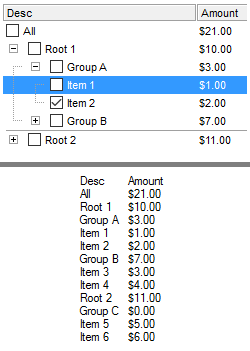
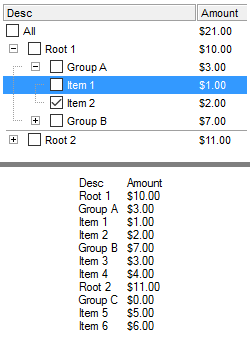
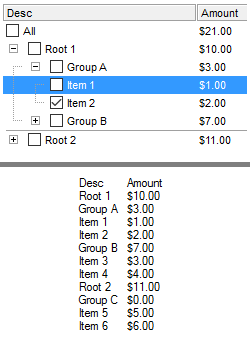
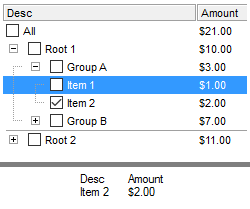
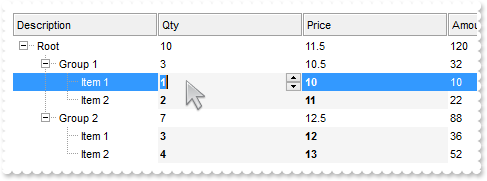
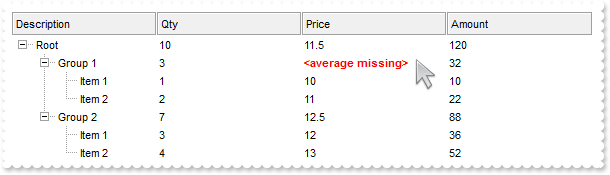
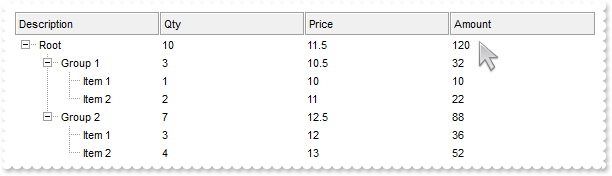
771. Is it possible the Items.FormatCell or Column.FormatColumn to use values from other columns
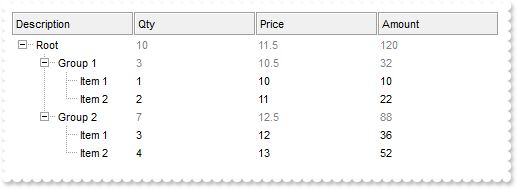
/* Copy and paste the following directives to your header file as it defines the namespace 'EXGRIDLib' for the library: 'ExGrid 1.0 Control Library' #import <ExGrid.dll> using namespace EXGRIDLib; */ EXGRIDLib::IGridPtr spGrid1 = GetDlgItem(IDC_GRID1)->GetControlUnknown(); EXGRIDLib::IColumnsPtr var_Columns = spGrid1->GetColumns(); ((EXGRIDLib::IColumnPtr)(var_Columns->Add(L"A")))->GetEditor()->PutEditType(EXGRIDLib::SpinType); ((EXGRIDLib::IColumnPtr)(var_Columns->Add(L"B")))->PutFormatColumn(L"currency(%0)"); ((EXGRIDLib::IColumnPtr)(var_Columns->Add(L"C")))->PutFormatColumn(L"%1 format ''"); EXGRIDLib::IItemsPtr var_Items = spGrid1->GetItems(); var_Items->AddItem(long(1)); var_Items->AddItem(long(2)); var_Items->AddItem(long(3));
770. Is it possible to do un-grouping the items
// Click event - Occurs when the user presses and then releases the left mouse button over the grid control.
void OnClickGrid1()
{
/*
Copy and paste the following directives to your header file as
it defines the namespace 'EXGRIDLib' for the library: 'ExGrid 1.0 Control Library'
#import <ExGrid.dll>
using namespace EXGRIDLib;
*/
EXGRIDLib::IGridPtr spGrid1 = GetDlgItem(IDC_GRID1)->GetControlUnknown();
spGrid1->Ungroup();
}
EXGRIDLib::IGridPtr spGrid1 = GetDlgItem(IDC_GRID1)->GetControlUnknown();
spGrid1->BeginUpdate();
spGrid1->PutColumnAutoResize(VARIANT_FALSE);
/*
Includes the definition for CreateObject function like follows:
#include <comdef.h>
IUnknownPtr CreateObject( BSTR Object )
{
IUnknownPtr spResult;
spResult.CreateInstance( Object );
return spResult;
};
*/
/*
Copy and paste the following directives to your header file as
it defines the namespace 'ADODB' for the library: 'Microsoft ActiveX Data Objects 6.0 Library'
#import <msado15.dll> rename("EOF","REOF")
*/
ADODB::_RecordsetPtr rs = ::CreateObject(L"ADOR.Recordset");
rs->Open("Orders",_bstr_t("Provider=Microsoft.Jet.OLEDB.4.0;Data Source=C:\\Program Files\\Exontrol\\ExGrid\\Sample\\SAMPL") +
"E.MDB",ADODB::adOpenStatic,ADODB::adLockOptimistic,0);
spGrid1->PutDataSource(((ADODB::_RecordsetPtr)(rs)));
spGrid1->PutSortBarHeight(24);
spGrid1->PutHeaderHeight(24);
spGrid1->PutSortBarVisible(VARIANT_TRUE);
spGrid1->PutSortBarCaption(L"Drag a <b>column</b> header here to group by that column.");
spGrid1->PutAllowGroupBy(VARIANT_TRUE);
spGrid1->PutReadOnly(EXGRIDLib::exReadOnly);
EXGRIDLib::IColumnPtr var_Column = spGrid1->GetColumns()->GetItem(long(1));
var_Column->PutAlignment(EXGRIDLib::CenterAlignment);
var_Column->PutDef(EXGRIDLib::exCellBackColor,long(15790320));
var_Column->PutSortOrder(VARIANT_TRUE);
spGrid1->EndUpdate();
769. How can I change the visual aspect of the links in the sort bar
/* Copy and paste the following directives to your header file as it defines the namespace 'EXGRIDLib' for the library: 'ExGrid 1.0 Control Library' #import <ExGrid.dll> using namespace EXGRIDLib; */ EXGRIDLib::IGridPtr spGrid1 = GetDlgItem(IDC_GRID1)->GetControlUnknown(); spGrid1->BeginUpdate(); spGrid1->PutColumnAutoResize(VARIANT_FALSE); /* Includes the definition for CreateObject function like follows: #include <comdef.h> IUnknownPtr CreateObject( BSTR Object ) { IUnknownPtr spResult; spResult.CreateInstance( Object ); return spResult; }; */ /* Copy and paste the following directives to your header file as it defines the namespace 'ADODB' for the library: 'Microsoft ActiveX Data Objects 6.0 Library' #import <msado15.dll> rename("EOF","REOF") */ ADODB::_RecordsetPtr rs = ::CreateObject(L"ADOR.Recordset"); rs->Open("Orders",_bstr_t("Provider=Microsoft.Jet.OLEDB.4.0;Data Source=C:\\Program Files\\Exontrol\\ExGrid\\Sample\\SAMPL") + "E.MDB",ADODB::adOpenStatic,ADODB::adLockOptimistic,0); spGrid1->PutDataSource(((ADODB::_RecordsetPtr)(rs))); spGrid1->PutSortBarHeight(24); spGrid1->PutHeaderHeight(24); spGrid1->PutBackColorSortBar(RGB(240,240,240)); spGrid1->PutBackColorSortBarCaption(spGrid1->GetBackColor()); spGrid1->GetVisualAppearance()->Add(1,_bstr_t("gBFLBCJwBAEHhEJAEGg4BdsIQAAYAQGKIYBkAKBQAGaAoDDgNw0QwAAxjMK0EwsACEIrjKCRShyCYZRhGcTSBCIZBqEqSZL") + "iEZRQiiCYsS5GQBSFDcOwHGyQYDkCQpAAWL4tCyMc7QHKAWhrEAbJjgQYJUh+TQAAZCIJRXRQAL/K6rKwnSCQIgkUBpGKdBy" + "nEYoYxAfyESCJWyIahWAwoQjUMB1HLQAAxC5kKbkIxyBABFBdVjVeBYG78Bz+ABjEovbAMEwPBqAMwmIAZDheA4FR4AGhTXK" + "cbxrFaXZSzKckPRoADSZq1Sg5LjDJI2ABqU6ABqNLZtJKsZS4apABrWeZ3Q7QMLdFTwA4PH6EZhxXAYbTVeaPZjQIBAgI"); spGrid1->PutSortBarVisible(VARIANT_TRUE); spGrid1->PutSortBarCaption(L"Drag a <b>column</b> header here to group by that column."); spGrid1->PutAllowGroupBy(VARIANT_TRUE); EXGRIDLib::IColumnPtr var_Column = spGrid1->GetColumns()->GetItem(long(1)); var_Column->PutAlignment(EXGRIDLib::CenterAlignment); var_Column->PutDef(EXGRIDLib::exCellBackColor,long(15790320)); var_Column->PutSortOrder(VARIANT_TRUE); EXGRIDLib::IColumnPtr var_Column1 = spGrid1->GetColumns()->GetItem(long(5)); var_Column1->PutAlignment(EXGRIDLib::CenterAlignment); var_Column1->PutDef(EXGRIDLib::exCellBackColor,long(16119285)); var_Column1->PutSortOrder(VARIANT_TRUE); spGrid1->PutBackground(EXGRIDLib::exSortBarLinkColor,0x1000000); spGrid1->EndUpdate();
768. Is it possible to display no +/- button for grouped items
/* Copy and paste the following directives to your header file as it defines the namespace 'EXGRIDLib' for the library: 'ExGrid 1.0 Control Library' #import <ExGrid.dll> using namespace EXGRIDLib; */ EXGRIDLib::IGridPtr spGrid1 = GetDlgItem(IDC_GRID1)->GetControlUnknown(); spGrid1->BeginUpdate(); spGrid1->PutColumnAutoResize(VARIANT_FALSE); /* Includes the definition for CreateObject function like follows: #include <comdef.h> IUnknownPtr CreateObject( BSTR Object ) { IUnknownPtr spResult; spResult.CreateInstance( Object ); return spResult; }; */ /* Copy and paste the following directives to your header file as it defines the namespace 'ADODB' for the library: 'Microsoft ActiveX Data Objects 6.0 Library' #import <msado15.dll> rename("EOF","REOF") */ ADODB::_RecordsetPtr rs = ::CreateObject(L"ADOR.Recordset"); rs->Open("Orders",_bstr_t("Provider=Microsoft.Jet.OLEDB.4.0;Data Source=C:\\Program Files\\Exontrol\\ExGrid\\Sample\\SAMPL") + "E.MDB",ADODB::adOpenStatic,ADODB::adLockOptimistic,0); spGrid1->PutDataSource(((ADODB::_RecordsetPtr)(rs))); spGrid1->PutSortBarVisible(VARIANT_TRUE); spGrid1->PutSortBarCaption(L"Drag a <b>column</b> header here to group by that column."); spGrid1->PutAllowGroupBy(VARIANT_TRUE); EXGRIDLib::IColumnPtr var_Column = spGrid1->GetColumns()->GetItem(long(1)); var_Column->PutAlignment(EXGRIDLib::CenterAlignment); var_Column->PutDef(EXGRIDLib::exCellBackColor,long(15790320)); spGrid1->EndUpdate();
767. How can I remove the extra information that grouped items display
/* Copy and paste the following directives to your header file as it defines the namespace 'EXGRIDLib' for the library: 'ExGrid 1.0 Control Library' #import <ExGrid.dll> using namespace EXGRIDLib; */ EXGRIDLib::IGridPtr spGrid1 = GetDlgItem(IDC_GRID1)->GetControlUnknown(); spGrid1->BeginUpdate(); spGrid1->PutLinesAtRoot(EXGRIDLib::exGroupLinesOutside); spGrid1->PutColumnAutoResize(VARIANT_FALSE); /* Includes the definition for CreateObject function like follows: #include <comdef.h> IUnknownPtr CreateObject( BSTR Object ) { IUnknownPtr spResult; spResult.CreateInstance( Object ); return spResult; }; */ /* Copy and paste the following directives to your header file as it defines the namespace 'ADODB' for the library: 'Microsoft ActiveX Data Objects 6.0 Library' #import <msado15.dll> rename("EOF","REOF") */ ADODB::_RecordsetPtr rs = ::CreateObject(L"ADOR.Recordset"); rs->Open("Orders",_bstr_t("Provider=Microsoft.Jet.OLEDB.4.0;Data Source=C:\\Program Files\\Exontrol\\ExGrid\\Sample\\SAMPL") + "E.MDB",ADODB::adOpenStatic,ADODB::adLockOptimistic,0); spGrid1->PutDataSource(((ADODB::_RecordsetPtr)(rs))); spGrid1->PutSortBarVisible(VARIANT_TRUE); spGrid1->PutSortBarCaption(L"Drag a <b>column</b> header here to group by that column."); spGrid1->PutAllowGroupBy(VARIANT_TRUE); spGrid1->GetColumns()->GetItem(long(6))->PutAllowGroupBy(VARIANT_FALSE); EXGRIDLib::IColumnPtr var_Column = spGrid1->GetColumns()->GetItem(long(1)); var_Column->PutGroupByTotalField(L""); var_Column->PutGroupByFormatCell(L""); spGrid1->EndUpdate();
766. How can I change the label, caption or the formula of the grouped items
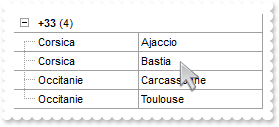
// AddItem event - Occurs after a new Item has been inserted to Items collection. void OnAddItemGrid1(long Item) { /* Copy and paste the following directives to your header file as it defines the namespace 'EXGRIDLib' for the library: 'ExGrid 1.0 Control Library' #import <ExGrid.dll> using namespace EXGRIDLib; */ EXGRIDLib::IGridPtr spGrid1 = GetDlgItem(IDC_GRID1)->GetControlUnknown(); spGrid1->GetItems()->PutItemDividerLineAlignment(Item,EXGRIDLib::DividerBoth); } // Change event - Occurs when the user changes the cell's content. void OnChangeGrid1(long Item,long ColIndex,VARIANT FAR* NewValue) { EXGRIDLib::IGridPtr spGrid1 = GetDlgItem(IDC_GRID1)->GetControlUnknown(); spGrid1->Refresh(); } EXGRIDLib::IGridPtr spGrid1 = GetDlgItem(IDC_GRID1)->GetControlUnknown(); spGrid1->BeginUpdate(); spGrid1->PutScrollBySingleLine(VARIANT_TRUE); spGrid1->PutLinesAtRoot(EXGRIDLib::exGroupLinesOutside); spGrid1->PutColumnAutoResize(VARIANT_FALSE); /* Includes the definition for CreateObject function like follows: #include <comdef.h> IUnknownPtr CreateObject( BSTR Object ) { IUnknownPtr spResult; spResult.CreateInstance( Object ); return spResult; }; */ /* Copy and paste the following directives to your header file as it defines the namespace 'ADODB' for the library: 'Microsoft ActiveX Data Objects 6.0 Library' #import <msado15.dll> rename("EOF","REOF") */ ADODB::_RecordsetPtr rs = ::CreateObject(L"ADOR.Recordset"); rs->Open("Orders",_bstr_t("Provider=Microsoft.Jet.OLEDB.4.0;Data Source=C:\\Program Files\\Exontrol\\ExGrid\\Sample\\SAMPL") + "E.MDB",ADODB::adOpenStatic,ADODB::adLockOptimistic,0); spGrid1->PutDataSource(((ADODB::_RecordsetPtr)(rs))); spGrid1->PutSortBarVisible(VARIANT_TRUE); spGrid1->PutSortBarCaption(L"Drag a <b>column</b> header here to group by that column."); spGrid1->PutAllowGroupBy(VARIANT_TRUE); spGrid1->GetColumns()->GetItem(long(6))->PutAllowGroupBy(VARIANT_FALSE); EXGRIDLib::IColumnPtr var_Column = spGrid1->GetColumns()->GetItem(long(1)); var_Column->PutGroupByTotalField(L"sum(current,rec,%6)"); var_Column->PutGroupByFormatCell(L"'<font ;11>' + <caption> + '</font> <fgcolor=808080>( Freight: ' + currency(value) + ')'"); spGrid1->PutDefaultItemHeight(28); spGrid1->EndUpdate();
765. How can I change the aspect of grouped items
// AddItem event - Occurs after a new Item has been inserted to Items collection. void OnAddItemGrid1(long Item) { /* Copy and paste the following directives to your header file as it defines the namespace 'EXGRIDLib' for the library: 'ExGrid 1.0 Control Library' #import <ExGrid.dll> using namespace EXGRIDLib; */ EXGRIDLib::IGridPtr spGrid1 = GetDlgItem(IDC_GRID1)->GetControlUnknown(); EXGRIDLib::IItemsPtr var_Items = spGrid1->GetItems(); var_Items->PutItemDividerLine(Item,EXGRIDLib::EmptyLine); long l = var_Items->GetGroupItem(Item); var_Items->PutCellSingleLine(Item,l,VARIANT_FALSE); var_Items->PutCellBold(Item,l,VARIANT_TRUE); var_Items->PutCellBackColor(Item,l,0x1000000); } EXGRIDLib::IGridPtr spGrid1 = GetDlgItem(IDC_GRID1)->GetControlUnknown(); spGrid1->BeginUpdate(); spGrid1->PutScrollBySingleLine(VARIANT_TRUE); spGrid1->PutLinesAtRoot(EXGRIDLib::exNoLinesAtRoot); spGrid1->PutTreeColumnIndex(-1); spGrid1->PutColumnAutoResize(VARIANT_FALSE); /* Includes the definition for CreateObject function like follows: #include <comdef.h> IUnknownPtr CreateObject( BSTR Object ) { IUnknownPtr spResult; spResult.CreateInstance( Object ); return spResult; }; */ /* Copy and paste the following directives to your header file as it defines the namespace 'ADODB' for the library: 'Microsoft ActiveX Data Objects 6.0 Library' #import <msado15.dll> rename("EOF","REOF") */ ADODB::_RecordsetPtr rs = ::CreateObject(L"ADOR.Recordset"); rs->Open("Orders",_bstr_t("Provider=Microsoft.Jet.OLEDB.4.0;Data Source=C:\\Program Files\\Exontrol\\ExGrid\\Sample\\SAMPL") + "E.MDB",ADODB::adOpenStatic,ADODB::adLockOptimistic,0); spGrid1->GetVisualAppearance()->Add(1,_bstr_t("gBFLBCJwBAEHhEJAEGg4BKoCg6AADACAxRDAMgBQKAAzQFAYcBuGiGAAGMZhWgmFgAQhFcZQSKUOQTDKMIziaQIRDEMw5SS") + "NIxyAK0QBkAqNQCkKKwIgmNYDSBMYABBIMBwiGQaRJnegYRDUMJCQjRVITVLMNoXDKZIyqEAHfpWVJWSLHcIhDBJUjcOYyTi" + "OQrzCK8dB0G6bIrGEZpYRAPwEYDIIjbQhqFYDChCNLwHScEAxC4kLhnKK6Vb9d6HYhiOJYXhmDrfR7IMhyLI8QafFqXZhmOZ" + "ZXizPY9T7QNB0LQ8eZbJqnahqOpaOx2W5dV7YNh2LTWGzXNq3bhuOzLbrme59X7gOB3RZeE4XRrHchxKq8XxnG6dZ7oOTUXo" + "fFOK5WmudQTh2LpfHOO5em+doSh4LwfhOS5mnGIw9D6LxfjOW5unSIQ+D8L4flOa5yD2fg/D+L5fnOe54ByigGAKAJgEgBBr" + "gGYIICYCoCmCSAcGOA5hAgRgSgSYQBGoFoFmGCBmBqBphGESgegeYgIgYIoHkSKIWCaCZigiJgqgqYhog4LoLmGSJGDKBZhE" + "iVg2gMY4ImYCIBGOSJ1n6D5kAeZZ2hCZBHj4RoRl6J4eEqEpeAkNhOHaXYJEYUh0GUSRVkwchlgkZZChaZZGnWOoXmYBpOGK" + "GJamaLhmhmWhJiYahnlmSY2G4ZZZEmRhyGMZxJlWCBhFCFgWHaHpYkmSh+GSJp6AWG4amgRoOGeIZahmEoKGyJgKDWOIXGkB" + "wGFmJJcHkWoWHQJQqGWVoTmmRx+EuJ5eFkIoiHuJBKhWdIQGqB52D2KpgDiaougMIxqyODJrEgbgvi2YgYjKOoumKSpij4FI" + "rFsBg0iyLBKj6RoOmqSwmimMpkCqGpOiibQJCaII0mmWxWFCJotgoXpahWaRLHaEY3mWag6mKIpuEmFoIjmaBbiYbIgi6Rha" + "H+O5Onmcpyh2VYAAEASAg"); spGrid1->PutDrawGridLines(EXGRIDLib::exHLines); spGrid1->PutDataSource(((ADODB::_RecordsetPtr)(rs))); spGrid1->PutSortBarVisible(VARIANT_TRUE); spGrid1->PutSortBarCaption(L"Drag a <b>column</b> header here to group by that column."); spGrid1->PutAllowGroupBy(VARIANT_TRUE); EXGRIDLib::IColumnPtr var_Column = spGrid1->GetColumns()->GetItem(long(1)); var_Column->PutGroupByFormatCell(L"'EmployeeID: ' + <caption> + '<br><font ;7><fgcolor=808080>Count: ' + value"); spGrid1->EndUpdate();
764. How can I remove or change the line it shows for grouped items
// AddItem event - Occurs after a new Item has been inserted to Items collection. void OnAddItemGrid1(long Item) { /* Copy and paste the following directives to your header file as it defines the namespace 'EXGRIDLib' for the library: 'ExGrid 1.0 Control Library' #import <ExGrid.dll> using namespace EXGRIDLib; */ EXGRIDLib::IGridPtr spGrid1 = GetDlgItem(IDC_GRID1)->GetControlUnknown(); spGrid1->GetItems()->PutItemDividerLine(Item,EXGRIDLib::EmptyLine); } EXGRIDLib::IGridPtr spGrid1 = GetDlgItem(IDC_GRID1)->GetControlUnknown(); spGrid1->BeginUpdate(); spGrid1->PutColumnAutoResize(VARIANT_FALSE); /* Includes the definition for CreateObject function like follows: #include <comdef.h> IUnknownPtr CreateObject( BSTR Object ) { IUnknownPtr spResult; spResult.CreateInstance( Object ); return spResult; }; */ /* Copy and paste the following directives to your header file as it defines the namespace 'ADODB' for the library: 'Microsoft ActiveX Data Objects 6.0 Library' #import <msado15.dll> rename("EOF","REOF") */ ADODB::_RecordsetPtr rs = ::CreateObject(L"ADOR.Recordset"); rs->Open("Orders",_bstr_t("Provider=Microsoft.Jet.OLEDB.4.0;Data Source=C:\\Program Files\\Exontrol\\ExGrid\\Sample\\SAMPL") + "E.MDB",ADODB::adOpenStatic,ADODB::adLockOptimistic,0); spGrid1->PutDataSource(((ADODB::_RecordsetPtr)(rs))); spGrid1->PutSortBarVisible(VARIANT_TRUE); spGrid1->PutSortBarCaption(L"Drag a <b>column</b> header here to group by that column."); spGrid1->PutAllowGroupBy(VARIANT_TRUE); spGrid1->EndUpdate();
763. Is it possible to determine whether an item is regular or a group by item
// MouseMove event - Occurs when the user moves the mouse.
void OnMouseMoveGrid1(short Button,short Shift,long X,long Y)
{
/*
Copy and paste the following directives to your header file as
it defines the namespace 'EXGRIDLib' for the library: 'ExGrid 1.0 Control Library'
#import <ExGrid.dll>
using namespace EXGRIDLib;
*/
EXGRIDLib::IGridPtr spGrid1 = GetDlgItem(IDC_GRID1)->GetControlUnknown();
long h = spGrid1->GetItemFromPoint(-1,-1,c,hit);
OutputDebugStringW( _bstr_t(spGrid1->GetItems()->GetGroupItem(h)) );
}
EXGRIDLib::IGridPtr spGrid1 = GetDlgItem(IDC_GRID1)->GetControlUnknown();
spGrid1->BeginUpdate();
spGrid1->PutColumnAutoResize(VARIANT_FALSE);
/*
Includes the definition for CreateObject function like follows:
#include <comdef.h>
IUnknownPtr CreateObject( BSTR Object )
{
IUnknownPtr spResult;
spResult.CreateInstance( Object );
return spResult;
};
*/
/*
Copy and paste the following directives to your header file as
it defines the namespace 'ADODB' for the library: 'Microsoft ActiveX Data Objects 6.0 Library'
#import <msado15.dll> rename("EOF","REOF")
*/
ADODB::_RecordsetPtr rs = ::CreateObject(L"ADOR.Recordset");
rs->Open("Orders",_bstr_t("Provider=Microsoft.Jet.OLEDB.4.0;Data Source=C:\\Program Files\\Exontrol\\ExGrid\\Sample\\SAMPL") +
"E.MDB",ADODB::adOpenStatic,ADODB::adLockOptimistic,0);
spGrid1->PutDataSource(((ADODB::_RecordsetPtr)(rs)));
spGrid1->PutSortBarVisible(VARIANT_TRUE);
spGrid1->PutSortBarCaption(L"Drag a <b>column</b> header here to group by that column.");
spGrid1->PutAllowGroupBy(VARIANT_TRUE);
spGrid1->EndUpdate();
762. How can I collapse all items when user peforms a grouping
// AddItem event - Occurs after a new Item has been inserted to Items collection. void OnAddItemGrid1(long Item) { /* Copy and paste the following directives to your header file as it defines the namespace 'EXGRIDLib' for the library: 'ExGrid 1.0 Control Library' #import <ExGrid.dll> using namespace EXGRIDLib; */ EXGRIDLib::IGridPtr spGrid1 = GetDlgItem(IDC_GRID1)->GetControlUnknown(); spGrid1->GetItems()->PutExpandItem(Item,VARIANT_FALSE); } EXGRIDLib::IGridPtr spGrid1 = GetDlgItem(IDC_GRID1)->GetControlUnknown(); spGrid1->BeginUpdate(); spGrid1->PutColumnAutoResize(VARIANT_FALSE); /* Includes the definition for CreateObject function like follows: #include <comdef.h> IUnknownPtr CreateObject( BSTR Object ) { IUnknownPtr spResult; spResult.CreateInstance( Object ); return spResult; }; */ /* Copy and paste the following directives to your header file as it defines the namespace 'ADODB' for the library: 'Microsoft ActiveX Data Objects 6.0 Library' #import <msado15.dll> rename("EOF","REOF") */ ADODB::_RecordsetPtr rs = ::CreateObject(L"ADOR.Recordset"); rs->Open("Orders",_bstr_t("Provider=Microsoft.Jet.OLEDB.4.0;Data Source=C:\\Program Files\\Exontrol\\ExGrid\\Sample\\SAMPL") + "E.MDB",ADODB::adOpenStatic,ADODB::adLockOptimistic,0); spGrid1->PutDataSource(((ADODB::_RecordsetPtr)(rs))); spGrid1->PutSortBarVisible(VARIANT_TRUE); spGrid1->PutSortBarCaption(L"Drag a <b>column</b> header here to group by that column."); spGrid1->PutAllowGroupBy(VARIANT_TRUE); spGrid1->EndUpdate();
761. Is it possible to select columns that user can drop to the sort bar, when using the Group By feature
/* Copy and paste the following directives to your header file as it defines the namespace 'EXGRIDLib' for the library: 'ExGrid 1.0 Control Library' #import <ExGrid.dll> using namespace EXGRIDLib; */ EXGRIDLib::IGridPtr spGrid1 = GetDlgItem(IDC_GRID1)->GetControlUnknown(); spGrid1->BeginUpdate(); spGrid1->PutColumnAutoResize(VARIANT_FALSE); /* Includes the definition for CreateObject function like follows: #include <comdef.h> IUnknownPtr CreateObject( BSTR Object ) { IUnknownPtr spResult; spResult.CreateInstance( Object ); return spResult; }; */ /* Copy and paste the following directives to your header file as it defines the namespace 'ADODB' for the library: 'Microsoft ActiveX Data Objects 6.0 Library' #import <msado15.dll> rename("EOF","REOF") */ ADODB::_RecordsetPtr rs = ::CreateObject(L"ADOR.Recordset"); rs->Open("Orders",_bstr_t("Provider=Microsoft.Jet.OLEDB.4.0;Data Source=C:\\Program Files\\Exontrol\\ExGrid\\Sample\\SAMPL") + "E.MDB",ADODB::adOpenStatic,ADODB::adLockOptimistic,0); spGrid1->PutDataSource(((ADODB::_RecordsetPtr)(rs))); spGrid1->PutSortBarVisible(VARIANT_TRUE); spGrid1->PutSortBarCaption(L"<fgcolor=FF0000>Try to drag the EmployeeID column here."); spGrid1->PutAllowGroupBy(VARIANT_TRUE); spGrid1->GetColumns()->GetItem(long(1))->PutAllowGroupBy(VARIANT_FALSE); spGrid1->EndUpdate();
760. How can I enable the Group By support, with no sort bar
/* Copy and paste the following directives to your header file as it defines the namespace 'EXGRIDLib' for the library: 'ExGrid 1.0 Control Library' #import <ExGrid.dll> using namespace EXGRIDLib; */ EXGRIDLib::IGridPtr spGrid1 = GetDlgItem(IDC_GRID1)->GetControlUnknown(); spGrid1->BeginUpdate(); spGrid1->PutColumnAutoResize(VARIANT_FALSE); /* Includes the definition for CreateObject function like follows: #include <comdef.h> IUnknownPtr CreateObject( BSTR Object ) { IUnknownPtr spResult; spResult.CreateInstance( Object ); return spResult; }; */ /* Copy and paste the following directives to your header file as it defines the namespace 'ADODB' for the library: 'Microsoft ActiveX Data Objects 6.0 Library' #import <msado15.dll> rename("EOF","REOF") */ ADODB::_RecordsetPtr rs = ::CreateObject(L"ADOR.Recordset"); rs->Open("Orders",_bstr_t("Provider=Microsoft.Jet.OLEDB.4.0;Data Source=C:\\Program Files\\Exontrol\\ExGrid\\Sample\\SAMPL") + "E.MDB",ADODB::adOpenStatic,ADODB::adLockOptimistic,0); spGrid1->PutDataSource(((ADODB::_RecordsetPtr)(rs))); spGrid1->PutSingleSort(VARIANT_FALSE); spGrid1->PutAllowGroupBy(VARIANT_TRUE); spGrid1->GetColumns()->GetItem(long(1))->PutSortOrder(VARIANT_TRUE); spGrid1->EndUpdate();
759. Does your control support Group-By feature
/* Copy and paste the following directives to your header file as it defines the namespace 'EXGRIDLib' for the library: 'ExGrid 1.0 Control Library' #import <ExGrid.dll> using namespace EXGRIDLib; */ EXGRIDLib::IGridPtr spGrid1 = GetDlgItem(IDC_GRID1)->GetControlUnknown(); spGrid1->BeginUpdate(); spGrid1->PutColumnAutoResize(VARIANT_FALSE); /* Includes the definition for CreateObject function like follows: #include <comdef.h> IUnknownPtr CreateObject( BSTR Object ) { IUnknownPtr spResult; spResult.CreateInstance( Object ); return spResult; }; */ /* Copy and paste the following directives to your header file as it defines the namespace 'ADODB' for the library: 'Microsoft ActiveX Data Objects 6.0 Library' #import <msado15.dll> rename("EOF","REOF") */ ADODB::_RecordsetPtr rs = ::CreateObject(L"ADOR.Recordset"); rs->Open("Orders",_bstr_t("Provider=Microsoft.Jet.OLEDB.4.0;Data Source=C:\\Program Files\\Exontrol\\ExGrid\\Sample\\SAMPL") + "E.MDB",ADODB::adOpenStatic,ADODB::adLockOptimistic,0); spGrid1->PutDataSource(((ADODB::_RecordsetPtr)(rs))); spGrid1->PutSortBarVisible(VARIANT_TRUE); spGrid1->PutSortBarCaption(L"Drag a <b>column</b> header here to group by that column."); spGrid1->PutAllowGroupBy(VARIANT_TRUE); spGrid1->EndUpdate();
758. How can I restrict a field to number only (Method 3, Float)
/* Copy and paste the following directives to your header file as it defines the namespace 'EXGRIDLib' for the library: 'ExGrid 1.0 Control Library' #import <ExGrid.dll> using namespace EXGRIDLib; */ EXGRIDLib::IGridPtr spGrid1 = GetDlgItem(IDC_GRID1)->GetControlUnknown(); EXGRIDLib::IEditorPtr var_Editor = ((EXGRIDLib::IColumnPtr)(spGrid1->GetColumns()->Add(L"Numbers")))->GetEditor(); var_Editor->PutEditType(EXGRIDLib::EditType); var_Editor->PutNumeric(EXGRIDLib::exFloat); spGrid1->GetItems()->AddItem(long(12));
757. How can I restrict a field to number only (Method 2, Integer only)
/* Copy and paste the following directives to your header file as it defines the namespace 'EXGRIDLib' for the library: 'ExGrid 1.0 Control Library' #import <ExGrid.dll> using namespace EXGRIDLib; */ EXGRIDLib::IGridPtr spGrid1 = GetDlgItem(IDC_GRID1)->GetControlUnknown(); EXGRIDLib::IEditorPtr var_Editor = ((EXGRIDLib::IColumnPtr)(spGrid1->GetColumns()->Add(L"Numbers")))->GetEditor(); var_Editor->PutEditType(EXGRIDLib::EditType); var_Editor->PutNumeric(EXGRIDLib::exInteger); spGrid1->GetItems()->AddItem(long(12));
756. How can I restrict a field to number only (Method 1)
/* Copy and paste the following directives to your header file as it defines the namespace 'EXGRIDLib' for the library: 'ExGrid 1.0 Control Library' #import <ExGrid.dll> using namespace EXGRIDLib; */ EXGRIDLib::IGridPtr spGrid1 = GetDlgItem(IDC_GRID1)->GetControlUnknown(); EXGRIDLib::IEditorPtr var_Editor = ((EXGRIDLib::IColumnPtr)(spGrid1->GetColumns()->Add(L"Numbers")))->GetEditor(); var_Editor->PutEditType(EXGRIDLib::MaskType); var_Editor->PutMask(L"###.###"); spGrid1->GetItems()->AddItem(long(12));
755. Is it possible to include only leaf items ( items with no childs ) in the drop down list
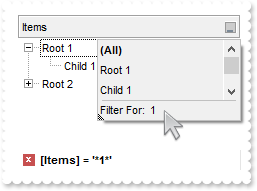
/* Copy and paste the following directives to your header file as it defines the namespace 'EXGRIDLib' for the library: 'ExGrid 1.0 Control Library' #import <ExGrid.dll> using namespace EXGRIDLib; */ EXGRIDLib::IGridPtr spGrid1 = GetDlgItem(IDC_GRID1)->GetControlUnknown(); spGrid1->BeginUpdate(); spGrid1->PutLinesAtRoot(EXGRIDLib::exLinesAtRoot); EXGRIDLib::IColumnPtr var_Column = ((EXGRIDLib::IColumnPtr)(spGrid1->GetColumns()->Add(L"Items"))); var_Column->PutDisplayFilterButton(VARIANT_TRUE); var_Column->PutDisplayFilterPattern(VARIANT_FALSE); var_Column->PutFilterList(EXGRIDLib::exVisibleItems | EXGRIDLib::exNoItems | EXGRIDLib::exSortItemsAsc | EXGRIDLib::exShowCheckBox | EXGRIDLib::exShowFocusItem); EXGRIDLib::IItemsPtr var_Items = spGrid1->GetItems(); long h = var_Items->AddItem("Root 1"); var_Items->InsertItem(h,long(0),"Child 1"); var_Items->InsertItem(h,long(0),"Child 2"); var_Items->PutExpandItem(h,VARIANT_TRUE); h = var_Items->AddItem("Root 2"); var_Items->InsertItem(h,long(0),"Child 1"); var_Items->InsertItem(h,long(0),"Child 2"); var_Items->InsertItem(h,long(0),"Child 3"); var_Items->PutExpandItem(h,VARIANT_TRUE); spGrid1->EndUpdate();
754. I have several columns, but noticed that the filter is using AND between columns, but I need OR clause for filtering. Is it possible
/* Copy and paste the following directives to your header file as it defines the namespace 'EXGRIDLib' for the library: 'ExGrid 1.0 Control Library' #import <ExGrid.dll> using namespace EXGRIDLib; */ EXGRIDLib::IGridPtr spGrid1 = GetDlgItem(IDC_GRID1)->GetControlUnknown(); spGrid1->BeginUpdate(); spGrid1->PutLinesAtRoot(EXGRIDLib::exLinesAtRoot); EXGRIDLib::IColumnPtr var_Column = ((EXGRIDLib::IColumnPtr)(spGrid1->GetColumns()->Add(L"Item"))); var_Column->PutDisplayFilterButton(VARIANT_TRUE); var_Column->PutDisplayFilterPattern(VARIANT_FALSE); var_Column->PutFilter(L"Child 1"); var_Column->PutFilterType(EXGRIDLib::exFilter); EXGRIDLib::IColumnPtr var_Column1 = ((EXGRIDLib::IColumnPtr)(spGrid1->GetColumns()->Add(L"Date"))); var_Column1->PutDisplayFilterButton(VARIANT_TRUE); var_Column1->PutDisplayFilterPattern(VARIANT_FALSE); var_Column1->PutDisplayFilterDate(VARIANT_TRUE); var_Column1->PutFilterList(EXGRIDLib::exNoItems | EXGRIDLib::exShowCheckBox | EXGRIDLib::exShowFocusItem | EXGRIDLib::exShowExclude); var_Column1->PutFilter(L"12/28/2010"); var_Column1->PutFilterType(EXGRIDLib::exDate); spGrid1->PutFilterCriteria(L"%0 or %1"); spGrid1->PutDescription(EXGRIDLib::exFilterBarOr,L"<font ;18><fgcolor=FF0000>or</fgcolor></font>"); spGrid1->PutDescription(EXGRIDLib::exFilterBarAnd,L"<font ;18><fgcolor=FF0000>and</fgcolor></font>"); EXGRIDLib::IItemsPtr var_Items = spGrid1->GetItems(); long h = var_Items->AddItem("Root 1"); var_Items->PutCellValue(var_Items->InsertItem(h,long(0),"Child 1"),long(1),"12/27/2010"); var_Items->PutCellValue(var_Items->InsertItem(h,long(0),"Child 2"),long(1),"12/28/2010"); var_Items->PutExpandItem(h,VARIANT_TRUE); h = var_Items->AddItem("Root 2"); var_Items->PutCellValue(var_Items->InsertItem(h,long(0),"Child 1"),long(1),"12/29/2010"); var_Items->PutCellValue(var_Items->InsertItem(h,long(0),"Child 2"),long(1),"12/30/2010"); spGrid1->ApplyFilter(); spGrid1->EndUpdate();
753. Is it possible exclude the dates being selected in the drop down filter window
/* Copy and paste the following directives to your header file as it defines the namespace 'EXGRIDLib' for the library: 'ExGrid 1.0 Control Library' #import <ExGrid.dll> using namespace EXGRIDLib; */ EXGRIDLib::IGridPtr spGrid1 = GetDlgItem(IDC_GRID1)->GetControlUnknown(); spGrid1->BeginUpdate(); EXGRIDLib::IColumnPtr var_Column = ((EXGRIDLib::IColumnPtr)(spGrid1->GetColumns()->Add(L"Date"))); var_Column->PutSortType(EXGRIDLib::SortDate); var_Column->PutDisplayFilterButton(VARIANT_TRUE); var_Column->PutDisplayFilterPattern(VARIANT_FALSE); var_Column->PutDisplayFilterDate(VARIANT_TRUE); var_Column->PutFilterList(EXGRIDLib::exNoItems | EXGRIDLib::exShowCheckBox | EXGRIDLib::exShowFocusItem | EXGRIDLib::exShowExclude); EXGRIDLib::IItemsPtr var_Items = spGrid1->GetItems(); var_Items->AddItem("12/27/2010"); var_Items->AddItem("12/28/2010"); var_Items->AddItem("12/29/2010"); var_Items->AddItem("12/30/2010"); var_Items->AddItem("12/31/2010"); spGrid1->EndUpdate();
752. How can I display a calendar control inside the drop down filter window
/* Copy and paste the following directives to your header file as it defines the namespace 'EXGRIDLib' for the library: 'ExGrid 1.0 Control Library' #import <ExGrid.dll> using namespace EXGRIDLib; */ EXGRIDLib::IGridPtr spGrid1 = GetDlgItem(IDC_GRID1)->GetControlUnknown(); spGrid1->BeginUpdate(); EXGRIDLib::IColumnPtr var_Column = ((EXGRIDLib::IColumnPtr)(spGrid1->GetColumns()->Add(L"Date"))); var_Column->PutSortType(EXGRIDLib::SortDate); var_Column->PutDisplayFilterButton(VARIANT_TRUE); var_Column->PutDisplayFilterPattern(VARIANT_FALSE); var_Column->PutDisplayFilterDate(VARIANT_TRUE); var_Column->PutFilterList(EXGRIDLib::exNoItems | EXGRIDLib::exShowCheckBox | EXGRIDLib::exShowFocusItem); EXGRIDLib::IItemsPtr var_Items = spGrid1->GetItems(); var_Items->AddItem("12/27/2010"); var_Items->AddItem("12/28/2010"); var_Items->AddItem("12/29/2010"); var_Items->AddItem("12/30/2010"); var_Items->AddItem("12/31/2010"); spGrid1->EndUpdate();
751. Is it possible to include the dates as checkb-boxes in the drop down filter window
/* Copy and paste the following directives to your header file as it defines the namespace 'EXGRIDLib' for the library: 'ExGrid 1.0 Control Library' #import <ExGrid.dll> using namespace EXGRIDLib; */ EXGRIDLib::IGridPtr spGrid1 = GetDlgItem(IDC_GRID1)->GetControlUnknown(); spGrid1->BeginUpdate(); EXGRIDLib::IColumnPtr var_Column = ((EXGRIDLib::IColumnPtr)(spGrid1->GetColumns()->Add(L"Dates"))); var_Column->PutSortType(EXGRIDLib::SortDate); var_Column->PutDisplayFilterButton(VARIANT_TRUE); var_Column->PutDisplayFilterPattern(VARIANT_TRUE); var_Column->PutDisplayFilterDate(VARIANT_TRUE); var_Column->PutFilterList(EXGRIDLib::exShowCheckBox | EXGRIDLib::exShowFocusItem); var_Column->PutFilter(L"to 12/27/2010"); var_Column->PutFilterType(EXGRIDLib::exDate); EXGRIDLib::IItemsPtr var_Items = spGrid1->GetItems(); var_Items->AddItem("12/27/2010"); var_Items->AddItem("12/28/2010"); var_Items->AddItem("12/29/2010"); var_Items->AddItem("12/30/2010"); var_Items->AddItem("12/31/2010"); spGrid1->ApplyFilter(); spGrid1->EndUpdate();
750. How can I filter items for dates before a specified date
/* Copy and paste the following directives to your header file as it defines the namespace 'EXGRIDLib' for the library: 'ExGrid 1.0 Control Library' #import <ExGrid.dll> using namespace EXGRIDLib; */ EXGRIDLib::IGridPtr spGrid1 = GetDlgItem(IDC_GRID1)->GetControlUnknown(); spGrid1->BeginUpdate(); EXGRIDLib::IColumnPtr var_Column = ((EXGRIDLib::IColumnPtr)(spGrid1->GetColumns()->Add(L"Dates"))); var_Column->PutSortType(EXGRIDLib::SortDate); var_Column->PutDisplayFilterButton(VARIANT_TRUE); var_Column->PutDisplayFilterPattern(VARIANT_TRUE); var_Column->PutDisplayFilterDate(VARIANT_TRUE); var_Column->PutFilterList(EXGRIDLib::exNoItems | EXGRIDLib::exShowFocusItem); var_Column->PutFilter(L"to 12/27/2010"); var_Column->PutFilterType(EXGRIDLib::exDate); EXGRIDLib::IItemsPtr var_Items = spGrid1->GetItems(); var_Items->AddItem("12/27/2010"); var_Items->AddItem("12/28/2010"); var_Items->AddItem("12/29/2010"); var_Items->AddItem("12/30/2010"); var_Items->AddItem("12/31/2010"); spGrid1->ApplyFilter(); spGrid1->EndUpdate();
749. Is it possible to filter dates
/* Copy and paste the following directives to your header file as it defines the namespace 'EXGRIDLib' for the library: 'ExGrid 1.0 Control Library' #import <ExGrid.dll> using namespace EXGRIDLib; */ EXGRIDLib::IGridPtr spGrid1 = GetDlgItem(IDC_GRID1)->GetControlUnknown(); spGrid1->BeginUpdate(); EXGRIDLib::IColumnPtr var_Column = ((EXGRIDLib::IColumnPtr)(spGrid1->GetColumns()->Add(L"Dates"))); var_Column->PutSortType(EXGRIDLib::SortDate); var_Column->PutDisplayFilterButton(VARIANT_TRUE); var_Column->PutDisplayFilterPattern(VARIANT_TRUE); var_Column->PutDisplayFilterDate(VARIANT_TRUE); var_Column->PutFilterList(EXGRIDLib::exNoItems | EXGRIDLib::exShowFocusItem); EXGRIDLib::IItemsPtr var_Items = spGrid1->GetItems(); var_Items->AddItem("12/27/2010"); var_Items->AddItem("12/28/2010"); var_Items->AddItem("12/29/2010"); var_Items->AddItem("12/30/2010"); var_Items->AddItem("12/31/2010"); spGrid1->EndUpdate();
748. Is it possible to change the Exclude field name to something different, in the drop down filter window
/* Copy and paste the following directives to your header file as it defines the namespace 'EXGRIDLib' for the library: 'ExGrid 1.0 Control Library' #import <ExGrid.dll> using namespace EXGRIDLib; */ EXGRIDLib::IGridPtr spGrid1 = GetDlgItem(IDC_GRID1)->GetControlUnknown(); spGrid1->BeginUpdate(); spGrid1->PutLinesAtRoot(EXGRIDLib::exLinesAtRoot); spGrid1->PutDescription(EXGRIDLib::exFilterBarExclude,L"Leaving out"); EXGRIDLib::IColumnPtr var_Column = ((EXGRIDLib::IColumnPtr)(spGrid1->GetColumns()->Add(L"Items"))); var_Column->PutDisplayFilterButton(VARIANT_TRUE); var_Column->PutDisplayFilterPattern(VARIANT_FALSE); var_Column->PutFilterList(EXGRIDLib::exShowCheckBox | EXGRIDLib::exShowFocusItem | EXGRIDLib::exShowExclude); EXGRIDLib::IItemsPtr var_Items = spGrid1->GetItems(); long h = var_Items->AddItem("Root 1"); var_Items->InsertItem(h,long(0),"Child 1"); var_Items->InsertItem(h,long(0),"Child 2"); var_Items->PutExpandItem(h,VARIANT_TRUE); h = var_Items->AddItem("Root 2"); var_Items->InsertItem(h,long(0),"Child 1"); spGrid1->EndUpdate();
747. How can I display the Exclude field in the drop down filter window
/* Copy and paste the following directives to your header file as it defines the namespace 'EXGRIDLib' for the library: 'ExGrid 1.0 Control Library' #import <ExGrid.dll> using namespace EXGRIDLib; */ EXGRIDLib::IGridPtr spGrid1 = GetDlgItem(IDC_GRID1)->GetControlUnknown(); spGrid1->BeginUpdate(); spGrid1->PutLinesAtRoot(EXGRIDLib::exLinesAtRoot); EXGRIDLib::IColumnPtr var_Column = ((EXGRIDLib::IColumnPtr)(spGrid1->GetColumns()->Add(L"Items"))); var_Column->PutDisplayFilterButton(VARIANT_TRUE); var_Column->PutDisplayFilterPattern(VARIANT_FALSE); var_Column->PutFilterList(EXGRIDLib::exShowCheckBox | EXGRIDLib::exShowFocusItem | EXGRIDLib::exShowExclude); EXGRIDLib::IItemsPtr var_Items = spGrid1->GetItems(); long h = var_Items->AddItem("Root 1"); var_Items->InsertItem(h,long(0),"Child 1"); var_Items->InsertItem(h,long(0),"Child 2"); var_Items->PutExpandItem(h,VARIANT_TRUE); h = var_Items->AddItem("Root 2"); var_Items->InsertItem(h,long(0),"Child 1"); spGrid1->EndUpdate();
746. Is it possible to show and ensure the focused item from the control, in the drop down filter window
/* Copy and paste the following directives to your header file as it defines the namespace 'EXGRIDLib' for the library: 'ExGrid 1.0 Control Library' #import <ExGrid.dll> using namespace EXGRIDLib; */ EXGRIDLib::IGridPtr spGrid1 = GetDlgItem(IDC_GRID1)->GetControlUnknown(); spGrid1->BeginUpdate(); spGrid1->PutLinesAtRoot(EXGRIDLib::exLinesAtRoot); EXGRIDLib::IColumnPtr var_Column = ((EXGRIDLib::IColumnPtr)(spGrid1->GetColumns()->Add(L"Items"))); var_Column->PutDisplayFilterButton(VARIANT_TRUE); var_Column->PutDisplayFilterPattern(VARIANT_FALSE); var_Column->PutFilterList(EXGRIDLib::exShowCheckBox | EXGRIDLib::exShowFocusItem); EXGRIDLib::IItemsPtr var_Items = spGrid1->GetItems(); long h = var_Items->AddItem("Root 1"); var_Items->InsertItem(h,long(0),"Child 1"); var_Items->InsertItem(h,long(0),"Child 2"); var_Items->PutExpandItem(h,VARIANT_TRUE); h = var_Items->AddItem("Root 2"); var_Items->InsertItem(h,long(0),"Child 1"); var_Items->PutSelectItem(var_Items->InsertItem(h,long(0),"Child 2"),VARIANT_TRUE); var_Items->PutExpandItem(h,VARIANT_TRUE); spGrid1->EndUpdate();
745. Is it possible to show only blanks items with no listed items from the control
/* Copy and paste the following directives to your header file as it defines the namespace 'EXGRIDLib' for the library: 'ExGrid 1.0 Control Library' #import <ExGrid.dll> using namespace EXGRIDLib; */ EXGRIDLib::IGridPtr spGrid1 = GetDlgItem(IDC_GRID1)->GetControlUnknown(); spGrid1->BeginUpdate(); spGrid1->PutLinesAtRoot(EXGRIDLib::exLinesAtRoot); EXGRIDLib::IColumnPtr var_Column = ((EXGRIDLib::IColumnPtr)(spGrid1->GetColumns()->Add(L"Items"))); var_Column->PutDisplayFilterButton(VARIANT_TRUE); var_Column->PutDisplayFilterPattern(VARIANT_FALSE); var_Column->PutFilterList(EXGRIDLib::exNoItems | EXGRIDLib::exShowBlanks); EXGRIDLib::IItemsPtr var_Items = spGrid1->GetItems(); long h = var_Items->AddItem("Root 1"); var_Items->InsertItem(h,long(0),"Child 1"); var_Items->InsertItem(h,long(0),"Child 2"); var_Items->PutExpandItem(h,VARIANT_TRUE); h = var_Items->AddItem("Root 2"); var_Items->InsertItem(h,long(0),"Child 1"); var_Items->InsertItem(h,long(0),"Child 2"); spGrid1->EndUpdate();
744. How can I include the blanks items in the drop down filter window
/* Copy and paste the following directives to your header file as it defines the namespace 'EXGRIDLib' for the library: 'ExGrid 1.0 Control Library' #import <ExGrid.dll> using namespace EXGRIDLib; */ EXGRIDLib::IGridPtr spGrid1 = GetDlgItem(IDC_GRID1)->GetControlUnknown(); spGrid1->BeginUpdate(); spGrid1->PutLinesAtRoot(EXGRIDLib::exLinesAtRoot); EXGRIDLib::IColumnPtr var_Column = ((EXGRIDLib::IColumnPtr)(spGrid1->GetColumns()->Add(L"Items"))); var_Column->PutDisplayFilterButton(VARIANT_TRUE); var_Column->PutDisplayFilterPattern(VARIANT_FALSE); var_Column->PutFilterList(EXGRIDLib::exShowCheckBox | EXGRIDLib::exShowBlanks); EXGRIDLib::IItemsPtr var_Items = spGrid1->GetItems(); long h = var_Items->AddItem("Root 1"); var_Items->InsertItem(h,long(0),"Child 1"); var_Items->InsertItem(h,long(0),"Child 2"); var_Items->PutExpandItem(h,VARIANT_TRUE); h = var_Items->AddItem("Root 2"); var_Items->InsertItem(h,long(0),"Child 1"); var_Items->InsertItem(h,long(0),"Child 2"); spGrid1->EndUpdate();
743. How can I select multiple items in the drop down filter window, using check-boxes
/* Copy and paste the following directives to your header file as it defines the namespace 'EXGRIDLib' for the library: 'ExGrid 1.0 Control Library' #import <ExGrid.dll> using namespace EXGRIDLib; */ EXGRIDLib::IGridPtr spGrid1 = GetDlgItem(IDC_GRID1)->GetControlUnknown(); spGrid1->BeginUpdate(); spGrid1->PutLinesAtRoot(EXGRIDLib::exLinesAtRoot); EXGRIDLib::IColumnPtr var_Column = ((EXGRIDLib::IColumnPtr)(spGrid1->GetColumns()->Add(L"Items"))); var_Column->PutDisplayFilterButton(VARIANT_TRUE); var_Column->PutDisplayFilterPattern(VARIANT_FALSE); var_Column->PutFilterList(EXGRIDLib::exShowCheckBox); EXGRIDLib::IItemsPtr var_Items = spGrid1->GetItems(); long h = var_Items->AddItem("Root 1"); var_Items->InsertItem(h,long(0),"Child 1"); var_Items->InsertItem(h,long(0),"Child 2"); var_Items->PutExpandItem(h,VARIANT_TRUE); h = var_Items->AddItem("Root 2"); var_Items->InsertItem(h,long(0),"Child 1"); var_Items->InsertItem(h,long(0),"Child 2"); spGrid1->EndUpdate();
742. Is it possible to allow a single item being selected in the drop down filter window
/* Copy and paste the following directives to your header file as it defines the namespace 'EXGRIDLib' for the library: 'ExGrid 1.0 Control Library' #import <ExGrid.dll> using namespace EXGRIDLib; */ EXGRIDLib::IGridPtr spGrid1 = GetDlgItem(IDC_GRID1)->GetControlUnknown(); spGrid1->BeginUpdate(); spGrid1->PutLinesAtRoot(EXGRIDLib::exLinesAtRoot); EXGRIDLib::IColumnPtr var_Column = ((EXGRIDLib::IColumnPtr)(spGrid1->GetColumns()->Add(L"Items"))); var_Column->PutDisplayFilterButton(VARIANT_TRUE); var_Column->PutDisplayFilterPattern(VARIANT_FALSE); var_Column->PutFilterList(EXGRIDLib::exSingleSel); EXGRIDLib::IItemsPtr var_Items = spGrid1->GetItems(); long h = var_Items->AddItem("Root 1"); var_Items->InsertItem(h,long(0),"Child 1"); var_Items->InsertItem(h,long(0),"Child 2"); var_Items->PutExpandItem(h,VARIANT_TRUE); h = var_Items->AddItem("Root 2"); var_Items->InsertItem(h,long(0),"Child 1"); var_Items->InsertItem(h,long(0),"Child 2"); spGrid1->EndUpdate();
741. How can I display no (All) item in the drop down filter window
/* Copy and paste the following directives to your header file as it defines the namespace 'EXGRIDLib' for the library: 'ExGrid 1.0 Control Library' #import <ExGrid.dll> using namespace EXGRIDLib; */ EXGRIDLib::IGridPtr spGrid1 = GetDlgItem(IDC_GRID1)->GetControlUnknown(); spGrid1->BeginUpdate(); spGrid1->PutLinesAtRoot(EXGRIDLib::exLinesAtRoot); spGrid1->PutDescription(EXGRIDLib::exFilterBarAll,L""); EXGRIDLib::IColumnPtr var_Column = ((EXGRIDLib::IColumnPtr)(spGrid1->GetColumns()->Add(L"Items"))); var_Column->PutDisplayFilterButton(VARIANT_TRUE); var_Column->PutDisplayFilterPattern(VARIANT_TRUE); var_Column->PutFilterList(EXGRIDLib::exNoItems); EXGRIDLib::IItemsPtr var_Items = spGrid1->GetItems(); long h = var_Items->AddItem("Root 1"); var_Items->InsertItem(h,long(0),"Child 1"); var_Items->InsertItem(h,long(0),"Child 2"); var_Items->PutExpandItem(h,VARIANT_TRUE); h = var_Items->AddItem("Root 2"); var_Items->InsertItem(h,long(0),"Child 1"); var_Items->InsertItem(h,long(0),"Child 2"); spGrid1->EndUpdate();
740. Is it possible to display no items in the drop down filter window, so only the pattern is visible
/* Copy and paste the following directives to your header file as it defines the namespace 'EXGRIDLib' for the library: 'ExGrid 1.0 Control Library' #import <ExGrid.dll> using namespace EXGRIDLib; */ EXGRIDLib::IGridPtr spGrid1 = GetDlgItem(IDC_GRID1)->GetControlUnknown(); spGrid1->BeginUpdate(); spGrid1->PutLinesAtRoot(EXGRIDLib::exLinesAtRoot); EXGRIDLib::IColumnPtr var_Column = ((EXGRIDLib::IColumnPtr)(spGrid1->GetColumns()->Add(L"Items"))); var_Column->PutDisplayFilterButton(VARIANT_TRUE); var_Column->PutDisplayFilterPattern(VARIANT_TRUE); var_Column->PutFilterList(EXGRIDLib::exNoItems); EXGRIDLib::IItemsPtr var_Items = spGrid1->GetItems(); long h = var_Items->AddItem("Root 1"); var_Items->InsertItem(h,long(0),"Child 1"); var_Items->InsertItem(h,long(0),"Child 2"); var_Items->PutExpandItem(h,VARIANT_TRUE); h = var_Items->AddItem("Root 2"); var_Items->InsertItem(h,long(0),"Child 1"); var_Items->InsertItem(h,long(0),"Child 2"); spGrid1->EndUpdate();
739. How can I show the child items with no identation
/* Copy and paste the following directives to your header file as it defines the namespace 'EXGRIDLib' for the library: 'ExGrid 1.0 Control Library' #import <ExGrid.dll> using namespace EXGRIDLib; */ EXGRIDLib::IGridPtr spGrid1 = GetDlgItem(IDC_GRID1)->GetControlUnknown(); spGrid1->PutLinesAtRoot(EXGRIDLib::exGroupLinesOutside); spGrid1->PutIndent(12); spGrid1->PutHasLines(EXGRIDLib::exThinLine); spGrid1->GetColumns()->Add(L"Default"); EXGRIDLib::IItemsPtr var_Items = spGrid1->GetItems(); long h = var_Items->AddItem("Root 1"); var_Items->InsertItem(h,long(0),"Child 1"); var_Items->InsertItem(h,long(0),"Child 2"); var_Items->InsertItem(h,long(0),"Child 3"); var_Items->PutExpandItem(h,VARIANT_TRUE); h = var_Items->AddItem("Root 2"); var_Items->InsertItem(h,long(0),"Child 1"); var_Items->InsertItem(h,long(0),"Child 2"); var_Items->InsertItem(h,long(0),"Child 3");
738. Is there other ways of showing the hierarchy lines (exGroupLinesAtRoot)
/* Copy and paste the following directives to your header file as it defines the namespace 'EXGRIDLib' for the library: 'ExGrid 1.0 Control Library' #import <ExGrid.dll> using namespace EXGRIDLib; */ EXGRIDLib::IGridPtr spGrid1 = GetDlgItem(IDC_GRID1)->GetControlUnknown(); spGrid1->PutLinesAtRoot(EXGRIDLib::exGroupLinesAtRoot); spGrid1->PutIndent(12); spGrid1->GetColumns()->Add(L"Default"); EXGRIDLib::IItemsPtr var_Items = spGrid1->GetItems(); long h = var_Items->AddItem("Root"); var_Items->InsertItem(h,long(0),"Child 1"); var_Items->InsertItem(h,long(0),"Child 2"); var_Items->InsertItem(h,long(0),"Child 3"); var_Items->PutExpandItem(h,VARIANT_TRUE);
737. Is there other ways of showing the hierarchy lines (exGroupLinesOutside)
/* Copy and paste the following directives to your header file as it defines the namespace 'EXGRIDLib' for the library: 'ExGrid 1.0 Control Library' #import <ExGrid.dll> using namespace EXGRIDLib; */ EXGRIDLib::IGridPtr spGrid1 = GetDlgItem(IDC_GRID1)->GetControlUnknown(); spGrid1->PutLinesAtRoot(EXGRIDLib::exGroupLinesOutside); spGrid1->PutIndent(12); spGrid1->GetColumns()->Add(L"Default"); EXGRIDLib::IItemsPtr var_Items = spGrid1->GetItems(); long h = var_Items->AddItem("Root 1"); var_Items->InsertItem(h,long(0),"Child 1"); var_Items->InsertItem(h,long(0),"Child 2"); var_Items->InsertItem(h,long(0),"Child 3"); var_Items->PutExpandItem(h,VARIANT_TRUE); h = var_Items->AddItem("Root 2"); var_Items->InsertItem(h,long(0),"Child 1"); var_Items->InsertItem(h,long(0),"Child 2"); var_Items->InsertItem(h,long(0),"Child 3");
736. Is there other ways of showing the hierarchy lines (exGroupLinesInsideLeaf)
/* Copy and paste the following directives to your header file as it defines the namespace 'EXGRIDLib' for the library: 'ExGrid 1.0 Control Library' #import <ExGrid.dll> using namespace EXGRIDLib; */ EXGRIDLib::IGridPtr spGrid1 = GetDlgItem(IDC_GRID1)->GetControlUnknown(); spGrid1->PutLinesAtRoot(EXGRIDLib::exGroupLinesInsideLeaf); spGrid1->PutIndent(12); spGrid1->GetColumns()->Add(L"Default"); EXGRIDLib::IItemsPtr var_Items = spGrid1->GetItems(); long h = var_Items->AddItem("Root"); var_Items->InsertItem(h,long(0),"Child 1"); var_Items->InsertItem(h,long(0),"Child 2"); var_Items->InsertItem(h,long(0),"Child 3"); var_Items->PutExpandItem(h,VARIANT_TRUE);
735. Is there other ways of showing the hierarchy lines (exGroupLinesInside)
/* Copy and paste the following directives to your header file as it defines the namespace 'EXGRIDLib' for the library: 'ExGrid 1.0 Control Library' #import <ExGrid.dll> using namespace EXGRIDLib; */ EXGRIDLib::IGridPtr spGrid1 = GetDlgItem(IDC_GRID1)->GetControlUnknown(); spGrid1->PutLinesAtRoot(EXGRIDLib::exGroupLinesInside); spGrid1->PutIndent(12); spGrid1->GetColumns()->Add(L"Default"); EXGRIDLib::IItemsPtr var_Items = spGrid1->GetItems(); long h = var_Items->AddItem("Root"); var_Items->InsertItem(h,long(0),"Child 1"); var_Items->InsertItem(h,long(0),"Child 2"); var_Items->InsertItem(h,long(0),"Child 3"); var_Items->PutExpandItem(h,VARIANT_TRUE);
734. Is there other ways of showing the hierarchy lines (exGroupLines)
/* Copy and paste the following directives to your header file as it defines the namespace 'EXGRIDLib' for the library: 'ExGrid 1.0 Control Library' #import <ExGrid.dll> using namespace EXGRIDLib; */ EXGRIDLib::IGridPtr spGrid1 = GetDlgItem(IDC_GRID1)->GetControlUnknown(); spGrid1->PutLinesAtRoot(EXGRIDLib::exGroupLines); spGrid1->PutIndent(12); spGrid1->GetColumns()->Add(L"Default"); EXGRIDLib::IItemsPtr var_Items = spGrid1->GetItems(); long h = var_Items->AddItem("Root"); var_Items->InsertItem(h,long(0),"Child 1"); var_Items->InsertItem(var_Items->InsertItem(h,long(0),"Child 2"),long(0),"SubChild 2"); var_Items->InsertItem(h,long(0),"Child 3"); var_Items->PutExpandItem(h,VARIANT_TRUE);
733. Is it possible to display a column with buttons when using exCRD format
/* Copy and paste the following directives to your header file as it defines the namespace 'EXGRIDLib' for the library: 'ExGrid 1.0 Control Library' #import <ExGrid.dll> using namespace EXGRIDLib; */ EXGRIDLib::IGridPtr spGrid1 = GetDlgItem(IDC_GRID1)->GetControlUnknown(); spGrid1->BeginUpdate(); spGrid1->PutDrawGridLines(EXGRIDLib::exRowLines); spGrid1->PutDefaultItemHeight(36); spGrid1->PutFullRowSelect(EXGRIDLib::exColumnSel); EXGRIDLib::IColumnsPtr var_Columns = spGrid1->GetColumns(); EXGRIDLib::IColumnPtr var_Column = ((EXGRIDLib::IColumnPtr)(var_Columns->Add(L"Column1"))); var_Column->PutVisible(VARIANT_FALSE); var_Column->GetEditor()->PutEditType(EXGRIDLib::EditType); EXGRIDLib::IColumnPtr var_Column1 = ((EXGRIDLib::IColumnPtr)(var_Columns->Add(L"Column2"))); var_Column1->PutVisible(VARIANT_FALSE); var_Column1->GetEditor()->PutEditType(EXGRIDLib::EditType); EXGRIDLib::IColumnPtr var_Column2 = ((EXGRIDLib::IColumnPtr)(var_Columns->Add(L"Column3"))); var_Column2->PutAlignment(EXGRIDLib::CenterAlignment); var_Column2->PutHeaderAlignment(EXGRIDLib::CenterAlignment); var_Column2->PutVisible(VARIANT_FALSE); var_Column2->PutDef(EXGRIDLib::exCellHasButton,VARIANT_TRUE); var_Column2->PutDef(EXGRIDLib::exCellButtonAutoWidth,VARIANT_TRUE); EXGRIDLib::IColumnPtr var_Column3 = ((EXGRIDLib::IColumnPtr)(var_Columns->Add(L"FormatLevel"))); var_Column3->PutFormatLevel(L"(0/1),2:64"); var_Column3->PutDef(EXGRIDLib::exCellFormatLevel,var_Column3->GetFormatLevel()); EXGRIDLib::IItemsPtr var_Items = spGrid1->GetItems(); long h = var_Items->AddItem("Cell 1.1"); var_Items->PutCellValue(h,long(1),"Cell 1.2"); var_Items->PutCellValue(h,long(2),"Cell 1.3"); h = var_Items->AddItem("Cell 2.1"); var_Items->PutCellValue(h,long(1),"Cell 2.2"); var_Items->PutCellValue(h,long(2),"Cell 2.3"); spGrid1->EndUpdate();
732. How can I change the check-boxes appearance
/* Copy and paste the following directives to your header file as it defines the namespace 'EXGRIDLib' for the library: 'ExGrid 1.0 Control Library' #import <ExGrid.dll> using namespace EXGRIDLib; */ EXGRIDLib::IGridPtr spGrid1 = GetDlgItem(IDC_GRID1)->GetControlUnknown(); spGrid1->PutLinesAtRoot(EXGRIDLib::exLinesAtRoot); EXGRIDLib::IColumnPtr var_Column = ((EXGRIDLib::IColumnPtr)(spGrid1->GetColumns()->Add(L"Default"))); var_Column->PutDef(EXGRIDLib::exCellHasCheckBox,VARIANT_TRUE); var_Column->PutPartialCheck(VARIANT_TRUE); EXGRIDLib::IItemsPtr var_Items = spGrid1->GetItems(); long h = var_Items->AddItem("Root"); var_Items->InsertItem(h,long(0),"Child 1"); var_Items->InsertItem(h,long(0),"Child 2"); var_Items->PutExpandItem(h,VARIANT_TRUE); EXGRIDLib::IAppearancePtr var_Appearance = spGrid1->GetVisualAppearance(); var_Appearance->Add(1,"XP:Button 3 12"); var_Appearance->Add(2,"XP:Button 3 11"); var_Appearance->Add(3,"XP:Button 3 10"); spGrid1->PutCheckImage(EXGRIDLib::Unchecked,16777216); spGrid1->PutCheckImage(EXGRIDLib::Checked,33554432); spGrid1->PutCheckImage(EXGRIDLib::PartialChecked,50331648);
731. Is it possible to disable the cell's editor context menu
/* Copy and paste the following directives to your header file as it defines the namespace 'EXGRIDLib' for the library: 'ExGrid 1.0 Control Library' #import <ExGrid.dll> using namespace EXGRIDLib; */ EXGRIDLib::IGridPtr spGrid1 = GetDlgItem(IDC_GRID1)->GetControlUnknown(); EXGRIDLib::IEditorPtr var_Editor = ((EXGRIDLib::IColumnPtr)(spGrid1->GetColumns()->Add(L"Edit")))->GetEditor(); var_Editor->PutEditType(EXGRIDLib::EditType); var_Editor->PutOption(EXGRIDLib::exEditAllowContextMenu,VARIANT_FALSE); EXGRIDLib::IItemsPtr var_Items = spGrid1->GetItems(); var_Items->AddItem(long(10)); var_Items->AddItem(long(20));
730. How can I find a value in a drop down editor
/* Copy and paste the following directives to your header file as it defines the namespace 'EXGRIDLib' for the library: 'ExGrid 1.0 Control Library' #import <ExGrid.dll> using namespace EXGRIDLib; */ EXGRIDLib::IGridPtr spGrid1 = GetDlgItem(IDC_GRID1)->GetControlUnknown(); EXGRIDLib::IEditorPtr var_Editor = ((EXGRIDLib::IColumnPtr)(spGrid1->GetColumns()->Add(L"DropDownList")))->GetEditor(); var_Editor->PutEditType(EXGRIDLib::DropDownListType); var_Editor->AddItem(1,L"DDList 1",vtMissing); var_Editor->AddItem(2,L"DDList 2",vtMissing); var_Editor->AddItem(3,L"DDList 3",vtMissing); EXGRIDLib::IEditorPtr var_Editor1 = ((EXGRIDLib::IColumnPtr)(spGrid1->GetColumns()->Add(L"DropDown")))->GetEditor(); var_Editor1->PutEditType(EXGRIDLib::DropDownType); var_Editor1->AddItem(1,L"DDType 1",vtMissing); var_Editor1->AddItem(2,L"DDType 2",vtMissing); var_Editor1->AddItem(3,L"DDType 3",vtMissing); EXGRIDLib::IItemsPtr var_Items = spGrid1->GetItems(); var_Items->PutCellValue(->AddItem(long(1)),long(1),spGrid1->GetColumns()->GetItem(long(1))->GetEditor()->GetFindItem(long(1))); var_Items->PutCellValue(->AddItem(long(2)),long(1),spGrid1->GetColumns()->GetItem(long(1))->GetEditor()->GetFindItem(long(2)));
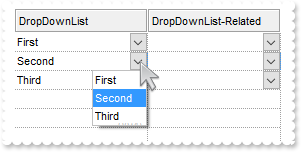
729. What is the difference between DropDownType and DropDownListType
/* Copy and paste the following directives to your header file as it defines the namespace 'EXGRIDLib' for the library: 'ExGrid 1.0 Control Library' #import <ExGrid.dll> using namespace EXGRIDLib; */ EXGRIDLib::IGridPtr spGrid1 = GetDlgItem(IDC_GRID1)->GetControlUnknown(); EXGRIDLib::IEditorPtr var_Editor = ((EXGRIDLib::IColumnPtr)(spGrid1->GetColumns()->Add(L"DropDownList")))->GetEditor(); var_Editor->PutEditType(EXGRIDLib::DropDownListType); var_Editor->AddItem(1,L"First item",vtMissing); var_Editor->AddItem(2,L"Second item",vtMissing); var_Editor->AddItem(3,L"Third item",vtMissing); EXGRIDLib::IEditorPtr var_Editor1 = ((EXGRIDLib::IColumnPtr)(spGrid1->GetColumns()->Add(L"DropDown")))->GetEditor(); var_Editor1->PutEditType(EXGRIDLib::DropDownType); var_Editor1->AddItem(1,L"First item",vtMissing); var_Editor1->AddItem(2,L"Second item",vtMissing); var_Editor1->AddItem(3,L"Third item",vtMissing); EXGRIDLib::IItemsPtr var_Items = spGrid1->GetItems(); var_Items->PutCellValue(var_Items->AddItem(long(1)),long(1),"Any"); var_Items->PutCellValue(var_Items->AddItem(long(2)),long(1),"Any");
728. How can I add or change the padding (spaces) for captions in the control's header
/* Copy and paste the following directives to your header file as it defines the namespace 'EXGRIDLib' for the library: 'ExGrid 1.0 Control Library' #import <ExGrid.dll> using namespace EXGRIDLib; */ EXGRIDLib::IGridPtr spGrid1 = GetDlgItem(IDC_GRID1)->GetControlUnknown(); spGrid1->BeginUpdate(); ((EXGRIDLib::IColumnPtr)(spGrid1->GetColumns()->Add(L"Padding-Left")))->PutDef(EXGRIDLib::exHeaderPaddingLeft,long(18)); EXGRIDLib::IColumnPtr var_Column = ((EXGRIDLib::IColumnPtr)(spGrid1->GetColumns()->Add(L"Padding-Right"))); var_Column->PutDef(EXGRIDLib::exHeaderPaddingRight,long(18)); var_Column->PutHeaderAlignment(EXGRIDLib::RightAlignment); spGrid1->EndUpdate();
727. Do you have any plans to add cell spacing and cell padding to the cells
/* Copy and paste the following directives to your header file as it defines the namespace 'EXGRIDLib' for the library: 'ExGrid 1.0 Control Library' #import <ExGrid.dll> using namespace EXGRIDLib; */ EXGRIDLib::IGridPtr spGrid1 = GetDlgItem(IDC_GRID1)->GetControlUnknown(); spGrid1->BeginUpdate(); spGrid1->PutDrawGridLines(EXGRIDLib::exRowLines); EXGRIDLib::IColumnPtr var_Column = ((EXGRIDLib::IColumnPtr)(spGrid1->GetColumns()->Add(L"Padding-Left"))); var_Column->PutDef(EXGRIDLib::exCellHasCheckBox,VARIANT_TRUE); var_Column->PutDef(EXGRIDLib::exCellPaddingLeft,long(18)); ((EXGRIDLib::IColumnPtr)(spGrid1->GetColumns()->Add(L"No-Padding")))->PutDef(EXGRIDLib::exCellHasCheckBox,VARIANT_TRUE); ((EXGRIDLib::IColumnPtr)(spGrid1->GetColumns()->Add(L"Empty")))->PutPosition(0); EXGRIDLib::IItemsPtr var_Items = spGrid1->GetItems(); var_Items->PutCellValue(var_Items->AddItem("Item A.1"),long(1),"Item A.2"); var_Items->PutCellValue(var_Items->AddItem("Item B.1"),long(1),"Item B.2"); var_Items->PutCellValue(var_Items->AddItem("Item C.1"),long(1),"Item C.2"); spGrid1->EndUpdate();
726. Is it possible to change the height for all items at once
/* Copy and paste the following directives to your header file as it defines the namespace 'EXGRIDLib' for the library: 'ExGrid 1.0 Control Library' #import <ExGrid.dll> using namespace EXGRIDLib; */ EXGRIDLib::IGridPtr spGrid1 = GetDlgItem(IDC_GRID1)->GetControlUnknown(); spGrid1->BeginUpdate(); spGrid1->PutLinesAtRoot(EXGRIDLib::exLinesAtRoot); spGrid1->GetColumns()->Add(L"Items"); EXGRIDLib::IItemsPtr var_Items = spGrid1->GetItems(); long h = var_Items->AddItem("Root 1"); var_Items->InsertItem(h,long(0),"Child 1"); var_Items->InsertItem(h,long(0),"Child 2"); h = var_Items->AddItem("Root 2"); var_Items->InsertItem(h,long(0),"Child 1"); var_Items->InsertItem(h,long(0),"Child 2"); var_Items->PutExpandItem(0,VARIANT_TRUE); spGrid1->EndUpdate(); spGrid1->PutDefaultItemHeight(12); spGrid1->GetItems()->PutItemHeight(0,12);
725. Can I display somehow the filter just on the top of the list, with an editor associated to each column
// Change event - Occurs when the user changes the cell's content. void OnChangeGrid1(long Item,long ColIndex,VARIANT FAR* NewValue) { /* Copy and paste the following directives to your header file as it defines the namespace 'EXGRIDLib' for the library: 'ExGrid 1.0 Control Library' #import <ExGrid.dll> using namespace EXGRIDLib; */ EXGRIDLib::IGridPtr spGrid1 = GetDlgItem(IDC_GRID1)->GetControlUnknown(); OutputDebugStringW( L"Locked:" ); OutputDebugStringW( _bstr_t(spGrid1->GetItems()->GetIsItemLocked(Item)) ); EXGRIDLib::IColumnPtr var_Column = spGrid1->GetColumns()->GetItem(ColIndex); var_Column->PutFilter(L"NewValue"); var_Column->PutFilterType(EXGRIDLib::exPattern); spGrid1->ApplyFilter(); } // MouseUp event - Occurs when the user releases a mouse button. void OnMouseUpGrid1(short Button,short Shift,long X,long Y) { EXGRIDLib::IGridPtr spGrid1 = GetDlgItem(IDC_GRID1)->GetControlUnknown(); spGrid1->Edit(spGrid1->GetItems()->GetLockedItem(EXGRIDLib::exTop,0)); } EXGRIDLib::IGridPtr spGrid1 = GetDlgItem(IDC_GRID1)->GetControlUnknown(); spGrid1->PutColumnAutoResize(VARIANT_FALSE); spGrid1->PutScrollBySingleLine(VARIANT_TRUE); spGrid1->PutContinueColumnScroll(VARIANT_FALSE); /* Includes the definition for CreateObject function like follows: #include <comdef.h> IUnknownPtr CreateObject( BSTR Object ) { IUnknownPtr spResult; spResult.CreateInstance( Object ); return spResult; }; */ /* Copy and paste the following directives to your header file as it defines the namespace 'ADODB' for the library: 'Microsoft ActiveX Data Objects 6.0 Library' #import <msado15.dll> rename("EOF","REOF") */ ADODB::_RecordsetPtr rs = ::CreateObject(L"ADOR.Recordset"); rs->Open("Orders",_bstr_t("Provider=Microsoft.Jet.OLEDB.4.0;Data Source=C:\\Program Files\\Exontrol\\ExGrid\\Sample\\SAMPL") + "E.MDB",ADODB::adOpenStatic,ADODB::adLockOptimistic,0); spGrid1->PutDataSource(((ADODB::_RecordsetPtr)(rs))); EXGRIDLib::IItemsPtr var_Items = spGrid1->GetItems(); var_Items->PutLockedItemCount(EXGRIDLib::exTop,2); long h = var_Items->GetLockedItem(EXGRIDLib::exTop,0); var_Items->GetCellEditor(h,long(0))->PutEditType(EXGRIDLib::EditType); h = var_Items->GetLockedItem(EXGRIDLib::exTop,1); var_Items->PutItemHeight(h,4); var_Items->PutItemDivider(h,0); var_Items->PutSelectableItem(h,VARIANT_FALSE);
724. Is it possible to display information about the firing events
// Event event - Notifies the application once the control fires an event.
void OnEventGrid1(long EventID)
{
/*
Copy and paste the following directives to your header file as
it defines the namespace 'EXGRIDLib' for the library: 'ExGrid 1.0 Control Library'
#import <ExGrid.dll>
using namespace EXGRIDLib;
*/
EXGRIDLib::IGridPtr spGrid1 = GetDlgItem(IDC_GRID1)->GetControlUnknown();
OutputDebugStringW( _bstr_t(spGrid1->GetEventParam(-2)) );
}
723. How can I change the layout of my columns when using the exCRD
/* Copy and paste the following directives to your header file as it defines the namespace 'EXGRIDLib' for the library: 'ExGrid 1.0 Control Library' #import <ExGrid.dll> using namespace EXGRIDLib; */ EXGRIDLib::IGridPtr spGrid1 = GetDlgItem(IDC_GRID1)->GetControlUnknown(); spGrid1->BeginUpdate(); spGrid1->PutDrawGridLines(EXGRIDLib::exRowLines); spGrid1->PutDefaultItemHeight(36); EXGRIDLib::IColumnsPtr var_Columns = spGrid1->GetColumns(); EXGRIDLib::IColumnPtr var_Column = ((EXGRIDLib::IColumnPtr)(var_Columns->Add(L"Column1"))); var_Column->PutVisible(VARIANT_FALSE); var_Column->GetEditor()->PutEditType(EXGRIDLib::EditType); EXGRIDLib::IColumnPtr var_Column1 = ((EXGRIDLib::IColumnPtr)(var_Columns->Add(L"Column2"))); var_Column1->PutVisible(VARIANT_FALSE); var_Column1->GetEditor()->PutEditType(EXGRIDLib::EditType); ((EXGRIDLib::IColumnPtr)(var_Columns->Add(L"Column3")))->PutVisible(VARIANT_FALSE); EXGRIDLib::IColumnPtr var_Column2 = ((EXGRIDLib::IColumnPtr)(var_Columns->Add(L"FormatLevel"))); var_Column2->PutFormatLevel(L"(0/1),2"); var_Column2->PutDef(EXGRIDLib::exCellFormatLevel,var_Column2->GetFormatLevel()); EXGRIDLib::IItemsPtr var_Items = spGrid1->GetItems(); long h = var_Items->AddItem("Cell 1.1"); var_Items->PutCellValue(h,long(1),"Cell 1.2"); var_Items->PutCellValue(h,long(2),"Cell 1.3"); h = var_Items->AddItem("Cell 2.1"); var_Items->PutCellValue(h,long(1),"Cell 2.2"); var_Items->PutCellValue(h,long(2),"Cell 2.3"); spGrid1->EndUpdate();
722. Is it possible to scroll the control's content by clicking and moving the mouse up or down
/* Copy and paste the following directives to your header file as it defines the namespace 'EXGRIDLib' for the library: 'ExGrid 1.0 Control Library' #import <ExGrid.dll> using namespace EXGRIDLib; */ EXGRIDLib::IGridPtr spGrid1 = GetDlgItem(IDC_GRID1)->GetControlUnknown(); spGrid1->BeginUpdate(); spGrid1->PutColumnAutoResize(VARIANT_FALSE); spGrid1->PutContinueColumnScroll(VARIANT_FALSE); /* Includes the definition for CreateObject function like follows: #include <comdef.h> IUnknownPtr CreateObject( BSTR Object ) { IUnknownPtr spResult; spResult.CreateInstance( Object ); return spResult; }; */ /* Copy and paste the following directives to your header file as it defines the namespace 'ADODB' for the library: 'Microsoft ActiveX Data Objects 6.0 Library' #import <msado15.dll> rename("EOF","REOF") */ ADODB::_RecordsetPtr rs = ::CreateObject(L"ADOR.Recordset"); rs->Open("Orders",_bstr_t("Provider=Microsoft.Jet.OLEDB.4.0;Data Source=C:\\Program Files\\Exontrol\\ExGrid\\Sample\\SAMPL") + "E.MDB",ADODB::adOpenStatic,ADODB::adLockOptimistic,0); spGrid1->PutDataSource(((ADODB::_RecordsetPtr)(rs))); spGrid1->PutAutoDrag(EXGRIDLib::exAutoDragScroll); spGrid1->EndUpdate();
721. How can copy and paste the selection to Microsoft Word, any OLE compliant application, as a snapshot
/* Copy and paste the following directives to your header file as it defines the namespace 'EXGRIDLib' for the library: 'ExGrid 1.0 Control Library' #import <ExGrid.dll> using namespace EXGRIDLib; */ EXGRIDLib::IGridPtr spGrid1 = GetDlgItem(IDC_GRID1)->GetControlUnknown(); spGrid1->BeginUpdate(); spGrid1->GetVisualAppearance()->Add(1,"c:\\exontrol\\images\\normal.ebn"); spGrid1->PutHTMLPicture(L"p1","c:\\exontrol\\images\\card.png"); spGrid1->PutHTMLPicture(L"p2","c:\\exontrol\\images\\sun.png"); spGrid1->PutAutoDrag(EXGRIDLib::exAutoDragCopySnapShot); spGrid1->PutLinesAtRoot(EXGRIDLib::exNoLinesAtRoot); spGrid1->PutHasLines(EXGRIDLib::exThinLine); spGrid1->PutShowFocusRect(VARIANT_FALSE); spGrid1->PutDefaultItemHeight(26); spGrid1->GetColumns()->Add(L"Task"); EXGRIDLib::IItemsPtr var_Items = spGrid1->GetItems(); long h = var_Items->AddItem("<img>p1:32</img>Group 1"); var_Items->PutCellValueFormat(h,long(0),EXGRIDLib::exHTML); var_Items->PutItemDivider(h,0); var_Items->PutItemBold(h,VARIANT_TRUE); long h1 = var_Items->InsertItem(h,long(0),"Task 1"); long h2 = var_Items->InsertItem(h,long(0),"Task 2"); long h3 = var_Items->InsertItem(h,long(0),"Task 3"); h = var_Items->AddItem("<img>p2:32</img>Group 2"); var_Items->PutCellValueFormat(h,long(0),EXGRIDLib::exHTML); var_Items->PutItemBold(h,VARIANT_TRUE); var_Items->PutItemDivider(h,0); h1 = var_Items->InsertItem(h,long(0),"Task"); var_Items->PutExpandItem(0,VARIANT_TRUE); spGrid1->EndUpdate();
720. How can copy and paste the selection to Microsoft Word, any OLE compliant application, as a image
/* Copy and paste the following directives to your header file as it defines the namespace 'EXGRIDLib' for the library: 'ExGrid 1.0 Control Library' #import <ExGrid.dll> using namespace EXGRIDLib; */ EXGRIDLib::IGridPtr spGrid1 = GetDlgItem(IDC_GRID1)->GetControlUnknown(); spGrid1->BeginUpdate(); spGrid1->PutHTMLPicture(L"p1",_bstr_t("gCJKBOI4NBQaBQAhQNJJIIhShQAIERFQIA0RAYGLriiIEM5BJpBiIARYlMBNhQPLhJIhBKhoQLlTTLV4la5VYx/fZVOoee7") + "de62drYdI4YIWcIteIQEbEEAzCghEwIRIZKSmJD8EIZMzARgZKYmEAmDISYgEAISIJKdg4JzSOK7bp9b73HiqezeNYxLD7Th" + "7N67dpmQSQIZJUpzVRqT46PY9Xy1yL2Qz/c6HXbzHoAKYgWrzC7tZDtLgBOpzOajQApWDXZwOdABb6eHa+fCHMTCB7AMo7S6" + "AIxMcADcAIfHEe6AQ7/G7zfhfHqeAb/AJ8B6TfITMAVGLrd4Db78aY/fydH77axfPjjS5fP7tcLMY6EOYed4dbyHcwHCoHfA" + "ICCApOHEDgcA+OAnACAJgBya5jAoLh5hCc4OGcQ47GeQIBneNoGHaTI5kAKxOHuHAzjGXp5mwAZgnyNB/nCPh9g+ABinGYA1" + "kmGYAAqThjgGQRwHiThPC8Vhfnma5/ngXZvn8ew7keQBfmOUAYCIBj7ngbY/nqS4/nkDYzieXwLn+dp+j+EpiE8CAAEKNwZF" + "OTZ3FCOpgHyRQHkCcAJmUDRzgEHwhAYHoRAGHxADuCAxAeDxOAcHA3jmRw4guaoamcbZMAwM4EDWTkNgGqQqHYPJEDmKhrDw" + "B4QmcKAsgkcQGGQHBLiYfBGjcCESFATIID0KgDjgBJ3hGVQVk4JZqHcbpklef58g+fwFScd09j+AwnECWY0FeEIBFmdIyAsZ" + "4fHyEIRB6Ch4F8UZLDWdQ5CAAheEOTAxGmWgDhqYIaEGO4AgiAYNm8RhwACKo4HaCgviCHptB4Uo9ACAQlFsG5rEINAFh4Wp" + "xAQRAqE4QAlGARJGjmLw2EYfAdk8DIomYGJKjISY5AiChKGYIg/EMUg7iEGZ7B8GABn4Do0jYWRVASMgiGoLwTHMdJKEkaI9" + "CaZwej6H85mcCAGlwBQfFoH4bFyJgEAOdRBBCEoSC4ZpUAOOpwBURBbieeYzEeKwIAOJQAFSVABp6U5Kg+PhvkGex8HAOJnE" + "2ZgPF4WY1kQHALiic54lcYYQiAQ55g6VQbHMdZfjyF4PCYTTLkaAQGCadRIE0VImlQLQgm0EhalsNYMkgHRMDKHpiGoEYmlA" + "RpZDQYQMiECYzHwQhEHCKZOmOVZ+mMJYgFqIRgBYVoLCmXgHlAaoeCUYJKgcU4IneHoQiIQR5kIDBEBiGhMDoHgL4CQ/BiBe" + "EIOILgRBaBwL8fweAZiZGaNEWoYBwjuBSAAOoiASBECMJwG44Qih6EEDMcIRBmCyBcPQRgwwBCRECJgPQ+h0gRBCDQZYNwXj" + "wB8FAVYvQsC8BSKYWy+BvABC8DwSobAghSAEOoFgjGKAVEeJCA4oBxDZB2PwWQCWqgQAkCEAgfA4D2HSB0PwEwsBdCICkBoK" + "gIjVAEFcD4gw8D0CsAEXwnQtgFBoAUPIahmiICANQRwWgjCDGKAsbwEBaCjEozkWQDhECcCiMsIAjBIiQBMAYA4DRUCMBsCk" + "YA+xaCFESG8P4LwBCqGqIQOgiRtASESIYOA+xmAnCoIUYo1QJhiE4BIAT+REghVkG0SwcgnCbAEJoI44QoCnFQFQCgjx0BdC" + "SG8XIzQegFc0KgbIJgWgkDUBkOIrgEicCOKAM4HBwDnA+JkIQXg9jYBmJ1SI3w4hxDsIYNQzxnDeEUPkZwIQfAaFcE0LQmws" + "AtEsEYAo8BXCjCsEAAYLggDQEIOQYIsBWgeFSBkEo4A+iPBQIQGAIQ8AIBCBEPowBDjQCkKQAAHhoiMBGFEWoggFDqEkBkIA" + "7RcjKDwNcAYthjh9AeBAIoKhCDUDaD0YIewUAlFiFoRqrBlhVGOHoAoXw9ADH0H4cA2RZieFmAsZAQwnitHgPoS4RhfDyEqH" + "MaQcAhiaHoAQa4gwDCzCEB4GISgIgACeM0DIHwQi0AZAkOIGgoCfFQncQ4ZhcgqHYB8HwagsCPGaOoZwAhQATHGAwKgcAAiV" + "GMjsSIihRBcFeK4CILQ7hjGAMsCoUBSgiEANMYg1RiiCAoKAd45wuCeDMK4VwYAbA3AQDgIwchDCUD2EIdAqA8gkCuAsSgXQ" + "ZCcFeFcM4jAxhPHYOYZgdxHChAwCwJQhQ4hMB4H8SwKAKgeA4MMfwQQRV9qGPcGwUQDjOBOGoDwUA9BWBuJ8CEIxlh7G+MgK" + "gxRciEEkHERo9hUBWWIJURgqhRA4CoEsJYjxXhQAAKKoY8R6DjGYLMaYjgMAgBKKgAQwQ7jcBYGAP4Fx9TnE8MMOgAhDiHFg" + "FgYAcAFA7F2DATYdxGCjCCGcWIgBzinAWI4R4MxZh5FEMgEIVwrgzCUPESgIhCCYCwP4CgPg/DiASDEQIwhnBuBIMYIQ6g9X" + "2D2GYOYmxTD3AcB8CQ3hbh4FaGoHI3gkj7HIE4awEAiAtAaCkXwxQSBAH6CsEAgBhi5BSMscoihug5HxmgLgZQFhYAqKYGIM" + "RPgvCwCwFgqh9gwFOOQAoKg4D8pm2UOIeQOAAHwOgEYWBXA7BcC4I4tBHDgBlkoQ95x7hJFaN4OgwRbgAHWPEYIcw6gFFqEY" + "UwUxnhsB8DITYGQciaHeL0bIKBZADAoG0CgFxWioDuGYNolQLAEAWkEagowVCs2SFAeIWBzD7A5NwC4kAuB4DgAQWYqRuj7G" + "SAoQwDCtgZH0OQCYGBjgOAiDgbAzxmBmDgHzjQQBvh3k+CwS4PR1jRHEMcNgAhLgXGMCsPgGAsguGeBkQ4cxTDzCGKYWYfQp" + "DwCoAoRQZwzguA4B4BrVhsA7HhycDIpQjhrDCHkeoiR4gLDQIQYIXAtMfD6EAdQaBrMBEiLEJIFAoAdCiBEKgow8jNHOCqwg" + "rhMi+A2PEMIThWiZFcIMaoCBIhEGSJkTgOwhCAFGAcBIRxvCmBqIcLIvwrC4FyIEdYBRqDaEiEcRAYRBi/GcFIc4OBJDLCmN" + "YVYGwzdGBMNMDIqgYC2DyO8dwQQLgHCWLsJwEB4hIHGNkVwWRvreAiI0LQKwRDZGwKAVgUQGD7AcEEUgIAnBQFEI0f4XAEO6" + "GsHADoaBSDkEKE0DQwwoCuBMMwQYBx4DwAIEoDwjQOBYhUgNhGAGBwgWB9gCADhXBZhkBfgtAAgFApBNhKABAcuohnAPhphu" + "g6B2B3BehghyAghRArAWBgAjBghDhPApAZF1DsB4hjAlBUBFBEhThiheArAFhVBtB1BIhuBiAHgUALBMgXhXg/hGAqAggbAu" + "B+hZgKgQHdBSgTAxA2A1AfBDhigRBAgyBzApgFhAAjh9goAlhvBSBsArACsBgshABBhNgVgphqBvBAg8higxA0hPhoghhkgN" + "gcBaBtBRhhBdBHB2B2AeBQgFgRhxh4ADAYgsgtBWBahchdBgB6h8gjgTBMABgIgghqh0AXAcAJhtBEAQAVBigZBMh5hUAKBN" + "guAKAph+BVgQBYBglUBUgKgbAOhZgEgOAOhghygagOAOAgAlARhRA5hOByAWh6g6p/gugChjAAhrABhWBDBHA6hDByBtgaBe" + "g8hpATBVvSg2vRgDhSAHJxvQA+AhB4A5hJB3h0gzgjhUAEBagFAnhPg/g2BUhIqJhchGA3hUgJBmh8BIAmAAgnB4BnBxhegj" + "gMgtAyhsgphVheAdADA+O2hAhzB4AQBxA+AzAsABhpBYgBATBuhOheB1BshTBNBZg5gsBWAWAnBWALBYBUAOwAh0gTARhoB4" + "segWBrg4A/Awhgh5h6Bch4hFhRghgFhSAjgjhwAshYBcAfAhh1AgAkAeg3geh5A8G2BSh6gHAAAVBnAghGBQBdA3A+gEAggM" + "gfhqgth4BQlMBXgGBBA3BJgxhZg0g7BVhEBhB/A3AxBahlBWP0g7BMh0h9BiBoh/AkBvhMh4AqnwABhjAWh0hEBUgCgjh2gU" + "A1gcAdBAhOgOhMAmBggZh5BjA1gOgtBQh3h2hWBCg2gLgpAVsNBWhnAUBZhAhfBvgRhCAwASh6hbAUgyBihJBEBwA6gmh4Bg" + "gBBSBBAygABghEgIgWAaBQB3BKgFAYBRAQAFBggig0BGgFAIg5hYhKBwB5BlAYBegPAwAuA6h2B3hhhnA+ASBiBGA5g4BYAD" + "gYhGBUBBhVhNhcgispBFA4A/hnhyAFhnAEBKH9hjh6gNBnAnAwgfB1gMhjhAh0hmBsAwBWhQAsBygshDAChYhNhZguB6AuES" + "BeB+gXB+ByABg3gugVgeAvg9g7hwBBgPh3z/AmATBYA/gsBshthngrBlBZhiBCgugaBeAFABBnA2h4hWAtB3BcBnBWghAxA1" + "g/BCACBFgahKAFA+hrgIimgXAIhhBkBghAhihCwVArhshvA4h+AwASAChAAHAqhVgVoTB5B1gIoOAxBBBphzgegbgFgcAeB2" + "BggMgWA1BDBWB4BxgHgLAmMrBrB1gHAUgdgeA9BdgJEbhDgfhNAQhah5B7AXhWhIhdByAjh3gCgpB2Acg+hvB5hzBLhLhSBn" + "B0BdhfBSBfqRgNhVAFAQhMB1hrhNAEhQhY1SB0ANAxgxA7gDg7A7gwBWAMg+BRB1hmBxApAjhlhtg6ADBAhdA8g8hZBpArBG" + "ANBFhTA2g3hQhLBIhshWBxhggQgmA9g8B/BeBxzzh/AXh8JCgDAqAdglAMg8B+AJhMBnBwB0BgggAPAjhrBFgThqA4gigPAD" + "giAVASudB6gJBUhAgtAwB3h4BFFxhwBhh7hQhyAhBnAlh6ASgOh/B9gFBIBrA8g6hbh2hWgrBmgpA1BjB9gkAmAWgAALBMA7" + "g4A6AABnA6hLACglBjBChCAVBth9Atg1BTB3gGhZhhg0BrhvBNhJBSBvAzBTBjgnhwBTgPhhBig8hjsJBIgRBKhPBJAjgXAX" + "oYgPAHAHgABrhRhoB8U0B5BzBGBqhxBFAVAYBGAVg5BUhqAtAMhrgFhzAdgbhSAqA8B7AKAlAvB4gJANB4AxALAoAiVhpxBk" + "hqBZARBiAUgZBXBbAvKRARAzhFgGg9hdhMhshmAMARAMAIh5BnBeAgA6AyAdAMhUi4BeBPhsBMqrgzhJh3BdAchRARhXBYhh" + "AYg7guAuhGAEBzAchLgrhYBeAMosB0AUB8hNBygmhnquAbgbgOgHAVhaA/B6AvBvgwBthRhdBwB9h/g3A4BEhohdBgh3h/gw" + "A3BHge0eg4B6BwBLBtg+BHABAOBagzApBNApBOh6gBghB5gBAI4QgLhTAEBMhBgugRgkhnAihOBlgtglhLBNBEg0hFBzBIvE" + "hbhvBYBkB3gugzg+BehNBTg8A3hrhRBjAGhvA/BqBwhuBkBigygjgkAOgugbg5A+gGhpgkhnhkghh1gvAdAzhWhdBLBWAoAM" + "h4BYhbg3AqAZBHhBBjhiB/ACBqgPBjhADNAfh+hoBdAtgpAfgmhCh3gghgANBIg2BegABQAaAXg0AHBBBLAxAYM0AiBXg6gy" + "hSgWANhLgzglhRAoBMB6ARgpAWhWg3BtBrR9hAAqg8gLAPtxAZhlgZAjhDgRgHgn1PgEBhgxBiB9hHAHgfgAAI09A1BYhZqN" + "AwAYAHBWklgGBsgIBYhizSB4BMA4g8BjBcLHXkhCjqAIg1AsgwPRhWhsBshcBJBqgEhMhhhBgUg8gsA2gCgHAQhBYYAzBaBA" + "gnBkgAARgRZShpgLANA3BxgChmgVhyBnAmBBADgaBJmrh0iUB+hwB+gzB+h2gyA9hRhigdAIA+BHhkAkgtnMgAhehShtAHZz" + "BRgUidgqNYrtR1hThggtAEAfAohiBCBOA6AjA4gyhZgHA4ATg3BsB6g2hytDhPQwhjD5gLAVp+BDBsATgppBBkgMhzgdoOP+" + "YahHB0BBW7gHBHAdBDB6hkB4gEhqAdB4ByBRhPBbuqBLBrACAPB/g2BwBmhbhPBQgWg2h/B2BhgJhvA+B6AGBzhwB+AGOkAJ" + "hSB6B0All2BUgaB0BtAtBEgkBjAbgbAUBJBbh7rOgyh9h2A7B2A+gzhtACAmBaZ1Bqh6BWgWgmgrAMvbBdgLALgjAOA0gdsE" + "BfhlgLAhhrA1hcBcBYAzhaggAUgoAjBxgQhpBVBoBJBsgXBzBqI4gLgTgGB1gJgHBHgNApg+gkgLA8BQgjhqAaBqBpBQA1gu" + "h5gWg6BNB/hEhvArhkBlhdBWgbBDA9gxgbAChuAjAcA2hSh6ATBWgkglhPhNgKAEhOgug1hxB0AEA3BXBmhRQRAZBrgBApBP" + "g2g8hCgaByhUE8BUhKhwBHvMhKhwhrAPA9h4g8A0gYhaBMhqAzhvA/h4hwhlgDA/hrBQh7g1gDBcAug4AogAhSAhgbh6hiAj" + "AQg1BXB+h9B1gjBKBdACBageBxh0hpgJgOATgUATBwBJhPhPhwAeh6ApzQgnA8B2glgegVBhgrAgg9AlgChbgZhHAXhvBsAu" + "BeA2ArhiA7BoBFgHgvgZBsBIgvBVAMA1gxgAhtA2hfg3geBkAlB1BYrbhbgKhzBbBUhEpeMhgOhnA+hGg7hvBQhWgwBGhSB3" + "A1heB5h3AahUhvhahtBvgGhQAOgRBhhbAtg6gDgBA2gEhjBtTmA2gMgshvOYB8h4B8BVgLAig+g1AGhChtheBdgIh0B3AZgY" + "B5B5gUgCg8BBhghFglBdAHhLg8ccBaghgShvB0hwAhBWgxglhlgNgkBSArA612tcg6gZhrBLUohIgZBQZVAWFNh1h/BVhyBN" + "hNgGAKA2BTgkAAhtgQhZBsgdB5BPhvh8hNhfh9h9A3g+h5gNhfhdAdB9B+h0Ahg2BmgiBYhGgGhYB2hUh8gIAthHhXA2hEB4" + "BbB0E5haBwAOBvAjgxgvBtgTBFhjg8hHhqA5A/gmA2glhxg2gJhDAWhKhsg5BLgChrhth9n6giAVgwhhhnhOg0hlBuh8h3O1" + "g6h5gdg5gPhzgOhZAvBKg/h9EuB+AXhwAEg4TXBIhUgHAtgTA/AOg8AJh8ARhwBrhsAaABA/hYhHBFAEh/gXhgA9pRk8BjA8" + "g7hAgxg2A3hoAIhbAsg1BFAUhxBFhfAohVAAhFAAhZh+AphwAYhbAzg0BsXwBcBugUhbBhh2g7Acgt5fhxAPhBAwg/AEguW/" + "hgAkBBhgBzA0Bdg3faBwBFg3h+hmhYh4hBfSgxg5h1A/gBheADASgcAKg/gJAjCRgkgignAiBXAhAwBBCAg=="); spGrid1->PutHTMLPicture(L"p2",_bstr_t("gCJKBOI4NBQaBQAhQNJJIIhShQAFUREQIA0RFKQJY2iIJOBILJzhQOYkjYgBSorBwbhQKJ5pIZDKBQNBvOhvOc1OAgJMxEB") + "wORvMxpNhlhR4bSdKZnKhTdIWHr3bz0IRLRCAShLN5SCoIEBSISLQAUSImFQhBIQJSIEKhbIVKLBCJFIoEDbIUCIAaORyARl" + "wFgMRQKbAHcghUSOQajRCKZT7cJ7UZray8e7mZr+WrXHznVjzTqzZ4HYAIBiWJAzKI1QAMVJCDwRcCDY7EYzhcguICBBQkOA" + "ACAIWZkEJzfojAIAfB+Hg8FYiYAHXwAAJ4aYLBAAYBNTbAGAcQ7/B7qISZLgBQCEALAOiRHBLBFjABAPSOISm+ZG9CdTAmKY" + "AFAAgADAZYxjEcYACgFsBhOP5zGmABAE6fBMj25ItkoEIKgCUBIgAEAJjKRAiAANAdgAVhnisRQigALAYAACgzCWYgcgAbEF" + "hgJIrjMJAAFgW7tGcCAFlkADTAAGAokQQoUgAAg9wGZARhGPAAEITMYiMeQrh4eIVlcCBzomAA8EyWQeFyEgciKQItgQFo4g" + "OK4rhcDwUGcJILhWCgbDCAQwk0IAXGEPJMgyGRAhoB5wHmZiFQ6CrZEGeZ+jwZwHFcZxnBsRxbAcL4WnUX4DH+EQxQOfxyme" + "VY4CAhRwjoPxon8FgXlmDRAB2AxADafxRBKdwCDQLwFlAOp7kWMxZAeIBawAdJtCueY4OW5oilCSBcmybJynIchsCUYghC2M" + "JlCuPp/DOYQvmAK5+jYfLmH4e56nAXxxBIQIZC6QIjgIfBwGEZh6CYUoOGeSQEkIMRuHMR4jn4W4Fn+fgOmmERiCSMRciwFQ" + "KHGKIJDiRwiE0Rh5hkUoRESIRJBSYoSmkf4yHEb4WH2AYfG+GsfjUHwAj2SIWlQLoxgGewlhOCAsDoYBxHuhR5F2N5gmoFAE" + "AGQA0EGcJnjuf53h+fojlAEsIjMJJJDihQvCIEgXCoZRZh+Y7sgAIhQECFRYCCDZ6GCDAWGAAwOGCApuGCBZ+DAGxCCEEhiG" + "EIQICEBQyEADg5DAFJWEEIQUEMZpYA6FQwBeaggA6GhgCiNBDEmOAHUIKpcAcHo4AefQwgQTxghQXhAgSAggmQBAJjCEJtEQ" + "AIxEULARkcBALkyQp8BCYIkAICRFhIEBkkQCgohEJZIhqJAYikRQqBAKokA6eQejkAQckOLgjF0SIdmQAAZEEPwQwvAjgxEo" + "IEWQUQejUAYLUIYuRUA3A0IQIwogFjQDIHQGImhHgWFAJsaAchaAaB6IwGwoRzjQFWGgB42hHg+CGMcGAwB0AYAODMYgbAYA" + "uGMMMIQsQcAsASJMMYyxYgiFYAwVYxgNCwCsKwAYuxEj1DGM8WId3tiBCKMABINgCB3CECAMIHgghICwEwLAThsBIFQCADgJ" + "AaARG0AkG4CQBiECiMIE4IhJioCWLQEwugIj5GIBgMQMgYiHCwEgFgIxrASEeBMF4EA9iICGMQG4JAJCJCGDIE4uRIACCSLE" + "UgVBpASGkEYaQbgpAjHSCwVImwaBIA0CMSYyRtBkDWLIA4ORKAsBACsZAhRyCdHIMMcgMxyAbMOPILYChOhiCAHEUg+ApjiB" + "QFIZQaglAZHKBAcoNBygGDKJgGQQQqijE0FIboqBQhUAiDUR4WghCtFCLYKQrwoiHFQBMGgdRNA5GaIMCwSQlilFaKISo0wN" + "BoAuGge4aRXjoDpIAbolQPBOEuNAK40hljpCOOgS46ABj0DuAwBohgKm0EQGcFAGRNw0AwGcDIdwMCvEwEwUwGRpiLAyMcKg" + "MAbgxHWJgc4mQHiZDeFVjwtgVB8AqJEZQChKhKEqCYSoGwVAvCoKkVQphVDeFUAsKo8wqjLCoI8VIXgph9FcEYKoMwpjjFSA" + "kaglhVhVFUJ0KA6wpgbKWKkHYqBDiqDOKgN4VAfikD8FkfoiQDBZGGEwYYTwhikCiKAWIXxxi8GMCABYYwMizDwCwEIawGir" + "EMHUQINRiAmFiM0bIfA7AqF2JgfoHRdiLB6KoVIoQchDBmEoGYVxZhSHmJQMwPwDjjEwHEfAnA6BOASOcFApxLjzD8IobwFB" + "3gpHECkDYpgaBMFyDEMoXA1iqEsJcSwWBVhIFWFEVYRx1i9BsK4dopxOimF6EUXYWR9iBAcEEY4SgThcBOEcM4jxnAFE6OcK" + "Y2QpjdFOAoU4Fgmg9B0PUVwLhVBrFKBsUIuwiB3F+G4U47hMCeF8F4QAngmBvFON4PIvRzj6A4H0F4/QqD9DaPoU49QjgMCw" + "AYWYDASAGG2AwZwGAeDFBqHEN4PAOgvGONseIUQhhdGGEAIYpQwiVDCJccIhBIi5GiDwUY1QjCNCMA8RgaRjBcHGCQcYbRjZ" + "4FGCYAwJgQgmCWE0dQTR3TpCaLkUwKRTA7CZowY4zRmDNFEM0awmQaibB6DEa4Mhzib06NcTY3xbhgC0HgLQLBbCoFsLgMoS" + "RZDkC0KYLI7hbC8DcIULQOQsilCwFULQXRZhGFaJ0VoJRrC7FaLsU4ERTi5CcJMJwqxPDWDOMMWA8RbDJFsKkW4GRYDlGxko" + "Vwtg2i2D6GEM4YgLhnFuMUVwwx3CTF6JMPoug+iNH6D0A4DRDjZAcKsDoWgOh+DmLQOQFAdBWB0N4TQzhODuB+H0Yo9BLDpB" + "eGcLAzwIDPGwDMcYtgJjLBSMQNJShNjTwVusXIc1KCIEWIkJYghlguEuD4FwmwNjGG6MgXo5AlB0HqHELo4Q9DSHqJ0TYsxN" + "jCHaKgbYrx3A2HcGkdwhxuCfGYDQT4KRPBZBmHMaAwxkBDHAFEco0QfgLE+JUGAaxvisD9ZQJ4gQzi1HOCMF4YwXiRCuK0a6" + "QBSh3FUPcMI7wLg+HsD4OQnxxg+HGDwG43gZDeCyF8ZgNxgC3GQLcZYTxhhvE8F8Qo3whh/BGzQf4eh/jRAAKcQAJQAhnAGI" + "kQIQU3ACH2PgPQfAQi/EcD8HQ2wyj2FkNkdoQRGCgFyEECoQRHiCFaIIcowRWghDQMgdgkPqj3HOJgZwkRnBpAcIUKAfh0DW" + "GgAcMI5gwiLGGH4BgJxCiHEKFcQwPxHBwEQFgDQ0QYhLgag7hohuAhg5hvgiB9AiBLAiBvBNgzgYgngchXgWglAagVAfBVAX" + "A1AeBtAbhdAaBdAfhjAXAzAshmBqgsBOgsAkg2AlgOAcgXAVBXAbA3A2BfBvh+B2h5hDhxBOhxAFhxg9gLhMAXhkAug4A8hQ" + "hnBhB6BCsLhUgXAJAWAdBLAgAmBEAnAcBKB4AggIAVBUALBGASh5AJg7gShHAFA8hhAOhhAzgRAXhogbBohEBsAhguAVKLh5" + "AkAVAmg9BJB2BIheAag8gSBigZhSgWByhchCAThUhIBeAmAGgmBuhNgdBPALBNA7AQA2gZMNBegYhBhJBIhIA4ghBVAQgmhJ" + "hbAzh1AzhzAzA7BlhWAyhChZB/Big3BFhbgXgPBKgDhkg1hZhIBWACgsgWgFBbD7h0AqAtAUBrgVADhZAzgykeBfhmhEhlAc" + "q7BPAVhmh2hmBZhlBthIAbhOB3hPh/h2gJBhAJBwhJBbBShDAlgrgWgOgsBzBehWA1Ack0A4g8htgFBxgKgCgVhDArADBWAe" + "BcBFKmA2hqgnhVh2grhLhXA/BegTA9Amg1hAgvBghlBBBghagAg1h1qxAFByhCg+h1huBrh2gugngsAXgshvhagwh9BDBOgN" + "gfAKhEhFBXAKBtgLhLgKg/hsAUBuA8BygNhDg3hlBfhMhuBKBaBUhVhiBcgyBngzBpAzB0hzBvAWhPAtgHBLBVBLhzBLgHA3" + "AGhshtBaAGhvgrBaB2h6h7AihtgXhLhmgUBthdhBhbIGhRhfyFBeAyhThkhnBmgdgfgqJRh6AqB9AqOpBpBuyahrh8A3Boh3" + "ANg9heB7AaB2BqhtgtjLB+gfBkhfBtgqgAgqgmhqgzBqgyh9gkh9hZh7gfhXBEhVB0h8BLB9g2guhWgnA2g4h2hjgBhpABh+" + "gDgRgHBbBrhchqBqgOhpAegqApBHhrAVh1gjgHBjgPhfB/BOh3g7gWgGgbAGgqhGhOBjBxARg4AiA8hyB0h7gEhvh7gPAGgd" + "BtA7BGA9hWBwgDhpgPg7AOgzsqg1AhBNB5BNAjBNgphNB9gtgxAthdAnhmAfBohrB1BvA9B+AjhtgPgHhOAaAeAsg8glB5gq" + "Bkg0htB0hBBphJgzh5BnhGBOhKhOg+g/AXB8huAwBthRBbA9hzgxhnBvg1AHg3h3hdAIA6BwhpAih/hFhzgdheAdhnAuB5Bc" + "A6B5BZBthygJgrhcArhNBXgdAvg2h1A6B1AeB/BJhpgnhjhdhOBdhNBXBcr0Bch3A9Behag9gzB7h0gNhPAbhnBuh6Beg8h4" + "gLB/hrBqhPAcgehuheh5g9A3h7hil6hvgLBug/A5ATh+hnBlhdhsg7gTh3BWheAnheAvh6AgPjhsghhuhDhqgfgth/BuBsB3" + "huA/g1BgA7hQB5wBgjh7gDBChBhnh/BIh6hHgHghgChHhMhHhlhDKTh1hPAcAfAcgchxAfg5B+h0h+BTghhnysATBPALlfh/" + "BlhXALgLAXg/B8Bqh1hrhnBohMBohQhLh5BLhJhfg2g+BSh+h1BgB1gMhXhthjBhBjAPBfBkg8AZgYgvB6ArB9h2hgg7huA7" + "gOh3hRhvgHgnhyA+AQA/gUB/g0B8hYh6gphoBTh9hJgMhJhJh/gCABhMB5h+AxgZgWhtiIgCAzgggmggiFBYhHA+B9gohJiI" + "gQAxgkApAmiFA9GzkIhBiFB8h/iFBAB0iFA6kYAAB1AwCFAdBMCFALg3hJAvhigjCFAFh9AkgiAggqCkBWBMAshHguhjg4hj" + "h/15Bsh3AZB7hnAGBDghg1AiBMgtCQBZASgtycBigkBIALh9gSg3gghfAgAfAkhfAkAIByASggBADqBBAWAgB5AIACBEAxAl" + "hbAygWhqM8hDBRAcAZhOB6g3Azh0hWh5AYKaBpAItWg4gBhCg9hABBhth+h1h/quMOgxAzB+BygvjjhfBlAwAIBWA6AUA6gF" + "hUAfBFBzALAKg6AEBGAvAIgzB5AVhnAyAngChRhuBag1hnhUh029AQh6hKxyhoh9g8BzgOh4A1grgZguB/hnANh8Bbg/g/AN" + "gigjAIAihHBTBKhlhMgEh1BwAmhUBqAAASAPBWh7hxhfh8BtgjhngFBvgwAYBEBKBGAAATi5ABA2gWhshEhSAlBMg6gfBChO" + "h7g3puANoXhJgYB2ArgMAHHyBggGAxATA+BZh4haggFDhBBEACAIh6hzA9gtA0BQhZJWhxh9gbhMhMhBhkBIBjhSBthzBgg7" + "BogvgLhbAch2g1BIgFAtBvhYBaA+gMBhAwBVAxhwAQAkBNASBEBnh7AGBABMggAiB/g3goAlAIAIBBEKBxAqAzBNBSA6Apg9" + "h2AKBXgFBIhlguBzgUhqBJBlgogmBXAUhCgahPB9A9AgAehlA+rahPh2APh5hkg4gvg+gYBcgbA2hxgjgigRB1gqgpALBWg3" + "BaAQAxASArAZGMgEAiglh5BXgEg9BbAigJAaBWAPhIBmgShKgqgUhqg6AfhFhnB1gZAWA6A2AyBPA9BigQBFgjhehUBegRgb" + "gXhahmhWgaBYgHgihcgJAugJheAFhIB5h6AuA9BLhqhXAZwQgLB7h8hMgpgqhrh9BlA4ANAJg6g4hSgYB8WMhYBDBfBbBRBz" + "h/gIBGACBOglg6h4h0BrhSh1gvgFhCBbBpA/BPBsglAKhfBMgygRBpAVA8BfAMhBgkA2grhNgbBrANhJAtgVhzBVMVhPAdAx" + "gahxgwA5AdAYBqgoA9gpBnB9gCh3hvBPBWg2BGh6BfBbtKBlBAAMh5kBBiB0hYhSg/gdgUAAgcAHgegogUALAvAGgyBb3VhV" + "BehNhxg7A2gehyAcgugmBYgPAYBmg9hujAgxgtAuAig9o/BzhZgwhDAwSBhEg0hLBhAeA3BihvB4AQAChahWgVgwhqhlAUAm" + "TbB9yUBmhGgFgUh9BEg5hehXBqhrg+APBvArACAoBqAehnh+BqgKBSg5gxgTAogMBTg9xxAIABhzBygYAqg6AZAUAzBdhShn" + "h6AoBCh7BSkZAR0+h9hqhFg9B9U+Agg3heg/g6gmhMBeABAgBEBvAwgfBPh+ByA4A/h7iagIgfgmArBvAegcA4B/g0h9heh1" + "hdBhBkhhhRg3A3A9gVhpF0hXhxhJg9S8Bxg1hDg9hvA8OKhbhBBpBxhYAjAihkgWBSBFhogGBiA6AkBfBhhqAKA3ByAHBfAN" + "sEq8BThvhchaBcB+hpgVgthx6ZBigf2shHhghhG8AzgZhSBEAoh6BcBuBnBjhFgDh7g/heB5h0hOgPhuBWB2gFBXg+h3hWhh" + "hOh2hPhMh/BzA8BKgfA/AjB8hLALhiglg7gRIpBfhbhQBTB4gWBCB8AlBFBBAghiASBUAaB5hOBBhbgmgKAMBEh9AsglBJhv" + "AkhGBdAcBfB/hJg3hkhugfg/B4hDhXhyBzBhAyniB4BVADBEgHASTegmgIhEgRAUAHh0Augshjhlh1gyhbA7A1h9gnhvhfB4" + "gvhVhFhFhrhTA1g7B3htgTAzADgJh4hmBngJgJA2APA6gyg9BaBohLhvADhxBThA8aBIASgmhSgnAugbA3glAXASgqAwhhgY" + "BaA2hTBthsg5g9A4h4BjAqg5h/gnhXB/h4AahFhVBHgQBzggBTAQhGABBIgeApgKAAAcAgg5AABDhABsA7AAABL7g3hwAjhy" + "A/h3h+hBh2gwg4AXh/glgWh5A2g2huBAAKg8hiBDB3APArhagIgFhGB8gQgMBxAlgghEgABIgQA0gMA7h5huBcAFgkhKhehw" + "BBAGhYh2hCg9BfA/A+g4hxhTsdg0BlhRAHhSA2AAhZALBSAMhIA0g8h+BOg9goABAcBBAqAABUgAB7APAwhogxB2h9AIArhd" + "hnhXhfhZg7h4BIhuAUBbeWgRC9gegmANB6hEhcBpgDBVeQgnhTBqA5goBYgaARASAQhagogJh6hJBFg+BoBWBkB+hmhYgeA+" + "hqhjh9A5BWA3h/BwBChzgugvhWgzAEAsgBgohshZgMgUABARAACNAoAfABgigBCIBCADhKADgkhHgaB70tBqgwPDBPh/Boh2" + "hJhxBWhZdohACytSkQAwp26ISCyh0y3IEzO/jeKhUzzASQUjhs510AkmqTSVF24EeTEwf32+XCvWu+0uamI3ECcgEJE+QUkf" + "gY8hiRUilnezxA2R0JEcUGS4Xk2mc+Fmhy230eeViTSsZAULFCc2+NRiSgiCRkPFCqDw7CuAigRGSREgbkkoWQEGkzQWnheC" + "j+eGgH3qTwo5RmwCYQBsAmoAW4Ai4AzSaW4LFaBSkc3sDhawA6iA4yCIJB8wnUyDCSEOLyOqWuwCwAyK2x0n1iNgyOAQRCaX" + "0snkIEBItTAqwgchSyAMhsIGlIw0afmqgRKA34KUgrgGMAAIkA/CYVVCAUky1enwA9jOwmEAXQADMEA+gmqHlQD3o82S5jS1" + "1YhyM3hqujLFwYgjPIURkHEGhTAQLwnH8AiUM8jAAN8CQ0BMLSELcKhrKsTD4DEcy6FgaQ3NImgBCEwA8AM3ANJAfgFFAlwB" + "MoABSAAyRHB4ChaK4IxyIASwgM0wDxFMIDeAUKxAGYQCuOo0goLUYT7IMCxkHoiwhGUjgFDkKQ2FgtTdBcBgTAMSAMCQJQSA" + "o2RZCsXCRFEWzpNQFA+LYSjCAsEgAAsBiEAEYDAHEHxEAoJA3AAMQAMgAAQEsLxlAAHhgA8TgTHAuAPMQOSYCscCsCERSEJQ" + "ST6KYizNMkdAqHUPBhFkTgANkUhwCkBx9CEaACJACCcBwZT+MQXA4DUcCuMcpwxKQTgzMsfibHQywBKAqDAHIDDIAIxASIgh" + "zgDQAxiAUkjlDIsAIEABCnBoCAzIAawQCIWCWCAaQBCMAQ+IUDyqJM2iQM0qihLQ1RKEgtgGKkGClAkczEEcHznDcfSUBkFA" + "lPslDFBomT0CoExBFskgSEoCyfHo8zaCsWA1AAcQJIIORTJAzAZBwSQwLsMwVJcCQfEgyxPK95AgO4wBwCAqiQEIixZJ0Hyd" + "Mo5g9G8ZgfMooA+KsUROLQrTaNE0DGBQXB6OoERKGABCoXIMQ1F0CDkDoLx5MYgQfHYVB9HQcjcHsYzcOYlCMAUtBdqgXSaF" + "4TgnB4lTbGcPjqAAPjPA4BA4IIcCMFkmzhNA9x3KoqjwKUzh7KwTDhJkagFHY7j0NARzfD0NSPJ43yHLgiwyCY0zvBAQytGU" + "2yWDo6CYPUpifB8rDtG4TTmJssiyOAmCBFQDhQP4GCwFoZg5AACAAIcsxoD83xAAI4AIFQtzYL8IzZNsyyfDAxQHE48A9MgN" + "glgghFFKJkKgTAiAyHiJca4owiBgAkCkdYDg6ipE0EIGQiQnCtA6LACI6hUD5GsI0bonQvhtB8LsBQeByBACiIAJgAQ9AEFW" + "JcWAOBBgkf2AYJACgkCEHIrQGLzRnixGuD0X4ew4jrBkDEMYsxBjeFeJkD4shYh1EoD4BobAXglC+OINIUQ/juC2BwQoSgmi" + "+G0DgJQhxShYDoCUT4iAwhxH4JwUgtQDg3A+F4Xw1xdh9FwDUPQYQBjeEqIAZQAQogCGQEEWAjwmgZGANwAIXBBhBDAMcCAD" + "QRhNHsHEfYbhrA8EgBcf4ehaisB8O8M4JRkjpBoFMbo8QUC2A6FMGYnxoBoAQPEUgoAnimFOHMF48AYBeAkJECojRJDJDiEY" + "GYzRYDTEwK8bonA6DXDOO8Pw/BFg/H2J4bQ3gMC8HwBoQQrxgBcEAHQAIlgLDEA0CAQA2QBhJECOMLIfBUiYAgE8HxywvgeD" + "sLcfoqw/g3G4NgHgcATjzEeE4I49o+jxCECUC4Exnh1HgAgUA+hrCHEAJAL4CkaCYGAPAJIAg4BdEMBkPY9AniiA0NYNADxl" + "i8HQHcPYiw1h/HmNYPYnx+D5FWO4ToKx1hXC+AcRoxwkBqAAE4fI8haDiFmOgcwGhpATDQHERQyR7O8D6PMUAuxKheH+PsWg" + "sh9BPCaL0XAXxWhvCMMkawuA0h7CWNoJQpQVDEBIBASAmx/gtAuL8FAPQejmAECEGIpQXApByBMC4DhSivAuDIFgzAlCWC6G" + "odQ5gBhbAcC8WoxQPj+GGH8P48hgw0HcLwfI/QzivHaAwQ4lxXDBFYDwA4sgxiAAKNgJoEB1j7EwO4PwjBujbDuOMewUQ7B7" + "FsPofY/xfPWDkNAYIthYD6FQFkUggx/BmB+PYBQWwmAOG4MQQ46AkALGgKAf41AFD/A4JIDwVw7DOEGJoXADhrB3D8KAGGAw" + "xDHCgCwAw6xChNDcPIbwIhvj6GyIQKwDw3jcEyLyLAeBZgYHsN4LgsxbDIEQIQeg3g6srCeE4XovQtibAuN8FYxxhijB4B8H" + "wCB8jgFCAkOAdQWC6CoEoGwVAahcH2NkagzQiivCuP4T4gh8xgH+DgGAExAjnGiLYIwGhNDFHCKESgXidBODuF0bgkRTD3BA" + "JceYbBaBqA+B4Y4zQ7inBoKkR46xiggAmGpZ4MY3h6G2FccQngKg2DUCUe4ZAvAJC6LsaAcQ3iXBmG4KoJBoj6GEB0Gwnhuj" + "BEoLMAIRQJAEFgPgLQ9x9BlFWAUBIQhogxCsOsYQBhYjhFuKsYwmRDiVCaMMZIIhOhsY4HcQYjh3gzHKLcfQQwYj0F8GoRYf" + "hbClHkJgaITB3AEEyI4KoRBxCsHkK4YokRWDKAEKcaYtgPBfB0M0JoAx8DIDaJcQ4vAUDBDSPIRoWwdB8G8HAMQEhqBGf0GI" + "MYNhXC3GaKwW46hHBmA4LYZgTg2AxH8HUMQ8woBnHyIYSg7gkAoGmAkdorBkDsCcCYFINB2jsCIAUHoZBNidBoLIHQyh8jIG" + "MC4GoCwNB1DaKwMfLhyA2B6K0d48BKh7CeHwLwBgCAmB0OEIIKhrieCSJMaATwrj8GeHsRI3BBg2AaGYaIhwnBajQJECY6Qk" + "BCFwJwVI2A7ghYSOsOYrQmhDEyFUNogx9DUC8J4ZY6QIhtGeC8XQcRPAgEQH8W43QeACCwFIYQfgehIA8JoZIpBTDrFaH8Cy" + "0ApC5EuB4Tg1BQBsB6DcY42hgCWGKGgcIkhJh1GmIQSozRqhuD0DwSYvQIjiBOHsYYlBVgOAoOMeQ/gjC/C2NAeYEQQ0pCQI" + "kPoPhUC8HGAgY4QQMCjB0O8cwbAFB5GECnoYoh4gOCIL4NY0xOjbD3B4B1BUAmClAyAYDFDLDKDqDrB1BKD/BnAADtCOCxD1" + "DLZnCEAAgZAABJBFBOBECuBCBgCCEBA=="); _variant_t var_HTMLPicture = spGrid1->GetHTMLPicture(L"aka1"); spGrid1->PutHeaderHeight(24); spGrid1->PutDefaultItemHeight(48); spGrid1->PutDrawGridLines(EXGRIDLib::exRowLines); spGrid1->PutGridLineColor(RGB(240,240,240)); spGrid1->PutSelBackMode(EXGRIDLib::exTransparent); spGrid1->PutColumnAutoResize(VARIANT_FALSE); spGrid1->PutContinueColumnScroll(VARIANT_FALSE); /* Includes the definition for CreateObject function like follows: #include <comdef.h> IUnknownPtr CreateObject( BSTR Object ) { IUnknownPtr spResult; spResult.CreateInstance( Object ); return spResult; }; */ /* Copy and paste the following directives to your header file as it defines the namespace 'ADODB' for the library: 'Microsoft ActiveX Data Objects 6.0 Library' #import <msado15.dll> rename("EOF","REOF") */ ADODB::_RecordsetPtr rs = ::CreateObject(L"ADOR.Recordset"); rs->Open("Orders",_bstr_t("Provider=Microsoft.Jet.OLEDB.4.0;Data Source=C:\\Program Files\\Exontrol\\ExGrid\\Sample\\SAMPL") + "E.MDB",ADODB::adOpenStatic,ADODB::adLockOptimistic,0); spGrid1->PutDataSource(((ADODB::_RecordsetPtr)(rs))); spGrid1->GetColumns()->GetItem(long(0))->PutDef(EXGRIDLib::exCellValueFormat,long(1)); spGrid1->GetColumns()->GetItem(long(0))->PutFormatColumn(L"value + ` <img>p` + (1 + (value mod 3 ) ) + `</img>`"); spGrid1->GetColumns()->GetItem(long(0))->PutWidth(112); spGrid1->GetColumns()->GetItem(long(1))->PutDef(EXGRIDLib::exCellHasCheckBox,long(1)); spGrid1->GetColumns()->GetItem(long(2))->PutLevelKey("1"); spGrid1->GetColumns()->GetItem(long(3))->PutLevelKey("1"); spGrid1->GetColumns()->GetItem(long(4))->PutLevelKey("1"); spGrid1->PutAutoDrag(EXGRIDLib::exAutoDragCopyImage); spGrid1->PutSingleSel(VARIANT_FALSE); EXGRIDLib::IItemsPtr var_Items = spGrid1->GetItems(); long h = var_Items->GetItemByIndex(1); var_Items->PutSelectItem(h,VARIANT_TRUE); h = var_Items->GetItemByIndex(2); var_Items->PutSelectItem(h,VARIANT_TRUE); h = var_Items->GetItemByIndex(3); var_Items->PutSelectItem(h,VARIANT_TRUE); var_Items->PutLockedItemCount(EXGRIDLib::exBottom,1); h = var_Items->GetLockedItem(EXGRIDLib::exBottom,0); var_Items->PutCellValue(h,long(1),_bstr_t("<font ;16>Click the selection and <b>wait to start dragging</b>, and then drop to Microsoft Wor") + "d, ..."); var_Items->PutCellSingleLine(h,long(1),VARIANT_FALSE); var_Items->PutCellValueFormat(h,long(1),EXGRIDLib::exHTML); var_Items->PutCellHAlignment(h,long(1),EXGRIDLib::CenterAlignment); var_Items->PutItemDivider(h,1); var_Items->PutItemDividerLineAlignment(h,EXGRIDLib::DividerTop); spGrid1->EndUpdate();
719. How can copy and paste the selection to Microsoft Word, Excel or any OLE compliant application, as a text
/* Copy and paste the following directives to your header file as it defines the namespace 'EXGRIDLib' for the library: 'ExGrid 1.0 Control Library' #import <ExGrid.dll> using namespace EXGRIDLib; */ EXGRIDLib::IGridPtr spGrid1 = GetDlgItem(IDC_GRID1)->GetControlUnknown(); spGrid1->BeginUpdate(); spGrid1->PutColumnAutoResize(VARIANT_FALSE); spGrid1->PutContinueColumnScroll(VARIANT_FALSE); /* Includes the definition for CreateObject function like follows: #include <comdef.h> IUnknownPtr CreateObject( BSTR Object ) { IUnknownPtr spResult; spResult.CreateInstance( Object ); return spResult; }; */ /* Copy and paste the following directives to your header file as it defines the namespace 'ADODB' for the library: 'Microsoft ActiveX Data Objects 6.0 Library' #import <msado15.dll> rename("EOF","REOF") */ ADODB::_RecordsetPtr rs = ::CreateObject(L"ADOR.Recordset"); rs->Open("Orders",_bstr_t("Provider=Microsoft.Jet.OLEDB.4.0;Data Source=C:\\Program Files\\Exontrol\\ExGrid\\Sample\\SAMPL") + "E.MDB",ADODB::adOpenStatic,ADODB::adLockOptimistic,0); spGrid1->PutDataSource(((ADODB::_RecordsetPtr)(rs))); spGrid1->GetColumns()->GetItem(long(2))->PutLevelKey("1"); spGrid1->GetColumns()->GetItem(long(3))->PutLevelKey("1"); spGrid1->GetColumns()->GetItem(long(4))->PutLevelKey("1"); spGrid1->PutAutoDrag(EXGRIDLib::exAutoDragCopyText); spGrid1->PutSingleSel(VARIANT_FALSE); EXGRIDLib::IItemsPtr var_Items = spGrid1->GetItems(); long h = var_Items->GetItemByIndex(1); var_Items->PutSelectItem(h,VARIANT_TRUE); h = var_Items->GetItemByIndex(3); var_Items->PutSelectItem(h,VARIANT_TRUE); h = var_Items->GetItemByIndex(4); var_Items->PutSelectItem(h,VARIANT_TRUE); h = var_Items->GetItemByIndex(5); var_Items->PutSelectItem(h,VARIANT_TRUE); var_Items->PutLockedItemCount(EXGRIDLib::exBottom,1); h = var_Items->GetLockedItem(EXGRIDLib::exBottom,0); var_Items->PutCellValue(h,long(0),_bstr_t("<font ;16>Click the selection and <b>wait to start dragging</b>, and then drop to Microsoft Wor") + "d, Excel, ..."); var_Items->PutCellSingleLine(h,long(0),VARIANT_FALSE); var_Items->PutCellValueFormat(h,long(0),EXGRIDLib::exHTML); var_Items->PutCellHAlignment(h,long(0),EXGRIDLib::CenterAlignment); var_Items->PutItemDivider(h,0); var_Items->PutItemDividerLineAlignment(h,EXGRIDLib::DividerTop); spGrid1->EndUpdate();
718. Is it possible to change the indentation during the drag and drop
/* Copy and paste the following directives to your header file as it defines the namespace 'EXGRIDLib' for the library: 'ExGrid 1.0 Control Library' #import <ExGrid.dll> using namespace EXGRIDLib; */ EXGRIDLib::IGridPtr spGrid1 = GetDlgItem(IDC_GRID1)->GetControlUnknown(); spGrid1->BeginUpdate(); spGrid1->GetVisualAppearance()->Add(1,"c:\\exontrol\\images\\normal.ebn"); spGrid1->PutAutoDrag(EXGRIDLib::exAutoDragPositionAny); spGrid1->PutLinesAtRoot(EXGRIDLib::exNoLinesAtRoot); spGrid1->PutHasLines(EXGRIDLib::exSolidLine); spGrid1->PutHasButtons(EXGRIDLib::exWPlus); spGrid1->PutShowFocusRect(VARIANT_FALSE); spGrid1->PutSelBackMode(EXGRIDLib::exTransparent); spGrid1->GetColumns()->Add(L"Task"); EXGRIDLib::IItemsPtr var_Items = spGrid1->GetItems(); long h = var_Items->AddItem("Group 1"); var_Items->PutItemBold(h,VARIANT_TRUE); var_Items->PutItemDivider(h,0); long h1 = var_Items->InsertItem(h,long(0),"Task 1"); long h2 = var_Items->InsertItem(h1,long(0),"Task 2"); h2 = var_Items->InsertItem(h1,long(0),"Task 3"); long h3 = var_Items->InsertItem(h,long(0),"Task 3"); var_Items->PutExpandItem(h,VARIANT_TRUE); var_Items->PutExpandItem(h1,VARIANT_TRUE); h = var_Items->AddItem("Group 2"); var_Items->PutItemBold(h,VARIANT_TRUE); var_Items->PutItemDivider(h,0); var_Items->PutLockedItemCount(EXGRIDLib::exBottom,1); h = var_Items->GetLockedItem(EXGRIDLib::exBottom,0); var_Items->PutCellValue(h,long(0),_bstr_t("Click a row, and move by dragging <b>up, down</b> to change the row's parent or <b>left,right</") + "b> to increase or decrease the indentation."); var_Items->PutCellSingleLine(h,long(0),VARIANT_FALSE); var_Items->PutCellValueFormat(h,long(0),EXGRIDLib::exHTML); spGrid1->EndUpdate();
717. Is it possible to allow moving an item to another, but keeping its indentation
/* Copy and paste the following directives to your header file as it defines the namespace 'EXGRIDLib' for the library: 'ExGrid 1.0 Control Library' #import <ExGrid.dll> using namespace EXGRIDLib; */ EXGRIDLib::IGridPtr spGrid1 = GetDlgItem(IDC_GRID1)->GetControlUnknown(); spGrid1->BeginUpdate(); spGrid1->GetVisualAppearance()->Add(1,"c:\\exontrol\\images\\normal.ebn"); spGrid1->PutAutoDrag(EXGRIDLib::exAutoDragPositionKeepIndent); spGrid1->PutLinesAtRoot(EXGRIDLib::exNoLinesAtRoot); spGrid1->PutHasLines(EXGRIDLib::exThinLine); spGrid1->PutShowFocusRect(VARIANT_FALSE); spGrid1->GetColumns()->Add(L"Task"); EXGRIDLib::IItemsPtr var_Items = spGrid1->GetItems(); long h = var_Items->AddItem("Group 1"); var_Items->PutItemDivider(h,0); var_Items->PutItemBold(h,VARIANT_TRUE); long h1 = var_Items->InsertItem(h,long(0),"Task 1"); long h2 = var_Items->InsertItem(h,long(0),"Task 2"); long h3 = var_Items->InsertItem(h,long(0),"Task 3"); var_Items->PutExpandItem(h,VARIANT_TRUE); h = var_Items->AddItem("Group 2"); var_Items->PutItemBold(h,VARIANT_TRUE); var_Items->PutItemDivider(h,0); spGrid1->EndUpdate();
716. How can I change the row's position to another, by drag and drop. Is it possible
/* Copy and paste the following directives to your header file as it defines the namespace 'EXGRIDLib' for the library: 'ExGrid 1.0 Control Library' #import <ExGrid.dll> using namespace EXGRIDLib; */ EXGRIDLib::IGridPtr spGrid1 = GetDlgItem(IDC_GRID1)->GetControlUnknown(); spGrid1->BeginUpdate(); spGrid1->GetVisualAppearance()->Add(1,"c:\\exontrol\\images\\normal.ebn"); spGrid1->PutAutoDrag(EXGRIDLib::exAutoDragPosition); spGrid1->GetColumns()->Add(L"Task"); EXGRIDLib::IItemsPtr var_Items = spGrid1->GetItems(); long h1 = var_Items->AddItem("Task 1"); long h2 = var_Items->AddItem("Task 2"); long h3 = var_Items->AddItem("Task 3"); spGrid1->EndUpdate();
715. Is it possible background color displayed when the mouse passes over an item
/* Copy and paste the following directives to your header file as it defines the namespace 'EXGRIDLib' for the library: 'ExGrid 1.0 Control Library' #import <ExGrid.dll> using namespace EXGRIDLib; */ EXGRIDLib::IGridPtr spGrid1 = GetDlgItem(IDC_GRID1)->GetControlUnknown(); spGrid1->BeginUpdate(); spGrid1->GetColumns()->Add(L"Def"); spGrid1->PutHotBackColor(RGB(0,0,128)); spGrid1->PutHotForeColor(RGB(255,255,255)); EXGRIDLib::IItemsPtr var_Items = spGrid1->GetItems(); var_Items->AddItem("Item A"); var_Items->AddItem("Item B"); var_Items->AddItem("Item C"); spGrid1->EndUpdate();
714. My development environment does not have any Object,GetOcx,DefaultDispatch,GetControlUnknown,nativeObject, ... property, is there any alternative I can pass the component to PrintExt so I can get printed
/* Copy and paste the following directives to your header file as it defines the namespace 'EXGRIDLib' for the library: 'ExGrid 1.0 Control Library' #import <ExGrid.dll> using namespace EXGRIDLib; */ EXGRIDLib::IGridPtr spGrid1 = GetDlgItem(IDC_GRID1)->GetControlUnknown(); spGrid1->BeginUpdate(); spGrid1->GetColumns()->Add(L"Task"); EXGRIDLib::IItemsPtr var_Items = spGrid1->GetItems(); var_Items->AddItem("Task 1"); var_Items->AddItem("Task 2"); spGrid1->EndUpdate(); spGrid1->PutTemplate(L"Dim p;p = CreateObject(`Exontrol.Print`);p.PrintExt = Me;p.AutoRelease = False;p.Preview();");
713. My development environment does not have any Object,GetOcx,DefaultDispatch,GetControlUnknown,nativeObject, ... property, is there any alternative I can pass the component to PrintExt so I can get printed
/* Copy and paste the following directives to your header file as it defines the namespace 'EXGRIDLib' for the library: 'ExGrid 1.0 Control Library' #import <ExGrid.dll> using namespace EXGRIDLib; */ EXGRIDLib::IGridPtr spGrid1 = GetDlgItem(IDC_GRID1)->GetControlUnknown(); spGrid1->BeginUpdate(); spGrid1->GetColumns()->Add(L"Default"); EXGRIDLib::IItemsPtr var_Items = spGrid1->GetItems(); var_Items->AddItem("Item 1"); var_Items->AddItem("Task 2"); spGrid1->EndUpdate(); /* Includes the definition for CreateObject function like follows: #include <comdef.h> IUnknownPtr CreateObject( BSTR Object ) { IUnknownPtr spResult; spResult.CreateInstance( Object ); return spResult; }; */ /* Copy and paste the following directives to your header file as it defines the namespace 'EXPRINTLib' for the library: 'ExPrint 1.0 Control Library' #import <ExPrint.dll> using namespace EXPRINTLib; */ EXPRINTLib::IExPrintPtr var_Print = ::CreateObject(L"Exontrol.Print"); var_Print->PutPrintExt(((EXGRIDLib::IGridPtr)(spGrid1->ExecuteTemplate(L"me")))); var_Print->Preview();
712. How can I apply the same ConditionalFormat on more than 1(one) column (multiple columns and not on item)
/* Copy and paste the following directives to your header file as it defines the namespace 'EXGRIDLib' for the library: 'ExGrid 1.0 Control Library' #import <ExGrid.dll> using namespace EXGRIDLib; */ EXGRIDLib::IGridPtr spGrid1 = GetDlgItem(IDC_GRID1)->GetControlUnknown(); spGrid1->BeginUpdate(); EXGRIDLib::IConditionalFormatPtr var_ConditionalFormat = spGrid1->GetConditionalFormats()->Add(L"1","K1"); var_ConditionalFormat->PutBackColor(RGB(255,0,0)); var_ConditionalFormat->PutApplyTo(EXGRIDLib::FormatApplyToEnum(0x1)); EXGRIDLib::IConditionalFormatPtr var_ConditionalFormat1 = spGrid1->GetConditionalFormats()->Add(L"1","K2"); var_ConditionalFormat1->PutBackColor(RGB(255,0,0)); var_ConditionalFormat1->PutApplyTo(EXGRIDLib::FormatApplyToEnum(0x2)); spGrid1->PutMarkSearchColumn(VARIANT_FALSE); spGrid1->PutDrawGridLines(EXGRIDLib::exRowLines); EXGRIDLib::IColumnsPtr var_Columns = spGrid1->GetColumns(); var_Columns->Add(L"Column 1"); var_Columns->Add(L"Column 2"); var_Columns->Add(L"Column 3"); EXGRIDLib::IItemsPtr var_Items = spGrid1->GetItems(); var_Items->AddItem(vtMissing); var_Items->AddItem(vtMissing); var_Items->AddItem(vtMissing); spGrid1->EndUpdate();
711. Is it possible to add new records and see them in the control's view using the DataSource
// ButtonClick event - Occurs when user clicks on the cell's button. void OnButtonClickGrid1(long Item,long ColIndex,VARIANT Key) { /* Copy and paste the following directives to your header file as it defines the namespace 'EXGRIDLib' for the library: 'ExGrid 1.0 Control Library' #import <ExGrid.dll> using namespace EXGRIDLib; */ EXGRIDLib::IGridPtr spGrid1 = GetDlgItem(IDC_GRID1)->GetControlUnknown(); /* Copy and paste the following directives to your header file as it defines the namespace 'ADODB' for the library: 'Microsoft ActiveX Data Objects 6.0 Library' #import <msado15.dll> rename("EOF","REOF") */ ((ADODB::_RecordsetPtr)(spGrid1->GetDataSource()))->AddNew(vtMissing,vtMissing); } EXGRIDLib::IGridPtr spGrid1 = GetDlgItem(IDC_GRID1)->GetControlUnknown(); /* Includes the definition for CreateObject function like follows: #include <comdef.h> IUnknownPtr CreateObject( BSTR Object ) { IUnknownPtr spResult; spResult.CreateInstance( Object ); return spResult; }; */ ADODB::_RecordsetPtr rs = ::CreateObject(L"ADODB.Recordset"); rs->Append(L"Task",ADODB::adBSTR,vtMissing,vtMissing,vtMissing); rs->Append(L"Start",ADODB::adDate,vtMissing,vtMissing,vtMissing); rs->Append(L"End",ADODB::adDate,vtMissing,vtMissing,vtMissing); rs->Open(vtMissing,vtMissing,vtMissing,vtMissing,0); spGrid1->PutDrawGridLines(EXGRIDLib::exRowLines); spGrid1->PutDetectAddNew(VARIANT_TRUE); spGrid1->PutDetectDelete(VARIANT_TRUE); spGrid1->PutDataSource(((ADODB::_RecordsetPtr)(rs))); EXGRIDLib::IItemsPtr var_Items = spGrid1->GetItems(); var_Items->PutLockedItemCount(EXGRIDLib::exTop,1); long h = var_Items->GetLockedItem(EXGRIDLib::exTop,0); var_Items->PutItemDivider(h,0); var_Items->PutItemHeight(h,22); var_Items->PutCellValue(h,long(0),"AddNew"); var_Items->PutCellHasButton(h,long(0),VARIANT_TRUE); var_Items->PutCellHAlignment(h,long(0),EXGRIDLib::CenterAlignment);
710. How can I initiate an OLE Drag and Drop operation in /COM version
// OLEStartDrag event - Occurs when the OLEDrag method is called. void OnOLEStartDragGrid1(LPDISPATCH Data,long FAR* AllowedEffects) { } /* Copy and paste the following directives to your header file as it defines the namespace 'EXGRIDLib' for the library: 'ExGrid 1.0 Control Library' #import <ExGrid.dll> using namespace EXGRIDLib; */ EXGRIDLib::IGridPtr spGrid1 = GetDlgItem(IDC_GRID1)->GetControlUnknown(); spGrid1->BeginUpdate(); spGrid1->GetColumns()->Add(L"Default"); EXGRIDLib::IItemsPtr var_Items = spGrid1->GetItems(); var_Items->AddItem("Item 1"); var_Items->AddItem("Item 2"); var_Items->AddItem("Item 3"); var_Items->AddItem("Item 4"); var_Items->AddItem("Item 5"); spGrid1->PutOLEDropMode(EXGRIDLib::exOLEDropManual); spGrid1->EndUpdate();
709. How can I find the order of the events
// AfterExpandItem event - Fired after an item is expanded (collapsed). void OnAfterExpandItemGrid1(long Item) { /* Copy and paste the following directives to your header file as it defines the namespace 'EXGRIDLib' for the library: 'ExGrid 1.0 Control Library' #import <ExGrid.dll> using namespace EXGRIDLib; */ EXGRIDLib::IGridPtr spGrid1 = GetDlgItem(IDC_GRID1)->GetControlUnknown(); OutputDebugStringW( L"AfterExpandItem" ); OutputDebugStringW( L"Item" ); } // AnchorClick event - Occurs when an anchor element is clicked. void OnAnchorClickGrid1(LPCTSTR AnchorID,LPCTSTR Options) { OutputDebugStringW( L"AnchorClick" ); EXGRIDLib::IGridPtr spGrid1 = GetDlgItem(IDC_GRID1)->GetControlUnknown(); OutputDebugStringW( L"AnchorID" ); OutputDebugStringW( L"Options" ); } // BeforeExpandItem event - Fired before an item is about to be expanded (collapsed). void OnBeforeExpandItemGrid1(long Item,VARIANT FAR* Cancel) { EXGRIDLib::IGridPtr spGrid1 = GetDlgItem(IDC_GRID1)->GetControlUnknown(); OutputDebugStringW( L"BeforeExpandItem" ); OutputDebugStringW( L"Item" ); } // ButtonClick event - Occurs when user clicks on the cell's button. void OnButtonClickGrid1(long Item,long ColIndex,VARIANT Key) { OutputDebugStringW( L"ButtonClick" ); EXGRIDLib::IGridPtr spGrid1 = GetDlgItem(IDC_GRID1)->GetControlUnknown(); OutputDebugStringW( L"Item" ); OutputDebugStringW( L"ColIndex" ); OutputDebugStringW( L"Key" ); } // CellImageClick event - Fired after the user clicks on the image's cell area. void OnCellImageClickGrid1(long Item,long ColIndex) { OutputDebugStringW( L"CellImageClick" ); EXGRIDLib::IGridPtr spGrid1 = GetDlgItem(IDC_GRID1)->GetControlUnknown(); OutputDebugStringW( L"Item" ); OutputDebugStringW( L"ColIndex" ); } // CellStateChanged event - Fired after cell's state has been changed. void OnCellStateChangedGrid1(long Item,long ColIndex) { OutputDebugStringW( L"CellStateChanged" ); EXGRIDLib::IGridPtr spGrid1 = GetDlgItem(IDC_GRID1)->GetControlUnknown(); OutputDebugStringW( L"Item" ); OutputDebugStringW( L"ColIndex" ); } // Change event - Occurs when the user changes the cell's content. void OnChangeGrid1(long Item,long ColIndex,VARIANT FAR* NewValue) { OutputDebugStringW( L"Change" ); EXGRIDLib::IGridPtr spGrid1 = GetDlgItem(IDC_GRID1)->GetControlUnknown(); OutputDebugStringW( L"Item" ); OutputDebugStringW( L"ColIndex" ); OutputDebugStringW( L"NewValue" ); } // Click event - Occurs when the user presses and then releases the left mouse button over the grid control. void OnClickGrid1() { EXGRIDLib::IGridPtr spGrid1 = GetDlgItem(IDC_GRID1)->GetControlUnknown(); OutputDebugStringW( L"Click" ); } // ColumnClick event - Fired after the user clicks on column's header. void OnColumnClickGrid1(LPDISPATCH Column) { EXGRIDLib::IGridPtr spGrid1 = GetDlgItem(IDC_GRID1)->GetControlUnknown(); OutputDebugStringW( L"ColumnClick" ); } // DblClick event - Occurs when the user dblclk the left mouse button over an object. void OnDblClickGrid1(short Shift,long X,long Y) { OutputDebugStringW( L"DblClick" ); EXGRIDLib::IGridPtr spGrid1 = GetDlgItem(IDC_GRID1)->GetControlUnknown(); OutputDebugStringW( L"Shift" ); OutputDebugStringW( L"X" ); OutputDebugStringW( L"Y" ); spGrid1->Edit(vtMissing); } // Edit event - Occurs just before editing the focused cell. void OnEditGrid1(long Item,long ColIndex,BOOL FAR* Cancel) { OutputDebugStringW( L"Edit" ); EXGRIDLib::IGridPtr spGrid1 = GetDlgItem(IDC_GRID1)->GetControlUnknown(); OutputDebugStringW( L"Item" ); OutputDebugStringW( L"ColIndex" ); } // EditClose event - Occurs when the edit operation ends. void OnEditCloseGrid1() { EXGRIDLib::IGridPtr spGrid1 = GetDlgItem(IDC_GRID1)->GetControlUnknown(); OutputDebugStringW( L"EditClose" ); } // EditOpen event - Occurs when the edit operation starts. void OnEditOpenGrid1() { EXGRIDLib::IGridPtr spGrid1 = GetDlgItem(IDC_GRID1)->GetControlUnknown(); OutputDebugStringW( L"EditOpen" ); } // FilterChange event - Occurs when filter was changed. void OnFilterChangeGrid1() { EXGRIDLib::IGridPtr spGrid1 = GetDlgItem(IDC_GRID1)->GetControlUnknown(); OutputDebugStringW( L"FilterChange" ); } // FilterChanging event - Notifies your application that the filter is about to change. void OnFilterChangingGrid1() { EXGRIDLib::IGridPtr spGrid1 = GetDlgItem(IDC_GRID1)->GetControlUnknown(); OutputDebugStringW( L"FilterChanging" ); } // FocusChanged event - Occurs when a new cell is focused. void OnFocusChangedGrid1() { EXGRIDLib::IGridPtr spGrid1 = GetDlgItem(IDC_GRID1)->GetControlUnknown(); OutputDebugStringW( L"FocusChanged" ); } // KeyDown event - Occurs when the user presses a key while an object has the focus. void OnKeyDownGrid1(short FAR* KeyCode,short Shift) { OutputDebugStringW( L"KeyDown" ); EXGRIDLib::IGridPtr spGrid1 = GetDlgItem(IDC_GRID1)->GetControlUnknown(); OutputDebugStringW( L"KeyCode" ); OutputDebugStringW( L"Shift" ); } // KeyPress event - Occurs when the user presses and releases an ANSI key. void OnKeyPressGrid1(short FAR* KeyAscii) { EXGRIDLib::IGridPtr spGrid1 = GetDlgItem(IDC_GRID1)->GetControlUnknown(); OutputDebugStringW( L"KeyPress" ); OutputDebugStringW( L"KeyAscii" ); } // KeyUp event - Occurs when the user releases a key while an object has the focus. void OnKeyUpGrid1(short FAR* KeyCode,short Shift) { OutputDebugStringW( L"KeyUp" ); EXGRIDLib::IGridPtr spGrid1 = GetDlgItem(IDC_GRID1)->GetControlUnknown(); OutputDebugStringW( L"KeyCode" ); OutputDebugStringW( L"Shift" ); } // LayoutChanged event - Occurs when column's position or column's size is changed. void OnLayoutChangedGrid1() { EXGRIDLib::IGridPtr spGrid1 = GetDlgItem(IDC_GRID1)->GetControlUnknown(); OutputDebugStringW( L"LayoutChanged" ); } // MouseDown event - Occurs when the user presses a mouse button. void OnMouseDownGrid1(short Button,short Shift,long X,long Y) { OutputDebugStringW( L"MouseDown" ); EXGRIDLib::IGridPtr spGrid1 = GetDlgItem(IDC_GRID1)->GetControlUnknown(); OutputDebugStringW( L"Button" ); OutputDebugStringW( L"Shift" ); OutputDebugStringW( L"X" ); OutputDebugStringW( L"Y" ); } // MouseMove event - Occurs when the user moves the mouse. void OnMouseMoveGrid1(short Button,short Shift,long X,long Y) { } // MouseUp event - Occurs when the user releases a mouse button. void OnMouseUpGrid1(short Button,short Shift,long X,long Y) { OutputDebugStringW( L"MouseUp" ); EXGRIDLib::IGridPtr spGrid1 = GetDlgItem(IDC_GRID1)->GetControlUnknown(); OutputDebugStringW( L"Button" ); OutputDebugStringW( L"Shift" ); OutputDebugStringW( L"X" ); OutputDebugStringW( L"Y" ); } // OffsetChanged event - Occurs when the scroll position has been changed. void OnOffsetChangedGrid1(BOOL Horizontal,long NewVal) { OutputDebugStringW( L"OffsetChanged" ); EXGRIDLib::IGridPtr spGrid1 = GetDlgItem(IDC_GRID1)->GetControlUnknown(); OutputDebugStringW( L"Horizontal" ); OutputDebugStringW( L"NewVal" ); } // OversizeChanged event - Occurs when the right range of the scroll has been changed. void OnOversizeChangedGrid1(BOOL Horizontal,long NewVal) { OutputDebugStringW( L"OversizeChanged" ); EXGRIDLib::IGridPtr spGrid1 = GetDlgItem(IDC_GRID1)->GetControlUnknown(); OutputDebugStringW( L"Horizontal" ); OutputDebugStringW( L"NewVal" ); } // RClick event - Fired when right mouse button is clicked void OnRClickGrid1() { EXGRIDLib::IGridPtr spGrid1 = GetDlgItem(IDC_GRID1)->GetControlUnknown(); OutputDebugStringW( L"RClick" ); } // ScrollButtonClick event - Occurs when the user clicks a button in the scrollbar. void OnScrollButtonClickGrid1(long ScrollBar,long ScrollPart) { OutputDebugStringW( L"ScrollButtonClick" ); EXGRIDLib::IGridPtr spGrid1 = GetDlgItem(IDC_GRID1)->GetControlUnknown(); OutputDebugStringW( L"ScrollBar" ); OutputDebugStringW( L"ScrollPart" ); } // SelectionChanged event - Fired after a new item has been selected. void OnSelectionChangedGrid1() { EXGRIDLib::IGridPtr spGrid1 = GetDlgItem(IDC_GRID1)->GetControlUnknown(); OutputDebugStringW( L"SelectionChanged" ); } // Sort event - Fired when the control sorts a column. void OnSortGrid1() { EXGRIDLib::IGridPtr spGrid1 = GetDlgItem(IDC_GRID1)->GetControlUnknown(); OutputDebugStringW( L"Sort" ); } EXGRIDLib::IGridPtr spGrid1 = GetDlgItem(IDC_GRID1)->GetControlUnknown(); spGrid1->BeginUpdate(); spGrid1->Images(_bstr_t("gBJJgBAIEAAGAEGCAAhb/hz/EIAh8Tf5CJo2AEZjQAjEZFEaIEaEEaAIAkcbk0olUrlktl0vmExmUzmk1m03nE5nU7nk9n0") + "/oFBoVDolFo1HpFJpVLplNp1PqFRqVTqlVq1XrFZrVbrldr1fsFhsVjslls1ntFptVrtltt1vuFxuVzul1u13vF5vV7vl9v1" + "BAmBhOCwMGwuDw2ExWJxmIx2HyGLv+TlykUCgABmGYzzObzuczWcKujzOa0ug02hz+r1Wtz2qoCA2QAYG1yk02YA3NMy2Yh8" + "Sh202zx4gA4jxADM5XG4vHACy6ESdjM6XUZiZTMS5bwZSm1c83+yQHCYHk81Q8O7qW18u/9NG3vAf/y83u4PQWQA0ZVADq/z" + "6um6rkuw7TqH+5bYJu+z5vE8z2N02cGweoDfwfCrbQfBqkNzBb6QfDLxp6+LlOs5cSOTEzlm7FYACFFwADvGIAGvGjzOu7Mb" + "wHHECQSmUOvS8cGwk20gQc2ycQs4MLvLD8MNtDSfyS+cmyZJzywa96axzDsTw6/x1AAL8xRbF8Vm65jkH/AL8QFNTqR6lsfu" + "DIb2uDKTzTo88FTtIk+PK3SNRDKiew5JVDSnK08NnOUGRClkt0PFEDUjMwAENS4AM2zj4udNznujT1PTgjdGQg8c71RPtESv" + "CL1JrO8lozQUj1nP6d1TKtc0U8dS1jCaNRzGhrxnGthWJYdjUrYwc2ZMMx2NB8czZNk4VLPMstzXD6Q6mltVjPNAT0m1CvnD" + "tBxBXlI3PRKNzZDtjQ6cd5TQ/TSU0/r/udC0A1Ez1SUja8/QhWVavrSLfpxWNzXZR2CygmVtXXVl03Lg+BV+lV3UjeDgzEL4" + "AXkcb6Pje5LZNDzhuLfrOX/RtT0TQbc5lENSvBi2K5xlFdUHhN1ZhJ9F59WybOU7NjWTFkvxhGT9zIIQAWYHIABFqmnABSsT" + "0HUaNYlI1dZmjNuUDRybzvIVWyDoOc54n8Oyxm9Ta9cSUaLbbg44+b4xiO9nY/pt73u38Tuc52tpdruYxDVyUbBV+gYpu2c7" + "PyGMKTt21cjnW6OvzO8PppUvP/Ljlt/wt/Vvn+v8V1eCdbgaa7fnMi8vyD0TnzGEJXyp/wJ3js98iXe+F3/hwGM3jeQZjTeU" + "znmOT5bTKJyqYcbm2c5bzXpqvsWw4FUkCO473wgB8cD9/znzO14n1+D4/efcTP4fl5+WKvxbbptmqV+B/ni/68R4514AvxeT" + "AR50B3oPNei/iBhFgfErgeR4kBIiSAAJKSiC7PT5wMKIQ4fwfyHDzg2PwD4/B/jgg2PgA48AfjgB+RkeAARwAPGAA8jI4AAD" + "gAOMAAZGTyw6YbDkA7ZDaAHgxDyCxGgBw8EBBmJcS4LjAATDweBGoqjgAGP4jQ/AcjwAHBsiQex8gPH+MF7pDxxkB"); spGrid1->PutDrawGridLines(EXGRIDLib::exAllLines); spGrid1->PutLinesAtRoot(EXGRIDLib::exLinesAtRoot); spGrid1->PutGridLineStyle(EXGRIDLib::exGridLinesHDash); spGrid1->PutAutoEdit(VARIANT_FALSE); spGrid1->PutExpandOnDblClick(VARIANT_FALSE); EXGRIDLib::IColumnsPtr var_Columns = spGrid1->GetColumns(); EXGRIDLib::IColumnPtr var_Column = ((EXGRIDLib::IColumnPtr)(var_Columns->Add(L"Column"))); var_Column->PutDisplayFilterButton(VARIANT_TRUE); var_Column->PutDef(EXGRIDLib::exCellHasCheckBox,VARIANT_TRUE); var_Column->GetEditor()->PutEditType(EXGRIDLib::EditType); EXGRIDLib::IColumnPtr var_Column1 = ((EXGRIDLib::IColumnPtr)(var_Columns->Add(L"Button"))); var_Column1->PutAllowSizing(VARIANT_FALSE); var_Column1->PutWidth(18); var_Column1->PutDef(EXGRIDLib::exCellHasButton,VARIANT_TRUE); EXGRIDLib::IItemsPtr var_Items = spGrid1->GetItems(); long h = var_Items->AddItem("parent"); var_Items->PutCellImage(h,long(0),1); var_Items->InsertItem(h,"","child"); var_Items->PutExpandItem(h,VARIANT_TRUE); spGrid1->EndUpdate();
708. Is it possible to select a column instead sorting it
// ColumnClick event - Fired after the user clicks on column's header.
void OnColumnClickGrid1(LPDISPATCH Column)
{
/*
Copy and paste the following directives to your header file as
it defines the namespace 'EXGRIDLib' for the library: 'ExGrid 1.0 Control Library'
#import <ExGrid.dll>
using namespace EXGRIDLib;
*/
EXGRIDLib::IGridPtr spGrid1 = GetDlgItem(IDC_GRID1)->GetControlUnknown();
spGrid1->BeginUpdate();
spGrid1->GetColumns()->GetItem(long(0))->PutSelected(VARIANT_FALSE);
spGrid1->GetColumns()->GetItem(long(1))->PutSelected(VARIANT_FALSE);
spGrid1->GetItems()->SelectAll();
spGrid1->EndUpdate();
}
EXGRIDLib::IGridPtr spGrid1 = GetDlgItem(IDC_GRID1)->GetControlUnknown();
spGrid1->BeginUpdate();
spGrid1->PutMarkSearchColumn(VARIANT_FALSE);
spGrid1->PutShowFocusRect(VARIANT_FALSE);
spGrid1->PutSingleSel(VARIANT_FALSE);
spGrid1->PutFullRowSelect(EXGRIDLib::exRectSel);
spGrid1->PutSortOnClick(EXGRIDLib::exNoSort);
EXGRIDLib::IColumnsPtr var_Columns = spGrid1->GetColumns();
var_Columns->Add(L"Column1");
var_Columns->Add(L"Column2");
EXGRIDLib::IItemsPtr var_Items = spGrid1->GetItems();
var_Items->PutCellValue(var_Items->AddItem("One"),long(1),"Three");
var_Items->PutCellValue(var_Items->AddItem("Two"),long(1),"Four");
var_Items->SelectAll();
spGrid1->EndUpdate();
707. Is it possible to display empty strings for 0 values
/* Copy and paste the following directives to your header file as it defines the namespace 'EXGRIDLib' for the library: 'ExGrid 1.0 Control Library' #import <ExGrid.dll> using namespace EXGRIDLib; */ EXGRIDLib::IGridPtr spGrid1 = GetDlgItem(IDC_GRID1)->GetControlUnknown(); EXGRIDLib::IColumnPtr var_Column = ((EXGRIDLib::IColumnPtr)(spGrid1->GetColumns()->Add(L"Currency"))); var_Column->PutFormatColumn(L"dbl(value) ? currency(dbl(value)) : ``"); EXGRIDLib::IEditorPtr var_Editor = var_Column->GetEditor(); var_Editor->PutEditType(EXGRIDLib::EditType); var_Editor->PutNumeric(EXGRIDLib::exFloat); EXGRIDLib::IItemsPtr var_Items = spGrid1->GetItems(); var_Items->AddItem(double(1.23)); var_Items->AddItem(double(2.34)); var_Items->AddItem(long(0)); var_Items->AddItem(double(10000.99));
706. Is it possible to display empty strings for 0 values
/* Copy and paste the following directives to your header file as it defines the namespace 'EXGRIDLib' for the library: 'ExGrid 1.0 Control Library' #import <ExGrid.dll> using namespace EXGRIDLib; */ EXGRIDLib::IGridPtr spGrid1 = GetDlgItem(IDC_GRID1)->GetControlUnknown(); spGrid1->GetColumns()->Add(L"Number"); ((EXGRIDLib::IColumnPtr)(spGrid1->GetColumns()->Add(L"Currency")))->PutComputedField(L"%0 ? currency(%0) : ``"); EXGRIDLib::IItemsPtr var_Items = spGrid1->GetItems(); var_Items->AddItem(double(1.23)); var_Items->AddItem(double(2.34)); var_Items->AddItem(long(0)); var_Items->AddItem(double(10000.99));
705. How can I get the list of items as they are displayed
/* Copy and paste the following directives to your header file as it defines the namespace 'EXGRIDLib' for the library: 'ExGrid 1.0 Control Library' #import <ExGrid.dll> using namespace EXGRIDLib; */ EXGRIDLib::IGridPtr spGrid1 = GetDlgItem(IDC_GRID1)->GetControlUnknown(); spGrid1->BeginUpdate(); spGrid1->PutBackColorAlternate(RGB(240,240,240)); spGrid1->GetColumns()->Add(L"Names"); EXGRIDLib::IItemsPtr var_Items = spGrid1->GetItems(); var_Items->AddItem("Mantel"); var_Items->AddItem("Mechanik"); var_Items->AddItem("Motor"); var_Items->AddItem("Murks"); var_Items->AddItem("Märchen"); var_Items->AddItem("Möhren"); var_Items->AddItem("Mühle"); spGrid1->GetColumns()->GetItem(long(0))->PutSortOrder(EXGRIDLib::SortAscending); spGrid1->EndUpdate(); OutputDebugStringW( _bstr_t(spGrid1->GetItems(long(1))) );
704. Is it possible to add new rows, as I type like in Excel
// EditClose event - Occurs when the edit operation ends.
void OnEditCloseGrid1()
{
/*
Copy and paste the following directives to your header file as
it defines the namespace 'EXGRIDLib' for the library: 'ExGrid 1.0 Control Library'
#import <ExGrid.dll>
using namespace EXGRIDLib;
*/
EXGRIDLib::IGridPtr spGrid1 = GetDlgItem(IDC_GRID1)->GetControlUnknown();
spGrid1->GetItems()->AddItem("");
}
EXGRIDLib::IGridPtr spGrid1 = GetDlgItem(IDC_GRID1)->GetControlUnknown();
spGrid1->BeginUpdate();
spGrid1->PutAutoEdit(VARIANT_TRUE);
((EXGRIDLib::IColumnPtr)(spGrid1->GetColumns()->Add(L"Default")))->GetEditor()->PutEditType(EXGRIDLib::EditType);
spGrid1->PutFullRowSelect(EXGRIDLib::exColumnSel);
spGrid1->GetItems()->AddItem("");
spGrid1->PutDrawGridLines(EXGRIDLib::exAllLines);
spGrid1->PutScrollBars(EXGRIDLib::exDisableBoth);
spGrid1->EndUpdate();
703. Is posible to reduce the size of the picture to be shown in the column's caption
/* Copy and paste the following directives to your header file as it defines the namespace 'EXGRIDLib' for the library: 'ExGrid 1.0 Control Library' #import <ExGrid.dll> using namespace EXGRIDLib; */ EXGRIDLib::IGridPtr spGrid1 = GetDlgItem(IDC_GRID1)->GetControlUnknown(); spGrid1->BeginUpdate(); spGrid1->PutHTMLPicture(L"pic1","c:\\exontrol\\images\\zipdisk.gif"); spGrid1->PutHeaderHeight(48); ((EXGRIDLib::IColumnPtr)(spGrid1->GetColumns()->Add(L"DefaultSize")))->PutHTMLCaption(L"Default-Size <img>pic1</img> Picture"); ((EXGRIDLib::IColumnPtr)(spGrid1->GetColumns()->Add(L"CustomSize")))->PutHTMLCaption(L"Custom-Size <img>pic1:16</img> Picture"); spGrid1->EndUpdate();
702. How can I change the color, font, bold etc for the items/cells in the same column or for the entire column
/* Copy and paste the following directives to your header file as it defines the namespace 'EXGRIDLib' for the library: 'ExGrid 1.0 Control Library' #import <ExGrid.dll> using namespace EXGRIDLib; */ EXGRIDLib::IGridPtr spGrid1 = GetDlgItem(IDC_GRID1)->GetControlUnknown(); spGrid1->BeginUpdate(); EXGRIDLib::IConditionalFormatPtr var_ConditionalFormat = spGrid1->GetConditionalFormats()->Add(L"1",vtMissing); var_ConditionalFormat->PutBold(VARIANT_TRUE); var_ConditionalFormat->PutForeColor(RGB(255,0,0)); var_ConditionalFormat->PutApplyTo(EXGRIDLib::FormatApplyToEnum(0x1)); spGrid1->GetColumns()->Add(L"C1"); EXGRIDLib::IColumnPtr var_Column = ((EXGRIDLib::IColumnPtr)(spGrid1->GetColumns()->Add(L"C2"))); var_Column->PutHeaderBold(VARIANT_TRUE); var_Column->PutHTMLCaption(L"<fgcolor=FF0000>C2"); EXGRIDLib::IItemsPtr var_Items = spGrid1->GetItems(); var_Items->PutCellValue(var_Items->AddItem(long(10)),long(1),long(11)); var_Items->PutCellValue(var_Items->AddItem(long(12)),long(1),long(13)); spGrid1->EndUpdate();
701. How can I filter the check-boxes (method 2)
/* Copy and paste the following directives to your header file as it defines the namespace 'EXGRIDLib' for the library: 'ExGrid 1.0 Control Library' #import <ExGrid.dll> using namespace EXGRIDLib; */ EXGRIDLib::IGridPtr spGrid1 = GetDlgItem(IDC_GRID1)->GetControlUnknown(); EXGRIDLib::IColumnPtr var_Column = ((EXGRIDLib::IColumnPtr)(spGrid1->GetColumns()->Add(L"Check"))); EXGRIDLib::IEditorPtr var_Editor = var_Column->GetEditor(); var_Editor->PutEditType(EXGRIDLib::CheckValueType); var_Editor->PutOption(EXGRIDLib::exCheckValue2,long(1)); var_Column->PutDisplayFilterButton(VARIANT_TRUE); var_Column->PutDisplayFilterPattern(VARIANT_FALSE); var_Column->PutCustomFilter(L"checked||-1|||unchecked||0"); EXGRIDLib::IItemsPtr var_Items = spGrid1->GetItems(); var_Items->AddItem(VARIANT_TRUE); var_Items->AddItem(VARIANT_TRUE); var_Items->AddItem(VARIANT_FALSE); var_Items->AddItem(VARIANT_TRUE); var_Items->AddItem(VARIANT_FALSE); var_Items->AddItem(VARIANT_TRUE); var_Items->AddItem(VARIANT_FALSE);
700. How can I filter the check-boxes (method 1)
/* Copy and paste the following directives to your header file as it defines the namespace 'EXGRIDLib' for the library: 'ExGrid 1.0 Control Library' #import <ExGrid.dll> using namespace EXGRIDLib; */ EXGRIDLib::IGridPtr spGrid1 = GetDlgItem(IDC_GRID1)->GetControlUnknown(); EXGRIDLib::IColumnPtr var_Column = ((EXGRIDLib::IColumnPtr)(spGrid1->GetColumns()->Add(L"Check"))); EXGRIDLib::IEditorPtr var_Editor = var_Column->GetEditor(); var_Editor->PutEditType(EXGRIDLib::CheckValueType); var_Editor->PutOption(EXGRIDLib::exCheckValue2,long(1)); var_Column->PutDisplayFilterButton(VARIANT_TRUE); var_Column->PutDisplayFilterPattern(VARIANT_FALSE); var_Column->PutFilterType(EXGRIDLib::exCheck); EXGRIDLib::IItemsPtr var_Items = spGrid1->GetItems(); var_Items->AddItem(VARIANT_TRUE); var_Items->AddItem(VARIANT_TRUE); var_Items->AddItem(VARIANT_FALSE); var_Items->AddItem(VARIANT_TRUE); var_Items->AddItem(VARIANT_FALSE); var_Items->AddItem(VARIANT_TRUE); var_Items->AddItem(VARIANT_FALSE);
699. How can add a button to control
// ButtonClick event - Occurs when user clicks on the cell's button. void OnButtonClickGrid1(long Item,long ColIndex,VARIANT Key) { OutputDebugStringW( L"ButtonClick" ); /* Copy and paste the following directives to your header file as it defines the namespace 'EXGRIDLib' for the library: 'ExGrid 1.0 Control Library' #import <ExGrid.dll> using namespace EXGRIDLib; */ EXGRIDLib::IGridPtr spGrid1 = GetDlgItem(IDC_GRID1)->GetControlUnknown(); OutputDebugStringW( spGrid1->GetItems()->GetCellCaption(Item,ColIndex) ); OutputDebugStringW( L"Key" ); } EXGRIDLib::IGridPtr spGrid1 = GetDlgItem(IDC_GRID1)->GetControlUnknown(); spGrid1->BeginUpdate(); spGrid1->PutDefaultItemHeight(22); spGrid1->PutHeaderHeight(22); spGrid1->PutAppearance(EXGRIDLib::None2); spGrid1->PutDrawGridLines(EXGRIDLib::exRowLines); spGrid1->PutScrollBySingleLine(VARIANT_FALSE); spGrid1->Images(_bstr_t("gBJJgBAIDAAGAAEAAQhYAf8Pf4hh0QihCJo2AEZjQAjEZFEaIEaEEaAIAkcbk0olUrlktl0vmExmUzmk1m03nE5nU7nk9n0") + "/oFBoVDolFo1HpFJpVLplNp1PqFRqVTqlVq1XrFZrVbrldr1fsFhsVjslls1ntFptVrtltt1vuFxuVzul1u13vF5vV7vl9v1" + "/wGBwWDwmFw2HxGJxWLxmNx0xiFdyOTh8Tf9ZymXx+QytcyNgz8r0OblWjyWds+m0ka1Vf1ta1+r1mos2xrG2xeZ0+a0W0qO" + "x3GO4NV3WeyvD2XJ5XL5nN51aiw+lfSj0gkUkAEllHanHI5j/cHg8EZf7w8vl8j4f/qfEZeB09/vjLAB30+kZQAP/P5/H6/y" + "NAOAEAwCjMBwFAEDwJBMDwLBYAP2/8Hv8/gAGAD8LQs9w/nhDY/oygIA="); spGrid1->PutHTMLPicture(L"pic1","c:\\exontrol\\images\\auction.gif"); EXGRIDLib::IColumnsPtr var_Columns = spGrid1->GetColumns(); EXGRIDLib::IColumnPtr var_Column = ((EXGRIDLib::IColumnPtr)(var_Columns->Add(L"Type"))); var_Column->PutWidth(48); var_Column->PutDef(EXGRIDLib::exCellValueFormat,long(1)); EXGRIDLib::IColumnPtr var_Column1 = ((EXGRIDLib::IColumnPtr)(var_Columns->Add(L"Appearance"))); var_Column1->PutDef(EXGRIDLib::exCellValueFormat,long(1)); var_Column1->PutAlignment(EXGRIDLib::CenterAlignment); var_Column1->PutHeaderAlignment(EXGRIDLib::CenterAlignment); EXGRIDLib::IItemsPtr var_Items = spGrid1->GetItems(); long h = var_Items->AddItem("Items.<b>CellHasButton</b> property"); var_Items->PutCellValue(h,long(1),"Button <b>1</b>"); var_Items->PutCellHasButton(h,long(1),VARIANT_TRUE); h = var_Items->AddItem("Items.<b>CellButtonAutoWidth</b> property"); var_Items->PutCellValue(h,long(1)," Button <b>2</b> "); var_Items->PutCellHasButton(h,long(1),VARIANT_TRUE); var_Items->PutCellButtonAutoWidth(h,long(1),VARIANT_TRUE); h = var_Items->AddItem("Items.<b>CellHasButton</b> property"); var_Items->PutCellValue(h,long(1)," <img>2</img>Button <b>3</b> "); var_Items->PutCellHasButton(h,long(1),VARIANT_TRUE); var_Items->PutCellButtonAutoWidth(h,long(1),VARIANT_TRUE); h = var_Items->AddItem("Items.<b>CellHasButton</b> property"); var_Items->PutItemHeight(h,32); var_Items->PutCellValue(h,long(1)," <img>2</img>Button <b>4</b> <img>pic1</img> "); var_Items->PutCellHasButton(h,long(1),VARIANT_TRUE); var_Items->PutCellButtonAutoWidth(h,long(1),VARIANT_TRUE); h = var_Items->AddItem("Items.<b>CellHasButton</b> in splitted cells"); var_Items->PutCellValue(h,long(1)," Button <b>5.1</b> "); var_Items->PutCellHasButton(h,long(1),VARIANT_TRUE); var_Items->PutCellButtonAutoWidth(h,long(1),VARIANT_TRUE); _variant_t s = var_Items->GetSplitCell(h,long(1)); var_Items->PutCellValue(long(0),s," Button <b>5.2</b> "); var_Items->PutCellHasButton(long(0),s,VARIANT_TRUE); var_Items->PutCellButtonAutoWidth(long(0),s,VARIANT_TRUE); h = var_Items->AddItem("Column.<b>Editor</b>, Items.<b>CellEditor</b>"); var_Items->PutCellValue(h,long(1),"Visible when clicking the cell"); EXGRIDLib::IEditorPtr var_Editor = var_Items->GetCellEditor(h,long(1)); var_Editor->PutEditType(EXGRIDLib::EditType); var_Editor->AddButton("B1",long(1),long(0),"This is a bit of text that's shown when the cursor hovers the button B1",vtMissing,vtMissing); var_Editor->AddButton("B3",long(2),long(1),"This is a bit of text that's shown when the cursor hovers the button B3",vtMissing,vtMissing); var_Editor->AddButton("B4",long(1),long(1),"This is a bit of text that's shown when the cursor hovers the button B4",vtMissing,vtMissing); var_Editor->PutButtonWidth(24); h = var_Items->AddItem("Column.<b>Editor</b>, Items.<b>CellEditor</b>"); var_Items->PutCellValue(h,long(1),long(3)); EXGRIDLib::IEditorPtr var_Editor1 = var_Items->GetCellEditor(h,long(1)); var_Editor1->PutEditType(EXGRIDLib::CheckListType); var_Editor1->AddItem(1,L"Flag 1",vtMissing); var_Editor1->AddItem(2,L"Flag 2",vtMissing); var_Editor1->AddItem(4,L"Flag 4",vtMissing); var_Editor1->AddItem(8,L"Flag 8",vtMissing); var_Editor1->AddButton("C1",long(1),long(0),"This is a bit of text that's shown when the cursor hovers the button C1",vtMissing,vtMissing); var_Editor1->AddButton("C3",long(2),long(0),"This is a bit of text that's shown when the cursor hovers the button C2",vtMissing,vtMissing); var_Editor1->AddButton("C4",long(1),long(0),"This is a bit of text that's shown when the cursor hovers the button C3",vtMissing,vtMissing); var_Editor1->PutButtonWidth(24); spGrid1->EndUpdate();
698. The item is not getting selected when clicking the cell's checkbox. What should I do
// CellStateChanged event - Fired after cell's state has been changed. void OnCellStateChangedGrid1(long Item,long ColIndex) { /* Copy and paste the following directives to your header file as it defines the namespace 'EXGRIDLib' for the library: 'ExGrid 1.0 Control Library' #import <ExGrid.dll> using namespace EXGRIDLib; */ EXGRIDLib::IGridPtr spGrid1 = GetDlgItem(IDC_GRID1)->GetControlUnknown(); spGrid1->GetItems()->PutSelectItem(Item,VARIANT_TRUE); } EXGRIDLib::IGridPtr spGrid1 = GetDlgItem(IDC_GRID1)->GetControlUnknown(); ((EXGRIDLib::IColumnPtr)(spGrid1->GetColumns()->Add(L"Check")))->PutDef(EXGRIDLib::exCellHasCheckBox,VARIANT_TRUE); EXGRIDLib::IItemsPtr var_Items = spGrid1->GetItems(); var_Items->AddItem(long(0)); var_Items->AddItem(long(1)); var_Items->AddItem(long(2)); var_Items->AddItem(long(3));
697. Is it possible to limit the height of the item while resizing
// AddItem event - Occurs after a new Item has been inserted to Items collection. void OnAddItemGrid1(long Item) { /* Copy and paste the following directives to your header file as it defines the namespace 'EXGRIDLib' for the library: 'ExGrid 1.0 Control Library' #import <ExGrid.dll> using namespace EXGRIDLib; */ EXGRIDLib::IGridPtr spGrid1 = GetDlgItem(IDC_GRID1)->GetControlUnknown(); spGrid1->GetItems()->PutItemMinHeight(Item,18); spGrid1->GetItems()->PutItemMaxHeight(Item,72); } EXGRIDLib::IGridPtr spGrid1 = GetDlgItem(IDC_GRID1)->GetControlUnknown(); spGrid1->BeginUpdate(); spGrid1->PutItemsAllowSizing(EXGRIDLib::exResizeItem); spGrid1->PutScrollBySingleLine(VARIANT_FALSE); spGrid1->PutBackColorAlternate(RGB(240,240,240)); spGrid1->GetColumns()->Add(L"Names"); EXGRIDLib::IItemsPtr var_Items = spGrid1->GetItems(); var_Items->AddItem("Mantel"); var_Items->AddItem("Mechanik"); var_Items->AddItem("Motor"); var_Items->AddItem("Murks"); var_Items->AddItem("Märchen"); var_Items->AddItem("Möhren"); var_Items->AddItem("Mühle"); spGrid1->GetColumns()->GetItem(long(0))->PutSortOrder(EXGRIDLib::SortAscending); spGrid1->EndUpdate();
696. Is it possible to copy the hierarchy of the control using the GetItems method
/* Copy and paste the following directives to your header file as it defines the namespace 'EXGRIDLib' for the library: 'ExGrid 1.0 Control Library' #import <ExGrid.dll> using namespace EXGRIDLib; */ EXGRIDLib::IGridPtr spGrid1 = GetDlgItem(IDC_GRID1)->GetControlUnknown(); spGrid1->PutLinesAtRoot(EXGRIDLib::exLinesAtRoot); spGrid1->GetColumns()->Add(L"Def"); EXGRIDLib::IItemsPtr var_Items = spGrid1->GetItems(); long h = var_Items->AddItem("Root"); var_Items->InsertItem(h,long(0),"Child 1"); var_Items->InsertItem(h,long(0),"Child 2"); spGrid1->PutItems(spGrid1->GetItems(long(-1)),vtMissing);
695. Is it possible to auto-numbering the children items but still keeps the position after filtering
/* Copy and paste the following directives to your header file as it defines the namespace 'EXGRIDLib' for the library: 'ExGrid 1.0 Control Library' #import <ExGrid.dll> using namespace EXGRIDLib; */ EXGRIDLib::IGridPtr spGrid1 = GetDlgItem(IDC_GRID1)->GetControlUnknown(); spGrid1->BeginUpdate(); spGrid1->PutLinesAtRoot(EXGRIDLib::exLinesAtRoot); EXGRIDLib::IColumnPtr var_Column = ((EXGRIDLib::IColumnPtr)(spGrid1->GetColumns()->Add(L"Items"))); var_Column->PutDisplayFilterButton(VARIANT_TRUE); var_Column->PutFilterType(EXGRIDLib::exFilter); var_Column->PutFilter(L"Child 2"); EXGRIDLib::IColumnPtr var_Column1 = ((EXGRIDLib::IColumnPtr)(spGrid1->GetColumns()->Add(L"Pos.1"))); var_Column1->PutFormatColumn(L"1 ropos ''"); var_Column1->PutPosition(0); var_Column1->PutWidth(32); var_Column1->PutAllowSizing(VARIANT_FALSE); EXGRIDLib::IColumnPtr var_Column2 = ((EXGRIDLib::IColumnPtr)(spGrid1->GetColumns()->Add(L"Pos.2"))); var_Column2->PutFormatColumn(L"1 ropos ':'"); var_Column2->PutPosition(1); var_Column2->PutWidth(32); var_Column2->PutAllowSizing(VARIANT_FALSE); EXGRIDLib::IColumnPtr var_Column3 = ((EXGRIDLib::IColumnPtr)(spGrid1->GetColumns()->Add(L"Pos.3"))); var_Column3->PutFormatColumn(L"1 ropos ':|A-Z'"); var_Column3->PutPosition(2); var_Column3->PutWidth(32); var_Column3->PutAllowSizing(VARIANT_FALSE); EXGRIDLib::IColumnPtr var_Column4 = ((EXGRIDLib::IColumnPtr)(spGrid1->GetColumns()->Add(L"Pos.4"))); var_Column4->PutFormatColumn(L"1 ropos '|A-Z|'"); var_Column4->PutPosition(3); var_Column4->PutWidth(32); var_Column4->PutAllowSizing(VARIANT_FALSE); EXGRIDLib::IColumnPtr var_Column5 = ((EXGRIDLib::IColumnPtr)(spGrid1->GetColumns()->Add(L"Pos.5"))); var_Column5->PutFormatColumn(L"'<font Tahoma;7>' + 1 ropos '-<b>||A-Z'"); var_Column5->PutDef(EXGRIDLib::exCellValueFormat,long(1)); var_Column5->PutPosition(4); var_Column5->PutWidth(32); var_Column5->PutAllowSizing(VARIANT_FALSE); EXGRIDLib::IColumnPtr var_Column6 = ((EXGRIDLib::IColumnPtr)(spGrid1->GetColumns()->Add(L"Pos.6"))); var_Column6->PutFormatColumn(L"'<b>'+ 1 ropos '</b>:<fgcolor=FF0000>|A-Z|'"); var_Column6->PutDef(EXGRIDLib::exCellValueFormat,long(1)); var_Column6->PutPosition(5); var_Column6->PutWidth(48); var_Column6->PutAllowSizing(VARIANT_FALSE); EXGRIDLib::IItemsPtr var_Items = spGrid1->GetItems(); long h = var_Items->AddItem("Root 1"); var_Items->InsertItem(h,long(0),"Child 1"); var_Items->InsertItem(h,long(0),"Child 2"); var_Items->PutExpandItem(h,VARIANT_TRUE); h = var_Items->AddItem("Root 2"); var_Items->InsertItem(h,long(0),"Child 1"); var_Items->InsertItem(h,long(0),"Child 2"); spGrid1->ApplyFilter(); spGrid1->EndUpdate();
694. Is it possible to auto-numbering the children items too
/* Copy and paste the following directives to your header file as it defines the namespace 'EXGRIDLib' for the library: 'ExGrid 1.0 Control Library' #import <ExGrid.dll> using namespace EXGRIDLib; */ EXGRIDLib::IGridPtr spGrid1 = GetDlgItem(IDC_GRID1)->GetControlUnknown(); spGrid1->BeginUpdate(); spGrid1->PutLinesAtRoot(EXGRIDLib::exLinesAtRoot); spGrid1->GetColumns()->Add(L"Items"); EXGRIDLib::IColumnPtr var_Column = ((EXGRIDLib::IColumnPtr)(spGrid1->GetColumns()->Add(L"Pos.1"))); var_Column->PutFormatColumn(L"1 rpos ''"); var_Column->PutPosition(0); var_Column->PutWidth(32); var_Column->PutAllowSizing(VARIANT_FALSE); EXGRIDLib::IColumnPtr var_Column1 = ((EXGRIDLib::IColumnPtr)(spGrid1->GetColumns()->Add(L"Pos.2"))); var_Column1->PutFormatColumn(L"1 rpos ':'"); var_Column1->PutPosition(1); var_Column1->PutWidth(32); var_Column1->PutAllowSizing(VARIANT_FALSE); EXGRIDLib::IColumnPtr var_Column2 = ((EXGRIDLib::IColumnPtr)(spGrid1->GetColumns()->Add(L"Pos.3"))); var_Column2->PutFormatColumn(L"1 rpos ':|A-Z'"); var_Column2->PutPosition(2); var_Column2->PutWidth(32); var_Column2->PutAllowSizing(VARIANT_FALSE); EXGRIDLib::IColumnPtr var_Column3 = ((EXGRIDLib::IColumnPtr)(spGrid1->GetColumns()->Add(L"Pos.4"))); var_Column3->PutFormatColumn(L"1 rpos '|A-Z|'"); var_Column3->PutPosition(3); var_Column3->PutWidth(32); var_Column3->PutAllowSizing(VARIANT_FALSE); EXGRIDLib::IColumnPtr var_Column4 = ((EXGRIDLib::IColumnPtr)(spGrid1->GetColumns()->Add(L"Pos.5"))); var_Column4->PutFormatColumn(L"'<font Tahoma;7>' + 1 rpos '-<b>||A-Z'"); var_Column4->PutDef(EXGRIDLib::exCellValueFormat,long(1)); var_Column4->PutPosition(4); var_Column4->PutWidth(32); var_Column4->PutAllowSizing(VARIANT_FALSE); EXGRIDLib::IColumnPtr var_Column5 = ((EXGRIDLib::IColumnPtr)(spGrid1->GetColumns()->Add(L"Pos.6"))); var_Column5->PutFormatColumn(L"'<b>'+ 1 rpos '</b>:<fgcolor=FF0000>|A-Z|'"); var_Column5->PutDef(EXGRIDLib::exCellValueFormat,long(1)); var_Column5->PutPosition(5); var_Column5->PutWidth(48); var_Column5->PutAllowSizing(VARIANT_FALSE); EXGRIDLib::IItemsPtr var_Items = spGrid1->GetItems(); long h = var_Items->AddItem("Root 1"); var_Items->InsertItem(h,long(0),"Child 1"); var_Items->InsertItem(h,long(0),"Child 2"); var_Items->PutExpandItem(h,VARIANT_TRUE); h = var_Items->AddItem("Root 2"); var_Items->InsertItem(h,long(0),"Child 1"); var_Items->InsertItem(h,long(0),"Child 2"); spGrid1->EndUpdate();
693. Is it possible to cancel or discard the values during validation
// ValidateValue event - Occurs before user changes the cell's value. void OnValidateValueGrid1(long Item,long ColIndex,VARIANT NewValue,BOOL FAR* Cancel) { /* Copy and paste the following directives to your header file as it defines the namespace 'EXGRIDLib' for the library: 'ExGrid 1.0 Control Library' #import <ExGrid.dll> using namespace EXGRIDLib; */ EXGRIDLib::IGridPtr spGrid1 = GetDlgItem(IDC_GRID1)->GetControlUnknown(); OutputDebugStringW( L"ValidateValue" ); OutputDebugStringW( L"NewValue" ); OutputDebugStringW( L"Change the Cancel parameter for ValidateValue event to accept/decline the newly value. " ); OutputDebugStringW( L"The DiscardValidateValue restores back the previously values." ); spGrid1->DiscardValidateValue(); } EXGRIDLib::IGridPtr spGrid1 = GetDlgItem(IDC_GRID1)->GetControlUnknown(); spGrid1->BeginUpdate(); spGrid1->PutCauseValidateValue(EXGRIDLib::exValidateCell); ((EXGRIDLib::IColumnPtr)(spGrid1->GetColumns()->Add(L"Date")))->GetEditor()->PutEditType(EXGRIDLib::DateType); ((EXGRIDLib::IColumnPtr)(spGrid1->GetColumns()->Add(L"Text")))->GetEditor()->PutEditType(EXGRIDLib::EditType); EXGRIDLib::IItemsPtr var_Items = spGrid1->GetItems(); var_Items->PutCellValue(var_Items->AddItem("1/1/2001"),long(1),"text"); var_Items->PutCellValue(var_Items->AddItem("1/1/2001"),long(1),"text"); var_Items->PutCellValue(var_Items->AddItem("1/1/2001"),long(1),"text"); var_Items->PutCellValue(var_Items->AddItem("1/1/2001"),long(1),"text"); var_Items->PutCellValue(var_Items->AddItem("1/1/2001"),long(1),"text"); spGrid1->EndUpdate();
692. Is it possible to validate the values of the cells only when user leaves the focused item
// ValidateValue event - Occurs before user changes the cell's value. void OnValidateValueGrid1(long Item,long ColIndex,VARIANT NewValue,BOOL FAR* Cancel) { /* Copy and paste the following directives to your header file as it defines the namespace 'EXGRIDLib' for the library: 'ExGrid 1.0 Control Library' #import <ExGrid.dll> using namespace EXGRIDLib; */ EXGRIDLib::IGridPtr spGrid1 = GetDlgItem(IDC_GRID1)->GetControlUnknown(); OutputDebugStringW( L"ValidateValue" ); OutputDebugStringW( L"NewValue" ); OutputDebugStringW( L"Change the Cancel parameter for ValidateValue event to accept/decline the newly value. " ); Cancel = VARIANT_TRUE; OutputDebugStringW( L"You can not leave the item/record until the Cancel is False." ); } EXGRIDLib::IGridPtr spGrid1 = GetDlgItem(IDC_GRID1)->GetControlUnknown(); spGrid1->BeginUpdate(); spGrid1->PutCauseValidateValue(EXGRIDLib::exValidateItem); ((EXGRIDLib::IColumnPtr)(spGrid1->GetColumns()->Add(L"Date")))->GetEditor()->PutEditType(EXGRIDLib::DateType); ((EXGRIDLib::IColumnPtr)(spGrid1->GetColumns()->Add(L"Text")))->GetEditor()->PutEditType(EXGRIDLib::EditType); EXGRIDLib::IItemsPtr var_Items = spGrid1->GetItems(); var_Items->PutCellValue(var_Items->AddItem("1/1/2001"),long(1),"text"); var_Items->PutCellValue(var_Items->AddItem("1/1/2001"),long(1),"text"); var_Items->PutCellValue(var_Items->AddItem("1/1/2001"),long(1),"text"); var_Items->PutCellValue(var_Items->AddItem("1/1/2001"),long(1),"text"); var_Items->PutCellValue(var_Items->AddItem("1/1/2001"),long(1),"text"); spGrid1->EndUpdate();
691. We would like to validate the values of the cells. Is it possible
// ValidateValue event - Occurs before user changes the cell's value. void OnValidateValueGrid1(long Item,long ColIndex,VARIANT NewValue,BOOL FAR* Cancel) { /* Copy and paste the following directives to your header file as it defines the namespace 'EXGRIDLib' for the library: 'ExGrid 1.0 Control Library' #import <ExGrid.dll> using namespace EXGRIDLib; */ EXGRIDLib::IGridPtr spGrid1 = GetDlgItem(IDC_GRID1)->GetControlUnknown(); OutputDebugStringW( L"ValidateValue" ); OutputDebugStringW( L"NewValue" ); OutputDebugStringW( L"Change the Cancel parameter for ValidateValue event to accept/decline the newly value." ); Cancel = VARIANT_TRUE; OutputDebugStringW( L"You can not leave the cell until the Cancel is False." ); } EXGRIDLib::IGridPtr spGrid1 = GetDlgItem(IDC_GRID1)->GetControlUnknown(); spGrid1->BeginUpdate(); spGrid1->PutCauseValidateValue(EXGRIDLib::exValidateCell); ((EXGRIDLib::IColumnPtr)(spGrid1->GetColumns()->Add(L"Date")))->GetEditor()->PutEditType(EXGRIDLib::DateType); ((EXGRIDLib::IColumnPtr)(spGrid1->GetColumns()->Add(L"Text")))->GetEditor()->PutEditType(EXGRIDLib::EditType); EXGRIDLib::IItemsPtr var_Items = spGrid1->GetItems(); var_Items->PutCellValue(var_Items->AddItem("1/1/2001"),long(1),"text"); var_Items->PutCellValue(var_Items->AddItem("1/1/2001"),long(1),"text"); var_Items->PutCellValue(var_Items->AddItem("1/1/2001"),long(1),"text"); var_Items->PutCellValue(var_Items->AddItem("1/1/2001"),long(1),"text"); var_Items->PutCellValue(var_Items->AddItem("1/1/2001"),long(1),"text"); spGrid1->EndUpdate();
690. Is there any way to add auto-numbering
/* Copy and paste the following directives to your header file as it defines the namespace 'EXGRIDLib' for the library: 'ExGrid 1.0 Control Library' #import <ExGrid.dll> using namespace EXGRIDLib; */ EXGRIDLib::IGridPtr spGrid1 = GetDlgItem(IDC_GRID1)->GetControlUnknown(); EXGRIDLib::IColumnsPtr var_Columns = spGrid1->GetColumns(); var_Columns->Add(L"Items"); EXGRIDLib::IColumnPtr var_Column = ((EXGRIDLib::IColumnPtr)(var_Columns->Add(L"Pos"))); var_Column->PutFormatColumn(L"1 pos ''"); var_Column->PutPosition(0); EXGRIDLib::IItemsPtr var_Items = spGrid1->GetItems(); var_Items->AddItem("Item 1"); var_Items->AddItem("Item 2"); var_Items->AddItem("Item 3");
689. Does your control supports multiple lines tooltip
/* Copy and paste the following directives to your header file as it defines the namespace 'EXGRIDLib' for the library: 'ExGrid 1.0 Control Library' #import <ExGrid.dll> using namespace EXGRIDLib; */ EXGRIDLib::IGridPtr spGrid1 = GetDlgItem(IDC_GRID1)->GetControlUnknown(); spGrid1->PutHTMLPicture(L"pic1","c:\\exontrol\\images\\zipdisk.gif"); spGrid1->PutToolTipDelay(1); ((EXGRIDLib::IColumnPtr)(spGrid1->GetColumns()->Add(L"tootip")))->PutToolTip(_bstr_t("<br><font Tahoma;10>This</font> is a <b>multi-lines</b> tooltip assigned to a column. The toolt") + "ip supports built-in HTML tags, icons and pictures.<br><br><br><img>pic1</img> picture ... <br><" + "br>");
688. How can I prevent highlighting the column from the cursor - point
/* Copy and paste the following directives to your header file as it defines the namespace 'EXGRIDLib' for the library: 'ExGrid 1.0 Control Library' #import <ExGrid.dll> using namespace EXGRIDLib; */ EXGRIDLib::IGridPtr spGrid1 = GetDlgItem(IDC_GRID1)->GetControlUnknown(); spGrid1->GetVisualAppearance()->Add(1,_bstr_t("gBFLBCJwBAEHhEJAEGg4BI0IQAAYAQGKIYBkAKBQAGaAoDDUOQzQwAAxDKKUEwsACEIrjKCYVgOHYYRrIMYgBCMJhLEoaZL") + "hEZRQiqDYtRDFQBSDDcPw/EaRZohGaYJgEgI="); spGrid1->PutBackground(EXGRIDLib::exCursorHoverColumn,0x1000000); ((EXGRIDLib::IColumnPtr)(spGrid1->GetColumns()->Add(L"S")))->PutWidth(32); ((EXGRIDLib::IColumnPtr)(spGrid1->GetColumns()->Add(L"Level 1")))->PutLevelKey(long(1)); ((EXGRIDLib::IColumnPtr)(spGrid1->GetColumns()->Add(L"Level 2")))->PutLevelKey(long(1)); ((EXGRIDLib::IColumnPtr)(spGrid1->GetColumns()->Add(L"Level 3")))->PutLevelKey(long(1)); ((EXGRIDLib::IColumnPtr)(spGrid1->GetColumns()->Add(L"E1")))->PutWidth(32); ((EXGRIDLib::IColumnPtr)(spGrid1->GetColumns()->Add(L"E2")))->PutWidth(32); ((EXGRIDLib::IColumnPtr)(spGrid1->GetColumns()->Add(L"E3")))->PutWidth(32); ((EXGRIDLib::IColumnPtr)(spGrid1->GetColumns()->Add(L"E4")))->PutWidth(32);
687. Is it possible display numbers in the same format no matter of regional settings in the control panel
/* Copy and paste the following directives to your header file as it defines the namespace 'EXGRIDLib' for the library: 'ExGrid 1.0 Control Library' #import <ExGrid.dll> using namespace EXGRIDLib; */ EXGRIDLib::IGridPtr spGrid1 = GetDlgItem(IDC_GRID1)->GetControlUnknown(); spGrid1->BeginUpdate(); ((EXGRIDLib::IColumnPtr)(spGrid1->GetColumns()->Add(L"Def")))->PutDef(EXGRIDLib::exCellValueFormat,long(1)); EXGRIDLib::IItemsPtr var_Items = spGrid1->GetItems(); long h = var_Items->AddItem(double(100000.27)); var_Items->PutFormatCell(h,long(0),L"(value format '') + ' <fgcolor=808080>(default positive)'"); h = var_Items->AddItem(double(100000.27)); var_Items->PutFormatCell(h,long(0),L"(value format '2|.|3|,|1|1')"); h = var_Items->AddItem(double(-100000.27)); var_Items->PutFormatCell(h,long(0),L"(value format '') + ' <fgcolor=808080>(default negative)'"); h = var_Items->AddItem(double(-100000.27)); var_Items->PutFormatCell(h,long(0),L"(value format '2|.|3|,|1|1')"); spGrid1->EndUpdate();
686. Is it possible to add a 0 for numbers less than 1 instead .7 to show 0.8
/* Copy and paste the following directives to your header file as it defines the namespace 'EXGRIDLib' for the library: 'ExGrid 1.0 Control Library' #import <ExGrid.dll> using namespace EXGRIDLib; */ EXGRIDLib::IGridPtr spGrid1 = GetDlgItem(IDC_GRID1)->GetControlUnknown(); spGrid1->BeginUpdate(); ((EXGRIDLib::IColumnPtr)(spGrid1->GetColumns()->Add(L"Def")))->PutDef(EXGRIDLib::exCellValueFormat,long(1)); EXGRIDLib::IItemsPtr var_Items = spGrid1->GetItems(); long h = var_Items->AddItem(double(0.27)); var_Items->PutFormatCell(h,long(0),L"(value format '') + ' <fgcolor=808080>(default)'"); h = var_Items->AddItem(double(0.27)); var_Items->PutFormatCell(h,long(0),L"(value format '|||||0') + ' <fgcolor=808080>(Display no leading zeros)'"); spGrid1->EndUpdate();
685. How can I specify the format for negative numbers
/* Copy and paste the following directives to your header file as it defines the namespace 'EXGRIDLib' for the library: 'ExGrid 1.0 Control Library' #import <ExGrid.dll> using namespace EXGRIDLib; */ EXGRIDLib::IGridPtr spGrid1 = GetDlgItem(IDC_GRID1)->GetControlUnknown(); spGrid1->BeginUpdate(); ((EXGRIDLib::IColumnPtr)(spGrid1->GetColumns()->Add(L"Def")))->PutDef(EXGRIDLib::exCellValueFormat,long(1)); EXGRIDLib::IItemsPtr var_Items = spGrid1->GetItems(); long h = var_Items->AddItem(double(-100000.27)); var_Items->PutFormatCell(h,long(0),L"(value format '') + ' <fgcolor=808080>(default)'"); h = var_Items->AddItem(double(-100000.27)); var_Items->PutFormatCell(h,long(0),L"(value format '||||1') + ' <fgcolor=808080>(Negative sign, number; for example, -1.1)'"); spGrid1->EndUpdate();
684. Is it possible to change the grouping character when display numbers
/* Copy and paste the following directives to your header file as it defines the namespace 'EXGRIDLib' for the library: 'ExGrid 1.0 Control Library' #import <ExGrid.dll> using namespace EXGRIDLib; */ EXGRIDLib::IGridPtr spGrid1 = GetDlgItem(IDC_GRID1)->GetControlUnknown(); spGrid1->BeginUpdate(); ((EXGRIDLib::IColumnPtr)(spGrid1->GetColumns()->Add(L"Def")))->PutDef(EXGRIDLib::exCellValueFormat,long(1)); EXGRIDLib::IItemsPtr var_Items = spGrid1->GetItems(); long h = var_Items->AddItem(double(100000.27)); var_Items->PutFormatCell(h,long(0),L"(value format '') + ' <fgcolor=808080>(default)'"); h = var_Items->AddItem(double(100000.27)); var_Items->PutFormatCell(h,long(0),L"(value format '|||-') + ' <fgcolor=808080>(grouping character is -)'"); spGrid1->EndUpdate();
683. How can I display numbers with 2 digits in each group
/* Copy and paste the following directives to your header file as it defines the namespace 'EXGRIDLib' for the library: 'ExGrid 1.0 Control Library' #import <ExGrid.dll> using namespace EXGRIDLib; */ EXGRIDLib::IGridPtr spGrid1 = GetDlgItem(IDC_GRID1)->GetControlUnknown(); spGrid1->BeginUpdate(); ((EXGRIDLib::IColumnPtr)(spGrid1->GetColumns()->Add(L"Def")))->PutDef(EXGRIDLib::exCellValueFormat,long(1)); EXGRIDLib::IItemsPtr var_Items = spGrid1->GetItems(); long h = var_Items->AddItem(double(100000.27)); var_Items->PutFormatCell(h,long(0),L"(value format '') + ' <fgcolor=808080>(default)'"); h = var_Items->AddItem(double(100000.27)); var_Items->PutFormatCell(h,long(0),L"(value format '||2') + ' <fgcolor=808080>(grouping by 2 digits)'"); spGrid1->EndUpdate();
682. How can I display my numbers using a different decimal separator
/* Copy and paste the following directives to your header file as it defines the namespace 'EXGRIDLib' for the library: 'ExGrid 1.0 Control Library' #import <ExGrid.dll> using namespace EXGRIDLib; */ EXGRIDLib::IGridPtr spGrid1 = GetDlgItem(IDC_GRID1)->GetControlUnknown(); spGrid1->BeginUpdate(); ((EXGRIDLib::IColumnPtr)(spGrid1->GetColumns()->Add(L"Def")))->PutDef(EXGRIDLib::exCellValueFormat,long(1)); EXGRIDLib::IItemsPtr var_Items = spGrid1->GetItems(); long h = var_Items->AddItem(double(100.27)); var_Items->PutFormatCell(h,long(0),L"(value format '') + ' <fgcolor=808080>(default)'"); h = var_Items->AddItem(double(100.27)); var_Items->PutFormatCell(h,long(0),L"(value format '|;') + ' <fgcolor=808080>(decimal separator is <b>;</b>)'"); spGrid1->EndUpdate();
681. Is it possible to display the numbers using 3 (three) digits
/* Copy and paste the following directives to your header file as it defines the namespace 'EXGRIDLib' for the library: 'ExGrid 1.0 Control Library' #import <ExGrid.dll> using namespace EXGRIDLib; */ EXGRIDLib::IGridPtr spGrid1 = GetDlgItem(IDC_GRID1)->GetControlUnknown(); spGrid1->BeginUpdate(); ((EXGRIDLib::IColumnPtr)(spGrid1->GetColumns()->Add(L"Def")))->PutDef(EXGRIDLib::exCellValueFormat,long(1)); EXGRIDLib::IItemsPtr var_Items = spGrid1->GetItems(); long h = var_Items->AddItem(double(100.27)); var_Items->PutFormatCell(h,long(0),L"(value format '') + ' <fgcolor=808080>(default)'"); h = var_Items->AddItem(double(100.27)); var_Items->PutFormatCell(h,long(0),L"(value format '3') + ' <fgcolor=808080>(3 digits)'"); h = var_Items->AddItem(double(100.27)); var_Items->PutFormatCell(h,long(0),L"(value format 2) + ' <fgcolor=808080>(2 digits)'"); h = var_Items->AddItem(double(100.27)); var_Items->PutFormatCell(h,long(0),L"(value format 1) + ' <fgcolor=808080>(1 digit)'"); spGrid1->EndUpdate();
680. Is there any option to show the tooltip programmatically
// MouseMove event - Occurs when the user moves the mouse.
void OnMouseMoveGrid1(short Button,short Shift,long X,long Y)
{
/*
Copy and paste the following directives to your header file as
it defines the namespace 'EXGRIDLib' for the library: 'ExGrid 1.0 Control Library'
#import <ExGrid.dll>
using namespace EXGRIDLib;
*/
EXGRIDLib::IGridPtr spGrid1 = GetDlgItem(IDC_GRID1)->GetControlUnknown();
spGrid1->ShowToolTip(_bstr_t(spGrid1->GetItemFromPoint(-1,-1,c,hit)),"","8","8",vtMissing);
}
EXGRIDLib::IGridPtr spGrid1 = GetDlgItem(IDC_GRID1)->GetControlUnknown();
spGrid1->BeginUpdate();
spGrid1->GetColumns()->Add(L"Def");
EXGRIDLib::IItemsPtr var_Items = spGrid1->GetItems();
var_Items->AddItem("Item 1");
var_Items->AddItem("Item 2");
var_Items->AddItem("Item 3");
spGrid1->EndUpdate();
679. How can I specify the column's width to be the same for all columns
/* Copy and paste the following directives to your header file as it defines the namespace 'EXGRIDLib' for the library: 'ExGrid 1.0 Control Library' #import <ExGrid.dll> using namespace EXGRIDLib; */ EXGRIDLib::IGridPtr spGrid1 = GetDlgItem(IDC_GRID1)->GetControlUnknown(); EXGRIDLib::IColumnsPtr var_Columns = spGrid1->GetColumns(); var_Columns->Add(L"A"); var_Columns->Add(L"B"); var_Columns->Add(L"C"); spGrid1->PutDrawGridLines(EXGRIDLib::exAllLines); spGrid1->PutColumnAutoResize(VARIANT_TRUE);
678. How can I set the column's width to my desired width
/* Copy and paste the following directives to your header file as it defines the namespace 'EXGRIDLib' for the library: 'ExGrid 1.0 Control Library' #import <ExGrid.dll> using namespace EXGRIDLib; */ EXGRIDLib::IGridPtr spGrid1 = GetDlgItem(IDC_GRID1)->GetControlUnknown(); spGrid1->PutColumnAutoResize(VARIANT_FALSE); EXGRIDLib::IColumnsPtr var_Columns = spGrid1->GetColumns(); ((EXGRIDLib::IColumnPtr)(var_Columns->Add(L"A")))->PutWidth(128); ((EXGRIDLib::IColumnPtr)(var_Columns->Add(L"B")))->PutWidth(128); spGrid1->PutDrawGridLines(EXGRIDLib::exAllLines);
677. Is it possible to format numbers
/* Copy and paste the following directives to your header file as it defines the namespace 'EXGRIDLib' for the library: 'ExGrid 1.0 Control Library' #import <ExGrid.dll> using namespace EXGRIDLib; */ EXGRIDLib::IGridPtr spGrid1 = GetDlgItem(IDC_GRID1)->GetControlUnknown(); spGrid1->BeginUpdate(); spGrid1->PutMarkSearchColumn(VARIANT_FALSE); EXGRIDLib::IColumnsPtr var_Columns = spGrid1->GetColumns(); var_Columns->Add(L"Name"); EXGRIDLib::IColumnPtr var_Column = ((EXGRIDLib::IColumnPtr)(var_Columns->Add(L"A"))); var_Column->PutSortType(EXGRIDLib::SortNumeric); var_Column->PutAllowSizing(VARIANT_FALSE); var_Column->PutWidth(36); var_Column->PutFormatColumn(L"len(value) ? value + ' +'"); var_Column->GetEditor()->PutEditType(EXGRIDLib::SpinType); EXGRIDLib::IColumnPtr var_Column1 = ((EXGRIDLib::IColumnPtr)(var_Columns->Add(L"B"))); var_Column1->PutSortType(EXGRIDLib::SortNumeric); var_Column1->PutAllowSizing(VARIANT_FALSE); var_Column1->PutWidth(36); var_Column1->PutFormatColumn(L"len(value) ? value + ' +'"); var_Column1->GetEditor()->PutEditType(EXGRIDLib::SpinType); EXGRIDLib::IColumnPtr var_Column2 = ((EXGRIDLib::IColumnPtr)(var_Columns->Add(L"C"))); var_Column2->PutSortType(EXGRIDLib::SortNumeric); var_Column2->PutAllowSizing(VARIANT_FALSE); var_Column2->PutWidth(36); var_Column2->PutFormatColumn(L"len(value) ? value + ' ='"); var_Column2->GetEditor()->PutEditType(EXGRIDLib::SpinType); EXGRIDLib::IColumnPtr var_Column3 = ((EXGRIDLib::IColumnPtr)(var_Columns->Add(L"A+B+C"))); var_Column3->PutSortType(EXGRIDLib::SortNumeric); var_Column3->PutWidth(64); var_Column3->PutComputedField(L"dbl(%1)+dbl(%2)+dbl(%3)"); var_Column3->PutFormatColumn(_bstr_t("type(value) in (0,1) ? 'null' : ( dbl(value)<0 ? '<fgcolor=FF0000>'+ (value format '2|.|3|,|1' ") + ") : (dbl(value)>0 ? '<fgcolor=0000FF>+'+(value format '2|.|3|,' ): '0.00') )"); var_Column3->PutDef(EXGRIDLib::exCellValueFormat,long(1)); EXGRIDLib::IItemsPtr var_Items = spGrid1->GetItems(); long h = var_Items->AddItem("Root"); var_Items->PutCellValueFormat(h,long(4),EXGRIDLib::exComputedField); long h1 = var_Items->InsertItem(h,long(0),"Child 1"); var_Items->PutCellValue(h1,long(1),long(7)); var_Items->PutCellValue(h1,long(2),long(3)); var_Items->PutCellValue(h1,long(3),long(1)); h1 = var_Items->InsertItem(h,long(0),"Child 2"); var_Items->PutCellValue(h1,long(1),long(-2)); var_Items->PutCellValue(h1,long(2),long(-2)); var_Items->PutCellValue(h1,long(3),long(-4)); h1 = var_Items->InsertItem(h,long(0),"Child 3"); var_Items->PutCellValue(h1,long(1),long(2)); var_Items->PutCellValue(h1,long(2),long(2)); var_Items->PutCellValue(h1,long(3),long(-4)); var_Items->PutExpandItem(h,VARIANT_TRUE); spGrid1->EndUpdate();
676. How can I collapse all items
/* Copy and paste the following directives to your header file as it defines the namespace 'EXGRIDLib' for the library: 'ExGrid 1.0 Control Library' #import <ExGrid.dll> using namespace EXGRIDLib; */ EXGRIDLib::IGridPtr spGrid1 = GetDlgItem(IDC_GRID1)->GetControlUnknown(); spGrid1->BeginUpdate(); spGrid1->PutLinesAtRoot(EXGRIDLib::exLinesAtRoot); spGrid1->GetColumns()->Add(L"Items"); EXGRIDLib::IItemsPtr var_Items = spGrid1->GetItems(); long h = var_Items->AddItem("Root 1"); var_Items->InsertItem(h,long(0),"Child 1"); var_Items->InsertItem(h,long(0),"Child 2"); h = var_Items->AddItem("Root 2"); var_Items->InsertItem(h,long(0),"Child 1"); var_Items->InsertItem(h,long(0),"Child 2"); var_Items->PutExpandItem(0,VARIANT_FALSE); spGrid1->EndUpdate();
675. How can I expand all items
/* Copy and paste the following directives to your header file as it defines the namespace 'EXGRIDLib' for the library: 'ExGrid 1.0 Control Library' #import <ExGrid.dll> using namespace EXGRIDLib; */ EXGRIDLib::IGridPtr spGrid1 = GetDlgItem(IDC_GRID1)->GetControlUnknown(); spGrid1->BeginUpdate(); spGrid1->PutLinesAtRoot(EXGRIDLib::exLinesAtRoot); spGrid1->GetColumns()->Add(L"Items"); EXGRIDLib::IItemsPtr var_Items = spGrid1->GetItems(); long h = var_Items->AddItem("Root 1"); var_Items->InsertItem(h,long(0),"Child 1"); var_Items->InsertItem(h,long(0),"Child 2"); h = var_Items->AddItem("Root 2"); var_Items->InsertItem(h,long(0),"Child 1"); var_Items->InsertItem(h,long(0),"Child 2"); var_Items->PutExpandItem(0,VARIANT_TRUE); spGrid1->EndUpdate();
674. Can I display a total field without having to add a child item
/* Copy and paste the following directives to your header file as it defines the namespace 'EXGRIDLib' for the library: 'ExGrid 1.0 Control Library' #import <ExGrid.dll> using namespace EXGRIDLib; */ EXGRIDLib::IGridPtr spGrid1 = GetDlgItem(IDC_GRID1)->GetControlUnknown(); spGrid1->BeginUpdate(); EXGRIDLib::IColumnPtr var_Column = ((EXGRIDLib::IColumnPtr)(spGrid1->GetColumns()->Add(L"Numbers"))); var_Column->PutSortType(EXGRIDLib::SortNumeric); EXGRIDLib::IEditorPtr var_Editor = var_Column->GetEditor(); var_Editor->PutEditType(EXGRIDLib::SpinType); var_Editor->PutNumeric(EXGRIDLib::exFloat); EXGRIDLib::IItemsPtr var_Items = spGrid1->GetItems(); var_Items->AddItem(long(1)); var_Items->AddItem(long(2)); var_Items->AddItem(long(3)); var_Items->AddItem(long(4)); var_Items->PutLockedItemCount(EXGRIDLib::exBottom,1); long h = var_Items->GetLockedItem(EXGRIDLib::exBottom,0); var_Items->PutCellValue(h,long(0),"sum(all,dir,dbl(%0))"); var_Items->PutSortableItem(h,VARIANT_FALSE); var_Items->PutCellValueFormat(h,long(0),EXGRIDLib::exTotalField); var_Items->PutCellHAlignment(h,long(0),EXGRIDLib::RightAlignment); var_Items->PutFormatCell(h,long(0),L"'SUM: '+value"); spGrid1->EndUpdate();
673. Can I display the number of child items
/* Copy and paste the following directives to your header file as it defines the namespace 'EXGRIDLib' for the library: 'ExGrid 1.0 Control Library' #import <ExGrid.dll> using namespace EXGRIDLib; */ EXGRIDLib::IGridPtr spGrid1 = GetDlgItem(IDC_GRID1)->GetControlUnknown(); spGrid1->BeginUpdate(); spGrid1->PutLinesAtRoot(EXGRIDLib::exGroupLinesAtRoot); spGrid1->GetColumns()->Add(L""); EXGRIDLib::IItemsPtr var_Items = spGrid1->GetItems(); long h = var_Items->AddItem("Root 1"); _variant_t hx = var_Items->GetSplitCell(h,long(0)); var_Items->PutCellValue(long(0),hx,"count(current,dir,1)"); var_Items->PutCellValueFormat(long(0),hx,EXGRIDLib::exTotalField); var_Items->PutFormatCell(long(0),hx,L"'Childs: ' + value"); var_Items->InsertItem(h,long(0),"Child 1"); var_Items->InsertItem(h,long(0),"Child 2"); var_Items->PutExpandItem(h,VARIANT_TRUE); h = var_Items->AddItem("Root 2"); hx = var_Items->GetSplitCell(h,long(0)); var_Items->PutCellValue(long(0),hx,"count(current,dir,1)"); var_Items->PutCellValueFormat(long(0),hx,EXGRIDLib::exTotalField); var_Items->PutFormatCell(long(0),hx,L"'Childs: ' + value"); var_Items->InsertItem(h,long(0),"Child 1"); var_Items->InsertItem(h,long(0),"Child 2"); var_Items->InsertItem(h,long(0),"Child 3"); var_Items->InsertItem(h,long(0),"Child 4"); spGrid1->EndUpdate();
672. My field does not display the correctly computed value if I enter data using the control's editors ( concatenation of strings ). What am I doing wrong
/* Copy and paste the following directives to your header file as it defines the namespace 'EXGRIDLib' for the library: 'ExGrid 1.0 Control Library' #import <ExGrid.dll> using namespace EXGRIDLib; */ EXGRIDLib::IGridPtr spGrid1 = GetDlgItem(IDC_GRID1)->GetControlUnknown(); spGrid1->BeginUpdate(); spGrid1->GetColumns()->Add(L"T"); EXGRIDLib::IEditorPtr var_Editor = ((EXGRIDLib::IColumnPtr)(spGrid1->GetColumns()->Add(L"A")))->GetEditor(); var_Editor->PutNumeric(EXGRIDLib::exInteger); var_Editor->PutEditType(EXGRIDLib::SpinType); EXGRIDLib::IEditorPtr var_Editor1 = ((EXGRIDLib::IColumnPtr)(spGrid1->GetColumns()->Add(L"B")))->GetEditor(); var_Editor1->PutNumeric(EXGRIDLib::exInteger); var_Editor1->PutEditType(EXGRIDLib::SpinType); spGrid1->GetColumns()->Add(L"A+B"); EXGRIDLib::IItemsPtr var_Items = spGrid1->GetItems(); long h = var_Items->AddItem("Incorrect"); var_Items->PutCellToolTip(h,long(0),L"Just type a number in the column A or B. The result will be concaternated"); var_Items->PutCellValue(h,long(1),"10"); var_Items->PutCellValue(h,long(2),"20"); var_Items->PutCellValue(h,long(3),"currency(%1+%2)"); var_Items->PutCellValueFormat(h,long(3),EXGRIDLib::exComputedField); h = var_Items->AddItem("Correct"); var_Items->PutCellValue(h,long(1),long(10)); var_Items->PutCellValue(h,long(2),long(20)); var_Items->PutCellValue(h,long(3),"currency(dbl(%1)+dbl(%2))"); var_Items->PutCellValueFormat(h,long(3),EXGRIDLib::exComputedField); spGrid1->EndUpdate();
671. The CellValue/CellCaption property gets the result of a computed/total field with text formatting. Is it possible to get that value without text formatting
/* Copy and paste the following directives to your header file as it defines the namespace 'EXGRIDLib' for the library: 'ExGrid 1.0 Control Library' #import <ExGrid.dll> using namespace EXGRIDLib; */ EXGRIDLib::IGridPtr spGrid1 = GetDlgItem(IDC_GRID1)->GetControlUnknown(); spGrid1->BeginUpdate(); ((EXGRIDLib::IColumnPtr)(spGrid1->GetColumns()->Add(L"A")))->GetEditor()->PutEditType(EXGRIDLib::SpinType); ((EXGRIDLib::IColumnPtr)(spGrid1->GetColumns()->Add(L"B")))->GetEditor()->PutEditType(EXGRIDLib::SpinType); spGrid1->GetColumns()->Add(L"A+B"); EXGRIDLib::IItemsPtr var_Items = spGrid1->GetItems(); long h = var_Items->AddItem(long(10)); var_Items->PutCellValue(h,long(1),long(20)); var_Items->PutCellValueFormat(h,long(2),EXGRIDLib::exComputedField); var_Items->PutCellValue(h,long(2),"currency(dbl(%0)+dbl(%1))"); OutputDebugStringW( L"CellCaption returns " ); OutputDebugStringW( var_Items->GetCellCaption(h,long(2)) ); OutputDebugStringW( L"CellValue returns " ); OutputDebugStringW( _bstr_t(var_Items->GetCellValue(h,long(2))) ); OutputDebugStringW( L"ComputeValue returns " ); OutputDebugStringW( _bstr_t(var_Items->GetComputeValue("dbl(%0)+dbl(%1)",h,long(0),var_Items->GetCellValueFormat(h,long(2)))) ); spGrid1->EndUpdate();
670. Can I get the result of a specified formula as your control does using the ComputedField property
/* Copy and paste the following directives to your header file as it defines the namespace 'EXGRIDLib' for the library: 'ExGrid 1.0 Control Library' #import <ExGrid.dll> using namespace EXGRIDLib; */ EXGRIDLib::IGridPtr spGrid1 = GetDlgItem(IDC_GRID1)->GetControlUnknown(); spGrid1->BeginUpdate(); spGrid1->GetColumns()->Add(L"A"); spGrid1->GetColumns()->Add(L"B"); EXGRIDLib::IItemsPtr var_Items = spGrid1->GetItems(); long h = var_Items->AddItem(long(10)); var_Items->PutCellValue(h,long(1),long(20)); OutputDebugStringW( L"A+B is " ); OutputDebugStringW( _bstr_t(var_Items->GetComputeValue("dbl(%0)+dbl(%1)",h,long(0),long(2))) ); spGrid1->EndUpdate();
669. Is it possible to get the text without HTML formatting
/* Copy and paste the following directives to your header file as it defines the namespace 'EXGRIDLib' for the library: 'ExGrid 1.0 Control Library' #import <ExGrid.dll> using namespace EXGRIDLib; */ EXGRIDLib::IGridPtr spGrid1 = GetDlgItem(IDC_GRID1)->GetControlUnknown(); spGrid1->BeginUpdate(); spGrid1->GetColumns()->Add(L""); EXGRIDLib::IItemsPtr var_Items = spGrid1->GetItems(); long h = var_Items->AddItem("<b>bold</b>"); OutputDebugStringW( _bstr_t(var_Items->GetComputeValue(var_Items->GetCellValue(h,long(0)),h,long(0),long(1))) ); spGrid1->EndUpdate();
668. Can I specify an item to be a separator
/* Copy and paste the following directives to your header file as it defines the namespace 'EXGRIDLib' for the library: 'ExGrid 1.0 Control Library' #import <ExGrid.dll> using namespace EXGRIDLib; */ EXGRIDLib::IGridPtr spGrid1 = GetDlgItem(IDC_GRID1)->GetControlUnknown(); spGrid1->BeginUpdate(); spGrid1->PutTreeColumnIndex(-1); spGrid1->PutSortOnClick(EXGRIDLib::exNoSort); spGrid1->GetColumns()->Add(L"Numbers"); EXGRIDLib::IItemsPtr var_Items = spGrid1->GetItems(); var_Items->AddItem(long(1)); var_Items->AddItem(long(2)); long h = var_Items->AddItem("separator"); var_Items->PutSelectableItem(h,VARIANT_FALSE); var_Items->PutItemDivider(h,0); var_Items->PutItemDividerLineAlignment(h,EXGRIDLib::DividerCenter); var_Items->PutItemDividerLine(h,EXGRIDLib::ThinLine); var_Items->PutCellHAlignment(h,long(0),EXGRIDLib::CenterAlignment); var_Items->AddItem(long(3)); var_Items->AddItem(long(4)); spGrid1->EndUpdate();
667. How can I count only non-zero values
/* Copy and paste the following directives to your header file as it defines the namespace 'EXGRIDLib' for the library: 'ExGrid 1.0 Control Library' #import <ExGrid.dll> using namespace EXGRIDLib; */ EXGRIDLib::IGridPtr spGrid1 = GetDlgItem(IDC_GRID1)->GetControlUnknown(); spGrid1->BeginUpdate(); ((EXGRIDLib::IColumnPtr)(spGrid1->GetColumns()->Add(L"Numbers")))->PutSortType(EXGRIDLib::SortNumeric); EXGRIDLib::IItemsPtr var_Items = spGrid1->GetItems(); var_Items->AddItem(long(1)); var_Items->AddItem(long(2)); var_Items->AddItem(long(0)); var_Items->AddItem(long(0)); var_Items->AddItem(long(0)); var_Items->AddItem(long(0)); var_Items->AddItem(long(3)); var_Items->AddItem(long(4)); long h = var_Items->AddItem("sum(all,dir,dbl(%0)?1:0)"); var_Items->PutSortableItem(h,VARIANT_FALSE); var_Items->PutCellValueFormat(h,long(0),EXGRIDLib::exTotalField); var_Items->PutCellHAlignment(h,long(0),EXGRIDLib::RightAlignment); var_Items->PutFormatCell(h,long(0),L"'COUNT non-zero: '+value"); spGrid1->EndUpdate();
666. How can I add a AVG ( average ) field
/* Copy and paste the following directives to your header file as it defines the namespace 'EXGRIDLib' for the library: 'ExGrid 1.0 Control Library' #import <ExGrid.dll> using namespace EXGRIDLib; */ EXGRIDLib::IGridPtr spGrid1 = GetDlgItem(IDC_GRID1)->GetControlUnknown(); spGrid1->BeginUpdate(); ((EXGRIDLib::IColumnPtr)(spGrid1->GetColumns()->Add(L"Numbers")))->PutSortType(EXGRIDLib::SortNumeric); EXGRIDLib::IItemsPtr var_Items = spGrid1->GetItems(); var_Items->AddItem(long(1)); var_Items->AddItem(long(2)); var_Items->AddItem(long(3)); var_Items->AddItem(long(4)); long h = var_Items->AddItem("avg(all,dir,dbl(%0))"); var_Items->PutSortableItem(h,VARIANT_FALSE); var_Items->PutCellValueFormat(h,long(0),EXGRIDLib::exTotalField); var_Items->PutCellHAlignment(h,long(0),EXGRIDLib::RightAlignment); var_Items->PutFormatCell(h,long(0),L"'AVG: '+value"); spGrid1->EndUpdate();
665. How can I add a COUNT field
/* Copy and paste the following directives to your header file as it defines the namespace 'EXGRIDLib' for the library: 'ExGrid 1.0 Control Library' #import <ExGrid.dll> using namespace EXGRIDLib; */ EXGRIDLib::IGridPtr spGrid1 = GetDlgItem(IDC_GRID1)->GetControlUnknown(); spGrid1->BeginUpdate(); ((EXGRIDLib::IColumnPtr)(spGrid1->GetColumns()->Add(L"Numbers")))->PutSortType(EXGRIDLib::SortNumeric); EXGRIDLib::IItemsPtr var_Items = spGrid1->GetItems(); var_Items->AddItem(long(1)); var_Items->AddItem(long(2)); var_Items->AddItem(long(3)); var_Items->AddItem(long(4)); long h = var_Items->AddItem("count(all,dir,0)"); var_Items->PutSortableItem(h,VARIANT_FALSE); var_Items->PutCellValueFormat(h,long(0),EXGRIDLib::exTotalField); var_Items->PutCellHAlignment(h,long(0),EXGRIDLib::RightAlignment); var_Items->PutFormatCell(h,long(0),L"'COUNT: '+value"); spGrid1->EndUpdate();
664. How can I add a MAX field
/* Copy and paste the following directives to your header file as it defines the namespace 'EXGRIDLib' for the library: 'ExGrid 1.0 Control Library' #import <ExGrid.dll> using namespace EXGRIDLib; */ EXGRIDLib::IGridPtr spGrid1 = GetDlgItem(IDC_GRID1)->GetControlUnknown(); spGrid1->BeginUpdate(); ((EXGRIDLib::IColumnPtr)(spGrid1->GetColumns()->Add(L"Numbers")))->PutSortType(EXGRIDLib::SortNumeric); EXGRIDLib::IItemsPtr var_Items = spGrid1->GetItems(); var_Items->AddItem(long(1)); var_Items->AddItem(long(2)); var_Items->AddItem(long(3)); var_Items->AddItem(long(4)); long h = var_Items->AddItem("max(all,dir,dbl(%0))"); var_Items->PutSortableItem(h,VARIANT_FALSE); var_Items->PutCellValueFormat(h,long(0),EXGRIDLib::exTotalField); var_Items->PutCellHAlignment(h,long(0),EXGRIDLib::RightAlignment); var_Items->PutFormatCell(h,long(0),L"'MAX: '+value"); spGrid1->EndUpdate();
663. How can I add a MIN field
/* Copy and paste the following directives to your header file as it defines the namespace 'EXGRIDLib' for the library: 'ExGrid 1.0 Control Library' #import <ExGrid.dll> using namespace EXGRIDLib; */ EXGRIDLib::IGridPtr spGrid1 = GetDlgItem(IDC_GRID1)->GetControlUnknown(); spGrid1->BeginUpdate(); ((EXGRIDLib::IColumnPtr)(spGrid1->GetColumns()->Add(L"Numbers")))->PutSortType(EXGRIDLib::SortNumeric); EXGRIDLib::IItemsPtr var_Items = spGrid1->GetItems(); var_Items->AddItem(long(1)); var_Items->AddItem(long(2)); var_Items->AddItem(long(3)); var_Items->AddItem(long(4)); long h = var_Items->AddItem("min(all,dir,dbl(%0))"); var_Items->PutSortableItem(h,VARIANT_FALSE); var_Items->PutCellValueFormat(h,long(0),EXGRIDLib::exTotalField); var_Items->PutCellHAlignment(h,long(0),EXGRIDLib::RightAlignment); var_Items->PutFormatCell(h,long(0),L"'MIN: '+value"); spGrid1->EndUpdate();
662. How can I add a SUM field
/* Copy and paste the following directives to your header file as it defines the namespace 'EXGRIDLib' for the library: 'ExGrid 1.0 Control Library' #import <ExGrid.dll> using namespace EXGRIDLib; */ EXGRIDLib::IGridPtr spGrid1 = GetDlgItem(IDC_GRID1)->GetControlUnknown(); spGrid1->BeginUpdate(); ((EXGRIDLib::IColumnPtr)(spGrid1->GetColumns()->Add(L"Numbers")))->PutSortType(EXGRIDLib::SortNumeric); EXGRIDLib::IItemsPtr var_Items = spGrid1->GetItems(); var_Items->AddItem(long(1)); var_Items->AddItem(long(2)); var_Items->AddItem(long(3)); var_Items->AddItem(long(4)); long h = var_Items->AddItem("sum(all,dir,dbl(%0))"); var_Items->PutSortableItem(h,VARIANT_FALSE); var_Items->PutCellValueFormat(h,long(0),EXGRIDLib::exTotalField); var_Items->PutCellHAlignment(h,long(0),EXGRIDLib::RightAlignment); var_Items->PutFormatCell(h,long(0),L"'SUM: '+value"); spGrid1->EndUpdate();
661. How can I add total and subtotals fields
// Change event - Occurs when the user changes the cell's content. void OnChangeGrid1(long Item,long ColIndex,VARIANT FAR* NewValue) { /* Copy and paste the following directives to your header file as it defines the namespace 'EXGRIDLib' for the library: 'ExGrid 1.0 Control Library' #import <ExGrid.dll> using namespace EXGRIDLib; */ EXGRIDLib::IGridPtr spGrid1 = GetDlgItem(IDC_GRID1)->GetControlUnknown(); spGrid1->Refresh(); } EXGRIDLib::IGridPtr spGrid1 = GetDlgItem(IDC_GRID1)->GetControlUnknown(); spGrid1->BeginUpdate(); spGrid1->PutLinesAtRoot(EXGRIDLib::exGroupLinesAtRoot); spGrid1->GetColumns()->Add(L"Members"); EXGRIDLib::IColumnPtr var_Column = ((EXGRIDLib::IColumnPtr)(spGrid1->GetColumns()->Add(L"Values"))); var_Column->PutFormatColumn(L"currency(value)"); EXGRIDLib::IEditorPtr var_Editor = var_Column->GetEditor(); var_Editor->PutEditType(EXGRIDLib::SpinType); var_Editor->PutNumeric(EXGRIDLib::exInteger); EXGRIDLib::IItemsPtr var_Items = spGrid1->GetItems(); long h = var_Items->AddItem("Group 1"); var_Items->PutItemBold(h,VARIANT_TRUE); var_Items->PutCellEditorVisible(h,long(1),VARIANT_FALSE); var_Items->PutCellValue(h,long(1),"sum(current,dir,dbl(%1))"); var_Items->PutCellValueFormat(h,long(1),EXGRIDLib::exHTML | EXGRIDLib::exTotalField); var_Items->PutCellHAlignment(h,long(1),EXGRIDLib::RightAlignment); var_Items->PutCellValue(var_Items->InsertItem(h,long(0),"Child 1"),long(1),long(10)); var_Items->PutCellValue(var_Items->InsertItem(h,long(0),"Child 2"),long(1),long(20)); var_Items->PutCellValue(var_Items->InsertItem(h,long(0),"Child 3"),long(1),long(30)); var_Items->PutExpandItem(h,VARIANT_TRUE); h = var_Items->AddItem("Group 2"); var_Items->PutItemBold(h,VARIANT_TRUE); var_Items->PutCellEditorVisible(h,long(1),VARIANT_FALSE); var_Items->PutCellValue(h,long(1),"sum(current,dir,dbl(%1))"); var_Items->PutCellValueFormat(h,long(1),EXGRIDLib::exHTML | EXGRIDLib::exTotalField); var_Items->PutCellHAlignment(h,long(1),EXGRIDLib::RightAlignment); var_Items->PutCellValue(var_Items->InsertItem(h,long(0),"Child 1"),long(1),long(5)); var_Items->PutCellValue(var_Items->InsertItem(h,long(0),"Child 2"),long(1),long(15)); var_Items->PutCellValue(var_Items->InsertItem(h,long(0),"Child 3"),long(1),long(35)); h = var_Items->AddItem("total"); var_Items->PutCellValue(h,long(1),"sum(all,rec,dbl(%1))"); var_Items->PutCellValueFormat(h,long(1),EXGRIDLib::exHTML | EXGRIDLib::exTotalField); var_Items->PutCellEditorVisible(h,long(1),VARIANT_FALSE); var_Items->PutFormatCell(h,long(1),L"'Total: <b>' + currency(value)"); var_Items->PutCellHAlignment(h,long(1),EXGRIDLib::RightAlignment); var_Items->PutItemDivider(h,1); var_Items->PutItemDividerLineAlignment(h,EXGRIDLib::DividerCenter); var_Items->PutItemDividerLine(h,EXGRIDLib::DoubleLine); var_Items->PutSortableItem(h,VARIANT_FALSE); spGrid1->EndUpdate();
660. Is is possible to have subtotal items, and a grand total item
// Change event - Occurs when the user changes the cell's content. void OnChangeGrid1(long Item,long ColIndex,VARIANT FAR* NewValue) { /* Copy and paste the following directives to your header file as it defines the namespace 'EXGRIDLib' for the library: 'ExGrid 1.0 Control Library' #import <ExGrid.dll> using namespace EXGRIDLib; */ EXGRIDLib::IGridPtr spGrid1 = GetDlgItem(IDC_GRID1)->GetControlUnknown(); spGrid1->Refresh(); } EXGRIDLib::IGridPtr spGrid1 = GetDlgItem(IDC_GRID1)->GetControlUnknown(); spGrid1->BeginUpdate(); spGrid1->PutBackColor(RGB(255,255,255)); spGrid1->PutLinesAtRoot(EXGRIDLib::exGroupLinesAtRoot); spGrid1->PutShowFocusRect(VARIANT_FALSE); spGrid1->GetColumns()->Add(L"Members"); EXGRIDLib::IColumnPtr var_Column = ((EXGRIDLib::IColumnPtr)(spGrid1->GetColumns()->Add(L"Values"))); var_Column->PutFormatColumn(L"currency(value)"); EXGRIDLib::IEditorPtr var_Editor = var_Column->GetEditor(); var_Editor->PutEditType(EXGRIDLib::SpinType); var_Editor->PutNumeric(EXGRIDLib::exInteger); EXGRIDLib::IItemsPtr var_Items = spGrid1->GetItems(); long h = var_Items->AddItem("Group 1"); var_Items->PutItemBold(h,VARIANT_TRUE); var_Items->PutSortableItem(h,VARIANT_FALSE); var_Items->PutCellEditorVisible(h,long(1),VARIANT_FALSE); var_Items->PutFormatCell(h,long(1),L" "); var_Items->PutCellValue(var_Items->InsertItem(h,long(0),"Child 1"),long(1),long(10)); var_Items->PutCellValue(var_Items->InsertItem(h,long(0),"Child 2"),long(1),long(20)); var_Items->PutCellValue(var_Items->InsertItem(h,long(0),"Child 3"),long(1),long(30)); long hT = var_Items->InsertItem(h,long(0),"subtotal"); var_Items->PutCellHAlignment(hT,long(1),EXGRIDLib::RightAlignment); var_Items->PutCellEditorVisible(hT,long(1),VARIANT_FALSE); var_Items->PutCellValue(hT,long(1),"sum(parent,dir,dbl(%1))"); var_Items->PutCellValueFormat(hT,long(1),EXGRIDLib::exHTML | EXGRIDLib::exTotalField); var_Items->PutFormatCell(hT,long(1),L"'subtotal: <b>' + currency(value)"); var_Items->PutItemDivider(hT,1); var_Items->PutItemDividerLineAlignment(hT,EXGRIDLib::DividerCenter); var_Items->PutSortableItem(hT,VARIANT_FALSE); var_Items->PutSelectableItem(hT,VARIANT_FALSE); var_Items->PutItemDividerLine(hT,EXGRIDLib::DotLine); var_Items->PutExpandItem(h,VARIANT_TRUE); h = var_Items->AddItem("Group 2"); var_Items->PutItemBold(h,VARIANT_TRUE); var_Items->PutSortableItem(h,VARIANT_FALSE); var_Items->PutFormatCell(h,long(1),L" "); var_Items->PutCellEditorVisible(h,long(1),VARIANT_FALSE); var_Items->PutCellValue(var_Items->InsertItem(h,long(0),"Child 1"),long(1),long(15)); var_Items->PutCellValue(var_Items->InsertItem(h,long(0),"Child 2"),long(1),long(25)); var_Items->PutCellValue(var_Items->InsertItem(h,long(0),"Child 3"),long(1),long(18)); hT = var_Items->InsertItem(h,long(0),"subtotal"); var_Items->PutCellHAlignment(hT,long(1),EXGRIDLib::RightAlignment); var_Items->PutCellEditorVisible(hT,long(1),VARIANT_FALSE); var_Items->PutCellValue(hT,long(1),"sum(parent,dir,dbl(%1))"); var_Items->PutCellValueFormat(hT,long(1),EXGRIDLib::exHTML | EXGRIDLib::exTotalField); var_Items->PutFormatCell(hT,long(1),L"'subtotal: <b>' + currency(value)"); var_Items->PutItemDivider(hT,1); var_Items->PutItemDividerLineAlignment(hT,EXGRIDLib::DividerCenter); var_Items->PutItemDividerLine(hT,EXGRIDLib::DotLine); var_Items->PutSortableItem(hT,VARIANT_FALSE); var_Items->PutSelectableItem(hT,VARIANT_FALSE); var_Items->PutExpandItem(h,VARIANT_TRUE); h = var_Items->AddItem("total"); var_Items->PutCellValue(h,long(1),"sum(all,rec,dbl(%1))"); var_Items->PutCellValueFormat(h,long(1),EXGRIDLib::exHTML | EXGRIDLib::exTotalField); var_Items->PutCellEditorVisible(h,long(1),VARIANT_FALSE); var_Items->PutFormatCell(h,long(1),L"'Total: <b><font ;11>' + currency(value)"); var_Items->PutCellHAlignment(h,long(1),EXGRIDLib::CenterAlignment); var_Items->PutItemDivider(h,1); var_Items->PutItemDividerLineAlignment(h,EXGRIDLib::DividerCenter); var_Items->PutItemDividerLine(h,EXGRIDLib::DoubleLine); var_Items->PutSortableItem(h,VARIANT_FALSE); var_Items->PutSelectableItem(h,VARIANT_FALSE); spGrid1->EndUpdate();
659. Is it possible to have a total field for each column
// Change event - Occurs when the user changes the cell's content. void OnChangeGrid1(long Item,long ColIndex,VARIANT FAR* NewValue) { /* Copy and paste the following directives to your header file as it defines the namespace 'EXGRIDLib' for the library: 'ExGrid 1.0 Control Library' #import <ExGrid.dll> using namespace EXGRIDLib; */ EXGRIDLib::IGridPtr spGrid1 = GetDlgItem(IDC_GRID1)->GetControlUnknown(); spGrid1->Refresh(); } EXGRIDLib::IGridPtr spGrid1 = GetDlgItem(IDC_GRID1)->GetControlUnknown(); spGrid1->BeginUpdate(); EXGRIDLib::IColumnPtr var_Column = ((EXGRIDLib::IColumnPtr)(spGrid1->GetColumns()->Add(L"C1"))); EXGRIDLib::IEditorPtr var_Editor = var_Column->GetEditor(); var_Editor->PutNumeric(EXGRIDLib::exInteger); var_Editor->PutEditType(EXGRIDLib::SpinType); var_Column->PutSortType(EXGRIDLib::SortNumeric); EXGRIDLib::IColumnPtr var_Column1 = ((EXGRIDLib::IColumnPtr)(spGrid1->GetColumns()->Add(L"C2"))); EXGRIDLib::IEditorPtr var_Editor1 = var_Column1->GetEditor(); var_Editor1->PutNumeric(EXGRIDLib::exInteger); var_Editor1->PutEditType(EXGRIDLib::SpinType); var_Column1->PutSortType(EXGRIDLib::SortNumeric); EXGRIDLib::IItemsPtr var_Items = spGrid1->GetItems(); var_Items->PutLockedItemCount(EXGRIDLib::exBottom,1); long h = var_Items->GetLockedItem(EXGRIDLib::exBottom,0); var_Items->PutItemBackColor(h,RGB(240,240,240)); var_Items->PutItemBold(h,VARIANT_TRUE); var_Items->PutCellValue(h,long(0),"sum(all,dir,dbl(%0))"); var_Items->PutCellValueFormat(h,long(0),EXGRIDLib::exTotalField); var_Items->PutCellValue(h,long(1),"sum(all,dir,dbl(%1))"); var_Items->PutCellValueFormat(h,long(1),EXGRIDLib::exTotalField); EXGRIDLib::IItemsPtr var_Items1 = spGrid1->GetItems(); var_Items1->PutCellValue(var_Items1->AddItem(long(10)),long(1),long(12)); var_Items1->PutCellValue(var_Items1->AddItem(long(25)),long(1),long(5)); var_Items1->PutCellValue(var_Items1->AddItem(long(31)),long(1),long(17)); var_Items1->PutCellValue(var_Items1->AddItem(long(48)),long(1),long(22)); spGrid1->EndUpdate();
658. How can I add a total field for a DataSource being used
// Change event - Occurs when the user changes the cell's content. void OnChangeGrid1(long Item,long ColIndex,VARIANT FAR* NewValue) { /* Copy and paste the following directives to your header file as it defines the namespace 'EXGRIDLib' for the library: 'ExGrid 1.0 Control Library' #import <ExGrid.dll> using namespace EXGRIDLib; */ EXGRIDLib::IGridPtr spGrid1 = GetDlgItem(IDC_GRID1)->GetControlUnknown(); spGrid1->Refresh(); } EXGRIDLib::IGridPtr spGrid1 = GetDlgItem(IDC_GRID1)->GetControlUnknown(); spGrid1->PutColumnAutoResize(VARIANT_FALSE); spGrid1->PutContinueColumnScroll(VARIANT_FALSE); /* Includes the definition for CreateObject function like follows: #include <comdef.h> IUnknownPtr CreateObject( BSTR Object ) { IUnknownPtr spResult; spResult.CreateInstance( Object ); return spResult; }; */ /* Copy and paste the following directives to your header file as it defines the namespace 'ADODB' for the library: 'Microsoft ActiveX Data Objects 6.0 Library' #import <msado15.dll> rename("EOF","REOF") */ ADODB::_RecordsetPtr rs = ::CreateObject(L"ADOR.Recordset"); rs->Open("Orders",_bstr_t("Provider=Microsoft.Jet.OLEDB.4.0;Data Source=C:\\Program Files\\Exontrol\\ExGrid\\Sample\\SAMPL") + "E.MDB",ADODB::adOpenStatic,ADODB::adLockOptimistic,0); spGrid1->PutDataSource(((ADODB::_RecordsetPtr)(rs))); EXGRIDLib::IItemsPtr var_Items = spGrid1->GetItems(); var_Items->PutLockedItemCount(EXGRIDLib::exTop,1); long h = var_Items->GetLockedItem(EXGRIDLib::exTop,0); var_Items->PutItemDivider(h,0); var_Items->PutCellValueFormat(h,long(0),EXGRIDLib::exHTML | EXGRIDLib::exTotalField); var_Items->PutCellValue(h,long(0),"sum(all,dir,%1)");
657. How can I add a total field
// Change event - Occurs when the user changes the cell's content. void OnChangeGrid1(long Item,long ColIndex,VARIANT FAR* NewValue) { /* Copy and paste the following directives to your header file as it defines the namespace 'EXGRIDLib' for the library: 'ExGrid 1.0 Control Library' #import <ExGrid.dll> using namespace EXGRIDLib; */ EXGRIDLib::IGridPtr spGrid1 = GetDlgItem(IDC_GRID1)->GetControlUnknown(); spGrid1->Refresh(); } EXGRIDLib::IGridPtr spGrid1 = GetDlgItem(IDC_GRID1)->GetControlUnknown(); spGrid1->BeginUpdate(); EXGRIDLib::IColumnPtr var_Column = ((EXGRIDLib::IColumnPtr)(spGrid1->GetColumns()->Add(L"Numbers"))); EXGRIDLib::IEditorPtr var_Editor = var_Column->GetEditor(); var_Editor->PutNumeric(EXGRIDLib::exInteger); var_Editor->PutEditType(EXGRIDLib::SpinType); var_Column->PutSortType(EXGRIDLib::SortNumeric); EXGRIDLib::IItemsPtr var_Items = spGrid1->GetItems(); var_Items->PutLockedItemCount(EXGRIDLib::exTop,1); long h = var_Items->GetLockedItem(EXGRIDLib::exTop,0); var_Items->PutItemBackColor(h,RGB(240,240,240)); var_Items->PutCellValue(h,long(0),"sum(all,dir,dbl(%0))"); var_Items->PutCellValueFormat(h,long(0),EXGRIDLib::exTotalField); var_Items->PutCellHAlignment(h,long(0),EXGRIDLib::RightAlignment); var_Items->PutFormatCell(h,long(0),L"'Total: '+value"); EXGRIDLib::IItemsPtr var_Items1 = spGrid1->GetItems(); var_Items1->AddItem(long(10)); var_Items1->AddItem(long(25)); var_Items1->AddItem(long(31)); var_Items1->AddItem(long(48)); spGrid1->EndUpdate();
656. How can I add a total field
// Change event - Occurs when the user changes the cell's content. void OnChangeGrid1(long Item,long ColIndex,VARIANT FAR* NewValue) { /* Copy and paste the following directives to your header file as it defines the namespace 'EXGRIDLib' for the library: 'ExGrid 1.0 Control Library' #import <ExGrid.dll> using namespace EXGRIDLib; */ EXGRIDLib::IGridPtr spGrid1 = GetDlgItem(IDC_GRID1)->GetControlUnknown(); spGrid1->Refresh(); } EXGRIDLib::IGridPtr spGrid1 = GetDlgItem(IDC_GRID1)->GetControlUnknown(); spGrid1->BeginUpdate(); EXGRIDLib::IEditorPtr var_Editor = ((EXGRIDLib::IColumnPtr)(spGrid1->GetColumns()->Add(L"Items")))->GetEditor(); var_Editor->PutEditType(EXGRIDLib::SpinType); var_Editor->PutNumeric(EXGRIDLib::exInteger); EXGRIDLib::IItemsPtr var_Items = spGrid1->GetItems(); long h = var_Items->AddItem("Group 1"); var_Items->PutCellEditorVisible(h,long(0),VARIANT_FALSE); var_Items->InsertItem(h,long(0),long(10)); var_Items->InsertItem(h,long(0),long(20)); var_Items->InsertItem(h,long(0),long(30)); long hT = var_Items->InsertItem(h,long(0),"sum(parent,dir,dbl(%0))"); var_Items->PutCellEditorVisible(hT,long(0),VARIANT_FALSE); var_Items->PutCellValueFormat(hT,long(0),EXGRIDLib::exHTML | EXGRIDLib::exTotalField); var_Items->PutItemDivider(hT,0); var_Items->PutItemDividerLineAlignment(hT,EXGRIDLib::DividerTop); var_Items->PutSelectableItem(hT,VARIANT_FALSE); var_Items->PutSortableItem(hT,VARIANT_FALSE); var_Items->PutExpandItem(h,VARIANT_TRUE); spGrid1->EndUpdate();
655. Is it possible to specify the cell's value but still want to display some formatted text instead the value
/* Copy and paste the following directives to your header file as it defines the namespace 'EXGRIDLib' for the library: 'ExGrid 1.0 Control Library' #import <ExGrid.dll> using namespace EXGRIDLib; */ EXGRIDLib::IGridPtr spGrid1 = GetDlgItem(IDC_GRID1)->GetControlUnknown(); spGrid1->BeginUpdate(); spGrid1->GetColumns()->Add(L"Value"); spGrid1->GetColumns()->Add(L"FormatCell"); EXGRIDLib::IItemsPtr var_Items = spGrid1->GetItems(); long h = var_Items->AddItem(long(1)); var_Items->PutCellValue(h,long(1),long(12)); var_Items->PutFormatCell(h,long(1),L"currency(value)"); h = var_Items->AddItem("1/1/2001"); var_Items->PutCellValue(h,long(1),"1/1/2001"); var_Items->PutCellValueFormat(h,long(1),EXGRIDLib::exHTML); var_Items->PutFormatCell(h,long(1),L"longdate(value) replace '2001' with '<b>2001</b>'"); spGrid1->EndUpdate();
654. How can I simulate displaying groups
/* Copy and paste the following directives to your header file as it defines the namespace 'EXGRIDLib' for the library: 'ExGrid 1.0 Control Library' #import <ExGrid.dll> using namespace EXGRIDLib; */ EXGRIDLib::IGridPtr spGrid1 = GetDlgItem(IDC_GRID1)->GetControlUnknown(); spGrid1->PutHasLines(EXGRIDLib::exNoLine); spGrid1->PutScrollBySingleLine(VARIANT_TRUE); EXGRIDLib::IColumnsPtr var_Columns = spGrid1->GetColumns(); var_Columns->Add(L"Name"); var_Columns->Add(L"A"); var_Columns->Add(L"B"); var_Columns->Add(L"C"); EXGRIDLib::IItemsPtr var_Items = spGrid1->GetItems(); long h = var_Items->AddItem("Group 1"); var_Items->PutCellHAlignment(h,long(0),EXGRIDLib::CenterAlignment); var_Items->PutItemDivider(h,0); var_Items->PutItemDividerLineAlignment(h,EXGRIDLib::DividerBoth); var_Items->PutItemHeight(h,24); var_Items->PutSortableItem(h,VARIANT_FALSE); long h1 = var_Items->InsertItem(h,long(0),"Child 1"); var_Items->PutCellValue(h1,long(1),long(1)); var_Items->PutCellValue(h1,long(2),long(2)); var_Items->PutCellValue(h1,long(3),long(3)); h1 = var_Items->InsertItem(h,long(0),"Child 2"); var_Items->PutCellValue(h1,long(1),long(4)); var_Items->PutCellValue(h1,long(2),long(5)); var_Items->PutCellValue(h1,long(3),long(6)); var_Items->PutExpandItem(h,VARIANT_TRUE); h = var_Items->AddItem("Group 2"); var_Items->PutCellHAlignment(h,long(0),EXGRIDLib::CenterAlignment); var_Items->PutItemDivider(h,0); var_Items->PutItemDividerLineAlignment(h,EXGRIDLib::DividerBoth); var_Items->PutItemHeight(h,24); var_Items->PutSortableItem(h,VARIANT_FALSE); h1 = var_Items->InsertItem(h,long(0),"Child 1"); var_Items->PutCellValue(h1,long(1),long(1)); var_Items->PutCellValue(h1,long(2),long(2)); var_Items->PutCellValue(h1,long(3),long(3)); h1 = var_Items->InsertItem(h,long(0),"Child 2"); var_Items->PutCellValue(h1,long(1),long(4)); var_Items->PutCellValue(h1,long(2),long(5)); var_Items->PutCellValue(h1,long(3),long(6)); var_Items->PutExpandItem(h,VARIANT_TRUE);
653. Is it possible to specify the cell's value but still want to display some formatted text instead the value
/* Copy and paste the following directives to your header file as it defines the namespace 'EXGRIDLib' for the library: 'ExGrid 1.0 Control Library' #import <ExGrid.dll> using namespace EXGRIDLib; */ EXGRIDLib::IGridPtr spGrid1 = GetDlgItem(IDC_GRID1)->GetControlUnknown(); spGrid1->BeginUpdate(); spGrid1->PutMarkSearchColumn(VARIANT_FALSE); EXGRIDLib::IColumnsPtr var_Columns = spGrid1->GetColumns(); var_Columns->Add(L"Name"); EXGRIDLib::IColumnPtr var_Column = ((EXGRIDLib::IColumnPtr)(var_Columns->Add(L"Values"))); var_Column->PutSortType(EXGRIDLib::SortNumeric); var_Column->PutAllowSizing(VARIANT_FALSE); var_Column->PutWidth(64); var_Column->PutFormatColumn(L"((0:=dbl(value)) < 10? '<fgcolor=808080><font ;7>' :'<b>') + currency(=:0)"); var_Column->PutDef(EXGRIDLib::exCellValueFormat,long(1)); EXGRIDLib::IItemsPtr var_Items = spGrid1->GetItems(); long h = var_Items->AddItem("Root"); var_Items->PutFormatCell(h,long(1),L"'<none>'"); var_Items->PutCellValue(var_Items->InsertItem(h,long(0),"Child 1"),long(1),long(10)); var_Items->PutCellValue(var_Items->InsertItem(h,long(0),"Child 2"),long(1),long(15)); var_Items->PutCellValue(var_Items->InsertItem(h,long(0),"Child 3"),long(1),long(25)); var_Items->PutExpandItem(h,VARIANT_TRUE); spGrid1->EndUpdate();
652. I am using the FormatColumn to display the current currency, but would like hide some values. Is it possible
/* Copy and paste the following directives to your header file as it defines the namespace 'EXGRIDLib' for the library: 'ExGrid 1.0 Control Library' #import <ExGrid.dll> using namespace EXGRIDLib; */ EXGRIDLib::IGridPtr spGrid1 = GetDlgItem(IDC_GRID1)->GetControlUnknown(); spGrid1->BeginUpdate(); spGrid1->PutMarkSearchColumn(VARIANT_FALSE); EXGRIDLib::IColumnsPtr var_Columns = spGrid1->GetColumns(); var_Columns->Add(L"Name"); EXGRIDLib::IColumnPtr var_Column = ((EXGRIDLib::IColumnPtr)(var_Columns->Add(L"Values"))); var_Column->PutSortType(EXGRIDLib::SortNumeric); var_Column->PutAllowSizing(VARIANT_FALSE); var_Column->PutWidth(64); var_Column->PutFormatColumn(L"((0:=dbl(value)) < 10? '<fgcolor=808080><font ;7>' :'<b>') + currency(=:0)"); var_Column->PutDef(EXGRIDLib::exCellValueFormat,long(1)); EXGRIDLib::IItemsPtr var_Items = spGrid1->GetItems(); long h = var_Items->AddItem("Root"); var_Items->PutFormatCell(h,long(1),L" "); var_Items->PutCellValue(var_Items->InsertItem(h,long(0),"Child 1"),long(1),long(10)); var_Items->PutCellValue(var_Items->InsertItem(h,long(0),"Child 2"),long(1),long(15)); var_Items->PutCellValue(var_Items->InsertItem(h,long(0),"Child 3"),long(1),long(25)); var_Items->PutExpandItem(h,VARIANT_TRUE); spGrid1->EndUpdate();
651. How can I specify an item to be always the first item
/* Copy and paste the following directives to your header file as it defines the namespace 'EXGRIDLib' for the library: 'ExGrid 1.0 Control Library' #import <ExGrid.dll> using namespace EXGRIDLib; */ EXGRIDLib::IGridPtr spGrid1 = GetDlgItem(IDC_GRID1)->GetControlUnknown(); spGrid1->BeginUpdate(); spGrid1->PutTreeColumnIndex(-1); ((EXGRIDLib::IColumnPtr)(spGrid1->GetColumns()->Add(L"Numbers")))->PutSortType(EXGRIDLib::SortNumeric); EXGRIDLib::IItemsPtr var_Items = spGrid1->GetItems(); var_Items->AddItem(long(1)); var_Items->AddItem(long(2)); var_Items->AddItem(long(3)); var_Items->AddItem(long(4)); long h = var_Items->AddItem("first"); var_Items->PutItemPosition(h,0); var_Items->PutCellHAlignment(h,long(0),EXGRIDLib::RightAlignment); var_Items->PutSortableItem(h,VARIANT_FALSE); var_Items->SortChildren(0,long(0),VARIANT_FALSE); spGrid1->EndUpdate();
650. How can I specify an item to be always the last item
/* Copy and paste the following directives to your header file as it defines the namespace 'EXGRIDLib' for the library: 'ExGrid 1.0 Control Library' #import <ExGrid.dll> using namespace EXGRIDLib; */ EXGRIDLib::IGridPtr spGrid1 = GetDlgItem(IDC_GRID1)->GetControlUnknown(); spGrid1->BeginUpdate(); spGrid1->PutTreeColumnIndex(-1); ((EXGRIDLib::IColumnPtr)(spGrid1->GetColumns()->Add(L"Numbers")))->PutSortType(EXGRIDLib::SortNumeric); EXGRIDLib::IItemsPtr var_Items = spGrid1->GetItems(); var_Items->AddItem(long(1)); var_Items->AddItem(long(2)); var_Items->AddItem(long(3)); var_Items->AddItem(long(4)); long h = var_Items->AddItem("last"); var_Items->PutCellHAlignment(h,long(0),EXGRIDLib::RightAlignment); var_Items->PutSortableItem(h,VARIANT_FALSE); var_Items->SortChildren(0,long(0),VARIANT_TRUE); spGrid1->EndUpdate();
649. Can I allow sorting only the child items
/* Copy and paste the following directives to your header file as it defines the namespace 'EXGRIDLib' for the library: 'ExGrid 1.0 Control Library' #import <ExGrid.dll> using namespace EXGRIDLib; */ EXGRIDLib::IGridPtr spGrid1 = GetDlgItem(IDC_GRID1)->GetControlUnknown(); spGrid1->BeginUpdate(); spGrid1->GetColumns()->Add(L"Childs"); EXGRIDLib::IItemsPtr var_Items = spGrid1->GetItems(); long h = var_Items->AddItem("Root 1"); var_Items->PutSortableItem(h,VARIANT_FALSE); var_Items->InsertItem(h,long(0),"Child 1"); var_Items->InsertItem(h,long(0),"Child 2"); var_Items->PutExpandItem(h,VARIANT_TRUE); h = var_Items->AddItem("Root 2"); var_Items->PutSortableItem(h,VARIANT_FALSE); var_Items->InsertItem(h,long(0),"Child 1"); var_Items->InsertItem(h,long(0),"Child 2"); var_Items->PutExpandItem(h,VARIANT_TRUE); spGrid1->EndUpdate();
648. Can I specify a terminal item so it will mark the end of childs
/* Copy and paste the following directives to your header file as it defines the namespace 'EXGRIDLib' for the library: 'ExGrid 1.0 Control Library' #import <ExGrid.dll> using namespace EXGRIDLib; */ EXGRIDLib::IGridPtr spGrid1 = GetDlgItem(IDC_GRID1)->GetControlUnknown(); spGrid1->BeginUpdate(); spGrid1->PutScrollBySingleLine(VARIANT_TRUE); spGrid1->GetColumns()->Add(L"P1"); EXGRIDLib::IItemsPtr var_Items = spGrid1->GetItems(); long h = var_Items->AddItem("Root 1"); var_Items->InsertItem(h,long(0),"Child 1"); var_Items->InsertItem(h,long(0),"Child 2"); var_Items->PutExpandItem(h,VARIANT_TRUE); h = var_Items->InsertItem(h,"",""); var_Items->PutItemDivider(h,0); var_Items->PutItemDividerLineAlignment(h,EXGRIDLib::DividerCenter); var_Items->PutItemHeight(h,2); var_Items->PutSelectableItem(h,VARIANT_FALSE); var_Items->PutSortableItem(h,VARIANT_FALSE); h = var_Items->AddItem("Root 2"); var_Items->InsertItem(h,long(0),"Child 1"); var_Items->InsertItem(h,long(0),"Child 2"); var_Items->PutExpandItem(h,VARIANT_TRUE); h = var_Items->InsertItem(h,"",""); var_Items->PutItemDivider(h,0); var_Items->PutItemDividerLineAlignment(h,EXGRIDLib::DividerCenter); var_Items->PutItemHeight(h,2); var_Items->PutSelectableItem(h,VARIANT_FALSE); var_Items->PutSortableItem(h,VARIANT_FALSE); spGrid1->EndUpdate();
647. Is it possible to specify an item being unsortable so its position won't be changed after sorting
/* Copy and paste the following directives to your header file as it defines the namespace 'EXGRIDLib' for the library: 'ExGrid 1.0 Control Library' #import <ExGrid.dll> using namespace EXGRIDLib; */ EXGRIDLib::IGridPtr spGrid1 = GetDlgItem(IDC_GRID1)->GetControlUnknown(); spGrid1->BeginUpdate(); spGrid1->PutTreeColumnIndex(-1); ((EXGRIDLib::IColumnPtr)(spGrid1->GetColumns()->Add(L"Numbers")))->PutSortType(EXGRIDLib::SortNumeric); EXGRIDLib::IItemsPtr var_Items = spGrid1->GetItems(); var_Items->AddItem(long(1)); var_Items->AddItem(long(2)); var_Items->AddItem(long(3)); var_Items->AddItem(long(4)); long h = var_Items->AddItem("top 3"); var_Items->PutItemPosition(h,3); var_Items->PutCellHAlignment(h,long(0),EXGRIDLib::RightAlignment); var_Items->PutSortableItem(h,VARIANT_FALSE); var_Items->SortChildren(0,long(0),VARIANT_FALSE); spGrid1->EndUpdate();
646. Is it possible to move an item from a parent to another
/* Copy and paste the following directives to your header file as it defines the namespace 'EXGRIDLib' for the library: 'ExGrid 1.0 Control Library' #import <ExGrid.dll> using namespace EXGRIDLib; */ EXGRIDLib::IGridPtr spGrid1 = GetDlgItem(IDC_GRID1)->GetControlUnknown(); spGrid1->BeginUpdate(); spGrid1->PutLinesAtRoot(EXGRIDLib::exLinesAtRoot); spGrid1->GetColumns()->Add(L"Items"); EXGRIDLib::IItemsPtr var_Items = spGrid1->GetItems(); var_Items->AddItem("A"); var_Items->AddItem("B"); var_Items->InsertItem(var_Items->AddItem("C"),"","D"); var_Items->SetParent(var_Items->GetFindItem("D",long(0),vtMissing),var_Items->GetFindItem("A",long(0),vtMissing)); spGrid1->EndUpdate();
645. How can I change the identation for an item
/* Copy and paste the following directives to your header file as it defines the namespace 'EXGRIDLib' for the library: 'ExGrid 1.0 Control Library' #import <ExGrid.dll> using namespace EXGRIDLib; */ EXGRIDLib::IGridPtr spGrid1 = GetDlgItem(IDC_GRID1)->GetControlUnknown(); spGrid1->BeginUpdate(); spGrid1->PutLinesAtRoot(EXGRIDLib::exLinesAtRoot); spGrid1->GetColumns()->Add(L"Items"); EXGRIDLib::IItemsPtr var_Items = spGrid1->GetItems(); var_Items->AddItem("A"); var_Items->AddItem("B"); var_Items->InsertItem(var_Items->AddItem("C"),"","D"); var_Items->SetParent(var_Items->GetFindItem("D",long(0),vtMissing),0); spGrid1->EndUpdate();
644. How can I arrange the control's header on multiple levels
/* Copy and paste the following directives to your header file as it defines the namespace 'EXGRIDLib' for the library: 'ExGrid 1.0 Control Library' #import <ExGrid.dll> using namespace EXGRIDLib; */ EXGRIDLib::IGridPtr spGrid1 = GetDlgItem(IDC_GRID1)->GetControlUnknown(); spGrid1->BeginUpdate(); spGrid1->PutDefaultItemHeight(48); EXGRIDLib::IColumnsPtr var_Columns = spGrid1->GetColumns(); ((EXGRIDLib::IColumnPtr)(var_Columns->Add(L"Title")))->PutVisible(VARIANT_FALSE); ((EXGRIDLib::IColumnPtr)(var_Columns->Add(L"FirstName")))->PutVisible(VARIANT_FALSE); ((EXGRIDLib::IColumnPtr)(var_Columns->Add(L"LastName")))->PutVisible(VARIANT_FALSE); ((EXGRIDLib::IColumnPtr)(var_Columns->Add(L"Photo")))->PutVisible(VARIANT_FALSE); EXGRIDLib::IColumnPtr var_Column = ((EXGRIDLib::IColumnPtr)(var_Columns->Add(L"Address"))); var_Column->PutVisible(VARIANT_FALSE); var_Column->PutDef(EXGRIDLib::exCellSingleLine,VARIANT_FALSE); EXGRIDLib::IColumnPtr var_Column1 = ((EXGRIDLib::IColumnPtr)(var_Columns->Add(L"Personal Info"))); var_Column1->PutFormatLevel(L"3:48,(0/1/2),4:96"); var_Column1->PutDef(EXGRIDLib::exCellFormatLevel,"3:48,(0/1/2),4:96"); EXGRIDLib::IItemsPtr var_Items = spGrid1->GetItems(); long h = var_Items->AddItem("Sales Representative"); var_Items->PutCellValue(h,long(1),"Nancy"); var_Items->PutCellValue(h,long(2),"Davolio"); var_Items->PutCellPicture(h,long(3),((IDispatch*)(spGrid1->ExecuteTemplate("loadpicture(`c:\\exontrol\\images\\zipdisk.gif`)")))); var_Items->PutCellValue(h,long(4),"507-20th Ave. E.Apt. 2A"); spGrid1->EndUpdate();
643. How can I filter programatically using more columns
/* Copy and paste the following directives to your header file as it defines the namespace 'EXGRIDLib' for the library: 'ExGrid 1.0 Control Library' #import <ExGrid.dll> using namespace EXGRIDLib; */ EXGRIDLib::IGridPtr spGrid1 = GetDlgItem(IDC_GRID1)->GetControlUnknown(); spGrid1->BeginUpdate(); EXGRIDLib::IColumnsPtr var_Columns = spGrid1->GetColumns(); var_Columns->Add(L"Car"); var_Columns->Add(L"Equipment"); EXGRIDLib::IItemsPtr var_Items = spGrid1->GetItems(); var_Items->PutCellValue(var_Items->AddItem("Mazda"),long(1),"Air Bag"); var_Items->PutCellValue(var_Items->AddItem("Toyota"),long(1),"Air Bag,Air condition"); var_Items->PutCellValue(var_Items->AddItem("Ford"),long(1),"Air condition"); var_Items->PutCellValue(var_Items->AddItem("Nissan"),long(1),"Air Bag,ABS,ESP"); var_Items->PutCellValue(var_Items->AddItem("Mazda"),long(1),"Air Bag, ABS,ESP"); var_Items->PutCellValue(var_Items->AddItem("Mazda"),long(1),"ABS,ESP"); EXGRIDLib::IColumnPtr var_Column = spGrid1->GetColumns()->GetItem("Car"); var_Column->PutFilterType(EXGRIDLib::exFilter); var_Column->PutFilter(L"Mazda"); EXGRIDLib::IColumnPtr var_Column1 = spGrid1->GetColumns()->GetItem("Equipment"); var_Column1->PutFilterType(EXGRIDLib::exPattern); var_Column1->PutFilter(L"*ABS*|*ESP*"); spGrid1->ApplyFilter(); spGrid1->EndUpdate();
642. How can I show the ticks for a single slider field
/* Copy and paste the following directives to your header file as it defines the namespace 'EXGRIDLib' for the library: 'ExGrid 1.0 Control Library' #import <ExGrid.dll> using namespace EXGRIDLib; */ EXGRIDLib::IGridPtr spGrid1 = GetDlgItem(IDC_GRID1)->GetControlUnknown(); spGrid1->BeginUpdate(); ((EXGRIDLib::IColumnPtr)(spGrid1->GetColumns()->Add(L"Slider")))->GetEditor()->PutEditType(EXGRIDLib::SliderType); EXGRIDLib::IItemsPtr var_Items = spGrid1->GetItems(); var_Items->AddItem(long(10)); EXGRIDLib::IEditorPtr var_Editor = var_Items->GetCellEditor(var_Items->AddItem(long(20)),long(0)); var_Editor->PutEditType(EXGRIDLib::SliderType); var_Editor->PutOption(EXGRIDLib::exSliderTickFrequency,long(10)); var_Items->AddItem(long(30)); spGrid1->EndUpdate();
641. Is it possible to show ticks for slider fields
/* Copy and paste the following directives to your header file as it defines the namespace 'EXGRIDLib' for the library: 'ExGrid 1.0 Control Library' #import <ExGrid.dll> using namespace EXGRIDLib; */ EXGRIDLib::IGridPtr spGrid1 = GetDlgItem(IDC_GRID1)->GetControlUnknown(); EXGRIDLib::IEditorPtr var_Editor = ((EXGRIDLib::IColumnPtr)(spGrid1->GetColumns()->Add(L"Slider")))->GetEditor(); var_Editor->PutEditType(EXGRIDLib::SliderType); var_Editor->PutOption(EXGRIDLib::exSliderTickFrequency,long(10)); spGrid1->GetItems()->AddItem(long(10));
640. Is it possible to colour a particular column, I mean the cell's foreground color
/* Copy and paste the following directives to your header file as it defines the namespace 'EXGRIDLib' for the library: 'ExGrid 1.0 Control Library' #import <ExGrid.dll> using namespace EXGRIDLib; */ EXGRIDLib::IGridPtr spGrid1 = GetDlgItem(IDC_GRID1)->GetControlUnknown(); spGrid1->BeginUpdate(); EXGRIDLib::IConditionalFormatPtr var_ConditionalFormat = spGrid1->GetConditionalFormats()->Add(L"1",vtMissing); var_ConditionalFormat->PutForeColor(RGB(255,0,0)); var_ConditionalFormat->PutApplyTo(EXGRIDLib::FormatApplyToEnum(0x1)); spGrid1->PutMarkSearchColumn(VARIANT_FALSE); EXGRIDLib::IColumnsPtr var_Columns = spGrid1->GetColumns(); var_Columns->Add(L"Column 1"); var_Columns->Add(L"Column 2"); EXGRIDLib::IItemsPtr var_Items = spGrid1->GetItems(); var_Items->PutCellValue(var_Items->AddItem(long(0)),long(1),long(1)); var_Items->PutCellValue(var_Items->AddItem(long(2)),long(1),long(3)); var_Items->PutCellValue(var_Items->AddItem(long(4)),long(1),long(5)); spGrid1->EndUpdate();
639. Is it possible to colour a particular column for specified values
/* Copy and paste the following directives to your header file as it defines the namespace 'EXGRIDLib' for the library: 'ExGrid 1.0 Control Library' #import <ExGrid.dll> using namespace EXGRIDLib; */ EXGRIDLib::IGridPtr spGrid1 = GetDlgItem(IDC_GRID1)->GetControlUnknown(); spGrid1->BeginUpdate(); EXGRIDLib::IConditionalFormatPtr var_ConditionalFormat = spGrid1->GetConditionalFormats()->Add(L"int(%1) in (3,4,5)",vtMissing); var_ConditionalFormat->PutBackColor(RGB(255,0,0)); var_ConditionalFormat->PutApplyTo(EXGRIDLib::FormatApplyToEnum(0x1)); spGrid1->PutMarkSearchColumn(VARIANT_FALSE); EXGRIDLib::IColumnsPtr var_Columns = spGrid1->GetColumns(); var_Columns->Add(L"Column 1"); var_Columns->Add(L"Column 2"); EXGRIDLib::IItemsPtr var_Items = spGrid1->GetItems(); var_Items->PutCellValue(var_Items->AddItem(long(0)),long(1),long(1)); var_Items->PutCellValue(var_Items->AddItem(long(2)),long(1),long(3)); var_Items->PutCellValue(var_Items->AddItem(long(4)),long(1),long(5)); spGrid1->EndUpdate();
638. Is it possible to colour a particular column
/* Copy and paste the following directives to your header file as it defines the namespace 'EXGRIDLib' for the library: 'ExGrid 1.0 Control Library' #import <ExGrid.dll> using namespace EXGRIDLib; */ EXGRIDLib::IGridPtr spGrid1 = GetDlgItem(IDC_GRID1)->GetControlUnknown(); spGrid1->BeginUpdate(); spGrid1->PutMarkSearchColumn(VARIANT_FALSE); EXGRIDLib::IColumnsPtr var_Columns = spGrid1->GetColumns(); var_Columns->Add(L"Column 1"); ((EXGRIDLib::IColumnPtr)(var_Columns->Add(L"Column 2")))->PutDef(EXGRIDLib::exCellBackColor,long(255)); EXGRIDLib::IItemsPtr var_Items = spGrid1->GetItems(); var_Items->PutCellValue(var_Items->AddItem(long(0)),long(1),long(1)); var_Items->PutCellValue(var_Items->AddItem(long(2)),long(1),long(3)); var_Items->PutCellValue(var_Items->AddItem(long(4)),long(1),long(5)); spGrid1->EndUpdate();
637. How do i get all the children items that are under a certain parent Item handle
/* Copy and paste the following directives to your header file as it defines the namespace 'EXGRIDLib' for the library: 'ExGrid 1.0 Control Library' #import <ExGrid.dll> using namespace EXGRIDLib; */ EXGRIDLib::IGridPtr spGrid1 = GetDlgItem(IDC_GRID1)->GetControlUnknown(); spGrid1->BeginUpdate(); spGrid1->PutLinesAtRoot(EXGRIDLib::exLinesAtRoot); spGrid1->GetColumns()->Add(L"P"); EXGRIDLib::IItemsPtr var_Items = spGrid1->GetItems(); long h = var_Items->AddItem("Root"); var_Items->InsertItem(h,long(0),"Child 1"); var_Items->InsertItem(h,long(0),"Child 2"); var_Items->PutExpandItem(h,VARIANT_TRUE); EXGRIDLib::IItemsPtr var_Items1 = spGrid1->GetItems(); long hChild = var_Items1->GetItemChild(var_Items1->GetFirstVisibleItem()); OutputDebugStringW( _bstr_t(var_Items1->GetCellValue(hChild,long(0))) ); OutputDebugStringW( _bstr_t(var_Items1->GetCellValue(var_Items1->GetNextSiblingItem(hChild),long(0))) ); spGrid1->EndUpdate();
636. Is is possible to use HTML tags to display in the filter caption
/* Copy and paste the following directives to your header file as it defines the namespace 'EXGRIDLib' for the library: 'ExGrid 1.0 Control Library' #import <ExGrid.dll> using namespace EXGRIDLib; */ EXGRIDLib::IGridPtr spGrid1 = GetDlgItem(IDC_GRID1)->GetControlUnknown(); spGrid1->BeginUpdate(); spGrid1->PutFilterBarPromptVisible(VARIANT_TRUE); spGrid1->PutFilterBarCaption(L"This is a bit of text being displayed in the filter bar."); spGrid1->GetColumns()->Add(L""); EXGRIDLib::IItemsPtr var_Items = spGrid1->GetItems(); var_Items->AddItem("Item 1"); var_Items->AddItem("Item 2"); var_Items->AddItem("Item 3"); spGrid1->EndUpdate();
635. How can I find the number of items after filtering
/* Copy and paste the following directives to your header file as it defines the namespace 'EXGRIDLib' for the library: 'ExGrid 1.0 Control Library' #import <ExGrid.dll> using namespace EXGRIDLib; */ EXGRIDLib::IGridPtr spGrid1 = GetDlgItem(IDC_GRID1)->GetControlUnknown(); spGrid1->BeginUpdate(); spGrid1->GetColumns()->Add(L""); EXGRIDLib::IItemsPtr var_Items = spGrid1->GetItems(); long h = var_Items->AddItem(""); var_Items->PutCellValue(h,long(0),var_Items->GetVisibleItemCount()); spGrid1->EndUpdate();
634. How can I change the filter caption
/* Copy and paste the following directives to your header file as it defines the namespace 'EXGRIDLib' for the library: 'ExGrid 1.0 Control Library' #import <ExGrid.dll> using namespace EXGRIDLib; */ EXGRIDLib::IGridPtr spGrid1 = GetDlgItem(IDC_GRID1)->GetControlUnknown(); spGrid1->BeginUpdate(); spGrid1->PutColumnAutoResize(VARIANT_TRUE); spGrid1->PutContinueColumnScroll(VARIANT_FALSE); spGrid1->PutFocusColumnIndex(1); spGrid1->PutMarkSearchColumn(VARIANT_FALSE); spGrid1->PutSearchColumnIndex(1); spGrid1->PutFilterBarPromptVisible(VARIANT_TRUE); spGrid1->PutFilterBarPromptType(EXGRIDLib::FilterPromptEnum(0x2000 | EXGRIDLib::exFilterPromptContainsAll | EXGRIDLib::exFilterPromptStartWords)); spGrid1->PutFilterBarPromptPattern(L"london robert"); spGrid1->PutFilterBarCaption(L"<r>Found: ... "); EXGRIDLib::IColumnsPtr var_Columns = spGrid1->GetColumns(); ((EXGRIDLib::IColumnPtr)(var_Columns->Add(L"Name")))->PutWidth(96); ((EXGRIDLib::IColumnPtr)(var_Columns->Add(L"Title")))->PutWidth(96); var_Columns->Add(L"City"); EXGRIDLib::IItemsPtr var_Items = spGrid1->GetItems(); long h0 = var_Items->AddItem("Nancy Davolio"); var_Items->PutCellValue(h0,long(1),"Sales Representative"); var_Items->PutCellValue(h0,long(2),"Seattle"); h0 = var_Items->AddItem("Andrew Fuller"); var_Items->PutCellValue(h0,long(1),"Vice President, Sales"); var_Items->PutCellValue(h0,long(2),"Tacoma"); var_Items->PutSelectItem(h0,VARIANT_TRUE); h0 = var_Items->AddItem("Janet Leverling"); var_Items->PutCellValue(h0,long(1),"Sales Representative"); var_Items->PutCellValue(h0,long(2),"Kirkland"); h0 = var_Items->AddItem("Margaret Peacock"); var_Items->PutCellValue(h0,long(1),"Sales Representative"); var_Items->PutCellValue(h0,long(2),"Redmond"); h0 = var_Items->AddItem("Steven Buchanan"); var_Items->PutCellValue(h0,long(1),"Sales Manager"); var_Items->PutCellValue(h0,long(2),"London"); h0 = var_Items->AddItem("Michael Suyama"); var_Items->PutCellValue(h0,long(1),"Sales Representative"); var_Items->PutCellValue(h0,long(2),"London"); h0 = var_Items->AddItem("Robert King"); var_Items->PutCellValue(h0,long(1),"Sales Representative"); var_Items->PutCellValue(h0,long(2),"London"); h0 = var_Items->AddItem("Laura Callahan"); var_Items->PutCellValue(h0,long(1),"Inside Sales Coordinator"); var_Items->PutCellValue(h0,long(2),"Seattle"); h0 = var_Items->AddItem("Anne Dodsworth"); var_Items->PutCellValue(h0,long(1),"Sales Representative"); var_Items->PutCellValue(h0,long(2),"London"); spGrid1->EndUpdate();
633. While using the filter prompt is it is possible to use wild characters
/* Copy and paste the following directives to your header file as it defines the namespace 'EXGRIDLib' for the library: 'ExGrid 1.0 Control Library' #import <ExGrid.dll> using namespace EXGRIDLib; */ EXGRIDLib::IGridPtr spGrid1 = GetDlgItem(IDC_GRID1)->GetControlUnknown(); spGrid1->BeginUpdate(); spGrid1->PutColumnAutoResize(VARIANT_TRUE); spGrid1->PutContinueColumnScroll(VARIANT_FALSE); spGrid1->PutFocusColumnIndex(1); spGrid1->PutMarkSearchColumn(VARIANT_FALSE); spGrid1->PutSearchColumnIndex(1); spGrid1->PutFilterBarPromptVisible(VARIANT_TRUE); spGrid1->PutFilterBarPromptType(EXGRIDLib::exFilterPromptPattern); spGrid1->PutFilterBarPromptPattern(L"lon* seat*"); EXGRIDLib::IColumnsPtr var_Columns = spGrid1->GetColumns(); ((EXGRIDLib::IColumnPtr)(var_Columns->Add(L"Name")))->PutWidth(96); ((EXGRIDLib::IColumnPtr)(var_Columns->Add(L"Title")))->PutWidth(96); var_Columns->Add(L"City"); EXGRIDLib::IItemsPtr var_Items = spGrid1->GetItems(); long h0 = var_Items->AddItem("Nancy Davolio"); var_Items->PutCellValue(h0,long(1),"Sales Representative"); var_Items->PutCellValue(h0,long(2),"Seattle"); h0 = var_Items->AddItem("Andrew Fuller"); var_Items->PutCellValue(h0,long(1),"Vice President, Sales"); var_Items->PutCellValue(h0,long(2),"Tacoma"); var_Items->PutSelectItem(h0,VARIANT_TRUE); h0 = var_Items->AddItem("Janet Leverling"); var_Items->PutCellValue(h0,long(1),"Sales Representative"); var_Items->PutCellValue(h0,long(2),"Kirkland"); h0 = var_Items->AddItem("Margaret Peacock"); var_Items->PutCellValue(h0,long(1),"Sales Representative"); var_Items->PutCellValue(h0,long(2),"Redmond"); h0 = var_Items->AddItem("Steven Buchanan"); var_Items->PutCellValue(h0,long(1),"Sales Manager"); var_Items->PutCellValue(h0,long(2),"London"); h0 = var_Items->AddItem("Michael Suyama"); var_Items->PutCellValue(h0,long(1),"Sales Representative"); var_Items->PutCellValue(h0,long(2),"London"); h0 = var_Items->AddItem("Robert King"); var_Items->PutCellValue(h0,long(1),"Sales Representative"); var_Items->PutCellValue(h0,long(2),"London"); h0 = var_Items->AddItem("Laura Callahan"); var_Items->PutCellValue(h0,long(1),"Inside Sales Coordinator"); var_Items->PutCellValue(h0,long(2),"Seattle"); h0 = var_Items->AddItem("Anne Dodsworth"); var_Items->PutCellValue(h0,long(1),"Sales Representative"); var_Items->PutCellValue(h0,long(2),"London"); spGrid1->EndUpdate();
632. How can I list all items that contains any of specified words, not necessary at the beggining
/* Copy and paste the following directives to your header file as it defines the namespace 'EXGRIDLib' for the library: 'ExGrid 1.0 Control Library' #import <ExGrid.dll> using namespace EXGRIDLib; */ EXGRIDLib::IGridPtr spGrid1 = GetDlgItem(IDC_GRID1)->GetControlUnknown(); spGrid1->BeginUpdate(); spGrid1->PutColumnAutoResize(VARIANT_TRUE); spGrid1->PutContinueColumnScroll(VARIANT_FALSE); spGrid1->PutFocusColumnIndex(1); spGrid1->PutMarkSearchColumn(VARIANT_FALSE); spGrid1->PutSearchColumnIndex(1); spGrid1->PutFilterBarPromptVisible(VARIANT_TRUE); spGrid1->PutFilterBarPromptType(EXGRIDLib::exFilterPromptContainsAny | EXGRIDLib::exFilterPromptStartWords); spGrid1->PutFilterBarPromptPattern(L"london davolio"); EXGRIDLib::IColumnsPtr var_Columns = spGrid1->GetColumns(); ((EXGRIDLib::IColumnPtr)(var_Columns->Add(L"Name")))->PutWidth(96); ((EXGRIDLib::IColumnPtr)(var_Columns->Add(L"Title")))->PutWidth(96); var_Columns->Add(L"City"); EXGRIDLib::IItemsPtr var_Items = spGrid1->GetItems(); long h0 = var_Items->AddItem("Nancy Davolio"); var_Items->PutCellValue(h0,long(1),"Sales Representative"); var_Items->PutCellValue(h0,long(2),"Seattle"); h0 = var_Items->AddItem("Andrew Fuller"); var_Items->PutCellValue(h0,long(1),"Vice President, Sales"); var_Items->PutCellValue(h0,long(2),"Tacoma"); var_Items->PutSelectItem(h0,VARIANT_TRUE); h0 = var_Items->AddItem("Janet Leverling"); var_Items->PutCellValue(h0,long(1),"Sales Representative"); var_Items->PutCellValue(h0,long(2),"Kirkland"); h0 = var_Items->AddItem("Margaret Peacock"); var_Items->PutCellValue(h0,long(1),"Sales Representative"); var_Items->PutCellValue(h0,long(2),"Redmond"); h0 = var_Items->AddItem("Steven Buchanan"); var_Items->PutCellValue(h0,long(1),"Sales Manager"); var_Items->PutCellValue(h0,long(2),"London"); h0 = var_Items->AddItem("Michael Suyama"); var_Items->PutCellValue(h0,long(1),"Sales Representative"); var_Items->PutCellValue(h0,long(2),"London"); h0 = var_Items->AddItem("Robert King"); var_Items->PutCellValue(h0,long(1),"Sales Representative"); var_Items->PutCellValue(h0,long(2),"London"); h0 = var_Items->AddItem("Laura Callahan"); var_Items->PutCellValue(h0,long(1),"Inside Sales Coordinator"); var_Items->PutCellValue(h0,long(2),"Seattle"); h0 = var_Items->AddItem("Anne Dodsworth"); var_Items->PutCellValue(h0,long(1),"Sales Representative"); var_Items->PutCellValue(h0,long(2),"London"); spGrid1->EndUpdate();
631. How can I list all items that contains any of specified words, not strings
/* Copy and paste the following directives to your header file as it defines the namespace 'EXGRIDLib' for the library: 'ExGrid 1.0 Control Library' #import <ExGrid.dll> using namespace EXGRIDLib; */ EXGRIDLib::IGridPtr spGrid1 = GetDlgItem(IDC_GRID1)->GetControlUnknown(); spGrid1->BeginUpdate(); spGrid1->PutColumnAutoResize(VARIANT_TRUE); spGrid1->PutContinueColumnScroll(VARIANT_FALSE); spGrid1->PutFocusColumnIndex(1); spGrid1->PutMarkSearchColumn(VARIANT_FALSE); spGrid1->PutSearchColumnIndex(1); spGrid1->PutFilterBarPromptVisible(VARIANT_TRUE); spGrid1->PutFilterBarPromptType(EXGRIDLib::FilterPromptEnum(0x2000 | EXGRIDLib::exFilterPromptContainsAny | EXGRIDLib::exFilterPromptStartWords)); spGrid1->PutFilterBarPromptPattern(L"london nancy"); EXGRIDLib::IColumnsPtr var_Columns = spGrid1->GetColumns(); ((EXGRIDLib::IColumnPtr)(var_Columns->Add(L"Name")))->PutWidth(96); ((EXGRIDLib::IColumnPtr)(var_Columns->Add(L"Title")))->PutWidth(96); var_Columns->Add(L"City"); EXGRIDLib::IItemsPtr var_Items = spGrid1->GetItems(); long h0 = var_Items->AddItem("Nancy Davolio"); var_Items->PutCellValue(h0,long(1),"Sales Representative"); var_Items->PutCellValue(h0,long(2),"Seattle"); h0 = var_Items->AddItem("Andrew Fuller"); var_Items->PutCellValue(h0,long(1),"Vice President, Sales"); var_Items->PutCellValue(h0,long(2),"Tacoma"); var_Items->PutSelectItem(h0,VARIANT_TRUE); h0 = var_Items->AddItem("Janet Leverling"); var_Items->PutCellValue(h0,long(1),"Sales Representative"); var_Items->PutCellValue(h0,long(2),"Kirkland"); h0 = var_Items->AddItem("Margaret Peacock"); var_Items->PutCellValue(h0,long(1),"Sales Representative"); var_Items->PutCellValue(h0,long(2),"Redmond"); h0 = var_Items->AddItem("Steven Buchanan"); var_Items->PutCellValue(h0,long(1),"Sales Manager"); var_Items->PutCellValue(h0,long(2),"London"); h0 = var_Items->AddItem("Michael Suyama"); var_Items->PutCellValue(h0,long(1),"Sales Representative"); var_Items->PutCellValue(h0,long(2),"London"); h0 = var_Items->AddItem("Robert King"); var_Items->PutCellValue(h0,long(1),"Sales Representative"); var_Items->PutCellValue(h0,long(2),"London"); h0 = var_Items->AddItem("Laura Callahan"); var_Items->PutCellValue(h0,long(1),"Inside Sales Coordinator"); var_Items->PutCellValue(h0,long(2),"Seattle"); h0 = var_Items->AddItem("Anne Dodsworth"); var_Items->PutCellValue(h0,long(1),"Sales Representative"); var_Items->PutCellValue(h0,long(2),"London"); spGrid1->EndUpdate();
630. How can I list all items that contains all specified words, not strings
/* Copy and paste the following directives to your header file as it defines the namespace 'EXGRIDLib' for the library: 'ExGrid 1.0 Control Library' #import <ExGrid.dll> using namespace EXGRIDLib; */ EXGRIDLib::IGridPtr spGrid1 = GetDlgItem(IDC_GRID1)->GetControlUnknown(); spGrid1->BeginUpdate(); spGrid1->PutColumnAutoResize(VARIANT_TRUE); spGrid1->PutContinueColumnScroll(VARIANT_FALSE); spGrid1->PutFocusColumnIndex(1); spGrid1->PutMarkSearchColumn(VARIANT_FALSE); spGrid1->PutSearchColumnIndex(1); spGrid1->PutFilterBarPromptVisible(VARIANT_TRUE); spGrid1->PutFilterBarPromptType(EXGRIDLib::FilterPromptEnum(0x2000 | EXGRIDLib::exFilterPromptContainsAll | EXGRIDLib::exFilterPromptStartWords)); spGrid1->PutFilterBarPromptPattern(L"london robert"); EXGRIDLib::IColumnsPtr var_Columns = spGrid1->GetColumns(); ((EXGRIDLib::IColumnPtr)(var_Columns->Add(L"Name")))->PutWidth(96); ((EXGRIDLib::IColumnPtr)(var_Columns->Add(L"Title")))->PutWidth(96); var_Columns->Add(L"City"); EXGRIDLib::IItemsPtr var_Items = spGrid1->GetItems(); long h0 = var_Items->AddItem("Nancy Davolio"); var_Items->PutCellValue(h0,long(1),"Sales Representative"); var_Items->PutCellValue(h0,long(2),"Seattle"); h0 = var_Items->AddItem("Andrew Fuller"); var_Items->PutCellValue(h0,long(1),"Vice President, Sales"); var_Items->PutCellValue(h0,long(2),"Tacoma"); var_Items->PutSelectItem(h0,VARIANT_TRUE); h0 = var_Items->AddItem("Janet Leverling"); var_Items->PutCellValue(h0,long(1),"Sales Representative"); var_Items->PutCellValue(h0,long(2),"Kirkland"); h0 = var_Items->AddItem("Margaret Peacock"); var_Items->PutCellValue(h0,long(1),"Sales Representative"); var_Items->PutCellValue(h0,long(2),"Redmond"); h0 = var_Items->AddItem("Steven Buchanan"); var_Items->PutCellValue(h0,long(1),"Sales Manager"); var_Items->PutCellValue(h0,long(2),"London"); h0 = var_Items->AddItem("Michael Suyama"); var_Items->PutCellValue(h0,long(1),"Sales Representative"); var_Items->PutCellValue(h0,long(2),"London"); h0 = var_Items->AddItem("Robert King"); var_Items->PutCellValue(h0,long(1),"Sales Representative"); var_Items->PutCellValue(h0,long(2),"London"); h0 = var_Items->AddItem("Laura Callahan"); var_Items->PutCellValue(h0,long(1),"Inside Sales Coordinator"); var_Items->PutCellValue(h0,long(2),"Seattle"); h0 = var_Items->AddItem("Anne Dodsworth"); var_Items->PutCellValue(h0,long(1),"Sales Representative"); var_Items->PutCellValue(h0,long(2),"London"); spGrid1->EndUpdate();
629. I've noticed that the filtering by prompt is not case sensitive, is is possible to make it case sensitive
/* Copy and paste the following directives to your header file as it defines the namespace 'EXGRIDLib' for the library: 'ExGrid 1.0 Control Library' #import <ExGrid.dll> using namespace EXGRIDLib; */ EXGRIDLib::IGridPtr spGrid1 = GetDlgItem(IDC_GRID1)->GetControlUnknown(); spGrid1->BeginUpdate(); spGrid1->PutColumnAutoResize(VARIANT_TRUE); spGrid1->PutContinueColumnScroll(VARIANT_FALSE); spGrid1->PutFocusColumnIndex(1); spGrid1->PutMarkSearchColumn(VARIANT_FALSE); spGrid1->PutSearchColumnIndex(1); spGrid1->PutFilterBarPromptVisible(VARIANT_TRUE); spGrid1->PutFilterBarPromptType(EXGRIDLib::exFilterPromptContainsAny | EXGRIDLib::exFilterPromptCaseSensitive); spGrid1->PutFilterBarPromptPattern(L"Anne"); EXGRIDLib::IColumnsPtr var_Columns = spGrid1->GetColumns(); ((EXGRIDLib::IColumnPtr)(var_Columns->Add(L"Name")))->PutWidth(96); ((EXGRIDLib::IColumnPtr)(var_Columns->Add(L"Title")))->PutWidth(96); var_Columns->Add(L"City"); EXGRIDLib::IItemsPtr var_Items = spGrid1->GetItems(); long h0 = var_Items->AddItem("Nancy Davolio"); var_Items->PutCellValue(h0,long(1),"Sales Representative"); var_Items->PutCellValue(h0,long(2),"Seattle"); h0 = var_Items->AddItem("Andrew Fuller"); var_Items->PutCellValue(h0,long(1),"Vice President, Sales"); var_Items->PutCellValue(h0,long(2),"Tacoma"); var_Items->PutSelectItem(h0,VARIANT_TRUE); h0 = var_Items->AddItem("Janet Leverling"); var_Items->PutCellValue(h0,long(1),"Sales Representative"); var_Items->PutCellValue(h0,long(2),"Kirkland"); h0 = var_Items->AddItem("Margaret Peacock"); var_Items->PutCellValue(h0,long(1),"Sales Representative"); var_Items->PutCellValue(h0,long(2),"Redmond"); h0 = var_Items->AddItem("Steven Buchanan"); var_Items->PutCellValue(h0,long(1),"Sales Manager"); var_Items->PutCellValue(h0,long(2),"London"); h0 = var_Items->AddItem("Michael Suyama"); var_Items->PutCellValue(h0,long(1),"Sales Representative"); var_Items->PutCellValue(h0,long(2),"London"); h0 = var_Items->AddItem("Robert King"); var_Items->PutCellValue(h0,long(1),"Sales Representative"); var_Items->PutCellValue(h0,long(2),"London"); h0 = var_Items->AddItem("Laura Callahan"); var_Items->PutCellValue(h0,long(1),"Inside Sales Coordinator"); var_Items->PutCellValue(h0,long(2),"Seattle"); h0 = var_Items->AddItem("Anne Dodsworth"); var_Items->PutCellValue(h0,long(1),"Sales Representative"); var_Items->PutCellValue(h0,long(2),"London"); spGrid1->EndUpdate();
628. Is it possible to list only items that ends with any of specified strings
/* Copy and paste the following directives to your header file as it defines the namespace 'EXGRIDLib' for the library: 'ExGrid 1.0 Control Library' #import <ExGrid.dll> using namespace EXGRIDLib; */ EXGRIDLib::IGridPtr spGrid1 = GetDlgItem(IDC_GRID1)->GetControlUnknown(); spGrid1->BeginUpdate(); spGrid1->PutColumnAutoResize(VARIANT_TRUE); spGrid1->PutContinueColumnScroll(VARIANT_FALSE); spGrid1->PutFocusColumnIndex(1); spGrid1->PutMarkSearchColumn(VARIANT_FALSE); spGrid1->PutSearchColumnIndex(1); spGrid1->PutFilterBarPromptVisible(VARIANT_TRUE); spGrid1->PutFilterBarPromptType(EXGRIDLib::exFilterPromptEndWith); spGrid1->PutFilterBarPromptColumns("0"); spGrid1->PutFilterBarPromptPattern(L"Fuller"); EXGRIDLib::IColumnsPtr var_Columns = spGrid1->GetColumns(); ((EXGRIDLib::IColumnPtr)(var_Columns->Add(L"Name")))->PutWidth(96); ((EXGRIDLib::IColumnPtr)(var_Columns->Add(L"Title")))->PutWidth(96); var_Columns->Add(L"City"); EXGRIDLib::IItemsPtr var_Items = spGrid1->GetItems(); long h0 = var_Items->AddItem("Nancy Davolio"); var_Items->PutCellValue(h0,long(1),"Sales Representative"); var_Items->PutCellValue(h0,long(2),"Seattle"); h0 = var_Items->AddItem("Andrew Fuller"); var_Items->PutCellValue(h0,long(1),"Vice President, Sales"); var_Items->PutCellValue(h0,long(2),"Tacoma"); var_Items->PutSelectItem(h0,VARIANT_TRUE); h0 = var_Items->AddItem("Janet Leverling"); var_Items->PutCellValue(h0,long(1),"Sales Representative"); var_Items->PutCellValue(h0,long(2),"Kirkland"); h0 = var_Items->AddItem("Margaret Peacock"); var_Items->PutCellValue(h0,long(1),"Sales Representative"); var_Items->PutCellValue(h0,long(2),"Redmond"); h0 = var_Items->AddItem("Steven Buchanan"); var_Items->PutCellValue(h0,long(1),"Sales Manager"); var_Items->PutCellValue(h0,long(2),"London"); h0 = var_Items->AddItem("Michael Suyama"); var_Items->PutCellValue(h0,long(1),"Sales Representative"); var_Items->PutCellValue(h0,long(2),"London"); h0 = var_Items->AddItem("Robert King"); var_Items->PutCellValue(h0,long(1),"Sales Representative"); var_Items->PutCellValue(h0,long(2),"London"); h0 = var_Items->AddItem("Laura Callahan"); var_Items->PutCellValue(h0,long(1),"Inside Sales Coordinator"); var_Items->PutCellValue(h0,long(2),"Seattle"); h0 = var_Items->AddItem("Anne Dodsworth"); var_Items->PutCellValue(h0,long(1),"Sales Representative"); var_Items->PutCellValue(h0,long(2),"London"); spGrid1->EndUpdate();
627. Is it possible to list only items that ends with any of specified strings
/* Copy and paste the following directives to your header file as it defines the namespace 'EXGRIDLib' for the library: 'ExGrid 1.0 Control Library' #import <ExGrid.dll> using namespace EXGRIDLib; */ EXGRIDLib::IGridPtr spGrid1 = GetDlgItem(IDC_GRID1)->GetControlUnknown(); spGrid1->BeginUpdate(); spGrid1->PutColumnAutoResize(VARIANT_TRUE); spGrid1->PutContinueColumnScroll(VARIANT_FALSE); spGrid1->PutFocusColumnIndex(1); spGrid1->PutMarkSearchColumn(VARIANT_FALSE); spGrid1->PutSearchColumnIndex(1); spGrid1->PutFilterBarPromptVisible(VARIANT_TRUE); spGrid1->PutFilterBarPromptType(EXGRIDLib::exFilterPromptEndWith); spGrid1->PutFilterBarPromptColumns("0"); spGrid1->PutFilterBarPromptPattern(L"Fuller"); EXGRIDLib::IColumnsPtr var_Columns = spGrid1->GetColumns(); ((EXGRIDLib::IColumnPtr)(var_Columns->Add(L"Name")))->PutWidth(96); ((EXGRIDLib::IColumnPtr)(var_Columns->Add(L"Title")))->PutWidth(96); var_Columns->Add(L"City"); EXGRIDLib::IItemsPtr var_Items = spGrid1->GetItems(); long h0 = var_Items->AddItem("Nancy Davolio"); var_Items->PutCellValue(h0,long(1),"Sales Representative"); var_Items->PutCellValue(h0,long(2),"Seattle"); h0 = var_Items->AddItem("Andrew Fuller"); var_Items->PutCellValue(h0,long(1),"Vice President, Sales"); var_Items->PutCellValue(h0,long(2),"Tacoma"); var_Items->PutSelectItem(h0,VARIANT_TRUE); h0 = var_Items->AddItem("Janet Leverling"); var_Items->PutCellValue(h0,long(1),"Sales Representative"); var_Items->PutCellValue(h0,long(2),"Kirkland"); h0 = var_Items->AddItem("Margaret Peacock"); var_Items->PutCellValue(h0,long(1),"Sales Representative"); var_Items->PutCellValue(h0,long(2),"Redmond"); h0 = var_Items->AddItem("Steven Buchanan"); var_Items->PutCellValue(h0,long(1),"Sales Manager"); var_Items->PutCellValue(h0,long(2),"London"); h0 = var_Items->AddItem("Michael Suyama"); var_Items->PutCellValue(h0,long(1),"Sales Representative"); var_Items->PutCellValue(h0,long(2),"London"); h0 = var_Items->AddItem("Robert King"); var_Items->PutCellValue(h0,long(1),"Sales Representative"); var_Items->PutCellValue(h0,long(2),"London"); h0 = var_Items->AddItem("Laura Callahan"); var_Items->PutCellValue(h0,long(1),"Inside Sales Coordinator"); var_Items->PutCellValue(h0,long(2),"Seattle"); h0 = var_Items->AddItem("Anne Dodsworth"); var_Items->PutCellValue(h0,long(1),"Sales Representative"); var_Items->PutCellValue(h0,long(2),"London"); spGrid1->EndUpdate();
626. Is it possible to list only items that starts with any of specified strings
/* Copy and paste the following directives to your header file as it defines the namespace 'EXGRIDLib' for the library: 'ExGrid 1.0 Control Library' #import <ExGrid.dll> using namespace EXGRIDLib; */ EXGRIDLib::IGridPtr spGrid1 = GetDlgItem(IDC_GRID1)->GetControlUnknown(); spGrid1->BeginUpdate(); spGrid1->PutColumnAutoResize(VARIANT_TRUE); spGrid1->PutContinueColumnScroll(VARIANT_FALSE); spGrid1->PutFocusColumnIndex(1); spGrid1->PutMarkSearchColumn(VARIANT_FALSE); spGrid1->PutSearchColumnIndex(1); spGrid1->PutFilterBarPromptVisible(VARIANT_TRUE); spGrid1->PutFilterBarPromptType(EXGRIDLib::exFilterPromptStartWith); spGrid1->PutFilterBarPromptColumns("0"); spGrid1->PutFilterBarPromptPattern(L"An M"); EXGRIDLib::IColumnsPtr var_Columns = spGrid1->GetColumns(); ((EXGRIDLib::IColumnPtr)(var_Columns->Add(L"Name")))->PutWidth(96); ((EXGRIDLib::IColumnPtr)(var_Columns->Add(L"Title")))->PutWidth(96); var_Columns->Add(L"City"); EXGRIDLib::IItemsPtr var_Items = spGrid1->GetItems(); long h0 = var_Items->AddItem("Nancy Davolio"); var_Items->PutCellValue(h0,long(1),"Sales Representative"); var_Items->PutCellValue(h0,long(2),"Seattle"); h0 = var_Items->AddItem("Andrew Fuller"); var_Items->PutCellValue(h0,long(1),"Vice President, Sales"); var_Items->PutCellValue(h0,long(2),"Tacoma"); var_Items->PutSelectItem(h0,VARIANT_TRUE); h0 = var_Items->AddItem("Janet Leverling"); var_Items->PutCellValue(h0,long(1),"Sales Representative"); var_Items->PutCellValue(h0,long(2),"Kirkland"); h0 = var_Items->AddItem("Margaret Peacock"); var_Items->PutCellValue(h0,long(1),"Sales Representative"); var_Items->PutCellValue(h0,long(2),"Redmond"); h0 = var_Items->AddItem("Steven Buchanan"); var_Items->PutCellValue(h0,long(1),"Sales Manager"); var_Items->PutCellValue(h0,long(2),"London"); h0 = var_Items->AddItem("Michael Suyama"); var_Items->PutCellValue(h0,long(1),"Sales Representative"); var_Items->PutCellValue(h0,long(2),"London"); h0 = var_Items->AddItem("Robert King"); var_Items->PutCellValue(h0,long(1),"Sales Representative"); var_Items->PutCellValue(h0,long(2),"London"); h0 = var_Items->AddItem("Laura Callahan"); var_Items->PutCellValue(h0,long(1),"Inside Sales Coordinator"); var_Items->PutCellValue(h0,long(2),"Seattle"); h0 = var_Items->AddItem("Anne Dodsworth"); var_Items->PutCellValue(h0,long(1),"Sales Representative"); var_Items->PutCellValue(h0,long(2),"London"); spGrid1->EndUpdate();
625. Is it possible to list only items that starts with specified string
/* Copy and paste the following directives to your header file as it defines the namespace 'EXGRIDLib' for the library: 'ExGrid 1.0 Control Library' #import <ExGrid.dll> using namespace EXGRIDLib; */ EXGRIDLib::IGridPtr spGrid1 = GetDlgItem(IDC_GRID1)->GetControlUnknown(); spGrid1->BeginUpdate(); spGrid1->PutColumnAutoResize(VARIANT_TRUE); spGrid1->PutContinueColumnScroll(VARIANT_FALSE); spGrid1->PutFocusColumnIndex(1); spGrid1->PutMarkSearchColumn(VARIANT_FALSE); spGrid1->PutSearchColumnIndex(1); spGrid1->PutFilterBarPromptVisible(VARIANT_TRUE); spGrid1->PutFilterBarPromptType(EXGRIDLib::exFilterPromptStartWith); spGrid1->PutFilterBarPromptColumns("0"); spGrid1->PutFilterBarPromptPattern(L"A"); EXGRIDLib::IColumnsPtr var_Columns = spGrid1->GetColumns(); ((EXGRIDLib::IColumnPtr)(var_Columns->Add(L"Name")))->PutWidth(96); ((EXGRIDLib::IColumnPtr)(var_Columns->Add(L"Title")))->PutWidth(96); var_Columns->Add(L"City"); EXGRIDLib::IItemsPtr var_Items = spGrid1->GetItems(); long h0 = var_Items->AddItem("Nancy Davolio"); var_Items->PutCellValue(h0,long(1),"Sales Representative"); var_Items->PutCellValue(h0,long(2),"Seattle"); h0 = var_Items->AddItem("Andrew Fuller"); var_Items->PutCellValue(h0,long(1),"Vice President, Sales"); var_Items->PutCellValue(h0,long(2),"Tacoma"); var_Items->PutSelectItem(h0,VARIANT_TRUE); h0 = var_Items->AddItem("Janet Leverling"); var_Items->PutCellValue(h0,long(1),"Sales Representative"); var_Items->PutCellValue(h0,long(2),"Kirkland"); h0 = var_Items->AddItem("Margaret Peacock"); var_Items->PutCellValue(h0,long(1),"Sales Representative"); var_Items->PutCellValue(h0,long(2),"Redmond"); h0 = var_Items->AddItem("Steven Buchanan"); var_Items->PutCellValue(h0,long(1),"Sales Manager"); var_Items->PutCellValue(h0,long(2),"London"); h0 = var_Items->AddItem("Michael Suyama"); var_Items->PutCellValue(h0,long(1),"Sales Representative"); var_Items->PutCellValue(h0,long(2),"London"); h0 = var_Items->AddItem("Robert King"); var_Items->PutCellValue(h0,long(1),"Sales Representative"); var_Items->PutCellValue(h0,long(2),"London"); h0 = var_Items->AddItem("Laura Callahan"); var_Items->PutCellValue(h0,long(1),"Inside Sales Coordinator"); var_Items->PutCellValue(h0,long(2),"Seattle"); h0 = var_Items->AddItem("Anne Dodsworth"); var_Items->PutCellValue(h0,long(1),"Sales Representative"); var_Items->PutCellValue(h0,long(2),"London"); spGrid1->EndUpdate();
624. How can I specify that the list should include any of the seqeunces in the pattern
/* Copy and paste the following directives to your header file as it defines the namespace 'EXGRIDLib' for the library: 'ExGrid 1.0 Control Library' #import <ExGrid.dll> using namespace EXGRIDLib; */ EXGRIDLib::IGridPtr spGrid1 = GetDlgItem(IDC_GRID1)->GetControlUnknown(); spGrid1->BeginUpdate(); spGrid1->PutColumnAutoResize(VARIANT_TRUE); spGrid1->PutContinueColumnScroll(VARIANT_FALSE); spGrid1->PutFocusColumnIndex(1); spGrid1->PutMarkSearchColumn(VARIANT_FALSE); spGrid1->PutSearchColumnIndex(1); spGrid1->PutFilterBarPromptVisible(VARIANT_TRUE); spGrid1->PutFilterBarPromptType(EXGRIDLib::exFilterPromptContainsAny); spGrid1->PutFilterBarPromptPattern(L"london seattle"); EXGRIDLib::IColumnsPtr var_Columns = spGrid1->GetColumns(); ((EXGRIDLib::IColumnPtr)(var_Columns->Add(L"Name")))->PutWidth(96); ((EXGRIDLib::IColumnPtr)(var_Columns->Add(L"Title")))->PutWidth(96); var_Columns->Add(L"City"); EXGRIDLib::IItemsPtr var_Items = spGrid1->GetItems(); long h0 = var_Items->AddItem("Nancy Davolio"); var_Items->PutCellValue(h0,long(1),"Sales Representative"); var_Items->PutCellValue(h0,long(2),"Seattle"); h0 = var_Items->AddItem("Andrew Fuller"); var_Items->PutCellValue(h0,long(1),"Vice President, Sales"); var_Items->PutCellValue(h0,long(2),"Tacoma"); var_Items->PutSelectItem(h0,VARIANT_TRUE); h0 = var_Items->AddItem("Janet Leverling"); var_Items->PutCellValue(h0,long(1),"Sales Representative"); var_Items->PutCellValue(h0,long(2),"Kirkland"); h0 = var_Items->AddItem("Margaret Peacock"); var_Items->PutCellValue(h0,long(1),"Sales Representative"); var_Items->PutCellValue(h0,long(2),"Redmond"); h0 = var_Items->AddItem("Steven Buchanan"); var_Items->PutCellValue(h0,long(1),"Sales Manager"); var_Items->PutCellValue(h0,long(2),"London"); h0 = var_Items->AddItem("Michael Suyama"); var_Items->PutCellValue(h0,long(1),"Sales Representative"); var_Items->PutCellValue(h0,long(2),"London"); h0 = var_Items->AddItem("Robert King"); var_Items->PutCellValue(h0,long(1),"Sales Representative"); var_Items->PutCellValue(h0,long(2),"London"); h0 = var_Items->AddItem("Laura Callahan"); var_Items->PutCellValue(h0,long(1),"Inside Sales Coordinator"); var_Items->PutCellValue(h0,long(2),"Seattle"); h0 = var_Items->AddItem("Anne Dodsworth"); var_Items->PutCellValue(h0,long(1),"Sales Representative"); var_Items->PutCellValue(h0,long(2),"London"); spGrid1->EndUpdate();
623. How can I specify that all sequences in the filter pattern must be included in the list
/* Copy and paste the following directives to your header file as it defines the namespace 'EXGRIDLib' for the library: 'ExGrid 1.0 Control Library' #import <ExGrid.dll> using namespace EXGRIDLib; */ EXGRIDLib::IGridPtr spGrid1 = GetDlgItem(IDC_GRID1)->GetControlUnknown(); spGrid1->BeginUpdate(); spGrid1->PutColumnAutoResize(VARIANT_TRUE); spGrid1->PutContinueColumnScroll(VARIANT_FALSE); spGrid1->PutFocusColumnIndex(1); spGrid1->PutMarkSearchColumn(VARIANT_FALSE); spGrid1->PutSearchColumnIndex(1); spGrid1->PutFilterBarPromptVisible(VARIANT_TRUE); spGrid1->PutFilterBarPromptType(EXGRIDLib::exFilterPromptContainsAll); spGrid1->PutFilterBarPromptPattern(L"london manager"); EXGRIDLib::IColumnsPtr var_Columns = spGrid1->GetColumns(); ((EXGRIDLib::IColumnPtr)(var_Columns->Add(L"Name")))->PutWidth(96); ((EXGRIDLib::IColumnPtr)(var_Columns->Add(L"Title")))->PutWidth(96); var_Columns->Add(L"City"); EXGRIDLib::IItemsPtr var_Items = spGrid1->GetItems(); long h0 = var_Items->AddItem("Nancy Davolio"); var_Items->PutCellValue(h0,long(1),"Sales Representative"); var_Items->PutCellValue(h0,long(2),"Seattle"); h0 = var_Items->AddItem("Andrew Fuller"); var_Items->PutCellValue(h0,long(1),"Vice President, Sales"); var_Items->PutCellValue(h0,long(2),"Tacoma"); var_Items->PutSelectItem(h0,VARIANT_TRUE); h0 = var_Items->AddItem("Janet Leverling"); var_Items->PutCellValue(h0,long(1),"Sales Representative"); var_Items->PutCellValue(h0,long(2),"Kirkland"); h0 = var_Items->AddItem("Margaret Peacock"); var_Items->PutCellValue(h0,long(1),"Sales Representative"); var_Items->PutCellValue(h0,long(2),"Redmond"); h0 = var_Items->AddItem("Steven Buchanan"); var_Items->PutCellValue(h0,long(1),"Sales Manager"); var_Items->PutCellValue(h0,long(2),"London"); h0 = var_Items->AddItem("Michael Suyama"); var_Items->PutCellValue(h0,long(1),"Sales Representative"); var_Items->PutCellValue(h0,long(2),"London"); h0 = var_Items->AddItem("Robert King"); var_Items->PutCellValue(h0,long(1),"Sales Representative"); var_Items->PutCellValue(h0,long(2),"London"); h0 = var_Items->AddItem("Laura Callahan"); var_Items->PutCellValue(h0,long(1),"Inside Sales Coordinator"); var_Items->PutCellValue(h0,long(2),"Seattle"); h0 = var_Items->AddItem("Anne Dodsworth"); var_Items->PutCellValue(h0,long(1),"Sales Representative"); var_Items->PutCellValue(h0,long(2),"London"); spGrid1->EndUpdate();
622. How do I change at runtime the filter prompt
/* Copy and paste the following directives to your header file as it defines the namespace 'EXGRIDLib' for the library: 'ExGrid 1.0 Control Library' #import <ExGrid.dll> using namespace EXGRIDLib; */ EXGRIDLib::IGridPtr spGrid1 = GetDlgItem(IDC_GRID1)->GetControlUnknown(); spGrid1->BeginUpdate(); spGrid1->PutColumnAutoResize(VARIANT_TRUE); spGrid1->PutContinueColumnScroll(VARIANT_FALSE); spGrid1->PutFocusColumnIndex(1); spGrid1->PutMarkSearchColumn(VARIANT_FALSE); spGrid1->PutSearchColumnIndex(1); spGrid1->PutFilterBarPromptVisible(VARIANT_TRUE); spGrid1->PutFilterBarPromptPattern(L"london manager"); EXGRIDLib::IColumnsPtr var_Columns = spGrid1->GetColumns(); ((EXGRIDLib::IColumnPtr)(var_Columns->Add(L"Name")))->PutWidth(96); ((EXGRIDLib::IColumnPtr)(var_Columns->Add(L"Title")))->PutWidth(96); var_Columns->Add(L"City"); EXGRIDLib::IItemsPtr var_Items = spGrid1->GetItems(); long h0 = var_Items->AddItem("Nancy Davolio"); var_Items->PutCellValue(h0,long(1),"Sales Representative"); var_Items->PutCellValue(h0,long(2),"Seattle"); h0 = var_Items->AddItem("Andrew Fuller"); var_Items->PutCellValue(h0,long(1),"Vice President, Sales"); var_Items->PutCellValue(h0,long(2),"Tacoma"); var_Items->PutSelectItem(h0,VARIANT_TRUE); h0 = var_Items->AddItem("Janet Leverling"); var_Items->PutCellValue(h0,long(1),"Sales Representative"); var_Items->PutCellValue(h0,long(2),"Kirkland"); h0 = var_Items->AddItem("Margaret Peacock"); var_Items->PutCellValue(h0,long(1),"Sales Representative"); var_Items->PutCellValue(h0,long(2),"Redmond"); h0 = var_Items->AddItem("Steven Buchanan"); var_Items->PutCellValue(h0,long(1),"Sales Manager"); var_Items->PutCellValue(h0,long(2),"London"); h0 = var_Items->AddItem("Michael Suyama"); var_Items->PutCellValue(h0,long(1),"Sales Representative"); var_Items->PutCellValue(h0,long(2),"London"); h0 = var_Items->AddItem("Robert King"); var_Items->PutCellValue(h0,long(1),"Sales Representative"); var_Items->PutCellValue(h0,long(2),"London"); h0 = var_Items->AddItem("Laura Callahan"); var_Items->PutCellValue(h0,long(1),"Inside Sales Coordinator"); var_Items->PutCellValue(h0,long(2),"Seattle"); h0 = var_Items->AddItem("Anne Dodsworth"); var_Items->PutCellValue(h0,long(1),"Sales Representative"); var_Items->PutCellValue(h0,long(2),"London"); spGrid1->EndUpdate();
621. How do I specify to filter only a single column when using the filter prompt
/* Copy and paste the following directives to your header file as it defines the namespace 'EXGRIDLib' for the library: 'ExGrid 1.0 Control Library' #import <ExGrid.dll> using namespace EXGRIDLib; */ EXGRIDLib::IGridPtr spGrid1 = GetDlgItem(IDC_GRID1)->GetControlUnknown(); spGrid1->BeginUpdate(); spGrid1->PutColumnAutoResize(VARIANT_TRUE); spGrid1->PutContinueColumnScroll(VARIANT_FALSE); spGrid1->PutFocusColumnIndex(1); spGrid1->PutMarkSearchColumn(VARIANT_FALSE); spGrid1->PutSearchColumnIndex(1); spGrid1->PutFilterBarPromptVisible(VARIANT_TRUE); spGrid1->PutFilterBarPromptColumns("2,3"); spGrid1->PutFilterBarPromptPattern(L"london"); EXGRIDLib::IColumnsPtr var_Columns = spGrid1->GetColumns(); ((EXGRIDLib::IColumnPtr)(var_Columns->Add(L"Name")))->PutWidth(96); ((EXGRIDLib::IColumnPtr)(var_Columns->Add(L"Title")))->PutWidth(96); var_Columns->Add(L"City"); EXGRIDLib::IItemsPtr var_Items = spGrid1->GetItems(); long h0 = var_Items->AddItem("Nancy Davolio"); var_Items->PutCellValue(h0,long(1),"Sales Representative"); var_Items->PutCellValue(h0,long(2),"Seattle"); h0 = var_Items->AddItem("Andrew Fuller"); var_Items->PutCellValue(h0,long(1),"Vice President, Sales"); var_Items->PutCellValue(h0,long(2),"Tacoma"); var_Items->PutSelectItem(h0,VARIANT_TRUE); h0 = var_Items->AddItem("Janet Leverling"); var_Items->PutCellValue(h0,long(1),"Sales Representative"); var_Items->PutCellValue(h0,long(2),"Kirkland"); h0 = var_Items->AddItem("Margaret Peacock"); var_Items->PutCellValue(h0,long(1),"Sales Representative"); var_Items->PutCellValue(h0,long(2),"Redmond"); h0 = var_Items->AddItem("Steven Buchanan"); var_Items->PutCellValue(h0,long(1),"Sales Manager"); var_Items->PutCellValue(h0,long(2),"London"); h0 = var_Items->AddItem("Michael Suyama"); var_Items->PutCellValue(h0,long(1),"Sales Representative"); var_Items->PutCellValue(h0,long(2),"London"); h0 = var_Items->AddItem("Robert King"); var_Items->PutCellValue(h0,long(1),"Sales Representative"); var_Items->PutCellValue(h0,long(2),"London"); h0 = var_Items->AddItem("Laura Callahan"); var_Items->PutCellValue(h0,long(1),"Inside Sales Coordinator"); var_Items->PutCellValue(h0,long(2),"Seattle"); h0 = var_Items->AddItem("Anne Dodsworth"); var_Items->PutCellValue(h0,long(1),"Sales Representative"); var_Items->PutCellValue(h0,long(2),"London"); spGrid1->EndUpdate();
620. How do I change the prompt or the caption being displayed in the filter bar
/* Copy and paste the following directives to your header file as it defines the namespace 'EXGRIDLib' for the library: 'ExGrid 1.0 Control Library' #import <ExGrid.dll> using namespace EXGRIDLib; */ EXGRIDLib::IGridPtr spGrid1 = GetDlgItem(IDC_GRID1)->GetControlUnknown(); spGrid1->BeginUpdate(); spGrid1->PutColumnAutoResize(VARIANT_TRUE); spGrid1->PutContinueColumnScroll(VARIANT_FALSE); spGrid1->PutFocusColumnIndex(1); spGrid1->PutMarkSearchColumn(VARIANT_FALSE); spGrid1->PutSearchColumnIndex(1); spGrid1->PutFilterBarPromptVisible(VARIANT_TRUE); spGrid1->PutFilterBarPrompt(L"changed"); EXGRIDLib::IColumnsPtr var_Columns = spGrid1->GetColumns(); ((EXGRIDLib::IColumnPtr)(var_Columns->Add(L"Name")))->PutWidth(96); ((EXGRIDLib::IColumnPtr)(var_Columns->Add(L"Title")))->PutWidth(96); var_Columns->Add(L"City"); spGrid1->EndUpdate();
619. How do I enable the filter prompt feature
/* Copy and paste the following directives to your header file as it defines the namespace 'EXGRIDLib' for the library: 'ExGrid 1.0 Control Library' #import <ExGrid.dll> using namespace EXGRIDLib; */ EXGRIDLib::IGridPtr spGrid1 = GetDlgItem(IDC_GRID1)->GetControlUnknown(); spGrid1->BeginUpdate(); spGrid1->PutColumnAutoResize(VARIANT_TRUE); spGrid1->PutContinueColumnScroll(VARIANT_FALSE); spGrid1->PutFocusColumnIndex(1); spGrid1->PutMarkSearchColumn(VARIANT_FALSE); spGrid1->PutSearchColumnIndex(1); spGrid1->PutFilterBarPromptVisible(VARIANT_TRUE); EXGRIDLib::IColumnsPtr var_Columns = spGrid1->GetColumns(); ((EXGRIDLib::IColumnPtr)(var_Columns->Add(L"Name")))->PutWidth(96); ((EXGRIDLib::IColumnPtr)(var_Columns->Add(L"Title")))->PutWidth(96); var_Columns->Add(L"City"); EXGRIDLib::IItemsPtr var_Items = spGrid1->GetItems(); long h0 = var_Items->AddItem("Nancy Davolio"); var_Items->PutCellValue(h0,long(1),"Sales Representative"); var_Items->PutCellValue(h0,long(2),"Seattle"); h0 = var_Items->AddItem("Andrew Fuller"); var_Items->PutCellValue(h0,long(1),"Vice President, Sales"); var_Items->PutCellValue(h0,long(2),"Tacoma"); var_Items->PutSelectItem(h0,VARIANT_TRUE); h0 = var_Items->AddItem("Janet Leverling"); var_Items->PutCellValue(h0,long(1),"Sales Representative"); var_Items->PutCellValue(h0,long(2),"Kirkland"); h0 = var_Items->AddItem("Margaret Peacock"); var_Items->PutCellValue(h0,long(1),"Sales Representative"); var_Items->PutCellValue(h0,long(2),"Redmond"); h0 = var_Items->AddItem("Steven Buchanan"); var_Items->PutCellValue(h0,long(1),"Sales Manager"); var_Items->PutCellValue(h0,long(2),"London"); h0 = var_Items->AddItem("Michael Suyama"); var_Items->PutCellValue(h0,long(1),"Sales Representative"); var_Items->PutCellValue(h0,long(2),"London"); h0 = var_Items->AddItem("Robert King"); var_Items->PutCellValue(h0,long(1),"Sales Representative"); var_Items->PutCellValue(h0,long(2),"London"); h0 = var_Items->AddItem("Laura Callahan"); var_Items->PutCellValue(h0,long(1),"Inside Sales Coordinator"); var_Items->PutCellValue(h0,long(2),"Seattle"); h0 = var_Items->AddItem("Anne Dodsworth"); var_Items->PutCellValue(h0,long(1),"Sales Representative"); var_Items->PutCellValue(h0,long(2),"London"); spGrid1->EndUpdate();
618. How can I control the colors that can be applied to an EBN part
// Change event - Occurs when the user changes the cell's content. void OnChangeGrid1(long Item,long ColIndex,VARIANT FAR* NewValue) { /* Copy and paste the following directives to your header file as it defines the namespace 'EXGRIDLib' for the library: 'ExGrid 1.0 Control Library' #import <ExGrid.dll> using namespace EXGRIDLib; */ EXGRIDLib::IGridPtr spGrid1 = GetDlgItem(IDC_GRID1)->GetControlUnknown(); EXGRIDLib::IItemsPtr var_Items = spGrid1->GetItems(); var_Items->PutItemBackColor(var_Items->GetFirstVisibleItem(),NewValue); } EXGRIDLib::IGridPtr spGrid1 = GetDlgItem(IDC_GRID1)->GetControlUnknown(); spGrid1->BeginUpdate(); EXGRIDLib::IAppearancePtr var_Appearance = spGrid1->GetVisualAppearance(); var_Appearance->Add(2,"c:\\exontrol\\images\\normal.ebn"); var_Appearance->Add(1,"CP:2 10 3 -10 -5"); spGrid1->PutSelBackColor(spGrid1->GetBackColor()); spGrid1->PutSelForeColor(spGrid1->GetForeColor()); spGrid1->PutScrollBySingleLine(VARIANT_TRUE); spGrid1->PutTreeColumnIndex(-1); EXGRIDLib::IColumnsPtr var_Columns = spGrid1->GetColumns(); EXGRIDLib::IColumnPtr var_Column = ((EXGRIDLib::IColumnPtr)(var_Columns->Add(L"Test"))); var_Column->PutWidth(32); EXGRIDLib::IColumnPtr var_Column1 = ((EXGRIDLib::IColumnPtr)(var_Columns->Add(L"RGB"))); EXGRIDLib::IEditorPtr var_Editor = var_Column1->GetEditor(); var_Editor->PutEditType(EXGRIDLib::SliderType); var_Editor->PutOption(EXGRIDLib::exSliderMax,long(255)); var_Editor->PutOption(EXGRIDLib::exSliderWidth,long(-60)); EXGRIDLib::IItemsPtr var_Items = spGrid1->GetItems(); long h = var_Items->AddItem(""); var_Items->PutCellHAlignment(h,long(0),EXGRIDLib::CenterAlignment); var_Items->PutItemDivider(h,0); var_Items->PutItemBackColor(h,0x1000000); var_Items->PutItemHeight(h,36); var_Items->PutSelectableItem(h,VARIANT_FALSE); h = var_Items->InsertItem(0,long(1),"Red"); var_Items->PutCellValue(h,long(1),long(255)); h = var_Items->InsertItem(0,long(255),"Green"); var_Items->PutCellValue(h,long(1),long(255)); h = var_Items->InsertItem(0,long(65536),"Blue"); var_Items->PutCellValue(h,long(1),long(255)); spGrid1->EndUpdate();
617. I know this is fairly basic, but could you send me a sample that places a tree in the first column
/* Copy and paste the following directives to your header file as it defines the namespace 'EXGRIDLib' for the library: 'ExGrid 1.0 Control Library' #import <ExGrid.dll> using namespace EXGRIDLib; */ EXGRIDLib::IGridPtr spGrid1 = GetDlgItem(IDC_GRID1)->GetControlUnknown(); spGrid1->BeginUpdate(); spGrid1->PutLinesAtRoot(EXGRIDLib::exLinesAtRoot); spGrid1->GetColumns()->Add(L"heading"); EXGRIDLib::IItemsPtr var_Items = spGrid1->GetItems(); long h = var_Items->AddItem("Parent 1"); var_Items->InsertItem(h,long(0),"Child A"); var_Items->InsertItem(var_Items->InsertItem(h,long(0),"Child B"),long(0),"GrandChild C"); var_Items->PutExpandItem(h,VARIANT_TRUE); h = var_Items->AddItem("Parent 2"); var_Items->InsertItem(h,long(0),"Child D"); var_Items->InsertItem(h,long(0),"Child E"); var_Items->PutExpandItem(h,VARIANT_TRUE); spGrid1->EndUpdate();
616. How can I get the caption of focused item
// SelectionChanged event - Fired after a new item has been selected.
void OnSelectionChangedGrid1()
{
/*
Copy and paste the following directives to your header file as
it defines the namespace 'EXGRIDLib' for the library: 'ExGrid 1.0 Control Library'
#import <ExGrid.dll>
using namespace EXGRIDLib;
*/
EXGRIDLib::IGridPtr spGrid1 = GetDlgItem(IDC_GRID1)->GetControlUnknown();
EXGRIDLib::IItemsPtr var_Items = spGrid1->GetItems();
OutputDebugStringW( L"Handle" );
OutputDebugStringW( _bstr_t(var_Items->GetFocusItem()) );
OutputDebugStringW( L"Caption" );
OutputDebugStringW( var_Items->GetCellCaption(var_Items->GetFocusItem(),long(0)) );
}
EXGRIDLib::IGridPtr spGrid1 = GetDlgItem(IDC_GRID1)->GetControlUnknown();
spGrid1->BeginUpdate();
spGrid1->PutLinesAtRoot(EXGRIDLib::exLinesAtRoot);
spGrid1->GetColumns()->Add(L"Items");
EXGRIDLib::IItemsPtr var_Items = spGrid1->GetItems();
long h = var_Items->AddItem("R1");
var_Items->InsertItem(h,long(0),"Cell 1.1");
var_Items->InsertItem(h,long(0),"Cell 1.2");
var_Items->PutExpandItem(h,VARIANT_TRUE);
h = var_Items->AddItem("R2");
var_Items->InsertItem(h,long(0),"Cell 2.1");
var_Items->InsertItem(h,long(0),"Cell 2.2");
var_Items->PutExpandItem(h,VARIANT_TRUE);
spGrid1->EndUpdate();
615. How can I get the caption of selected item
// SelectionChanged event - Fired after a new item has been selected.
void OnSelectionChangedGrid1()
{
/*
Copy and paste the following directives to your header file as
it defines the namespace 'EXGRIDLib' for the library: 'ExGrid 1.0 Control Library'
#import <ExGrid.dll>
using namespace EXGRIDLib;
*/
EXGRIDLib::IGridPtr spGrid1 = GetDlgItem(IDC_GRID1)->GetControlUnknown();
EXGRIDLib::IItemsPtr var_Items = spGrid1->GetItems();
OutputDebugStringW( L"Handle" );
OutputDebugStringW( _bstr_t(var_Items->GetSelectedItem(0)) );
OutputDebugStringW( L"Caption" );
OutputDebugStringW( var_Items->GetCellCaption(var_Items->GetSelectedItem(0),long(0)) );
}
EXGRIDLib::IGridPtr spGrid1 = GetDlgItem(IDC_GRID1)->GetControlUnknown();
spGrid1->BeginUpdate();
spGrid1->PutLinesAtRoot(EXGRIDLib::exLinesAtRoot);
spGrid1->GetColumns()->Add(L"Items");
EXGRIDLib::IItemsPtr var_Items = spGrid1->GetItems();
long h = var_Items->AddItem("R1");
var_Items->InsertItem(h,long(0),"Cell 1.1");
var_Items->InsertItem(h,long(0),"Cell 1.2");
var_Items->PutExpandItem(h,VARIANT_TRUE);
h = var_Items->AddItem("R2");
var_Items->InsertItem(h,long(0),"Cell 2.1");
var_Items->InsertItem(h,long(0),"Cell 2.2");
var_Items->PutExpandItem(h,VARIANT_TRUE);
spGrid1->EndUpdate();
614. Is it possible to let users selects cells as in Excel
/* Copy and paste the following directives to your header file as it defines the namespace 'EXGRIDLib' for the library: 'ExGrid 1.0 Control Library' #import <ExGrid.dll> using namespace EXGRIDLib; */ EXGRIDLib::IGridPtr spGrid1 = GetDlgItem(IDC_GRID1)->GetControlUnknown(); spGrid1->BeginUpdate(); spGrid1->PutFullRowSelect(EXGRIDLib::exRectSel); spGrid1->PutSingleSel(VARIANT_FALSE); spGrid1->PutReadOnly(EXGRIDLib::exReadOnly); spGrid1->PutMarkSearchColumn(VARIANT_FALSE); spGrid1->PutShowFocusRect(VARIANT_FALSE); spGrid1->PutLinesAtRoot(EXGRIDLib::exLinesAtRoot); spGrid1->PutSelForeColor(RGB(0,0,0)); spGrid1->PutSelBackColor(RGB(200,225,242)); EXGRIDLib::IColumnsPtr var_Columns = spGrid1->GetColumns(); var_Columns->Add(L"A"); EXGRIDLib::IColumnPtr var_Column = ((EXGRIDLib::IColumnPtr)(var_Columns->Add(L"B"))); var_Column->PutAllowSizing(VARIANT_FALSE); var_Column->PutWidth(24); EXGRIDLib::IColumnPtr var_Column1 = ((EXGRIDLib::IColumnPtr)(var_Columns->Add(L"C"))); var_Column1->PutAllowSizing(VARIANT_FALSE); var_Column1->PutWidth(24); var_Column1->PutDef(EXGRIDLib::exCellHasCheckBox,long(1)); var_Column1->PutPartialCheck(VARIANT_TRUE); EXGRIDLib::IColumnPtr var_Column2 = ((EXGRIDLib::IColumnPtr)(var_Columns->Add(L"D"))); var_Column2->PutAllowSizing(VARIANT_FALSE); var_Column2->PutWidth(24); var_Column2->PutDef(EXGRIDLib::exCellHasRadioButton,long(1)); EXGRIDLib::IItemsPtr var_Items = spGrid1->GetItems(); long h = var_Items->InsertItem(0,long(0),"Group 1"); long h1 = var_Items->InsertItem(h,long(0),long(16)); var_Items->PutCellValue(h1,long(1),long(17)); h1 = var_Items->InsertItem(h,long(0),long(2)); var_Items->PutCellValue(h1,long(1),long(11)); h1 = var_Items->InsertItem(h,long(0),long(2)); var_Items->PutItemBackColor(h1,RGB(240,240,240)); var_Items->PutCellValue(h1,long(1),long(9)); var_Items->PutExpandItem(h,VARIANT_TRUE); h = var_Items->InsertItem(0,long(0),"Group 2"); var_Items->PutCellValueFormat(h,long(2),EXGRIDLib::exHTML); h1 = var_Items->InsertItem(h,long(0),long(16)); var_Items->PutCellValue(h1,long(1),long(9)); h1 = var_Items->InsertItem(h,long(0),long(12)); var_Items->PutCellValue(h1,long(1),long(11)); h1 = var_Items->InsertItem(h,long(0),long(2)); var_Items->PutCellValue(h1,long(1),long(2)); var_Items->PutExpandItem(h,VARIANT_TRUE); var_Items->PutSelectItem(h,VARIANT_TRUE); spGrid1->EndUpdate();
613. Is it possible to change the style for the vertical or horizontal grid lines, in the list area
/* Copy and paste the following directives to your header file as it defines the namespace 'EXGRIDLib' for the library: 'ExGrid 1.0 Control Library' #import <ExGrid.dll> using namespace EXGRIDLib; */ EXGRIDLib::IGridPtr spGrid1 = GetDlgItem(IDC_GRID1)->GetControlUnknown(); spGrid1->BeginUpdate(); spGrid1->PutDrawGridLines(EXGRIDLib::exAllLines); spGrid1->PutGridLineStyle(EXGRIDLib::exGridLinesHDot4 | EXGRIDLib::exGridLinesVSolid); spGrid1->GetColumns()->Add(L"C1"); spGrid1->GetColumns()->Add(L"C2"); spGrid1->GetColumns()->Add(L"C3"); EXGRIDLib::IItemsPtr var_Items = spGrid1->GetItems(); long h = var_Items->AddItem("Item 1"); var_Items->PutCellValue(h,long(1),"SubItem 1.2"); var_Items->PutCellValue(h,long(2),"SubItem 1.3"); h = var_Items->AddItem("Item 2"); var_Items->PutCellValue(h,long(1),"SubItem 2.2"); var_Items->PutCellValue(h,long(2),"SubItem 2.3"); spGrid1->EndUpdate();
612. Is it possible to change the style for the grid lines, for instance to be solid not dotted
/* Copy and paste the following directives to your header file as it defines the namespace 'EXGRIDLib' for the library: 'ExGrid 1.0 Control Library' #import <ExGrid.dll> using namespace EXGRIDLib; */ EXGRIDLib::IGridPtr spGrid1 = GetDlgItem(IDC_GRID1)->GetControlUnknown(); spGrid1->BeginUpdate(); spGrid1->PutDrawGridLines(EXGRIDLib::exAllLines); spGrid1->PutGridLineStyle(EXGRIDLib::exGridLinesSolid); spGrid1->GetColumns()->Add(L"Column"); spGrid1->EndUpdate();
611. I have some buttons added on the control's scroll bar, how can I can know when the button is being clicked
// ScrollButtonClick event - Occurs when the user clicks a button in the scrollbar.
void OnScrollButtonClickGrid1(long ScrollBar,long ScrollPart)
{
/*
Copy and paste the following directives to your header file as
it defines the namespace 'EXGRIDLib' for the library: 'ExGrid 1.0 Control Library'
#import <ExGrid.dll>
using namespace EXGRIDLib;
*/
EXGRIDLib::IGridPtr spGrid1 = GetDlgItem(IDC_GRID1)->GetControlUnknown();
OutputDebugStringW( L"ScrollBar" );
OutputDebugStringW( L"ScrollPart" );
}
EXGRIDLib::IGridPtr spGrid1 = GetDlgItem(IDC_GRID1)->GetControlUnknown();
spGrid1->PutScrollPartVisible(EXGRIDLib::exHScroll,EXGRIDLib::exLeftB1Part,VARIANT_TRUE);
spGrid1->PutScrollPartVisible(EXGRIDLib::exHScroll,EXGRIDLib::exLeftB2Part,VARIANT_TRUE);
spGrid1->PutScrollPartVisible(EXGRIDLib::exHScroll,EXGRIDLib::exRightB6Part,VARIANT_TRUE);
spGrid1->PutScrollPartVisible(EXGRIDLib::exHScroll,EXGRIDLib::exRightB5Part,VARIANT_TRUE);
spGrid1->PutScrollBars(EXGRIDLib::exDisableNoHorizontal);
610. How do I get notified once the user clicks a hyperlink created using the anchor HTML tag
// AnchorClick event - Occurs when an anchor element is clicked.
void OnAnchorClickGrid1(LPCTSTR AnchorID,LPCTSTR Options)
{
/*
Copy and paste the following directives to your header file as
it defines the namespace 'EXGRIDLib' for the library: 'ExGrid 1.0 Control Library'
#import <ExGrid.dll>
using namespace EXGRIDLib;
*/
EXGRIDLib::IGridPtr spGrid1 = GetDlgItem(IDC_GRID1)->GetControlUnknown();
OutputDebugStringW( L"AnchorID" );
OutputDebugStringW( L"Options" );
}
EXGRIDLib::IGridPtr spGrid1 = GetDlgItem(IDC_GRID1)->GetControlUnknown();
((EXGRIDLib::IColumnPtr)(spGrid1->GetColumns()->Add(L"Default")))->PutDef(EXGRIDLib::exCellValueFormat,long(1));
EXGRIDLib::IItemsPtr var_Items = spGrid1->GetItems();
var_Items->AddItem("This is a link: <aex.com;1>www.exontrol.com</a>");
var_Items->AddItem("This is a link: <aex.net;2>www.exontrol.net</a>");
609. Is it possible to start editing a cell when double click it
// DblClick event - Occurs when the user dblclk the left mouse button over an object.
void OnDblClickGrid1(short Shift,long X,long Y)
{
/*
Copy and paste the following directives to your header file as
it defines the namespace 'EXGRIDLib' for the library: 'ExGrid 1.0 Control Library'
#import <ExGrid.dll>
using namespace EXGRIDLib;
*/
EXGRIDLib::IGridPtr spGrid1 = GetDlgItem(IDC_GRID1)->GetControlUnknown();
spGrid1->Edit(vtMissing);
}
EXGRIDLib::IGridPtr spGrid1 = GetDlgItem(IDC_GRID1)->GetControlUnknown();
spGrid1->BeginUpdate();
spGrid1->PutAutoEdit(VARIANT_FALSE);
spGrid1->PutMarkSearchColumn(VARIANT_FALSE);
((EXGRIDLib::IColumnPtr)(spGrid1->GetColumns()->Add(L"Edit1")))->GetEditor()->PutEditType(EXGRIDLib::EditType);
((EXGRIDLib::IColumnPtr)(spGrid1->GetColumns()->Add(L"Edit2")))->GetEditor()->PutEditType(EXGRIDLib::EditType);
EXGRIDLib::IItemsPtr var_Items = spGrid1->GetItems();
var_Items->PutCellValue(var_Items->AddItem(long(1)),long(1),long(2));
EXGRIDLib::IItemsPtr var_Items1 = spGrid1->GetItems();
var_Items1->PutCellValue(var_Items1->AddItem(long(3)),long(1),long(4));
spGrid1->EndUpdate();
608. Is it possible to disable standard single-click behavior for this column, so I manually could call Edit() when needed
// DblClick event - Occurs when the user dblclk the left mouse button over an object.
void OnDblClickGrid1(short Shift,long X,long Y)
{
/*
Copy and paste the following directives to your header file as
it defines the namespace 'EXGRIDLib' for the library: 'ExGrid 1.0 Control Library'
#import <ExGrid.dll>
using namespace EXGRIDLib;
*/
EXGRIDLib::IGridPtr spGrid1 = GetDlgItem(IDC_GRID1)->GetControlUnknown();
spGrid1->Edit(vtMissing);
}
EXGRIDLib::IGridPtr spGrid1 = GetDlgItem(IDC_GRID1)->GetControlUnknown();
spGrid1->BeginUpdate();
spGrid1->PutAutoEdit(VARIANT_FALSE);
spGrid1->PutMarkSearchColumn(VARIANT_FALSE);
((EXGRIDLib::IColumnPtr)(spGrid1->GetColumns()->Add(L"Edit1")))->GetEditor()->PutEditType(EXGRIDLib::EditType);
((EXGRIDLib::IColumnPtr)(spGrid1->GetColumns()->Add(L"Edit2")))->GetEditor()->PutEditType(EXGRIDLib::EditType);
EXGRIDLib::IItemsPtr var_Items = spGrid1->GetItems();
var_Items->PutCellValue(var_Items->AddItem(long(1)),long(1),long(2));
EXGRIDLib::IItemsPtr var_Items1 = spGrid1->GetItems();
var_Items1->PutCellValue(var_Items1->AddItem(long(3)),long(1),long(4));
spGrid1->EndUpdate();
607. How can I get or restore the old or previously value for the cell being changed
// Change event - Occurs when the user changes the cell's content. void OnChangeGrid1(long Item,long ColIndex,VARIANT FAR* NewValue) { /* Copy and paste the following directives to your header file as it defines the namespace 'EXGRIDLib' for the library: 'ExGrid 1.0 Control Library' #import <ExGrid.dll> using namespace EXGRIDLib; */ EXGRIDLib::IGridPtr spGrid1 = GetDlgItem(IDC_GRID1)->GetControlUnknown(); OutputDebugStringW( L"Old-Value:" ); OutputDebugStringW( _bstr_t(spGrid1->GetItems()->GetCellValue(Item,ColIndex)) ); OutputDebugStringW( L"New-Value:" ); OutputDebugStringW( L"NewValue" ); } EXGRIDLib::IGridPtr spGrid1 = GetDlgItem(IDC_GRID1)->GetControlUnknown(); spGrid1->BeginUpdate(); spGrid1->PutMarkSearchColumn(VARIANT_FALSE); ((EXGRIDLib::IColumnPtr)(spGrid1->GetColumns()->Add(L"Edit1")))->GetEditor()->PutEditType(EXGRIDLib::EditType); ((EXGRIDLib::IColumnPtr)(spGrid1->GetColumns()->Add(L"Edit2")))->GetEditor()->PutEditType(EXGRIDLib::EditType); EXGRIDLib::IItemsPtr var_Items = spGrid1->GetItems(); var_Items->PutCellValue(var_Items->AddItem(long(1)),long(1),long(2)); EXGRIDLib::IItemsPtr var_Items1 = spGrid1->GetItems(); var_Items1->PutCellValue(var_Items1->AddItem(long(3)),long(1),long(4)); spGrid1->EndUpdate();
606. How can I get the item from the cursor
// MouseMove event - Occurs when the user moves the mouse.
void OnMouseMoveGrid1(short Button,short Shift,long X,long Y)
{
/*
Copy and paste the following directives to your header file as
it defines the namespace 'EXGRIDLib' for the library: 'ExGrid 1.0 Control Library'
#import <ExGrid.dll>
using namespace EXGRIDLib;
*/
EXGRIDLib::IGridPtr spGrid1 = GetDlgItem(IDC_GRID1)->GetControlUnknown();
long h = spGrid1->GetItemFromPoint(-1,-1,c,hit);
OutputDebugStringW( L"Handle" );
OutputDebugStringW( L"h" );
OutputDebugStringW( L"Index" );
OutputDebugStringW( _bstr_t(spGrid1->GetItems()->GetItemToIndex(h)) );
}
EXGRIDLib::IGridPtr spGrid1 = GetDlgItem(IDC_GRID1)->GetControlUnknown();
spGrid1->BeginUpdate();
spGrid1->PutLinesAtRoot(EXGRIDLib::exLinesAtRoot);
spGrid1->PutDrawGridLines(EXGRIDLib::exHLines);
spGrid1->GetColumns()->Add(L"Items");
EXGRIDLib::IItemsPtr var_Items = spGrid1->GetItems();
long h = var_Items->AddItem("R1");
var_Items->InsertItem(h,long(0),"Cell 1.1");
var_Items->InsertItem(h,long(0),"Cell 1.2");
var_Items->PutExpandItem(h,VARIANT_TRUE);
h = var_Items->AddItem("R2");
var_Items->InsertItem(h,long(0),"Cell 2.1");
var_Items->InsertItem(h,long(0),"Cell 2.2");
var_Items->PutExpandItem(h,VARIANT_TRUE);
spGrid1->EndUpdate();
605. How can I get the column from the cursor, not only in the header
// MouseMove event - Occurs when the user moves the mouse.
void OnMouseMoveGrid1(short Button,short Shift,long X,long Y)
{
/*
Copy and paste the following directives to your header file as
it defines the namespace 'EXGRIDLib' for the library: 'ExGrid 1.0 Control Library'
#import <ExGrid.dll>
using namespace EXGRIDLib;
*/
EXGRIDLib::IGridPtr spGrid1 = GetDlgItem(IDC_GRID1)->GetControlUnknown();
OutputDebugStringW( _bstr_t(spGrid1->GetColumnFromPoint(-1,0)) );
}
EXGRIDLib::IGridPtr spGrid1 = GetDlgItem(IDC_GRID1)->GetControlUnknown();
spGrid1->BeginUpdate();
spGrid1->PutLinesAtRoot(EXGRIDLib::exLinesAtRoot);
spGrid1->GetColumns()->Add(L"P1");
spGrid1->GetColumns()->Add(L"P2");
spGrid1->PutDrawGridLines(EXGRIDLib::exAllLines);
EXGRIDLib::IItemsPtr var_Items = spGrid1->GetItems();
long h = var_Items->AddItem("R1");
var_Items->PutCellValue(h,long(1),"R2");
var_Items->PutCellValue(var_Items->InsertItem(h,long(0),"Cell 1.1"),long(1),"Cell 1.2");
var_Items->PutCellValue(var_Items->InsertItem(h,long(0),"Cell 2.1"),long(1),"Cell 2.2");
var_Items->PutExpandItem(h,VARIANT_TRUE);
spGrid1->EndUpdate();
604. How can I get the column from the cursor
// MouseMove event - Occurs when the user moves the mouse.
void OnMouseMoveGrid1(short Button,short Shift,long X,long Y)
{
/*
Copy and paste the following directives to your header file as
it defines the namespace 'EXGRIDLib' for the library: 'ExGrid 1.0 Control Library'
#import <ExGrid.dll>
using namespace EXGRIDLib;
*/
EXGRIDLib::IGridPtr spGrid1 = GetDlgItem(IDC_GRID1)->GetControlUnknown();
OutputDebugStringW( _bstr_t(spGrid1->GetColumnFromPoint(-1,-1)) );
}
EXGRIDLib::IGridPtr spGrid1 = GetDlgItem(IDC_GRID1)->GetControlUnknown();
spGrid1->BeginUpdate();
spGrid1->PutLinesAtRoot(EXGRIDLib::exLinesAtRoot);
spGrid1->PutDrawGridLines(EXGRIDLib::exAllLines);
spGrid1->GetColumns()->Add(L"P1");
spGrid1->GetColumns()->Add(L"P2");
EXGRIDLib::IItemsPtr var_Items = spGrid1->GetItems();
long h = var_Items->AddItem("R1");
var_Items->PutCellValue(h,long(1),"R2");
var_Items->PutCellValue(var_Items->InsertItem(h,long(0),"Cell 1.1"),long(1),"Cell 1.2");
var_Items->PutCellValue(var_Items->InsertItem(h,long(0),"Cell 2.1"),long(1),"Cell 2.2");
var_Items->PutExpandItem(h,VARIANT_TRUE);
spGrid1->EndUpdate();
603. How can I get the cell's caption from the cursor
// MouseMove event - Occurs when the user moves the mouse.
void OnMouseMoveGrid1(short Button,short Shift,long X,long Y)
{
/*
Copy and paste the following directives to your header file as
it defines the namespace 'EXGRIDLib' for the library: 'ExGrid 1.0 Control Library'
#import <ExGrid.dll>
using namespace EXGRIDLib;
*/
EXGRIDLib::IGridPtr spGrid1 = GetDlgItem(IDC_GRID1)->GetControlUnknown();
long h = spGrid1->GetItemFromPoint(-1,-1,c,hit);
OutputDebugStringW( spGrid1->GetItems()->GetCellCaption(h,c) );
}
EXGRIDLib::IGridPtr spGrid1 = GetDlgItem(IDC_GRID1)->GetControlUnknown();
spGrid1->BeginUpdate();
spGrid1->PutLinesAtRoot(EXGRIDLib::exLinesAtRoot);
spGrid1->GetColumns()->Add(L"Items");
EXGRIDLib::IItemsPtr var_Items = spGrid1->GetItems();
long h = var_Items->AddItem("R1");
var_Items->InsertItem(h,long(0),"Cell 1.1");
var_Items->InsertItem(h,long(0),"Cell 1.2");
var_Items->PutExpandItem(h,VARIANT_TRUE);
h = var_Items->AddItem("R2");
var_Items->InsertItem(h,long(0),"Cell 2.1");
var_Items->InsertItem(h,long(0),"Cell 2.2");
var_Items->PutExpandItem(h,VARIANT_TRUE);
spGrid1->EndUpdate();
602. How can I customize the items based on the values in the cells
/* Copy and paste the following directives to your header file as it defines the namespace 'EXGRIDLib' for the library: 'ExGrid 1.0 Control Library' #import <ExGrid.dll> using namespace EXGRIDLib; */ EXGRIDLib::IGridPtr spGrid1 = GetDlgItem(IDC_GRID1)->GetControlUnknown(); spGrid1->BeginUpdate(); spGrid1->PutMarkSearchColumn(VARIANT_FALSE); EXGRIDLib::IConditionalFormatsPtr var_ConditionalFormats = spGrid1->GetConditionalFormats(); EXGRIDLib::IConditionalFormatPtr var_ConditionalFormat = var_ConditionalFormats->Add(L"%1 >4",vtMissing); var_ConditionalFormat->PutBold(VARIANT_TRUE); var_ConditionalFormat->PutStrikeOut(VARIANT_TRUE); var_ConditionalFormat->PutForeColor(RGB(255,0,0)); var_ConditionalFormat->PutApplyTo(EXGRIDLib::exFormatToItems); EXGRIDLib::IConditionalFormatPtr var_ConditionalFormat1 = var_ConditionalFormats->Add(L"%2 > 4",vtMissing); var_ConditionalFormat1->PutBold(VARIANT_TRUE); var_ConditionalFormat1->PutStrikeOut(VARIANT_TRUE); var_ConditionalFormat1->PutForeColor(RGB(255,0,0)); var_ConditionalFormat1->PutApplyTo(EXGRIDLib::FormatApplyToEnum(0x2)); EXGRIDLib::IConditionalFormatPtr var_ConditionalFormat2 = var_ConditionalFormats->Add(L"%3 > 4",vtMissing); var_ConditionalFormat2->PutBold(VARIANT_TRUE); var_ConditionalFormat2->PutStrikeOut(VARIANT_TRUE); var_ConditionalFormat2->PutForeColor(RGB(255,0,0)); var_ConditionalFormat2->PutApplyTo(EXGRIDLib::FormatApplyToEnum(0x3)); EXGRIDLib::IColumnsPtr var_Columns = spGrid1->GetColumns(); var_Columns->Add(L"Name"); EXGRIDLib::IColumnPtr var_Column = ((EXGRIDLib::IColumnPtr)(var_Columns->Add(L"A"))); var_Column->PutSortType(EXGRIDLib::SortNumeric); var_Column->PutAllowSizing(VARIANT_FALSE); var_Column->PutWidth(36); var_Column->PutFormatColumn(L"len(value) ? value + ' +'"); var_Column->GetEditor()->PutEditType(EXGRIDLib::SpinType); EXGRIDLib::IColumnPtr var_Column1 = ((EXGRIDLib::IColumnPtr)(var_Columns->Add(L"B"))); var_Column1->PutSortType(EXGRIDLib::SortNumeric); var_Column1->PutAllowSizing(VARIANT_FALSE); var_Column1->PutWidth(36); var_Column1->PutFormatColumn(L"len(value) ? value + ' +'"); var_Column1->GetEditor()->PutEditType(EXGRIDLib::SpinType); EXGRIDLib::IColumnPtr var_Column2 = ((EXGRIDLib::IColumnPtr)(var_Columns->Add(L"C"))); var_Column2->PutSortType(EXGRIDLib::SortNumeric); var_Column2->PutAllowSizing(VARIANT_FALSE); var_Column2->PutWidth(36); var_Column2->PutFormatColumn(L"len(value) ? value + ' ='"); var_Column2->GetEditor()->PutEditType(EXGRIDLib::SpinType); EXGRIDLib::IColumnPtr var_Column3 = ((EXGRIDLib::IColumnPtr)(var_Columns->Add(L"A+B+C"))); var_Column3->PutSortType(EXGRIDLib::SortNumeric); var_Column3->PutAllowSizing(VARIANT_FALSE); var_Column3->PutWidth(64); var_Column3->PutComputedField(L"%1+%2+%3"); var_Column3->PutFormatColumn(L"((0:=dbl(value)) < 10? '<fgcolor=808080><font ;7>' :'<b>') + currency(=:0)"); var_Column3->PutDef(EXGRIDLib::exCellValueFormat,long(1)); EXGRIDLib::IItemsPtr var_Items = spGrid1->GetItems(); long h = var_Items->AddItem("Root"); var_Items->PutCellValueFormat(h,long(4),EXGRIDLib::exComputedField); long h1 = var_Items->InsertItem(h,long(0),"Child 1"); var_Items->PutCellValue(h1,long(1),long(7)); var_Items->PutCellValue(h1,long(2),long(3)); var_Items->PutCellValue(h1,long(3),long(1)); h1 = var_Items->InsertItem(h,long(0),"Child 2"); var_Items->PutCellValue(h1,long(1),long(2)); var_Items->PutCellValue(h1,long(2),long(5)); var_Items->PutCellValue(h1,long(3),long(12)); h1 = var_Items->InsertItem(h,long(0),"Child 3"); var_Items->PutCellValue(h1,long(1),long(2)); var_Items->PutCellValue(h1,long(2),long(2)); var_Items->PutCellValue(h1,long(3),long(4)); h1 = var_Items->InsertItem(h,long(0),"Child 4"); var_Items->PutCellValue(h1,long(1),long(2)); var_Items->PutCellValue(h1,long(2),long(9)); var_Items->PutCellValue(h1,long(3),long(4)); var_Items->PutExpandItem(h,VARIANT_TRUE); spGrid1->EndUpdate();
601. Is it is possible to have a column computing values from other columns
/* Copy and paste the following directives to your header file as it defines the namespace 'EXGRIDLib' for the library: 'ExGrid 1.0 Control Library' #import <ExGrid.dll> using namespace EXGRIDLib; */ EXGRIDLib::IGridPtr spGrid1 = GetDlgItem(IDC_GRID1)->GetControlUnknown(); spGrid1->BeginUpdate(); spGrid1->PutMarkSearchColumn(VARIANT_FALSE); EXGRIDLib::IColumnsPtr var_Columns = spGrid1->GetColumns(); var_Columns->Add(L"Name"); EXGRIDLib::IColumnPtr var_Column = ((EXGRIDLib::IColumnPtr)(var_Columns->Add(L"A"))); var_Column->PutSortType(EXGRIDLib::SortNumeric); var_Column->PutAllowSizing(VARIANT_FALSE); var_Column->PutWidth(36); var_Column->PutFormatColumn(L"len(value) ? value + ' +'"); var_Column->GetEditor()->PutEditType(EXGRIDLib::SpinType); EXGRIDLib::IColumnPtr var_Column1 = ((EXGRIDLib::IColumnPtr)(var_Columns->Add(L"B"))); var_Column1->PutSortType(EXGRIDLib::SortNumeric); var_Column1->PutAllowSizing(VARIANT_FALSE); var_Column1->PutWidth(36); var_Column1->PutFormatColumn(L"len(value) ? value + ' +'"); var_Column1->GetEditor()->PutEditType(EXGRIDLib::SpinType); EXGRIDLib::IColumnPtr var_Column2 = ((EXGRIDLib::IColumnPtr)(var_Columns->Add(L"C"))); var_Column2->PutSortType(EXGRIDLib::SortNumeric); var_Column2->PutAllowSizing(VARIANT_FALSE); var_Column2->PutWidth(36); var_Column2->PutFormatColumn(L"len(value) ? value + ' ='"); var_Column2->GetEditor()->PutEditType(EXGRIDLib::SpinType); EXGRIDLib::IColumnPtr var_Column3 = ((EXGRIDLib::IColumnPtr)(var_Columns->Add(L"A+B+C"))); var_Column3->PutSortType(EXGRIDLib::SortNumeric); var_Column3->PutAllowSizing(VARIANT_FALSE); var_Column3->PutWidth(64); var_Column3->PutComputedField(L"%1+%2+%3"); var_Column3->PutFormatColumn(L"((0:=dbl(value)) < 10? '<fgcolor=808080><font ;7>' :'<b>') + currency(=:0)"); var_Column3->PutDef(EXGRIDLib::exCellValueFormat,long(1)); EXGRIDLib::IItemsPtr var_Items = spGrid1->GetItems(); long h = var_Items->AddItem("Root"); var_Items->PutCellValueFormat(h,long(4),EXGRIDLib::exComputedField); long h1 = var_Items->InsertItem(h,long(0),"Child 1"); var_Items->PutCellValue(h1,long(1),long(7)); var_Items->PutCellValue(h1,long(2),long(3)); var_Items->PutCellValue(h1,long(3),long(1)); h1 = var_Items->InsertItem(h,long(0),"Child 2"); var_Items->PutCellValue(h1,long(1),long(2)); var_Items->PutCellValue(h1,long(2),long(5)); var_Items->PutCellValue(h1,long(3),long(12)); h1 = var_Items->InsertItem(h,long(0),"Child 3"); var_Items->PutCellValue(h1,long(1),long(2)); var_Items->PutCellValue(h1,long(2),long(2)); var_Items->PutCellValue(h1,long(3),long(4)); h1 = var_Items->InsertItem(h,long(0),"Child 4"); var_Items->PutCellValue(h1,long(1),long(2)); var_Items->PutCellValue(h1,long(2),long(9)); var_Items->PutCellValue(h1,long(3),long(4)); var_Items->PutExpandItem(h,VARIANT_TRUE); spGrid1->EndUpdate();
600. How can I display the currency only for not empty cells
/* Copy and paste the following directives to your header file as it defines the namespace 'EXGRIDLib' for the library: 'ExGrid 1.0 Control Library' #import <ExGrid.dll> using namespace EXGRIDLib; */ EXGRIDLib::IGridPtr spGrid1 = GetDlgItem(IDC_GRID1)->GetControlUnknown(); spGrid1->GetColumns()->Add(L"Number"); ((EXGRIDLib::IColumnPtr)(spGrid1->GetColumns()->Add(L"Currency")))->PutComputedField(L"len(%0) ? currency(dbl(%0)) : ''"); EXGRIDLib::IItemsPtr var_Items = spGrid1->GetItems(); var_Items->AddItem("1.23"); var_Items->AddItem("2.34"); var_Items->AddItem("0"); var_Items->PutItemBackColor(var_Items->AddItem(vtMissing),RGB(255,128,128)); var_Items->AddItem("10000.99");
599. Is there a function to display the number of days between two date including the number of hours
/* Copy and paste the following directives to your header file as it defines the namespace 'EXGRIDLib' for the library: 'ExGrid 1.0 Control Library' #import <ExGrid.dll> using namespace EXGRIDLib; */ EXGRIDLib::IGridPtr spGrid1 = GetDlgItem(IDC_GRID1)->GetControlUnknown(); ((EXGRIDLib::IColumnPtr)(spGrid1->GetColumns()->Add(L"Start")))->PutWidth(32); spGrid1->GetColumns()->Add(L"End"); ((EXGRIDLib::IColumnPtr)(spGrid1->GetColumns()->Add(L"Duration")))->PutComputedField(_bstr_t("((1:=int(0:= (date(%1)-date(%0)))) != 0 ? (=:1 + ' day(s)') : '') + (=:1 ? ' ' : '' ) + ((1:=in") + "t(0:=((=:0 - =:1 + 1/24/60/60/2)*24))) != 0 ? =:1 + ' hour(s) ' : '' ) + ((1:=round((=:0 - =:1)*" + "60)) != 0 ? =:1 + ' min(s)' : '')"); EXGRIDLib::IItemsPtr var_Items = spGrid1->GetItems(); long h = var_Items->AddItem("1/11/2001"); var_Items->PutCellValue(h,long(1),"1/14/2001"); h = var_Items->AddItem("2/22/2002 12:00:00 PM"); var_Items->PutCellValue(h,long(1),"3/14/2002 1:00:00 PM"); h = var_Items->AddItem("3/13/2003"); var_Items->PutCellValue(h,long(1),"4/11/2003 11:00:00 AM");
598. Is there a function to display the number of days between two date including the number of hours
/* Copy and paste the following directives to your header file as it defines the namespace 'EXGRIDLib' for the library: 'ExGrid 1.0 Control Library' #import <ExGrid.dll> using namespace EXGRIDLib; */ EXGRIDLib::IGridPtr spGrid1 = GetDlgItem(IDC_GRID1)->GetControlUnknown(); spGrid1->GetColumns()->Add(L"Start"); spGrid1->GetColumns()->Add(L"End"); ((EXGRIDLib::IColumnPtr)(spGrid1->GetColumns()->Add(L"Duration")))->PutComputedField(_bstr_t("\"D \" + int(date(%1)-date(%0)) + \" H \" + round(24*(date(%1)-date(%0) - floor(date(%1)-date(%") + "0))))"); EXGRIDLib::IItemsPtr var_Items = spGrid1->GetItems(); long h = var_Items->AddItem("1/11/2001"); var_Items->PutCellValue(h,long(1),"1/14/2001 11:00:00 PM"); h = var_Items->AddItem("2/22/2002 12:00:00 PM"); var_Items->PutCellValue(h,long(1),"3/14/2002 1:00:00 PM"); h = var_Items->AddItem("3/13/2003"); var_Items->PutCellValue(h,long(1),"4/11/2003 11:00:00 AM");
597. How can I display the number of days between two dates
/* Copy and paste the following directives to your header file as it defines the namespace 'EXGRIDLib' for the library: 'ExGrid 1.0 Control Library' #import <ExGrid.dll> using namespace EXGRIDLib; */ EXGRIDLib::IGridPtr spGrid1 = GetDlgItem(IDC_GRID1)->GetControlUnknown(); spGrid1->GetColumns()->Add(L"Start"); spGrid1->GetColumns()->Add(L"End"); ((EXGRIDLib::IColumnPtr)(spGrid1->GetColumns()->Add(L"Duration")))->PutComputedField(L"(date(%1)-date(%0)) + ' days'"); EXGRIDLib::IItemsPtr var_Items = spGrid1->GetItems(); long h = var_Items->AddItem("1/11/2001"); var_Items->PutCellValue(h,long(1),"1/14/2001"); h = var_Items->AddItem("2/22/2002"); var_Items->PutCellValue(h,long(1),"3/14/2002"); h = var_Items->AddItem("3/13/2003"); var_Items->PutCellValue(h,long(1),"4/11/2003");
596. How can I get second part of the date
/* Copy and paste the following directives to your header file as it defines the namespace 'EXGRIDLib' for the library: 'ExGrid 1.0 Control Library' #import <ExGrid.dll> using namespace EXGRIDLib; */ EXGRIDLib::IGridPtr spGrid1 = GetDlgItem(IDC_GRID1)->GetControlUnknown(); spGrid1->GetColumns()->Add(L"Date"); ((EXGRIDLib::IColumnPtr)(spGrid1->GetColumns()->Add(L"Second")))->PutComputedField(L"sec(date(%0))"); EXGRIDLib::IItemsPtr var_Items = spGrid1->GetItems(); var_Items->AddItem("1/11/2001 10:10:00 AM"); var_Items->AddItem("2/22/2002 11:01:22 AM"); var_Items->AddItem("3/13/2003 12:23:01 PM"); var_Items->AddItem("4/14/2004 1:11:59 PM");
595. How can I get minute part of the date
/* Copy and paste the following directives to your header file as it defines the namespace 'EXGRIDLib' for the library: 'ExGrid 1.0 Control Library' #import <ExGrid.dll> using namespace EXGRIDLib; */ EXGRIDLib::IGridPtr spGrid1 = GetDlgItem(IDC_GRID1)->GetControlUnknown(); spGrid1->GetColumns()->Add(L"Date"); ((EXGRIDLib::IColumnPtr)(spGrid1->GetColumns()->Add(L"Minute")))->PutComputedField(L"min(date(%0))"); EXGRIDLib::IItemsPtr var_Items = spGrid1->GetItems(); var_Items->AddItem("1/11/2001 10:10:00 AM"); var_Items->AddItem("2/22/2002 11:01:00 AM"); var_Items->AddItem("3/13/2003 12:23:00 PM"); var_Items->AddItem("4/14/2004 1:11:00 PM");
594. How can I check the hour part only so I know it was afternoon
/* Copy and paste the following directives to your header file as it defines the namespace 'EXGRIDLib' for the library: 'ExGrid 1.0 Control Library' #import <ExGrid.dll> using namespace EXGRIDLib; */ EXGRIDLib::IGridPtr spGrid1 = GetDlgItem(IDC_GRID1)->GetControlUnknown(); spGrid1->GetConditionalFormats()->Add(L"hour(%0)>=12",vtMissing)->PutBold(VARIANT_TRUE); spGrid1->GetColumns()->Add(L"Date"); ((EXGRIDLib::IColumnPtr)(spGrid1->GetColumns()->Add(L"Hour")))->PutComputedField(L"hour(%0)"); EXGRIDLib::IItemsPtr var_Items = spGrid1->GetItems(); var_Items->AddItem("1/11/2001 10:00:00 AM"); var_Items->AddItem("2/22/2002 11:00:00 AM"); var_Items->AddItem("3/13/2003 12:00:00 PM"); var_Items->AddItem("4/14/2004 1:00:00 PM");
593. What about a function to get the day in the week, or days since Sunday
/* Copy and paste the following directives to your header file as it defines the namespace 'EXGRIDLib' for the library: 'ExGrid 1.0 Control Library' #import <ExGrid.dll> using namespace EXGRIDLib; */ EXGRIDLib::IGridPtr spGrid1 = GetDlgItem(IDC_GRID1)->GetControlUnknown(); spGrid1->GetColumns()->Add(L"Date"); ((EXGRIDLib::IColumnPtr)(spGrid1->GetColumns()->Add(L"WeekDay")))->PutComputedField(L"weekday(%0)"); EXGRIDLib::IItemsPtr var_Items = spGrid1->GetItems(); var_Items->AddItem("1/11/2001 10:00:00 AM"); var_Items->AddItem("2/22/2002 11:00:00 AM"); var_Items->AddItem("3/13/2003 12:00:00 PM"); var_Items->AddItem("4/14/2004 1:00:00 PM");
592. Is there any function to get the day of the year or number of days since January 1st
/* Copy and paste the following directives to your header file as it defines the namespace 'EXGRIDLib' for the library: 'ExGrid 1.0 Control Library' #import <ExGrid.dll> using namespace EXGRIDLib; */ EXGRIDLib::IGridPtr spGrid1 = GetDlgItem(IDC_GRID1)->GetControlUnknown(); spGrid1->GetColumns()->Add(L"Date"); ((EXGRIDLib::IColumnPtr)(spGrid1->GetColumns()->Add(L"Day since January 1st")))->PutComputedField(L"yearday(%0)"); EXGRIDLib::IItemsPtr var_Items = spGrid1->GetItems(); var_Items->AddItem("1/11/2001 10:00:00 AM"); var_Items->AddItem("2/22/2002 11:00:00 AM"); var_Items->AddItem("3/13/2003 12:00:00 PM"); var_Items->AddItem("4/14/2004 1:00:00 PM");
591. How can I display only the day of the date
/* Copy and paste the following directives to your header file as it defines the namespace 'EXGRIDLib' for the library: 'ExGrid 1.0 Control Library' #import <ExGrid.dll> using namespace EXGRIDLib; */ EXGRIDLib::IGridPtr spGrid1 = GetDlgItem(IDC_GRID1)->GetControlUnknown(); spGrid1->GetColumns()->Add(L"Date"); ((EXGRIDLib::IColumnPtr)(spGrid1->GetColumns()->Add(L"Day")))->PutComputedField(L"day(%0)"); EXGRIDLib::IItemsPtr var_Items = spGrid1->GetItems(); var_Items->AddItem("1/11/2001 10:00:00 AM"); var_Items->AddItem("2/22/2002 11:00:00 AM"); var_Items->AddItem("3/13/2003 12:00:00 PM"); var_Items->AddItem("4/14/2004 1:00:00 PM");
590. How can I display only the month of the date
/* Copy and paste the following directives to your header file as it defines the namespace 'EXGRIDLib' for the library: 'ExGrid 1.0 Control Library' #import <ExGrid.dll> using namespace EXGRIDLib; */ EXGRIDLib::IGridPtr spGrid1 = GetDlgItem(IDC_GRID1)->GetControlUnknown(); spGrid1->GetColumns()->Add(L"Date"); ((EXGRIDLib::IColumnPtr)(spGrid1->GetColumns()->Add(L"Month")))->PutComputedField(L"month(%0)"); EXGRIDLib::IItemsPtr var_Items = spGrid1->GetItems(); var_Items->AddItem("1/1/2001 10:00:00 AM"); var_Items->AddItem("2/2/2002 11:00:00 AM"); var_Items->AddItem("3/3/2003 12:00:00 PM"); var_Items->AddItem("4/4/2004 1:00:00 PM");
589. How can I get only the year part from a date expression
/* Copy and paste the following directives to your header file as it defines the namespace 'EXGRIDLib' for the library: 'ExGrid 1.0 Control Library' #import <ExGrid.dll> using namespace EXGRIDLib; */ EXGRIDLib::IGridPtr spGrid1 = GetDlgItem(IDC_GRID1)->GetControlUnknown(); spGrid1->GetColumns()->Add(L"Date"); ((EXGRIDLib::IColumnPtr)(spGrid1->GetColumns()->Add(L"Year")))->PutComputedField(L"year(%0)"); EXGRIDLib::IItemsPtr var_Items = spGrid1->GetItems(); var_Items->AddItem("1/1/2001 10:00:00 AM"); var_Items->AddItem("2/2/2002 11:00:00 AM"); var_Items->AddItem("3/3/2003 12:00:00 PM"); var_Items->AddItem("4/4/2004 1:00:00 PM");
588. Can I convert the expression to date
/* Copy and paste the following directives to your header file as it defines the namespace 'EXGRIDLib' for the library: 'ExGrid 1.0 Control Library' #import <ExGrid.dll> using namespace EXGRIDLib; */ EXGRIDLib::IGridPtr spGrid1 = GetDlgItem(IDC_GRID1)->GetControlUnknown(); spGrid1->GetColumns()->Add(L"Number"); ((EXGRIDLib::IColumnPtr)(spGrid1->GetColumns()->Add(L"Date")))->PutComputedField(L"date(dbl(%0))"); EXGRIDLib::IItemsPtr var_Items = spGrid1->GetItems(); var_Items->AddItem("-1.98"); var_Items->AddItem("30000.99"); var_Items->AddItem("3561.23"); var_Items->AddItem("1232.34");
587. Can I convert the expression to a number, double or float
/* Copy and paste the following directives to your header file as it defines the namespace 'EXGRIDLib' for the library: 'ExGrid 1.0 Control Library' #import <ExGrid.dll> using namespace EXGRIDLib; */ EXGRIDLib::IGridPtr spGrid1 = GetDlgItem(IDC_GRID1)->GetControlUnknown(); spGrid1->GetColumns()->Add(L"Number"); ((EXGRIDLib::IColumnPtr)(spGrid1->GetColumns()->Add(L"Number + 2")))->PutComputedField(L"dbl(%0)+2"); EXGRIDLib::IItemsPtr var_Items = spGrid1->GetItems(); var_Items->AddItem("-1.98"); var_Items->AddItem("0.99"); var_Items->AddItem("1.23"); var_Items->AddItem("2.34");
586. How can I display dates in long format
/* Copy and paste the following directives to your header file as it defines the namespace 'EXGRIDLib' for the library: 'ExGrid 1.0 Control Library' #import <ExGrid.dll> using namespace EXGRIDLib; */ EXGRIDLib::IGridPtr spGrid1 = GetDlgItem(IDC_GRID1)->GetControlUnknown(); spGrid1->GetColumns()->Add(L"Date"); ((EXGRIDLib::IColumnPtr)(spGrid1->GetColumns()->Add(L"LongFormat")))->PutComputedField(L"longdate(%0)"); EXGRIDLib::IItemsPtr var_Items = spGrid1->GetItems(); var_Items->AddItem("1/1/2001 10:00:00 AM"); var_Items->AddItem("2/2/2002 11:00:00 AM"); var_Items->AddItem("3/3/2003 12:00:00 PM"); var_Items->AddItem("4/4/2004 1:00:00 PM");
585. How can I display dates in short format
/* Copy and paste the following directives to your header file as it defines the namespace 'EXGRIDLib' for the library: 'ExGrid 1.0 Control Library' #import <ExGrid.dll> using namespace EXGRIDLib; */ EXGRIDLib::IGridPtr spGrid1 = GetDlgItem(IDC_GRID1)->GetControlUnknown(); spGrid1->GetColumns()->Add(L"Date"); ((EXGRIDLib::IColumnPtr)(spGrid1->GetColumns()->Add(L"ShortFormat")))->PutComputedField(L"shortdate(%0)"); EXGRIDLib::IItemsPtr var_Items = spGrid1->GetItems(); var_Items->AddItem("1/1/2001 10:00:00 AM"); var_Items->AddItem("2/2/2002 11:00:00 AM"); var_Items->AddItem("3/3/2003 12:00:00 PM"); var_Items->AddItem("4/4/2004 1:00:00 PM");
584. How can I display the time only of a date expression
/* Copy and paste the following directives to your header file as it defines the namespace 'EXGRIDLib' for the library: 'ExGrid 1.0 Control Library' #import <ExGrid.dll> using namespace EXGRIDLib; */ EXGRIDLib::IGridPtr spGrid1 = GetDlgItem(IDC_GRID1)->GetControlUnknown(); spGrid1->GetColumns()->Add(L"Date"); ((EXGRIDLib::IColumnPtr)(spGrid1->GetColumns()->Add(L"Time")))->PutComputedField(L"'time is:' + time(date(%0))"); EXGRIDLib::IItemsPtr var_Items = spGrid1->GetItems(); var_Items->AddItem("1/1/2001 10:00:00 AM"); var_Items->AddItem("2/2/2002 11:00:00 AM"); var_Items->AddItem("3/3/2003 12:00:00 PM"); var_Items->AddItem("4/4/2004 1:00:00 PM");
583. Is there any function to display currencies, or money formatted as in the control panel
/* Copy and paste the following directives to your header file as it defines the namespace 'EXGRIDLib' for the library: 'ExGrid 1.0 Control Library' #import <ExGrid.dll> using namespace EXGRIDLib; */ EXGRIDLib::IGridPtr spGrid1 = GetDlgItem(IDC_GRID1)->GetControlUnknown(); spGrid1->GetColumns()->Add(L"Number"); ((EXGRIDLib::IColumnPtr)(spGrid1->GetColumns()->Add(L"Currency")))->PutComputedField(L"currency(dbl(%0))"); EXGRIDLib::IItemsPtr var_Items = spGrid1->GetItems(); var_Items->AddItem("1.23"); var_Items->AddItem("2.34"); var_Items->AddItem("10000.99");
582. How can I convert the expression to a string so I can look into the date string expression for month's name
/* Copy and paste the following directives to your header file as it defines the namespace 'EXGRIDLib' for the library: 'ExGrid 1.0 Control Library' #import <ExGrid.dll> using namespace EXGRIDLib; */ EXGRIDLib::IGridPtr spGrid1 = GetDlgItem(IDC_GRID1)->GetControlUnknown(); spGrid1->GetColumns()->Add(L"Number"); ((EXGRIDLib::IColumnPtr)(spGrid1->GetColumns()->Add(L"Str")))->PutComputedField(L"str(%0) + ' AA'"); EXGRIDLib::IItemsPtr var_Items = spGrid1->GetItems(); var_Items->AddItem("-1.98"); var_Items->AddItem("0.99"); var_Items->AddItem("1.23"); var_Items->AddItem("2.34");
581. Can I display the absolute value or positive part of the number
/* Copy and paste the following directives to your header file as it defines the namespace 'EXGRIDLib' for the library: 'ExGrid 1.0 Control Library' #import <ExGrid.dll> using namespace EXGRIDLib; */ EXGRIDLib::IGridPtr spGrid1 = GetDlgItem(IDC_GRID1)->GetControlUnknown(); spGrid1->GetColumns()->Add(L"Number"); ((EXGRIDLib::IColumnPtr)(spGrid1->GetColumns()->Add(L"Abs")))->PutComputedField(L"abs(%0)"); EXGRIDLib::IItemsPtr var_Items = spGrid1->GetItems(); var_Items->AddItem("-1.98"); var_Items->AddItem("0.99"); var_Items->AddItem("1.23"); var_Items->AddItem("2.34");
580. Is there any function to get largest number with no fraction part that is not greater than the value
/* Copy and paste the following directives to your header file as it defines the namespace 'EXGRIDLib' for the library: 'ExGrid 1.0 Control Library' #import <ExGrid.dll> using namespace EXGRIDLib; */ EXGRIDLib::IGridPtr spGrid1 = GetDlgItem(IDC_GRID1)->GetControlUnknown(); spGrid1->GetColumns()->Add(L"Number"); ((EXGRIDLib::IColumnPtr)(spGrid1->GetColumns()->Add(L"Floor")))->PutComputedField(L"floor(%0)"); EXGRIDLib::IItemsPtr var_Items = spGrid1->GetItems(); var_Items->AddItem("-1.98"); var_Items->AddItem("0.99"); var_Items->AddItem("1.23"); var_Items->AddItem("2.34");
579. Is there any function to round the values base on the .5 value
/* Copy and paste the following directives to your header file as it defines the namespace 'EXGRIDLib' for the library: 'ExGrid 1.0 Control Library' #import <ExGrid.dll> using namespace EXGRIDLib; */ EXGRIDLib::IGridPtr spGrid1 = GetDlgItem(IDC_GRID1)->GetControlUnknown(); spGrid1->GetColumns()->Add(L"Number"); ((EXGRIDLib::IColumnPtr)(spGrid1->GetColumns()->Add(L"Round")))->PutComputedField(L"round(%0)"); EXGRIDLib::IItemsPtr var_Items = spGrid1->GetItems(); var_Items->AddItem("-1.98"); var_Items->AddItem("0.99"); var_Items->AddItem("1.23"); var_Items->AddItem("2.34");
578. How can I get or display the integer part of the cell
/* Copy and paste the following directives to your header file as it defines the namespace 'EXGRIDLib' for the library: 'ExGrid 1.0 Control Library' #import <ExGrid.dll> using namespace EXGRIDLib; */ EXGRIDLib::IGridPtr spGrid1 = GetDlgItem(IDC_GRID1)->GetControlUnknown(); spGrid1->GetColumns()->Add(L"Number"); ((EXGRIDLib::IColumnPtr)(spGrid1->GetColumns()->Add(L"Int")))->PutComputedField(L"int(%0)"); EXGRIDLib::IItemsPtr var_Items = spGrid1->GetItems(); var_Items->AddItem("-1.98"); var_Items->AddItem("0.99"); var_Items->AddItem("1.23"); var_Items->AddItem("2.34");
577. How can I display names as proper ( first leter of the word must be in uppercase, and the rest in lowercase )
/* Copy and paste the following directives to your header file as it defines the namespace 'EXGRIDLib' for the library: 'ExGrid 1.0 Control Library' #import <ExGrid.dll> using namespace EXGRIDLib; */ EXGRIDLib::IGridPtr spGrid1 = GetDlgItem(IDC_GRID1)->GetControlUnknown(); ((EXGRIDLib::IColumnPtr)(spGrid1->GetColumns()->Add(L"")))->PutComputedField(L"proper(%0)"); EXGRIDLib::IItemsPtr var_Items = spGrid1->GetItems(); long h = var_Items->AddItem("root"); var_Items->InsertItem(h,long(0),"child child"); var_Items->InsertItem(h,long(0),"child child"); var_Items->InsertItem(h,long(0),"child child"); var_Items->PutExpandItem(h,VARIANT_TRUE);
576. Is there any option to display cells in uppercase
/* Copy and paste the following directives to your header file as it defines the namespace 'EXGRIDLib' for the library: 'ExGrid 1.0 Control Library' #import <ExGrid.dll> using namespace EXGRIDLib; */ EXGRIDLib::IGridPtr spGrid1 = GetDlgItem(IDC_GRID1)->GetControlUnknown(); ((EXGRIDLib::IColumnPtr)(spGrid1->GetColumns()->Add(L"")))->PutComputedField(L"upper(%0)"); EXGRIDLib::IItemsPtr var_Items = spGrid1->GetItems(); long h = var_Items->AddItem("Root"); var_Items->InsertItem(h,long(0),"Child 1"); var_Items->InsertItem(h,long(0),"Child 2"); var_Items->InsertItem(h,long(0),"Chld 3"); var_Items->PutExpandItem(h,VARIANT_TRUE);
575. Is there any option to display cells in lowercase
/* Copy and paste the following directives to your header file as it defines the namespace 'EXGRIDLib' for the library: 'ExGrid 1.0 Control Library' #import <ExGrid.dll> using namespace EXGRIDLib; */ EXGRIDLib::IGridPtr spGrid1 = GetDlgItem(IDC_GRID1)->GetControlUnknown(); ((EXGRIDLib::IColumnPtr)(spGrid1->GetColumns()->Add(L"")))->PutComputedField(L"lower(%0)"); EXGRIDLib::IItemsPtr var_Items = spGrid1->GetItems(); long h = var_Items->AddItem("Root"); var_Items->InsertItem(h,long(0),"Child 1"); var_Items->InsertItem(h,long(0),"Child 2"); var_Items->InsertItem(h,long(0),"Chld 3"); var_Items->PutExpandItem(h,VARIANT_TRUE);
574. How can I display the column using currency format and enlarge the font for certain values
/* Copy and paste the following directives to your header file as it defines the namespace 'EXGRIDLib' for the library: 'ExGrid 1.0 Control Library' #import <ExGrid.dll> using namespace EXGRIDLib; */ EXGRIDLib::IGridPtr spGrid1 = GetDlgItem(IDC_GRID1)->GetControlUnknown(); EXGRIDLib::IColumnPtr var_Column = ((EXGRIDLib::IColumnPtr)(spGrid1->GetColumns()->Add(L"Currency"))); var_Column->PutDef(EXGRIDLib::exCellValueFormat,long(1)); var_Column->PutFormatColumn(L"len(value) ? ((0:=dbl(value)) < 10 ? '<fgcolor=808080><font ;7>' : '<b>') + currency(=:0)"); EXGRIDLib::IItemsPtr var_Items = spGrid1->GetItems(); var_Items->AddItem("1.23"); var_Items->AddItem("2.34"); var_Items->AddItem("9.94"); var_Items->AddItem("11.94"); var_Items->AddItem("1000");
573. How can I highlight only parts of the cells
/* Copy and paste the following directives to your header file as it defines the namespace 'EXGRIDLib' for the library: 'ExGrid 1.0 Control Library' #import <ExGrid.dll> using namespace EXGRIDLib; */ EXGRIDLib::IGridPtr spGrid1 = GetDlgItem(IDC_GRID1)->GetControlUnknown(); EXGRIDLib::IColumnPtr var_Column = ((EXGRIDLib::IColumnPtr)(spGrid1->GetColumns()->Add(L""))); var_Column->PutDef(EXGRIDLib::exCellValueFormat,long(1)); var_Column->PutFormatColumn(L"value replace 'hil' with '<fgcolor=FF0000><b>hil</b></fgcolor>'"); EXGRIDLib::IItemsPtr var_Items = spGrid1->GetItems(); long h = var_Items->AddItem("Root"); var_Items->InsertItem(h,long(0),"Child 1"); var_Items->InsertItem(h,long(0),"Child 2"); var_Items->InsertItem(h,long(0),"Child 3"); var_Items->PutExpandItem(h,VARIANT_TRUE);
572. How can I get the number of occurrences of a specified string in the cell
/* Copy and paste the following directives to your header file as it defines the namespace 'EXGRIDLib' for the library: 'ExGrid 1.0 Control Library' #import <ExGrid.dll> using namespace EXGRIDLib; */ EXGRIDLib::IGridPtr spGrid1 = GetDlgItem(IDC_GRID1)->GetControlUnknown(); spGrid1->GetColumns()->Add(L""); EXGRIDLib::IColumnPtr var_Column = ((EXGRIDLib::IColumnPtr)(spGrid1->GetColumns()->Add(L"occurrences"))); var_Column->PutComputedField(L"lower(%0) count 'o'"); var_Column->PutFormatColumn(L"'contains ' + value + ' of \\'o\\' chars'"); EXGRIDLib::IItemsPtr var_Items = spGrid1->GetItems(); long h = var_Items->AddItem("Root"); var_Items->InsertItem(h,long(0),"Child 1 oooof the root"); var_Items->InsertItem(h,long(0),"Child 2"); var_Items->InsertItem(h,long(0),"Child 3"); var_Items->PutExpandItem(h,VARIANT_TRUE);
571. How can I display dates in my format
/* Copy and paste the following directives to your header file as it defines the namespace 'EXGRIDLib' for the library: 'ExGrid 1.0 Control Library' #import <ExGrid.dll> using namespace EXGRIDLib; */ EXGRIDLib::IGridPtr spGrid1 = GetDlgItem(IDC_GRID1)->GetControlUnknown(); EXGRIDLib::IColumnPtr var_Column = ((EXGRIDLib::IColumnPtr)(spGrid1->GetColumns()->Add(L"Date"))); var_Column->PutDef(EXGRIDLib::exCellValueFormat,long(1)); var_Column->PutFormatColumn(_bstr_t("'<b>' + year(0:=date(value)) + '</b><fgcolor=808080><font ;6> (' + month(=:0) + ' - ' + day(=:0") + ") +')'"); EXGRIDLib::IItemsPtr var_Items = spGrid1->GetItems(); var_Items->AddItem("1/21/2001"); var_Items->AddItem("2/22/2002"); var_Items->AddItem("3/13/2003"); var_Items->AddItem("4/24/2004");
570. How can I display dates in short format
/* Copy and paste the following directives to your header file as it defines the namespace 'EXGRIDLib' for the library: 'ExGrid 1.0 Control Library' #import <ExGrid.dll> using namespace EXGRIDLib; */ EXGRIDLib::IGridPtr spGrid1 = GetDlgItem(IDC_GRID1)->GetControlUnknown(); ((EXGRIDLib::IColumnPtr)(spGrid1->GetColumns()->Add(L"Date")))->PutFormatColumn(L"shortdate(value)"); EXGRIDLib::IItemsPtr var_Items = spGrid1->GetItems(); var_Items->AddItem("1/1/2001"); var_Items->AddItem("2/2/2002"); var_Items->AddItem("3/3/2003"); var_Items->AddItem("4/4/2004");
569. How can I display dates in long format
/* Copy and paste the following directives to your header file as it defines the namespace 'EXGRIDLib' for the library: 'ExGrid 1.0 Control Library' #import <ExGrid.dll> using namespace EXGRIDLib; */ EXGRIDLib::IGridPtr spGrid1 = GetDlgItem(IDC_GRID1)->GetControlUnknown(); ((EXGRIDLib::IColumnPtr)(spGrid1->GetColumns()->Add(L"Date")))->PutFormatColumn(L"longdate(value)"); EXGRIDLib::IItemsPtr var_Items = spGrid1->GetItems(); var_Items->AddItem("1/1/2001"); var_Items->AddItem("2/2/2002"); var_Items->AddItem("3/3/2003"); var_Items->AddItem("4/4/2004");
568. How can I display only the right part of the cell
/* Copy and paste the following directives to your header file as it defines the namespace 'EXGRIDLib' for the library: 'ExGrid 1.0 Control Library' #import <ExGrid.dll> using namespace EXGRIDLib; */ EXGRIDLib::IGridPtr spGrid1 = GetDlgItem(IDC_GRID1)->GetControlUnknown(); spGrid1->GetColumns()->Add(L""); EXGRIDLib::IColumnPtr var_Column = ((EXGRIDLib::IColumnPtr)(spGrid1->GetColumns()->Add(L"Right"))); var_Column->PutComputedField(L"%0 right 2"); var_Column->PutFormatColumn(L"'\"' + value + '\"'"); EXGRIDLib::IItemsPtr var_Items = spGrid1->GetItems(); long h = var_Items->AddItem("Root"); var_Items->InsertItem(h,long(0),"Child 1"); var_Items->InsertItem(h,long(0),"Child 2"); var_Items->InsertItem(h,long(0),"SChild 3"); var_Items->PutExpandItem(h,VARIANT_TRUE);
567. How can I display only the left part of the cell
/* Copy and paste the following directives to your header file as it defines the namespace 'EXGRIDLib' for the library: 'ExGrid 1.0 Control Library' #import <ExGrid.dll> using namespace EXGRIDLib; */ EXGRIDLib::IGridPtr spGrid1 = GetDlgItem(IDC_GRID1)->GetControlUnknown(); spGrid1->GetColumns()->Add(L""); ((EXGRIDLib::IColumnPtr)(spGrid1->GetColumns()->Add(L"Left")))->PutComputedField(L"%0 left 2"); EXGRIDLib::IItemsPtr var_Items = spGrid1->GetItems(); long h = var_Items->AddItem("Root"); var_Items->InsertItem(h,long(0),"Child 1"); var_Items->InsertItem(h,long(0),"Child 2"); var_Items->InsertItem(h,long(0),"SChild 3"); var_Items->PutExpandItem(h,VARIANT_TRUE);
566. How can I display true or false instead 0 and -1
/* Copy and paste the following directives to your header file as it defines the namespace 'EXGRIDLib' for the library: 'ExGrid 1.0 Control Library' #import <ExGrid.dll> using namespace EXGRIDLib; */ EXGRIDLib::IGridPtr spGrid1 = GetDlgItem(IDC_GRID1)->GetControlUnknown(); ((EXGRIDLib::IColumnPtr)(spGrid1->GetColumns()->Add(L"Boolean")))->PutFormatColumn(L"value != 0 ? 'true' : 'false'"); EXGRIDLib::IItemsPtr var_Items = spGrid1->GetItems(); var_Items->AddItem(VARIANT_TRUE); var_Items->AddItem(VARIANT_FALSE); var_Items->AddItem(VARIANT_TRUE); var_Items->AddItem(long(0)); var_Items->AddItem(long(1));
565. How can I save data on XML format
/* Copy and paste the following directives to your header file as it defines the namespace 'EXGRIDLib' for the library: 'ExGrid 1.0 Control Library' #import <ExGrid.dll> using namespace EXGRIDLib; */ EXGRIDLib::IGridPtr spGrid1 = GetDlgItem(IDC_GRID1)->GetControlUnknown(); spGrid1->LoadXML("http://www.exontrol.net/testing.xml"); spGrid1->SaveXML("c:/temp/exgrid.xml");
564. How can I load data on XML format
/*
Copy and paste the following directives to your header file as
it defines the namespace 'EXGRIDLib' for the library: 'ExGrid 1.0 Control Library'
#import <ExGrid.dll>
using namespace EXGRIDLib;
*/
EXGRIDLib::IGridPtr spGrid1 = GetDlgItem(IDC_GRID1)->GetControlUnknown();
spGrid1->LoadXML("http://www.exontrol.net/testing.xml");
563. I have an EBN file how can I apply different colors to it, so no need to create a new one
/* Copy and paste the following directives to your header file as it defines the namespace 'EXGRIDLib' for the library: 'ExGrid 1.0 Control Library' #import <ExGrid.dll> using namespace EXGRIDLib; */ EXGRIDLib::IGridPtr spGrid1 = GetDlgItem(IDC_GRID1)->GetControlUnknown(); spGrid1->GetVisualAppearance()->Add(1,"c:\\exontrol\\images\\normal.ebn"); spGrid1->PutSelBackColor(spGrid1->GetBackColor()); spGrid1->PutSelForeColor(spGrid1->GetForeColor()); spGrid1->PutHasLines(EXGRIDLib::exNoLine); spGrid1->GetColumns()->Add(L"Default"); EXGRIDLib::IItemsPtr var_Items = spGrid1->GetItems(); long h = var_Items->AddItem("Root"); long hC = var_Items->InsertItem(h,long(0),"Default"); var_Items->PutItemBackColor(hC,0x1000000); var_Items->PutItemHeight(var_Items->InsertItem(h,long(0),""),6); hC = var_Items->InsertItem(h,long(0),"Light Green"); var_Items->PutItemBackColor(hC,0x100ff00); var_Items->PutItemHeight(var_Items->InsertItem(h,long(0),""),6); hC = var_Items->InsertItem(h,long(0),"Dark Green"); var_Items->PutItemBackColor(hC,0x1007f00); var_Items->PutItemHeight(var_Items->InsertItem(h,long(0),""),6); hC = var_Items->InsertItem(h,long(0),"Magenta"); var_Items->PutItemBackColor(hC,0x1ff7fff); var_Items->PutItemHeight(var_Items->InsertItem(h,long(0),""),6); hC = var_Items->InsertItem(h,long(0),"Yellow"); var_Items->PutItemBackColor(hC,0x17fffff); var_Items->PutItemHeight(var_Items->InsertItem(h,long(0),""),6); var_Items->PutExpandItem(h,VARIANT_TRUE);
562. How can I change the background color or the visual appearance using ebn for a particular column
/* Copy and paste the following directives to your header file as it defines the namespace 'EXGRIDLib' for the library: 'ExGrid 1.0 Control Library' #import <ExGrid.dll> using namespace EXGRIDLib; */ EXGRIDLib::IGridPtr spGrid1 = GetDlgItem(IDC_GRID1)->GetControlUnknown(); spGrid1->GetVisualAppearance()->Add(1,"c:\\exontrol\\images\\normal.ebn"); EXGRIDLib::IColumnsPtr var_Columns = spGrid1->GetColumns(); var_Columns->Add(L"Column 1"); ((EXGRIDLib::IColumnPtr)(var_Columns->Add(L"Column 2")))->PutDef(EXGRIDLib::exHeaderBackColor,long(16777216)); ((EXGRIDLib::IColumnPtr)(var_Columns->Add(L"Column 3")))->PutDef(EXGRIDLib::exHeaderBackColor,long(16777471)); var_Columns->Add(L"Column 4");
561. How can I change the foreground color for a particular column
/* Copy and paste the following directives to your header file as it defines the namespace 'EXGRIDLib' for the library: 'ExGrid 1.0 Control Library' #import <ExGrid.dll> using namespace EXGRIDLib; */ EXGRIDLib::IGridPtr spGrid1 = GetDlgItem(IDC_GRID1)->GetControlUnknown(); EXGRIDLib::IColumnsPtr var_Columns = spGrid1->GetColumns(); var_Columns->Add(L"Column 1"); ((EXGRIDLib::IColumnPtr)(var_Columns->Add(L"Column 2")))->PutDef(EXGRIDLib::exHeaderForeColor,long(8439039)); var_Columns->Add(L"Column 3");
560. How can I change the background color for a particular column
/* Copy and paste the following directives to your header file as it defines the namespace 'EXGRIDLib' for the library: 'ExGrid 1.0 Control Library' #import <ExGrid.dll> using namespace EXGRIDLib; */ EXGRIDLib::IGridPtr spGrid1 = GetDlgItem(IDC_GRID1)->GetControlUnknown(); EXGRIDLib::IColumnsPtr var_Columns = spGrid1->GetColumns(); var_Columns->Add(L"Column 1"); ((EXGRIDLib::IColumnPtr)(var_Columns->Add(L"Column 2")))->PutDef(EXGRIDLib::exHeaderBackColor,long(8439039)); var_Columns->Add(L"Column 3");
559. Does your control support RightToLeft property for RTL languages or right to left
/* Copy and paste the following directives to your header file as it defines the namespace 'EXGRIDLib' for the library: 'ExGrid 1.0 Control Library' #import <ExGrid.dll> using namespace EXGRIDLib; */ EXGRIDLib::IGridPtr spGrid1 = GetDlgItem(IDC_GRID1)->GetControlUnknown(); spGrid1->BeginUpdate(); spGrid1->PutScrollBars(EXGRIDLib::exDisableBoth); spGrid1->PutLinesAtRoot(EXGRIDLib::exLinesAtRoot); EXGRIDLib::IColumnPtr var_Column = ((EXGRIDLib::IColumnPtr)(spGrid1->GetColumns()->Add(L"P1"))); var_Column->PutDef(EXGRIDLib::exCellHasCheckBox,VARIANT_TRUE); var_Column->PutPartialCheck(VARIANT_TRUE); EXGRIDLib::IItemsPtr var_Items = spGrid1->GetItems(); long h = var_Items->AddItem("Root"); var_Items->InsertItem(h,long(0),"Child 1"); var_Items->InsertItem(h,long(0),"Child 2"); var_Items->PutExpandItem(h,VARIANT_TRUE); spGrid1->PutRightToLeft(VARIANT_TRUE); spGrid1->EndUpdate();
558. Is there any way to display the vertical scroll bar on the left side, as I want to align my data to the right
/* Copy and paste the following directives to your header file as it defines the namespace 'EXGRIDLib' for the library: 'ExGrid 1.0 Control Library' #import <ExGrid.dll> using namespace EXGRIDLib; */ EXGRIDLib::IGridPtr spGrid1 = GetDlgItem(IDC_GRID1)->GetControlUnknown(); spGrid1->BeginUpdate(); spGrid1->PutScrollBars(EXGRIDLib::exDisableBoth); EXGRIDLib::IColumnsPtr var_Columns = spGrid1->GetColumns(); var_Columns->Add(L"C1"); var_Columns->Add(L"C2"); var_Columns->Add(L"C3"); var_Columns->Add(L"C4"); var_Columns->Add(L"C5"); var_Columns->Add(L"C6"); var_Columns->Add(L"C7"); var_Columns->Add(L"C8"); spGrid1->PutRightToLeft(VARIANT_TRUE); spGrid1->EndUpdate();
557. Can I display the cell's check box after the text
/* Copy and paste the following directives to your header file as it defines the namespace 'EXGRIDLib' for the library: 'ExGrid 1.0 Control Library' #import <ExGrid.dll> using namespace EXGRIDLib; */ EXGRIDLib::IGridPtr spGrid1 = GetDlgItem(IDC_GRID1)->GetControlUnknown(); EXGRIDLib::IColumnPtr var_Column = ((EXGRIDLib::IColumnPtr)(spGrid1->GetColumns()->Add(L"Column"))); var_Column->PutDef(EXGRIDLib::exCellHasCheckBox,VARIANT_TRUE); var_Column->PutDef(EXGRIDLib::exCellDrawPartsOrder,"caption,check"); EXGRIDLib::IItemsPtr var_Items = spGrid1->GetItems(); var_Items->PutCellHasCheckBox(var_Items->AddItem("Caption 1"),long(0),VARIANT_TRUE); var_Items->PutCellHasCheckBox(var_Items->AddItem("Caption 2"),long(0),VARIANT_TRUE);
556. Can I change the order of the parts in the cell, as checkbox after the text, and so on
/* Copy and paste the following directives to your header file as it defines the namespace 'EXGRIDLib' for the library: 'ExGrid 1.0 Control Library' #import <ExGrid.dll> using namespace EXGRIDLib; */ EXGRIDLib::IGridPtr spGrid1 = GetDlgItem(IDC_GRID1)->GetControlUnknown(); spGrid1->Images(_bstr_t("gBJJgBAIDAAGAAEAAQhYAf8Pf4hh0QihCJo2AEZjQAjEZFEaIEaEEaAIAkcbk0olUrlktl0vmExmUzmk1m03nE5nU7nk9n0") + "/oFBoVDolFo1HpFJpVLplNp1PqFRqVTqlVq1XrFZrVbrldr1fsFhsVjslls1ntFptVrtltt1vuFxuVzul1u13vF5vV7vl9v1" + "/wGBwWDwmFw2HxGJxWLxmNx0xiFdyOTh8Tf9ZymXx+QytcyNgz8r0OblWjyWds+m0ka1Vf1ta1+r1mos2xrG2xeZ0+a0W0qO" + "x3GO4NV3WeyvD2XJ5XL5nN51aiw+lfSj0gkUkAEllHanHI5j/cHg8EZf7w8vl8j4f/qfEZeB09/vjLAB30+kZQAP/P5/H6/y" + "NAOAEAwCjMBwFAEDwJBMDwLBYAP2/8Hv8/gAGAD8LQs9w/nhDY/oygIA="); ((EXGRIDLib::IColumnPtr)(spGrid1->GetColumns()->Add(L"Column")))->PutDef(EXGRIDLib::exCellDrawPartsOrder,"caption,check,icon,icons,picture"); EXGRIDLib::IItemsPtr var_Items = spGrid1->GetItems(); long h = var_Items->AddItem("Text"); var_Items->PutCellImage(h,long(0),1); var_Items->PutCellHasCheckBox(h,long(0),VARIANT_TRUE);
555. Can I have an image displayed after the text. Can I get that effect without using HTML content
/* Copy and paste the following directives to your header file as it defines the namespace 'EXGRIDLib' for the library: 'ExGrid 1.0 Control Library' #import <ExGrid.dll> using namespace EXGRIDLib; */ EXGRIDLib::IGridPtr spGrid1 = GetDlgItem(IDC_GRID1)->GetControlUnknown(); spGrid1->Images(_bstr_t("gBJJgBAIDAAGAAEAAQhYAf8Pf4hh0QihCJo2AEZjQAjEZFEaIEaEEaAIAkcbk0olUrlktl0vmExmUzmk1m03nE5nU7nk9n0") + "/oFBoVDolFo1HpFJpVLplNp1PqFRqVTqlVq1XrFZrVbrldr1fsFhsVjslls1ntFptVrtltt1vuFxuVzul1u13vF5vV7vl9v1" + "/wGBwWDwmFw2HxGJxWLxmNx0xiFdyOTh8Tf9ZymXx+QytcyNgz8r0OblWjyWds+m0ka1Vf1ta1+r1mos2xrG2xeZ0+a0W0qO" + "x3GO4NV3WeyvD2XJ5XL5nN51aiw+lfSj0gkUkAEllHanHI5j/cHg8EZf7w8vl8j4f/qfEZeB09/vjLAB30+kZQAP/P5/H6/y" + "NAOAEAwCjMBwFAEDwJBMDwLBYAP2/8Hv8/gAGAD8LQs9w/nhDY/oygIA="); ((EXGRIDLib::IColumnPtr)(spGrid1->GetColumns()->Add(L"Column")))->PutDef(EXGRIDLib::exCellDrawPartsOrder,"caption,icon,check,icons,picture"); EXGRIDLib::IItemsPtr var_Items = spGrid1->GetItems(); long h = var_Items->AddItem("Text"); var_Items->PutCellImage(h,long(0),1);
554. How can I display the column's header using multiple lines
/* Copy and paste the following directives to your header file as it defines the namespace 'EXGRIDLib' for the library: 'ExGrid 1.0 Control Library' #import <ExGrid.dll> using namespace EXGRIDLib; */ EXGRIDLib::IGridPtr spGrid1 = GetDlgItem(IDC_GRID1)->GetControlUnknown(); spGrid1->PutHeaderHeight(128); spGrid1->PutHeaderSingleLine(VARIANT_FALSE); ((EXGRIDLib::IColumnPtr)(spGrid1->GetColumns()->Add(L"This is just a column that should break the header.")))->PutWidth(32); spGrid1->GetColumns()->Add(L"This is just another column that should break the header.");
553. How can include the values in the inner cells in the drop down filter window
/* Copy and paste the following directives to your header file as it defines the namespace 'EXGRIDLib' for the library: 'ExGrid 1.0 Control Library' #import <ExGrid.dll> using namespace EXGRIDLib; */ EXGRIDLib::IGridPtr spGrid1 = GetDlgItem(IDC_GRID1)->GetControlUnknown(); spGrid1->PutDrawGridLines(EXGRIDLib::exRowLines); spGrid1->GetVisualAppearance()->Add(1,"c:\\exontrol\\images\\normal.ebn"); spGrid1->PutDescription(EXGRIDLib::exFilterBarBlanks,L""); spGrid1->PutDescription(EXGRIDLib::exFilterBarNonBlanks,L""); EXGRIDLib::IColumnPtr var_Column = ((EXGRIDLib::IColumnPtr)(spGrid1->GetColumns()->Add(L"Single Column"))); var_Column->PutHTMLCaption(L"Single column with <b>inner cells</b>"); var_Column->PutToolTip(L"Click the drop down filter button, and the filter list includes the inner cells values too."); var_Column->PutDisplayFilterButton(VARIANT_TRUE); var_Column->PutDisplayFilterPattern(VARIANT_FALSE); var_Column->PutFilterList(EXGRIDLib::exIncludeInnerCells); spGrid1->PutShowFocusRect(VARIANT_FALSE); EXGRIDLib::IItemsPtr var_Items = spGrid1->GetItems(); _variant_t s = var_Items->GetSplitCell(var_Items->AddItem("S 1.1"),long(0)); var_Items->PutCellValue(long(0),s,"S 1.2"); var_Items->PutCellHAlignment(long(0),s,EXGRIDLib::CenterAlignment); var_Items->PutCellBackColor(long(0),s,0x1000000); var_Items->PutCellWidth(long(0),s,84); s = var_Items->GetSplitCell(var_Items->AddItem("S 2.1"),long(0)); var_Items->PutCellValue(long(0),s,"S 2.2"); var_Items->PutCellHAlignment(long(0),s,EXGRIDLib::CenterAlignment); var_Items->PutCellWidth(long(0),s,84); s = var_Items->GetSplitCell(var_Items->AddItem("S 3.1"),long(0)); var_Items->PutCellValue(long(0),s,"S 3.2"); var_Items->PutCellHAlignment(long(0),s,EXGRIDLib::CenterAlignment); var_Items->PutCellBackColor(long(0),s,0x1000000); var_Items->PutCellWidth(long(0),s,84);
552. How can I sort the value gets listed in the drop down filter window
/* Copy and paste the following directives to your header file as it defines the namespace 'EXGRIDLib' for the library: 'ExGrid 1.0 Control Library' #import <ExGrid.dll> using namespace EXGRIDLib; */ EXGRIDLib::IGridPtr spGrid1 = GetDlgItem(IDC_GRID1)->GetControlUnknown(); spGrid1->PutLinesAtRoot(EXGRIDLib::exLinesAtRoot); spGrid1->PutMarkSearchColumn(VARIANT_FALSE); spGrid1->PutDescription(EXGRIDLib::exFilterBarAll,L""); spGrid1->PutDescription(EXGRIDLib::exFilterBarBlanks,L""); spGrid1->PutDescription(EXGRIDLib::exFilterBarNonBlanks,L""); EXGRIDLib::IColumnPtr var_Column = ((EXGRIDLib::IColumnPtr)(spGrid1->GetColumns()->Add(L"P1"))); var_Column->PutDisplayFilterButton(VARIANT_TRUE); var_Column->PutDisplayFilterPattern(VARIANT_FALSE); var_Column->PutFilterList(EXGRIDLib::exSortItemsDesc); EXGRIDLib::IColumnPtr var_Column1 = ((EXGRIDLib::IColumnPtr)(spGrid1->GetColumns()->Add(L"P2"))); var_Column1->PutDisplayFilterButton(VARIANT_TRUE); var_Column1->PutDisplayFilterPattern(VARIANT_FALSE); var_Column1->PutFilterList(EXGRIDLib::exSortItemsAsc); EXGRIDLib::IItemsPtr var_Items = spGrid1->GetItems(); long h = var_Items->AddItem("Z3"); var_Items->PutCellValue(h,long(1),"C"); var_Items->PutCellValue(var_Items->InsertItem(h,long(0),"Z1"),long(1),"B"); var_Items->PutCellValue(var_Items->InsertItem(h,long(0),"Z2"),long(1),"A"); var_Items->PutExpandItem(h,VARIANT_TRUE);
551. How can I align the text/caption on the scroll bar
/* Copy and paste the following directives to your header file as it defines the namespace 'EXGRIDLib' for the library: 'ExGrid 1.0 Control Library' #import <ExGrid.dll> using namespace EXGRIDLib; */ EXGRIDLib::IGridPtr spGrid1 = GetDlgItem(IDC_GRID1)->GetControlUnknown(); spGrid1->PutScrollPartCaption(EXGRIDLib::exHScroll,EXGRIDLib::exLowerBackPart,L"left"); spGrid1->PutScrollPartCaptionAlignment(EXGRIDLib::exHScroll,EXGRIDLib::exLowerBackPart,EXGRIDLib::LeftAlignment); spGrid1->PutScrollPartCaption(EXGRIDLib::exHScroll,EXGRIDLib::exUpperBackPart,L"right"); spGrid1->PutScrollPartCaptionAlignment(EXGRIDLib::exHScroll,EXGRIDLib::exUpperBackPart,EXGRIDLib::RightAlignment); spGrid1->PutColumnAutoResize(VARIANT_FALSE); spGrid1->GetColumns()->Add(L"1"); spGrid1->GetColumns()->Add(L"2"); spGrid1->GetColumns()->Add(L"3"); spGrid1->GetColumns()->Add(L"4"); spGrid1->GetColumns()->Add(L"5"); spGrid1->GetColumns()->Add(L"6");
550. How do I select the next row/item
/* Copy and paste the following directives to your header file as it defines the namespace 'EXGRIDLib' for the library: 'ExGrid 1.0 Control Library' #import <ExGrid.dll> using namespace EXGRIDLib; */ EXGRIDLib::IGridPtr spGrid1 = GetDlgItem(IDC_GRID1)->GetControlUnknown(); spGrid1->GetColumns()->Add(L"Column"); EXGRIDLib::IItemsPtr var_Items = spGrid1->GetItems(); var_Items->AddItem("Item 1"); var_Items->AddItem("Item 2"); var_Items->AddItem("Item 3"); var_Items->PutSelectItem(var_Items->GetNextVisibleItem(var_Items->GetFocusItem()),VARIANT_TRUE);
549. How do I enable resizing ( changing the height ) the items at runtime
/* Copy and paste the following directives to your header file as it defines the namespace 'EXGRIDLib' for the library: 'ExGrid 1.0 Control Library' #import <ExGrid.dll> using namespace EXGRIDLib; */ EXGRIDLib::IGridPtr spGrid1 = GetDlgItem(IDC_GRID1)->GetControlUnknown(); spGrid1->PutItemsAllowSizing(EXGRIDLib::exResizeItem); spGrid1->PutDrawGridLines(EXGRIDLib::exHLines); spGrid1->PutScrollBySingleLine(VARIANT_TRUE); spGrid1->GetColumns()->Add(L"Column"); spGrid1->GetItems()->AddItem("Item 1"); EXGRIDLib::IItemsPtr var_Items = spGrid1->GetItems(); var_Items->PutItemHeight(var_Items->AddItem("Item 2"),48); spGrid1->GetItems()->AddItem("Item 3"); spGrid1->GetItems()->AddItem("Item 4");
548. How do I enable resizing all the items at runtime
/* Copy and paste the following directives to your header file as it defines the namespace 'EXGRIDLib' for the library: 'ExGrid 1.0 Control Library' #import <ExGrid.dll> using namespace EXGRIDLib; */ EXGRIDLib::IGridPtr spGrid1 = GetDlgItem(IDC_GRID1)->GetControlUnknown(); spGrid1->PutItemsAllowSizing(EXGRIDLib::exResizeAllItems); spGrid1->PutDrawGridLines(EXGRIDLib::exHLines); spGrid1->GetColumns()->Add(L"Column"); spGrid1->GetItems()->AddItem("Item 1"); EXGRIDLib::IItemsPtr var_Items = spGrid1->GetItems(); var_Items->PutItemHeight(var_Items->AddItem("Item 2"),48); spGrid1->GetItems()->AddItem("Item 3");
547. How can I remove the filter
/* Copy and paste the following directives to your header file as it defines the namespace 'EXGRIDLib' for the library: 'ExGrid 1.0 Control Library' #import <ExGrid.dll> using namespace EXGRIDLib; */ EXGRIDLib::IGridPtr spGrid1 = GetDlgItem(IDC_GRID1)->GetControlUnknown(); EXGRIDLib::IColumnPtr var_Column = ((EXGRIDLib::IColumnPtr)(spGrid1->GetColumns()->Add(L"Column"))); var_Column->PutDisplayFilterButton(VARIANT_TRUE); var_Column->PutFilterType(EXGRIDLib::exBlanks); spGrid1->ApplyFilter(); spGrid1->ClearFilter();
546. How can I vertically display the column's caption, in the header
/* Copy and paste the following directives to your header file as it defines the namespace 'EXGRIDLib' for the library: 'ExGrid 1.0 Control Library' #import <ExGrid.dll> using namespace EXGRIDLib; */ EXGRIDLib::IGridPtr spGrid1 = GetDlgItem(IDC_GRID1)->GetControlUnknown(); ((EXGRIDLib::IColumnPtr)(spGrid1->GetColumns()->Add(L"A")))->PutHeaderVertical(VARIANT_TRUE); ((EXGRIDLib::IColumnPtr)(spGrid1->GetColumns()->Add(L"B")))->PutHeaderVertical(VARIANT_TRUE); ((EXGRIDLib::IColumnPtr)(spGrid1->GetColumns()->Add(L"H")))->PutHeaderVertical(VARIANT_FALSE);
545. When I have a column in a grid that is set to having a checkbox, and the grid's singlesel is set to false, I am able to toggle the checkboxes for a while, but lose this functionality eventually. Do you have a tip
/* Copy and paste the following directives to your header file as it defines the namespace 'EXGRIDLib' for the library: 'ExGrid 1.0 Control Library' #import <ExGrid.dll> using namespace EXGRIDLib; */ EXGRIDLib::IGridPtr spGrid1 = GetDlgItem(IDC_GRID1)->GetControlUnknown(); ((EXGRIDLib::IColumnPtr)(spGrid1->GetColumns()->Add(L"Check")))->PutDef(EXGRIDLib::exCellHasCheckBox,VARIANT_TRUE); spGrid1->PutSingleSel(VARIANT_FALSE); EXGRIDLib::IItemsPtr var_Items = spGrid1->GetItems(); var_Items->AddItem(VARIANT_TRUE); var_Items->AddItem(VARIANT_FALSE); var_Items->AddItem(VARIANT_FALSE);
544. How do I arrange, format or layout the item on multiple levels or lines, as a subform
/* Copy and paste the following directives to your header file as it defines the namespace 'EXGRIDLib' for the library: 'ExGrid 1.0 Control Library' #import <ExGrid.dll> using namespace EXGRIDLib; */ EXGRIDLib::IGridPtr spGrid1 = GetDlgItem(IDC_GRID1)->GetControlUnknown(); spGrid1->Images(_bstr_t("gBJJgBAIDAAGAAEAAQhYAf8Pf4hh0QihCJo2AEZjQAjEZFEaIEaEEaAIAkcbk0olUrlktl0vmExmUzmk1m03nE5nU7nk9n0") + "/oFBoVDolFo1HpFJpVLplNp1PqFRqVTqlVq1XrFZrVbrldr1fsFhsVjslls1ntFptVrtltt1vuFxuVzul1u13vF5vV7vl9v1" + "/wGBwWDwmFw2HxGJxWLxmNx0xiFdyOTh8Tf9ZymXx+QytcyNgz8r0OblWjyWds+m0ka1Vf1ta1+r1mos2xrG2xeZ0+a0W0qO" + "x3GO4NV3WeyvD2XJ5XL5nN51aiw+lfSj0gkUkAEllHanHI5j/cHg8EZf7w8vl8j4f/qfEZeB09/vjLAB30+kZQAP/P5/H6/y" + "NAOAEAwCjMBwFAEDwJBMDwLBYAP2/8Hv8/gAGAD8LQs9w/nhDY/oygIA="); spGrid1->PutDrawGridLines(EXGRIDLib::exRowLines); spGrid1->PutHeaderVisible(VARIANT_FALSE); spGrid1->PutItemsAllowSizing(EXGRIDLib::exResizeItem); spGrid1->PutMarkSearchColumn(VARIANT_FALSE); spGrid1->PutScrollBySingleLine(VARIANT_TRUE); spGrid1->PutBackColor(RGB(255,255,255)); spGrid1->PutSelBackColor(RGB(255,255,255)); spGrid1->PutSelForeColor(0x80000012); EXGRIDLib::IColumnsPtr var_Columns = spGrid1->GetColumns(); var_Columns->Add(L""); EXGRIDLib::IColumnPtr var_Column = ((EXGRIDLib::IColumnPtr)(var_Columns->Add(L"Column"))); var_Column->PutVisible(VARIANT_FALSE); var_Column->GetEditor()->PutEditType(EXGRIDLib::EditType); EXGRIDLib::IColumnPtr var_Column1 = ((EXGRIDLib::IColumnPtr)(var_Columns->Add(L"Column"))); var_Column1->PutVisible(VARIANT_FALSE); var_Column1->GetEditor()->PutEditType(EXGRIDLib::DropDownType); EXGRIDLib::IColumnPtr var_Column2 = ((EXGRIDLib::IColumnPtr)(var_Columns->Add(L"Column"))); var_Column2->PutVisible(VARIANT_FALSE); var_Column2->GetEditor()->PutEditType(EXGRIDLib::DropDownType); EXGRIDLib::IColumnPtr var_Column3 = ((EXGRIDLib::IColumnPtr)(var_Columns->Add(L"Column"))); var_Column3->PutVisible(VARIANT_FALSE); EXGRIDLib::IEditorPtr var_Editor = var_Column3->GetEditor(); var_Editor->PutEditType(EXGRIDLib::CheckValueType); var_Editor->PutOption(EXGRIDLib::exCheckValue2,long(1)); EXGRIDLib::IColumnPtr var_Column4 = ((EXGRIDLib::IColumnPtr)(var_Columns->Add(L"Column"))); var_Column4->PutVisible(VARIANT_FALSE); var_Column4->GetEditor()->PutEditType(EXGRIDLib::DateType); ((EXGRIDLib::IColumnPtr)(var_Columns->Add(L"Column")))->PutVisible(VARIANT_FALSE); EXGRIDLib::IColumnPtr var_Column5 = ((EXGRIDLib::IColumnPtr)(var_Columns->Add(L"Column"))); var_Column5->PutVisible(VARIANT_FALSE); var_Column5->GetEditor()->PutEditType(EXGRIDLib::DropDownType); EXGRIDLib::IColumnPtr var_Column6 = ((EXGRIDLib::IColumnPtr)(var_Columns->Add(L"Column"))); var_Column6->PutVisible(VARIANT_FALSE); var_Column6->PutDef(EXGRIDLib::exCellSingleLine,long(0)); var_Editor = var_Column6->GetEditor(); var_Editor->PutEditType(EXGRIDLib::MemoType); var_Editor->PutButtonWidth(17); var_Editor->PutOption(EXGRIDLib::exDownArrow,long(0)); var_Editor->PutOption(EXGRIDLib::exEndKey,long(0)); var_Editor->PutOption(EXGRIDLib::exHomeKey,long(0)); var_Editor->PutOption(EXGRIDLib::exLeftArrow,long(0)); var_Editor->PutOption(EXGRIDLib::exMemoAutoSize,long(0)); var_Editor->PutOption(EXGRIDLib::exMemoVScrollBar,long(-1)); var_Editor->PutOption(EXGRIDLib::exPageDownKey,long(0)); var_Editor->PutOption(EXGRIDLib::exPageUpKey,long(0)); var_Editor->PutOption(EXGRIDLib::exRightArrow,long(0)); var_Editor->PutOption(EXGRIDLib::exUpArrow,long(0)); var_Column6->PutVisible(VARIANT_FALSE); ((EXGRIDLib::IColumnPtr)(var_Columns->Add(L"Column")))->PutVisible(VARIANT_FALSE); EXGRIDLib::IItemsPtr var_Items = spGrid1->GetItems(); long h0 = var_Items->AddItem(""); var_Items->PutCellValue(h0,long(9),"Dismiss"); var_Items->PutCellFormatLevel(h0,long(0),_bstr_t("12;\" \"[b=0][bg=RGB(248,248,248)]/(\" \"[b=0][bg=RGB(248,248,248)]:12,(1;\" \"[b=0]/(\" \"[b=0") + "]:1,(25;(5;\" \"[b=0]/((\"Subject:\"[b=0]:80,(1;\" \"[b=0][bg=RGB(0,0,0)]/(\" \"[b=0][bg=RGB(0,0" + ",0)]:1,(\" \"[b=0][bg=RGB(255,0,0)]:5,1[b=0]),\" \"[b=0][bg=RGB(0,0,0)]:1)/1;\" \"[b=0][bg=RGB(0" + ",0,0)]))/1;\" \"[b=0]))/20;(\"Location:\"[b=0]:80,(1;\" \"[b=0][bg=RGB(0,0,0)]/(\" \"[b=0][bg=RG" + "B(0,0,0)]:1,2[b=0],\" \"[b=0][bg=RGB(0,0,0)]:1)/1;\" \"[b=0][bg=RGB(0,0,0)]),((\" \"[b=0]:10,\"L" + "abel:\"[b=0])):50,(1;\" \"[b=0][bg=RGB(0,0,0)]/(\" \"[b=0][bg=RGB(0,0,0)]:1,3[b=0],\" \"[b=0][bg" + "=RGB(0,0,0)]:1)/1;\" \"[b=0][bg=RGB(0,0,0)]))/50;(10;\" \"[b=0]/(1;\" \"[b=0][bg=RGB(255,0,0)]/(" + "\"Recurrence:\"[b=0]:80,\"Occurs every day effective 20/04/2007 from 01:00 to 01:01.\"[b=0])/1;\" + "" \"[b=0][bg=RGB(255,0,0)])/10;\" \"[b=0])/23;(4[b=0]:20,\"Reminder:\"[b=0]:60,(1;\" \"[b=0][bg=" + "RGB(0,0,0)]/(\" \"[b=0][bg=RGB(0,0,0)]:1,5[b=0],\" \"[b=0][bg=RGB(0,0,0)]:1)/1;\" \"[b=0][bg=RGB" + "(0,0,0)]),((\" \"[b=0]:5,6[b=0])):30,((\" \"[b=0]:10,\"Show time as:\"[b=0])):90,(1;\" \"[b=0][b" + "g=RGB(0,0,0)]/(\" \"[b=0][bg=RGB(0,0,0)]:1,7[b=0],\" \"[b=0][bg=RGB(0,0,0)]:1)/1;\" \"[b=0][bg=R" + "GB(0,0,0)]))/(12;\" \"[b=0]/(1;\" \"[b=0][bg=RGB(0,0,0)]/(\" \"[b=0][bg=RGB(0,0,0)]:1,8[b=0],\" " + "\"[b=0][bg=RGB(0,0,0)]:1)/1;\" \"[b=0][bg=RGB(0,0,0)]))/35;(5;\" \"[b=0]/(\" \"[b=0],\" \"[b=0]," + "((\" \"[b=0]:40,9[b=0])))/5;\" \"[b=0])),\" \"[b=0]:1)/1;\" \"[b=0]),\" \"[b=0][bg=RGB(248,248,2" + "48)]:12)/12;\" \"[b=0][bg=RGB(248,248,248)]"); var_Items->PutCellHasCheckBox(h0,long(4),VARIANT_TRUE); var_Items->PutCellHasButton(h0,long(9),VARIANT_TRUE); var_Items->PutCellHAlignment(h0,long(9),EXGRIDLib::CenterAlignment); var_Items->PutCellVAlignment(h0,long(8),EXGRIDLib::exTop); var_Items->PutCellForeColor(h0,long(8),RGB(0,0,0)); var_Items->PutCellHasButton(h0,long(6),VARIANT_TRUE); var_Items->PutCellValue(h0,long(6),"<img>1</img>"); var_Items->PutCellValueFormat(h0,long(6),EXGRIDLib::exHTML); var_Items->PutCellHAlignment(h0,long(6),EXGRIDLib::CenterAlignment); var_Items->PutItemHeight(h0,296);
543. How do I arrange, format or layout the item on multiple levels or lines
/* Copy and paste the following directives to your header file as it defines the namespace 'EXGRIDLib' for the library: 'ExGrid 1.0 Control Library' #import <ExGrid.dll> using namespace EXGRIDLib; */ EXGRIDLib::IGridPtr spGrid1 = GetDlgItem(IDC_GRID1)->GetControlUnknown(); spGrid1->PutDrawGridLines(EXGRIDLib::exAllLines); spGrid1->PutMarkSearchColumn(VARIANT_FALSE); spGrid1->PutDefaultItemHeight(34); ((EXGRIDLib::IColumnPtr)(spGrid1->GetColumns()->Add(L"1")))->PutVisible(VARIANT_FALSE); ((EXGRIDLib::IColumnPtr)(spGrid1->GetColumns()->Add(L"2")))->PutVisible(VARIANT_FALSE); ((EXGRIDLib::IColumnPtr)(spGrid1->GetColumns()->Add(L"3")))->PutVisible(VARIANT_FALSE); ((EXGRIDLib::IColumnPtr)(spGrid1->GetColumns()->Add(L"4")))->PutVisible(VARIANT_FALSE); ((EXGRIDLib::IColumnPtr)(spGrid1->GetColumns()->Add(L"5")))->PutVisible(VARIANT_FALSE); spGrid1->GetColumns()->Add(L"General"); EXGRIDLib::IItemsPtr var_Items = spGrid1->GetItems(); var_Items->PutDefaultItem(var_Items->AddItem(long(0))); var_Items->PutCellValue(long(0),long(1),long(1)); var_Items->PutCellValue(long(0),long(2),long(2)); var_Items->PutCellValue(long(0),long(3),long(3)); var_Items->PutCellValue(long(0),long(4),long(4)); var_Items->PutCellFormatLevel(var_Items->GetDefaultItem(),long(5),L"0,1,2/3,4"); var_Items->PutDefaultItem(var_Items->AddItem(long(5))); var_Items->PutCellValue(long(0),long(1),long(6)); var_Items->PutCellValue(long(0),long(2),long(7)); var_Items->PutCellValue(long(0),long(3),long(8)); var_Items->PutCellValue(long(0),long(4),long(9)); var_Items->PutCellFormatLevel(var_Items->GetDefaultItem(),long(5),L"3,4/0,1,2");
542. How do I arrange, format or layout the column's header on multiple levels or lines
/* Copy and paste the following directives to your header file as it defines the namespace 'EXGRIDLib' for the library: 'ExGrid 1.0 Control Library' #import <ExGrid.dll> using namespace EXGRIDLib; */ EXGRIDLib::IGridPtr spGrid1 = GetDlgItem(IDC_GRID1)->GetControlUnknown(); ((EXGRIDLib::IColumnPtr)(spGrid1->GetColumns()->Add(L"1")))->PutVisible(VARIANT_FALSE); ((EXGRIDLib::IColumnPtr)(spGrid1->GetColumns()->Add(L"2")))->PutVisible(VARIANT_FALSE); ((EXGRIDLib::IColumnPtr)(spGrid1->GetColumns()->Add(L"3")))->PutVisible(VARIANT_FALSE); ((EXGRIDLib::IColumnPtr)(spGrid1->GetColumns()->Add(L"4")))->PutVisible(VARIANT_FALSE); ((EXGRIDLib::IColumnPtr)(spGrid1->GetColumns()->Add(L"5")))->PutVisible(VARIANT_FALSE); spGrid1->PutHeaderHeight(32); ((EXGRIDLib::IColumnPtr)(spGrid1->GetColumns()->Add(L"General")))->PutFormatLevel(L"0,1,2/3,4");
541. How do I arrange, format or layout the item on multiple levels or lines
/* Copy and paste the following directives to your header file as it defines the namespace 'EXGRIDLib' for the library: 'ExGrid 1.0 Control Library' #import <ExGrid.dll> using namespace EXGRIDLib; */ EXGRIDLib::IGridPtr spGrid1 = GetDlgItem(IDC_GRID1)->GetControlUnknown(); spGrid1->PutMarkSearchColumn(VARIANT_FALSE); spGrid1->PutDrawGridLines(EXGRIDLib::exAllLines); spGrid1->PutDefaultItemHeight(53); ((EXGRIDLib::IColumnPtr)(spGrid1->GetColumns()->Add(L"EmployeeID")))->PutVisible(VARIANT_FALSE); ((EXGRIDLib::IColumnPtr)(spGrid1->GetColumns()->Add(L"LastName")))->PutVisible(VARIANT_FALSE); ((EXGRIDLib::IColumnPtr)(spGrid1->GetColumns()->Add(L"FirstName")))->PutVisible(VARIANT_FALSE); ((EXGRIDLib::IColumnPtr)(spGrid1->GetColumns()->Add(L"Handler")))->PutVisible(VARIANT_FALSE); EXGRIDLib::IColumnPtr var_Column = ((EXGRIDLib::IColumnPtr)(spGrid1->GetColumns()->Add(L"Title"))); var_Column->PutVisible(VARIANT_FALSE); var_Column->PutDisplayFilterButton(VARIANT_TRUE); EXGRIDLib::IColumnPtr var_Column1 = ((EXGRIDLib::IColumnPtr)(spGrid1->GetColumns()->Add(L"TitleOfCourtesy"))); var_Column1->PutVisible(VARIANT_FALSE); var_Column1->PutDisplayFilterButton(VARIANT_TRUE); ((EXGRIDLib::IColumnPtr)(spGrid1->GetColumns()->Add(L"BirthDate")))->PutVisible(VARIANT_FALSE); ((EXGRIDLib::IColumnPtr)(spGrid1->GetColumns()->Add(L"HideDate")))->PutVisible(VARIANT_FALSE); ((EXGRIDLib::IColumnPtr)(spGrid1->GetColumns()->Add(L"Address")))->PutVisible(VARIANT_FALSE); ((EXGRIDLib::IColumnPtr)(spGrid1->GetColumns()->Add(L"City")))->PutVisible(VARIANT_FALSE); ((EXGRIDLib::IColumnPtr)(spGrid1->GetColumns()->Add(L"Region")))->PutVisible(VARIANT_FALSE); ((EXGRIDLib::IColumnPtr)(spGrid1->GetColumns()->Add(L"PostCode")))->PutVisible(VARIANT_FALSE); ((EXGRIDLib::IColumnPtr)(spGrid1->GetColumns()->Add(L"Country")))->PutVisible(VARIANT_FALSE); ((EXGRIDLib::IColumnPtr)(spGrid1->GetColumns()->Add(L"HomePage")))->PutVisible(VARIANT_FALSE); ((EXGRIDLib::IColumnPtr)(spGrid1->GetColumns()->Add(L"Extension")))->PutVisible(VARIANT_FALSE); EXGRIDLib::IColumnPtr var_Column2 = ((EXGRIDLib::IColumnPtr)(spGrid1->GetColumns()->Add(L"Photo"))); var_Column2->PutVisible(VARIANT_FALSE); EXGRIDLib::IEditorPtr var_Editor = var_Column2->GetEditor(); var_Editor->PutDropDownVisible(VARIANT_FALSE); var_Editor->PutEditType(EXGRIDLib::PictureType); var_Editor->PutOption(EXGRIDLib::exShowPictureType,long(0)); ((EXGRIDLib::IColumnPtr)(spGrid1->GetColumns()->Add(L"Notes")))->PutVisible(VARIANT_FALSE); ((EXGRIDLib::IColumnPtr)(spGrid1->GetColumns()->Add(L"ReportsTo")))->PutVisible(VARIANT_FALSE); EXGRIDLib::IColumnPtr var_Column3 = ((EXGRIDLib::IColumnPtr)(spGrid1->GetColumns()->Add(L"Personal Info"))); var_Column3->PutDef(EXGRIDLib::exCellFormatLevel,"15:54,(2/1/4)"); var_Column3->PutFormatLevel(L"18;18/(15:54,(2/1/4))"); var_Column3->PutWidth(196); EXGRIDLib::IColumnPtr var_Column4 = ((EXGRIDLib::IColumnPtr)(spGrid1->GetColumns()->Add(L"General Info"))); var_Column4->PutDef(EXGRIDLib::exCellFormatLevel,"(8/18;5):128,((((13/11/12),(6/7/10)),16))"); var_Column4->PutFormatLevel(L"18;19/((8/18;5):128,((((13/11/12),(6/7/10)),16)))"); var_Column4->PutWidth(512); EXGRIDLib::IItemsPtr var_Items = spGrid1->GetItems(); long h0 = var_Items->AddItem(long(1)); var_Items->PutCellValue(h0,long(1),"Davolio"); var_Items->PutCellValue(h0,long(2),"Nancy"); var_Items->PutCellValue(h0,long(3),long(0)); var_Items->PutCellValue(h0,long(4),"Sales Representative"); var_Items->PutCellValue(h0,long(5),"Ms."); var_Items->PutCellValue(h0,long(6),"12/8/1948"); var_Items->PutCellValue(h0,long(7),"5/1/1992"); var_Items->PutCellValue(h0,long(8),"507-20th Ave. \\r\\nE.Apt. 2A"); var_Items->PutCellValue(h0,long(9),"Seattle"); var_Items->PutCellValue(h0,long(10),"WA"); var_Items->PutCellValue(h0,long(11),"98122"); var_Items->PutCellValue(h0,long(12),"USA"); var_Items->PutCellValue(h0,long(13),"(206) 555-9857"); var_Items->PutCellValue(h0,long(14),"5467"); var_Items->PutCellValue(h0,long(15),long(0)); var_Items->PutCellValue(h0,long(16),_bstr_t("Education includes a BA in psychology from Colorado State University in 1970. She also complet") + "ed \"The Art of the Cold Call.\" Nancy is a member of ToastmastersInternational."); var_Items->PutCellValue(h0,long(17),long(2)); spGrid1->PutItems(spGrid1->GetItems(long(0)),vtMissing); EXGRIDLib::IItemsPtr var_Items1 = spGrid1->GetItems(); var_Items1->PutCellFormatLevel(var_Items1->GetFocusItem(),"General Info",L"15,10,4"); var_Items1->PutCellFormatLevel(var_Items1->GetFocusItem(),"Personal Info",L"1/2");
540. How do I arrange, format or layout the data on multiple levels or lines
/* Copy and paste the following directives to your header file as it defines the namespace 'EXGRIDLib' for the library: 'ExGrid 1.0 Control Library' #import <ExGrid.dll> using namespace EXGRIDLib; */ EXGRIDLib::IGridPtr spGrid1 = GetDlgItem(IDC_GRID1)->GetControlUnknown(); spGrid1->PutMarkSearchColumn(VARIANT_FALSE); spGrid1->PutDrawGridLines(EXGRIDLib::exAllLines); spGrid1->PutDefaultItemHeight(53); ((EXGRIDLib::IColumnPtr)(spGrid1->GetColumns()->Add(L"EmployeeID")))->PutVisible(VARIANT_FALSE); ((EXGRIDLib::IColumnPtr)(spGrid1->GetColumns()->Add(L"LastName")))->PutVisible(VARIANT_FALSE); ((EXGRIDLib::IColumnPtr)(spGrid1->GetColumns()->Add(L"FirstName")))->PutVisible(VARIANT_FALSE); ((EXGRIDLib::IColumnPtr)(spGrid1->GetColumns()->Add(L"Handler")))->PutVisible(VARIANT_FALSE); EXGRIDLib::IColumnPtr var_Column = ((EXGRIDLib::IColumnPtr)(spGrid1->GetColumns()->Add(L"Title"))); var_Column->PutVisible(VARIANT_FALSE); var_Column->PutDisplayFilterButton(VARIANT_TRUE); EXGRIDLib::IColumnPtr var_Column1 = ((EXGRIDLib::IColumnPtr)(spGrid1->GetColumns()->Add(L"TitleOfCourtesy"))); var_Column1->PutVisible(VARIANT_FALSE); var_Column1->PutDisplayFilterButton(VARIANT_TRUE); ((EXGRIDLib::IColumnPtr)(spGrid1->GetColumns()->Add(L"BirthDate")))->PutVisible(VARIANT_FALSE); ((EXGRIDLib::IColumnPtr)(spGrid1->GetColumns()->Add(L"HideDate")))->PutVisible(VARIANT_FALSE); ((EXGRIDLib::IColumnPtr)(spGrid1->GetColumns()->Add(L"Address")))->PutVisible(VARIANT_FALSE); ((EXGRIDLib::IColumnPtr)(spGrid1->GetColumns()->Add(L"City")))->PutVisible(VARIANT_FALSE); ((EXGRIDLib::IColumnPtr)(spGrid1->GetColumns()->Add(L"Region")))->PutVisible(VARIANT_FALSE); ((EXGRIDLib::IColumnPtr)(spGrid1->GetColumns()->Add(L"PostCode")))->PutVisible(VARIANT_FALSE); ((EXGRIDLib::IColumnPtr)(spGrid1->GetColumns()->Add(L"Country")))->PutVisible(VARIANT_FALSE); ((EXGRIDLib::IColumnPtr)(spGrid1->GetColumns()->Add(L"HomePage")))->PutVisible(VARIANT_FALSE); ((EXGRIDLib::IColumnPtr)(spGrid1->GetColumns()->Add(L"Extension")))->PutVisible(VARIANT_FALSE); EXGRIDLib::IColumnPtr var_Column2 = ((EXGRIDLib::IColumnPtr)(spGrid1->GetColumns()->Add(L"Photo"))); var_Column2->PutVisible(VARIANT_FALSE); EXGRIDLib::IEditorPtr var_Editor = var_Column2->GetEditor(); var_Editor->PutDropDownVisible(VARIANT_FALSE); var_Editor->PutEditType(EXGRIDLib::PictureType); var_Editor->PutOption(EXGRIDLib::exShowPictureType,long(0)); ((EXGRIDLib::IColumnPtr)(spGrid1->GetColumns()->Add(L"Notes")))->PutVisible(VARIANT_FALSE); ((EXGRIDLib::IColumnPtr)(spGrid1->GetColumns()->Add(L"ReportsTo")))->PutVisible(VARIANT_FALSE); EXGRIDLib::IColumnPtr var_Column3 = ((EXGRIDLib::IColumnPtr)(spGrid1->GetColumns()->Add(L"Personal Info"))); var_Column3->PutDef(EXGRIDLib::exCellFormatLevel,"15:54,(2/1/4)"); var_Column3->PutFormatLevel(L"18;18/(15:54,(2/1/4))"); var_Column3->PutWidth(196); EXGRIDLib::IColumnPtr var_Column4 = ((EXGRIDLib::IColumnPtr)(spGrid1->GetColumns()->Add(L"General Info"))); var_Column4->PutDef(EXGRIDLib::exCellFormatLevel,"(8/18;5):128,((((13/11/12),(6/7/10)),16))"); var_Column4->PutFormatLevel(L"18;19/((8/18;5):128,((((13/11/12),(6/7/10)),16)))"); var_Column4->PutWidth(512); EXGRIDLib::IItemsPtr var_Items = spGrid1->GetItems(); long h0 = var_Items->AddItem(long(1)); var_Items->PutCellValue(h0,long(1),"Davolio"); var_Items->PutCellValue(h0,long(2),"Nancy"); var_Items->PutCellValue(h0,long(3),long(0)); var_Items->PutCellValue(h0,long(4),"Sales Representative"); var_Items->PutCellValue(h0,long(5),"Ms."); var_Items->PutCellValue(h0,long(6),"12/8/1948"); var_Items->PutCellValue(h0,long(7),"5/1/1992"); var_Items->PutCellValue(h0,long(8),"507-20th Ave. \\r\\nE.Apt. 2A"); var_Items->PutCellValue(h0,long(9),"Seattle"); var_Items->PutCellValue(h0,long(10),"WA"); var_Items->PutCellValue(h0,long(11),"98122"); var_Items->PutCellValue(h0,long(12),"USA"); var_Items->PutCellValue(h0,long(13),"(206) 555-9857"); var_Items->PutCellValue(h0,long(14),"5467"); var_Items->PutCellValue(h0,long(15),long(0)); var_Items->PutCellValue(h0,long(16),_bstr_t("Education includes a BA in psychology from Colorado State University in 1970. She also complet") + "ed \"The Art of the Cold Call.\" Nancy is a member of ToastmastersInternational."); var_Items->PutCellValue(h0,long(17),long(2)); spGrid1->PutItems(spGrid1->GetItems(long(0)),vtMissing); spGrid1->PutItems(spGrid1->GetItems(long(0)),vtMissing); spGrid1->PutItems(spGrid1->GetItems(long(0)),vtMissing);
539. How do I arrange, format or layout the column's data on multiple levels or lines
/* Copy and paste the following directives to your header file as it defines the namespace 'EXGRIDLib' for the library: 'ExGrid 1.0 Control Library' #import <ExGrid.dll> using namespace EXGRIDLib; */ EXGRIDLib::IGridPtr spGrid1 = GetDlgItem(IDC_GRID1)->GetControlUnknown(); spGrid1->PutMarkSearchColumn(VARIANT_FALSE); spGrid1->PutDrawGridLines(EXGRIDLib::exAllLines); spGrid1->PutDefaultItemHeight(68); ((EXGRIDLib::IColumnPtr)(spGrid1->GetColumns()->Add(L"EmployeeID")))->PutVisible(VARIANT_FALSE); ((EXGRIDLib::IColumnPtr)(spGrid1->GetColumns()->Add(L"LastName")))->PutVisible(VARIANT_FALSE); ((EXGRIDLib::IColumnPtr)(spGrid1->GetColumns()->Add(L"FirstName")))->PutVisible(VARIANT_FALSE); ((EXGRIDLib::IColumnPtr)(spGrid1->GetColumns()->Add(L"Handler")))->PutVisible(VARIANT_FALSE); EXGRIDLib::IColumnPtr var_Column = ((EXGRIDLib::IColumnPtr)(spGrid1->GetColumns()->Add(L"Title"))); var_Column->PutVisible(VARIANT_FALSE); var_Column->PutDisplayFilterButton(VARIANT_TRUE); EXGRIDLib::IColumnPtr var_Column1 = ((EXGRIDLib::IColumnPtr)(spGrid1->GetColumns()->Add(L"TitleOfCourtesy"))); var_Column1->PutVisible(VARIANT_FALSE); var_Column1->PutDisplayFilterButton(VARIANT_TRUE); ((EXGRIDLib::IColumnPtr)(spGrid1->GetColumns()->Add(L"BirthDate")))->PutVisible(VARIANT_FALSE); ((EXGRIDLib::IColumnPtr)(spGrid1->GetColumns()->Add(L"HideDate")))->PutVisible(VARIANT_FALSE); ((EXGRIDLib::IColumnPtr)(spGrid1->GetColumns()->Add(L"Address")))->PutVisible(VARIANT_FALSE); ((EXGRIDLib::IColumnPtr)(spGrid1->GetColumns()->Add(L"City")))->PutVisible(VARIANT_FALSE); ((EXGRIDLib::IColumnPtr)(spGrid1->GetColumns()->Add(L"Region")))->PutVisible(VARIANT_FALSE); ((EXGRIDLib::IColumnPtr)(spGrid1->GetColumns()->Add(L"PostCode")))->PutVisible(VARIANT_FALSE); ((EXGRIDLib::IColumnPtr)(spGrid1->GetColumns()->Add(L"Country")))->PutVisible(VARIANT_FALSE); ((EXGRIDLib::IColumnPtr)(spGrid1->GetColumns()->Add(L"HomePage")))->PutVisible(VARIANT_FALSE); ((EXGRIDLib::IColumnPtr)(spGrid1->GetColumns()->Add(L"Extension")))->PutVisible(VARIANT_FALSE); ((EXGRIDLib::IColumnPtr)(spGrid1->GetColumns()->Add(L"Photo")))->PutVisible(VARIANT_FALSE); ((EXGRIDLib::IColumnPtr)(spGrid1->GetColumns()->Add(L"Notes")))->PutVisible(VARIANT_FALSE); ((EXGRIDLib::IColumnPtr)(spGrid1->GetColumns()->Add(L"ReportsTo")))->PutVisible(VARIANT_FALSE); EXGRIDLib::IColumnPtr var_Column2 = ((EXGRIDLib::IColumnPtr)(spGrid1->GetColumns()->Add(L"Personal Info"))); var_Column2->PutDef(EXGRIDLib::exCellFormatLevel,"18;18/(15:54,(2/1/4))"); var_Column2->PutFormatLevel(L"18;18/(15:54,(2/1/4))"); var_Column2->PutWidth(196); EXGRIDLib::IColumnPtr var_Column3 = ((EXGRIDLib::IColumnPtr)(spGrid1->GetColumns()->Add(L"General Info"))); var_Column3->PutDef(EXGRIDLib::exCellFormatLevel,"18;19/((8/18;5):128,((((13/11/12),(6/7/10)),16)))"); var_Column3->PutFormatLevel(L"18;19/((8/18;5):128,((((13/11/12),(6/7/10)),16)))"); var_Column3->PutWidth(512); spGrid1->GetItems()->AddItem(""); spGrid1->GetItems()->AddItem(""); spGrid1->GetItems()->AddItem(""); spGrid1->GetItems()->AddItem("");
538. How do I arrange, format or layout the column's header on multiple levels or lines
/* Copy and paste the following directives to your header file as it defines the namespace 'EXGRIDLib' for the library: 'ExGrid 1.0 Control Library' #import <ExGrid.dll> using namespace EXGRIDLib; */ EXGRIDLib::IGridPtr spGrid1 = GetDlgItem(IDC_GRID1)->GetControlUnknown(); ((EXGRIDLib::IColumnPtr)(spGrid1->GetColumns()->Add(L"EmployeeID")))->PutVisible(VARIANT_FALSE); ((EXGRIDLib::IColumnPtr)(spGrid1->GetColumns()->Add(L"LastName")))->PutVisible(VARIANT_FALSE); ((EXGRIDLib::IColumnPtr)(spGrid1->GetColumns()->Add(L"FirstName")))->PutVisible(VARIANT_FALSE); ((EXGRIDLib::IColumnPtr)(spGrid1->GetColumns()->Add(L"Handler")))->PutVisible(VARIANT_FALSE); EXGRIDLib::IColumnPtr var_Column = ((EXGRIDLib::IColumnPtr)(spGrid1->GetColumns()->Add(L"Title"))); var_Column->PutVisible(VARIANT_FALSE); var_Column->PutDisplayFilterButton(VARIANT_TRUE); EXGRIDLib::IColumnPtr var_Column1 = ((EXGRIDLib::IColumnPtr)(spGrid1->GetColumns()->Add(L"TitleOfCourtesy"))); var_Column1->PutVisible(VARIANT_FALSE); var_Column1->PutDisplayFilterButton(VARIANT_TRUE); ((EXGRIDLib::IColumnPtr)(spGrid1->GetColumns()->Add(L"BirthDate")))->PutVisible(VARIANT_FALSE); ((EXGRIDLib::IColumnPtr)(spGrid1->GetColumns()->Add(L"HideDate")))->PutVisible(VARIANT_FALSE); ((EXGRIDLib::IColumnPtr)(spGrid1->GetColumns()->Add(L"Address")))->PutVisible(VARIANT_FALSE); ((EXGRIDLib::IColumnPtr)(spGrid1->GetColumns()->Add(L"City")))->PutVisible(VARIANT_FALSE); ((EXGRIDLib::IColumnPtr)(spGrid1->GetColumns()->Add(L"Region")))->PutVisible(VARIANT_FALSE); ((EXGRIDLib::IColumnPtr)(spGrid1->GetColumns()->Add(L"PostCode")))->PutVisible(VARIANT_FALSE); ((EXGRIDLib::IColumnPtr)(spGrid1->GetColumns()->Add(L"Country")))->PutVisible(VARIANT_FALSE); ((EXGRIDLib::IColumnPtr)(spGrid1->GetColumns()->Add(L"HomePage")))->PutVisible(VARIANT_FALSE); ((EXGRIDLib::IColumnPtr)(spGrid1->GetColumns()->Add(L"Extension")))->PutVisible(VARIANT_FALSE); ((EXGRIDLib::IColumnPtr)(spGrid1->GetColumns()->Add(L"Photo")))->PutVisible(VARIANT_FALSE); ((EXGRIDLib::IColumnPtr)(spGrid1->GetColumns()->Add(L"Notes")))->PutVisible(VARIANT_FALSE); ((EXGRIDLib::IColumnPtr)(spGrid1->GetColumns()->Add(L"ReportsTo")))->PutVisible(VARIANT_FALSE); EXGRIDLib::IColumnPtr var_Column2 = ((EXGRIDLib::IColumnPtr)(spGrid1->GetColumns()->Add(L"Personal Info"))); var_Column2->PutFormatLevel(L"18;18/(15:54,(2/1/4))"); var_Column2->PutWidth(196); EXGRIDLib::IColumnPtr var_Column3 = ((EXGRIDLib::IColumnPtr)(spGrid1->GetColumns()->Add(L"General Info"))); var_Column3->PutFormatLevel(L"18;19/((8/18;5):128,((((13/11/12),(6/7/10)),16)))"); var_Column3->PutWidth(512);
537. How can I select a cells like in excel
/* Copy and paste the following directives to your header file as it defines the namespace 'EXGRIDLib' for the library: 'ExGrid 1.0 Control Library' #import <ExGrid.dll> using namespace EXGRIDLib; */ EXGRIDLib::IGridPtr spGrid1 = GetDlgItem(IDC_GRID1)->GetControlUnknown(); spGrid1->PutMarkSearchColumn(VARIANT_FALSE); spGrid1->PutSingleSel(VARIANT_FALSE); spGrid1->PutFullRowSelect(EXGRIDLib::exRectSel); ((EXGRIDLib::IColumnPtr)(spGrid1->GetColumns()->Add(L"Column1")))->PutSelected(VARIANT_TRUE); spGrid1->GetColumns()->Add(L"Column2"); ((EXGRIDLib::IColumnPtr)(spGrid1->GetColumns()->Add(L"Column3")))->PutSelected(VARIANT_TRUE); EXGRIDLib::IItemsPtr var_Items = spGrid1->GetItems(); var_Items->PutDefaultItem(var_Items->AddItem(long(0))); var_Items->PutCellValue(long(0),long(1),long(1)); var_Items->PutCellValue(long(0),long(2),long(2)); var_Items->PutDefaultItem(var_Items->AddItem(long(3))); var_Items->PutCellValue(long(0),long(1),long(4)); var_Items->PutCellValue(long(0),long(2),long(5)); var_Items->PutDefaultItem(var_Items->AddItem(long(6))); var_Items->PutCellValue(long(0),long(1),long(7)); var_Items->PutCellValue(long(0),long(2),long(8));
536. How can I select a multiple column
/* Copy and paste the following directives to your header file as it defines the namespace 'EXGRIDLib' for the library: 'ExGrid 1.0 Control Library' #import <ExGrid.dll> using namespace EXGRIDLib; */ EXGRIDLib::IGridPtr spGrid1 = GetDlgItem(IDC_GRID1)->GetControlUnknown(); spGrid1->PutMarkSearchColumn(VARIANT_FALSE); spGrid1->PutSingleSel(VARIANT_FALSE); spGrid1->PutFullRowSelect(EXGRIDLib::exRectSel); ((EXGRIDLib::IColumnPtr)(spGrid1->GetColumns()->Add(L"Column1")))->PutSelected(VARIANT_TRUE); spGrid1->GetColumns()->Add(L"Column2"); ((EXGRIDLib::IColumnPtr)(spGrid1->GetColumns()->Add(L"Column3")))->PutSelected(VARIANT_TRUE); EXGRIDLib::IItemsPtr var_Items = spGrid1->GetItems(); var_Items->PutDefaultItem(var_Items->AddItem(long(0))); var_Items->PutCellValue(long(0),long(1),long(1)); var_Items->PutCellValue(long(0),long(2),long(2)); var_Items->PutDefaultItem(var_Items->AddItem(long(3))); var_Items->PutCellValue(long(0),long(1),long(4)); var_Items->PutCellValue(long(0),long(2),long(5)); var_Items->PutDefaultItem(var_Items->AddItem(long(6))); var_Items->PutCellValue(long(0),long(1),long(7)); var_Items->PutCellValue(long(0),long(2),long(8)); spGrid1->GetItems()->SelectAll();
535. How can I select a column
/* Copy and paste the following directives to your header file as it defines the namespace 'EXGRIDLib' for the library: 'ExGrid 1.0 Control Library' #import <ExGrid.dll> using namespace EXGRIDLib; */ EXGRIDLib::IGridPtr spGrid1 = GetDlgItem(IDC_GRID1)->GetControlUnknown(); spGrid1->PutMarkSearchColumn(VARIANT_FALSE); spGrid1->PutSingleSel(VARIANT_FALSE); spGrid1->PutFullRowSelect(EXGRIDLib::exRectSel); ((EXGRIDLib::IColumnPtr)(spGrid1->GetColumns()->Add(L"Column1")))->PutSelected(VARIANT_TRUE); spGrid1->GetColumns()->Add(L"Column2"); EXGRIDLib::IItemsPtr var_Items = spGrid1->GetItems(); var_Items->PutCellValue(var_Items->AddItem("One"),long(1),"One"); EXGRIDLib::IItemsPtr var_Items1 = spGrid1->GetItems(); var_Items1->PutCellValue(var_Items1->AddItem("Two"),long(1),"Two"); spGrid1->GetItems()->SelectAll();
534. How can I collapse all cards
/* Copy and paste the following directives to your header file as it defines the namespace 'EXGRIDLib' for the library: 'ExGrid 1.0 Control Library' #import <ExGrid.dll> using namespace EXGRIDLib; */ EXGRIDLib::IGridPtr spGrid1 = GetDlgItem(IDC_GRID1)->GetControlUnknown(); spGrid1->PutDrawGridLines(EXGRIDLib::exAllLines); spGrid1->PutHeaderVisible(VARIANT_FALSE); spGrid1->PutViewMode(EXGRIDLib::exCardView); spGrid1->PutViewModeOption(EXGRIDLib::exCardView,EXGRIDLib::exCardViewFormat,"1"); spGrid1->PutViewModeOption(EXGRIDLib::exCardView,EXGRIDLib::exCardViewHeight,long(64)); spGrid1->GetColumns()->Add(L"Column 1"); spGrid1->GetColumns()->Add(L"Column 2"); EXGRIDLib::IItemsPtr var_Items = spGrid1->GetItems(); var_Items->PutCellValue(var_Items->AddItem("Card 1"),long(1),"Expanded"); var_Items->PutCellValue(var_Items->AddItem("Card 2"),long(1),"Card 1.2"); var_Items->PutCellValue(var_Items->AddItem("Card 3"),long(1),"Card 1.3"); var_Items->CollapseAllCards();
533. How can I expand all cards
/* Copy and paste the following directives to your header file as it defines the namespace 'EXGRIDLib' for the library: 'ExGrid 1.0 Control Library' #import <ExGrid.dll> using namespace EXGRIDLib; */ EXGRIDLib::IGridPtr spGrid1 = GetDlgItem(IDC_GRID1)->GetControlUnknown(); spGrid1->PutDrawGridLines(EXGRIDLib::exAllLines); spGrid1->PutHeaderVisible(VARIANT_FALSE); spGrid1->PutViewMode(EXGRIDLib::exCardView); spGrid1->PutViewModeOption(EXGRIDLib::exCardView,EXGRIDLib::exCardViewFormat,"1"); spGrid1->PutViewModeOption(EXGRIDLib::exCardView,EXGRIDLib::exCardViewHeight,long(64)); spGrid1->GetColumns()->Add(L"Column 1"); spGrid1->GetColumns()->Add(L"Column 2"); EXGRIDLib::IItemsPtr var_Items = spGrid1->GetItems(); var_Items->PutCellValue(var_Items->AddItem("Card 1"),long(1),"Expanded"); var_Items->PutCellValue(var_Items->AddItem("Card 2"),long(1),"Card 1.2"); var_Items->PutCellValue(var_Items->AddItem("Card 3"),long(1),"Card 1.3"); var_Items->ExpandAllCards();
532. How can I expand or collapse a card
/* Copy and paste the following directives to your header file as it defines the namespace 'EXGRIDLib' for the library: 'ExGrid 1.0 Control Library' #import <ExGrid.dll> using namespace EXGRIDLib; */ EXGRIDLib::IGridPtr spGrid1 = GetDlgItem(IDC_GRID1)->GetControlUnknown(); spGrid1->PutDrawGridLines(EXGRIDLib::exAllLines); spGrid1->PutHeaderVisible(VARIANT_FALSE); spGrid1->PutViewMode(EXGRIDLib::exCardView); spGrid1->PutViewModeOption(EXGRIDLib::exCardView,EXGRIDLib::exCardViewFormat,"1"); spGrid1->PutViewModeOption(EXGRIDLib::exCardView,EXGRIDLib::exCardViewHeight,long(64)); spGrid1->GetColumns()->Add(L"Column 1"); spGrid1->GetColumns()->Add(L"Column 2"); EXGRIDLib::IItemsPtr var_Items = spGrid1->GetItems(); var_Items->PutCellValue(var_Items->AddItem("Card 1"),long(1),"Expanded"); var_Items->PutCellValue(var_Items->AddItem("Card 2"),long(1),"Card 1.2"); var_Items->PutCellValue(var_Items->AddItem("Card 3"),long(1),"Card 1.3"); var_Items->PutExpandCard(var_Items->GetFocusItem(),VARIANT_TRUE);
531. How can I format or arrange the data being displayed in the card
/* Copy and paste the following directives to your header file as it defines the namespace 'EXGRIDLib' for the library: 'ExGrid 1.0 Control Library' #import <ExGrid.dll> using namespace EXGRIDLib; */ EXGRIDLib::IGridPtr spGrid1 = GetDlgItem(IDC_GRID1)->GetControlUnknown(); spGrid1->PutHasButtons(EXGRIDLib::exNoButtons); spGrid1->PutDrawGridLines(EXGRIDLib::exAllLines); spGrid1->PutHeaderVisible(VARIANT_FALSE); spGrid1->PutItemsAllowSizing(EXGRIDLib::exResizeItem); spGrid1->PutViewMode(EXGRIDLib::exCardView); spGrid1->PutViewModeOption(EXGRIDLib::exCardView,EXGRIDLib::exCardViewTitleFormat,"(\"Title:\",0),1"); spGrid1->PutViewModeOption(EXGRIDLib::exCardView,EXGRIDLib::exCardViewFormat,""); spGrid1->PutViewModeOption(EXGRIDLib::exCardView,EXGRIDLib::exCardViewWidth,long(164)); spGrid1->PutViewModeOption(EXGRIDLib::exCardView,EXGRIDLib::exCardViewHeight,long(18)); spGrid1->GetColumns()->Add(L"Column 1"); spGrid1->GetColumns()->Add(L"Column 2"); EXGRIDLib::IItemsPtr var_Items = spGrid1->GetItems(); var_Items->PutCellValue(var_Items->AddItem("Card 1"),long(1),"Card 1.1"); var_Items->PutCellValue(var_Items->AddItem("Card 2"),long(1),"Card 1.2"); var_Items->PutCellValue(var_Items->AddItem("Card 3"),long(1),"Card 1.3"); var_Items->PutExpandCard(var_Items->GetFocusItem(),VARIANT_TRUE);
530. How can I format or arrange the data being displayed in the card
/* Copy and paste the following directives to your header file as it defines the namespace 'EXGRIDLib' for the library: 'ExGrid 1.0 Control Library' #import <ExGrid.dll> using namespace EXGRIDLib; */ EXGRIDLib::IGridPtr spGrid1 = GetDlgItem(IDC_GRID1)->GetControlUnknown(); spGrid1->PutDrawGridLines(EXGRIDLib::exAllLines); spGrid1->PutHeaderVisible(VARIANT_FALSE); spGrid1->PutItemsAllowSizing(EXGRIDLib::exResizeItem); spGrid1->PutViewMode(EXGRIDLib::exCardView); spGrid1->PutViewModeOption(EXGRIDLib::exCardView,EXGRIDLib::exCardViewFormat,"(\"ABC\",2)/(0,3,\"DEFGH\")/1/0/1/0/1/1,0[bg=RGB(230,230,230)][fg=RGB(255,0,0)"); spGrid1->PutViewModeOption(EXGRIDLib::exCardView,EXGRIDLib::exCardViewTitleFormat,""); spGrid1->GetColumns()->Add(L"Column 1"); spGrid1->GetColumns()->Add(L"Column 2"); EXGRIDLib::IItemsPtr var_Items = spGrid1->GetItems(); var_Items->PutCellValue(var_Items->AddItem("Card 1"),long(1),"Card 1.1"); var_Items->PutCellValue(var_Items->AddItem("Card 2"),long(1),"Card 1.2"); var_Items->PutCellValue(var_Items->AddItem("Card 3"),long(1),"Card 1.3"); var_Items->PutExpandCard(var_Items->GetFocusItem(),VARIANT_TRUE);
529. How can I hide the tilte for the cards
/* Copy and paste the following directives to your header file as it defines the namespace 'EXGRIDLib' for the library: 'ExGrid 1.0 Control Library' #import <ExGrid.dll> using namespace EXGRIDLib; */ EXGRIDLib::IGridPtr spGrid1 = GetDlgItem(IDC_GRID1)->GetControlUnknown(); spGrid1->PutDrawGridLines(EXGRIDLib::exAllLines); spGrid1->PutHeaderVisible(VARIANT_FALSE); spGrid1->PutItemsAllowSizing(EXGRIDLib::exResizeItem); spGrid1->PutViewMode(EXGRIDLib::exCardView); spGrid1->PutViewModeOption(EXGRIDLib::exCardView,EXGRIDLib::exCardViewFormat,"0/1/0/1/0/1/0/1,0"); spGrid1->PutViewModeOption(EXGRIDLib::exCardView,EXGRIDLib::exCardViewTitleFormat,""); spGrid1->GetColumns()->Add(L"Column 1"); spGrid1->GetColumns()->Add(L"Column 2"); EXGRIDLib::IItemsPtr var_Items = spGrid1->GetItems(); var_Items->PutCellValue(var_Items->AddItem("Card 1"),long(1),"Card 1.1"); var_Items->PutCellValue(var_Items->AddItem("Card 2"),long(1),"Card 1.2"); var_Items->PutCellValue(var_Items->AddItem("Card 3"),long(1),"Card 1.3"); var_Items->PutExpandCard(var_Items->GetFocusItem(),VARIANT_TRUE);
528. How can I display resizing lines between cards
/* Copy and paste the following directives to your header file as it defines the namespace 'EXGRIDLib' for the library: 'ExGrid 1.0 Control Library' #import <ExGrid.dll> using namespace EXGRIDLib; */ EXGRIDLib::IGridPtr spGrid1 = GetDlgItem(IDC_GRID1)->GetControlUnknown(); spGrid1->PutDrawGridLines(EXGRIDLib::exAllLines); spGrid1->PutHeaderVisible(VARIANT_FALSE); spGrid1->PutItemsAllowSizing(EXGRIDLib::exResizeItem); spGrid1->PutViewMode(EXGRIDLib::exCardView); spGrid1->PutViewModeOption(EXGRIDLib::exCardView,EXGRIDLib::exCardViewFormat,"1"); spGrid1->PutViewModeOption(EXGRIDLib::exCardView,EXGRIDLib::exCardViewHeight,long(36)); spGrid1->PutViewModeOption(EXGRIDLib::exCardView,EXGRIDLib::exCardViewVResizeLine,VARIANT_TRUE); spGrid1->PutViewModeOption(EXGRIDLib::exCardView,EXGRIDLib::exCardViewHResizeLine,VARIANT_TRUE); spGrid1->PutViewModeOption(EXGRIDLib::exCardView,EXGRIDLib::exCardViewBorderWidth,long(8)); spGrid1->PutViewModeOption(EXGRIDLib::exCardView,EXGRIDLib::exCardViewBorderHeight,long(8)); spGrid1->GetColumns()->Add(L"Column 1"); spGrid1->GetColumns()->Add(L"Column 2"); EXGRIDLib::IItemsPtr var_Items = spGrid1->GetItems(); var_Items->PutCellValue(var_Items->AddItem("Card 1"),long(1),"Card 1.1"); var_Items->PutCellValue(var_Items->AddItem("Card 2"),long(1),"Card 1.2"); var_Items->PutCellValue(var_Items->AddItem("Card 3"),long(1),"Card 1.3"); var_Items->PutExpandCard(var_Items->GetFocusItem(),VARIANT_TRUE);
527. How can edit the text in the card
/* Copy and paste the following directives to your header file as it defines the namespace 'EXGRIDLib' for the library: 'ExGrid 1.0 Control Library' #import <ExGrid.dll> using namespace EXGRIDLib; */ EXGRIDLib::IGridPtr spGrid1 = GetDlgItem(IDC_GRID1)->GetControlUnknown(); spGrid1->PutDrawGridLines(EXGRIDLib::exAllLines); spGrid1->PutHeaderVisible(VARIANT_FALSE); spGrid1->PutViewMode(EXGRIDLib::exCardView); spGrid1->PutViewModeOption(EXGRIDLib::exCardView,EXGRIDLib::exCardViewFormat,"1"); spGrid1->PutViewModeOption(EXGRIDLib::exCardView,EXGRIDLib::exCardViewHeight,long(64)); ((EXGRIDLib::IColumnPtr)(spGrid1->GetColumns()->Add(L"Column 1")))->GetEditor()->PutEditType(EXGRIDLib::EditType); ((EXGRIDLib::IColumnPtr)(spGrid1->GetColumns()->Add(L"Column 2")))->GetEditor()->PutEditType(EXGRIDLib::EditType); EXGRIDLib::IItemsPtr var_Items = spGrid1->GetItems(); var_Items->PutCellValue(var_Items->AddItem("Card 1"),long(1),"Card 1.1"); var_Items->PutCellValue(var_Items->AddItem("Card 2"),long(1),"Card 1.2"); var_Items->PutCellValue(var_Items->AddItem("Card 3"),long(1),"Card 1.3"); var_Items->PutExpandCard(var_Items->GetFocusItem(),VARIANT_TRUE);
526. How can I change the height of the card
/* Copy and paste the following directives to your header file as it defines the namespace 'EXGRIDLib' for the library: 'ExGrid 1.0 Control Library' #import <ExGrid.dll> using namespace EXGRIDLib; */ EXGRIDLib::IGridPtr spGrid1 = GetDlgItem(IDC_GRID1)->GetControlUnknown(); spGrid1->PutDrawGridLines(EXGRIDLib::exAllLines); spGrid1->PutHeaderVisible(VARIANT_FALSE); spGrid1->PutViewMode(EXGRIDLib::exCardView); spGrid1->PutViewModeOption(EXGRIDLib::exCardView,EXGRIDLib::exCardViewFormat,"1"); spGrid1->PutViewModeOption(EXGRIDLib::exCardView,EXGRIDLib::exCardViewHeight,long(64)); spGrid1->GetColumns()->Add(L"Column 1"); spGrid1->GetColumns()->Add(L"Column 2"); EXGRIDLib::IItemsPtr var_Items = spGrid1->GetItems(); var_Items->PutCellValue(var_Items->AddItem("Card 1"),long(1),"Card 1.1"); var_Items->PutCellValue(var_Items->AddItem("Card 2"),long(1),"Card 1.2"); var_Items->PutCellValue(var_Items->AddItem("Card 3"),long(1),"Card 1.3"); var_Items->PutExpandCard(var_Items->GetFocusItem(),VARIANT_TRUE);
525. How can I display the cards from top to bottom
/* Copy and paste the following directives to your header file as it defines the namespace 'EXGRIDLib' for the library: 'ExGrid 1.0 Control Library' #import <ExGrid.dll> using namespace EXGRIDLib; */ EXGRIDLib::IGridPtr spGrid1 = GetDlgItem(IDC_GRID1)->GetControlUnknown(); spGrid1->PutDrawGridLines(EXGRIDLib::exAllLines); spGrid1->PutHeaderVisible(VARIANT_FALSE); spGrid1->PutViewMode(EXGRIDLib::exCardView); spGrid1->PutViewModeOption(EXGRIDLib::exCardView,EXGRIDLib::exCardViewFormat,"1"); spGrid1->PutViewModeOption(EXGRIDLib::exCardView,EXGRIDLib::exCardViewHeight,long(36)); spGrid1->PutViewModeOption(EXGRIDLib::exCardView,EXGRIDLib::exCardViewLeftToRight,VARIANT_FALSE); spGrid1->GetColumns()->Add(L"Column 1"); spGrid1->GetColumns()->Add(L"Column 2"); EXGRIDLib::IItemsPtr var_Items = spGrid1->GetItems(); var_Items->PutCellValue(var_Items->AddItem("Card 1"),long(1),"Card 1.1"); var_Items->PutCellValue(var_Items->AddItem("Card 2"),long(1),"Card 1.2"); var_Items->PutCellValue(var_Items->AddItem("Card 3"),long(1),"Card 1.3"); var_Items->PutExpandCard(var_Items->GetFocusItem(),VARIANT_TRUE);
524. How do I change the background color for a specified card
/* Copy and paste the following directives to your header file as it defines the namespace 'EXGRIDLib' for the library: 'ExGrid 1.0 Control Library' #import <ExGrid.dll> using namespace EXGRIDLib; */ EXGRIDLib::IGridPtr spGrid1 = GetDlgItem(IDC_GRID1)->GetControlUnknown(); spGrid1->PutDrawGridLines(EXGRIDLib::exAllLines); spGrid1->PutHeaderVisible(VARIANT_FALSE); spGrid1->PutViewMode(EXGRIDLib::exCardView); spGrid1->PutViewModeOption(EXGRIDLib::exCardView,EXGRIDLib::exCardViewFormat,"1"); spGrid1->PutViewModeOption(EXGRIDLib::exCardView,EXGRIDLib::exCardViewHeight,long(36)); spGrid1->GetColumns()->Add(L"Column 1"); spGrid1->GetColumns()->Add(L"Column 2"); EXGRIDLib::IItemsPtr var_Items = spGrid1->GetItems(); var_Items->PutCellValue(var_Items->AddItem("Card 1"),long(1),"Card 1.1"); var_Items->PutCellValue(var_Items->AddItem("Card 2"),long(1),"Card 1.2"); var_Items->PutCellValue(var_Items->AddItem("Card 3"),long(1),"Card 1.3"); var_Items->PutExpandCard(var_Items->GetFocusItem(),VARIANT_TRUE); var_Items->PutItemForeColor(var_Items->GetFocusItem(),RGB(255,0,0));
523. How do I change the visual aspect for a specified card
/* Copy and paste the following directives to your header file as it defines the namespace 'EXGRIDLib' for the library: 'ExGrid 1.0 Control Library' #import <ExGrid.dll> using namespace EXGRIDLib; */ EXGRIDLib::IGridPtr spGrid1 = GetDlgItem(IDC_GRID1)->GetControlUnknown(); spGrid1->GetVisualAppearance()->Add(1,"c:\\exontrol\\images\\normal.ebn"); spGrid1->PutDrawGridLines(EXGRIDLib::exAllLines); spGrid1->PutHeaderVisible(VARIANT_FALSE); spGrid1->PutViewMode(EXGRIDLib::exCardView); spGrid1->PutViewModeOption(EXGRIDLib::exCardView,EXGRIDLib::exCardViewFormat,"1"); spGrid1->PutViewModeOption(EXGRIDLib::exCardView,EXGRIDLib::exCardViewHeight,long(36)); spGrid1->GetColumns()->Add(L"Column 1"); spGrid1->GetColumns()->Add(L"Column 2"); EXGRIDLib::IItemsPtr var_Items = spGrid1->GetItems(); var_Items->PutCellValue(var_Items->AddItem("Card 1"),long(1),"Card 1.1"); var_Items->PutCellValue(var_Items->AddItem("Card 2"),long(1),"Card 1.2"); var_Items->PutCellValue(var_Items->AddItem("Card 3"),long(1),"Card 1.3"); var_Items->PutExpandCard(var_Items->GetFocusItem(),VARIANT_TRUE); var_Items->PutItemBackColor(var_Items->GetFocusItem(),0x1000000);
522. How do I change the background color for a specified card
/* Copy and paste the following directives to your header file as it defines the namespace 'EXGRIDLib' for the library: 'ExGrid 1.0 Control Library' #import <ExGrid.dll> using namespace EXGRIDLib; */ EXGRIDLib::IGridPtr spGrid1 = GetDlgItem(IDC_GRID1)->GetControlUnknown(); spGrid1->PutDrawGridLines(EXGRIDLib::exAllLines); spGrid1->PutHeaderVisible(VARIANT_FALSE); spGrid1->PutViewMode(EXGRIDLib::exCardView); spGrid1->PutViewModeOption(EXGRIDLib::exCardView,EXGRIDLib::exCardViewFormat,"1"); spGrid1->PutViewModeOption(EXGRIDLib::exCardView,EXGRIDLib::exCardViewHeight,long(36)); spGrid1->GetColumns()->Add(L"Column 1"); spGrid1->GetColumns()->Add(L"Column 2"); EXGRIDLib::IItemsPtr var_Items = spGrid1->GetItems(); var_Items->PutCellValue(var_Items->AddItem("Card 1"),long(1),"Card 1.1"); var_Items->PutCellValue(var_Items->AddItem("Card 2"),long(1),"Card 1.2"); var_Items->PutCellValue(var_Items->AddItem("Card 3"),long(1),"Card 1.3"); var_Items->PutExpandCard(var_Items->GetFocusItem(),VARIANT_TRUE); var_Items->PutItemBackColor(var_Items->GetFocusItem(),RGB(255,0,0));
521. Is there any way to specify the foreground color for the title of the cards
/* Copy and paste the following directives to your header file as it defines the namespace 'EXGRIDLib' for the library: 'ExGrid 1.0 Control Library' #import <ExGrid.dll> using namespace EXGRIDLib; */ EXGRIDLib::IGridPtr spGrid1 = GetDlgItem(IDC_GRID1)->GetControlUnknown(); spGrid1->PutDrawGridLines(EXGRIDLib::exAllLines); spGrid1->PutHeaderVisible(VARIANT_FALSE); spGrid1->PutViewMode(EXGRIDLib::exCardView); spGrid1->PutViewModeOption(EXGRIDLib::exCardView,EXGRIDLib::exCardViewFormat,"1"); spGrid1->PutViewModeOption(EXGRIDLib::exCardView,EXGRIDLib::exCardViewHeight,long(36)); spGrid1->PutViewModeOption(EXGRIDLib::exCardView,EXGRIDLib::exCardViewTitleForeColor,long(255)); spGrid1->GetColumns()->Add(L"Column 1"); spGrid1->GetColumns()->Add(L"Column 2"); EXGRIDLib::IItemsPtr var_Items = spGrid1->GetItems(); var_Items->PutCellValue(var_Items->AddItem("Card 1"),long(1),"Card 1.1"); var_Items->PutCellValue(var_Items->AddItem("Card 2"),long(1),"Card 1.2"); var_Items->PutCellValue(var_Items->AddItem("Card 3"),long(1),"Card 1.3"); var_Items->PutExpandCard(var_Items->GetFocusItem(),VARIANT_TRUE);
520. Is there any way to specify the foreground color for all cards, including its title
/* Copy and paste the following directives to your header file as it defines the namespace 'EXGRIDLib' for the library: 'ExGrid 1.0 Control Library' #import <ExGrid.dll> using namespace EXGRIDLib; */ EXGRIDLib::IGridPtr spGrid1 = GetDlgItem(IDC_GRID1)->GetControlUnknown(); spGrid1->PutForeColor(RGB(255,0,0)); spGrid1->PutDrawGridLines(EXGRIDLib::exAllLines); spGrid1->PutHeaderVisible(VARIANT_FALSE); spGrid1->PutViewMode(EXGRIDLib::exCardView); spGrid1->PutViewModeOption(EXGRIDLib::exCardView,EXGRIDLib::exCardViewFormat,"1"); spGrid1->PutViewModeOption(EXGRIDLib::exCardView,EXGRIDLib::exCardViewHeight,long(36)); spGrid1->GetColumns()->Add(L"Column 1"); spGrid1->GetColumns()->Add(L"Column 2"); EXGRIDLib::IItemsPtr var_Items = spGrid1->GetItems(); var_Items->PutCellValue(var_Items->AddItem("Card 1"),long(1),"Card 1.1"); var_Items->PutCellValue(var_Items->AddItem("Card 2"),long(1),"Card 1.2"); var_Items->PutCellValue(var_Items->AddItem("Card 3"),long(1),"Card 1.3"); var_Items->PutExpandCard(var_Items->GetFocusItem(),VARIANT_TRUE);
519. How can I change the visual appearance for all cards, including the title
/* Copy and paste the following directives to your header file as it defines the namespace 'EXGRIDLib' for the library: 'ExGrid 1.0 Control Library' #import <ExGrid.dll> using namespace EXGRIDLib; */ EXGRIDLib::IGridPtr spGrid1 = GetDlgItem(IDC_GRID1)->GetControlUnknown(); spGrid1->GetVisualAppearance()->Add(1,"c:\\exontrol\\images\\normal.ebn"); spGrid1->GetVisualAppearance()->Add(2,"c:\\exontrol\\images\\pushed.ebn"); spGrid1->PutDrawGridLines(EXGRIDLib::exAllLines); spGrid1->PutHeaderVisible(VARIANT_FALSE); spGrid1->PutViewMode(EXGRIDLib::exCardView); spGrid1->PutViewModeOption(EXGRIDLib::exCardView,EXGRIDLib::exCardViewFormat,"1"); spGrid1->PutViewModeOption(EXGRIDLib::exCardView,EXGRIDLib::exCardViewHeight,long(36)); spGrid1->PutViewModeOption(EXGRIDLib::exCardView,EXGRIDLib::exCardViewBackColor,long(16777216)); spGrid1->PutViewModeOption(EXGRIDLib::exCardView,EXGRIDLib::exCardViewTitleBackColor,long(33554432)); spGrid1->GetColumns()->Add(L"Column 1"); spGrid1->GetColumns()->Add(L"Column 2"); EXGRIDLib::IItemsPtr var_Items = spGrid1->GetItems(); var_Items->PutCellValue(var_Items->AddItem("Card 1"),long(1),"Card 1.1"); var_Items->PutCellValue(var_Items->AddItem("Card 2"),long(1),"Card 1.2"); var_Items->PutCellValue(var_Items->AddItem("Card 3"),long(1),"Card 1.3"); var_Items->PutExpandCard(var_Items->GetFocusItem(),VARIANT_TRUE);
518. Is there any way to specify the background color for all cards, including its title
/* Copy and paste the following directives to your header file as it defines the namespace 'EXGRIDLib' for the library: 'ExGrid 1.0 Control Library' #import <ExGrid.dll> using namespace EXGRIDLib; */ EXGRIDLib::IGridPtr spGrid1 = GetDlgItem(IDC_GRID1)->GetControlUnknown(); spGrid1->PutDrawGridLines(EXGRIDLib::exAllLines); spGrid1->PutHeaderVisible(VARIANT_FALSE); spGrid1->PutViewMode(EXGRIDLib::exCardView); spGrid1->PutViewModeOption(EXGRIDLib::exCardView,EXGRIDLib::exCardViewFormat,"1"); spGrid1->PutViewModeOption(EXGRIDLib::exCardView,EXGRIDLib::exCardViewHeight,long(36)); spGrid1->PutViewModeOption(EXGRIDLib::exCardView,EXGRIDLib::exCardViewBackColor,long(255)); spGrid1->PutViewModeOption(EXGRIDLib::exCardView,EXGRIDLib::exCardViewTitleBackColor,long(128)); spGrid1->GetColumns()->Add(L"Column 1"); spGrid1->GetColumns()->Add(L"Column 2"); EXGRIDLib::IItemsPtr var_Items = spGrid1->GetItems(); var_Items->PutCellValue(var_Items->AddItem("Card 1"),long(1),"Card 1.1"); var_Items->PutCellValue(var_Items->AddItem("Card 2"),long(1),"Card 1.2"); var_Items->PutCellValue(var_Items->AddItem("Card 3"),long(1),"Card 1.3"); var_Items->PutExpandCard(var_Items->GetFocusItem(),VARIANT_TRUE);
517. Is there any way to specify the background color for all cards
/* Copy and paste the following directives to your header file as it defines the namespace 'EXGRIDLib' for the library: 'ExGrid 1.0 Control Library' #import <ExGrid.dll> using namespace EXGRIDLib; */ EXGRIDLib::IGridPtr spGrid1 = GetDlgItem(IDC_GRID1)->GetControlUnknown(); spGrid1->PutDrawGridLines(EXGRIDLib::exAllLines); spGrid1->PutHeaderVisible(VARIANT_FALSE); spGrid1->PutViewMode(EXGRIDLib::exCardView); spGrid1->PutViewModeOption(EXGRIDLib::exCardView,EXGRIDLib::exCardViewFormat,"1"); spGrid1->PutViewModeOption(EXGRIDLib::exCardView,EXGRIDLib::exCardViewHeight,long(36)); spGrid1->PutViewModeOption(EXGRIDLib::exCardView,EXGRIDLib::exCardViewBackColor,long(255)); spGrid1->GetColumns()->Add(L"Column 1"); spGrid1->GetColumns()->Add(L"Column 2"); EXGRIDLib::IItemsPtr var_Items = spGrid1->GetItems(); var_Items->PutCellValue(var_Items->AddItem("Card 1"),long(1),"Card 1.1"); var_Items->PutCellValue(var_Items->AddItem("Card 2"),long(1),"Card 1.2"); var_Items->PutCellValue(var_Items->AddItem("Card 3"),long(1),"Card 1.3"); var_Items->PutExpandCard(var_Items->GetFocusItem(),VARIANT_TRUE);
516. How can I specify the distance between cards
/* Copy and paste the following directives to your header file as it defines the namespace 'EXGRIDLib' for the library: 'ExGrid 1.0 Control Library' #import <ExGrid.dll> using namespace EXGRIDLib; */ EXGRIDLib::IGridPtr spGrid1 = GetDlgItem(IDC_GRID1)->GetControlUnknown(); spGrid1->PutDrawGridLines(EXGRIDLib::exAllLines); spGrid1->PutHeaderVisible(VARIANT_FALSE); spGrid1->PutViewMode(EXGRIDLib::exCardView); spGrid1->PutViewModeOption(EXGRIDLib::exCardView,EXGRIDLib::exCardViewFormat,"1"); spGrid1->PutViewModeOption(EXGRIDLib::exCardView,EXGRIDLib::exCardViewHeight,long(36)); spGrid1->PutViewModeOption(EXGRIDLib::exCardView,EXGRIDLib::exCardViewBorderWidth,long(16)); spGrid1->PutViewModeOption(EXGRIDLib::exCardView,EXGRIDLib::exCardViewBorderHeight,long(16)); spGrid1->GetColumns()->Add(L"Column 1"); spGrid1->GetColumns()->Add(L"Column 2"); EXGRIDLib::IItemsPtr var_Items = spGrid1->GetItems(); var_Items->PutCellValue(var_Items->AddItem("Card 1"),long(1),"Card 1.1"); var_Items->PutCellValue(var_Items->AddItem("Card 2"),long(1),"Card 1.2"); var_Items->PutCellValue(var_Items->AddItem("Card 3"),long(1),"Card 1.3"); var_Items->PutExpandCard(var_Items->GetFocusItem(),VARIANT_TRUE);
515. How can I resize the cards at runtime
/* Copy and paste the following directives to your header file as it defines the namespace 'EXGRIDLib' for the library: 'ExGrid 1.0 Control Library' #import <ExGrid.dll> using namespace EXGRIDLib; */ EXGRIDLib::IGridPtr spGrid1 = GetDlgItem(IDC_GRID1)->GetControlUnknown(); spGrid1->PutDrawGridLines(EXGRIDLib::exAllLines); spGrid1->PutHeaderVisible(VARIANT_FALSE); spGrid1->PutItemsAllowSizing(EXGRIDLib::exResizeItem); spGrid1->PutViewMode(EXGRIDLib::exCardView); spGrid1->PutViewModeOption(EXGRIDLib::exCardView,EXGRIDLib::exCardViewFormat,"1"); spGrid1->PutViewModeOption(EXGRIDLib::exCardView,EXGRIDLib::exCardViewHeight,long(36)); spGrid1->PutViewModeOption(EXGRIDLib::exCardView,EXGRIDLib::exCardViewVResizeLine,VARIANT_TRUE); spGrid1->PutViewModeOption(EXGRIDLib::exCardView,EXGRIDLib::exCardViewHResizeLine,VARIANT_TRUE); spGrid1->PutViewModeOption(EXGRIDLib::exCardView,EXGRIDLib::exCardViewBorderWidth,long(8)); spGrid1->PutViewModeOption(EXGRIDLib::exCardView,EXGRIDLib::exCardViewBorderHeight,long(8)); spGrid1->GetColumns()->Add(L"Column 1"); spGrid1->GetColumns()->Add(L"Column 2"); EXGRIDLib::IItemsPtr var_Items = spGrid1->GetItems(); var_Items->PutCellValue(var_Items->AddItem("Card 1"),long(1),"Card 1.1"); var_Items->PutCellValue(var_Items->AddItem("Card 2"),long(1),"Card 1.2"); var_Items->PutCellValue(var_Items->AddItem("Card 3"),long(1),"Card 1.3"); var_Items->PutExpandCard(var_Items->GetFocusItem(),VARIANT_TRUE);
514. How can show the grid lines for my cards
/* Copy and paste the following directives to your header file as it defines the namespace 'EXGRIDLib' for the library: 'ExGrid 1.0 Control Library' #import <ExGrid.dll> using namespace EXGRIDLib; */ EXGRIDLib::IGridPtr spGrid1 = GetDlgItem(IDC_GRID1)->GetControlUnknown(); spGrid1->PutDrawGridLines(EXGRIDLib::exAllLines); spGrid1->PutHeaderVisible(VARIANT_FALSE); spGrid1->PutViewMode(EXGRIDLib::exCardView); spGrid1->PutViewModeOption(EXGRIDLib::exCardView,EXGRIDLib::exCardViewFormat,"1"); spGrid1->PutViewModeOption(EXGRIDLib::exCardView,EXGRIDLib::exCardViewHeight,long(36)); spGrid1->GetColumns()->Add(L"Column 1"); spGrid1->GetColumns()->Add(L"Column 2"); EXGRIDLib::IItemsPtr var_Items = spGrid1->GetItems(); var_Items->PutCellValue(var_Items->AddItem("Card 1"),long(1),"Card 1.1"); var_Items->PutCellValue(var_Items->AddItem("Card 2"),long(1),"Card 1.2"); var_Items->PutCellValue(var_Items->AddItem("Card 3"),long(1),"Card 1.3");
513. How can I hide the +/- expanding / collapsing buttons in the cards
/* Copy and paste the following directives to your header file as it defines the namespace 'EXGRIDLib' for the library: 'ExGrid 1.0 Control Library' #import <ExGrid.dll> using namespace EXGRIDLib; */ EXGRIDLib::IGridPtr spGrid1 = GetDlgItem(IDC_GRID1)->GetControlUnknown(); spGrid1->PutExpandOnDblClick(VARIANT_FALSE); spGrid1->PutDrawGridLines(EXGRIDLib::exAllLines); spGrid1->PutHeaderVisible(VARIANT_FALSE); spGrid1->PutViewMode(EXGRIDLib::exCardView); spGrid1->PutViewModeOption(EXGRIDLib::exCardView,EXGRIDLib::exCardViewFormat,"1"); spGrid1->PutViewModeOption(EXGRIDLib::exCardView,EXGRIDLib::exCardViewHeight,long(36)); spGrid1->GetColumns()->Add(L"Column 1"); spGrid1->GetColumns()->Add(L"Column 2"); EXGRIDLib::IItemsPtr var_Items = spGrid1->GetItems(); var_Items->PutCellValue(var_Items->AddItem("Card 1"),long(1),"Card 1.1"); var_Items->PutCellValue(var_Items->AddItem("Card 2"),long(1),"Card 1.2"); var_Items->PutCellValue(var_Items->AddItem("Card 3"),long(1),"Card 1.3");
512. How can I hide the +/- expanding / collapsing buttons in the cards
/* Copy and paste the following directives to your header file as it defines the namespace 'EXGRIDLib' for the library: 'ExGrid 1.0 Control Library' #import <ExGrid.dll> using namespace EXGRIDLib; */ EXGRIDLib::IGridPtr spGrid1 = GetDlgItem(IDC_GRID1)->GetControlUnknown(); spGrid1->PutHasButtons(EXGRIDLib::exNoButtons); spGrid1->PutDrawGridLines(EXGRIDLib::exAllLines); spGrid1->PutHeaderVisible(VARIANT_FALSE); spGrid1->PutViewMode(EXGRIDLib::exCardView); spGrid1->PutViewModeOption(EXGRIDLib::exCardView,EXGRIDLib::exCardViewFormat,"1"); spGrid1->PutViewModeOption(EXGRIDLib::exCardView,EXGRIDLib::exCardViewHeight,long(36)); spGrid1->GetColumns()->Add(L"Column 1"); spGrid1->GetColumns()->Add(L"Column 2"); EXGRIDLib::IItemsPtr var_Items = spGrid1->GetItems(); var_Items->PutCellValue(var_Items->AddItem("Card 1"),long(1),"Card 1.1"); var_Items->PutCellValue(var_Items->AddItem("Card 2"),long(1),"Card 1.2"); var_Items->PutCellValue(var_Items->AddItem("Card 3"),long(1),"Card 1.3");
511. Is there any way to to specify the number of cards being displayed from letf to right
/* Copy and paste the following directives to your header file as it defines the namespace 'EXGRIDLib' for the library: 'ExGrid 1.0 Control Library' #import <ExGrid.dll> using namespace EXGRIDLib; */ EXGRIDLib::IGridPtr spGrid1 = GetDlgItem(IDC_GRID1)->GetControlUnknown(); spGrid1->PutDrawGridLines(EXGRIDLib::exAllLines); spGrid1->PutHeaderVisible(VARIANT_FALSE); spGrid1->PutViewMode(EXGRIDLib::exCardView); spGrid1->PutViewModeOption(EXGRIDLib::exCardView,EXGRIDLib::exCardViewFormat,"1"); spGrid1->PutViewModeOption(EXGRIDLib::exCardView,EXGRIDLib::exCardViewHeight,long(36)); spGrid1->PutViewModeOption(EXGRIDLib::exCardView,EXGRIDLib::exCardViewColumns,long(3)); spGrid1->GetColumns()->Add(L"Column 1"); spGrid1->GetColumns()->Add(L"Column 2"); EXGRIDLib::IItemsPtr var_Items = spGrid1->GetItems(); var_Items->PutCellValue(var_Items->AddItem("Card 1"),long(1),"Card 1.1"); var_Items->PutCellValue(var_Items->AddItem("Card 2"),long(1),"Card 1.2"); var_Items->PutCellValue(var_Items->AddItem("Card 3"),long(1),"Card 1.3");
510. Is there any way to to specify the width of the cards, so they fit the control's client area
/* Copy and paste the following directives to your header file as it defines the namespace 'EXGRIDLib' for the library: 'ExGrid 1.0 Control Library' #import <ExGrid.dll> using namespace EXGRIDLib; */ EXGRIDLib::IGridPtr spGrid1 = GetDlgItem(IDC_GRID1)->GetControlUnknown(); spGrid1->PutDrawGridLines(EXGRIDLib::exAllLines); spGrid1->PutHeaderVisible(VARIANT_FALSE); spGrid1->PutViewMode(EXGRIDLib::exCardView); spGrid1->PutViewModeOption(EXGRIDLib::exCardView,EXGRIDLib::exCardViewFormat,"1"); spGrid1->PutViewModeOption(EXGRIDLib::exCardView,EXGRIDLib::exCardViewWidth,long(0)); spGrid1->PutViewModeOption(EXGRIDLib::exCardView,EXGRIDLib::exCardViewHeight,long(36)); spGrid1->PutViewModeOption(EXGRIDLib::exCardView,EXGRIDLib::exCardViewColumns,long(2)); spGrid1->GetColumns()->Add(L"Column 1"); spGrid1->GetColumns()->Add(L"Column 2"); EXGRIDLib::IItemsPtr var_Items = spGrid1->GetItems(); var_Items->PutCellValue(var_Items->AddItem("Card 1"),long(1),"Card 1.1"); var_Items->PutCellValue(var_Items->AddItem("Card 2"),long(1),"Card 1.2"); var_Items->PutCellValue(var_Items->AddItem("Card 3"),long(1),"Card 1.3");
509. Is there any way to to specify the width of the cards, so they fit the control's client area
/* Copy and paste the following directives to your header file as it defines the namespace 'EXGRIDLib' for the library: 'ExGrid 1.0 Control Library' #import <ExGrid.dll> using namespace EXGRIDLib; */ EXGRIDLib::IGridPtr spGrid1 = GetDlgItem(IDC_GRID1)->GetControlUnknown(); spGrid1->PutDrawGridLines(EXGRIDLib::exAllLines); spGrid1->PutHeaderVisible(VARIANT_FALSE); spGrid1->PutViewMode(EXGRIDLib::exCardView); spGrid1->PutViewModeOption(EXGRIDLib::exCardView,EXGRIDLib::exCardViewFormat,"1"); spGrid1->PutViewModeOption(EXGRIDLib::exCardView,EXGRIDLib::exCardViewWidth,long(0)); spGrid1->PutViewModeOption(EXGRIDLib::exCardView,EXGRIDLib::exCardViewHeight,long(36)); spGrid1->GetColumns()->Add(L"Column 1"); spGrid1->GetColumns()->Add(L"Column 2"); EXGRIDLib::IItemsPtr var_Items = spGrid1->GetItems(); var_Items->PutCellValue(var_Items->AddItem("Card 1"),long(1),"Card 1.1"); var_Items->PutCellValue(var_Items->AddItem("Card 2"),long(1),"Card 1.2"); var_Items->PutCellValue(var_Items->AddItem("Card 3"),long(1),"Card 1.3");
508. Is there any way to to specify the width of the cards
/* Copy and paste the following directives to your header file as it defines the namespace 'EXGRIDLib' for the library: 'ExGrid 1.0 Control Library' #import <ExGrid.dll> using namespace EXGRIDLib; */ EXGRIDLib::IGridPtr spGrid1 = GetDlgItem(IDC_GRID1)->GetControlUnknown(); spGrid1->PutDrawGridLines(EXGRIDLib::exAllLines); spGrid1->PutHeaderVisible(VARIANT_FALSE); spGrid1->PutViewMode(EXGRIDLib::exCardView); spGrid1->PutViewModeOption(EXGRIDLib::exCardView,EXGRIDLib::exCardViewFormat,"1"); spGrid1->PutViewModeOption(EXGRIDLib::exCardView,EXGRIDLib::exCardViewWidth,long(64)); spGrid1->PutViewModeOption(EXGRIDLib::exCardView,EXGRIDLib::exCardViewHeight,long(36)); spGrid1->GetColumns()->Add(L"Column 1"); spGrid1->GetColumns()->Add(L"Column 2"); EXGRIDLib::IItemsPtr var_Items = spGrid1->GetItems(); var_Items->PutCellValue(var_Items->AddItem("Card 1"),long(1),"Card 1.1"); var_Items->PutCellValue(var_Items->AddItem("Card 2"),long(1),"Card 1.2"); var_Items->PutCellValue(var_Items->AddItem("Card 3"),long(1),"Card 1.3");
507. Is there any way to indent the control's data relative to the borders or the frame of the control
/* Copy and paste the following directives to your header file as it defines the namespace 'EXGRIDLib' for the library: 'ExGrid 1.0 Control Library' #import <ExGrid.dll> using namespace EXGRIDLib; */ EXGRIDLib::IGridPtr spGrid1 = GetDlgItem(IDC_GRID1)->GetControlUnknown(); spGrid1->PutDrawGridLines(EXGRIDLib::exAllLines); spGrid1->PutHeaderVisible(VARIANT_FALSE); spGrid1->PutViewMode(EXGRIDLib::exCardView); spGrid1->PutViewModeOption(EXGRIDLib::exCardView,EXGRIDLib::exBorderWidth,long(8)); spGrid1->PutViewModeOption(EXGRIDLib::exCardView,EXGRIDLib::exBorderHeight,long(8)); spGrid1->PutViewModeOption(EXGRIDLib::exCardView,EXGRIDLib::exCardViewFormat,"1"); spGrid1->PutViewModeOption(EXGRIDLib::exCardView,EXGRIDLib::exCardViewHeight,long(36)); spGrid1->GetColumns()->Add(L"Column 1"); spGrid1->GetColumns()->Add(L"Column 2"); EXGRIDLib::IItemsPtr var_Items = spGrid1->GetItems(); var_Items->PutCellValue(var_Items->AddItem("Card 1"),long(1),"Card 1.1"); var_Items->PutCellValue(var_Items->AddItem("Card 2"),long(1),"Card 1.2"); var_Items->PutCellValue(var_Items->AddItem("Card 3"),long(1),"Card 1.3");
506. Is there any way to indent the control's data relative to the borders or the frame of the control
/* Copy and paste the following directives to your header file as it defines the namespace 'EXGRIDLib' for the library: 'ExGrid 1.0 Control Library' #import <ExGrid.dll> using namespace EXGRIDLib; */ EXGRIDLib::IGridPtr spGrid1 = GetDlgItem(IDC_GRID1)->GetControlUnknown(); spGrid1->PutDrawGridLines(EXGRIDLib::exAllLines); spGrid1->PutViewMode(EXGRIDLib::exTableView); spGrid1->PutViewModeOption(EXGRIDLib::exTableView,EXGRIDLib::exBorderWidth,long(8)); spGrid1->PutViewModeOption(EXGRIDLib::exTableView,EXGRIDLib::exBorderHeight,long(8)); spGrid1->GetColumns()->Add(L"Column 1"); spGrid1->GetColumns()->Add(L"Column 2"); EXGRIDLib::IItemsPtr var_Items = spGrid1->GetItems(); var_Items->PutCellValue(var_Items->AddItem("Item 1"),long(1),"Item 1.1"); var_Items->PutCellValue(var_Items->AddItem("Item 2"),long(1),"Item 1.2"); var_Items->PutCellValue(var_Items->AddItem("Item 3"),long(1),"Item 1.3");
505. How can I display my rows or items as a table
/* Copy and paste the following directives to your header file as it defines the namespace 'EXGRIDLib' for the library: 'ExGrid 1.0 Control Library' #import <ExGrid.dll> using namespace EXGRIDLib; */ EXGRIDLib::IGridPtr spGrid1 = GetDlgItem(IDC_GRID1)->GetControlUnknown(); spGrid1->PutDrawGridLines(EXGRIDLib::exAllLines); spGrid1->PutViewMode(EXGRIDLib::exTableView); spGrid1->GetColumns()->Add(L"Column 1"); spGrid1->GetColumns()->Add(L"Column 2"); EXGRIDLib::IItemsPtr var_Items = spGrid1->GetItems(); var_Items->PutCellValue(var_Items->AddItem("Item 1"),long(1),"Item 1.1"); var_Items->PutCellValue(var_Items->AddItem("Item 2"),long(1),"Item 1.2"); var_Items->PutCellValue(var_Items->AddItem("Item 3"),long(1),"Item 1.3");
504. How can I display my rows as cards
/* Copy and paste the following directives to your header file as it defines the namespace 'EXGRIDLib' for the library: 'ExGrid 1.0 Control Library' #import <ExGrid.dll> using namespace EXGRIDLib; */ EXGRIDLib::IGridPtr spGrid1 = GetDlgItem(IDC_GRID1)->GetControlUnknown(); spGrid1->PutDrawGridLines(EXGRIDLib::exAllLines); spGrid1->PutViewMode(EXGRIDLib::exCardView); spGrid1->PutViewModeOption(EXGRIDLib::exCardView,EXGRIDLib::exCardViewFormat,"1"); spGrid1->PutViewModeOption(EXGRIDLib::exCardView,EXGRIDLib::exCardViewHeight,long(36)); spGrid1->GetColumns()->Add(L"Column 1"); spGrid1->GetColumns()->Add(L"Column 2"); EXGRIDLib::IItemsPtr var_Items = spGrid1->GetItems(); var_Items->PutCellValue(var_Items->AddItem("Card 1"),long(1),"Card 1.1"); var_Items->PutCellValue(var_Items->AddItem("Card 2"),long(1),"Card 1.2"); var_Items->PutCellValue(var_Items->AddItem("Card 3"),long(1),"Card 1.3");
503. How can I avoid focusing a new cell, when user presses an arrow, page, home or end key, while the editor is opened
/* Copy and paste the following directives to your header file as it defines the namespace 'EXGRIDLib' for the library: 'ExGrid 1.0 Control Library' #import <ExGrid.dll> using namespace EXGRIDLib; */ EXGRIDLib::IGridPtr spGrid1 = GetDlgItem(IDC_GRID1)->GetControlUnknown(); spGrid1->PutDefaultEditorOption(EXGRIDLib::exLeftArrow,long(0)); spGrid1->PutDefaultEditorOption(EXGRIDLib::exRightArrow,long(0)); spGrid1->PutDefaultEditorOption(EXGRIDLib::exUpArrow,long(0)); spGrid1->PutDefaultEditorOption(EXGRIDLib::exDownArrow,long(0)); spGrid1->PutDefaultEditorOption(EXGRIDLib::exHomeKey,long(0)); spGrid1->PutDefaultEditorOption(EXGRIDLib::exEndKey,long(0)); spGrid1->PutDefaultEditorOption(EXGRIDLib::exPageUpKey,long(0)); spGrid1->PutDefaultEditorOption(EXGRIDLib::exPageDownKey,long(0)); ((EXGRIDLib::IColumnPtr)(spGrid1->GetColumns()->Add(L"Edit")))->GetEditor()->PutEditType(EXGRIDLib::EditType); ((EXGRIDLib::IColumnPtr)(spGrid1->GetColumns()->Add(L"Edit")))->GetEditor()->PutEditType(EXGRIDLib::EditType); EXGRIDLib::IItemsPtr var_Items = spGrid1->GetItems(); var_Items->PutCellValue(var_Items->AddItem(long(0)),long(1),long(1)); EXGRIDLib::IItemsPtr var_Items1 = spGrid1->GetItems(); var_Items1->PutCellValue(var_Items1->AddItem(long(2)),long(1),long(3));
502. How can I expand predefined items in a drop down list editor as I type
/* Copy and paste the following directives to your header file as it defines the namespace 'EXGRIDLib' for the library: 'ExGrid 1.0 Control Library' #import <ExGrid.dll> using namespace EXGRIDLib; */ EXGRIDLib::IGridPtr spGrid1 = GetDlgItem(IDC_GRID1)->GetControlUnknown(); spGrid1->Images(_bstr_t("gBJJgBAIDAAGAAEAAQhYAf8Pf4hh0QihCJo2AEZjQAjEZFEaIEaEEaAIAkcbk0olUrlktl0vmExmUzmk1m03nE5nU7nk9n0") + "/oFBoVDolFo1HpFJpVLplNp1PqFRqVTqlVq1XrFZrVbrldr1fsFhsVjslls1ntFptVrtltt1vuFxuVzul1u13vF5vV7vl9v1" + "/wGBwWDwmFw2HxGJxWLxmNx0xiFdyOTh8Tf9ZymXx+QytcyNgz8r0OblWjyWds+m0ka1Vf1ta1+r1mos2xrG2xeZ0+a0W0qO" + "x3GO4NV3WeyvD2XJ5XL5nN51aiw+lfSj0gkUkAEllHanHI5j/cHg8EZf7w8vl8j4f/qfEZeB09/vjLAB30+kZQAP/P5/H6/y" + "NAOAEAwCjMBwFAEDwJBMDwLBYAP2/8Hv8/gAGAD8LQs9w/nhDY/oygIA="); EXGRIDLib::IColumnPtr var_Column = ((EXGRIDLib::IColumnPtr)(spGrid1->GetColumns()->Add(L"DropDown"))); var_Column->PutDef(EXGRIDLib::exCellValueFormat,long(1)); EXGRIDLib::IEditorPtr var_Editor = var_Column->GetEditor(); var_Editor->PutOption(EXGRIDLib::exExpandOnSearch,VARIANT_TRUE); var_Editor->PutEditType(EXGRIDLib::DropDownListType); var_Editor->PutDropDownAutoWidth(EXGRIDLib::exDropDownEditorWidth); var_Editor->AddItem(1,L"<b>CObject</b> class",long(1)); var_Editor->InsertItem(2,L"<b>CCmdTarget</b> class",long(2),long(1)); var_Editor->InsertItem(3,L"<b>CWnd</b> class",long(3),long(2)); var_Editor->InsertItem(6,L"<bgcolor=10A0E0><fgcolor=F0F0F0>S y n c</fgcolor>",long(1),long(1)); var_Editor->AddItem(4,L"Exceptions",long(1)); var_Editor->InsertItem(7,L"<b>System</b> Exceptions",long(2),long(4)); var_Editor->AddItem(5,L"File Services",long(2)); EXGRIDLib::IItemsPtr var_Items = spGrid1->GetItems(); var_Items->AddItem(long(1)); var_Items->AddItem(long(2));
501. How can I add an extra button to a date picker editor
/* Copy and paste the following directives to your header file as it defines the namespace 'EXGRIDLib' for the library: 'ExGrid 1.0 Control Library' #import <ExGrid.dll> using namespace EXGRIDLib; */ EXGRIDLib::IGridPtr spGrid1 = GetDlgItem(IDC_GRID1)->GetControlUnknown(); spGrid1->Images(_bstr_t("gBJJgBAIDAAGAAEAAQhYAf8Pf4hh0QihCJo2AEZjQAjEZFEaIEaEEaAIAkcbk0olUrlktl0vmExmUzmk1m03nE5nU7nk9n0") + "/oFBoVDolFo1HpFJpVLplNp1PqFRqVTqlVq1XrFZrVbrldr1fsFhsVjslls1ntFptVrtltt1vuFxuVzul1u13vF5vV7vl9v1" + "/wGBwWDwmFw2HxGJxWLxmNx0xiFdyOTh8Tf9ZymXx+QytcyNgz8r0OblWjyWds+m0ka1Vf1ta1+r1mos2xrG2xeZ0+a0W0qO" + "x3GO4NV3WeyvD2XJ5XL5nN51aiw+lfSj0gkUkAEllHanHI5j/cHg8EZf7w8vl8j4f/qfEZeB09/vjLAB30+kZQAP/P5/H6/y" + "NAOAEAwCjMBwFAEDwJBMDwLBYAP2/8Hv8/gAGAD8LQs9w/nhDY/oygIA="); spGrid1->PutDefaultItemHeight(20); EXGRIDLib::IEditorPtr var_Editor = ((EXGRIDLib::IColumnPtr)(spGrid1->GetColumns()->Add(L"Date")))->GetEditor(); var_Editor->PutEditType(EXGRIDLib::DateType); var_Editor->AddButton("B1",long(2),long(1),"This is a bit of text that's shown when the cursor hovers the button B1",vtMissing,vtMissing); var_Editor->PutButtonWidth(20); EXGRIDLib::IItemsPtr var_Items = spGrid1->GetItems(); var_Items->AddItem(long(0)); var_Items->AddItem(long(1));
500. How can I add an extra button to a spin editor
/* Copy and paste the following directives to your header file as it defines the namespace 'EXGRIDLib' for the library: 'ExGrid 1.0 Control Library' #import <ExGrid.dll> using namespace EXGRIDLib; */ EXGRIDLib::IGridPtr spGrid1 = GetDlgItem(IDC_GRID1)->GetControlUnknown(); spGrid1->Images(_bstr_t("gBJJgBAIDAAGAAEAAQhYAf8Pf4hh0QihCJo2AEZjQAjEZFEaIEaEEaAIAkcbk0olUrlktl0vmExmUzmk1m03nE5nU7nk9n0") + "/oFBoVDolFo1HpFJpVLplNp1PqFRqVTqlVq1XrFZrVbrldr1fsFhsVjslls1ntFptVrtltt1vuFxuVzul1u13vF5vV7vl9v1" + "/wGBwWDwmFw2HxGJxWLxmNx0xiFdyOTh8Tf9ZymXx+QytcyNgz8r0OblWjyWds+m0ka1Vf1ta1+r1mos2xrG2xeZ0+a0W0qO" + "x3GO4NV3WeyvD2XJ5XL5nN51aiw+lfSj0gkUkAEllHanHI5j/cHg8EZf7w8vl8j4f/qfEZeB09/vjLAB30+kZQAP/P5/H6/y" + "NAOAEAwCjMBwFAEDwJBMDwLBYAP2/8Hv8/gAGAD8LQs9w/nhDY/oygIA="); spGrid1->PutDefaultItemHeight(20); EXGRIDLib::IEditorPtr var_Editor = ((EXGRIDLib::IColumnPtr)(spGrid1->GetColumns()->Add(L"Date")))->GetEditor(); var_Editor->PutEditType(EXGRIDLib::SpinType); var_Editor->AddButton("B1",long(2),long(1),"This is a bit of text that's shown when the cursor hovers the button B1",vtMissing,vtMissing); var_Editor->PutButtonWidth(20); EXGRIDLib::IItemsPtr var_Items = spGrid1->GetItems(); var_Items->AddItem(long(0)); var_Items->AddItem(long(1));
499. How can I remove or delete the buttons in the editor
/* Copy and paste the following directives to your header file as it defines the namespace 'EXGRIDLib' for the library: 'ExGrid 1.0 Control Library' #import <ExGrid.dll> using namespace EXGRIDLib; */ EXGRIDLib::IGridPtr spGrid1 = GetDlgItem(IDC_GRID1)->GetControlUnknown(); spGrid1->Images(_bstr_t("gBJJgBAIDAAGAAEAAQhYAf8Pf4hh0QihCJo2AEZjQAjEZFEaIEaEEaAIAkcbk0olUrlktl0vmExmUzmk1m03nE5nU7nk9n0") + "/oFBoVDolFo1HpFJpVLplNp1PqFRqVTqlVq1XrFZrVbrldr1fsFhsVjslls1ntFptVrtltt1vuFxuVzul1u13vF5vV7vl9v1" + "/wGBwWDwmFw2HxGJxWLxmNx0xiFdyOTh8Tf9ZymXx+QytcyNgz8r0OblWjyWds+m0ka1Vf1ta1+r1mos2xrG2xeZ0+a0W0qO" + "x3GO4NV3WeyvD2XJ5XL5nN51aiw+lfSj0gkUkAEllHanHI5j/cHg8EZf7w8vl8j4f/qfEZeB09/vjLAB30+kZQAP/P5/H6/y" + "NAOAEAwCjMBwFAEDwJBMDwLBYAP2/8Hv8/gAGAD8LQs9w/nhDY/oygIA="); EXGRIDLib::IEditorPtr var_Editor = ((EXGRIDLib::IColumnPtr)(spGrid1->GetColumns()->Add(L"Edit")))->GetEditor(); var_Editor->PutEditType(EXGRIDLib::EditType); var_Editor->AddButton("B1",long(1),long(0),"This is a bit of text that's shown when the cursor hovers the button B1",vtMissing,vtMissing); var_Editor->AddButton("B3",long(2),long(1),"This is a bit of text that's shown when the cursor hovers the button B3",vtMissing,vtMissing); var_Editor->AddButton("B4",long(1),long(1),"This is a bit of text that's shown when the cursor hovers the button B4",vtMissing,vtMissing); var_Editor->RemoveButton("B1"); var_Editor->PutButtonWidth(20); EXGRIDLib::IItemsPtr var_Items = spGrid1->GetItems(); var_Items->AddItem("Text 1"); var_Items->AddItem("Text 2");
498. How can I hide the buttons in the editor
/* Copy and paste the following directives to your header file as it defines the namespace 'EXGRIDLib' for the library: 'ExGrid 1.0 Control Library' #import <ExGrid.dll> using namespace EXGRIDLib; */ EXGRIDLib::IGridPtr spGrid1 = GetDlgItem(IDC_GRID1)->GetControlUnknown(); spGrid1->Images(_bstr_t("gBJJgBAIDAAGAAEAAQhYAf8Pf4hh0QihCJo2AEZjQAjEZFEaIEaEEaAIAkcbk0olUrlktl0vmExmUzmk1m03nE5nU7nk9n0") + "/oFBoVDolFo1HpFJpVLplNp1PqFRqVTqlVq1XrFZrVbrldr1fsFhsVjslls1ntFptVrtltt1vuFxuVzul1u13vF5vV7vl9v1" + "/wGBwWDwmFw2HxGJxWLxmNx0xiFdyOTh8Tf9ZymXx+QytcyNgz8r0OblWjyWds+m0ka1Vf1ta1+r1mos2xrG2xeZ0+a0W0qO" + "x3GO4NV3WeyvD2XJ5XL5nN51aiw+lfSj0gkUkAEllHanHI5j/cHg8EZf7w8vl8j4f/qfEZeB09/vjLAB30+kZQAP/P5/H6/y" + "NAOAEAwCjMBwFAEDwJBMDwLBYAP2/8Hv8/gAGAD8LQs9w/nhDY/oygIA="); spGrid1->PutDefaultItemHeight(24); EXGRIDLib::IEditorPtr var_Editor = ((EXGRIDLib::IColumnPtr)(spGrid1->GetColumns()->Add(L"Edit")))->GetEditor(); var_Editor->PutEditType(EXGRIDLib::EditType); var_Editor->AddButton("B1",long(1),long(0),"This is a bit of text that's shown when the cursor hovers the button B1",vtMissing,vtMissing); var_Editor->AddButton("B3",long(2),long(1),"This is a bit of text that's shown when the cursor hovers the button B3",vtMissing,vtMissing); var_Editor->AddButton("B4",long(1),long(1),"This is a bit of text that's shown when the cursor hovers the button B4",vtMissing,vtMissing); var_Editor->PutButtonWidth(0); EXGRIDLib::IItemsPtr var_Items = spGrid1->GetItems(); var_Items->AddItem("Text 1"); var_Items->AddItem("Text 2");
497. How can I change the width of the buttons in the editor
/* Copy and paste the following directives to your header file as it defines the namespace 'EXGRIDLib' for the library: 'ExGrid 1.0 Control Library' #import <ExGrid.dll> using namespace EXGRIDLib; */ EXGRIDLib::IGridPtr spGrid1 = GetDlgItem(IDC_GRID1)->GetControlUnknown(); spGrid1->Images(_bstr_t("gBJJgBAIDAAGAAEAAQhYAf8Pf4hh0QihCJo2AEZjQAjEZFEaIEaEEaAIAkcbk0olUrlktl0vmExmUzmk1m03nE5nU7nk9n0") + "/oFBoVDolFo1HpFJpVLplNp1PqFRqVTqlVq1XrFZrVbrldr1fsFhsVjslls1ntFptVrtltt1vuFxuVzul1u13vF5vV7vl9v1" + "/wGBwWDwmFw2HxGJxWLxmNx0xiFdyOTh8Tf9ZymXx+QytcyNgz8r0OblWjyWds+m0ka1Vf1ta1+r1mos2xrG2xeZ0+a0W0qO" + "x3GO4NV3WeyvD2XJ5XL5nN51aiw+lfSj0gkUkAEllHanHI5j/cHg8EZf7w8vl8j4f/qfEZeB09/vjLAB30+kZQAP/P5/H6/y" + "NAOAEAwCjMBwFAEDwJBMDwLBYAP2/8Hv8/gAGAD8LQs9w/nhDY/oygIA="); spGrid1->PutDefaultItemHeight(24); EXGRIDLib::IEditorPtr var_Editor = ((EXGRIDLib::IColumnPtr)(spGrid1->GetColumns()->Add(L"Edit")))->GetEditor(); var_Editor->PutEditType(EXGRIDLib::EditType); var_Editor->AddButton("B1",long(1),long(0),"This is a bit of text that's shown when the cursor hovers the button B1",vtMissing,vtMissing); var_Editor->AddButton("B3",long(2),long(1),"This is a bit of text that's shown when the cursor hovers the button B3",vtMissing,vtMissing); var_Editor->AddButton("B4",long(1),long(1),"This is a bit of text that's shown when the cursor hovers the button B4",vtMissing,vtMissing); var_Editor->PutButtonWidth(24); EXGRIDLib::IItemsPtr var_Items = spGrid1->GetItems(); var_Items->AddItem("Text 1"); var_Items->AddItem("Text 2");
496. How can I add extra buttons to an editor
/* Copy and paste the following directives to your header file as it defines the namespace 'EXGRIDLib' for the library: 'ExGrid 1.0 Control Library' #import <ExGrid.dll> using namespace EXGRIDLib; */ EXGRIDLib::IGridPtr spGrid1 = GetDlgItem(IDC_GRID1)->GetControlUnknown(); spGrid1->Images(_bstr_t("gBJJgBAIDAAGAAEAAQhYAf8Pf4hh0QihCJo2AEZjQAjEZFEaIEaEEaAIAkcbk0olUrlktl0vmExmUzmk1m03nE5nU7nk9n0") + "/oFBoVDolFo1HpFJpVLplNp1PqFRqVTqlVq1XrFZrVbrldr1fsFhsVjslls1ntFptVrtltt1vuFxuVzul1u13vF5vV7vl9v1" + "/wGBwWDwmFw2HxGJxWLxmNx0xiFdyOTh8Tf9ZymXx+QytcyNgz8r0OblWjyWds+m0ka1Vf1ta1+r1mos2xrG2xeZ0+a0W0qO" + "x3GO4NV3WeyvD2XJ5XL5nN51aiw+lfSj0gkUkAEllHanHI5j/cHg8EZf7w8vl8j4f/qfEZeB09/vjLAB30+kZQAP/P5/H6/y" + "NAOAEAwCjMBwFAEDwJBMDwLBYAP2/8Hv8/gAGAD8LQs9w/nhDY/oygIA="); EXGRIDLib::IEditorPtr var_Editor = ((EXGRIDLib::IColumnPtr)(spGrid1->GetColumns()->Add(L"Edit")))->GetEditor(); var_Editor->PutEditType(EXGRIDLib::EditType); var_Editor->AddButton("B1",long(1),long(0),"This is a bit of text that's shown when the cursor hovers the button B1",vtMissing,vtMissing); var_Editor->AddButton("B2",long(2),long(0),"This is a bit of text that's shown when the cursor hovers the button B2",vtMissing,vtMissing); var_Editor->AddButton("B3",long(3),long(1),"This is a bit of text that's shown when the cursor hovers the button B3",vtMissing,vtMissing); var_Editor->AddButton("B4",long(1),long(1),"This is a bit of text that's shown when the cursor hovers the button B4",vtMissing,vtMissing); EXGRIDLib::IItemsPtr var_Items = spGrid1->GetItems(); var_Items->AddItem("Text 1"); var_Items->AddItem("Text 2");
495. is there any function to specify the number of rows / items being visible in a drop down list editor
/* Copy and paste the following directives to your header file as it defines the namespace 'EXGRIDLib' for the library: 'ExGrid 1.0 Control Library' #import <ExGrid.dll> using namespace EXGRIDLib; */ EXGRIDLib::IGridPtr spGrid1 = GetDlgItem(IDC_GRID1)->GetControlUnknown(); EXGRIDLib::IEditorPtr var_Editor = ((EXGRIDLib::IColumnPtr)(spGrid1->GetColumns()->Add(L"DropDown")))->GetEditor(); var_Editor->PutEditType(EXGRIDLib::DropDownListType); var_Editor->AddItem(1,L"First item",vtMissing); var_Editor->AddItem(2,L"Second item",vtMissing); var_Editor->AddItem(3,L"Third item",vtMissing); var_Editor->PutDropDownRows(1); var_Editor->PutPopupAppearance(EXGRIDLib::FlatApp); EXGRIDLib::IItemsPtr var_Items = spGrid1->GetItems(); var_Items->AddItem(long(1)); var_Items->AddItem(long(2));
494. How can I change the border for a drop down editor
/* Copy and paste the following directives to your header file as it defines the namespace 'EXGRIDLib' for the library: 'ExGrid 1.0 Control Library' #import <ExGrid.dll> using namespace EXGRIDLib; */ EXGRIDLib::IGridPtr spGrid1 = GetDlgItem(IDC_GRID1)->GetControlUnknown(); EXGRIDLib::IEditorPtr var_Editor = ((EXGRIDLib::IColumnPtr)(spGrid1->GetColumns()->Add(L"Date")))->GetEditor(); var_Editor->PutEditType(EXGRIDLib::DateType); var_Editor->PutPopupAppearance(EXGRIDLib::FlatApp); spGrid1->GetItems()->AddItem("Today"); EXGRIDLib::IItemsPtr var_Items = spGrid1->GetItems(); var_Items->GetCellEditor(var_Items->AddItem("Today"),long(0))->PutEditType(EXGRIDLib::DateType);
493. How can I remove a predefined item in a drop down editor
/* Copy and paste the following directives to your header file as it defines the namespace 'EXGRIDLib' for the library: 'ExGrid 1.0 Control Library' #import <ExGrid.dll> using namespace EXGRIDLib; */ EXGRIDLib::IGridPtr spGrid1 = GetDlgItem(IDC_GRID1)->GetControlUnknown(); EXGRIDLib::IEditorPtr var_Editor = ((EXGRIDLib::IColumnPtr)(spGrid1->GetColumns()->Add(L"Color")))->GetEditor(); var_Editor->PutEditType(EXGRIDLib::ColorListType); var_Editor->PutOption(EXGRIDLib::exColorListShowName,VARIANT_TRUE); var_Editor->RemoveItem(255); spGrid1->GetItems()->AddItem(long(255)); spGrid1->GetItems()->AddItem(long(65280));
492. How can I remove or clear all predefined items in a drop down editor
/* Copy and paste the following directives to your header file as it defines the namespace 'EXGRIDLib' for the library: 'ExGrid 1.0 Control Library' #import <ExGrid.dll> using namespace EXGRIDLib; */ EXGRIDLib::IGridPtr spGrid1 = GetDlgItem(IDC_GRID1)->GetControlUnknown(); EXGRIDLib::IEditorPtr var_Editor = ((EXGRIDLib::IColumnPtr)(spGrid1->GetColumns()->Add(L"Color")))->GetEditor(); var_Editor->PutEditType(EXGRIDLib::ColorListType); var_Editor->ClearItems(); var_Editor->AddItem(255,L"Red Color",vtMissing); spGrid1->GetItems()->AddItem(long(255));
491. How can I center the predefined items in a drop down editor editor
/* Copy and paste the following directives to your header file as it defines the namespace 'EXGRIDLib' for the library: 'ExGrid 1.0 Control Library' #import <ExGrid.dll> using namespace EXGRIDLib; */ EXGRIDLib::IGridPtr spGrid1 = GetDlgItem(IDC_GRID1)->GetControlUnknown(); EXGRIDLib::IEditorPtr var_Editor = ((EXGRIDLib::IColumnPtr)(spGrid1->GetColumns()->Add(L"DropDown")))->GetEditor(); var_Editor->PutEditType(EXGRIDLib::DropDownListType); var_Editor->AddItem(1,L"First item",vtMissing); var_Editor->AddItem(2,L"Second item",vtMissing); var_Editor->AddItem(3,L"Third item",vtMissing); var_Editor->PutDropDownAlignment(EXGRIDLib::CenterAlignment); EXGRIDLib::IItemsPtr var_Items = spGrid1->GetItems(); var_Items->AddItem(long(1)); var_Items->AddItem(long(2));
490. How can I right align the items in a drop down editor editor
/* Copy and paste the following directives to your header file as it defines the namespace 'EXGRIDLib' for the library: 'ExGrid 1.0 Control Library' #import <ExGrid.dll> using namespace EXGRIDLib; */ EXGRIDLib::IGridPtr spGrid1 = GetDlgItem(IDC_GRID1)->GetControlUnknown(); EXGRIDLib::IEditorPtr var_Editor = ((EXGRIDLib::IColumnPtr)(spGrid1->GetColumns()->Add(L"DropDown")))->GetEditor(); var_Editor->PutEditType(EXGRIDLib::DropDownListType); var_Editor->AddItem(1,L"First item",vtMissing); var_Editor->AddItem(2,L"Second item",vtMissing); var_Editor->AddItem(3,L"Third item",vtMissing); var_Editor->PutDropDownAlignment(EXGRIDLib::RightAlignment); EXGRIDLib::IItemsPtr var_Items = spGrid1->GetItems(); var_Items->AddItem(long(1)); var_Items->AddItem(long(2));
489. How can I specify the width of the drop down editor
/* Copy and paste the following directives to your header file as it defines the namespace 'EXGRIDLib' for the library: 'ExGrid 1.0 Control Library' #import <ExGrid.dll> using namespace EXGRIDLib; */ EXGRIDLib::IGridPtr spGrid1 = GetDlgItem(IDC_GRID1)->GetControlUnknown(); EXGRIDLib::IEditorPtr var_Editor = ((EXGRIDLib::IColumnPtr)(spGrid1->GetColumns()->Add(L"DropDown")))->GetEditor(); var_Editor->PutDropDownAutoWidth(EXGRIDLib::exDropDownEditorWidth); var_Editor->PutDropDownMinWidth(385); var_Editor->PutEditType(EXGRIDLib::ColorListType); EXGRIDLib::IItemsPtr var_Items = spGrid1->GetItems(); var_Items->AddItem(long(255)); var_Items->AddItem(long(65280));
488. How can hide the drop down button for an editor
/* Copy and paste the following directives to your header file as it defines the namespace 'EXGRIDLib' for the library: 'ExGrid 1.0 Control Library' #import <ExGrid.dll> using namespace EXGRIDLib; */ EXGRIDLib::IGridPtr spGrid1 = GetDlgItem(IDC_GRID1)->GetControlUnknown(); EXGRIDLib::IEditorPtr var_Editor = ((EXGRIDLib::IColumnPtr)(spGrid1->GetColumns()->Add(L"DropDown")))->GetEditor(); var_Editor->PutDropDownVisible(VARIANT_FALSE); var_Editor->PutEditType(EXGRIDLib::ColorListType); EXGRIDLib::IItemsPtr var_Items = spGrid1->GetItems(); var_Items->AddItem(long(255)); var_Items->AddItem(long(65280));
487. How can assign a tooltip to a drop down list editor
/* Copy and paste the following directives to your header file as it defines the namespace 'EXGRIDLib' for the library: 'ExGrid 1.0 Control Library' #import <ExGrid.dll> using namespace EXGRIDLib; */ EXGRIDLib::IGridPtr spGrid1 = GetDlgItem(IDC_GRID1)->GetControlUnknown(); EXGRIDLib::IEditorPtr var_Editor = ((EXGRIDLib::IColumnPtr)(spGrid1->GetColumns()->Add(L"DropDown")))->GetEditor(); var_Editor->PutEditType(EXGRIDLib::DropDownListType); var_Editor->AddItem(1,L"First item",vtMissing); var_Editor->AddItem(2,L"Second item",vtMissing); var_Editor->AddItem(3,L"Third item",vtMissing); var_Editor->PutItemToolTip(long(1),L"This is a tooltip that shows when user hovers the <b>first</b> item"); var_Editor->PutItemToolTip(long(2),L"This is a tooltip that shows when user hovers the <b>second</b> item"); var_Editor->PutItemToolTip(long(3),L"This is a tooltip that shows when user hovers the <b>third</b> item"); EXGRIDLib::IItemsPtr var_Items = spGrid1->GetItems(); var_Items->AddItem(long(1)); var_Items->AddItem(long(2));
486. How can I lock, disable make read only an editor
/* Copy and paste the following directives to your header file as it defines the namespace 'EXGRIDLib' for the library: 'ExGrid 1.0 Control Library' #import <ExGrid.dll> using namespace EXGRIDLib; */ EXGRIDLib::IGridPtr spGrid1 = GetDlgItem(IDC_GRID1)->GetControlUnknown(); EXGRIDLib::IEditorPtr var_Editor = ((EXGRIDLib::IColumnPtr)(spGrid1->GetColumns()->Add(L"DropDown")))->GetEditor(); var_Editor->PutLocked(VARIANT_TRUE); var_Editor->PutEditType(EXGRIDLib::DropDownListType); var_Editor->AddItem(1,L"First item",vtMissing); var_Editor->AddItem(2,L"Second item",vtMissing); var_Editor->AddItem(3,L"Third item",vtMissing); EXGRIDLib::IItemsPtr var_Items = spGrid1->GetItems(); var_Items->AddItem(long(1)); var_Items->AddItem(long(2));
485. How can I sort the items in a drop down list editor
/* Copy and paste the following directives to your header file as it defines the namespace 'EXGRIDLib' for the library: 'ExGrid 1.0 Control Library' #import <ExGrid.dll> using namespace EXGRIDLib; */ EXGRIDLib::IGridPtr spGrid1 = GetDlgItem(IDC_GRID1)->GetControlUnknown(); EXGRIDLib::IEditorPtr var_Editor = ((EXGRIDLib::IColumnPtr)(spGrid1->GetColumns()->Add(L"DropDown")))->GetEditor(); var_Editor->PutEditType(EXGRIDLib::DropDownListType); var_Editor->AddItem(1,L"Second item",vtMissing); var_Editor->AddItem(2,L"First item",vtMissing); var_Editor->AddItem(3,L"Third item",vtMissing); var_Editor->SortItems(VARIANT_TRUE,vtMissing); EXGRIDLib::IItemsPtr var_Items = spGrid1->GetItems(); var_Items->AddItem(long(1)); var_Items->AddItem(long(2));
484. How can I expand an item in the tree or a hierarchy of a drop down editor
/* Copy and paste the following directives to your header file as it defines the namespace 'EXGRIDLib' for the library: 'ExGrid 1.0 Control Library' #import <ExGrid.dll> using namespace EXGRIDLib; */ EXGRIDLib::IGridPtr spGrid1 = GetDlgItem(IDC_GRID1)->GetControlUnknown(); spGrid1->Images(_bstr_t("gBJJgBAIDAAGAAEAAQhYAf8Pf4hh0QihCJo2AEZjQAjEZFEaIEaEEaAIAkcbk0olUrlktl0vmExmUzmk1m03nE5nU7nk9n0") + "/oFBoVDolFo1HpFJpVLplNp1PqFRqVTqlVq1XrFZrVbrldr1fsFhsVjslls1ntFptVrtltt1vuFxuVzul1u13vF5vV7vl9v1" + "/wGBwWDwmFw2HxGJxWLxmNx0xiFdyOTh8Tf9ZymXx+QytcyNgz8r0OblWjyWds+m0ka1Vf1ta1+r1mos2xrG2xeZ0+a0W0qO" + "x3GO4NV3WeyvD2XJ5XL5nN51aiw+lfSj0gkUkAEllHanHI5j/cHg8EZf7w8vl8j4f/qfEZeB09/vjLAB30+kZQAP/P5/H6/y" + "NAOAEAwCjMBwFAEDwJBMDwLBYAP2/8Hv8/gAGAD8LQs9w/nhDY/oygIA="); EXGRIDLib::IColumnPtr var_Column = ((EXGRIDLib::IColumnPtr)(spGrid1->GetColumns()->Add(L"DropDown"))); var_Column->PutDef(EXGRIDLib::exCellValueFormat,long(1)); EXGRIDLib::IEditorPtr var_Editor = var_Column->GetEditor(); var_Editor->PutEditType(EXGRIDLib::DropDownListType); var_Editor->PutDropDownAutoWidth(EXGRIDLib::exDropDownEditorWidth); var_Editor->AddItem(1,L"<b>CObject</b> class",long(1)); var_Editor->InsertItem(2,L"<b>CCmdTarget</b> class",long(2),long(1)); var_Editor->InsertItem(3,L"<b>CWnd</b> class",long(3),long(2)); var_Editor->InsertItem(6,L"<bgcolor=10A0E0><fgcolor=F0F0F0>S y n c</fgcolor>",long(1),long(1)); var_Editor->AddItem(4,L"Exceptions",long(1)); var_Editor->InsertItem(7,L"<b>System</b> Exceptions",long(2),long(4)); var_Editor->AddItem(5,L"File Services",long(2)); var_Editor->PutExpandItem(long(1),VARIANT_TRUE); EXGRIDLib::IItemsPtr var_Items = spGrid1->GetItems(); var_Items->AddItem(long(1)); var_Items->AddItem(long(2));
483. How can I display a tree or a hierarchy in a drop down editor
/* Copy and paste the following directives to your header file as it defines the namespace 'EXGRIDLib' for the library: 'ExGrid 1.0 Control Library' #import <ExGrid.dll> using namespace EXGRIDLib; */ EXGRIDLib::IGridPtr spGrid1 = GetDlgItem(IDC_GRID1)->GetControlUnknown(); spGrid1->Images(_bstr_t("gBJJgBAIDAAGAAEAAQhYAf8Pf4hh0QihCJo2AEZjQAjEZFEaIEaEEaAIAkcbk0olUrlktl0vmExmUzmk1m03nE5nU7nk9n0") + "/oFBoVDolFo1HpFJpVLplNp1PqFRqVTqlVq1XrFZrVbrldr1fsFhsVjslls1ntFptVrtltt1vuFxuVzul1u13vF5vV7vl9v1" + "/wGBwWDwmFw2HxGJxWLxmNx0xiFdyOTh8Tf9ZymXx+QytcyNgz8r0OblWjyWds+m0ka1Vf1ta1+r1mos2xrG2xeZ0+a0W0qO" + "x3GO4NV3WeyvD2XJ5XL5nN51aiw+lfSj0gkUkAEllHanHI5j/cHg8EZf7w8vl8j4f/qfEZeB09/vjLAB30+kZQAP/P5/H6/y" + "NAOAEAwCjMBwFAEDwJBMDwLBYAP2/8Hv8/gAGAD8LQs9w/nhDY/oygIA="); EXGRIDLib::IColumnPtr var_Column = ((EXGRIDLib::IColumnPtr)(spGrid1->GetColumns()->Add(L"DropDown"))); var_Column->PutDef(EXGRIDLib::exCellValueFormat,long(1)); EXGRIDLib::IEditorPtr var_Editor = var_Column->GetEditor(); var_Editor->PutEditType(EXGRIDLib::DropDownListType); var_Editor->PutDropDownAutoWidth(EXGRIDLib::exDropDownEditorWidth); var_Editor->AddItem(1,L"<b>CObject</b> class",long(1)); var_Editor->InsertItem(2,L"<b>CCmdTarget</b> class",long(2),long(1)); var_Editor->InsertItem(3,L"<b>CWnd</b> class",long(3),long(2)); var_Editor->InsertItem(6,L"<bgcolor=10A0E0><fgcolor=F0F0F0>S y n c</fgcolor>",long(1),long(1)); var_Editor->AddItem(4,L"Exceptions",long(1)); var_Editor->InsertItem(7,L"<b>System</b> Exceptions",long(2),long(4)); var_Editor->AddItem(5,L"File Services",long(2)); var_Editor->ExpandAll(); EXGRIDLib::IItemsPtr var_Items = spGrid1->GetItems(); var_Items->AddItem(long(1)); var_Items->AddItem(long(2));
482. How can I look for items that includes the typed characters in a drop down list editor
/* Copy and paste the following directives to your header file as it defines the namespace 'EXGRIDLib' for the library: 'ExGrid 1.0 Control Library' #import <ExGrid.dll> using namespace EXGRIDLib; */ EXGRIDLib::IGridPtr spGrid1 = GetDlgItem(IDC_GRID1)->GetControlUnknown(); EXGRIDLib::IEditorPtr var_Editor = ((EXGRIDLib::IColumnPtr)(spGrid1->GetColumns()->Add(L"DropDown")))->GetEditor(); var_Editor->PutOption(EXGRIDLib::exAutoSearch,long(1)); var_Editor->PutEditType(EXGRIDLib::DropDownListType); var_Editor->AddItem(1,L"First item",vtMissing); var_Editor->AddItem(2,L"Second item",vtMissing); var_Editor->AddItem(3,L"Third item",vtMissing); EXGRIDLib::IItemsPtr var_Items = spGrid1->GetItems(); var_Items->AddItem(long(1)); var_Items->AddItem(long(2));
481. How can I keep the selection background color while editor is visible
/* Copy and paste the following directives to your header file as it defines the namespace 'EXGRIDLib' for the library: 'ExGrid 1.0 Control Library' #import <ExGrid.dll> using namespace EXGRIDLib; */ EXGRIDLib::IGridPtr spGrid1 = GetDlgItem(IDC_GRID1)->GetControlUnknown(); spGrid1->PutSelBackColor(RGB(255,0,0)); EXGRIDLib::IEditorPtr var_Editor = ((EXGRIDLib::IColumnPtr)(spGrid1->GetColumns()->Add(L"DropDown")))->GetEditor(); var_Editor->PutOption(EXGRIDLib::exKeepSelBackColor,VARIANT_TRUE); var_Editor->PutEditType(EXGRIDLib::DropDownListType); var_Editor->AddItem(1,L"First item",vtMissing); var_Editor->AddItem(2,L"Second item",vtMissing); var_Editor->AddItem(3,L"Third item",vtMissing); EXGRIDLib::IItemsPtr var_Items = spGrid1->GetItems(); var_Items->AddItem(long(1)); var_Items->AddItem(long(2));
480. How can I select from a drop down list the editor, when the user starts typing in the editor, while it is closed and focused
/* Copy and paste the following directives to your header file as it defines the namespace 'EXGRIDLib' for the library: 'ExGrid 1.0 Control Library' #import <ExGrid.dll> using namespace EXGRIDLib; */ EXGRIDLib::IGridPtr spGrid1 = GetDlgItem(IDC_GRID1)->GetControlUnknown(); spGrid1->Images(_bstr_t("gBJJgBAIDAAGAAEAAQhYAf8Pf4hh0QihCJo2AEZjQAjEZFEaIEaEEaAIAkcbk0olUrlktl0vmExmUzmk1m03nE5nU7nk9n0") + "/oFBoVDolFo1HpFJpVLplNp1PqFRqVTqlVq1XrFZrVbrldr1fsFhsVjslls1ntFptVrtltt1vuFxuVzul1u13vF5vV7vl9v1" + "/wGBwWDwmFw2HxGJxWLxmNx0xiFdyOTh8Tf9ZymXx+QytcyNgz8r0OblWjyWds+m0ka1Vf1ta1+r1mos2xrG2xeZ0+a0W0qO" + "x3GO4NV3WeyvD2XJ5XL5nN51aiw+lfSj0gkUkAEllHanHI5j/cHg8EZf7w8vl8j4f/qfEZeB09/vjLAB30+kZQAP/P5/H6/y" + "NAOAEAwCjMBwFAEDwJBMDwLBYAP2/8Hv8/gAGAD8LQs9w/nhDY/oygIA="); EXGRIDLib::IEditorPtr var_Editor = ((EXGRIDLib::IColumnPtr)(spGrid1->GetColumns()->Add(L"DropDown")))->GetEditor(); var_Editor->PutOption(EXGRIDLib::exAutoDropDownList,long(1)); var_Editor->PutEditType(EXGRIDLib::DropDownListType); var_Editor->AddItem(1,L"First item",long(1)); var_Editor->AddItem(2,L"Second item",long(3)); var_Editor->AddItem(3,L"Third item",long(2)); EXGRIDLib::IItemsPtr var_Items = spGrid1->GetItems(); var_Items->AddItem(long(1)); var_Items->AddItem(long(2));
479. How can I automatically drop down the list editor, when the user starts typing in the editor
/* Copy and paste the following directives to your header file as it defines the namespace 'EXGRIDLib' for the library: 'ExGrid 1.0 Control Library' #import <ExGrid.dll> using namespace EXGRIDLib; */ EXGRIDLib::IGridPtr spGrid1 = GetDlgItem(IDC_GRID1)->GetControlUnknown(); spGrid1->Images(_bstr_t("gBJJgBAIDAAGAAEAAQhYAf8Pf4hh0QihCJo2AEZjQAjEZFEaIEaEEaAIAkcbk0olUrlktl0vmExmUzmk1m03nE5nU7nk9n0") + "/oFBoVDolFo1HpFJpVLplNp1PqFRqVTqlVq1XrFZrVbrldr1fsFhsVjslls1ntFptVrtltt1vuFxuVzul1u13vF5vV7vl9v1" + "/wGBwWDwmFw2HxGJxWLxmNx0xiFdyOTh8Tf9ZymXx+QytcyNgz8r0OblWjyWds+m0ka1Vf1ta1+r1mos2xrG2xeZ0+a0W0qO" + "x3GO4NV3WeyvD2XJ5XL5nN51aiw+lfSj0gkUkAEllHanHI5j/cHg8EZf7w8vl8j4f/qfEZeB09/vjLAB30+kZQAP/P5/H6/y" + "NAOAEAwCjMBwFAEDwJBMDwLBYAP2/8Hv8/gAGAD8LQs9w/nhDY/oygIA="); EXGRIDLib::IEditorPtr var_Editor = ((EXGRIDLib::IColumnPtr)(spGrid1->GetColumns()->Add(L"DropDown")))->GetEditor(); var_Editor->PutOption(EXGRIDLib::exAutoDropDownList,long(-1)); var_Editor->PutEditType(EXGRIDLib::DropDownListType); var_Editor->AddItem(1,L"First item",long(1)); var_Editor->AddItem(2,L"Second item",long(3)); var_Editor->AddItem(3,L"Third item",long(2)); EXGRIDLib::IItemsPtr var_Items = spGrid1->GetItems(); var_Items->AddItem(long(1)); var_Items->AddItem(long(2));
478. How can I add a Font editor
/* Copy and paste the following directives to your header file as it defines the namespace 'EXGRIDLib' for the library: 'ExGrid 1.0 Control Library' #import <ExGrid.dll> using namespace EXGRIDLib; */ EXGRIDLib::IGridPtr spGrid1 = GetDlgItem(IDC_GRID1)->GetControlUnknown(); ((EXGRIDLib::IColumnPtr)(spGrid1->GetColumns()->Add(L"Font")))->GetEditor()->PutEditType(EXGRIDLib::FontType); spGrid1->GetItems()->AddItem("Tahoma");
477. How can I change the visual appearance for the buttons in the calculator editor
/* Copy and paste the following directives to your header file as it defines the namespace 'EXGRIDLib' for the library: 'ExGrid 1.0 Control Library' #import <ExGrid.dll> using namespace EXGRIDLib; */ EXGRIDLib::IGridPtr spGrid1 = GetDlgItem(IDC_GRID1)->GetControlUnknown(); EXGRIDLib::IEditorPtr var_Editor = ((EXGRIDLib::IColumnPtr)(spGrid1->GetColumns()->Add(L"Slider")))->GetEditor(); var_Editor->PutEditType(EXGRIDLib::CalculatorType); var_Editor->PutOption(EXGRIDLib::exCalcPictureUp,((IDispatch*)(spGrid1->ExecuteTemplate("loadpicture(`c:\\exontrol\\images\\colorize.gif`)")))); var_Editor->PutOption(EXGRIDLib::exCalcPictureDown,((IDispatch*)(spGrid1->ExecuteTemplate("loadpicture(`c:\\exontrol\\images\\auction.gif`)")))); spGrid1->GetItems()->AddItem(long(10));
476. How can I customize the caption of buttons in the calculator editor
/* Copy and paste the following directives to your header file as it defines the namespace 'EXGRIDLib' for the library: 'ExGrid 1.0 Control Library' #import <ExGrid.dll> using namespace EXGRIDLib; */ EXGRIDLib::IGridPtr spGrid1 = GetDlgItem(IDC_GRID1)->GetControlUnknown(); EXGRIDLib::IEditorPtr var_Editor = ((EXGRIDLib::IColumnPtr)(spGrid1->GetColumns()->Add(L"Slider")))->GetEditor(); var_Editor->PutEditType(EXGRIDLib::CalculatorType); var_Editor->PutOption(EXGRIDLib::exCalcButtons,"0;1;2;3;4;5;6;7;8;9;<b>+</b>;<fgcolor=FF0000>=</fgcolor>"); spGrid1->GetItems()->AddItem(long(10));
475. How can I customize the caption of buttons in the calculator editor
/* Copy and paste the following directives to your header file as it defines the namespace 'EXGRIDLib' for the library: 'ExGrid 1.0 Control Library' #import <ExGrid.dll> using namespace EXGRIDLib; */ EXGRIDLib::IGridPtr spGrid1 = GetDlgItem(IDC_GRID1)->GetControlUnknown(); EXGRIDLib::IEditorPtr var_Editor = ((EXGRIDLib::IColumnPtr)(spGrid1->GetColumns()->Add(L"Slider")))->GetEditor(); var_Editor->PutEditType(EXGRIDLib::CalculatorType); var_Editor->PutOption(EXGRIDLib::exCalcButtons,"0;1;2;3;4;5;6;7;8;9"); spGrid1->GetItems()->AddItem(long(10));
474. How can I specify the width and height of the buttons in the calculator editor
/* Copy and paste the following directives to your header file as it defines the namespace 'EXGRIDLib' for the library: 'ExGrid 1.0 Control Library' #import <ExGrid.dll> using namespace EXGRIDLib; */ EXGRIDLib::IGridPtr spGrid1 = GetDlgItem(IDC_GRID1)->GetControlUnknown(); EXGRIDLib::IEditorPtr var_Editor = ((EXGRIDLib::IColumnPtr)(spGrid1->GetColumns()->Add(L"Slider")))->GetEditor(); var_Editor->PutEditType(EXGRIDLib::CalculatorType); var_Editor->PutOption(EXGRIDLib::exCalcButtonWidth,long(32)); var_Editor->PutOption(EXGRIDLib::exCalcButtonHeight,long(32)); spGrid1->GetItems()->AddItem(long(10));
473. How can I change the "Cannot divide by zero" message that shows in the calculator editor
/* Copy and paste the following directives to your header file as it defines the namespace 'EXGRIDLib' for the library: 'ExGrid 1.0 Control Library' #import <ExGrid.dll> using namespace EXGRIDLib; */ EXGRIDLib::IGridPtr spGrid1 = GetDlgItem(IDC_GRID1)->GetControlUnknown(); EXGRIDLib::IEditorPtr var_Editor = ((EXGRIDLib::IColumnPtr)(spGrid1->GetColumns()->Add(L"Slider")))->GetEditor(); var_Editor->PutEditType(EXGRIDLib::CalculatorType); var_Editor->PutOption(EXGRIDLib::exCalcCannotDivideByZero,"Divizion by zero"); spGrid1->GetItems()->AddItem(long(10));
472. How can I enable or disable executing operations while the calculator editor is focused and closed
/* Copy and paste the following directives to your header file as it defines the namespace 'EXGRIDLib' for the library: 'ExGrid 1.0 Control Library' #import <ExGrid.dll> using namespace EXGRIDLib; */ EXGRIDLib::IGridPtr spGrid1 = GetDlgItem(IDC_GRID1)->GetControlUnknown(); EXGRIDLib::IEditorPtr var_Editor = ((EXGRIDLib::IColumnPtr)(spGrid1->GetColumns()->Add(L"Slider")))->GetEditor(); var_Editor->PutEditType(EXGRIDLib::CalculatorType); var_Editor->PutOption(EXGRIDLib::exCalcExecuteKeys,VARIANT_FALSE); spGrid1->GetItems()->AddItem(long(10));
471. How can I add a calculator editor
/* Copy and paste the following directives to your header file as it defines the namespace 'EXGRIDLib' for the library: 'ExGrid 1.0 Control Library' #import <ExGrid.dll> using namespace EXGRIDLib; */ EXGRIDLib::IGridPtr spGrid1 = GetDlgItem(IDC_GRID1)->GetControlUnknown(); ((EXGRIDLib::IColumnPtr)(spGrid1->GetColumns()->Add(L"Slider")))->GetEditor()->PutEditType(EXGRIDLib::CalculatorType); spGrid1->GetItems()->AddItem(long(10));
470. How can I edit a number between a range or interval
/* Copy and paste the following directives to your header file as it defines the namespace 'EXGRIDLib' for the library: 'ExGrid 1.0 Control Library' #import <ExGrid.dll> using namespace EXGRIDLib; */ EXGRIDLib::IGridPtr spGrid1 = GetDlgItem(IDC_GRID1)->GetControlUnknown(); EXGRIDLib::IEditorPtr var_Editor = ((EXGRIDLib::IColumnPtr)(spGrid1->GetColumns()->Add(L"Slider")))->GetEditor(); var_Editor->PutEditType(EXGRIDLib::SliderType); var_Editor->PutNumeric(EXGRIDLib::exInteger); var_Editor->PutOption(EXGRIDLib::exSpinStep,long(0)); var_Editor->PutOption(EXGRIDLib::exSliderWidth,long(0)); var_Editor->PutOption(EXGRIDLib::exSliderMin,long(5)); var_Editor->PutOption(EXGRIDLib::exSliderMax,long(15)); spGrid1->GetItems()->AddItem(long(10));
469. How can I hide or show the spin in the slider or track bar editor
/* Copy and paste the following directives to your header file as it defines the namespace 'EXGRIDLib' for the library: 'ExGrid 1.0 Control Library' #import <ExGrid.dll> using namespace EXGRIDLib; */ EXGRIDLib::IGridPtr spGrid1 = GetDlgItem(IDC_GRID1)->GetControlUnknown(); EXGRIDLib::IEditorPtr var_Editor = ((EXGRIDLib::IColumnPtr)(spGrid1->GetColumns()->Add(L"Slider")))->GetEditor(); var_Editor->PutEditType(EXGRIDLib::SliderType); var_Editor->PutOption(EXGRIDLib::exSpinStep,long(0)); spGrid1->GetItems()->AddItem(long(10));
468. How can I add a slider or track bar editor, with a fixed size
/* Copy and paste the following directives to your header file as it defines the namespace 'EXGRIDLib' for the library: 'ExGrid 1.0 Control Library' #import <ExGrid.dll> using namespace EXGRIDLib; */ EXGRIDLib::IGridPtr spGrid1 = GetDlgItem(IDC_GRID1)->GetControlUnknown(); EXGRIDLib::IEditorPtr var_Editor = ((EXGRIDLib::IColumnPtr)(spGrid1->GetColumns()->Add(L"Slider")))->GetEditor(); var_Editor->PutEditType(EXGRIDLib::SliderType); var_Editor->PutOption(EXGRIDLib::exSliderWidth,long(64)); spGrid1->GetItems()->AddItem(long(10));
467. How can I add a slider or track bar editor, so it covers half of the cell
/* Copy and paste the following directives to your header file as it defines the namespace 'EXGRIDLib' for the library: 'ExGrid 1.0 Control Library' #import <ExGrid.dll> using namespace EXGRIDLib; */ EXGRIDLib::IGridPtr spGrid1 = GetDlgItem(IDC_GRID1)->GetControlUnknown(); EXGRIDLib::IEditorPtr var_Editor = ((EXGRIDLib::IColumnPtr)(spGrid1->GetColumns()->Add(L"Slider")))->GetEditor(); var_Editor->PutEditType(EXGRIDLib::SliderType); var_Editor->PutOption(EXGRIDLib::exSliderWidth,long(-50)); spGrid1->GetItems()->AddItem(long(10));
466. How can I add a slider or track bar editor, so it covers the full cell
/* Copy and paste the following directives to your header file as it defines the namespace 'EXGRIDLib' for the library: 'ExGrid 1.0 Control Library' #import <ExGrid.dll> using namespace EXGRIDLib; */ EXGRIDLib::IGridPtr spGrid1 = GetDlgItem(IDC_GRID1)->GetControlUnknown(); EXGRIDLib::IEditorPtr var_Editor = ((EXGRIDLib::IColumnPtr)(spGrid1->GetColumns()->Add(L"Slider")))->GetEditor(); var_Editor->PutEditType(EXGRIDLib::SliderType); var_Editor->PutOption(EXGRIDLib::exSliderWidth,long(-100)); spGrid1->GetItems()->AddItem(long(10));
465. How can I add a slider or track bar editor within a range or interval of numbers
/* Copy and paste the following directives to your header file as it defines the namespace 'EXGRIDLib' for the library: 'ExGrid 1.0 Control Library' #import <ExGrid.dll> using namespace EXGRIDLib; */ EXGRIDLib::IGridPtr spGrid1 = GetDlgItem(IDC_GRID1)->GetControlUnknown(); EXGRIDLib::IEditorPtr var_Editor = ((EXGRIDLib::IColumnPtr)(spGrid1->GetColumns()->Add(L"Spin from 5 to 15")))->GetEditor(); var_Editor->PutEditType(EXGRIDLib::SliderType); var_Editor->PutNumeric(EXGRIDLib::exInteger); var_Editor->PutOption(EXGRIDLib::exSliderMin,long(5)); var_Editor->PutOption(EXGRIDLib::exSliderMax,long(15)); spGrid1->GetItems()->AddItem(long(10));
464. How can I add a slider or track bar editor within a range or interval of float numbers
/* Copy and paste the following directives to your header file as it defines the namespace 'EXGRIDLib' for the library: 'ExGrid 1.0 Control Library' #import <ExGrid.dll> using namespace EXGRIDLib; */ EXGRIDLib::IGridPtr spGrid1 = GetDlgItem(IDC_GRID1)->GetControlUnknown(); EXGRIDLib::IEditorPtr var_Editor = ((EXGRIDLib::IColumnPtr)(spGrid1->GetColumns()->Add(L"Spin from 5 to 15")))->GetEditor(); var_Editor->PutEditType(EXGRIDLib::SliderType); var_Editor->PutNumeric(EXGRIDLib::exFloat); var_Editor->PutOption(EXGRIDLib::exSliderMin,long(0)); var_Editor->PutOption(EXGRIDLib::exSliderMax,long(1)); var_Editor->PutOption(EXGRIDLib::exSpinStep,"0.01"); var_Editor->PutOption(EXGRIDLib::exSliderStep,"0.01"); spGrid1->GetItems()->AddItem("0.3");
463. How can I add a spin editor within a range or interval of float numbers
/* Copy and paste the following directives to your header file as it defines the namespace 'EXGRIDLib' for the library: 'ExGrid 1.0 Control Library' #import <ExGrid.dll> using namespace EXGRIDLib; */ EXGRIDLib::IGridPtr spGrid1 = GetDlgItem(IDC_GRID1)->GetControlUnknown(); EXGRIDLib::IEditorPtr var_Editor = ((EXGRIDLib::IColumnPtr)(spGrid1->GetColumns()->Add(L"Spin from 5 to 15")))->GetEditor(); var_Editor->PutEditType(EXGRIDLib::SliderType); var_Editor->PutNumeric(EXGRIDLib::exFloat); var_Editor->PutOption(EXGRIDLib::exSliderWidth,long(0)); var_Editor->PutOption(EXGRIDLib::exSliderMin,long(0)); var_Editor->PutOption(EXGRIDLib::exSliderMax,long(1)); var_Editor->PutOption(EXGRIDLib::exSpinStep,"0.01"); spGrid1->GetItems()->AddItem("0.3");
462. How can I add a spin editor within a range or interval of numbers
/* Copy and paste the following directives to your header file as it defines the namespace 'EXGRIDLib' for the library: 'ExGrid 1.0 Control Library' #import <ExGrid.dll> using namespace EXGRIDLib; */ EXGRIDLib::IGridPtr spGrid1 = GetDlgItem(IDC_GRID1)->GetControlUnknown(); EXGRIDLib::IEditorPtr var_Editor = ((EXGRIDLib::IColumnPtr)(spGrid1->GetColumns()->Add(L"Spin from 5 to 15")))->GetEditor(); var_Editor->PutEditType(EXGRIDLib::SliderType); var_Editor->PutNumeric(EXGRIDLib::exInteger); var_Editor->PutOption(EXGRIDLib::exSliderWidth,long(0)); var_Editor->PutOption(EXGRIDLib::exSliderMin,long(5)); var_Editor->PutOption(EXGRIDLib::exSliderMax,long(15)); spGrid1->GetItems()->AddItem(long(10));
461. How can I add a slider or track bar editor
/* Copy and paste the following directives to your header file as it defines the namespace 'EXGRIDLib' for the library: 'ExGrid 1.0 Control Library' #import <ExGrid.dll> using namespace EXGRIDLib; */ EXGRIDLib::IGridPtr spGrid1 = GetDlgItem(IDC_GRID1)->GetControlUnknown(); ((EXGRIDLib::IColumnPtr)(spGrid1->GetColumns()->Add(L"Slider")))->GetEditor()->PutEditType(EXGRIDLib::SliderType); spGrid1->GetItems()->AddItem(long(10));
460. I have check box column, but the check-boxes looks disabled. What can I do
/* Copy and paste the following directives to your header file as it defines the namespace 'EXGRIDLib' for the library: 'ExGrid 1.0 Control Library' #import <ExGrid.dll> using namespace EXGRIDLib; */ EXGRIDLib::IGridPtr spGrid1 = GetDlgItem(IDC_GRID1)->GetControlUnknown(); EXGRIDLib::IEditorPtr var_Editor = ((EXGRIDLib::IColumnPtr)(spGrid1->GetColumns()->Add(L"Check")))->GetEditor(); var_Editor->PutEditType(EXGRIDLib::CheckValueType); var_Editor->PutOption(EXGRIDLib::exCheckValue2,long(1)); EXGRIDLib::IItemsPtr var_Items = spGrid1->GetItems(); var_Items->AddItem(VARIANT_FALSE); var_Items->AddItem(VARIANT_TRUE); var_Items->AddItem(VARIANT_FALSE);
459. How do I add check box column, so the cell value is changed as I click the cells
/* Copy and paste the following directives to your header file as it defines the namespace 'EXGRIDLib' for the library: 'ExGrid 1.0 Control Library' #import <ExGrid.dll> using namespace EXGRIDLib; */ EXGRIDLib::IGridPtr spGrid1 = GetDlgItem(IDC_GRID1)->GetControlUnknown(); spGrid1->PutMarkSearchColumn(VARIANT_FALSE); EXGRIDLib::IColumnPtr var_Column = ((EXGRIDLib::IColumnPtr)(spGrid1->GetColumns()->Add(L"C"))); var_Column->PutWidth(18); var_Column->PutAllowSizing(VARIANT_FALSE); EXGRIDLib::IEditorPtr var_Editor = var_Column->GetEditor(); var_Editor->PutEditType(EXGRIDLib::CheckValueType); var_Editor->PutOption(EXGRIDLib::exCheckValue2,long(1)); spGrid1->GetColumns()->Add(L"Text"); EXGRIDLib::IItemsPtr var_Items = spGrid1->GetItems(); var_Items->PutCellValue(var_Items->AddItem(VARIANT_FALSE),long(1),"Check 1"); var_Items->PutCellValue(var_Items->AddItem(VARIANT_TRUE),long(1),"Check 2"); var_Items->PutCellValue(var_Items->AddItem(VARIANT_FALSE),long(1),"Check 3");
458. How do I add check box column, so the cell value is changed as I click the cells
/* Copy and paste the following directives to your header file as it defines the namespace 'EXGRIDLib' for the library: 'ExGrid 1.0 Control Library' #import <ExGrid.dll> using namespace EXGRIDLib; */ EXGRIDLib::IGridPtr spGrid1 = GetDlgItem(IDC_GRID1)->GetControlUnknown(); ((EXGRIDLib::IColumnPtr)(spGrid1->GetColumns()->Add(L"Check")))->GetEditor()->PutEditType(EXGRIDLib::CheckValueType); EXGRIDLib::IItemsPtr var_Items = spGrid1->GetItems(); var_Items->AddItem(VARIANT_FALSE); var_Items->AddItem(VARIANT_TRUE); var_Items->AddItem(VARIANT_FALSE);
457. How do I disable adding new lines using the ENTER key in a memo or a multiple lines edit control
/* Copy and paste the following directives to your header file as it defines the namespace 'EXGRIDLib' for the library: 'ExGrid 1.0 Control Library' #import <ExGrid.dll> using namespace EXGRIDLib; */ EXGRIDLib::IGridPtr spGrid1 = GetDlgItem(IDC_GRID1)->GetControlUnknown(); EXGRIDLib::IEditorPtr var_Editor = ((EXGRIDLib::IColumnPtr)(spGrid1->GetColumns()->Add(L"Edit")))->GetEditor(); var_Editor->PutEditType(EXGRIDLib::MemoDropDownType); var_Editor->PutOption(EXGRIDLib::exMemoDropDownAcceptReturn,VARIANT_FALSE); EXGRIDLib::IItemsPtr var_Items = spGrid1->GetItems(); var_Items->PutCellSingleLine(var_Items->AddItem(_bstr_t("This is a long text that should break the line, and get it displayed on multiple lines.This is ") + "a long text that should break the line, and get it displayed on multiple lines."),long(0),VARIANT_FALSE);
456. How do I add a vertical scroll bar for a memo or a multiple lines edit control
/* Copy and paste the following directives to your header file as it defines the namespace 'EXGRIDLib' for the library: 'ExGrid 1.0 Control Library' #import <ExGrid.dll> using namespace EXGRIDLib; */ EXGRIDLib::IGridPtr spGrid1 = GetDlgItem(IDC_GRID1)->GetControlUnknown(); EXGRIDLib::IEditorPtr var_Editor = ((EXGRIDLib::IColumnPtr)(spGrid1->GetColumns()->Add(L"Edit")))->GetEditor(); var_Editor->PutEditType(EXGRIDLib::MemoDropDownType); var_Editor->PutOption(EXGRIDLib::exMemoVScrollBar,VARIANT_TRUE); EXGRIDLib::IItemsPtr var_Items = spGrid1->GetItems(); var_Items->PutCellSingleLine(var_Items->AddItem(_bstr_t("This is a long text that should break the line, and get it displayed on multiple lines.This is ") + "a long text that should break the line, and get it displayed on multiple lines."),long(0),VARIANT_FALSE);
455. How do I add a horizontal scroll bar for a memo or a multiple lines edit control
/* Copy and paste the following directives to your header file as it defines the namespace 'EXGRIDLib' for the library: 'ExGrid 1.0 Control Library' #import <ExGrid.dll> using namespace EXGRIDLib; */ EXGRIDLib::IGridPtr spGrid1 = GetDlgItem(IDC_GRID1)->GetControlUnknown(); EXGRIDLib::IEditorPtr var_Editor = ((EXGRIDLib::IColumnPtr)(spGrid1->GetColumns()->Add(L"Edit")))->GetEditor(); var_Editor->PutEditType(EXGRIDLib::MemoDropDownType); var_Editor->PutOption(EXGRIDLib::exMemoHScrollBar,VARIANT_TRUE); EXGRIDLib::IItemsPtr var_Items = spGrid1->GetItems(); var_Items->PutCellSingleLine(var_Items->AddItem(_bstr_t("This is a long text that should break the line, and get it displayed on multiple lines.This is ") + "a long text that should break the line, and get it displayed on multiple lines."),long(0),VARIANT_FALSE);
454. How can I specify the width or the height for a drop down memo or a multiple lines edit control
/* Copy and paste the following directives to your header file as it defines the namespace 'EXGRIDLib' for the library: 'ExGrid 1.0 Control Library' #import <ExGrid.dll> using namespace EXGRIDLib; */ EXGRIDLib::IGridPtr spGrid1 = GetDlgItem(IDC_GRID1)->GetControlUnknown(); EXGRIDLib::IEditorPtr var_Editor = ((EXGRIDLib::IColumnPtr)(spGrid1->GetColumns()->Add(L"Edit")))->GetEditor(); var_Editor->PutEditType(EXGRIDLib::MemoDropDownType); var_Editor->PutOption(EXGRIDLib::exMemoDropDownWidth,long(256)); var_Editor->PutOption(EXGRIDLib::exMemoDropDownHeight,long(64)); EXGRIDLib::IItemsPtr var_Items = spGrid1->GetItems(); var_Items->PutCellSingleLine(var_Items->AddItem("This is a long text that should break the line, and get it displayed on multiple lines."),long(0),VARIANT_FALSE);
453. How do I add a drop down memo or a multiple lines edit control
/* Copy and paste the following directives to your header file as it defines the namespace 'EXGRIDLib' for the library: 'ExGrid 1.0 Control Library' #import <ExGrid.dll> using namespace EXGRIDLib; */ EXGRIDLib::IGridPtr spGrid1 = GetDlgItem(IDC_GRID1)->GetControlUnknown(); ((EXGRIDLib::IColumnPtr)(spGrid1->GetColumns()->Add(L"Edit")))->GetEditor()->PutEditType(EXGRIDLib::MemoDropDownType); EXGRIDLib::IItemsPtr var_Items = spGrid1->GetItems(); var_Items->PutCellSingleLine(var_Items->AddItem("This is a long text that should break the line, and get it displayed on multiple lines."),long(0),VARIANT_FALSE);
452. How do I add a color list editor with my own or custom colors
/* Copy and paste the following directives to your header file as it defines the namespace 'EXGRIDLib' for the library: 'ExGrid 1.0 Control Library' #import <ExGrid.dll> using namespace EXGRIDLib; */ EXGRIDLib::IGridPtr spGrid1 = GetDlgItem(IDC_GRID1)->GetControlUnknown(); EXGRIDLib::IEditorPtr var_Editor = ((EXGRIDLib::IColumnPtr)(spGrid1->GetColumns()->Add(L"Color")))->GetEditor(); var_Editor->PutEditType(EXGRIDLib::ColorListType); var_Editor->PutOption(EXGRIDLib::exColorListShowName,VARIANT_TRUE); var_Editor->ClearItems(); var_Editor->AddItem(255,L"Red Color",vtMissing); var_Editor->AddItem(16711680,L"Blue Color",vtMissing); var_Editor->AddItem(65280,L"Green Color",vtMissing); spGrid1->GetItems()->AddItem(long(255));
451. How do I add a color list editor with my own or custom colors
/* Copy and paste the following directives to your header file as it defines the namespace 'EXGRIDLib' for the library: 'ExGrid 1.0 Control Library' #import <ExGrid.dll> using namespace EXGRIDLib; */ EXGRIDLib::IGridPtr spGrid1 = GetDlgItem(IDC_GRID1)->GetControlUnknown(); EXGRIDLib::IEditorPtr var_Editor = ((EXGRIDLib::IColumnPtr)(spGrid1->GetColumns()->Add(L"Color")))->GetEditor(); var_Editor->PutEditType(EXGRIDLib::ColorListType); var_Editor->ClearItems(); var_Editor->AddItem(255,L"Red Color",vtMissing); var_Editor->AddItem(16711680,L"Blue Color",vtMissing); var_Editor->AddItem(65280,L"Green Color",vtMissing); spGrid1->GetItems()->AddItem(long(255));
450. How can I show the color's name in a color list editor
/* Copy and paste the following directives to your header file as it defines the namespace 'EXGRIDLib' for the library: 'ExGrid 1.0 Control Library' #import <ExGrid.dll> using namespace EXGRIDLib; */ EXGRIDLib::IGridPtr spGrid1 = GetDlgItem(IDC_GRID1)->GetControlUnknown(); EXGRIDLib::IEditorPtr var_Editor = ((EXGRIDLib::IColumnPtr)(spGrid1->GetColumns()->Add(L"Color")))->GetEditor(); var_Editor->PutEditType(EXGRIDLib::ColorListType); var_Editor->PutOption(EXGRIDLib::exColorListShowName,VARIANT_TRUE); spGrid1->GetItems()->AddItem(long(255));
449. How do I add a color list editor
/* Copy and paste the following directives to your header file as it defines the namespace 'EXGRIDLib' for the library: 'ExGrid 1.0 Control Library' #import <ExGrid.dll> using namespace EXGRIDLib; */ EXGRIDLib::IGridPtr spGrid1 = GetDlgItem(IDC_GRID1)->GetControlUnknown(); ((EXGRIDLib::IColumnPtr)(spGrid1->GetColumns()->Add(L"Color")))->GetEditor()->PutEditType(EXGRIDLib::ColorListType); spGrid1->GetItems()->AddItem(long(255));
448. How can I access my own custom or ActiveX editor
/* Copy and paste the following directives to your header file as it defines the namespace 'EXGRIDLib' for the library: 'ExGrid 1.0 Control Library' #import <ExGrid.dll> using namespace EXGRIDLib; */ EXGRIDLib::IGridPtr spGrid1 = GetDlgItem(IDC_GRID1)->GetControlUnknown(); spGrid1->PutDrawGridLines(EXGRIDLib::exAllLines); spGrid1->PutDefaultItemHeight(128); EXGRIDLib::IEditorPtr var_Editor = ((EXGRIDLib::IColumnPtr)(spGrid1->GetColumns()->Add(L"DropDown")))->GetEditor(); var_Editor->PutEditType(EXGRIDLib::UserEditorType); var_Editor->UserEditor(L"MSCAL.Calendar",L""); /* Copy and paste the following directives to your header file as it defines the namespace 'MSACAL' for the library: 'Microsoft Calendar Control 2007' #import <MSCAL.OCX> */ MSACAL::ICalendarPtr var_Calendar = ((MSACAL::ICalendarPtr)(var_Editor->GetUserEditorObject())); var_Calendar->PutBackColor(RGB(255,255,255)); var_Calendar->PutGridCellEffect(0); var_Calendar->PutShowTitle(VARIANT_FALSE); var_Calendar->PutShowDateSelectors(VARIANT_FALSE); EXGRIDLib::IItemsPtr var_Items = spGrid1->GetItems(); var_Items->AddItem("MSCal.Calendar"); var_Items->AddItem("MSCal.Calendar");
447. How can I add my own custom or ActiveX editor
/* Copy and paste the following directives to your header file as it defines the namespace 'EXGRIDLib' for the library: 'ExGrid 1.0 Control Library' #import <ExGrid.dll> using namespace EXGRIDLib; */ EXGRIDLib::IGridPtr spGrid1 = GetDlgItem(IDC_GRID1)->GetControlUnknown(); spGrid1->PutDrawGridLines(EXGRIDLib::exAllLines); spGrid1->PutDefaultItemHeight(128); EXGRIDLib::IEditorPtr var_Editor = ((EXGRIDLib::IColumnPtr)(spGrid1->GetColumns()->Add(L"DropDown")))->GetEditor(); var_Editor->PutEditType(EXGRIDLib::UserEditorType); var_Editor->UserEditor(L"MSCAL.Calendar",L""); EXGRIDLib::IItemsPtr var_Items = spGrid1->GetItems(); var_Items->AddItem("MSCal.Calendar"); var_Items->AddItem("MSCal.Calendar");
446. How can I add a hyperlink editor
/* Copy and paste the following directives to your header file as it defines the namespace 'EXGRIDLib' for the library: 'ExGrid 1.0 Control Library' #import <ExGrid.dll> using namespace EXGRIDLib; */ EXGRIDLib::IGridPtr spGrid1 = GetDlgItem(IDC_GRID1)->GetControlUnknown(); ((EXGRIDLib::IColumnPtr)(spGrid1->GetColumns()->Add(L"Shell.Execute")))->GetEditor()->PutEditType(EXGRIDLib::LinkEditType); spGrid1->GetItems()->AddItem("http://www.exontrol.com"); spGrid1->GetItems()->AddItem("c:\\");
445. How can I add a drop down editor, that allows only predefined values, but still being able to edit and select
/* Copy and paste the following directives to your header file as it defines the namespace 'EXGRIDLib' for the library: 'ExGrid 1.0 Control Library' #import <ExGrid.dll> using namespace EXGRIDLib; */ EXGRIDLib::IGridPtr spGrid1 = GetDlgItem(IDC_GRID1)->GetControlUnknown(); spGrid1->Images(_bstr_t("gBJJgBAIDAAGAAEAAQhYAf8Pf4hh0QihCJo2AEZjQAjEZFEaIEaEEaAIAkcbk0olUrlktl0vmExmUzmk1m03nE5nU7nk9n0") + "/oFBoVDolFo1HpFJpVLplNp1PqFRqVTqlVq1XrFZrVbrldr1fsFhsVjslls1ntFptVrtltt1vuFxuVzul1u13vF5vV7vl9v1" + "/wGBwWDwmFw2HxGJxWLxmNx0xiFdyOTh8Tf9ZymXx+QytcyNgz8r0OblWjyWds+m0ka1Vf1ta1+r1mos2xrG2xeZ0+a0W0qO" + "x3GO4NV3WeyvD2XJ5XL5nN51aiw+lfSj0gkUkAEllHanHI5j/cHg8EZf7w8vl8j4f/qfEZeB09/vjLAB30+kZQAP/P5/H6/y" + "NAOAEAwCjMBwFAEDwJBMDwLBYAP2/8Hv8/gAGAD8LQs9w/nhDY/oygIA="); EXGRIDLib::IEditorPtr var_Editor = ((EXGRIDLib::IColumnPtr)(spGrid1->GetColumns()->Add(L"DropDown")))->GetEditor(); var_Editor->PutEditType(EXGRIDLib::PickEditType); var_Editor->AddItem(1,L"The first item",long(1)); var_Editor->AddItem(2,L"The second item",long(3)); var_Editor->AddItem(3,L"The third item",long(2)); EXGRIDLib::IItemsPtr var_Items = spGrid1->GetItems(); var_Items->AddItem("The first item"); var_Items->AddItem("The third item");
444. How can I show or hide the rectangle arround progress bar editor
/* Copy and paste the following directives to your header file as it defines the namespace 'EXGRIDLib' for the library: 'ExGrid 1.0 Control Library' #import <ExGrid.dll> using namespace EXGRIDLib; */ EXGRIDLib::IGridPtr spGrid1 = GetDlgItem(IDC_GRID1)->GetControlUnknown(); spGrid1->PutSelForeColor(RGB(0,0,0)); spGrid1->PutSelBackColor(RGB(128,255,255)); EXGRIDLib::IEditorPtr var_Editor = ((EXGRIDLib::IColumnPtr)(spGrid1->GetColumns()->Add(L"Progress")))->GetEditor(); var_Editor->PutEditType(EXGRIDLib::ProgressBarType); var_Editor->PutOption(EXGRIDLib::exProgressBarMarkTicker,VARIANT_FALSE); spGrid1->GetItems()->AddItem(long(33));
443. How can I hide the caption / percent in the progress bar editor
/* Copy and paste the following directives to your header file as it defines the namespace 'EXGRIDLib' for the library: 'ExGrid 1.0 Control Library' #import <ExGrid.dll> using namespace EXGRIDLib; */ EXGRIDLib::IGridPtr spGrid1 = GetDlgItem(IDC_GRID1)->GetControlUnknown(); spGrid1->PutSelForeColor(RGB(0,0,0)); spGrid1->PutSelBackColor(RGB(128,255,255)); EXGRIDLib::IEditorPtr var_Editor = ((EXGRIDLib::IColumnPtr)(spGrid1->GetColumns()->Add(L"Progress")))->GetEditor(); var_Editor->PutEditType(EXGRIDLib::ProgressBarType); var_Editor->PutOption(EXGRIDLib::exProgressBarAlignment,long(-1)); spGrid1->GetItems()->AddItem(long(33));
442. How can I align the caption in the center of the progress bar editor
/* Copy and paste the following directives to your header file as it defines the namespace 'EXGRIDLib' for the library: 'ExGrid 1.0 Control Library' #import <ExGrid.dll> using namespace EXGRIDLib; */ EXGRIDLib::IGridPtr spGrid1 = GetDlgItem(IDC_GRID1)->GetControlUnknown(); spGrid1->PutSelForeColor(RGB(0,0,0)); spGrid1->PutSelBackColor(RGB(128,255,255)); EXGRIDLib::IEditorPtr var_Editor = ((EXGRIDLib::IColumnPtr)(spGrid1->GetColumns()->Add(L"Progress")))->GetEditor(); var_Editor->PutEditType(EXGRIDLib::ProgressBarType); var_Editor->PutOption(EXGRIDLib::exProgressBarAlignment,long(1)); spGrid1->GetItems()->AddItem(long(33));
441. How can I align the caption to the right in the progress bar editor
/* Copy and paste the following directives to your header file as it defines the namespace 'EXGRIDLib' for the library: 'ExGrid 1.0 Control Library' #import <ExGrid.dll> using namespace EXGRIDLib; */ EXGRIDLib::IGridPtr spGrid1 = GetDlgItem(IDC_GRID1)->GetControlUnknown(); spGrid1->PutSelForeColor(RGB(0,0,0)); spGrid1->PutSelBackColor(RGB(128,255,255)); EXGRIDLib::IEditorPtr var_Editor = ((EXGRIDLib::IColumnPtr)(spGrid1->GetColumns()->Add(L"Progress")))->GetEditor(); var_Editor->PutEditType(EXGRIDLib::ProgressBarType); var_Editor->PutOption(EXGRIDLib::exProgressBarAlignment,long(2)); spGrid1->GetItems()->AddItem(long(33));
440. How can I change the background color for a progress bar editor
/* Copy and paste the following directives to your header file as it defines the namespace 'EXGRIDLib' for the library: 'ExGrid 1.0 Control Library' #import <ExGrid.dll> using namespace EXGRIDLib; */ EXGRIDLib::IGridPtr spGrid1 = GetDlgItem(IDC_GRID1)->GetControlUnknown(); spGrid1->PutSelForeColor(RGB(0,0,0)); spGrid1->PutSelBackColor(RGB(128,255,255)); EXGRIDLib::IEditorPtr var_Editor = ((EXGRIDLib::IColumnPtr)(spGrid1->GetColumns()->Add(L"Progress")))->GetEditor(); var_Editor->PutEditType(EXGRIDLib::ProgressBarType); var_Editor->PutOption(EXGRIDLib::exProgressBarBackColor,long(255)); spGrid1->GetItems()->AddItem(long(33));
439. How can I add a progress bar editor
/* Copy and paste the following directives to your header file as it defines the namespace 'EXGRIDLib' for the library: 'ExGrid 1.0 Control Library' #import <ExGrid.dll> using namespace EXGRIDLib; */ EXGRIDLib::IGridPtr spGrid1 = GetDlgItem(IDC_GRID1)->GetControlUnknown(); spGrid1->PutSelForeColor(RGB(0,0,0)); spGrid1->PutSelBackColor(RGB(128,255,255)); ((EXGRIDLib::IColumnPtr)(spGrid1->GetColumns()->Add(L"Progress")))->GetEditor()->PutEditType(EXGRIDLib::ProgressBarType); spGrid1->GetItems()->AddItem(long(33));
438. How can I add a button editor
/* Copy and paste the following directives to your header file as it defines the namespace 'EXGRIDLib' for the library: 'ExGrid 1.0 Control Library' #import <ExGrid.dll> using namespace EXGRIDLib; */ EXGRIDLib::IGridPtr spGrid1 = GetDlgItem(IDC_GRID1)->GetControlUnknown(); ((EXGRIDLib::IColumnPtr)(spGrid1->GetColumns()->Add(L"Button")))->GetEditor()->PutEditType(EXGRIDLib::ButtonType); spGrid1->GetItems()->AddItem("Just a text");
437. How can I show or hide the type of the OLE Object for Photo or a Picture editor
/* Copy and paste the following directives to your header file as it defines the namespace 'EXGRIDLib' for the library: 'ExGrid 1.0 Control Library' #import <ExGrid.dll> using namespace EXGRIDLib; */ EXGRIDLib::IGridPtr spGrid1 = GetDlgItem(IDC_GRID1)->GetControlUnknown(); spGrid1->PutColumnAutoResize(VARIANT_FALSE); EXGRIDLib::IColumnPtr var_Column = ((EXGRIDLib::IColumnPtr)(spGrid1->GetColumns()->Add(L"Photo"))); var_Column->PutWidth(74); EXGRIDLib::IEditorPtr var_Editor = var_Column->GetEditor(); var_Editor->PutEditType(EXGRIDLib::PictureType); var_Editor->PutOption(EXGRIDLib::exShowPictureType,VARIANT_FALSE); EXGRIDLib::IItemsPtr var_Items = spGrid1->GetItems(); long h = var_Items->AddItem(vtMissing); var_Items->PutCellValue(h,long(0),long(0)); var_Items->PutItemHeight(h,64);
436. How can I add a Photo or a Picture editor
/* Copy and paste the following directives to your header file as it defines the namespace 'EXGRIDLib' for the library: 'ExGrid 1.0 Control Library' #import <ExGrid.dll> using namespace EXGRIDLib; */ EXGRIDLib::IGridPtr spGrid1 = GetDlgItem(IDC_GRID1)->GetControlUnknown(); ((EXGRIDLib::IColumnPtr)(spGrid1->GetColumns()->Add(L"Photo")))->GetEditor()->PutEditType(EXGRIDLib::PictureType); EXGRIDLib::IItemsPtr var_Items = spGrid1->GetItems(); long h = var_Items->AddItem(vtMissing); var_Items->PutCellValue(h,long(0),long(0)); var_Items->PutItemHeight(h,64);
435. How can I hide or show the "System" page in the color editor
/* Copy and paste the following directives to your header file as it defines the namespace 'EXGRIDLib' for the library: 'ExGrid 1.0 Control Library' #import <ExGrid.dll> using namespace EXGRIDLib; */ EXGRIDLib::IGridPtr spGrid1 = GetDlgItem(IDC_GRID1)->GetControlUnknown(); EXGRIDLib::IEditorPtr var_Editor = ((EXGRIDLib::IColumnPtr)(spGrid1->GetColumns()->Add(L"Color")))->GetEditor(); var_Editor->PutEditType(EXGRIDLib::ColorType); var_Editor->PutOption(EXGRIDLib::exColorShowSystem,VARIANT_FALSE); spGrid1->GetItems()->AddItem(long(255));
434. How can I hide or show the "Palette" page in the color editor
/* Copy and paste the following directives to your header file as it defines the namespace 'EXGRIDLib' for the library: 'ExGrid 1.0 Control Library' #import <ExGrid.dll> using namespace EXGRIDLib; */ EXGRIDLib::IGridPtr spGrid1 = GetDlgItem(IDC_GRID1)->GetControlUnknown(); EXGRIDLib::IEditorPtr var_Editor = ((EXGRIDLib::IColumnPtr)(spGrid1->GetColumns()->Add(L"Color")))->GetEditor(); var_Editor->PutEditType(EXGRIDLib::ColorType); var_Editor->PutOption(EXGRIDLib::exColorShowPalette,VARIANT_FALSE); spGrid1->GetItems()->AddItem(long(255));
433. How do I add a color editor
/* Copy and paste the following directives to your header file as it defines the namespace 'EXGRIDLib' for the library: 'ExGrid 1.0 Control Library' #import <ExGrid.dll> using namespace EXGRIDLib; */ EXGRIDLib::IGridPtr spGrid1 = GetDlgItem(IDC_GRID1)->GetControlUnknown(); ((EXGRIDLib::IColumnPtr)(spGrid1->GetColumns()->Add(L"Color")))->GetEditor()->PutEditType(EXGRIDLib::ColorType); spGrid1->GetItems()->AddItem(long(255));
432. How do I change the masking character
/* Copy and paste the following directives to your header file as it defines the namespace 'EXGRIDLib' for the library: 'ExGrid 1.0 Control Library' #import <ExGrid.dll> using namespace EXGRIDLib; */ EXGRIDLib::IGridPtr spGrid1 = GetDlgItem(IDC_GRID1)->GetControlUnknown(); EXGRIDLib::IEditorPtr var_Editor = ((EXGRIDLib::IColumnPtr)(spGrid1->GetColumns()->Add(L"Mask")))->GetEditor(); var_Editor->PutEditType(EXGRIDLib::MaskType); var_Editor->PutMask(L"###"); var_Editor->PutMaskChar(48); spGrid1->GetItems()->AddItem("");
431. How do I mask an IP
/* Copy and paste the following directives to your header file as it defines the namespace 'EXGRIDLib' for the library: 'ExGrid 1.0 Control Library' #import <ExGrid.dll> using namespace EXGRIDLib; */ EXGRIDLib::IGridPtr spGrid1 = GetDlgItem(IDC_GRID1)->GetControlUnknown(); EXGRIDLib::IEditorPtr var_Editor = ((EXGRIDLib::IColumnPtr)(spGrid1->GetColumns()->Add(L"IP")))->GetEditor(); var_Editor->PutEditType(EXGRIDLib::MaskType); var_Editor->PutMask(L"{0,255}\\.{0,255}\\.{0,255}\\.{0,255}"); spGrid1->GetItems()->AddItem("1.2.3.4");
430. How do I add a mask editor
/* Copy and paste the following directives to your header file as it defines the namespace 'EXGRIDLib' for the library: 'ExGrid 1.0 Control Library' #import <ExGrid.dll> using namespace EXGRIDLib; */ EXGRIDLib::IGridPtr spGrid1 = GetDlgItem(IDC_GRID1)->GetControlUnknown(); EXGRIDLib::IEditorPtr var_Editor = ((EXGRIDLib::IColumnPtr)(spGrid1->GetColumns()->Add(L"Mask")))->GetEditor(); var_Editor->PutEditType(EXGRIDLib::MaskType); var_Editor->PutMask(L"{0,255}\\.{0,255}\\.{0,255}\\.{0,255}"); spGrid1->GetItems()->AddItem("1.2.3.4");
429. How to show or hide the week numbers header in a drop down date picker calendar editor
/* Copy and paste the following directives to your header file as it defines the namespace 'EXGRIDLib' for the library: 'ExGrid 1.0 Control Library' #import <ExGrid.dll> using namespace EXGRIDLib; */ EXGRIDLib::IGridPtr spGrid1 = GetDlgItem(IDC_GRID1)->GetControlUnknown(); EXGRIDLib::IEditorPtr var_Editor = ((EXGRIDLib::IColumnPtr)(spGrid1->GetColumns()->Add(L"Date")))->GetEditor(); var_Editor->PutEditType(EXGRIDLib::DateType); var_Editor->PutOption(EXGRIDLib::exDateWeeksHeader,VARIANT_TRUE); spGrid1->GetItems()->AddItem("Today");
428. How do I show or hide the bottom scroll bar in the drop down date picker calendar editor
/* Copy and paste the following directives to your header file as it defines the namespace 'EXGRIDLib' for the library: 'ExGrid 1.0 Control Library' #import <ExGrid.dll> using namespace EXGRIDLib; */ EXGRIDLib::IGridPtr spGrid1 = GetDlgItem(IDC_GRID1)->GetControlUnknown(); EXGRIDLib::IEditorPtr var_Editor = ((EXGRIDLib::IColumnPtr)(spGrid1->GetColumns()->Add(L"Date")))->GetEditor(); var_Editor->PutEditType(EXGRIDLib::DateType); var_Editor->PutOption(EXGRIDLib::exDateShowScroll,VARIANT_FALSE); spGrid1->GetItems()->AddItem("Today");
427. How do highlight the "Today" date is the drop down date picker calendar editor
/* Copy and paste the following directives to your header file as it defines the namespace 'EXGRIDLib' for the library: 'ExGrid 1.0 Control Library' #import <ExGrid.dll> using namespace EXGRIDLib; */ EXGRIDLib::IGridPtr spGrid1 = GetDlgItem(IDC_GRID1)->GetControlUnknown(); EXGRIDLib::IEditorPtr var_Editor = ((EXGRIDLib::IColumnPtr)(spGrid1->GetColumns()->Add(L"Date")))->GetEditor(); var_Editor->PutEditType(EXGRIDLib::DateType); var_Editor->PutOption(EXGRIDLib::exDateMarkToday,VARIANT_TRUE); spGrid1->GetItems()->AddItem("Today");
426. How do I show or hide the "Today" button is the drop down date picker calendar editor
/* Copy and paste the following directives to your header file as it defines the namespace 'EXGRIDLib' for the library: 'ExGrid 1.0 Control Library' #import <ExGrid.dll> using namespace EXGRIDLib; */ EXGRIDLib::IGridPtr spGrid1 = GetDlgItem(IDC_GRID1)->GetControlUnknown(); EXGRIDLib::IEditorPtr var_Editor = ((EXGRIDLib::IColumnPtr)(spGrid1->GetColumns()->Add(L"Date")))->GetEditor(); var_Editor->PutEditType(EXGRIDLib::DateType); var_Editor->PutOption(EXGRIDLib::exDateShowTodayButton,VARIANT_FALSE); spGrid1->GetItems()->AddItem("Today");
425. How to specify the first day of the week in the drop down date picker calendar editor
/* Copy and paste the following directives to your header file as it defines the namespace 'EXGRIDLib' for the library: 'ExGrid 1.0 Control Library' #import <ExGrid.dll> using namespace EXGRIDLib; */ EXGRIDLib::IGridPtr spGrid1 = GetDlgItem(IDC_GRID1)->GetControlUnknown(); EXGRIDLib::IEditorPtr var_Editor = ((EXGRIDLib::IColumnPtr)(spGrid1->GetColumns()->Add(L"Date")))->GetEditor(); var_Editor->PutEditType(EXGRIDLib::DateType); var_Editor->PutOption(EXGRIDLib::exDateFirstWeekDay,long(1)); spGrid1->GetItems()->AddItem("Today");
424. How to specifies the shortcut for the weekdays to be displayed in the drop down date picker calendar editor
/* Copy and paste the following directives to your header file as it defines the namespace 'EXGRIDLib' for the library: 'ExGrid 1.0 Control Library' #import <ExGrid.dll> using namespace EXGRIDLib; */ EXGRIDLib::IGridPtr spGrid1 = GetDlgItem(IDC_GRID1)->GetControlUnknown(); EXGRIDLib::IEditorPtr var_Editor = ((EXGRIDLib::IColumnPtr)(spGrid1->GetColumns()->Add(L"Date")))->GetEditor(); var_Editor->PutEditType(EXGRIDLib::DateType); var_Editor->PutOption(EXGRIDLib::exDateWeekDays,"Du Lu Ma Mi Jo Vi Si"); spGrid1->GetItems()->AddItem("Today");
423. How can I change the name of the months in the drop down date picker calendar editor
/* Copy and paste the following directives to your header file as it defines the namespace 'EXGRIDLib' for the library: 'ExGrid 1.0 Control Library' #import <ExGrid.dll> using namespace EXGRIDLib; */ EXGRIDLib::IGridPtr spGrid1 = GetDlgItem(IDC_GRID1)->GetControlUnknown(); EXGRIDLib::IEditorPtr var_Editor = ((EXGRIDLib::IColumnPtr)(spGrid1->GetColumns()->Add(L"Date")))->GetEditor(); var_Editor->PutEditType(EXGRIDLib::DateType); var_Editor->PutOption(EXGRIDLib::exDateMonths,"Janvier Février Mars Avril Mai Juin Juillet Août Septembre Octobre Novembre Décembre"); spGrid1->GetItems()->AddItem("Today");
422. Can I change the "Today" caption being displayed in the drop down date picker calendar editor
/* Copy and paste the following directives to your header file as it defines the namespace 'EXGRIDLib' for the library: 'ExGrid 1.0 Control Library' #import <ExGrid.dll> using namespace EXGRIDLib; */ EXGRIDLib::IGridPtr spGrid1 = GetDlgItem(IDC_GRID1)->GetControlUnknown(); EXGRIDLib::IEditorPtr var_Editor = ((EXGRIDLib::IColumnPtr)(spGrid1->GetColumns()->Add(L"Date")))->GetEditor(); var_Editor->PutEditType(EXGRIDLib::DateType); var_Editor->PutOption(EXGRIDLib::exDateTodayCaption,"Azi"); spGrid1->GetItems()->AddItem("Today");
421. How can allow empty date to drop down date picker control or a calendar control
/* Copy and paste the following directives to your header file as it defines the namespace 'EXGRIDLib' for the library: 'ExGrid 1.0 Control Library' #import <ExGrid.dll> using namespace EXGRIDLib; */ EXGRIDLib::IGridPtr spGrid1 = GetDlgItem(IDC_GRID1)->GetControlUnknown(); EXGRIDLib::IEditorPtr var_Editor = ((EXGRIDLib::IColumnPtr)(spGrid1->GetColumns()->Add(L"Date")))->GetEditor(); var_Editor->PutEditType(EXGRIDLib::DateType); var_Editor->PutOption(EXGRIDLib::exDateAllowNullDate,VARIANT_TRUE); EXGRIDLib::IItemsPtr var_Items = spGrid1->GetItems(); var_Items->AddItem("Today"); var_Items->AddItem(""); var_Items->AddItem("Today");
420. How can I a drop down date picker control or a calendar control
/* Copy and paste the following directives to your header file as it defines the namespace 'EXGRIDLib' for the library: 'ExGrid 1.0 Control Library' #import <ExGrid.dll> using namespace EXGRIDLib; */ EXGRIDLib::IGridPtr spGrid1 = GetDlgItem(IDC_GRID1)->GetControlUnknown(); ((EXGRIDLib::IColumnPtr)(spGrid1->GetColumns()->Add(L"Date")))->GetEditor()->PutEditType(EXGRIDLib::DateType); EXGRIDLib::IItemsPtr var_Items = spGrid1->GetItems(); var_Items->AddItem("Today");
419. How can I have an OR combination of my bit values, something like a check-box list editor
/* Copy and paste the following directives to your header file as it defines the namespace 'EXGRIDLib' for the library: 'ExGrid 1.0 Control Library' #import <ExGrid.dll> using namespace EXGRIDLib; */ EXGRIDLib::IGridPtr spGrid1 = GetDlgItem(IDC_GRID1)->GetControlUnknown(); EXGRIDLib::IColumnPtr var_Column = ((EXGRIDLib::IColumnPtr)(spGrid1->GetColumns()->Add(L"CkeckList"))); var_Column->PutDef(EXGRIDLib::exCellValueFormat,long(1)); EXGRIDLib::IEditorPtr var_Editor = var_Column->GetEditor(); var_Editor->PutEditType(EXGRIDLib::CheckListType); var_Editor->AddItem(1,L"Bit <b>1</b>",vtMissing); var_Editor->AddItem(2,L"Bit <b>2</b>",vtMissing); var_Editor->AddItem(4,L"Bit <b>3</b>",vtMissing); var_Editor->AddItem(8,L"Bit <b>4</b>",vtMissing); var_Editor->AddItem(16,L"Bit <b>5</b>",vtMissing); var_Editor->AddItem(32,L"Bit <b>6</b>",vtMissing); var_Editor->AddItem(64,L"Bit <b>7</b>",vtMissing); var_Editor->AddItem(128,L"Bit <b>8</b>",vtMissing); EXGRIDLib::IItemsPtr var_Items = spGrid1->GetItems(); var_Items->AddItem(long(112)); var_Items->AddItem(long(2));
418. How do I stop resizing the memo or a multiple lines edit control, while the user types
/* Copy and paste the following directives to your header file as it defines the namespace 'EXGRIDLib' for the library: 'ExGrid 1.0 Control Library' #import <ExGrid.dll> using namespace EXGRIDLib; */ EXGRIDLib::IGridPtr spGrid1 = GetDlgItem(IDC_GRID1)->GetControlUnknown(); EXGRIDLib::IEditorPtr var_Editor = ((EXGRIDLib::IColumnPtr)(spGrid1->GetColumns()->Add(L"Edit")))->GetEditor(); var_Editor->PutEditType(EXGRIDLib::MemoType); var_Editor->PutOption(EXGRIDLib::exMemoAutoSize,VARIANT_FALSE); var_Editor->PutOption(EXGRIDLib::exMemoHScrollBar,VARIANT_TRUE); var_Editor->PutOption(EXGRIDLib::exMemoVScrollBar,VARIANT_TRUE); EXGRIDLib::IItemsPtr var_Items = spGrid1->GetItems(); var_Items->PutCellSingleLine(var_Items->AddItem(_bstr_t("This is a long text that should break the line, and get it displayed on multiple lines.This is ") + "a long text that should break the line, and get it displayed on multiple lines."),long(0),VARIANT_FALSE);
417. How do I add a horizontal scroll bar for a memo or a multiple lines edit control
/* Copy and paste the following directives to your header file as it defines the namespace 'EXGRIDLib' for the library: 'ExGrid 1.0 Control Library' #import <ExGrid.dll> using namespace EXGRIDLib; */ EXGRIDLib::IGridPtr spGrid1 = GetDlgItem(IDC_GRID1)->GetControlUnknown(); EXGRIDLib::IEditorPtr var_Editor = ((EXGRIDLib::IColumnPtr)(spGrid1->GetColumns()->Add(L"Edit")))->GetEditor(); var_Editor->PutEditType(EXGRIDLib::MemoType); var_Editor->PutOption(EXGRIDLib::exMemoHScrollBar,VARIANT_TRUE); EXGRIDLib::IItemsPtr var_Items = spGrid1->GetItems(); var_Items->PutCellSingleLine(var_Items->AddItem(_bstr_t("This is a long text that should break the line, and get it displayed on multiple lines.This is ") + "a long text that should break the line, and get it displayed on multiple lines."),long(0),VARIANT_FALSE);
416. How do I add a vertical scroll bar for a memo or a multiple lines edit control
/* Copy and paste the following directives to your header file as it defines the namespace 'EXGRIDLib' for the library: 'ExGrid 1.0 Control Library' #import <ExGrid.dll> using namespace EXGRIDLib; */ EXGRIDLib::IGridPtr spGrid1 = GetDlgItem(IDC_GRID1)->GetControlUnknown(); EXGRIDLib::IEditorPtr var_Editor = ((EXGRIDLib::IColumnPtr)(spGrid1->GetColumns()->Add(L"Edit")))->GetEditor(); var_Editor->PutEditType(EXGRIDLib::MemoType); var_Editor->PutOption(EXGRIDLib::exMemoVScrollBar,VARIANT_TRUE); EXGRIDLib::IItemsPtr var_Items = spGrid1->GetItems(); var_Items->PutCellSingleLine(var_Items->AddItem(_bstr_t("This is a long text that should break the line, and get it displayed on multiple lines.This is ") + "a long text that should break the line, and get it displayed on multiple lines."),long(0),VARIANT_FALSE);
415. How do I add a memo or a multiple lines edit control
/* Copy and paste the following directives to your header file as it defines the namespace 'EXGRIDLib' for the library: 'ExGrid 1.0 Control Library' #import <ExGrid.dll> using namespace EXGRIDLib; */ EXGRIDLib::IGridPtr spGrid1 = GetDlgItem(IDC_GRID1)->GetControlUnknown(); ((EXGRIDLib::IColumnPtr)(spGrid1->GetColumns()->Add(L"Edit")))->GetEditor()->PutEditType(EXGRIDLib::MemoType); EXGRIDLib::IItemsPtr var_Items = spGrid1->GetItems(); var_Items->PutCellSingleLine(var_Items->AddItem("This is a long text that should break the line, and get it displayed on multiple lines."),long(0),VARIANT_FALSE);
414. How to specify the proposed change when the user clicks a spin control.
/* Copy and paste the following directives to your header file as it defines the namespace 'EXGRIDLib' for the library: 'ExGrid 1.0 Control Library' #import <ExGrid.dll> using namespace EXGRIDLib; */ EXGRIDLib::IGridPtr spGrid1 = GetDlgItem(IDC_GRID1)->GetControlUnknown(); EXGRIDLib::IEditorPtr var_Editor = ((EXGRIDLib::IColumnPtr)(spGrid1->GetColumns()->Add(L"Edit")))->GetEditor(); var_Editor->PutEditType(EXGRIDLib::SpinType); var_Editor->PutNumeric(EXGRIDLib::exInteger); var_Editor->PutOption(EXGRIDLib::exSpinStep,long(10)); EXGRIDLib::IItemsPtr var_Items = spGrid1->GetItems(); var_Items->AddItem(long(0)); var_Items->AddItem(long(10)); var_Items->AddItem(long(20));
413. How do I add a spin editor that allows only integer values
/* Copy and paste the following directives to your header file as it defines the namespace 'EXGRIDLib' for the library: 'ExGrid 1.0 Control Library' #import <ExGrid.dll> using namespace EXGRIDLib; */ EXGRIDLib::IGridPtr spGrid1 = GetDlgItem(IDC_GRID1)->GetControlUnknown(); EXGRIDLib::IEditorPtr var_Editor = ((EXGRIDLib::IColumnPtr)(spGrid1->GetColumns()->Add(L"Edit")))->GetEditor(); var_Editor->PutEditType(EXGRIDLib::SpinType); var_Editor->PutNumeric(EXGRIDLib::exInteger); EXGRIDLib::IItemsPtr var_Items = spGrid1->GetItems(); var_Items->AddItem(long(0)); var_Items->AddItem(long(1)); var_Items->AddItem(long(2));
412. How do I add a spin editor
/* Copy and paste the following directives to your header file as it defines the namespace 'EXGRIDLib' for the library: 'ExGrid 1.0 Control Library' #import <ExGrid.dll> using namespace EXGRIDLib; */ EXGRIDLib::IGridPtr spGrid1 = GetDlgItem(IDC_GRID1)->GetControlUnknown(); ((EXGRIDLib::IColumnPtr)(spGrid1->GetColumns()->Add(L"Edit")))->GetEditor()->PutEditType(EXGRIDLib::SpinType); EXGRIDLib::IItemsPtr var_Items = spGrid1->GetItems(); var_Items->AddItem(long(0)); var_Items->AddItem(long(1)); var_Items->AddItem(long(2));
411. How do I specify in a drop down list editor, that I do not want to have predefined icon
/* Copy and paste the following directives to your header file as it defines the namespace 'EXGRIDLib' for the library: 'ExGrid 1.0 Control Library' #import <ExGrid.dll> using namespace EXGRIDLib; */ EXGRIDLib::IGridPtr spGrid1 = GetDlgItem(IDC_GRID1)->GetControlUnknown(); spGrid1->Images(_bstr_t("gBJJgBAIDAAGAAEAAQhYAf8Pf4hh0QihCJo2AEZjQAjEZFEaIEaEEaAIAkcbk0olUrlktl0vmExmUzmk1m03nE5nU7nk9n0") + "/oFBoVDolFo1HpFJpVLplNp1PqFRqVTqlVq1XrFZrVbrldr1fsFhsVjslls1ntFptVrtltt1vuFxuVzul1u13vF5vV7vl9v1" + "/wGBwWDwmFw2HxGJxWLxmNx0xiFdyOTh8Tf9ZymXx+QytcyNgz8r0OblWjyWds+m0ka1Vf1ta1+r1mos2xrG2xeZ0+a0W0qO" + "x3GO4NV3WeyvD2XJ5XL5nN51aiw+lfSj0gkUkAEllHanHI5j/cHg8EZf7w8vl8j4f/qfEZeB09/vjLAB30+kZQAP/P5/H6/y" + "NAOAEAwCjMBwFAEDwJBMDwLBYAP2/8Hv8/gAGAD8LQs9w/nhDY/oygIA="); EXGRIDLib::IEditorPtr var_Editor = ((EXGRIDLib::IColumnPtr)(spGrid1->GetColumns()->Add(L"DropDown")))->GetEditor(); var_Editor->PutEditType(EXGRIDLib::DropDownListType); var_Editor->AddItem(1,L"The first item",long(1)); var_Editor->AddItem(2,L"The second item",long(3)); var_Editor->AddItem(3,L"The third item",long(2)); var_Editor->PutOption(EXGRIDLib::exDropDownImage,VARIANT_FALSE); EXGRIDLib::IItemsPtr var_Items = spGrid1->GetItems(); var_Items->AddItem(long(1)); var_Items->AddItem(long(2));
410. How do I add a drop down editor, that allows only predefined values
/* Copy and paste the following directives to your header file as it defines the namespace 'EXGRIDLib' for the library: 'ExGrid 1.0 Control Library' #import <ExGrid.dll> using namespace EXGRIDLib; */ EXGRIDLib::IGridPtr spGrid1 = GetDlgItem(IDC_GRID1)->GetControlUnknown(); spGrid1->Images(_bstr_t("gBJJgBAIDAAGAAEAAQhYAf8Pf4hh0QihCJo2AEZjQAjEZFEaIEaEEaAIAkcbk0olUrlktl0vmExmUzmk1m03nE5nU7nk9n0") + "/oFBoVDolFo1HpFJpVLplNp1PqFRqVTqlVq1XrFZrVbrldr1fsFhsVjslls1ntFptVrtltt1vuFxuVzul1u13vF5vV7vl9v1" + "/wGBwWDwmFw2HxGJxWLxmNx0xiFdyOTh8Tf9ZymXx+QytcyNgz8r0OblWjyWds+m0ka1Vf1ta1+r1mos2xrG2xeZ0+a0W0qO" + "x3GO4NV3WeyvD2XJ5XL5nN51aiw+lfSj0gkUkAEllHanHI5j/cHg8EZf7w8vl8j4f/qfEZeB09/vjLAB30+kZQAP/P5/H6/y" + "NAOAEAwCjMBwFAEDwJBMDwLBYAP2/8Hv8/gAGAD8LQs9w/nhDY/oygIA="); EXGRIDLib::IEditorPtr var_Editor = ((EXGRIDLib::IColumnPtr)(spGrid1->GetColumns()->Add(L"DropDown")))->GetEditor(); var_Editor->PutEditType(EXGRIDLib::DropDownListType); var_Editor->AddItem(1,L"The first item",long(1)); var_Editor->AddItem(2,L"The second item",long(3)); var_Editor->AddItem(3,L"The third item",long(2)); EXGRIDLib::IItemsPtr var_Items = spGrid1->GetItems(); var_Items->AddItem(long(1)); var_Items->AddItem(long(2));
409. How to allow the editor to work on insert or overtype mode
/* Copy and paste the following directives to your header file as it defines the namespace 'EXGRIDLib' for the library: 'ExGrid 1.0 Control Library' #import <ExGrid.dll> using namespace EXGRIDLib; */ EXGRIDLib::IGridPtr spGrid1 = GetDlgItem(IDC_GRID1)->GetControlUnknown(); EXGRIDLib::IEditorPtr var_Editor = ((EXGRIDLib::IColumnPtr)(spGrid1->GetColumns()->Add(L"Edit")))->GetEditor(); var_Editor->PutEditType(EXGRIDLib::EditType); var_Editor->PutOption(EXGRIDLib::exEditAllowOverType,VARIANT_TRUE); var_Editor->PutOption(EXGRIDLib::exEditOverType,VARIANT_TRUE); EXGRIDLib::IItemsPtr var_Items = spGrid1->GetItems(); var_Items->AddItem("000"); var_Items->AddItem("111"); var_Items->AddItem("222");
408. How to set foreground color for a locked, or read only edit control
/* Copy and paste the following directives to your header file as it defines the namespace 'EXGRIDLib' for the library: 'ExGrid 1.0 Control Library' #import <ExGrid.dll> using namespace EXGRIDLib; */ EXGRIDLib::IGridPtr spGrid1 = GetDlgItem(IDC_GRID1)->GetControlUnknown(); EXGRIDLib::IEditorPtr var_Editor = ((EXGRIDLib::IColumnPtr)(spGrid1->GetColumns()->Add(L"Edit")))->GetEditor(); var_Editor->PutEditType(EXGRIDLib::EditType); var_Editor->PutLocked(VARIANT_TRUE); var_Editor->PutOption(EXGRIDLib::exEditLockedForeColor,long(8421504)); EXGRIDLib::IItemsPtr var_Items = spGrid1->GetItems(); var_Items->AddItem("000"); var_Items->AddItem("111"); var_Items->AddItem("222");
407. How to set background color for a locked, or read only edit control
/* Copy and paste the following directives to your header file as it defines the namespace 'EXGRIDLib' for the library: 'ExGrid 1.0 Control Library' #import <ExGrid.dll> using namespace EXGRIDLib; */ EXGRIDLib::IGridPtr spGrid1 = GetDlgItem(IDC_GRID1)->GetControlUnknown(); EXGRIDLib::IEditorPtr var_Editor = ((EXGRIDLib::IColumnPtr)(spGrid1->GetColumns()->Add(L"Edit")))->GetEditor(); var_Editor->PutEditType(EXGRIDLib::EditType); var_Editor->PutLocked(VARIANT_TRUE); var_Editor->PutOption(EXGRIDLib::exEditLockedBackColor,long(8421504)); EXGRIDLib::IItemsPtr var_Items = spGrid1->GetItems(); var_Items->AddItem("000"); var_Items->AddItem("111"); var_Items->AddItem("222");
406. How to set the number of characters selected, when an EditType editor is opened
/* Copy and paste the following directives to your header file as it defines the namespace 'EXGRIDLib' for the library: 'ExGrid 1.0 Control Library' #import <ExGrid.dll> using namespace EXGRIDLib; */ EXGRIDLib::IGridPtr spGrid1 = GetDlgItem(IDC_GRID1)->GetControlUnknown(); EXGRIDLib::IEditorPtr var_Editor = ((EXGRIDLib::IColumnPtr)(spGrid1->GetColumns()->Add(L"Edit")))->GetEditor(); var_Editor->PutEditType(EXGRIDLib::EditType); var_Editor->PutOption(EXGRIDLib::exEditSelLength,long(1)); EXGRIDLib::IItemsPtr var_Items = spGrid1->GetItems(); var_Items->AddItem("000"); var_Items->AddItem("111"); var_Items->AddItem("222");
405. How to set the starting point of text selected, when an EditType editor is opened
/* Copy and paste the following directives to your header file as it defines the namespace 'EXGRIDLib' for the library: 'ExGrid 1.0 Control Library' #import <ExGrid.dll> using namespace EXGRIDLib; */ EXGRIDLib::IGridPtr spGrid1 = GetDlgItem(IDC_GRID1)->GetControlUnknown(); EXGRIDLib::IEditorPtr var_Editor = ((EXGRIDLib::IColumnPtr)(spGrid1->GetColumns()->Add(L"Edit")))->GetEditor(); var_Editor->PutEditType(EXGRIDLib::EditType); var_Editor->PutOption(EXGRIDLib::exEditSelStart,long(1)); var_Editor->PutOption(EXGRIDLib::exEditSelLength,long(1)); EXGRIDLib::IItemsPtr var_Items = spGrid1->GetItems(); var_Items->AddItem("000"); var_Items->AddItem("111"); var_Items->AddItem("222");
404. How to specifiy the symbol that indicates the decimal values while editing a floating point number
/* Copy and paste the following directives to your header file as it defines the namespace 'EXGRIDLib' for the library: 'ExGrid 1.0 Control Library' #import <ExGrid.dll> using namespace EXGRIDLib; */ EXGRIDLib::IGridPtr spGrid1 = GetDlgItem(IDC_GRID1)->GetControlUnknown(); EXGRIDLib::IEditorPtr var_Editor = ((EXGRIDLib::IColumnPtr)(spGrid1->GetColumns()->Add(L"Edit")))->GetEditor(); var_Editor->PutEditType(EXGRIDLib::EditType); var_Editor->PutNumeric(EXGRIDLib::exFloat); var_Editor->PutOption(EXGRIDLib::exEditDecimalSymbol,long(44)); EXGRIDLib::IItemsPtr var_Items = spGrid1->GetItems(); var_Items->AddItem(long(0)); var_Items->AddItem(long(1)); var_Items->AddItem(long(2));
403. How can I edit a float number
/* Copy and paste the following directives to your header file as it defines the namespace 'EXGRIDLib' for the library: 'ExGrid 1.0 Control Library' #import <ExGrid.dll> using namespace EXGRIDLib; */ EXGRIDLib::IGridPtr spGrid1 = GetDlgItem(IDC_GRID1)->GetControlUnknown(); EXGRIDLib::IEditorPtr var_Editor = ((EXGRIDLib::IColumnPtr)(spGrid1->GetColumns()->Add(L"Edit")))->GetEditor(); var_Editor->PutEditType(EXGRIDLib::EditType); var_Editor->PutNumeric(EXGRIDLib::exFloat); EXGRIDLib::IItemsPtr var_Items = spGrid1->GetItems(); var_Items->AddItem(long(0)); var_Items->AddItem(long(1)); var_Items->AddItem(long(2));
402. How can I edit a number
/* Copy and paste the following directives to your header file as it defines the namespace 'EXGRIDLib' for the library: 'ExGrid 1.0 Control Library' #import <ExGrid.dll> using namespace EXGRIDLib; */ EXGRIDLib::IGridPtr spGrid1 = GetDlgItem(IDC_GRID1)->GetControlUnknown(); EXGRIDLib::IEditorPtr var_Editor = ((EXGRIDLib::IColumnPtr)(spGrid1->GetColumns()->Add(L"Edit")))->GetEditor(); var_Editor->PutEditType(EXGRIDLib::EditType); var_Editor->PutNumeric(EXGRIDLib::exInteger); EXGRIDLib::IItemsPtr var_Items = spGrid1->GetItems(); var_Items->AddItem(long(0)); var_Items->AddItem(long(1)); var_Items->AddItem(long(2));
401. How do I limit the length of the text that the user may enter into an edit control
/* Copy and paste the following directives to your header file as it defines the namespace 'EXGRIDLib' for the library: 'ExGrid 1.0 Control Library' #import <ExGrid.dll> using namespace EXGRIDLib; */ EXGRIDLib::IGridPtr spGrid1 = GetDlgItem(IDC_GRID1)->GetControlUnknown(); EXGRIDLib::IEditorPtr var_Editor = ((EXGRIDLib::IColumnPtr)(spGrid1->GetColumns()->Add(L"Edit")))->GetEditor(); var_Editor->PutEditType(EXGRIDLib::EditType); var_Editor->PutOption(EXGRIDLib::exEditLimitText,long(1)); EXGRIDLib::IItemsPtr var_Items = spGrid1->GetItems(); var_Items->AddItem(long(0)); var_Items->AddItem(long(1)); var_Items->AddItem(long(2));
400. How can I change the password character
/* Copy and paste the following directives to your header file as it defines the namespace 'EXGRIDLib' for the library: 'ExGrid 1.0 Control Library' #import <ExGrid.dll> using namespace EXGRIDLib; */ EXGRIDLib::IGridPtr spGrid1 = GetDlgItem(IDC_GRID1)->GetControlUnknown(); EXGRIDLib::IEditorPtr var_Editor = ((EXGRIDLib::IColumnPtr)(spGrid1->GetColumns()->Add(L"Edit")))->GetEditor(); var_Editor->PutEditType(EXGRIDLib::EditType); var_Editor->PutOption(EXGRIDLib::exEditPassword,VARIANT_TRUE); var_Editor->PutOption(EXGRIDLib::exEditPasswordChar,long(45)); EXGRIDLib::IItemsPtr var_Items = spGrid1->GetItems(); var_Items->AddItem(long(0)); var_Items->AddItem(long(1)); var_Items->AddItem(long(2));
399. How can I add a password field
/* Copy and paste the following directives to your header file as it defines the namespace 'EXGRIDLib' for the library: 'ExGrid 1.0 Control Library' #import <ExGrid.dll> using namespace EXGRIDLib; */ EXGRIDLib::IGridPtr spGrid1 = GetDlgItem(IDC_GRID1)->GetControlUnknown(); EXGRIDLib::IEditorPtr var_Editor = ((EXGRIDLib::IColumnPtr)(spGrid1->GetColumns()->Add(L"Edit")))->GetEditor(); var_Editor->PutEditType(EXGRIDLib::EditType); var_Editor->PutOption(EXGRIDLib::exEditPassword,VARIANT_TRUE); EXGRIDLib::IItemsPtr var_Items = spGrid1->GetItems(); var_Items->AddItem(long(0)); var_Items->AddItem(long(1)); var_Items->AddItem(long(2));
398. How can I align the text to the right, in my edit control
/* Copy and paste the following directives to your header file as it defines the namespace 'EXGRIDLib' for the library: 'ExGrid 1.0 Control Library' #import <ExGrid.dll> using namespace EXGRIDLib; */ EXGRIDLib::IGridPtr spGrid1 = GetDlgItem(IDC_GRID1)->GetControlUnknown(); EXGRIDLib::IEditorPtr var_Editor = ((EXGRIDLib::IColumnPtr)(spGrid1->GetColumns()->Add(L"Edit")))->GetEditor(); var_Editor->PutEditType(EXGRIDLib::EditType); var_Editor->PutOption(EXGRIDLib::exEditRight,VARIANT_TRUE); EXGRIDLib::IItemsPtr var_Items = spGrid1->GetItems(); var_Items->AddItem(long(0)); var_Items->AddItem(long(1)); var_Items->AddItem(long(2));
397. How can I add a simple edit or text box to my column
/* Copy and paste the following directives to your header file as it defines the namespace 'EXGRIDLib' for the library: 'ExGrid 1.0 Control Library' #import <ExGrid.dll> using namespace EXGRIDLib; */ EXGRIDLib::IGridPtr spGrid1 = GetDlgItem(IDC_GRID1)->GetControlUnknown(); ((EXGRIDLib::IColumnPtr)(spGrid1->GetColumns()->Add(L"Edit")))->GetEditor()->PutEditType(EXGRIDLib::EditType); EXGRIDLib::IItemsPtr var_Items = spGrid1->GetItems(); var_Items->AddItem(long(0)); var_Items->AddItem(long(1)); var_Items->AddItem(long(2));
396. How can I change the type of the editor
/* Copy and paste the following directives to your header file as it defines the namespace 'EXGRIDLib' for the library: 'ExGrid 1.0 Control Library' #import <ExGrid.dll> using namespace EXGRIDLib; */ EXGRIDLib::IGridPtr spGrid1 = GetDlgItem(IDC_GRID1)->GetControlUnknown(); ((EXGRIDLib::IColumnPtr)(spGrid1->GetColumns()->Add(L"Edit")))->GetEditor()->PutEditType(EXGRIDLib::EditType); EXGRIDLib::IItemsPtr var_Items = spGrid1->GetItems(); var_Items->AddItem(long(0)); var_Items->AddItem(long(1)); var_Items->AddItem(long(2)); spGrid1->GetColumns()->GetItem("Edit")->GetEditor()->PutEditType(EXGRIDLib::SpinType);
395. How can I add a border arround the editor
/* Copy and paste the following directives to your header file as it defines the namespace 'EXGRIDLib' for the library: 'ExGrid 1.0 Control Library' #import <ExGrid.dll> using namespace EXGRIDLib; */ EXGRIDLib::IGridPtr spGrid1 = GetDlgItem(IDC_GRID1)->GetControlUnknown(); EXGRIDLib::IEditorPtr var_Editor = ((EXGRIDLib::IColumnPtr)(spGrid1->GetColumns()->Add(L"Edit")))->GetEditor(); var_Editor->PutEditType(EXGRIDLib::EditType); var_Editor->PutAppearance(EXGRIDLib::FlatApp); EXGRIDLib::IItemsPtr var_Items = spGrid1->GetItems(); var_Items->AddItem("Edit"); var_Items->AddItem("Edit"); var_Items->AddItem("Edit");
394. How do I assign an editor for the entire column
/* Copy and paste the following directives to your header file as it defines the namespace 'EXGRIDLib' for the library: 'ExGrid 1.0 Control Library' #import <ExGrid.dll> using namespace EXGRIDLib; */ EXGRIDLib::IGridPtr spGrid1 = GetDlgItem(IDC_GRID1)->GetControlUnknown(); ((EXGRIDLib::IColumnPtr)(spGrid1->GetColumns()->Add(L"Edit")))->GetEditor()->PutEditType(EXGRIDLib::EditType); EXGRIDLib::IItemsPtr var_Items = spGrid1->GetItems(); var_Items->AddItem("Edit"); var_Items->AddItem("Edit"); var_Items->AddItem("Edit");
393. How do I check if a cell has an editor assigned
/* Copy and paste the following directives to your header file as it defines the namespace 'EXGRIDLib' for the library: 'ExGrid 1.0 Control Library' #import <ExGrid.dll> using namespace EXGRIDLib; */ EXGRIDLib::IGridPtr spGrid1 = GetDlgItem(IDC_GRID1)->GetControlUnknown(); spGrid1->GetColumns()->Add(L"Column"); EXGRIDLib::IItemsPtr var_Items = spGrid1->GetItems(); var_Items->GetCellEditor(var_Items->AddItem("Edit -> ReadOnly "),long(0))->PutEditType(EXGRIDLib::EditType); var_Items->AddItem("ReadOnly"); var_Items->AddItem("ReadOnly"); var_Items->AddItem(var_Items->GetHasCellEditor(var_Items->GetFocusItem(),long(0)));
392. How do I delete or remove the editor for a sppecified cell
/* Copy and paste the following directives to your header file as it defines the namespace 'EXGRIDLib' for the library: 'ExGrid 1.0 Control Library' #import <ExGrid.dll> using namespace EXGRIDLib; */ EXGRIDLib::IGridPtr spGrid1 = GetDlgItem(IDC_GRID1)->GetControlUnknown(); spGrid1->GetColumns()->Add(L"Column"); EXGRIDLib::IItemsPtr var_Items = spGrid1->GetItems(); var_Items->GetCellEditor(var_Items->AddItem("Edit -> ReadOnly "),long(0))->PutEditType(EXGRIDLib::EditType); var_Items->AddItem("ReadOnly"); var_Items->AddItem("ReadOnly"); var_Items->DeleteCellEditor(var_Items->GetFocusItem(),long(0));
391. How do I hide or disable the editor assigned to a single cell
/* Copy and paste the following directives to your header file as it defines the namespace 'EXGRIDLib' for the library: 'ExGrid 1.0 Control Library' #import <ExGrid.dll> using namespace EXGRIDLib; */ EXGRIDLib::IGridPtr spGrid1 = GetDlgItem(IDC_GRID1)->GetControlUnknown(); ((EXGRIDLib::IColumnPtr)(spGrid1->GetColumns()->Add(L"Column")))->GetEditor()->PutEditType(EXGRIDLib::EditType); EXGRIDLib::IItemsPtr var_Items = spGrid1->GetItems(); var_Items->AddItem("Edit"); var_Items->PutCellEditorVisible(var_Items->AddItem("ReadOnly"),long(0),VARIANT_FALSE); var_Items->AddItem("Edit");
390. How do I assign or change the editor for a particular cell
/* Copy and paste the following directives to your header file as it defines the namespace 'EXGRIDLib' for the library: 'ExGrid 1.0 Control Library' #import <ExGrid.dll> using namespace EXGRIDLib; */ EXGRIDLib::IGridPtr spGrid1 = GetDlgItem(IDC_GRID1)->GetControlUnknown(); spGrid1->GetColumns()->Add(L"Column"); EXGRIDLib::IItemsPtr var_Items = spGrid1->GetItems(); var_Items->AddItem("ReadOnly"); var_Items->GetCellEditor(var_Items->AddItem("Edit"),long(0))->PutEditType(EXGRIDLib::EditType); var_Items->AddItem("ReadOnly");
389. How do I get the caption of the cell as it is displayed on the control
/* Copy and paste the following directives to your header file as it defines the namespace 'EXGRIDLib' for the library: 'ExGrid 1.0 Control Library' #import <ExGrid.dll> using namespace EXGRIDLib; */ EXGRIDLib::IGridPtr spGrid1 = GetDlgItem(IDC_GRID1)->GetControlUnknown(); spGrid1->GetColumns()->Add(L"Column"); EXGRIDLib::IItemsPtr var_Items = spGrid1->GetItems(); long h = var_Items->AddItem(long(3)); EXGRIDLib::IEditorPtr var_Editor = var_Items->GetCellEditor(h,long(0)); var_Editor->PutEditType(EXGRIDLib::CheckListType); var_Editor->AddItem(1,L"One",vtMissing); var_Editor->AddItem(2,L"Two",vtMissing); var_Items->AddItem(var_Items->GetCellCaption(h,long(0))); var_Items->AddItem(var_Items->GetCellValue(h,long(0)));
388. Shift + Ctrl + Alt + Insert sequence copies the control's content to the clipboard, in template or x-script form
/* Copy and paste the following directives to your header file as it defines the namespace 'EXGRIDLib' for the library: 'ExGrid 1.0 Control Library' #import <ExGrid.dll> using namespace EXGRIDLib; */ EXGRIDLib::IGridPtr spGrid1 = GetDlgItem(IDC_GRID1)->GetControlUnknown(); spGrid1->PutAllowCopyTemplate(VARIANT_TRUE); spGrid1->GetColumns()->Add(L"Column"); EXGRIDLib::IItemsPtr var_Items = spGrid1->GetItems(); var_Items->AddItem("Item 3"); var_Items->AddItem("Item 1"); var_Items->AddItem("Item 2");
387. I've seen your template feature, is there any method to generate this x-script format
/* Copy and paste the following directives to your header file as it defines the namespace 'EXGRIDLib' for the library: 'ExGrid 1.0 Control Library' #import <ExGrid.dll> using namespace EXGRIDLib; */ EXGRIDLib::IGridPtr spGrid1 = GetDlgItem(IDC_GRID1)->GetControlUnknown(); spGrid1->PutScrollBySingleLine(VARIANT_TRUE); spGrid1->GetColumns()->Add(L"Column"); EXGRIDLib::IItemsPtr var_Items = spGrid1->GetItems(); var_Items->AddItem("Item 3"); var_Items->AddItem("Item 1"); var_Items->AddItem("Item 2"); EXGRIDLib::IItemsPtr var_Items1 = spGrid1->GetItems(); var_Items1->PutCellSingleLine(var_Items1->AddItem(spGrid1->GetToTemplate(vtMissing)),long(0),VARIANT_FALSE);
386. How do I prevent scrolling the control's data after user does the sort
/* Copy and paste the following directives to your header file as it defines the namespace 'EXGRIDLib' for the library: 'ExGrid 1.0 Control Library' #import <ExGrid.dll> using namespace EXGRIDLib; */ EXGRIDLib::IGridPtr spGrid1 = GetDlgItem(IDC_GRID1)->GetControlUnknown(); spGrid1->PutEnsureOnSort(VARIANT_FALSE); spGrid1->GetColumns()->Add(L"Column"); EXGRIDLib::IItemsPtr var_Items = spGrid1->GetItems(); var_Items->AddItem("Item 3"); var_Items->AddItem("Item 1"); var_Items->AddItem("Item 2"); spGrid1->PutItems(spGrid1->GetItems(long(0)),vtMissing); spGrid1->PutItems(spGrid1->GetItems(long(0)),vtMissing); spGrid1->PutItems(spGrid1->GetItems(long(0)),vtMissing); spGrid1->GetColumns()->GetItem(long(0))->PutSortOrder(EXGRIDLib::SortAscending);
385. How do I ensure that the focused item is visible, after the user does the sort
/* Copy and paste the following directives to your header file as it defines the namespace 'EXGRIDLib' for the library: 'ExGrid 1.0 Control Library' #import <ExGrid.dll> using namespace EXGRIDLib; */ EXGRIDLib::IGridPtr spGrid1 = GetDlgItem(IDC_GRID1)->GetControlUnknown(); spGrid1->PutEnsureOnSort(VARIANT_TRUE); spGrid1->GetColumns()->Add(L"Column"); EXGRIDLib::IItemsPtr var_Items = spGrid1->GetItems(); var_Items->AddItem("Item 3"); var_Items->AddItem("Item 1"); var_Items->AddItem("Item 2"); spGrid1->GetColumns()->GetItem(long(0))->PutSortOrder(EXGRIDLib::SortAscending);
384. How can I disable selecting multiple items by dragging
/* Copy and paste the following directives to your header file as it defines the namespace 'EXGRIDLib' for the library: 'ExGrid 1.0 Control Library' #import <ExGrid.dll> using namespace EXGRIDLib; */ EXGRIDLib::IGridPtr spGrid1 = GetDlgItem(IDC_GRID1)->GetControlUnknown(); spGrid1->PutSelectByDrag(VARIANT_FALSE); spGrid1->PutSingleSel(VARIANT_TRUE);
383. Is there any function to change the default value for options of the editors
/* Copy and paste the following directives to your header file as it defines the namespace 'EXGRIDLib' for the library: 'ExGrid 1.0 Control Library' #import <ExGrid.dll> using namespace EXGRIDLib; */ EXGRIDLib::IGridPtr spGrid1 = GetDlgItem(IDC_GRID1)->GetControlUnknown(); spGrid1->PutDefaultEditorOption(EXGRIDLib::exEditPassword,VARIANT_TRUE); ((EXGRIDLib::IColumnPtr)(spGrid1->GetColumns()->Add(L"Pass1")))->GetEditor()->PutEditType(EXGRIDLib::EditType); ((EXGRIDLib::IColumnPtr)(spGrid1->GetColumns()->Add(L"Pass2")))->GetEditor()->PutEditType(EXGRIDLib::EditType); EXGRIDLib::IItemsPtr var_Items = spGrid1->GetItems(); var_Items->PutCellValue(var_Items->AddItem(long(1)),long(1),long(2)); EXGRIDLib::IItemsPtr var_Items1 = spGrid1->GetItems(); var_Items1->PutCellValue(var_Items1->AddItem(long(1)),long(1),long(2));
382. How do I close the editor, or stop editing a cell
/*
Copy and paste the following directives to your header file as
it defines the namespace 'EXGRIDLib' for the library: 'ExGrid 1.0 Control Library'
#import <ExGrid.dll>
using namespace EXGRIDLib;
*/
EXGRIDLib::IGridPtr spGrid1 = GetDlgItem(IDC_GRID1)->GetControlUnknown();
spGrid1->EditClose();
381. Is there any function to highlight or mark the cells that have a tooltip using my picture or icon
/* Copy and paste the following directives to your header file as it defines the namespace 'EXGRIDLib' for the library: 'ExGrid 1.0 Control Library' #import <ExGrid.dll> using namespace EXGRIDLib; */ EXGRIDLib::IGridPtr spGrid1 = GetDlgItem(IDC_GRID1)->GetControlUnknown(); spGrid1->Images(_bstr_t("gBJJgBAIDAAGAAEAAQhYAf8Pf4hh0QihCJo2AEZjQAjEZFEaIEaEEaAIAkcbk0olUrlktl0vmExmUzmk1m03nE5nU7nk9n0") + "/oFBoVDolFo1HpFJpVLplNp1PqFRqVTqlVq1XrFZrVbrldr1fsFhsVjslls1ntFptVrtltt1vuFxuVzul1u13vF5vV7vl9v1" + "/wGBwWDwmFw2HxGJxWLxmNx0xiFdyOTh8Tf9ZymXx+QytcyNgz8r0OblWjyWds+m0ka1Vf1ta1+r1mos2xrG2xeZ0+a0W0qO" + "x3GO4NV3WeyvD2XJ5XL5nN51aiw+lfSj0gkUkAEllHanHI5j/cHg8EZf7w8vl8j4f/qfEZeB09/vjLAB30+kZQAP/P5/H6/y" + "NAOAEAwCjMBwFAEDwJBMDwLBYAP2/8Hv8/gAGAD8LQs9w/nhDY/oygIA="); spGrid1->PutMarkTooltipCells(VARIANT_TRUE); spGrid1->PutMarkTooltipCellsImage(1); spGrid1->GetColumns()->Add(L""); EXGRIDLib::IItemsPtr var_Items = spGrid1->GetItems(); var_Items->PutCellToolTip(var_Items->AddItem("This is a cell with a tooltip"),long(0),L"This is a bit of text that is shown when the cursor hovers the cell."); EXGRIDLib::IItemsPtr var_Items1 = spGrid1->GetItems(); var_Items1->PutCellToolTip(var_Items1->AddItem("This is a cell without a tooltip"),long(0),L"");
380. Is there any function to highlight or mark the cells that have a tooltip
/* Copy and paste the following directives to your header file as it defines the namespace 'EXGRIDLib' for the library: 'ExGrid 1.0 Control Library' #import <ExGrid.dll> using namespace EXGRIDLib; */ EXGRIDLib::IGridPtr spGrid1 = GetDlgItem(IDC_GRID1)->GetControlUnknown(); spGrid1->PutMarkTooltipCells(VARIANT_TRUE); spGrid1->PutTooltipCellsColor(RGB(255,0,0)); spGrid1->GetColumns()->Add(L""); EXGRIDLib::IItemsPtr var_Items = spGrid1->GetItems(); var_Items->PutCellToolTip(var_Items->AddItem("This is a cell with a tooltip"),long(0),L"This is a bit of text that is shown when the cursor hovers the cell."); EXGRIDLib::IItemsPtr var_Items1 = spGrid1->GetItems(); var_Items1->PutCellToolTip(var_Items1->AddItem("This is a cell without a tooltip"),long(0),L"");
379. Is there any function to highlight or mark the cells that have a tooltip
/* Copy and paste the following directives to your header file as it defines the namespace 'EXGRIDLib' for the library: 'ExGrid 1.0 Control Library' #import <ExGrid.dll> using namespace EXGRIDLib; */ EXGRIDLib::IGridPtr spGrid1 = GetDlgItem(IDC_GRID1)->GetControlUnknown(); spGrid1->PutMarkTooltipCells(VARIANT_TRUE); spGrid1->GetColumns()->Add(L""); EXGRIDLib::IItemsPtr var_Items = spGrid1->GetItems(); var_Items->PutCellToolTip(var_Items->AddItem("This is a cell with a tooltip"),long(0),L"This is a bit of text that is shown when the cursor hovers the cell."); EXGRIDLib::IItemsPtr var_Items1 = spGrid1->GetItems(); var_Items1->PutCellToolTip(var_Items1->AddItem("This is a cell without a tooltip"),long(0),L"");
378. How do I find the window's handled when an editor is running
/*
Copy and paste the following directives to your header file as
it defines the namespace 'EXGRIDLib' for the library: 'ExGrid 1.0 Control Library'
#import <ExGrid.dll>
using namespace EXGRIDLib;
*/
EXGRIDLib::IGridPtr spGrid1 = GetDlgItem(IDC_GRID1)->GetControlUnknown();
long var_Editing = spGrid1->GetEditing();
377. How can I start editing the cell
/* Copy and paste the following directives to your header file as it defines the namespace 'EXGRIDLib' for the library: 'ExGrid 1.0 Control Library' #import <ExGrid.dll> using namespace EXGRIDLib; */ EXGRIDLib::IGridPtr spGrid1 = GetDlgItem(IDC_GRID1)->GetControlUnknown(); spGrid1->PutAutoEdit(VARIANT_FALSE); spGrid1->Edit(vtMissing);
376. Is there any option to edit the control's data manually, so the editor doesn't show up as soon as the cell is focused
/* Copy and paste the following directives to your header file as it defines the namespace 'EXGRIDLib' for the library: 'ExGrid 1.0 Control Library' #import <ExGrid.dll> using namespace EXGRIDLib; */ EXGRIDLib::IGridPtr spGrid1 = GetDlgItem(IDC_GRID1)->GetControlUnknown(); spGrid1->PutMarkSearchColumn(VARIANT_FALSE); ((EXGRIDLib::IColumnPtr)(spGrid1->GetColumns()->Add(L"Edit1")))->GetEditor()->PutEditType(EXGRIDLib::EditType); ((EXGRIDLib::IColumnPtr)(spGrid1->GetColumns()->Add(L"Edit2")))->GetEditor()->PutEditType(EXGRIDLib::EditType); EXGRIDLib::IItemsPtr var_Items = spGrid1->GetItems(); var_Items->PutCellValue(var_Items->AddItem(long(1)),long(1),long(2)); EXGRIDLib::IItemsPtr var_Items1 = spGrid1->GetItems(); var_Items1->PutCellValue(var_Items1->AddItem(long(3)),long(1),long(4)); spGrid1->PutAutoEdit(VARIANT_FALSE);
375. How can change the background color for selected editor
/* Copy and paste the following directives to your header file as it defines the namespace 'EXGRIDLib' for the library: 'ExGrid 1.0 Control Library' #import <ExGrid.dll> using namespace EXGRIDLib; */ EXGRIDLib::IGridPtr spGrid1 = GetDlgItem(IDC_GRID1)->GetControlUnknown(); spGrid1->PutBackground(EXGRIDLib::exSelectInPlace,RGB(255,0,0)); ((EXGRIDLib::IColumnPtr)(spGrid1->GetColumns()->Add(L"Editor")))->GetEditor()->PutEditType(EXGRIDLib::DropDownListType); spGrid1->GetItems()->AddItem(long(20));
374. How can change the visual appearance for the spin control, using your EBN files
/* Copy and paste the following directives to your header file as it defines the namespace 'EXGRIDLib' for the library: 'ExGrid 1.0 Control Library' #import <ExGrid.dll> using namespace EXGRIDLib; */ EXGRIDLib::IGridPtr spGrid1 = GetDlgItem(IDC_GRID1)->GetControlUnknown(); spGrid1->GetVisualAppearance()->Add(1,"c:\\exontrol\\images\\normal.ebn"); spGrid1->GetVisualAppearance()->Add(2,"c:\\exontrol\\images\\pushed.ebn"); spGrid1->PutBackground(EXGRIDLib::exSpinUpButtonUp,0x1000000); spGrid1->PutBackground(EXGRIDLib::exSpinUpButtonDown,0x2000000); spGrid1->PutBackground(EXGRIDLib::exSpinDownButtonUp,0x1000000); spGrid1->PutBackground(EXGRIDLib::exSpinDownButtonDown,0x2000000); ((EXGRIDLib::IColumnPtr)(spGrid1->GetColumns()->Add(L"Editor")))->GetEditor()->PutEditType(EXGRIDLib::SpinType); spGrid1->GetItems()->AddItem(long(20));
373. How can change the visual appearance for the slider or track bar, using your EBN files
/* Copy and paste the following directives to your header file as it defines the namespace 'EXGRIDLib' for the library: 'ExGrid 1.0 Control Library' #import <ExGrid.dll> using namespace EXGRIDLib; */ EXGRIDLib::IGridPtr spGrid1 = GetDlgItem(IDC_GRID1)->GetControlUnknown(); spGrid1->GetVisualAppearance()->Add(1,"c:\\exontrol\\images\\normal.ebn"); spGrid1->PutBackground(EXGRIDLib::exSliderThumb,0x1000000); spGrid1->PutBackground(EXGRIDLib::exSliderRange,RGB(210,210,210)); ((EXGRIDLib::IColumnPtr)(spGrid1->GetColumns()->Add(L"Editor")))->GetEditor()->PutEditType(EXGRIDLib::SliderType); spGrid1->GetItems()->AddItem(long(20));
372. How can change the visual appearance for the button that are visible inside the editors, using your EBN files
/* Copy and paste the following directives to your header file as it defines the namespace 'EXGRIDLib' for the library: 'ExGrid 1.0 Control Library' #import <ExGrid.dll> using namespace EXGRIDLib; */ EXGRIDLib::IGridPtr spGrid1 = GetDlgItem(IDC_GRID1)->GetControlUnknown(); spGrid1->GetVisualAppearance()->Add(1,"c:\\exontrol\\images\\normal.ebn"); spGrid1->GetVisualAppearance()->Add(2,"c:\\exontrol\\images\\pushed.ebn"); spGrid1->PutBackground(EXGRIDLib::exButtonDown,0x1000000); spGrid1->PutBackground(EXGRIDLib::exButtonUp,0x2000000); EXGRIDLib::IEditorPtr var_Editor = ((EXGRIDLib::IColumnPtr)(spGrid1->GetColumns()->Add(L"Editor")))->GetEditor(); var_Editor->PutEditType(EXGRIDLib::DateType); var_Editor->AddButton(long(1),vtMissing,vtMissing,vtMissing,vtMissing,vtMissing); spGrid1->GetItems()->AddItem("1/1/2002");
371. How can change the visual appearance for the button that shows the drop down editors, using your EBN files
/* Copy and paste the following directives to your header file as it defines the namespace 'EXGRIDLib' for the library: 'ExGrid 1.0 Control Library' #import <ExGrid.dll> using namespace EXGRIDLib; */ EXGRIDLib::IGridPtr spGrid1 = GetDlgItem(IDC_GRID1)->GetControlUnknown(); spGrid1->GetVisualAppearance()->Add(1,"c:\\exontrol\\images\\normal.ebn"); spGrid1->GetVisualAppearance()->Add(2,"c:\\exontrol\\images\\pushed.ebn"); spGrid1->PutBackground(EXGRIDLib::exDropDownButtonUp,0x1000000); spGrid1->PutBackground(EXGRIDLib::exDropDownButtonDown,0x2000000); ((EXGRIDLib::IColumnPtr)(spGrid1->GetColumns()->Add(L"Editor")))->GetEditor()->PutEditType(EXGRIDLib::DateType); spGrid1->GetItems()->AddItem("1/1/2002");
370. How can I find the column that gets the focus
/* Copy and paste the following directives to your header file as it defines the namespace 'EXGRIDLib' for the library: 'ExGrid 1.0 Control Library' #import <ExGrid.dll> using namespace EXGRIDLib; */ EXGRIDLib::IGridPtr spGrid1 = GetDlgItem(IDC_GRID1)->GetControlUnknown(); spGrid1->PutMarkSearchColumn(VARIANT_FALSE); ((EXGRIDLib::IColumnPtr)(spGrid1->GetColumns()->Add(L"Edit1")))->GetEditor()->PutEditType(EXGRIDLib::EditType); ((EXGRIDLib::IColumnPtr)(spGrid1->GetColumns()->Add(L"Edit2")))->GetEditor()->PutEditType(EXGRIDLib::EditType); EXGRIDLib::IItemsPtr var_Items = spGrid1->GetItems(); var_Items->PutCellValue(var_Items->AddItem(long(1)),long(1),long(2)); EXGRIDLib::IItemsPtr var_Items1 = spGrid1->GetItems(); var_Items1->PutCellValue(var_Items1->AddItem(long(3)),long(1),long(4)); EXGRIDLib::IItemsPtr var_Items2 = spGrid1->GetItems(); var_Items2->PutItemDivider(var_Items2->AddItem(spGrid1->GetFocusColumnIndex()),0);
369. How do I make the control read-only, but still can see the values in a drop down list
/* Copy and paste the following directives to your header file as it defines the namespace 'EXGRIDLib' for the library: 'ExGrid 1.0 Control Library' #import <ExGrid.dll> using namespace EXGRIDLib; */ EXGRIDLib::IGridPtr spGrid1 = GetDlgItem(IDC_GRID1)->GetControlUnknown(); spGrid1->PutDrawGridLines(EXGRIDLib::exAllLines); spGrid1->PutReadOnly(EXGRIDLib::exLocked); ((EXGRIDLib::IColumnPtr)(spGrid1->GetColumns()->Add(L"Editor")))->GetEditor()->PutEditType(EXGRIDLib::DateType); spGrid1->GetItems()->AddItem("1/1/2003");
368. How do I make the control read-only
/* Copy and paste the following directives to your header file as it defines the namespace 'EXGRIDLib' for the library: 'ExGrid 1.0 Control Library' #import <ExGrid.dll> using namespace EXGRIDLib; */ EXGRIDLib::IGridPtr spGrid1 = GetDlgItem(IDC_GRID1)->GetControlUnknown(); spGrid1->PutReadOnly(EXGRIDLib::exReadOnly); EXGRIDLib::IEditorPtr var_Editor = ((EXGRIDLib::IColumnPtr)(spGrid1->GetColumns()->Add(L"Editor")))->GetEditor(); var_Editor->PutEditType(EXGRIDLib::CheckListType); var_Editor->AddItem(1,L"One",vtMissing); var_Editor->AddItem(2,L"Two",vtMissing); spGrid1->GetItems()->AddItem(long(1));
367. How do I change the control's border, using your EBN files
/* Copy and paste the following directives to your header file as it defines the namespace 'EXGRIDLib' for the library: 'ExGrid 1.0 Control Library' #import <ExGrid.dll> using namespace EXGRIDLib; */ EXGRIDLib::IGridPtr spGrid1 = GetDlgItem(IDC_GRID1)->GetControlUnknown(); spGrid1->GetVisualAppearance()->Add(1,"c:\\exontrol\\images\\normal.ebn"); spGrid1->PutAppearance(EXGRIDLib::AppearanceEnum(0x1000000));
366. Can I change the default border of the tooltip, using your EBN files
/* Copy and paste the following directives to your header file as it defines the namespace 'EXGRIDLib' for the library: 'ExGrid 1.0 Control Library' #import <ExGrid.dll> using namespace EXGRIDLib; */ EXGRIDLib::IGridPtr spGrid1 = GetDlgItem(IDC_GRID1)->GetControlUnknown(); spGrid1->PutToolTipDelay(1); spGrid1->PutToolTipWidth(364); spGrid1->GetVisualAppearance()->Add(1,"c:\\exontrol\\images\\normal.ebn"); spGrid1->PutBackground(EXGRIDLib::exToolTipAppearance,0x1000000); ((EXGRIDLib::IColumnPtr)(spGrid1->GetColumns()->Add(L"tootip")))->PutToolTip(L"this is a tooltip assigned to a column");
365. Can I change the background color for the tooltip
/* Copy and paste the following directives to your header file as it defines the namespace 'EXGRIDLib' for the library: 'ExGrid 1.0 Control Library' #import <ExGrid.dll> using namespace EXGRIDLib; */ EXGRIDLib::IGridPtr spGrid1 = GetDlgItem(IDC_GRID1)->GetControlUnknown(); spGrid1->PutToolTipDelay(1); spGrid1->PutToolTipWidth(364); spGrid1->PutBackground(EXGRIDLib::exToolTipBackColor,RGB(255,0,0)); ((EXGRIDLib::IColumnPtr)(spGrid1->GetColumns()->Add(L"tootip")))->PutToolTip(L"this is a tooltip assigned to a column");
364. Does the tooltip support HTML format
/* Copy and paste the following directives to your header file as it defines the namespace 'EXGRIDLib' for the library: 'ExGrid 1.0 Control Library' #import <ExGrid.dll> using namespace EXGRIDLib; */ EXGRIDLib::IGridPtr spGrid1 = GetDlgItem(IDC_GRID1)->GetControlUnknown(); spGrid1->PutToolTipDelay(1); spGrid1->PutToolTipWidth(364); ((EXGRIDLib::IColumnPtr)(spGrid1->GetColumns()->Add(L"tootip")))->PutToolTip(_bstr_t("<font Tahoma;11>T</font>his is an HTML <b>tooltip</b> assigned to a <fgcolor=FF0000>column</fgc") + "olor>");
363. Can I change the forecolor for the tooltip
/* Copy and paste the following directives to your header file as it defines the namespace 'EXGRIDLib' for the library: 'ExGrid 1.0 Control Library' #import <ExGrid.dll> using namespace EXGRIDLib; */ EXGRIDLib::IGridPtr spGrid1 = GetDlgItem(IDC_GRID1)->GetControlUnknown(); spGrid1->PutToolTipDelay(1); spGrid1->PutToolTipWidth(364); spGrid1->PutBackground(EXGRIDLib::exToolTipForeColor,RGB(255,0,0)); ((EXGRIDLib::IColumnPtr)(spGrid1->GetColumns()->Add(L"tootip")))->PutToolTip(L"this is a tooltip assigned to a column");
362. Can I change the foreground color for the tooltip
/* Copy and paste the following directives to your header file as it defines the namespace 'EXGRIDLib' for the library: 'ExGrid 1.0 Control Library' #import <ExGrid.dll> using namespace EXGRIDLib; */ EXGRIDLib::IGridPtr spGrid1 = GetDlgItem(IDC_GRID1)->GetControlUnknown(); spGrid1->PutToolTipDelay(1); spGrid1->PutToolTipWidth(364); ((EXGRIDLib::IColumnPtr)(spGrid1->GetColumns()->Add(L"tootip")))->PutToolTip(L"<fgcolor=FF0000>this is a tooltip assigned to a column</fgcolor>");
361. How can I merge cells
/* Copy and paste the following directives to your header file as it defines the namespace 'EXGRIDLib' for the library: 'ExGrid 1.0 Control Library' #import <ExGrid.dll> using namespace EXGRIDLib; */ EXGRIDLib::IGridPtr spGrid1 = GetDlgItem(IDC_GRID1)->GetControlUnknown(); spGrid1->PutDrawGridLines(EXGRIDLib::exAllLines); spGrid1->PutMarkSearchColumn(VARIANT_FALSE); spGrid1->GetColumns()->Add(L"C1"); spGrid1->GetColumns()->Add(L"C2"); spGrid1->GetColumns()->Add(L"C3"); EXGRIDLib::IItemsPtr var_Items = spGrid1->GetItems(); long h = var_Items->AddItem("this cell merges the first two columns"); var_Items->PutCellMerge(h,long(0),long(1)); h = var_Items->AddItem(vtMissing); var_Items->PutCellValue(h,long(1),"this cell merges the last two columns"); var_Items->PutCellMerge(h,long(1),long(2)); h = var_Items->AddItem("this cell merges the all three columns"); var_Items->PutCellMerge(h,long(0),long(1)); var_Items->PutCellMerge(h,long(0),long(2)); h = var_Items->AddItem("this draws a divider item"); var_Items->PutItemDivider(h,0);
360. How can I merge cells
/* Copy and paste the following directives to your header file as it defines the namespace 'EXGRIDLib' for the library: 'ExGrid 1.0 Control Library' #import <ExGrid.dll> using namespace EXGRIDLib; */ EXGRIDLib::IGridPtr spGrid1 = GetDlgItem(IDC_GRID1)->GetControlUnknown(); spGrid1->PutMarkSearchColumn(VARIANT_FALSE); spGrid1->PutTreeColumnIndex(-1); spGrid1->GetColumns()->Add(L"C1"); spGrid1->GetColumns()->Add(L"C2"); EXGRIDLib::IItemsPtr var_Items = spGrid1->GetItems(); long h = var_Items->AddItem("Cell 1"); var_Items->PutCellValue(h,long(1),_bstr_t("This is bit of text that's shown on multiple lines. This is bit of text that's shown on multipl") + "e lines."); var_Items->PutCellSingleLine(h,long(1),VARIANT_FALSE); h = var_Items->AddItem("This is bit of text merges all cells in the item"); var_Items->PutItemDivider(h,0); var_Items->PutCellHAlignment(h,long(0),EXGRIDLib::CenterAlignment);
359. How can I specify the width for a splited cell
/* Copy and paste the following directives to your header file as it defines the namespace 'EXGRIDLib' for the library: 'ExGrid 1.0 Control Library' #import <ExGrid.dll> using namespace EXGRIDLib; */ EXGRIDLib::IGridPtr spGrid1 = GetDlgItem(IDC_GRID1)->GetControlUnknown(); spGrid1->PutDrawGridLines(EXGRIDLib::exRowLines); spGrid1->GetColumns()->Add(L"Single Column"); EXGRIDLib::IItemsPtr var_Items = spGrid1->GetItems(); long h = var_Items->AddItem("Split 1"); _variant_t s = var_Items->GetSplitCell(h,long(0)); var_Items->PutCellWidth(long(0),s,64); var_Items->PutCellValue(long(0),s,"Split 2"); _variant_t s1 = var_Items->GetSplitCell(long(0),s); var_Items->PutCellValue(long(0),s1,"Split 3"); var_Items->PutCellWidth(long(0),s1,64);
358. How can I split a cell in three parts
/* Copy and paste the following directives to your header file as it defines the namespace 'EXGRIDLib' for the library: 'ExGrid 1.0 Control Library' #import <ExGrid.dll> using namespace EXGRIDLib; */ EXGRIDLib::IGridPtr spGrid1 = GetDlgItem(IDC_GRID1)->GetControlUnknown(); spGrid1->PutDrawGridLines(EXGRIDLib::exRowLines); spGrid1->GetColumns()->Add(L"Single Column"); EXGRIDLib::IItemsPtr var_Items = spGrid1->GetItems(); long h = var_Items->AddItem("Split 1"); _variant_t s = var_Items->GetSplitCell(h,long(0)); var_Items->PutCellValue(long(0),s,"Split 2"); _variant_t s1 = var_Items->GetSplitCell(long(0),s); var_Items->PutCellValue(long(0),s1,"Split 3");
357. How can I add a button aligned to right
/* Copy and paste the following directives to your header file as it defines the namespace 'EXGRIDLib' for the library: 'ExGrid 1.0 Control Library' #import <ExGrid.dll> using namespace EXGRIDLib; */ EXGRIDLib::IGridPtr spGrid1 = GetDlgItem(IDC_GRID1)->GetControlUnknown(); spGrid1->Images(_bstr_t("gBJJgBAIDAAGAAEAAQhYAf8Pf4hh0QihCJo2AEZjQAjEZFEaIEaEEaAIAkcbk0olUrlktl0vmExmUzmk1m03nE5nU7nk9n0") + "/oFBoVDolFo1HpFJpVLplNp1PqFRqVTqlVq1XrFZrVbrldr1fsFhsVjslls1ntFptVrtltt1vuFxuVzul1u13vF5vV7vl9v1" + "/wGBwWDwmFw2HxGJxWLxmNx0xiFdyOTh8Tf9ZymXx+QytcyNgz8r0OblWjyWds+m0ka1Vf1ta1+r1mos2xrG2xeZ0+a0W0qO" + "x3GO4NV3WeyvD2XJ5XL5nN51aiw+lfSj0gkUkAEllHanHI5j/cHg8EZf7w8vl8j4f/qfEZeB09/vjLAB30+kZQAP/P5/H6/y" + "NAOAEAwCjMBwFAEDwJBMDwLBYAP2/8Hv8/gAGAD8LQs9w/nhDY/oygIA="); spGrid1->GetColumns()->Add(L"Single Column"); spGrid1->PutShowFocusRect(VARIANT_FALSE); EXGRIDLib::IItemsPtr var_Items = spGrid1->GetItems(); var_Items->PutItemDivider(var_Items->AddItem("This is a bit of text being displayed on the entire item"),0); _variant_t s = var_Items->GetSplitCell(var_Items->AddItem("Split Cell 1.1"),long(0)); var_Items->PutCellValue(long(0),s,"Split Cell <img>1</img>"); var_Items->PutCellValueFormat(long(0),s,EXGRIDLib::exHTML); var_Items->PutCellHAlignment(long(0),s,EXGRIDLib::CenterAlignment); var_Items->PutCellHasButton(long(0),s,VARIANT_TRUE); var_Items->PutCellWidth(long(0),s,84);
356. How can I split a cell
/* Copy and paste the following directives to your header file as it defines the namespace 'EXGRIDLib' for the library: 'ExGrid 1.0 Control Library' #import <ExGrid.dll> using namespace EXGRIDLib; */ EXGRIDLib::IGridPtr spGrid1 = GetDlgItem(IDC_GRID1)->GetControlUnknown(); spGrid1->PutDrawGridLines(EXGRIDLib::exRowLines); spGrid1->Images(_bstr_t("gBJJgBAIDAAGAAEAAQhYAf8Pf4hh0QihCJo2AEZjQAjEZFEaIEaEEaAIAkcbk0olUrlktl0vmExmUzmk1m03nE5nU7nk9n0") + "/oFBoVDolFo1HpFJpVLplNp1PqFRqVTqlVq1XrFZrVbrldr1fsFhsVjslls1ntFptVrtltt1vuFxuVzul1u13vF5vV7vl9v1" + "/wGBwWDwmFw2HxGJxWLxmNx0xiFdyOTh8Tf9ZymXx+QytcyNgz8r0OblWjyWds+m0ka1Vf1ta1+r1mos2xrG2xeZ0+a0W0qO" + "x3GO4NV3WeyvD2XJ5XL5nN51aiw+lfSj0gkUkAEllHanHI5j/cHg8EZf7w8vl8j4f/qfEZeB09/vjLAB30+kZQAP/P5/H6/y" + "NAOAEAwCjMBwFAEDwJBMDwLBYAP2/8Hv8/gAGAD8LQs9w/nhDY/oygIA="); spGrid1->GetVisualAppearance()->Add(1,"c:\\exontrol\\images\\normal.ebn"); spGrid1->GetColumns()->Add(L"Single Column"); spGrid1->PutShowFocusRect(VARIANT_FALSE); EXGRIDLib::IItemsPtr var_Items = spGrid1->GetItems(); _variant_t s = var_Items->GetSplitCell(var_Items->AddItem("Split Cell 1.1"),long(0)); var_Items->PutCellValue(long(0),s,"Split Cell <img>1</img>"); var_Items->PutCellValueFormat(long(0),s,EXGRIDLib::exHTML); var_Items->PutCellHAlignment(long(0),s,EXGRIDLib::CenterAlignment); var_Items->PutCellBackColor(long(0),s,0x1000000); var_Items->PutCellWidth(long(0),s,84);
355. Can I select an item giving its general position
/* Copy and paste the following directives to your header file as it defines the namespace 'EXGRIDLib' for the library: 'ExGrid 1.0 Control Library' #import <ExGrid.dll> using namespace EXGRIDLib; */ EXGRIDLib::IGridPtr spGrid1 = GetDlgItem(IDC_GRID1)->GetControlUnknown(); spGrid1->GetColumns()->Add(L"Default"); EXGRIDLib::IItemsPtr var_Items = spGrid1->GetItems(); long h = var_Items->AddItem("Root 1"); var_Items->InsertItem(h,long(0),"Child 1"); var_Items->InsertItem(h,long(0),"Child 2"); var_Items->PutExpandItem(h,VARIANT_TRUE); var_Items->PutSelectPos(long(1));
354. How can I change the color for separator / dividers items
/* Copy and paste the following directives to your header file as it defines the namespace 'EXGRIDLib' for the library: 'ExGrid 1.0 Control Library' #import <ExGrid.dll> using namespace EXGRIDLib; */ EXGRIDLib::IGridPtr spGrid1 = GetDlgItem(IDC_GRID1)->GetControlUnknown(); spGrid1->PutGridLineColor(RGB(255,0,0)); spGrid1->PutMarkSearchColumn(VARIANT_FALSE); spGrid1->PutTreeColumnIndex(-1); spGrid1->PutScrollBySingleLine(VARIANT_FALSE); spGrid1->GetColumns()->Add(L"C1"); spGrid1->GetColumns()->Add(L"C2"); EXGRIDLib::IItemsPtr var_Items = spGrid1->GetItems(); long h = var_Items->AddItem("Cell 1"); var_Items->PutCellValue(h,long(1),_bstr_t("This is bit of text that's shown on multiple lines. This is bit of text that's shown on multipl") + "e lines."); var_Items->PutCellSingleLine(h,long(1),VARIANT_FALSE); h = var_Items->AddItem(vtMissing); var_Items->PutItemDivider(h,0); var_Items->PutItemDividerLine(h,EXGRIDLib::DoubleDotLine); var_Items->PutItemDividerLineAlignment(h,EXGRIDLib::DividerCenter); var_Items->PutItemHeight(h,6); var_Items->PutSelectableItem(h,VARIANT_FALSE); h = var_Items->AddItem("Cell 2"); var_Items->PutCellValue(h,long(1),_bstr_t("This is bit of text that's shown on multiple lines. This is bit of text that's shown on multipl") + "e lines."); var_Items->PutCellSingleLine(h,long(1),VARIANT_FALSE);
353. How can I add separator - dividers items
/* Copy and paste the following directives to your header file as it defines the namespace 'EXGRIDLib' for the library: 'ExGrid 1.0 Control Library' #import <ExGrid.dll> using namespace EXGRIDLib; */ EXGRIDLib::IGridPtr spGrid1 = GetDlgItem(IDC_GRID1)->GetControlUnknown(); spGrid1->PutMarkSearchColumn(VARIANT_FALSE); spGrid1->PutTreeColumnIndex(-1); spGrid1->PutScrollBySingleLine(VARIANT_FALSE); spGrid1->GetColumns()->Add(L"C1"); spGrid1->GetColumns()->Add(L"C2"); EXGRIDLib::IItemsPtr var_Items = spGrid1->GetItems(); long h = var_Items->AddItem("Cell 1"); var_Items->PutCellValue(h,long(1),_bstr_t("This is bit of text that's shown on multiple lines. This is bit of text that's shown on multipl") + "e lines."); var_Items->PutCellSingleLine(h,long(1),VARIANT_FALSE); h = var_Items->AddItem(vtMissing); var_Items->PutItemDivider(h,0); var_Items->PutItemDividerLine(h,EXGRIDLib::DoubleDotLine); var_Items->PutItemDividerLineAlignment(h,EXGRIDLib::DividerCenter); var_Items->PutItemHeight(h,6); var_Items->PutSelectableItem(h,VARIANT_FALSE); h = var_Items->AddItem("Cell 2"); var_Items->PutCellValue(h,long(1),_bstr_t("This is bit of text that's shown on multiple lines. This is bit of text that's shown on multipl") + "e lines."); var_Items->PutCellSingleLine(h,long(1),VARIANT_FALSE);
352. Can I change the style of the line being displayed by a divider item
/* Copy and paste the following directives to your header file as it defines the namespace 'EXGRIDLib' for the library: 'ExGrid 1.0 Control Library' #import <ExGrid.dll> using namespace EXGRIDLib; */ EXGRIDLib::IGridPtr spGrid1 = GetDlgItem(IDC_GRID1)->GetControlUnknown(); spGrid1->PutMarkSearchColumn(VARIANT_FALSE); spGrid1->PutTreeColumnIndex(-1); spGrid1->PutScrollBySingleLine(VARIANT_FALSE); spGrid1->GetColumns()->Add(L"C1"); spGrid1->GetColumns()->Add(L"C2"); EXGRIDLib::IItemsPtr var_Items = spGrid1->GetItems(); long h = var_Items->AddItem("Cell 1"); var_Items->PutCellValue(h,long(1),_bstr_t("This is bit of text that's shown on multiple lines. This is bit of text that's shown on multipl") + "e lines."); var_Items->PutCellSingleLine(h,long(1),VARIANT_FALSE); h = var_Items->AddItem("This is bit of text that's displayed on the entire item, divider."); var_Items->PutItemDivider(h,0); var_Items->PutItemDividerLine(h,EXGRIDLib::DoubleDotLine); var_Items->PutCellHAlignment(h,long(0),EXGRIDLib::CenterAlignment); var_Items->PutItemHeight(h,24);
351. Can I remove the line being displayed by a divider item
/* Copy and paste the following directives to your header file as it defines the namespace 'EXGRIDLib' for the library: 'ExGrid 1.0 Control Library' #import <ExGrid.dll> using namespace EXGRIDLib; */ EXGRIDLib::IGridPtr spGrid1 = GetDlgItem(IDC_GRID1)->GetControlUnknown(); spGrid1->PutMarkSearchColumn(VARIANT_FALSE); spGrid1->PutTreeColumnIndex(-1); spGrid1->GetColumns()->Add(L"C1"); spGrid1->GetColumns()->Add(L"C2"); EXGRIDLib::IItemsPtr var_Items = spGrid1->GetItems(); long h = var_Items->AddItem("Cell 1"); var_Items->PutCellValue(h,long(1),_bstr_t("This is bit of text that's shown on multiple lines. This is bit of text that's shown on multipl") + "e lines."); var_Items->PutCellSingleLine(h,long(1),VARIANT_FALSE); h = var_Items->AddItem("This is bit of text that's displayed on the entire item, divider."); var_Items->PutItemDivider(h,0); var_Items->PutItemDividerLine(h,EXGRIDLib::EmptyLine); var_Items->PutCellHAlignment(h,long(0),EXGRIDLib::CenterAlignment);
350. How can I display a divider item, merging all cells
/* Copy and paste the following directives to your header file as it defines the namespace 'EXGRIDLib' for the library: 'ExGrid 1.0 Control Library' #import <ExGrid.dll> using namespace EXGRIDLib; */ EXGRIDLib::IGridPtr spGrid1 = GetDlgItem(IDC_GRID1)->GetControlUnknown(); spGrid1->PutMarkSearchColumn(VARIANT_FALSE); spGrid1->PutTreeColumnIndex(-1); spGrid1->GetColumns()->Add(L"C1"); spGrid1->GetColumns()->Add(L"C2"); EXGRIDLib::IItemsPtr var_Items = spGrid1->GetItems(); long h = var_Items->AddItem("Cell 1"); var_Items->PutCellValue(h,long(1),_bstr_t("This is bit of text that's shown on multiple lines. This is bit of text that's shown on multipl") + "e lines."); var_Items->PutCellSingleLine(h,long(1),VARIANT_FALSE); h = var_Items->AddItem("This is bit of text that's displayed on the entire item, divider."); var_Items->PutItemDivider(h,0); var_Items->PutCellHAlignment(h,long(0),EXGRIDLib::CenterAlignment);
349. How can I fix or lock items
/* Copy and paste the following directives to your header file as it defines the namespace 'EXGRIDLib' for the library: 'ExGrid 1.0 Control Library' #import <ExGrid.dll> using namespace EXGRIDLib; */ EXGRIDLib::IGridPtr spGrid1 = GetDlgItem(IDC_GRID1)->GetControlUnknown(); spGrid1->GetColumns()->Add(L"Default"); EXGRIDLib::IItemsPtr var_Items = spGrid1->GetItems(); var_Items->PutLockedItemCount(EXGRIDLib::exTop,1); var_Items->PutCellValue(var_Items->GetLockedItem(EXGRIDLib::exTop,0),long(0),"This is a locked item, fixed to the top side of the control."); var_Items->PutItemBackColor(var_Items->GetLockedItem(EXGRIDLib::exTop,0),RGB(196,196,186)); var_Items->PutLockedItemCount(EXGRIDLib::exBottom,2); var_Items->PutCellValue(var_Items->GetLockedItem(EXGRIDLib::exBottom,0),long(0),"This is a locked item, fixed to the top side of the control."); var_Items->PutItemBackColor(var_Items->GetLockedItem(EXGRIDLib::exBottom,0),RGB(196,196,186)); var_Items->PutCellValue(var_Items->GetLockedItem(EXGRIDLib::exBottom,1),long(0),"This is a locked item, fixed to the top side of the control."); var_Items->PutItemBackColor(var_Items->GetLockedItem(EXGRIDLib::exBottom,1),RGB(186,186,186));
348. How can I fix or lock an item on the bottom side of the control
/* Copy and paste the following directives to your header file as it defines the namespace 'EXGRIDLib' for the library: 'ExGrid 1.0 Control Library' #import <ExGrid.dll> using namespace EXGRIDLib; */ EXGRIDLib::IGridPtr spGrid1 = GetDlgItem(IDC_GRID1)->GetControlUnknown(); spGrid1->GetColumns()->Add(L"Default"); EXGRIDLib::IItemsPtr var_Items = spGrid1->GetItems(); var_Items->PutLockedItemCount(EXGRIDLib::exBottom,1); var_Items->PutCellValue(var_Items->GetLockedItem(EXGRIDLib::exBottom,0),long(0),"This is a locked item, fixed to the bottom side of the control."); long h = var_Items->AddItem("Root 1"); var_Items->InsertItem(h,long(0),"Child 1"); var_Items->InsertItem(h,long(0),"Child 2"); var_Items->PutExpandItem(h,VARIANT_TRUE);
347. How can I fix or lock an item on the top of the control
/* Copy and paste the following directives to your header file as it defines the namespace 'EXGRIDLib' for the library: 'ExGrid 1.0 Control Library' #import <ExGrid.dll> using namespace EXGRIDLib; */ EXGRIDLib::IGridPtr spGrid1 = GetDlgItem(IDC_GRID1)->GetControlUnknown(); spGrid1->GetColumns()->Add(L"Default"); EXGRIDLib::IItemsPtr var_Items = spGrid1->GetItems(); var_Items->PutLockedItemCount(EXGRIDLib::exTop,1); var_Items->PutCellValue(var_Items->GetLockedItem(EXGRIDLib::exTop,0),long(0),"This is a locked item, fixed to the top side of the control."); long h = var_Items->AddItem("Root 1"); var_Items->InsertItem(h,long(0),"Child 1"); var_Items->InsertItem(h,long(0),"Child 2"); var_Items->PutExpandItem(h,VARIANT_TRUE);
346. Is there any function to limit the height of the items when I display it using multiple lines
/* Copy and paste the following directives to your header file as it defines the namespace 'EXGRIDLib' for the library: 'ExGrid 1.0 Control Library' #import <ExGrid.dll> using namespace EXGRIDLib; */ EXGRIDLib::IGridPtr spGrid1 = GetDlgItem(IDC_GRID1)->GetControlUnknown(); spGrid1->PutScrollBySingleLine(VARIANT_TRUE); spGrid1->GetColumns()->Add(L"C1"); spGrid1->GetColumns()->Add(L"C2"); EXGRIDLib::IItemsPtr var_Items = spGrid1->GetItems(); long h = var_Items->AddItem("Cell 1"); var_Items->PutCellValue(h,long(1),_bstr_t("This is bit of text that's shown on multiple lines. This is bit of text that's shown on multipl") + "e lines."); var_Items->PutCellSingleLine(h,long(1),VARIANT_FALSE); var_Items->PutItemMaxHeight(h,48);
345. Why I cannot center my cells in the column
/* Copy and paste the following directives to your header file as it defines the namespace 'EXGRIDLib' for the library: 'ExGrid 1.0 Control Library' #import <ExGrid.dll> using namespace EXGRIDLib; */ EXGRIDLib::IGridPtr spGrid1 = GetDlgItem(IDC_GRID1)->GetControlUnknown(); spGrid1->PutTreeColumnIndex(-1); spGrid1->PutDrawGridLines(EXGRIDLib::exRowLines); ((EXGRIDLib::IColumnPtr)(spGrid1->GetColumns()->Add(L"Default")))->PutAlignment(EXGRIDLib::CenterAlignment); spGrid1->GetItems()->AddItem("item 1"); spGrid1->GetItems()->AddItem("item 2"); spGrid1->GetItems()->AddItem("item 3");
344. How can I align the cell to the left, center or to the right
/* Copy and paste the following directives to your header file as it defines the namespace 'EXGRIDLib' for the library: 'ExGrid 1.0 Control Library' #import <ExGrid.dll> using namespace EXGRIDLib; */ EXGRIDLib::IGridPtr spGrid1 = GetDlgItem(IDC_GRID1)->GetControlUnknown(); spGrid1->PutTreeColumnIndex(-1); spGrid1->PutDrawGridLines(EXGRIDLib::exRowLines); spGrid1->GetColumns()->Add(L"Default"); EXGRIDLib::IItemsPtr var_Items = spGrid1->GetItems(); var_Items->PutCellHAlignment(var_Items->AddItem("left"),long(0),EXGRIDLib::LeftAlignment); var_Items->PutCellHAlignment(var_Items->AddItem("center"),long(0),EXGRIDLib::CenterAlignment); var_Items->PutCellHAlignment(var_Items->AddItem("right"),long(0),EXGRIDLib::RightAlignment);
343. How do I apply HTML format to a cell
/* Copy and paste the following directives to your header file as it defines the namespace 'EXGRIDLib' for the library: 'ExGrid 1.0 Control Library' #import <ExGrid.dll> using namespace EXGRIDLib; */ EXGRIDLib::IGridPtr spGrid1 = GetDlgItem(IDC_GRID1)->GetControlUnknown(); spGrid1->PutTreeColumnIndex(-1); spGrid1->Images(_bstr_t("gBJJgBAIDAAGAAEAAQhYAf8Pf4hh0QihCJo2AEZjQAjEZFEaIEaEEaAIAkcbk0olUrlktl0vmExmUzmk1m03nE5nU7nk9n0") + "/oFBoVDolFo1HpFJpVLplNp1PqFRqVTqlVq1XrFZrVbrldr1fsFhsVjslls1ntFptVrtltt1vuFxuVzul1u13vF5vV7vl9v1" + "/wGBwWDwmFw2HxGJxWLxmNx0xiFdyOTh8Tf9ZymXx+QytcyNgz8r0OblWjyWds+m0ka1Vf1ta1+r1mos2xrG2xeZ0+a0W0qO" + "x3GO4NV3WeyvD2XJ5XL5nN51aiw+lfSj0gkUkAEllHanHI5j/cHg8EZf7w8vl8j4f/qfEZeB09/vjLAB30+kZQAP/P5/H6/y" + "NAOAEAwCjMBwFAEDwJBMDwLBYAP2/8Hv8/gAGAD8LQs9w/nhDY/oygIA="); spGrid1->PutHTMLPicture(L"p1","c:\\exontrol\\images\\zipdisk.gif"); spGrid1->PutHTMLPicture(L"p2","c:\\exontrol\\images\\auction.gif"); spGrid1->GetColumns()->Add(L"Default"); EXGRIDLib::IItemsPtr var_Items = spGrid1->GetItems(); long h = var_Items->AddItem("The following item shows some of the HTML format supported:"); var_Items->PutCellHAlignment(h,long(0),EXGRIDLib::CenterAlignment); h = var_Items->AddItem(_bstr_t("<br>text icons <img>1</img>, <img>2</img>, ... pictures <img>p1</img>, <img>p2</img> <br><br>te") + "xt <b>bold</b>, <i>italic</i>, <u>underline</u>, <s>strikeout</s>, ...<br><dotline>and so on...<" + "br> <a>anchor</a> or <a2>hyperlink</a><br><fgcolor=FF0000>fgcolor</fgcolor> or <bgcolor=00FF00>b" + "gcolor</bgcolor> "); var_Items->PutCellValueFormat(h,long(0),EXGRIDLib::exHTML); var_Items->PutCellSingleLine(h,long(0),VARIANT_FALSE);
342. How can I change the font for a cell
/* Copy and paste the following directives to your header file as it defines the namespace 'EXGRIDLib' for the library: 'ExGrid 1.0 Control Library' #import <ExGrid.dll> using namespace EXGRIDLib; */ EXGRIDLib::IGridPtr spGrid1 = GetDlgItem(IDC_GRID1)->GetControlUnknown(); spGrid1->GetColumns()->Add(L"Default"); spGrid1->GetItems()->AddItem("std font"); EXGRIDLib::IItemsPtr var_Items = spGrid1->GetItems(); var_Items->PutCellValueFormat(var_Items->AddItem("this <font tahoma;12>is a bit of text with</font> a different font"),long(0),EXGRIDLib::exHTML);
341. How can I change the font for a cell
/* Copy and paste the following directives to your header file as it defines the namespace 'EXGRIDLib' for the library: 'ExGrid 1.0 Control Library' #import <ExGrid.dll> using namespace EXGRIDLib; */ EXGRIDLib::IGridPtr spGrid1 = GetDlgItem(IDC_GRID1)->GetControlUnknown(); spGrid1->GetColumns()->Add(L"Default"); spGrid1->GetItems()->AddItem("default font"); /* Includes the definition for CreateObject function like follows: #include <comdef.h> IUnknownPtr CreateObject( BSTR Object ) { IUnknownPtr spResult; spResult.CreateInstance( Object ); return spResult; }; */ /* Copy and paste the following directives to your header file as it defines the namespace 'stdole' for the library: 'OLE Automation' #import <stdole2.tlb> */ stdole::FontPtr f = ::CreateObject(L"StdFont"); f->PutName(L"Tahoma"); f->PutSize(_variant_t(long(12))); EXGRIDLib::IItemsPtr var_Items = spGrid1->GetItems(); var_Items->PutCellFont(var_Items->AddItem("new font"),long(0),IFontDispPtr(((stdole::FontPtr)(f))));
340. How can I change the font for entire item
/* Copy and paste the following directives to your header file as it defines the namespace 'EXGRIDLib' for the library: 'ExGrid 1.0 Control Library' #import <ExGrid.dll> using namespace EXGRIDLib; */ EXGRIDLib::IGridPtr spGrid1 = GetDlgItem(IDC_GRID1)->GetControlUnknown(); spGrid1->GetColumns()->Add(L"Default"); spGrid1->GetItems()->AddItem("default font"); /* Includes the definition for CreateObject function like follows: #include <comdef.h> IUnknownPtr CreateObject( BSTR Object ) { IUnknownPtr spResult; spResult.CreateInstance( Object ); return spResult; }; */ /* Copy and paste the following directives to your header file as it defines the namespace 'stdole' for the library: 'OLE Automation' #import <stdole2.tlb> */ stdole::FontPtr f = ::CreateObject(L"StdFont"); f->PutName(L"Tahoma"); f->PutSize(_variant_t(long(12))); EXGRIDLib::IItemsPtr var_Items = spGrid1->GetItems(); var_Items->PutItemFont(var_Items->AddItem("new font"),IFontDispPtr(((stdole::FontPtr)(f))));
339. How do I vertically align a cell
/* Copy and paste the following directives to your header file as it defines the namespace 'EXGRIDLib' for the library: 'ExGrid 1.0 Control Library' #import <ExGrid.dll> using namespace EXGRIDLib; */ EXGRIDLib::IGridPtr spGrid1 = GetDlgItem(IDC_GRID1)->GetControlUnknown(); spGrid1->PutDrawGridLines(EXGRIDLib::exRowLines); ((EXGRIDLib::IColumnPtr)(spGrid1->GetColumns()->Add(L"MultipleLine")))->PutDef(EXGRIDLib::exCellSingleLine,VARIANT_FALSE); spGrid1->GetColumns()->Add(L"VAlign"); EXGRIDLib::IItemsPtr var_Items = spGrid1->GetItems(); long h = var_Items->AddItem("This is a bit of long text that should break the line"); var_Items->PutCellValue(h,long(1),"top"); var_Items->PutCellVAlignment(h,long(1),EXGRIDLib::exTop); h = var_Items->AddItem("This is a bit of long text that should break the line"); var_Items->PutCellValue(h,long(1),"middle"); var_Items->PutCellVAlignment(h,long(1),EXGRIDLib::exMiddle); h = var_Items->AddItem("This is a bit of long text that should break the line"); var_Items->PutCellValue(h,long(1),"bottom"); var_Items->PutCellVAlignment(h,long(1),EXGRIDLib::exBottom);
338. How can I change the position of an item
/* Copy and paste the following directives to your header file as it defines the namespace 'EXGRIDLib' for the library: 'ExGrid 1.0 Control Library' #import <ExGrid.dll> using namespace EXGRIDLib; */ EXGRIDLib::IGridPtr spGrid1 = GetDlgItem(IDC_GRID1)->GetControlUnknown(); spGrid1->GetColumns()->Add(L"Default"); EXGRIDLib::IItemsPtr var_Items = spGrid1->GetItems(); var_Items->AddItem("Item 1"); var_Items->AddItem("Item 2"); var_Items->PutItemPosition(var_Items->AddItem("Item 3"),0);
337. How do I find an item based on a path
/* Copy and paste the following directives to your header file as it defines the namespace 'EXGRIDLib' for the library: 'ExGrid 1.0 Control Library' #import <ExGrid.dll> using namespace EXGRIDLib; */ EXGRIDLib::IGridPtr spGrid1 = GetDlgItem(IDC_GRID1)->GetControlUnknown(); spGrid1->GetColumns()->Add(L"Default"); EXGRIDLib::IItemsPtr var_Items = spGrid1->GetItems(); long h = var_Items->AddItem("Root 1"); var_Items->InsertItem(h,long(0),"Child 1"); var_Items->PutItemData(var_Items->InsertItem(h,long(0),"Child 2"),long(1234)); var_Items->PutExpandItem(h,VARIANT_TRUE); var_Items->PutItemBold(var_Items->GetFindPath(L"Root 1\\Child 1"),VARIANT_TRUE);
336. How do I find an item based on my extra data
/* Copy and paste the following directives to your header file as it defines the namespace 'EXGRIDLib' for the library: 'ExGrid 1.0 Control Library' #import <ExGrid.dll> using namespace EXGRIDLib; */ EXGRIDLib::IGridPtr spGrid1 = GetDlgItem(IDC_GRID1)->GetControlUnknown(); spGrid1->GetColumns()->Add(L"Default"); EXGRIDLib::IItemsPtr var_Items = spGrid1->GetItems(); long h = var_Items->AddItem("Root 1"); var_Items->InsertItem(h,long(0),"Child 1"); var_Items->PutItemData(var_Items->InsertItem(h,long(0),"Child 2"),long(1234)); var_Items->PutExpandItem(h,VARIANT_TRUE); var_Items->PutItemBold(var_Items->GetFindItemData(long(1234),vtMissing),VARIANT_TRUE);
335. How do I find an item
/* Copy and paste the following directives to your header file as it defines the namespace 'EXGRIDLib' for the library: 'ExGrid 1.0 Control Library' #import <ExGrid.dll> using namespace EXGRIDLib; */ EXGRIDLib::IGridPtr spGrid1 = GetDlgItem(IDC_GRID1)->GetControlUnknown(); spGrid1->GetColumns()->Add(L"Default"); EXGRIDLib::IItemsPtr var_Items = spGrid1->GetItems(); long h = var_Items->AddItem("Root 1"); var_Items->InsertItem(h,long(0),"Child 1"); var_Items->InsertItem(h,long(0),"Child 2"); var_Items->PutExpandItem(h,VARIANT_TRUE); var_Items->PutItemBold(var_Items->GetFindItem("Child 2",long(0),vtMissing),VARIANT_TRUE);
334. How can I insert a hyperlink or an anchor element
/* Copy and paste the following directives to your header file as it defines the namespace 'EXGRIDLib' for the library: 'ExGrid 1.0 Control Library' #import <ExGrid.dll> using namespace EXGRIDLib; */ EXGRIDLib::IGridPtr spGrid1 = GetDlgItem(IDC_GRID1)->GetControlUnknown(); spGrid1->GetColumns()->Add(L"Column"); EXGRIDLib::IItemsPtr var_Items = spGrid1->GetItems(); var_Items->PutCellValueFormat(var_Items->AddItem("Just an <a1>anchor</a> element ..."),long(0),EXGRIDLib::exHTML); EXGRIDLib::IItemsPtr var_Items1 = spGrid1->GetItems(); var_Items1->PutCellValueFormat(var_Items1->AddItem("Just another <a2>anchor</a> element ..."),long(0),EXGRIDLib::exHTML);
333. How do I find the index of the item based on its handle
/* Copy and paste the following directives to your header file as it defines the namespace 'EXGRIDLib' for the library: 'ExGrid 1.0 Control Library' #import <ExGrid.dll> using namespace EXGRIDLib; */ EXGRIDLib::IGridPtr spGrid1 = GetDlgItem(IDC_GRID1)->GetControlUnknown(); spGrid1->GetColumns()->Add(L"Default"); EXGRIDLib::IItemsPtr var_Items = spGrid1->GetItems(); long h = var_Items->AddItem("Root 1"); var_Items->InsertItem(h,long(0),"Child 1"); var_Items->InsertItem(h,long(0),"Child 2"); var_Items->PutExpandItem(h,VARIANT_TRUE); var_Items->PutItemBold(var_Items->GetItemByIndex(var_Items->GetItemToIndex(h)),VARIANT_TRUE);
332. How do I find the handle of the item based on its index
/* Copy and paste the following directives to your header file as it defines the namespace 'EXGRIDLib' for the library: 'ExGrid 1.0 Control Library' #import <ExGrid.dll> using namespace EXGRIDLib; */ EXGRIDLib::IGridPtr spGrid1 = GetDlgItem(IDC_GRID1)->GetControlUnknown(); spGrid1->GetColumns()->Add(L"Default"); EXGRIDLib::IItemsPtr var_Items = spGrid1->GetItems(); long h = var_Items->AddItem("Root 1"); var_Items->InsertItem(h,long(0),"Child 1"); var_Items->InsertItem(h,long(0),"Child 2"); var_Items->PutExpandItem(h,VARIANT_TRUE); var_Items->PutItemBold(var_Items->GetItemByIndex(1),VARIANT_TRUE);
331. How can I find the cell being clicked in a radio group
/* Copy and paste the following directives to your header file as it defines the namespace 'EXGRIDLib' for the library: 'ExGrid 1.0 Control Library' #import <ExGrid.dll> using namespace EXGRIDLib; */ EXGRIDLib::IGridPtr spGrid1 = GetDlgItem(IDC_GRID1)->GetControlUnknown(); spGrid1->PutMarkSearchColumn(VARIANT_FALSE); spGrid1->PutSelBackColor(RGB(255,255,128)); spGrid1->PutSelForeColor(RGB(0,0,0)); spGrid1->GetColumns()->Add(L"C1"); spGrid1->GetColumns()->Add(L"C2"); spGrid1->GetColumns()->Add(L"C3"); EXGRIDLib::IItemsPtr var_Items = spGrid1->GetItems(); long h = var_Items->AddItem("Cell 1"); var_Items->PutCellValue(h,long(1),"Radio 1"); var_Items->PutCellHasRadioButton(h,long(1),VARIANT_TRUE); var_Items->PutCellRadioGroup(h,long(1),1234); var_Items->PutCellValue(h,long(2),"Radio 2"); var_Items->PutCellHasRadioButton(h,long(2),VARIANT_TRUE); var_Items->PutCellRadioGroup(h,long(2),1234); var_Items->PutCellState(h,long(1),1); var_Items->PutCellBold(long(0),var_Items->GetCellChecked(1234),VARIANT_TRUE);
330. Can I add a +/- ( expand / collapse ) buttons to each item, so I can load the child items later
/* Copy and paste the following directives to your header file as it defines the namespace 'EXGRIDLib' for the library: 'ExGrid 1.0 Control Library' #import <ExGrid.dll> using namespace EXGRIDLib; */ EXGRIDLib::IGridPtr spGrid1 = GetDlgItem(IDC_GRID1)->GetControlUnknown(); spGrid1->PutLinesAtRoot(EXGRIDLib::exLinesAtRoot); spGrid1->GetColumns()->Add(L"Default"); EXGRIDLib::IItemsPtr var_Items = spGrid1->GetItems(); var_Items->PutItemHasChildren(var_Items->AddItem("parent item with no child items"),VARIANT_TRUE); var_Items->AddItem("next item");
329. Can I let the user to resize at runtime the specified item
/* Copy and paste the following directives to your header file as it defines the namespace 'EXGRIDLib' for the library: 'ExGrid 1.0 Control Library' #import <ExGrid.dll> using namespace EXGRIDLib; */ EXGRIDLib::IGridPtr spGrid1 = GetDlgItem(IDC_GRID1)->GetControlUnknown(); spGrid1->PutScrollBySingleLine(VARIANT_TRUE); spGrid1->PutDrawGridLines(EXGRIDLib::exRowLines); spGrid1->GetColumns()->Add(L"Default"); EXGRIDLib::IItemsPtr var_Items = spGrid1->GetItems(); var_Items->PutItemAllowSizing(var_Items->AddItem("resizable item"),VARIANT_TRUE); var_Items->AddItem("not resizable item");
328. How can I change the size ( width, height ) of the picture
/* Copy and paste the following directives to your header file as it defines the namespace 'EXGRIDLib' for the library: 'ExGrid 1.0 Control Library' #import <ExGrid.dll> using namespace EXGRIDLib; */ EXGRIDLib::IGridPtr spGrid1 = GetDlgItem(IDC_GRID1)->GetControlUnknown(); spGrid1->GetColumns()->Add(L"Default"); EXGRIDLib::IItemsPtr var_Items = spGrid1->GetItems(); long h = var_Items->AddItem("Root 1"); var_Items->PutCellPicture(h,long(0),((IDispatch*)(spGrid1->ExecuteTemplate("loadpicture(`c:\\exontrol\\images\\zipdisk.gif`)")))); var_Items->PutCellPictureWidth(h,long(0),24); var_Items->PutCellPictureHeight(h,long(0),24); var_Items->PutItemHeight(h,32); h = var_Items->AddItem("Root 2"); var_Items->PutCellPicture(h,long(0),((IDispatch*)(spGrid1->ExecuteTemplate("loadpicture(`c:\\exontrol\\images\\zipdisk.gif`)")))); var_Items->PutItemHeight(h,48);
327. How can I find the number or the count of selected items
/* Copy and paste the following directives to your header file as it defines the namespace 'EXGRIDLib' for the library: 'ExGrid 1.0 Control Library' #import <ExGrid.dll> using namespace EXGRIDLib; */ EXGRIDLib::IGridPtr spGrid1 = GetDlgItem(IDC_GRID1)->GetControlUnknown(); spGrid1->PutSingleSel(VARIANT_FALSE); spGrid1->GetColumns()->Add(L"Default"); EXGRIDLib::IItemsPtr var_Items = spGrid1->GetItems(); long h = var_Items->AddItem("Root 1"); var_Items->InsertItem(h,long(0),"Child 1"); var_Items->InsertItem(h,long(0),"Child 2"); var_Items->PutExpandItem(h,VARIANT_TRUE); var_Items->PutSelectItem(var_Items->GetItemChild(h),VARIANT_TRUE); var_Items->PutSelectItem(var_Items->GetNextSiblingItem(var_Items->GetItemChild(h)),VARIANT_TRUE); var_Items->AddItem(long(0));
326. How do I unselect an item
/* Copy and paste the following directives to your header file as it defines the namespace 'EXGRIDLib' for the library: 'ExGrid 1.0 Control Library' #import <ExGrid.dll> using namespace EXGRIDLib; */ EXGRIDLib::IGridPtr spGrid1 = GetDlgItem(IDC_GRID1)->GetControlUnknown(); spGrid1->GetColumns()->Add(L"Default"); EXGRIDLib::IItemsPtr var_Items = spGrid1->GetItems(); long h = var_Items->AddItem("Root 1"); var_Items->InsertItem(h,long(0),"Child 1"); var_Items->InsertItem(h,long(0),"Child 2"); var_Items->PutExpandItem(h,VARIANT_TRUE); var_Items->PutSelectItem(h,VARIANT_FALSE);
325. How do I find the selected item
/* Copy and paste the following directives to your header file as it defines the namespace 'EXGRIDLib' for the library: 'ExGrid 1.0 Control Library' #import <ExGrid.dll> using namespace EXGRIDLib; */ EXGRIDLib::IGridPtr spGrid1 = GetDlgItem(IDC_GRID1)->GetControlUnknown(); spGrid1->GetColumns()->Add(L"Default"); EXGRIDLib::IItemsPtr var_Items = spGrid1->GetItems(); long h = var_Items->AddItem("Root 1"); var_Items->InsertItem(h,long(0),"Child 1"); var_Items->InsertItem(h,long(0),"Child 2"); var_Items->PutExpandItem(h,VARIANT_TRUE); var_Items->PutSelectItem(h,VARIANT_TRUE); var_Items->PutItemBold(var_Items->GetSelectedItem(0),VARIANT_TRUE);
324. How do I un select all items
/* Copy and paste the following directives to your header file as it defines the namespace 'EXGRIDLib' for the library: 'ExGrid 1.0 Control Library' #import <ExGrid.dll> using namespace EXGRIDLib; */ EXGRIDLib::IGridPtr spGrid1 = GetDlgItem(IDC_GRID1)->GetControlUnknown(); spGrid1->PutSingleSel(VARIANT_FALSE); spGrid1->GetColumns()->Add(L"Default"); EXGRIDLib::IItemsPtr var_Items = spGrid1->GetItems(); long h = var_Items->AddItem("Root 1"); var_Items->InsertItem(h,long(0),"Child 1"); var_Items->InsertItem(h,long(0),"Child 2"); var_Items->PutExpandItem(h,VARIANT_TRUE); var_Items->UnselectAll();
323. How do I select multiple items
/* Copy and paste the following directives to your header file as it defines the namespace 'EXGRIDLib' for the library: 'ExGrid 1.0 Control Library' #import <ExGrid.dll> using namespace EXGRIDLib; */ EXGRIDLib::IGridPtr spGrid1 = GetDlgItem(IDC_GRID1)->GetControlUnknown(); spGrid1->PutSingleSel(VARIANT_FALSE); spGrid1->GetColumns()->Add(L"Default"); EXGRIDLib::IItemsPtr var_Items = spGrid1->GetItems(); long h = var_Items->AddItem("Root 1"); var_Items->InsertItem(h,long(0),"Child 1"); var_Items->InsertItem(h,long(0),"Child 2"); var_Items->PutExpandItem(h,VARIANT_TRUE); var_Items->PutSelectItem(var_Items->GetItemChild(h),VARIANT_TRUE); var_Items->PutSelectItem(var_Items->GetNextSiblingItem(var_Items->GetItemChild(h)),VARIANT_TRUE);
322. How do I select all items
/* Copy and paste the following directives to your header file as it defines the namespace 'EXGRIDLib' for the library: 'ExGrid 1.0 Control Library' #import <ExGrid.dll> using namespace EXGRIDLib; */ EXGRIDLib::IGridPtr spGrid1 = GetDlgItem(IDC_GRID1)->GetControlUnknown(); spGrid1->PutSingleSel(VARIANT_FALSE); spGrid1->GetColumns()->Add(L"Default"); EXGRIDLib::IItemsPtr var_Items = spGrid1->GetItems(); long h = var_Items->AddItem("Root 1"); var_Items->InsertItem(h,long(0),"Child 1"); var_Items->InsertItem(h,long(0),"Child 2"); var_Items->PutExpandItem(h,VARIANT_TRUE); var_Items->SelectAll();
321. How do I select an item
/* Copy and paste the following directives to your header file as it defines the namespace 'EXGRIDLib' for the library: 'ExGrid 1.0 Control Library' #import <ExGrid.dll> using namespace EXGRIDLib; */ EXGRIDLib::IGridPtr spGrid1 = GetDlgItem(IDC_GRID1)->GetControlUnknown(); spGrid1->GetColumns()->Add(L"Default"); EXGRIDLib::IItemsPtr var_Items = spGrid1->GetItems(); long h = var_Items->AddItem("Root 1"); var_Items->InsertItem(h,long(0),"Child 1"); var_Items->InsertItem(h,long(0),"Child 2"); var_Items->PutExpandItem(h,VARIANT_TRUE); var_Items->PutSelectItem(h,VARIANT_TRUE);
320. Can I display a button with some picture or icon inside
/* Copy and paste the following directives to your header file as it defines the namespace 'EXGRIDLib' for the library: 'ExGrid 1.0 Control Library' #import <ExGrid.dll> using namespace EXGRIDLib; */ EXGRIDLib::IGridPtr spGrid1 = GetDlgItem(IDC_GRID1)->GetControlUnknown(); spGrid1->PutHTMLPicture(L"p1","c:\\exontrol\\images\\zipdisk.gif"); spGrid1->GetColumns()->Add(L"C1"); spGrid1->GetColumns()->Add(L"C2"); EXGRIDLib::IItemsPtr var_Items = spGrid1->GetItems(); long h = var_Items->AddItem("Cell 1"); var_Items->PutCellValue(h,long(1)," Button <img>p1</img> "); var_Items->PutCellValueFormat(h,long(1),EXGRIDLib::exHTML); var_Items->PutCellHAlignment(h,long(1),EXGRIDLib::RightAlignment); var_Items->PutCellHasButton(h,long(1),VARIANT_TRUE); var_Items->PutCellButtonAutoWidth(h,long(1),VARIANT_TRUE); var_Items->PutItemHeight(h,48);
319. Can I display a button with some picture or icon inside
/* Copy and paste the following directives to your header file as it defines the namespace 'EXGRIDLib' for the library: 'ExGrid 1.0 Control Library' #import <ExGrid.dll> using namespace EXGRIDLib; */ EXGRIDLib::IGridPtr spGrid1 = GetDlgItem(IDC_GRID1)->GetControlUnknown(); spGrid1->Images(_bstr_t("gBJJgBAIDAAGAAEAAQhYAf8Pf4hh0QihCJo2AEZjQAjEZFEaIEaEEaAIAkcbk0olUrlktl0vmExmUzmk1m03nE5nU7nk9n0") + "/oFBoVDolFo1HpFJpVLplNp1PqFRqVTqlVq1XrFZrVbrldr1fsFhsVjslls1ntFptVrtltt1vuFxuVzul1u13vF5vV7vl9v1" + "/wGBwWDwmFw2HxGJxWLxmNx0xiFdyOTh8Tf9ZymXx+QytcyNgz8r0OblWjyWds+m0ka1Vf1ta1+r1mos2xrG2xeZ0+a0W0qO" + "x3GO4NV3WeyvD2XJ5XL5nN51aiw+lfSj0gkUkAEllHanHI5j/cHg8EZf7w8vl8j4f/qfEZeB09/vjLAB30+kZQAP/P5/H6/y" + "NAOAEAwCjMBwFAEDwJBMDwLBYAP2/8Hv8/gAGAD8LQs9w/nhDY/oygIA="); spGrid1->GetColumns()->Add(L"C1"); spGrid1->GetColumns()->Add(L"C2"); EXGRIDLib::IItemsPtr var_Items = spGrid1->GetItems(); long h = var_Items->AddItem("Cell 1"); var_Items->PutCellValue(h,long(1)," Button <img>1</img> "); var_Items->PutCellValueFormat(h,long(1),EXGRIDLib::exHTML); var_Items->PutCellHAlignment(h,long(1),EXGRIDLib::RightAlignment); var_Items->PutCellHasButton(h,long(1),VARIANT_TRUE); var_Items->PutCellButtonAutoWidth(h,long(1),VARIANT_TRUE);
318. Can I display a button with some icon inside
/* Copy and paste the following directives to your header file as it defines the namespace 'EXGRIDLib' for the library: 'ExGrid 1.0 Control Library' #import <ExGrid.dll> using namespace EXGRIDLib; */ EXGRIDLib::IGridPtr spGrid1 = GetDlgItem(IDC_GRID1)->GetControlUnknown(); spGrid1->Images(_bstr_t("gBJJgBAIDAAGAAEAAQhYAf8Pf4hh0QihCJo2AEZjQAjEZFEaIEaEEaAIAkcbk0olUrlktl0vmExmUzmk1m03nE5nU7nk9n0") + "/oFBoVDolFo1HpFJpVLplNp1PqFRqVTqlVq1XrFZrVbrldr1fsFhsVjslls1ntFptVrtltt1vuFxuVzul1u13vF5vV7vl9v1" + "/wGBwWDwmFw2HxGJxWLxmNx0xiFdyOTh8Tf9ZymXx+QytcyNgz8r0OblWjyWds+m0ka1Vf1ta1+r1mos2xrG2xeZ0+a0W0qO" + "x3GO4NV3WeyvD2XJ5XL5nN51aiw+lfSj0gkUkAEllHanHI5j/cHg8EZf7w8vl8j4f/qfEZeB09/vjLAB30+kZQAP/P5/H6/y" + "NAOAEAwCjMBwFAEDwJBMDwLBYAP2/8Hv8/gAGAD8LQs9w/nhDY/oygIA="); spGrid1->GetColumns()->Add(L"C1"); spGrid1->GetColumns()->Add(L"C2"); EXGRIDLib::IItemsPtr var_Items = spGrid1->GetItems(); long h = var_Items->AddItem("Cell 1"); var_Items->PutCellValue(h,long(1)," <img>1</img> "); var_Items->PutCellValueFormat(h,long(1),EXGRIDLib::exHTML); var_Items->PutCellHAlignment(h,long(1),EXGRIDLib::RightAlignment); var_Items->PutCellHasButton(h,long(1),VARIANT_TRUE); var_Items->PutCellButtonAutoWidth(h,long(1),VARIANT_TRUE);
317. How can I assign multiple icon/picture to a cell
/* Copy and paste the following directives to your header file as it defines the namespace 'EXGRIDLib' for the library: 'ExGrid 1.0 Control Library' #import <ExGrid.dll> using namespace EXGRIDLib; */ EXGRIDLib::IGridPtr spGrid1 = GetDlgItem(IDC_GRID1)->GetControlUnknown(); spGrid1->PutHTMLPicture(L"p1","c:\\exontrol\\images\\zipdisk.gif"); spGrid1->PutHTMLPicture(L"p2","c:\\exontrol\\images\\auction.gif"); spGrid1->GetColumns()->Add(L"Default"); EXGRIDLib::IItemsPtr var_Items = spGrid1->GetItems(); long h = var_Items->AddItem("text <img>p1</img> another picture <img>p2</img> and so on"); var_Items->PutCellValueFormat(h,long(0),EXGRIDLib::exHTML); var_Items->PutCellPicture(h,long(0),((IDispatch*)(spGrid1->ExecuteTemplate("loadpicture(`c:\\exontrol\\images\\colorize.gif`)")))); var_Items->PutItemHeight(h,48); var_Items->AddItem("Root 2");
316. How can I assign an icon/picture to a cell
/* Copy and paste the following directives to your header file as it defines the namespace 'EXGRIDLib' for the library: 'ExGrid 1.0 Control Library' #import <ExGrid.dll> using namespace EXGRIDLib; */ EXGRIDLib::IGridPtr spGrid1 = GetDlgItem(IDC_GRID1)->GetControlUnknown(); spGrid1->GetColumns()->Add(L"Default"); EXGRIDLib::IItemsPtr var_Items = spGrid1->GetItems(); long h = var_Items->AddItem("Root 1"); var_Items->PutCellPicture(h,long(0),((IDispatch*)(spGrid1->ExecuteTemplate("loadpicture(`c:\\exontrol\\images\\zipdisk.gif`)")))); var_Items->PutItemHeight(h,48); var_Items->AddItem("Root 2");
315. How can I assign multiple icons/pictures to a cell
/* Copy and paste the following directives to your header file as it defines the namespace 'EXGRIDLib' for the library: 'ExGrid 1.0 Control Library' #import <ExGrid.dll> using namespace EXGRIDLib; */ EXGRIDLib::IGridPtr spGrid1 = GetDlgItem(IDC_GRID1)->GetControlUnknown(); spGrid1->Images(_bstr_t("gBJJgBAIDAAGAAEAAQhYAf8Pf4hh0QihCJo2AEZjQAjEZFEaIEaEEaAIAkcbk0olUrlktl0vmExmUzmk1m03nE5nU7nk9n0") + "/oFBoVDolFo1HpFJpVLplNp1PqFRqVTqlVq1XrFZrVbrldr1fsFhsVjslls1ntFptVrtltt1vuFxuVzul1u13vF5vV7vl9v1" + "/wGBwWDwmFw2HxGJxWLxmNx0xiFdyOTh8Tf9ZymXx+QytcyNgz8r0OblWjyWds+m0ka1Vf1ta1+r1mos2xrG2xeZ0+a0W0qO" + "x3GO4NV3WeyvD2XJ5XL5nN51aiw+lfSj0gkUkAEllHanHI5j/cHg8EZf7w8vl8j4f/qfEZeB09/vjLAB30+kZQAP/P5/H6/y" + "NAOAEAwCjMBwFAEDwJBMDwLBYAP2/8Hv8/gAGAD8LQs9w/nhDY/oygIA="); spGrid1->GetColumns()->Add(L"Default"); EXGRIDLib::IItemsPtr var_Items = spGrid1->GetItems(); long h = var_Items->AddItem("Root <img>1</img> 1, <img>2</img>, ... and so on "); var_Items->PutCellValueFormat(h,long(0),EXGRIDLib::exHTML);
314. How can I assign multiple icons/pictures to a cell
/* Copy and paste the following directives to your header file as it defines the namespace 'EXGRIDLib' for the library: 'ExGrid 1.0 Control Library' #import <ExGrid.dll> using namespace EXGRIDLib; */ EXGRIDLib::IGridPtr spGrid1 = GetDlgItem(IDC_GRID1)->GetControlUnknown(); spGrid1->Images(_bstr_t("gBJJgBAIDAAGAAEAAQhYAf8Pf4hh0QihCJo2AEZjQAjEZFEaIEaEEaAIAkcbk0olUrlktl0vmExmUzmk1m03nE5nU7nk9n0") + "/oFBoVDolFo1HpFJpVLplNp1PqFRqVTqlVq1XrFZrVbrldr1fsFhsVjslls1ntFptVrtltt1vuFxuVzul1u13vF5vV7vl9v1" + "/wGBwWDwmFw2HxGJxWLxmNx0xiFdyOTh8Tf9ZymXx+QytcyNgz8r0OblWjyWds+m0ka1Vf1ta1+r1mos2xrG2xeZ0+a0W0qO" + "x3GO4NV3WeyvD2XJ5XL5nN51aiw+lfSj0gkUkAEllHanHI5j/cHg8EZf7w8vl8j4f/qfEZeB09/vjLAB30+kZQAP/P5/H6/y" + "NAOAEAwCjMBwFAEDwJBMDwLBYAP2/8Hv8/gAGAD8LQs9w/nhDY/oygIA="); spGrid1->GetColumns()->Add(L"Default"); EXGRIDLib::IItemsPtr var_Items = spGrid1->GetItems(); long h = var_Items->AddItem("Root 1"); var_Items->PutCellImages(h,long(0),"1,2,3");
313. How can I assign an icon/picture to a cell
/* Copy and paste the following directives to your header file as it defines the namespace 'EXGRIDLib' for the library: 'ExGrid 1.0 Control Library' #import <ExGrid.dll> using namespace EXGRIDLib; */ EXGRIDLib::IGridPtr spGrid1 = GetDlgItem(IDC_GRID1)->GetControlUnknown(); spGrid1->Images(_bstr_t("gBJJgBAIDAAGAAEAAQhYAf8Pf4hh0QihCJo2AEZjQAjEZFEaIEaEEaAIAkcbk0olUrlktl0vmExmUzmk1m03nE5nU7nk9n0") + "/oFBoVDolFo1HpFJpVLplNp1PqFRqVTqlVq1XrFZrVbrldr1fsFhsVjslls1ntFptVrtltt1vuFxuVzul1u13vF5vV7vl9v1" + "/wGBwWDwmFw2HxGJxWLxmNx0xiFdyOTh8Tf9ZymXx+QytcyNgz8r0OblWjyWds+m0ka1Vf1ta1+r1mos2xrG2xeZ0+a0W0qO" + "x3GO4NV3WeyvD2XJ5XL5nN51aiw+lfSj0gkUkAEllHanHI5j/cHg8EZf7w8vl8j4f/qfEZeB09/vjLAB30+kZQAP/P5/H6/y" + "NAOAEAwCjMBwFAEDwJBMDwLBYAP2/8Hv8/gAGAD8LQs9w/nhDY/oygIA="); spGrid1->GetColumns()->Add(L"Default"); EXGRIDLib::IItemsPtr var_Items = spGrid1->GetItems(); long h = var_Items->AddItem("Root 1"); var_Items->PutCellImage(h,long(0),1); var_Items->PutCellImage(var_Items->InsertItem(h,long(0),"Child 1"),long(0),2); var_Items->PutCellImage(var_Items->InsertItem(h,long(0),"Child 2"),long(0),3); var_Items->PutExpandItem(h,VARIANT_TRUE);
312. How can I get the handle of an item based on the handle of the cell
/* Copy and paste the following directives to your header file as it defines the namespace 'EXGRIDLib' for the library: 'ExGrid 1.0 Control Library' #import <ExGrid.dll> using namespace EXGRIDLib; */ EXGRIDLib::IGridPtr spGrid1 = GetDlgItem(IDC_GRID1)->GetControlUnknown(); spGrid1->GetColumns()->Add(L"Default"); EXGRIDLib::IItemsPtr var_Items = spGrid1->GetItems(); long h = var_Items->AddItem("Root 1"); var_Items->InsertItem(h,long(0),"Child 1"); var_Items->InsertItem(h,long(0),"Child 2"); var_Items->PutExpandItem(h,VARIANT_TRUE); var_Items->PutItemBold(var_Items->GetCellItem(var_Items->GetItemCell(h,long(0))),VARIANT_TRUE);
311. How can I display a button inside the item or cell
/* Copy and paste the following directives to your header file as it defines the namespace 'EXGRIDLib' for the library: 'ExGrid 1.0 Control Library' #import <ExGrid.dll> using namespace EXGRIDLib; */ EXGRIDLib::IGridPtr spGrid1 = GetDlgItem(IDC_GRID1)->GetControlUnknown(); spGrid1->GetColumns()->Add(L"C1"); spGrid1->GetColumns()->Add(L"C2"); EXGRIDLib::IItemsPtr var_Items = spGrid1->GetItems(); long h = var_Items->AddItem("Cell 1"); var_Items->PutCellValue(h,long(1)," Button 1 "); var_Items->PutCellHAlignment(h,long(1),EXGRIDLib::RightAlignment); var_Items->PutCellHasButton(h,long(1),VARIANT_TRUE); var_Items->PutCellButtonAutoWidth(h,long(1),VARIANT_TRUE); h = var_Items->AddItem("Cell 2"); var_Items->PutCellValue(h,long(1)," Button 2 "); var_Items->PutCellHAlignment(h,long(1),EXGRIDLib::CenterAlignment); var_Items->PutCellHasButton(h,long(1),VARIANT_TRUE);
310. How can I change the state of a radio button
/* Copy and paste the following directives to your header file as it defines the namespace 'EXGRIDLib' for the library: 'ExGrid 1.0 Control Library' #import <ExGrid.dll> using namespace EXGRIDLib; */ EXGRIDLib::IGridPtr spGrid1 = GetDlgItem(IDC_GRID1)->GetControlUnknown(); spGrid1->PutMarkSearchColumn(VARIANT_FALSE); spGrid1->PutSelBackColor(RGB(255,255,128)); spGrid1->PutSelForeColor(RGB(0,0,0)); spGrid1->GetColumns()->Add(L"C1"); spGrid1->GetColumns()->Add(L"C2"); spGrid1->GetColumns()->Add(L"C3"); EXGRIDLib::IItemsPtr var_Items = spGrid1->GetItems(); long h = var_Items->AddItem("Cell 1"); var_Items->PutCellValue(h,long(1),"Radio 1"); var_Items->PutCellHasRadioButton(h,long(1),VARIANT_TRUE); var_Items->PutCellRadioGroup(h,long(1),1234); var_Items->PutCellValue(h,long(2),"Radio 2"); var_Items->PutCellHasRadioButton(h,long(2),VARIANT_TRUE); var_Items->PutCellRadioGroup(h,long(2),1234); var_Items->PutCellState(h,long(1),1);
309. How can I assign a radio button to a cell
/* Copy and paste the following directives to your header file as it defines the namespace 'EXGRIDLib' for the library: 'ExGrid 1.0 Control Library' #import <ExGrid.dll> using namespace EXGRIDLib; */ EXGRIDLib::IGridPtr spGrid1 = GetDlgItem(IDC_GRID1)->GetControlUnknown(); spGrid1->PutMarkSearchColumn(VARIANT_FALSE); spGrid1->PutSelBackColor(RGB(255,255,128)); spGrid1->PutSelForeColor(RGB(0,0,0)); spGrid1->GetColumns()->Add(L"C1"); spGrid1->GetColumns()->Add(L"C2"); spGrid1->GetColumns()->Add(L"C3"); EXGRIDLib::IItemsPtr var_Items = spGrid1->GetItems(); long h = var_Items->AddItem("Cell 1"); var_Items->PutCellValue(h,long(1),"Radio 1"); var_Items->PutCellHasRadioButton(h,long(1),VARIANT_TRUE); var_Items->PutCellRadioGroup(h,long(1),1234); var_Items->PutCellValue(h,long(2),"Radio 2"); var_Items->PutCellHasRadioButton(h,long(2),VARIANT_TRUE); var_Items->PutCellRadioGroup(h,long(2),1234); var_Items->PutCellState(h,long(1),1);
308. How can I change the state of a checkbox
/* Copy and paste the following directives to your header file as it defines the namespace 'EXGRIDLib' for the library: 'ExGrid 1.0 Control Library' #import <ExGrid.dll> using namespace EXGRIDLib; */ EXGRIDLib::IGridPtr spGrid1 = GetDlgItem(IDC_GRID1)->GetControlUnknown(); spGrid1->GetColumns()->Add(L"C1"); spGrid1->GetColumns()->Add(L"C2"); EXGRIDLib::IItemsPtr var_Items = spGrid1->GetItems(); long h = var_Items->AddItem("Cell 1"); var_Items->PutCellValue(h,long(1),"Check Box"); var_Items->PutCellHasCheckBox(h,long(1),VARIANT_TRUE); var_Items->PutCellState(h,long(1),1);
307. How can I assign a checkbox to a cell
/* Copy and paste the following directives to your header file as it defines the namespace 'EXGRIDLib' for the library: 'ExGrid 1.0 Control Library' #import <ExGrid.dll> using namespace EXGRIDLib; */ EXGRIDLib::IGridPtr spGrid1 = GetDlgItem(IDC_GRID1)->GetControlUnknown(); spGrid1->GetColumns()->Add(L"C1"); spGrid1->GetColumns()->Add(L"C2"); EXGRIDLib::IItemsPtr var_Items = spGrid1->GetItems(); long h = var_Items->AddItem("Cell 1"); var_Items->PutCellValue(h,long(1),"Check Box"); var_Items->PutCellHasCheckBox(h,long(1),VARIANT_TRUE);
306. How can I display an item or a cell on multiple lines
/* Copy and paste the following directives to your header file as it defines the namespace 'EXGRIDLib' for the library: 'ExGrid 1.0 Control Library' #import <ExGrid.dll> using namespace EXGRIDLib; */ EXGRIDLib::IGridPtr spGrid1 = GetDlgItem(IDC_GRID1)->GetControlUnknown(); spGrid1->PutScrollBySingleLine(VARIANT_TRUE); spGrid1->GetColumns()->Add(L"C1"); spGrid1->GetColumns()->Add(L"C2"); EXGRIDLib::IItemsPtr var_Items = spGrid1->GetItems(); long h = var_Items->AddItem("Cell 1"); var_Items->PutCellValue(h,long(1),"This is bit of text that's shown on multiple lines"); var_Items->PutCellSingleLine(h,long(1),VARIANT_FALSE);
305. How can I assign a tooltip to a cell
/* Copy and paste the following directives to your header file as it defines the namespace 'EXGRIDLib' for the library: 'ExGrid 1.0 Control Library' #import <ExGrid.dll> using namespace EXGRIDLib; */ EXGRIDLib::IGridPtr spGrid1 = GetDlgItem(IDC_GRID1)->GetControlUnknown(); spGrid1->GetColumns()->Add(L"C1"); spGrid1->GetColumns()->Add(L"C2"); EXGRIDLib::IItemsPtr var_Items = spGrid1->GetItems(); long h = var_Items->AddItem("Cell 1"); var_Items->PutCellValue(h,long(1),"tooltip"); var_Items->PutCellToolTip(h,long(1),L"This is bit of text that's shown when the user hovers the cell");
304. How can I associate an extra data to a cell
/* Copy and paste the following directives to your header file as it defines the namespace 'EXGRIDLib' for the library: 'ExGrid 1.0 Control Library' #import <ExGrid.dll> using namespace EXGRIDLib; */ EXGRIDLib::IGridPtr spGrid1 = GetDlgItem(IDC_GRID1)->GetControlUnknown(); spGrid1->GetColumns()->Add(L"C1"); spGrid1->GetColumns()->Add(L"C2"); EXGRIDLib::IItemsPtr var_Items = spGrid1->GetItems(); long h = var_Items->AddItem("Cell 1"); var_Items->PutCellValue(h,long(1),"Cell 2"); var_Items->PutCellData(h,long(1),"your extra data");
303. How do I enable or disable a cell
/* Copy and paste the following directives to your header file as it defines the namespace 'EXGRIDLib' for the library: 'ExGrid 1.0 Control Library' #import <ExGrid.dll> using namespace EXGRIDLib; */ EXGRIDLib::IGridPtr spGrid1 = GetDlgItem(IDC_GRID1)->GetControlUnknown(); spGrid1->GetColumns()->Add(L"C1"); spGrid1->GetColumns()->Add(L"C2"); spGrid1->GetColumns()->Add(L"C2"); EXGRIDLib::IItemsPtr var_Items = spGrid1->GetItems(); long h = var_Items->AddItem("Cell 1"); var_Items->PutCellValue(h,long(1),"Cell 2"); var_Items->PutCellValue(h,long(2),"Cell 3"); var_Items->PutCellEnabled(h,long(1),VARIANT_FALSE);
302. How do I change the cell's foreground color
/* Copy and paste the following directives to your header file as it defines the namespace 'EXGRIDLib' for the library: 'ExGrid 1.0 Control Library' #import <ExGrid.dll> using namespace EXGRIDLib; */ EXGRIDLib::IGridPtr spGrid1 = GetDlgItem(IDC_GRID1)->GetControlUnknown(); spGrid1->GetColumns()->Add(L"C1"); spGrid1->GetColumns()->Add(L"C2"); EXGRIDLib::IItemsPtr var_Items = spGrid1->GetItems(); long h = var_Items->AddItem("Cell 1"); var_Items->PutCellValue(h,long(1),"Cell 2"); var_Items->PutCellForeColor(h,long(1),RGB(255,0,0));
301. How do I change the visual effect for the cell, using your EBN files
/* Copy and paste the following directives to your header file as it defines the namespace 'EXGRIDLib' for the library: 'ExGrid 1.0 Control Library' #import <ExGrid.dll> using namespace EXGRIDLib; */ EXGRIDLib::IGridPtr spGrid1 = GetDlgItem(IDC_GRID1)->GetControlUnknown(); spGrid1->GetVisualAppearance()->Add(1,"c:\\exontrol\\images\\normal.ebn"); spGrid1->GetColumns()->Add(L"C1"); spGrid1->GetColumns()->Add(L"C2"); EXGRIDLib::IItemsPtr var_Items = spGrid1->GetItems(); long h = var_Items->AddItem("Cell 1"); var_Items->PutCellValue(h,long(1),"Cell 2"); var_Items->PutCellBackColor(h,long(1),0x1000000);
300. How do I change the cell's background color
/* Copy and paste the following directives to your header file as it defines the namespace 'EXGRIDLib' for the library: 'ExGrid 1.0 Control Library' #import <ExGrid.dll> using namespace EXGRIDLib; */ EXGRIDLib::IGridPtr spGrid1 = GetDlgItem(IDC_GRID1)->GetControlUnknown(); spGrid1->GetColumns()->Add(L"C1"); spGrid1->GetColumns()->Add(L"C2"); EXGRIDLib::IItemsPtr var_Items = spGrid1->GetItems(); long h = var_Items->AddItem("Cell 1"); var_Items->PutCellValue(h,long(1),"Cell 2"); var_Items->PutCellBackColor(h,long(1),RGB(255,0,0));
299. How do I change the caption or value for a particular cell
/* Copy and paste the following directives to your header file as it defines the namespace 'EXGRIDLib' for the library: 'ExGrid 1.0 Control Library' #import <ExGrid.dll> using namespace EXGRIDLib; */ EXGRIDLib::IGridPtr spGrid1 = GetDlgItem(IDC_GRID1)->GetControlUnknown(); spGrid1->GetColumns()->Add(L"C1"); spGrid1->GetColumns()->Add(L"C2"); EXGRIDLib::IItemsPtr var_Items = spGrid1->GetItems(); var_Items->PutCellValue(var_Items->AddItem("Cell 1"),long(1),"Cell 2");
298. How do I get the handle of the cell
/* Copy and paste the following directives to your header file as it defines the namespace 'EXGRIDLib' for the library: 'ExGrid 1.0 Control Library' #import <ExGrid.dll> using namespace EXGRIDLib; */ EXGRIDLib::IGridPtr spGrid1 = GetDlgItem(IDC_GRID1)->GetControlUnknown(); spGrid1->GetColumns()->Add(L"Default"); EXGRIDLib::IItemsPtr var_Items = spGrid1->GetItems(); long h = var_Items->AddItem("Root 1"); var_Items->InsertItem(h,long(0),"Child 1"); var_Items->InsertItem(h,long(0),"Child 2"); var_Items->PutExpandItem(h,VARIANT_TRUE); var_Items->PutCellBold(long(0),var_Items->GetItemCell(h,long(0)),VARIANT_TRUE);
297. How do I retrieve the focused item
/* Copy and paste the following directives to your header file as it defines the namespace 'EXGRIDLib' for the library: 'ExGrid 1.0 Control Library' #import <ExGrid.dll> using namespace EXGRIDLib; */ EXGRIDLib::IGridPtr spGrid1 = GetDlgItem(IDC_GRID1)->GetControlUnknown(); spGrid1->GetColumns()->Add(L"Default"); EXGRIDLib::IItemsPtr var_Items = spGrid1->GetItems(); long h = var_Items->AddItem("Root 1"); var_Items->InsertItem(h,long(0),"Child 1"); var_Items->InsertItem(h,long(0),"Child 2"); var_Items->PutExpandItem(h,VARIANT_TRUE); var_Items->PutItemBold(var_Items->GetFocusItem(),VARIANT_TRUE);
296. How do I get the number or count of child items
/* Copy and paste the following directives to your header file as it defines the namespace 'EXGRIDLib' for the library: 'ExGrid 1.0 Control Library' #import <ExGrid.dll> using namespace EXGRIDLib; */ EXGRIDLib::IGridPtr spGrid1 = GetDlgItem(IDC_GRID1)->GetControlUnknown(); spGrid1->GetColumns()->Add(L"Default"); EXGRIDLib::IItemsPtr var_Items = spGrid1->GetItems(); long h = var_Items->AddItem("Root 1"); var_Items->InsertItem(h,long(0),"Child 1"); var_Items->InsertItem(h,long(0),"Child 2"); var_Items->PutExpandItem(h,VARIANT_TRUE); var_Items->AddItem(var_Items->GetChildCount(h));
295. How do I enumerate the visible items
/* Copy and paste the following directives to your header file as it defines the namespace 'EXGRIDLib' for the library: 'ExGrid 1.0 Control Library' #import <ExGrid.dll> using namespace EXGRIDLib; */ EXGRIDLib::IGridPtr spGrid1 = GetDlgItem(IDC_GRID1)->GetControlUnknown(); spGrid1->GetColumns()->Add(L"Default"); EXGRIDLib::IItemsPtr var_Items = spGrid1->GetItems(); long h = var_Items->AddItem("Root 1"); var_Items->InsertItem(h,long(0),"Child 1"); var_Items->InsertItem(h,long(0),"Child 2"); var_Items->PutExpandItem(h,VARIANT_TRUE); h = var_Items->AddItem("Root 2"); var_Items->PutItemBold(var_Items->GetFirstVisibleItem(),VARIANT_TRUE); var_Items->PutItemBold(var_Items->GetNextVisibleItem(var_Items->GetFirstVisibleItem()),VARIANT_TRUE);
294. How do I enumerate the siblings items
/* Copy and paste the following directives to your header file as it defines the namespace 'EXGRIDLib' for the library: 'ExGrid 1.0 Control Library' #import <ExGrid.dll> using namespace EXGRIDLib; */ EXGRIDLib::IGridPtr spGrid1 = GetDlgItem(IDC_GRID1)->GetControlUnknown(); spGrid1->GetColumns()->Add(L"Default"); EXGRIDLib::IItemsPtr var_Items = spGrid1->GetItems(); long h = var_Items->AddItem("Root 1"); var_Items->InsertItem(h,long(0),"Child 1"); var_Items->InsertItem(h,long(0),"Child 2"); var_Items->PutExpandItem(h,VARIANT_TRUE); h = var_Items->AddItem("Root 2"); var_Items->PutItemBold(var_Items->GetNextSiblingItem(var_Items->GetFirstVisibleItem()),VARIANT_TRUE); var_Items->PutItemBold(var_Items->GetPrevSiblingItem(var_Items->GetNextSiblingItem(var_Items->GetFirstVisibleItem())),VARIANT_TRUE);
293. How do I get the parent item
/* Copy and paste the following directives to your header file as it defines the namespace 'EXGRIDLib' for the library: 'ExGrid 1.0 Control Library' #import <ExGrid.dll> using namespace EXGRIDLib; */ EXGRIDLib::IGridPtr spGrid1 = GetDlgItem(IDC_GRID1)->GetControlUnknown(); spGrid1->GetColumns()->Add(L"Default"); EXGRIDLib::IItemsPtr var_Items = spGrid1->GetItems(); long h = var_Items->AddItem("Root 1"); var_Items->InsertItem(h,long(0),"Child 1"); var_Items->InsertItem(h,long(0),"Child 2"); var_Items->PutExpandItem(h,VARIANT_TRUE); var_Items->PutItemBold(var_Items->GetItemParent(var_Items->GetItemChild(h)),VARIANT_TRUE);
292. How do I get the first child item
/* Copy and paste the following directives to your header file as it defines the namespace 'EXGRIDLib' for the library: 'ExGrid 1.0 Control Library' #import <ExGrid.dll> using namespace EXGRIDLib; */ EXGRIDLib::IGridPtr spGrid1 = GetDlgItem(IDC_GRID1)->GetControlUnknown(); spGrid1->GetColumns()->Add(L"Default"); EXGRIDLib::IItemsPtr var_Items = spGrid1->GetItems(); long h = var_Items->AddItem("Root 1"); var_Items->InsertItem(h,long(0),"Child 1"); var_Items->InsertItem(h,long(0),"Child 2"); var_Items->PutExpandItem(h,VARIANT_TRUE); var_Items->PutItemBold(var_Items->GetItemChild(h),VARIANT_TRUE);
291. How do I enumerate the root items
/* Copy and paste the following directives to your header file as it defines the namespace 'EXGRIDLib' for the library: 'ExGrid 1.0 Control Library' #import <ExGrid.dll> using namespace EXGRIDLib; */ EXGRIDLib::IGridPtr spGrid1 = GetDlgItem(IDC_GRID1)->GetControlUnknown(); spGrid1->GetColumns()->Add(L"Default"); EXGRIDLib::IItemsPtr var_Items = spGrid1->GetItems(); long h = var_Items->AddItem("Root 1"); var_Items->InsertItem(h,long(0),"Child 1"); var_Items->InsertItem(h,long(0),"Child 2"); var_Items->PutExpandItem(h,VARIANT_TRUE); h = var_Items->AddItem("Root 2"); var_Items->InsertItem(h,long(0),"Child 1"); var_Items->InsertItem(h,long(0),"Child 2"); var_Items->PutItemBold(var_Items->GetRootItem(0),VARIANT_TRUE); var_Items->PutItemUnderline(var_Items->GetRootItem(1),VARIANT_TRUE);
290. I have a hierarchy, how can I count the number of root items
/* Copy and paste the following directives to your header file as it defines the namespace 'EXGRIDLib' for the library: 'ExGrid 1.0 Control Library' #import <ExGrid.dll> using namespace EXGRIDLib; */ EXGRIDLib::IGridPtr spGrid1 = GetDlgItem(IDC_GRID1)->GetControlUnknown(); spGrid1->GetColumns()->Add(L"Default"); EXGRIDLib::IItemsPtr var_Items = spGrid1->GetItems(); long h = var_Items->AddItem("Root 1"); var_Items->InsertItem(h,long(0),"Child 1"); var_Items->InsertItem(h,long(0),"Child 2"); var_Items->PutExpandItem(h,VARIANT_TRUE); h = var_Items->AddItem("Root 2"); var_Items->InsertItem(h,long(0),"Child 1"); var_Items->InsertItem(h,long(0),"Child 2"); var_Items->AddItem(var_Items->GetRootCount());
289. How can I make an item unselectable, or not selectable
/* Copy and paste the following directives to your header file as it defines the namespace 'EXGRIDLib' for the library: 'ExGrid 1.0 Control Library' #import <ExGrid.dll> using namespace EXGRIDLib; */ EXGRIDLib::IGridPtr spGrid1 = GetDlgItem(IDC_GRID1)->GetControlUnknown(); spGrid1->GetColumns()->Add(L"Column"); EXGRIDLib::IItemsPtr var_Items = spGrid1->GetItems(); long h = var_Items->AddItem("unselectable - you can't get selected"); var_Items->PutSelectableItem(h,VARIANT_FALSE); var_Items->AddItem("selectable");
288. How can I hide or show an item
/* Copy and paste the following directives to your header file as it defines the namespace 'EXGRIDLib' for the library: 'ExGrid 1.0 Control Library' #import <ExGrid.dll> using namespace EXGRIDLib; */ EXGRIDLib::IGridPtr spGrid1 = GetDlgItem(IDC_GRID1)->GetControlUnknown(); spGrid1->GetColumns()->Add(L"Column"); EXGRIDLib::IItemsPtr var_Items = spGrid1->GetItems(); long h = var_Items->AddItem("hidden"); var_Items->PutItemHeight(h,0); var_Items->PutSelectableItem(h,VARIANT_FALSE); var_Items->AddItem("visible");
287. How can I change the height for all items
/* Copy and paste the following directives to your header file as it defines the namespace 'EXGRIDLib' for the library: 'ExGrid 1.0 Control Library' #import <ExGrid.dll> using namespace EXGRIDLib; */ EXGRIDLib::IGridPtr spGrid1 = GetDlgItem(IDC_GRID1)->GetControlUnknown(); spGrid1->PutDefaultItemHeight(32); spGrid1->GetColumns()->Add(L"Column"); spGrid1->GetItems()->AddItem("One"); spGrid1->GetItems()->AddItem("Two");
286. How do I change the height of an item
/* Copy and paste the following directives to your header file as it defines the namespace 'EXGRIDLib' for the library: 'ExGrid 1.0 Control Library' #import <ExGrid.dll> using namespace EXGRIDLib; */ EXGRIDLib::IGridPtr spGrid1 = GetDlgItem(IDC_GRID1)->GetControlUnknown(); spGrid1->PutScrollBySingleLine(VARIANT_TRUE); spGrid1->GetColumns()->Add(L"Default"); EXGRIDLib::IItemsPtr var_Items = spGrid1->GetItems(); var_Items->PutItemHeight(var_Items->AddItem("height"),128); spGrid1->GetItems()->AddItem("enabled");
285. How do I disable or enable an item
/* Copy and paste the following directives to your header file as it defines the namespace 'EXGRIDLib' for the library: 'ExGrid 1.0 Control Library' #import <ExGrid.dll> using namespace EXGRIDLib; */ EXGRIDLib::IGridPtr spGrid1 = GetDlgItem(IDC_GRID1)->GetControlUnknown(); spGrid1->GetColumns()->Add(L"Default"); EXGRIDLib::IItemsPtr var_Items = spGrid1->GetItems(); var_Items->PutEnableItem(var_Items->AddItem("disabled"),VARIANT_FALSE); spGrid1->GetItems()->AddItem("enabled");
284. How do I display as strikeout a cell
/* Copy and paste the following directives to your header file as it defines the namespace 'EXGRIDLib' for the library: 'ExGrid 1.0 Control Library' #import <ExGrid.dll> using namespace EXGRIDLib; */ EXGRIDLib::IGridPtr spGrid1 = GetDlgItem(IDC_GRID1)->GetControlUnknown(); spGrid1->GetColumns()->Add(L"Default"); EXGRIDLib::IItemsPtr var_Items = spGrid1->GetItems(); var_Items->PutCellStrikeOut(var_Items->AddItem("strikeout"),long(0),VARIANT_TRUE);
283. How do I display as strikeout a cell or an item
/* Copy and paste the following directives to your header file as it defines the namespace 'EXGRIDLib' for the library: 'ExGrid 1.0 Control Library' #import <ExGrid.dll> using namespace EXGRIDLib; */ EXGRIDLib::IGridPtr spGrid1 = GetDlgItem(IDC_GRID1)->GetControlUnknown(); spGrid1->GetColumns()->Add(L"Default"); EXGRIDLib::IItemsPtr var_Items = spGrid1->GetItems(); var_Items->PutCellValueFormat(var_Items->AddItem("gets <s>strikeout</s> only a portion of text"),long(0),EXGRIDLib::exHTML);
282. How do I display as strikeout an item
/* Copy and paste the following directives to your header file as it defines the namespace 'EXGRIDLib' for the library: 'ExGrid 1.0 Control Library' #import <ExGrid.dll> using namespace EXGRIDLib; */ EXGRIDLib::IGridPtr spGrid1 = GetDlgItem(IDC_GRID1)->GetControlUnknown(); spGrid1->GetColumns()->Add(L"Default"); EXGRIDLib::IItemsPtr var_Items = spGrid1->GetItems(); var_Items->PutItemStrikeOut(var_Items->AddItem("strikeout"),VARIANT_TRUE);
281. How do I underline a cell
/* Copy and paste the following directives to your header file as it defines the namespace 'EXGRIDLib' for the library: 'ExGrid 1.0 Control Library' #import <ExGrid.dll> using namespace EXGRIDLib; */ EXGRIDLib::IGridPtr spGrid1 = GetDlgItem(IDC_GRID1)->GetControlUnknown(); spGrid1->GetColumns()->Add(L"Default"); EXGRIDLib::IItemsPtr var_Items = spGrid1->GetItems(); var_Items->PutCellUnderline(var_Items->AddItem("underline"),long(0),VARIANT_TRUE);
280. How do I underline a cell or an item
/* Copy and paste the following directives to your header file as it defines the namespace 'EXGRIDLib' for the library: 'ExGrid 1.0 Control Library' #import <ExGrid.dll> using namespace EXGRIDLib; */ EXGRIDLib::IGridPtr spGrid1 = GetDlgItem(IDC_GRID1)->GetControlUnknown(); spGrid1->GetColumns()->Add(L"Default"); EXGRIDLib::IItemsPtr var_Items = spGrid1->GetItems(); var_Items->PutCellValueFormat(var_Items->AddItem("gets <u>underline</u> only a portion of text"),long(0),EXGRIDLib::exHTML);
279. How do I underline an item
/* Copy and paste the following directives to your header file as it defines the namespace 'EXGRIDLib' for the library: 'ExGrid 1.0 Control Library' #import <ExGrid.dll> using namespace EXGRIDLib; */ EXGRIDLib::IGridPtr spGrid1 = GetDlgItem(IDC_GRID1)->GetControlUnknown(); spGrid1->GetColumns()->Add(L"Default"); EXGRIDLib::IItemsPtr var_Items = spGrid1->GetItems(); var_Items->PutItemUnderline(var_Items->AddItem("underline"),VARIANT_TRUE);
278. How do I display as italic a cell
/* Copy and paste the following directives to your header file as it defines the namespace 'EXGRIDLib' for the library: 'ExGrid 1.0 Control Library' #import <ExGrid.dll> using namespace EXGRIDLib; */ EXGRIDLib::IGridPtr spGrid1 = GetDlgItem(IDC_GRID1)->GetControlUnknown(); spGrid1->GetColumns()->Add(L"Default"); EXGRIDLib::IItemsPtr var_Items = spGrid1->GetItems(); var_Items->PutCellItalic(var_Items->AddItem("italic"),long(0),VARIANT_TRUE);
277. How do I display as italic a cell or an item
/* Copy and paste the following directives to your header file as it defines the namespace 'EXGRIDLib' for the library: 'ExGrid 1.0 Control Library' #import <ExGrid.dll> using namespace EXGRIDLib; */ EXGRIDLib::IGridPtr spGrid1 = GetDlgItem(IDC_GRID1)->GetControlUnknown(); spGrid1->GetColumns()->Add(L"Default"); EXGRIDLib::IItemsPtr var_Items = spGrid1->GetItems(); var_Items->PutCellValueFormat(var_Items->AddItem("gets <i>italic</i> only a portion of text"),long(0),EXGRIDLib::exHTML);
276. How do I display as italic an item
/* Copy and paste the following directives to your header file as it defines the namespace 'EXGRIDLib' for the library: 'ExGrid 1.0 Control Library' #import <ExGrid.dll> using namespace EXGRIDLib; */ EXGRIDLib::IGridPtr spGrid1 = GetDlgItem(IDC_GRID1)->GetControlUnknown(); spGrid1->GetColumns()->Add(L"Default"); EXGRIDLib::IItemsPtr var_Items = spGrid1->GetItems(); var_Items->PutItemItalic(var_Items->AddItem("italic"),VARIANT_TRUE);
275. How do I bold a cell
/* Copy and paste the following directives to your header file as it defines the namespace 'EXGRIDLib' for the library: 'ExGrid 1.0 Control Library' #import <ExGrid.dll> using namespace EXGRIDLib; */ EXGRIDLib::IGridPtr spGrid1 = GetDlgItem(IDC_GRID1)->GetControlUnknown(); spGrid1->GetColumns()->Add(L"Default"); EXGRIDLib::IItemsPtr var_Items = spGrid1->GetItems(); var_Items->PutCellBold(var_Items->AddItem("bold"),long(0),VARIANT_TRUE);
274. How do I bold a cell or an item
/* Copy and paste the following directives to your header file as it defines the namespace 'EXGRIDLib' for the library: 'ExGrid 1.0 Control Library' #import <ExGrid.dll> using namespace EXGRIDLib; */ EXGRIDLib::IGridPtr spGrid1 = GetDlgItem(IDC_GRID1)->GetControlUnknown(); spGrid1->GetColumns()->Add(L"Default"); EXGRIDLib::IItemsPtr var_Items = spGrid1->GetItems(); var_Items->PutCellValueFormat(var_Items->AddItem("gets <b>bold</b> only a portion of text"),long(0),EXGRIDLib::exHTML);
273. How do I bold an item
/* Copy and paste the following directives to your header file as it defines the namespace 'EXGRIDLib' for the library: 'ExGrid 1.0 Control Library' #import <ExGrid.dll> using namespace EXGRIDLib; */ EXGRIDLib::IGridPtr spGrid1 = GetDlgItem(IDC_GRID1)->GetControlUnknown(); spGrid1->GetColumns()->Add(L"Default"); EXGRIDLib::IItemsPtr var_Items = spGrid1->GetItems(); var_Items->PutItemBold(var_Items->AddItem("bold"),VARIANT_TRUE);
272. How do I change the foreground color for the item
/* Copy and paste the following directives to your header file as it defines the namespace 'EXGRIDLib' for the library: 'ExGrid 1.0 Control Library' #import <ExGrid.dll> using namespace EXGRIDLib; */ EXGRIDLib::IGridPtr spGrid1 = GetDlgItem(IDC_GRID1)->GetControlUnknown(); spGrid1->GetColumns()->Add(L"Default"); EXGRIDLib::IItemsPtr var_Items = spGrid1->GetItems(); long h = var_Items->AddItem("Root"); long hC = var_Items->InsertItem(h,long(0),"Child 1"); var_Items->PutItemForeColor(hC,RGB(255,0,0)); var_Items->InsertItem(h,long(0),"Child 2"); var_Items->PutExpandItem(h,VARIANT_TRUE);
271. How do I change the visual appearance for the item, using your EBN technology
/* Copy and paste the following directives to your header file as it defines the namespace 'EXGRIDLib' for the library: 'ExGrid 1.0 Control Library' #import <ExGrid.dll> using namespace EXGRIDLib; */ EXGRIDLib::IGridPtr spGrid1 = GetDlgItem(IDC_GRID1)->GetControlUnknown(); spGrid1->GetVisualAppearance()->Add(1,"c:\\exontrol\\images\\normal.ebn"); spGrid1->GetColumns()->Add(L"Default"); EXGRIDLib::IItemsPtr var_Items = spGrid1->GetItems(); long h = var_Items->AddItem("Root"); long hC = var_Items->InsertItem(h,long(0),"Child 1"); var_Items->PutItemBackColor(hC,0x1000000); var_Items->InsertItem(h,long(0),"Child 2"); var_Items->PutExpandItem(h,VARIANT_TRUE);
270. How do I change the background color for the item
/* Copy and paste the following directives to your header file as it defines the namespace 'EXGRIDLib' for the library: 'ExGrid 1.0 Control Library' #import <ExGrid.dll> using namespace EXGRIDLib; */ EXGRIDLib::IGridPtr spGrid1 = GetDlgItem(IDC_GRID1)->GetControlUnknown(); spGrid1->GetColumns()->Add(L"Default"); EXGRIDLib::IItemsPtr var_Items = spGrid1->GetItems(); long h = var_Items->AddItem("Root"); long hC = var_Items->InsertItem(h,long(0),"Child 1"); var_Items->PutItemBackColor(hC,RGB(255,0,0)); var_Items->InsertItem(h,long(0),"Child 2"); var_Items->PutExpandItem(h,VARIANT_TRUE);
269. How do I expand or collapse an item
/* Copy and paste the following directives to your header file as it defines the namespace 'EXGRIDLib' for the library: 'ExGrid 1.0 Control Library' #import <ExGrid.dll> using namespace EXGRIDLib; */ EXGRIDLib::IGridPtr spGrid1 = GetDlgItem(IDC_GRID1)->GetControlUnknown(); spGrid1->GetColumns()->Add(L"Default"); EXGRIDLib::IItemsPtr var_Items = spGrid1->GetItems(); long h = var_Items->AddItem("Root"); var_Items->InsertItem(h,long(0),"Child 1"); var_Items->InsertItem(h,long(0),"Child 2"); var_Items->PutExpandItem(h,VARIANT_TRUE);
268. How do I associate an extra data to an item
/* Copy and paste the following directives to your header file as it defines the namespace 'EXGRIDLib' for the library: 'ExGrid 1.0 Control Library' #import <ExGrid.dll> using namespace EXGRIDLib; */ EXGRIDLib::IGridPtr spGrid1 = GetDlgItem(IDC_GRID1)->GetControlUnknown(); spGrid1->GetColumns()->Add(L"Default"); EXGRIDLib::IItemsPtr var_Items = spGrid1->GetItems(); var_Items->PutItemData(var_Items->AddItem("item"),"your extra data");
267. How do I get the number or count of items
/* Copy and paste the following directives to your header file as it defines the namespace 'EXGRIDLib' for the library: 'ExGrid 1.0 Control Library' #import <ExGrid.dll> using namespace EXGRIDLib; */ EXGRIDLib::IGridPtr spGrid1 = GetDlgItem(IDC_GRID1)->GetControlUnknown(); spGrid1->GetColumns()->Add(L"Default"); EXGRIDLib::IItemsPtr var_Items = spGrid1->GetItems(); long h = var_Items->AddItem("Root"); var_Items->InsertItem(h,long(0),"Child 1"); var_Items->InsertItem(h,long(0),"Child 2"); var_Items->PutExpandItem(h,VARIANT_TRUE); spGrid1->GetItems()->AddItem(0->GetItemCount());
266. How can I specify the width of the ActiveX control, when using the InsertControlItem property
/* Copy and paste the following directives to your header file as it defines the namespace 'EXGRIDLib' for the library: 'ExGrid 1.0 Control Library' #import <ExGrid.dll> using namespace EXGRIDLib; */ EXGRIDLib::IGridPtr spGrid1 = GetDlgItem(IDC_GRID1)->GetControlUnknown(); spGrid1->PutScrollBySingleLine(VARIANT_FALSE); spGrid1->PutTreeColumnIndex(1); spGrid1->PutDrawGridLines(EXGRIDLib::exAllLines); spGrid1->GetColumns()->Add(L"C1"); spGrid1->GetColumns()->Add(L"C2"); spGrid1->GetColumns()->Add(L"C3"); EXGRIDLib::IItemsPtr var_Items = spGrid1->GetItems(); long h = var_Items->InsertControlItem(0,L"MSCAL.Calendar",vtMissing); var_Items->PutItemWidth(h,128); var_Items->PutCellValue(h,long(0),"This is a bit of text that is shown in the first column"); var_Items->PutCellSingleLine(h,long(0),VARIANT_FALSE); var_Items->PutCellValue(h,long(2),"This is a bit of text that is shown in the third column"); var_Items->PutCellSingleLine(h,long(2),VARIANT_FALSE);
265. How can I put the ActiveX control in a different column, when using the InsertControlItem property
/* Copy and paste the following directives to your header file as it defines the namespace 'EXGRIDLib' for the library: 'ExGrid 1.0 Control Library' #import <ExGrid.dll> using namespace EXGRIDLib; */ EXGRIDLib::IGridPtr spGrid1 = GetDlgItem(IDC_GRID1)->GetControlUnknown(); spGrid1->PutScrollBySingleLine(VARIANT_FALSE); spGrid1->PutDrawGridLines(EXGRIDLib::exAllLines); spGrid1->GetColumns()->Add(L"C1"); spGrid1->GetColumns()->Add(L"C2"); spGrid1->GetColumns()->Add(L"C3"); EXGRIDLib::IItemsPtr var_Items = spGrid1->GetItems(); long h = var_Items->InsertControlItem(0,L"MSCAL.Calendar",vtMissing); var_Items->PutCellValue(h,long(0),"This is a bit of text that is shown in the first column"); var_Items->PutCellSingleLine(h,long(0),VARIANT_FALSE); var_Items->PutItemWidth(h,-32001); var_Items->PutCellValue(h,long(2),"This is a bit of text that is shown in the third column"); var_Items->PutCellSingleLine(h,long(2),VARIANT_FALSE);
264. Is there any function I can use to get the program or the control identifier I've been using when called the InsertControlItem
/* Copy and paste the following directives to your header file as it defines the namespace 'EXGRIDLib' for the library: 'ExGrid 1.0 Control Library' #import <ExGrid.dll> using namespace EXGRIDLib; */ EXGRIDLib::IGridPtr spGrid1 = GetDlgItem(IDC_GRID1)->GetControlUnknown(); spGrid1->GetColumns()->Add(L"Default"); spGrid1->PutScrollBySingleLine(VARIANT_FALSE); spGrid1->PutLinesAtRoot(EXGRIDLib::exLinesAtRoot); EXGRIDLib::IItemsPtr var_Items = spGrid1->GetItems(); long h = var_Items->InsertControlItem(0,L"MSCAL.Calendar",vtMissing); var_Items->InsertItem(h,long(0),var_Items->GetItemControlID(h)); var_Items->PutExpandItem(h,VARIANT_TRUE); h = var_Items->InsertControlItem(0,L"MSChart20Lib.MSChart",vtMissing); var_Items->PutItemAppearance(h,EXGRIDLib::Etched); var_Items->InsertItem(h,long(0),var_Items->GetItemControlID(h)); var_Items->PutExpandItem(h,VARIANT_TRUE);
263. How can I change the height of newly created ActiveX control, using the InsertControlItem
/* Copy and paste the following directives to your header file as it defines the namespace 'EXGRIDLib' for the library: 'ExGrid 1.0 Control Library' #import <ExGrid.dll> using namespace EXGRIDLib; */ EXGRIDLib::IGridPtr spGrid1 = GetDlgItem(IDC_GRID1)->GetControlUnknown(); spGrid1->GetColumns()->Add(L"Default"); spGrid1->PutScrollBySingleLine(VARIANT_FALSE); EXGRIDLib::IItemsPtr var_Items = spGrid1->GetItems(); var_Items->PutItemHeight(var_Items->InsertControlItem(0,L"MSCAL.Calendar",vtMissing),64); var_Items->PutItemAppearance(var_Items->InsertControlItem(0,L"MSChart20Lib.MSChart",vtMissing),EXGRIDLib::Etched);
262. How can I change the border for newly created ActiveX control, using the InsertControlItem
/* Copy and paste the following directives to your header file as it defines the namespace 'EXGRIDLib' for the library: 'ExGrid 1.0 Control Library' #import <ExGrid.dll> using namespace EXGRIDLib; */ EXGRIDLib::IGridPtr spGrid1 = GetDlgItem(IDC_GRID1)->GetControlUnknown(); spGrid1->GetColumns()->Add(L"Default"); spGrid1->PutScrollBySingleLine(VARIANT_FALSE); EXGRIDLib::IItemsPtr var_Items = spGrid1->GetItems(); var_Items->PutItemAppearance(var_Items->InsertControlItem(0,L"MSCAL.Calendar",vtMissing),EXGRIDLib::Sunken); var_Items->PutItemAppearance(var_Items->InsertControlItem(0,L"MSChart20Lib.MSChart",vtMissing),EXGRIDLib::Etched);
261. How can I access the properties and methods for an ActiveX control that I've just added using the InsertControlItem
/* Copy and paste the following directives to your header file as it defines the namespace 'EXGRIDLib' for the library: 'ExGrid 1.0 Control Library' #import <ExGrid.dll> using namespace EXGRIDLib; */ EXGRIDLib::IGridPtr spGrid1 = GetDlgItem(IDC_GRID1)->GetControlUnknown(); spGrid1->GetColumns()->Add(L"Default"); EXGRIDLib::IItemsPtr var_Items = spGrid1->GetItems(); long h = var_Items->AddItem("Root"); /* Copy and paste the following directives to your header file as it defines the namespace 'MSACAL' for the library: 'Microsoft Calendar Control 2007' #import <MSCAL.OCX> */ MSACAL::ICalendarPtr var_Calendar = ((MSACAL::ICalendarPtr)(var_Items->GetItemObject(var_Items->InsertControlItem(h,L"MSCAL.Calendar",vtMissing)))); var_Calendar->PutBackColor(RGB(255,255,255)); var_Calendar->PutGridCellEffect(0); var_Calendar->PutShowTitle(VARIANT_FALSE); var_Calendar->PutShowDateSelectors(VARIANT_FALSE); var_Items->PutExpandItem(h,VARIANT_TRUE);
260. How can I access the properties and methods for an ActiveX control that I've just added using the InsertControlItem
/* Copy and paste the following directives to your header file as it defines the namespace 'EXGRIDLib' for the library: 'ExGrid 1.0 Control Library' #import <ExGrid.dll> using namespace EXGRIDLib; */ EXGRIDLib::IGridPtr spGrid1 = GetDlgItem(IDC_GRID1)->GetControlUnknown(); spGrid1->GetColumns()->Add(L"Default"); EXGRIDLib::IItemsPtr var_Items = spGrid1->GetItems(); long h = var_Items->AddItem("Root"); /* Copy and paste the following directives to your header file as it defines the namespace 'MSACAL' for the library: 'Microsoft Calendar Control 2007' #import <MSCAL.OCX> */ MSACAL::ICalendarPtr var_Calendar = ((MSACAL::ICalendarPtr)(var_Items->GetItemObject(var_Items->InsertControlItem(h,L"MSCAL.Calendar",vtMissing)))); var_Calendar->PutBackColor(RGB(255,255,255)); var_Items->PutExpandItem(h,VARIANT_TRUE);
259. How can I insert an ActiveX control
/* Copy and paste the following directives to your header file as it defines the namespace 'EXGRIDLib' for the library: 'ExGrid 1.0 Control Library' #import <ExGrid.dll> using namespace EXGRIDLib; */ EXGRIDLib::IGridPtr spGrid1 = GetDlgItem(IDC_GRID1)->GetControlUnknown(); spGrid1->GetColumns()->Add(L"Default"); EXGRIDLib::IItemsPtr var_Items = spGrid1->GetItems(); long h = var_Items->AddItem("Root"); var_Items->InsertControlItem(h,L"MSCAL.Calendar",vtMissing); var_Items->PutExpandItem(h,VARIANT_TRUE);
258. How can I change at runtime the parent of the item
/* Copy and paste the following directives to your header file as it defines the namespace 'EXGRIDLib' for the library: 'ExGrid 1.0 Control Library' #import <ExGrid.dll> using namespace EXGRIDLib; */ EXGRIDLib::IGridPtr spGrid1 = GetDlgItem(IDC_GRID1)->GetControlUnknown(); spGrid1->PutLinesAtRoot(EXGRIDLib::exLinesAtRoot); spGrid1->GetColumns()->Add(L"Default"); EXGRIDLib::IItemsPtr var_Items = spGrid1->GetItems(); long hP = var_Items->AddItem("Root"); long hC = var_Items->AddItem("Child"); var_Items->SetParent(hC,hP);
257. How can I sort the items
/* Copy and paste the following directives to your header file as it defines the namespace 'EXGRIDLib' for the library: 'ExGrid 1.0 Control Library' #import <ExGrid.dll> using namespace EXGRIDLib; */ EXGRIDLib::IGridPtr spGrid1 = GetDlgItem(IDC_GRID1)->GetControlUnknown(); spGrid1->GetColumns()->Add(L"Default"); EXGRIDLib::IItemsPtr var_Items = spGrid1->GetItems(); long h = var_Items->AddItem("Root"); var_Items->InsertItem(h,long(0),"Child 1"); var_Items->InsertItem(h,long(0),"Child 2"); var_Items->PutExpandItem(h,VARIANT_TRUE); spGrid1->GetColumns()->GetItem("Default")->PutSortOrder(EXGRIDLib::SortDescending);
256. How do I sort the child items
/* Copy and paste the following directives to your header file as it defines the namespace 'EXGRIDLib' for the library: 'ExGrid 1.0 Control Library' #import <ExGrid.dll> using namespace EXGRIDLib; */ EXGRIDLib::IGridPtr spGrid1 = GetDlgItem(IDC_GRID1)->GetControlUnknown(); spGrid1->GetColumns()->Add(L"Default"); EXGRIDLib::IItemsPtr var_Items = spGrid1->GetItems(); long h = var_Items->AddItem("Root"); var_Items->InsertItem(h,long(0),"Child 1"); var_Items->InsertItem(h,long(0),"Child 2"); var_Items->PutExpandItem(h,VARIANT_TRUE); var_Items->SortChildren(h,long(0),VARIANT_FALSE);
255. How can I ensure or scroll the control so the item fits the control's client area
/* Copy and paste the following directives to your header file as it defines the namespace 'EXGRIDLib' for the library: 'ExGrid 1.0 Control Library' #import <ExGrid.dll> using namespace EXGRIDLib; */ EXGRIDLib::IGridPtr spGrid1 = GetDlgItem(IDC_GRID1)->GetControlUnknown(); spGrid1->GetColumns()->Add(L"Default"); long h = spGrid1->GetItems()->AddItem("item"); spGrid1->GetItems()->EnsureVisibleItem(h);
254. How can I remove or delete all items
/* Copy and paste the following directives to your header file as it defines the namespace 'EXGRIDLib' for the library: 'ExGrid 1.0 Control Library' #import <ExGrid.dll> using namespace EXGRIDLib; */ EXGRIDLib::IGridPtr spGrid1 = GetDlgItem(IDC_GRID1)->GetControlUnknown(); spGrid1->GetColumns()->Add(L"Default"); spGrid1->GetItems()->AddItem("removed item"); spGrid1->GetItems()->RemoveAllItems();
253. How can I remove or delete an item
/* Copy and paste the following directives to your header file as it defines the namespace 'EXGRIDLib' for the library: 'ExGrid 1.0 Control Library' #import <ExGrid.dll> using namespace EXGRIDLib; */ EXGRIDLib::IGridPtr spGrid1 = GetDlgItem(IDC_GRID1)->GetControlUnknown(); spGrid1->GetColumns()->Add(L"Default"); long h = spGrid1->GetItems()->AddItem("removed item"); spGrid1->GetItems()->RemoveItem(h);
252. How can I add or insert child items
/* Copy and paste the following directives to your header file as it defines the namespace 'EXGRIDLib' for the library: 'ExGrid 1.0 Control Library' #import <ExGrid.dll> using namespace EXGRIDLib; */ EXGRIDLib::IGridPtr spGrid1 = GetDlgItem(IDC_GRID1)->GetControlUnknown(); spGrid1->PutLinesAtRoot(EXGRIDLib::exLinesAtRoot); spGrid1->GetColumns()->Add(L"C1"); spGrid1->GetColumns()->Add(L"C2"); EXGRIDLib::IItemsPtr var_Items = spGrid1->GetItems(); long h = var_Items->AddItem("Cell 1"); var_Items->PutCellValue(h,long(1),"Cell 2"); var_Items->PutCellValue(var_Items->InsertItem(h,long(0),"Cell 3"),long(1),"Cell 4"); var_Items->PutCellValue(var_Items->InsertItem(h,long(0),"Cell 5"),long(1),"Cell 6"); var_Items->PutExpandItem(h,VARIANT_TRUE);
251. How can I add or insert a child item
/* Copy and paste the following directives to your header file as it defines the namespace 'EXGRIDLib' for the library: 'ExGrid 1.0 Control Library' #import <ExGrid.dll> using namespace EXGRIDLib; */ EXGRIDLib::IGridPtr spGrid1 = GetDlgItem(IDC_GRID1)->GetControlUnknown(); spGrid1->PutLinesAtRoot(EXGRIDLib::exLinesAtRoot); spGrid1->GetColumns()->Add(L"Default"); EXGRIDLib::IItemsPtr var_Items = spGrid1->GetItems(); var_Items->InsertItem(var_Items->AddItem("root"),long(0),"child");
250. How can I add or insert an item
/* Copy and paste the following directives to your header file as it defines the namespace 'EXGRIDLib' for the library: 'ExGrid 1.0 Control Library' #import <ExGrid.dll> using namespace EXGRIDLib; */ EXGRIDLib::IGridPtr spGrid1 = GetDlgItem(IDC_GRID1)->GetControlUnknown(); spGrid1->GetColumns()->Add(L"C1"); spGrid1->GetColumns()->Add(L"C2"); EXGRIDLib::IItemsPtr var_Items = spGrid1->GetItems(); var_Items->PutCellValue(var_Items->AddItem("Cell 1"),long(1),"Cell 2"); long h = var_Items->AddItem("Cell 3"); var_Items->PutCellValue(h,long(1),"Cell 4");
249. How can I add or insert an item
/* Copy and paste the following directives to your header file as it defines the namespace 'EXGRIDLib' for the library: 'ExGrid 1.0 Control Library' #import <ExGrid.dll> using namespace EXGRIDLib; */ EXGRIDLib::IGridPtr spGrid1 = GetDlgItem(IDC_GRID1)->GetControlUnknown(); spGrid1->GetColumns()->Add(L"Default"); spGrid1->GetItems()->AddItem("new item");
248. How can I get the columns as they are shown in the control's sortbar
/*
Copy and paste the following directives to your header file as
it defines the namespace 'EXGRIDLib' for the library: 'ExGrid 1.0 Control Library'
#import <ExGrid.dll>
using namespace EXGRIDLib;
*/
EXGRIDLib::IGridPtr spGrid1 = GetDlgItem(IDC_GRID1)->GetControlUnknown();
ObjectPtr var_Object = ((ObjectPtr)(spGrid1->GetColumns()->GetItemBySortPosition(long(0))));
247. How can I access the properties of a column
/* Copy and paste the following directives to your header file as it defines the namespace 'EXGRIDLib' for the library: 'ExGrid 1.0 Control Library' #import <ExGrid.dll> using namespace EXGRIDLib; */ EXGRIDLib::IGridPtr spGrid1 = GetDlgItem(IDC_GRID1)->GetControlUnknown(); spGrid1->GetColumns()->Add(L"A"); spGrid1->GetColumns()->GetItem("A")->PutHeaderBold(VARIANT_TRUE);
246. How can I remove all the columns
/*
Copy and paste the following directives to your header file as
it defines the namespace 'EXGRIDLib' for the library: 'ExGrid 1.0 Control Library'
#import <ExGrid.dll>
using namespace EXGRIDLib;
*/
EXGRIDLib::IGridPtr spGrid1 = GetDlgItem(IDC_GRID1)->GetControlUnknown();
spGrid1->GetColumns()->Clear();
245. How can I remove a column
/*
Copy and paste the following directives to your header file as
it defines the namespace 'EXGRIDLib' for the library: 'ExGrid 1.0 Control Library'
#import <ExGrid.dll>
using namespace EXGRIDLib;
*/
EXGRIDLib::IGridPtr spGrid1 = GetDlgItem(IDC_GRID1)->GetControlUnknown();
spGrid1->GetColumns()->Remove("A");
244. How can I get the number or the count of columns
/*
Copy and paste the following directives to your header file as
it defines the namespace 'EXGRIDLib' for the library: 'ExGrid 1.0 Control Library'
#import <ExGrid.dll>
using namespace EXGRIDLib;
*/
EXGRIDLib::IGridPtr spGrid1 = GetDlgItem(IDC_GRID1)->GetControlUnknown();
long var_Count = spGrid1->GetColumns()->GetCount();
243. How can I change the font for all cells in the entire column
/*
Copy and paste the following directives to your header file as
it defines the namespace 'EXGRIDLib' for the library: 'ExGrid 1.0 Control Library'
#import <ExGrid.dll>
using namespace EXGRIDLib;
*/
EXGRIDLib::IGridPtr spGrid1 = GetDlgItem(IDC_GRID1)->GetControlUnknown();
/*
Includes the definition for CreateObject function like follows:
#include <comdef.h>
IUnknownPtr CreateObject( BSTR Object )
{
IUnknownPtr spResult;
spResult.CreateInstance( Object );
return spResult;
};
*/
/*
Copy and paste the following directives to your header file as
it defines the namespace 'stdole' for the library: 'OLE Automation'
#import <stdole2.tlb>
*/
stdole::FontPtr f = ::CreateObject(L"StdFont");
f->PutName(L"Tahoma");
f->PutSize(_variant_t(long(12)));
EXGRIDLib::IConditionalFormatPtr var_ConditionalFormat = spGrid1->GetConditionalFormats()->Add(L"1",vtMissing);
var_ConditionalFormat->PutFont(IFontDispPtr(((stdole::FontPtr)(f))));
var_ConditionalFormat->PutApplyTo(EXGRIDLib::exFormatToColumns);
spGrid1->GetColumns()->Add(L"Column");
spGrid1->GetItems()->AddItem(long(0));
spGrid1->GetItems()->AddItem(long(1));
242. How can I change the background color for all cells in the column
/* Copy and paste the following directives to your header file as it defines the namespace 'EXGRIDLib' for the library: 'ExGrid 1.0 Control Library' #import <ExGrid.dll> using namespace EXGRIDLib; */ EXGRIDLib::IGridPtr spGrid1 = GetDlgItem(IDC_GRID1)->GetControlUnknown(); EXGRIDLib::IConditionalFormatPtr var_ConditionalFormat = spGrid1->GetConditionalFormats()->Add(L"1",vtMissing); var_ConditionalFormat->PutBackColor(RGB(255,0,0)); var_ConditionalFormat->PutApplyTo(EXGRIDLib::exFormatToColumns); spGrid1->GetColumns()->Add(L"Column"); spGrid1->GetItems()->AddItem(long(0)); spGrid1->GetItems()->AddItem(long(1));
241. How can I change the foreground color for all cells in the column
/* Copy and paste the following directives to your header file as it defines the namespace 'EXGRIDLib' for the library: 'ExGrid 1.0 Control Library' #import <ExGrid.dll> using namespace EXGRIDLib; */ EXGRIDLib::IGridPtr spGrid1 = GetDlgItem(IDC_GRID1)->GetControlUnknown(); EXGRIDLib::IConditionalFormatPtr var_ConditionalFormat = spGrid1->GetConditionalFormats()->Add(L"1",vtMissing); var_ConditionalFormat->PutForeColor(RGB(255,0,0)); var_ConditionalFormat->PutApplyTo(EXGRIDLib::exFormatToColumns); spGrid1->GetColumns()->Add(L"Column"); spGrid1->GetItems()->AddItem(long(0)); spGrid1->GetItems()->AddItem(long(1));
240. How can I show as strikeout all cells in the column
/* Copy and paste the following directives to your header file as it defines the namespace 'EXGRIDLib' for the library: 'ExGrid 1.0 Control Library' #import <ExGrid.dll> using namespace EXGRIDLib; */ EXGRIDLib::IGridPtr spGrid1 = GetDlgItem(IDC_GRID1)->GetControlUnknown(); EXGRIDLib::IConditionalFormatPtr var_ConditionalFormat = spGrid1->GetConditionalFormats()->Add(L"1",vtMissing); var_ConditionalFormat->PutStrikeOut(VARIANT_TRUE); var_ConditionalFormat->PutApplyTo(EXGRIDLib::exFormatToColumns); spGrid1->GetColumns()->Add(L"Column"); spGrid1->GetItems()->AddItem(long(0)); spGrid1->GetItems()->AddItem(long(1));
239. How can I underline all cells in the column
/* Copy and paste the following directives to your header file as it defines the namespace 'EXGRIDLib' for the library: 'ExGrid 1.0 Control Library' #import <ExGrid.dll> using namespace EXGRIDLib; */ EXGRIDLib::IGridPtr spGrid1 = GetDlgItem(IDC_GRID1)->GetControlUnknown(); EXGRIDLib::IConditionalFormatPtr var_ConditionalFormat = spGrid1->GetConditionalFormats()->Add(L"1",vtMissing); var_ConditionalFormat->PutUnderline(VARIANT_TRUE); var_ConditionalFormat->PutApplyTo(EXGRIDLib::exFormatToColumns); spGrid1->GetColumns()->Add(L"Column"); spGrid1->GetItems()->AddItem(long(0)); spGrid1->GetItems()->AddItem(long(1));
238. How can I show in italic all data in the column
/* Copy and paste the following directives to your header file as it defines the namespace 'EXGRIDLib' for the library: 'ExGrid 1.0 Control Library' #import <ExGrid.dll> using namespace EXGRIDLib; */ EXGRIDLib::IGridPtr spGrid1 = GetDlgItem(IDC_GRID1)->GetControlUnknown(); EXGRIDLib::IConditionalFormatPtr var_ConditionalFormat = spGrid1->GetConditionalFormats()->Add(L"1",vtMissing); var_ConditionalFormat->PutItalic(VARIANT_TRUE); var_ConditionalFormat->PutApplyTo(EXGRIDLib::exFormatToColumns); spGrid1->GetColumns()->Add(L"Column"); spGrid1->GetItems()->AddItem(long(0)); spGrid1->GetItems()->AddItem(long(1));
237. How can I bold the entire column
/* Copy and paste the following directives to your header file as it defines the namespace 'EXGRIDLib' for the library: 'ExGrid 1.0 Control Library' #import <ExGrid.dll> using namespace EXGRIDLib; */ EXGRIDLib::IGridPtr spGrid1 =