

Use the Mask property to filter characters during data input. Use the Mask property to control the entry of many types of formatted information such as telephone numbers, social security numbers, IP addresses, license keys etc. The Mask property has effect for the following edit types: DropDownType, SpinType, DateType, MaskType, FontType, PickEditType. The Mask property consists of a mix of regular characters, literal escape characters, and placeholder masking characters. It can also include alternative character sets and range rules. The Numeric property specifies whether the editor enables numeric values only. Use the MaskChar property to change the masking character.
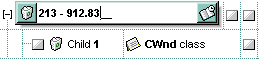
An input mask, or the Mask property, can contain up to four parts, separated by semicolons (;). These parts define how data is entered, displayed, and validated in a field. The format is:
<input-mask-pattern>;<literals-included>;<prompt-char>;<options>
Only the first part is mandatory; the remaining three are optional.
Special note: If any part of the input mask needs to contain a comma (,) or semicolon (;), it must be escaped with a backslash (\). For example, to include a semicolon in the first part of the mask, you would write it as \;. This ensures that the character is treated as a literal and not as a part separator.
For instance, consider the following input mask for numbers in German format:
"!999.999.990,000;;;float,right,negative,grouping=.,decimal=\,"
This mask defines the following behavior:
- Part 1 (input-mask-pattern): "!999.999.990,000", the integer part can have up to 9 digits, the decimal part always displays 3 digits, and the number shows as 0,000 even when all digits are erased
- Part 2 (literals-included): empty, since the second part is omitted, the default behavior is used (literals may or may not be included depending on context)
- Part 3 (prompt-char): empty, the default underscore (_) is used as the placeholder
- Part 4 (options):
- float: input mask for floating-points numbers
- right: aligns the field to the right
- negative: allows negative decimal numbers (use - to change the sign)
- grouping=...: specifies the thousands separator to be the dot character (.)
- decimal=...: uses comma (,) as the decimal separator. The comma must be escaped because the fourth part of the mask also uses commas to separate options.
For example, consider the following input mask for ext-phone:
"!(999) 000 0000;1;;select=1,empty,overtype,warning=invalid character,invalid=The value you entered isn't appropriate for the input mask <b>'<%mask%>'</b> specified for this field."
This input mask specifies the following behavior:
- Part 1 (input-mask-pattern): !(999) 000 0000, The pattern includes 3 optional digits (999) and 7 required digits (000 0000), aligned to the right (due to !)
- Part 2 (literals-included): 1: Indicates that all literal characters (such as parentheses and spaces) are retained when the user leaves the field
- Part 3 (prompt-char): empty, by default the underscore (_) is used as the placeholder
- Part 4 (options):
- select=1: Automatically selects the entire field content when the field receives focus
- empty: Allows the field to be left blank without triggering validation
- overtype: Enables overtype mode, disabling insert mode when the Insert key is pressed
- warning=invalid character: Displays a tooltip with the message "invalid character" if the user types an invalid character
- invalid=...: If the user attempts to leave the field without completing all required digits, a tooltip appears with the message: "The value you entered isn't appropriate for the input mask '<b><%mask%></b>' specified for this field."
For instance, consider the following input mask for time:
"Time: 00:00:00;;0;overtype,warning=<fgcolor FF0000>invalid character,beep"
This mask defines the following behavior:
- Part 1 (input-mask-pattern): Time: 00:00:00, a fixed prefix "Time: " followed by the time format 00:00:00, where 0 indicates required digits
- Part 2 (literals-included): empty, since the second part is omitted, the default behavior is used (literals may or may not be included depending on context)
- Part 3 (prompt-char): 0, the character 0 is used as the placeholder instead of the default underscore (_)
- Part 4 (options):
- overtype: field enters overtype mode (insert mode is disabled)
- warning=<fgcolor FF0000>invalid character: displays a red tooltip if the user types an invalid character
- beep: plays a beep sound when invalid input is entered
The mask is divided into up to four parts, separated by semicolons (;):
- Part 1 (input-mask-pattern) (mandatory): Defines the input format using mask characters, literals, ranges, or
alternatives.
The table below lists the placeholder and literal characters used in an input mask, along with explanations of how each one controls data entry:
Flag Description Example Valid/Input Invalid # a digit, +, - or space (optional) ##-### +5-123, 3-456, -7- 89 0 a digit (0 through 9, required; plus [+] and minus [-] signs not allowed) 0000 1234, 0078 12a4, 12+4 9 a digit or space (optional; plus and minus signs not allowed) 9999 12 4, 78, 3456 x a lowercase hexa character, [0-9],[a-f] (required) xx 0a, 9f 0A, G1 X an uppercase hexa character, [0-9],[A-F] (required) XX 0A, 9F 0a, g1 A any letter or digit (required) AAA a9Z, B3C a any letter, digit or space (entry optional) aaa a 9, b3 L any letter (entry required) LLL abc, XYZ ab1, 12A ? any letter or space (entry optional) ??? ab , a & any character or a space (required) &&& a9!, #@ C any character or a space (entry optional) CCC a9 , # > any letter, converted to uppercase (required) >aaa Input: abc ? Stored as: ABC < any letter, converted to lowercase (required) <AAA Input: ABC ? Stored as: abc * any characters combinations * Hello123!@# {min,max} (Range) masks a number in the given range. The min and max values should be positive integers. {0,255} 0, 100, 255 256 [...] (Alternative) masks any character contained in the brackets [abcdA-D] a, B, d, C e, 1 \ indicates the escape character \#00 Input: #12 (the # is treated literally) » (ALT + 175) causes the characters that follow to be converted to uppercase until « (ALT + 174) is found »abc« Input: abc ? Stored as: ABC « (ALT + 174) causes the characters that follow to be converted to lowercase until » (ALT + 175) is found «ABC» Input: ABC ? Stored as: abc ! causes the input mask to fill from right to left instead of left to right !0000 Input: 12 ? Stored as: 0012 Characters enclosed in double quotation ("" or ``) marks will be displayed literally. If this part should display/use the semicolon (;) character is should be included between double quotation ("" or ``) characters or as \; ( escape ).
- Part 2 (literals-included) (optional): Defines how the embedded mask characters are stored along with the user-entered data. It accepts the following values:
- 0 (exClipModeLiteralsNone), This is the default. All characters, including literals and placeholders, are stored with the data
- 1 (exClipModeLiteralsInclude), Only the literal characters are stored with the data. Masking and placeholder characters are excluded
- 2 (exClipModeLiteralsExclude), Only the characters actually typed by the user are stored. All literals and mask symbols are excluded
- 3 (exClipModeLiteralsEscape), Stores the optional, required, editable, and escaped entities. Text enclosed in double quotes is not included
- Part 3 (prompt-char) (optional): specifies a single character or space to be used as the placeholder. By default, the underscore (_) is used. To use a different placeholder, specify it in the third part of the mask, only the first character is considered. To use a semicolon (;) as the placeholder, escape it as \;. See the MaskChar property
- Part 4 (options) (optional): specifies a list of options that can be applied, separated by commas
(,). To use a comma (,) for any option, escape it as \,
The known options for the forth part are:
Option Description float Indicates that the field is edited as a floating-point (decimal or integer) number. The first part of the input mask defines the pattern used for digit grouping, decimal separators, and whether negative numbers are supported. If the first part is left empty, the number is formatted based on the system's regional settings. For instance,
- ";;;float" masks a float number using the system's current regional settings
- "##;;;float" specifies a two-digit number in float format
- "!999.999.990,000;;;float,right,negative,grouping=.,decimal=\,", which uses German-style formatting with right alignment, negative values, dot as thousands separator, and comma as decimal separator. The integer part can have up to 9 digits, the decimal part always displays 3 digits, and the number shows as 0,000 even when all digits are erased
- "!999.999.990,000;;;float,right,negative,grouping=\,,decimal=.", which uses English-style formatting with right alignment, negative values, comma as thousands separator, and dot as decimal separator. The integer part can have up to 9 digits, the decimal part always displays 3 digits, and the number shows as 0,000 even when all digits are erased
The following options are valid only when the float option is present:
- grouping
- decimal
- negative
- digits
grouping=value Sets the character used to separate digit groups to the left of the decimal point. This option is only valid when float is present. For instance,
- ";;;float,grouping=." uses dot (.) as the grouping separator
If the value contains a semicolon (;) or comma (,), they must be escaped with a backslash (e.g., \; or \,). If not set, the default is taken from the system locale (LOCALE_STHOUSAND).
decimal=value Defines the character used as the decimal separator. This option is only valid when float is present. For instance,
- ";;;float,grouping= ,decimal=\," uses a space for digit grouping and a comma (,) as the decimal separator
If the value contains a semicolon (;) or comma (,), they must be escaped with a backslash (e.g., \ ; or \ ,). If not specified, the system's default is used (LOCALE_SDECIMAL).
negative Specifies if negative numbers are allowed. This option is only valid when float is present. For instance,
- ";;;float,negative" enables input of negative numbers, with the - character used to switch the sign
If not specified, negative numbers are not allowed by the mask.
digits=value Specifies the maximum number of digits allowed after the decimal separator. This option is only valid when float is present. For instance,
- ";;;float,digits=4" limits the fractional part to 4 digits
If the value contains a semicolon (;) or comma (,), they must be escaped with a backslash (e.g., \ ; or \ ,). If not set, the default is the system locale setting (LOCALE_IDIGITS).
password[=value] Masks input characters by displaying a password character instead of the actual text. By default, the * password character is used for non-TrueType fonts, else the black circle character is used. For instance,
- ";;;password" makes the field display as a password using the default password character
If value is provided, the first character in value is used as the password mask character.
For instance,
- ";;;password=o" displays (o) character instead of the actual characters
If the value contains a semicolon (;) or comma (,), they must be escaped with a backslash (e.g., \ ; or \ ,).
right Aligns the input characters to the right. By default the input characters are aligned to the left. For instance,
- "(999) 999-9999;;;right" displays and masks a phone number right-aligned
The Right property controls whether the field’s content is aligned to the right.
readonly Locks the editor so the user cannot modify the content For instance,
- "(999) 999-9999;;;readonly" masks a locked phone-number
The caret remains visible, allowing the user to select and copy text (except in password fields).
inserttype Sets the field to start in insert mode if this is the first option in the fourth part. If combined with overtype, the user can toggle between insert and overtype modes using the Insert key. For instance,
- "##:##;;0;inserttype,overtype" starts in insert mode, allows toggling to overtype mode
- "##:##;;0;inserttype", starts in insert mode, overtype mode not allowed
The InsertMode property controls the insertion mode of the control.
nocontext Disables the context menu when the user right-clicks the field. For instance,
- ";;;password,nocontext" displays a password field where the default context menu is not available on right-click
beep Plays a beep sound when the user enters an invalid character. For instance,
- "00:00;;;beep" beeps if the user types anything other than a digit
warning=value Specifies an HTML tooltip message shown when the user enters an invalid character. For instance,
- "00:00:00;;;warning=invalid character" displays a tooltip saying "invalid character" when the input is not a digit
The special keywords:
- <%mask%>, replaced with the current input mask
- <%value%>, replaced with the current field value, including literals
If the value contains a semicolon (;) or comma (,), they must be escaped with a backslash (e.g., \ ; or \ ,).
invalid=value Specifies an HTML message shown when the user enters an invalid value for the field. If the value is missing or empty, no validation is performed. If the value is a single space, no message is shown, but the field stays open until a valid value is entered. For instance,
- "!(999) 000 0000;;;invalid=The value you entered isn't appropriate for the input mask <b>'<%mask%>'</b> specified for this field." shows the message when the user leaves the field with incomplete or invalid input
The special keywords:
- <%mask%>, replaced with the current input mask
- <%value%>, replaced with the current field value, including literals
If the value contains a semicolon (;) or comma (,), they must be escaped with a backslash (e.g., \ ; or \ ,). Can be combined with the empty and validateas options. Use the invalid option together with the CauseValidateValue property set to True to prevent the user from leaving the field while it contains an invalid value.
validateas=value Specifies extra validation for the field. If value is missing or 0 (exValidateAsNone), this option has no effect. Works only if the invalid option has a non-empty value. Currently, value = 1 (exValidateAsDate) validates the field as a date. For instance,
- "!00/00/0000;;0;empty,validateas=1,invalid=Invalid date!,warning=Invalid character!,select=4,overtype" This mask validates the field as a date when the user leaves the field.
If the value contains a semicolon (;) or comma (,), they must be escaped with a backslash (e.g., \ ; or \ ,).
empty Allows the field to be left blank. If present, the field initially shows nothing until the user starts typing. Can be combined with invalid to allow empty input without triggering validation. For instance,
- "!(999) 000 0000;;;empty,select=4,overtype,invalid=invalid phone number,beep" masks an empty or valid phone number
The AllowEmptyValue property controls this behavior.
validateas=value Specifies extra validation for the field. If value is missing or 0 (exValidateAsNone), this option has no effect. Works only if the invalid option has a non-empty value. Currently, value = 1 (exValidateAsDate) validates the field as a date. For instance,
- "!00/00/0000;;0;empty,validateas=1,invalid=Invalid date!,warning=Invalid character!,select=4,overtype" This mask validates the field as a date when the user leaves the field.
If the value contains a semicolon (;) or comma (,), they must be escaped with a backslash (e.g., \ ; or \ ,).
select=value Defines what gets selected when the field receives focus. The value can be one of the following:
- 0, nothing selected
- 1, select all (entire field)
- 2, select first empty, editable entity (or all if none found)
- 3, move cursor to first empty, editable entity
- 4, select first empty, required editable entity (or all if none found)
- 5, move cursor to first empty, required editable entity
For instance,
- "Time:XX:XX;;;select=1", selects the entire field on focus, including the "Time:" label
- "Time:XX:XX;;;select=3", moves cursor to the first empty X
If the value contains a semicolon (;) or comma (,), they must be escaped with a backslash (e.g., \ ; or \ ,).
leading=value Specifies whether spaces or mask/placeholder characters (0, 9) are replaced with the given value (default is 0 if missing). This option applies only to DateType fields (when Editor.EditType is DateType) and takes effect when entering edit mode or selecting a date from the drop-down calendar. For instance,
- "!99/99/9999;1;;empty,validateas=1,invalid=Invalid date\, for the input mask <br><b>'<%mask%>'</b>!,warning=Invalid character!,select=4,overtype,leading" with the cell value #1/1/2001# will display 01/01/2001 instead of 1/1/2001.
If the value contains a semicolon (;) or comma (,), they must be escaped with a backslash (e.g., \ ; or \ ,).
multiline (experimental) Indicates that the field supports multiple lines of text input. For instance,
- ";;;multiline", allows the user to enter and view multiple lines within the same field
rich (experimental) Specifies that the field displays a rich text editor instead of the standard edit field. For instance,
- ";;;rich", the field will support rich text formatting (like bold, italic, font styles, colors) if applicable
disabled (experimental) Specifies that the field displays a rich text editor instead of the standard edit field. For instance,
- ";;;disabled", the field will display as inactive and not respond to user input.
The table below lists the placeholder and literal characters used in an input mask, along with explanations of how each one controls data entry (Prior to version 8.0):
| Flag | Description | Example | Valid/Input | Invalid | |||
| # | Digit (0–9) | ##-### | 53-123, 22-123 | ||||
| x | Lowercase hexadecimal character (0–9, a–f) | xx | 0a, 9f | 0A, G1 | |||
| X | Uppercase hexadecimal character (0–9, A–F) | XX | 0A, 9F | 0a, g1 | |||
| A | Alphanumeric character (0–9, a–z, A–Z) | AAA | a9Z, B3C | ||||
| ? | Alphabetic letter (a–z, A–Z) | ??? | ab , a | ||||
| > | Lowercase alphabetic letter (a–z) | >aaa | Input: abc ? Stored as: ABC | ||||
| < | Uppercase alphabetic letter (A–Z) | <AAA | Input: ABC ? Stored as: abc | ||||
| * | Any character (wildcard) | * | Hello123!@# | ||||
| {min,max} | (Range) masks a number in the given range. The min and max values should be positive integers. | {0,255} | 0, 100, 255 | 256 | |||
| [...] | (Alternative) masks any character contained in the brackets | [abcdA-D] | a, B, d, C | e, 1 | |||
| \ | indicates the escape character | \#00 | Input: #12 (the # is treated literally) |
The following VB sample adds a mask for IP addresses:
With Grid1
    With .Columns.Add("Mask")
        With .Editor
            .EditType = EditTypeEnum.MaskType
            .Mask = "{0,255}\.{0,255}\.{0,255}\.{0,255}"
        End With
    End With
    .Items.AddItem "193.226.40.161"
End With
The following VB sample masks a phone number:
With Grid1
    With .Columns.Add("Mask")
        With .Editor
            .EditType = EditTypeEnum.MaskType
            .Mask = "(XXX) - XXX XXXX"
        End With
    End With
    .Items.AddItem "(095) - 889 1234"
End With
The following C++ adds a mask editor to filter characters while entering a phone number:
#include "Items.h"
#include "Editor.h"
COleVariant vtMissing; V_VT( &vtMissing) = VT_ERROR;
CItems items = m_grid.GetItems();
CEditor editor = items.GetCellEditor( COleVariant( items.GetFirstVisibleItem() ), COleVariant( long(0) ) );
editor.SetEditType( 8 /*MaskType*/ );
editor.SetMask("(###) ### - ####");
The following VB.NET adds a mask editor to filter characters while entering a phone number:
With AxGrid1.Items
    With .CellEditor(.FirstVisibleItem, 0)
        .EditType = EXGRIDLib.EditTypeEnum.MaskType
        .Mask = "(###) ### - ####"
    End With
End With
The following C# adds a mask editor to filter characters while entering a phone number:
EXGRIDLib.Items items = axGrid1.Items;
EXGRIDLib.Editor editor = items.get_CellEditor(items.FirstVisibleItem, 0);
editor.EditType = EXGRIDLib.EditTypeEnum.MaskType;
editor.Mask = "(###) ### - ####";
The following VFP adds a mask editor to filter characters while entering a phone number:
with thisform.Grid1.Items
	With .CellEditor(.FirstVisibleItem, 0)
		.EditType = 8 && MaskType
		.Mask = "(###) ### - ####"
	EndWith
endwith