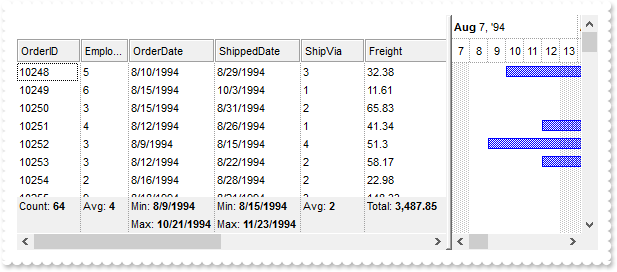
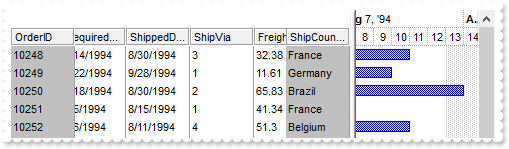
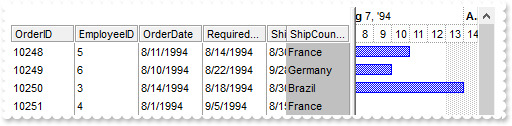
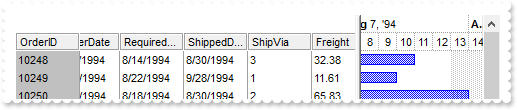
1463. How can I load my table from an Access 2007, using ADO
*** AddItem event - Occurs after a new Item has been inserted to Items collection. *** LPARAMETERS Item with thisform.G2antt1 with .Items .AddBar(Item,"Task",.CellValue(Item,2),.CellValue(Item,4)) endwith endwith with thisform.G2antt1 .BeginUpdate with .Chart .FirstVisibleDate = {^1994-8-3} .PaneWidth(0) = 256 .LevelCount = 2 .UnitScale = 4096 .FirstWeekDay = 1 .OverviewVisible = -1 endwith .ColumnAutoResize = .F. .ContinueColumnScroll = .F. rs = CreateObject("ADOR.Recordset") with rs var_s = "Provider=Microsoft.ACE.OLEDB.12.0;Data Source=C:\Program Files\Exontrol\ExG2antt\Sample\Access20" var_s = var_s + "07\sample.accdb" .Open("Orders",var_s,3,3) endwith .DataSource = rs .Items.AllowCellValueToItemBar = .T. .Columns.Item(2).Def(18) = 1 .Columns.Item(4).Def(18) = 2 .EndUpdate endwith
1462. Is it possible to enumerate the links without enumerating them
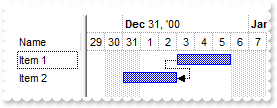
with thisform.G2antt1 .AntiAliasing = .T. .Columns.Add("Task") with .Chart .FirstVisibleDate = {^2001-1-1} .PaneWidth(0) = 128 .NonworkingDays = 0 .LinksWidth = 2 endwith with .Items h1 = .AddItem("Task 1") .AddBar(h1,"Task",{^2001-1-2},{^2001-1-4},"K1") h2 = .AddItem("Task 2") .AddBar(h2,"Task",{^2001-1-6},{^2001-1-8},"K2") .AddLink("L1",h1,"K1",h2,"K2") h3 = .AddItem("Task 3") .AddBar(h3,"Task",{^2001-1-10},{^2001-1-12},"K3") .AddLink("L2",h2,"K2",h3,"K3") h4 = .AddItem("Task 4") .AddBar(h4,"Task",{^2001-1-14},{^2001-1-16},"K4") .AddLink("L3",h3,"K3",h4,"K4") .Link("<L*>",11) = .F. endwith endwith
1461. How can I display a vertical line in the chart
*** Click event - Occurs when the user presses and then releases the left mouse button over the tree control. *** LPARAMETERS nop with thisform.G2antt1 with .Chart .MarkNowColor = RGB(255,0,0) .MarkNow = .DateFromPoint(-1,-1) endwith endwith with thisform.G2antt1 with .Chart .FirstVisibleDate = {^2012-3-13} .PaneWidth(0) = 0 .LevelCount = 2 .MarkNowColor = RGB(0,0,0) .MarkNowWidth = 3 .UnitWidth = 32 .ResizeUnitScale = 65536 endwith endwith
1460. How can I use the MarkNowColor to mark a time line different then the time on the machine
with thisform.G2antt1 with .Chart .FirstVisibleDate = {^2012-3-13} .PaneWidth(0) = 0 .LevelCount = 2 .Level(0).Label = 1048576 with .Level(1) .Label = "<%ss%>" .Count = 15 endwith .MarkNowColor = RGB(255,0,0) .MarkNowWidth = 3 .MarkNow = {^2012-3-13 0:03:20} endwith endwith
1459. Is it possible to show the current date time using a delay
with thisform.G2antt1 with .Chart .PaneWidth(0) = 0 .LevelCount = 2 .Level(0).Label = 1048576 with .Level(1) .Label = "<%ss%>" .Count = 15 endwith .MarkNowColor = RGB(0,0,255) .MarkNowWidth = 3 .MarkNowDelay = 0.00069444 endwith .Columns.Add("Tasks") with .Items .AddBar(.AddItem("Item 1"),"Task",{^2008-1-1},{^2018-1-1}) endwith endwith
1458. What are the options to show the links between bars
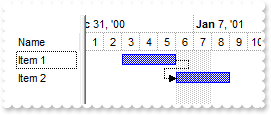
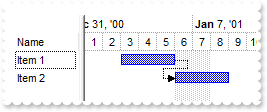
with thisform.G2antt1 .AntiAliasing = .T. .Columns.Add("Task") with .Chart .FirstVisibleDate = {^2001-1-1} .PaneWidth(0) = 128 .NonworkingDays = 0 .LinksWidth = 2 endwith with .Items h1 = .AddItem("Task 1") .AddItem("") .AddBar(h1,"Task",{^2001-1-2},{^2001-1-4},"K1") h2 = .AddItem("Task 2") .AddItem("") .AddBar(h2,"Task",{^2001-1-6},{^2001-1-8},"K2") .AddLink("L1",h1,"K1",h2,"K2") h3 = .AddItem("Task 3") .AddItem("") .AddBar(h3,"Task",{^2001-1-12},{^2001-1-14},"K3") .AddLink("L2",h2,"K2",h3,"K3") .Link("L2",15) = -1 h4 = .AddItem("Task 4") .AddBar(h4,"Task",{^2001-1-18},{^2001-1-20},"K4") .AddLink("L3",h3,"K3",h4,"K4") .Link("L3",15) = 1 .AddItem("") h5 = .AddItem("Task 5") .AddBar(h5,"Task",{^2001-1-22},{^2001-1-24},"K5") .AddLink("L4",h4,"K4",h5,"K5") .Link("L4",15) = 2 endwith endwith
1457. Is it possible to specify the link between bars to be a wider line
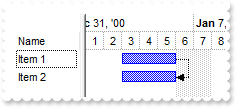
with thisform.G2antt1 .Columns.Add("Task") with .Chart .FirstVisibleDate = {^2001-1-1} .PaneWidth(0) = 128 .NonworkingDays = 0 .LinksStyle = 0 .LinksWidth = 2 .LinksColor = RGB(255,0,0) endwith with .Items h1 = .AddItem("Task 1") .AddBar(h1,"Task",{^2001-1-2},{^2001-1-4},"K1") h2 = .AddItem("Task 2") .AddBar(h2,"Task",{^2001-1-6},{^2001-1-8},"K2") .AddLink("L1",h1,"K1",h2,"K2") h3 = .AddItem("Task 3") .AddBar(h3,"Task",{^2001-1-10},{^2001-1-12},"K3") .AddLink("L2",h2,"K2",h3,"K3") endwith endwith
1456. Is it possible to create a link between the two specified bars so that the link was a straight line
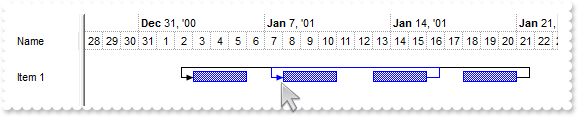
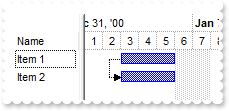
with thisform.G2antt1 .Columns.Add("Task") .AntiAliasing = .T. with .Chart .FirstVisibleDate = {^2001-1-1} .PaneWidth(0) = 128 .NonworkingDays = 0 endwith with .Items h1 = .AddItem("Task 1") .AddBar(h1,"Task",{^2001-1-2},{^2001-1-4},"K1") h2 = .AddItem("Task 2") .AddBar(h2,"Task",{^2001-1-6},{^2001-1-8},"K2") .AddLink("L1",h1,"K1",h2,"K2") .Link("L1",9) = 0 .Link("L1",10) = 2 .Link("L1",8) = 255 .Link("L1",15) = 2 h3 = .AddItem("Task 3") .AddBar(h3,"Task",{^2001-1-10},{^2001-1-12},"K3") .AddLink("L2",h2,"K2",h3,"K3") endwith endwith
1455. I associate the bars with my columns, Start and End, but can not get it working for bars with non-empty keys. What am I doing wrong
with thisform.G2antt1 .BeginUpdate with .Columns .Add("Tasks") with .Add("Start") .Def(18) = 1 .Def(19) = "A" endwith with .Add("End") .Def(18) = 2 .Def(19) = "A" endwith endwith .Items.AllowCellValueToItemBar = .T. with .Chart .PaneWidth(0) = 256 .FirstVisibleDate = {^2002-1-1} .LevelCount = 2 .Bars.Item("Task").OverlaidType = 3 endwith with .Items .AddBar(.AddItem("Task 1"),"Task",{^2002-1-4},{^2002-1-8},"A","A") h = .AddItem("Task 2") .AddBar(h,"Task",{^2002-1-6},{^2002-1-10},"A","A") .AddBar(h,"Task",{^2002-1-4},{^2002-1-8},"B","B") .DefaultItem = h .ItemBar(0,"B",33) = 255 endwith .EndUpdate endwith
1454. The right pane needs to show ONLY the hours 6am to 9pm (every hour) for one day only and the user should not to be able to scroll left or right nor see any other hours. How can I do that
with thisform.G2antt1 .BeginUpdate .Columns.Add("Tasks") with .Chart .LevelCount = 2 .ScrollRange(0) = {^2001-1-1} .ScrollRange(1) = {^2001-1-1} .UnitScale = 65536 .NonworkingHours = 12582975 .ShowNonworkingUnits = .F. .Level(0).Alignment = 17 .UnitWidth = 18 .PaneWidth(1) = 294 .ScrollBar = .F. endwith .OnResizeControl = 128 .EndUpdate endwith
1453. Is it possible to count only a specified type of bars without enumerating them
with thisform.G2antt1 .Columns.Add("Tasks") .Chart.FirstVisibleDate = {^2001-1-1} with .Items .AddBar(.AddItem("Task 1"),"Task",{^2001-1-2},{^2001-1-4},"K1","K1") .AddBar(.AddItem("Task 2"),"Progress",{^2001-1-3},{^2001-1-5}) .AddBar(.AddItem("Task 3"),"Task",{^2001-1-2},{^2001-1-4},"P3","P3") DEBUGOUT( "K*" ) DEBUGOUT( .ItemBar(0,"<K*>",256) ) DEBUGOUT( "K* P*" ) DEBUGOUT( .ItemBar(0,"<K* P*>",256) ) endwith endwith
1452. How can I count or get the numbers of the bars in the chart
with thisform.G2antt1 .Columns.Add("Tasks") .Chart.FirstVisibleDate = {^2001-1-1} with .Items .AddBar(.AddItem("Task 1"),"Task",{^2001-1-2},{^2001-1-4},"K1","K1") .AddBar(.AddItem("Task 2"),"Task",{^2001-1-2},{^2001-1-4},"A2","A2") .AddBar(.AddItem("Task 3"),"Task",{^2001-1-2},{^2001-1-4},"K3","K3") DEBUGOUT( "All" ) DEBUGOUT( .ItemBar(0,"<*>",256) ) DEBUGOUT( "A*" ) DEBUGOUT( .ItemBar(0,"<A*>",256) ) DEBUGOUT( "K*" ) DEBUGOUT( .ItemBar(0,"<K*>",256) ) endwith endwith
1451. Is it possible to remove only specified bars from ALL items at once
with thisform.G2antt1 .Columns.Add("Tasks") .Chart.FirstVisibleDate = {^2001-1-1} with .Items .AddBar(.AddItem("Task 1"),"Task",{^2001-1-2},{^2001-1-4},"K1","K1") .AddBar(.AddItem("Task 2"),"Task",{^2001-1-2},{^2001-1-4},"A2","A2") .AddBar(.AddItem("Task 3"),"Task",{^2001-1-2},{^2001-1-4},"K3","K3") .RemoveBar(0,"<K*>") endwith endwith
1450. How can I remove all bars from the chart (method 2)
with thisform.G2antt1 .Columns.Add("Tasks") .Chart.FirstVisibleDate = {^2001-1-1} with .Items .AddBar(.AddItem("Task 1"),"Task",{^2001-1-2},{^2001-1-4},"K1","K1") .AddBar(.AddItem("Task 2"),"Task",{^2001-1-2},{^2001-1-4},"A2","A2") .AddBar(.AddItem("Task 3"),"Task",{^2001-1-2},{^2001-1-4},"K3","K3") .ClearBars(0) endwith endwith
1449. How can I remove all bars from the chart (method 1)
with thisform.G2antt1 .Columns.Add("Tasks") .Chart.FirstVisibleDate = {^2001-1-1} with .Items .AddBar(.AddItem("Task 1"),"Task",{^2001-1-2},{^2001-1-4},"K1","K1") .AddBar(.AddItem("Task 2"),"Task",{^2001-1-2},{^2001-1-4},"A2","A2") .AddBar(.AddItem("Task 3"),"Task",{^2001-1-2},{^2001-1-4},"K3","K3") .RemoveBar(0,"<*>") endwith endwith
1448. Is it possible to update at once a property for several bars without enumerating them
with thisform.G2antt1 .Columns.Add("Tasks") .Chart.FirstVisibleDate = {^2001-1-1} with .Items .AddBar(.AddItem("Task 1"),"Task",{^2001-1-2},{^2001-1-4},"K1","K1") .AddBar(.AddItem("Task 2"),"Task",{^2001-1-2},{^2001-1-4},"A2","A2") .AddBar(.AddItem("Task 3"),"Task",{^2001-1-2},{^2001-1-4},"K3","K3") .ItemBar(0,"<K*>",33) = 255 endwith endwith
1447. Is it possible to update at once a property of ALL bars without enumerating them
with thisform.G2antt1 .Columns.Add("Tasks") .Chart.FirstVisibleDate = {^2001-1-1} with .Items .AddBar(.AddItem("Task 1"),"Task",{^2001-1-2},{^2001-1-4},"K1","K1") .AddBar(.AddItem("Task 2"),"Task",{^2001-1-2},{^2001-1-4},"A2","A2") .AddBar(.AddItem("Task 3"),"Task",{^2001-1-2},{^2001-1-4},"K3","K3") .ItemBar(0,"<*>",33) = 255 endwith endwith
1446. How do I prevent selecting a new item when selecting a bar
with thisform.G2antt1 .BeginUpdate .Columns.Add("Task") with .Chart .FirstVisibleDate = {^2000-12-29} .PaneWidth(0) = 64 .LevelCount = 2 .SelectOnClick = .F. endwith with .Items .AddBar(.AddItem("Task 1"),"Task",{^2001-1-2},{^2001-1-4},"K1") .AddBar(.AddItem("Task 2"),"Task",{^2001-1-4},{^2001-1-6},"K2") .AddBar(.AddItem("Task 3"),"Task",{^2001-1-8},{^2001-1-10},"K3") .DefaultItem = .FirstVisibleItem .SelectItem(0) = .T. endwith .EndUpdate endwith
1445. Is it possible to find out all incoming bars ( recursively )
*** MouseMove event - Occurs when the user moves the mouse. *** LPARAMETERS Button,Shift,X,Y with thisform.G2antt1 b = .Chart.BarFromPoint(-1,-1) i = .ItemFromPoint(-1,-1,c,hit) DEBUGOUT( .Items.ItemBar(i,b,542) ) endwith with thisform.G2antt1 .BeginUpdate .Columns.Add("Tasks") with .Chart .LevelCount = 2 .FirstVisibleDate = {^2000-12-28} .PaneWidth(0) = 96 .NonworkingDays = 0 .AllowLinkBars = .T. .AllowCreateBar = 1 endwith with .Items h1 = .AddItem("Task 1") .AddBar(h1,"Task",{^2001-1-2},{^2001-1-4},"A","A") h2 = .AddItem("Task 2") .AddBar(h2,"Task",{^2001-1-5},{^2001-1-7},"B","B") .AddLink("L1",h1,"A",h2,"B") h3 = .AddItem("Task 3") .AddBar(h3,"Task",{^2001-1-8},{^2001-1-10},"C","C") .AddLink("L2",h2,"B",h3,"C") h4 = .AddItem("Task 4") .AddBar(h4,"Task",{^2001-1-8},{^2001-1-10},"D","D") .AddLink("L3",h1,"A",h4,"D") endwith .EndUpdate endwith
1444. How do I find the incoming bars
*** MouseMove event - Occurs when the user moves the mouse. *** LPARAMETERS Button,Shift,X,Y with thisform.G2antt1 b = .Chart.BarFromPoint(-1,-1) i = .ItemFromPoint(-1,-1,c,hit) DEBUGOUT( .Items.ItemBar(i,b,541) ) endwith with thisform.G2antt1 .BeginUpdate .Columns.Add("Tasks") with .Chart .LevelCount = 2 .FirstVisibleDate = {^2000-12-28} .PaneWidth(0) = 96 .NonworkingDays = 0 .AllowLinkBars = .T. .AllowCreateBar = 1 endwith with .Items h1 = .AddItem("Task 1") .AddBar(h1,"Task",{^2001-1-2},{^2001-1-4},"A","A") h2 = .AddItem("Task 2") .AddBar(h2,"Task",{^2001-1-5},{^2001-1-7},"B","B") .AddLink("L1",h1,"A",h2,"B") h3 = .AddItem("Task 3") .AddBar(h3,"Task",{^2001-1-8},{^2001-1-10},"C","C") .AddLink("L2",h2,"B",h3,"C") h4 = .AddItem("Task 4") .AddBar(h4,"Task",{^2001-1-8},{^2001-1-10},"D","D") .AddLink("L3",h1,"A",h4,"D") endwith .EndUpdate endwith
1443. Is it possible to find out all incoming links ( recursively ). Incoming link is a link from another bar to the current bar
*** MouseMove event - Occurs when the user moves the mouse. *** LPARAMETERS Button,Shift,X,Y with thisform.G2antt1 b = .Chart.BarFromPoint(-1,-1) i = .ItemFromPoint(-1,-1,c,hit) DEBUGOUT( .Items.ItemBar(i,b,536) ) endwith with thisform.G2antt1 .BeginUpdate .Columns.Add("Tasks") with .Chart .LevelCount = 2 .FirstVisibleDate = {^2000-12-28} .PaneWidth(0) = 96 .NonworkingDays = 0 .AllowLinkBars = .T. .AllowCreateBar = 1 endwith with .Items h1 = .AddItem("Task 1") .AddBar(h1,"Task",{^2001-1-2},{^2001-1-4},"A","A") h2 = .AddItem("Task 2") .AddBar(h2,"Task",{^2001-1-5},{^2001-1-7},"B","B") .AddLink("L1",h1,"A",h2,"B") h3 = .AddItem("Task 3") .AddBar(h3,"Task",{^2001-1-8},{^2001-1-10},"C","C") .AddLink("L2",h2,"B",h3,"C") h4 = .AddItem("Task 4") .AddBar(h4,"Task",{^2001-1-8},{^2001-1-10},"D","D") .AddLink("L3",h1,"A",h4,"D") endwith .EndUpdate endwith
1442. How do I find the incoming links. Incoming link is link from another bar to the current bar
*** MouseMove event - Occurs when the user moves the mouse. *** LPARAMETERS Button,Shift,X,Y with thisform.G2antt1 b = .Chart.BarFromPoint(-1,-1) i = .ItemFromPoint(-1,-1,c,hit) DEBUGOUT( .Items.ItemBar(i,b,534) ) endwith with thisform.G2antt1 .BeginUpdate .Columns.Add("Tasks") with .Chart .LevelCount = 2 .FirstVisibleDate = {^2000-12-28} .PaneWidth(0) = 96 .NonworkingDays = 0 .AllowLinkBars = .T. .AllowCreateBar = 1 endwith with .Items h1 = .AddItem("Task 1") .AddBar(h1,"Task",{^2001-1-2},{^2001-1-4},"A","A") h2 = .AddItem("Task 2") .AddBar(h2,"Task",{^2001-1-5},{^2001-1-7},"B","B") .AddLink("L1",h1,"A",h2,"B") h3 = .AddItem("Task 3") .AddBar(h3,"Task",{^2001-1-8},{^2001-1-10},"C","C") .AddLink("L2",h2,"B",h3,"C") h4 = .AddItem("Task 4") .AddBar(h4,"Task",{^2001-1-8},{^2001-1-10},"D","D") .AddLink("L3",h1,"A",h4,"D") endwith .EndUpdate endwith
1441. Is it possible to find out all outgoing bars ( recursively )
*** MouseMove event - Occurs when the user moves the mouse. *** LPARAMETERS Button,Shift,X,Y with thisform.G2antt1 b = .Chart.BarFromPoint(-1,-1) i = .ItemFromPoint(-1,-1,c,hit) DEBUGOUT( .Items.ItemBar(i,b,532) ) endwith with thisform.G2antt1 .BeginUpdate .Columns.Add("Tasks") with .Chart .LevelCount = 2 .FirstVisibleDate = {^2000-12-28} .PaneWidth(0) = 96 .NonworkingDays = 0 .AllowLinkBars = .T. .AllowCreateBar = 1 endwith with .Items h1 = .AddItem("Task 1") .AddBar(h1,"Task",{^2001-1-2},{^2001-1-4},"A","A") h2 = .AddItem("Task 2") .AddBar(h2,"Task",{^2001-1-5},{^2001-1-7},"B","B") .AddLink("L1",h1,"A",h2,"B") h3 = .AddItem("Task 3") .AddBar(h3,"Task",{^2001-1-8},{^2001-1-10},"C","C") .AddLink("L2",h2,"B",h3,"C") h4 = .AddItem("Task 4") .AddBar(h4,"Task",{^2001-1-8},{^2001-1-10},"D","D") .AddLink("L3",h1,"A",h4,"D") endwith .EndUpdate endwith
1440. How do I find the outgoing bars
*** MouseMove event - Occurs when the user moves the mouse. *** LPARAMETERS Button,Shift,X,Y with thisform.G2antt1 b = .Chart.BarFromPoint(-1,-1) i = .ItemFromPoint(-1,-1,c,hit) DEBUGOUT( .Items.ItemBar(i,b,531) ) endwith with thisform.G2antt1 .BeginUpdate .Columns.Add("Tasks") with .Chart .LevelCount = 2 .FirstVisibleDate = {^2000-12-28} .PaneWidth(0) = 96 .NonworkingDays = 0 .AllowLinkBars = .T. .AllowCreateBar = 1 endwith with .Items h1 = .AddItem("Task 1") .AddBar(h1,"Task",{^2001-1-2},{^2001-1-4},"A","A") h2 = .AddItem("Task 2") .AddBar(h2,"Task",{^2001-1-5},{^2001-1-7},"B","B") .AddLink("L1",h1,"A",h2,"B") h3 = .AddItem("Task 3") .AddBar(h3,"Task",{^2001-1-8},{^2001-1-10},"C","C") .AddLink("L2",h2,"B",h3,"C") h4 = .AddItem("Task 4") .AddBar(h4,"Task",{^2001-1-8},{^2001-1-10},"D","D") .AddLink("L3",h1,"A",h4,"D") endwith .EndUpdate endwith
1439. Is it possible to find out all outgoing links ( recursively ). Outgoing link is link from a bar to another bar
*** MouseMove event - Occurs when the user moves the mouse. *** LPARAMETERS Button,Shift,X,Y with thisform.G2antt1 b = .Chart.BarFromPoint(-1,-1) i = .ItemFromPoint(-1,-1,c,hit) DEBUGOUT( .Items.ItemBar(i,b,526) ) endwith with thisform.G2antt1 .BeginUpdate .Columns.Add("Tasks") with .Chart .LevelCount = 2 .FirstVisibleDate = {^2000-12-28} .PaneWidth(0) = 96 .NonworkingDays = 0 .AllowLinkBars = .T. .AllowCreateBar = 1 endwith with .Items h1 = .AddItem("Task 1") .AddBar(h1,"Task",{^2001-1-2},{^2001-1-4},"A","A") h2 = .AddItem("Task 2") .AddBar(h2,"Task",{^2001-1-5},{^2001-1-7},"B","B") .AddLink("L1",h1,"A",h2,"B") h3 = .AddItem("Task 3") .AddBar(h3,"Task",{^2001-1-8},{^2001-1-10},"C","C") .AddLink("L2",h2,"B",h3,"C") h4 = .AddItem("Task 4") .AddBar(h4,"Task",{^2001-1-8},{^2001-1-10},"D","D") .AddLink("L3",h1,"A",h4,"D") endwith .EndUpdate endwith
1438. How do I find the outgoing links. Outgoing link is link from a bar to another bar
*** MouseMove event - Occurs when the user moves the mouse. *** LPARAMETERS Button,Shift,X,Y with thisform.G2antt1 b = .Chart.BarFromPoint(-1,-1) i = .ItemFromPoint(-1,-1,c,hit) DEBUGOUT( .Items.ItemBar(i,b,524) ) endwith with thisform.G2antt1 .BeginUpdate .Columns.Add("Tasks") with .Chart .LevelCount = 2 .FirstVisibleDate = {^2000-12-28} .PaneWidth(0) = 96 .NonworkingDays = 0 .AllowLinkBars = .T. .AllowCreateBar = 1 endwith with .Items h1 = .AddItem("Task 1") .AddBar(h1,"Task",{^2001-1-2},{^2001-1-4},"A","A") h2 = .AddItem("Task 2") .AddBar(h2,"Task",{^2001-1-5},{^2001-1-7},"B","B") .AddLink("L1",h1,"A",h2,"B") h3 = .AddItem("Task 3") .AddBar(h3,"Task",{^2001-1-8},{^2001-1-10},"C","C") .AddLink("L2",h2,"B",h3,"C") h4 = .AddItem("Task 4") .AddBar(h4,"Task",{^2001-1-8},{^2001-1-10},"D","D") .AddLink("L3",h1,"A",h4,"D") endwith .EndUpdate endwith
1437. How do I select a bar using the right-click
*** MouseDown event - Occurs when the user presses a mouse button. *** LPARAMETERS Button,Shift,X,Y with thisform.G2antt1 with .Items .ItemBar(0,"<*>",257) = .F. .DefaultItem = thisform.G2antt1.ItemFromPoint(-1,-1,c,hit) .ItemBar(0,thisform.G2antt1.Chart.BarFromPoint(-1,-1),257) = .T. endwith endwith with thisform.G2antt1 .BeginUpdate .Columns.Add("Task") with .Chart .FirstVisibleDate = {^2000-12-29} .PaneWidth(0) = 64 .LevelCount = 2 endwith with .Items .AddBar(.AddItem("Task 1"),"Task",{^2001-1-2},{^2001-1-4},"K1") .AddBar(.AddItem("Task 2"),"Task",{^2001-1-4},{^2001-1-6},"K2") .AddBar(.AddItem("Task 3"),"Task",{^2001-1-8},{^2001-1-10},"K3") endwith .EndUpdate endwith
1436. How can I add or change the padding (spaces) for captions in the control's header
with thisform.G2antt1 .BeginUpdate .Columns.Add("Padding-Left").Def(52) = 18 with .Columns.Add("Padding-Right") .Def(53) = 18 .HeaderAlignment = 2 endwith .EndUpdate endwith
1435. Do you have any plans to add cell spacing and cell padding to the cells
with thisform.G2antt1 .BeginUpdate .DrawGridLines = -2 with .Columns.Add("Padding-Left") .Def(0) = .T. .Def(48) = 18 endwith .Columns.Add("No-Padding").Def(0) = .T. .Columns.Add("Empty").Position = 0 with .Items .DefaultItem = .AddItem("Item A.1") .CellValue(0,1) = "Item A.2" .DefaultItem = .AddItem("Item B.1") .CellValue(0,1) = "Item B.2" .DefaultItem = .AddItem("Item C.1") .CellValue(0,1) = "Item C.2" endwith .EndUpdate endwith
1434. Can I display somehow the filter just on the top of the list, with an editor associated to each column
*** AddItem event - Occurs after a new Item has been inserted to Items collection. *** LPARAMETERS Item with thisform.G2antt1 with .Items .AddBar(Item,"Task",.CellValue(Item,2),.CellValue(Item,4)) endwith endwith *** Change event - Occurs when the user changes the cell's content. *** LPARAMETERS Item,ColIndex,NewValue with thisform.G2antt1 DEBUGOUT( "Locked:" ) DEBUGOUT( .Items.IsItemLocked(Item) ) with .Columns.Item(ColIndex) .Filter = NewValue .FilterType = 3 endwith .ApplyFilter endwith *** MouseUp event - Occurs when the user releases a mouse button. *** LPARAMETERS Button,Shift,X,Y with thisform.G2antt1 .Edit(.Items.LockedItem(0,0)) endwith with thisform.G2antt1 .ColumnAutoResize = .F. .ScrollBySingleLine = .T. .ContinueColumnScroll = .F. .Chart.FirstVisibleDate = {^1994-8-3} rs = CreateObject("ADOR.Recordset") with rs var_s = "Provider=Microsoft.Jet.OLEDB.4.0;Data Source=C:\Program Files\Exontrol\ExTree\Sample\VB\SAMPLE.M" var_s = var_s + "DB" .Open("Orders",var_s,3,3) endwith .DataSource = rs with .Items .LockedItemCount(0) = 2 h = .LockedItem(0,0) .CellEditor(h,0).EditType = 1 h = .LockedItem(0,1) .DefaultItem = h .ItemHeight(0) = 4 .DefaultItem = h .ItemDivider(0) = 0 .DefaultItem = h .SelectableItem(0) = .F. endwith endwith
1433. Is it possible to display information about the firing events
*** Event event - Notifies the application once the control fires an event. *** LPARAMETERS EventID with thisform.G2antt1 DEBUGOUT( .EventParam(-2) ) endwith
1432. I need to specify the start and end dates of the bar to be the same, but to keep count of the working units. Is it possible
with thisform.G2antt1 .BeginUpdate .MarkSearchColumn = .F. with .Columns .Add("Tasks") .Add("Start").Def(18) = 1 .Add("End").Def(18) = 543 endwith with .Chart .FirstVisibleDate = {^2006-9-20} .LevelCount = 2 .PaneWidth(0) = 256 .ShowEmptyBars = 1 .Bars.Add("Task:Split").Shortcut = "Task" endwith with .Items .AllowCellValueToItemBar = .T. .AddBar(.AddItem("Task 1"),"Task",{^2006-9-21},{^2006-9-21}) .AddBar(.AddItem("Task 2"),"Task",{^2006-9-22},{^2006-9-25}) .AddBar(.AddItem("Task 3"),"Task",{^2006-9-25},{^2006-9-25}) .ItemBar(0,"<*>",20) = .T. endwith .EndUpdate endwith
1431. I need to specify the start and end dates of the bar to be the same, but no bars are shown. What I can do
with thisform.G2antt1 .BeginUpdate .MarkSearchColumn = .F. with .Columns .Add("Tasks") .Add("Start").Def(18) = 1 .Add("End").Def(18) = 543 endwith with .Chart .FirstVisibleDate = {^2006-9-20} .LevelCount = 2 .PaneWidth(0) = 256 .ShowEmptyBars = 1 endwith with .Items .AllowCellValueToItemBar = .T. .AddBar(.AddItem("Task 1"),"Task",{^2006-9-21},{^2006-9-21}) .AddBar(.AddItem("Task 2"),"Task",{^2006-9-22},{^2006-9-22}) .AddBar(.AddItem("Task 3"),"Task",{^2006-9-25},{^2006-9-25}) endwith .EndUpdate endwith
1430. I need my chart to display the end date with on day less. How can I do this (Method 2)
with thisform.G2antt1 .BeginUpdate .MarkSearchColumn = .F. with .Columns .Add("Tasks") with .Add("Start") .Def(18) = 1 .Editor.EditType = 7 endwith with .Add("End") .Def(18) = 543 .Editor.EditType = 7 endwith endwith with .Chart .FirstVisibleDate = {^2006-9-20} .LevelCount = 2 .PaneWidth(0) = 256 .NonworkingDays = 0 endwith with .Items .AllowCellValueToItemBar = .T. .AddBar(.AddItem("Task 1"),"Task",{^2006-9-21},{^2006-9-24}) .AddBar(.AddItem("Task 2"),"Task",{^2006-9-22},{^2006-9-25}) .AddBar(.AddItem("Task 3"),"Task",{^2006-9-23},{^2006-9-26}) endwith .EndUpdate endwith
1429. Is it possible to change the width of a specified time unit
with thisform.G2antt1 .BeginUpdate with .Chart .PaneWidth(0) = 0 .LevelCount = 2 .FirstVisibleDate = {^2008-1-1} .AllowInsideZoom = .T. .AllowResizeInsideZoom = .F. .InsideZoomOnDblClick = .F. .DefaultInsideZoomFormat.BackColorChart = RGB(255,0,255) with .InsideZooms .SplitBaseLevel = .F. .DefaultWidth = 18 with .Add({^2008-1-15}) .AllowInsideFormat = .F. .Width = 128 endwith endwith endwith .EndUpdate endwith
1428. The level unit of the chart is set to day, so i'd like to set the whole background of the current day. Is it possible to set a background color only on the current day (Method 2)
with thisform.G2antt1 .BeginUpdate with .Chart .PaneWidth(0) = 0 .LevelCount = 2 .FirstVisibleDate = {^2008-1-1} .AllowInsideZoom = .T. .AllowResizeInsideZoom = .F. .InsideZoomOnDblClick = .F. .DefaultInsideZoomFormat.BackColorChart = RGB(255,0,0) with .InsideZooms .SplitBaseLevel = .F. .DefaultWidth = 18 .Add({^2008-1-15}).AllowInsideFormat = .F. endwith endwith .EndUpdate endwith
1427. The level unit of the chart is set to day, so i'd like to set the whole background of the current day. Is it possible to set a background color only on the current day (Method 1)
with thisform.G2antt1 .BeginUpdate with .Chart .PaneWidth(0) = 0 .FirstVisibleDate = {^2008-1-1} .MarkTodayColor = .BackColor .LevelCount = 2 .MarkSelectDateColor = 0x7fff0000 .SelectLevel = 1 .SelectDate({^2008-1-15}) = .T. endwith .EndUpdate endwith
1426. How can I change the layout of my columns when using the exCRD
with thisform.G2antt1 .BeginUpdate .DrawGridLines = -2 .DefaultItemHeight = 36 with .Columns with .Add("Column1") .Visible = .F. .Editor.EditType = 1 endwith with .Add("Column2") .Visible = .F. .Editor.EditType = 1 endwith .Add("Column3").Visible = .F. with .Add("FormatLevel") .FormatLevel = "(0/1),2" .Def(32) = .FormatLevel endwith endwith with .Items h = .AddItem("Cell 1.1") .DefaultItem = h .CellValue(0,1) = "Cell 1.2" .DefaultItem = h .CellValue(0,2) = "Cell 1.3" h = .AddItem("Cell 2.1") .DefaultItem = h .CellValue(0,1) = "Cell 2.2" .DefaultItem = h .CellValue(0,2) = "Cell 2.3" endwith .EndUpdate endwith
1425. How can I overlaid a single bar
with thisform.G2antt1 .BeginUpdate .DefaultItemHeight = 22 .Columns.Add("Task") .ScrollBySingleLine = .T. .BackColorAlternate = RGB(240,240,240) with .Chart .AllowCreateBar = 1 .PaneWidth(0) = 48 .FirstVisibleDate = {^2000-12-28} .LevelCount = 2 with .Bars.Item("Task") .OverlaidGroup = "OTask" .OverlaidType = 0 .Def(3) = "<%=%9%>" endwith with .Bars.Copy("Task","OTask") .OverlaidGroup = "Task" .OverlaidType = 8196 endwith endwith with .Items h1 = .AddItem("Default") h = .AddItem("Overlaid") .AddBar(h,"Task",{^2001-1-2},{^2001-1-4},"A1") .AddBar(h,"Task",{^2001-1-4},{^2001-1-7},"A3") .AddBar(h,"OTask",{^2001-1-3},{^2001-1-5},"A2") .DefaultItem = h .ItemBar(0,"A2",33) = 255 .AddBar(h,"Task",{^2001-1-5},{^2001-1-8},"A4") h1 = .AddItem("Default") endwith .EndUpdate endwith
1424. How can I use the exOverlaidBarsCascade, exBarOverlaidKey
*** CreateBar event - Fired when the user creates a new bar. *** LPARAMETERS Item,DateStart,DateEnd with thisform.G2antt1 .DefaultItem = Item .Items.ItemBar(0,"newbar",52) = "Level0" endwith with thisform.G2antt1 .BeginUpdate .DefaultItemHeight = 22 .Columns.Add("Task") .ScrollBySingleLine = .T. .BackColorAlternate = RGB(240,240,240) with .Chart .AllowCreateBar = 1 .PaneWidth(0) = 48 .FirstVisibleDate = {^2000-12-28} .LevelCount = 2 with .Bars.Item("Task") .OverlaidType = 4 .Def(3) = "<%=%9%>" endwith endwith with .Items h1 = .AddItem("Default") h = .AddItem("Overlaid") .AddBar(h,"Task",{^2001-1-2},{^2001-1-4},"A1") .DefaultItem = h .ItemBar(0,"A1",52) = "Level0" .AddBar(h,"Task",{^2001-1-4},{^2001-1-7},"A3") .DefaultItem = h .ItemBar(0,"A3",52) = "Level0" .AddBar(h,"Task",{^2001-1-3},{^2001-1-5},"A2") .DefaultItem = h .ItemBar(0,"A2",33) = 255 .DefaultItem = h .ItemBar(0,"A2",52) = "Level1" .AddBar(h,"Task",{^2001-1-5},{^2001-1-8},"A4") .DefaultItem = h .ItemBar(0,"A4",33) = 255 .DefaultItem = h .ItemBar(0,"A4",52) = "Level1" h1 = .AddItem("Default") endwith .EndUpdate endwith
1423. How can I use the exOverlaidBarsStack+exOverlaidBarsStackAutoArrange
with thisform.G2antt1 .BeginUpdate .DefaultItemHeight = 22 .Columns.Add("Task") .ScrollBySingleLine = .T. .BackColorAlternate = RGB(240,240,240) with .Chart .PaneWidth(0) = 48 .FirstVisibleDate = {^2000-12-28} .LevelCount = 2 with .Bars.Item("Task") .OverlaidType = 515 .Def(3) = "<%=%9%>" endwith endwith with .Items h1 = .AddItem("Default") h = .AddItem("Overlaid") .AddBar(h,"Task",{^2001-1-2},{^2001-1-4},"A1") .AddBar(h,"Task",{^2001-1-3},{^2001-1-5},"A2") .AddBar(h,"Task",{^2001-1-4},{^2001-1-7},"A3") .AddBar(h,"Task",{^2001-1-5},{^2001-1-8},"A4") h1 = .AddItem("Default") endwith .EndUpdate endwith
1422. How can I use the exOverlaidBarsStack
with thisform.G2antt1 .BeginUpdate .DefaultItemHeight = 22 .Columns.Add("Task") .ScrollBySingleLine = .T. .BackColorAlternate = RGB(240,240,240) with .Chart .PaneWidth(0) = 48 .FirstVisibleDate = {^2000-12-28} .LevelCount = 2 with .Bars.Item("Task") .OverlaidType = 3 .Def(3) = "<%=%9%>" endwith endwith with .Items h1 = .AddItem("Default") h = .AddItem("Overlaid") .AddBar(h,"Task",{^2001-1-2},{^2001-1-4},"A1") .AddBar(h,"Task",{^2001-1-3},{^2001-1-5},"A2") .AddBar(h,"Task",{^2001-1-4},{^2001-1-7},"A3") .AddBar(h,"Task",{^2001-1-5},{^2001-1-8},"A4") h1 = .AddItem("Default") endwith .EndUpdate endwith
1421. How can I use the exOverlaidBarsIntersect
with thisform.G2antt1 .BeginUpdate .DefaultItemHeight = 22 .Columns.Add("Task") .ScrollBySingleLine = .T. .BackColorAlternate = RGB(240,240,240) with .Chart .PaneWidth(0) = 48 .FirstVisibleDate = {^2000-12-28} .LevelCount = 2 with .Bars.Item("Task") .OverlaidType = 2 .Overlaid(2) = "Progress" .Def(3) = "<%=%9%>" endwith endwith with .Items h1 = .AddItem("Default") h = .AddItem("Overlaid") .AddBar(h,"Task",{^2001-1-2},{^2001-1-4},"A1") .AddBar(h,"Task",{^2001-1-3},{^2001-1-5},"A2") .AddBar(h,"Task",{^2001-1-4},{^2001-1-7},"A3") .AddBar(h,"Task",{^2001-1-5},{^2001-1-8},"A4") h1 = .AddItem("Default") endwith .EndUpdate endwith
1420. How can I use the exOverlaidBarsOffset
with thisform.G2antt1 .BeginUpdate .DefaultItemHeight = 22 .Columns.Add("Task") .ScrollBySingleLine = .T. .BackColorAlternate = RGB(240,240,240) with .Chart .PaneWidth(0) = 48 .FirstVisibleDate = {^2000-12-28} .LevelCount = 2 with .Bars.Item("Task") .OverlaidType = 1 .Def(3) = "<%=%9%>" endwith endwith with .Items h1 = .AddItem("Default") h = .AddItem("Overlaid") .AddBar(h,"Task",{^2001-1-2},{^2001-1-4},"A1") .AddBar(h,"Task",{^2001-1-3},{^2001-1-5},"A2") .AddBar(h,"Task",{^2001-1-4},{^2001-1-7},"A3") .AddBar(h,"Task",{^2001-1-5},{^2001-1-8},"A4") h1 = .AddItem("Default") endwith .EndUpdate endwith
1419. Is it possible to specify the end of the project when using the SchedulePDM method
with thisform.G2antt1 .BeginUpdate .Columns.Add("Task") with .Chart .FirstVisibleDate = {^2000-12-28} .PaneWidth(0) = 48 .LevelCount = 2 endwith with .Items h1 = .AddItem("Task 1") .AddBar(h1,"Task",{^2001-1-2},{^2001-1-4},"K1") h2 = .AddItem("Task 2") .AddBar(h2,"Task",{^2001-1-2},{^2001-1-5},"K2") .AddLink("L1",h1,"K1",h2,"K2") .Link("L1",12) = "FS" h3 = .AddItem("Task 3") .AddBar(h3,"Task",{^2001-1-2},{^2001-1-6},"K3") .AddLink("L2",h2,"K2",h3,"K3") .Link("L2",12) = "SS" .Link("L2",6) = 0 .Link("L2",7) = 0 .DefSchedulePDM(0) = 2 .DefSchedulePDM(1) = {^2001-1-8} .SchedulePDM(0,"K1") endwith .EndUpdate endwith
1418. Is it possible to specify the start of the project when using the SchedulePDM method
with thisform.G2antt1 .BeginUpdate .Columns.Add("Task") with .Chart .FirstVisibleDate = {^2000-12-28} .PaneWidth(0) = 48 .LevelCount = 2 endwith with .Items h1 = .AddItem("Task 1") .AddBar(h1,"Task",{^2001-1-2},{^2001-1-4},"K1") h2 = .AddItem("Task 2") .AddBar(h2,"Task",{^2001-1-2},{^2001-1-5},"K2") .AddLink("L1",h1,"K1",h2,"K2") .Link("L1",12) = "FS" h3 = .AddItem("Task 3") .AddBar(h3,"Task",{^2001-1-2},{^2001-1-6},"K3") .AddLink("L2",h2,"K2",h3,"K3") .Link("L2",12) = "SS" .Link("L2",6) = 0 .Link("L2",7) = 0 .DefSchedulePDM(0) = 1 .DefSchedulePDM(1) = {^2001-1-8} .SchedulePDM(0,"K1") endwith .EndUpdate endwith
1417. How can I change the caption or the addition information being displayed in the Zoom-OnFly view
with thisform.G2antt1 .BeginUpdate .Columns.Add("Task") with .Chart .PaneWidth(0) = 48 .FirstVisibleDate = {^2001-1-1} .LevelCount = 2 .AllowZoomOnFly = 24 .ResizeUnitScale = 65536 .Label(65536) = "<font ;5><b><%h%><br><%AM/PM%></b></font>" var_s = "<br><c><b><font ;12><%=%C0 + ' / <fgcolor=00FF00>' + %3%></font></fgcolor></b><br><solidline><up" var_s = var_s + "line><b>Start</b>:<%=%1%><br><b>End</b>:<%=%2%><br><b>Duration</b>:<%=round(%2-%1) + ' days'%><b" var_s = var_s + "r><b>Working</b>:<%='<b>' + int(%258) + '</b> days' + (0:=(%258 - int(%258)) ? (' <fgcolor=FF000" var_s = var_s + "0><b>' + round(24 * =:0) + '</b> hours') : '') %>" .ZoomOnFlyCaption = var_s endwith with .Items h = .AddItem("Task 1") .AddBar(h,"Task",{^2001-1-7},{^2001-1-10},"T1","T1") .AddBar(h,"Task",{^2001-1-11},{^2001-1-14},"T3","T3") h = .AddItem() .AddBar(h,"",{^2001-1-15},{^2001-1-15},"","Focus the chart ( click here ), and press the <b>CTRL + SHIFT</b>, so the Zoom-OnFly is shown.") .DefaultItem = h .SelectableItem(0) = .F. endwith .EndUpdate endwith
1416. How can I change the scale in the Zoom-OnFly view
with thisform.G2antt1 .BeginUpdate .Columns.Add("Task") with .Chart .PaneWidth(0) = 48 .FirstVisibleDate = {^2001-1-1} .LevelCount = 2 .AllowZoomOnFly = 24 .ResizeUnitScale = 65536 .Label(65536) = "<font ;5><b><%h%><br><%AM/PM%></b></font>" .ZoomOnFlyCaption = "" endwith with .Items h = .AddItem("Task 1") .AddBar(h,"Task",{^2001-1-7},{^2001-1-10},"T1","T1") .AddBar(h,"Task",{^2001-1-11},{^2001-1-14},"T3","T3") h = .AddItem() .AddBar(h,"",{^2001-1-15},{^2001-1-15},"","Focus the chart ( click here ), and press the <b>CTRL + SHIFT</b>, so the Zoom-OnFly is shown.") .DefaultItem = h .SelectableItem(0) = .F. endwith .EndUpdate endwith
1415. Is it possible to change the Zoom-OnFly view's background color
with thisform.G2antt1 .BeginUpdate .Columns.Add("Task") with .Chart .PaneWidth(0) = 48 .FirstVisibleDate = {^2001-1-1} .LevelCount = 2 .AllowZoomOnFly = 24 .BackColorZoomOnFly = RGB(240,240,240) endwith with .Items h = .AddItem("Task 1") .AddBar(h,"Task",{^2001-1-7},{^2001-1-10},"T1","T1") .AddBar(h,"Task",{^2001-1-11},{^2001-1-14},"T3","T3") h = .AddItem() .AddBar(h,"",{^2001-1-15},{^2001-1-15},"","Focus the chart ( click here ), and press the <b>CTRL + SHIFT</b>, so the Zoom-OnFly is shown.") .DefaultItem = h .SelectableItem(0) = .F. endwith .EndUpdate endwith
1414. How can I include the selected items in the Zoom-OnFly view
with thisform.G2antt1 .BeginUpdate .Columns.Add("Task") with .Chart .PaneWidth(0) = 48 .FirstVisibleDate = {^2001-1-1} .LevelCount = 2 .AllowZoomOnFly = 792 .SelBackColor = RGB(240,240,240) .SelectOnClick = .F. endwith with .Items h = .AddItem("Task 1") .AddBar(h,"Task",{^2001-1-7},{^2001-1-10},"T1","T1") .DefaultItem = h .SelectItem(0) = .T. h = .AddItem("Task 2") .AddBar(h,"Task",{^2001-1-11},{^2001-1-14},"T2","T2") h = .AddItem("Task 3") .AddBar(h,"Task",{^2001-1-8},{^2001-1-12},"T3","T3") h = .AddItem() .AddBar(h,"",{^2001-1-15},{^2001-1-15},"","Focus the chart ( click here ), and press the <b>CTRL + SHIFT</b>, so the Zoom-OnFly is shown.") .DefaultItem = h .SelectableItem(0) = .F. endwith .EndUpdate endwith
1413. Is it possible to include the neighbors items in the Zoom-OnFly view
with thisform.G2antt1 .BeginUpdate .Columns.Add("Task") with .Chart .PaneWidth(0) = 48 .FirstVisibleDate = {^2001-1-1} .LevelCount = 2 .AllowZoomOnFly = 280 endwith with .Items h = .AddItem("Task 1") .AddBar(h,"Task",{^2001-1-7},{^2001-1-10},"T1","T1") h = .AddItem("Task 2") .AddBar(h,"Task",{^2001-1-11},{^2001-1-14},"T3","T3") h = .AddItem("Task 3") .AddBar(h,"Task",{^2001-1-8},{^2001-1-12},"T1","T1") h = .AddItem() .AddBar(h,"",{^2001-1-15},{^2001-1-15},"","Focus the chart ( click here ), and press the <b>CTRL + SHIFT</b>, so the Zoom-OnFly is shown.") .DefaultItem = h .SelectableItem(0) = .F. endwith .EndUpdate endwith
1412. How can I enable the Zoom-OnFly view
with thisform.G2antt1 .BeginUpdate .Columns.Add("Task") with .Chart .PaneWidth(0) = 48 .FirstVisibleDate = {^2001-1-1} .LevelCount = 2 .AllowZoomOnFly = 24 endwith with .Items h = .AddItem("Task 1") .AddBar(h,"Task",{^2001-1-7},{^2001-1-10},"T1","T1") .AddBar(h,"Task",{^2001-1-11},{^2001-1-14},"T3","T3") h = .AddItem() .AddBar(h,"",{^2001-1-15},{^2001-1-15},"","Focus the chart ( click here ), and press the <b>CTRL + SHIFT</b>, so the Zoom-OnFly is shown.") .DefaultItem = h .SelectableItem(0) = .F. endwith .EndUpdate endwith
1411. I am using the overlay bars on stack, can I somehow tell a type of bar, or a specific bar, to be always on top of all other’s. Like a Z-Index or something
with thisform.G2antt1 .BeginUpdate .ScrollBySingleLine = .T. .Columns.Add("Task") .DrawGridLines = 1 with .Chart .DrawGridLines = 1 .AllowCreateBar = 1 .AllowLinkBars = .F. .ResizeUnitScale = 65536 .PaneWidth(0) = 48 .FirstVisibleDate = {^2001-1-1} .Bars.Item("Task").OverlaidType = 3 endwith with .Items h = .AddItem("Task 1") .AddBar(h,"Task",{^2001-1-7},{^2001-1-10},"A1","A1") .AddBar(h,"Task",{^2001-1-8},{^2001-1-12},"A3","A3") .DefaultItem = h .ItemBar(0,"A3",33) = 65280 h = .AddItem("Task 2") .AddBar(h,"Task",{^2001-1-7},{^2001-1-10},"A31","A31") .AddBar(h,"Task",{^2001-1-8},{^2001-1-12},"A3","A3") .DefaultItem = h .ItemBar(0,"A3",33) = 255 .AddBar(.AddItem(),"",{^2001-1-10},{^2001-1-10},0,"The <b>Key</b> of the bar specifies the Z-Order when overlaying.") endwith .EndUpdate endwith
1410. Is it possible to specify the z-order when using the overlaying feature
with thisform.G2antt1 .BeginUpdate .Columns.Add("Tasks") with .Chart .NonworkingDays = 0 .FirstVisibleDate = {^2006-9-17} .PaneWidth(0) = 64 .LevelCount = 2 .Bars.Item("Task").OverlaidType = 4 endwith with .Items h1 = .AddItem("Task") .AddBar(h1,"Task",{^2006-9-21},{^2006-9-27},"K1","K1") .AddBar(h1,"Task",{^2006-9-23},{^2006-9-24},"K2","K2") .AddBar(h1,"Task",{^2006-9-22},{^2006-9-25},"K3","K3") .AddBar(h1,"Task",{^2006-9-21},{^2006-9-27},"T1","T1") .AddBar(h1,"Task",{^2006-9-28},{^2006-9-29},"T2","T2") .AddBar(h1,"Task",{^2006-9-30},{^2006-10-3},"T3","T3") .ItemBar(0,"<T*>",33) = 65280 .ItemBar(0,"<K*>",52) = "A" .ItemBar(0,"<T*>",52) = "B" endwith .EndUpdate endwith
1409. I seen that there is no exBarStartColor, exBarEndColor, similar to exBarColor, is there any solution so I can display a different Start/End Color
with thisform.G2antt1 .BeginUpdate with .Chart .FirstVisibleDate = {^2001-1-1} with .Bars.Copy("Summary","Aka1") .StartColor = RGB(255,0,0) .EndColor = RGB(0,0,255) endwith with .Bars.Copy("Summary","Aka2") .StartColor = RGB(0,255,0) .EndColor = RGB(255,0,255) endwith endwith .Columns.Add("Column") with .Items h = .AddItem("Item A") .AddBar(h,"Task",{^2001-1-2},{^2001-1-6},"B1") .DefaultItem = h .ItemBar(0,"B1",0) = "Aka1" h = .AddItem("Item B") .AddBar(h,"Task",{^2001-1-2},{^2001-1-6},"B2") .DefaultItem = h .ItemBar(0,"B2",0) = "Aka2" endwith .EndUpdate endwith
1408. How can copy and paste the selection to Microsoft Word, any OLE compliant application, as a snapshot
with thisform.G2antt1 .BeginUpdate .VisualAppearance.Add(1,"c:\exontrol\images\normal.ebn") .Object.HTMLPicture("p1") = "c:\exontrol\images\card.png" .Object.HTMLPicture("p2") = "c:\exontrol\images\sun.png" .AutoDrag = 11 .LinesAtRoot = 0 .HasLines = 2 .ShowFocusRect = .F. .DefaultItemHeight = 26 .Columns.Add("Task") with .Chart .ShowNonworkingDates = .F. .FirstVisibleDate = {^2000-12-29} .PaneWidth(0) = 96 .LevelCount = 2 with .Bars.Item("Task") .Color = 0x1000000 .Height = 18 endwith endwith with .Items h = .AddItem("<img>p1:32</img>Group 1") .DefaultItem = h .CellValueFormat(0,0) = 1 .DefaultItem = h .ItemDivider(0) = 0 .DefaultItem = h .ItemBold(0) = .T. h1 = .InsertItem(h,0,"Task 1") .AddBar(h1,"Task",{^2001-1-2},{^2001-1-4},"K1") h2 = .InsertItem(h,0,"Task 2") .AddBar(h2,"Task",{^2001-1-5},{^2001-1-7},"K2") .AddLink("L1",h1,"K1",h2,"K2") .Link("L1",12) = "L1" h3 = .InsertItem(h,0,"Task 3") .AddBar(h3,"Task",{^2001-1-8},{^2001-1-10},"K3") .AddLink("L2",h2,"K2",h3,"K3") .Link("L2",12) = "L2" h = .AddItem("<img>p2:32</img>Group 2") .DefaultItem = h .CellValueFormat(0,0) = 1 .DefaultItem = h .ItemBold(0) = .T. .DefaultItem = h .ItemDivider(0) = 0 h1 = .InsertItem(h,0,"Task") .AddBar(h1,"Task",{^2001-1-2},{^2001-1-4},"K1") .ExpandItem(0) = .T. endwith .EndUpdate endwith
1407. How can copy and paste the selection to Microsoft Word, any OLE compliant application, as a image
with thisform.G2antt1 .BeginUpdate .Object.HTMLPicture("p1") = "c:\exontrol\images\card.png" .Object.HTMLPicture("p2") = "c:\exontrol\images\sun.png" .Chart.PaneWidth(1) = 0 var_HTMLPicture = .HTMLPicture("aka1") .HeaderHeight = 24 .DefaultItemHeight = 48 .DrawGridLines = -2 .GridLineColor = RGB(240,240,240) .SelBackMode = 1 .ColumnAutoResize = .F. .ContinueColumnScroll = .F. rs = CreateObject("ADOR.Recordset") with rs var_s = "Provider=Microsoft.Jet.OLEDB.4.0;Data Source=C:\Program Files\Exontrol\ExTree\Sample\VB\SAMPLE.M" var_s = var_s + "DB" .Open("Orders",var_s,3,3) endwith .DataSource = rs .Columns.Item(0).Def(17) = 1 .Columns.Item(0).FormatColumn = "value + ` <img>p` + (1 + (value mod 3 ) ) + `</img>`" .Columns.Item(0).Width = 112 .Columns.Item(1).Def(0) = 1 .Columns.Item(2).LevelKey = "1" .Columns.Item(3).LevelKey = "1" .Columns.Item(4).LevelKey = "1" .AutoDrag = 10 .SingleSel = .F. with .Items h = .ItemByIndex(1) .DefaultItem = h .SelectItem(0) = .T. h = .ItemByIndex(2) .DefaultItem = h .SelectItem(0) = .T. h = .ItemByIndex(3) .DefaultItem = h .SelectItem(0) = .T. .LockedItemCount(2) = 1 h = .LockedItem(2,0) .DefaultItem = h var_s1 = "<font ;16>Click the selection and <b>wait to start dragging</b>, and then drop to Microsoft Word" var_s1 = var_s1 + ", ..." .CellValue(0,1) = var_s1 .DefaultItem = h .CellSingleLine(0,1) = .F. .DefaultItem = h .CellValueFormat(0,1) = 1 .DefaultItem = h .CellHAlignment(0,1) = 1 .DefaultItem = h .ItemDivider(0) = 1 .DefaultItem = h .ItemDividerLineAlignment(0) = 2 endwith .EndUpdate endwith
1406. How can copy and paste the selection to Microsoft Word, Excel or any OLE compliant application, as a text
with thisform.G2antt1 .BeginUpdate .Chart.PaneWidth(1) = 0 .ColumnAutoResize = .F. .ContinueColumnScroll = .F. rs = CreateObject("ADOR.Recordset") with rs var_s = "Provider=Microsoft.Jet.OLEDB.4.0;Data Source=C:\Program Files\Exontrol\ExTree\Sample\VB\SAMPLE.M" var_s = var_s + "DB" .Open("Orders",var_s,3,3) endwith .DataSource = rs .Columns.Item(2).LevelKey = "1" .Columns.Item(3).LevelKey = "1" .Columns.Item(4).LevelKey = "1" .AutoDrag = 9 .SingleSel = .F. with .Items h = .ItemByIndex(1) .DefaultItem = h .SelectItem(0) = .T. h = .ItemByIndex(3) .DefaultItem = h .SelectItem(0) = .T. h = .ItemByIndex(4) .DefaultItem = h .SelectItem(0) = .T. h = .ItemByIndex(5) .DefaultItem = h .SelectItem(0) = .T. .LockedItemCount(2) = 1 h = .LockedItem(2,0) .DefaultItem = h var_s1 = "<font ;16>Click the selection and <b>wait to start dragging</b>, and then drop to Microsoft Word" var_s1 = var_s1 + ", Excel, ..." .CellValue(0,0) = var_s1 .DefaultItem = h .CellSingleLine(0,0) = .F. .DefaultItem = h .CellValueFormat(0,0) = 1 .DefaultItem = h .CellHAlignment(0,0) = 1 .DefaultItem = h .ItemDivider(0) = 0 .DefaultItem = h .ItemDividerLineAlignment(0) = 2 endwith .EndUpdate endwith
1405. Is it possible to change the indentation during the drag and drop
with thisform.G2antt1 .BeginUpdate .VisualAppearance.Add(1,"c:\exontrol\images\normal.ebn") .AutoDrag = 3 .LinesAtRoot = 0 .HasLines = 1 .HasButtons = 3 .ShowFocusRect = .F. .SelBackMode = 1 .Columns.Add("Task") with .Chart .ShowNonworkingDates = .F. .FirstVisibleDate = {^2000-12-29} .PaneWidth(0) = 128 .LevelCount = 2 .Bars.Item("Task").Color = 0x1000000 endwith with .Items h = .AddItem("Group 1") .DefaultItem = h .ItemBold(0) = .T. .DefaultItem = h .ItemDivider(0) = 0 h1 = .InsertItem(h,0,"Task 1") .AddBar(h1,"Task",{^2001-1-2},{^2001-1-4},"K1") h2 = .InsertItem(h1,0,"Task 2") .AddBar(h2,"Task",{^2001-1-15},{^2001-1-17},"K4") h2 = .InsertItem(h1,0,"Task 3") .AddBar(h2,"Task",{^2001-1-5},{^2001-1-7},"K2") .AddLink("L1",h1,"K1",h2,"K2") .Link("L1",12) = "L1" h3 = .InsertItem(h,0,"Task 3") .AddBar(h3,"Task",{^2001-1-8},{^2001-1-10},"K3") .AddLink("L2",h2,"K2",h3,"K3") .Link("L2",12) = "L2" .DefaultItem = h .ExpandItem(0) = .T. .DefaultItem = h1 .ExpandItem(0) = .T. h = .AddItem("Group 2") .DefaultItem = h .ItemBold(0) = .T. .DefaultItem = h .ItemDivider(0) = 0 .LockedItemCount(2) = 1 h = .LockedItem(2,0) .DefaultItem = h var_s = "Click a row, and move by dragging <b>up, down</b> to change the row's parent or <b>left,right</b" var_s = var_s + "> to increase or decrease the indentation." .CellValue(0,0) = var_s .DefaultItem = h .CellSingleLine(0,0) = .F. .DefaultItem = h .CellValueFormat(0,0) = 1 endwith .EndUpdate endwith
1404. Is it possible to allow moving an item to another, but keeping its indentation
with thisform.G2antt1 .BeginUpdate .VisualAppearance.Add(1,"c:\exontrol\images\normal.ebn") .AutoDrag = 2 .LinesAtRoot = 0 .HasLines = 2 .ShowFocusRect = .F. .Columns.Add("Task") with .Chart .ShowNonworkingDates = .F. .FirstVisibleDate = {^2000-12-29} .PaneWidth(0) = 96 .LevelCount = 2 .Bars.Item("Task").Color = 0x1000000 endwith with .Items h = .AddItem("Group 1") .DefaultItem = h .ItemDivider(0) = 0 .DefaultItem = h .ItemBold(0) = .T. h1 = .InsertItem(h,0,"Task 1") .AddBar(h1,"Task",{^2001-1-2},{^2001-1-4},"K1") h2 = .InsertItem(h,0,"Task 2") .AddBar(h2,"Task",{^2001-1-5},{^2001-1-7},"K2") .AddLink("L1",h1,"K1",h2,"K2") .Link("L1",12) = "L1" h3 = .InsertItem(h,0,"Task 3") .AddBar(h3,"Task",{^2001-1-8},{^2001-1-10},"K3") .AddLink("L2",h2,"K2",h3,"K3") .Link("L2",12) = "L2" .DefaultItem = h .ExpandItem(0) = .T. h = .AddItem("Group 2") .DefaultItem = h .ItemBold(0) = .T. .DefaultItem = h .ItemDivider(0) = 0 endwith .EndUpdate endwith
1403. How can I change the row's position to another, by drag and drop. Is it possible
with thisform.G2antt1 .BeginUpdate .VisualAppearance.Add(1,"c:\exontrol\images\normal.ebn") .AutoDrag = 1 .Columns.Add("Task") with .Chart .ShowNonworkingDates = .F. .FirstVisibleDate = {^2000-12-29} .PaneWidth(0) = 64 .LevelCount = 2 .Bars.Item("Task").Color = 0x1000000 endwith with .Items h1 = .AddItem("Task 1") .AddBar(h1,"Task",{^2001-1-2},{^2001-1-4},"K1") h2 = .AddItem("Task 2") .AddBar(h2,"Task",{^2001-1-5},{^2001-1-7},"K2") .AddLink("L1",h1,"K1",h2,"K2") .Link("L1",12) = "L1" h3 = .AddItem("Task 3") .AddBar(h3,"Task",{^2001-1-8},{^2001-1-10},"K3") .AddLink("L2",h2,"K2",h3,"K3") .Link("L2",12) = "L2" endwith .EndUpdate endwith
1402. Is it possible to scroll the control's content by clicking and moving the mouse up or down
*** AddItem event - Occurs after a new Item has been inserted to Items collection. *** LPARAMETERS Item with thisform.G2antt1 with .Items .AddBar(Item,"Task",.CellValue(Item,2),.CellValue(Item,4)) endwith endwith with thisform.G2antt1 .BeginUpdate with .Chart .FirstVisibleDate = {^1994-8-3} .PaneWidth(0) = 256 .LevelCount = 2 .UnitScale = 4096 .FirstWeekDay = 1 .OverviewVisible = -1 endwith .ColumnAutoResize = .F. .ContinueColumnScroll = .F. rs = CreateObject("ADOR.Recordset") with rs var_s = "Provider=Microsoft.Jet.OLEDB.4.0;Data Source=C:\Program Files\Exontrol\ExTree\Sample\VB\SAMPLE.M" var_s = var_s + "DB" .Open("Orders",var_s,3,3) endwith .DataSource = rs .AutoDrag = 16 .EndUpdate endwith
1401. How can I display bars so they fit the entire height ( height of the row )
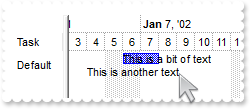
with thisform.G2antt1 .BeginUpdate .VisualAppearance.Add(1,"c:\exontrol\images\normal.ebn") .DefaultItemHeight = 36 with .Chart .PaneWidth(0) = 164 .FirstVisibleDate = {^2001-1-1} .UnitWidth = 48 .LevelCount = 2 .UnitScale = 65536 .NonworkingHours = 16253183 .ShowNonworkingUnits = .F. .UnitWidth = 16 .FirstVisibleDate = {^2012-1-1 8:00:00} .DrawGridLines = -1 .Bars.Add("Empty").Pattern = 0 with .Level(0) .Alignment = 17 .Label = "<%d2%>" endwith .AllowLinkBars = .F. .AllowCreateBar = 0 .BarsAllowSizing = .F. .AllowSelectObjects = 0 endwith .DrawGridLines = -1 .ShowFocusRect = .F. with .Columns with .Add("CA") .Def(16) = .F. .Def(17) = 1 endwith with .Add("CB") .Def(16) = .F. .Def(17) = 1 endwith endwith with .Items h = .AddItem("Address 1.1<br>Line 2.1<br>C1") .DefaultItem = h .ItemMaxHeight(0) = 96 .DefaultItem = h .CellValue(0,1) = "Address 1.2<br>Line 2.2<br>C2" .AddBar(h,"Empty",{^2012-1-2 8:00:00},{^2012-1-2 19:00:00},"A","This is a bit of text<br>being <font ;9>displayed ion the <b>bar A") .DefaultItem = h .ItemBar(0,"A",7) = 16777471 .DefaultItem = h .ItemBar(0,"A",4) = 0 .DefaultItem = h .ItemBar(0,"A",5) = 2 var_s = "<fgcolor=FFFFFF>This is a bit of text<br><fgcolor=FFFFFF>being <font ;9>displayed ion the <b>bar" var_s = var_s + " B" .AddBar(h,"Empty",{^2012-1-3 8:00:00},{^2012-1-3 19:00:00},"B",var_s) .DefaultItem = h .ItemBar(0,"B",7) = 33488896 .DefaultItem = h .ItemBar(0,"B",4) = 2 .DefaultItem = h .ItemBar(0,"B",5) = 0 .AddBar(h,"Empty",{^2012-1-4 8:00:00},{^2012-1-4 19:00:00},"C","<font Tahoma;12><b>bar C") .DefaultItem = h .ItemBar(0,"C",7) = 33489151 endwith .EndUpdate endwith
1400. Is it possible to define my values for sorting
with thisform.G2antt1 .Columns.Add("C1").SortType = 6 .Columns.Add("C2") with .Items h = .AddItem("Cell 1") .DefaultItem = h .CellData(0,0) = "3.your extra data" .DefaultItem = h .CellValue(0,1) = "SortValue=3" h = .AddItem("Cell 1.1") .DefaultItem = h .CellData(0,0) = "1.your extra data" .DefaultItem = h .CellValue(0,1) = " SortValue=1" h = .AddItem("Cell 1.2") .DefaultItem = h .CellData(0,0) = "5.your extra data" .DefaultItem = h .CellValue(0,1) = " SortValue=5" h = .AddItem("Cell 1.3") .DefaultItem = h .CellData(0,0) = "2.your extra data" .DefaultItem = h .CellValue(0,1) = " SortValue=2" endwith endwith
1399. I have multiple dropdown lists, that are depending on each other, that means that the values in dropdown list no. 2 is based on the users selection in dropdown list no 1. How can I do this
*** EditOpen event - Occurs when the edit operation starts. *** LPARAMETERS nop with thisform.G2antt1 with .Items v = .CellValue(.FocusItem,0) c = .CellCaption(.FocusItem,0) endwith with .Columns.Item(1).Editor .ClearItems .AddItem(v,c) endwith endwith with thisform.G2antt1 .BeginUpdate .Chart.PaneWidth(1) = 0 with .Columns.Add("DropDownList") with .Editor .EditType = 3 .AddItem(1,"First") .AddItem(2,"Second") .AddItem(3,"Third") endwith endwith .DrawGridLines = -1 .Columns.Add("DropDownList-Related").Editor.EditType = 3 with .Items .DefaultItem = .AddItem(1) .CellValue(0,1) = -1 .DefaultItem = .AddItem(2) .CellValue(0,1) = -1 .DefaultItem = .AddItem(3) .CellValue(0,1) = -1 .LockedItemCount(2) = 1 h = .LockedItem(2,0) .DefaultItem = h .ItemDivider(0) = 0 .DefaultItem = h .ItemDividerLineAlignment(0) = 2 .DefaultItem = h .CellEditorVisible(0,0) = .F. .DefaultItem = h .CellSingleLine(0,0) = .F. .DefaultItem = h .CellValueFormat(0,0) = 1 .DefaultItem = h var_s = "The drop down editor in the second column is filled during the <b>EditOpen event</b>, and the va" var_s = var_s + "lues are based on the selection on the first column." .CellValue(0,0) = var_s endwith .EndUpdate endwith
1398. Is it possible background color displayed when the mouse passes over an item
with thisform.G2antt1 .BeginUpdate .Columns.Add("Def") .HotBackColor = RGB(0,0,128) .HotForeColor = RGB(255,255,255) with .Items .AddItem("Item A") .AddItem("Item B") .AddItem("Item C") endwith .EndUpdate endwith
1397. Is it possible to magnify a specified date and apply a different background color
with thisform.G2antt1 .BeginUpdate .Columns.Add("Tasks") with .Chart .DrawLevelSeparator = .F. .PaneWidth(0) = 64 .FirstVisibleDate = {^2011-11-23} .LevelCount = 3 .FirstWeekDay = 1 .AllowInsideZoom = .T. .InsideZooms.Add({^2011-11-29}).AllowCustomFormat = .T. with .InsideZooms.Item({^2011-11-29}) .Width = 68 .CustomFormat.BackColorChart = RGB(224,224,224) endwith endwith with .Items hA = .AddItem("Task A") .AddBar(hA,"Task",{^2011-11-24},{^2011-11-26},"A") hB = .AddItem("Task B") .AddBar(hB,"Task",{^2011-11-28},{^2011-12-1},"B") .AddLink("LinkAB",hA,"A",hB,"B") .Link("LinkAB",9) = 2 .Link("LinkAB",10) = 2 endwith .EndUpdate endwith
1396. Could you please tell me how to add multiple bars to the one line
with thisform.G2antt1 .BeginUpdate .Chart.FirstVisibleDate = {^2002-1-1} .Columns.Add("Task") with .Items h = .AddItem("Task") .AddBar(h,"Task",{^2002-1-2},{^2002-1-4},"A") .AddBar(h,"Task",{^2002-1-6},{^2002-1-10},"B") .DefaultItem = h .ItemBar(0,"A",33) = 255 .AddLink("AB",h,"A",h,"B") endwith .EndUpdate endwith
1395. My development environment does not have any Object,GetOcx,DefaultDispatch,GetControlUnknown,nativeObject, ... property, is there any alternative I can pass the component to PrintExt so I can get printed
with thisform.G2antt1 .BeginUpdate .Columns.Add("Task") .Chart.FirstVisibleDate = {^2001-1-1} with .Items h1 = .AddItem("Task 1") .AddBar(h1,"Task",{^2001-1-2},{^2001-1-4},"K1") h2 = .AddItem("Task 2") .AddBar(h2,"Task",{^2001-1-5},{^2001-1-7},"K2") .AddLink("L1",h1,"K1",h2,"K2") .Link("L1",6) = 0 endwith .EndUpdate .Template = "Dim p;p = CreateObject(`Exontrol.Print`);p.PrintExt = Me;p.AutoRelease = False;p.Preview();" endwith
1394. My development environment does not have any Object,GetOcx,DefaultDispatch,GetControlUnknown,nativeObject, ... property, is there any alternative I can pass the component to PrintExt so I can get printed
with thisform.G2antt1 .BeginUpdate .Columns.Add("Task") .Chart.FirstVisibleDate = {^2001-1-1} with .Items h1 = .AddItem("Task 1") .AddBar(h1,"Task",{^2001-1-2},{^2001-1-4},"K1") h2 = .AddItem("Task 2") .AddBar(h2,"Task",{^2001-1-5},{^2001-1-7},"K2") .AddLink("L1",h1,"K1",h2,"K2") .Link("L1",6) = 0 endwith .EndUpdate with CreateObject("Exontrol.Print") .PrintExt = thisform.G2antt1.ExecuteTemplate("me") .Preview endwith endwith
1393. Is it possible to display the bar's captions or labels with a different font/size
with thisform.G2antt1 .BeginUpdate .Columns.Add("Task") .DefaultItemHeight = 24 with .Chart .PaneWidth(0) = 64 .FirstVisibleDate = {^2001-1-1} .LevelCount = 2 endwith with .Items h = .AddItem("Default") .AddBar(h,"Task",{^2001-1-2},{^2001-1-6},"","This is a the control's font") .DefaultItem = h .ItemBar(0,"",4) = 18 h = .AddItem("Smaller") .AddBar(h,"Task",{^2001-1-2},{^2001-1-6},"","<font ;5>This is a the control's font with a smaller size") .DefaultItem = h .ItemBar(0,"",4) = 18 h = .AddItem("Larger") .AddBar(h,"Task",{^2001-1-2},{^2001-1-6},"","<font ;15>This is a the control's font with a larger size") .DefaultItem = h .ItemBar(0,"",4) = 18 h = .AddItem("Tahoma 1") .AddBar(h,"Task",{^2001-1-2},{^2001-1-6},"","<font Tahoma>This is using a Tahoma font") .DefaultItem = h .ItemBar(0,"",4) = 18 h = .AddItem("Tahoma 2") .AddBar(h,"Task",{^2001-1-2},{^2001-1-6},"","<font Tahoma;14>This is using a <b>Tahoma</b> font with a different size") .DefaultItem = h .ItemBar(0,"",4) = 18 endwith .EndUpdate endwith
1392. How can I apply the same ConditionalFormat on more than 1(one) column (multiple columns and not on item)
with thisform.G2antt1 .BeginUpdate with .ConditionalFormats.Add("1","K1") .BackColor = RGB(255,0,0) .ApplyTo = 1 endwith with .ConditionalFormats.Add("1","K2") .BackColor = RGB(255,0,0) .ApplyTo = 2 endwith .MarkSearchColumn = .F. .DrawGridLines = -2 with .Columns .Add("Column 1") .Add("Column 2") .Add("Column 3") endwith with .Items .AddItem() .AddItem() .AddItem() endwith .EndUpdate endwith
1391. Is it possible to change the height for all items at once
with thisform.G2antt1 .BeginUpdate .LinesAtRoot = -1 .Columns.Add("Items") with .Items h = .AddItem("Root 1") .InsertItem(h,0,"Child 1") .InsertItem(h,0,"Child 2") h = .AddItem("Root 2") .InsertItem(h,0,"Child 1") .InsertItem(h,0,"Child 2") .ExpandItem(0) = .T. endwith .EndUpdate .DefaultItemHeight = 12 .Items.ItemHeight(0) = 12 endwith
1390. Is it possible to include the weekday when displaying the date
with thisform.G2antt1 .BeginUpdate .MarkSearchColumn = .F. with .Columns .Add("Tasks") with .Add("Start") .Def(18) = 1 .Def(17) = 1 var_s = "value + '<font ;6> ' + (weekday(date(value)) case(0:'Sun';1:'Mon';2:'Tue';3:'Wed';4:'Thu';5:'Fr" var_s = var_s + "i';6:'Sat'))" .FormatColumn = var_s endwith with .Add("End") .Def(18) = 2 .Def(17) = 1 var_s1 = "value + '<font ;6> ' + (weekday(date(value)) case(0:'Sun';1:'Mon';2:'Tue';3:'Wed';4:'Thu';5:'Fr" var_s1 = var_s1 + "i';6:'Sat'))" .FormatColumn = var_s1 endwith endwith with .Chart .FirstVisibleDate = {^2006-9-20} .AllowLinkBars = .F. .AllowCreateBar = 0 .LevelCount = 2 .PaneWidth(0) = 256 .NonworkingDays = 0 .FirstWeekDay = 1 endwith with .Items .AllowCellValueToItemBar = .T. .AddBar(.AddItem("Task 1"),"Task",{^2006-9-21},{^2006-9-24}) .AddBar(.AddItem("Task 2"),"Task",{^2006-9-22},{^2006-9-25}) .AddBar(.AddItem("Task 3"),"Task",{^2006-9-23},{^2006-9-26}) endwith .EndUpdate endwith
1389. I need my chart to display the end date with on day less. How can I do this (Method 1)
with thisform.G2antt1 .BeginUpdate .MarkSearchColumn = .F. with .Columns .Add("Tasks") .Add("Start").Def(18) = 1 with .Add("End") .Def(18) = 2 .FormatColumn = "shortdate(date(value)-1)" endwith endwith with .Chart .FirstVisibleDate = {^2006-9-20} .AllowLinkBars = .F. .AllowCreateBar = 0 .LevelCount = 2 .PaneWidth(0) = 196 .NonworkingDays = 0 endwith with .Items .AllowCellValueToItemBar = .T. .AddBar(.AddItem("Task 1"),"Task",{^2006-9-21},{^2006-9-24}) .AddBar(.AddItem("Task 2"),"Task",{^2006-9-22},{^2006-9-25}) .AddBar(.AddItem("Task 3"),"Task",{^2006-9-23},{^2006-9-26}) endwith .EndUpdate endwith
1388. Is it possible to display my custom time-units
with thisform.G2antt1 with .Chart .PaneWidth(0) = 0 .LevelCount = 2 .FirstVisibleDate = 0 .NonworkingDays = 0 with .Level(0) .Unit = 4096 .Count = 16 .Alignment = 1 .Label = "<%i%>" .FormatLabel = "'Half ' + (1 + (value/16) mod 2)" endwith with .Level(1) .Label = "<%i%>" .FormatLabel = "1 + value mod 16" .ReplaceLabel(2) = "<font ;10><B>Y" endwith .AdjustLevelsToBase = .T. .ScrollRange(0) = 0 .ScrollRange(1) = 31 endwith endwith
1387. Is it possible to add new records and see them in the control's view using the DataSource
*** ButtonClick event - Occurs when user clicks on the cell's button. *** LPARAMETERS Item,ColIndex,Key with thisform.G2antt1 .DataSource.AddNew() endwith with thisform.G2antt1 rs = CreateObject("ADODB.Recordset") with rs.Fields .Append("Task",8) .Append("Start",7) .Append("End",7) endwith rs.Open() .DrawGridLines = -2 .DetectAddNew = .T. .DetectDelete = .T. .DataSource = rs with .Items .LockedItemCount(0) = 1 h = .LockedItem(0,0) .DefaultItem = h .ItemDivider(0) = 0 .DefaultItem = h .ItemHeight(0) = 22 .DefaultItem = h .CellValue(0,0) = "AddNew" .DefaultItem = h .CellHasButton(0,0) = .T. .DefaultItem = h .CellHAlignment(0,0) = 1 endwith endwith
1386. How can I limit the bars to scrolling range only
*** CreateBar event - Fired when the user creates a new bar. *** LPARAMETERS Item,DateStart,DateEnd with thisform.G2antt1 with .Items .DefaultItem = Item .ItemBar(0,"newbar",22) = thisform.G2antt1.Chart.ScrollRange(2) .DefaultItem = Item .ItemBar(0,"newbar",25) = thisform.G2antt1.Chart.ScrollRange(3) endwith endwith with thisform.G2antt1 .BeginUpdate .Columns.Add("Task") with .Chart .LevelCount = 2 .PaneWidth(0) = 56 .ScrollRange(0) = {^2001-1-1} .ScrollRange(1) = {^2001-1-15} .FirstVisibleDate = {^2001-1-12} .AllowCreateBar = 1 endwith with .Items .AddItem("Task 1") .AddItem("Task 2") .AddItem("Task 3") endwith .EndUpdate endwith
1385. How do I get the handle of the last added item
with thisform.G2antt1 .Columns.Add("Def") with .Items .AddItem(1) .AddItem(2) DEBUGOUT( .ItemByIndex(.ItemCount) ) endwith endwith
1384. How can I set the charts date format to any other international Format then the US version. I would need "dd.mmm.yyyy" instead of "mmm.d.'yy"
with thisform.G2antt1 with .Chart .PaneWidth(0) = 0 .LevelCount = 2 with .Level(0) .Label = "<%dd%>.<%mmm%>.<%yyyy%>" .Unit = 256 .Alignment = 17 endwith endwith endwith
1383. Is it possible to define the bar colors, and have the cumulative histogram showing the same colors
with thisform.G2antt1 .BeginUpdate .SingleSel = .F. with .Chart .LevelCount = 2 .AllowLinkBars = .F. .DrawGridLines = -1 .FirstVisibleDate = {^2000-12-24} .HistogramVisible = .T. .HistogramHeight = 64 .PaneWidth(0) = 128 .HistogramView = 1298 with .Bars.Item("Task") .HistogramType = 256 .HistogramItems = 6 .HistogramPattern = .Pattern .HistogramCumulativeOriginalColorBars = 1 .OverlaidType = 1 endwith endwith .Columns.Add("Column") with .Items h = .AddItem("Project") .DefaultItem = h .ItemBold(0) = .T. .DefaultItem = h .SelectableItem(0) = .F. h1 = .InsertItem(h,0,"Item 1") .AddBar(h1,"Task",{^2001-1-2},{^2001-1-4}) h1 = .InsertItem(h,0,"Item 2") .AddBar(h1,"Task",{^2001-1-3},{^2001-1-5}) h1 = .InsertItem(h,0,"Item 3") .AddBar(h1,"Task",{^2001-1-4},{^2001-1-6}) .AddBar(h1,"Task",{^2001-1-1},{^2001-1-3},"green") .DefaultItem = h1 .ItemBar(0,"green",33) = 65280 .AddBar(h1,"Task",{^2001-1-8},{^2001-1-10},"red") .DefaultItem = h1 .ItemBar(0,"red",33) = 255 .DefaultItem = h .ExpandItem(0) = .T. .SelectAll endwith .EndUpdate endwith
1382. How can I hide the values shown in the legend when cumulative histogram is displayed
with thisform.G2antt1 .BeginUpdate with .Chart .FirstVisibleDate = {^2001-1-1} .HistogramVisible = .T. .HistogramHeight = 64 .PaneWidth(0) = 128 .HistogramView = 1300 with .Bars.Item("Task") .HistogramPattern = 1 .HistogramType = 256 .HistogramItems = 6 .HistogramRulerLinesColor = RGB(128,0,0) .HistogramBorderColor = RGB(1,0,0) .HistogramCumulativeShowLegend = 65535 .HistogramCumulativeOriginalColorBars = .F. endwith endwith with .Columns.Add("Column") .Def(0) = .T. .PartialCheck = .T. endwith with .Items h = .AddItem("Project 1") .AddBar(.InsertItem(h,0,"Item 1"),"Task",{^2001-1-2},{^2001-1-4}) .AddBar(.InsertItem(h,0,"Item 2"),"Task",{^2001-1-3},{^2001-1-5}) .AddBar(.InsertItem(h,0,"Item 3"),"Task",{^2001-1-4},{^2001-1-6}) .AddBar(.InsertItem(h,0,"Item 4"),"Task",{^2001-1-2},{^2001-1-8}) .DefaultItem = .ItemByIndex(1) .CellState(0,0) = 1 .DefaultItem = h .ExpandItem(0) = .T. endwith .EndUpdate endwith
1381. Is it possible to define the bar colors, and have the cumulative histogram showing the same colors
with thisform.G2antt1 .BeginUpdate .SelBackColor = .BackColor .SelForeColor = .ForeColor with .Chart .FirstVisibleDate = {^2001-1-1} .HistogramVisible = .T. .HistogramHeight = 64 .PaneWidth(0) = 128 .HistogramView = 1300 with .Bars.Item("Task") .Color = RGB(128,128,128) .HistogramType = 256 .HistogramItems = 6 .HistogramRulerLinesColor = RGB(128,0,0) .HistogramBorderColor = RGB(1,0,0) .HistogramCumulativeColors = 2 .HistogramCumulativeColor(0) = RGB(0,0,255) .HistogramCumulativeColor(1) = RGB(0,0,255) .HistogramCumulativeOriginalColorBars = .F. .HistogramPattern = .Pattern .HistogramCumulativeShowLegend = 65535 endwith endwith with .Columns.Add("Column") .Def(0) = .T. .PartialCheck = .T. endwith with .Items h = .AddItem("Project 1") .AddBar(.InsertItem(h,0,"Item 1"),"Task",{^2001-1-2},{^2001-1-4}) .AddBar(.InsertItem(h,0,"Item 2"),"Task",{^2001-1-3},{^2001-1-5}) .AddBar(.InsertItem(h,0,"Item 3"),"Task",{^2001-1-4},{^2001-1-6}) .AddBar(.InsertItem(h,0,"Item 4"),"Task",{^2001-1-2},{^2001-1-8}) .DefaultItem = .ItemByIndex(1) .CellState(0,0) = 1 .DefaultItem = h .ExpandItem(0) = .T. endwith .EndUpdate endwith
1380. Is it possible to show the non-working pattern over the bars
with thisform.G2antt1 .BeginUpdate .Columns.Add("Tasks") with .Chart .NonworkingDaysPattern = 6 .NonworkingDaysColor = RGB(0,0,0) .PaneWidth(0) = 40 .FirstVisibleDate = {^2005-6-20} .HistogramVisible = .T. .HistogramHeight = 64 .HistogramView = 2160 .LevelCount = 2 with .Bars with .Add("Empty") .Color = RGB(0,0,0) .Pattern = 5 .Shape = 17 endwith with .Add("Task:Empty") .Shortcut = "Task" .HistogramItems = -5 .HistogramCriticalValue = 3 .HistogramType = 0 .HistogramPattern = .Pattern .Def(3) = "<%=%258%> working days bar" .Def(4) = 18 .Def(20) = .T. endwith endwith .UnitWidthNonworking = -12 .Level(1).FormatLabel = "weekday(dvalue) in (0,6) ? `` : value" endwith with .Items .AddBar(.AddItem("Task A"),"Task",{^2005-6-23},{^2005-6-29},"") .AddBar(.AddItem("Task B"),"Task",{^2005-6-24},{^2005-6-28},"") endwith .EndUpdate endwith
1379. I'm showing values from a ado recordset from sql 2005. When I try to edit a column with integers, it just skips back to the original numbers after pressing enter..., why
*** AddItem event - Occurs after a new Item has been inserted to Items collection. *** LPARAMETERS Item with thisform.G2antt1 with .Items .AddBar(Item,"Task",.CellValue(Item,2),.CellValue(Item,4)) endwith endwith *** Error event - Fired when an internal error occurs. *** LPARAMETERS Error,Description with thisform.G2antt1 DEBUGOUT( Error ) DEBUGOUT( Description ) endwith with thisform.G2antt1 .BeginUpdate with .Chart .FirstVisibleDate = {^1994-8-3} .PaneWidth(0) = 256 .LevelCount = 2 .UnitScale = 4096 .FirstWeekDay = 1 .OverviewVisible = -1 endwith .ColumnAutoResize = .F. .ContinueColumnScroll = .F. rs = CreateObject("ADOR.Recordset") with rs var_s = "Provider=Microsoft.Jet.OLEDB.4.0;Data Source=C:\Program Files\Exontrol\ExTree\Sample\VB\SAMPLE.M" var_s = var_s + "DB" .Open("Orders",var_s,1,1) endwith .DataSource = rs .Items.AllowCellValueToItemBar = .T. .Columns.Item(2).Def(18) = 1 .Columns.Item(4).Def(18) = 2 .EndUpdate endwith
1378. Is it possible to reduce the non-working parts of the control
with thisform.G2antt1 .BeginUpdate .Columns.Add("Tasks") with .Chart .PaneWidth(0) = 40 .FirstVisibleDate = {^2005-6-20} .HistogramVisible = .T. .HistogramHeight = 64 .HistogramView = 112 .LevelCount = 2 with .Bars.Item("Task") .HistogramType = 1 .HistogramPattern = .Pattern endwith .UnitWidthNonworking = -8 .Level(1).FormatLabel = "weekday(dvalue) in (0,6) ? `` : value" endwith with .Items h = .AddItem("Task A") .AddBar(h,"Task",{^2005-6-23},{^2005-6-29},"","4 working days bar") .DefaultItem = h .ItemBar(0,"",10) = .F. .DefaultItem = h .ItemBar(0,"",4) = 18 .DefaultItem = h .ItemBar(0,"",21) = 4 .DefaultItem = h .ItemBar(0,"",20) = .T. h = .AddItem("Task B") .AddBar(h,"Task",{^2005-6-28},{^2005-6-30},"","2 working days bar") .DefaultItem = h .ItemBar(0,"",10) = .F. .DefaultItem = h .ItemBar(0,"",4) = 18 .DefaultItem = h .ItemBar(0,"",21) = 2 .DefaultItem = h .ItemBar(0,"",20) = .T. endwith .EndUpdate endwith
1377. I don't want to see the "schedule"/show "workload" in non-working days part of the histogram
with thisform.G2antt1 .BeginUpdate .Columns.Add("Tasks") with .Chart .PaneWidth(0) = 40 .FirstVisibleDate = {^2005-6-20} .HistogramVisible = .T. .HistogramHeight = 64 .HistogramView = 112 .LevelCount = 2 with .Bars.Item("Task") .HistogramType = 1 .HistogramPattern = .Pattern endwith .ShowNonworkingDates = .F. .ShowNonworkingUnits = .F. endwith with .Items h = .AddItem("Task A") .AddBar(h,"Task",{^2005-6-23},{^2005-6-29},"","4 working days bar") .DefaultItem = h .ItemBar(0,"",10) = .F. .DefaultItem = h .ItemBar(0,"",4) = 18 .DefaultItem = h .ItemBar(0,"",21) = 4 .DefaultItem = h .ItemBar(0,"",20) = .T. h = .AddItem("Task B") .AddBar(h,"Task",{^2005-6-28},{^2005-6-30},"","2 working days bar") .DefaultItem = h .ItemBar(0,"",10) = .F. .DefaultItem = h .ItemBar(0,"",4) = 18 .DefaultItem = h .ItemBar(0,"",21) = 2 .DefaultItem = h .ItemBar(0,"",20) = .T. endwith .EndUpdate endwith
1376. The control shows, and handles non-working days PERFECT, but how is it possible to reflect this in the Histogram. I don't want to "schedule"/show "workload" in non-working days...
with thisform.G2antt1 .BeginUpdate .Columns.Add("Tasks") with .Chart .PaneWidth(0) = 40 .FirstVisibleDate = {^2005-6-20} .HistogramVisible = .T. .HistogramHeight = 64 .HistogramView = 112 .LevelCount = 2 with .Bars.Item("Task") .HistogramType = 1 .HistogramPattern = .Pattern endwith endwith with .Items h = .AddItem("Task A") .AddBar(h,"Task",{^2005-6-23},{^2005-6-29},"","4 working days bar") .DefaultItem = h .ItemBar(0,"",10) = .F. .DefaultItem = h .ItemBar(0,"",4) = 18 .DefaultItem = h .ItemBar(0,"",21) = 4 .DefaultItem = h .ItemBar(0,"",20) = .T. h = .AddItem("Task B") .AddBar(h,"Task",{^2005-6-28},{^2005-6-30},"","2 working days bar") .DefaultItem = h .ItemBar(0,"",10) = .F. .DefaultItem = h .ItemBar(0,"",4) = 18 .DefaultItem = h .ItemBar(0,"",21) = 2 .DefaultItem = h .ItemBar(0,"",20) = .T. endwith .EndUpdate endwith
1375. When I do select the button in the overview-zoom I want the scaling to change accordingly. Can I set different scales per selected zoom level
*** OverviewZoom event - Occurs once the user selects a new time scale unit in the overview zoom area. *** LPARAMETERS nop with thisform.G2antt1 DEBUGOUT( .Chart.UnitScale ) endwith with thisform.G2antt1 with .Chart .PaneWidth(0) = 0 .LevelCount = 2 .OverviewVisible = .T. .AllowOverviewZoom = 1 .Label(16777216) = "" .Label(0) = "" endwith endwith
1374. How do I display Icons instead of text in the overview zoom area
with thisform.G2antt1 var_s = "gBJJgBAIDAAGAAEAAQhYAf8Pf4hh0QihCJo2AEZjQAjEZFEaIEaEEaAIAkcbk0olUrlktl0vmExmUzmk1m03nE5nU7nk9n0/" var_s = var_s + "oFBoVDolFo1HpFJpVLplNp1PqFRqVTqlVq1XrFZrVbrldr1fsFhsVjslls1ntFptVrtltt1vuFxuVzul1u13vF5vV7vl9v1/" var_s = var_s + "wGBwWDwmFw2HxGJxWLxmNx0xiFdyOTh8Tf9ZymXx+QytcyNgz8r0OblWjyWds+m0ka1Vf1ta1+r1mos2xrG2xeZ0+a0W0qOx" var_s = var_s + "3GO4NV3WeyvD2XJ5XL5nN51aiw+lfSj0gkUkAEllHanHI5j/cHg8EZf7w8vl8j4f/qfEZeB09/vjLAB30+kZQAP/P5/H6/yN" var_s = var_s + "AOAEAwCjMBwFAEDwJBMDwLBYAP2/8Hv8/gAGAD8LQs9w/nhDY/oygIA=" .Images(var_s) with .Chart .OverviewVisible = .T. .AllowOverviewZoom = 1 .Label(16777216) = "" .Label(0) = "" DEBUGOUT( .OverviewZoomCaption ) .OverviewZoomCaption = "Year|½Year|¼Year|Month|Third|<img>1</img>|Day|Hour|Min|Sec" endwith endwith
1373. How do I get it to only display Min, Hour, Day, Week , Month, ie remove Sec and Year in the overview area
with thisform.G2antt1 with .Chart .OverviewVisible = .T. .AllowOverviewZoom = 1 .Label(16777216) = "" .Label(0) = "" endwith endwith
1372. Is it possible to show quarter hours markers
with thisform.G2antt1 .BeginUpdate .GridLineColor = RGB(0,0,0) var_s = "gBFLBCJwBAEHhEJAEGg4BdMIQAAYAQGKIYBkAKBQAGaAoDDUNw5QwAAwjSKkEwsACEIrjKCRShyCYZRhGcTAFBMIhkGoSZKl" var_s = var_s + "CIRVDCKYJDbKACSFKkNQ7AabZBgOQJVgOKovThKcIybQAASJCKRY7nUIIJA+SoDSRAbqhYIgASnKqLJAkACIJJAaRjHQdJxG" var_s = var_s + "KKMQANBghCZseKhWgkKIJUxAdLTWAAMQuaCoZ5icRAca2fJ+XzfeBYDgmAYNQbDcJhHCMMwXDaJZBiGJ4dimI4rR7JIDzDJ8" var_s = var_s + "cxbEKTZ5meg5boGRZNTrMQA0fQ9MynK6vahfOi7DpuaZnWrcMb2fYNZwrGq0bxoW58BwmP5/XrkNa4XgcVgmAUBA" .VisualAppearance.Add(3,var_s) .HeaderHeight = 20 with .Chart .FirstVisibleDate = {^2001-1-1} .PaneWidth(0) = 0 .LevelCount = 2 .UnitScale = 65536 with .Level(0) .Alignment = 16 .Label = "<%dddd%>, <%mmmm%> <b><%d%></b>, <%yyyy%>" .DrawTickLines = 2 endwith with .Level(1) .Label = "<%hh%>:00" .BackColor = 0x3000000 .DrawTickLines = 2 endwith .DrawLevelSeparator = 2 .UnitWidth = 64 .ResizeUnitScale = 1048576 .ResizeUnitCount = 15 endwith .EndUpdate endwith
1371. How can I ensure or always show the labels on the chart part, when scrolling the chart to left or right
with thisform.G2antt1 .BeginUpdate with .Chart .FirstVisibleDate = {^2001-1-1} .PaneWidth(0) = 0 .LevelCount = 2 .UnitWidth = 48 .UnitScale = 65536 with .Level(0) .Alignment = 17 .Label = "<%dddd%>, <%mmmm%> <b><%d%></b>, <%yyyy%>" endwith .Level(1).Label = "<%hh%>:00" endwith .EndUpdate endwith
1370. I associate the Start and End columns with bars, but some of them are not shown. What am I doing wrong
with thisform.G2antt1 .BeginUpdate .MarkSearchColumn = .F. .Items.AllowCellValueToItemBar = .T. with .Chart .LevelCount = 2 .FirstVisibleDate = {^2000-12-25} .PaneWidth(0) = 128 endwith with .Columns.Add("Start") .Def(18) = 1 .Def(19) = "K1" endwith with .Columns.Add("End") .Def(18) = 2 .Def(19) = "K1" endwith with .Items .AddBar(.AddItem(),"Task",{^2001-1-1},{^2001-1-5},"K1") .AddBar(.AddItem(),"Task",{^2001-1-2},{^2001-1-6},"K1") .AddBar(.AddItem(),"Task",{^2001-1-3},{^2001-1-7},"????","????") endwith .EndUpdate endwith
1369. How can I implement OLE Drag and Drop operation
*** OLEStartDrag event - Occurs when the OLEDrag method is called. *** LPARAMETERS Data,AllowedEffects with thisform.G2antt1 .BeginUpdate .Chart.PaneWidth(1) = 0 .Columns.Add("Default") with .Items .AddItem("Item 1") .AddItem("Item 2") .AddItem("Item 3") .AddItem("Item 4") .AddItem("Item 5") endwith .OLEDropMode = 1 .EndUpdate endwith
1368. I can not associate the bar's start and end properties with my start/end columns, only if the bar's key is empty or null. What can I do
*** ButtonClick event - Occurs when user clicks on the cell's button. *** LPARAMETERS Item,ColIndex,Key with thisform.G2antt1 .BeginUpdate with .Columns .Item("Tasks").Def(19) = "B" .Item("Start").Def(19) = "B" .Item("End").Def(19) = "B" endwith with .Items .DefaultItem = Item .CellValue(0,1) = "B" .ItemBar(0,"B",33) = 0 .ItemBar(0,"A",33) = 16775408 endwith .EndUpdate endwith with thisform.G2antt1 .BeginUpdate with .Columns with .Add("Tasks") .Width = 32 .Def(18) = 3 .Def(19) = "A" endwith with .Add("Start") .Def(18) = 1 .Def(19) = "A" .Editor.EditType = 7 endwith with .Add("End") .Def(18) = 2 .Def(19) = "A" .Editor.EditType = 7 endwith endwith with .Chart .FirstVisibleDate = {^2006-9-20} .AllowLinkBars = .T. .AllowCreateBar = 0 .LevelCount = 2 .PaneWidth(0) = 196 with .Bars.Item("Task") .Pattern = 6 .OverlaidType = 515 .Overlaid(256) = 80 endwith endwith with .Items .LockedItemCount(0) = 1 h = .LockedItem(0,0) .DefaultItem = h .CellValue(0,0) = "Select" .DefaultItem = h .CellHasButton(0,0) = .T. .DefaultItem = h .CellMerge(0,1) = 2 .DefaultItem = h .CellValue(0,1) = "A" .CellEditor(h,1).EditType = 1 endwith with .Items .AllowCellValueToItemBar = .T. h = .AddItem("Task 1") .AddBar(h,"Task",{^2006-9-21},{^2006-9-24},"A","A") .AddBar(h,"Task",{^2006-9-25},{^2006-9-28},"B","B") .DefaultItem = h .ItemBar(0,"B",33) = 16775408 h = .AddItem("Task 2") .AddBar(h,"Task",{^2006-9-22},{^2006-9-25},"A","A") .AddBar(h,"Task",{^2006-9-26},{^2006-9-29},"B","B") .DefaultItem = h .ItemBar(0,"B",33) = 16775408 endwith .EndUpdate endwith
1367. How can I determine the order of the events
*** AddLink event - Occurs when the user links two bars using the mouse. *** LPARAMETERS LinkKey with thisform.G2antt1 DEBUGOUT( "AddLink" ) DEBUGOUT( LinkKey ) endwith *** AfterExpandItem event - Fired after an item is expanded (collapsed). *** LPARAMETERS Item with thisform.G2antt1 DEBUGOUT( "AfterExpandItem" ) DEBUGOUT( Item ) endwith *** AllowLink event - Notifies at runtime when a link between two bars is possible. *** LPARAMETERS StartItem,StartBarKey,EndItem,EndBarKey,LinkKey,Cancel with thisform.G2antt1 DEBUGOUT( "AllowLink" ) DEBUGOUT( StartItem ) DEBUGOUT( StartBarKey ) DEBUGOUT( EndItem ) DEBUGOUT( EndBarKey ) DEBUGOUT( LinkKey ) endwith *** AnchorClick event - Occurs when an anchor element is clicked. *** LPARAMETERS AnchorID,Options with thisform.G2antt1 DEBUGOUT( "AnchorClick" ) DEBUGOUT( AnchorID ) DEBUGOUT( Options ) endwith *** BarParentChange event - Occurs just before moving a bar from current item to another item. *** LPARAMETERS Item,Key,NewItem,Cancel with thisform.G2antt1 DEBUGOUT( "BarParentChange" ) DEBUGOUT( Item ) DEBUGOUT( Key ) DEBUGOUT( NewItem ) endwith *** BarResize event - Occurs when a bar is moved or resized. *** LPARAMETERS Item,Key with thisform.G2antt1 DEBUGOUT( "BarResize" ) DEBUGOUT( Item ) DEBUGOUT( Key ) endwith *** BarResizing event - Occurs when a bar is moving or resizing. *** LPARAMETERS Item,Key with thisform.G2antt1 DEBUGOUT( "BarResizing" ) DEBUGOUT( Item ) DEBUGOUT( Key ) endwith *** BeforeExpandItem event - Fired before an item is about to be expanded (collapsed). *** LPARAMETERS Item,Cancel with thisform.G2antt1 DEBUGOUT( "BeforeExpandItem" ) DEBUGOUT( Item ) endwith *** ButtonClick event - Occurs when user clicks on the cell's button. *** LPARAMETERS Item,ColIndex,Key with thisform.G2antt1 DEBUGOUT( "ButtonClick" ) DEBUGOUT( Item ) DEBUGOUT( ColIndex ) DEBUGOUT( Key ) endwith *** CellImageClick event - Fired after the user clicks on the image's cell area. *** LPARAMETERS Item,ColIndex with thisform.G2antt1 DEBUGOUT( "CellImageClick" ) DEBUGOUT( Item ) DEBUGOUT( ColIndex ) endwith *** CellStateChanged event - Fired after cell's state has been changed. *** LPARAMETERS Item,ColIndex with thisform.G2antt1 DEBUGOUT( "CellStateChanged" ) DEBUGOUT( Item ) DEBUGOUT( ColIndex ) endwith *** Change event - Occurs when the user changes the cell's content. *** LPARAMETERS Item,ColIndex,NewValue with thisform.G2antt1 DEBUGOUT( "Change" ) DEBUGOUT( Item ) DEBUGOUT( ColIndex ) DEBUGOUT( NewValue ) endwith *** ChartEndChanging event - Occurs after the chart has been changed. *** LPARAMETERS Operation with thisform.G2antt1 DEBUGOUT( "ChartEndChanging" ) DEBUGOUT( Operation ) endwith *** ChartSelectionChanged event - Occurs when the user selects objects in the chart area. *** LPARAMETERS nop with thisform.G2antt1 DEBUGOUT( "ChartSelectionChanged" ) endwith *** ChartStartChanging event - Occurs when the chart is about to be changed. *** LPARAMETERS Operation with thisform.G2antt1 DEBUGOUT( "ChartStartChanging" ) DEBUGOUT( Operation ) endwith *** Click event - Occurs when the user presses and then releases the left mouse button over the tree control. *** LPARAMETERS nop with thisform.G2antt1 DEBUGOUT( "Click" ) endwith *** ColumnClick event - Fired after the user clicks on column's header. *** LPARAMETERS Column with thisform.G2antt1 DEBUGOUT( "ColumnClick" ) endwith *** CreateBar event - Fired when the user creates a new bar. *** LPARAMETERS Item,DateStart,DateEnd with thisform.G2antt1 DEBUGOUT( "CreateBar" ) DEBUGOUT( Item ) DEBUGOUT( DateStart ) DEBUGOUT( DateEnd ) endwith *** DateChange event - Occurs when the first visible date is changed. *** LPARAMETERS nop with thisform.G2antt1 DEBUGOUT( "DateChange" ) endwith *** DblClick event - Occurs when the user dblclk the left mouse button over an object. *** LPARAMETERS Shift,X,Y with thisform.G2antt1 DEBUGOUT( "DblClick" ) DEBUGOUT( Shift ) DEBUGOUT( X ) DEBUGOUT( Y ) .Edit() endwith *** Edit event - Occurs just before editing the focused cell. *** LPARAMETERS Item,ColIndex,Cancel with thisform.G2antt1 DEBUGOUT( "Edit" ) DEBUGOUT( Item ) DEBUGOUT( ColIndex ) endwith *** EditClose event - Occurs when the edit operation ends. *** LPARAMETERS nop with thisform.G2antt1 DEBUGOUT( "EditClose" ) endwith *** EditOpen event - Occurs when the edit operation starts. *** LPARAMETERS nop with thisform.G2antt1 DEBUGOUT( "EditOpen" ) endwith *** FilterChange event - Occurs when the filter was changed. *** LPARAMETERS nop with thisform.G2antt1 DEBUGOUT( "FilterChange" ) endwith *** FilterChanging event - Notifies your application that the filter is about to change. *** LPARAMETERS nop with thisform.G2antt1 DEBUGOUT( "FilterChanging" ) endwith *** FocusChanged event - Occurs when a cell gets the focus. *** LPARAMETERS nop with thisform.G2antt1 DEBUGOUT( "FocusChanged" ) endwith *** InsideZoom event - Notifies your application that a date is about to be magnified. *** LPARAMETERS DateTime with thisform.G2antt1 DEBUGOUT( "InsideZoom" ) DEBUGOUT( DateTime ) endwith *** KeyDown event - Occurs when the user presses a key while an object has the focus. *** LPARAMETERS KeyCode,Shift with thisform.G2antt1 DEBUGOUT( "KeyDown" ) DEBUGOUT( KeyCode ) DEBUGOUT( Shift ) endwith *** KeyPress event - Occurs when the user presses and releases an ANSI key. *** LPARAMETERS KeyAscii with thisform.G2antt1 DEBUGOUT( "KeyPress" ) DEBUGOUT( KeyAscii ) endwith *** KeyUp event - Occurs when the user releases a key while an object has the focus. *** LPARAMETERS KeyCode,Shift with thisform.G2antt1 DEBUGOUT( "KeyUp" ) DEBUGOUT( KeyCode ) DEBUGOUT( Shift ) endwith *** LayoutChanged event - Occurs when column's position or column's size is changed. *** LPARAMETERS nop with thisform.G2antt1 DEBUGOUT( "LayoutChanged" ) endwith *** MouseDown event - Occurs when the user presses a mouse button. *** LPARAMETERS Button,Shift,X,Y with thisform.G2antt1 DEBUGOUT( "MouseDown" ) DEBUGOUT( Button ) DEBUGOUT( Shift ) DEBUGOUT( X ) DEBUGOUT( Y ) endwith *** MouseMove event - Occurs when the user moves the mouse. *** LPARAMETERS Button,Shift,X,Y *** MouseUp event - Occurs when the user releases a mouse button. *** LPARAMETERS Button,Shift,X,Y with thisform.G2antt1 DEBUGOUT( "MouseUp" ) DEBUGOUT( Button ) DEBUGOUT( Shift ) DEBUGOUT( X ) DEBUGOUT( Y ) endwith *** OffsetChanged event - Occurs when the scroll position has been changed. *** LPARAMETERS Horizontal,NewVal with thisform.G2antt1 DEBUGOUT( "OffsetChanged" ) DEBUGOUT( Horizontal ) DEBUGOUT( NewVal ) endwith *** OversizeChanged event - Occurs when the right range of the scroll has been changed. *** LPARAMETERS Horizontal,NewVal with thisform.G2antt1 DEBUGOUT( "OversizeChanged" ) DEBUGOUT( Horizontal ) DEBUGOUT( NewVal ) endwith *** OverviewZoom event - Occurs once the user selects a new time scale unit in the overview zoom area. *** LPARAMETERS nop with thisform.G2antt1 DEBUGOUT( "OverviewZoom" ) endwith *** RClick event - Fired when right mouse button is clicked *** LPARAMETERS nop with thisform.G2antt1 DEBUGOUT( "RClick" ) endwith *** ScrollButtonClick event - Occurs when the user clicks a button in the scrollbar. *** LPARAMETERS ScrollBar,ScrollPart with thisform.G2antt1 DEBUGOUT( "ScrollButtonClick" ) DEBUGOUT( ScrollBar ) DEBUGOUT( ScrollPart ) endwith *** SelectionChanged event - Fired after a new item has been selected. *** LPARAMETERS nop with thisform.G2antt1 DEBUGOUT( "SelectionChanged" ) endwith *** Sort event - Fired when the control sorts a column. *** LPARAMETERS nop with thisform.G2antt1 DEBUGOUT( "Sort" ) endwith with thisform.G2antt1 .BeginUpdate var_s = "gBJJgBAIDAAGAAEAAQhYAf8Pf4hh0QihCJo2AEZjQAjEZFEaIEaEEaAIAkcbk0olUrlktl0vmExmUzmk1m03nE5nU7nk9n0/" var_s = var_s + "oFBoVDolFo1HpFJpVLplNp1PqFRqVTqlVq1XrFZrVbrldr1fsFhsVjslls1ntFptVrtltt1vuFxuVzul1u13vF5vV7vl9v1/" var_s = var_s + "wGBwWDwmFw2HxGJxWLxmNx0xiFdyOTh8Tf9ZymXx+QytcyNgz8r0OblWjyWds+m0ka1Vf1ta1+r1mos2xrG2xeZ0+a0W0qOx" var_s = var_s + "3GO4NV3WeyvD2XJ5XL5nN51aiw+lfSj0gkUkAEllHanHI5j/cHg8EZf7w8vl8j4f/qfEZeB09/vjLAB30+kZQAP/P5/H6/yN" var_s = var_s + "AOAEAwCjMBwFAEDwJBMDwLBYAP2/8Hv8/gAGAD8LQs9w/nhDY/oygIA=" .Images(var_s) .DrawGridLines = -1 .LinesAtRoot = -1 .GridLineStyle = 4 .AutoEdit = .F. .ExpandOnDblClick = .F. with .Chart .AllowInsideZoom = .T. .OverviewVisible = -1 .AllowOverviewZoom = 1 .PaneWidth(0) = 128 .FirstVisibleDate = {^2001-1-1} .DrawGridLines = -1 .GridLineStyle = 36 .LevelCount = 2 .Level(0).DrawGridLines = .T. .Bars.Item("Task").Pattern = 1 .UnitScale = 4096 .Label(16777216) = "" .Label(1048576) = "" .Label(65536) = "" endwith with .Columns with .Add("Column") .DisplayFilterButton = .T. .Def(0) = .T. .Editor.EditType = 1 endwith with .Add("Button") .AllowSizing = .F. .Width = 18 .Def(2) = .T. endwith endwith with .Items h = .AddItem("parent") .DefaultItem = h .CellImage(0,0) = 1 .AddBar(h,"Task",{^2001-1-2},{^2001-1-5},"A","<a>A</a>") .DefaultItem = h .ItemBar(0,"A",4) = 18 .DefaultItem = h .ItemBar(0,"A",28) = .T. .DefaultItem = h .ItemBar(0,"A",6) = "This is a bit of text that should be shown when cursor hovers the bar" .AddBar(h,"Task",{^2001-1-8},{^2001-1-15},"B","<a>B</a>") .DefaultItem = h .ItemBar(0,"B",4) = 18 .DefaultItem = h .ItemBar(0,"B",28) = .T. .InsertItem(h,"","child") .DefaultItem = h .ExpandItem(0) = .T. endwith .EndUpdate endwith
1366. How can I change the chart's horizontal grid lines
with thisform.G2antt1 .BeginUpdate .DrawGridLines = -1 .GridLineStyle = 4 with .Chart .PaneWidth(0) = 48 .FirstVisibleDate = {^2001-1-1} .DrawGridLines = -1 .GridLineStyle = 36 .LevelCount = 2 .Level(0).DrawGridLines = .T. .Bars.Item("Task").Pattern = 1 endwith .Columns.Add("Column") with .Items h = .AddItem("Item 1") .AddBar(h,"Task",{^2001-1-2},{^2001-1-5},"A") .AddBar(h,"Task",{^2001-1-8},{^2001-1-15},"B") endwith .EndUpdate endwith
1365. Is there any way to determine whether the ADO operations fails
*** AddItem event - Occurs after a new Item has been inserted to Items collection. *** LPARAMETERS Item with thisform.G2antt1 with .Items .AddBar(Item,"Task",.CellValue(Item,2),.CellValue(Item,4)) endwith endwith *** Error event - Fired when an internal error occurs. *** LPARAMETERS Error,Description with thisform.G2antt1 DEBUGOUT( Error ) DEBUGOUT( Description ) endwith with thisform.G2antt1 .BeginUpdate with .Chart .FirstVisibleDate = {^1994-8-3} .PaneWidth(0) = 256 .LevelCount = 2 .UnitScale = 4096 .FirstWeekDay = 1 .OverviewVisible = -1 endwith .ColumnAutoResize = .F. .ContinueColumnScroll = .F. rs = CreateObject("ADOR.Recordset") with rs var_s = "Provider=Microsoft.Jet.OLEDB.4.0;Data Source=C:\Program Files\Exontrol\ExTree\Sample\VB\SAMPLE.M" var_s = var_s + "DB" .Open("Orders",var_s,1,1) endwith .DataSource = rs .Items.AllowCellValueToItemBar = .T. .Columns.Item(2).Def(18) = 1 .Columns.Item(4).Def(18) = 2 .EndUpdate endwith
1364. Is it possible to select a column instead sorting it
*** ColumnClick event - Fired after the user clicks on column's header. *** LPARAMETERS Column with thisform.G2antt1 .BeginUpdate .Columns.Item(0).Selected = .F. .Columns.Item(1).Selected = .F. .Items.SelectAll .EndUpdate endwith with thisform.G2antt1 .BeginUpdate .MarkSearchColumn = .F. .ShowFocusRect = .F. .SingleSel = .F. .FullRowSelect = 1 .SortOnClick = 0 with .Columns .Add("Column1") .Add("Column2") endwith with .Items .DefaultItem = .AddItem("One") .CellValue(0,1) = "Three" .DefaultItem = .AddItem("Two") .CellValue(0,1) = "Four" .SelectAll endwith .EndUpdate endwith
1363. I am using the exRectSel, and clicking the first column, has no effect, instead if I click other it works as it should
with thisform.G2antt1 .BeginUpdate .SearchColumnIndex = -1 .FullRowSelect = 1 .ShowFocusRect = .F. .MarkSearchColumn = .F. with .Columns .Add("Column1") .Add("Column2") endwith with .Items .DefaultItem = .AddItem(1) .CellValue(0,1) = 2 .DefaultItem = .AddItem(3) .CellValue(0,1) = 4 .DefaultItem = .AddItem(5) .CellValue(0,1) = 6 endwith .EndUpdate endwith
1362. Is it possible to display empty strings for 0 values
with thisform.G2antt1 with .Columns.Add("Currency") .FormatColumn = "dbl(value) ? currency(dbl(value)) : ``" with .Editor .EditType = 1 .Numeric = 1 endwith endwith with .Items .AddItem(1.23) .AddItem(2.34) .AddItem(0) .AddItem(10000.99) endwith endwith
1361. Is it possible to display empty strings for 0 values
with thisform.G2antt1 .Columns.Add("Number") .Columns.Add("Currency").ComputedField = "%0 ? currency(%0) : ``" with .Items .AddItem(1.23) .AddItem(2.34) .AddItem(0) .AddItem(10000.99) endwith endwith
1360. How can I hide a date from the chart view, when I display hours instead days
with thisform.G2antt1 .BeginUpdate .HeaderHeight = 32 with .Chart .FirstVisibleDate = {^2011-6-8} .AdjustLevelsToBase = .T. .PaneWidth(0) = 0 .LevelCount = 2 .AllowInsideZoom = .T. with .Level(0) .Alignment = 1 .Label = "<b><%d%>-<%mmm%>-<%yyyy%>" .Unit = 4096 endwith with .Level(1) .Label = "<%h%>" .Count = 8 .Unit = 65536 var_s = "date(int(dvalue)) case (#06/08/2011# : (int(value) case ( 0 : 'Shift <b>1</b><br>23/20'; 8 : 'Sh" var_s = var_s + "ift <b>2</b><br>38/30' ; 16 : 'Shift <b>3</b><br>24/24' ) ) ; #06/09/2011# : (int(value) case ( " var_s = var_s + "0 : 'Shift <b>1</b><br>15/20'; 8 : 'Shift <b>2</b><br>30/32' ; 16 : 'Shift <b>3</b><br>26/24' ) " var_s = var_s + ") )" .FormatLabel = var_s endwith .UnitWidth = 64 .NonworkingDays = 0 .AllowInsideZoom = .T. .DefaultInsideZoomFormat.InsideUnit = 1048576 .AllowResizeInsideZoom = .F. .InsideZoomOnDblClick = .F. with .InsideZooms .SplitBaseLevel = .F. .DefaultWidth = 0 endwith with .InsideZooms .Add({^2011-6-9 8:00:00}) .Add({^2011-6-9 16:00:00}) endwith endwith .EndUpdate endwith
1359. I’ve created a skin (EBN) for the bars of my chart, with rounded top corners. The problem, is that these rounded corners are applied also at beginning and the end of the non working units. Is it possible to show a different picture/skin for the non-working part of the bars
with thisform.G2antt1 .BeginUpdate .VisualAppearance.Add(1,"c:\exontrol\images\normal.ebn") .VisualAppearance.Add(2,"c:\exontrol\images\pushed.ebn") .Columns.Add("Task") .Chart.PaneWidth(0) = 128 with .Chart.Bars .Item("Task").Color = 0x1000000 .Item("Split").Color = 0x2000000 .Add("Task:Split").Shortcut = "TS" endwith .Chart.FirstVisibleDate = {^2001-1-1} with .Items .AddBar(.AddItem("Task"),"TS",{^2001-1-2},{^2001-1-16}) endwith .EndUpdate endwith
1358. How do I display the names of the tasks on bars but not in the middle of the bar (left or right)
with thisform.G2antt1 .BeginUpdate .Columns.Add("Tasks") with .Chart .FirstVisibleDate = {^2000-12-27} .PaneWidth(0) = 128 with .Bars.Item("Task") .Pattern = 2 .Height = 15 endwith endwith with .Items h = .AddItem("Task 1") .AddBar(h,"Task",{^2001-1-3},{^2001-1-8},"K1","<b>to do</b> ") .DefaultItem = h .ItemBar(0,"K1",4) = 2 h = .AddItem("Task 2") .AddBar(h,"Task",{^2001-1-3},{^2001-1-8},"K2","<b>to do</b>") .DefaultItem = h .ItemBar(0,"K2",4) = 18 h = .AddItem("Task 3") .AddBar(h,"Task",{^2001-1-3},{^2001-1-8},"K1"," <b>to do</b>") .DefaultItem = h .ItemBar(0,"K1",4) = 0 h = .AddItem("Task 4") .AddBar(h,"Task",{^2001-1-3},{^2001-1-8},"K2","<b>to do</b>") .DefaultItem = h .ItemBar(0,"K2",4) = 16 endwith .EndUpdate endwith
1357. How can I get the list of items as they are displayed
with thisform.G2antt1 .BeginUpdate .BackColorAlternate = RGB(240,240,240) .Columns.Add("Names") with .Items .AddItem("Mantel") .AddItem("Mechanik") .AddItem("Motor") .AddItem("Murks") .AddItem("Märchen") .AddItem("Möhren") .AddItem("Mühle") endwith .Columns.Item(0).SortOrder = 1 .EndUpdate DEBUGOUT( .GetItems(1) ) endwith
1356. How can I disable the left and right arrows to move to next cell while editing
with thisform.G2antt1 var_Editor = .Columns.Add("Edit").Editor with var_Editor .EditType = 1 .Option(20) = 0 .Option(21) = 0 endwith with .Items .AddItem("Cell 1") .AddItem("Cell 2") .AddItem("Cell 3") endwith endwith
1355. Is it possible to define a bar that is treated as a non-working hour so user can move it at runtime
with thisform.G2antt1 .BeginUpdate with .Chart .FirstVisibleDate = {^2001-1-1} .LevelCount = 2 .PaneWidth(0) = 48 .AllowNonworkingBars = .T. .Bars.Add("Task:Split").Shortcut = "Task" .UnitScale = 65536 .Level(1).Label = "<font ;4><%hh%>" .UnitWidth = 12 .NonworkingDaysPattern = 6 .NonworkingDays = 0 endwith .Columns.Add("Tasks") with .Items h = .AddItem("Machine") .DefaultItem = h .ItemNonworkingUnits(0,.F.) = "0" .AddBar(h,"",{^2001-1-1 9:00:00},{^2001-1-1 11:00:00},"A","pause") .DefaultItem = h .ItemBar(0,"A",38) = .T. .AddBar(h,"Task",{^2001-1-1 12:00:00},{^2001-1-1 17:00:00},"Z") .DefaultItem = h .ItemBar(0,"Z",20) = .T. endwith .EndUpdate endwith
1354. Is it possible to customize the chart's header so I can display shift and other values
with thisform.G2antt1 .BeginUpdate .HeaderHeight = 32 with .Chart .FirstVisibleDate = {^2011-6-8} .AdjustLevelsToBase = .T. .PaneWidth(0) = 0 .LevelCount = 2 with .Level(0) .Alignment = 1 .Label = "<b><%d%> - <%mmmm%> - <%yyyy%>" .Unit = 4096 endwith with .Level(1) .Label = "<%h%>" .Count = 8 .Unit = 65536 var_s = "date(int(dvalue)) case (#06/08/2011# : (int(value) case ( 0 : 'Shift <b>1</b><br>23/20'; 8 : 'Sh" var_s = var_s + "ift <b>2</b><br>38/30' ; 16 : 'Shift <b>3</b><br>24/24' ) ) ; #06/09/2011# : (int(value) case ( " var_s = var_s + "0 : 'Shift <b>1</b><br>15/20'; 8 : 'Shift <b>2</b><br>30/32' ; 16 : 'Shift <b>3</b><br>26/24' ) " var_s = var_s + ") )" .FormatLabel = var_s endwith .UnitWidth = 64 .NonworkingDays = 0 endwith .EndUpdate endwith
1353. How can I change both start and end dates of the bar
with thisform.G2antt1 .BeginUpdate .Columns.Add("Tasks") with .Chart .PaneWidth(0) = 64 .FirstVisibleDate = {^2005-6-19} endwith with .Items h = .AddItem("Test") .AddBar(h,"Task",{^2005-6-22},{^2005-6-27},"t1") .AddBar(h,.ItemBar(h,"t1",0),{^2005-6-21},{^2005-6-22},"t1") endwith .EndUpdate endwith
1352. Is it possible to add new rows, as I type like in Excel
*** EditClose event - Occurs when the edit operation ends. *** LPARAMETERS nop with thisform.G2antt1 .Items.AddItem("") endwith with thisform.G2antt1 .BeginUpdate .AutoEdit = .T. .Columns.Add("Default").Editor.EditType = 1 .FullRowSelect = 0 .Items.AddItem("") .DrawGridLines = -1 .ScrollBars = 15 .EndUpdate endwith
1351. How do I load bars from my table/database
*** AddItem event - Occurs after a new Item has been inserted to Items collection. *** LPARAMETERS Item with thisform.G2antt1 with .Items .AddBar(Item,"Task",.CellValue(Item,2),.CellValue(Item,4)) endwith endwith with thisform.G2antt1 .BeginUpdate with .Chart .FirstVisibleDate = {^1994-8-3} .PaneWidth(0) = 256 .LevelCount = 2 .UnitScale = 4096 .FirstWeekDay = 1 .OverviewVisible = -1 endwith .ColumnAutoResize = .F. .ContinueColumnScroll = .F. rs = CreateObject("ADOR.Recordset") with rs var_s = "Provider=Microsoft.Jet.OLEDB.4.0;Data Source=C:\Program Files\Exontrol\ExTree\Sample\VB\SAMPLE.M" var_s = var_s + "DB" .Open("Orders",var_s,3,3) endwith .DataSource = rs .Items.AllowCellValueToItemBar = .T. .Columns.Item(2).Def(18) = 1 .Columns.Item(4).Def(18) = 2 .EndUpdate endwith
1350. Is posible to reduce the size of the picture to be shown in the bar's caption
with thisform.G2antt1 .BeginUpdate .Object.HTMLPicture("pic1") = "c:\exontrol\images\zipdisk.gif" .Columns.Add("Task") .ScrollBySingleLine = .T. with .Chart .FirstVisibleDate = {^2001-1-1} .PaneWidth(0) = 78 endwith with .Items h = .AddItem("Default-Size") .DefaultItem = h .ItemHeight(0) = 48 .AddBar(h,"Task",{^2001-1-2},{^2001-1-6},"K1","<img>pic1</img>") h = .AddItem("Custom-Size") .AddBar(h,"Task",{^2001-1-2},{^2001-1-6},"K2","<img>pic1:18</img>") endwith .EndUpdate endwith
1349. Is posible to reduce the size of the picture to be shown in the column's caption
with thisform.G2antt1 .BeginUpdate .Object.HTMLPicture("pic1") = "c:\exontrol\images\zipdisk.gif" .HeaderHeight = 48 .Columns.Add("DefaultSize").HTMLCaption = "Default-Size <img>pic1</img> Picture" .Columns.Add("CustomSize").HTMLCaption = "Custom-Size <img>pic1:16</img> Picture" .EndUpdate endwith
1348. Is it possible to display the selected dates using a solid color instead vertical lines
with thisform.G2antt1 .BeginUpdate with .Chart .PaneWidth(0) = 128 .FirstVisibleDate = {^2008-1-1} .MarkTodayColor = .BackColor .LevelCount = 2 .MarkSelectDateColor = 0x7fcbc0ff .SelectLevel = 1 .SelectDate({^2008-1-8}) = .T. .SelectDate({^2008-1-9}) = .T. .SelectDate({^2008-1-10}) = .T. endwith .DefaultItemHeight = 72 .Columns.Add("Default") with .Items var_s = "<b>MarkSelectDateColor(32)</b><br>should be <font ;11><i>0x7F000000 + RGB(rr,gg,bb)</i></font><b" var_s = var_s + "r> or in the format as: <font ;11><i>0x7FBBGGRR</i></font>, <br>where BB is the hexa value for B" var_s = var_s + "lue, <br>GG for grean and so on." .AddBar(.AddItem(""),"",{^2008-1-7},{^2008-1-12},"",var_s) endwith .EndUpdate endwith
1347. How can I show the cells using a different background color based on the condition I have
with thisform.G2antt1 .BeginUpdate .SelBackMode = 1 .ShowFocusRect = .F. with .ConditionalFormats with .Add("dbl(%1)-dbl(%0) = 1") .BackColor = RGB(255,0,0) .ApplyTo = 1 endwith with .Add("dbl(%0)-dbl(%1) = 3") .BackColor = RGB(255,255,0) .ApplyTo = 0 endwith with .Add("dbl(%1)-dbl(%0) = 4") .ForeColor = RGB(128,128,128) .Bold = .T. .ApplyTo = -1 endwith endwith with .Columns .Add("C1").Width = 8 .Add("C2").Width = 8 .Add("") endwith .Chart.PaneWidth(1) = 0 with .Items .DefaultItem = .AddItem(2) .CellValue(0,1) = 3 .DefaultItem = .AddItem(5) .CellValue(0,1) = 2 .DefaultItem = .AddItem(5) .CellValue(0,1) = 6 .DefaultItem = .AddItem(2) .CellValue(0,1) = 6 endwith .EndUpdate endwith
1346. How can I specify the frame's color for all Task bars
with thisform.G2antt1 .BeginUpdate .Columns.Add("Task") with .Chart .FirstVisibleDate = {^2001-1-1} .PaneWidth(0) = 128 .Bars.Item("Task").Def(51) = 255 endwith with .Items .AddBar(.AddItem("Task 1"),"Task",{^2001-1-2},{^2001-1-5},"K1") .AddBar(.AddItem("Task 2"),"Task",{^2001-1-2},{^2001-1-5},"K2") .AddBar(.AddItem("Task 3"),"Task",{^2001-1-2},{^2001-1-5},"K3") endwith .EndUpdate endwith
1345. Is it possible to change the bar's frame color
with thisform.G2antt1 .BeginUpdate .DefaultItemHeight = 25 .Columns.Add("Task") with .Chart .FirstVisibleDate = {^2001-1-1} .PaneWidth(0) = 128 .DrawGridLines = 1 .NonworkingDays = 0 .Bars.Item("Task").Height = 15 endwith with .Items h = .AddItem("Default") .AddBar(h,"Task",{^2001-1-2},{^2001-1-5},"K1") h = .AddItem("Red-Frame") .AddBar(h,"Task",{^2001-1-3},{^2001-1-6},"K1") .DefaultItem = h .ItemBar(0,"K1",51) = 255 h = .AddItem("Green-ThickFrame") .AddBar(h,"Task",{^2001-1-4},{^2001-1-7},"K1") .DefaultItem = h .ItemBar(0,"K1",42) = 4099 .DefaultItem = h .ItemBar(0,"K1",51) = 32768 h = .AddItem("Red-ThickFrame/Shadow") .AddBar(h,"Task",{^2001-1-5},{^2001-1-8},"K1") .DefaultItem = h .ItemBar(0,"K1",42) = 12291 .DefaultItem = h .ItemBar(0,"K1",51) = 255 endwith .EndUpdate endwith
1344. I need to customize the labels on the chart. Is it possible
with thisform.G2antt1 .BeginUpdate .HeaderHeight = 32 with .Chart .FirstVisibleDate = {^2011-7-1} .AdjustLevelsToBase = .T. .PaneWidth(0) = 0 .LevelCount = 2 with .Level(0) .Alignment = 1 .Label = "<b><%d%> - <%mmmm%> - <%yyyy%>" .Unit = 4096 endwith with .Level(1) .Label = "<%h%>" .Count = 8 .Unit = 65536 var_s = "int(value) case ( 0 : 'Shift <b>1</b><br><font ;11>' + yearday(dvalue) + '</font>/365 ' ; 8 : 'S" var_s = var_s + "hift <b>2</b><br>' + weekday(dvalue) + '/20'; 16 : 'Shift <b>3</b><br>' + (weekday(dvalue) case " var_s = var_s + "( 0 : '12/22'; 1 : '12/23'; 2 : '2/3'; 3 : '12/13'; 4 : '22/34' ; 5 : '102-<fgcolor=FF0000><b>31" var_s = var_s + "</b></bgcolor>'; 6 : '1/1' ) ) ) " .FormatLabel = var_s endwith .UnitWidth = 64 .NonworkingDays = 0 endwith .EndUpdate endwith
1343. Is it possible to show a frame around the bar
with thisform.G2antt1 .BeginUpdate .DefaultItemHeight = 25 with .VisualAppearance var_s = "gBFLBCJwBAEHhEJAEGg4BOUMQAAYAQGKIYBkAKBQAGaAoDDYMgzQwAAxDELMEwsACEIrjKCVIgkHYJRjGEZxMAsEwjAoaQCh" var_s = var_s + "EZRUhEMgxDDIIyAJIcaw0GSEZwgOQZBiOEYnDANkIYJDSIYHTZIUzTJAdGSVJKNKAoKCaEgORo5SpNUghBDYKQTJyeagkaaR" var_s = var_s + "VCWLplRCNIwWNJdVwjEaQaaiarKNqKNpSViAEqSdKEZRLOyRZyiKQMEreY4EUDQcxUPYMNYaAC6AAparpbwCFpSYpRND3TaE" var_s = var_s + "E4jSLKAA0HD6QqebIDDJaFq6PbVXSTOLPNhgPQcWxeVJBXjLExUALGSYLC6nKayHZcHACKK5VbVW6ZZDdNy/BLQeD4QANG4r" var_s = var_s + "iuNJriMV4dgWVgHh+ZpgCeEIQEQJIgGkMYdA6JwjC0VAAmaJgQgmPp4lCWgSCiaB+DKIYIjqQpllMf6JgYAoAmASAWAaAZgg" var_s = var_s + "QDJ/gKYJIDYDoDmECBGAOBBhEgVgUgSYRoGYGYGCGKB2BCBwhmiBgLggIgoHoJIJGGKIeCiBYiiiLgXgCIpohoMIMGKGJODS" var_s = var_s + "CwghiZg6g6Y5InYPh/lAECAg" .Add(1,var_s) .Add(2,"CP:1 2 2 -2 -2") .Add(3,"CP:1 -5 -5 5 5") .Add(4,"XP:Window 19 1") .Add(5,"XP:TreeView 2 1") endwith .Columns.Add("Task") with .Chart .FirstVisibleDate = {^2001-1-1} .PaneWidth(0) = 128 .DrawGridLines = 1 endwith with .Items h = .AddItem("Default") .AddBar(h,"Task",{^2001-1-2},{^2001-1-5},"K1") h = .AddItem("Red-Frame") .AddBar(h,"Task",{^2001-1-3},{^2001-1-6},"K1") .DefaultItem = h .ItemBar(0,"K1",51) = 255 h = .AddItem("Green-ThickFrame") .AddBar(h,"Task",{^2001-1-4},{^2001-1-7},"K1") .DefaultItem = h .ItemBar(0,"K1",42) = 4099 .DefaultItem = h .ItemBar(0,"K1",51) = 32768 h = .AddItem("Red-ThickFrame/Shadow") .AddBar(h,"Task",{^2001-1-4},{^2001-1-7},"K1") .DefaultItem = h .ItemBar(0,"K1",42) = 12291 .DefaultItem = h .ItemBar(0,"K1",51) = 255 h = .AddItem("EBN-Frame-Border") .AddBar(h,"Task",{^2001-1-5},{^2001-1-9},"K2") .DefaultItem = h .ItemBar(0,"K2",51) = 16777216 h = .AddItem("EBN-Inside Frame") .AddBar(h,"Task",{^2001-1-9},{^2001-1-13},"K3") .DefaultItem = h .ItemBar(0,"K3",51) = 33554432 h = .AddItem("EBN-Outside Frame") .AddBar(h,"Task",{^2001-1-15},{^2001-1-18},"K4") .DefaultItem = h .ItemBar(0,"K4",51) = 50331648 h = .AddItem("EBN-XP Close Button") .AddBar(h,"Task",{^2001-1-15},{^2001-1-18},"K5") .DefaultItem = h .ItemBar(0,"K5",51) = 67108864 h = .AddItem("EBN-XP TreeView Glyph") .AddBar(h,"Task",{^2001-1-15},{^2001-1-18},"K6") .DefaultItem = h .ItemBar(0,"K6",51) = 83886080 endwith .EndUpdate endwith
1342. Currently your control, provides customization up to Year,Month,Day,Hours,etc. I would like to add Shifts in a day. Shortly, I need to customize the chart's header. Is it possible
with thisform.G2antt1 .BeginUpdate with .Chart .FirstVisibleDate = {^2011-7-1} .AdjustLevelsToBase = .T. .PaneWidth(0) = 0 .LevelCount = 2 with .Level(0) .Alignment = 1 .Label = "<b><%d%> - <%mmmm%> - <%yyyy%>" .Unit = 4096 endwith with .Level(1) .Label = "<%h%>" .Count = 8 .Unit = 65536 .ReplaceLabel(0) = " Shift 1" .ReplaceLabel(8) = " Shift 2" .ReplaceLabel(16) = " Shift 3" endwith .UnitWidth = 48 .NonworkingDays = 0 endwith .EndUpdate endwith
1341. The exbartootip shows dates after you moved or resized the bar. My question is during the move or resizing of bar(you click on bar and drag it,during that time) , can we display the new dates simultaneously so we will know where we want to move or resize the bar to
with thisform.G2antt1 .Columns.Add("Task") with .Chart .PaneWidth(0) = 64 .FirstVisibleDate = {^2001-1-1} .DrawDateTicker = .T. .DateTickerLabel = "<%mmm%> <%d%><br><b><%yyyy%>" endwith with .Items h = .AddItem("Tasks A") .AddBar(h,"Task",{^2001-1-2},{^2001-1-4},"K1") .AddBar(h,"Task",{^2001-1-5},{^2001-1-9},"K2") .DefaultItem = .AddItem() .SelectableItem(0) = .F. h = .AddItem("Tasks B") .AddBar(h,"Task",{^2001-1-3},{^2001-1-5},"K1") .AddBar(h,"Task",{^2001-1-8},{^2001-1-11},"K2") endwith endwith
1340. Is it possible to assign a tooltip automatically to all bars, so it can display the start and end, without specifying the IexBarToolTip for each bar
with thisform.G2antt1 .Columns.Add("Task") with .Chart .PaneWidth(0) = 64 .FirstVisibleDate = {^2001-1-1} var_s = "<b><%=%9 + '/' + %C0%></b><br><upline><dotline>Start: <%=%1%><br>End: <%=%2%><br>Duration: <%=(%" var_s = var_s + "2-%1)%><br>Working: <%=%258%>" .Bars.Item("Task").Def(6) = var_s endwith with .Items h = .AddItem("Tasks A") .AddBar(h,"Task",{^2001-1-2},{^2001-1-4},"K1") .AddBar(h,"Task",{^2001-1-5},{^2001-1-9},"K2") h = .AddItem("Tasks B") .AddBar(h,"Task",{^2001-1-3},{^2001-1-5},"K1") .AddBar(h,"Task",{^2001-1-8},{^2001-1-11},"K2") endwith endwith
1339. How can I change the color, font, bold etc for the items/cells in the same column or for the entire column
with thisform.G2antt1 .BeginUpdate with .ConditionalFormats.Add("1") .Bold = .T. .ForeColor = RGB(255,0,0) .ApplyTo = 1 endwith .Columns.Add("C1") with .Columns.Add("C2") .HeaderBold = .T. .HTMLCaption = "<fgcolor=FF0000>C2" endwith with .Items .DefaultItem = .AddItem(10) .CellValue(0,1) = 11 .DefaultItem = .AddItem(12) .CellValue(0,1) = 13 endwith .EndUpdate endwith
1338. How can I remove a time-zone
*** Click event - Occurs when the user presses and then releases the left mouse button over the tree control. *** LPARAMETERS nop with thisform.G2antt1 .Chart.RemoveTimeZone("Z1") endwith with thisform.G2antt1 with .Chart .PaneWidth(0) = 18 .LevelCount = 2 .FirstVisibleDate = {^2010-1-1} .MarkTimeZone("Z1",{^2010-1-4},{^2010-1-8},16744544) endwith endwith
1337. How can I filter the check-boxes (method 2)
with thisform.G2antt1 with .Columns.Add("Check") with .Editor .EditType = 19 .Option(17) = 1 endwith .DisplayFilterButton = .T. .DisplayFilterPattern = .F. .CustomFilter = "checked||-1|||unchecked||0" endwith with .Items .AddItem(.T.) .AddItem(.T.) .AddItem(.F.) .AddItem(.T.) .AddItem(.F.) .AddItem(.T.) .AddItem(.F.) endwith endwith
1336. How can I filter the check-boxes (method 1)
with thisform.G2antt1 with .Columns.Add("Check") with .Editor .EditType = 19 .Option(17) = 1 endwith .DisplayFilterButton = .T. .DisplayFilterPattern = .F. .FilterType = 6 endwith with .Items .AddItem(.T.) .AddItem(.T.) .AddItem(.F.) .AddItem(.T.) .AddItem(.F.) .AddItem(.T.) .AddItem(.F.) endwith endwith
1335. How can add a button to control
*** ButtonClick event - Occurs when user clicks on the cell's button. *** LPARAMETERS Item,ColIndex,Key with thisform.G2antt1 DEBUGOUT( "ButtonClick" ) DEBUGOUT( .Items.CellCaption(Item,ColIndex) ) DEBUGOUT( Key ) endwith with thisform.G2antt1 .BeginUpdate .DefaultItemHeight = 22 .HeaderHeight = 22 .Appearance = 0 .DrawGridLines = -2 .ScrollBySingleLine = .F. var_s = "gBJJgBAIDAAGAAEAAQhYAf8Pf4hh0QihCJo2AEZjQAjEZFEaIEaEEaAIAkcbk0olUrlktl0vmExmUzmk1m03nE5nU7nk9n0/" var_s = var_s + "oFBoVDolFo1HpFJpVLplNp1PqFRqVTqlVq1XrFZrVbrldr1fsFhsVjslls1ntFptVrtltt1vuFxuVzul1u13vF5vV7vl9v1/" var_s = var_s + "wGBwWDwmFw2HxGJxWLxmNx0xiFdyOTh8Tf9ZymXx+QytcyNgz8r0OblWjyWds+m0ka1Vf1ta1+r1mos2xrG2xeZ0+a0W0qOx" var_s = var_s + "3GO4NV3WeyvD2XJ5XL5nN51aiw+lfSj0gkUkAEllHanHI5j/cHg8EZf7w8vl8j4f/qfEZeB09/vjLAB30+kZQAP/P5/H6/yN" var_s = var_s + "AOAEAwCjMBwFAEDwJBMDwLBYAP2/8Hv8/gAGAD8LQs9w/nhDY/oygIA=" .Images(var_s) .Object.HTMLPicture("pic1") = "c:\exontrol\images\auction.gif" .Chart.PaneWidth(1) = 0 with .Columns with .Add("Type") .Width = 48 .Def(17) = 1 endwith with .Add("Appearance") .Def(17) = 1 .Alignment = 1 .HeaderAlignment = 1 endwith endwith with .Items h = .AddItem("Items.<b>CellHasButton</b> property") .DefaultItem = h .CellValue(0,1) = "Button <b>1</b>" .DefaultItem = h .CellHasButton(0,1) = .T. h = .AddItem("Items.<b>CellButtonAutoWidth</b> property") .DefaultItem = h .CellValue(0,1) = " Button <b>2</b> " .DefaultItem = h .CellHasButton(0,1) = .T. .DefaultItem = h .CellButtonAutoWidth(0,1) = .T. h = .AddItem("Items.<b>CellHasButton</b> property") .DefaultItem = h .CellValue(0,1) = " <img>2</img>Button <b>3</b> " .DefaultItem = h .CellHasButton(0,1) = .T. .DefaultItem = h .CellButtonAutoWidth(0,1) = .T. h = .AddItem("Items.<b>CellHasButton</b> property") .DefaultItem = h .ItemHeight(0) = 32 .DefaultItem = h .CellValue(0,1) = " <img>2</img>Button <b>4</b> <img>pic1</img> " .DefaultItem = h .CellHasButton(0,1) = .T. .DefaultItem = h .CellButtonAutoWidth(0,1) = .T. h = .AddItem("Items.<b>CellHasButton</b> in splitted cells") .DefaultItem = h .CellValue(0,1) = " Button <b>5.1</b> " .DefaultItem = h .CellHasButton(0,1) = .T. .DefaultItem = h .CellButtonAutoWidth(0,1) = .T. s = .SplitCell(h,1) .CellValue(0,s) = " Button <b>5.2</b> " .CellHasButton(0,s) = .T. .CellButtonAutoWidth(0,s) = .T. h = .AddItem("Column.<b>Editor</b>, Items.<b>CellEditor</b>") .DefaultItem = h .CellValue(0,1) = "Visible when clicking the cell" with .CellEditor(h,1) .EditType = 1 .AddButton("B1",1,0,"This is a bit of text that's shown when the cursor hovers the button B1") .AddButton("B3",2,1,"This is a bit of text that's shown when the cursor hovers the button B3") .AddButton("B4",1,1,"This is a bit of text that's shown when the cursor hovers the button B4") .ButtonWidth = 24 endwith h = .AddItem("Column.<b>Editor</b>, Items.<b>CellEditor</b>") .DefaultItem = h .CellValue(0,1) = 3 with .CellEditor(h,1) .EditType = 6 .AddItem(1,"Flag 1") .AddItem(2,"Flag 2") .AddItem(4,"Flag 4") .AddItem(8,"Flag 8") .AddButton("C1",1,0,"This is a bit of text that's shown when the cursor hovers the button C1") .AddButton("C3",2,0,"This is a bit of text that's shown when the cursor hovers the button C2") .AddButton("C4",1,0,"This is a bit of text that's shown when the cursor hovers the button C3") .ButtonWidth = 24 endwith endwith .EndUpdate endwith
1334. Is it posible to store additional values against each item, cell, bar, link, such as custom values such string / numbers etc
with thisform.G2antt1 with .Chart .LevelCount = 2 .FirstVisibleDate = {^2001-1-1} .PaneWidth(0) = 96 endwith .Columns.Add("Column").Data = "Extra_Data_Column" with .Items h = .AddItem("Item 1") .DefaultItem = h .ItemData(0) = "Extra_Data_Item 1" .DefaultItem = h .CellData(0,0) = "Extra_Data_Item 1_Cell_0" .AddBar(h,"Task",{^2001-1-2},{^2001-1-4},"B1") .DefaultItem = h .ItemBar(0,"B1",17) = "Extra_B1_Data" h = .AddItem("Item 2") .DefaultItem = h .ItemData(0) = "Extra_Data_Item 2" .AddBar(h,"Task",{^2001-1-6},{^2001-1-10},"B2") .DefaultItem = h .ItemBar(0,"B2",17) = "Extra_B2_Data" .AddLink("L1",.FindItem("Item 1",0),"B1",.FindItem("Item 2",0),"B2") .Link("L1",5) = "Extra_Link_Data" endwith endwith
1333. How do I set the parent item to show the total number of days for its children and also the minimum and maximum dates for its children
with thisform.G2antt1 .BeginUpdate .MarkSearchColumn = .F. .Indent = 11 .HasLines = 1 .Items.AllowCellValueToItemBar = .T. with .Columns .Add("Tasks") .Add("Start").Def(18) = 1 .Add("End").Def(18) = 2 .Add("Duration").Def(18) = 513 endwith with .Chart .ShowNonworkingDates = .F. .FirstVisibleDate = {^2006-9-20} .AllowLinkBars = .F. .AllowCreateBar = 0 .LevelCount = 2 .PaneWidth(0) = 220 endwith with .Items h = .AddItem("Project") .AddBar(h,"Summary",{^2006-9-21},{^2006-10-3}) h1 = .InsertItem(h,0,"Task 1") .AddBar(h1,"Task",{^2006-9-21},{^2006-9-24}) h2 = .InsertItem(h,0,"Task 2") .AddBar(h2,"Task",{^2006-9-24},{^2006-9-28}) h3 = .InsertItem(h,0,"Task 3") .AddBar(h3,"Task",{^2006-9-28},{^2006-10-3}) .DefineSummaryBars(h,"",h1,"") .DefineSummaryBars(h,"",h2,"") .DefineSummaryBars(h,"",h3,"") .DefaultItem = h .ExpandItem(0) = .T. .DefaultItem = h .ItemBold(0) = .T. endwith .EndUpdate endwith
1332. Is it possible to specify the distance between 2 bars to be at least 2 working days
*** BarResizing event - Occurs when a bar is moving or resizing. *** LPARAMETERS Item,Key with thisform.G2antt1 .Items.SchedulePDM(Item,Key) endwith with thisform.G2antt1 .BeginUpdate .DefaultItemHeight = 24 .AntiAliasing = .T. .Columns.Add("Task") with .Chart .LevelCount = 2 with .Bars.Add("Task:Split") .Shortcut = "Task" .Color = RGB(0,0,0) .Height = 17 .Pattern = 8192 endwith .FirstVisibleDate = {^2001-1-3} .PaneWidth(0) = 48 .LinksWidth = 2 .AllowCreateBar = 0 .AllowLinkBars = .F. .FirstWeekDay = 1 .NonworkingDaysPattern = 6 endwith with .Items h1 = .AddItem("Task 1") .AddBar(h1,"Task",{^2001-1-4},{^2001-1-6},"K1") .DefaultItem = h1 .ItemBar(0,"K1",20) = .T. h2 = .AddItem("Task 2") .AddBar(h2,"Task",{^2001-1-2},{^2001-1-5},"K2") .DefaultItem = h2 .ItemBar(0,"K2",20) = .T. .AddLink("L1",h1,"K1",h2,"K2") .Link("L1",15) = -1 .Link("L1",8) = 8421504 h3 = .AddItem("Task 3") .AddBar(h3,"Task",{^2001-1-2},{^2001-1-6},"K3") .DefaultItem = h3 .ItemBar(0,"K3",20) = .T. .AddLink("L2",h2,"K2",h3,"K3") .Link("L2",12) = "<br><br><br><br>This link <u>delays</u> the bars<br>with <b>2</b> working days" .Link("L2",16) = 2 .Link("L2",15) = -1 .SchedulePDM(0,"K1") endwith .EndUpdate endwith
1331. The item is not getting selected when clicking the cell's checkbox. What should I do
*** CellStateChanged event - Fired after cell's state has been changed. *** LPARAMETERS Item,ColIndex with thisform.G2antt1 .DefaultItem = Item .Items.SelectItem(0) = .T. endwith with thisform.G2antt1 .Columns.Add("Check").Def(0) = .T. with .Items .AddItem(0) .AddItem(1) .AddItem(2) .AddItem(3) endwith endwith
1330. How can I add a summary item as a child or subitem of another one
with thisform.G2antt1 .BeginUpdate with .Chart .PaneWidth(0) = 96 .FirstVisibleDate = {^2011-1-1} .LevelCount = 2 endwith .Columns.Add("Default") .LinesAtRoot = -1 with .Items hSummary = .AddItem("Project") .AddBar(hSummary,"Summary",{^2011-1-1},{^2011-1-1},"Sum") hChild = .InsertItem(hSummary,0,"Task 1") .AddBar(hChild,"Task",{^2011-1-2},{^2011-1-4},"Task1") .DefineSummaryBars(hSummary,"Sum",hChild,"Task1") hChild = .InsertItem(hSummary,0,"Task 2") .AddBar(hChild,"Task",{^2011-1-4},{^2011-1-6},"Task2") .DefineSummaryBars(hSummary,"Sum",hChild,"Task2") hChild = .InsertItem(hSummary,0,"Task 3") .AddBar(hChild,"Task",{^2011-1-6},{^2011-1-8},"Task3") .DefineSummaryBars(hSummary,"Sum",hChild,"Task3") .DefaultItem = hSummary .ExpandItem(0) = .T. endwith .EndUpdate endwith
1329. How can I make an item a subitem of another one
with thisform.G2antt1 .BeginUpdate .LinesAtRoot = -1 .Chart.PaneWidth(1) = 0 .Columns.Add("Default") with .Items hSummary = .AddItem("Project") hChild = .InsertItem(hSummary,0,"Task 1") hChild = .InsertItem(hSummary,0,"Task 2") hChild = .InsertItem(hSummary,0,"Task 3") .DefaultItem = hSummary .ExpandItem(0) = .T. endwith .EndUpdate endwith
1328. Is it possible to move a bar per drag and drop to another owner/item
with thisform.G2antt1 .BeginUpdate .Columns.Add("Members").Def(17) = 1 with .Chart .FirstVisibleDate = {^2006-9-20} .AllowLinkBars = .F. .AllowCreateBar = 0 .AllowSelectObjects = 0 .LevelCount = 2 .PaneWidth(0) = 96 .Bars.Item("Task").OverlaidType = 4611 endwith with .Items h = .AddItem("Member <b>1</b>") .AddBar(h,"Task",{^2006-9-21},{^2006-9-23},"T102","Task <b>102</b>") .DefaultItem = h .ItemBar(0,"T102",4) = 18 .DefaultItem = h .ItemBar(0,"T102",28) = .T. h = .AddItem("Member <b>2</b>") h = .AddItem("Member <b>3</b>") h = .AddItem("Member <b>4</b>") .AddBar(h,"Task",{^2006-9-21},{^2006-9-23},"T103","Task <b>103</b>") .DefaultItem = h .ItemBar(0,"T103",4) = 18 .DefaultItem = h .ItemBar(0,"T103",28) = .T. endwith .EndUpdate endwith
1327. I have the chart displaying days, is it possible to display bars/tasks up to hours so inside days somehow
with thisform.G2antt1 .BeginUpdate with .Chart .LevelCount = 2 .UnitWidth = 38 .PaneWidth(0) = 28 .FirstVisibleDate = {^2011-3-4} .UnitScale = 4096 .ResizeUnitScale = 65536 endwith .Columns.Add("Default") with .Items .AddBar(.AddItem("ASS"),"Task",{^2011-3-7},{^2011-3-7 3:30:00}) .AddBar(.AddItem("EMB"),"Task",{^2011-3-7 3:30:00},{^2011-3-8 9:15:00}) .AddBar(.AddItem("TES"),"Task",{^2011-3-8 9:15:00},{^2011-3-8 13:45:00}) endwith .EndUpdate endwith
1326. Is it possible to limit the height of the item while resizing
*** AddItem event - Occurs after a new Item has been inserted to Items collection. *** LPARAMETERS Item with thisform.G2antt1 .DefaultItem = Item .Items.ItemMinHeight(0) = 18 .DefaultItem = Item .Items.ItemMaxHeight(0) = 72 endwith with thisform.G2antt1 .BeginUpdate .ItemsAllowSizing = -1 .ScrollBySingleLine = .F. .BackColorAlternate = RGB(240,240,240) .Columns.Add("Names") with .Items .AddItem("Mantel") .AddItem("Mechanik") .AddItem("Motor") .AddItem("Murks") .AddItem("Märchen") .AddItem("Möhren") .AddItem("Mühle") endwith .Columns.Item(0).SortOrder = 1 .EndUpdate endwith
1325. Is it possible to copy the hierarchy of the control using the GetItems method
with thisform.G2antt1 .LinesAtRoot = -1 .Columns.Add("Def") with .Items h = .AddItem("Root") .InsertItem(h,0,"Child 1") .InsertItem(h,0,"Child 2") endwith .PutItems(.GetItems(-1)) endwith
1324. I have found a property ReadOnly but this doesn't work correctly. I need the chart part of the control to be readonly too. Is it possible
with thisform.G2antt1 .ReadOnly = -1 with .Chart .AllowCreateBar = 0 .BarsAllowSizing = .F. .AllowLinkBars = .F. endwith endwith
1323. How can I select a column
*** MouseDown event - Occurs when the user presses a mouse button. *** LPARAMETERS Button,Shift,X,Y with thisform.G2antt1 .BeginUpdate .Items.SelectAll .EndUpdate endwith with thisform.G2antt1 .BeginUpdate .MarkSearchColumn = .F. .SingleSel = .F. .FullRowSelect = 1 .SortOnClick = 0 with .Columns .Add("Column1") .Add("Column2") endwith with .Items .DefaultItem = .AddItem("One") .CellValue(0,1) = "One" .DefaultItem = .AddItem("Two") .CellValue(0,1) = "Two" endwith .EndUpdate endwith
1322. I have several columns, but noticed that the filter is using AND between columns, but I need OR clause for filtering. Is it possible
with thisform.G2antt1 .BeginUpdate .Chart.PaneWidth(1) = 0 .LinesAtRoot = -1 with .Columns.Add("Item") .DisplayFilterButton = .T. .DisplayFilterPattern = .F. .Filter = "Child 1" .FilterType = 240 endwith with .Columns.Add("Date") .DisplayFilterButton = .T. .DisplayFilterPattern = .F. .DisplayFilterDate = .T. .FilterList = 9474 .Filter = {^2010-12-28} .FilterType = 4 endwith .FilterCriteria = "%0 or %1" .Object.Description(23) = "<font ;18><fgcolor=FF0000>or</fgcolor></font>" .Object.Description(11) = "<font ;18><fgcolor=FF0000>and</fgcolor></font>" with .Items h = .AddItem("Root 1") .DefaultItem = .InsertItem(h,0,"Child 1") .CellValue(0,1) = {^2010-12-27} .DefaultItem = .InsertItem(h,0,"Child 2") .CellValue(0,1) = {^2010-12-28} .DefaultItem = h .ExpandItem(0) = .T. h = .AddItem("Root 2") .DefaultItem = .InsertItem(h,0,"Child 1") .CellValue(0,1) = {^2010-12-29} .DefaultItem = .InsertItem(h,0,"Child 2") .CellValue(0,1) = {^2010-12-30} endwith .ApplyFilter .EndUpdate endwith
1321. Is it possible exclude the dates being selected in the drop down filter window
with thisform.G2antt1 .BeginUpdate .Chart.PaneWidth(1) = 0 with .Columns.Add("Date") .SortType = 2 .DisplayFilterButton = .T. .DisplayFilterPattern = .F. .DisplayFilterDate = .T. .FilterList = 9474 endwith with .Items .AddItem({^2010-12-27}) .AddItem({^2010-12-28}) .AddItem({^2010-12-29}) .AddItem({^2010-12-30}) .AddItem({^2010-12-31}) endwith .EndUpdate endwith
1320. How can I display a calendar control inside the drop down filter window
with thisform.G2antt1 .BeginUpdate .Chart.PaneWidth(1) = 0 with .Columns.Add("Date") .SortType = 2 .DisplayFilterButton = .T. .DisplayFilterPattern = .F. .DisplayFilterDate = .T. .FilterList = 1282 endwith with .Items .AddItem({^2010-12-27}) .AddItem({^2010-12-28}) .AddItem({^2010-12-29}) .AddItem({^2010-12-30}) .AddItem({^2010-12-31}) endwith .EndUpdate endwith
1319. Is it possible to include the dates as checkb-boxes in the drop down filter window
with thisform.G2antt1 .BeginUpdate .Chart.PaneWidth(1) = 0 with .Columns.Add("Dates") .SortType = 2 .DisplayFilterButton = .T. .DisplayFilterPattern = .T. .DisplayFilterDate = .T. .FilterList = 1280 .Filter = "to 12/27/2010" .FilterType = 4 endwith with .Items .AddItem({^2010-12-27}) .AddItem({^2010-12-28}) .AddItem({^2010-12-29}) .AddItem({^2010-12-30}) .AddItem({^2010-12-31}) endwith .ApplyFilter .EndUpdate endwith
1318. How can I filter items for dates before a specified date
with thisform.G2antt1 .BeginUpdate .Chart.PaneWidth(1) = 0 with .Columns.Add("Dates") .SortType = 2 .DisplayFilterButton = .T. .DisplayFilterPattern = .T. .DisplayFilterDate = .T. .FilterList = 1026 .Filter = "to 12/27/2010" .FilterType = 4 endwith with .Items .AddItem({^2010-12-27}) .AddItem({^2010-12-28}) .AddItem({^2010-12-29}) .AddItem({^2010-12-30}) .AddItem({^2010-12-31}) endwith .ApplyFilter .EndUpdate endwith
1317. Is it possible to filter dates
with thisform.G2antt1 .BeginUpdate .Chart.PaneWidth(1) = 0 with .Columns.Add("Dates") .SortType = 2 .DisplayFilterButton = .T. .DisplayFilterPattern = .T. .DisplayFilterDate = .T. .FilterList = 1026 endwith with .Items .AddItem({^2010-12-27}) .AddItem({^2010-12-28}) .AddItem({^2010-12-29}) .AddItem({^2010-12-30}) .AddItem({^2010-12-31}) endwith .EndUpdate endwith
1316. Is it possible to change the Exclude field name to something different, in the drop down filter window
with thisform.G2antt1 .BeginUpdate .Chart.PaneWidth(1) = 0 .LinesAtRoot = -1 .Object.Description(25) = "Leaving out" with .Columns.Add("Items") .DisplayFilterButton = .T. .DisplayFilterPattern = .F. .FilterList = 9472 endwith with .Items h = .AddItem("Root 1") .InsertItem(h,0,"Child 1") .InsertItem(h,0,"Child 2") .DefaultItem = h .ExpandItem(0) = .T. h = .AddItem("Root 2") .InsertItem(h,0,"Child 1") endwith .EndUpdate endwith
1315. How can I display the Exclude field in the drop down filter window
with thisform.G2antt1 .BeginUpdate .Chart.PaneWidth(1) = 0 .LinesAtRoot = -1 with .Columns.Add("Items") .DisplayFilterButton = .T. .DisplayFilterPattern = .F. .FilterList = 9472 endwith with .Items h = .AddItem("Root 1") .InsertItem(h,0,"Child 1") .InsertItem(h,0,"Child 2") .DefaultItem = h .ExpandItem(0) = .T. h = .AddItem("Root 2") .InsertItem(h,0,"Child 1") endwith .EndUpdate endwith
1314. Is it possible to show and ensure the focused item from the control, in the drop down filter window
with thisform.G2antt1 .BeginUpdate .Chart.PaneWidth(1) = 0 .LinesAtRoot = -1 with .Columns.Add("Items") .DisplayFilterButton = .T. .DisplayFilterPattern = .F. .FilterList = 1280 endwith with .Items h = .AddItem("Root 1") .InsertItem(h,0,"Child 1") .InsertItem(h,0,"Child 2") .DefaultItem = h .ExpandItem(0) = .T. h = .AddItem("Root 2") .InsertItem(h,0,"Child 1") .DefaultItem = .InsertItem(h,0,"Child 2") .SelectItem(0) = .T. .DefaultItem = h .ExpandItem(0) = .T. endwith .EndUpdate endwith
1313. Is it possible to show only blanks items with no listed items from the control
with thisform.G2antt1 .BeginUpdate .Chart.PaneWidth(1) = 0 .LinesAtRoot = -1 with .Columns.Add("Items") .DisplayFilterButton = .T. .DisplayFilterPattern = .F. .FilterList = 16386 endwith with .Items h = .AddItem("Root 1") .InsertItem(h,0,"Child 1") .InsertItem(h,0,"Child 2") .DefaultItem = h .ExpandItem(0) = .T. h = .AddItem("Root 2") .InsertItem(h,0,"Child 1") .InsertItem(h,0,"Child 2") endwith .EndUpdate endwith
1312. How can I include the blanks items in the drop down filter window
with thisform.G2antt1 .BeginUpdate .Chart.PaneWidth(1) = 0 .LinesAtRoot = -1 with .Columns.Add("Items") .DisplayFilterButton = .T. .DisplayFilterPattern = .F. .FilterList = 16640 endwith with .Items h = .AddItem("Root 1") .InsertItem(h,0,"Child 1") .InsertItem(h,0,"Child 2") .DefaultItem = h .ExpandItem(0) = .T. h = .AddItem("Root 2") .InsertItem(h,0,"Child 1") .InsertItem(h,0,"Child 2") endwith .EndUpdate endwith
1311. How can I select multiple items in the drop down filter window, using check-boxes
with thisform.G2antt1 .BeginUpdate .Chart.PaneWidth(1) = 0 .LinesAtRoot = -1 with .Columns.Add("Items") .DisplayFilterButton = .T. .DisplayFilterPattern = .F. .FilterList = 256 endwith with .Items h = .AddItem("Root 1") .InsertItem(h,0,"Child 1") .InsertItem(h,0,"Child 2") .DefaultItem = h .ExpandItem(0) = .T. h = .AddItem("Root 2") .InsertItem(h,0,"Child 1") .InsertItem(h,0,"Child 2") endwith .EndUpdate endwith
1310. Is it possible to allow a single item being selected in the drop down filter window
with thisform.G2antt1 .BeginUpdate .Chart.PaneWidth(1) = 0 .LinesAtRoot = -1 with .Columns.Add("Items") .DisplayFilterButton = .T. .DisplayFilterPattern = .F. .FilterList = 128 endwith with .Items h = .AddItem("Root 1") .InsertItem(h,0,"Child 1") .InsertItem(h,0,"Child 2") .DefaultItem = h .ExpandItem(0) = .T. h = .AddItem("Root 2") .InsertItem(h,0,"Child 1") .InsertItem(h,0,"Child 2") endwith .EndUpdate endwith
1309. How can I display no (All) item in the drop down filter window
with thisform.G2antt1 .BeginUpdate .Chart.PaneWidth(1) = 0 .LinesAtRoot = -1 .Object.Description(0) = "" with .Columns.Add("Items") .DisplayFilterButton = .T. .DisplayFilterPattern = .T. .FilterList = 2 endwith with .Items h = .AddItem("Root 1") .InsertItem(h,0,"Child 1") .InsertItem(h,0,"Child 2") .DefaultItem = h .ExpandItem(0) = .T. h = .AddItem("Root 2") .InsertItem(h,0,"Child 1") .InsertItem(h,0,"Child 2") endwith .EndUpdate endwith
1308. Is it possible to display no items in the drop down filter window, so only the pattern is visible
with thisform.G2antt1 .BeginUpdate .Chart.PaneWidth(1) = 0 .LinesAtRoot = -1 with .Columns.Add("Items") .DisplayFilterButton = .T. .DisplayFilterPattern = .T. .FilterList = 2 endwith with .Items h = .AddItem("Root 1") .InsertItem(h,0,"Child 1") .InsertItem(h,0,"Child 2") .DefaultItem = h .ExpandItem(0) = .T. h = .AddItem("Root 2") .InsertItem(h,0,"Child 1") .InsertItem(h,0,"Child 2") endwith .EndUpdate endwith
1307. How can I specify the time-scale available when zoom-in/zoom-out or enlarging the chart
with thisform.G2antt1 .BeginUpdate .Columns.Add("Task") with .Chart .FirstVisibleDate = {^2001-1-1} .PaneWidth(0) = 48 .ShowNonworkingDates = .F. .LevelCount = 3 .UnitScale = 4096 .AllowResizeChart = 262 .Label(65536) = "" .Label(1048576) = "" .Label(16777216) = "" endwith with .Items .AddBar(.AddItem("Task A"),"Task",{^2001-1-2},{^2001-1-6},"K1") .AddBar(.AddItem("Task B"),"Task",{^2001-1-6},{^2001-1-10},"K1") .AddBar(.AddItem("Task C"),"Task",{^2001-1-10},{^2001-1-14},"K1") .AddBar(.AddItem(""),"",{^2001-1-8},{^2001-1-8},"Info","Click the <b>middle</b> mouse button and start dragging") endwith .EndUpdate endwith
1306. How can I enable zoom-in/zoom-out or enlarging the chart, using the mouse middle button
with thisform.G2antt1 .BeginUpdate .Columns.Add("Task") with .Chart .FirstVisibleDate = {^2001-1-1} .PaneWidth(0) = 48 .ShowNonworkingDates = .F. .LevelCount = 3 .UnitScale = 4096 .AllowResizeChart = 262 endwith with .Items .AddBar(.AddItem("Task A"),"Task",{^2001-1-2},{^2001-1-6},"K1") .AddBar(.AddItem("Task B"),"Task",{^2001-1-6},{^2001-1-10},"K1") .AddBar(.AddItem("Task C"),"Task",{^2001-1-10},{^2001-1-14},"K1") .AddBar(.AddItem(""),"",{^2001-1-8},{^2001-1-8},"Info","Click the <b>middle</b> mouse button and start dragging") endwith .EndUpdate endwith
1305. How can I enable zoom-in/zoom-out or enlarging, using the chart's header
with thisform.G2antt1 .BeginUpdate .Columns.Add("Task") with .Chart .FirstVisibleDate = {^2001-1-1} .PaneWidth(0) = 48 .ShowNonworkingDates = .F. .LevelCount = 3 .UnitScale = 4096 .AllowResizeChart = 258 endwith with .Items .AddBar(.AddItem("Task A"),"Task",{^2001-1-2},{^2001-1-6},"K1") .AddBar(.AddItem("Task B"),"Task",{^2001-1-6},{^2001-1-10},"K1") .AddBar(.AddItem("Task C"),"Task",{^2001-1-10},{^2001-1-14},"K1") endwith .EndUpdate endwith
1304. How can I enable resizing the chart, using the mouse middle button
with thisform.G2antt1 .BeginUpdate .Columns.Add("Task") with .Chart .FirstVisibleDate = {^2001-1-1} .PaneWidth(0) = 48 .ShowNonworkingDates = .F. .LevelCount = 3 .UnitScale = 4096 .AllowResizeChart = 6 .MaxUnitWidth = 128 .MinUnitWidth = 8 endwith with .Items .AddBar(.AddItem("Task A"),"Task",{^2001-1-2},{^2001-1-6},"K1") .AddBar(.AddItem("Task B"),"Task",{^2001-1-6},{^2001-1-10},"K1") .AddBar(.AddItem("Task C"),"Task",{^2001-1-10},{^2001-1-14},"K1") .AddBar(.AddItem(""),"",{^2001-1-8},{^2001-1-8},"Info","Click the <b>middle</b> mouse button and start dragging") endwith .EndUpdate endwith
1303. How can I enable resizing the chart, using the chart's header
with thisform.G2antt1 .BeginUpdate .Columns.Add("Task") with .Chart .FirstVisibleDate = {^2001-1-1} .PaneWidth(0) = 48 .ShowNonworkingDates = .F. .LevelCount = 3 .UnitScale = 4096 .AllowResizeChart = 2 .MaxUnitWidth = 128 .MinUnitWidth = 8 endwith with .Items .AddBar(.AddItem("Task A"),"Task",{^2001-1-2},{^2001-1-6},"K1") .AddBar(.AddItem("Task B"),"Task",{^2001-1-6},{^2001-1-10},"K1") .AddBar(.AddItem("Task C"),"Task",{^2001-1-10},{^2001-1-14},"K1") endwith .EndUpdate endwith
1302. Is it possible to auto-numbering the children items but still keeps the position after filtering
with thisform.G2antt1 .BeginUpdate .Chart.PaneWidth(1) = 0 .LinesAtRoot = -1 with .Columns.Add("Items") .DisplayFilterButton = .T. .FilterType = 240 .Filter = "Child 2" endwith with .Columns.Add("Pos.1") .FormatColumn = "1 ropos ''" .Position = 0 .Width = 32 .AllowSizing = .F. endwith with .Columns.Add("Pos.2") .FormatColumn = "1 ropos ':'" .Position = 1 .Width = 32 .AllowSizing = .F. endwith with .Columns.Add("Pos.3") .FormatColumn = "1 ropos ':|A-Z'" .Position = 2 .Width = 32 .AllowSizing = .F. endwith with .Columns.Add("Pos.4") .FormatColumn = "1 ropos '|A-Z|'" .Position = 3 .Width = 32 .AllowSizing = .F. endwith with .Columns.Add("Pos.5") .FormatColumn = "'<font Tahoma;7>' + 1 ropos '-<b>||A-Z'" .Def(17) = 1 .Position = 4 .Width = 32 .AllowSizing = .F. endwith with .Columns.Add("Pos.6") .FormatColumn = "'<b>'+ 1 ropos '</b>:<fgcolor=FF0000>|A-Z|'" .Def(17) = 1 .Position = 5 .Width = 48 .AllowSizing = .F. endwith with .Items h = .AddItem("Root 1") .InsertItem(h,0,"Child 1") .InsertItem(h,0,"Child 2") .DefaultItem = h .ExpandItem(0) = .T. h = .AddItem("Root 2") .InsertItem(h,0,"Child 1") .InsertItem(h,0,"Child 2") endwith .ApplyFilter .EndUpdate endwith
1301. Is it possible to auto-numbering the children items too
with thisform.G2antt1 .BeginUpdate .Chart.PaneWidth(1) = 0 .LinesAtRoot = -1 .Columns.Add("Items") with .Columns.Add("Pos.1") .FormatColumn = "1 rpos ''" .Position = 0 .Width = 32 .AllowSizing = .F. endwith with .Columns.Add("Pos.2") .FormatColumn = "1 rpos ':'" .Position = 1 .Width = 32 .AllowSizing = .F. endwith with .Columns.Add("Pos.3") .FormatColumn = "1 rpos ':|A-Z'" .Position = 2 .Width = 32 .AllowSizing = .F. endwith with .Columns.Add("Pos.4") .FormatColumn = "1 rpos '|A-Z|'" .Position = 3 .Width = 32 .AllowSizing = .F. endwith with .Columns.Add("Pos.5") .FormatColumn = "'<font Tahoma;7>' + 1 rpos '-<b>||A-Z'" .Def(17) = 1 .Position = 4 .Width = 32 .AllowSizing = .F. endwith with .Columns.Add("Pos.6") .FormatColumn = "'<b>'+ 1 rpos '</b>:<fgcolor=FF0000>|A-Z|'" .Def(17) = 1 .Position = 5 .Width = 48 .AllowSizing = .F. endwith with .Items h = .AddItem("Root 1") .InsertItem(h,0,"Child 1") .InsertItem(h,0,"Child 2") .DefaultItem = h .ExpandItem(0) = .T. h = .AddItem("Root 2") .InsertItem(h,0,"Child 1") .InsertItem(h,0,"Child 2") endwith .EndUpdate endwith
1300. Is it possible to cancel or discard the values during validation
*** ValidateValue event - Occurs before user changes the cell's value. *** LPARAMETERS Item,ColIndex,NewValue,Cancel with thisform.G2antt1 DEBUGOUT( "ValidateValue" ) DEBUGOUT( NewValue ) DEBUGOUT( "Change the Cancel parameter for ValidateValue event to accept/decline the newly value. " ) DEBUGOUT( "The DiscardValidateValue restores back the previously values." ) .DiscardValidateValue endwith with thisform.G2antt1 .BeginUpdate .Chart.PaneWidth(1) = 0 .CauseValidateValue = -1 .Columns.Add("Date").Editor.EditType = 7 .Columns.Add("Text").Editor.EditType = 1 with .Items .DefaultItem = .AddItem({^2001-1-1}) .CellValue(0,1) = "text" .DefaultItem = .AddItem({^2001-1-1}) .CellValue(0,1) = "text" .DefaultItem = .AddItem({^2001-1-1}) .CellValue(0,1) = "text" .DefaultItem = .AddItem({^2001-1-1}) .CellValue(0,1) = "text" .DefaultItem = .AddItem({^2001-1-1}) .CellValue(0,1) = "text" endwith .EndUpdate endwith
1299. Is it possible to validate the values of the cells only when user leaves the focused item
*** ValidateValue event - Occurs before user changes the cell's value. *** LPARAMETERS Item,ColIndex,NewValue,Cancel with thisform.G2antt1 DEBUGOUT( "ValidateValue" ) DEBUGOUT( NewValue ) DEBUGOUT( "Change the Cancel parameter for ValidateValue event to accept/decline the newly value. " ) Cancel = .T. DEBUGOUT( "You can not leave the item/record until the Cancel is False." ) endwith with thisform.G2antt1 .BeginUpdate .Chart.PaneWidth(1) = 0 .CauseValidateValue = 1 .Columns.Add("Date").Editor.EditType = 7 .Columns.Add("Text").Editor.EditType = 1 with .Items .DefaultItem = .AddItem({^2001-1-1}) .CellValue(0,1) = "text" .DefaultItem = .AddItem({^2001-1-1}) .CellValue(0,1) = "text" .DefaultItem = .AddItem({^2001-1-1}) .CellValue(0,1) = "text" .DefaultItem = .AddItem({^2001-1-1}) .CellValue(0,1) = "text" .DefaultItem = .AddItem({^2001-1-1}) .CellValue(0,1) = "text" endwith .EndUpdate endwith
1298. We would like to validate the values of the cells. Is it possible
*** ValidateValue event - Occurs before user changes the cell's value. *** LPARAMETERS Item,ColIndex,NewValue,Cancel with thisform.G2antt1 DEBUGOUT( "ValidateValue" ) DEBUGOUT( NewValue ) DEBUGOUT( "Change the Cancel parameter for ValidateValue event to accept/decline the newly value." ) Cancel = .T. DEBUGOUT( "You can not leave the cell until the Cancel is False." ) endwith with thisform.G2antt1 .BeginUpdate .Chart.PaneWidth(1) = 0 .CauseValidateValue = -1 .Columns.Add("Date").Editor.EditType = 7 .Columns.Add("Text").Editor.EditType = 1 with .Items .DefaultItem = .AddItem({^2001-1-1}) .CellValue(0,1) = "text" .DefaultItem = .AddItem({^2001-1-1}) .CellValue(0,1) = "text" .DefaultItem = .AddItem({^2001-1-1}) .CellValue(0,1) = "text" .DefaultItem = .AddItem({^2001-1-1}) .CellValue(0,1) = "text" .DefaultItem = .AddItem({^2001-1-1}) .CellValue(0,1) = "text" endwith .EndUpdate endwith
1297. Is there any way to add auto-numbering
with thisform.G2antt1 with .Columns .Add("Items") with .Add("Pos") .FormatColumn = "1 pos ''" .Position = 0 endwith endwith with .Items .AddItem("Item 1") .AddItem("Item 2") .AddItem("Item 3") endwith endwith
1296. How can I format my column to display the percent values “5,00%”
with thisform.G2antt1 .Columns.Add("Percent").FormatColumn = "((dbl(value) * 100) format '2|,|3.')+'%'" with .Items .AddItem(0.5) .AddItem(0.4) .AddItem(0.75) endwith endwith
1295. I can't control bar's transparency if the bar is overlaid. What can be done
with thisform.G2antt1 .ScrollBySingleLine = .T. .Columns.Add("Task") .DrawGridLines = 1 with .Chart .DrawGridLines = 1 .AllowCreateBar = 1 .AllowLinkBars = .F. .ResizeUnitScale = 65536 .PaneWidth(0) = 48 .FirstVisibleDate = {^2001-1-1} with .Bars.Item("Task") .OverlaidType = 515 .Overlaid(256) = 0 endwith endwith with .Items h = .AddItem("Task 1") .AddBar(h,"Task",{^2001-1-2},{^2001-1-4},"A1") .DefaultItem = h .ItemBar(0,"A1",19) = 80 .AddBar(h,"Task",{^2001-1-3},{^2001-1-5},"A2") .AddBar(h,"Task",{^2001-1-4},{^2001-1-7},"A3") h = .AddItem("Task 2") .AddBar(h,"Task",{^2001-1-7},{^2001-1-10},"A1") .AddBar(h,"Task",{^2001-1-8},{^2001-1-12},"A3") .DefaultItem = h .ItemBar(0,"A3",19) = 50 endwith endwith
1294. How can I show the child items with no identation
with thisform.G2antt1 .LinesAtRoot = 5 .Indent = 12 .HasLines = 2 .Columns.Add("Default") with .Items h = .AddItem("Root 1") .InsertItem(h,0,"Child 1") .InsertItem(h,0,"Child 2") .InsertItem(h,0,"Child 3") .DefaultItem = h .ExpandItem(0) = .T. h = .AddItem("Root 2") .InsertItem(h,0,"Child 1") .InsertItem(h,0,"Child 2") .InsertItem(h,0,"Child 3") endwith endwith
1293. Is there other ways of showing the hierarchy lines (exGroupLinesAtRoot)
with thisform.G2antt1 .LinesAtRoot = 1 .Indent = 12 .Columns.Add("Default") with .Items h = .AddItem("Root") .InsertItem(h,0,"Child 1") .InsertItem(h,0,"Child 2") .InsertItem(h,0,"Child 3") .DefaultItem = h .ExpandItem(0) = .T. endwith endwith
1292. Is there other ways of showing the hierarchy lines (exGroupLinesOutside)
with thisform.G2antt1 .LinesAtRoot = 5 .Indent = 12 .Columns.Add("Default") with .Items h = .AddItem("Root 1") .InsertItem(h,0,"Child 1") .InsertItem(h,0,"Child 2") .InsertItem(h,0,"Child 3") .DefaultItem = h .ExpandItem(0) = .T. h = .AddItem("Root 2") .InsertItem(h,0,"Child 1") .InsertItem(h,0,"Child 2") .InsertItem(h,0,"Child 3") endwith endwith
1291. Is there other ways of showing the hierarchy lines (exGroupLinesInsideLeaf)
with thisform.G2antt1 .LinesAtRoot = 4 .Indent = 12 .Columns.Add("Default") with .Items h = .AddItem("Root") .InsertItem(h,0,"Child 1") .InsertItem(h,0,"Child 2") .InsertItem(h,0,"Child 3") .DefaultItem = h .ExpandItem(0) = .T. endwith endwith
1290. Is there other ways of showing the hierarchy lines (exGroupLinesInside)
with thisform.G2antt1 .LinesAtRoot = 3 .Indent = 12 .Columns.Add("Default") with .Items h = .AddItem("Root") .InsertItem(h,0,"Child 1") .InsertItem(h,0,"Child 2") .InsertItem(h,0,"Child 3") .DefaultItem = h .ExpandItem(0) = .T. endwith endwith
1289. Is there other ways of showing the hierarchy lines (exGroupLines)
with thisform.G2antt1 .LinesAtRoot = 2 .Indent = 12 .Columns.Add("Default") with .Items h = .AddItem("Root") .InsertItem(h,0,"Child 1") .InsertItem(.InsertItem(h,0,"Child 2"),0,"SubChild 2") .InsertItem(h,0,"Child 3") .DefaultItem = h .ExpandItem(0) = .T. endwith endwith
1288. How can I specify non-working dates for any year, as a repetitive expression for instance
with thisform.G2antt1 with .Chart .AdjustLevelsToBase = .T. .PaneWidth(0) = 0 .FirstVisibleDate = {^2010-12-24} .FirstWeekDay = 1 .LevelCount = 2 .NonworkingDays = 0 var_s = "shortdateF(value) left 5 in ('01/01','01/06','04/25','05/01','06/02','08/15','11/01','12/08','12" var_s = var_s + "/25','12/26')" .AddNonworkingDate(var_s) endwith endwith
1287. Is it possible to specify the Easter and a day after as being non-working
with thisform.G2antt1 with .Chart .AdjustLevelsToBase = .T. .PaneWidth(0) = 0 .FirstVisibleDate = {^2011-4-14} .FirstWeekDay = 1 .LevelCount = 2 .NonworkingDays = 0 var_s = "not(month(value) in (3,4,5)) ? 0 : ( floor(value)=(2:=floor(date(dateS('3/1/' + year(value)) + (" var_s = var_s + "(1:=(((255 - 11 * (year(value) mod 19)) - 21) mod 30) + 21) + (=:1 > 48 ? -1 : 0) + 6 - ((year(v" var_s = var_s + "alue) + int(year(value) / 4)) + =:1 + (=:1 > 48 ? -1 : 0) + 1) mod 7)))) or (floor(value)= =:2 +" var_s = var_s + " 1))" .AddNonworkingDate(var_s) endwith endwith
1286. Here's a simple sample to compute the Easter day
with thisform.G2antt1 .BeginUpdate .Chart.PaneWidth(1) = 0 with .Columns.Add("Year").Editor .EditType = 4 .Numeric = -1 endwith var_s = "date(dateS('3/1/' + int(%0)) + ((1:=(((255 - 11 * (int(%0) mod 19)) - 21) mod 30) + 21) + (=:1 >" var_s = var_s + " 48 ? -1 : 0) + 6 - ((int(%0) + int(int(%0) / 4)) + =:1 + (=:1 > 48 ? -1 : 0) + 1) mod 7))" .Columns.Add("Easter").ComputedField = var_s with .Items .AddItem(2008) .AddItem(2009) .AddItem(2010) .AddItem(2011) endwith .EndUpdate endwith
1285. How do I specify the Easter or holydays as non-working
with thisform.G2antt1 with .Chart .AdjustLevelsToBase = .T. .PaneWidth(0) = 0 .FirstVisibleDate = {^2011-4-14} .FirstWeekDay = 1 .LevelCount = 2 .NonworkingDays = 0 .AddNonworkingDate("month(value) = 7") var_s = "not(month(value) in (3,4)) ? 0 : ( floor(value)=floor(date(dateS('3/1/' + year(value)) + ((1:=((" var_s = var_s + "(255 - 11 * (year(value) mod 19)) - 21) mod 30) + 21) + (=:1 > 48 ? -1 : 0) + 6 - ((year(value) " var_s = var_s + "+ int(year(value) / 4)) + =:1 + (=:1 > 48 ? -1 : 0) + 1) mod 7))))" .AddNonworkingDate(var_s) endwith endwith
1284. Is it possible to add a repetitive expression to define non-working dates
with thisform.G2antt1 with .Chart .PaneWidth(0) = 0 .FirstVisibleDate = {^2010-1-1} .FirstWeekDay = 1 .LevelCount = 2 .AddNonworkingDate({^2010-1-13}) .AddNonworkingDate("month(value) = 1 and (day(value) in (1,6))") endwith endwith
1283. How do I get the Easter date
with thisform.G2antt1
var_s = "date(dateS('3/1/' + year(value)) + ((1:=(((255 - 11 * (year(value) mod 19)) - 21) mod 30) + 21)"
var_s = var_s + " + (=:1 > 48 ? -1 : 0) + 6 - ((year(value) + int(year(value) / 4)) + =:1 + (=:1 > 48 ? -1 : 0) +"
var_s = var_s + " 1) mod 7))"
.Columns.Add("Easter").FormatColumn = var_s
with .Items
.AddItem({^1989-1-1})
.AddItem({^2001-1-1})
.AddItem({^2002-1-1})
.AddItem({^2003-1-1})
.AddItem({^2010-1-1})
endwith
endwith
1282. How can I calculate the number of visible units
*** Click event - Occurs when the user presses and then releases the left mouse button over the tree control. *** LPARAMETERS nop with thisform.G2antt1 with .Chart DEBUGOUT( "UnitCount:" ) DEBUGOUT( .CountVisibleUnits(.DateFromPoint(0,-1),.DateFromPoint(1,-1)) ) endwith endwith with thisform.G2antt1 with .Chart .PaneWidth(0) = 0 .FirstVisibleDate = {^2010-1-1} .LevelCount = 2 endwith endwith
1281. Is it possible to specify the nonworking up to minutes and I can see when using the inside zoom feature
with thisform.G2antt1 .BeginUpdate .Chart.Bars.Add("Task:Split").Shortcut = "Task" .DrawGridLines = 1 with .Chart .DrawGridLines = -1 .PaneWidth(0) = 128 .LevelCount = 3 .UnitScale = 65536 .UnitWidth = 16 .DrawLevelSeparator = .F. with .Level(2) .Unit = 1048576 .Count = 60 endwith .AllowCreateBar = 1 .ResizeUnitScale = 1048576 .ResizeUnitCount = 15 .AllowInsideZoom = .T. with .DefaultInsideZoomFormat .InsideUnit = 1048576 .InsideCount = 15 .InsideLabel = "<%nn%>" .OwnerLabel = "Hour: <b><%h%>" .DrawGridLines = .T. endwith .InsideZooms.Add({^2010-1-1 12:00:00}) .InsideZooms.Add({^2010-1-1 13:00:00}) .FirstVisibleDate = {^2010-1-1 9:00:00} endwith .Columns.Add("Non-Working").Def(16) = .F. with .Items h = .AddItem("12:30 to 14:00 Monday to Thursday, 12:30 to 13:30 on Friday") .DefaultItem = h var_s = "weekday(value) case (default:((timeF(value)>="+chr(34)+"12:30:00"+chr(34)+" and timeF(value) <="+chr(34)+"14:00:00"+chr(34)+" ));5:( tim" var_s = var_s + "eF(value)>="+chr(34)+"12:30:00"+chr(34)+" and timeF(value) <="+chr(34)+"13:30:00"+chr(34)+" );6:1;0:1) " .ItemNonworkingUnits(0,.F.) = var_s h = .AddItem("10:45 to 13:45 Monday to Thursday, 10:45 to 14:30 on Friday") .DefaultItem = h var_s1 = "weekday(value) case (default:((timeF(value)>="+chr(34)+"10:45:00"+chr(34)+" and timeF(value) <="+chr(34)+"13:45:00"+chr(34)+" ));5:( tim" var_s1 = var_s1 + "eF(value)>="+chr(34)+"10:45:00"+chr(34)+" and timeF(value) <="+chr(34)+"14:30:00"+chr(34)+" );6:1;0:1) " .ItemNonworkingUnits(0,.F.) = var_s1 h = .AddItem("2:30 to 9:30 on Friday, Saturday and Sunday") .DefaultItem = h var_s2 = "weekday(value) case (default:((timeF(value)>="+chr(34)+"02:30:00"+chr(34)+" and timeF(value) <="+chr(34)+"09:30:00"+chr(34)+" ));1:0;2:0" var_s2 = var_s2 + ";3:0;4:0) " .ItemNonworkingUnits(0,.F.) = var_s2 endwith .EndUpdate endwith
1280. Is it possible to show the non-working units up to minutes
with thisform.G2antt1 .BeginUpdate .Chart.Bars.Add("Task:Split").Shortcut = "Task" .DrawGridLines = 1 with .Chart .DrawGridLines = 1 .PaneWidth(0) = 128 .FirstVisibleDate = {^2010-1-1} .LevelCount = 2 .UnitScale = 65536 .UnitWidth = 16 .DrawLevelSeparator = .F. with .Level(1) .Unit = 1048576 .Count = 60 endwith .AllowCreateBar = 1 .ResizeUnitScale = 1048576 .ResizeUnitCount = 15 endwith .Columns.Add("Non-Working").Def(16) = .F. with .Items h = .AddItem("12:30 to 14:00 Monday to Thursday, 12:30 to 13:30 on Friday") .DefaultItem = h var_s = "weekday(value) case (default:((timeF(value)>="+chr(34)+"12:30:00"+chr(34)+" and timeF(value) <="+chr(34)+"14:00:00"+chr(34)+" ));5:( tim" var_s = var_s + "eF(value)>="+chr(34)+"12:30:00"+chr(34)+" and timeF(value) <="+chr(34)+"13:30:00"+chr(34)+" );6:1;0:1) " .ItemNonworkingUnits(0,.F.) = var_s h = .AddItem("10:45 to 13:45 Monday to Thursday, 10:45 to 14:30 on Friday") .DefaultItem = h var_s1 = "weekday(value) case (default:((timeF(value)>="+chr(34)+"10:45:00"+chr(34)+" and timeF(value) <="+chr(34)+"13:45:00"+chr(34)+" ));5:( tim" var_s1 = var_s1 + "eF(value)>="+chr(34)+"10:45:00"+chr(34)+" and timeF(value) <="+chr(34)+"14:30:00"+chr(34)+" );6:1;0:1) " .ItemNonworkingUnits(0,.F.) = var_s1 h = .AddItem("2:30 to 9:30 on Friday, Saturday and Sunday") .DefaultItem = h var_s2 = "weekday(value) case (default:((timeF(value)>="+chr(34)+"02:30:00"+chr(34)+" and timeF(value) <="+chr(34)+"09:30:00"+chr(34)+" ));1:0;2:0" var_s2 = var_s2 + ";3:0;4:0) " .ItemNonworkingUnits(0,.F.) = var_s2 endwith .EndUpdate endwith
1279. Is it possible to define several type of progress bars
with thisform.G2antt1 .BeginUpdate .Columns.Add("Tasks") .Columns.Add("Start").Visible = .F. .Columns.Add("End").Visible = .F. with .Chart .FirstVisibleDate = {^2006-9-20} .PaneWidth(0) = 64 with .Bars.Copy("Progress","ProgressT") .Color = RGB(255,0,0) .Shape = 1 .Height = 7 endwith .Bars.Add("Task%ProgressT:Split").Shortcut = "Task" with .Bars.Item("Progress") .Color = RGB(0,0,255) .Shape = 2 endwith .Bars.Add("Summary%Progress").Shortcut = "Summary" endwith with .Items h = .AddItem("Project") .DefaultItem = h .ItemHeight(0) = 16 .DefaultItem = h .CellValue(0,1) = {^2006-9-21} .DefaultItem = h .CellValue(0,2) = {^2006-10-3} .AddBar(h,"Summary",.CellValue(h,1),.CellValue(h,2),"sum") .DefaultItem = h .ItemBar(0,"sum",12) = 0.4 .DefaultItem = h .ItemBar(0,"sum",14) = .T. h1 = .InsertItem(h,0,"Task 1") .DefaultItem = h1 .CellValue(0,1) = .CellValue(h,1) .DefaultItem = h1 .CellValue(0,2) = {^2006-9-27} .AddBar(h1,"Task",.CellValue(h1,1),.CellValue(h1,2),"K1") .DefaultItem = h1 .ItemBar(0,"K1",12) = 0.6 .DefaultItem = h1 .ItemBar(0,"K1",14) = .T. h2 = .InsertItem(h,0,"Task 2") .DefaultItem = h2 .CellValue(0,1) = .CellValue(h1,2) .DefaultItem = h2 .CellValue(0,2) = {^2006-9-28} .AddBar(h2,"Unknown",.CellValue(h2,1),.CellValue(h2,2),"K2") .AddLink("L1",h1,"K1",h2,"K2") h3 = .InsertItem(h,0,"Task 3") .DefaultItem = h3 .CellValue(0,1) = .CellValue(h2,2) .DefaultItem = h3 .CellValue(0,2) = .CellValue(h,2) .AddBar(h3,"Task",.CellValue(h3,1),.CellValue(h3,2),"K3") .DefaultItem = h3 .ItemBar(0,"K3",12) = 0.65 .DefaultItem = h3 .ItemBar(0,"K3",14) = .T. .DefaultItem = h3 .ItemBar(0,"K3",39) = 32768 .AddLink("L2",h2,"K2",h3,"K3") .GroupBars(h1,"K1",.F.,h2,"K2",.T.,31,"0;4") .GroupBars(h2,"K2",.F.,h3,"K3",.T.,31,"0;2") .DefineSummaryBars(h,"sum",h1,"K1") .DefineSummaryBars(h,"sum",h2,"K2") .DefineSummaryBars(h,"sum",h3,"K3") .DefaultItem = h .ExpandItem(0) = .T. .DefaultItem = h .ItemBold(0) = .T. endwith .EndUpdate endwith
1278. Is it possible to display the percent bar over the summary bar
with thisform.G2antt1 .BeginUpdate .Columns.Add("Task") with .Chart .LevelCount = 2 .PaneWidth(0) = 64 .FirstVisibleDate = {^2001-1-1} with .Bars.Item("Progress") .Color = RGB(0,0,255) .Shape = 2 endwith .Bars.Add("Summary%Progress").Shortcut = "SummaryP" endwith with .Items h = .AddItem("Summary") .AddBar(h,"SummaryP",{^2001-1-2},{^2001-1-6},"K1") .DefaultItem = h .ItemBar(0,"K1",12) = 0.4 .DefaultItem = h .ItemBar(0,"K1",14) = .T. endwith .EndUpdate endwith
1277. How can I display the percent value in the lower side of the bar
with thisform.G2antt1 .BeginUpdate .Columns.Add("Task") with .Chart .PaneWidth(0) = 48 .FirstVisibleDate = {^2001-1-1} with .Bars.Item("Progress") .Shape = 1 .Height = 7 .Color = RGB(0,0,255) endwith .Bars.Add("Task%Progress").Shortcut = "Percent" endwith with .Items h = .AddItem("Task 1") .AddBar(h,"Percent",{^2001-1-2},{^2001-1-6},"K1") .DefaultItem = h .ItemBar(0,"K1",12) = 0.5 .DefaultItem = h .ItemBar(0,"K1",14) = .T. .DefaultItem = h .ItemBar(0,"K1",43) = 2 h = .AddItem("Task 2") .AddBar(h,"Percent",{^2001-1-3},{^2001-1-9},"K2") endwith .EndUpdate endwith
1276. Is it possible to change the percent's height
with thisform.G2antt1 .BeginUpdate .Columns.Add("Task") with .Chart .PaneWidth(0) = 48 .FirstVisibleDate = {^2001-1-1} with .Bars.Item("Progress") .Shape = 1 .Height = 7 endwith .Bars.Add("Task%Progress") endwith with .Items h = .AddItem("Task 1") .AddBar(h,"Task%Progress",{^2001-1-2},{^2001-1-6},"K1") .DefaultItem = h .ItemBar(0,"K1",12) = 0.5 .DefaultItem = h .ItemBar(0,"K1",14) = .T. endwith .EndUpdate endwith
1275. How can I change the pattern for the percent bar
with thisform.G2antt1 .BeginUpdate .Columns.Add("Task") with .Chart .PaneWidth(0) = 48 .FirstVisibleDate = {^2001-1-1} with .Bars.Item("Progress") .Pattern = 6 .Shape = 1 .Color = RGB(196,0,0) endwith .Bars.Add("Task%Progress") endwith with .Items h = .AddItem("Task 1") .AddBar(h,"Task%Progress",{^2001-1-2},{^2001-1-6},"K1") .DefaultItem = h .ItemBar(0,"K1",12) = 0.4 .DefaultItem = h .ItemBar(0,"K1",14) = .T. endwith .EndUpdate endwith
1274. How can I change the look for the percent bar using EBN
with thisform.G2antt1 .BeginUpdate .VisualAppearance.Add(1,"c:\exontrol\images\hot.ebn") .Columns.Add("Task") with .Chart .FirstVisibleDate = {^2001-1-1} with .Bars.Item("Progress") .Color = 0x1000000 .Shape = 1 .Height = 7 endwith .Bars.Add("Task%Progress") endwith with .Items h = .AddItem("Task 1") .AddBar(h,"Task%Progress",{^2001-1-2},{^2001-1-6},"K1") .DefaultItem = h .ItemBar(0,"K1",12) = 0.4 endwith .EndUpdate endwith
1273. Is it possible to align the percent bar to the bottom of the bar
with thisform.G2antt1 .BeginUpdate .DefaultItemHeight = 32 .Columns.Add("Task") with .Chart .PaneWidth(0) = 64 .FirstVisibleDate = {^2001-1-1} .Bars.Item("Task").Height = 28 .Bars.Add("Task%Progress").Shortcut = "Percent" endwith with .Items h = .AddItem("Task 1") .AddBar(h,"Percent",{^2001-1-2},{^2001-1-14},"K1","text inside") .DefaultItem = h .ItemBar(0,"K1",5) = 0 .DefaultItem = h .ItemBar(0,"K1",12) = 0.75 .DefaultItem = h .ItemBar(0,"K1",14) = .T. .DefaultItem = h .ItemBar(0,"K1",13) = "%p%" .DefaultItem = h .ItemBar(0,"K1",43) = 2 endwith .EndUpdate endwith
1272. Is it possible to show the percent on the bottom side of the bar, so I can leave the text upside
with thisform.G2antt1 .BeginUpdate .DefaultItemHeight = 32 .Columns.Add("Task") with .Chart .PaneWidth(0) = 64 .FirstVisibleDate = {^2001-1-1} with .Bars .Item("Task").Height = 28 with .Item("Progress") .Shape = 20 .Height = 20 .Color = RGB(0,0,255) endwith .Add("Task%Progress").Shortcut = "Percent" endwith endwith with .Items h = .AddItem("Task 1") .AddBar(h,"Percent",{^2001-1-2},{^2001-1-14},"K1","text inside") .DefaultItem = h .ItemBar(0,"K1",5) = 0 .DefaultItem = h .ItemBar(0,"K1",12) = 0.75 .DefaultItem = h .ItemBar(0,"K1",14) = .T. .DefaultItem = h .ItemBar(0,"K1",13) = "<br>%p%" .DefaultItem = h .ItemBar(0,"K1",15) = 1 .DefaultItem = h .ItemBar(0,"K1",16) = .F. endwith .EndUpdate endwith
1271. Is it possible to assign a multiple lines labels/captions to a bar
with thisform.G2antt1 .Columns.Add("Task") .Chart.FirstVisibleDate = {^2001-1-1} with .Items h = .AddItem("Task 1") .DefaultItem = h .ItemHeight(0) = 32 .AddBar(h,"Task",{^2001-1-2},{^2001-1-6},"K1") .DefaultItem = h .ItemBar(0,"K1",3) = "Line1<br>Line2" endwith endwith
1270. Does your control supports multiple lines tooltip
with thisform.G2antt1 .Object.HTMLPicture("pic1") = "c:\exontrol\images\zipdisk.gif" .ToolTipDelay = 1 var_s = "<font Tahoma;20>This</font> is a <b>multi-lines</b> tooltip assigned to a column. The tooltip su" var_s = var_s + "pports built-in HTML tags, icons and pictures.<br><img>pic1</img> picture ..." .Columns.Add("tootip").ToolTip = var_s endwith
1269. It is possible to write the word in red/color or to add a tooltip or a link to the word
with thisform.G2antt1 .Columns.Add("Task") with .Chart .LevelCount = 2 .FirstVisibleDate = {^2000-12-26} .PaneWidth(0) = 32 endwith with .Items h1 = .AddItem("Task 1") .AddBar(h1,"",{^2001-1-1},{^2001-1-5},"K1","some <fgcolor=FF0000>red</fgcolor> text") .DefaultItem = h1 .ItemBar(0,"K1",10) = .F. .DefaultItem = h1 .ItemBar(0,"K1",6) = "And here goes the <b>tooltip</b> of the text. " .AddItem("") .AddItem("") .AddItem("") .AddItem("") h2 = .AddItem("Task 2") .AddBar(h2,"Task",{^2001-1-5},{^2001-1-7},"K2") .DefaultItem = h2 .ItemBar(0,"K2",6) = "And here goes the <b>tooltip</b> of the bar. " .AddLink("L1",h1,"K1",h2,"K2") .Link("L1",12) = "L<b>inke</b>d to a bar" .Link("L1",13) = "And here goes the <b>tooltip</b> of the link. " endwith endwith
1268. It is possible to use seconds/minutes/hours as time scale in your control, but using my regional settings
with thisform.G2antt1 .BeginUpdate with .Chart var_s = "<|><%loc_m1%><|><%loc_m2%><|><%loc_m3%><|><%loc_mmmm%><|><%loc_m3%> '<%yy%><|><%loc_mmmm%> <%yyy" var_s = var_s + "y%>" .Label(16) = var_s var_s1 = "<|><%ww%><|><%loc_m3%> <%d%>, '<%yy%><r><%ww%><|><%loc_mmmm%> <%d%>, <%yyyy%><r><%ww%><||><||>25" var_s1 = var_s1 + "6" .Label(256) = var_s1 var_s2 = "<|><%loc_d1%><|><%loc_d2%><|><%loc_d3%><|><%loc_dddd%><|><%loc_d3%>, <%loc_m3%> <%d%>, '<%yy%><|" var_s2 = var_s2 + "><%loc_dddd%>, <%loc_mmmm%> <%d%>, <%yyyy%><||><||>4096" .Label(4096) = var_s2 var_s3 = "<|><%hh%><|><%h%> <%AM/PM%><|><%loc_d3%>, <%loc_m3%> <%d%>, '<%yy%> <%h%> <%AM/PM%><|><%loc_dddd" var_s3 = var_s3 + "%>, <%loc_mmmm%> <%d%>, <%yyyy%> <%h%> <%AM/PM%><||><||>65536" .Label(65536) = var_s3 var_s4 = "<|><%nn%><|><%h%>:<%nn%> <%AM/PM%><|><%loc_d3%>, <%loc_m3%> <%d%>, '<%yy%> <%h%>:<%nn%> <%AM/PM%" var_s4 = var_s4 + "><|><%loc_dddd%>, <%loc_mmmm%> <%d%>, <%yyyy%> <%h%>:<%nn%> <%AM/PM%>" .Label(1048576) = var_s4 var_s5 = "<|><%ss%><|><%nn%>:<%ss%><|><%h%>:<%nn%>:<%ss%> <%AM/PM%><|><%loc_d3%>, <%loc_m3%> <%d%>, '<%yy%" var_s5 = var_s5 + "> <%h%>:<%nn%>:<%ss%> <%AM/PM%><|><%loc_dddd%>, <%loc_mmmm%> <%d%>, <%yyyy%> <%h%>:<%nn%>:<%ss%>" var_s5 = var_s5 + " <%AM/PM%>" .Label(16777216) = var_s5 .LabelToolTip(16) = "<%loc_mmmm%>/<%yyyy%>" .LabelToolTip(256) = "<%loc_mmmm%> <%d%>, <%yyyy%> <%ww%>" .LabelToolTip(4096) = "<%loc_dddd%>, <%loc_mmmm%> <%d%>, <%yyyy%>" .LabelToolTip(65536) = "<%loc_dddd%>, <%loc_mmmm%> <%d%>, <%yyyy%> <%h%> <%AM/PM%>" .LabelToolTip(1048576) = "<%loc_dddd%>, <%loc_mmmm%> <%d%>, <%yyyy%> <%h%>:<%nn%> <%AM/PM%>" .LabelToolTip(16777216) = "<%loc_dddd%>, <%loc_mmmm%> <%d%>, <%yyyy%> <%h%>:<%nn%>:<%ss%> <%AM/PM%>" endwith with .Chart .PaneWidth(0) = 0 .FirstVisibleDate = {^2001-1-1} .LevelCount = 4 .Level(0).Label = 4096 .Level(1).Label = 65536 .Level(2).Label = 1048576 with .Level(3) .Count = 15 .Label = 16777216 endwith endwith .EndUpdate endwith
1267. The chart's header is displayed in English. Can I change so it is the same as in my regional settings
with thisform.G2antt1 .BeginUpdate with .Chart var_s = "<|><%loc_m1%><|><%loc_m2%><|><%loc_m3%><|><%loc_mmmm%><|><%loc_m3%> '<%yy%><|><%loc_mmmm%> <%yyy" var_s = var_s + "y%>" .Label(16) = var_s var_s1 = "<|><%ww%><|><%loc_m3%> <%d%>, '<%yy%><r><%ww%><|><%loc_mmmm%> <%d%>, <%yyyy%><r><%ww%><||><||>25" var_s1 = var_s1 + "6" .Label(256) = var_s1 var_s2 = "<|><%loc_d1%><|><%loc_d2%><|><%loc_d3%><|><%loc_dddd%><|><%loc_d3%>, <%loc_m3%> <%d%>, '<%yy%><|" var_s2 = var_s2 + "><%loc_dddd%>, <%loc_mmmm%> <%d%>, <%yyyy%><||><||>4096" .Label(4096) = var_s2 var_s3 = "<|><%hh%><|><%h%> <%AM/PM%><|><%loc_d3%>, <%loc_m3%> <%d%>, '<%yy%> <%h%> <%AM/PM%><|><%loc_dddd" var_s3 = var_s3 + "%>, <%loc_mmmm%> <%d%>, <%yyyy%> <%h%> <%AM/PM%><||><||>65536" .Label(65536) = var_s3 var_s4 = "<|><%nn%><|><%h%>:<%nn%> <%AM/PM%><|><%loc_d3%>, <%loc_m3%> <%d%>, '<%yy%> <%h%>:<%nn%> <%AM/PM%" var_s4 = var_s4 + "><|><%loc_dddd%>, <%loc_mmmm%> <%d%>, <%yyyy%> <%h%>:<%nn%> <%AM/PM%>" .Label(1048576) = var_s4 var_s5 = "<|><%ss%><|><%nn%>:<%ss%><|><%h%>:<%nn%>:<%ss%> <%AM/PM%><|><%loc_d3%>, <%loc_m3%> <%d%>, '<%yy%" var_s5 = var_s5 + "> <%h%>:<%nn%>:<%ss%> <%AM/PM%><|><%loc_dddd%>, <%loc_mmmm%> <%d%>, <%yyyy%> <%h%>:<%nn%>:<%ss%>" var_s5 = var_s5 + " <%AM/PM%>" .Label(16777216) = var_s5 .LabelToolTip(16) = "<%loc_mmmm%>/<%yyyy%>" .LabelToolTip(256) = "<%loc_mmmm%> <%d%>, <%yyyy%> <%ww%>" .LabelToolTip(4096) = "<%loc_dddd%>, <%loc_mmmm%> <%d%>, <%yyyy%>" .LabelToolTip(65536) = "<%loc_dddd%>, <%loc_mmmm%> <%d%>, <%yyyy%> <%h%> <%AM/PM%>" .LabelToolTip(1048576) = "<%loc_dddd%>, <%loc_mmmm%> <%d%>, <%yyyy%> <%h%>:<%nn%> <%AM/PM%>" .LabelToolTip(16777216) = "<%loc_dddd%>, <%loc_mmmm%> <%d%>, <%yyyy%> <%h%>:<%nn%>:<%ss%> <%AM/PM%>" endwith with .Chart .PaneWidth(0) = 0 .FirstVisibleDate = {^2001-1-1} .LevelCount = 2 .UnitScale = 4096 endwith .EndUpdate endwith
1266. It is possible to use seconds/minutes/hours as time scale in your control
with thisform.G2antt1 .BeginUpdate with .Chart .PaneWidth(0) = 0 .FirstVisibleDate = {^2001-1-1} .LevelCount = 4 .Level(0).Label = 4096 .Level(1).Label = 65536 .Level(2).Label = 1048576 with .Level(3) .Count = 15 .Label = 16777216 endwith endwith .EndUpdate endwith
1265. Is it possible to resize chart's column/level using the mouse as we can for the columns, but do not want to resize up to hours
with thisform.G2antt1 .BeginUpdate with .Chart .PaneWidth(0) = 32 .LevelCount = 2 .FirstVisibleDate = {^2008-1-1} .AllowInsideZoom = .T. .AllowResizeInsideZoom = .T. .InsideZoomOnDblClick = .F. with .DefaultInsideZoomFormat .OwnerLabel = "<%d%>" .InsideLabel = "" .InsideUnit = 65536 .InsideCount = 24 .DrawTickLines = .F. .DrawGridLines = .F. endwith with .InsideZooms .SplitBaseLevel = .F. .DefaultWidth = 18 endwith endwith .Columns.Add("Default") with .Items .AddBar(.AddItem("Task"),"Task",{^2008-1-3},{^2008-1-8}) endwith .EndUpdate endwith
1264. Is it possible to resize chart's column/level using the mouse as we can for the columns
with thisform.G2antt1 .BeginUpdate with .Chart .PaneWidth(0) = 32 .LevelCount = 2 .FirstVisibleDate = {^2008-1-1} .AllowInsideZoom = .T. .AllowResizeInsideZoom = .T. .InsideZoomOnDblClick = .F. with .DefaultInsideZoomFormat .OwnerLabel = "<%d%>" .InsideLabel = "" .DrawTickLines = .F. .DrawGridLines = .F. endwith with .InsideZooms .SplitBaseLevel = .F. .DefaultWidth = 18 endwith endwith .Columns.Add("Default") with .Items .AddBar(.AddItem("Task"),"Task",{^2008-1-3},{^2008-1-8}) endwith .EndUpdate endwith
1263. How can I empty or clear the undo/redo queue
with thisform.G2antt1 .BeginUpdate .Columns.Add("Tasks") with .Chart .AllowUndoRedo = .T. .FirstVisibleDate = {^2005-6-20} .AllowLinkBars = .T. .LevelCount = 2 .PaneWidth(0) = 48 endwith with .Items .AddBar(.AddItem("Task 1"),"Task",{^2005-6-21},{^2005-6-25},"") .AddBar(.AddItem("Task 2"),"Task",{^2005-6-28},{^2005-7-2},"") DEBUGOUT( thisform.G2antt1.Chart.UndoListAction() ) DEBUGOUT( "Clear undo/redo queue" ) thisform.G2antt1.Chart.AllowUndoRedo = .F. thisform.G2antt1.Chart.AllowUndoRedo = .T. DEBUGOUT( thisform.G2antt1.Chart.UndoListAction() ) endwith .EndUpdate endwith
1262. How can I remove the undo/redo queue
with thisform.G2antt1 .BeginUpdate .Columns.Add("Tasks") with .Chart .AllowUndoRedo = .T. .FirstVisibleDate = {^2005-6-20} .AllowLinkBars = .T. .LevelCount = 2 .PaneWidth(0) = 48 endwith with .Items .AddBar(.AddItem("Task 1"),"Task",{^2005-6-21},{^2005-6-25},"") .AddBar(.AddItem("Task 2"),"Task",{^2005-6-28},{^2005-7-2},"") DEBUGOUT( thisform.G2antt1.Chart.UndoListAction() ) DEBUGOUT( "Clear undo/redo queue" ) thisform.G2antt1.Chart.UndoRemoveAction() thisform.G2antt1.Chart.RedoRemoveAction() DEBUGOUT( thisform.G2antt1.Chart.UndoListAction() ) endwith .EndUpdate endwith
1261. Is it possible to prevent adding an undo operation for instance the RemoveLink(LinkKey) I call during the AddLink event
*** AddLink event - Occurs when the user links two bars using the mouse. *** LPARAMETERS LinkKey with thisform.G2antt1 .Items.RemoveLink(LinkKey) .Chart.UndoRemoveAction(7,1) .Chart.UndoRemoveAction(8,1) DEBUGOUT( .Chart.UndoListAction() ) endwith *** ChartEndChanging event - Occurs after the chart has been changed. *** LPARAMETERS Operation with thisform.G2antt1 DEBUGOUT( .Chart.UndoListAction() ) endwith with thisform.G2antt1 .BeginUpdate .Columns.Add("Tasks") with .Chart .AllowUndoRedo = .T. .FirstVisibleDate = {^2005-6-20} .AllowLinkBars = .T. .LevelCount = 2 .PaneWidth(0) = 48 endwith with .Items .AddBar(.AddItem("Task 1"),"Task",{^2005-6-21},{^2005-6-25},"") .AddBar(.AddItem("Task 2"),"Task",{^2005-6-28},{^2005-7-2},"") endwith .EndUpdate endwith
1260. Is it possible to rename the links from "Link1" to my choice
*** AddLink event - Occurs when the user links two bars using the mouse. *** LPARAMETERS LinkKey with thisform.G2antt1 .Items.Link(LinkKey,259) = "newIDlink" endwith *** MouseMove event - Occurs when the user moves the mouse. *** LPARAMETERS Button,Shift,X,Y with thisform.G2antt1 DEBUGOUT( .Chart.LinkFromPoint(-1,-1) ) endwith with thisform.G2antt1 .BeginUpdate .Columns.Add("Tasks") with .Chart .FirstVisibleDate = {^2005-6-20} .AllowLinkBars = .T. .LevelCount = 2 .PaneWidth(0) = 48 endwith with .Items .AddBar(.AddItem("Task 1"),"Task",{^2005-6-21},{^2005-6-25},"") .AddBar(.AddItem("Task 2"),"Task",{^2005-6-28},{^2005-7-2},"") endwith .EndUpdate endwith
1259. How can I prevent highlighting the column from the cursor - point
with thisform.G2antt1 var_s = "gBFLBCJwBAEHhEJAEGg4BI0IQAAYAQGKIYBkAKBQAGaAoDDUOQzQwAAxDKKUEwsACEIrjKCYVgOHYYRrIMYgBCMJhLEoaZLh" var_s = var_s + "EZRQiqDYtRDFQBSDDcPw/EaRZohGaYJgEgI=" .VisualAppearance.Add(1,var_s) .Object.Background(32) = 0x1000000 .Columns.Add("S").Width = 32 .Columns.Add("Level 1").LevelKey = 1 .Columns.Add("Level 2").LevelKey = 1 .Columns.Add("Level 3").LevelKey = 1 .Columns.Add("E1").Width = 32 .Columns.Add("E2").Width = 32 .Columns.Add("E3").Width = 32 .Columns.Add("E4").Width = 32 endwith
1258. Is it possible to specify the background color for the item in the chart part only
with thisform.G2antt1 .Columns.Add("Default") with .Items h = .AddItem("Root") hC = .InsertItem(h,0,"Child 1") .DefaultItem = hC thisform.G2antt1.Chart.ItemBackColor(0) = RGB(255,0,0) .InsertItem(h,0,"Child 2") .DefaultItem = h .ExpandItem(0) = .T. endwith endwith
1257. Is it possible to apply different visual appearance, color, sizes for item in the list and chart part
with thisform.G2antt1 .VisualAppearance.Add(1,"c:\exontrol\images\normal.ebn") .VisualAppearance.Add(2,"c:\exontrol\images\pushed.ebn") .VisualAppearance.Add(3,"CP:2 2 2 -2 -2") .Columns.Add("Default") .SelBackMode = 1 with .Items h = .AddItem("Root") hC = .InsertItem(h,0,"Child 1") .DefaultItem = hC .ItemBackColor(0) = 0x1ffff00 .DefaultItem = hC thisform.G2antt1.Chart.ItemBackColor(0) = 0x300ff00 .InsertItem(h,0,"Child 2") .DefaultItem = h .ExpandItem(0) = .T. endwith endwith
1256. How do I change the visual appearance for the entire item, using your EBN technology
with thisform.G2antt1 .VisualAppearance.Add(1,"c:\exontrol\images\normal.ebn") .Columns.Add("Default") with .Items h = .AddItem("Root") hC = .InsertItem(h,0,"Child 1") .DefaultItem = hC .ItemBackColor(0) = 0x1000000 .DefaultItem = hC thisform.G2antt1.Chart.ItemBackColor(0) = 0x1000000 .InsertItem(h,0,"Child 2") .DefaultItem = h .ExpandItem(0) = .T. endwith endwith
1255. is it possible to specify the a different background color for the item, list and chart part
with thisform.G2antt1 .Columns.Add("Default") with .Items h = .AddItem("Root") hC = .InsertItem(h,0,"Child 1") .DefaultItem = hC .ItemBackColor(0) = RGB(255,0,0) .DefaultItem = hC thisform.G2antt1.Chart.ItemBackColor(0) = RGB(255,255,0) .InsertItem(h,0,"Child 2") .DefaultItem = h .ExpandItem(0) = .T. endwith endwith
1254. Is it possible to specify the background color for the entire row, including the chart part
with thisform.G2antt1 .Columns.Add("Default") with .Items h = .AddItem("Root") hC = .InsertItem(h,0,"Child 1") .DefaultItem = hC .ItemBackColor(0) = RGB(255,0,0) .DefaultItem = hC thisform.G2antt1.Chart.ItemBackColor(0) = RGB(255,0,0) .InsertItem(h,0,"Child 2") .DefaultItem = h .ExpandItem(0) = .T. endwith endwith
1253. Is it possible to prevent overlaying the bars while moving or resizing the bars, so they get arranged once the bar is moved or resized
with thisform.G2antt1 .BeginUpdate .ScrollBySingleLine = .T. .Columns.Add("Task") .DrawGridLines = 1 with .Chart .OverlaidOnMoving = .F. .DrawGridLines = 1 .AllowCreateBar = 1 .AllowLinkBars = .F. .ResizeUnitScale = 65536 .PaneWidth(0) = 48 .FirstVisibleDate = {^2001-1-1} .Bars.Item("Task").OverlaidType = 515 endwith with .Items .AddItem("") h = .AddItem("Task") .AddBar(h,"Task",{^2001-1-7},{^2001-1-10},"A1") .AddBar(h,"Task",{^2001-1-8},{^2001-1-12},"A3") endwith .EndUpdate endwith
1252. Is it possible display numbers in the same format no matter of regional settings in the control panel
with thisform.G2antt1 .BeginUpdate .Chart.PaneWidth(1) = 0 .Columns.Add("Def").Def(17) = 1 with .Items h = .AddItem(100000.27) .DefaultItem = h .FormatCell(0,0) = "(value format '') + ' <fgcolor=808080>(default positive)'" h = .AddItem(100000.27) .DefaultItem = h .FormatCell(0,0) = "(value format '2|.|3|,|1|1')" h = .AddItem(-100000.27) .DefaultItem = h .FormatCell(0,0) = "(value format '') + ' <fgcolor=808080>(default negative)'" h = .AddItem(-100000.27) .DefaultItem = h .FormatCell(0,0) = "(value format '2|.|3|,|1|1')" endwith .EndUpdate endwith
1251. Is it possible to add a 0 for numbers less than 1 instead .7 to show 0.8
with thisform.G2antt1 .BeginUpdate .Chart.PaneWidth(1) = 0 .Columns.Add("Def").Def(17) = 1 with .Items h = .AddItem(0.27) .DefaultItem = h .FormatCell(0,0) = "(value format '') + ' <fgcolor=808080>(default)'" h = .AddItem(0.27) .DefaultItem = h .FormatCell(0,0) = "(value format '|||||0') + ' <fgcolor=808080>(Display no leading zeros)'" endwith .EndUpdate endwith
1250. How can I specify the format for negative numbers
with thisform.G2antt1 .BeginUpdate .Chart.PaneWidth(1) = 0 .Columns.Add("Def").Def(17) = 1 with .Items h = .AddItem(-100000.27) .DefaultItem = h .FormatCell(0,0) = "(value format '') + ' <fgcolor=808080>(default)'" h = .AddItem(-100000.27) .DefaultItem = h .FormatCell(0,0) = "(value format '||||1') + ' <fgcolor=808080>(Negative sign, number; for example, -1.1)'" endwith .EndUpdate endwith
1249. Is it possible to change the grouping character when display numbers
with thisform.G2antt1 .BeginUpdate .Chart.PaneWidth(1) = 0 .Columns.Add("Def").Def(17) = 1 with .Items h = .AddItem(100000.27) .DefaultItem = h .FormatCell(0,0) = "(value format '') + ' <fgcolor=808080>(default)'" h = .AddItem(100000.27) .DefaultItem = h .FormatCell(0,0) = "(value format '|||-') + ' <fgcolor=808080>(grouping character is -)'" endwith .EndUpdate endwith
1248. How can I display numbers with 2 digits in each group
with thisform.G2antt1 .BeginUpdate .Chart.PaneWidth(1) = 0 .Columns.Add("Def").Def(17) = 1 with .Items h = .AddItem(100000.27) .DefaultItem = h .FormatCell(0,0) = "(value format '') + ' <fgcolor=808080>(default)'" h = .AddItem(100000.27) .DefaultItem = h .FormatCell(0,0) = "(value format '||2') + ' <fgcolor=808080>(grouping by 2 digits)'" endwith .EndUpdate endwith
1247. How can I display my numbers using a different decimal separator
with thisform.G2antt1 .BeginUpdate .Chart.PaneWidth(1) = 0 .Columns.Add("Def").Def(17) = 1 with .Items h = .AddItem(100.27) .DefaultItem = h .FormatCell(0,0) = "(value format '') + ' <fgcolor=808080>(default)'" h = .AddItem(100.27) .DefaultItem = h .FormatCell(0,0) = "(value format '|;') + ' <fgcolor=808080>(decimal separator is <b>;</b>)'" endwith .EndUpdate endwith
1246. Is it possible to display the numbers using 3 (three) digits
with thisform.G2antt1 .BeginUpdate .Chart.PaneWidth(1) = 0 .Columns.Add("Def").Def(17) = 1 with .Items h = .AddItem(100.27) .DefaultItem = h .FormatCell(0,0) = "(value format '') + ' <fgcolor=808080>(default)'" h = .AddItem(100.27) .DefaultItem = h .FormatCell(0,0) = "(value format '3') + ' <fgcolor=808080>(3 digits)'" h = .AddItem(100.27) .DefaultItem = h .FormatCell(0,0) = "(value format 2) + ' <fgcolor=808080>(2 digits)'" h = .AddItem(100.27) .DefaultItem = h .FormatCell(0,0) = "(value format 1) + ' <fgcolor=808080>(1 digit)'" endwith .EndUpdate endwith
1245. Is it possible to format numbers
with thisform.G2antt1 .BeginUpdate .MarkSearchColumn = .F. .SelBackColor = .BackColor .SelForeColor = .ForeColor .ShowFocusRect = .T. .Chart.PaneWidth(1) = 0 with .Columns .Add("Name") with .Add("A") .SortType = 1 .AllowSizing = .F. .Width = 36 .FormatColumn = "len(value) ? value + ' +'" .Editor.EditType = 4 endwith with .Add("B") .SortType = 1 .AllowSizing = .F. .Width = 36 .FormatColumn = "len(value) ? value + ' +'" .Editor.EditType = 4 endwith with .Add("C") .SortType = 1 .AllowSizing = .F. .Width = 36 .FormatColumn = "len(value) ? value + ' ='" .Editor.EditType = 4 endwith with .Add("A+B+C") .SortType = 1 .Width = 64 .ComputedField = "dbl(%1)+dbl(%2)+dbl(%3)" var_s = "type(value) in (0,1) ? 'null' : ( dbl(value)<0 ? '<fgcolor=FF0000>'+ (value format '2|.|3|,|1' )" var_s = var_s + " : (dbl(value)>0 ? '<fgcolor=0000FF>+'+(value format '2|.|3|,' ): '0.00') )" .FormatColumn = var_s .Def(17) = 1 endwith endwith with .Items h = .AddItem("Root") .DefaultItem = h .CellValueFormat(0,4) = 2 h1 = .InsertItem(h,0,"Child 1") .DefaultItem = h1 .CellValue(0,1) = 7 .DefaultItem = h1 .CellValue(0,2) = 3 .DefaultItem = h1 .CellValue(0,3) = 1 h1 = .InsertItem(h,0,"Child 2") .DefaultItem = h1 .CellValue(0,1) = -2 .DefaultItem = h1 .CellValue(0,2) = -2 .DefaultItem = h1 .CellValue(0,3) = -4 h1 = .InsertItem(h,0,"Child 3") .DefaultItem = h1 .CellValue(0,1) = 2 .DefaultItem = h1 .CellValue(0,2) = 2 .DefaultItem = h1 .CellValue(0,3) = -4 .DefaultItem = h .ExpandItem(0) = .T. endwith .EndUpdate endwith
1244. How can I show the tooltip programmatically ( I want to be able to set the tooltip content dynamically just before the tooltip start to appear, not using the exBarTooltip )
*** MouseMove event - Occurs when the user moves the mouse. *** LPARAMETERS Button,Shift,X,Y with thisform.G2antt1 .ShowToolTip(.Chart.BarFromPoint(-1,-1),"","8","8") endwith with thisform.G2antt1 .BeginUpdate .Columns.Add("Def") with .Chart .AllowCreateBar = 0 .PaneWidth(0) = 64 .LevelCount = 2 .FirstVisibleDate = {^2010-1-1} endwith with .Items h = .AddItem("Task") .AddBar(h,"Task",{^2010-1-2},{^2010-1-5},"A","A") .AddBar(h,"Task",{^2010-1-5},{^2010-1-8},"B","B") .AddBar(h,"Task",{^2010-1-8},{^2010-1-11},"C","C") .GroupBars(h,"A",.F.,h,"B",.T.,39) .GroupBars(h,"B",.F.,h,"C",.T.,39) endwith .EndUpdate endwith
1243. How can I set the column's width to my desired width
with thisform.G2antt1 .ColumnAutoResize = .F. with .Columns .Add("A").Width = 128 .Add("B").Width = 128 endwith .DrawGridLines = -1 endwith
1242. Is it possible to prevent intersection of three bars or more
with thisform.G2antt1 .BeginUpdate .Columns.Add("Def") with .Chart .AllowCreateBar = 0 .PaneWidth(0) = 64 .LevelCount = 2 .FirstVisibleDate = {^2010-1-1} endwith with .Items h = .AddItem("Task") .AddBar(h,"Task",{^2010-1-2},{^2010-1-5},"A","A") .AddBar(h,"Task",{^2010-1-5},{^2010-1-8},"B","B") .AddBar(h,"Task",{^2010-1-8},{^2010-1-11},"C","C") .GroupBars(h,"A",.F.,h,"B",.T.,39) .GroupBars(h,"B",.F.,h,"C",.T.,39) endwith .EndUpdate endwith
1241. Is it possible to prevent intersection of two bars
with thisform.G2antt1 .BeginUpdate .Columns.Add("Def") with .Chart .AllowCreateBar = 0 .PaneWidth(0) = 64 .LevelCount = 2 .FirstVisibleDate = {^2010-1-1} endwith with .Items h = .AddItem("Task") .AddBar(h,"Task",{^2010-1-2},{^2010-1-5},"A","A") .AddBar(h,"Task",{^2010-1-5},{^2010-1-8},"B","B") .GroupBars(h,"A",.F.,h,"B",.T.,39) endwith .EndUpdate endwith
1240. Is it possible to specify the cell's value but still want to display some formatted text instead the value
with thisform.G2antt1 .BeginUpdate .Chart.PaneWidth(1) = 0 .Columns.Add("Value") .Columns.Add("FormatCell") with .Items h = .AddItem(1) .DefaultItem = h .CellValue(0,1) = 12 .DefaultItem = h .FormatCell(0,1) = "currency(value)" h = .AddItem({^2001-1-1}) .DefaultItem = h .CellValue(0,1) = {^2001-1-1} .DefaultItem = h .CellValueFormat(0,1) = 1 .DefaultItem = h .FormatCell(0,1) = "longdate(value) replace '2001' with '<b>2001</b>'" endwith .EndUpdate endwith
1239. How can I simulate displaying groups
with thisform.G2antt1 .HasLines = 0 .ScrollBySingleLine = .T. .Chart.PaneWidth(1) = 0 with .Columns .Add("Name") .Add("A") .Add("B") .Add("C") endwith with .Items h = .AddItem("Group 1") .DefaultItem = h .CellHAlignment(0,0) = 1 .DefaultItem = h .ItemDivider(0) = 0 .DefaultItem = h .ItemDividerLineAlignment(0) = 3 .DefaultItem = h .ItemHeight(0) = 24 .DefaultItem = h .SortableItem(0) = .F. h1 = .InsertItem(h,0,"Child 1") .DefaultItem = h1 .CellValue(0,1) = 1 .DefaultItem = h1 .CellValue(0,2) = 2 .DefaultItem = h1 .CellValue(0,3) = 3 h1 = .InsertItem(h,0,"Child 2") .DefaultItem = h1 .CellValue(0,1) = 4 .DefaultItem = h1 .CellValue(0,2) = 5 .DefaultItem = h1 .CellValue(0,3) = 6 .DefaultItem = h .ExpandItem(0) = .T. h = .AddItem("Group 2") .DefaultItem = h .CellHAlignment(0,0) = 1 .DefaultItem = h .ItemDivider(0) = 0 .DefaultItem = h .ItemDividerLineAlignment(0) = 3 .DefaultItem = h .ItemHeight(0) = 24 .DefaultItem = h .SortableItem(0) = .F. h1 = .InsertItem(h,0,"Child 1") .DefaultItem = h1 .CellValue(0,1) = 1 .DefaultItem = h1 .CellValue(0,2) = 2 .DefaultItem = h1 .CellValue(0,3) = 3 h1 = .InsertItem(h,0,"Child 2") .DefaultItem = h1 .CellValue(0,1) = 4 .DefaultItem = h1 .CellValue(0,2) = 5 .DefaultItem = h1 .CellValue(0,3) = 6 .DefaultItem = h .ExpandItem(0) = .T. endwith endwith
1238. Is it possible to specify the cell's value but still want to display some formatted text instead the value
with thisform.G2antt1 .BeginUpdate .Chart.PaneWidth(1) = 0 .MarkSearchColumn = .F. with .Columns .Add("Name") with .Add("Values") .SortType = 1 .AllowSizing = .F. .Width = 64 .FormatColumn = "((0:=dbl(value)) < 10? '<fgcolor=808080><font ;7>' :'<b>') + currency(=:0)" .Def(17) = 1 endwith endwith with .Items h = .AddItem("Root") .DefaultItem = h .FormatCell(0,1) = "'<none>'" .DefaultItem = .InsertItem(h,0,"Child 1") .CellValue(0,1) = 10 .DefaultItem = .InsertItem(h,0,"Child 2") .CellValue(0,1) = 15 .DefaultItem = .InsertItem(h,0,"Child 3") .CellValue(0,1) = 25 .DefaultItem = h .ExpandItem(0) = .T. endwith .EndUpdate endwith
1237. I am using the FormatColumn to display the current currency, but would like hide some values. Is it possible
with thisform.G2antt1 .BeginUpdate .Chart.PaneWidth(1) = 0 .MarkSearchColumn = .F. with .Columns .Add("Name") with .Add("Values") .SortType = 1 .AllowSizing = .F. .Width = 64 .FormatColumn = "((0:=dbl(value)) < 10? '<fgcolor=808080><font ;7>' :'<b>') + currency(=:0)" .Def(17) = 1 endwith endwith with .Items h = .AddItem("Root") .DefaultItem = h .FormatCell(0,1) = " " .DefaultItem = .InsertItem(h,0,"Child 1") .CellValue(0,1) = 10 .DefaultItem = .InsertItem(h,0,"Child 2") .CellValue(0,1) = 15 .DefaultItem = .InsertItem(h,0,"Child 3") .CellValue(0,1) = 25 .DefaultItem = h .ExpandItem(0) = .T. endwith .EndUpdate endwith
1236. I have a right-aligned column with check-boxes with no text, but it is not perfectly aligned. Is there something I can do
with thisform.G2antt1 .BeginUpdate .TreeColumnIndex = -1 .DrawGridLines = -1 .ShowFocusRect = .F. with .Columns with .Add("Default-Right") .Def(0) = .T. .Alignment = 2 .HeaderAlignment = 2 endwith with .Add("Custom-Right") .Def(0) = .T. .Def(34) = "icon,icons,picture,caption,check" .HeaderAlignment = 2 .Alignment = 2 endwith endwith with .Items .AddItem() .AddItem() .AddItem() endwith .EndUpdate endwith
1235. How can I specify that once I move or resize a bar other should be automatically moved/resized
with thisform.G2antt1 .BeginUpdate .MarkSearchColumn = .F. .Columns.Add("Tasks") .Columns.Add("Start").Visible = .F. .Columns.Add("End").Visible = .F. with .Chart .FirstVisibleDate = {^2006-9-20} .PaneWidth(0) = 64 endwith with .Items h1 = .AddItem("Item 1") .DefaultItem = h1 .CellValue(0,1) = {^2006-9-21} .DefaultItem = h1 .CellValue(0,2) = {^2006-9-24} .AddBar(h1,"Task",.CellValue(h1,1),.CellValue(h1,2),"") h2 = .AddItem("Item 2") .DefaultItem = h2 .CellValue(0,1) = {^2006-9-21} .DefaultItem = h2 .CellValue(0,2) = {^2006-9-24} .AddBar(h2,"Task",.CellValue(h2,1),.CellValue(h2,2),"") .GroupBars(h1,"",.T.,h2,"",.T.) .GroupBars(h1,"",.F.,h2,"",.F.) endwith .EndUpdate endwith
1234. How can I specify that once I move a bar other should be automatically moved
with thisform.G2antt1 .BeginUpdate .MarkSearchColumn = .F. .Columns.Add("Tasks") .Columns.Add("Start").Visible = .F. .Columns.Add("End").Visible = .F. with .Chart .FirstVisibleDate = {^2006-9-20} .PaneWidth(0) = 64 endwith with .Items h1 = .AddItem("Item 1") .DefaultItem = h1 .CellValue(0,1) = {^2006-9-21} .DefaultItem = h1 .CellValue(0,2) = {^2006-9-24} .AddBar(h1,"Task",.CellValue(h1,1),.CellValue(h1,2),"") h2 = .AddItem("Item 2") .DefaultItem = h2 .CellValue(0,1) = {^2006-9-21} .DefaultItem = h2 .CellValue(0,2) = {^2006-9-24} .AddBar(h2,"Task",.CellValue(h2,1),.CellValue(h2,2),"") .GroupBars(h1,"",.T.,h2,"",.T.,3) endwith .EndUpdate endwith
1233. Is it possible to include the bar's caption in overlaying
with thisform.G2antt1 .BeginUpdate .ScrollBySingleLine = .T. .Columns.Add("Task") .DrawGridLines = 1 with .Chart .DrawGridLines = 1 .AllowCreateBar = 1 .AllowLinkBars = .F. .ResizeUnitScale = 65536 .PaneWidth(0) = 48 .FirstVisibleDate = {^2001-1-1} with .Bars.Item("Task") .OverlaidType = 4611 .OverlaidGroup = "Milestone" endwith endwith with .Items h = .AddItem("Task 1") .AddBar(h,"Task",{^2001-1-2},{^2001-1-4},"A1","task") .DefaultItem = h .ItemBar(0,"A1",4) = 18 .AddBar(h,"Milestone",{^2001-1-3},{^2001-1-3},"M","milestone") .DefaultItem = h .ItemBar(0,"M",4) = 18 h = .AddItem("Task 2") .AddBar(h,"Task",{^2001-1-8},{^2001-1-12},"A1","task") .DefaultItem = h .ItemBar(0,"A1",4) = 18 .AddBar(h,"Milestone",{^2001-1-8},{^2001-1-8},"M","milestone") .DefaultItem = h .ItemBar(0,"M",4) = 18 endwith .EndUpdate endwith
1232. Sometimes, the milestone bars are not overlaying the task bars. What I am doing wrong
with thisform.G2antt1 .BeginUpdate .ScrollBySingleLine = .T. .Columns.Add("Task") .DrawGridLines = 1 with .Chart .DrawGridLines = 1 .AllowCreateBar = 1 .AllowLinkBars = .F. .ResizeUnitScale = 65536 .PaneWidth(0) = 48 .FirstVisibleDate = {^2001-1-1} with .Bars.Item("Task") .OverlaidType = 4611 .OverlaidGroup = "Milestone" endwith endwith with .Items h = .AddItem("Task 1") .AddBar(h,"Task",{^2001-1-2},{^2001-1-4},"A1") .AddBar(h,"Milestone",{^2001-1-3},{^2001-1-3},"M") h = .AddItem("Task 2") .AddBar(h,"Task",{^2001-1-7},{^2001-1-10},"A1") .AddBar(h,"Milestone",{^2001-1-8},{^2001-1-8},"M") endwith .EndUpdate endwith
1231. Is it possible to add milestone bars in the same overlaid group as task is
with thisform.G2antt1 .BeginUpdate .ScrollBySingleLine = .T. .Columns.Add("Task") .DrawGridLines = 1 with .Chart .DrawGridLines = 1 .AllowCreateBar = 1 .AllowLinkBars = .F. .ResizeUnitScale = 65536 .PaneWidth(0) = 48 .FirstVisibleDate = {^2001-1-1} with .Bars.Item("Task") .OverlaidType = 515 .OverlaidGroup = "Milestone" endwith endwith with .Items h = .AddItem("Task 1") .AddBar(h,"Task",{^2001-1-2},{^2001-1-4},"A1") .AddBar(h,"Milestone",{^2001-1-3},{^2001-1-3},"M") h = .AddItem("Task 2") .AddBar(h,"Task",{^2001-1-7},{^2001-1-10},"A1") .AddBar(h,"Milestone",{^2001-1-8},{^2001-1-8},"M") endwith .EndUpdate endwith
1230. When adding a date column and setting the SortType to SortTypeEnum.SortDateTime, the column still sorts as a string. What am I doing wrong
with thisform.G2antt1 .BeginUpdate .Columns.Add("Date").SortType = 3 .Columns.Add("String") with .Items h = .AddItem({^2001-1-1}) .DefaultItem = h .CellValue(0,1) = .CellValue(h,0) h = .AddItem({^2001-1-11}) .DefaultItem = h .CellValue(0,1) = .CellValue(h,0) h = .AddItem({^2001-1-2}) .DefaultItem = h .CellValue(0,1) = .CellValue(h,0) endwith .Columns.Item(0).SortOrder = 2 .EndUpdate endwith
1229. Is it possible to move an item from a parent to another
with thisform.G2antt1 .BeginUpdate .LinesAtRoot = -1 .Columns.Add("Items") with .Items .AddItem("A") .AddItem("B") .InsertItem(.AddItem("C"),"","D") .SetParent(.FindItem("D",0),.FindItem("A",0)) endwith .EndUpdate endwith
1228. How can I change the identation for an item
with thisform.G2antt1 .BeginUpdate .LinesAtRoot = -1 .Columns.Add("Items") with .Items .AddItem("A") .AddItem("B") .InsertItem(.AddItem("C"),"","D") .SetParent(.FindItem("D",0),0) endwith .EndUpdate endwith
1227. Moving the bars fail if I am using GroupBars, exBarCanResize on 0 and exBarKeepWorkingCount on True ( bars keeps the working units and at runtime user can not resize them ). Is it possible to use the GroupBars while user should not be able to resize the bars at runtime
with thisform.G2antt1 .BeginUpdate .Columns.Add("Tasks") with .Chart .FirstVisibleDate = {^2006-9-20} .PaneWidth(0) = 48 .LevelCount = 2 .Bars.Add("Task:Split").Shortcut = "Task" endwith with .Items h1 = .AddItem("Task 1") .AddBar(h1,"Task",{^2006-9-26},{^2006-9-29},"","A") .DefaultItem = h1 .ItemBar(0,"",20) = .T. .DefaultItem = h1 .ItemBar(0,"",10) = 4 .AddItem("") .AddItem("") .AddItem("") h2 = .AddItem("Task 2") .AddBar(h2,"Task",{^2006-9-26},{^2006-9-29},"","B") .DefaultItem = h2 .ItemBar(0,"",20) = .T. .DefaultItem = h2 .ItemBar(0,"",10) = 4 .AddLink("L1",h1,"",h2,"") .Link("L1",6) = 2 .Link("L1",7) = 0 var_s = "exPreserveBarLength + exIgnoreOriginalInterval<br>exLimitInterval + exLimitIntervalTreatAsWorkin" var_s = var_s + "g" .Link("L1",12) = var_s .GroupBars(h1,"",.F.,h2,"",.T.,95,"2") endwith .EndUpdate endwith
1226. How can I collapse all items
with thisform.G2antt1 .BeginUpdate .LinesAtRoot = -1 .Columns.Add("Items") with .Items h = .AddItem("Root 1") .InsertItem(h,0,"Child 1") .InsertItem(h,0,"Child 2") h = .AddItem("Root 2") .InsertItem(h,0,"Child 1") .InsertItem(h,0,"Child 2") .ExpandItem(0) = .F. endwith .EndUpdate endwith
1225. How can I expand all items
with thisform.G2antt1 .BeginUpdate .LinesAtRoot = -1 .Columns.Add("Items") with .Items h = .AddItem("Root 1") .InsertItem(h,0,"Child 1") .InsertItem(h,0,"Child 2") h = .AddItem("Root 2") .InsertItem(h,0,"Child 1") .InsertItem(h,0,"Child 2") .ExpandItem(0) = .T. endwith .EndUpdate endwith
1224. How can I specify the distance between bars to be in a specified range of working units
with thisform.G2antt1 .BeginUpdate .Columns.Add("Tasks") with .Chart .FirstVisibleDate = {^2006-9-20} .PaneWidth(0) = 48 .LevelCount = 2 .Bars.Add("Task:Split").Shortcut = "Task" endwith with .Items h1 = .AddItem("Task 1") .AddBar(h1,"Task",{^2006-9-26},{^2006-9-29},"","A") .AddItem("") .AddItem("") .AddItem("") h2 = .AddItem("Task 2") .AddBar(h2,"Task",{^2006-9-26},{^2006-9-29},"","B") .AddLink("L1",h1,"",h2,"") .Link("L1",6) = 2 .Link("L1",7) = 0 var_s = "exPreserveBarLength + exIgnoreOriginalInterval<br>exLimitInterval+exLimitIntervalTreatAsWorking" .Link("L1",12) = var_s .GroupBars(h1,"",.F.,h2,"",.T.,95,"0;1;5") .ItemBar(0,"<*>",20) = .T. endwith .EndUpdate endwith
1223. How can I specify the distance between bars to be in a specified range
with thisform.G2antt1 .BeginUpdate .Columns.Add("Tasks") with .Chart .FirstVisibleDate = {^2006-9-20} .PaneWidth(0) = 48 .LevelCount = 2 endwith with .Items h1 = .AddItem("Task 1") .AddBar(h1,"Task",{^2006-9-26},{^2006-9-29},"","A") .AddItem("") .AddItem("") .AddItem("") h2 = .AddItem("Task 2") .AddBar(h2,"Task",{^2006-9-26},{^2006-9-29},"","B") .AddLink("L1",h1,"",h2,"") .Link("L1",6) = 2 .Link("L1",7) = 0 .Link("L1",12) = "exPreserveBarLength + exIgnoreOriginalInterval + exLimitInterval" .GroupBars(h1,"",.F.,h2,"",.T.,31,"0;1;7") endwith .EndUpdate endwith
1222. How can I specify the distance between bars to be no more than a specified value in working units
with thisform.G2antt1 .BeginUpdate .Columns.Add("Tasks") with .Chart .FirstVisibleDate = {^2006-9-20} .PaneWidth(0) = 48 .LevelCount = 2 .Bars.Add("Task:Split").Shortcut = "Task" endwith with .Items h1 = .AddItem("Task 1") .AddBar(h1,"Task",{^2006-9-26},{^2006-9-29},"","A") .AddItem("") .AddItem("") .AddItem("") h2 = .AddItem("Task 2") .AddBar(h2,"Task",{^2006-9-26},{^2006-9-29},"","B") .AddLink("L1",h1,"",h2,"") .Link("L1",6) = 2 .Link("L1",7) = 0 var_s = "exPreserveBarLength + exIgnoreOriginalInterval<br>exLimitInterval+exLimitIntervalTreatAsWorking" .Link("L1",12) = var_s .GroupBars(h1,"",.F.,h2,"",.T.,95,"0;0;2") .ItemBar(0,"<*>",20) = .T. endwith .EndUpdate endwith
1221. How can I specify the distance between bars to be no more than a specified value
with thisform.G2antt1 .BeginUpdate .Columns.Add("Tasks") with .Chart .FirstVisibleDate = {^2006-9-20} .PaneWidth(0) = 48 .LevelCount = 2 endwith with .Items h1 = .AddItem("Task 1") .AddBar(h1,"Task",{^2006-9-26},{^2006-9-29},"","A") .AddItem("") .AddItem("") .AddItem("") h2 = .AddItem("Task 2") .AddBar(h2,"Task",{^2006-9-26},{^2006-9-29},"","B") .AddLink("L1",h1,"",h2,"") .Link("L1",6) = 2 .Link("L1",7) = 0 .Link("L1",12) = "exPreserveBarLength + exIgnoreOriginalInterval + exLimitInterval" .GroupBars(h1,"",.F.,h2,"",.T.,31,"0;0;2") endwith .EndUpdate endwith
1220. How can I specify the distance between bars to be no less than a specified value in working units
with thisform.G2antt1 .BeginUpdate .Columns.Add("Tasks") with .Chart .FirstVisibleDate = {^2006-9-20} .PaneWidth(0) = 48 .LevelCount = 2 .Bars.Add("Task:Split").Shortcut = "Task" endwith with .Items h1 = .AddItem("Task 1") .AddBar(h1,"Task",{^2006-9-26},{^2006-9-29},"","A") .AddItem("") .AddItem("") .AddItem("") h2 = .AddItem("Task 2") .AddBar(h2,"Task",{^2006-9-26},{^2006-9-29},"","B") .AddLink("L1",h1,"",h2,"") .Link("L1",6) = 2 .Link("L1",7) = 0 var_s = "exPreserveBarLength + exIgnoreOriginalInterval<br>exLimitIntervalMin + exLimitIntervalTreatAsWor" var_s = var_s + "king" .Link("L1",12) = var_s .GroupBars(h1,"",.F.,h2,"",.T.,79,"2") .ItemBar(0,"<*>",20) = .T. endwith .EndUpdate endwith
1219. How can I specify the distance between bars to be no less than a specified value
with thisform.G2antt1 .BeginUpdate .Columns.Add("Tasks") with .Chart .FirstVisibleDate = {^2006-9-20} .PaneWidth(0) = 48 .LevelCount = 2 endwith with .Items h1 = .AddItem("Task 1") .AddBar(h1,"Task",{^2006-9-26},{^2006-9-29},"","A") .AddItem("") .AddItem("") .AddItem("") h2 = .AddItem("Task 2") .AddBar(h2,"Task",{^2006-9-26},{^2006-9-29},"","B") .AddLink("L1",h1,"",h2,"") .Link("L1",6) = 2 .Link("L1",7) = 0 .Link("L1",12) = "exPreserveBarLength + exIgnoreOriginalInterval + exLimitIntervalMin" .GroupBars(h1,"",.F.,h2,"",.T.,15,"2") endwith .EndUpdate endwith
1218. How do I specify the distance between bars to be exactly the specified value in working units
with thisform.G2antt1 .BeginUpdate .Columns.Add("Tasks") with .Chart .FirstVisibleDate = {^2006-9-20} .PaneWidth(0) = 48 .LevelCount = 2 .Bars.Add("Task:Split").Shortcut = "Task" endwith with .Items h1 = .AddItem("Task 1") .AddBar(h1,"Task",{^2006-9-26},{^2006-9-29},"","A") .AddItem("") .AddItem("") .AddItem("") h2 = .AddItem("Task 2") .AddBar(h2,"Task",{^2006-9-26},{^2006-9-29},"","B") .AddLink("L1",h1,"",h2,"") .Link("L1",6) = 2 .Link("L1",7) = 0 var_s = "exPreserveBarLength + exIgnoreOriginalInterval<br>exLimitInterval + exLimitIntervalTreatAsWorkin" var_s = var_s + "g" .Link("L1",12) = var_s .GroupBars(h1,"",.F.,h2,"",.T.,95,"2") .ItemBar(0,"<*>",20) = .T. endwith .EndUpdate endwith
1217. How do I specify the distance between bars to be exactly the specified value
with thisform.G2antt1 .BeginUpdate .Columns.Add("Tasks") with .Chart .FirstVisibleDate = {^2006-9-20} .PaneWidth(0) = 48 .LevelCount = 2 endwith with .Items h1 = .AddItem("Task 1") .AddBar(h1,"Task",{^2006-9-26},{^2006-9-29},"","A") .AddItem("") h2 = .AddItem("Task 2") .AddBar(h2,"Unknown",{^2006-9-26},{^2006-9-29},"","B") .AddLink("L1",h1,"",h2,"") .Link("L1",6) = 2 .Link("L1",7) = 0 .Link("L1",12) = "exPreserveBarLength + exIgnoreOriginalInterval" .GroupBars(h1,"",.F.,h2,"",.T.,7,"2") endwith .EndUpdate endwith
1216. How do I specify the day's duration to be working only
with thisform.G2antt1 .BeginUpdate .Columns.Add("Tasks") .Chart.Bars.Add("Task:Split").Shortcut = "Task" with .Chart .FirstVisibleDate = {^2006-9-20} .PaneWidth(0) = 48 .LevelCount = 2 endwith with .Items h1 = .AddItem("Task 1") .AddBar(h1,"Task",{^2006-9-26},{^2006-9-29},"A") .DefaultItem = h1 .ItemBar(0,"A",20) = .T. endwith .EndUpdate endwith
1215. How do I specify the the user can't resize the bar at left side ( starting point )
with thisform.G2antt1 .BeginUpdate .Columns.Add("Tasks") .Chart.Bars.Add("Task:Split").Shortcut = "Task" with .Chart .FirstVisibleDate = {^2006-9-20} .PaneWidth(0) = 48 .LevelCount = 2 endwith with .Items h1 = .AddItem("Task 1") .AddBar(h1,"Task",{^2006-9-26},{^2006-9-29},"A","not resizable on left") .DefaultItem = h1 .ItemBar(0,"A",20) = .T. endwith .EndUpdate endwith
1214. How do I specify the the user can't resize the bar at left side ( starting point )
with thisform.G2antt1 .BeginUpdate .Columns.Add("Tasks") with .Chart .FirstVisibleDate = {^2006-9-20} .PaneWidth(0) = 48 .LevelCount = 2 endwith with .Items h1 = .AddItem("Task 1") .AddBar(h1,"Task",{^2006-9-26},{^2006-9-29},"A","not resizable on left") .DefaultItem = h1 .ItemBar(0,"A",10) = 2 endwith .EndUpdate endwith
1213. How do I specify the the user can't resize the bar at right side ( ending point )
with thisform.G2antt1 .BeginUpdate .Columns.Add("Tasks") with .Chart .FirstVisibleDate = {^2006-9-20} .PaneWidth(0) = 48 .LevelCount = 2 endwith with .Items h1 = .AddItem("Task 1") .AddBar(h1,"Task",{^2006-9-26},{^2006-9-29},"A","not resizable on right") .DefaultItem = h1 .ItemBar(0,"A",10) = 1 endwith .EndUpdate endwith
1212. How do I specify the the user can't resize the bar at runtime
with thisform.G2antt1 .BeginUpdate .Columns.Add("Tasks") with .Chart .FirstVisibleDate = {^2006-9-20} .PaneWidth(0) = 48 .LevelCount = 2 endwith with .Items h1 = .AddItem("Task 1") .AddBar(h1,"Task",{^2006-9-26},{^2006-9-29},"A","not resizable") .DefaultItem = h1 .ItemBar(0,"A",10) = .F. endwith .EndUpdate endwith
1211. How do I specify the day's duration to be at least a specified length
with thisform.G2antt1 .BeginUpdate .Columns.Add("Tasks") with .Chart .FirstVisibleDate = {^2006-9-20} .PaneWidth(0) = 48 .LevelCount = 2 endwith with .Items h1 = .AddItem("Task 1") .AddBar(h1,"Task",{^2006-9-26},{^2006-9-29},"A","> 2 Days") .DefaultItem = h1 .ItemBar(0,"A",36) = 2 endwith .EndUpdate endwith
1210. How do I specify the day's duration to be maximum a specified length
with thisform.G2antt1 .BeginUpdate .Columns.Add("Tasks") with .Chart .FirstVisibleDate = {^2006-9-20} .PaneWidth(0) = 48 .LevelCount = 2 endwith with .Items h1 = .AddItem("Task 1") .AddBar(h1,"Task",{^2006-9-26},{^2006-9-29},"A","< 3 Days") .DefaultItem = h1 .ItemBar(0,"A",37) = 3 endwith .EndUpdate endwith
1209. I am trying to construct a timeline that is not date specific. My timeline starts at T=00:00:00 and then increases by 5 seconds. Is it possible
with thisform.G2antt1 with .Chart .PaneWidth(0) = 0 .FirstVisibleDate = 0 .UnitWidth = 48 .NonworkingDays = 0 with .Level(0) .Label = "<%hh%>:<%nn%>:<%ss%>" .Unit = 16777216 .Count = 5 endwith endwith endwith
1208. How can I specify the levels using the user's Regional and Language Options
with thisform.G2antt1 .BeginUpdate .Font.Name = "Arial Unicode MS" .HeaderHeight = 36 with .Chart .FirstVisibleDate = {^2010-5-30} .PaneWidth(0) = 0 .FirstWeekDay = 1 .UnitWidth = 36 .LevelCount = 2 with .Level(0) .Label = "<b><%loc_mmmm%></b> <%yyyy%><br><%loc_sdate%><r> <%ww%> " .ToolTip = .Label .Unit = 256 endwith with .Level(1) .Label = "<%loc_ddd%><br><%d%>" .ToolTip = .Label endwith .ToolTip = "<%loc_ldate%>" endwith .EndUpdate endwith
1207. How do I arrange, format or layout the item on multiple levels or lines, as a subform
with thisform.G2antt1 .BeginUpdate .Chart.PaneWidth(1) = 0 var_s = "gBJJgBAIDAAGAAEAAQhYAf8Pf4hh0QihCJo2AEZjQAjEZFEaIEaEEaAIAkcbk0olUrlktl0vmExmUzmk1m03nE5nU7nk9n0/" var_s = var_s + "oFBoVDolFo1HpFJpVLplNp1PqFRqVTqlVq1XrFZrVbrldr1fsFhsVjslls1ntFptVrtltt1vuFxuVzul1u13vF5vV7vl9v1/" var_s = var_s + "wGBwWDwmFw2HxGJxWLxmNx0xiFdyOTh8Tf9ZymXx+QytcyNgz8r0OblWjyWds+m0ka1Vf1ta1+r1mos2xrG2xeZ0+a0W0qOx" var_s = var_s + "3GO4NV3WeyvD2XJ5XL5nN51aiw+lfSj0gkUkAEllHanHI5j/cHg8EZf7w8vl8j4f/qfEZeB09/vjLAB30+kZQAP/P5/H6/yN" var_s = var_s + "AOAEAwCjMBwFAEDwJBMDwLBYAP2/8Hv8/gAGAD8LQs9w/nhDY/oygIA=" .Images(var_s) .DrawGridLines = -2 .HeaderVisible = 0 .ItemsAllowSizing = -1 .MarkSearchColumn = 0 .ScrollBySingleLine = -1 .BackColor = RGB(255,255,255) .SelBackColor = RGB(255,255,255) .SelForeColor = 0x80000012 with .Columns .Add("") var_Column = .Add("Column") with var_Column .Visible = .F. .Editor.EditType = 1 endwith var_Column1 = .Add("Column") with var_Column1 .Visible = .F. .Editor.EditType = 2 endwith var_Column2 = .Add("Column") with var_Column2 .Visible = .F. .Editor.EditType = 2 endwith var_Column3 = .Add("Column") with var_Column3 .Visible = .F. with .Editor .EditType = 19 .Option(17) = 1 endwith endwith var_Column4 = .Add("Column") with var_Column4 .Visible = .F. .Editor.EditType = 7 endwith .Add("Column").Visible = .F. var_Column5 = .Add("Column") with var_Column5 .Visible = .F. .Editor.EditType = 2 endwith var_Column6 = .Add("Column") with var_Column6 .Visible = .F. .Def(16) = 0 var_Editor = .Editor with var_Editor .EditType = 5 .ButtonWidth = 17 .Option(23) = 0 .Option(25) = 0 .Option(24) = 0 .Option(20) = 0 .Option(3) = 0 .Option(2) = -1 .Option(27) = 0 .Option(26) = 0 .Option(21) = 0 .Option(22) = 0 endwith .Visible = 0 endwith .Add("Column").Visible = .F. endwith with .Items h0 = .AddItem("") .DefaultItem = h0 .CellValue(0,9) = "Dismiss" .DefaultItem = h0 var_s1 = "12;"+chr(34)+" "+chr(34)+"[b=0][bg=RGB(248,248,248)]/("+chr(34)+" "+chr(34)+"[b=0][bg=RGB(248,248,248)]:12,(1;"+chr(34)+" "+chr(34)+"[b=0]/("+chr(34)+" "+chr(34)+"[b=0]:1,(25;(" var_s1 = var_s1 + "5;"+chr(34)+" "+chr(34)+"[b=0]/(("+chr(34)+"Subject:"+chr(34)+"[b=0]:80,(1;"+chr(34)+" "+chr(34)+"[b=0][bg=RGB(0,0,0)]/("+chr(34)+" "+chr(34)+"[b=0][bg=RGB(0,0,0)]:1,("+chr(34)+" "+chr(34)+"[b=0][" var_s1 = var_s1 + "bg=RGB(255,0,0)]:5,1[b=0]),"+chr(34)+" "+chr(34)+"[b=0][bg=RGB(0,0,0)]:1)/1;"+chr(34)+" "+chr(34)+"[b=0][bg=RGB(0,0,0)]))/1;"+chr(34)+" "+chr(34)+"[b=0]))/2" var_s1 = var_s1 + "0;("+chr(34)+"Location:"+chr(34)+"[b=0]:80,(1;"+chr(34)+" "+chr(34)+"[b=0][bg=RGB(0,0,0)]/("+chr(34)+" "+chr(34)+"[b=0][bg=RGB(0,0,0)]:1,2[b=0],"+chr(34)+" "+chr(34)+"[b=0][bg=" var_s1 = var_s1 + "RGB(0,0,0)]:1)/1;"+chr(34)+" "+chr(34)+"[b=0][bg=RGB(0,0,0)]),(("+chr(34)+" "+chr(34)+"[b=0]:10,"+chr(34)+"Label:"+chr(34)+"[b=0])):50,(1;"+chr(34)+" "+chr(34)+"[b=0][bg=RGB(0," var_s1 = var_s1 + "0,0)]/("+chr(34)+" "+chr(34)+"[b=0][bg=RGB(0,0,0)]:1,3[b=0],"+chr(34)+" "+chr(34)+"[b=0][bg=RGB(0,0,0)]:1)/1;"+chr(34)+" "+chr(34)+"[b=0][bg=RGB(0,0,0)]))/5" var_s1 = var_s1 + "0;(10;"+chr(34)+" "+chr(34)+"[b=0]/(1;"+chr(34)+" "+chr(34)+"[b=0][bg=RGB(255,0,0)]/("+chr(34)+"Recurrence:"+chr(34)+"[b=0]:80,"+chr(34)+"Occurs every day effective 2" var_s1 = var_s1 + "0/04/2007 from 01:00 to 01:01."+chr(34)+"[b=0])/1;"+chr(34)+" "+chr(34)+"[b=0][bg=RGB(255,0,0)])/10;"+chr(34)+" "+chr(34)+"[b=0])/23;(4[b=0]:20,"+chr(34)+"R" var_s1 = var_s1 + "eminder:"+chr(34)+"[b=0]:60,(1;"+chr(34)+" "+chr(34)+"[b=0][bg=RGB(0,0,0)]/("+chr(34)+" "+chr(34)+"[b=0][bg=RGB(0,0,0)]:1,5[b=0],"+chr(34)+" "+chr(34)+"[b=0][bg=RGB(0" var_s1 = var_s1 + ",0,0)]:1)/1;"+chr(34)+" "+chr(34)+"[b=0][bg=RGB(0,0,0)]),(("+chr(34)+" "+chr(34)+"[b=0]:5,6[b=0])):30,(("+chr(34)+" "+chr(34)+"[b=0]:10,"+chr(34)+"Show time as:"+chr(34)+"[b=0]" var_s1 = var_s1 + ")):90,(1;"+chr(34)+" "+chr(34)+"[b=0][bg=RGB(0,0,0)]/("+chr(34)+" "+chr(34)+"[b=0][bg=RGB(0,0,0)]:1,7[b=0],"+chr(34)+" "+chr(34)+"[b=0][bg=RGB(0,0,0)]:1)/1;" var_s1 = var_s1 + ""+chr(34)+" "+chr(34)+"[b=0][bg=RGB(0,0,0)]))/(12;"+chr(34)+" "+chr(34)+"[b=0]/(1;"+chr(34)+" "+chr(34)+"[b=0][bg=RGB(0,0,0)]/("+chr(34)+" "+chr(34)+"[b=0][bg=RGB(0,0,0)]:1,8[b" var_s1 = var_s1 + "=0],"+chr(34)+" "+chr(34)+"[b=0][bg=RGB(0,0,0)]:1)/1;"+chr(34)+" "+chr(34)+"[b=0][bg=RGB(0,0,0)]))/35;(5;"+chr(34)+" "+chr(34)+"[b=0]/("+chr(34)+" "+chr(34)+"[b=0],"+chr(34)+" "+chr(34)+"[b=0],(("+chr(34)+"" var_s1 = var_s1 + " "+chr(34)+"[b=0]:40,9[b=0])))/5;"+chr(34)+" "+chr(34)+"[b=0])),"+chr(34)+" "+chr(34)+"[b=0]:1)/1;"+chr(34)+" "+chr(34)+"[b=0]),"+chr(34)+" "+chr(34)+"[b=0][bg=RGB(248,248,248)]:12)/12;"+chr(34)+"" var_s1 = var_s1 + " "+chr(34)+"[b=0][bg=RGB(248,248,248)]" .CellFormatLevel(0,0) = var_s1 .DefaultItem = h0 .CellHasCheckBox(0,4) = -1 .DefaultItem = h0 .CellHasButton(0,9) = -1 .DefaultItem = h0 .CellHAlignment(0,9) = 1 .DefaultItem = h0 .CellVAlignment(0,8) = 0 .DefaultItem = h0 .CellForeColor(0,8) = RGB(0,0,0) .DefaultItem = h0 .CellHasButton(0,6) = .T. .DefaultItem = h0 .CellValue(0,6) = "<img>1</img>" .DefaultItem = h0 .CellValueFormat(0,6) = 1 .DefaultItem = h0 .CellHAlignment(0,6) = 1 .DefaultItem = h0 .ItemHeight(0) = 296 endwith .EndUpdate endwith
1206. How can I arrange the columns on multiple levels
with thisform.G2antt1 .BeginUpdate .DefaultItemHeight = 48 with .Columns .Add("Title").Visible = .F. .Add("FirstName").Visible = .F. .Add("LastName").Visible = .F. .Add("Photo").Visible = .F. with .Add("Address") .Visible = .F. .Def(16) = .F. endwith with .Add("Personal Info") .FormatLevel = "3:48,(0/1/2),4:96" .Def(32) = "3:48,(0/1/2),4:96" endwith endwith .Chart.FirstVisibleDate = {^2010-1-1} .Chart.Bars.Item("Task").OverlaidType = 515 with .Items h = .AddItem("Sales Representative") .DefaultItem = h .CellValue(0,1) = "Nancy" .DefaultItem = h .CellValue(0,2) = "Davolio" .DefaultItem = h .CellPicture(0,3) = thisform.G2antt1.ExecuteTemplate("loadpicture(`c:\exontrol\images\zipdisk.gif`)") .DefaultItem = h .CellValue(0,4) = "507-20th Ave. E.Apt. 2A" .AddBar(h,"Task",{^2010-1-1},{^2010-1-5},2,2) .AddBar(h,"Task",{^2010-1-4},{^2010-1-8},1,1) endwith .EndUpdate endwith
1205. Is it possible to display a bar only using a gradient color using the exBarColor option
with thisform.G2antt1 .BeginUpdate with .Chart .FirstVisibleDate = {^2009-12-31} .LevelCount = 2 .PaneWidth(0) = 96 with .Bars.Item("Task") .StartColor = RGB(255,255,255) .EndColor = .StartColor .Height = 17 endwith endwith .Columns.Add("Types") with .Items .AddBar(.AddItem("Original"),"Task",{^2010-1-4},{^2010-1-9},"") h = .AddItem("W/h Gradient") .AddBar(h,"Task",{^2010-1-4},{^2010-1-9},"") .DefaultItem = h .ItemBar(0,"",42) = 227 h = .AddItem("W/h Color") .AddBar(h,"Task",{^2010-1-4},{^2010-1-9},"") .DefaultItem = h .ItemBar(0,"",42) = 227 .DefaultItem = h .ItemBar(0,"",33) = 255 .AddBar(.AddItem("Original"),"Task",{^2010-1-4},{^2010-1-9},"") endwith .EndUpdate endwith
1204. Is it possible to display a bar only using a gradient color
with thisform.G2antt1 .BeginUpdate with .Chart .FirstVisibleDate = {^2009-12-31} .LevelCount = 2 .PaneWidth(0) = 96 with .Bars.Item("Task") .StartColor = RGB(255,255,255) .EndColor = .StartColor .Height = 17 endwith endwith .Columns.Add("Types") with .Items .AddBar(.AddItem("Original"),"Task",{^2010-1-4},{^2010-1-9},"") h = .AddItem("W/h Gradient") .AddBar(h,"Task",{^2010-1-4},{^2010-1-9},"") .DefaultItem = h .ItemBar(0,"",42) = 227 .AddBar(.AddItem("Original"),"Task",{^2010-1-4},{^2010-1-9},"") endwith .EndUpdate endwith
1203. Is it possible to display a bar only using a gradient color
with thisform.G2antt1 .BeginUpdate with .Chart .FirstVisibleDate = {^2009-12-31} .LevelCount = 2 .PaneWidth(0) = 96 with .Bars.Item("Task") .StartColor = RGB(255,255,255) .EndColor = .Color endwith endwith .Columns.Add("Types") with .Items .AddBar(.AddItem("Original"),"Task",{^2010-1-4},{^2010-1-9},"") h = .AddItem("W/h Gradient") .AddBar(h,"Task",{^2010-1-4},{^2010-1-9},"") .DefaultItem = h .ItemBar(0,"",42) = 99 .AddBar(.AddItem("Original"),"Task",{^2010-1-4},{^2010-1-9},"") endwith .EndUpdate endwith
1202. How can I display a specified bar only with a thicker border
with thisform.G2antt1 .BeginUpdate with .Chart .FirstVisibleDate = {^2009-12-31} .LevelCount = 2 .PaneWidth(0) = 96 endwith .Columns.Add("Types") with .Items .AddBar(.AddItem("Original"),"Task",{^2010-1-4},{^2010-1-9},"") h = .AddItem("W/h Border") .AddBar(h,"Task",{^2010-1-4},{^2010-1-9},"") .DefaultItem = h .ItemBar(0,"",42) = 4099 .AddBar(.AddItem("Original"),"Task",{^2010-1-4},{^2010-1-9},"") endwith .EndUpdate endwith
1201. Is it possible to display the shadow for a specified bar
with thisform.G2antt1 .BeginUpdate with .Chart .FirstVisibleDate = {^2009-12-31} .LevelCount = 2 .PaneWidth(0) = 96 endwith .Columns.Add("Types") with .Items .AddBar(.AddItem("Original"),"Task",{^2010-1-4},{^2010-1-9},"") h = .AddItem("W/h Shadow") .AddBar(h,"Task",{^2010-1-4},{^2010-1-9},"") .DefaultItem = h .ItemBar(0,"",42) = 8195 .AddBar(.AddItem("Original"),"Task",{^2010-1-4},{^2010-1-9},"") endwith .EndUpdate endwith
1200. Is it possible to display the task bars with a gradient color
with thisform.G2antt1 .BeginUpdate with .Chart .FirstVisibleDate = {^2009-12-31} .LevelCount = 2 .PaneWidth(0) = 96 .Bars.Copy("Task","TaskO") with .Bars.Item("Task") .Pattern = 99 .StartColor = RGB(255,255,255) .EndColor = .Color endwith endwith .Columns.Add("Types") with .Items .AddBar(.AddItem("Original"),"TaskO",{^2010-1-4},{^2010-1-9},"") .AddBar(.AddItem("Pattern Gradient"),"Task",{^2010-1-4},{^2010-1-9},"") .AddBar(.AddItem("Original"),"TaskO",{^2010-1-4},{^2010-1-9},"") endwith .EndUpdate endwith
1199. How can I know the type of bars I can displays using predefined patterns
with thisform.G2antt1 .BeginUpdate with .Chart .FirstVisibleDate = {^2009-12-31} .LevelCount = 2 .PaneWidth(0) = 96 with .Bars .Add("Box").Pattern = 32 .Add("ThickBox").Pattern = 4128 .Add("DiagBox").Pattern = 4102 .Copy("Task","Shadow").Pattern = 8195 .Copy("Task","TShadow").Pattern = 12295 with .Add("HGrad1") .Pattern = 32 .StartColor = RGB(255,255,255) .EndColor = RGB(0,0,255) endwith with .Add("HGrad2") .Pattern = 35 .StartColor = RGB(255,255,255) .EndColor = RGB(0,0,255) .Color = RGB(0,0,255) endwith with .Add("HGrad3") .Pattern = 163 .StartColor = RGB(255,255,255) .EndColor = .StartColor .Color = RGB(0,0,255) endwith with .Add("HGrad4") .Pattern = 4256 .StartColor = RGB(255,255,255) .EndColor = .StartColor .Color = RGB(0,0,255) endwith with .Add("HGrad5") .Pattern = 8352 .StartColor = RGB(0,255,0) .EndColor = RGB(255,0,0) .Color = RGB(0,0,255) endwith with .Add("VGrad1") .Pattern = 96 .StartColor = RGB(255,255,255) .EndColor = RGB(0,0,255) .Height = 14 endwith with .Add("VGrad2") .Pattern = 99 .StartColor = RGB(255,255,255) .EndColor = RGB(0,0,255) .Color = RGB(0,0,255) .Height = 14 endwith with .Add("VGrad3") .Pattern = 227 .StartColor = RGB(255,255,255) .EndColor = .StartColor .Color = RGB(0,0,255) .Height = 14 endwith with .Add("VGrad4") .Pattern = 4320 .StartColor = RGB(255,255,255) .EndColor = .StartColor .Color = RGB(0,0,255) .Height = -1 endwith with .Add("VGrad5") .Pattern = 8416 .StartColor = RGB(0,255,0) .EndColor = RGB(255,0,0) .Color = RGB(0,0,255) .Height = 14 endwith endwith endwith .Columns.Add("Types") with .Items .AddBar(.AddItem("Box"),"Box",{^2010-1-4},{^2010-1-9},"") .AddBar(.AddItem("Thick Box"),"ThickBox",{^2010-1-4},{^2010-1-9},"") .AddBar(.AddItem("Thick Box Diag"),"DiagBox",{^2010-1-4},{^2010-1-9},"") .AddBar(.AddItem("Shadow"),"Shadow",{^2010-1-4},{^2010-1-9},"") .AddBar(.AddItem("Thick Shadow"),"TShadow",{^2010-1-4},{^2010-1-9},"") .AddBar(.AddItem("Solid Gradient"),"HGrad1",{^2010-1-4},{^2010-1-9},"") .AddBar(.AddItem("Pattern Gradient"),"HGrad2",{^2010-1-4},{^2010-1-9},"") .AddBar(.AddItem("Pattern Gradient 3 Colors"),"HGrad3",{^2010-1-4},{^2010-1-9},"") .AddBar(.AddItem("Solid Gradient 3 Colors"),"HGrad4",{^2010-1-4},{^2010-1-9},"") .AddBar(.AddItem("Gradient Shadow"),"HGrad5",{^2010-1-4},{^2010-1-9},"") .AddBar(.AddItem("Solid Gradient"),"VGrad1",{^2010-1-4},{^2010-1-9},"") .AddBar(.AddItem("Pattern Gradient"),"VGrad2",{^2010-1-4},{^2010-1-9},"") .AddBar(.AddItem("Pattern Gradient 3 Colors"),"VGrad3",{^2010-1-4},{^2010-1-9},"") .AddBar(.AddItem("Solid Gradient 3 Colors"),"VGrad4",{^2010-1-4},{^2010-1-9},"") .AddBar(.AddItem("Gradient Shadow"),"VGrad5",{^2010-1-4},{^2010-1-9},"") endwith .EndUpdate endwith
1198. Is it possible to display the bars with a thicker border
with thisform.G2antt1 .BeginUpdate .Columns.Add("Task") .Chart.FirstVisibleDate = {^2001-1-1} .Chart.PaneWidth(0) = 48 .Chart.Bars.Copy("Task","TaskB").Pattern = 4099 with .Items .AddBar(.AddItem("Task 1"),"Task",{^2001-1-2},{^2001-1-5},"") .AddBar(.AddItem("Task 2"),"TaskB",{^2001-1-2},{^2001-1-5},"") .AddBar(.AddItem("Task 3"),"Task",{^2001-1-2},{^2001-1-5},"") endwith .EndUpdate endwith
1197. Is it possible to display the shadow for EBN bars
with thisform.G2antt1 .BeginUpdate .VisualAppearance.Add(1,"c:\exontrol\images\normal.ebn") .Columns.Add("Task") .Chart.FirstVisibleDate = {^2001-1-1} .Chart.PaneWidth(0) = 48 with .Chart.Bars.Copy("Task","EBN") .Color = 0x1000000 .Pattern = 8192 endwith .Chart.Bars.Copy("Task","EBN2").Color = 0x1000000 with .Items .AddBar(.AddItem("Task 1"),"EBN2",{^2001-1-2},{^2001-1-5},"") .AddBar(.AddItem("Task 2"),"EBN",{^2001-1-2},{^2001-1-5},"") .AddBar(.AddItem("Task 3"),"EBN2",{^2001-1-2},{^2001-1-5},"") endwith .EndUpdate endwith
1196. Can I display a shadow for my bars
with thisform.G2antt1 .BeginUpdate .Columns.Add("Task") .Chart.FirstVisibleDate = {^2001-1-1} .Chart.PaneWidth(0) = 48 .Chart.Bars.Item("Task").Pattern = 8195 with .Items .AddBar(.AddItem("Task 1"),"Task",{^2001-1-2},{^2001-1-5},"") .AddBar(.AddItem("Task 2"),"Task",{^2001-1-2},{^2001-1-5},"") endwith .EndUpdate endwith
1195. How can I use the Color property for gradient bars
with thisform.G2antt1 .BeginUpdate .Columns.Add("Task") .Chart.FirstVisibleDate = {^2001-1-1} .Chart.PaneWidth(0) = 48 with .Chart.Bars.Add("V") .Color = RGB(255,0,0) .StartColor = RGB(0,255,0) .EndColor = .StartColor .Pattern = 224 .Height = -1 endwith with .Chart.Bars.Add("H") .Color = RGB(255,0,0) .StartColor = RGB(0,255,0) .EndColor = .StartColor .Pattern = 160 endwith with .Items .AddBar(.AddItem("Task 1"),"V",{^2001-1-2},{^2001-1-5},"") .AddBar(.AddItem("Task 2"),"H",{^2001-1-2},{^2001-1-5},"") endwith .EndUpdate endwith
1194. Is there any option to show bars with vertical gradient
with thisform.G2antt1 .Columns.Add("Task") .Chart.FirstVisibleDate = {^2001-1-1} with .Chart.Bars.Item("Task") .Color = RGB(255,0,0) .StartColor = RGB(0,255,0) .EndColor = RGB(255,255,0) .Pattern = 96 endwith with .Items h = .AddItem("Task") .AddBar(h,"Task",{^2001-1-2},{^2001-1-5},"") endwith endwith
1193. How can I define a new milestone bar
with thisform.G2antt1 .BeginUpdate var_s = "gBJJgBAIDAAGAAEAAQhYAf8Pf4hh0QihCJo2AEZjQAjEZFEaIEaEEaAIAkcbk0olUrlktl0vmExmUzmk1m03nE5nU7nk9n0/" var_s = var_s + "oFBoVDolFo1HpFJpVLplNp1PqFRqVTqlVq1XrFZrVbrldr1fsFhsVjslls1ntFptVrtltt1vuFxuVzul1u13vF5vV7vl9v1/" var_s = var_s + "wGBwWDwmFw2HxGJxWLxmNx0xiFdyOTh8Tf9ZymXx+QytcyNgz8r0OblWjyWds+m0ka1Vf1ta1+r1mos2xrG2xeZ0+a0W0qOx" var_s = var_s + "3GO4NV3WeyvD2XJ5XL5nN51aiw+lfSj0gkUkAEllHanHI5j/cHg8EZf7w8vl8j4f/qfEZeB09/vjLAB30+kZQAP/P5/H6/yN" var_s = var_s + "AOAEAwCjMBwFAEDwJBMDwLBYAP2/8Hv8/gAGAD8LQs9w/nhDY/oygIA=" .Images(var_s) .Chart.FirstVisibleDate = {^2001-1-1} with .Chart.Bars .AddShapeCorner(12345,1) .AddShapeCorner(12346,2) .Copy("Milestone","M1").StartShape = 12345 .Copy("Milestone","M2").StartShape = 12346 with .Copy("Milestone","MP") .StartShape = 20 .StartColor = RGB(255,0,0) endwith endwith .Columns.Add("Column") with .Items .AddBar(.AddItem("Default"),"Milestone",{^2001-1-2},{^2001-1-2}) .AddBar(.AddItem("Predefined"),"MP",{^2001-1-3},{^2001-1-3}) .AddBar(.AddItem("Custom 1"),"M1",{^2001-1-4},{^2001-1-4}) .AddBar(.AddItem("Custom 2"),"M2",{^2001-1-5},{^2001-1-5}) endwith .EndUpdate endwith
1192. How can I define my milestone bar, using my icons or pictures
with thisform.G2antt1 var_s = "gBJJgBAIDAAGAAEAAQhYAf8Pf4hh0QihCJo2AEZjQAjEZFEaIEaEEaAIAkcbk0olUrlktl0vmExmUzmk1m03nE5nU7nk9n0/" var_s = var_s + "oFBoVDolFo1HpFJpVLplNp1PqFRqVTqlVq1XrFZrVbrldr1fsFhsVjslls1ntFptVrtltt1vuFxuVzul1u13vF5vV7vl9v1/" var_s = var_s + "wGBwWDwmFw2HxGJxWLxmNx0xiFdyOTh8Tf9ZymXx+QytcyNgz8r0OblWjyWds+m0ka1Vf1ta1+r1mos2xrG2xeZ0+a0W0qOx" var_s = var_s + "3GO4NV3WeyvD2XJ5XL5nN51aiw+lfSj0gkUkAEllHanHI5j/cHg8EZf7w8vl8j4f/qfEZeB09/vjLAB30+kZQAP/P5/H6/yN" var_s = var_s + "AOAEAwCjMBwFAEDwJBMDwLBYAP2/8Hv8/gAGAD8LQs9w/nhDY/oygIA=" .Images(var_s) .Chart.FirstVisibleDate = {^2001-1-1} with .Chart.Bars .AddShapeCorner(12345,1) .Item("Milestone").StartShape = 12345 endwith .Columns.Add("Column") with .Items .AddBar(.AddItem("Item 1"),"Milestone",{^2001-1-2},{^2001-1-2}) endwith endwith
1191. Is it possible to specify manually non-working days instead using the NonworkingDays as being repetitive
with thisform.G2antt1 .BeginUpdate with .Chart .DrawGridLines = -1 .FirstVisibleDate = {^2010-1-1} .PaneWidth(0) = 0 .LevelCount = 2 .Level(0).DrawGridLines = .T. .ShowNonworkingUnits = .F. .ShowNonworkingDates = .F. .NonworkingDays = 0 .AddNonworkingDate({^2010-1-10}) .AddNonworkingDate({^2010-1-11}) .AddNonworkingDate({^2010-1-15}) .AddNonworkingDate({^2010-1-16}) endwith .EndUpdate endwith
1190. Is it possible to hide specific days
with thisform.G2antt1 .BeginUpdate with .Chart .DrawGridLines = -1 .FirstVisibleDate = {^2010-1-1} .PaneWidth(0) = 0 .LevelCount = 2 .Level(0).DrawGridLines = .T. .ShowNonworkingUnits = .F. .ShowNonworkingDates = .F. .NonworkingDays = 128 .AddNonworkingDate({^2010-1-10}) .AddNonworkingDate({^2010-1-11}) .AddNonworkingDate({^2010-1-15}) .AddNonworkingDate({^2010-1-16}) endwith .EndUpdate endwith
1189. Is it possible to show or display the marked zones ONLY in the overview part of the control
with thisform.G2antt1 .BeginUpdate .Columns.Add("Task") with .Chart .LevelCount = 2 .FirstVisibleDate = {^2001-1-14} .PaneWidth(0) = 48 .AllowLinkBars = .F. .AllowCreateBar = 0 .OverviewVisible = .T. .Bars.Item("Task").Pattern = 1 .MarkTimeZone("Z1",{^2001-1-3},{^2001-1-4},.BackColor,";;Zone <b>1</b>") .MarkTimeZone("Z2",{^2001-2-6},{^2001-2-7},.BackColor,";;Zone <b>2</b>") .MarkTimeZone("Z3",{^2001-1-16},{^2001-1-19},.BackColor,";;Zone <b>3</b>") .OverviewShowMarkTimeZones = .T. .OverviewBackColor = RGB(220,240,240) endwith with .Items h1 = .AddItem("Task 1") .AddBar(h1,"Task",{^2001-1-2},{^2001-1-5},"K1") h2 = .AddItem("Task 2") .AddBar(h2,"Task",{^2001-2-5},{^2001-2-8},"K2") .AddLink("L1",h1,"K1",h2,"K2") endwith .EndUpdate endwith
1188. Is it possible to show or display the marked zones in the overview part of the control
with thisform.G2antt1 .BeginUpdate .Columns.Add("Task") with .Chart .LevelCount = 2 .FirstVisibleDate = {^2001-1-14} .PaneWidth(0) = 48 .AllowLinkBars = .F. .AllowCreateBar = 0 .OverviewVisible = .T. .Bars.Item("Task").Pattern = 1 .MarkTimeZone("Z1",{^2001-1-3},{^2001-1-4},16777056) .MarkTimeZone("Z2",{^2001-2-6},{^2001-2-7},16744544) .MarkTimeZone("Z3",{^2001-1-16},{^2001-1-19},16744544) .OverviewShowMarkTimeZones = .T. endwith with .Items h1 = .AddItem("Task 1") .AddBar(h1,"Task",{^2001-1-2},{^2001-1-5},"K1") h2 = .AddItem("Task 2") .AddBar(h2,"Task",{^2001-2-5},{^2001-2-8},"K2") .AddLink("L1",h1,"K1",h2,"K2") endwith .EndUpdate endwith
1187. Is there a quick way to determine if a bar belongs to a group
with thisform.G2antt1 .Columns.Add("Task") with .Chart .FirstVisibleDate = {^2001-1-1} .PaneWidth(0) = 64 endwith with .Items h1 = .AddItem("Task 1") .AddBar(h1,"Task",{^2001-1-2},{^2001-1-4},"K1") h2 = .AddItem("Task 2") .AddBar(h2,"Task",{^2001-1-5},{^2001-1-7},"K2") h3 = .AddItem("Task 3") .AddBar(h3,"Task",{^2001-1-5},{^2001-1-7},"K3") .GroupBars(h1,"K1",.T.,h2,"K2",.T.) .GroupBars(h1,"K1",.F.,h2,"K2",.F.) .GroupBars(h1,"K1",.T.,h3,"K3",.T.) .GroupBars(h1,"K1",.F.,h3,"K3",.F.) DEBUGOUT( .ItemBar(h1,"K1",522) ) endwith endwith
1186. I am using the ScrollRange property to limit the chart's visible area, but it does not work as expected. What could be wrong
with thisform.G2antt1 .BeginUpdate .Columns.Add("Task") with .Chart .LevelCount = 2 .PaneWidth(0) = 56 .ScrollRange(0) = {^100-1-1} .ScrollRange(1) = {^9999-12-31} .FirstVisibleDate = {^2010-4-28} endwith .Object.ScrollPartCaption(2,512) = .Chart.ScrollRange(0) .Object.ScrollPartCaptionAlignment(2,512) = 0 .Object.ScrollPartCaption(2,128) = .Chart.ScrollRange(1) .Object.ScrollPartCaptionAlignment(2,128) = 2 .EndUpdate endwith
1185. Are you planning to add a AddNonworkingDate / AddNonworkingDay for separate items
with thisform.G2antt1 .BeginUpdate .AllowChartScrollPage = .T. .Columns.Add("Non-Work") with .Chart .FirstVisibleDate = {^2009-4-4} .PaneWidth(0) = 52 .LevelCount = 2 endwith with .Items .AddItem("Default") .DefaultItem = .AddItem("Test 1") .ItemNonworkingUnits(0,.F.) = "shortdate(value) in (#4/5/2009#,#4/6/2009#)" .DefaultItem = .AddItem("Test 2") .ItemNonworkingUnits(0,.F.) = "shortdate(value) in (#4/6/2009#,#4/7/2009#)" .DefaultItem = .AddItem("Test 3") .ItemNonworkingUnits(0,.F.) = "shortdate(value) in (#4/7/2009#,#4/9/2009#)" .AddItem("Default") endwith .EndUpdate endwith
1184. How can I enlarge the EBN being applied to an object
with thisform.G2antt1 .BeginUpdate .DefaultItemHeight = 32 with .VisualAppearance .Add(2,"c:\exontrol\images\normal.ebn") .Add(1,"CP:2 -3 -2 3 2") endwith with .Chart .FirstVisibleDate = {^2002-1-1} .SelBarColor = 0x1000000 .PaneWidth(0) = 48 endwith .Columns.Add("Task") with .Items h = .AddItem("Task 1") .AddBar(h,"Task",{^2002-1-2},{^2002-1-4},"A") .AddBar(h,"Task",{^2002-1-6},{^2002-1-10},"B") .AddBar(h,"Task",{^2002-1-11},{^2002-1-14},"C") .DefaultItem = h .ItemBar(0,"A",257) = .T. .DefaultItem = h .ItemBar(0,"B",257) = .T. endwith .EndUpdate endwith
1183. I am using EBN to display my bars but the bars shows in black in the overview area. Is there any option to specify a different color in the overview part of the control
with thisform.G2antt1 .BeginUpdate .VisualAppearance.Add(1,"c:\exontrol\images\normal.ebn") with .Chart .Bars.Item("Task").Color = 0x1000000 .PaneWidth(0) = 48 .OverviewVisible = .T. .FirstVisibleDate = {^2001-1-11} .LevelCount = 2 endwith .Columns.Add("Column") with .Items h = .AddItem("Task 1") .AddBar(h,"Task",{^2001-1-2},{^2001-1-4},1) .DefaultItem = h .ItemBar(0,1,41) = 8821418 .AddBar(h,"Task",{^2001-2-2},{^2001-2-4},2) .DefaultItem = h .ItemBar(0,2,41) = 8821418 h = .AddItem("Task 2") .AddBar(h,"Task",{^2001-2-2},{^2001-2-4},"") .DefaultItem = h .ItemBar(0,"",41) = 8821418 endwith .EndUpdate endwith
1182. I haven't found options to localize (in Italian) the strings ( dates, tooltip ) that shows in the chart area
with thisform.G2antt1 .BeginUpdate with .Chart .LevelCount = 2 .PaneWidth(0) = 0 .Label(256) = "<|><%ww%><|><%d%> <%m3%> '<%yy%><r><%ww%><|><%d%> <%mmmm%> <%yyyy%><r><%ww%><||><||>256" var_s = "<|><%d1%><|><%d2%><|><%d3%><|><%dddd%><|><%d3%> <%d%> <%m3%> '<%yy%><|><%dddd%> <%d%> <%mmmm%> <" var_s = var_s + "%yyyy%><||><||>4096" .Label(4096) = var_s .LabelToolTip(256) = "<%d%> <%mmmm%> <%yyyy%> <%ww%>" .LabelToolTip(4096) = "<%dddd%> <%d%> <%mmmm%> <%yyyy%>" .FirstWeekDay = 1 .MonthNames = "gennaio febbraio marzo aprile maggio giugno luglio agosto settembre ottobre novembre dicembre" .WeekDays = "domenica lunedì martedì mercoledì giovedì venerdì sabato" .ToolTip = "<%dddd%> <%d%> <%mmmm%> <%yyyy%>" .UnitScale = 4096 endwith .EndUpdate endwith
1181. I haven't found options to localize (in Dutch) the strings ( dates, tooltip ) that shows in the chart area
with thisform.G2antt1 .BeginUpdate with .Chart .LevelCount = 2 .PaneWidth(0) = 0 .Label(256) = "<|><%ww%><|><%d%> <%m3%> '<%yy%><r><%ww%><|><%d%> <%mmmm%> <%yyyy%><r><%ww%><||><||>256" var_s = "<|><%d1%><|><%d2%><|><%d3%><|><%dddd%><|><%d3%> <%d%> <%m3%> '<%yy%><|><%dddd%> <%d%> <%mmmm%> <" var_s = var_s + "%yyyy%><||><||>4096" .Label(4096) = var_s .LabelToolTip(256) = "<%d%> <%mmmm%> <%yyyy%> <%ww%>" .LabelToolTip(4096) = "<%dddd%> <%d%> <%mmmm%> <%yyyy%>" .FirstWeekDay = 1 .MonthNames = "januari februari maart april mei juni juli augusts september oktober november december" .WeekDays = "zondag maandag dinsdag woensdag donderdag vrijdag zaterdag" .ToolTip = "<%dddd%> <%d%> <%mmmm%> <%yyyy%>" .UnitScale = 4096 endwith .EndUpdate endwith
1180. I haven't found options to localize (in German) the strings ( dates, tooltip ) that shows in the chart area
with thisform.G2antt1 .BeginUpdate with .Chart .LevelCount = 2 .PaneWidth(0) = 0 .Label(256) = "<|><%ww%><|><%d%> <%m3%> '<%yy%><r><%ww%><|><%d%>.<%mmmm%> <%yyyy%><r><%ww%><||><||>256" var_s = "<|><%d1%><|><%d2%><|><%d3%><|><%dddd%><|><%d3%> <%d%>.<%m3%> '<%yy%><|><%dddd%> <%d%>.<%mmmm%> <" var_s = var_s + "%yyyy%><||><||>4096" .Label(4096) = var_s .LabelToolTip(256) = "<%d%>.<%mmmm%> <%yyyy%> <%ww%>" .LabelToolTip(4096) = "<%dddd%>, <%d%>.<%mmmm%> <%yyyy%>" .FirstWeekDay = 1 .MonthNames = "Januar Februar März April Mai Juni Juli August September Oktober November Dezember" .WeekDays = "Sonntag Montag Dienstag Mittwoch Donnerstag Freitag Samstag" .ToolTip = "<%dddd%>,<%d%>.<%mmmm%> <%yyyy%>" .UnitScale = 4096 endwith .EndUpdate endwith
1179. I haven't found options to localize (in French) the strings ( dates, tooltip ) that shows in the chart area
with thisform.G2antt1 .BeginUpdate with .Chart .LevelCount = 2 .PaneWidth(0) = 0 .Label(256) = "<|><%ww%><|><%d%> <%m3%> '<%yy%><r><%ww%><|><%d%> <%mmmm%> <%yyyy%><r><%ww%><||><||>256" var_s = "<|><%d1%><|><%d2%><|><%d3%><|><%dddd%><|><%d3%> <%d%> <%m3%> '<%yy%><|><%dddd%> <%d%> <%mmmm%> <" var_s = var_s + "%yyyy%><||><||>4096" .Label(4096) = var_s .LabelToolTip(256) = "<%d%> <%mmmm%> <%yyyy%> <%ww%>" .LabelToolTip(4096) = "<%dddd%> <%d%> <%mmmm%> <%yyyy%>" .FirstWeekDay = 1 .MonthNames = "janvier février mars avril mai juin juillet août septembre octobre novembre décembre" .WeekDays = "dimanche lundi mardi mercredi jeudi vendredi samedi" .ToolTip = "<%dddd%> <%d%> <%mmmm%> <%yyyy%>" .UnitScale = 4096 endwith .EndUpdate endwith
1178. How can I determine the last visible date in the chart
*** MouseMove event - Occurs when the user moves the mouse. *** LPARAMETERS Button,Shift,X,Y with thisform.G2antt1 DEBUGOUT( "First" ) DEBUGOUT( .Chart.FirstVisibleDate ) DEBUGOUT( "Last" ) DEBUGOUT( .Chart.DateFromPoint(1,-1) ) endwith with thisform.G2antt1 .BeginUpdate with .Chart .LevelCount = 2 .PaneWidth(0) = 1 endwith .EndUpdate endwith
1177. How can I filter programatically using more columns
with thisform.G2antt1 .BeginUpdate .Chart.PaneWidth(1) = 0 .MarkSearchColumn = .F. with .Columns .Add("Car") .Add("Equipment") endwith with .Items .DefaultItem = .AddItem("Mazda") .CellValue(0,1) = "Air Bag" .DefaultItem = .AddItem("Toyota") .CellValue(0,1) = "Air Bag,Air condition" .DefaultItem = .AddItem("Ford") .CellValue(0,1) = "Air condition" .DefaultItem = .AddItem("Nissan") .CellValue(0,1) = "Air Bag,ABS,ESP" .DefaultItem = .AddItem("Mazda") .CellValue(0,1) = "Air Bag, ABS,ESP" .DefaultItem = .AddItem("Mazda") .CellValue(0,1) = "ABS,ESP" endwith with .Columns.Item("Car") .FilterType = 240 .Filter = "Mazda" endwith with .Columns.Item("Equipment") .FilterType = 3 .Filter = "*ABS*|*ESP*" endwith .ApplyFilter .EndUpdate endwith
1176. Do you have scheduling functionality in Gantt (meaning scheduling several activities (bars) depending on their start and finish dates with considering dependencies to other activities
*** BarResize event - Occurs when a bar is moved or resized. *** LPARAMETERS Item,Key with thisform.G2antt1 .Items.SchedulePDM(Item,Key) endwith with thisform.G2antt1 .BeginUpdate .Items.AllowCellValueToItemBar = .T. .Columns.Add("Task") .Columns.Add("Working").Def(18) = 258 with .Chart .Bars.Add("Task:Split").Shortcut = "Task" .FirstVisibleDate = {^2000-12-28} .PaneWidth(0) = 96 .AllowLinkBars = .F. .AllowCreateBar = 0 endwith with .Items h1 = .AddItem("Task 1") .AddBar(h1,"Task",{^2001-1-2},{^2001-1-4},"") h2 = .AddItem("Task 2") .AddBar(h2,"Task",{^2001-1-2},{^2001-1-4},"") .AddLink("L1",h1,"",h2,"") h3 = .AddItem("Task 3") .AddBar(h3,"Task",{^2001-1-2},{^2001-1-6},"") .AddLink("L2",h2,"",h3,"") .Link("L2",12) = "FF" .Link("L2",6) = 2 .Link("L2",7) = 2 h4 = .AddItem("Task 4") .AddBar(h4,"Task",{^2001-1-2},{^2001-1-4},"") .AddLink("L3",h4,"",h3,"") .ItemBar(0,"<*>",20) = .T. .SchedulePDM(.FirstVisibleItem,"") endwith .EndUpdate endwith
1175. How can I show the ticks for a single slider field
with thisform.G2antt1 .BeginUpdate .Columns.Add("Slider").Editor.EditType = 20 with .Items .AddItem(10) with .CellEditor(.AddItem(20),0) .EditType = 20 .Option(53) = 10 endwith .AddItem(30) endwith .EndUpdate endwith
1174. Is it possible to show ticks for slider fields
with thisform.G2antt1 with .Columns.Add("Slider").Editor .EditType = 20 .Option(53) = 10 endwith .Items.AddItem(10) endwith
1173. How can I group two bars so the distance between them is limited to a specified range
with thisform.G2antt1 .BeginUpdate .Columns.Add("Tasks") with .Chart .FirstVisibleDate = {^2006-9-20} .PaneWidth(0) = 48 .LevelCount = 2 endwith with .Items h1 = .AddItem("Task 1") .AddBar(h1,"Task",{^2006-9-21},{^2006-9-24}) h2 = .AddItem("Task 2") .AddBar(h2,"Unknown",{^2006-9-25},{^2006-9-28}) .AddLink("L1",h1,"",h2,"") .GroupBars(h1,"",.F.,h2,"",.T.,31,"1;2") DEBUGOUT( "The distance between A and B is limited between 1 and 3 days" ) DEBUGOUT( "The B is always after the A" ) endwith .EndUpdate endwith
1172. How can I group two bars so the distance between them is flexible but never less than a specified value
with thisform.G2antt1 .BeginUpdate .Columns.Add("Tasks") with .Chart .FirstVisibleDate = {^2006-9-20} .PaneWidth(0) = 48 .LevelCount = 2 endwith with .Items h1 = .AddItem("Task 1") .AddBar(h1,"Task",{^2006-9-21},{^2006-9-24}) h2 = .AddItem("Task 2") .AddBar(h2,"Unknown",{^2006-9-26},{^2006-9-29}) .AddLink("L1",h1,"",h2,"") .GroupBars(h1,"",.F.,h2,"",.T.,39,"2") DEBUGOUT( "The distance between A and B is never less than 2 days" ) DEBUGOUT( "The B is always after the A" ) endwith .EndUpdate endwith
1171. How can I group two bars so the distance between them is flexible
with thisform.G2antt1 .BeginUpdate .Columns.Add("Tasks") with .Chart .FirstVisibleDate = {^2006-9-20} .PaneWidth(0) = 48 .LevelCount = 2 endwith with .Items h1 = .AddItem("Task 1") .AddBar(h1,"Task",{^2006-9-21},{^2006-9-24}) h2 = .AddItem("Task 2") .AddBar(h2,"Unknown",{^2006-9-26},{^2006-9-29}) .AddLink("L1",h1,"",h2,"") .GroupBars(h1,"",.F.,h2,"",.T.,39) DEBUGOUT( "The distance between A and B is flexible, unlimited" ) DEBUGOUT( "The B is always after the A" ) endwith .EndUpdate endwith
1170. How can I group two bars so the interval between them is fixed
with thisform.G2antt1 .BeginUpdate .Columns.Add("Tasks") with .Chart .FirstVisibleDate = {^2006-9-20} .PaneWidth(0) = 48 .LevelCount = 2 endwith with .Items h = .AddItem("Task 1") .AddBar(h,"Task",{^2006-9-21},{^2006-9-24},"T1","A") .AddBar(h,"Unknown",{^2006-9-26},{^2006-9-29},"T2","B") .AddLink("L",h,"T1",h,"T2") .Link("L",258) = 27 .Link("L",11) = .F. h2 = .AddItem("Task 2") .AddBar(h2,"Unknown",{^2006-9-26},{^2006-9-29},"T2","B") .AddLink("L2",h,"T1",h2,"T2") .Link("L2",258) = 27 .Link("L2",11) = .F. DEBUGOUT( "The distance between bars is constant" ) DEBUGOUT( "The B is always after the A" ) endwith .EndUpdate endwith
1169. How can I group two bars when linking, so moving the first bar will makes the second to move accordingly
with thisform.G2antt1 .BeginUpdate .Columns.Add("Tasks") with .Chart .FirstVisibleDate = {^2006-9-20} .PaneWidth(0) = 48 .LevelCount = 2 endwith with .Items h1 = .AddItem("Task 1") .AddBar(h1,"Task",{^2006-9-21},{^2006-9-24},"","A") h2 = .AddItem("Task 2") .AddBar(h2,"Unknown",{^2006-9-26},{^2006-9-29},"","B") .AddLink("L1",h1,"",h2,"") .Link("L1",258) = 39 DEBUGOUT( "The distance between A and B is flexible, unlimited" ) DEBUGOUT( "The B is always after the A" ) endwith .EndUpdate endwith
1168. Is it possible to be notified when the user clicks an anchor element a hyperlink in the date-time zone
*** AnchorClick event - Occurs when an anchor element is clicked. *** LPARAMETERS AnchorID,Options with thisform.G2antt1 DEBUGOUT( "Click: " ) DEBUGOUT( AnchorID ) endwith with thisform.G2antt1 .BeginUpdate with .Chart .FirstVisibleDate = {^2000-12-28} .PaneWidth(0) = 48 .MarkTimeZone("Z",{^2001-1-2},{^2001-1-5},15753471,";32;Caption <a1><b>1</b></a>;1;Caption <a2><b>2</b></a>;17;Caption <a3><b>3</b></a>") endwith .EndUpdate endwith
1167. Is it possible to be notified when the user clicks a date-time zone
*** Click event - Occurs when the user presses and then releases the left mouse button over the tree control. *** LPARAMETERS nop with thisform.G2antt1 with .Chart DEBUGOUT( "Click: " ) DEBUGOUT( .TimeZoneFromPoint(-1,-1) ) endwith endwith with thisform.G2antt1 .BeginUpdate with .Chart .FirstVisibleDate = {^2000-12-28} .PaneWidth(0) = 48 .MarkTimeZone("Z",{^2001-1-2},{^2001-1-5},16711680,";32;DATE-TIME<br> ZONE") endwith .EndUpdate endwith
1166. Is is possible to display multiple captions in the same date-time zone
with thisform.G2antt1 .BeginUpdate with .Chart .FirstVisibleDate = {^2000-12-28} .PaneWidth(0) = 48 .MarkTimeZone("Z",{^2001-1-5},{^2001-1-8},12895487,";;Caption <b>1</b>;1;Caption <b>2</b>;17;Caption <b>3</b>") endwith .EndUpdate endwith
1165. Is is possible to align on the top the caption for the date-time zone
with thisform.G2antt1 .BeginUpdate with .Chart .FirstVisibleDate = {^2000-12-28} .PaneWidth(0) = 48 .MarkTimeZone("Z",{^2001-1-5},{^2001-1-8},12895487,";;UpperCenter;1") endwith .EndUpdate endwith
1164. Is there any option to display a picture on the date-time zone
with thisform.G2antt1 .BeginUpdate .Object.HTMLPicture("pic1") = "c:\exontrol\images\card.png" with .Chart .FirstVisibleDate = {^2000-12-28} .PaneWidth(0) = 48 .MarkTimeZone("Z",{^2001-1-5},{^2001-1-8},12895487,";;<c><img>pic1</img><br><c>picture") endwith .EndUpdate endwith
1163. Is there any option to display a text or a HTML caption on the date-time zone
with thisform.G2antt1 .BeginUpdate with .Chart .FirstVisibleDate = {^2000-12-28} .PaneWidth(0) = 48 .MarkTimeZone("Z1",{^2001-1-1},{^2001-1-4},12895487,";;zone <b>1</b>") .MarkTimeZone("Z2",{^2001-1-5},{^2001-1-8},12895487,";;zone <b>2</b>") endwith .EndUpdate endwith
1162. How can I display the date-time zone using a semi-transparent EBN object
with thisform.G2antt1 .BeginUpdate .VisualAppearance.Add(1,"c:\exontrol\images\normal.ebn") .Columns.Add("Task") with .Chart .FirstVisibleDate = {^2000-12-28} .PaneWidth(0) = 48 .AllowLinkBars = .F. .AllowCreateBar = 0 .Bars.Item("Task").Pattern = 1 .MarkTimeZone("Z1",{^2001-1-2},{^2001-1-3},16777056,";;Solid") .MarkTimeZone("Z2",{^2001-1-7},{^2001-1-10},16777216,"50;;EBN") endwith with .Items h1 = .AddItem("Task 1") .AddBar(h1,"Task",{^2001-1-2},{^2001-1-4},"K1") h2 = .AddItem("Task 2") .AddBar(h2,"Task",{^2001-1-5},{^2001-1-8},"K2") .AddLink("L1",h1,"K1",h2,"K2") endwith .EndUpdate endwith
1161. How can I display the date-time zone using an EBN or a skin instead a solid color
with thisform.G2antt1 .BeginUpdate .VisualAppearance.Add(1,"c:\exontrol\images\normal.ebn") .Columns.Add("Task") with .Chart .FirstVisibleDate = {^2000-12-28} .PaneWidth(0) = 48 .AllowLinkBars = .F. .AllowCreateBar = 0 .Bars.Item("Task").Pattern = 1 .MarkTimeZone("Z1",{^2001-1-2},{^2001-1-3},16777056,";;Solid") .MarkTimeZone("Z2",{^2001-1-5},{^2001-1-8},16777216,";;EBN") endwith with .Items h1 = .AddItem("Task 1") .AddBar(h1,"Task",{^2001-1-2},{^2001-1-4},"K1") h2 = .AddItem("Task 2") .AddBar(h2,"Task",{^2001-1-5},{^2001-1-8},"K2") .AddLink("L1",h1,"K1",h2,"K2") endwith .EndUpdate endwith
1160. How can I display the date-time zone using a pattern instead a solid color
with thisform.G2antt1 .BeginUpdate .Columns.Add("Task") with .Chart .FirstVisibleDate = {^2000-12-28} .PaneWidth(0) = 48 .AllowLinkBars = .F. .AllowCreateBar = 0 .Bars.Item("Task").Pattern = 1 .MarkTimeZone("Z1",{^2001-1-2},{^2001-1-3},16777056,";;Solid") .MarkTimeZone("Z2",{^2001-1-6},{^2001-1-7},16777056,";12;Pattern") endwith with .Items h1 = .AddItem("Task 1") .AddBar(h1,"Task",{^2001-1-2},{^2001-1-4},"K1") h2 = .AddItem("Task 2") .AddBar(h2,"Task",{^2001-1-5},{^2001-1-8},"K2") .AddLink("L1",h1,"K1",h2,"K2") endwith .EndUpdate endwith
1159. How can I display the date-time zone using a transparent color
with thisform.G2antt1 .BeginUpdate .Columns.Add("Task") with .Chart .FirstVisibleDate = {^2000-12-28} .PaneWidth(0) = 48 .AllowLinkBars = .F. .AllowCreateBar = 0 .Bars.Item("Task").Pattern = 1 .MarkTimeZone("Z1",{^2001-1-2},{^2001-1-3},16777056,";;Opaque") .MarkTimeZone("Z2",{^2001-1-6},{^2001-1-7},16777056,"50;;Semi-Transparent") endwith with .Items h1 = .AddItem("Task 1") .AddBar(h1,"Task",{^2001-1-2},{^2001-1-4},"K1") h2 = .AddItem("Task 2") .AddBar(h2,"Task",{^2001-1-5},{^2001-1-8},"K2") .AddLink("L1",h1,"K1",h2,"K2") endwith .EndUpdate endwith
1158. The date time zone is shown behind the bars, is there any way to show it over
with thisform.G2antt1 .BeginUpdate .Columns.Add("Task") with .Chart .FirstVisibleDate = {^2000-12-28} .PaneWidth(0) = 48 .AllowLinkBars = .F. .AllowCreateBar = 0 .Bars.Item("Task").Pattern = 1 .MarkTimeZone("Z1",{^2001-1-2},{^2001-1-3},16777056) .MarkTimeZone("Z2",{^2001-1-6},{^2001-1-7},16777056,"1") endwith with .Items h1 = .AddItem("Task 1") .AddBar(h1,"Task",{^2001-1-2},{^2001-1-4},"K1") h2 = .AddItem("Task 2") .AddBar(h2,"Task",{^2001-1-5},{^2001-1-8},"K2") .AddLink("L1",h1,"K1",h2,"K2") endwith .EndUpdate endwith
1157. How can I get ifnromation about a date-time zone
*** MouseMove event - Occurs when the user moves the mouse. *** LPARAMETERS Button,Shift,X,Y with thisform.G2antt1 with .Chart DEBUGOUT( .TimeZoneInfo(.TimeZoneFromPoint(-1,-1)) ) endwith endwith with thisform.G2antt1 with .Chart .PaneWidth(0) = 18 .LevelCount = 2 .FirstVisibleDate = {^2010-1-1} .MarkTimeZone("Z1",{^2010-1-4},{^2010-1-8},16744544) .MarkTimeZone("Z2",{^2010-1-12},{^2010-1-18},16761952) endwith endwith
1156. How can I determine the zone from the cursor
*** MouseMove event - Occurs when the user moves the mouse. *** LPARAMETERS Button,Shift,X,Y with thisform.G2antt1 with .Chart DEBUGOUT( .TimeZoneFromPoint(-1,-1) ) endwith endwith with thisform.G2antt1 with .Chart .PaneWidth(0) = 18 .LevelCount = 2 .FirstVisibleDate = {^2010-1-1} .MarkTimeZone("Z1",{^2010-1-4},{^2010-1-8},16744544) .MarkTimeZone("Z2",{^2010-1-12},{^2010-1-18},16761952) endwith endwith
1155. How can I highlight multiple date-time zones (ranges)
with thisform.G2antt1 with .Chart .PaneWidth(0) = 18 .LevelCount = 2 .FirstVisibleDate = {^2010-1-1} .MarkTimeZone("Z1",{^2010-1-4},{^2010-1-8},16744544) .MarkTimeZone("Z2",{^2010-1-12},{^2010-1-18},16761952) endwith endwith
1154. How can I highlight a date-time range
with thisform.G2antt1 with .Chart .PaneWidth(0) = 18 .LevelCount = 2 .FirstVisibleDate = {^2010-1-1} .MarkTimeZone("Z1",{^2010-1-4},{^2010-1-8},16744544) endwith endwith
1153. How do I get the list of selected date
*** ChartEndChanging event - Occurs after the chart has been changed. *** LPARAMETERS Operation with thisform.G2antt1 DEBUGOUT( Operation ) DEBUGOUT( .Chart.SelectDates ) endwith with thisform.G2antt1 with .Chart .LevelCount = 2 .PaneWidth(0) = 0 .MarkTodayColor = .BackColor endwith endwith
1152. Is there any function I can use to find the bars that intersect with the current bar
*** BarResizing event - Occurs when a bar is moving or resizing. *** LPARAMETERS Item,Key with thisform.G2antt1 with .Items DEBUGOUT( Key ) DEBUGOUT( "intesect with" ) DEBUGOUT( .ItemBar(Item,Key,520) ) endwith endwith with thisform.G2antt1 .BeginUpdate .DefaultItemHeight = 22 .Columns.Add("Task") .ScrollBySingleLine = .T. .DrawGridLines = -1 with .Chart .DrawGridLines = -1 .PaneWidth(0) = 48 .FirstVisibleDate = {^2000-12-28} .LevelCount = 2 .Bars.Item("Task").OverlaidType = 1 .ResizeUnitScale = 65536 .AllowCreateBar = 1 endwith with .Items h1 = .AddItem("Default") .AddBar(h1,"Task",{^2001-1-2},{^2001-1-4},"A1","A1") .AddBar(h1,"Task",{^2001-1-3},{^2001-1-5},"A2","A2") .AddBar(h1,"Task",{^2001-1-4},{^2001-1-7},"A3","A3") endwith .EndUpdate endwith
1151. Is it possible to order the bars on top of other bars
with thisform.G2antt1 .BeginUpdate .DefaultItemHeight = 22 .Columns.Add("Task") .ScrollBySingleLine = .T. .DrawGridLines = -1 with .Chart .DrawGridLines = -1 .PaneWidth(0) = 48 .FirstVisibleDate = {^2000-12-28} .LevelCount = 2 .Bars.Copy("Task","NTask").OverlaidType = 1 endwith with .Items h1 = .AddItem("Default") .AddBar(h1,"Task",{^2001-1-2},{^2001-1-4},"A1") .AddBar(h1,"Task",{^2001-1-3},{^2001-1-5},"A2") .AddBar(h1,"Task",{^2001-1-4},{^2001-1-7},"A3") h2 = .AddItem("Overlaid") .AddBar(h2,"NTask",{^2001-1-2},{^2001-1-4},"A1") .AddBar(h2,"NTask",{^2001-1-3},{^2001-1-5},"A2") .AddBar(h2,"NTask",{^2001-1-4},{^2001-1-7},"A3") .GroupBars(h1,"A1",.T.,h2,"A1",.T.) .GroupBars(h1,"A1",.F.,h2,"A1",.F.) .GroupBars(h1,"A2",.T.,h2,"A2",.T.) .GroupBars(h1,"A2",.F.,h2,"A2",.F.) .GroupBars(h1,"A3",.T.,h2,"A3",.T.) .GroupBars(h1,"A3",.F.,h2,"A3",.F.) endwith .EndUpdate endwith
1150. Is it possible to order the bars on top of other bars (have different colurs so that they can be seen)
with thisform.G2antt1 .BeginUpdate .DefaultItemHeight = 22 .Columns.Add("Task") .ScrollBySingleLine = .T. .DrawGridLines = -1 with .Chart .DrawGridLines = -1 .PaneWidth(0) = 48 .FirstVisibleDate = {^2000-12-28} .LevelCount = 2 .Bars.Copy("Task","NTask").OverlaidType = 515 endwith with .Items h1 = .AddItem("Default") .AddBar(h1,"Task",{^2001-1-2},{^2001-1-4},"A1") .AddBar(h1,"Task",{^2001-1-3},{^2001-1-5},"A2") .AddBar(h1,"Task",{^2001-1-4},{^2001-1-7},"A3") h2 = .AddItem("Overlaid") .AddBar(h2,"NTask",{^2001-1-2},{^2001-1-4},"A1") .AddBar(h2,"NTask",{^2001-1-3},{^2001-1-5},"A2") .AddBar(h2,"NTask",{^2001-1-4},{^2001-1-7},"A3") .GroupBars(h1,"A1",.T.,h2,"A1",.T.) .GroupBars(h1,"A1",.F.,h2,"A1",.F.) .GroupBars(h1,"A2",.T.,h2,"A2",.T.) .GroupBars(h1,"A2",.F.,h2,"A2",.F.) .GroupBars(h1,"A3",.T.,h2,"A3",.T.) .GroupBars(h1,"A3",.F.,h2,"A3",.F.) endwith .EndUpdate endwith
1149. Is it possible to layer bars on top of other bars (have different colurs so that they can be seen)
with thisform.G2antt1 .BeginUpdate .DefaultItemHeight = 22 .Columns.Add("Task") with .Chart .PaneWidth(0) = 48 .FirstVisibleDate = {^2000-12-28} .LevelCount = 2 .Bars.Copy("Task","NTask").OverlaidType = 1 endwith with .Items h1 = .AddItem("Default") .AddBar(h1,"Task",{^2001-1-2},{^2001-1-4},"A1") .AddBar(h1,"Task",{^2001-1-3},{^2001-1-5},"A2") .AddBar(h1,"Task",{^2001-1-4},{^2001-1-7},"A3") h2 = .AddItem("Overlaid") .AddBar(h2,"NTask",{^2001-1-2},{^2001-1-4},"A1") .AddBar(h2,"NTask",{^2001-1-3},{^2001-1-5},"A2") .AddBar(h2,"NTask",{^2001-1-4},{^2001-1-7},"A3") .GroupBars(h1,"A1",.T.,h2,"A1",.T.) .GroupBars(h1,"A1",.F.,h2,"A1",.F.) .GroupBars(h1,"A2",.T.,h2,"A2",.T.) .GroupBars(h1,"A2",.F.,h2,"A2",.F.) .GroupBars(h1,"A3",.T.,h2,"A3",.T.) .GroupBars(h1,"A3",.F.,h2,"A3",.F.) endwith .EndUpdate endwith
1148. My skin(EBN) bars are not shown a different color in the overview. What can I do
with thisform.G2antt1 .BeginUpdate .VisualAppearance.Add(1,"c:\exontrol\images\normal.ebn") with .Chart .Bars.Item("Task").Color = 0x1000000 .PaneWidth(0) = 48 .OverviewVisible = .T. .FirstVisibleDate = {^2001-1-11} .LevelCount = 2 endwith .Columns.Add("Column") with .Items h = .AddItem("Task 1") .AddBar(h,"Task",{^2001-1-2},{^2001-1-4},1) .AddBar(h,"Task",{^2001-2-2},{^2001-2-4},2) .DefaultItem = h .ItemBar(0,2,33) = 16776960 h = .AddItem("Task 2") .AddBar(h,"Task",{^2001-2-2},{^2001-2-4},"") .DefaultItem = h .ItemBar(0,"",33) = 255 endwith .EndUpdate endwith
1147. How do I colour the lines in the overview section to match the bars they represent on the main chart
with thisform.G2antt1 .BeginUpdate with .Chart .PaneWidth(0) = 48 .OverviewVisible = .T. .FirstVisibleDate = {^2001-1-1} .LevelCount = 2 endwith .Columns.Add("Column") with .Items h = .AddItem("Task 1") .AddBar(h,"Task",{^2001-1-2},{^2001-1-4},1) .AddBar(h,"Task",{^2001-2-2},{^2001-2-4},2) h = .AddItem("Task 2") .AddBar(h,"Task",{^2001-2-2},{^2001-2-4},"") .DefaultItem = h .ItemBar(0,"",33) = 255 endwith .EndUpdate endwith
1146. How do I catch the delete key (down) on a bar
*** KeyDown event - Occurs when the user presses a key while an object has the focus. *** LPARAMETERS KeyCode,Shift with thisform.G2antt1 DEBUGOUT( KeyCode ) DEBUGOUT( Shift ) endwith with thisform.G2antt1 .BeginUpdate .Columns.Add("Task") with .Chart .FirstVisibleDate = {^2000-12-27} .LevelCount = 2 .PaneWidth(0) = 48 with .Bars.Item("Task") .Pattern = 32 .Height = 13 endwith endwith with .Items h = .AddItem("Task 1") .AddBar(h,"Task",{^2001-1-2},{^2001-1-6},"K1","This is a bit of text that is not clipped") h = .AddItem("Task 1") .AddBar(h,"Task",{^2001-1-2},{^2001-1-6},"K1","This is a bit of text that get's clipped") .DefaultItem = h .ItemBar(0,"K1",4) = 3 .DefaultItem = h .ItemBar(0,"K1",6) = .ItemBar(h,"K1",3) endwith .EndUpdate endwith
1145. Is it possible to colour a particular column, I mean the cell's foreground color
with thisform.G2antt1 .BeginUpdate with .ConditionalFormats.Add("1") .ForeColor = RGB(255,0,0) .ApplyTo = 1 endwith .MarkSearchColumn = .F. with .Columns .Add("Column 1") .Add("Column 2") endwith with .Items .DefaultItem = .AddItem(0) .CellValue(0,1) = 1 .DefaultItem = .AddItem(2) .CellValue(0,1) = 3 .DefaultItem = .AddItem(4) .CellValue(0,1) = 5 endwith .EndUpdate endwith
1144. Is it possible to colour a particular column for specified values
with thisform.G2antt1 .BeginUpdate with .ConditionalFormats.Add("int(%1) in (3,4,5)") .BackColor = RGB(255,0,0) .ApplyTo = 1 endwith .MarkSearchColumn = .F. with .Columns .Add("Column 1") .Add("Column 2") endwith with .Items .DefaultItem = .AddItem(0) .CellValue(0,1) = 1 .DefaultItem = .AddItem(2) .CellValue(0,1) = 3 .DefaultItem = .AddItem(4) .CellValue(0,1) = 5 endwith .EndUpdate endwith
1143. Is it possible to colour a particular column
with thisform.G2antt1 .BeginUpdate .MarkSearchColumn = .F. with .Columns .Add("Column 1") .Add("Column 2").Def(4) = 255 endwith with .Items .DefaultItem = .AddItem(0) .CellValue(0,1) = 1 .DefaultItem = .AddItem(2) .CellValue(0,1) = 3 .DefaultItem = .AddItem(4) .CellValue(0,1) = 5 endwith .EndUpdate endwith
1142. How do i get all the children items that are under a certain parent Item handle
with thisform.G2antt1 .BeginUpdate .LinesAtRoot = -1 .Columns.Add("P") with .Items h = .AddItem("Root") .InsertItem(h,0,"Child 1") .InsertItem(h,0,"Child 2") .DefaultItem = h .ExpandItem(0) = .T. endwith with .Items hChild = .ItemChild(.FirstVisibleItem) DEBUGOUT( .CellValue(hChild,0) ) DEBUGOUT( .CellValue(.NextSiblingItem(hChild),0) ) endwith .EndUpdate endwith
1141. How can I access the control's scroll bar so I can change its appearance
with thisform.G2antt1 .BeginUpdate .Chart.PaneWidth(0) = 0 .VisualAppearance.Add(1,"c:\exontrol\images\normal.ebn") .Object.Background(388) = 0x1000000 .EndUpdate endwith
1140. How can I show my bars using the parts of the current theme
with thisform.G2antt1 .BeginUpdate with .VisualAppearance .Add(1,"XP:Button 1 1") .Add(2,"XP:Button 1 2") .Add(3,"XP:ScrollBar 3 1") .Add(4,"XP:ScrollBar 3 2") endwith with .Chart .PaneWidth(0) = 48 .FirstVisibleDate = {^2001-1-1} with .Bars .Add("B1").Color = 0x1000000 .Add("B2").Color = 0x2000000 .Add("S1").Color = 0x3000000 .Add("S2").Color = 0x4000000 endwith endwith .Columns.Add("Column") with .Items .AddBar(.AddItem("Button1"),"B1",{^2001-1-2},{^2001-1-4}) .AddBar(.AddItem("Button 2"),"B2",{^2001-1-2},{^2001-1-4}) .AddBar(.AddItem("Scrollbar 1"),"S1",{^2001-1-2},{^2001-1-4}) .AddBar(.AddItem("Scrollbar 2"),"S2",{^2001-1-2},{^2001-1-4}) endwith .EndUpdate endwith
1139. How do I hide the text on a bar if the text is to big for the bar length
with thisform.G2antt1 .Columns.Add("Task") with .Chart .FirstVisibleDate = {^2000-12-27} .LevelCount = 2 .PaneWidth(0) = 48 with .Bars.Item("Task") .Pattern = 32 .Height = 13 endwith endwith with .Items h = .AddItem("Task 1") .AddBar(h,"Task",{^2001-1-2},{^2001-1-6},"K1","This is a bit of text that is not clipped") h = .AddItem("Task 1") .AddBar(h,"Task",{^2001-1-2},{^2001-1-6},"K1","This is a bit of text that get's clipped") .DefaultItem = h .ItemBar(0,"K1",4) = 3 .DefaultItem = h .ItemBar(0,"K1",6) = .ItemBar(h,"K1",3) endwith endwith
1138. Is it possible to change the color for non-working parts of the bar
with thisform.G2antt1 .BeginUpdate .Columns.Add("Task") with .Chart .LevelCount = 2 .PaneWidth(0) = 48 .FirstVisibleDate = {^2001-1-1} .Bars.Add("Task:Split").Shortcut = "Task" .NonworkingDaysColor = RGB(240,250,240) endwith with .Items .AddBar(.AddItem("Task 1"),"Task",{^2001-1-2},{^2001-1-16}) h = .AddItem("Task 2") .AddBar(h,"Task",{^2001-1-2},{^2001-1-16},"") .DefaultItem = h .ItemBar(0,"",40) = 65280 endwith .EndUpdate endwith
1137. Is it possible to change the color for the percent bar being displayed inside a specified bar only
with thisform.G2antt1 .Columns.Add("Task") .Chart.FirstVisibleDate = {^2001-1-1} .Chart.Bars.Add("Task%Progress") .Chart.PaneWidth(0) = 48 with .Items h = .AddItem("Task 1") .AddBar(h,"Task%Progress",{^2001-1-2},{^2001-1-6},"K1") .DefaultItem = h .ItemBar(0,"K1",12) = 0.4 h = .AddItem("Task 2") .AddBar(h,"Task%Progress",{^2001-1-2},{^2001-1-6},"K1") .DefaultItem = h .ItemBar(0,"K1",12) = 0.5 .DefaultItem = h .ItemBar(0,"K1",39) = 255 endwith endwith
1136. How do I get a handle on the item before adding the bar
with thisform.G2antt1 .BeginUpdate .MarkSearchColumn = .F. .OnResizeControl = 1 .Columns.Add("Tasks") .Columns.Add("Start").Visible = .F. .Columns.Add("End").Visible = .F. with .Chart .FirstVisibleDate = {^2006-9-20} .PaneWidth(0) = 64 .LevelCount = 2 endwith with .Items h1 = .AddItem("Task 0") .DefaultItem = h1 .CellValue(0,1) = {^2006-9-21} .DefaultItem = h1 .CellValue(0,2) = {^2006-9-24} .AddBar(h1,"Task",.CellValue(h1,1),.CellValue(h1,2)) h2 = .InsertItem(h,0,"Task 1") .DefaultItem = h2 .CellValue(0,1) = {^2006-9-25} .DefaultItem = h2 .CellValue(0,2) = {^2006-9-28} .AddBar(h2,"Task",.CellValue(h2,1),.CellValue(h2,2)) h3 = .InsertItem(h,0,"Task 2") .DefaultItem = h3 .CellValue(0,1) = {^2006-9-29} .DefaultItem = h3 .CellValue(0,2) = {^2006-10-2} .AddBar(h3,"Task",.CellValue(h3,1),.CellValue(h3,2)) .AddItem(.ItemCount) endwith .EndUpdate endwith
1135. Is there an Items method that I can use to loop around to compare the item's user data against
with thisform.G2antt1 .Columns.Add("Default") with .Items h = .AddItem("Root 1") .InsertItem(h,0,"Child 1") .DefaultItem = .InsertItem(h,0,"Child 2") .ItemData(0) = 1234 .DefaultItem = h .ExpandItem(0) = .T. .DefaultItem = .FindItemData(1234) .ItemBold(0) = .T. endwith endwith
1134. How do I make the tooltip box wider to allow for longer text
with thisform.G2antt1 .ToolTipWidth = 328 .Columns.Add("Task") with .Chart .FirstVisibleDate = {^2001-1-1} .PaneWidth(0) = 48 endwith with .Items h = .AddItem("Task 1") .AddBar(h,"Task",{^2001-1-2},{^2001-1-4},"K1") .DefaultItem = h .ItemBar(0,"K1",6) = "This is a bit of text that's displayed when the cursor hovers the bar" endwith endwith
1133. How do i set the default timeslots to say hours or minutes
with thisform.G2antt1 .BeginUpdate with .Chart .FirstVisibleDate = {^2001-1-1} .PaneWidth(0) = 48 .OverviewVisible = .T. .LevelCount = 2 .AllowOverviewZoom = 1 .OverviewZoomUnit = 24 .OverviewZoomCaption = "Y|½Y|¼Y|Mo|T|W|D|H|Mi|S" .UnitScale = 1048576 endwith .Columns.Add("Column") with .Items .AddBar(.AddItem("Item 1"),"Task",{^2001-1-2},{^2001-1-4}) .AddBar(.AddItem("Item 2"),"Task",{^2001-1-16},{^2001-1-25}) .AddBar(.AddItem("Item 3"),"Task",{^2001-1-2},{^2001-1-4}) .AddBar(.AddItem("Item 4"),"Task",{^2001-2-16},{^2001-2-25}) endwith .EndUpdate endwith
1132. Can I use icons or images in the text in the overview zoom buttons (Sec., Min., Hour, Month...)
with thisform.G2antt1 .BeginUpdate .Object.HTMLPicture("pic1") = "c:\exontrol\images\zipdisk.gif" with .Chart .FirstVisibleDate = {^2001-1-1} .PaneWidth(0) = 48 .OverviewVisible = .T. .LevelCount = 2 .AllowOverviewZoom = 1 .OverviewZoomUnit = 24 .OverviewHeight = 58 var_s = "Y<br>e<br>a<br>r|½Y|¼Y|M<br>o<br>n<br>t<br>h|T|W<br>e<br>e<br>w|<img>pic1:28<img>|H<br>o<br>u<br" var_s = var_s + ">r|M<br>i<br>n|S<br>e<br>c" .OverviewZoomCaption = var_s endwith .Columns.Add("Column") with .Items .AddBar(.AddItem("Item 1"),"Task",{^2001-1-2},{^2001-1-4}) .AddBar(.AddItem("Item 2"),"Task",{^2001-1-16},{^2001-1-25}) .AddBar(.AddItem("Item 3"),"Task",{^2001-1-2},{^2001-1-4}) .AddBar(.AddItem("Item 4"),"Task",{^2001-2-16},{^2001-2-25}) endwith .EndUpdate endwith
1131. Can I use icons or images in the text in the overview zoom buttons (Sec., Min., Hour, Month...)
with thisform.G2antt1 .BeginUpdate var_s = "gBJJgBAIDAAGAAEAAQhYAf8Pf4hh0QihCJo2AEZjQAjEZFEaIEaEEaAIAkcbk0olUrlktl0vmExmUzmk1m03nE5nU7nk9n0/" var_s = var_s + "oFBoVDolFo1HpFJpVLplNp1PqFRqVTqlVq1XrFZrVbrldr1fsFhsVjslls1ntFptVrtltt1vuFxuVzul1u13vF5vV7vl9v1/" var_s = var_s + "wGBwWDwmFw2HxGJxWLxmNx0xiFdyOTh8Tf9ZymXx+QytcyNgz8r0OblWjyWds+m0ka1Vf1ta1+r1mos2xrG2xeZ0+a0W0qOx" var_s = var_s + "3GO4NV3WeyvD2XJ5XL5nN51aiw+lfSj0gkUkAEllHanHI5j/cHg8EZf7w8vl8j4f/qfEZeB09/vjLAB30+kZQAP/P5/H6/yN" var_s = var_s + "AOAEAwCjMBwFAEDwJBMDwLBYAP2/8Hv8/gAGAD8LQs9w/nhDY/oygIA=" .Images(var_s) with .Chart .FirstVisibleDate = {^2001-1-1} .PaneWidth(0) = 48 .OverviewVisible = .T. .LevelCount = 2 .AllowOverviewZoom = 1 .OverviewZoomUnit = 24 .OverviewZoomCaption = "Y|½Y|¼Y|<img>2<img>|T|W|<img>1<img>|H|M|S" endwith .Columns.Add("Column") with .Items .AddBar(.AddItem("Item 1"),"Task",{^2001-1-2},{^2001-1-4}) .AddBar(.AddItem("Item 2"),"Task",{^2001-1-16},{^2001-1-25}) .AddBar(.AddItem("Item 3"),"Task",{^2001-1-2},{^2001-1-4}) .AddBar(.AddItem("Item 4"),"Task",{^2001-2-16},{^2001-2-25}) endwith .EndUpdate endwith
1130. How do I change (for localisation) the text in the buttons like (Sec., Min., Hour, Month...)
with thisform.G2antt1 .BeginUpdate with .Chart .FirstVisibleDate = {^2001-1-1} .PaneWidth(0) = 48 .OverviewVisible = .T. .LevelCount = 2 .AllowOverviewZoom = 1 .OverviewZoomUnit = 24 .OverviewZoomCaption = "Y|½Y|¼Y|Mo|T|W|D|H|Mi|S" endwith .Columns.Add("Column") with .Items .AddBar(.AddItem("Item 1"),"Task",{^2001-1-2},{^2001-1-4}) .AddBar(.AddItem("Item 2"),"Task",{^2001-1-16},{^2001-1-25}) .AddBar(.AddItem("Item 3"),"Task",{^2001-1-2},{^2001-1-4}) .AddBar(.AddItem("Item 4"),"Task",{^2001-2-16},{^2001-2-25}) endwith .EndUpdate endwith
1129. How I can change the Months and Weekdays
with thisform.G2antt1 .BeginUpdate with .Chart .PaneWidth(0) = 0 .FirstVisibleDate = {^2010-2-1} .LevelCount = 2 .UnitWidth = 10 .MonthNames = "1 2 3 4 5 6 7 8 9 10 11 12" .WeekDays = "A B C D E F G" with .Level(0) .Label = "<%mmmm%>" .Unit = 16 endwith with .Level(1) .Label = "<font ;6><%ddd%>" .Unit = 4096 endwith endwith .EndUpdate endwith
1128. How do i get the current window time frame (the start and end) of the gantt chart
*** DateChange event - Occurs when the first visible date is changed. *** LPARAMETERS nop with thisform.G2antt1 with .Chart DEBUGOUT( "Start" ) DEBUGOUT( .FirstVisibleDate ) DEBUGOUT( "" ) DEBUGOUT( "End" ) DEBUGOUT( .DateFromPoint(.PaneWidth(.T.),0) ) endwith endwith with thisform.G2antt1 .BeginUpdate with .Chart .PaneWidth(0) = 1 .LevelCount = 2 .ScrollTo({^2010-1-1},0) endwith .EndUpdate endwith
1127. When I use this Chart.get_DateFromPoint(exg2antt1.Width, 0) I get date as 0, 30/12/1899, or 12:00:00 AM. What that means
*** MouseMove event - Occurs when the user moves the mouse. *** LPARAMETERS Button,Shift,X,Y with thisform.G2antt1 DEBUGOUT( .Chart.DateFromPoint(-1,-1) ) endwith with thisform.G2antt1 with .Chart .PaneWidth(0) = 48 .LevelCount = 2 endwith endwith
1126. How do I enable grabing bars to other items/rows (and only enable them to be dropped on certain rows)
*** BarParentChange event - Occurs just before moving a bar from current item to another item. *** LPARAMETERS Item,Key,NewItem,Cancel with thisform.G2antt1 DEBUGOUT( .Items.CellCaption(NewItem,0) ) Cancel = .Items.ItemData(NewItem) endwith with thisform.G2antt1 .BeginUpdate with .Chart .FirstVisibleDate = {^2001-1-1} .PaneWidth(0) = 48 .AllowLinkBars = .F. .Bars.Item("Task").OverlaidType = 257 endwith .Columns.Add("Column") with .Items h = .AddItem("Item 1") .DefaultItem = h .EnableItem(0) = .F. .DefaultItem = h .ItemData(0) = -1 h = .AddItem("Item 2") .DefaultItem = h .ItemData(0) = 0 .AddBar(h,"Task",{^2001-1-5},{^2001-1-7},"B") .DefaultItem = h .ItemBar(0,"B",28) = .T. .DefaultItem = .AddItem("Item 3") .ItemData(0) = 0 h = .AddItem("Item 4") .DefaultItem = h .EnableItem(0) = .F. .DefaultItem = h .ItemData(0) = -1 endwith .EndUpdate endwith
1125. How can I find out if a date time is a non-working part
*** MouseMove event - Occurs when the user moves the mouse. *** LPARAMETERS Button,Shift,X,Y with thisform.G2antt1 h = .ItemFromPoint(-1,-1,c,hit) d = .Chart.DateFromPoint(-1,-1) DEBUGOUT( d ) DEBUGOUT( .Chart.IsNonworkingDate(d,h) ) endwith with thisform.G2antt1 .BeginUpdate .Columns.Add("NonWorking") with .Chart .FirstWeekDay = 1 .FirstVisibleDate = {^2008-1-24} .PaneWidth(0) = 64 .LevelCount = 2 endwith with .Items h = .AddItem("Default") h = .AddItem("January") .DefaultItem = h .ItemNonworkingUnits(0,.F.) = "month(value) = 1" h = .AddItem("February, Saturday, Sunday") .DefaultItem = h .ItemNonworkingUnits(0,.F.) = "month(value) = 2 or (weekday(value) = 0 or weekday(value) = 6)" h = .AddItem("Sunday") .DefaultItem = h .ItemNonworkingUnits(0,.F.) = "weekday(value) = 0" endwith .EndUpdate endwith
1124. I am using the ItemBar property exBarCanMoveToAnother, How do I stop it from being dropped on certain chart rows
*** BarParentChange event - Occurs just before moving a bar from current item to another item. *** LPARAMETERS Item,Key,NewItem,Cancel with thisform.G2antt1 DEBUGOUT( .Items.CellCaption(NewItem,0) ) Cancel = .Items.ItemData(NewItem) endwith with thisform.G2antt1 .BeginUpdate with .Chart .FirstVisibleDate = {^2001-1-1} .PaneWidth(0) = 48 .AllowLinkBars = .F. .Bars.Item("Task").OverlaidType = 257 endwith .Columns.Add("Column") with .Items h = .AddItem("Item 1") .DefaultItem = h .EnableItem(0) = .F. .DefaultItem = h .ItemData(0) = -1 h = .AddItem("Item 2") .DefaultItem = h .ItemData(0) = 0 .AddBar(h,"Task",{^2001-1-5},{^2001-1-7},"B") .DefaultItem = h .ItemBar(0,"B",28) = .T. .DefaultItem = .AddItem("Item 3") .ItemData(0) = 0 .DefaultItem = .AddItem("Item 4") .ItemData(0) = 0 endwith .EndUpdate endwith
1123. What is the event I should use to capture the click event on the task item on left hand side
*** Click event - Occurs when the user presses and then releases the left mouse button over the tree control. *** LPARAMETERS nop with thisform.G2antt1 h = .ItemFromPoint(-1,-1,c,hit) DEBUGOUT( .Items.CellCaption(h,c) ) endwith with thisform.G2antt1 .BeginUpdate .LinesAtRoot = -1 .Columns.Add("Items") with .Items h = .AddItem("R1") .InsertItem(h,0,"Cell 1.1") .InsertItem(h,0,"Cell 1.2") .DefaultItem = h .ExpandItem(0) = .T. h = .AddItem("R2") .InsertItem(h,0,"Cell 2.1") .InsertItem(h,0,"Cell 2.2") .DefaultItem = h .ExpandItem(0) = .T. endwith .EndUpdate endwith
1122. Can I add a hyperlink assigned to a bar
*** AnchorClick event - Occurs when an anchor element is clicked. *** LPARAMETERS AnchorID,Options with thisform.G2antt1 DEBUGOUT( AnchorID ) endwith with thisform.G2antt1 .BeginUpdate .Columns.Add("Task") with .Chart .FirstVisibleDate = {^2001-1-1} .PaneWidth(0) = 48 endwith with .Items h = .AddItem("Task 1") .AddBar(h,"Task",{^2001-1-2},{^2001-1-6},"K") .DefaultItem = h .ItemBar(0,"K",3) = "default" .DefaultItem = h .ItemBar(0,"K",4) = 18 h = .AddItem("Task 2") .AddBar(h,"Task",{^2001-1-2},{^2001-1-6},"K") .DefaultItem = h .ItemBar(0,"K",3) = "<a1><b>A 1</b></a>" .DefaultItem = h .ItemBar(0,"K",4) = 18 h = .AddItem("Task 3") .AddBar(h,"Task",{^2001-1-2},{^2001-1-6},"K") .DefaultItem = h .ItemBar(0,"K",3) = "<a2><b>A 2</b></a>" .DefaultItem = h .ItemBar(0,"K",4) = 18 endwith .EndUpdate endwith
1121. Can I change the background color only for the text (caption) in a bar
with thisform.G2antt1 .BeginUpdate .Columns.Add("Task") with .Chart .FirstVisibleDate = {^2001-1-1} .PaneWidth(0) = 48 endwith with .Items h = .AddItem("Task 1") .AddBar(h,"Task",{^2001-1-2},{^2001-1-6},"K") .DefaultItem = h .ItemBar(0,"K",3) = "default" .DefaultItem = h .ItemBar(0,"K",4) = 18 h = .AddItem("Task 2") .AddBar(h,"Task",{^2001-1-2},{^2001-1-6},"K") .DefaultItem = h .ItemBar(0,"K",3) = "using <bgcolor=FF0000>bgcolor</bgcolor> HTML attribute " .DefaultItem = h .ItemBar(0,"K",4) = 18 endwith .EndUpdate endwith
1120. Can I change the font to display the text (caption) in a bar
with thisform.G2antt1 .BeginUpdate .Columns.Add("Task") with .Chart .FirstVisibleDate = {^2001-1-1} .PaneWidth(0) = 48 endwith with .Items h = .AddItem("Task 1") .AddBar(h,"Task",{^2001-1-2},{^2001-1-6},"K") .DefaultItem = h .ItemBar(0,"K",3) = "default" .DefaultItem = h .ItemBar(0,"K",4) = 18 h = .AddItem("Task 2") .AddBar(h,"Task",{^2001-1-2},{^2001-1-6},"K") .DefaultItem = h .ItemBar(0,"K",3) = "<font Segoe UI;8 >using font HTML attribute </fgcolor>" .DefaultItem = h .ItemBar(0,"K",4) = 18 endwith .EndUpdate endwith
1119. How do i change the forecolor of text (caption) in a bar
with thisform.G2antt1 .BeginUpdate .Columns.Add("Task") with .Chart .FirstVisibleDate = {^2001-1-1} .PaneWidth(0) = 48 endwith with .Items h = .AddItem("Task 1") .AddBar(h,"Task",{^2001-1-2},{^2001-1-6},"K") .DefaultItem = h .ItemBar(0,"K",3) = "default" .DefaultItem = h .ItemBar(0,"K",4) = 18 h = .AddItem("Task 2") .AddBar(h,"Task",{^2001-1-2},{^2001-1-6},"K") .DefaultItem = h .ItemBar(0,"K",3) = "<fgcolor=FF0000>using fgcolor HTML attribute </fgcolor>" .DefaultItem = h .ItemBar(0,"K",4) = 18 h = .AddItem("Task 3") .AddBar(h,"Task",{^2001-1-2},{^2001-1-6},"K") .DefaultItem = h .ItemBar(0,"K",3) = "using exBarForeColor" .DefaultItem = h .ItemBar(0,"K",4) = 18 .DefaultItem = h .ItemBar(0,"K",8) = 65280 endwith .EndUpdate endwith
1118. I have noticed that when scrolling horizontally the chart a tooltip shown. is it possible to actually do the scrolling without showing the tooltip
with thisform.G2antt1 .BeginUpdate .Columns.Add("Tasks") with .Chart .FirstVisibleDate = {^2005-6-20} .AllowLinkBars = .T. .LevelCount = 2 .PaneWidth(0) = 48 .ToolTip = "" endwith with .Items .AddBar(.AddItem("Task 1"),"Task",{^2005-6-21},{^2005-6-25},"A") .AddBar(.AddItem("Task 2"),"Task",{^2005-6-28},{^2005-7-2},"B") endwith .EndUpdate endwith
1117. How can I add a bar to be treated as a nonworking part like a "holidays" bar
with thisform.G2antt1 .BeginUpdate with .Chart .FirstVisibleDate = {^2001-1-1} .LevelCount = 2 .PaneWidth(0) = 48 .AllowNonworkingBars = .T. .Bars.Add("Task:Split").Shortcut = "Task" endwith .Columns.Add("Tasks") with .Items h = .AddItem("Task 1") .DefaultItem = h .ItemNonworkingUnits(0,.F.) = "weekday(value) in (0,6)" .AddBar(h,"",{^2001-1-2},{^2001-1-5},"A","holyday") .DefaultItem = h .ItemBar(0,"A",38) = .T. .AddBar(h,"Task",{^2001-1-5},{^2001-1-12},"Z") .DefaultItem = h .ItemBar(0,"Z",20) = .T. endwith .EndUpdate endwith
1116. Is it possible to add bars that act like a non-working fixed part or the item
with thisform.G2antt1 .BeginUpdate with .Chart .FirstVisibleDate = {^2001-1-1} .LevelCount = 2 .PaneWidth(0) = 48 .AllowNonworkingBars = .T. endwith .Columns.Add("Tasks") with .Items h = .AddItem("Task 1") .DefaultItem = h .ItemNonworkingUnits(0,.F.) = "weekday(value) in (0,6)" .AddBar(h,"",{^2001-1-3},{^2001-1-6},"h","holyday") .DefaultItem = h .ItemBar(0,"h",38) = .T. .DefaultItem = h .ItemBar(0,"h",29) = .F. endwith .EndUpdate endwith
1115. Is it possible to add bars that act like a non-working part or the item
with thisform.G2antt1 .BeginUpdate with .Chart .FirstVisibleDate = {^2001-1-1} .LevelCount = 2 .PaneWidth(0) = 48 .AllowNonworkingBars = .T. endwith .Columns.Add("Tasks") with .Items h = .AddItem("Task 1") .DefaultItem = h .ItemNonworkingUnits(0,.F.) = "weekday(value) in (0,6)" .AddBar(h,"",{^2001-1-3},{^2001-1-6},"h","holyday") .DefaultItem = h .ItemBar(0,"h",38) = .T. endwith .EndUpdate endwith
1114. How can I change the both dates for the bar at once
with thisform.G2antt1 .BeginUpdate .Columns.Add("Tasks") with .Chart .PaneWidth(0) = 64 .FirstVisibleDate = {^2005-6-21} .ShowEmptyBars = 1 endwith with .Items h = .AddItem("Test") .AddBar(h,"Task",{^2005-6-22},{^2005-6-26},"") .AddBar(h,"Task",{^2005-6-27},{^2005-6-29}) endwith .EndUpdate endwith
1113. How can I get the selected bars in the chart
*** ChartSelectionChanged event - Occurs when the user selects objects in the chart area. *** LPARAMETERS nop with thisform.G2antt1 DEBUGOUT( .Items.SelectedObjects(1) ) endwith with thisform.G2antt1 .BeginUpdate .Columns.Add("Tasks") with .Chart .FirstVisibleDate = {^2005-6-20} .AllowLinkBars = .T. .LevelCount = 2 .PaneWidth(0) = 48 endwith with .Items .AddBar(.AddItem("Task 1"),"Task",{^2005-6-21},{^2005-6-25},"A") .AddBar(.AddItem("Task 2"),"Task",{^2005-6-28},{^2005-7-2},"B") .DefaultItem = .FirstVisibleItem .ItemBar(0,.FirstItemBar(.FirstVisibleItem),257) = .T. endwith .EndUpdate endwith
1112. How can I list the actions that can be performed by undo operations
*** ChartEndChanging event - Occurs after the chart has been changed. *** LPARAMETERS Operation with thisform.G2antt1 DEBUGOUT( .Chart.UndoListAction() ) endwith with thisform.G2antt1 .BeginUpdate .Chart.FirstVisibleDate = {^2001-1-1} .Chart.AllowLinkBars = .F. .Chart.Bars.Item("Task").OverlaidType = 257 .Chart.AllowUndoRedo = .T. .Chart.PaneWidth(0) = 32 .Chart.Bars.Add("Task:Split").Shortcut = "Task" .Columns.Add("Column") with .Items .AddBar(.AddItem("Item 1"),"Task",{^2001-1-2},{^2001-1-4},"A") h = .AddItem("Item 2") .AddBar(h,"Task",{^2001-1-5},{^2001-1-9},"B") .DefaultItem = h .ItemBar(0,"B",28) = .T. .DefaultItem = h .ItemBar(0,"B",20) = .T. .DefaultItem = .AddItem("Item 3") .ItemNonworkingUnits(0,.F.) = "weekday(value)=0" .DefaultItem = .AddItem("Item 4") .ItemNonworkingUnits(0,.F.) = "weekday(value) in (3,5)" endwith .EndUpdate endwith
1111. How can I change the predefined labels being displayed in the chart's header so it shows the data in short format with no literals
with thisform.G2antt1 .BeginUpdate with .Chart .PaneWidth(0) = 0 .AllowOverviewZoom = 1 .OverviewVisible = .T. .LevelCount = 3 .Label(0) = "<%yy%><|><%yyyy%>" .Label(1) = "" .Label(2) = "" .Label(16) = "<|><%m%><|><%m%>/<%yy%><|><%m%>/<%yyyy%>" .Label(17) = "" .Label(256) = "<|><%ww%><|><%m%>/<%d%>/<%yy%><r><%ww%><|><%m%>/<%d%>/<%yyyy%><r><%ww%><||><||>256" .Label(4096) = "<|><%d%><|><%m%>/<%d%>/<%yy%><|><%m%>/<%d%>/<%yyyy%><||><||>4096" var_s = "<|><%hh%><|><%m%>/<%d%>/<%yy%> <%h%> <%AM/PM%><|><%m%>/<%d%>/<%yyyy%> <%h%> <%AM/PM%><||><||>655" var_s = var_s + "36" .Label(65536) = var_s var_s1 = "<|><%nn%><|><%h%>:<%nn% <%AM/PM%>><|><%m%>/<%d%>/<%yy%> <%h%>:<%nn%> <%AM/PM%><|><%m%>/<%d%>/<%y" var_s1 = var_s1 + "yyy%> <%h%>:<%nn%> <%AM/PM%>" .Label(1048576) = var_s1 var_s2 = "<|><%ss%><|><%nn%>:<%ss%><|><%h%>:<%nn%>:<%ss%> <%AM/PM%><|><%m%>/<%d%>/<%yy%> <%h%>:<%nn%>:<%ss" var_s2 = var_s2 + "%> <%AM/PM%><|><%m%>/<%d%>/<%yyyy%> <%h%>:<%nn%>:<%ss%> <%AM/PM%>" .Label(16777216) = var_s2 .LabelToolTip(0) = "<%yyyy%>" .LabelToolTip(1) = "" .LabelToolTip(2) = "" .LabelToolTip(16) = "<%m%>/<%yyyy%>" .LabelToolTip(17) = "" .LabelToolTip(256) = "<%m%>/<%d%>/<%yyyy%> <%ww%>" .LabelToolTip(4096) = "<%m%>/<%d%>/<%yyyy%>" .LabelToolTip(65536) = "<%m%>/<%d%>/<%yyyy%> <%h%> <%AM/PM%>" .LabelToolTip(1048576) = "<%m%>/<%d%>/<%yyyy%> <%h%>:<%nn%> <%AM/PM%>" .LabelToolTip(16777216) = "<%m%>/<%d%>/<%yyyy%> <%h%>:<%nn%>:<%ss%> <%AM/PM%>" .UnitScale = 4096 endwith .EndUpdate endwith
1110. The histogram does not show (correctly) the bars, even if I changed the Bar.HistogramPattern and Bar.HistogramColor properties. What can be wrong
with thisform.G2antt1 .BeginUpdate with .Chart .PaneWidth(0) = 48 .FirstVisibleDate = {^2000-12-27} .HistogramVisible = .T. .HistogramHeight = 32 with .Bars.Item("Task") .HistogramPattern = 6 .HistogramColor = RGB(255,0,0) endwith .ResizeUnitScale = 65536 endwith .Columns.Add("Column") with .Items .AddBar(.AddItem("Task 1"),"Task",{^2001-1-2 8:00:00},{^2001-1-2 12:00:00}) .AddBar(.AddItem("Task 2"),"Task",{^2001-1-1 8:00:00},{^2001-1-5 12:00:00}) endwith .EndUpdate endwith
1109. How can I change the default key for the newly added link from "Link1" to my identifier
*** AddLink event - Occurs when the user links two bars using the mouse. *** LPARAMETERS LinkKey with thisform.G2antt1 with .Items .AddLink("newIDlink",.Link(LinkKey,0),.Link(LinkKey,1),.Link(LinkKey,2),.Link(LinkKey,3)) .RemoveLink(LinkKey) endwith endwith *** MouseMove event - Occurs when the user moves the mouse. *** LPARAMETERS Button,Shift,X,Y with thisform.G2antt1 DEBUGOUT( .Chart.LinkFromPoint(-1,-1) ) endwith with thisform.G2antt1 .BeginUpdate .Columns.Add("Tasks") with .Chart .FirstVisibleDate = {^2005-6-20} .AllowLinkBars = .T. .LevelCount = 2 .PaneWidth(0) = 48 endwith with .Items .AddBar(.AddItem("Task 1"),"Task",{^2005-6-21},{^2005-6-25},"") .AddBar(.AddItem("Task 2"),"Task",{^2005-6-28},{^2005-7-2},"") endwith .EndUpdate endwith
1108. How can I change the default key for the newly added link from "Link1" to my identifier
*** AllowLink event - Notifies at runtime when a link between two bars is possible. *** LPARAMETERS StartItem,StartBarKey,EndItem,EndBarKey,LinkKey,Cancel with thisform.G2antt1 LinkKey = "newIDlink" endwith *** MouseMove event - Occurs when the user moves the mouse. *** LPARAMETERS Button,Shift,X,Y with thisform.G2antt1 DEBUGOUT( .Chart.LinkFromPoint(-1,-1) ) endwith with thisform.G2antt1 .BeginUpdate .Columns.Add("Tasks") with .Chart .FirstVisibleDate = {^2005-6-20} .AllowLinkBars = .T. .LevelCount = 2 .PaneWidth(0) = 48 endwith with .Items .AddBar(.AddItem("Task 1"),"Task",{^2005-6-21},{^2005-6-25},"") .AddBar(.AddItem("Task 2"),"Task",{^2005-6-28},{^2005-7-2},"") endwith .EndUpdate endwith
1107. We want to have a Task ID column as the first column that shows the row number. How can we do that
*** FormatColumn event - Fired when a cell requires to format its caption. *** LPARAMETERS Item,ColIndex,Value with thisform.G2antt1 Value = .Items.ItemPosition(Item) endwith with thisform.G2antt1 .BeginUpdate .Columns.Add("Task") with .Columns.Add("Pos") .Width = 24 .AllowSizing = .F. .Position = 0 .FireFormatColumn = .T. endwith with .Items .AddItem("Task A") .AddItem("Task B") .AddItem("Task C") .AddItem("Task D") endwith .EndUpdate endwith
1106. How can I get the caption of focused item
*** SelectionChanged event - Fired after a new item has been selected. *** LPARAMETERS nop with thisform.G2antt1 with .Items DEBUGOUT( "Handle" ) DEBUGOUT( .FocusItem ) DEBUGOUT( "Caption" ) DEBUGOUT( .CellCaption(.FocusItem,0) ) endwith endwith with thisform.G2antt1 .BeginUpdate .LinesAtRoot = -1 .Columns.Add("Items") with .Items h = .AddItem("R1") .InsertItem(h,0,"Cell 1.1") .InsertItem(h,0,"Cell 1.2") .DefaultItem = h .ExpandItem(0) = .T. h = .AddItem("R2") .InsertItem(h,0,"Cell 2.1") .InsertItem(h,0,"Cell 2.2") .DefaultItem = h .ExpandItem(0) = .T. endwith .EndUpdate endwith
1105. How can I get the caption of selected item
*** SelectionChanged event - Fired after a new item has been selected. *** LPARAMETERS nop with thisform.G2antt1 with .Items DEBUGOUT( "Handle" ) DEBUGOUT( .SelectedItem(0) ) DEBUGOUT( "Caption" ) DEBUGOUT( .CellCaption(.SelectedItem(0),0) ) endwith endwith with thisform.G2antt1 .BeginUpdate .LinesAtRoot = -1 .Columns.Add("Items") with .Items h = .AddItem("R1") .InsertItem(h,0,"Cell 1.1") .InsertItem(h,0,"Cell 1.2") .DefaultItem = h .ExpandItem(0) = .T. h = .AddItem("R2") .InsertItem(h,0,"Cell 2.1") .InsertItem(h,0,"Cell 2.2") .DefaultItem = h .ExpandItem(0) = .T. endwith .EndUpdate endwith
1104. How can I get the link from the point
*** MouseMove event - Occurs when the user moves the mouse. *** LPARAMETERS Button,Shift,X,Y with thisform.G2antt1 DEBUGOUT( .Chart.LinkFromPoint(-1,-1) ) endwith with thisform.G2antt1 .BeginUpdate .Columns.Add("Task") with .Chart .FirstVisibleDate = {^2000-12-29} .PaneWidth(0) = 64 .LevelCount = 2 endwith with .Items h1 = .AddItem("Task 1") .AddBar(h1,"Task",{^2001-1-2},{^2001-1-4},"K1") h2 = .AddItem("Task 2") .AddBar(h2,"Task",{^2001-1-5},{^2001-1-7},"K2") .AddLink("L1",h1,"K1",h2,"K2") .Link("L1",12) = "L1" h3 = .AddItem("Task 3") .AddBar(h3,"Task",{^2001-1-8},{^2001-1-10},"K3") .AddLink("L2",h2,"K2",h3,"K3") .Link("L2",12) = "L2" endwith .EndUpdate endwith
1103. How can I get the bar from the point
*** MouseMove event - Occurs when the user moves the mouse. *** LPARAMETERS Button,Shift,X,Y with thisform.G2antt1 DEBUGOUT( .Chart.BarFromPoint(-1,-1) ) endwith with thisform.G2antt1 .BeginUpdate .Columns.Add("Task") with .Chart .FirstVisibleDate = {^2000-12-29} .PaneWidth(0) = 64 .LevelCount = 2 endwith with .Items h1 = .AddItem("Task 1") .AddBar(h1,"Task",{^2001-1-2},{^2001-1-4},"K1") h2 = .AddItem("Task 2") .AddBar(h2,"Task",{^2001-1-4},{^2001-1-6},"K2") .AddLink("L1",h1,"K1",h2,"K2") h3 = .AddItem("Task 3") .AddBar(h3,"Task",{^2001-1-8},{^2001-1-10},"K3") .AddLink("L2",h2,"K2",h3,"K3") endwith .EndUpdate endwith
1102. How can I get the level from the cursor
*** MouseMove event - Occurs when the user moves the mouse. *** LPARAMETERS Button,Shift,X,Y with thisform.G2antt1 DEBUGOUT( .Chart.LevelFromPoint(-1,-1) ) endwith with thisform.G2antt1 with .Chart .FirstVisibleDate = {^2010-6-25} .PaneWidth(0) = 0 .LevelCount = 4 endwith endwith
1101. How can I get the date from the cursor
*** MouseMove event - Occurs when the user moves the mouse. *** LPARAMETERS Button,Shift,X,Y with thisform.G2antt1 DEBUGOUT( .Chart.DateFromPoint(-1,-1) ) endwith with thisform.G2antt1 with .Chart .PaneWidth(0) = 0 .LevelCount = 2 endwith endwith
1100. Is it is possible to exclude the non-working days when displaying the histogram using the exBarEffort for exHistOverAllocation type
with thisform.G2antt1 .BeginUpdate .Columns.Add("Tasks") with .Chart .LevelCount = 2 .PaneWidth(0) = 40 .FirstVisibleDate = {^2005-6-20} .HistogramVisible = .T. .HistogramHeight = 64 .HistogramView = 112 with .Bars.Item("Split") .Pattern = 6 .Shape = 18 .Color = RGB(0,0,128) endwith with .Bars.Add("Task:Split") .Color = RGB(0,0,128) .Shortcut = "WorkingTask" .Pattern = 6 .HistogramPattern = 6 .HistogramType = 1 endwith with .Bars.Item("Task") .Color = RGB(0,0,255) .Pattern = 5 .HistogramType = 1 .HistogramPattern = 5 endwith endwith with .Items h = .AddItem("True") .AddBar(h,"WorkingTask",{^2005-6-23},{^2005-6-29}) .DefaultItem = h .ItemBar(0,"",21) = 4 .DefaultItem = h .ItemBar(0,"",20) = .T. h = .AddItem("False") .AddBar(h,"Task",{^2005-6-23},{^2005-6-29}) .DefaultItem = h .ItemBar(0,"",21) = 4 .DefaultItem = h .ItemBar(0,"",20) = .F. endwith .EndUpdate endwith
1099. I display numbers in my chart, but the AddBar requires a date how can I add a bar
with thisform.G2antt1 .BeginUpdate .Columns.Add("Tasks") with .Chart .PaneWidth(0) = 0 .NonworkingDays = 0 .FirstVisibleDate = 0 .ToolTip = "" with .Level(0) .Label = "<%i%>" .ToolTip = "" endwith .UnitWidth = 24 endwith with .Items .AddBar(.AddItem("Task 1"),"Task",2,4) .AddBar(.AddItem("Task 2"),"Task",6,10) endwith .EndUpdate endwith
1098. I display numbers in the chart's header but do not want to get displayed negative numbers. How can i do that
*** DateChange event - Occurs when the first visible date is changed. *** LPARAMETERS nop with thisform.G2antt1 .Chart.FirstVisibleDate = 0 .Object.ScrollPartEnable(2,1024) = .F. endwith with thisform.G2antt1 .BeginUpdate with .Chart .PaneWidth(0) = 0 .NonworkingDays = 0 .FirstVisibleDate = 0 .ToolTip = "" with .Level(0) .Label = "<%i%>" .ToolTip = "<%i%>" endwith .UnitWidth = 24 endwith .EndUpdate endwith
1097. How can I display numbers in the chart's header instead dates
with thisform.G2antt1 .BeginUpdate with .Chart .PaneWidth(0) = 0 .NonworkingDays = 0 .FirstVisibleDate = 0 .ToolTip = "" with .Level(0) .Label = "<%i%>" .ToolTip = "" endwith .UnitWidth = 24 endwith .EndUpdate endwith
1096. How can I create a bar that's not sizable, or can not be resized by default similar with milestone
with thisform.G2antt1 .BeginUpdate .Columns.Add("Task") with .Chart .PaneWidth(0) = 0 .FirstVisibleDate = {^2000-12-24} .LevelCount = 2 with .Bars.Add("Custom") .Shape = 0 .StartShape = 1 .EndShape = 0 endwith endwith with .Items .AddBar(.AddItem(""),"Custom",{^2001-1-2},{^2001-1-2},"K1","This TYPE of bar can not be resized.") endwith .EndUpdate endwith
1095. Is it possible to hide the non-working parts for items using the ItemNonworkingUnits, even if set the ShowNonworkingUnits, ShowNonworkingDates on False
with thisform.G2antt1 .BeginUpdate .Columns.Add("Task") with .Chart .Bars.Add("Task:Split").Shortcut = "Task" .FirstVisibleDate = {^2000-12-27} .PaneWidth(0) = 64 .LevelCount = 2 .ShowNonworkingUnits = .F. .ShowNonworkingDates = .F. .NonworkingDaysPattern = 0 endwith with .Items h1 = .AddItem("Task 1") .AddBar(h1,"Task",{^2001-1-2},{^2001-1-4},"K1") h2 = .AddItem("Task 2") .DefaultItem = h2 .ItemNonworkingUnits(0,.F.) = "weekday(value) = 1" .AddBar(h2,"Task",{^2001-1-4},{^2001-1-6},"K2") .