1. How can I insert a line
| Visual Basic |
|---|
With Edit1 .InsertText " - insert the line as the first - \r\n",1 End With |
2. How can I add a line
| Visual Basic |
|---|
With Edit1 .InsertText " - insert the line as the last - \r\n" End With |
3. How do I remove the control's border
| Visual Basic |
|---|
With Edit1 .Appearance = exNone End With |
4. How do I change the control's border, using your EBN files
| Visual Basic |
|---|
With Edit1 .VisualAppearance.Add 1,"c:\exontrol\images\normal.ebn" .Appearance = 16777216 End With |
5. How do I put a picture on the control's background
| Visual Basic |
|---|
With Edit1
.Picture = Edit1.ExecuteTemplate("loadpicture(`c:\exontrol\images\zipdisk.gif`)")
End With
|
6. How do I put a picture on the control's left top corner
| Visual Basic |
|---|
With Edit1
.Picture = Edit1.ExecuteTemplate("loadpicture(`c:\exontrol\images\zipdisk.gif`)")
.PictureDisplay = exUpperLeft
End With
|
7. How do I put a picture on the control's right top corner
| Visual Basic |
|---|
With Edit1
.Picture = Edit1.ExecuteTemplate("loadpicture(`c:\exontrol\images\zipdisk.gif`)")
.PictureDisplay = exUpperRight
End With
|
8. How do I put a picture on the control's center top side
| Visual Basic |
|---|
With Edit1
.Picture = Edit1.ExecuteTemplate("loadpicture(`c:\exontrol\images\zipdisk.gif`)")
.PictureDisplay = exUpperCenter
End With
|
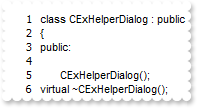
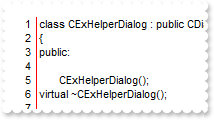
9. How do I put a picture on the control's center left bottom side
| Visual Basic |
|---|
With Edit1
.Picture = Edit1.ExecuteTemplate("loadpicture(`c:\exontrol\images\zipdisk.gif`)")
.PictureDisplay = exLowerLeft
End With
|
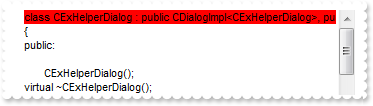
10. How do I put a picture on the control's center right bottom side
| Visual Basic |
|---|
With Edit1
.Picture = Edit1.ExecuteTemplate("loadpicture(`c:\exontrol\images\zipdisk.gif`)")
.PictureDisplay = exLowerRight
End With
|
11. How do I resize/stretch a picture on the control's background
| Visual Basic |
|---|
With Edit1
.Picture = Edit1.ExecuteTemplate("loadpicture(`c:\exontrol\images\zipdisk.gif`)")
.PictureDisplay = exStretch
End With
|
12. How do I put a picture on the center of the control
| Visual Basic |
|---|
With Edit1
.Picture = Edit1.ExecuteTemplate("loadpicture(`c:\exontrol\images\zipdisk.gif`)")
.PictureDisplay = exMiddleCenter
End With
|
13. How can I change the control's font
| Visual Basic |
|---|
With Edit1 .Font.Name = "Verdana" End With |
14. How do I change the control's background color
| Visual Basic |
|---|
With Edit1 .BackColor = 13158600 End With |
15. How do I change the control's foreground color
| Visual Basic |
|---|
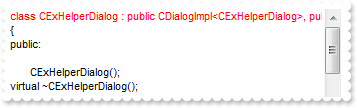
With Edit1 .ForeColor = 255 End With |
16. Can I display an additional buttons in the scroll bar
| Visual Basic |
|---|
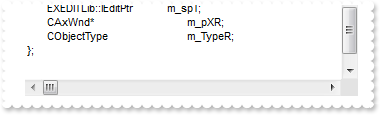
With Edit1 .ScrollPartVisible(exHScroll,exLeftB1Part) = True .ScrollPartVisible(exHScroll,exLeftB2Part) = True .ScrollPartVisible(exHScroll,exRightB6Part) = True .ScrollPartVisible(exHScroll,exRightB5Part) = True End With |
17. I need to add a button in the scroll bar. Is this possible
| Visual Basic |
|---|
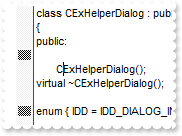
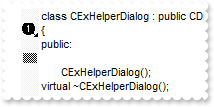
With Edit1 .ScrollPartVisible(exHScroll,exLeftB1Part) = True .ScrollPartCaption(exHScroll,exLeftB1Part) = "1" End With |
18. How do I assign an icon to the button in the scrollbar
| Visual Basic |
|---|
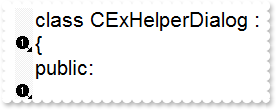
With Edit1 .Images "gBJJgBAIDAAGAAEAAQhYAf8Pf4hh0QihCJo2AEZjQAjEZFEaIEaEEaAIAkcbk0olUrlktl0vmExmUzmk1m03nE5nU7nk9n0" & _ "/oFBoVDolFo1HpFJpVLplNp1PqFRqVTqlVq1XrFZrVbrldr1fsFhsVjslls1ntFptVrtltt1vuFxuVzul1u13vF5vV7vl9v1" & _ "/wGBwWDwmFw2HxGJxWLxmNx0xiFdyOTh8Tf9ZymXx+QytcyNgz8r0OblWjyWds+m0ka1Vf1ta1+r1mos2xrG2xeZ0+a0W0qO" & _ "x3GO4NV3WeyvD2XJ5XL5nN51aiw+lfSj0gkUkAEllHanHI5j/cHg8EZf7w8vl8j4f/qfEZeB09/vjLAB30+kZQAP/P5/H6/y" & _ "NAOAEAwCjMBwFAEDwJBMDwLBYAP2/8Hv8/gAGAD8LQs9w/nhDY/oygIA=" .ScrollPartVisible(exHScroll,exLeftB1Part) = True .ScrollPartCaption(exHScroll,exLeftB1Part) = "<img>1</img>" .ScrollHeight = 18 .ScrollButtonWidth = 18 End With |
19. How do I assign a tooltip to a scrollbar
| Visual Basic |
|---|
With Edit1 .VisualAppearance.Add 1,"c:\exontrol\images\normal.ebn" .ScrollToolTip(exHScroll) = "This is a <img>16777216</img>tooltip being shown when you click and drag the thumb in the horiz" & _ "ontal scroll bar" End With |
20. How can I display my text on the scroll bar
| Visual Basic |
|---|
With Edit1 .ScrollPartCaption(exHScroll,exThumbPart) = "this is just a text" .ScrollThumbSize(exHScroll) = 96 End With |
21. How can I display my text on the scroll bar, using a different font
| Visual Basic |
|---|
With Edit1 .ScrollPartCaption(exHScroll,exThumbPart) = "This is just a text" .ScrollFont(exHScroll).Size = 12 .ScrollThumbSize(exHScroll) = 128 .ScrollHeight = 24195 .ScrollPartCaption(exHScroll,exThumbPart) = "This is <s><font Tahoma;12> just </font></s> text" .ScrollHeight = 20 End With |
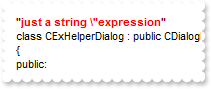
22. How do I enlarge or change the size of the control's scrollbars
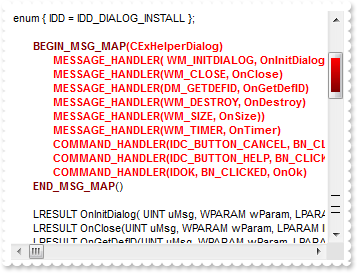
| Visual Basic |
|---|
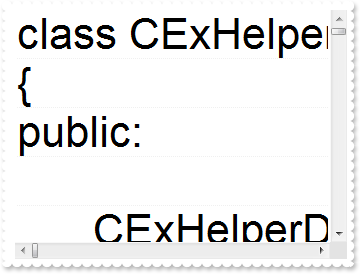
With Edit1 .ScrollHeight = 18 .ScrollWidth = 18 .ScrollButtonWidth = 18 .ScrollButtonHeight = 18 End With |
23. The thumb size seems to be very small. Can I make it bigger
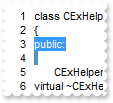
| Visual Basic |
|---|
With Edit1 .ScrollThumbSize(exHScroll) = 164 End With |
24. Can I change the order of the buttons in the scroll bar
| Visual Basic |
|---|
With Edit1 .ScrollOrderParts(exHScroll) = "t,l,r" .ScrollOrderParts(exVScroll) = "t,l,r" End With |
25. How do I show the tooltip quicker
| Visual Basic |
|---|
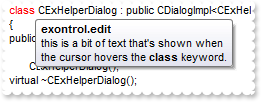
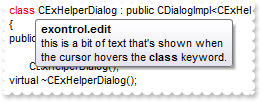
With Edit1 .ToolTipDelay = 1 .AddKeyword "<b>class</b>","this is a bit of text that's shown when the cursor hovers the <b>class</b> keyword.","exontrol.edit" .Refresh End With |
26. How do I disable showing the tooltip for all control
| Visual Basic |
|---|
With Edit1 .ToolTipDelay = 0 .AddKeyword "<b>class</b>","this is a bit of text that's shown when the cursor hovers the <b>class</b> keyword.","exontrol.edit" .Refresh End With |
27. How do I let the tooltip being displayed longer
| Visual Basic |
|---|
With Edit1 .ToolTipPopDelay = 10000 .AddKeyword "<b>class</b>","this is a bit of text that's shown when the cursor hovers the <b>class</b> keyword.","exontrol.edit" .Refresh End With |
28. I've seen that the width of the tooltip is variable. Can I make it larger
| Visual Basic |
|---|
With Edit1 .ToolTipWidth = 328 .AddKeyword "<b>class</b>","this is a bit of text that's shown when the cursor hovers the <b>class</b> keyword.","exontrol.edit" .Refresh End With |
29. Can I change the font for the tooltip
| Visual Basic |
|---|
With Edit1 .ToolTipDelay = 1 With .ToolTipFont .Name = "Tahoma" .Size = 14 End With .ToolTipWidth = 364 .AddKeyword "<b>class</b>","this is a bit of text that's shown when the cursor hovers the <b>class</b> keyword.","exontrol.edit" .Refresh End With |
30. How do I call your x-script language
| Visual Basic |
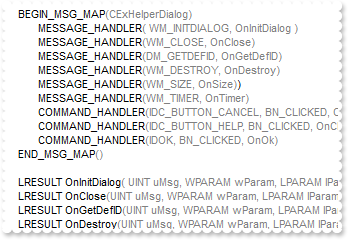
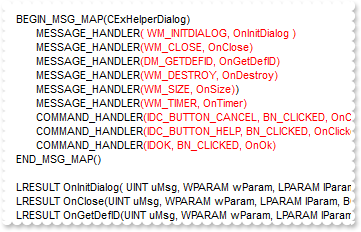
|---|
With Edit1 .Template = "BackColor = RGB(255,0,0)" End With |
31. How do I call your x-script language
| Visual Basic |
|---|
With Edit1 .ExecuteTemplate "BackColor = RGB(255,0,0)" End With |
32. Can I change the default border of the tooltip, using your EBN files
| Visual Basic |
|---|
With Edit1 .ToolTipDelay = 1 .ToolTipWidth = 364 .VisualAppearance.Add 1,"c:\exontrol\images\normal.ebn" .Background(exToolTipAppearance) = 16777216 .AddKeyword "<b>class</b>","this is a bit of text that's shown when the cursor hovers the <b>class</b> keyword.","exontrol.edit" .Refresh End With |
33. Can I change the background color for the tooltip
| Visual Basic |
|---|
With Edit1 .ToolTipDelay = 1 .ToolTipWidth = 364 .Background(exToolTipBackColor) = 255 .AddKeyword "<b>class</b>","this is a bit of text that's shown when the cursor hovers the <b>class</b> keyword.","exontrol.edit" .Refresh End With |
34. Can I change the forecolor for the tooltip
| Visual Basic |
|---|
With Edit1 .ToolTipDelay = 1 .ToolTipWidth = 364 .Background(exToolTipForeColor) = 255 .AddKeyword "<b>class</b>","this is a bit of text that's shown when the cursor hovers the <b>class</b> keyword.","exontrol.edit" .Refresh End With |
35. I've seen that you can change the visual appearance for the scroll bar. How can I do that
| Visual Basic |
|---|
With Edit1 .VisualAppearance.Add 1,"c:\exontrol\images\normal.ebn" .VisualAppearance.Add 2,"c:\exontrol\images\pushed.ebn" .VisualAppearance.Add 3,"c:\exontrol\images\hot.ebn" .Background(exSBtn) = 16777216 .Background(exSBtnP) = 33554432 .Background(exSBtnH) = 50331648 .Background(exHSBack) = 15790320 .Background(exVSBack) = 15790320 .Background(exSizeGrip) = 15790320 End With |
36. How do I change the visual aspect only for the thumb in the scroll bar, using EBN
| Visual Basic |
|---|
With Edit1 .VisualAppearance.Add 1,"c:\exontrol\images\normal.ebn" .VisualAppearance.Add 2,"c:\exontrol\images\pushed.ebn" .VisualAppearance.Add 3,"c:\exontrol\images\hot.ebn" .Background(exHSThumb) = 16777216 .Background(exHSThumbP) = 33554432 .Background(exHSThumbH) = 50331648 .ScrollThumbSize(exHScroll) = 96 End With |
37. How do I change the visual aspect for thumb parts in the scroll bars, using EBN
| Visual Basic |
|---|
With Edit1 .VisualAppearance.Add 1,"c:\exontrol\images\normal.ebn" .VisualAppearance.Add 2,"c:\exontrol\images\pushed.ebn" .VisualAppearance.Add 3,"c:\exontrol\images\hot.ebn" .Background(exHSThumb) = 16777216 .Background(exHSThumbP) = 33554432 .Background(exHSThumbH) = 50331648 .Background(exVSThumb) = 16777216 .Background(exVSThumbP) = 33554432 .Background(exVSThumbH) = 50331648 End With |
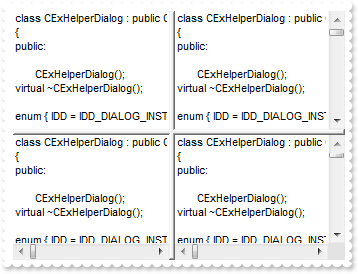
38. How can I change the visual appearance of the horizontal splitter
| Visual Basic |
|---|
With Edit1 .AllowSplitter = exBothSplitter .SplitPaneHeight = 128 .VisualAppearance.Add 1,"c:\exontrol\images\normal.ebn" .Background(exVSplitterApp) = 16777216 End With |
39. How can I change the visual appearance of the vertical splitter
| Visual Basic |
|---|
With Edit1 .AllowSplitter = exBothSplitter .SplitPaneWidth = 128 .VisualAppearance.Add 1,"c:\exontrol\images\normal.ebn" .Background(exHSplitterApp) = 16777216 End With |
40. How can I change the visual appearance of the splitter
| Visual Basic |
|---|
With Edit1 .AllowSplitter = exBothSplitter .SplitPaneWidth = 128 .SplitPaneHeight = 128 .VisualAppearance.Add 1,"c:\exontrol\images\normal.ebn" .VisualAppearance.Add 2,"c:\exontrol\images\pushed.ebn" .Background(exHSplitterApp) = 16777216 .Background(exVSplitterApp) = 16777216 .Background(exISplitterApp) = 33554432 End With |
41. How do I disable or enable the control
| Visual Basic |
|---|
With Edit1 .Enabled = False End With |
42. How do I lock the control
| Visual Basic |
|---|
With Edit1 .Locked = True End With |
43. How can I show the bookmark border
| Visual Basic |
|---|
With Edit1 .BookmarkWidth = 16 End With |
44. How can I hide the bookmark border
| Visual Basic |
|---|
With Edit1 .BookmarkWidth = 0 End With |
45. How can I specify the text being displayed in the control
| Visual Basic |
|---|
With Edit1 .Text = "new line\r\nnew line" End With |
46. How can I clear the text
| Visual Basic |
|---|
With Edit1 .Text = "" End With |
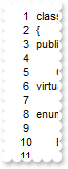
47. How can I display or show the number of each line
| Visual Basic |
|---|
With Edit1 .LineNumberWidth = 32 End With |
48. How can I hide the number of each line
| Visual Basic |
|---|
With Edit1 .LineNumberWidth = 0 End With |
49. How can I disable using the Tab key
| Visual Basic |
|---|
With Edit1 .UseTabKey = False End With |
50. How can I disable adding new TAB characters when the user enters a new line
| Visual Basic |
|---|
With Edit1 .AutoIndent = False End With |
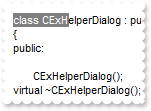
51. How can still display the selected text when the control loses the focus
| Visual Basic |
|---|
With Edit1 .HideSelection = False .SelLength = 10 End With |
52. Is there any option to hide the caret or the cursor
| Visual Basic |
|---|
With Edit1 .ShowCaret = False End With |
53. How can I disable displaying the control's context menu
| Visual Basic |
|---|
With Edit1 .AllowContextMenu = False End With |
54. How can change the color for selected text
| Visual Basic |
|---|
With Edit1 .HideSelection = False .SelLength = 10 .SelForeColor = 255 End With |
55. How can change the color for selected text
| Visual Basic |
|---|
With Edit1 .HideSelection = False .SelLength = 10 .SelBackColor = 255 End With |
56. How can I disable displaying multiple lines
| Visual Basic |
|---|
With Edit1 .MultiLine = False End With |
57. How can I display only a single line
| Visual Basic |
|---|
With Edit1 .MultiLine = False End With |
62. How can I use it a a simple edit control, without highlighting
| Visual Basic |
|---|
With Edit1 .EditType = exStandard End With |
63. How can I display HTML text
| Visual Basic |
|---|
With Edit1 .EditType = exHTML .Text = "<b>just a HTML text</b>\r\nnew <s>line</s>" End With |
64. How can I avoid changing the colors for keywords or expressions
| Visual Basic |
|---|
With Edit1 .ApplyColors = False .AddKeyword "<fgcolor=FF0000><b>class</b></fgcolor>","this is a bit of text that's shown when the cursor hovers the <b>class</b> keyword.","exontrol.edit" .Refresh End With |
65. How can I replace the selected text
| Visual Basic |
|---|
With Edit1 .SelLength = 10 .SelText = "-new selection-" End With |
66. How can I get the selected text
| Visual Basic |
|---|
With Edit1 .SelLength = 10 var_SelText = .SelText End With |
67. How do I get the number of selected characters
| Visual Basic |
|---|
With Edit1 .SelLength = 10 .HideSelection = False End With |
68. How do I get the point where the selection starts
| Visual Basic |
|---|
With Edit1 .SelStart = 4 .SelLength = 10 .HideSelection = False End With |
69. How do I get the number of lines in the control
| Visual Basic |
|---|
With Edit1 var_Count = .Count End With |
70. How do I get a line
| Visual Basic |
|---|
With Edit1 .TextLine(1) = "new line" End With |
71. How do I replace a line
| Visual Basic |
|---|
With Edit1 .TextLine(1) = "new line" End With |
72. How do I change the line where the caret or the cursor is displayed
| Visual Basic |
|---|
With Edit1 .CaretLine = 10 End With |
73. How do I change the character where the caret or the cursor is displayed
| Visual Basic |
|---|
With Edit1 .CaretPos = 10 End With |
74. How can I remove or delete a line
| Visual Basic |
|---|
With Edit1 .DeleteLine 1 End With |
75. How can I remove or delete all lines
| Visual Basic |
|---|
With Edit1 .Text = "" End With |
76. How can I insert at specified position a new line
| Visual Basic |
|---|
With Edit1 .InsertText "newline\r\n",2 .BackColorLine(2) = 255 End With |
77. How can I hide the control's scroll bars
| Visual Basic |
|---|
With Edit1 .ScrollBars = exNoScroll End With |
78. How can I display only the horizontal scroll bar
| Visual Basic |
|---|
With Edit1 .ScrollBars = exHorizontal End With |
79. How can I display only the vertical scroll bar
| Visual Basic |
|---|
With Edit1 .ScrollBars = exVertical End With |
80. How can I display both scroll bars
| Visual Basic |
|---|
With Edit1 .ScrollBars = exBoth End With |
81. How can I hide the selection
| Visual Basic |
|---|
With Edit1 .DisplaySelection = False End With |
82. I've seen that if I press CTRL + ( I get the matching braket. How can I extend this
| Visual Basic |
|---|
With Edit1 .OpenBrackets = "<" .CloseBrackets = ">" End With |
83. How can I change the size of the tabs characters
| Visual Basic |
|---|
With Edit1 .TabLength = 8 End With |
84. How can I refresh the control
| Visual Basic |
|---|
With Edit1 .AddKeyword "<b>class</b>","this is a bit of text that's shown when the cursor hovers the <b>class</b> keyword.","exontrol.edit" .Refresh End With |
85. How can I change the color of the bookmark border
| Visual Basic |
|---|
With Edit1 .BookMarkBackColor = 255 .BookMarkBackColor2 = 255 .BookmarkWidth = 16 End With |
86. How can I change the color for the border where the line numbers are displayed
| Visual Basic |
|---|
With Edit1 .LineNumberForeColor = 255 .LineNumberBackColor = 16711680 .LineNumberWidth = 32 End With |
87. How can I disable or enable the undo-redo feature
| Visual Basic |
|---|
With Edit1 .AllowUndoRedo = False End With |
88. How can I enable my button as the control can perform an UNDO operation
| Visual Basic |
|---|
With Edit1 var_CanUndo = .CanUndo End With |
89. How can I enable my button as the control can perform an REDO operation
| Visual Basic |
|---|
With Edit1 var_CanRedo = .CanRedo End With |
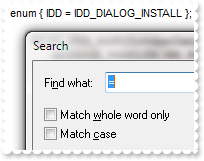
90. How can I disable or enabled the Find dialog
| Visual Basic |
|---|
With Edit1 .AllowFind = False End With |
91. How can I programmatically find or search for a string
| Visual Basic |
|---|
With Edit1 .HideSelection = False .Find "public",exSearchDown End With |
92. How can I programmatically find or search for a word only
| Visual Basic |
|---|
With Edit1 .HideSelection = False .Find "IDD_DIALOG_INSTALL",exMatchWholeWordOnly End With |
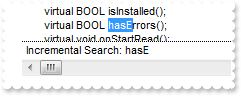
93. Does your control support incrementasl search
| Visual Basic |
|---|
With Edit1 .AllowIncrementalSearch = True End With |
94. How can I disable or enable displaying the Replace dialog
| Visual Basic |
|---|
With Edit1 .AllowReplace = False End With |
95. Can I display the lines using an alternate color
| Visual Basic |
|---|
With Edit1 .BackColorAlternate = 255 End With |
96. Is there any option to change the color for the line that displays the cursor or the caret
| Visual Basic |
|---|
With Edit1 .BackColorCaretLine = 255 End With |
97. How can I change the format to display the numbers
| Visual Basic |
|---|
With Edit1 .FormatNumbers = "<b><fgcolor=FF0000> </fgcolor></b>" .InsertText "Just numbers: 12 22\r\n",1 End With |
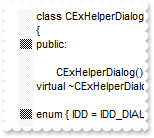
98. How can I add a bookmark
| Visual Basic |
|---|
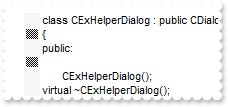
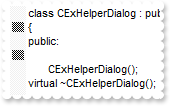
With Edit1 .Bookmark(2) = True .Bookmark(4) = True .BookmarkWidth = 16 End With |
99. How can I remove all bookmarks
| Visual Basic |
|---|
With Edit1 .Bookmark(2) = True .Bookmark(4) = True .BookmarkWidth = 16 .ClearBookmarks End With |
100. How can I remove a bookmark
| Visual Basic |
|---|
With Edit1 .Bookmark(2) = True .Bookmark(2) = False .BookmarkWidth = 16 End With |
101. How can I move to the next bookmark
| Visual Basic |
|---|
With Edit1 .Bookmark(2) = True .Bookmark(4) = True .BookmarkWidth = 16 .NextBookmark End With |
102. How can I move to the previous bookmark
| Visual Basic |
|---|
With Edit1 .Bookmark(2) = True .Bookmark(4) = True .BookmarkWidth = 16 .PrevBookmark End With |
103. How do I get the bookmarks as a list
| Visual Basic |
|---|
With Edit1 .Bookmark(2) = True .Bookmark(4) = True .BookmarkWidth = 16 var_BookmarksList = .BookmarksList End With |
104. How can I programmatically perform an UNDO operation
| Visual Basic |
|---|
With Edit1 .Undo End With |
105. How can I programmatically perform a REDO operation
| Visual Basic |
|---|
With Edit1 .Redo End With |
106. How do I ensure that a specified line is visible
| Visual Basic |
|---|
With Edit1 .EnsureVisibleLine .Count End With |
107. How can I add my own items in the control's context menu
| Visual Basic |
|---|
With Edit1 .ContextMenuItems = "New Item" End With |
108. How do I change the background color for a line
| Visual Basic |
|---|
With Edit1 .BackColorLine(1) = 255 End With |
109. How do I change the foreground color for a line
| Visual Basic |
|---|
With Edit1 .ForeColorLine(1) = 255 End With |
110. How do I remove the line's background color
| Visual Basic |
|---|
With Edit1 .BackColorLine(1) = 255 .ClearBackColorLine 1 End With |
111. Can I display a custom icon or picture in the bookmark area
| Visual Basic |
|---|
With Edit1 .Images "gBJJgBAIDAAGAAEAAQhYAf8Pf4hh0QihCJo2AEZjQAjEZFEaIEaEEaAIAkcbk0olUrlktl0vmExmUzmk1m03nE5nU7nk9n0" & _ "/oFBoVDolFo1HpFJpVLplNp1PqFRqVTqlVq1XrFZrVbrldr1fsFhsVjslls1ntFptVrtltt1vuFxuVzul1u13vF5vV7vl9v1" & _ "/wGBwWDwmFw2HxGJxWLxmNx0xiFdyOTh8Tf9ZymXx+QytcyNgz8r0OblWjyWds+m0ka1Vf1ta1+r1mos2xrG2xeZ0+a0W0qO" & _ "x3GO4NV3WeyvD2XJ5XL5nN51aiw+lfSj0gkUkAEllHanHI5j/cHg8EZf7w8vl8j4f/qfEZeB09/vjLAB30+kZQAP/P5/H6/y" & _ "NAOAEAwCjMBwFAEDwJBMDwLBYAP2/8Hv8/gAGAD8LQs9w/nhDY/oygIA=" .BookmarkImageLine(2) = 1 .Bookmark(4) = True .BookmarkWidth = 18 End With |
112. Can I display a custom icon or picture for bookmarks
| Visual Basic |
|---|
With Edit1 .Images "gBJJgBAIDAAGAAEAAQhYAf8Pf4hh0QihCJo2AEZjQAjEZFEaIEaEEaAIAkcbk0olUrlktl0vmExmUzmk1m03nE5nU7nk9n0" & _ "/oFBoVDolFo1HpFJpVLplNp1PqFRqVTqlVq1XrFZrVbrldr1fsFhsVjslls1ntFptVrtltt1vuFxuVzul1u13vF5vV7vl9v1" & _ "/wGBwWDwmFw2HxGJxWLxmNx0xiFdyOTh8Tf9ZymXx+QytcyNgz8r0OblWjyWds+m0ka1Vf1ta1+r1mos2xrG2xeZ0+a0W0qO" & _ "x3GO4NV3WeyvD2XJ5XL5nN51aiw+lfSj0gkUkAEllHanHI5j/cHg8EZf7w8vl8j4f/qfEZeB09/vjLAB30+kZQAP/P5/H6/y" & _ "NAOAEAwCjMBwFAEDwJBMDwLBYAP2/8Hv8/gAGAD8LQs9w/nhDY/oygIA=" .BookmarkImage = 1 .Bookmark(2) = True .Bookmark(4) = True .BookmarkWidth = 18 End With |
113. How can I change the color for the bookmark's border
| Visual Basic |
|---|
With Edit1 .BookmarkBorderColor = 255 .BookmarkWidth = 18 End With |
114. How can I change the color for the line number's border
| Visual Basic |
|---|
With Edit1 .LineNumberBorderColor = 255 .LineNumberWidth = 18 End With |
115. How do I ignore \" in a string
| Visual Basic |
|---|
With Edit1
.InsertText """just a string \""expression""\r\n",1
.AddExpression "<fgcolor=800000><b>""</b></fgcolor>","<b><fgcolor=FF0000> </fgcolor></b>","<fgcolor=800000><b>""</b></fgcolor>",True
.IgnorePrefixInExpression("""") = "\"
.Refresh
End With
|
116. How do I highlight the position of multiple lines expression on the vertical scroll bar
| Visual Basic |
|---|
With Edit1
.AllowMark = True
.MarkContinueBlocks = True
.AddKeyword "<b>CAxWnd"
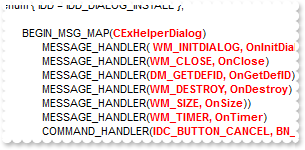
.AddExpression "<fgcolor=800000><b>BEGIN_MSG_MAP</b></fgcolor>","<b><fgcolor=FF0000> </fgcolor></b>","<fgcolor=800000><b>END_MSG_MAP</b></fgcolor>",True
.MarkColor("BEGIN_MSG_MAP") = 255
.MarkColor("END_MSG_MAP") = 128
.MarkColor("CAxWnd") = 0
.Refresh
End With
|
117. How can I show or hide the grid lines
| Visual Basic |
|---|
With Edit1 .DrawGridLines = True End With |
118. How can I change the height of the line
| Visual Basic |
|---|
With Edit1 .Font.Size = 32 .DrawGridLines = True .Refresh End With |
119. How do I change the font to display the line numbers
| Visual Basic |
|---|
With Edit1 .LineNumberFont.Name = "Tahoma" .LineNumberWidth = 18 End With |
120. How can I select a line
| Visual Basic |
|---|
With Edit1 .LineNumberWidth = 18 .HideSelection = False .SelectLine 3 End With |
121. How can I show or hide the control's splitter
| Visual Basic |
|---|
With Edit1 .AllowSplitter = exBothSplitter .SplitPaneHeight = 128 .SplitPaneWidth = 128 End With |
122. How can I indent a line
| Visual Basic |
|---|
With Edit1 .LineNumberWidth = 18 .HideSelection = False .SelectLine 3 .IndentSel True End With |
123. How can I disable indenting the selected text when the user presses the TAB key
| Visual Basic |
|---|
With Edit1 .IndentOnTab = False End With |
124. How can I move the cursor when user invokes the control's context menu
| Visual Basic |
|---|
With Edit1 .RClick = True End With |
125. How can I change the caption for the Find dialog
| Visual Basic |
|---|
With Edit1 .Caption(exFindDialog,exCaption) = "Search" End With |
126. How can I change the caption for the Replace dialog
| Visual Basic |
|---|
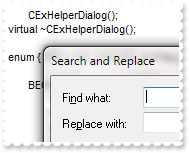
With Edit1 .Caption(exReplaceDialog,exCaption) = "Search and Replace" End With |
127. How can I change the descriptions for fields in the Find dialog
| Visual Basic |
|---|
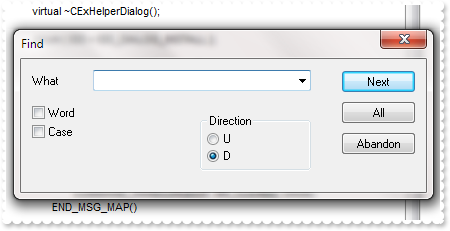
With Edit1 .Caption(exFindDialog,exFieldFindWhat) = "What" .Caption(exFindDialog,exFieldWordOnly) = "Word" .Caption(exFindDialog,exFieldMatchCase) = "Case" .Caption(exFindDialog,exFieldFindNext) = "Dir" .Caption(exFindDialog,exFieldSelection) = "U" .Caption(exFindDialog,exFieldWholeFile) = "D" .Caption(exFindDialog,exFieldFindNext) = "Next" .Caption(exFindDialog,exFieldReplace) = "All" .Caption(exFindDialog,exFieldCancel) = "Abandon" .Caption(exFindDialog,exErrorFindNext) = "Failed!" End With |
128. How can I change the descriptions for fields in the Replace dialog
| Visual Basic |
|---|
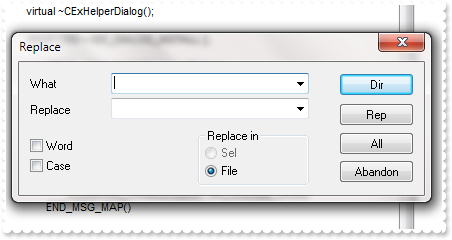
With Edit1 .Caption(exReplaceDialog,exFieldFindWhat) = "What" .Caption(exReplaceDialog,exFieldReplaceWith) = "Replace" .Caption(exReplaceDialog,exFieldWordOnly) = "Word" .Caption(exReplaceDialog,exFieldMatchCase) = "Case" .Caption(exReplaceDialog,exFieldFindNext) = "Dir" .Caption(exReplaceDialog,exFieldSelection) = "Sel" .Caption(exReplaceDialog,exFieldWholeFile) = "File" .Caption(exReplaceDialog,exFieldReplace) = "Rep" .Caption(exReplaceDialog,exFieldReplaceAll) = "All" .Caption(exReplaceDialog,exFieldCancel) = "Abandon" .Caption(exReplaceDialog,exErrorTitle) = "Title" .Caption(exReplaceDialog,exErrorFindNext) = "Failed!" .Caption(exReplaceDialog,exErrorFindNext) = "Done" End With |
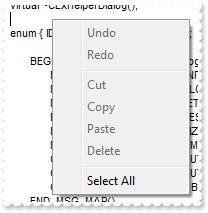
129. How can I change the descriptions for items in the control's context menu
| Visual Basic |
|---|
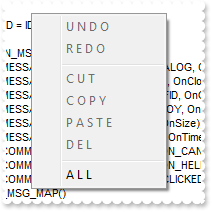
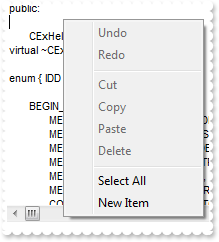
With Edit1 .Caption(exContextMenu,exContextUndo) = "U N D O" .Caption(exContextMenu,exContextRedo) = "R E D O" .Caption(exContextMenu,exContextCut) = "C U T" .Caption(exContextMenu,exContextCopy) = "C O P Y" .Caption(exContextMenu,exContextPaste) = "P A S T E" .Caption(exContextMenu,exContextDelete) = "D E L" .Caption(exContextMenu,exContextSelectAll) = "A L L " End With |
130. How can I enable or disable OLE drag and drop operations
| Visual Basic |
|---|
With Edit1 .OLEDropMode = exOLEDropAutomatic End With |
131. How can I change the shape of the cursor when it hovers the edit
| Visual Basic |
|---|
With Edit1 .Cursor(exEditArea) = 0 End With |
132. How can I change the shape of the cursor when it hovers the bookmark area
| Visual Basic |
|---|
With Edit1 .Cursor(exBookmarkArea) = "exHelp" .BookmarkWidth = 16 End With |
133. How can I change the shape of the cursor when it hovers the line numbers area
| Visual Basic |
|---|
With Edit1 .Cursor(exLineNumberArea) = "exHelp" .LineNumberWidth = 16 End With |
134. How can I change the shape of the cursor when it hovers the incremental search area
| Visual Basic |
|---|
With Edit1 .Cursor(exIncrementalSearchArea) = "exHelp" End With |
135. How can I change the shape of the cursor when it hovers the selected text
| Visual Basic |
|---|
With Edit1 .Cursor(exSelectedText) = "exHelp" .SelLength = 10 .HideSelection = False End With |
136. How do I select multiple lines
| Visual Basic |
|---|
With Edit1 .SetSelection 0,0,10,0 .HideSelection = False End With |
138. How do I start overtyping
| Visual Basic |
|---|
With Edit1 .Overtype = True End With |
139. How do I lock or make read only a line
| Visual Basic |
|---|
With Edit1 .LockedLine(1) = True End With |
140. How do I change the color for a locked or a read only line
| Visual Basic |
|---|
With Edit1 .ForeColorLockedLine = 0 .BackColorLockedLine = 255 .LockedLine(1) = True End With |
141. How can I display a tooltip as soon as the user types a keyword
| Visual Basic |
|---|
With Edit1 .ToolTipDelay = 1 .ToolTipOnTyping = True .AddKeyword "<b>class</b>","this is a bit of text that's shown when the cursor hovers the <b>class</b> keyword.","exontrol.edit" .Refresh End With |
142. How do I add a keyword
| Visual Basic |
|---|
With Edit1 .AddKeyword "<b>class</b>","this is a bit of text that's shown when the cursor hovers the <b>class</b> keyword.","exontrol.edit" .Refresh End With |
143. How do I add a keyword
| Visual Basic |
|---|
With Edit1 .AddKeyword "<fgcolor=FF0000>class</fgcolor>" .Refresh End With |
144. How can I assign a tooltip to a keyword
| Visual Basic |
|---|
With Edit1 .AddKeyword "<fgcolor=FF0000>class</fgcolor>","this is a bit of text that's shown when the cursor hovers the <b>class</b> keyword.","exontrol.edit" .Refresh End With |
145. How do I add a keyword that's not case sensitive
| Visual Basic |
|---|
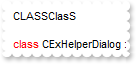
With Edit1 .AddKeyword "<fgcolor=FF0000>class</fgcolor>","","",1 .Refresh .InsertText "ClasS\r\n",1 .InsertText "CLASS\r\n",1 End With |
146. How do I add a keyword that's not case sensitive
| Visual Basic |
|---|
With Edit1 .AddKeyword "<b><fgcolor=FF0000>class</fgcolor></b>","","",2 .Refresh .InsertText "ClasS\r\n",1 .InsertText "CLASS\r\n",1 End With |
147. How can I remove or delete keyword
| Visual Basic |
|---|
With Edit1 .AddKeyword "<b><fgcolor=FF0000>class</fgcolor></b>" .DeleteKeyword "class" .Refresh End With |
148. How can I remove or delete all keywords
| Visual Basic |
|---|
With Edit1 .AddKeyword "<b><fgcolor=FF0000>class</fgcolor></b>" .ClearKeywords .Refresh End With |
149. How can I add an expression on multiple lines
| Visual Basic |
|---|
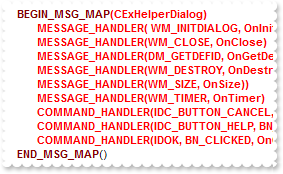
With Edit1 .AddExpression "<fgcolor=800000><b>BEGIN_MSG_MAP</b></fgcolor>","<b><fgcolor=FF0000> </fgcolor></b>","<fgcolor=800000><b>END_MSG_MAP</b></fgcolor>",True .Refresh End With |
150. How can I add an expression
| Visual Basic |
|---|
With Edit1
.AddExpression "(","<b><fgcolor=FF0000> </fgcolor></b>",")",False
.Refresh
End With
|
151. How can I remove or delete an expression
| Visual Basic |
|---|
With Edit1
.AddExpression "(","<b><fgcolor=FF0000> </fgcolor></b>",")",False
.DeleteExpression "("
.Refresh
End With
|
152. How can I remove or delete all expressions
| Visual Basic |
|---|
With Edit1
.AddExpression "(","<b><fgcolor=FF0000> </fgcolor></b>",")",False
.ClearExpressions
.Refresh
End With
|
153. Can I use wild characters to define keys in your control
| Visual Basic |
|---|
With Edit1 .AddWild "<s> </s>" .Refresh End With |
154. Can I use wild characters to define keys in your control
| Visual Basic |
|---|
With Edit1 .AddWild "<b>a</b>" .Refresh End With |
155. How can I add a sensitive context menu
| Visual Basic |
|---|
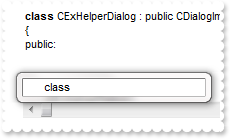
With Edit1 .AddKeyword "<b>class</b>","this is a bit of text that's shown when the cursor hovers the <b>class</b> keyword.","exontrol.edit" .Refresh .Context().Add "class" End With |
156. How do I enable or disable the sensitive context menu
| Visual Basic |
|---|
With Edit1 .CodeCompletion = False .AddKeyword "<b>class</b>","this is a bit of text that's shown when the cursor hovers the <b>class</b> keyword.","exontrol.edit" .Refresh .Context().Add "class" End With |
157. How can I change the keys combination that invokes the sensitive context
| Visual Basic |
|---|
With Edit1 .ContextKey = 544 .AddKeyword "<b>class</b>","this is a bit of text that's shown when the cursor hovers the <b>class</b> keyword.","exontrol.edit" .Refresh .Context().Add "class" End With |
158. Can I add icons to the sensitive context
| Visual Basic |
|---|
With Edit1 .Images "gBJJgBAIDAAGAAEAAQhYAf8Pf4hh0QihCJo2AEZjQAjEZFEaIEaEEaAIAkcbk0olUrlktl0vmExmUzmk1m03nE5nU7nk9n0" & _ "/oFBoVDolFo1HpFJpVLplNp1PqFRqVTqlVq1XrFZrVbrldr1fsFhsVjslls1ntFptVrtltt1vuFxuVzul1u13vF5vV7vl9v1" & _ "/wGBwWDwmFw2HxGJxWLxmNx0xiFdyOTh8Tf9ZymXx+QytcyNgz8r0OblWjyWds+m0ka1Vf1ta1+r1mos2xrG2xeZ0+a0W0qO" & _ "x3GO4NV3WeyvD2XJ5XL5nN51aiw+lfSj0gkUkAEllHanHI5j/cHg8EZf7w8vl8j4f/qfEZeB09/vjLAB30+kZQAP/P5/H6/y" & _ "NAOAEAwCjMBwFAEDwJBMDwLBYAP2/8Hv8/gAGAD8LQs9w/nhDY/oygIA=" .AddKeyword "<b>class</b>","this is a bit of text that's shown when the cursor hovers the <b>class</b> keyword.","exontrol.edit" .Refresh .Context().Add "<b>class</b>","",1 End With |
159. How do I sort items in the sensitive context
| Visual Basic |
|---|
With Edit1 .Images "gBJJgBAIDAAGAAEAAQhYAf8Pf4hh0QihCJo2AEZjQAjEZFEaIEaEEaAIAkcbk0olUrlktl0vmExmUzmk1m03nE5nU7nk9n0" & _ "/oFBoVDolFo1HpFJpVLplNp1PqFRqVTqlVq1XrFZrVbrldr1fsFhsVjslls1ntFptVrtltt1vuFxuVzul1u13vF5vV7vl9v1" & _ "/wGBwWDwmFw2HxGJxWLxmNx0xiFdyOTh8Tf9ZymXx+QytcyNgz8r0OblWjyWds+m0ka1Vf1ta1+r1mos2xrG2xeZ0+a0W0qO" & _ "x3GO4NV3WeyvD2XJ5XL5nN51aiw+lfSj0gkUkAEllHanHI5j/cHg8EZf7w8vl8j4f/qfEZeB09/vjLAB30+kZQAP/P5/H6/y" & _ "NAOAEAwCjMBwFAEDwJBMDwLBYAP2/8Hv8/gAGAD8LQs9w/nhDY/oygIA=" .AddKeyword "<b>class</b>","this is a bit of text that's shown when the cursor hovers the <b>class</b> keyword.","exontrol.edit" .AddKeyword "<b>public</b>","this is a bit of text that's shown when the cursor hovers the <b>class</b> keyword.","exontrol.edit" .Refresh .Context().Add "<b>public</b>","",2 .Context().Add "<b>class</b>","",1 .Context().Sort True End With |
160. How do I specify the characters to close the sensitive context
| Visual Basic |
|---|
With Edit1 .Images "gBJJgBAIDAAGAAEAAQhYAf8Pf4hh0QihCJo2AEZjQAjEZFEaIEaEEaAIAkcbk0olUrlktl0vmExmUzmk1m03nE5nU7nk9n0" & _ "/oFBoVDolFo1HpFJpVLplNp1PqFRqVTqlVq1XrFZrVbrldr1fsFhsVjslls1ntFptVrtltt1vuFxuVzul1u13vF5vV7vl9v1" & _ "/wGBwWDwmFw2HxGJxWLxmNx0xiFdyOTh8Tf9ZymXx+QytcyNgz8r0OblWjyWds+m0ka1Vf1ta1+r1mos2xrG2xeZ0+a0W0qO" & _ "x3GO4NV3WeyvD2XJ5XL5nN51aiw+lfSj0gkUkAEllHanHI5j/cHg8EZf7w8vl8j4f/qfEZeB09/vjLAB30+kZQAP/P5/H6/y" & _ "NAOAEAwCjMBwFAEDwJBMDwLBYAP2/8Hv8/gAGAD8LQs9w/nhDY/oygIA=" .AddKeyword "<b>class</b>","this is a bit of text that's shown when the cursor hovers the <b>class</b> keyword.","exontrol.edit" .AddKeyword "<b>public</b>","this is a bit of text that's shown when the cursor hovers the <b>class</b> keyword.","exontrol.edit" .Refresh With .Context() .Add "<b>class</b>","",1 .Add "<b>public</b>","",2 .Options(exContextAllowChars) = "_ABCDEFGHIJKLMNOPQRSTUVWXYZabcdefghijklmnopqrstuvwxyz" End With End With |