|
609
|
Locks the first visible column on the left and the last visible column on the right
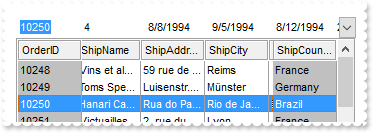
/*
	Copy and paste the following directives to your header file as
	it defines the namespace 'EXCOMBOBOXLib' for the library: 'ExComboBox 1.0 Control Library'

	#import <ExComboBox.dll>
	using namespace EXCOMBOBOXLib;
*/
EXCOMBOBOXLib::IComboBoxPtr spComboBox1 = GetDlgItem(IDC_COMBOBOX1)->GetControlUnknown();
spComboBox1->BeginUpdate();
spComboBox1->PutColumnAutoResize(VARIANT_FALSE);
spComboBox1->PutBackColorLock(RGB(192,192,192));
spComboBox1->PutGridLineStyle(EXCOMBOBOXLib::exGridLinesSolid);
spComboBox1->PutDrawGridLines(EXCOMBOBOXLib::exVLines);
spComboBox1->PutHeaderAppearance(EXCOMBOBOXLib::Etched);
/*
	Includes the definition for CreateObject function like follows:

	#include <comdef.h>
	IUnknownPtr CreateObject( BSTR Object )
	{
		IUnknownPtr spResult;
		spResult.CreateInstance( Object );
		return spResult;
	};

*/
/*
	Copy and paste the following directives to your header file as
	it defines the namespace 'ADODB' for the library: 'Microsoft ActiveX Data Objects 6.1 Library'

	#import <msado15.dll> rename("EOF","REOF")
*/
ADODB::_RecordsetPtr rs = ::CreateObject(L"ADOR.Recordset");
	rs->Open("Orders","Provider=Microsoft.ACE.OLEDB.12.0;Data Source=C:\\Program Files\\Exontrol\\ExComboBox\\Sample\\Access\\sample.mdb",ADODB::adOpenStatic,ADODB::adLockOptimistic,0);
spComboBox1->PutDataSource(((ADODB::_RecordsetPtr)(rs)));
spComboBox1->PutCountLockedColumns(17);
spComboBox1->EndUpdate();
|
|
608
|
Lock the column on the right
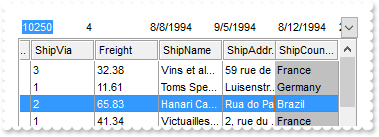
/*
	Copy and paste the following directives to your header file as
	it defines the namespace 'EXCOMBOBOXLib' for the library: 'ExComboBox 1.0 Control Library'

	#import <ExComboBox.dll>
	using namespace EXCOMBOBOXLib;
*/
EXCOMBOBOXLib::IComboBoxPtr spComboBox1 = GetDlgItem(IDC_COMBOBOX1)->GetControlUnknown();
spComboBox1->BeginUpdate();
spComboBox1->PutColumnAutoResize(VARIANT_FALSE);
spComboBox1->PutBackColorLock(RGB(192,192,192));
spComboBox1->PutGridLineStyle(EXCOMBOBOXLib::exGridLinesSolid);
spComboBox1->PutDrawGridLines(EXCOMBOBOXLib::exVLines);
spComboBox1->PutHeaderAppearance(EXCOMBOBOXLib::Etched);
/*
	Includes the definition for CreateObject function like follows:

	#include <comdef.h>
	IUnknownPtr CreateObject( BSTR Object )
	{
		IUnknownPtr spResult;
		spResult.CreateInstance( Object );
		return spResult;
	};

*/
/*
	Copy and paste the following directives to your header file as
	it defines the namespace 'ADODB' for the library: 'Microsoft ActiveX Data Objects 6.1 Library'

	#import <msado15.dll> rename("EOF","REOF")
*/
ADODB::_RecordsetPtr rs = ::CreateObject(L"ADOR.Recordset");
	rs->Open("Orders","Provider=Microsoft.ACE.OLEDB.12.0;Data Source=C:\\Program Files\\Exontrol\\ExComboBox\\Sample\\Access\\sample.mdb",ADODB::adOpenStatic,ADODB::adLockOptimistic,0);
spComboBox1->PutDataSource(((ADODB::_RecordsetPtr)(rs)));
spComboBox1->PutCountLockedColumns(16);
spComboBox1->EndUpdate();
|
|
607
|
Lock the column on the left
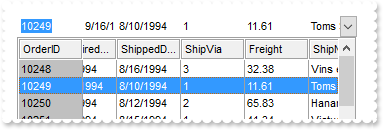
/*
	Copy and paste the following directives to your header file as
	it defines the namespace 'EXCOMBOBOXLib' for the library: 'ExComboBox 1.0 Control Library'

	#import <ExComboBox.dll>
	using namespace EXCOMBOBOXLib;
*/
EXCOMBOBOXLib::IComboBoxPtr spComboBox1 = GetDlgItem(IDC_COMBOBOX1)->GetControlUnknown();
spComboBox1->BeginUpdate();
spComboBox1->PutColumnAutoResize(VARIANT_FALSE);
spComboBox1->PutBackColorLock(RGB(192,192,192));
spComboBox1->PutGridLineStyle(EXCOMBOBOXLib::exGridLinesSolid);
spComboBox1->PutDrawGridLines(EXCOMBOBOXLib::exVLines);
spComboBox1->PutHeaderAppearance(EXCOMBOBOXLib::Etched);
/*
	Includes the definition for CreateObject function like follows:

	#include <comdef.h>
	IUnknownPtr CreateObject( BSTR Object )
	{
		IUnknownPtr spResult;
		spResult.CreateInstance( Object );
		return spResult;
	};

*/
/*
	Copy and paste the following directives to your header file as
	it defines the namespace 'ADODB' for the library: 'Microsoft ActiveX Data Objects 6.1 Library'

	#import <msado15.dll> rename("EOF","REOF")
*/
ADODB::_RecordsetPtr rs = ::CreateObject(L"ADOR.Recordset");
	rs->Open("Orders","Provider=Microsoft.ACE.OLEDB.12.0;Data Source=C:\\Program Files\\Exontrol\\ExComboBox\\Sample\\Access\\sample.mdb",ADODB::adOpenStatic,ADODB::adLockOptimistic,0);
spComboBox1->PutDataSource(((ADODB::_RecordsetPtr)(rs)));
spComboBox1->PutCountLockedColumns(1);
spComboBox1->EndUpdate();
|
|
606
|
Bolds only the expanded items
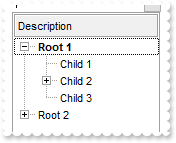
/*
	Copy and paste the following directives to your header file as
	it defines the namespace 'EXCOMBOBOXLib' for the library: 'ExComboBox 1.0 Control Library'

	#import <ExComboBox.dll>
	using namespace EXCOMBOBOXLib;
*/
EXCOMBOBOXLib::IComboBoxPtr spComboBox1 = GetDlgItem(IDC_COMBOBOX1)->GetControlUnknown();
spComboBox1->BeginUpdate();
spComboBox1->PutHeaderAppearance(EXCOMBOBOXLib::Etched);
spComboBox1->PutHeaderHeight(24);
spComboBox1->PutLinesAtRoot(EXCOMBOBOXLib::exLinesAtRoot);
spComboBox1->GetConditionalFormats()->Add(L"%CX0",vtMissing)->PutBold(VARIANT_TRUE);
spComboBox1->GetColumns()->Add(L"Description");
EXCOMBOBOXLib::IItemsPtr var_Items = spComboBox1->GetItems();
	long h = var_Items->AddItem("Root 1");
	var_Items->InsertItem(h,vtMissing,"Child 1");
	var_Items->InsertItem(var_Items->InsertItem(h,vtMissing,"Child 2"),vtMissing,"Sub-Child 2");
	var_Items->PutCellState(var_Items->InsertItem(h,vtMissing,"Child 3"),long(0),1);
	var_Items->PutExpandItem(h,VARIANT_TRUE);
	h = var_Items->AddItem("Root 2");
	var_Items->InsertItem(h,vtMissing,"Child 1");
	var_Items->InsertItem(h,vtMissing,"Child 2");
	var_Items->InsertItem(h,vtMissing,"Child 3");
spComboBox1->EndUpdate();
|
|
605
|
Displays the root item's index and value/caption using expressions
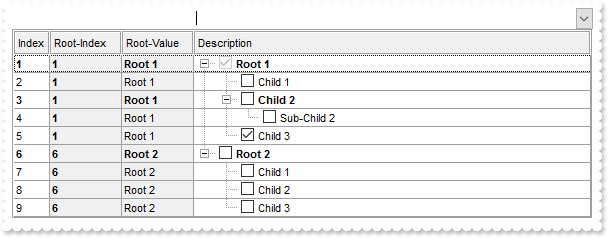
/*
	Copy and paste the following directives to your header file as
	it defines the namespace 'EXCOMBOBOXLib' for the library: 'ExComboBox 1.0 Control Library'

	#import <ExComboBox.dll>
	using namespace EXCOMBOBOXLib;
*/
EXCOMBOBOXLib::IComboBoxPtr spComboBox1 = GetDlgItem(IDC_COMBOBOX1)->GetControlUnknown();
spComboBox1->BeginUpdate();
spComboBox1->PutHeaderAppearance(EXCOMBOBOXLib::Etched);
spComboBox1->PutHeaderHeight(24);
spComboBox1->PutLinesAtRoot(EXCOMBOBOXLib::exLinesAtRoot);
spComboBox1->PutAutoDrag(EXCOMBOBOXLib::exAutoDragPositionAny);
spComboBox1->PutSingleSel(VARIANT_FALSE);
spComboBox1->PutDrawGridLines(EXCOMBOBOXLib::exRowLines);
spComboBox1->PutGridLineStyle(EXCOMBOBOXLib::exGridLinesSolid);
spComboBox1->GetConditionalFormats()->Add(L"%CC0 and %CX0",vtMissing)->PutBold(VARIANT_TRUE);
EXCOMBOBOXLib::IConditionalFormatPtr var_ConditionalFormat = spComboBox1->GetConditionalFormats()->Add(L"1",vtMissing);
	var_ConditionalFormat->PutBold(VARIANT_TRUE);
	var_ConditionalFormat->PutApplyTo(EXCOMBOBOXLib::FormatApplyToEnum(0x2));
EXCOMBOBOXLib::IColumnPtr var_Column = ((EXCOMBOBOXLib::IColumnPtr)(spComboBox1->GetColumns()->Add(L"Description")));
	var_Column->PutDef(EXCOMBOBOXLib::exCellHasCheckBox,VARIANT_TRUE);
	var_Column->PutPartialCheck(VARIANT_TRUE);
EXCOMBOBOXLib::IColumnPtr var_Column1 = ((EXCOMBOBOXLib::IColumnPtr)(spComboBox1->GetColumns()->Add(L"Index")));
	var_Column1->PutFormatColumn(L"1 index ``");
	var_Column1->PutPosition(0);
	var_Column1->PutWidth(16);
EXCOMBOBOXLib::IColumnPtr var_Column2 = ((EXCOMBOBOXLib::IColumnPtr)(spComboBox1->GetColumns()->Add(L"Root-Index")));
	var_Column2->PutFormatColumn(L"root(1 index ``)");
	var_Column2->PutPosition(1);
	var_Column2->PutWidth(32);
	var_Column2->PutDef(EXCOMBOBOXLib::exCellBackColor,long(15790320));
EXCOMBOBOXLib::IColumnPtr var_Column3 = ((EXCOMBOBOXLib::IColumnPtr)(spComboBox1->GetColumns()->Add(L"Root-Value")));
	var_Column3->PutFormatColumn(L"root(%0)");
	var_Column3->PutPosition(2);
	var_Column3->PutWidth(32);
	var_Column3->PutDef(EXCOMBOBOXLib::exCellBackColor,long(15790320));
EXCOMBOBOXLib::IItemsPtr var_Items = spComboBox1->GetItems();
	long h = var_Items->AddItem("Root 1");
	var_Items->InsertItem(h,vtMissing,"Child 1");
	var_Items->InsertItem(var_Items->InsertItem(h,vtMissing,"Child 2"),vtMissing,"Sub-Child 2");
	var_Items->PutCellState(var_Items->InsertItem(h,vtMissing,"Child 3"),long(0),1);
	var_Items->PutExpandItem(h,VARIANT_TRUE);
	h = var_Items->AddItem("Root 2");
	var_Items->InsertItem(h,vtMissing,"Child 1");
	var_Items->InsertItem(h,vtMissing,"Child 2");
	var_Items->InsertItem(h,vtMissing,"Child 3");
	var_Items->PutExpandItem(h,VARIANT_TRUE);
spComboBox1->EndUpdate();
|
|
604
|
Displays the parent item's index and caption/value using expressions
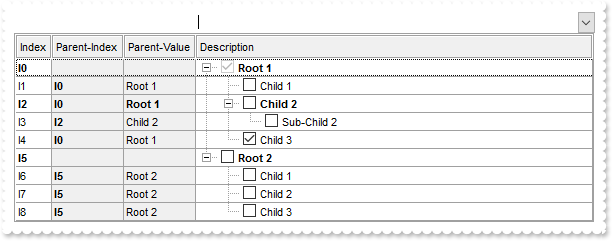
/*
	Copy and paste the following directives to your header file as
	it defines the namespace 'EXCOMBOBOXLib' for the library: 'ExComboBox 1.0 Control Library'

	#import <ExComboBox.dll>
	using namespace EXCOMBOBOXLib;
*/
EXCOMBOBOXLib::IComboBoxPtr spComboBox1 = GetDlgItem(IDC_COMBOBOX1)->GetControlUnknown();
spComboBox1->BeginUpdate();
spComboBox1->PutHeaderAppearance(EXCOMBOBOXLib::Etched);
spComboBox1->PutHeaderHeight(24);
spComboBox1->PutLinesAtRoot(EXCOMBOBOXLib::exLinesAtRoot);
spComboBox1->PutAutoDrag(EXCOMBOBOXLib::exAutoDragPositionAny);
spComboBox1->PutSingleSel(VARIANT_FALSE);
spComboBox1->PutDrawGridLines(EXCOMBOBOXLib::exRowLines);
spComboBox1->PutGridLineStyle(EXCOMBOBOXLib::exGridLinesSolid);
spComboBox1->GetConditionalFormats()->Add(L"%CC0 and %CX0",vtMissing)->PutBold(VARIANT_TRUE);
EXCOMBOBOXLib::IConditionalFormatPtr var_ConditionalFormat = spComboBox1->GetConditionalFormats()->Add(L"1",vtMissing);
	var_ConditionalFormat->PutBold(VARIANT_TRUE);
	var_ConditionalFormat->PutApplyTo(EXCOMBOBOXLib::FormatApplyToEnum(0x2));
EXCOMBOBOXLib::IColumnPtr var_Column = ((EXCOMBOBOXLib::IColumnPtr)(spComboBox1->GetColumns()->Add(L"Description")));
	var_Column->PutDef(EXCOMBOBOXLib::exCellHasCheckBox,VARIANT_TRUE);
	var_Column->PutPartialCheck(VARIANT_TRUE);
EXCOMBOBOXLib::IColumnPtr var_Column1 = ((EXCOMBOBOXLib::IColumnPtr)(spComboBox1->GetColumns()->Add(L"Index")));
	var_Column1->PutFormatColumn(L"1 index `I`");
	var_Column1->PutPosition(0);
	var_Column1->PutWidth(16);
EXCOMBOBOXLib::IColumnPtr var_Column2 = ((EXCOMBOBOXLib::IColumnPtr)(spComboBox1->GetColumns()->Add(L"Parent-Index")));
	var_Column2->PutFormatColumn(L"parent(1 index `I`)");
	var_Column2->PutPosition(1);
	var_Column2->PutWidth(32);
	var_Column2->PutDef(EXCOMBOBOXLib::exCellBackColor,long(15790320));
EXCOMBOBOXLib::IColumnPtr var_Column3 = ((EXCOMBOBOXLib::IColumnPtr)(spComboBox1->GetColumns()->Add(L"Parent-Value")));
	var_Column3->PutFormatColumn(L"parent(%0)");
	var_Column3->PutPosition(2);
	var_Column3->PutWidth(32);
	var_Column3->PutDef(EXCOMBOBOXLib::exCellBackColor,long(15790320));
EXCOMBOBOXLib::IItemsPtr var_Items = spComboBox1->GetItems();
	long h = var_Items->AddItem("Root 1");
	var_Items->InsertItem(h,vtMissing,"Child 1");
	var_Items->InsertItem(var_Items->InsertItem(h,vtMissing,"Child 2"),vtMissing,"Sub-Child 2");
	var_Items->PutCellState(var_Items->InsertItem(h,vtMissing,"Child 3"),long(0),1);
	var_Items->PutExpandItem(h,VARIANT_TRUE);
	h = var_Items->AddItem("Root 2");
	var_Items->InsertItem(h,vtMissing,"Child 1");
	var_Items->InsertItem(h,vtMissing,"Child 2");
	var_Items->InsertItem(h,vtMissing,"Child 3");
	var_Items->PutExpandItem(h,VARIANT_TRUE);
spComboBox1->EndUpdate();
|
|
603
|
Defines the symbol used to indicate repeated captions, providing a clear visual cue for identical entries (ditto mark)
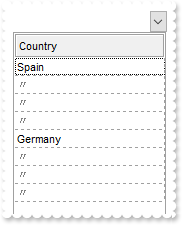
/*
	Copy and paste the following directives to your header file as
	it defines the namespace 'EXCOMBOBOXLib' for the library: 'ExComboBox 1.0 Control Library'

	#import <ExComboBox.dll>
	using namespace EXCOMBOBOXLib;
*/
EXCOMBOBOXLib::IComboBoxPtr spComboBox1 = GetDlgItem(IDC_COMBOBOX1)->GetControlUnknown();
spComboBox1->BeginUpdate();
spComboBox1->PutHeaderAppearance(EXCOMBOBOXLib::Etched);
spComboBox1->PutHeaderHeight(24);
spComboBox1->PutDrawGridLines(EXCOMBOBOXLib::exRowLines);
((EXCOMBOBOXLib::IColumnPtr)(spComboBox1->GetColumns()->Add(L"Country")))->PutShowIdem(L"<fgcolor gray>〃");
EXCOMBOBOXLib::IItemsPtr var_Items = spComboBox1->GetItems();
	var_Items->AddItem("Spain");
	var_Items->AddItem("Spain");
	var_Items->AddItem("Spain");
	var_Items->AddItem("Spain");
	var_Items->AddItem("Germany");
	var_Items->AddItem("Germany");
	var_Items->AddItem("Germany");
	var_Items->AddItem("Germany");
spComboBox1->EndUpdate();
|
|
602
|
Defines the symbol used to indicate repeated captions, providing a clear visual cue for identical entries (space)
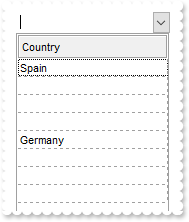
/*
	Copy and paste the following directives to your header file as
	it defines the namespace 'EXCOMBOBOXLib' for the library: 'ExComboBox 1.0 Control Library'

	#import <ExComboBox.dll>
	using namespace EXCOMBOBOXLib;
*/
EXCOMBOBOXLib::IComboBoxPtr spComboBox1 = GetDlgItem(IDC_COMBOBOX1)->GetControlUnknown();
spComboBox1->BeginUpdate();
spComboBox1->PutHeaderAppearance(EXCOMBOBOXLib::Etched);
spComboBox1->PutHeaderHeight(24);
spComboBox1->PutDrawGridLines(EXCOMBOBOXLib::exRowLines);
((EXCOMBOBOXLib::IColumnPtr)(spComboBox1->GetColumns()->Add(L"Country")))->PutShowIdem(L" ");
EXCOMBOBOXLib::IItemsPtr var_Items = spComboBox1->GetItems();
	var_Items->AddItem("Spain");
	var_Items->AddItem("Spain");
	var_Items->AddItem("Spain");
	var_Items->AddItem("Spain");
	var_Items->AddItem("Germany");
	var_Items->AddItem("Germany");
	var_Items->AddItem("Germany");
	var_Items->AddItem("Germany");
spComboBox1->EndUpdate();
|
|
601
|
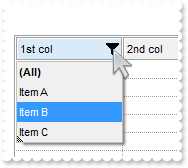
Displays a glitch funnel for drop-down filter buttons (empty or active)
/*
	Copy and paste the following directives to your header file as
	it defines the namespace 'EXCOMBOBOXLib' for the library: 'ExComboBox 1.0 Control Library'

	#import <ExComboBox.dll>
	using namespace EXCOMBOBOXLib;
*/
EXCOMBOBOXLib::IComboBoxPtr spComboBox1 = GetDlgItem(IDC_COMBOBOX1)->GetControlUnknown();
spComboBox1->BeginUpdate();
EXCOMBOBOXLib::IAppearancePtr var_Appearance = spComboBox1->GetVisualAppearance();
	var_Appearance->PutRenderType(-1);
	var_Appearance->Add(1,_bstr_t("gBFLBCJwBAEHhEJAAEhABa8IQAAYAQGKIYBkAKBQAGaAoDDUNQxQwAAxwfBMKgBBCLIxhEYobgmGIXRpFMbxCKQahLEiTIhGUYJHgmK4tRiAUgxVDkBxrECZYqjcBZO") +
	"iwLQ2TxDM7DNKUCBnIoABhGOaYDh+IQNQjUFKwTRFGRxK4EIRKAyTDLQdRyGSMMbjdQpBCbMiMRqhESKRq2UwYRYCFS1NalaztO6BUAvK67YrWez/YBfF+SfwGeqDYRe" +
	"WAPfgWERnQrGMLxbD8KwZAKTRjkGJ4XhuB41TbQMqufL9ByXHKSSDpGjaXjeO5VVjYNAvS69UzXNq3bhtQAOXCMEwCgI=");
	var_Appearance->Add(2,"CP:1 -2 0 0 0");
spComboBox1->PutDrawGridLines(EXCOMBOBOXLib::exAllLines);
spComboBox1->PutGridLineStyle(EXCOMBOBOXLib::exGridLinesGeometric);
spComboBox1->PutShowFocusRect(VARIANT_FALSE);
spComboBox1->PutBackground(EXCOMBOBOXLib::exHeaderFilterBarButton,0x2000000);
spComboBox1->PutBackground(EXCOMBOBOXLib::exHeaderFilterBarActive,0x2000001);
spComboBox1->PutHeaderAppearance(EXCOMBOBOXLib::Etched);
spComboBox1->PutHeaderHeight(24);
spComboBox1->PutHeaderVisible(VARIANT_TRUE);
EXCOMBOBOXLib::IColumnPtr var_Column = ((EXCOMBOBOXLib::IColumnPtr)(spComboBox1->GetColumns()->Add(L"1st col")));
	var_Column->PutDisplayFilterButton(VARIANT_TRUE);
	var_Column->PutDisplayFilterPattern(VARIANT_FALSE);
	var_Column->PutFilter(L"Item B");
	var_Column->PutFilterType(EXCOMBOBOXLib::exFilter);
spComboBox1->GetColumns()->Add(L"2nd col");
EXCOMBOBOXLib::IItemsPtr var_Items = spComboBox1->GetItems();
	var_Items->AddItem("Item A");
	var_Items->AddItem("Item B");
	var_Items->AddItem("Item C");
spComboBox1->ApplyFilter();
spComboBox1->EndUpdate();
|
|
600
|
How can I replace or add an icon at runtime
/*
	Copy and paste the following directives to your header file as
	it defines the namespace 'EXCOMBOBOXLib' for the library: 'ExComboBox 1.0 Control Library'

	#import <ExComboBox.dll>
	using namespace EXCOMBOBOXLib;
*/
EXCOMBOBOXLib::IComboBoxPtr spComboBox1 = GetDlgItem(IDC_COMBOBOX1)->GetControlUnknown();
spComboBox1->BeginUpdate();
spComboBox1->ReplaceIcon(_bstr_t("gAAAABgYACEHgUJFEEAAWhUJCEJEEJggEhMCYEXjUbjkJQECj8gj8hAEjkshYEpk8kf8ClsulsvAExmcvf83js5nU7nkCeEcn8boMaocXosCB9Hn09pkzcEuoL/fE+O") +
	"kYB0gB9YhIHrddgVcr9aktZADAD8+P8CgIA==",vtMissing);
spComboBox1->ReplaceIcon("C:\\images\\favicon.ico",long(0));
((EXCOMBOBOXLib::IColumnPtr)(spComboBox1->GetColumns()->Add(L"Items")))->PutDef(EXCOMBOBOXLib::exCellCaptionFormat,long(1));
spComboBox1->GetItems()->AddItem("Item <img>1</img>");
spComboBox1->EndUpdate();
|
|
599
|
Can I set a filter that automatically adds a * before and after the word, so the user can just search for 'cat' and it becomes '*cat*' automatically
/*
	Copy and paste the following directives to your header file as
	it defines the namespace 'EXCOMBOBOXLib' for the library: 'ExComboBox 1.0 Control Library'

	#import <ExComboBox.dll>
	using namespace EXCOMBOBOXLib;
*/
EXCOMBOBOXLib::IComboBoxPtr spComboBox1 = GetDlgItem(IDC_COMBOBOX1)->GetControlUnknown();
spComboBox1->BeginUpdate();
spComboBox1->PutHeaderAppearance(EXCOMBOBOXLib::Etched);
spComboBox1->PutHeaderHeight(24);
spComboBox1->PutLinesAtRoot(EXCOMBOBOXLib::exLinesAtRoot);
EXCOMBOBOXLib::IColumnPtr var_Column = ((EXCOMBOBOXLib::IColumnPtr)(spComboBox1->GetColumns()->Add(L"Items")));
	var_Column->PutDisplayFilterButton(VARIANT_TRUE);
	var_Column->PutDisplayFilterPattern(VARIANT_TRUE);
	var_Column->PutDef(EXCOMBOBOXLib::exFilterPatternTemplate,"*<%filter%>*");
	var_Column->PutFilterType(EXCOMBOBOXLib::exPattern);
	var_Column->PutFilter(L"1");
EXCOMBOBOXLib::IItemsPtr var_Items = spComboBox1->GetItems();
	long h = var_Items->AddItem("Root 1");
	var_Items->InsertItem(h,vtMissing,"Child 1");
	var_Items->InsertItem(h,vtMissing,"Child 2");
	var_Items->PutExpandItem(h,VARIANT_TRUE);
	h = var_Items->AddItem("Root 2");
	var_Items->InsertItem(h,vtMissing,"Child 1");
	var_Items->InsertItem(h,vtMissing,"Child 2");
spComboBox1->ApplyFilter();
spComboBox1->EndUpdate();
|
|
598
|
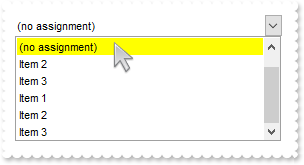
I want to fix/lock the first item in the control
// Click event - Occurs when the user presses and then releases the left mouse button over the list control.
void OnClickComboBox1()
{
	/*
		Copy and paste the following directives to your header file as
		it defines the namespace 'EXCOMBOBOXLib' for the library: 'ExComboBox 1.0 Control Library'
		#import <ExComboBox.dll>
		using namespace EXCOMBOBOXLib;
	*/
	EXCOMBOBOXLib::IComboBoxPtr spComboBox1 = GetDlgItem(IDC_COMBOBOX1)->GetControlUnknown();
	long i = spComboBox1->GetItemFromPoint(-1,-1,c,hit);
	spComboBox1->PutLabelText(_bstr_t(spComboBox1->GetItems()->GetCellCaption(i,long(0))));
	spComboBox1->PutDropDown(vtMissing,VARIANT_FALSE);
}

EXCOMBOBOXLib::IComboBoxPtr spComboBox1 = GetDlgItem(IDC_COMBOBOX1)->GetControlUnknown();
spComboBox1->BeginUpdate();
spComboBox1->PutSearchColumnIndex(-1);
spComboBox1->PutAdjustSearchColumn(VARIANT_FALSE);
spComboBox1->PutSingleEdit(VARIANT_TRUE);
spComboBox1->PutStyle(EXCOMBOBOXLib::DropDownList);
spComboBox1->PutHeaderVisible(VARIANT_FALSE);
spComboBox1->PutIntegralHeight(VARIANT_TRUE);
spComboBox1->GetColumns()->Add(L"Default");
EXCOMBOBOXLib::IItemsPtr var_Items = spComboBox1->GetItems();
	var_Items->PutLockedItemCount(EXCOMBOBOXLib::exTop,1);
	var_Items->PutCellCaption(var_Items->GetLockedItem(EXCOMBOBOXLib::exTop,0),long(0),"(no assignment)");
	var_Items->PutItemBackColor(var_Items->GetLockedItem(EXCOMBOBOXLib::exTop,0),RGB(255,255,0));
	var_Items->AddItem("Item 1");
	var_Items->AddItem("Item 2");
	var_Items->AddItem("Item 3");
spComboBox1->PutItems(spComboBox1->GetItems(""),vtMissing);
spComboBox1->EndUpdate();
|
|
597
|
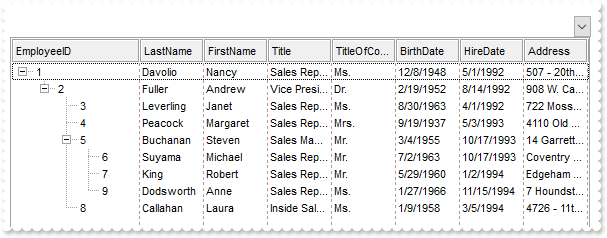
Load data as a tree using a parent-id relationship
/*
	Copy and paste the following directives to your header file as
	it defines the namespace 'EXCOMBOBOXLib' for the library: 'ExComboBox 1.0 Control Library'

	#import <ExComboBox.dll>
	using namespace EXCOMBOBOXLib;
*/
EXCOMBOBOXLib::IComboBoxPtr spComboBox1 = GetDlgItem(IDC_COMBOBOX1)->GetControlUnknown();
spComboBox1->BeginUpdate();
spComboBox1->PutColumnAutoResize(VARIANT_FALSE);
spComboBox1->PutHeaderAppearance(EXCOMBOBOXLib::Etched);
spComboBox1->PutHeaderHeight(24);
spComboBox1->PutDrawGridLines(EXCOMBOBOXLib::exVLines);
spComboBox1->PutLinesAtRoot(EXCOMBOBOXLib::exLinesAtRoot);
/*
	Includes the definition for CreateObject function like follows:

	#include <comdef.h>
	IUnknownPtr CreateObject( BSTR Object )
	{
		IUnknownPtr spResult;
		spResult.CreateInstance( Object );
		return spResult;
	};

*/
/*
	Copy and paste the following directives to your header file as
	it defines the namespace 'ADODB' for the library: 'Microsoft ActiveX Data Objects 6.1 Library'

	#import <msado15.dll> rename("EOF","REOF")
*/
ADODB::_RecordsetPtr rs = ::CreateObject(L"ADODB.Recordset");
	rs->Open("Select * FROM Employees WHERE 1=0","Provider=Microsoft.ACE.OLEDB.12.0;Data Source=C:\\Program Files\\Exontrol\\ExComboBox\\Sample\\Access\\sample.mdb",ADODB::adOpenStatic,ADODB::adLockOptimistic,0);
spComboBox1->PutDataSource(((ADODB::_RecordsetPtr)(rs)));
spComboBox1->GetColumns()->GetItem(long(0))->PutWidth(128);
rs = ::CreateObject(L"ADODB.Recordset");
	rs->Open("Employees","Provider=Microsoft.ACE.OLEDB.12.0;Data Source=C:\\Program Files\\Exontrol\\ExComboBox\\Sample\\Access\\sample.mdb",ADODB::adOpenStatic,ADODB::adLockOptimistic,0);
spComboBox1->PutItems(rs->GetRows(0,vtMissing,vtMissing),";0;15");
spComboBox1->GetItems()->PutExpandItem(0,VARIANT_TRUE);
spComboBox1->EndUpdate();
|
|
596
|
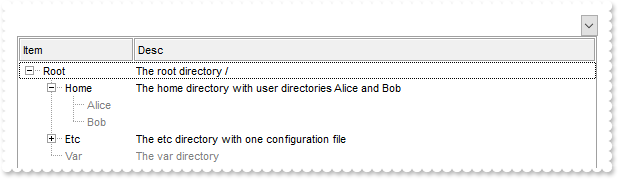
Highlight the leaf items
/*
	Copy and paste the following directives to your header file as
	it defines the namespace 'EXCOMBOBOXLib' for the library: 'ExComboBox 1.0 Control Library'

	#import <ExComboBox.dll>
	using namespace EXCOMBOBOXLib;
*/
EXCOMBOBOXLib::IComboBoxPtr spComboBox1 = GetDlgItem(IDC_COMBOBOX1)->GetControlUnknown();
spComboBox1->BeginUpdate();
spComboBox1->GetConditionalFormats()->Add(L"%CC0=0",vtMissing)->PutForeColor(RGB(128,128,128));
spComboBox1->PutHeaderAppearance(EXCOMBOBOXLib::Etched);
spComboBox1->PutHeaderHeight(24);
spComboBox1->PutLinesAtRoot(EXCOMBOBOXLib::exLinesAtRoot);
EXCOMBOBOXLib::IColumnsPtr var_Columns = spComboBox1->GetColumns();
	((EXCOMBOBOXLib::IColumnPtr)(var_Columns->Add(L"Item")))->PutWidth(16);
	var_Columns->Add(L"Desc");
EXCOMBOBOXLib::IItemsPtr var_Items = spComboBox1->GetItems();
	long hR = var_Items->AddItem("Root");
	var_Items->PutCellCaption(hR,long(1),"The root directory /");
	long h = var_Items->InsertItem(hR,vtMissing,"Home");
	var_Items->PutCellCaption(h,long(1),"The home directory with user directories Alice and Bob");
	var_Items->InsertItem(h,vtMissing,"Alice");
	var_Items->InsertItem(h,vtMissing,"Bob");
	var_Items->PutExpandItem(h,VARIANT_TRUE);
	h = var_Items->InsertItem(hR,vtMissing,"Etc");
	var_Items->PutCellCaption(h,long(1),"The etc directory with one configuration file");
	h = var_Items->InsertItem(h,vtMissing,"nginx.conf");
	var_Items->PutCellCaption(var_Items->InsertItem(hR,vtMissing,"Var"),long(1),"The var directory");
	var_Items->PutExpandItem(hR,VARIANT_TRUE);
spComboBox1->EndUpdate();
|
|
595
|
Highlight the parent items
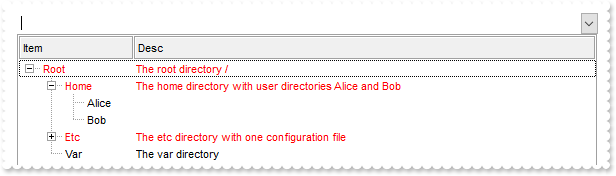
/*
	Copy and paste the following directives to your header file as
	it defines the namespace 'EXCOMBOBOXLib' for the library: 'ExComboBox 1.0 Control Library'

	#import <ExComboBox.dll>
	using namespace EXCOMBOBOXLib;
*/
EXCOMBOBOXLib::IComboBoxPtr spComboBox1 = GetDlgItem(IDC_COMBOBOX1)->GetControlUnknown();
spComboBox1->BeginUpdate();
spComboBox1->GetConditionalFormats()->Add(L"%CC0",vtMissing)->PutForeColor(RGB(255,0,0));
spComboBox1->PutHeaderAppearance(EXCOMBOBOXLib::Etched);
spComboBox1->PutHeaderHeight(24);
spComboBox1->PutLinesAtRoot(EXCOMBOBOXLib::exLinesAtRoot);
EXCOMBOBOXLib::IColumnsPtr var_Columns = spComboBox1->GetColumns();
	((EXCOMBOBOXLib::IColumnPtr)(var_Columns->Add(L"Item")))->PutWidth(16);
	var_Columns->Add(L"Desc");
EXCOMBOBOXLib::IItemsPtr var_Items = spComboBox1->GetItems();
	long hR = var_Items->AddItem("Root");
	var_Items->PutCellCaption(hR,long(1),"The root directory /");
	long h = var_Items->InsertItem(hR,vtMissing,"Home");
	var_Items->PutCellCaption(h,long(1),"The home directory with user directories Alice and Bob");
	var_Items->InsertItem(h,vtMissing,"Alice");
	var_Items->InsertItem(h,vtMissing,"Bob");
	var_Items->PutExpandItem(h,VARIANT_TRUE);
	h = var_Items->InsertItem(hR,vtMissing,"Etc");
	var_Items->PutCellCaption(h,long(1),"The etc directory with one configuration file");
	h = var_Items->InsertItem(h,vtMissing,"nginx.conf");
	var_Items->PutCellCaption(var_Items->InsertItem(hR,vtMissing,"Var"),long(1),"The var directory");
	var_Items->PutExpandItem(hR,VARIANT_TRUE);
spComboBox1->EndUpdate();
|
|
594
|
Highlight the item being expanded or collapsed
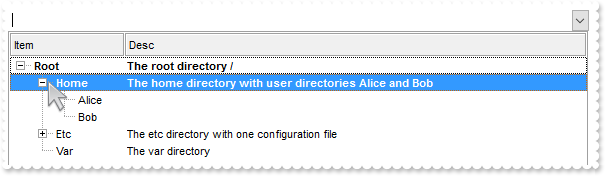
/*
	Copy and paste the following directives to your header file as
	it defines the namespace 'EXCOMBOBOXLib' for the library: 'ExComboBox 1.0 Control Library'

	#import <ExComboBox.dll>
	using namespace EXCOMBOBOXLib;
*/
EXCOMBOBOXLib::IComboBoxPtr spComboBox1 = GetDlgItem(IDC_COMBOBOX1)->GetControlUnknown();
spComboBox1->BeginUpdate();
spComboBox1->GetConditionalFormats()->Add(L"%CX0",vtMissing)->PutBold(VARIANT_TRUE);
spComboBox1->PutHeaderAppearance(EXCOMBOBOXLib::Etched);
spComboBox1->PutHeaderHeight(24);
spComboBox1->PutLinesAtRoot(EXCOMBOBOXLib::exLinesAtRoot);
EXCOMBOBOXLib::IColumnsPtr var_Columns = spComboBox1->GetColumns();
	((EXCOMBOBOXLib::IColumnPtr)(var_Columns->Add(L"Item")))->PutWidth(16);
	var_Columns->Add(L"Desc");
EXCOMBOBOXLib::IItemsPtr var_Items = spComboBox1->GetItems();
	long hR = var_Items->AddItem("Root");
	var_Items->PutCellCaption(hR,long(1),"The root directory /");
	long h = var_Items->InsertItem(hR,vtMissing,"Home");
	var_Items->PutCellCaption(h,long(1),"The home directory with user directories Alice and Bob");
	var_Items->InsertItem(h,vtMissing,"Alice");
	var_Items->InsertItem(h,vtMissing,"Bob");
	var_Items->PutExpandItem(h,VARIANT_TRUE);
	h = var_Items->InsertItem(hR,vtMissing,"Etc");
	var_Items->PutCellCaption(h,long(1),"The etc directory with one configuration file");
	h = var_Items->InsertItem(h,vtMissing,"nginx.conf");
	var_Items->PutCellCaption(var_Items->InsertItem(hR,vtMissing,"Var"),long(1),"The var directory");
	var_Items->PutExpandItem(hR,VARIANT_TRUE);
spComboBox1->EndUpdate();
|
|
593
|
Are there any properties to set text margins at tooltip, like Margins="5,5" (method 1). Margins is used to get some space between text and the tooltips border
// MouseMove event - Occurs when the user moves the mouse.
void OnMouseMoveComboBox1(short   Button, short   Shift, long   X, long   Y)
{
	/*
		Copy and paste the following directives to your header file as
		it defines the namespace 'EXCOMBOBOXLib' for the library: 'ExComboBox 1.0 Control Library'
		#import <ExComboBox.dll>
		using namespace EXCOMBOBOXLib;
	*/
	EXCOMBOBOXLib::IComboBoxPtr spComboBox1 = GetDlgItem(IDC_COMBOBOX1)->GetControlUnknown();
	spComboBox1->ShowToolTip(L"new content","",vtMissing,"+8","+8");
}

EXCOMBOBOXLib::IComboBoxPtr spComboBox1 = GetDlgItem(IDC_COMBOBOX1)->GetControlUnknown();
spComboBox1->PutToolTipMargin(L"16,8");
|
|
592
|
Disable temporarily the column's sort, resize and drag and drop

/*
	Copy and paste the following directives to your header file as
	it defines the namespace 'EXCOMBOBOXLib' for the library: 'ExComboBox 1.0 Control Library'

	#import <ExComboBox.dll>
	using namespace EXCOMBOBOXLib;
*/
EXCOMBOBOXLib::IComboBoxPtr spComboBox1 = GetDlgItem(IDC_COMBOBOX1)->GetControlUnknown();
spComboBox1->BeginUpdate();
spComboBox1->PutSortBarVisible(VARIANT_TRUE);
spComboBox1->PutSortBarCaption(L"<fgcolor 808080><c>the header and the sort-bar are disabled (no drag and drop is allowed)");
spComboBox1->PutHeaderEnabled(VARIANT_FALSE);
spComboBox1->PutHeaderAppearance(EXCOMBOBOXLib::Etched);
((EXCOMBOBOXLib::IColumnPtr)(spComboBox1->GetColumns()->Add(L"Index")))->PutFormatColumn(L"1 index ``");
((EXCOMBOBOXLib::IColumnPtr)(spComboBox1->GetColumns()->Add(L"Pos")))->PutFormatColumn(L"1 apos ``");
spComboBox1->GetColumns()->Add(L"Edit");
spComboBox1->PutGridLineStyle(EXCOMBOBOXLib::exGridLinesGeometric);
spComboBox1->PutDrawGridLines(EXCOMBOBOXLib::exVLines);
spComboBox1->EndUpdate();
|
|
591
|
Expandable-caption
// AnchorClick event - Occurs when an anchor element is clicked.
void OnAnchorClickComboBox1(LPCTSTR   AnchorID, LPCTSTR   Options)
{
	/*
		Copy and paste the following directives to your header file as
		it defines the namespace 'EXCOMBOBOXLib' for the library: 'ExComboBox 1.0 Control Library'
		#import <ExComboBox.dll>
		using namespace EXCOMBOBOXLib;
	*/
	EXCOMBOBOXLib::IComboBoxPtr spComboBox1 = GetDlgItem(IDC_COMBOBOX1)->GetControlUnknown();
	OutputDebugStringW( L"AnchorID" );
}

EXCOMBOBOXLib::IComboBoxPtr spComboBox1 = GetDlgItem(IDC_COMBOBOX1)->GetControlUnknown();
spComboBox1->BeginUpdate();
spComboBox1->PutStyle(EXCOMBOBOXLib::Simple);
spComboBox1->PutTreeColumnIndex(-1);
spComboBox1->PutDrawGridLines(EXCOMBOBOXLib::exAllLines);
spComboBox1->PutGridLineStyle(EXCOMBOBOXLib::exGridLinesGeometric);
spComboBox1->PutBackColorAlternate(RGB(240,240,240));
spComboBox1->PutShowFocusRect(VARIANT_FALSE);
spComboBox1->PutSingleEdit(VARIANT_TRUE);
spComboBox1->PutSearchColumnIndex(1);
spComboBox1->PutAdjustSearchColumn(VARIANT_FALSE);
spComboBox1->PutHeaderVisible(VARIANT_FALSE);
spComboBox1->GetColumns()->Add(L"Default");
((EXCOMBOBOXLib::IColumnPtr)(spComboBox1->GetColumns()->Add(L"Select")))->PutVisible(VARIANT_FALSE);
EXCOMBOBOXLib::IItemsPtr var_Items = spComboBox1->GetItems();
	var_Items->PutCellCaption(var_Items->AddItem("before item"),long(1),"before");
	long h = var_Items->AddItem(_bstr_t("<solidline> <c><b>Bank Account</b></solidline><br>+ owner: String <r><a 1;e64=gA8ABzABvABsABpABkg8JABuABlAA+AAgAECMcTi4AMwAM4Aj") +
	"MGhEGOUVAA4AAwk8plcqihwAElg0wiUlOkOiUEgQvgcFhsKhkIhUQiUUnccj0gn0jmMagUlowAMNOpEfkMNkkmlEqrctjQmAAjAA5AA2sssHcbnkdq1Ln1QtVSjQAAEB" +
	"A==>▲</a><br><solidline>+ balance: Currency = 0</solidline><br>+ deposit(amount: Currency)<r><a 2;e64=gA8ABjAA+AECMwAM8DAB" +
	"vABshoAOQAEAAHAAGEWjEajMGNoAMoAOgANERMgAOcHAAvAEJhcEh0Qh0Tg0CmkqMMFlUuhkxiMTisXjNCjk6EwAEYAHIAG1MjY7lUsnkwh8/nUClk5gwAAEBA==>	" +
	"650;</a><br>+ withdraw(amount: Currency)");
	var_Items->PutCellCaptionFormat(h,long(0),EXCOMBOBOXLib::exHTML);
	var_Items->PutCellSingleLine(h,long(0),EXCOMBOBOXLib::exCaptionWordWrap);
	var_Items->PutCellCaption(h,long(1),"Bank Account");
	var_Items->PutCellCaption(var_Items->AddItem("after item"),long(1),"after");
spComboBox1->PutSelect(long(1),"after");
spComboBox1->EndUpdate();
|
|
590
|
Expandable-caption
/*
	Copy and paste the following directives to your header file as
	it defines the namespace 'EXCOMBOBOXLib' for the library: 'ExComboBox 1.0 Control Library'

	#import <ExComboBox.dll>
	using namespace EXCOMBOBOXLib;
*/
EXCOMBOBOXLib::IComboBoxPtr spComboBox1 = GetDlgItem(IDC_COMBOBOX1)->GetControlUnknown();
spComboBox1->BeginUpdate();
spComboBox1->PutStyle(EXCOMBOBOXLib::Simple);
spComboBox1->PutTreeColumnIndex(-1);
spComboBox1->PutDrawGridLines(EXCOMBOBOXLib::exAllLines);
spComboBox1->PutGridLineStyle(EXCOMBOBOXLib::exGridLinesGeometric);
spComboBox1->PutBackColorAlternate(RGB(240,240,240));
spComboBox1->PutShowFocusRect(VARIANT_FALSE);
spComboBox1->PutSingleEdit(VARIANT_TRUE);
spComboBox1->PutSearchColumnIndex(1);
spComboBox1->PutAdjustSearchColumn(VARIANT_FALSE);
spComboBox1->PutHeaderVisible(VARIANT_FALSE);
spComboBox1->GetColumns()->Add(L"Default");
((EXCOMBOBOXLib::IColumnPtr)(spComboBox1->GetColumns()->Add(L"Select")))->PutVisible(VARIANT_FALSE);
EXCOMBOBOXLib::IItemsPtr var_Items = spComboBox1->GetItems();
	var_Items->PutCellCaption(var_Items->AddItem("before item"),long(1),"before");
	long h = var_Items->AddItem("<solidline><b>Header</b></solidline><br>Line1<r><a ;exp=show lines>+</a><br>Line2<br>Line3");
	var_Items->PutCellCaptionFormat(h,long(0),EXCOMBOBOXLib::exHTML);
	var_Items->PutCellSingleLine(h,long(0),EXCOMBOBOXLib::exCaptionWordWrap);
	var_Items->PutCellCaption(h,long(1),"Bank Account");
	var_Items->PutCellCaption(var_Items->AddItem("after item"),long(1),"after");
spComboBox1->PutSelect(long(1),"after");
spComboBox1->EndUpdate();
|
|
589
|
Force hover-all feature
/*
	Copy and paste the following directives to your header file as
	it defines the namespace 'EXCOMBOBOXLib' for the library: 'ExComboBox 1.0 Control Library'

	#import <ExComboBox.dll>
	using namespace EXCOMBOBOXLib;
*/
EXCOMBOBOXLib::IComboBoxPtr spComboBox1 = GetDlgItem(IDC_COMBOBOX1)->GetControlUnknown();
spComboBox1->PutBackground(EXCOMBOBOXLib::exScrollHoverAll,-1);
|
|
588
|
Disable hover-all feature (Windows 11 or greater)
/*
	Copy and paste the following directives to your header file as
	it defines the namespace 'EXCOMBOBOXLib' for the library: 'ExComboBox 1.0 Control Library'

	#import <ExComboBox.dll>
	using namespace EXCOMBOBOXLib;
*/
EXCOMBOBOXLib::IComboBoxPtr spComboBox1 = GetDlgItem(IDC_COMBOBOX1)->GetControlUnknown();
spComboBox1->PutBackground(EXCOMBOBOXLib::exScrollHoverAll,RGB(1,0,0));
|
|
587
|
Display a custom tooltip
// MouseMove event - Occurs when the user moves the mouse.
void OnMouseMoveComboBox1(short   Button, short   Shift, long   X, long   Y)
{
	/*
		Copy and paste the following directives to your header file as
		it defines the namespace 'EXCOMBOBOXLib' for the library: 'ExComboBox 1.0 Control Library'
		#import <ExComboBox.dll>
		using namespace EXCOMBOBOXLib;
	*/
	EXCOMBOBOXLib::IComboBoxPtr spComboBox1 = GetDlgItem(IDC_COMBOBOX1)->GetControlUnknown();
	spComboBox1->ShowToolTip(_bstr_t(spComboBox1->GetColumnFromPoint(-1,-1)),"",vtMissing,"+8","+8");
}
|
|
586
|
Shows the tooltip of the object moved relative to its default position
// MouseMove event - Occurs when the user moves the mouse.
void OnMouseMoveComboBox1(short   Button, short   Shift, long   X, long   Y)
{
	/*
		Copy and paste the following directives to your header file as
		it defines the namespace 'EXCOMBOBOXLib' for the library: 'ExComboBox 1.0 Control Library'
		#import <ExComboBox.dll>
		using namespace EXCOMBOBOXLib;
	*/
	EXCOMBOBOXLib::IComboBoxPtr spComboBox1 = GetDlgItem(IDC_COMBOBOX1)->GetControlUnknown();
	spComboBox1->ShowToolTip(L"<null>","<null>",vtMissing,"+8","+8");
}

EXCOMBOBOXLib::IComboBoxPtr spComboBox1 = GetDlgItem(IDC_COMBOBOX1)->GetControlUnknown();
((EXCOMBOBOXLib::IColumnPtr)(spComboBox1->GetColumns()->Add(L"tootip")))->PutToolTip(L"this is a tooltip assigned to a column");
|
|
585
|
How do I prevent changing the cell's state ( check-box state )
// CellStateChanging event - Fired before cell's state is about to be changed.
void OnCellStateChangingComboBox1(long   Cell, long FAR*   NewState)
{
	/*
		Copy and paste the following directives to your header file as
		it defines the namespace 'EXCOMBOBOXLib' for the library: 'ExComboBox 1.0 Control Library'
		#import <ExComboBox.dll>
		using namespace EXCOMBOBOXLib;
	*/
	EXCOMBOBOXLib::IComboBoxPtr spComboBox1 = GetDlgItem(IDC_COMBOBOX1)->GetControlUnknown();
	EXCOMBOBOXLib::IItemsPtr var_Items = spComboBox1->GetItems();
		NewState = var_Items->GetCellState(vtMissing,Cell);
}

EXCOMBOBOXLib::IComboBoxPtr spComboBox1 = GetDlgItem(IDC_COMBOBOX1)->GetControlUnknown();
spComboBox1->BeginUpdate();
spComboBox1->PutLinesAtRoot(EXCOMBOBOXLib::exLinesAtRoot);
EXCOMBOBOXLib::IColumnPtr var_Column = ((EXCOMBOBOXLib::IColumnPtr)(spComboBox1->GetColumns()->Add(L"P1")));
	var_Column->PutDef(EXCOMBOBOXLib::exCellHasCheckBox,VARIANT_TRUE);
	var_Column->PutPartialCheck(VARIANT_TRUE);
EXCOMBOBOXLib::IColumnPtr var_Column1 = ((EXCOMBOBOXLib::IColumnPtr)(spComboBox1->GetColumns()->Add(L"P2")));
	var_Column1->PutDef(EXCOMBOBOXLib::exCellHasCheckBox,VARIANT_TRUE);
	var_Column1->PutPartialCheck(VARIANT_TRUE);
EXCOMBOBOXLib::IItemsPtr var_Items = spComboBox1->GetItems();
	long h = var_Items->AddItem("Root");
	var_Items->InsertItem(h,vtMissing,"Child 1");
	var_Items->InsertItem(h,vtMissing,"Child 2");
	var_Items->PutExpandItem(h,VARIANT_TRUE);
spComboBox1->EndUpdate();
|
|
584
|
How can I enable the clear-button (visible only if required and focused)
/*
	Copy and paste the following directives to your header file as
	it defines the namespace 'EXCOMBOBOXLib' for the library: 'ExComboBox 1.0 Control Library'

	#import <ExComboBox.dll>
	using namespace EXCOMBOBOXLib;
*/
EXCOMBOBOXLib::IComboBoxPtr spComboBox1 = GetDlgItem(IDC_COMBOBOX1)->GetControlUnknown();
spComboBox1->BeginUpdate();
spComboBox1->PutStyle(EXCOMBOBOXLib::DropDownList);
spComboBox1->PutHeaderVisible(VARIANT_FALSE);
spComboBox1->PutIntegralHeight(VARIANT_TRUE);
spComboBox1->PutShowClearButton(3);
spComboBox1->GetColumns()->Add(L"Column");
EXCOMBOBOXLib::IItemsPtr var_Items = spComboBox1->GetItems();
	var_Items->AddItem("Zero");
	var_Items->AddItem("One");
	var_Items->AddItem("Two");
spComboBox1->PutSelect(long(0),"Zero");
spComboBox1->EndUpdate();
|
|
583
|
How can I enable the clear-button (visible only if focused)
/*
	Copy and paste the following directives to your header file as
	it defines the namespace 'EXCOMBOBOXLib' for the library: 'ExComboBox 1.0 Control Library'

	#import <ExComboBox.dll>
	using namespace EXCOMBOBOXLib;
*/
EXCOMBOBOXLib::IComboBoxPtr spComboBox1 = GetDlgItem(IDC_COMBOBOX1)->GetControlUnknown();
spComboBox1->BeginUpdate();
spComboBox1->PutStyle(EXCOMBOBOXLib::DropDownList);
spComboBox1->PutHeaderVisible(VARIANT_FALSE);
spComboBox1->PutIntegralHeight(VARIANT_TRUE);
spComboBox1->PutShowClearButton(2);
spComboBox1->GetColumns()->Add(L"Column");
EXCOMBOBOXLib::IItemsPtr var_Items = spComboBox1->GetItems();
	var_Items->AddItem("Zero");
	var_Items->AddItem("One");
	var_Items->AddItem("Two");
spComboBox1->PutSelect(long(0),"Zero");
spComboBox1->EndUpdate();
|
|
582
|
Change the clear-button appearance
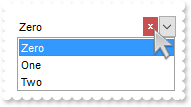
/*
	Copy and paste the following directives to your header file as
	it defines the namespace 'EXCOMBOBOXLib' for the library: 'ExComboBox 1.0 Control Library'

	#import <ExComboBox.dll>
	using namespace EXCOMBOBOXLib;
*/
EXCOMBOBOXLib::IComboBoxPtr spComboBox1 = GetDlgItem(IDC_COMBOBOX1)->GetControlUnknown();
spComboBox1->BeginUpdate();
EXCOMBOBOXLib::IAppearancePtr var_Appearance = spComboBox1->GetVisualAppearance();
	var_Appearance->Add(1,"XP:Window 19 1");
	var_Appearance->Add(2,"XP:Window 19 3");
spComboBox1->PutBackground(EXCOMBOBOXLib::exClearButtonUp,0x1000000);
spComboBox1->PutBackground(EXCOMBOBOXLib::exClearButtonDown,0x2000000);
spComboBox1->PutStyle(EXCOMBOBOXLib::DropDownList);
spComboBox1->PutHeaderVisible(VARIANT_FALSE);
spComboBox1->PutIntegralHeight(VARIANT_TRUE);
spComboBox1->PutShowClearButton(1);
spComboBox1->GetColumns()->Add(L"Column");
EXCOMBOBOXLib::IItemsPtr var_Items = spComboBox1->GetItems();
	var_Items->AddItem("Zero");
	var_Items->AddItem("One");
	var_Items->AddItem("Two");
spComboBox1->PutSelect(long(0),"Zero");
spComboBox1->EndUpdate();
|
|
581
|
How can I enable the clear-button (always visible)
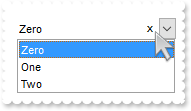
/*
	Copy and paste the following directives to your header file as
	it defines the namespace 'EXCOMBOBOXLib' for the library: 'ExComboBox 1.0 Control Library'

	#import <ExComboBox.dll>
	using namespace EXCOMBOBOXLib;
*/
EXCOMBOBOXLib::IComboBoxPtr spComboBox1 = GetDlgItem(IDC_COMBOBOX1)->GetControlUnknown();
spComboBox1->BeginUpdate();
spComboBox1->PutStyle(EXCOMBOBOXLib::DropDownList);
spComboBox1->PutHeaderVisible(VARIANT_FALSE);
spComboBox1->PutIntegralHeight(VARIANT_TRUE);
spComboBox1->PutShowClearButton(-1);
spComboBox1->GetColumns()->Add(L"Column");
EXCOMBOBOXLib::IItemsPtr var_Items = spComboBox1->GetItems();
	var_Items->AddItem("Zero");
	var_Items->AddItem("One");
	var_Items->AddItem("Two");
spComboBox1->PutSelect(long(0),"Zero");
spComboBox1->EndUpdate();
|
|
580
|
How can I enable the clear-button (visible only if required)
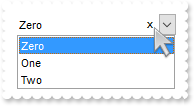
/*
	Copy and paste the following directives to your header file as
	it defines the namespace 'EXCOMBOBOXLib' for the library: 'ExComboBox 1.0 Control Library'

	#import <ExComboBox.dll>
	using namespace EXCOMBOBOXLib;
*/
EXCOMBOBOXLib::IComboBoxPtr spComboBox1 = GetDlgItem(IDC_COMBOBOX1)->GetControlUnknown();
spComboBox1->BeginUpdate();
spComboBox1->PutStyle(EXCOMBOBOXLib::DropDownList);
spComboBox1->PutHeaderVisible(VARIANT_FALSE);
spComboBox1->PutIntegralHeight(VARIANT_TRUE);
spComboBox1->PutShowClearButton(1);
spComboBox1->GetColumns()->Add(L"Column");
EXCOMBOBOXLib::IItemsPtr var_Items = spComboBox1->GetItems();
	var_Items->AddItem("Zero");
	var_Items->AddItem("One");
	var_Items->AddItem("Two");
spComboBox1->PutSelect(long(0),"Zero");
spComboBox1->EndUpdate();
|
|
579
|
Is it possible to Click or Double Click on any area of the combo to force the dropdown list to open
// Click event - Occurs when the user presses and then releases the left mouse button over the list control.
void OnClickComboBox1()
{
	/*
		Copy and paste the following directives to your header file as
		it defines the namespace 'EXCOMBOBOXLib' for the library: 'ExComboBox 1.0 Control Library'
		#import <ExComboBox.dll>
		using namespace EXCOMBOBOXLib;
	*/
	EXCOMBOBOXLib::IComboBoxPtr spComboBox1 = GetDlgItem(IDC_COMBOBOX1)->GetControlUnknown();
	OutputDebugStringW( _bstr_t(spComboBox1->GetDropDown(vtMissing)) );
	spComboBox1->PutDropDown(vtMissing,VARIANT_TRUE);
}

EXCOMBOBOXLib::IComboBoxPtr spComboBox1 = GetDlgItem(IDC_COMBOBOX1)->GetControlUnknown();
spComboBox1->BeginUpdate();
spComboBox1->PutLinesAtRoot(EXCOMBOBOXLib::exLinesAtRoot);
spComboBox1->PutStyle(EXCOMBOBOXLib::DropDownList);
spComboBox1->PutIntegralHeight(VARIANT_TRUE);
spComboBox1->GetColumns()->Add(L"P1");
EXCOMBOBOXLib::IItemsPtr var_Items = spComboBox1->GetItems();
	long h = var_Items->AddItem("Root");
	var_Items->InsertItem(h,vtMissing,"Child 1");
	var_Items->InsertItem(h,vtMissing,"Child 2");
	var_Items->PutExpandItem(h,VARIANT_TRUE);
	var_Items->PutSelectItem(h,VARIANT_TRUE);
spComboBox1->EndUpdate();
|
|
578
|
How do I assign a database to your control, using ADO, ADOR or ADODB objects (MDB,JET)
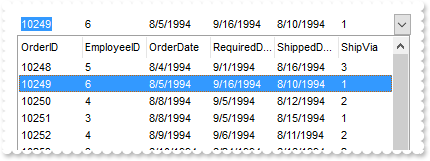
/*
	Copy and paste the following directives to your header file as
	it defines the namespace 'EXCOMBOBOXLib' for the library: 'ExComboBox 1.0 Control Library'

	#import <ExComboBox.dll>
	using namespace EXCOMBOBOXLib;
*/
EXCOMBOBOXLib::IComboBoxPtr spComboBox1 = GetDlgItem(IDC_COMBOBOX1)->GetControlUnknown();
spComboBox1->BeginUpdate();
spComboBox1->PutColumnAutoResize(VARIANT_FALSE);
/*
	Includes the definition for CreateObject function like follows:

	#include <comdef.h>
	IUnknownPtr CreateObject( BSTR Object )
	{
		IUnknownPtr spResult;
		spResult.CreateInstance( Object );
		return spResult;
	};

*/
/*
	Copy and paste the following directives to your header file as
	it defines the namespace 'ADODB' for the library: 'Microsoft ActiveX Data Objects 6.1 Library'

	#import <msado15.dll> rename("EOF","REOF")
*/
ADODB::_RecordsetPtr rs = ::CreateObject(L"ADOR.Recordset");
	rs->Open("Orders","Provider=Microsoft.Jet.OLEDB.4.0;Data Source=C:\\Program Files\\Exontrol\\ExComboBox\\Sample\\Access\\SAMPLE.MDB",ADODB::adOpenStatic,ADODB::adLockOptimistic,0);
spComboBox1->PutDataSource(((ADODB::_RecordsetPtr)(rs)));
spComboBox1->EndUpdate();
|
|
577
|
Re-order the cell's caption, icons and images/pictures
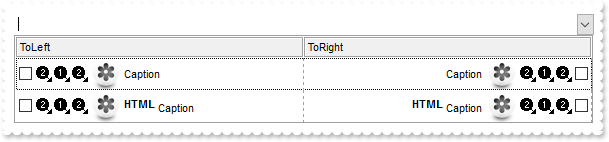
/*
	Copy and paste the following directives to your header file as
	it defines the namespace 'EXCOMBOBOXLib' for the library: 'ExComboBox 1.0 Control Library'

	#import <ExComboBox.dll>
	using namespace EXCOMBOBOXLib;
*/
EXCOMBOBOXLib::IComboBoxPtr spComboBox1 = GetDlgItem(IDC_COMBOBOX1)->GetControlUnknown();
spComboBox1->BeginUpdate();
spComboBox1->PutIntegralHeight(VARIANT_TRUE);
spComboBox1->Images(_bstr_t("gBJJgBAICAADAAEAAQhYAf8Pf4hh0QihCJo2AEZjQAjEZFEaIEahkZAIAEEbjMjlErlktl0vmExmUzmk1m03nE5nU7nk9n0/oFBoVDolFo1HpFJpVLplNp1PqFRqVTq") +
	"lVq1XrFZrVbrlTiFdib/sNjr9gs1nldlrlqtFtt0stlguNvulyh91ud1vVVvNuvt7wFHr9/vl3luEwOJouIq+Dw2KyGRyWTymVy2XzGZzUuiw+lmej0gkUaksljaAnmD" +
	"cD/cEbf7w1+ufD/fEbeB028bYAO3enB6AB++4EoA4A4sb4vHjXJ4nG5vKAHA4ca6XBjTAD/Y2x/eB/jcB");
EXCOMBOBOXLib::IColumnPtr var_Column = ((EXCOMBOBOXLib::IColumnPtr)(spComboBox1->GetColumns()->Add(L"ToLeft")));
	var_Column->PutDef(EXCOMBOBOXLib::exCellHasCheckBox,VARIANT_TRUE);
EXCOMBOBOXLib::IColumnPtr var_Column1 = ((EXCOMBOBOXLib::IColumnPtr)(spComboBox1->GetColumns()->Add(L"ToRight")));
	var_Column1->PutDef(EXCOMBOBOXLib::exCellHasCheckBox,VARIANT_TRUE);
	var_Column1->PutDef(EXCOMBOBOXLib::exCellDrawPartsOrder,"caption,picture,icons,icon,check");
spComboBox1->PutDefaultItemHeight(32);
spComboBox1->PutDrawGridLines(EXCOMBOBOXLib::exVLines);
spComboBox1->PutHeaderAppearance(EXCOMBOBOXLib::Etched);
EXCOMBOBOXLib::IItemsPtr var_Items = spComboBox1->GetItems();
	long h = var_Items->AddItem("Caption");
	var_Items->PutCellImage(h,long(0),2);
	var_Items->PutCellImages(h,long(0),"1,2");
	var_Items->PutCellPicture(h,long(0),((ObjectPtr)(spComboBox1->ExecuteTemplate(_bstr_t("loadpicture(`gCJKBOI4NBQaBQAhQNJJIIhShQAEEREAIA0ROZ6PT0hQKYZpIZDKBJkIgKByN5mNJsMsKPABVqXBI4KjrD7HL6GWKPJKiCIhMiySidKxbOzZZJWMLs") +
	"GL2FqyLjZMonNa2CyiZDOUqsQqUEq0ZCNISFXDIFxzZ4hUrbdrefZ/fz3ZgzZ75Tz3XjvHZnZznPieb55AKgAqmRyOOzEhR7XirWaWQQMTa+QIhDbZOZAAoYUCPDAQG7" +
	"FXI4JRrNCoIRdPyyFr0AYifDUKZ+PCufK4RReALLUbtdBHSrGTCCNKqT4MbRqUxxQx+CAAEQ2VCBbxqGaLYDZNgzFbCbLDarRCrqMYMM6cWqpHKUDqhZjnVijEoLcp0F" +
	"CjVg2OYhTjN/QWk4bo4iseBsAcABIDoPA5g2HgADIkQfDCNxwkEQYnFmAIAB4OJHGcKAPioGRKFKdh2g6UB8iiZ5QkYQp3gKWhDlsWYmAARBcgCIAUniVpmiSA5AF3A4" +
	"wG8P41nGWwDDAW4MAAIpSG+bRzBoGx3AeCJhh6C4ljCUJGnSRBUFKAIQA6EgIHMWBoHqYgAngHJDCALBmhCCAfHOARAScUBvAmc5zHYXxoguXQ8DEMIAH8dI8HmP4/Ay" +
	"QJAEAYAoHqRByEQGJiECBAzAkKIpBYNIcikAp8kcZhDn4EBChmUoMgqHIqhiWoIgaDImgyVQImaRw/F0EZGCcSw3DaM4Kn6GBBhwYYZDGZo3C+RgOAmNQnhYeYqgsTZe" +
	"nEVgSFYLo2CydhGg4OROF2HJjlydR7i+cJjDGFo8BgHgVl4Po+DufJRgcbQOlkCxyKuCJNAsdwIhSC4mgieYKkeHJWD0Ih8BQaYYkkMYppwTg0EsFhJC0SxEkgeodDSF" +
	"pTheV5SDgLBIieRIigyVo5CeOpymoWhtEQfRACMR4zE2KxRnsV5dF2ehFCeC50G+GBkBiZgaCUGYnBySY+BsdIuEkJJJDSSRsjGeYqEWOhliYVYOHWDYbFuNhFmcS5si" +
	"qbZrnGLYOh0DpPhyXo7D8d4ZHGXR1CcdRAnsMh7GELwIHiSx7CiXY0HYNZ1nOcoPg0SB+CWLwwGqUpbFAQJwEeEImlCVQwk4cJxAiFRIhMS4ulGYRRlmMQVDEHZxG8Yx" +
	"XhIaQSniLhIiaGwnDiJZGicZYnjeZw8D6OoSkWEIthwI4emudwtGwepNhuLQ3F8Zojm4bQrhALo0D0HZwCcJwoimeI0ASWR6CAJkJQORfAiFcLIXgahaiGCgMsKIpw8D" +
	"PH8H4Pj2BhjrBMGQGYfxFjuEGIsB4rxbg+DSFsPAxBtChHoAQaYmRojVG0D0e6JALjVD2K0F4qxfjjGyPIRY/QXi1AOAILwFQGgOF8KYDwOgdBsHmCYcobRtjIHoGgZA" +
	"mBgi7HgPcWoHxTAmCQCcVwTgDB+FYJgfQMAOj0F2PoZgkRMjeKQLkWATwdDzEkPMF4FxzAXDGJYfAlgPAuB+FkeIWxuizC0LkUwvQbD9ByHIDouxvBCBgCMCAvh4CXCM" +
	"EgSA0BJDEH+AsfwMgfjhDeL0Ro/xkgvH4JMXA7RYjyAONgPAWhfjyCuBEcAFRSAWE4BIOwEAUgTCaIYfA4wSBUAcAsDowQOBFA4J0Hg9h2B4EmCQTYVBdB0FwIwU4rBy" +
	"jJGmHIRQ8gJAKB4IoZgShaDKAQOUIolQkjVBuGoSw6hugaFaJoeoWgajaDKDoO4dB5j0FcJ0Zw1Ang3CQDEdgNQnA6EmHgGw4QuCiCSAKFIXBgilEwGcLAZAtDmC0N0W" +
	"gLhaApFiK0HgfxniuGKP4GIvhrhhGgHEZgaRtB5GSBUcIhg5BnHkOAeQFB5A6DiEEao2xoDHH0KIQ4bxYBfFEP8RogB5BfA8AQHwvwqAZBIBURgCgwgPAqAkKYCgfgTH" +
	"CBwDIegcgjFUDQXQPQzA4DsCkDwnRABNAwE8OgTw5C6AkJEPgPRSg+DqCANoMRBjuHUKEJglQWDrHYOATg3BuDGDWEMa4CQbj3HMB0Z4Pw5jLFuCAWYsB/D2DgBEUQmB" +
	"1iuDEMkfI0hUCyEkPIfwihKgqGsGobIGhNhfFGGoZY6gDDuGWDceANA1A2DyDUM4txaA/EwG0bo0wTDXEcH8Sg/BcD2GSHQC4pgtiuGOOkNIRg3hbG+MIGYjhzgaBeHw" +
	"L4FgHAMAYFIfgJh4nJBQGkfAwRNiFAiO4KIlhoiKFiOoO4EwPiYGONUE4RATg6BOMcUwEApgZGmP4X4lxnjYGaLIZg7RNirH6FQG47xZCAC6OQLK5B1BYF8LgOQZAqh0" +
	"FqGcBo/xMhpE6HsXomQwBKCwIcfA6w/DxA+IURAIxwgmBSCMKoJgOhFD0JMeIkQdhREwFAEQKRFioAYKkJIqQlhpBYFEPYUQui0GCGgFI9BlCOAUDoS4nRhA7HOOkFYd" +
	"guhgEgGYUgZB2DeE6IIYIMQEgyAiPYHgYgnBlFiNsPYghKiODqISfddhPgVEOCQE4hg5iWHWPEfwfB3BgFYPkAIWQPAOC8BIb1MwrD+QsNEQ43ACAMAKGUQgsBhBoHCG" +
	"USNrxBBoEqNgGo8QMAJF+MMOwRxGCOFUBwHYdhODvDwMEBILgk21AKKkOI6RrgyD6LIDoJxNjkDUOQF4yAXgoC4FMXgqhKCiE4KACQow9D5CoJgLQiA9CwEMLUYwOxmh" +
	"AFaEAdoSwdBBF0CEPQEWWDrGOBoEgGhTAaDyBsPoNgXA4CmHIWw+guCDCSJsNIjxsgADcNQPg2hxC2FKLACo2hNDFEMMcKw/BeCcE6LYXoGRvDJGCN8GIxgUjYAyOUbg" +
	"6BpDrB0OYWw5AgjtGSOoEofAgjRG2NgY4+RRCfBeKUN4qQvi7H+HAYAchwCOCWAcQQZBBFiG4EIUYww3CFFuEQSgRAlBdDMIwCQiRrCMGCMcIwxhuiKDeE0PAlxCC8GF" +
	"ZQS4YhIgaEkJYS43hLAxE8EkTodQUBbBWMcHoNxy0lHqOETYyAeDeD4I0AQlRhD0G2E0O4PgKCjHeEoSgmBKCGEsBUS4vxUA8C6M0K4ox7irD+O0VouhfD7FUA33I+gm" +
	"iXE0IsLY1gtipG0CQbQLQPjFDuDQHw2RtjFGsK0bw4x9j0CcO8N4/RtBnhSgvAcBehmAOh0ANgiAhAnhih8gwh1gbhugRhSBRhDhjh2Bvgyhfh3gPhThOBIBOA6B9gsA" +
	"YAah+BdhlBWBtAuBoBThtB8gnhFheAlhcByh6BKhvAahNBnh5B1gJB1g+hCAsgAAbB1gOguAJhIAoAmhFBvqzACABh0BlgFggA6CaBvBQA7BDEHAaA0AABoAcgGBEACg" +
	"5AAgYgZgLAIBKgFBBhWh9AggCAIBoBNgAANA9AJhwABBxBwAKAYAAALCJu9ADAYAFBLExBEAiBEgmBEgxBEANBENbhmgJh5gJBNgJgzgJBfgRAvAhpKhnAQg5AIpkARA" +
	"SA/ASKGAPBJhZBIAdBJAbARh7n4BIhshkAnAZDVgkBZAUg5AWh5AVB5AEgFAbBFA4BFACglA5hlAfAVAChVAtBVAig1AQh1ABBNB+gaAcgUA7AqAbAWgTg2gfB2gSB9A" +
	"IBdA1BDh2BHAnBdAZg6Apgdh+h0g7lCBoAXh3BJBugahkBwBihkBkAsBYgtg/h7gNATBNgkhIgUhBg0gzI6BZgJRJglhvAvARgrAtBrALBbBFh2BxB2BZh9hFAcgOAcA" +
	"dAcgCgcBzhcAVB7h9g5BlgxhohsArgDh5A8heA8BKh8hMB8gzB8APgPBmAdByAShQAVgUAWMMAaAThuATgpAWhNASgLARB3ASAwg+AsEwhiAoimBTBxhUAJhEAJhVhJB" +
	"PhSBTBSBjgyhvBPlWAbgUgfhRhYBUAkAoBTAoBQgrgygfyhgTBShXBSgwhUh0hWgKhTguhQBphRAdhWAjhoBvg1gQA0g0A1AKACAehLgegzgrgmhcAmBahmB+A4AihzA" +
	"hhLA6ArAFBrAfAbAyhbAPh2hYB7BzB8AOBDgwhTg+hnALAXB8hXBph3AxAPA/BPA2gLg7A8hxg+AlAXANB9ARB+A6B+h5gBgEBAg9BLhFBBAUghAWAhANhhhsgRgBARB" +
	"vgjAUgiALhjBpBig8hjhHgSA1ASBqgvA4gkhzAmgkglhRgnB7hlh8BKA0hNgxhMBtg7guh5gjAzhPAtB/BJgBBmhhBvAdhDAighg7g2glAzBlg+AVhUAVAphVAHhqURA" +
	"Ghvh7g0AgAahvA2FigMg2BhhaBrg6AMAegTA6AVi5B6BlgehNgMgoA9gigMAZA/hBgMgGg+hfgbAvAegSgbApgegXhZhqBagzBYgogfgwB/Cwg7hgh/hDA/gTg5B+gNh" +
	"/gXh6B8hbh8B/hEhfASg2h/BHh6BfhZBbhuAjB/g9h7BbBth0h/gbh2Ayh/hAh+h/gnh/Ajh3AwgnA/gigPBzBPBVBegigfA1h8BPhshr1HgNhvAxB/hoBdgGgBhZh3s" +
	"UhMh0gmh1hLg9hIgchQB7BthugQh5hbgugth6BTgLi/ALBkocoPgCA/BQBfhmh+hXhzA/hzh+g7B1hbgch/heh4gvhEg3hsBfBOgbA2B9ArhrANhPTSKXAMg7A+Bhh4A" +
	"fgZh/AVhdg/hzB7BTBsgfh5B+gdhZh/g7oQBogSh/BMrPhUhYBshvheBfA9AThph7ANhvhNgog/hZBNg/hdhvgIAxhjB2hHBhhOBtg1gPBCg3hZBDAmhDg0gfhNhAg8x" +
	"MhgBiBvkig7BGgKBHBDBfBJhDBWhPg6BPxKAvBOBUhPB5hMhLhAh0mXBXAFhhB/A3hXBIhwB9AAgUBKg4AHA8AMgdgDhuB8hGghhcACgUAAgOA4AAA8AQABh2BQAegHA" +
	"2BOB9BYhxhrBAA/hfg7hah4BCBrAxgABkAdAcK4BtgsAshdhZCSAVglgFgbASgeB3AQAPhNhIFJ2TBnhahchDBBh9gQBogABSAlhhBUgbBLANBvA+hbh+gAgWBzB5BXB" +
	"WhFh/knAAADgLAkgiAggqAsAEhigrA1g2AKAqgKBfAZgdh9g2BbhugjhUgCgtgBALAtAYy+AWhEgmgAhFgSAaT4gAASgaATAahIgxACB9ghhGgfgmBoAEB4gIg/ANBag" +
	"xAkhGBRA0gs3yBaBjTNAFBCBFBghCACAJAlhFh+AAAEgCAQgQg+h2g7Bbhdgdgdhdhxh7gGvUhbBHhah/B5ATAzh3BOtAWchuh3hOA9h3XvAfgbh0hfh8Brg6hegDB9B" +
	"tnWDQByA4gkAGJIAZAEgcgFh8gvBJBSAdh0BLhqBLACAABHBtgwB2x8yngsg+gAByA2gAB8hxhvh6Byg+AFBp4nBShMgmBzANgAB8ACBZADARBLPVhQh7uKBOg/B7hqB" +
	"UgphbA+AfALAygQYohXBZi2AThYhcAeBPhAuwhdgIBEgiB7B9YzhDA0AvAthIBAg8AeBfApAohKA/B2BRA+BYm/gGBCguAG5JhAhjZLAgAvgvhPg1gYgehmAbgLZQhDA" +
	"jAjgjgOh5heAxzgABhx5Wgig0AfgQA/B13iBgBchVgrhXgVXFhbh9gKBdgugUAbXDgygsg+A/B+B8AqA6g6hahbBsANBmA/hCgmhegeSVgeADBwB+BKg+BnA0hwBxBih" +
	"Fh7BxBxAxAIgGACAiAYAMAKA/BPgnguAMgPBbBngak8B+hsgqAVBag2hnBOAoBWAJhYgsA2AchvAHhIEMAmgmAmAkAjhHgPB6hUBkhSAqApgpjehsBcgZhAhuAYBOBdA" +
	"uAXAwgpgPBMBwAOB5AjB+AeAYBwANACghgnBTgph3h0B0BMB4h91BgMAJhxAmgSByhshbajBaWPgTgCAYA4ACWGg3g/AyBfgzhnhPBxA1hrhXBshehChChRBQBQAgAeA" +
	"FBNAtg7h3hHB7h7B7A9BOgHBDgggfhrBEBHA+h9gRB+68hPAfg3huAoAzbAAiAGBZA7B2htAqB7hYgxgwhVgehOVIFFBRgchLhhgAA7BfBthdB9hkhkgkg0hyBlAKhBg" +
	"3ABAgAZBEg4AcBWAGYIhzgXAEgDA6gmhphwAtgRBYBmBwBwBQAThBA3gvBXn3hrBDBuBcA/BugnANgEBLhKhCgzhwYzhAAiARAohGgHgggJgMg9gMBrA4g+A6BoAUhch" +
	"ug3BBgAhZAIBPBNApAFAFAFh6hZBZAZAWhMgkAkBEgyApb1BOAqBGBIBmATAShAhsgOgHBuhxh4gsBOhph2ArAfBmBLCWgigxgOhZhshtAMBrghhDgHgjgfrIB5ABBCB" +
	"QAcAgV4gPhcgIBWhVhXgnhBApA4hVBXhngFhTLMgcgOhRgtAMh+hFh2h2gohnAsgshCg+rTAGgNhcgjgvwhAsA0BOA8gV4dBN8qBJh68rgUgoB2BdA6h5hTABhMgWAxh" +
	"Tg9A2guguhJBDB0g4B5hzBmsvhwgwgzgog4g4gDAmAygPBUhWAqANgbg3AmBAI2AOBzhDA8hmBKgxBIAFgAAJhbCuhGgKl7BwhwAmgcAKAigDh2gZAJArABANgDBegx5" +
	"WgZADgwBGBEAkBegAg2AYg9gwKABtBmhPABBoBZAPgFhHBMAPhmB/B6bdhZhdhdhth1hh8lBGgIBEAUgOhEgKgVgrA0AngaAaBiBIgyB5A3gLgXBcAEhlJjAJgEAsAJA" +
	"kgqqlhththThrhrhrBVBTAWhZhDhPhThIBWARg+Bn7Sg7A3gDhZAvAphEgegGgehuhpAJAyAJBZQ9gBggAAgAgwBDg3BCAAhkgTh0hkAAhLhthWhTgqAqhJBIAhhmAEg" +
	"qgqgCgbBiB6h9BD8zhxhmABrOhfAqhMg7ghwiA4BSJNhMgqg4BEhkY8AjBphNATBaA6AtAwBYgEACBBiEBABIAggbg7gmh1AlglAlgahXBmhmB1BgBPBEAmAnwZgogyh" +
	"VgmgABcgxsNBUAWAAB2B4AHBvA5h3B3ggAQBIAwg+hPhSgqBQCEA/gQBQA2htKUgfAJhFgkhkAYBtAIAMHpgbAasHg0gVAsBhhIgbBVAxAi/MgFBnAZBDBpB2ABgwADB" +
	"Wh3gchuBwBxhrhkB1BbhWAFAP5mBCghgTgnA8AgBV+OgqhSg2g1g3AnBOAcg+hNAYgbhHBRg8g6BjhjhjA2ADgdAdhTg/Aeg/hvA6h1h7A2gChLhKfjAdAxhahigYgMA" +
	"GAshzg5AAaYh/AGAjh2AChABwBOgwXnBFh/ApAzgT2GBZBGvTBHAjBGhAF0wAgsDi1w4Nza2UkyBUYiA+maxm6g1K32ad3s2Qg8AKlRaBlKD1wKE+rCCjSObAK8iGsFO" +
	"rC0vR0lTeDV8IUatHu6GO2jkAHgAwgfgC5TYrVsKk2Y3MBRcpBQkgmOUuznY2FqKy0WSymXeX0ASwel0olHI5AwJ1mx0gL1mTXU6XS8Vpdj4hyg8BemDYZHqMFOUyYZT" +
	"WP1WJ1CN1MTR6gH4cmysjKr2mlCqn3GuR+jDoJHGWlKkU+ajXpgg1yq2FQDFigSEBROwkCKnQwGwjliIU45x2HGyIB4dnM0UmUC+PhaLxefwOdia5zMT3+8wwYCQmEwd" +
	"i4vQKqHKvigKHoKnc9Rs7GMDUOhhGOnAYjWkzKKRGyxsDUA01QCw0QCOF0uh0OkfRUMMbyRNwTBiCYZwKMIYyZAUkSlBYkxsCYAAHG4qwCBwMQfBYlxsNgsDhLEgwHA8" +
	"PiPNg1ygP4uywIgMSwK4zSQG46BnFAATDJcL3IHM6DQBsPR3O83j/AsJyGH8w4ZJY5TsN8EAdFojTwJ0AAoA4MgATIMDqAcrQPMEwTDBgVy0LYtiuK8qyrFs6QtCocnL" +
	"Cs8wAGAChOGM+CZJ0HAaoQHQYocBiaHtJT3LEfgCLYIgQNYgw4IQiSaBcAABBEAB/DAXS4HgPAgLUSCzGkPjkIATyXPQoCeNYfR6Do7QGI8Zj+CAHiyCY2SkIQTSSCIy" +
	"DQCkpDBJQJinMMuAUPgOxGOcpA/AkoTzJwyiYFMiDwJEsShFAURFCwJRVFceQXKQIS8P8STlBgLggAcrAQCQATjIgZA0JgVSxL0OAmKI6CpEc4SuOkeBeOwMRnLQuQhO" +
	"ApDJAImYmD44BPIgAzFMYiR3LcQw4JwqhQAknAMFAxwEEwJwUO4ljCHgmxzNwNQ3EU3ScLYEAACocDePwZgCLI+yFN8jg7FEQTtKMcwrAAOhgHw6SQI4OCmJgjDmNAjj" +
	"5Gw+wbHkkTpEw7gpFgIAA2sABJEUThEK4QhgIJAQ==`)"))));
	var_Items->PutCellCaption(h,long(1),var_Items->GetCellCaption(h,long(0)));
	var_Items->PutCellHAlignment(h,long(1),EXCOMBOBOXLib::RightAlignment);
	var_Items->PutCellImage(h,long(1),var_Items->GetCellImage(h,long(0)));
	var_Items->PutCellImages(h,long(1),"2,1");
	var_Items->PutCellPicture(h,long(1),((ObjectPtr)(var_Items->GetCellPicture(h,long(0)))));
	h = var_Items->AddItem("<b>HTML</b> <off 4>Caption");
	var_Items->PutCellCaptionFormat(h,long(0),EXCOMBOBOXLib::exHTML);
	var_Items->PutCellImage(h,long(0),2);
	var_Items->PutCellImages(h,long(0),"1,2");
	var_Items->PutCellPicture(h,long(0),((ObjectPtr)(spComboBox1->ExecuteTemplate(_bstr_t("loadpicture(`gCJKBOI4NBQaBQAhQNJJIIhShQAEEREAIA0ROZ6PT0hQKYZpIZDKBJkIgKByN5mNJsMsKPABVqXBI4KjrD7HL6GWKPJKiCIhMiySidKxbOzZZJWMLs") +
	"GL2FqyLjZMonNa2CyiZDOUqsQqUEq0ZCNISFXDIFxzZ4hUrbdrefZ/fz3ZgzZ75Tz3XjvHZnZznPieb55AKgAqmRyOOzEhR7XirWaWQQMTa+QIhDbZOZAAoYUCPDAQG7" +
	"FXI4JRrNCoIRdPyyFr0AYifDUKZ+PCufK4RReALLUbtdBHSrGTCCNKqT4MbRqUxxQx+CAAEQ2VCBbxqGaLYDZNgzFbCbLDarRCrqMYMM6cWqpHKUDqhZjnVijEoLcp0F" +
	"CjVg2OYhTjN/QWk4bo4iseBsAcABIDoPA5g2HgADIkQfDCNxwkEQYnFmAIAB4OJHGcKAPioGRKFKdh2g6UB8iiZ5QkYQp3gKWhDlsWYmAARBcgCIAUniVpmiSA5AF3A4" +
	"wG8P41nGWwDDAW4MAAIpSG+bRzBoGx3AeCJhh6C4ljCUJGnSRBUFKAIQA6EgIHMWBoHqYgAngHJDCALBmhCCAfHOARAScUBvAmc5zHYXxoguXQ8DEMIAH8dI8HmP4/Ay" +
	"QJAEAYAoHqRByEQGJiECBAzAkKIpBYNIcikAp8kcZhDn4EBChmUoMgqHIqhiWoIgaDImgyVQImaRw/F0EZGCcSw3DaM4Kn6GBBhwYYZDGZo3C+RgOAmNQnhYeYqgsTZe" +
	"nEVgSFYLo2CydhGg4OROF2HJjlydR7i+cJjDGFo8BgHgVl4Po+DufJRgcbQOlkCxyKuCJNAsdwIhSC4mgieYKkeHJWD0Ih8BQaYYkkMYppwTg0EsFhJC0SxEkgeodDSF" +
	"pTheV5SDgLBIieRIigyVo5CeOpymoWhtEQfRACMR4zE2KxRnsV5dF2ehFCeC50G+GBkBiZgaCUGYnBySY+BsdIuEkJJJDSSRsjGeYqEWOhliYVYOHWDYbFuNhFmcS5si" +
	"qbZrnGLYOh0DpPhyXo7D8d4ZHGXR1CcdRAnsMh7GELwIHiSx7CiXY0HYNZ1nOcoPg0SB+CWLwwGqUpbFAQJwEeEImlCVQwk4cJxAiFRIhMS4ulGYRRlmMQVDEHZxG8Yx" +
	"XhIaQSniLhIiaGwnDiJZGicZYnjeZw8D6OoSkWEIthwI4emudwtGwepNhuLQ3F8Zojm4bQrhALo0D0HZwCcJwoimeI0ASWR6CAJkJQORfAiFcLIXgahaiGCgMsKIpw8D" +
	"PH8H4Pj2BhjrBMGQGYfxFjuEGIsB4rxbg+DSFsPAxBtChHoAQaYmRojVG0D0e6JALjVD2K0F4qxfjjGyPIRY/QXi1AOAILwFQGgOF8KYDwOgdBsHmCYcobRtjIHoGgZA" +
	"mBgi7HgPcWoHxTAmCQCcVwTgDB+FYJgfQMAOj0F2PoZgkRMjeKQLkWATwdDzEkPMF4FxzAXDGJYfAlgPAuB+FkeIWxuizC0LkUwvQbD9ByHIDouxvBCBgCMCAvh4CXCM" +
	"EgSA0BJDEH+AsfwMgfjhDeL0Ro/xkgvH4JMXA7RYjyAONgPAWhfjyCuBEcAFRSAWE4BIOwEAUgTCaIYfA4wSBUAcAsDowQOBFA4J0Hg9h2B4EmCQTYVBdB0FwIwU4rBy" +
	"jJGmHIRQ8gJAKB4IoZgShaDKAQOUIolQkjVBuGoSw6hugaFaJoeoWgajaDKDoO4dB5j0FcJ0Zw1Ang3CQDEdgNQnA6EmHgGw4QuCiCSAKFIXBgilEwGcLAZAtDmC0N0W" +
	"gLhaApFiK0HgfxniuGKP4GIvhrhhGgHEZgaRtB5GSBUcIhg5BnHkOAeQFB5A6DiEEao2xoDHH0KIQ4bxYBfFEP8RogB5BfA8AQHwvwqAZBIBURgCgwgPAqAkKYCgfgTH" +
	"CBwDIegcgjFUDQXQPQzA4DsCkDwnRABNAwE8OgTw5C6AkJEPgPRSg+DqCANoMRBjuHUKEJglQWDrHYOATg3BuDGDWEMa4CQbj3HMB0Z4Pw5jLFuCAWYsB/D2DgBEUQmB" +
	"1iuDEMkfI0hUCyEkPIfwihKgqGsGobIGhNhfFGGoZY6gDDuGWDceANA1A2DyDUM4txaA/EwG0bo0wTDXEcH8Sg/BcD2GSHQC4pgtiuGOOkNIRg3hbG+MIGYjhzgaBeHw" +
	"L4FgHAMAYFIfgJh4nJBQGkfAwRNiFAiO4KIlhoiKFiOoO4EwPiYGONUE4RATg6BOMcUwEApgZGmP4X4lxnjYGaLIZg7RNirH6FQG47xZCAC6OQLK5B1BYF8LgOQZAqh0" +
	"FqGcBo/xMhpE6HsXomQwBKCwIcfA6w/DxA+IURAIxwgmBSCMKoJgOhFD0JMeIkQdhREwFAEQKRFioAYKkJIqQlhpBYFEPYUQui0GCGgFI9BlCOAUDoS4nRhA7HOOkFYd" +
	"guhgEgGYUgZB2DeE6IIYIMQEgyAiPYHgYgnBlFiNsPYghKiODqISfddhPgVEOCQE4hg5iWHWPEfwfB3BgFYPkAIWQPAOC8BIb1MwrD+QsNEQ43ACAMAKGUQgsBhBoHCG" +
	"USNrxBBoEqNgGo8QMAJF+MMOwRxGCOFUBwHYdhODvDwMEBILgk21AKKkOI6RrgyD6LIDoJxNjkDUOQF4yAXgoC4FMXgqhKCiE4KACQow9D5CoJgLQiA9CwEMLUYwOxmh" +
	"AFaEAdoSwdBBF0CEPQEWWDrGOBoEgGhTAaDyBsPoNgXA4CmHIWw+guCDCSJsNIjxsgADcNQPg2hxC2FKLACo2hNDFEMMcKw/BeCcE6LYXoGRvDJGCN8GIxgUjYAyOUbg" +
	"6BpDrB0OYWw5AgjtGSOoEofAgjRG2NgY4+RRCfBeKUN4qQvi7H+HAYAchwCOCWAcQQZBBFiG4EIUYww3CFFuEQSgRAlBdDMIwCQiRrCMGCMcIwxhuiKDeE0PAlxCC8GF" +
	"ZQS4YhIgaEkJYS43hLAxE8EkTodQUBbBWMcHoNxy0lHqOETYyAeDeD4I0AQlRhD0G2E0O4PgKCjHeEoSgmBKCGEsBUS4vxUA8C6M0K4ox7irD+O0VouhfD7FUA33I+gm" +
	"iXE0IsLY1gtipG0CQbQLQPjFDuDQHw2RtjFGsK0bw4x9j0CcO8N4/RtBnhSgvAcBehmAOh0ANgiAhAnhih8gwh1gbhugRhSBRhDhjh2Bvgyhfh3gPhThOBIBOA6B9gsA" +
	"YAah+BdhlBWBtAuBoBThtB8gnhFheAlhcByh6BKhvAahNBnh5B1gJB1g+hCAsgAAbB1gOguAJhIAoAmhFBvqzACABh0BlgFggA6CaBvBQA7BDEHAaA0AABoAcgGBEACg" +
	"5AAgYgZgLAIBKgFBBhWh9AggCAIBoBNgAANA9AJhwABBxBwAKAYAAALCJu9ADAYAFBLExBEAiBEgmBEgxBEANBENbhmgJh5gJBNgJgzgJBfgRAvAhpKhnAQg5AIpkARA" +
	"SA/ASKGAPBJhZBIAdBJAbARh7n4BIhshkAnAZDVgkBZAUg5AWh5AVB5AEgFAbBFA4BFACglA5hlAfAVAChVAtBVAig1AQh1ABBNB+gaAcgUA7AqAbAWgTg2gfB2gSB9A" +
	"IBdA1BDh2BHAnBdAZg6Apgdh+h0g7lCBoAXh3BJBugahkBwBihkBkAsBYgtg/h7gNATBNgkhIgUhBg0gzI6BZgJRJglhvAvARgrAtBrALBbBFh2BxB2BZh9hFAcgOAcA" +
	"dAcgCgcBzhcAVB7h9g5BlgxhohsArgDh5A8heA8BKh8hMB8gzB8APgPBmAdByAShQAVgUAWMMAaAThuATgpAWhNASgLARB3ASAwg+AsEwhiAoimBTBxhUAJhEAJhVhJB" +
	"PhSBTBSBjgyhvBPlWAbgUgfhRhYBUAkAoBTAoBQgrgygfyhgTBShXBSgwhUh0hWgKhTguhQBphRAdhWAjhoBvg1gQA0g0A1AKACAehLgegzgrgmhcAmBahmB+A4AihzA" +
	"hhLA6ArAFBrAfAbAyhbAPh2hYB7BzB8AOBDgwhTg+hnALAXB8hXBph3AxAPA/BPA2gLg7A8hxg+AlAXANB9ARB+A6B+h5gBgEBAg9BLhFBBAUghAWAhANhhhsgRgBARB" +
	"vgjAUgiALhjBpBig8hjhHgSA1ASBqgvA4gkhzAmgkglhRgnB7hlh8BKA0hNgxhMBtg7guh5gjAzhPAtB/BJgBBmhhBvAdhDAighg7g2glAzBlg+AVhUAVAphVAHhqURA" +
	"Ghvh7g0AgAahvA2FigMg2BhhaBrg6AMAegTA6AVi5B6BlgehNgMgoA9gigMAZA/hBgMgGg+hfgbAvAegSgbApgegXhZhqBagzBYgogfgwB/Cwg7hgh/hDA/gTg5B+gNh" +
	"/gXh6B8hbh8B/hEhfASg2h/BHh6BfhZBbhuAjB/g9h7BbBth0h/gbh2Ayh/hAh+h/gnh/Ajh3AwgnA/gigPBzBPBVBegigfA1h8BPhshr1HgNhvAxB/hoBdgGgBhZh3s" +
	"UhMh0gmh1hLg9hIgchQB7BthugQh5hbgugth6BTgLi/ALBkocoPgCA/BQBfhmh+hXhzA/hzh+g7B1hbgch/heh4gvhEg3hsBfBOgbA2B9ArhrANhPTSKXAMg7A+Bhh4A" +
	"fgZh/AVhdg/hzB7BTBsgfh5B+gdhZh/g7oQBogSh/BMrPhUhYBshvheBfA9AThph7ANhvhNgog/hZBNg/hdhvgIAxhjB2hHBhhOBtg1gPBCg3hZBDAmhDg0gfhNhAg8x" +
	"MhgBiBvkig7BGgKBHBDBfBJhDBWhPg6BPxKAvBOBUhPB5hMhLhAh0mXBXAFhhB/A3hXBIhwB9AAgUBKg4AHA8AMgdgDhuB8hGghhcACgUAAgOA4AAA8AQABh2BQAegHA" +
	"2BOB9BYhxhrBAA/hfg7hah4BCBrAxgABkAdAcK4BtgsAshdhZCSAVglgFgbASgeB3AQAPhNhIFJ2TBnhahchDBBh9gQBogABSAlhhBUgbBLANBvA+hbh+gAgWBzB5BXB" +
	"WhFh/knAAADgLAkgiAggqAsAEhigrA1g2AKAqgKBfAZgdh9g2BbhugjhUgCgtgBALAtAYy+AWhEgmgAhFgSAaT4gAASgaATAahIgxACB9ghhGgfgmBoAEB4gIg/ANBag" +
	"xAkhGBRA0gs3yBaBjTNAFBCBFBghCACAJAlhFh+AAAEgCAQgQg+h2g7Bbhdgdgdhdhxh7gGvUhbBHhah/B5ATAzh3BOtAWchuh3hOA9h3XvAfgbh0hfh8Brg6hegDB9B" +
	"tnWDQByA4gkAGJIAZAEgcgFh8gvBJBSAdh0BLhqBLACAABHBtgwB2x8yngsg+gAByA2gAB8hxhvh6Byg+AFBp4nBShMgmBzANgAB8ACBZADARBLPVhQh7uKBOg/B7hqB" +
	"UgphbA+AfALAygQYohXBZi2AThYhcAeBPhAuwhdgIBEgiB7B9YzhDA0AvAthIBAg8AeBfApAohKA/B2BRA+BYm/gGBCguAG5JhAhjZLAgAvgvhPg1gYgehmAbgLZQhDA" +
	"jAjgjgOh5heAxzgABhx5Wgig0AfgQA/B13iBgBchVgrhXgVXFhbh9gKBdgugUAbXDgygsg+A/B+B8AqA6g6hahbBsANBmA/hCgmhegeSVgeADBwB+BKg+BnA0hwBxBih" +
	"Fh7BxBxAxAIgGACAiAYAMAKA/BPgnguAMgPBbBngak8B+hsgqAVBag2hnBOAoBWAJhYgsA2AchvAHhIEMAmgmAmAkAjhHgPB6hUBkhSAqApgpjehsBcgZhAhuAYBOBdA" +
	"uAXAwgpgPBMBwAOB5AjB+AeAYBwANACghgnBTgph3h0B0BMB4h91BgMAJhxAmgSByhshbajBaWPgTgCAYA4ACWGg3g/AyBfgzhnhPBxA1hrhXBshehChChRBQBQAgAeA" +
	"FBNAtg7h3hHB7h7B7A9BOgHBDgggfhrBEBHA+h9gRB+68hPAfg3huAoAzbAAiAGBZA7B2htAqB7hYgxgwhVgehOVIFFBRgchLhhgAA7BfBthdB9hkhkgkg0hyBlAKhBg" +
	"3ABAgAZBEg4AcBWAGYIhzgXAEgDA6gmhphwAtgRBYBmBwBwBQAThBA3gvBXn3hrBDBuBcA/BugnANgEBLhKhCgzhwYzhAAiARAohGgHgggJgMg9gMBrA4g+A6BoAUhch" +
	"ug3BBgAhZAIBPBNApAFAFAFh6hZBZAZAWhMgkAkBEgyApb1BOAqBGBIBmATAShAhsgOgHBuhxh4gsBOhph2ArAfBmBLCWgigxgOhZhshtAMBrghhDgHgjgfrIB5ABBCB" +
	"QAcAgV4gPhcgIBWhVhXgnhBApA4hVBXhngFhTLMgcgOhRgtAMh+hFh2h2gohnAsgshCg+rTAGgNhcgjgvwhAsA0BOA8gV4dBN8qBJh68rgUgoB2BdA6h5hTABhMgWAxh" +
	"Tg9A2guguhJBDB0g4B5hzBmsvhwgwgzgog4g4gDAmAygPBUhWAqANgbg3AmBAI2AOBzhDA8hmBKgxBIAFgAAJhbCuhGgKl7BwhwAmgcAKAigDh2gZAJArABANgDBegx5" +
	"WgZADgwBGBEAkBegAg2AYg9gwKABtBmhPABBoBZAPgFhHBMAPhmB/B6bdhZhdhdhth1hh8lBGgIBEAUgOhEgKgVgrA0AngaAaBiBIgyB5A3gLgXBcAEhlJjAJgEAsAJA" +
	"kgqqlhththThrhrhrBVBTAWhZhDhPhThIBWARg+Bn7Sg7A3gDhZAvAphEgegGgehuhpAJAyAJBZQ9gBggAAgAgwBDg3BCAAhkgTh0hkAAhLhthWhTgqAqhJBIAhhmAEg" +
	"qgqgCgbBiB6h9BD8zhxhmABrOhfAqhMg7ghwiA4BSJNhMgqg4BEhkY8AjBphNATBaA6AtAwBYgEACBBiEBABIAggbg7gmh1AlglAlgahXBmhmB1BgBPBEAmAnwZgogyh" +
	"VgmgABcgxsNBUAWAAB2B4AHBvA5h3B3ggAQBIAwg+hPhSgqBQCEA/gQBQA2htKUgfAJhFgkhkAYBtAIAMHpgbAasHg0gVAsBhhIgbBVAxAi/MgFBnAZBDBpB2ABgwADB" +
	"Wh3gchuBwBxhrhkB1BbhWAFAP5mBCghgTgnA8AgBV+OgqhSg2g1g3AnBOAcg+hNAYgbhHBRg8g6BjhjhjA2ADgdAdhTg/Aeg/hvA6h1h7A2gChLhKfjAdAxhahigYgMA" +
	"GAshzg5AAaYh/AGAjh2AChABwBOgwXnBFh/ApAzgT2GBZBGvTBHAjBGhAF0wAgsDi1w4Nza2UkyBUYiA+maxm6g1K32ad3s2Qg8AKlRaBlKD1wKE+rCCjSObAK8iGsFO" +
	"rC0vR0lTeDV8IUatHu6GO2jkAHgAwgfgC5TYrVsKk2Y3MBRcpBQkgmOUuznY2FqKy0WSymXeX0ASwel0olHI5AwJ1mx0gL1mTXU6XS8Vpdj4hyg8BemDYZHqMFOUyYZT" +
	"WP1WJ1CN1MTR6gH4cmysjKr2mlCqn3GuR+jDoJHGWlKkU+ajXpgg1yq2FQDFigSEBROwkCKnQwGwjliIU45x2HGyIB4dnM0UmUC+PhaLxefwOdia5zMT3+8wwYCQmEwd" +
	"i4vQKqHKvigKHoKnc9Rs7GMDUOhhGOnAYjWkzKKRGyxsDUA01QCw0QCOF0uh0OkfRUMMbyRNwTBiCYZwKMIYyZAUkSlBYkxsCYAAHG4qwCBwMQfBYlxsNgsDhLEgwHA8" +
	"PiPNg1ygP4uywIgMSwK4zSQG46BnFAATDJcL3IHM6DQBsPR3O83j/AsJyGH8w4ZJY5TsN8EAdFojTwJ0AAoA4MgATIMDqAcrQPMEwTDBgVy0LYtiuK8qyrFs6QtCocnL" +
	"Cs8wAGAChOGM+CZJ0HAaoQHQYocBiaHtJT3LEfgCLYIgQNYgw4IQiSaBcAABBEAB/DAXS4HgPAgLUSCzGkPjkIATyXPQoCeNYfR6Do7QGI8Zj+CAHiyCY2SkIQTSSCIy" +
	"DQCkpDBJQJinMMuAUPgOxGOcpA/AkoTzJwyiYFMiDwJEsShFAURFCwJRVFceQXKQIS8P8STlBgLggAcrAQCQATjIgZA0JgVSxL0OAmKI6CpEc4SuOkeBeOwMRnLQuQhO" +
	"ApDJAImYmD44BPIgAzFMYiR3LcQw4JwqhQAknAMFAxwEEwJwUO4ljCHgmxzNwNQ3EU3ScLYEAACocDePwZgCLI+yFN8jg7FEQTtKMcwrAAOhgHw6SQI4OCmJgjDmNAjj" +
	"5Gw+wbHkkTpEw7gpFgIAA2sABJEUThEK4QhgIJAQ==`)"))));
	var_Items->PutCellCaption(h,long(1),var_Items->GetCellCaption(h,long(0)));
	var_Items->PutCellCaptionFormat(h,long(1),EXCOMBOBOXLib::exHTML);
	var_Items->PutCellHAlignment(h,long(1),EXCOMBOBOXLib::RightAlignment);
	var_Items->PutCellImage(h,long(1),var_Items->GetCellImage(h,long(0)));
	var_Items->PutCellImages(h,long(1),"2,1");
	var_Items->PutCellPicture(h,long(1),((ObjectPtr)(var_Items->GetCellPicture(h,long(0)))));
spComboBox1->EndUpdate();
|
|
576
|
ImageSize property on 32 (specifies the size of control' icons/images/check-boxes/radio-buttons)
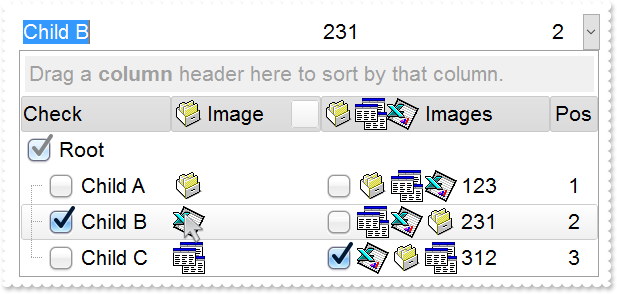
// AddColumn event - Fired after a new column has been added.
void OnAddColumnComboBox1(LPDISPATCH   Column)
{
	// Column.Def(48) = 2
	// Column.Def(49) = 2
}

/*
	Copy and paste the following directives to your header file as
	it defines the namespace 'EXCOMBOBOXLib' for the library: 'ExComboBox 1.0 Control Library'

	#import <ExComboBox.dll>
	using namespace EXCOMBOBOXLib;
*/
EXCOMBOBOXLib::IComboBoxPtr spComboBox1 = GetDlgItem(IDC_COMBOBOX1)->GetControlUnknown();
spComboBox1->BeginUpdate();
spComboBox1->PutImageSize(32);
spComboBox1->PutLabelHeight(36);
spComboBox1->PutDefaultItemHeight(36);
spComboBox1->PutHeaderHeight(spComboBox1->GetDefaultItemHeight());
spComboBox1->PutSortBarHeight(spComboBox1->GetDefaultItemHeight());
spComboBox1->GetFont()->PutSize(_variant_t(long(16)));
spComboBox1->GetFilterBarFont()->PutSize(_variant_t(spComboBox1->GetFont()->GetSize()));
spComboBox1->GetToolTipFont()->PutSize(_variant_t(spComboBox1->GetFont()->GetSize()));
spComboBox1->PutIndent(26);
spComboBox1->Images(_bstr_t("gBJJgBAIDAAEg4AEEKAD/hz/EMNh8TIRNGwAjEZAEXjAojKAjMLjABhkaABAk0plUrlktl0vmExmUzmk1m03nE5nU7nk9miAoE+oVDolFo1HpFJpU5h8Sf9OqFNqUOq") +
	"NUqdPq9VrFWrlbr1QpdhAFAkFis1ntFptVrtkrpszrNvmVxqk3uVtm1kmF3sdBvF/wGBmV+j9BYGHwWJulfxdax2NyFdx2JlV6l9Nw7AAGZymdz2Cy2GxErvWcz9ivlw" +
	"yV21cuxugwktzGIzmvwtl0+53U5y0a0Wazmmyu/3dCyOMyXHx/J5nIr9q3uyqnBxFN3G46ma4vb7mD2Ng4nZze00fDkHC7t7us2rOX5tguetpHRlmz4HVqnXk1PjHO+C" +
	"MPo9MBMC+j2vC8j7wS8cFNI4kBo05UIvfCT/NsnsApU+0Fqg/T+oy/kPxC0sEQfErKQK96+w28UWRI8UGvO8sTLS9r2PWmsMJTDTask3CsIbIEQRA3shOXEEAO/GclJ9" +
	"FEKrrA8FRbKMXRIlb0JxCkjS1LMswhCcvuel0cv26cSMa8Ufx+2sQwhEUoSXOCjSbLcnxjKc7sdKUVyq28NtVI71P9P7JxtQEapjQ6fzfM8zPfNE2PhIsLL63E40slk5" +
	"y7N89LcyU9SvMb3SdUc6VJLj5VLVLfO/PS9KzNFHUa/0XyBD0dxlS9cxhMlTRSoNXypPErWDPyfNS+MwprRNO0FD8wVVZ1AI08URwVRjtJ1WCn21QkkUrXVLVPQS/XIk" +
	"FgTxT9iONZ9xVTdq+L1eKg3kkF6Upe68XtfV51/MtrVjBlwYFL1ev8y1/P6/lyzzYl02wntj0RVFmS1Qa+M5as93QxEUW9e993rfmQ2+vy65M/mL1lhl/2bj2ByVduMt" +
	"NhCJT9hdz41nN14Ld12Z9UjfI/oUAaGseiw6+uFLLhcVabJOS5RqOE0BHlZ5VnEr5fOMs3st+aa/bbRzrJGV51Y0b0DbqaWXZD90hIsPbjWu52+6Wyadpe66hhO+P/Xi" +
	"oW5rD8ZbrUZuVg6n1dsE/cXmewu1m9PVwnd35/nueXho/NaJzmjc61W76esuT77eG8pTquy9TwWH8LEzG8RDfFalx3Gcfvna9rvG/cptGLd9tuI6TZOP5Fiqi99vea+X" +
	"4VRcBq/JZZtVQ9cwSs5lsXE372+a9z7PbfB3VVqHyvMctLto8uob6eV0m/cD6MN2v+T33t6sBut42vdv2bJ8a997x2maFJfK+qArbGJPEKE+1qTflMsIdW/GCJX17KcT" +
	"6/czr/X+u1g29B7j/4BQfWkkx4zIHisjhPCmE0K4SwtXM+d4BvHRwNZOoBph9IJvPek9d40FoMJxf691jj2ywQQcHEWET4XJwkTszlVqm2GokewxtBT1DpQjRxDN0rUV" +
	"DNKdC3lb6tzNOwh6upMSSYfv4YBCl/bsn9PxiFCEo7SI6Obc9HeOrnY8x4jtHtdpN4GRbaorhsbu18Pph5CiHymI0RpSXGJ/z2oUOxYxG858AyiI+bfJtuTcG5yelBJy" +
	"T8okhqFd4a5yxL0rvulYtKCsZiWxWkc1s1cRoxxwhA31DLE0mR9l9HqX8fJgTDmFMVH0MIsRzVYnwnMi1dyzmhLt2kS2pxIiU62Wj5ptQGlSYFakLonTUJNLKaM5Wzlf" +
	"fEkuFkk5wTrhVO2eE7G6lJhxFFYUZ55zmn0WuBCD4pzhirFCKkbomsOoIYmZx5p90LoYWGPdD5g0QmJRKYxbZ6zYoVQ2jVGylSak7KSkFH6RSjpHKFuU+YMyNo5SulkC" +
	"6I0vonTCitMXPoEpVS2H5FQfEqp2R1opIgAEkJISYARTCukOhmPNI5Ex/wzGHUsicMwA1LHgQ90Y/KpoQHAD+pB/R4NzIaMAB9Xaw1gqaAOsh/A/ptIkWUfhGK1kZH8R" +
	"gH5GqvgArqRmt4AAPrTroRofBGADkqr6Rmu4D7CEaHARiwpJrEEZsXXwlVjyMWRsaRqwdkLGNBABZmytmyMnaINZqyVpLR2ftKAAAdd6h2osbaskdiq4EZtgSmyNcbVW" +
	"RJNXe3AA7REar3b0stlAAXBtoRmvJGLjEYAHUWsFcwCD/rnaop9aEICMAPdK5hT6xpeuzdOtAgKuJeGfdq6ggEbkTvAP+p9UCHXrvKkcgIA==");
EXCOMBOBOXLib::IAppearancePtr var_Appearance = spComboBox1->GetVisualAppearance();
	var_Appearance->Add(1,_bstr_t("gBFLBCJwBAEHhEJAAEhABfICg6AADACAxRDgMQBQKAAzQFAYbhkGCGAAGMZxRgmFgAQhFcZQSKUOQTDKMIziaQAGgkNQwCSLIwjNIsBxPFKVQChEYxSjKA40SJNUgyj") +
	"6CCY+QLIE5PfQgAL9I6eJABCCSQKkYx0HScRiwPBIbAZAYhCZqaKhWgkKI/WBQIABRDVLx5ESiLRtKy7Mq2bpvXBcNxXHalaztO68LxvKyqHb5fJ/PpgL4YHgmC4NQ7E" +
	"MRwF6rfbyfZ7Xg/ORPTijZ4sdzMHTzJyscx3HqfaBoOaZU5eMLceTUMofHIndxCcasPbsOatVqjG5sYjcGC3La9cz3Pq/bpuDCbMxuaK1TrYXr1TTrcofBDldAxXRKDx" +
	"RDWVhLnYOw9i6XxzjuXprCaOoKB6EwbiCZZCGOdZYlcT4xHmbhMnwNxtn+G5bmqdZ7n4Pw/i+X5zm+dQ9g4CAFjsfAJheOI8HsDoWDWTB/lwSAQkmA5PEgRYoDyDwYFY" +
	"FoFmGCBmBqBphDgRJ0gOTIYBGRB/lyRh0iSCZbjYWJzgWDwIjYLoLmMCJGDKDJjBgWgqG6YhyhGHRzA2aJ1mCABOAiOJvhCZBJBYRoRmSCQmEqEQimkAZgg8TZnDCV4U" +
	"kmCUmBKZYJGYWoWCUUhiFMNZckNUh2GENoaGaGZmgmJhqhqZpGGIEx2GYIxSGGGJdggWJth2Z4JmYeoemeSZ2H6H4hGmQhihyTRHGYLg7CiCgmgqIpokoNoOiOaJ4jqA" +
	"ochqaZGgaCxpAoZoaiaaJqEmWIcGgShcnCJwqEqFoR3YOoFlgchflqNouiuawHmWSYqGkWZQhcatzmaOoumuSp2j6L5bBaKo0GQKRnGGCxqiyCwmkqMpsksNpOGUGI7A" +
	"0ew1G0Rxlg0PptgsZuDG2Sx2l6N5tnYNZZjUDRXDCVo5l2FoymqOpukuNpujubwLjmWY5k0ZwxkaFxYlWdp6j6b5Lnafo/nABQdg2FxcUsY5BkmXAkmeQpckwNRrkKTh" +
	"8CSHZBk4NwyC4KxxgMDwakOMZDn8GgwnGAo2C4cwthMcwmCcMoHBMHRehwTIghySYNksZwcH4HBMEsHx5hyPItiweYxnwSZEH4Mozn0fR+DMAo7EYJ50gkdZelKdNql2" +
	"UgJn0GIukwH4HicQRai2GI4mSVpNl0dZGledgNgcYpYDWUx3FsOQi5YV5anaTY3G6W53A2RxylydxFjiaxEFCCgBBAQ==");
	var_Appearance->Add(2,_bstr_t("gBFLBCJwBAEHhEJAAEhABcoFg6AADACAxRDgMQBQKAAzQFAYbhkGCGAAGMZxRgmFgAQhFcZQSKUOQTDKMIziaQAGgkNQwCSLIwjNIsBxPFKVQChEYxSjKA40SJNUgyj") +
	"6CCY+QLIE5PfQgAL9I6eJABCCSQKkYx0HScRiwPBIbAZAYhCZqaKhWgkKI/WBQIABRDVLx5ESiLRtKy7Mq2bpvXBcNxXHalaztO68LxvKyqHb5fJ/PpgL4YHgmC4NQ7E" +
	"MRwF6rfbyfZ7Xg/ORPTijZ4sdzMHTzJyscx3HqfaBoOaZU5eMLceTUMofHIndxCcasPbsLpOS5LNKsaxmWLYdhFdTxQi6LpvfA8BwXC6JY7heRYRbFbYxRjGNi1TS7G4" +
	"nGKd5WGuL4UHwI4VkaYxii8V4pgQMgVBQdQ5iCTYGi8T4vlWbJ3nuPg+l+H5AlSCg6ByPBoE8Ap3jqYxhBido5g0OgOGOGI4CsSpCCAcgcAuEokiEN5NCKfJ9DyTRjnS" +
	"cg1CEYxOBmBpPCgagdgcIZoHoGIFA4AxQkCAxKAgKBwgGSpIBCZhjF2E5UnQPQMiMCJBCIBwxkSQgsgo+JtDKT4ziiQw+k6EwAnsOgLnkHI+yCQ4iEuE4klkPhShEJBp" +
	"AoPgymOMoaDgHBjFMBgyD0HYTiCZSZhIIIGC4ChiHSew5kwM5omILZPiOBI0hwZw5kodIdA+M4Uj4PxOmMSJ9DuTQzmyZgviceZagaHVfj4awwmaAh2GUIYmCOEZZDaD" +
	"RDFGdwcg4EwyHMN4LBOaJbCoaZqgKH8qkMfIyD8DozDyfA7A0Coui0OpMmOZJdCsahKg6NooioChwmEMxLEoXJbDUTRXGSUgykyMgQG0GpPHMdI3D4TRCgSeQ0kmaw+l" +
	"GNAtCOZJVCiT5DhyRQwAqMg0EoDBBGEGAsASC5yiSCw+k4Mp6lWNQuksTpRjMTxDGzJwGmGMpDDKXYTECSAxl6Q5olkK4PgMMIVkASRMBMBgzEkaZEjsNALhIZA6AeQB" +
	"gk0ZJEgAAJ0CIAgODMNIsD6DRih9uYwFyAwfCUb5ijmbI+gwdxkk8MZMGeMpPCkDxzBiC5MHMPJLDSSROFMLIoBEQogEMFJPnENYQGgE4DCOaJfC7tYkhGTQ0kyWwyku" +
	"XpMiyRpKjKR4wngM4JmOWJACCdYtHMWw+Eych4nINYLAEYA8AgdAEEsQZajaQoog4GxPiMVIolcdxNG8XZVkmNoRwWRVBlFeFEeAZQJgnFiHgHwcAhjhHgGMSI5xki2C" +
	"yA4EQsA3i0HkBsLwKRFgAHcPkHopBJBcBeDUYI7xyDOHqKkWo2hLCsDIBIY4qQ5A8DoMMYwOAqCSBGKgU4yB2iDBwIgB4hxQgAAWNgBoAgsBdEcBUQ4sQ9A/HqD0JI8R" +
	"pBzH2OYVgahLBHFiJQJweQiDhDUE4SAARQAzFsG0EQwA6AOWSBkFgVAIBCHeGERQFQiCQHeFkC4vkiB8DyB4F4QxVDvGMNEOQexMjlBeOAKQiQLgfDA7QEAaRiBdEkH8" +
	"TI7AZiFBAGYBIABWjYBiGACioQ4C1A+AMMgWhfgxHgPsT4URIB0COKgPgjRwiAB8AYUArxBgCF6J4GY5hrAOCAPAAoGRRCsCIMEXATXfgAF8BMJwURuEQDgD4Q4OBoAe" +
	"HGFgLIwQrC2D0JoSQ+QvhrHoSgQI8AbDFGID8C4Ah6BQAQAASACwgCYCMAUMARAvCKAiAMCAokeCKBEOAKgCBoDaHuMsEAqwJDiACDURg8R6gPCyDofYWAhgoDIJ4ZAu" +
	"hoiGAYGgRoQw/A0GMMga4GwxiEDeIYYInATCDBQAoBAwAoDlA0KMBoVRGiDGwDQUYIRsgaGGDgM4LAwDWB8EcIA1APhjEgGQVwgRIgjFIIQHokgZA+CSEkLIKQSjHAwM" +
	"sCwDAsAEB2ABTIwRwD6A8CMToSxkAxE4HYIw+BsgbBEDAHYBwojCBoIYFgXSjABE4MsHIbQWhlGILQS4UhvBdAUKEEwHgxDAAABQQQUAhgKHiDwE4JS4A7BGLQZwCR4g" +
	"aBEMUYAqgKApHgGwVAIRNgvBMMQXImwZDtE4I8UIyAZCDCAE8AwrhgAdEEBACQLRCg4FEB4AYtA7CdEiPQMoJAMDNCkOMCAXAFDhH0D0Q4EgfAaGSK4NYzRUj9BuCgAg" +
	"swOBjB4Fqpw8B2ADAwE4A4Qx2DAE6JIaQPQGhAGKBcIQ5B5gHByKIFARwADbAyKUfgdBKBBGyEcVIAB/ijHoIoSA0gdBNl+OATYERZgBGSDYWIWAUCEGKA4FAhR7CIBt" +
	"YQGYZg4CMAiKEcAOwkBjHWE8Z4lQgA+DkBoTohwwCeAaMEEgBQCCABgHMRwQRhhMEWFQd4HwZgwDqFESItAbAGEANCpINAzANCCJkK4ah+heFYBURwsQrS2CsMYMoWGB" +
	"hYDWI0EInQgiApXaOVI1QFDsC8MUNoMBMA1HMJga4eh+BeAWOgNNowGjYzCGAAwax+iJBeBVT4gxoBIAGFsJFBxgBiGKFkKQ7g5DFFQEcAo4AzDDACKEQQLgCiJDYB0M" +
	"gRBCCQAgQEA==");
	var_Appearance->Add(3,_bstr_t("gBFLBCJwBAEHhEJAAEhABQ4Fg6AADACAxRDgMQBQKAAzQFAYbhkGCGAAGMZxRgmFgAQhFcZQSKUOQTDKMIziaQAGgkNQwCSLIwjNIsBxPFKVQChEYxSjKA40SJNUgyj") +
	"6CCY+QLIE5PfQgAL9I6eJABCCSQKkYx0HScRiwPBIbAZAYhCZqaKhWgkKI/WBQIABRDVLx5ESiLRtKy7Mq2bpvXBcNxXHalaztO68LxvKyqHb5fJ/PpgL4YHgmC4NQ7E" +
	"MRwF6rfbyfZ7Xg/ORPTijZ4sdzMHTzJyscx3HqfaBoOaZU5eMLceTUMofHIndxCcasPbsLpOS5LNKsaxmWLYdhFdTxQi6LpvfA8BwXC6JY7heRYRbFbYxRjGNi1TS7G4" +
	"nGKd5WGuL4UHwI4VkaYxii8V4pgQMgVBQdQ5iCTYGi8T4vlWbJ3nuPg+l+H5AlSCg6ByPBoE8Ap3jqYxhBido5g0OgOGOGI4CsSpCCAcgcAuEosiYN5NHMOJ+D4TpTnS" +
	"eQ7CEY4uBmBpPhgagdgcIZoHibIEyUBJZDQIJShoCgcCAcoyAQOYYlcZJ1D0DxDCiQgwEiAZMHEMJLFKPJ9D2DoDnidQ4k+Y5QmKEROBkIhKD0JIZDIS4TGUCQuEeEJj" +
	"nOIg8CuY4RkYNgwGMM5RllGpThDRYIGKZIpCkJFUH0PINyWcQ3CaaZCG+HBnEOTJhD8Tx4GoeQ/GcaZSHOH5nCmQhshoZhihYYwhiYA4RlkNoNEMUZ3ByDjwEsPxOnMa" +
	"J9DuDR6F6GYmCmKh0nANtMioP4Gg8aoSiIO5NhodociqaY6GaFYkEyOg8lsNRNTaUgykyMgQG0GpPiONJbD8DpDEyfA6k0KwOkWMQsGsAJU0SagwkoJQJDIPISCQCJTG" +
	"SUwyGaM4KkmMgtksHpFjAZ4TGCBAbgaSpcksdhNAMIJHHsD5TjSWWMAMOpwjyLwbk6cAz0KRJiDkDYzESCwiggcgcgYIQwCIEINCMCITj6TVxkMXp2j0cQLlCTo7E2F4" +
	"ymkMZdhMPJHDGHpLAyVg+k4UwrCCSIyByDJ8DuDY8CiWY0kiXAXC6QJwFKGIjCeJpjgyezjlyDw6klHx5myRoMGwZwbkcToTEiew4kwbQfEmUgPkOKJUD4DpTHSHQmgk" +
	"XI/ASTA1g0XIEDMTBimyfI7jSLYHEiUoPk0Fw/kadAsHGao8A0A5smEMJ2mNyg5gzJZwDgCpChyIZVyIZwFCMJEPASRkBqE+IcHInRcDxA2H4bIsx0AtDsIBpwZwYicD" +
	"6BscwDwUBgHCIYaIfgtiVH2O4WgUwJjEFeAEQA7y4hMCiBMS4aRdB9A4CYE4LxljyBMHcDItBxinDCLcTYmgejBFQ9UTg9gFBOEmAQTI7A4iZGMGkQAWQ7jYA2HIL8BR" +
	"AjDG4HcCwARbjZHiNoDw1nLDnGyNINQ+wjCpBMEgcovQUgICQJEcgWRuBvAyJ4d4ugpCUAINcHogxIgnDiM4N4axzD3F2JMTY/hRqYF6FsWIxhYAGGoAALQYgYirBwBE" +
	"BwpAjBEAAIEIYsA2gOHCMAGgXAACIDmMITAUgFABH0D0I4WwvhNFGMAOIvxRD2GKNcMA8gjAPDCPwBogRPAxA8PgRwZRICYDED8RAXQEghEAN8DIgwIBdB4JYWwMgtiQ" +
	"HoFQKAiRFguFKGwGQhglDsEOVwEQQRkCKBwOIHgSREDRBYHEXQcQdD7GIGARQHRxipBrMobgewDCUCADsEYWAzgMHKHQDQxxsDzA6EMfAeQHB4GQDkUYPA0iECiKoGgR" +
	"hcDdA2GMQA8AOCjDSPgHI4QnApAKBICwHg1A+BcAwcYsgbjGGQNkCIgRsA6EcBEWANADjsB0B8YYzQQDIGSBcEYZBCCPEkFIHQSgkgZAwG4IwBAbAYGGAgL4Ch4g8BOC" +
	"QAA2KKC0GcAke4AAXAFCoHkDw4xbBFEcJkE4JRSiEFeJYKQVRMgJHODwX4xAgC/AsIIZAeAHDRG0HYI40RKCLEGDUI4jAghwBWIceA+whCpHMFYZYOQxglDMHMBQGxYj" +
	"VHiAoBIPgfgHGwPsHYJRSB6A0IERQLhCjJHMA4OQoAoCOACLYGYSx8DpBQIMWQdRnDRH+DsE4fB3CeAmM67kAAXBFEIDYDI7wLBtEoEIfYNwjiUGGJQYQMAjCHEAO0C4" +
	"zxW29CoCgfIxR9AKA6J8BgUAIhDGMIoJ40hqgwCgKETgnBhhqCGI0AIqgZhGDANQDIlBDCRGkCoJISR0g1BSKQOgfAzBRG0DYHARh4DeDAOwANuw8ApCKKkYg/RPhjBs" +
	"H0J4yg5hPGWN0GwFBHQBFaDoQIURljFAoB4GgzRVzbBECQFQRQoguHGHANwDRdCKy8CgSIGwhhoDYJYYI1giBICSAEgI=");
	var_Appearance->Add(4,_bstr_t("gBFLBCJwBAEHhEJAAEhABUYCg6AADACAxRDgMQBQKAAzQFAYbhkGCGAAGMZxRgmFgAQhFcZQSKUOQTDKMIziYBYfgkMIgSbJUgDGAkRRdDSOYDmGQYDiCIoRShOMIjH") +
	"LUXxtDaIZwhEAoJb+RgAUY/cTzaAEUwHHiTKInaCQShsFYJUJAdRURQ9EwvCIZBpEWwLChENQwWLCNj2TScBwjCyqbale45ViqdoDU5EUiXJJ8ZxnECfYyrGjaMpCeKB" +
	"UrGYTVRBIMxLLSia5oeJqMrnBpNVrIUgXCAGFwHK6BcauXIIDp6XoWWRbAAWDpVVzNNC3YzkCIceADHKiXxmVz4JLdGZ1QTGID2XaYaxWK4oZjsVSc4KDHbETbHFi9Fo" +
	"3NaaxGisew+GYc4HlCR5NAAAIIEkQJSGMOgdE4RhYDwJJsAaAYQgmPpolCWgSCiBJzjcEIAkQXIBm8d5UhOQgCDUIBDDJDhgggJgKgKYJIDSVoDk8KBFF4OohEMZgWDs" +
	"YYDj4GoGmGSB2B6B5iAiBgYDsYRjGSbIJo4RgqDuIpIAoLoLmMCJGDKDJjJiLA7xqUAAgGTwYnYPoPmQCQGEKEJkEkFg9gGY44BoRoSmSSQ2EKEggHgRhShSZRJFYVoV" +
	"mWCRmFKFAgGOTheheZgJgYYoYmYSYWGaF4lkMMJ0hqZpJjYbobmcCZGHKHJmjmJh0h2Z4JmYcIaE8WZ2H6H5oAoBoCiCaBKBYfdjGoJoKiKaJKDaDojmkChGgmIgpCoV" +
	"oWiWaJZiSd4mmmSh2h6J5qAqBoiiiaY5iSeIpmqComiqKpqkqNouiuah6hqMIsmsSpWiuGhP1kOoumuSp2j6L5sAsBo54gKwWkaMZsgsJpKjKbJLDaRYxYWRpSjSbIZi" +
	"Se41m2CxmlqNptksdpejebR5iSfI4m4S4W16boLiaao6m5fJ9jubwLkaco8m8S5WnaPZunuOp4j6b5Lnac4SA0PAGlgP4wEwFwGkGcIMCcCpCnCCxiA8NYAAmMJfkSbh" +
	"FCcFpFnGDBnBqRpUhuEwTDeZ5lHCfw6HIQxLCaAxygyJwqgGcATE4FA6hWY4tjEAAQBAgIA==");
spComboBox1->PutHeaderBackColor(0x4c6c6c6);
spComboBox1->PutSelBackColor(0x4000000);
spComboBox1->PutSelForeColor(RGB(0,0,1));
spComboBox1->PutCheckImage(EXCOMBOBOXLib::Unchecked,16777216);
spComboBox1->PutCheckImage(EXCOMBOBOXLib::Checked,33554432);
spComboBox1->PutCheckImage(EXCOMBOBOXLib::PartialChecked,50331648);
spComboBox1->PutBackground(EXCOMBOBOXLib::exSelBackColorFilter,spComboBox1->GetSelBackColor());
spComboBox1->PutBackground(EXCOMBOBOXLib::exSelForeColorFilter,spComboBox1->GetSelForeColor());
spComboBox1->PutBackground(EXCOMBOBOXLib::exBackColorFilter,spComboBox1->GetBackColor());
spComboBox1->PutBackground(EXCOMBOBOXLib::exForeColorFilter,spComboBox1->GetForeColor());
spComboBox1->PutBackground(EXCOMBOBOXLib::exCursorHoverColumn,-1);
spComboBox1->PutBackground(EXCOMBOBOXLib::exHeaderFilterBarButton,0x4000000);
spComboBox1->PutBackground(EXCOMBOBOXLib::exHeaderFilterBarActive,0x4010101);
spComboBox1->PutBackground(EXCOMBOBOXLib::exFooterFilterBarButton,0x40000ff);
spComboBox1->PutHeaderAppearance(EXCOMBOBOXLib::Etched);
spComboBox1->PutShowFocusRect(VARIANT_FALSE);
spComboBox1->PutSortBarVisible(VARIANT_TRUE);
spComboBox1->PutBackColorSortBar(spComboBox1->GetBackColor());
spComboBox1->PutBackColorLevelHeader(spComboBox1->GetBackColor());
spComboBox1->PutFilterBarDropDownHeight(1);
spComboBox1->PutIntegralHeight(VARIANT_TRUE);
EXCOMBOBOXLib::IColumnPtr var_Column = ((EXCOMBOBOXLib::IColumnPtr)(spComboBox1->GetColumns()->Add(L"Check")));
	var_Column->PutDef(EXCOMBOBOXLib::exCellHasCheckBox,VARIANT_TRUE);
	var_Column->PutPartialCheck(VARIANT_TRUE);
	var_Column->PutWidth(128);
	var_Column->PutDisplayFilterButton(VARIANT_TRUE);
	var_Column->PutFilterList(EXCOMBOBOXLib::exShowCheckBox);
EXCOMBOBOXLib::IColumnPtr var_Column1 = ((EXCOMBOBOXLib::IColumnPtr)(spComboBox1->GetColumns()->Add(L"Pos")));
	var_Column1->PutFormatColumn(L"1 pos ``");
	var_Column1->PutAllowSort(VARIANT_FALSE);
	var_Column1->PutWidth(48);
	var_Column1->PutAllowSizing(VARIANT_FALSE);
	var_Column1->PutAlignment(EXCOMBOBOXLib::CenterAlignment);
	var_Column1->PutHeaderAlignment(EXCOMBOBOXLib::CenterAlignment);
EXCOMBOBOXLib::IColumnPtr var_Column2 = ((EXCOMBOBOXLib::IColumnPtr)(spComboBox1->GetColumns()->Add(L"Image")));
	var_Column2->PutDisplayFilterButton(VARIANT_TRUE);
	var_Column2->PutFilterList(EXCOMBOBOXLib::FilterListEnum(EXCOMBOBOXLib::exShowExclude | EXCOMBOBOXLib::exShowCheckBox | EXCOMBOBOXLib::exSortItemsAsc));
	var_Column2->PutFilterType(EXCOMBOBOXLib::exImage);
	var_Column2->PutWidth(128);
	var_Column2->PutHeaderImage(1);
EXCOMBOBOXLib::IColumnPtr var_Column3 = ((EXCOMBOBOXLib::IColumnPtr)(spComboBox1->GetColumns()->Add(L"Images")));
	var_Column3->PutDef(EXCOMBOBOXLib::exCellHasCheckBox,VARIANT_TRUE);
	var_Column3->PutWidth(196);
	var_Column3->PutHTMLCaption(L"<img>1</img><img>2</img><img>3</img> Images");
spComboBox1->GetColumns()->GetItem("Pos")->PutPosition(3);
EXCOMBOBOXLib::IItemsPtr var_Items = spComboBox1->GetItems();
	long hR = var_Items->AddItem("Root");
	var_Items->PutItemDivider(hR,0);
	var_Items->PutItemDividerLine(hR,EXCOMBOBOXLib::EmptyLine);
	long h = var_Items->InsertItem(hR,vtMissing,"Child A");
	var_Items->PutCellImage(h,long(2),1);
	var_Items->PutCellImages(h,long(3),"1,2,3");
	var_Items->PutCellCaption(h,long(3),"123");
	h = var_Items->InsertItem(hR,vtMissing,"Child B");
	var_Items->PutCellState(h,long(0),1);
	var_Items->PutCellImage(h,long(2),3);
	var_Items->PutCellImages(h,long(3),"2,3,1");
	var_Items->PutCellCaption(h,long(3),"231");
	var_Items->PutSelectItem(h,VARIANT_TRUE);
	h = var_Items->InsertItem(hR,vtMissing,"Child C");
	var_Items->PutCellImage(h,long(2),2);
	var_Items->PutCellState(h,long(3),1);
	var_Items->PutCellCaption(h,long(3),"312");
	var_Items->PutCellImages(h,long(3),"3,1,2");
	var_Items->PutExpandItem(hR,VARIANT_TRUE);
spComboBox1->EndUpdate();
|
|
575
|
ImageSize property on 16 (default) (specifies the size of control' icons/images/check-boxes/radio-buttons)
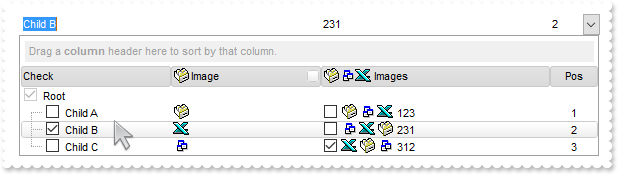
// AddColumn event - Fired after a new column has been added.
void OnAddColumnComboBox1(LPDISPATCH   Column)
{
	// Column.Def(48) = 2
	// Column.Def(49) = 2
}

/*
	Copy and paste the following directives to your header file as
	it defines the namespace 'EXCOMBOBOXLib' for the library: 'ExComboBox 1.0 Control Library'

	#import <ExComboBox.dll>
	using namespace EXCOMBOBOXLib;
*/
EXCOMBOBOXLib::IComboBoxPtr spComboBox1 = GetDlgItem(IDC_COMBOBOX1)->GetControlUnknown();
spComboBox1->BeginUpdate();
spComboBox1->PutImageSize(16);
spComboBox1->Images(_bstr_t("gBJJgBAIDAAEg4ACEKAD/hz/EMNh8TIRNGwAjEZAEXjAojJAjMLjABAAgjUYkUnlUrlktl0vmExmUzmk1m03nE5nU7nkrQCAntBoVDolFo1HoM/ADAplLptImdMYFOq") +
	"dSqlXq1QrVbrlGpVWsFNrNdnNjsk7pQAtNroFnt0sh8Yr9iulTuNxs1Eu8OiT/vsnsNVutXlk/oGGtVKxGLxWNtsZtN8iUYuNvy0Zvd+xNYwdwvl4p870GCqc8vOeuVt" +
	"tmp1knyOayWVy+WzN/ze1wOElenm+12WUz/Bv2/3UyyWrzeutux2GSyGP2dQ33C1ur3GD3M4zUNzHdlWjq/E3nGzVpjWv4HA7fRy/Tv2IrN8rPW6nZ3ve7mUlfu20Z8a" +
	"cvQyb+vY9jasYoDwMm+LytVBDqKG3z8O3Cb8P+mkAuY9cCQ2uL4KaxDKvkp8RNLEjqugnrwQo/UWPzFyeQw5sNLZFENrI4kOqU66pw8uzmOKvTqNqjULJvGL1JO48GtT" +
	"GsbLdEL3scxLlyiw8dQeoUVxdLTtyKmUjwGlslRPJsnK1HbAKbKCrsQo8uQk/CeP44iaR/ATnTNPLvyxPU+z9P9AUDQVBowiofJXQ6Oo+kKMpIkjztE4TKn4P6JowfgP" +
	"nwD5/nAjB8AOeAPo0eAA1IAFH07UhAIMpYAVIYFHqBUhwVjV1S1EtQAHxW65V0AZwAeuQAnwB5gAPYViEDVhwAHTQBkCjB4gOhwDmCyhH0sACAg==");
EXCOMBOBOXLib::IAppearancePtr var_Appearance = spComboBox1->GetVisualAppearance();
	var_Appearance->Add(4,_bstr_t("gBFLBCJwBAEHhEJAAEhABUYCg6AADACAxRDgMQBQKAAzQFAYbhkGCGAAGMZxRgmFgAQhFcZQSKUOQTDKMIziYBYfgkMIgSbJUgDGAkRRdDSOYDmGQYDiCIoRShOMIjH") +
	"LUXxtDaIZwhEAoJb+RgAUY/cTzaAEUwHHiTKInaCQShsFYJUJAdRURQ9EwvCIZBpEWwLChENQwWLCNj2TScBwjCyqbale45ViqdoDU5EUiXJJ8ZxnECfYyrGjaMpCeKB" +
	"UrGYTVRBIMxLLSia5oeJqMrnBpNVrIUgXCAGFwHK6BcauXIIDp6XoWWRbAAWDpVVzNNC3YzkCIceADHKiXxmVz4JLdGZ1QTGID2XaYaxWK4oZjsVSc4KDHbETbHFi9Fo" +
	"3NaaxGisew+GYc4HlCR5NAAAIIEkQJSGMOgdE4RhYDwJJsAaAYQgmPpolCWgSCiBJzjcEIAkQXIBm8d5UhOQgCDUIBDDJDhgggJgKgKYJIDSVoDk8KBFF4OohEMZgWDs" +
	"YYDj4GoGmGSB2B6B5iAiBgYDsYRjGSbIJo4RgqDuIpIAoLoLmMCJGDKDJjJiLA7xqUAAgGTwYnYPoPmQCQGEKEJkEkFg9gGY44BoRoSmSSQ2EKEggHgRhShSZRJFYVoV" +
	"mWCRmFKFAgGOTheheZgJgYYoYmYSYWGaF4lkMMJ0hqZpJjYbobmcCZGHKHJmjmJh0h2Z4JmYcIaE8WZ2H6H5oAoBoCiCaBKBYfdjGoJoKiKaJKDaDojmkChGgmIgpCoV" +
	"oWiWaJZiSd4mmmSh2h6J5qAqBoiiiaY5iSeIpmqComiqKpqkqNouiuah6hqMIsmsSpWiuGhP1kOoumuSp2j6L5sAsBo54gKwWkaMZsgsJpKjKbJLDaRYxYWRpSjSbIZi" +
	"Se41m2CxmlqNptksdpejebR5iSfI4m4S4W16boLiaao6m5fJ9jubwLkaco8m8S5WnaPZunuOp4j6b5Lnac4SA0PAGlgP4wEwFwGkGcIMCcCpCnCCxiA8NYAAmMJfkSbh" +
	"FCcFpFnGDBnBqRpUhuEwTDeZ5lHCfw6HIQxLCaAxygyJwqgGcATE4FA6hWY4tjEAAQBAgIA==");
spComboBox1->PutHeaderBackColor(0x4c6c6c6);
spComboBox1->PutSelBackColor(0x4000000);
spComboBox1->PutSelForeColor(RGB(0,0,1));
spComboBox1->PutBackground(EXCOMBOBOXLib::exSelBackColorFilter,spComboBox1->GetSelBackColor());
spComboBox1->PutBackground(EXCOMBOBOXLib::exSelForeColorFilter,spComboBox1->GetSelForeColor());
spComboBox1->PutBackground(EXCOMBOBOXLib::exBackColorFilter,spComboBox1->GetBackColor());
spComboBox1->PutBackground(EXCOMBOBOXLib::exForeColorFilter,spComboBox1->GetForeColor());
spComboBox1->PutBackground(EXCOMBOBOXLib::exCursorHoverColumn,-1);
spComboBox1->PutBackground(EXCOMBOBOXLib::exHeaderFilterBarButton,0x4000000);
spComboBox1->PutBackground(EXCOMBOBOXLib::exHeaderFilterBarActive,0x4010101);
spComboBox1->PutBackground(EXCOMBOBOXLib::exFooterFilterBarButton,0x40000ff);
spComboBox1->PutHeaderAppearance(EXCOMBOBOXLib::Etched);
spComboBox1->PutShowFocusRect(VARIANT_FALSE);
spComboBox1->PutSortBarVisible(VARIANT_TRUE);
spComboBox1->PutBackColorSortBar(spComboBox1->GetBackColor());
spComboBox1->PutBackColorLevelHeader(spComboBox1->GetBackColor());
spComboBox1->PutFilterBarDropDownHeight(1);
spComboBox1->PutIntegralHeight(VARIANT_TRUE);
EXCOMBOBOXLib::IColumnPtr var_Column = ((EXCOMBOBOXLib::IColumnPtr)(spComboBox1->GetColumns()->Add(L"Check")));
	var_Column->PutDef(EXCOMBOBOXLib::exCellHasCheckBox,VARIANT_TRUE);
	var_Column->PutPartialCheck(VARIANT_TRUE);
	var_Column->PutWidth(128);
	var_Column->PutDisplayFilterButton(VARIANT_TRUE);
	var_Column->PutFilterList(EXCOMBOBOXLib::exShowCheckBox);
EXCOMBOBOXLib::IColumnPtr var_Column1 = ((EXCOMBOBOXLib::IColumnPtr)(spComboBox1->GetColumns()->Add(L"Pos")));
	var_Column1->PutFormatColumn(L"1 pos ``");
	var_Column1->PutAllowSort(VARIANT_FALSE);
	var_Column1->PutWidth(48);
	var_Column1->PutAllowSizing(VARIANT_FALSE);
	var_Column1->PutAlignment(EXCOMBOBOXLib::CenterAlignment);
	var_Column1->PutHeaderAlignment(EXCOMBOBOXLib::CenterAlignment);
EXCOMBOBOXLib::IColumnPtr var_Column2 = ((EXCOMBOBOXLib::IColumnPtr)(spComboBox1->GetColumns()->Add(L"Image")));
	var_Column2->PutDisplayFilterButton(VARIANT_TRUE);
	var_Column2->PutFilterList(EXCOMBOBOXLib::FilterListEnum(EXCOMBOBOXLib::exShowExclude | EXCOMBOBOXLib::exShowCheckBox | EXCOMBOBOXLib::exSortItemsAsc));
	var_Column2->PutFilterType(EXCOMBOBOXLib::exImage);
	var_Column2->PutWidth(128);
	var_Column2->PutHeaderImage(1);
EXCOMBOBOXLib::IColumnPtr var_Column3 = ((EXCOMBOBOXLib::IColumnPtr)(spComboBox1->GetColumns()->Add(L"Images")));
	var_Column3->PutDef(EXCOMBOBOXLib::exCellHasCheckBox,VARIANT_TRUE);
	var_Column3->PutWidth(196);
	var_Column3->PutHTMLCaption(L"<img>1</img><img>2</img><img>3</img> Images");
spComboBox1->GetColumns()->GetItem("Pos")->PutPosition(3);
EXCOMBOBOXLib::IItemsPtr var_Items = spComboBox1->GetItems();
	long hR = var_Items->AddItem("Root");
	var_Items->PutItemDivider(hR,0);
	var_Items->PutItemDividerLine(hR,EXCOMBOBOXLib::EmptyLine);
	long h = var_Items->InsertItem(hR,vtMissing,"Child A");
	var_Items->PutCellImage(h,long(2),1);
	var_Items->PutCellImages(h,long(3),"1,2,3");
	var_Items->PutCellCaption(h,long(3),"123");
	h = var_Items->InsertItem(hR,vtMissing,"Child B");
	var_Items->PutCellState(h,long(0),1);
	var_Items->PutCellImage(h,long(2),3);
	var_Items->PutCellImages(h,long(3),"2,3,1");
	var_Items->PutCellCaption(h,long(3),"231");
	var_Items->PutSelectItem(h,VARIANT_TRUE);
	h = var_Items->InsertItem(hR,vtMissing,"Child C");
	var_Items->PutCellImage(h,long(2),2);
	var_Items->PutCellState(h,long(3),1);
	var_Items->PutCellCaption(h,long(3),"312");
	var_Items->PutCellImages(h,long(3),"3,1,2");
	var_Items->PutExpandItem(hR,VARIANT_TRUE);
spComboBox1->EndUpdate();
|
|
574
|
The user clicks the drop-down filter, select a value and the control's list filters for the selected item(s). Is there a way for when the user then goes to the next column to add another filter and the drop down arrow is clicked for the list of values they can filter by to be limited to what is being displayed in the list due to the first filter they set
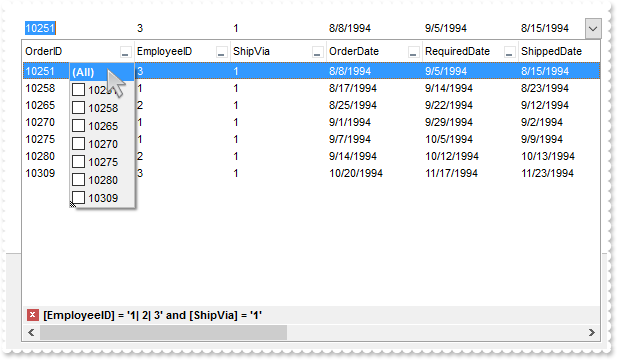
// AddColumn event - Fired after a new column has been added.
void OnAddColumnComboBox1(LPDISPATCH   Column)
{
}

/*
	Copy and paste the following directives to your header file as
	it defines the namespace 'EXCOMBOBOXLib' for the library: 'ExComboBox 1.0 Control Library'

	#import <ExComboBox.dll>
	using namespace EXCOMBOBOXLib;
*/
EXCOMBOBOXLib::IComboBoxPtr spComboBox1 = GetDlgItem(IDC_COMBOBOX1)->GetControlUnknown();
EXCOMBOBOXLib::IComboBoxPtr spComboBox1 = GetDlgItem(IDC_COMBOBOX1)->GetControlUnknown();
spComboBox1->BeginUpdate();
spComboBox1->PutColumnAutoResize(VARIANT_FALSE);
/*
	Includes the definition for CreateObject function like follows:

	#include <comdef.h>
	IUnknownPtr CreateObject( BSTR Object )
	{
		IUnknownPtr spResult;
		spResult.CreateInstance( Object );
		return spResult;
	};

*/
/*
	Copy and paste the following directives to your header file as
	it defines the namespace 'ADODB' for the library: 'Microsoft ActiveX Data Objects 6.1 Library'

	#import <msado15.dll> rename("EOF","REOF")
*/
ADODB::_RecordsetPtr rs = ::CreateObject(L"ADOR.Recordset");
	rs->Open("Orders","Provider=Microsoft.ACE.OLEDB.12.0;Data Source=C:\\Program Files\\Exontrol\\ExComboBox\\Sample\\Access\\sample.accdb",ADODB::adOpenStatic,ADODB::adLockOptimistic,0);
spComboBox1->PutDataSource(((ADODB::_RecordsetPtr)(rs)));
spComboBox1->GetColumns()->GetItem("ShipVia")->PutPosition(2);
spComboBox1->EndUpdate();
|
|
573
|
Can I limit the number of characters the user can type into, similar with text-box's MaxLength property
/*
	Copy and paste the following directives to your header file as
	it defines the namespace 'EXCOMBOBOXLib' for the library: 'ExComboBox 1.0 Control Library'

	#import <ExComboBox.dll>
	using namespace EXCOMBOBOXLib;
*/
EXCOMBOBOXLib::IComboBoxPtr spComboBox1 = GetDlgItem(IDC_COMBOBOX1)->GetControlUnknown();
((EXCOMBOBOXLib::IColumnPtr)(spComboBox1->GetColumns()->Add(L"Max 2 chars")))->PutEditMaxLength(2);
spComboBox1->PutAutoSearch(VARIANT_FALSE);
spComboBox1->PutAutoComplete(VARIANT_FALSE);
|
|
572
|
Is it possible to change the visual appearance of the drop down button (method 3, theme)
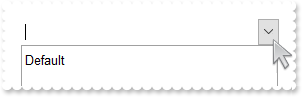
/*
	Copy and paste the following directives to your header file as
	it defines the namespace 'EXCOMBOBOXLib' for the library: 'ExComboBox 1.0 Control Library'

	#import <ExComboBox.dll>
	using namespace EXCOMBOBOXLib;
*/
EXCOMBOBOXLib::IComboBoxPtr spComboBox1 = GetDlgItem(IDC_COMBOBOX1)->GetControlUnknown();
spComboBox1->BeginUpdate();
spComboBox1->GetVisualAppearance()->Add(1,"XP: COMBOBOX 1 1");
spComboBox1->GetVisualAppearance()->Add(2,"XP: COMBOBOX 1 3");
spComboBox1->PutBackground(EXCOMBOBOXLib::exDropDownButtonUp,0x1000000);
spComboBox1->PutBackground(EXCOMBOBOXLib::exDropDownButtonDown,0x2000000);
spComboBox1->GetColumns()->Add(L"Default");
spComboBox1->EndUpdate();
|
|
571
|
Is it possible to change the visual appearance of the drop down button (method 2, ebn)
/*
	Copy and paste the following directives to your header file as
	it defines the namespace 'EXCOMBOBOXLib' for the library: 'ExComboBox 1.0 Control Library'

	#import <ExComboBox.dll>
	using namespace EXCOMBOBOXLib;
*/
EXCOMBOBOXLib::IComboBoxPtr spComboBox1 = GetDlgItem(IDC_COMBOBOX1)->GetControlUnknown();
spComboBox1->BeginUpdate();
spComboBox1->GetVisualAppearance()->Add(1,_bstr_t("gBFLBCJwBAEHhEJAAEhABKYCg6AADACAxRDgMQBQKAAzQFAYbBuGCGAAGIYBTgmFgAQhFcZQSKUOQTDKMIziYBYJhEMwwDhEIwjGKsIhsGIbJAGQBJCjWGodQLOEgzN") +
	"C0IxNFCQILhEZJADKII8TTOU5UPRESwTE4cKBmKhQCo2NpKR7VUTxCKQahLLivoCjBT8EzHMqtIzrCA6MpaP4pQjKcqwTJ8YyHEi0ZrjazKaj6T5AXDUcaWbbNVx3PK3" +
	"aioOpLZrqOZZYzYFoRFYNTTJMTLcZifBsEoib4qSxMVaDPQWNT3CTIMQve4IEyGQ6jDDVOjYfqmDzTPAALLFUaNYzoOKyABMHATBIXAY7BIIOQ1HgHNBwJAAczzcTSBI" +
	"ABECQoBoTBnEOKZIkuJYFEMCBElgXBoG0CQUHKIB8huYBiDUEYtAkA4Ol+D5PmWdJ7nyHh/iKCQ8iYWwWkWY5aAIfgfFgFgEgGXxoCSbR+g8N5wFMCABnCDgQAiX54AY" +
	"A4CiCCAaBgfhfjedgTBgBZhggVQVEWCBOBWAIPGgZgqgcIJYHoEQYEWcYMniDJPFOUJ1giYhYEYJ8siidgMgOIQ4kIMoMmASJWDeCQiGgAgogYY54jgI4QiMM5iCsOxk" +
	"GiYhJgWIoYjIQILmMGRGAQNpNjMcJjhiZBYloVoOiSKAKCAGIkBkdhEgKJgDHAMgMEMcJkDgD4mDODhlhGY4QgwbgbEcAxElANBnnGQhehwJgZkwN4EmEOZaHiGQgikG" +
	"BpBoRozGSWS5jmRoKgSSJiDiEAgEgEgOg2HZnhkTgZiaJxIEyDwjkkF5Qn6K5qAqCgRiOKhYG4PYqCiOBGiuKxrGqPJ+iwag6D4eotiuCoqiyKYfCqepAiyahKECbYxG" +
	"uKwejaFJsiqBpBh4YRbBqPIPGyCAWlWLICDoTBrDsLhCgiIgpC2W4mkmK5JmIdIfDwbwDi2bxAlAECAg=");
spComboBox1->PutBackground(EXCOMBOBOXLib::exDropDownButtonUp,0x1f0f0f0);
spComboBox1->PutBackground(EXCOMBOBOXLib::exDropDownButtonDown,0x1666666);
spComboBox1->GetColumns()->Add(L"Default");
spComboBox1->EndUpdate();
|
|
570
|
Is it possible to change the visual appearance of the drop down button (method 1, no visual theme)
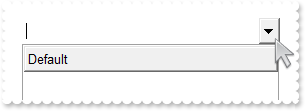
/*
	Copy and paste the following directives to your header file as
	it defines the namespace 'EXCOMBOBOXLib' for the library: 'ExComboBox 1.0 Control Library'

	#import <ExComboBox.dll>
	using namespace EXCOMBOBOXLib;
*/
EXCOMBOBOXLib::IComboBoxPtr spComboBox1 = GetDlgItem(IDC_COMBOBOX1)->GetControlUnknown();
spComboBox1->BeginUpdate();
spComboBox1->PutUseVisualTheme(EXCOMBOBOXLib::exNoVisualTheme);
spComboBox1->GetColumns()->Add(L"Default");
spComboBox1->EndUpdate();
|
|
569
|
Is it possible to highlight the column's header once a filter is applied
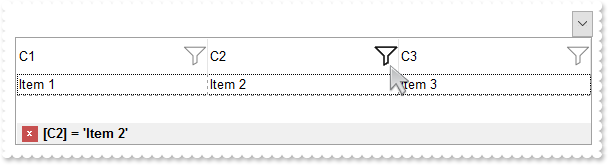
/*
	Copy and paste the following directives to your header file as
	it defines the namespace 'EXCOMBOBOXLib' for the library: 'ExComboBox 1.0 Control Library'

	#import <ExComboBox.dll>
	using namespace EXCOMBOBOXLib;
*/
EXCOMBOBOXLib::IComboBoxPtr spComboBox1 = GetDlgItem(IDC_COMBOBOX1)->GetControlUnknown();
spComboBox1->BeginUpdate();
EXCOMBOBOXLib::IAppearancePtr var_Appearance = spComboBox1->GetVisualAppearance();
	var_Appearance->Add(2,_bstr_t("gBFLBCJwBAEHhEJAAEhABX8GACAADACAxSDEMQBQKAAzQFAYbhgHCGAAGQaBUgmFgAQhFcZQSKUOQTDKNYykCIRSDUJYkSZEIyjBI8ExXFqNACkGKwYgmNYiTLAcgAN") +
	"J0WBaGIZJ4gOT5fDKMoEDRRYADFCscwxJybQAqGQKKb+VgAVY/cTyBIAEQSKA0TDOQ5TSKWB4JPZQRBEbZMNBtBIUJquKaqShdQJCU5FdY3Xblez9P7AMBwLFEC4NQ8Y" +
	"NYuPhjR4dRTIMhvVAsUArFh8Zg9GZZFjmDIDT4ydBLTQwcyVIKnP5qOa6XbmPoCQDYKxZHYxPzVDa3axuL76dqCAT7XrXNy1TbNRrzQKfcJqfCbdw2YaDZLOOT3fjuI4" +
	"hhKaRzFAHJ+jYQ4xHuY4gHuGIXGeExqC8Tp6C+PoEm+G5ImycRgh0XwvDGa5rgOeoejyXwnFeQp2mkf5ClgBB9gCWIYAwfYAEKV58mkdwOggNArgOXY2EWLoDkKOA0mg" +
	"bhOGgZApgaSBIHWSYHSmbApgYThmESZYJkIeIkgeCpfliLIHgpMIcmUYYYmODAlg2SI4mWfRfGOEguDcCRjFYAJihCQhJBSDoRmONgKEcI4kFCEJhhOVYTmYnAlEAQhW" +
	"BMJYJGYWoWmWSR2F6F5lnkWAQhUAgpEieRWEuSYkjWGpmkmNhuhuZwJkYcocmaaYkjyEhngnUA6lEFAlAEgI=");
	var_Appearance->Add(1,"CP:2 -8 -4 2 4");
spComboBox1->PutBackground(EXCOMBOBOXLib::exHeaderFilterBarButton,0x1fefefe);
spComboBox1->PutBackground(EXCOMBOBOXLib::exHeaderFilterBarActive,0x1010101);
spComboBox1->PutBackground(EXCOMBOBOXLib::exCursorHoverColumn,-1);
spComboBox1->PutHeaderHeight(28);
spComboBox1->PutDrawGridLines(EXCOMBOBOXLib::exRowLines);
spComboBox1->PutHeaderVisible(VARIANT_TRUE);
EXCOMBOBOXLib::IColumnsPtr var_Columns = spComboBox1->GetColumns();
	((EXCOMBOBOXLib::IColumnPtr)(var_Columns->Add(L"C1")))->PutDisplayFilterButton(VARIANT_TRUE);
	EXCOMBOBOXLib::IColumnPtr var_Column = ((EXCOMBOBOXLib::IColumnPtr)(var_Columns->Add(L"C2")));
		var_Column->PutDisplayFilterButton(VARIANT_TRUE);
		var_Column->PutFilter(L"Item 2");
		var_Column->PutFilterType(EXCOMBOBOXLib::exFilter);
	((EXCOMBOBOXLib::IColumnPtr)(var_Columns->Add(L"C3")))->PutDisplayFilterButton(VARIANT_TRUE);
EXCOMBOBOXLib::IItemsPtr var_Items = spComboBox1->GetItems();
	long h = var_Items->AddItem("Item 1");
	var_Items->PutCellCaption(h,long(1),"Item 2");
	var_Items->PutCellCaption(h,long(2),"Item 3");
	h = var_Items->AddItem("Item 4");
	var_Items->PutCellCaption(h,long(1),"Item 5");
	var_Items->PutCellCaption(h,long(2),"Item 6");
spComboBox1->ApplyFilter();
spComboBox1->EndUpdate();
|
|
568
|
How do I change the drop down filter icon/button (black)
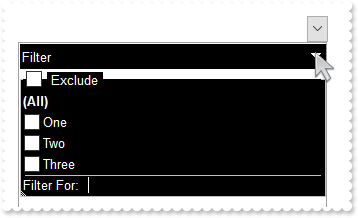
/*
	Copy and paste the following directives to your header file as
	it defines the namespace 'EXCOMBOBOXLib' for the library: 'ExComboBox 1.0 Control Library'

	#import <ExComboBox.dll>
	using namespace EXCOMBOBOXLib;
*/
EXCOMBOBOXLib::IComboBoxPtr spComboBox1 = GetDlgItem(IDC_COMBOBOX1)->GetControlUnknown();
spComboBox1->BeginUpdate();
EXCOMBOBOXLib::IAppearancePtr var_Appearance = spComboBox1->GetVisualAppearance();
	var_Appearance->Add(1,_bstr_t("gBFLBCJwBAEHhEJAAEhABXUIQAAYAQGKIcBiAKBQAGYBIJDEMgzDDAUBjKKocQTC4AIQjCK4JDKHYJRpHEZyCA8EhqGASRAFUQBYiWE4oSpLABQaK0ZwIGyRIrkGQgQ") +
	"gmPYDSDNU4zVIEEglBI0TDNczhNDENgtGYaJqHIYpZBcM40TKkEZoSIITZcRrOEBiRL1S0RBhGcRUHZlWzdN64LhuK47UrWdD/XhdVzXRbjfz1Oq+bxve48Br7A5yYTh" +
	"dr4LhOFQ3RjIL4xbIcUwGe6VZhjOLZXjmO49T69HTtOCYBEBA");
spComboBox1->PutBackground(EXCOMBOBOXLib::exCursorHoverColumn,-1);
spComboBox1->PutBackground(EXCOMBOBOXLib::exHeaderFilterBarButton,0x1000000);
spComboBox1->PutBackground(EXCOMBOBOXLib::exBackColorFilter,RGB(0,0,1));
spComboBox1->PutBackground(EXCOMBOBOXLib::exForeColorFilter,RGB(255,255,255));
spComboBox1->PutDescription(EXCOMBOBOXLib::exFilterBarExclude,L"<bgcolor 0><fgcolor ffffff> Exclude </fgcolor></bgcolor>");
spComboBox1->PutHeaderAppearance(EXCOMBOBOXLib::None2);
spComboBox1->PutHeaderBackColor(RGB(0,0,0));
spComboBox1->PutHeaderForeColor(RGB(255,255,255));
spComboBox1->PutHeaderVisible(VARIANT_TRUE);
EXCOMBOBOXLib::IColumnPtr var_Column = ((EXCOMBOBOXLib::IColumnPtr)(spComboBox1->GetColumns()->Add(L"Filter")));
	var_Column->PutFilterList(EXCOMBOBOXLib::FilterListEnum(EXCOMBOBOXLib::exShowExclude | EXCOMBOBOXLib::exShowCheckBox));
	var_Column->PutDisplayFilterButton(VARIANT_TRUE);
	var_Column->PutAllowSort(VARIANT_FALSE);
	var_Column->PutAllowDragging(VARIANT_FALSE);
EXCOMBOBOXLib::IItemsPtr var_Items = spComboBox1->GetItems();
	var_Items->AddItem("One");
	var_Items->AddItem("Two");
	var_Items->AddItem("Three");
spComboBox1->EndUpdate();
|
|
567
|
Can I customize the count of selected items, shown on the right side of the control's label (multiple-selection)
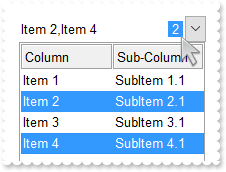
/*
	Copy and paste the following directives to your header file as
	it defines the namespace 'EXCOMBOBOXLib' for the library: 'ExComboBox 1.0 Control Library'

	#import <ExComboBox.dll>
	using namespace EXCOMBOBOXLib;
*/
EXCOMBOBOXLib::IComboBoxPtr spComboBox1 = GetDlgItem(IDC_COMBOBOX1)->GetControlUnknown();
spComboBox1->BeginUpdate();
spComboBox1->PutHeaderAppearance(EXCOMBOBOXLib::Etched);
spComboBox1->PutStyle(EXCOMBOBOXLib::DropDownList);
spComboBox1->PutSingleSel(VARIANT_FALSE);
spComboBox1->PutSingleEdit(VARIANT_TRUE);
spComboBox1->PutLabelColumnIndex(0);
spComboBox1->PutSelBackColor(RGB(51,153,255));
spComboBox1->PutSelForeColor(RGB(255,255,255));
spComboBox1->PutLabelText(L"<bgcolor=3399FF><fgcolor=FFFFFF> %c </fgcolor></bgcolor>");
EXCOMBOBOXLib::IColumnsPtr var_Columns = spComboBox1->GetColumns();
	var_Columns->Add(L"Column");
	var_Columns->Add(L"Sub-Column");
EXCOMBOBOXLib::IItemsPtr var_Items = spComboBox1->GetItems();
	var_Items->PutCellCaption(var_Items->AddItem("Item 1"),long(1),"SubItem 1.1");
	var_Items->PutCellCaption(var_Items->AddItem("Item 2"),long(1),"SubItem 2.1");
	var_Items->PutCellCaption(var_Items->AddItem("Item 3"),long(1),"SubItem 3.1");
	var_Items->PutCellCaption(var_Items->AddItem("Item 4"),long(1),"SubItem 4.1");
	var_Items->PutSelectItem(var_Items->GetItemByIndex(1),VARIANT_TRUE);
	var_Items->PutSelectItem(var_Items->GetItemByIndex(3),VARIANT_TRUE);
spComboBox1->EndUpdate();
|
|
566
|
Is it possible to hide the count of selected items, shown on the right side of the control's label (multiple-selection)
/*
	Copy and paste the following directives to your header file as
	it defines the namespace 'EXCOMBOBOXLib' for the library: 'ExComboBox 1.0 Control Library'

	#import <ExComboBox.dll>
	using namespace EXCOMBOBOXLib;
*/
EXCOMBOBOXLib::IComboBoxPtr spComboBox1 = GetDlgItem(IDC_COMBOBOX1)->GetControlUnknown();
spComboBox1->BeginUpdate();
spComboBox1->PutHeaderAppearance(EXCOMBOBOXLib::Etched);
spComboBox1->PutStyle(EXCOMBOBOXLib::DropDownList);
spComboBox1->PutSingleSel(VARIANT_FALSE);
spComboBox1->PutSingleEdit(VARIANT_TRUE);
spComboBox1->PutLabelColumnIndex(0);
spComboBox1->PutSelBackColor(RGB(51,153,255));
spComboBox1->PutSelForeColor(RGB(255,255,255));
spComboBox1->PutLabelText(L" ");
EXCOMBOBOXLib::IColumnsPtr var_Columns = spComboBox1->GetColumns();
	var_Columns->Add(L"Column");
	var_Columns->Add(L"Sub-Column");
EXCOMBOBOXLib::IItemsPtr var_Items = spComboBox1->GetItems();
	var_Items->PutCellCaption(var_Items->AddItem("Item 1"),long(1),"SubItem 1.1");
	var_Items->PutCellCaption(var_Items->AddItem("Item 2"),long(1),"SubItem 2.1");
	var_Items->PutCellCaption(var_Items->AddItem("Item 3"),long(1),"SubItem 3.1");
	var_Items->PutCellCaption(var_Items->AddItem("Item 4"),long(1),"SubItem 4.1");
	var_Items->PutSelectItem(var_Items->GetItemByIndex(1),VARIANT_TRUE);
	var_Items->PutSelectItem(var_Items->GetItemByIndex(3),VARIANT_TRUE);
spComboBox1->EndUpdate();
|
|
565
|
Does your control support multiple-selection
/*
	Copy and paste the following directives to your header file as
	it defines the namespace 'EXCOMBOBOXLib' for the library: 'ExComboBox 1.0 Control Library'

	#import <ExComboBox.dll>
	using namespace EXCOMBOBOXLib;
*/
EXCOMBOBOXLib::IComboBoxPtr spComboBox1 = GetDlgItem(IDC_COMBOBOX1)->GetControlUnknown();
spComboBox1->BeginUpdate();
spComboBox1->PutHeaderAppearance(EXCOMBOBOXLib::Etched);
spComboBox1->PutStyle(EXCOMBOBOXLib::DropDownList);
spComboBox1->PutSingleSel(VARIANT_FALSE);
spComboBox1->PutSingleEdit(VARIANT_TRUE);
spComboBox1->PutLabelColumnIndex(0);
EXCOMBOBOXLib::IColumnsPtr var_Columns = spComboBox1->GetColumns();
	var_Columns->Add(L"Column");
	var_Columns->Add(L"Sub-Column");
EXCOMBOBOXLib::IItemsPtr var_Items = spComboBox1->GetItems();
	var_Items->PutCellCaption(var_Items->AddItem("Item 1"),long(1),"SubItem 1.1");
	var_Items->PutCellCaption(var_Items->AddItem("Item 2"),long(1),"SubItem 2.1");
	var_Items->PutCellCaption(var_Items->AddItem("Item 3"),long(1),"SubItem 3.1");
	var_Items->PutCellCaption(var_Items->AddItem("Item 4"),long(1),"SubItem 4.1");
	var_Items->PutSelectItem(var_Items->GetItemByIndex(1),VARIANT_TRUE);
	var_Items->PutSelectItem(var_Items->GetItemByIndex(3),VARIANT_TRUE);
spComboBox1->EndUpdate();
|
|
564
|
Is it possible to show the filterbar on top of the rows
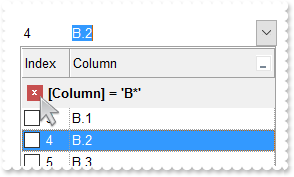
/*
	Copy and paste the following directives to your header file as
	it defines the namespace 'EXCOMBOBOXLib' for the library: 'ExComboBox 1.0 Control Library'

	#import <ExComboBox.dll>
	using namespace EXCOMBOBOXLib;
*/
EXCOMBOBOXLib::IComboBoxPtr spComboBox1 = GetDlgItem(IDC_COMBOBOX1)->GetControlUnknown();
spComboBox1->BeginUpdate();
spComboBox1->PutFilterBarPromptVisible(EXCOMBOBOXLib::exFilterBarTop);
spComboBox1->PutHeaderHeight(24);
spComboBox1->PutFilterBarHeight(spComboBox1->GetHeaderHeight());
spComboBox1->PutHeaderAppearance(EXCOMBOBOXLib::Flat);
spComboBox1->PutDrawGridLines(EXCOMBOBOXLib::exAllLines);
spComboBox1->PutGridLineStyle(EXCOMBOBOXLib::exGridLinesGeometric);
spComboBox1->PutColumnAutoResize(VARIANT_TRUE);
EXCOMBOBOXLib::IColumnPtr var_Column = ((EXCOMBOBOXLib::IColumnPtr)(spComboBox1->GetColumns()->Add(L"Column")));
	var_Column->PutDisplayFilterButton(VARIANT_TRUE);
	var_Column->PutFilterType(EXCOMBOBOXLib::exPattern);
	var_Column->PutFilter(L"B*");
EXCOMBOBOXLib::IColumnPtr var_Column1 = ((EXCOMBOBOXLib::IColumnPtr)(spComboBox1->GetColumns()->Add(L"Index")));
	var_Column1->PutFormatColumn(L"1 index ``");
	var_Column1->PutPosition(0);
	var_Column1->PutWidth(48);
	var_Column1->PutAllowSizing(VARIANT_FALSE);
	var_Column1->PutSortType(EXCOMBOBOXLib::SortNumeric);
	var_Column1->PutDef(EXCOMBOBOXLib::exCellHasCheckBox,VARIANT_TRUE);
EXCOMBOBOXLib::IItemsPtr var_Items = spComboBox1->GetItems();
	var_Items->AddItem("A.1");
	var_Items->AddItem("A.2");
	var_Items->AddItem("B.1");
	var_Items->AddItem("B.2");
	var_Items->AddItem("B.3");
	var_Items->AddItem("C");
spComboBox1->ApplyFilter();
spComboBox1->EndUpdate();
|
|
563
|
Is there anyway to stop the header changing colour when the mouse hovers/moves across the column header (non-clickable)
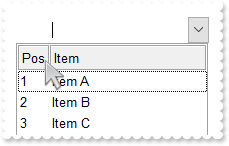
/*
	Copy and paste the following directives to your header file as
	it defines the namespace 'EXCOMBOBOXLib' for the library: 'ExComboBox 1.0 Control Library'

	#import <ExComboBox.dll>
	using namespace EXCOMBOBOXLib;
*/
EXCOMBOBOXLib::IComboBoxPtr spComboBox1 = GetDlgItem(IDC_COMBOBOX1)->GetControlUnknown();
spComboBox1->BeginUpdate();
spComboBox1->PutHeaderAppearance(EXCOMBOBOXLib::Etched);
EXCOMBOBOXLib::IColumnsPtr var_Columns = spComboBox1->GetColumns();
	var_Columns->Add(L"Item");
	EXCOMBOBOXLib::IColumnPtr var_Column = ((EXCOMBOBOXLib::IColumnPtr)(var_Columns->Add(L"Pos")));
		var_Column->PutPosition(0);
		var_Column->PutWidth(32);
		var_Column->PutAllowSizing(VARIANT_FALSE);
		var_Column->PutFormatColumn(L"1 index ``");
		var_Column->PutAllowSort(VARIANT_FALSE);
		var_Column->PutAllowDragging(VARIANT_FALSE);
EXCOMBOBOXLib::IItemsPtr var_Items = spComboBox1->GetItems();
	var_Items->AddItem("Item A");
	var_Items->AddItem("Item B");
	var_Items->AddItem("Item C");
spComboBox1->EndUpdate();
|
|
562
|
Is there anyway to stop the header changing colour when the mouse hovers/moves across the column header
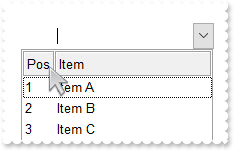
/*
	Copy and paste the following directives to your header file as
	it defines the namespace 'EXCOMBOBOXLib' for the library: 'ExComboBox 1.0 Control Library'

	#import <ExComboBox.dll>
	using namespace EXCOMBOBOXLib;
*/
EXCOMBOBOXLib::IComboBoxPtr spComboBox1 = GetDlgItem(IDC_COMBOBOX1)->GetControlUnknown();
spComboBox1->BeginUpdate();
spComboBox1->PutHeaderAppearance(EXCOMBOBOXLib::Etched);
spComboBox1->PutBackground(EXCOMBOBOXLib::exCursorHoverColumn,-1);
EXCOMBOBOXLib::IColumnsPtr var_Columns = spComboBox1->GetColumns();
	var_Columns->Add(L"Item");
	EXCOMBOBOXLib::IColumnPtr var_Column = ((EXCOMBOBOXLib::IColumnPtr)(var_Columns->Add(L"Pos")));
		var_Column->PutPosition(0);
		var_Column->PutWidth(32);
		var_Column->PutAllowSizing(VARIANT_FALSE);
		var_Column->PutFormatColumn(L"1 index ``");
		var_Column->PutAllowSort(VARIANT_FALSE);
		var_Column->PutAllowDragging(VARIANT_FALSE);
EXCOMBOBOXLib::IItemsPtr var_Items = spComboBox1->GetItems();
	var_Items->AddItem("Item A");
	var_Items->AddItem("Item B");
	var_Items->AddItem("Item C");
spComboBox1->EndUpdate();
|
|
561
|
How I can programmatically select a row (method 2)
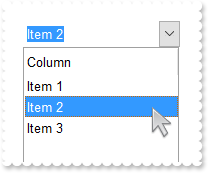
/*
	Copy and paste the following directives to your header file as
	it defines the namespace 'EXCOMBOBOXLib' for the library: 'ExComboBox 1.0 Control Library'

	#import <ExComboBox.dll>
	using namespace EXCOMBOBOXLib;
*/
EXCOMBOBOXLib::IComboBoxPtr spComboBox1 = GetDlgItem(IDC_COMBOBOX1)->GetControlUnknown();
spComboBox1->BeginUpdate();
spComboBox1->GetColumns()->Add(L"Column");
EXCOMBOBOXLib::IItemsPtr var_Items = spComboBox1->GetItems();
	var_Items->AddItem("Item 1");
	var_Items->AddItem("Item 2");
	var_Items->AddItem("Item 3");
spComboBox1->PutValue("Item 2");
spComboBox1->EndUpdate();
|
|
560
|
How I can programmatically select a row (with regular combobox I can set the ListIndex right up to Listcount -1)
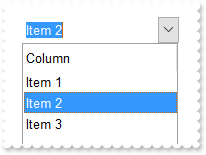
/*
	Copy and paste the following directives to your header file as
	it defines the namespace 'EXCOMBOBOXLib' for the library: 'ExComboBox 1.0 Control Library'

	#import <ExComboBox.dll>
	using namespace EXCOMBOBOXLib;
*/
EXCOMBOBOXLib::IComboBoxPtr spComboBox1 = GetDlgItem(IDC_COMBOBOX1)->GetControlUnknown();
spComboBox1->BeginUpdate();
spComboBox1->GetColumns()->Add(L"Column");
EXCOMBOBOXLib::IItemsPtr var_Items = spComboBox1->GetItems();
	var_Items->AddItem("Item 1");
	var_Items->AddItem("Item 2");
	var_Items->AddItem("Item 3");
	var_Items->PutSelectItem(var_Items->GetItemByIndex(1),VARIANT_TRUE);
spComboBox1->EndUpdate();
|
|
559
|
How do I set an extra data for each item
// MouseMove event - Occurs when the user moves the mouse.
void OnMouseMoveComboBox1(short   Button, short   Shift, long   X, long   Y)
{
	/*
		Copy and paste the following directives to your header file as
		it defines the namespace 'EXCOMBOBOXLib' for the library: 'ExComboBox 1.0 Control Library'
		#import <ExComboBox.dll>
		using namespace EXCOMBOBOXLib;
	*/
	EXCOMBOBOXLib::IComboBoxPtr spComboBox1 = GetDlgItem(IDC_COMBOBOX1)->GetControlUnknown();
	long i = spComboBox1->GetItemFromPoint(-1,-1,c,hit);
	OutputDebugStringW( L"i" );
	OutputDebugStringW( _bstr_t(spComboBox1->GetItems()->GetItemData(i)) );
}

EXCOMBOBOXLib::IComboBoxPtr spComboBox1 = GetDlgItem(IDC_COMBOBOX1)->GetControlUnknown();
spComboBox1->BeginUpdate();
spComboBox1->GetColumns()->Add(L"Default");
EXCOMBOBOXLib::IItemsPtr var_Items = spComboBox1->GetItems();
	var_Items->PutItemData(var_Items->AddItem("method 1"),"your extra data of method 1");
	var_Items->InsertItem(0,"your extra data of method 2","method 2");
EXCOMBOBOXLib::IItemsPtr var_Items1 = spComboBox1->GetItems();
	var_Items1->PutDefaultItem(var_Items1->AddItem("method 3"));
	var_Items1->PutItemData(0,"your extra data of method 3");
spComboBox1->EndUpdate();
|
|
558
|
I do not like to specify the item padding for every column I add. The question is how can I do it automatically
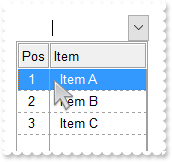
/*
	Copy and paste the following directives to your header file as
	it defines the namespace 'EXCOMBOBOXLib' for the library: 'ExComboBox 1.0 Control Library'

	#import <ExComboBox.dll>
	using namespace EXCOMBOBOXLib;
*/
EXCOMBOBOXLib::IComboBoxPtr spComboBox1 = GetDlgItem(IDC_COMBOBOX1)->GetControlUnknown();
spComboBox1->BeginUpdate();
spComboBox1->AttachTemplate("handle AddColumn(Column){Column{Def(48)=8;Def(49)=8;AllowDragging=False;AllowSizing = True}}");
spComboBox1->PutHeaderAppearance(EXCOMBOBOXLib::Etched);
spComboBox1->PutDrawGridLines(EXCOMBOBOXLib::exAllLines);
spComboBox1->PutGridLineStyle(EXCOMBOBOXLib::exGridLinesVSolid);
EXCOMBOBOXLib::IColumnsPtr var_Columns = spComboBox1->GetColumns();
	var_Columns->Add(L"Item");
	EXCOMBOBOXLib::IColumnPtr var_Column = ((EXCOMBOBOXLib::IColumnPtr)(var_Columns->Add(L"Pos")));
		var_Column->PutPosition(0);
		var_Column->PutWidth(32);
		var_Column->PutAllowSizing(VARIANT_FALSE);
		var_Column->PutFormatColumn(L"1 index ``");
EXCOMBOBOXLib::IItemsPtr var_Items = spComboBox1->GetItems();
	var_Items->AddItem("Item A");
	var_Items->AddItem("Item B");
	var_Items->AddItem("Item C");
spComboBox1->EndUpdate();
|
|
557
|
Can I sort the column by check-state
/*
	Copy and paste the following directives to your header file as
	it defines the namespace 'EXCOMBOBOXLib' for the library: 'ExComboBox 1.0 Control Library'

	#import <ExComboBox.dll>
	using namespace EXCOMBOBOXLib;
*/
EXCOMBOBOXLib::IComboBoxPtr spComboBox1 = GetDlgItem(IDC_COMBOBOX1)->GetControlUnknown();
spComboBox1->BeginUpdate();
EXCOMBOBOXLib::IColumnPtr var_Column = ((EXCOMBOBOXLib::IColumnPtr)(spComboBox1->GetColumns()->Add(L"Check")));
	var_Column->PutDef(EXCOMBOBOXLib::exCellHasCheckBox,VARIANT_TRUE);
	var_Column->PutSortType(EXCOMBOBOXLib::exSortByState);
EXCOMBOBOXLib::IItemsPtr var_Items = spComboBox1->GetItems();
	var_Items->AddItem(vtMissing);
	var_Items->PutCellState(var_Items->AddItem(vtMissing),long(0),1);
	var_Items->PutCellState(var_Items->AddItem(vtMissing),long(0),1);
	var_Items->AddItem(vtMissing);
spComboBox1->GetColumns()->GetItem(long(0))->PutSortOrder(EXCOMBOBOXLib::SortAscending);
spComboBox1->EndUpdate();
|
|
556
|
Can I sort the column by image
/*
	Copy and paste the following directives to your header file as
	it defines the namespace 'EXCOMBOBOXLib' for the library: 'ExComboBox 1.0 Control Library'

	#import <ExComboBox.dll>
	using namespace EXCOMBOBOXLib;
*/
EXCOMBOBOXLib::IComboBoxPtr spComboBox1 = GetDlgItem(IDC_COMBOBOX1)->GetControlUnknown();
spComboBox1->BeginUpdate();
spComboBox1->Images(_bstr_t("gBJJgBAIDAAGAAEAAQhYAf8Pf4hh0QihCJo2AEZjQAjEZFEaIEaEEaAIAkcbk0olUrlktl0vmExmUzmk1m03nE5nU7nk9n0/oFBoVDolFo1HpFJpVLplNp1PqFRqVTq") +
	"lVq1XrFZrVbrldr1fsFhsVjslls1ntFptVrtltt1vuFxuVzul1u13vF5vV7vl9v1/wGBwWDwmFw2HxGJxWLxmNx0xiFdyOTh8Tf9ZymXx+QytcyNgz8r0OblWjyWds+m" +
	"0ka1Vf1ta1+r1mos2xrG2xeZ0+a0W0qOx3GO4NV3WeyvD2XJ5XL5nN51aiw+lfSj0gkUkAEllHanHI5j/cHg8EZf7w8vl8j4f/qfEZeB09/vjLAB30+kZQAP/P5/H6/y" +
	"NAOAEAwCjMBwFAEDwJBMDwLBYAP2/8Hv8/gAGAD8LQs9w/nhDY/oygIA=");
EXCOMBOBOXLib::IColumnPtr var_Column = ((EXCOMBOBOXLib::IColumnPtr)(spComboBox1->GetColumns()->Add(L"Image")));
	var_Column->PutSortType(EXCOMBOBOXLib::exSortByImage);
EXCOMBOBOXLib::IItemsPtr var_Items = spComboBox1->GetItems();
	var_Items->PutCellImage(var_Items->AddItem(vtMissing),long(0),3);
	var_Items->AddItem(vtMissing);
	var_Items->PutCellImage(var_Items->AddItem(vtMissing),long(0),1);
	var_Items->PutCellImage(var_Items->AddItem(vtMissing),long(0),2);
spComboBox1->GetColumns()->GetItem(long(0))->PutSortOrder(EXCOMBOBOXLib::SortAscending);
spComboBox1->EndUpdate();
|
|
555
|
How can I build a "virtual" tree using your control
// BeforeExpandItem event - Fired before an item is about to be expanded (collapsed).
void OnBeforeExpandItemComboBox1(long   Item, VARIANT FAR*   Cancel)
{
	/*
		Copy and paste the following directives to your header file as
		it defines the namespace 'EXCOMBOBOXLib' for the library: 'ExComboBox 1.0 Control Library'
		#import <ExComboBox.dll>
		using namespace EXCOMBOBOXLib;
	*/
	EXCOMBOBOXLib::IComboBoxPtr spComboBox1 = GetDlgItem(IDC_COMBOBOX1)->GetControlUnknown();
	EXCOMBOBOXLib::IItemsPtr var_Items = spComboBox1->GetItems();
		var_Items->PutItemHasChildren(var_Items->InsertItem(Item,vtMissing,"new"),VARIANT_TRUE);
}

EXCOMBOBOXLib::IComboBoxPtr spComboBox1 = GetDlgItem(IDC_COMBOBOX1)->GetControlUnknown();
spComboBox1->BeginUpdate();
spComboBox1->PutLinesAtRoot(EXCOMBOBOXLib::exLinesAtRoot);
spComboBox1->PutStyle(EXCOMBOBOXLib::DropDown);
spComboBox1->GetColumns()->Add(L"Def");
EXCOMBOBOXLib::IItemsPtr var_Items = spComboBox1->GetItems();
	var_Items->AddItem("Item 1");
	var_Items->PutItemHasChildren(var_Items->AddItem("Item 2"),VARIANT_TRUE);
	var_Items->AddItem("Item 3");
spComboBox1->PutValue("Item 2");
spComboBox1->EndUpdate();
|
|
554
|
How can I display UNICODE characters
/*
	Copy and paste the following directives to your header file as
	it defines the namespace 'EXCOMBOBOXLib' for the library: 'ExComboBox 1.0 Control Library'

	#import <ExComboBox.dll>
	using namespace EXCOMBOBOXLib;
*/
EXCOMBOBOXLib::IComboBoxPtr spComboBox1 = GetDlgItem(IDC_COMBOBOX1)->GetControlUnknown();
spComboBox1->BeginUpdate();
/*
	Copy and paste the following directives to your header file as
	it defines the namespace 'stdole' for the library: 'OLE Automation'

	#import <stdole2.tlb>
*/
stdole::FontPtr var_StdFont = spComboBox1->GetFont();
	var_StdFont->PutName(L"Arial Unicode");
	var_StdFont->PutSize(_variant_t(long(22)));
spComboBox1->PutHeaderVisible(VARIANT_FALSE);
spComboBox1->PutDefaultItemHeight(48);
((EXCOMBOBOXLib::IColumnPtr)(spComboBox1->GetColumns()->Add(L"")))->PutDef(EXCOMBOBOXLib::exCellCaptionFormat,long(1));
EXCOMBOBOXLib::IItemsPtr var_Items = spComboBox1->GetItems();
	var_Items->AddItem("Ӓӓ");
	var_Items->AddItem("ᦜᦝ;ᦞ");
	var_Items->AddItem("ɮɭ;ɯ");
	var_Items->AddItem("勳勴勵勶");
	var_Items->PutFormatCell(var_Items->AddItem(spComboBox1->GetVersion()),long(0),L"(value lfind `UNICODE`) < 0 ? `<fgcolor=FF0000><b>!UNICODE!</b> version</fgcolor> required: ` + value : `` ");
spComboBox1->EndUpdate();
|
|
553
|
How do I display the position of the item with 0-padding
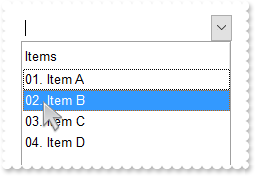
/*
	Copy and paste the following directives to your header file as
	it defines the namespace 'EXCOMBOBOXLib' for the library: 'ExComboBox 1.0 Control Library'

	#import <ExComboBox.dll>
	using namespace EXCOMBOBOXLib;
*/
EXCOMBOBOXLib::IComboBoxPtr spComboBox1 = GetDlgItem(IDC_COMBOBOX1)->GetControlUnknown();
spComboBox1->BeginUpdate();
((EXCOMBOBOXLib::IColumnPtr)(spComboBox1->GetColumns()->Add(L"Items")))->PutFormatColumn(L"((1 apos ``) lpad `00`) + `. `  + value");
EXCOMBOBOXLib::IItemsPtr var_Items = spComboBox1->GetItems();
	var_Items->AddItem("Item A");
	var_Items->AddItem("Item B");
	var_Items->AddItem("Item C");
	var_Items->AddItem("Item D");
spComboBox1->EndUpdate();
|
|
552
|
Is it possible to configure different colour/icon when there is a active filter
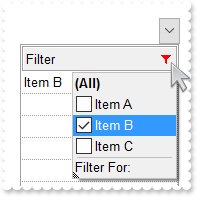
// FilterChange event - Occurs when filter was changed.
void OnFilterChangeComboBox1()
{
	/*
		Copy and paste the following directives to your header file as
		it defines the namespace 'EXCOMBOBOXLib' for the library: 'ExComboBox 1.0 Control Library'
		#import <ExComboBox.dll>
		using namespace EXCOMBOBOXLib;
	*/
	EXCOMBOBOXLib::IComboBoxPtr spComboBox1 = GetDlgItem(IDC_COMBOBOX1)->GetControlUnknown();
	spComboBox1->PutBackground(EXCOMBOBOXLib::exHeaderFilterBarButton,spComboBox1->FormatABC(L"value = 0 ? 0x1000001 : 0x10000FF ",spComboBox1->GetColumns()->GetItem(long(0))->GetFilterType(),vtMissing,vtMissing));
}

EXCOMBOBOXLib::IComboBoxPtr spComboBox1 = GetDlgItem(IDC_COMBOBOX1)->GetControlUnknown();
spComboBox1->BeginUpdate();
EXCOMBOBOXLib::IAppearancePtr var_Appearance = spComboBox1->GetVisualAppearance();
	var_Appearance->PutRenderType(-16777216);
	var_Appearance->Add(1,_bstr_t("gBFLBCJwBAEHhEJAAEhABXUIQAAYAQGKIcBiAKBQAGYBIJDEMgzDDAUBjKKocQTC4AIQjCK4JDKHYJRpHEZyCA8EhqGASRAFUQBYiWE4oSpLABQaK0ZwIGyRIrkGQgQ") +
	"gmPYDSDNU4zVIEEglBI0TDNczhNDENgtGYaJqHIYpZBcM40TKkEZoSIITZcRrOEBiRL1S0RBhGcRUHZlWzdN64LhuK47UrWdD/XhdVzXRbjfz1Oq+bxve48Br7A5yYTh" +
	"dr4LhOFQ3RjIL4xbIcUwGe6VZhjOLZXjmO49T69HTtOCYBEBA");
spComboBox1->PutDrawGridLines(EXCOMBOBOXLib::exAllLines);
spComboBox1->PutShowFocusRect(VARIANT_FALSE);
spComboBox1->PutBackground(EXCOMBOBOXLib::exHeaderFilterBarButton,0x1000001);
spComboBox1->PutBackground(EXCOMBOBOXLib::exCursorHoverColumn,-1);
spComboBox1->PutHeaderAppearance(EXCOMBOBOXLib::Etched);
spComboBox1->PutHeaderVisible(VARIANT_TRUE);
EXCOMBOBOXLib::IColumnPtr var_Column = ((EXCOMBOBOXLib::IColumnPtr)(spComboBox1->GetColumns()->Add(L"Filter")));
	var_Column->PutDisplayFilterButton(VARIANT_TRUE);
	var_Column->PutAllowSort(VARIANT_FALSE);
	var_Column->PutAllowDragging(VARIANT_FALSE);
	var_Column->PutFilterList(EXCOMBOBOXLib::exShowCheckBox);
EXCOMBOBOXLib::IItemsPtr var_Items = spComboBox1->GetItems();
	var_Items->AddItem("Item A");
	var_Items->AddItem("Item B");
	var_Items->AddItem("Item C");
EXCOMBOBOXLib::IColumnPtr var_Column1 = spComboBox1->GetColumns()->GetItem(long(0));
	var_Column1->PutFilter(L"Item B");
	var_Column1->PutFilterType(EXCOMBOBOXLib::exFilter);
spComboBox1->ApplyFilter();
spComboBox1->EndUpdate();
|
|
551
|
Why can t I type free text into a DropDown style combobox
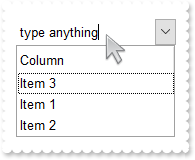
/*
	Copy and paste the following directives to your header file as
	it defines the namespace 'EXCOMBOBOXLib' for the library: 'ExComboBox 1.0 Control Library'

	#import <ExComboBox.dll>
	using namespace EXCOMBOBOXLib;
*/
EXCOMBOBOXLib::IComboBoxPtr spComboBox1 = GetDlgItem(IDC_COMBOBOX1)->GetControlUnknown();
spComboBox1->PutAutoComplete(VARIANT_FALSE);
spComboBox1->PutIntegralHeight(VARIANT_TRUE);
spComboBox1->GetColumns()->Add(L"Column");
EXCOMBOBOXLib::IItemsPtr var_Items = spComboBox1->GetItems();
	var_Items->AddItem("Item 3");
	var_Items->AddItem("Item 1");
	var_Items->AddItem("Item 2");
|
|
550
|
I am calling Value to change the selected value, but the selection is not visible, unless I scroll to it
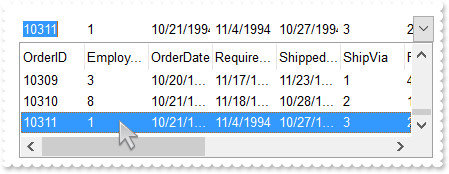
/*
	Copy and paste the following directives to your header file as
	it defines the namespace 'EXCOMBOBOXLib' for the library: 'ExComboBox 1.0 Control Library'

	#import <ExComboBox.dll>
	using namespace EXCOMBOBOXLib;
*/
EXCOMBOBOXLib::IComboBoxPtr spComboBox1 = GetDlgItem(IDC_COMBOBOX1)->GetControlUnknown();
spComboBox1->BeginUpdate();
spComboBox1->PutColumnAutoResize(VARIANT_FALSE);
/*
	Includes the definition for CreateObject function like follows:

	#include <comdef.h>
	IUnknownPtr CreateObject( BSTR Object )
	{
		IUnknownPtr spResult;
		spResult.CreateInstance( Object );
		return spResult;
	};

*/
/*
	Copy and paste the following directives to your header file as
	it defines the namespace 'ADODB' for the library: 'Microsoft ActiveX Data Objects 6.1 Library'

	#import <msado15.dll> rename("EOF","REOF")
*/
ADODB::_RecordsetPtr rs = ::CreateObject(L"ADODB.Recordset");
	rs->Open("Orders","Provider=Microsoft.ACE.OLEDB.12.0;Data Source=C:\\Program Files\\Exontrol\\ExComboBox\\Sample\\Access\\sample.accdb",ADODB::adOpenKeyset,ADODB::adLockReadOnly,0);
spComboBox1->PutDataSource(((ADODB::_RecordsetPtr)(rs)));
spComboBox1->PutValue(long(10311));
EXCOMBOBOXLib::IItemsPtr var_Items = spComboBox1->GetItems();
	var_Items->EnsureVisibleItem(var_Items->GetFocusItem());
spComboBox1->EndUpdate();
|
|
549
|
How can I create a new ADO recordset
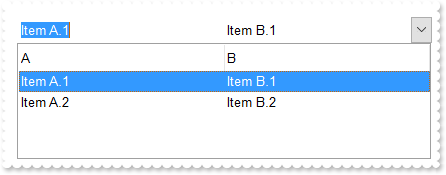
/*
	Copy and paste the following directives to your header file as
	it defines the namespace 'EXCOMBOBOXLib' for the library: 'ExComboBox 1.0 Control Library'

	#import <ExComboBox.dll>
	using namespace EXCOMBOBOXLib;
*/
EXCOMBOBOXLib::IComboBoxPtr spComboBox1 = GetDlgItem(IDC_COMBOBOX1)->GetControlUnknown();
spComboBox1->BeginUpdate();
/*
	Includes the definition for CreateObject function like follows:

	#include <comdef.h>
	IUnknownPtr CreateObject( BSTR Object )
	{
		IUnknownPtr spResult;
		spResult.CreateInstance( Object );
		return spResult;
	};

*/
/*
	Copy and paste the following directives to your header file as
	it defines the namespace 'ADODB' for the library: 'Microsoft ActiveX Data Objects 6.1 Library'

	#import <msado15.dll> rename("EOF","REOF")
*/
ADODB::_RecordsetPtr rs = ::CreateObject(L"ADODB.Recordset");
	rs->GetFields()->Append(L"A",ADODB::adBSTR,0,vtMissing,vtMissing);
	rs->GetFields()->Append(L"B",ADODB::adBSTR,0,vtMissing,vtMissing);
	rs->Open(vtMissing,vtMissing,vtMissing,vtMissing,0);
	rs->AddNew(vtMissing,vtMissing);
	rs->GetFields()->GetItem("A")->PutValue("Item A.1");
	rs->GetFields()->GetItem("B")->PutValue("Item B.1");
	rs->Update(vtMissing,vtMissing);
	rs->AddNew(vtMissing,vtMissing);
	rs->GetFields()->GetItem("A")->PutValue("Item A.2");
	rs->GetFields()->GetItem("B")->PutValue("Item B.2");
	rs->Update(vtMissing,vtMissing);
spComboBox1->PutDataSource(((ADODB::_RecordsetPtr)(rs)));
spComboBox1->PutValue("Item A.1");
spComboBox1->EndUpdate();
|
|
548
|
Do do I get the DAO version I have installed
/*
	Copy and paste the following directives to your header file as
	it defines the namespace 'EXCOMBOBOXLib' for the library: 'ExComboBox 1.0 Control Library'

	#import <ExComboBox.dll>
	using namespace EXCOMBOBOXLib;
*/
EXCOMBOBOXLib::IComboBoxPtr spComboBox1 = GetDlgItem(IDC_COMBOBOX1)->GetControlUnknown();
/*
	Includes the definition for CreateObject function like follows:

	#include <comdef.h>
	IUnknownPtr CreateObject( BSTR Object )
	{
		IUnknownPtr spResult;
		spResult.CreateInstance( Object );
		return spResult;
	};

*/
OutputDebugStringW( ::CreateObject(L"DAO.DBEngine.35")->GetVersion()->GetVersion() );
OutputDebugStringW( ::CreateObject(L"DAO.DBEngine.36")->GetVersion()->GetVersion() );
OutputDebugStringW( ::CreateObject(L"DAO.DBEngine.120")->GetVersion()->GetVersion() );
|
|
547
|
How do I get a list of interfaces the object implemenets
/*
	Copy and paste the following directives to your header file as
	it defines the namespace 'EXCOMBOBOXLib' for the library: 'ExComboBox 1.0 Control Library'

	#import <ExComboBox.dll>
	using namespace EXCOMBOBOXLib;
*/
EXCOMBOBOXLib::IComboBoxPtr spComboBox1 = GetDlgItem(IDC_COMBOBOX1)->GetControlUnknown();
spComboBox1->BeginUpdate();
spComboBox1->PutColumnAutoResize(VARIANT_FALSE);
/*
	Includes the definition for CreateObject function like follows:

	#include <comdef.h>
	IUnknownPtr CreateObject( BSTR Object )
	{
		IUnknownPtr spResult;
		spResult.CreateInstance( Object );
		return spResult;
	};

*/
/*
	Copy and paste the following directives to your header file as
	it defines the namespace 'DAO' for the library: 'Microsoft Office 15.0 Access database engine Object Library'

	#import <ACEDAO.DLL>
*/
DAO::_DBEnginePtr var_PrivDBEngine = ::CreateObject(L"DAO.DBEngine.120");
	DAO::Recordset2Ptr rs = ((DAO::Recordset2Ptr)(var_PrivDBEngine->OpenDatabase(L"C:\\Program Files\\Exontrol\\ExComboBox\\Sample\\Access\\sample.accdb",vtMissing,vtMissing,vtMissing)->OpenRecordset(L"Orders",vtMissing,vtMissing,vtMissing)));
OutputDebugStringW( _bstr_t(::CreateObject(L"Exontrol.PropertiesList")) );
spComboBox1->PutDataSource(((DAO::Recordset2Ptr)(rs)));
spComboBox1->PutValue(long(10248));
spComboBox1->EndUpdate();
|
|
546
|
Do do I get the ADO version I have installed
/*
	Copy and paste the following directives to your header file as
	it defines the namespace 'EXCOMBOBOXLib' for the library: 'ExComboBox 1.0 Control Library'

	#import <ExComboBox.dll>
	using namespace EXCOMBOBOXLib;
*/
EXCOMBOBOXLib::IComboBoxPtr spComboBox1 = GetDlgItem(IDC_COMBOBOX1)->GetControlUnknown();
/*
	Includes the definition for CreateObject function like follows:

	#include <comdef.h>
	IUnknownPtr CreateObject( BSTR Object )
	{
		IUnknownPtr spResult;
		spResult.CreateInstance( Object );
		return spResult;
	};

*/
OutputDebugStringW( L"ADO Version:" );
OutputDebugStringW( ::CreateObject(L"ADODB.Connection")->GetVersion()->GetVersion() );
|
|
545
|
DAO, ACCDB, 120
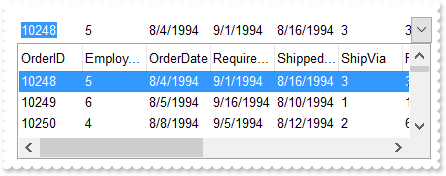
/*
	Copy and paste the following directives to your header file as
	it defines the namespace 'EXCOMBOBOXLib' for the library: 'ExComboBox 1.0 Control Library'

	#import <ExComboBox.dll>
	using namespace EXCOMBOBOXLib;
*/
EXCOMBOBOXLib::IComboBoxPtr spComboBox1 = GetDlgItem(IDC_COMBOBOX1)->GetControlUnknown();
spComboBox1->BeginUpdate();
spComboBox1->PutColumnAutoResize(VARIANT_FALSE);
/*
	Includes the definition for CreateObject function like follows:

	#include <comdef.h>
	IUnknownPtr CreateObject( BSTR Object )
	{
		IUnknownPtr spResult;
		spResult.CreateInstance( Object );
		return spResult;
	};

*/
/*
	Copy and paste the following directives to your header file as
	it defines the namespace 'DAO' for the library: 'Microsoft Office 15.0 Access database engine Object Library'

	#import <ACEDAO.DLL>
*/
DAO::_DBEnginePtr var_PrivDBEngine = ::CreateObject(L"DAO.DBEngine.120");
	DAO::Recordset2Ptr rs = ((DAO::Recordset2Ptr)(var_PrivDBEngine->OpenDatabase(L"C:\\Program Files\\Exontrol\\ExComboBox\\Sample\\Access\\sample.accdb",vtMissing,vtMissing,vtMissing)->OpenRecordset(L"Orders",vtMissing,vtMissing,vtMissing)));
spComboBox1->PutDataSource(((DAO::Recordset2Ptr)(rs)));
spComboBox1->PutValue(long(10248));
spComboBox1->EndUpdate();
|
|
544
|
DAO, MDB, 120
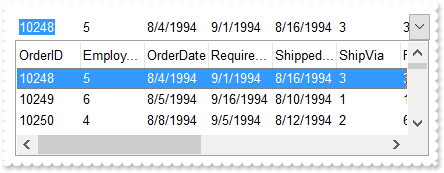
/*
	Copy and paste the following directives to your header file as
	it defines the namespace 'EXCOMBOBOXLib' for the library: 'ExComboBox 1.0 Control Library'

	#import <ExComboBox.dll>
	using namespace EXCOMBOBOXLib;
*/
EXCOMBOBOXLib::IComboBoxPtr spComboBox1 = GetDlgItem(IDC_COMBOBOX1)->GetControlUnknown();
spComboBox1->BeginUpdate();
spComboBox1->PutColumnAutoResize(VARIANT_FALSE);
/*
	Includes the definition for CreateObject function like follows:

	#include <comdef.h>
	IUnknownPtr CreateObject( BSTR Object )
	{
		IUnknownPtr spResult;
		spResult.CreateInstance( Object );
		return spResult;
	};

*/
/*
	Copy and paste the following directives to your header file as
	it defines the namespace 'DAO' for the library: 'Microsoft Office 15.0 Access database engine Object Library'

	#import <ACEDAO.DLL>
*/
DAO::_DBEnginePtr var_PrivDBEngine = ::CreateObject(L"DAO.DBEngine.120");
	DAO::Recordset2Ptr rs = ((DAO::Recordset2Ptr)(var_PrivDBEngine->OpenDatabase(L"C:\\Program Files\\Exontrol\\ExComboBox\\Sample\\Access\\sample.mdb",vtMissing,vtMissing,vtMissing)->OpenRecordset(L"Orders",vtMissing,vtMissing,vtMissing)));
spComboBox1->PutDataSource(((DAO::Recordset2Ptr)(rs)));
spComboBox1->PutValue(long(10248));
spComboBox1->EndUpdate();
|
|
543
|
DAO, MDB
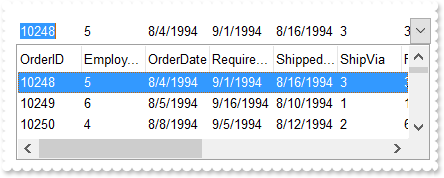
/*
	Copy and paste the following directives to your header file as
	it defines the namespace 'EXCOMBOBOXLib' for the library: 'ExComboBox 1.0 Control Library'

	#import <ExComboBox.dll>
	using namespace EXCOMBOBOXLib;
*/
EXCOMBOBOXLib::IComboBoxPtr spComboBox1 = GetDlgItem(IDC_COMBOBOX1)->GetControlUnknown();
spComboBox1->BeginUpdate();
spComboBox1->PutColumnAutoResize(VARIANT_FALSE);
/*
	Includes the definition for CreateObject function like follows:

	#include <comdef.h>
	IUnknownPtr CreateObject( BSTR Object )
	{
		IUnknownPtr spResult;
		spResult.CreateInstance( Object );
		return spResult;
	};

*/
/*
	Copy and paste the following directives to your header file as
	it defines the namespace 'DAO' for the library: 'Microsoft DAO 3.6 Object Library'

	#import <dao360.dll>
*/
DAO::_DBEnginePtr var_PrivDBEngine = ::CreateObject(L"DAO.DBEngine.36");
	DAO::RecordsetPtr rs = var_PrivDBEngine->OpenDatabase(L"C:\\Program Files\\Exontrol\\ExComboBox\\Sample\\Access\\sample.mdb",vtMissing,vtMissing,vtMissing)->OpenRecordset(L"Orders",vtMissing,vtMissing,vtMissing);
spComboBox1->PutDataSource(((DAO::RecordsetPtr)(rs)));
spComboBox1->PutValue(long(10248));
spComboBox1->EndUpdate();
|
|
542
|
ADODB, ACCDB, x64
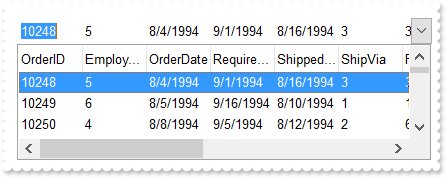
/*
	Copy and paste the following directives to your header file as
	it defines the namespace 'EXCOMBOBOXLib' for the library: 'ExComboBox 1.0 Control Library'

	#import <ExComboBox.dll>
	using namespace EXCOMBOBOXLib;
*/
EXCOMBOBOXLib::IComboBoxPtr spComboBox1 = GetDlgItem(IDC_COMBOBOX1)->GetControlUnknown();
spComboBox1->BeginUpdate();
spComboBox1->PutColumnAutoResize(VARIANT_FALSE);
/*
	Includes the definition for CreateObject function like follows:

	#include <comdef.h>
	IUnknownPtr CreateObject( BSTR Object )
	{
		IUnknownPtr spResult;
		spResult.CreateInstance( Object );
		return spResult;
	};

*/
/*
	Copy and paste the following directives to your header file as
	it defines the namespace 'ADODB' for the library: 'Microsoft ActiveX Data Objects 6.1 Library'

	#import <msado15.dll> rename("EOF","REOF")
*/
ADODB::_RecordsetPtr rs = ::CreateObject(L"ADODB.Recordset");
	rs->Open("Orders","Provider=Microsoft.ACE.OLEDB.12.0;Data Source=C:\\Program Files\\Exontrol\\ExComboBox\\Sample\\Access\\sample.accdb",ADODB::adOpenKeyset,ADODB::adLockReadOnly,0);
spComboBox1->PutDataSource(((ADODB::_RecordsetPtr)(rs)));
spComboBox1->PutValue(long(10248));
spComboBox1->EndUpdate();
|
|
541
|
ADOR, ACCDB
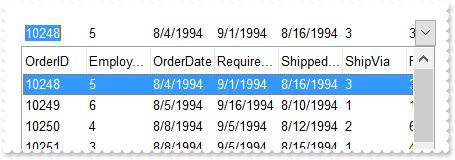
/*
	Copy and paste the following directives to your header file as
	it defines the namespace 'EXCOMBOBOXLib' for the library: 'ExComboBox 1.0 Control Library'

	#import <ExComboBox.dll>
	using namespace EXCOMBOBOXLib;
*/
EXCOMBOBOXLib::IComboBoxPtr spComboBox1 = GetDlgItem(IDC_COMBOBOX1)->GetControlUnknown();
spComboBox1->BeginUpdate();
spComboBox1->PutColumnAutoResize(VARIANT_FALSE);
/*
	Includes the definition for CreateObject function like follows:

	#include <comdef.h>
	IUnknownPtr CreateObject( BSTR Object )
	{
		IUnknownPtr spResult;
		spResult.CreateInstance( Object );
		return spResult;
	};

*/
/*
	Copy and paste the following directives to your header file as
	it defines the namespace 'ADODB' for the library: 'Microsoft ActiveX Data Objects 6.1 Library'

	#import <msado15.dll> rename("EOF","REOF")
*/
ADODB::_RecordsetPtr rs = ::CreateObject(L"ADOR.Recordset");
	rs->Open("Orders","Provider=Microsoft.ACE.OLEDB.12.0;Data Source=C:\\Program Files\\Exontrol\\ExComboBox\\Sample\\Access\\sample.accdb",ADODB::adOpenStatic,ADODB::adLockOptimistic,0);
spComboBox1->PutDataSource(((ADODB::_RecordsetPtr)(rs)));
spComboBox1->PutValue(long(10248));
spComboBox1->EndUpdate();
|
|
540
|
ADODB, MDB
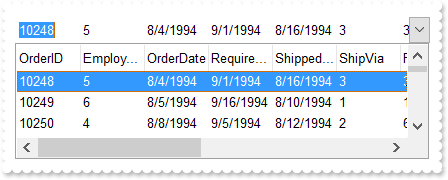
/*
	Copy and paste the following directives to your header file as
	it defines the namespace 'EXCOMBOBOXLib' for the library: 'ExComboBox 1.0 Control Library'

	#import <ExComboBox.dll>
	using namespace EXCOMBOBOXLib;
*/
EXCOMBOBOXLib::IComboBoxPtr spComboBox1 = GetDlgItem(IDC_COMBOBOX1)->GetControlUnknown();
spComboBox1->BeginUpdate();
spComboBox1->PutColumnAutoResize(VARIANT_FALSE);
/*
	Includes the definition for CreateObject function like follows:

	#include <comdef.h>
	IUnknownPtr CreateObject( BSTR Object )
	{
		IUnknownPtr spResult;
		spResult.CreateInstance( Object );
		return spResult;
	};

*/
/*
	Copy and paste the following directives to your header file as
	it defines the namespace 'ADODB' for the library: 'Microsoft ActiveX Data Objects 6.1 Library'

	#import <msado15.dll> rename("EOF","REOF")
*/
ADODB::_RecordsetPtr rs = ::CreateObject(L"ADODB.Recordset");
	rs->Open("Orders","Provider=Microsoft.ACE.OLEDB.12.0;Data Source=C:\\Program Files\\Exontrol\\ExComboBox\\Sample\\Access\\sample.mdb",ADODB::adOpenStatic,ADODB::adLockOptimistic,0);
spComboBox1->PutDataSource(((ADODB::_RecordsetPtr)(rs)));
spComboBox1->PutValue(long(10248));
spComboBox1->EndUpdate();
|
|
539
|
ADOR, MDB
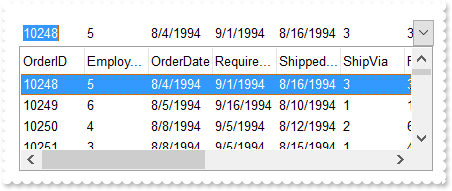
/*
	Copy and paste the following directives to your header file as
	it defines the namespace 'EXCOMBOBOXLib' for the library: 'ExComboBox 1.0 Control Library'

	#import <ExComboBox.dll>
	using namespace EXCOMBOBOXLib;
*/
EXCOMBOBOXLib::IComboBoxPtr spComboBox1 = GetDlgItem(IDC_COMBOBOX1)->GetControlUnknown();
spComboBox1->BeginUpdate();
spComboBox1->PutColumnAutoResize(VARIANT_FALSE);
/*
	Includes the definition for CreateObject function like follows:

	#include <comdef.h>
	IUnknownPtr CreateObject( BSTR Object )
	{
		IUnknownPtr spResult;
		spResult.CreateInstance( Object );
		return spResult;
	};

*/
/*
	Copy and paste the following directives to your header file as
	it defines the namespace 'ADODB' for the library: 'Microsoft ActiveX Data Objects 6.1 Library'

	#import <msado15.dll> rename("EOF","REOF")
*/
ADODB::_RecordsetPtr rs = ::CreateObject(L"ADOR.Recordset");
	rs->Open("Orders","Provider=Microsoft.ACE.OLEDB.12.0;Data Source=C:\\Program Files\\Exontrol\\ExComboBox\\Sample\\Access\\sample.mdb",ADODB::adOpenStatic,ADODB::adLockOptimistic,0);
spComboBox1->PutDataSource(((ADODB::_RecordsetPtr)(rs)));
spComboBox1->PutValue(long(10248));
spComboBox1->EndUpdate();
|
|
538
|
Type of wraps the cell's caption support (Sample 2)
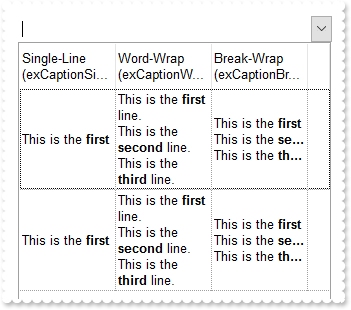
/*
	Copy and paste the following directives to your header file as
	it defines the namespace 'EXCOMBOBOXLib' for the library: 'ExComboBox 1.0 Control Library'

	#import <ExComboBox.dll>
	using namespace EXCOMBOBOXLib;
*/
EXCOMBOBOXLib::IComboBoxPtr spComboBox1 = GetDlgItem(IDC_COMBOBOX1)->GetControlUnknown();
spComboBox1->BeginUpdate();
spComboBox1->PutHeaderSingleLine(VARIANT_FALSE);
spComboBox1->PutHeaderHeight(36);
spComboBox1->PutDrawGridLines(EXCOMBOBOXLib::exRowLines);
spComboBox1->PutColumnAutoResize(VARIANT_FALSE);
spComboBox1->PutScrollBySingleLine(VARIANT_TRUE);
EXCOMBOBOXLib::IColumnsPtr var_Columns = spComboBox1->GetColumns();
	EXCOMBOBOXLib::IColumnPtr var_Column = ((EXCOMBOBOXLib::IColumnPtr)(var_Columns->Add(L"Single-Line (exCaptionSingleLine)")));
		var_Column->PutWidth(96);
		var_Column->PutDef(EXCOMBOBOXLib::exCellCaptionFormat,long(1));
		var_Column->PutDef(EXCOMBOBOXLib::exCellSingleLine,long(-1));
	EXCOMBOBOXLib::IColumnPtr var_Column1 = ((EXCOMBOBOXLib::IColumnPtr)(var_Columns->Add(L"Word-Wrap (exCaptionWordWrap)")));
		var_Column1->PutWidth(96);
		var_Column1->PutDef(EXCOMBOBOXLib::exCellCaptionFormat,long(1));
		var_Column1->PutDef(EXCOMBOBOXLib::exCellSingleLine,long(0));
		var_Column1->PutFormatColumn(L"%0");
	EXCOMBOBOXLib::IColumnPtr var_Column2 = ((EXCOMBOBOXLib::IColumnPtr)(var_Columns->Add(L"Break-Wrap (exCaptionBreakWrap)")));
		var_Column2->PutWidth(96);
		var_Column2->PutDef(EXCOMBOBOXLib::exCellCaptionFormat,long(1));
		var_Column2->PutDef(EXCOMBOBOXLib::exCellSingleLine,long(1));
		var_Column2->PutFormatColumn(L"%0");
EXCOMBOBOXLib::IItemsPtr var_Items = spComboBox1->GetItems();
	var_Items->AddItem("This is the <b>first</b> line.<br>This is the <b>second</b> line.<br>This is the <b>third</b> line.");
	var_Items->AddItem("This is the <b>first</b> line.\\r\\nThis is the <b>second</b> line.\\r\\nThis is the <b>third</b> line.");
spComboBox1->EndUpdate();
|
|
537
|
Type of wraps the cell's caption support (Sample 1)
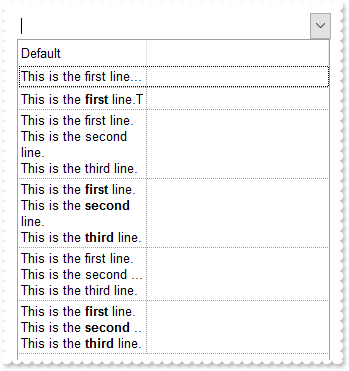
/*
	Copy and paste the following directives to your header file as
	it defines the namespace 'EXCOMBOBOXLib' for the library: 'ExComboBox 1.0 Control Library'

	#import <ExComboBox.dll>
	using namespace EXCOMBOBOXLib;
*/
EXCOMBOBOXLib::IComboBoxPtr spComboBox1 = GetDlgItem(IDC_COMBOBOX1)->GetControlUnknown();
spComboBox1->BeginUpdate();
spComboBox1->PutHeaderSingleLine(VARIANT_FALSE);
spComboBox1->PutHeaderHeight(36);
spComboBox1->PutDrawGridLines(EXCOMBOBOXLib::exRowLines);
spComboBox1->PutColumnAutoResize(VARIANT_FALSE);
spComboBox1->PutScrollBySingleLine(VARIANT_TRUE);
((EXCOMBOBOXLib::IColumnPtr)(spComboBox1->GetColumns()->Add(L"Default")))->PutWidth(128);
EXCOMBOBOXLib::IItemsPtr var_Items = spComboBox1->GetItems();
	long h = var_Items->AddItem("This is the first line.\\r\\nThis is the second line.\\r\\nThis is the third line.");
	h = var_Items->AddItem("This is the <b>first</b> line.<br>This is the <b>second</b> line.<br>This is the <b>third</b> line.");
	var_Items->PutCellCaptionFormat(h,long(0),EXCOMBOBOXLib::exHTML);
	h = var_Items->AddItem("This is the first line.\\r\\nThis is the second line.\\r\\nThis is the third line.");
	var_Items->PutCellSingleLine(h,long(0),EXCOMBOBOXLib::exCaptionWordWrap);
	h = var_Items->AddItem("This is the <b>first</b> line.<br>This is the <b>second</b> line.<br>This is the <b>third</b> line.");
	var_Items->PutCellCaptionFormat(h,long(0),EXCOMBOBOXLib::exHTML);
	var_Items->PutCellSingleLine(h,long(0),EXCOMBOBOXLib::exCaptionWordWrap);
	h = var_Items->AddItem("This is the first line.\\r\\nThis is the second line.\\r\\nThis is the third line.");
	var_Items->PutCellSingleLine(h,long(0),EXCOMBOBOXLib::exCaptionBreakWrap);
	h = var_Items->AddItem("This is the <b>first</b> line.<br>This is the <b>second</b> line.<br>This is the <b>third</b> line.");
	var_Items->PutCellCaptionFormat(h,long(0),EXCOMBOBOXLib::exHTML);
	var_Items->PutCellSingleLine(h,long(0),EXCOMBOBOXLib::exCaptionBreakWrap);
spComboBox1->EndUpdate();
|
|
536
|
Can I break the cell's caption using the line break <br> or \r\n (Sample 2)
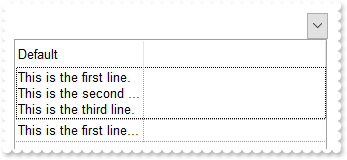
/*
	Copy and paste the following directives to your header file as
	it defines the namespace 'EXCOMBOBOXLib' for the library: 'ExComboBox 1.0 Control Library'

	#import <ExComboBox.dll>
	using namespace EXCOMBOBOXLib;
*/
EXCOMBOBOXLib::IComboBoxPtr spComboBox1 = GetDlgItem(IDC_COMBOBOX1)->GetControlUnknown();
spComboBox1->BeginUpdate();
spComboBox1->PutDrawGridLines(EXCOMBOBOXLib::exRowLines);
spComboBox1->PutColumnAutoResize(VARIANT_FALSE);
spComboBox1->PutScrollBySingleLine(VARIANT_TRUE);
((EXCOMBOBOXLib::IColumnPtr)(spComboBox1->GetColumns()->Add(L"Default")))->PutWidth(128);
EXCOMBOBOXLib::IItemsPtr var_Items = spComboBox1->GetItems();
	var_Items->PutCellSingleLine(var_Items->AddItem("This is the first line.\\r\\nThis is the second line.\\r\\nThis is the third line."),long(0),EXCOMBOBOXLib::exCaptionBreakWrap);
	var_Items->AddItem("This is the first line.\\r\\nThis is the second line.\\r\\nThis is the third line.");
spComboBox1->EndUpdate();
|
|
535
|
Can I break the cell's caption using the line break <br> or \r\n (Sample 1)
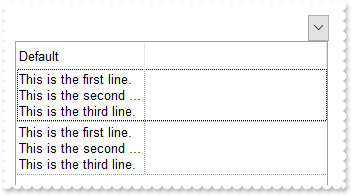
/*
	Copy and paste the following directives to your header file as
	it defines the namespace 'EXCOMBOBOXLib' for the library: 'ExComboBox 1.0 Control Library'

	#import <ExComboBox.dll>
	using namespace EXCOMBOBOXLib;
*/
EXCOMBOBOXLib::IComboBoxPtr spComboBox1 = GetDlgItem(IDC_COMBOBOX1)->GetControlUnknown();
spComboBox1->BeginUpdate();
spComboBox1->PutDrawGridLines(EXCOMBOBOXLib::exRowLines);
spComboBox1->PutColumnAutoResize(VARIANT_FALSE);
spComboBox1->PutScrollBySingleLine(VARIANT_TRUE);
EXCOMBOBOXLib::IColumnPtr var_Column = ((EXCOMBOBOXLib::IColumnPtr)(spComboBox1->GetColumns()->Add(L"Default")));
	var_Column->PutWidth(128);
	var_Column->PutDef(EXCOMBOBOXLib::exCellSingleLine,long(1));
EXCOMBOBOXLib::IItemsPtr var_Items = spComboBox1->GetItems();
	var_Items->AddItem("This is the first line.\\r\\nThis is the second line.\\r\\nThis is the third line.");
	var_Items->AddItem("This is the first line.\\r\\nThis is the second line.\\r\\nThis is the third line.");
spComboBox1->EndUpdate();
|
|
534
|
Export Data in HTML format
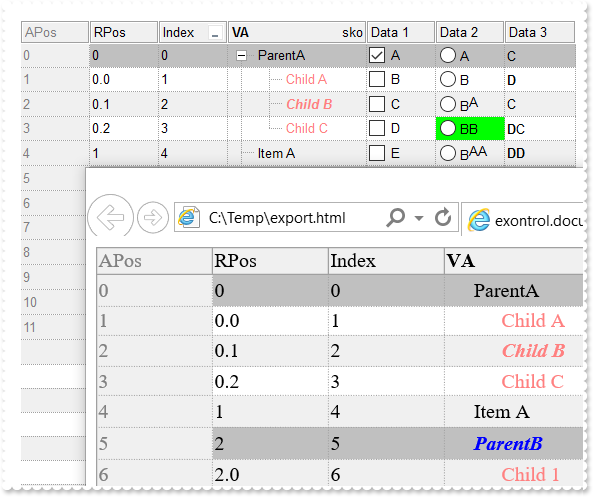
/*
	Copy and paste the following directives to your header file as
	it defines the namespace 'EXCOMBOBOXLib' for the library: 'ExComboBox 1.0 Control Library'

	#import <ExComboBox.dll>
	using namespace EXCOMBOBOXLib;
*/
EXCOMBOBOXLib::IComboBoxPtr spComboBox1 = GetDlgItem(IDC_COMBOBOX1)->GetControlUnknown();
spComboBox1->BeginUpdate();
spComboBox1->PutLinesAtRoot(EXCOMBOBOXLib::exLinesAtRoot);
spComboBox1->PutBackColorAlternate(RGB(240,240,240));
spComboBox1->PutDrawGridLines(EXCOMBOBOXLib::exAllLines);
spComboBox1->PutHeaderAppearance(EXCOMBOBOXLib::Etched);
spComboBox1->PutDescription(EXCOMBOBOXLib::exFilterBarAnd,_bstr_t(spComboBox1->FormatABC(L"`<fgcolor=808080> ` + value + ` </fgcolor>`",spComboBox1->GetDescription(EXCOMBOBOXLib::exFilterBarAnd),vtMissing,vtMissing)));
spComboBox1->PutFilterBarCaption(_bstr_t("(( ( value replace `[<b>` with `<bgcolor=000000><fgcolor=FFFFFF><b> ` replace `</b>]` with ` </b></bgcolor></fgcolor>` replace ") +
	"`[<s>` with `<bgcolor=C0C0C0><fgcolor=FFFFFF> ` replace `</s>]` with ` </fgcolor></bgcolor>` )  + `<r><fgcolor=808080>` + ( matc" +
	"hitemcount < 0 ? ( ( len(value) ? `` : `` ) + `<r>` + abs(matchitemcount + 1) + ` result(s)` ) : (`<r><fgcolor=808080>`+ itemcou" +
	"nt + ` item(s)`) )))");
spComboBox1->PutFilterBarPromptVisible(EXCOMBOBOXLib::FilterBarVisibleEnum(EXCOMBOBOXLib::exFilterBarCompact | EXCOMBOBOXLib::exFilterBarShowCloseIfRequired | EXCOMBOBOXLib::exFilterBarSingleLine | EXCOMBOBOXLib::exFilterBarVisible | EXCOMBOBOXLib::exFilterBarPromptVisible));
spComboBox1->PutFilterBarPromptType(EXCOMBOBOXLib::exFilterPromptContainsAny);
EXCOMBOBOXLib::IConditionalFormatsPtr var_ConditionalFormats = spComboBox1->GetConditionalFormats();
	var_ConditionalFormats->Add(L"%0 like `*parent*`","parent")->PutBackColor(RGB(192,192,192));
	EXCOMBOBOXLib::IConditionalFormatPtr var_ConditionalFormat = var_ConditionalFormats->Add(L"%0 like `*child*`","child");
		var_ConditionalFormat->PutForeColor(RGB(255,128,128));
		var_ConditionalFormat->PutApplyTo(EXCOMBOBOXLib::exFormatToColumns);
	EXCOMBOBOXLib::IConditionalFormatPtr var_ConditionalFormat1 = var_ConditionalFormats->Add(L"%0 like `*B*`","b");
		var_ConditionalFormat1->PutForeColor(RGB(0,0,255));
		var_ConditionalFormat1->PutBold(VARIANT_TRUE);
		var_ConditionalFormat1->PutItalic(VARIANT_TRUE);
		var_ConditionalFormat1->PutApplyTo(EXCOMBOBOXLib::exFormatToColumns);
EXCOMBOBOXLib::IColumnsPtr var_Columns = spComboBox1->GetColumns();
	EXCOMBOBOXLib::IColumnPtr var_Column = ((EXCOMBOBOXLib::IColumnPtr)(var_Columns->Add(L"Value")));
		var_Column->PutWidth(128);
		var_Column->PutHTMLCaption(L"<b>VA</b><r>sko");
	EXCOMBOBOXLib::IColumnPtr var_Column1 = ((EXCOMBOBOXLib::IColumnPtr)(var_Columns->Add(L"APos")));
		var_Column1->PutFormatColumn(L"0 apos ``");
		var_Column1->PutAllowSort(VARIANT_FALSE);
		var_Column1->PutDef(EXCOMBOBOXLib::exCellBackColor,long(15790320));
		var_Column1->PutDef(EXCOMBOBOXLib::exCellForeColor,long(8421504));
		var_Column1->PutDef(EXCOMBOBOXLib::exHeaderForeColor,var_Column1->GetDef(EXCOMBOBOXLib::exCellForeColor));
		var_Column1->PutPosition(0);
	EXCOMBOBOXLib::IColumnPtr var_Column2 = ((EXCOMBOBOXLib::IColumnPtr)(var_Columns->Add(L"RPos")));
		var_Column2->PutFormatColumn(L"0 rpos ``");
		var_Column2->PutAllowSort(VARIANT_FALSE);
		var_Column2->PutPosition(1);
	EXCOMBOBOXLib::IColumnPtr var_Column3 = ((EXCOMBOBOXLib::IColumnPtr)(var_Columns->Add(L"Index")));
		var_Column3->PutFormatColumn(L"0 index ``");
		var_Column3->PutDisplayFilterButton(VARIANT_TRUE);
		var_Column3->PutFilterList(EXCOMBOBOXLib::exShowCheckBox);
		var_Column3->PutPosition(2);
	EXCOMBOBOXLib::IColumnPtr var_Column4 = ((EXCOMBOBOXLib::IColumnPtr)(var_Columns->Add(L"Data 1")));
		var_Column4->PutFormatColumn(L"0 index `A-Z`");
		var_Column4->PutDef(EXCOMBOBOXLib::exCellHasCheckBox,VARIANT_TRUE);
	EXCOMBOBOXLib::IColumnPtr var_Column5 = ((EXCOMBOBOXLib::IColumnPtr)(var_Columns->Add(L"Data 2")));
		var_Column5->PutFormatColumn(L"0 index `AB` replace `A` with `<off -4>A</off>`");
		var_Column5->PutDef(EXCOMBOBOXLib::exCellSingleLine,VARIANT_FALSE);
		var_Column5->PutDef(EXCOMBOBOXLib::exCellCaptionFormat,long(1));
		var_Column5->PutDef(EXCOMBOBOXLib::exCellHasRadioButton,VARIANT_TRUE);
	EXCOMBOBOXLib::IColumnPtr var_Column6 = ((EXCOMBOBOXLib::IColumnPtr)(var_Columns->Add(L"Data 3")));
		var_Column6->PutFormatColumn(L"0 index `CDC` replace `D` with `<b>D</b>`");
		var_Column6->PutDef(EXCOMBOBOXLib::exCellCaptionFormat,long(1));
EXCOMBOBOXLib::IItemsPtr var_Items = spComboBox1->GetItems();
	long h = var_Items->AddItem("ParentA");
	var_Items->InsertItem(h,vtMissing,"Child A");
	var_Items->InsertItem(h,vtMissing,"Child B");
	var_Items->PutCellState(h,long(4),1);
	var_Items->PutCellBackColor(var_Items->InsertItem(h,vtMissing,"Child C"),long(5),RGB(0,255,0));
	var_Items->PutExpandItem(h,VARIANT_TRUE);
	var_Items->AddItem("Item A");
	h = var_Items->AddItem("ParentB");
	var_Items->InsertItem(h,vtMissing,"Child 1");
	var_Items->InsertItem(h,vtMissing,"Child 2");
	var_Items->PutCellBackColor(var_Items->InsertItem(h,vtMissing,"Child 3"),long(5),RGB(0,255,0));
	var_Items->PutCellState(h,long(5),1);
	var_Items->AddItem("Item B");
	var_Items->AddItem("Item C");
	var_Items->AddItem("Item D");
	var_Items->PutExpandItem(h,VARIANT_TRUE);
spComboBox1->EndUpdate();
_bstr_t sFile = "c:/temp/export.html";
spComboBox1->Export(sFile,"vis");
/*
	Includes the definition for CreateObject function like follows:

	#include <comdef.h>
	IUnknownPtr CreateObject( BSTR Object )
	{
		IUnknownPtr spResult;
		spResult.CreateInstance( Object );
		return spResult;
	};

*/
/*
	Copy and paste the following directives to your header file as
	it defines the namespace 'SHDocVw' for the library: 'Microsoft Internet Controls'

	#import <ieframe.dll>
*/
SHDocVw::IWebBrowser2Ptr var_ShellBrowserWindow = ::CreateObject(L"InternetExplorer.Application");
	var_ShellBrowserWindow->Navigate2(sFile,vtMissing,vtMissing,vtMissing,vtMissing);
|
|
533
|
Export Data in CSV format
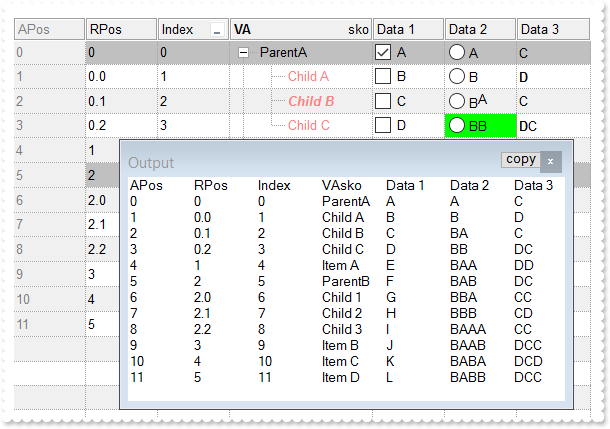
/*
	Copy and paste the following directives to your header file as
	it defines the namespace 'EXCOMBOBOXLib' for the library: 'ExComboBox 1.0 Control Library'

	#import <ExComboBox.dll>
	using namespace EXCOMBOBOXLib;
*/
EXCOMBOBOXLib::IComboBoxPtr spComboBox1 = GetDlgItem(IDC_COMBOBOX1)->GetControlUnknown();
spComboBox1->BeginUpdate();
spComboBox1->PutLinesAtRoot(EXCOMBOBOXLib::exLinesAtRoot);
spComboBox1->PutBackColorAlternate(RGB(240,240,240));
spComboBox1->PutDrawGridLines(EXCOMBOBOXLib::exAllLines);
spComboBox1->PutHeaderAppearance(EXCOMBOBOXLib::Etched);
spComboBox1->PutDescription(EXCOMBOBOXLib::exFilterBarAnd,_bstr_t(spComboBox1->FormatABC(L"`<fgcolor=808080> ` + value + ` </fgcolor>`",spComboBox1->GetDescription(EXCOMBOBOXLib::exFilterBarAnd),vtMissing,vtMissing)));
spComboBox1->PutFilterBarCaption(_bstr_t("(( ( value replace `[<b>` with `<bgcolor=000000><fgcolor=FFFFFF><b> ` replace `</b>]` with ` </b></bgcolor></fgcolor>` replace ") +
	"`[<s>` with `<bgcolor=C0C0C0><fgcolor=FFFFFF> ` replace `</s>]` with ` </fgcolor></bgcolor>` )  + `<r><fgcolor=808080>` + ( matc" +
	"hitemcount < 0 ? ( ( len(value) ? `` : `` ) + `<r>` + abs(matchitemcount + 1) + ` result(s)` ) : (`<r><fgcolor=808080>`+ itemcou" +
	"nt + ` item(s)`) )))");
spComboBox1->PutFilterBarPromptVisible(EXCOMBOBOXLib::FilterBarVisibleEnum(EXCOMBOBOXLib::exFilterBarCompact | EXCOMBOBOXLib::exFilterBarShowCloseIfRequired | EXCOMBOBOXLib::exFilterBarSingleLine | EXCOMBOBOXLib::exFilterBarVisible | EXCOMBOBOXLib::exFilterBarPromptVisible));
spComboBox1->PutFilterBarPromptType(EXCOMBOBOXLib::exFilterPromptContainsAny);
EXCOMBOBOXLib::IConditionalFormatsPtr var_ConditionalFormats = spComboBox1->GetConditionalFormats();
	var_ConditionalFormats->Add(L"%0 like `*parent*`","parent")->PutBackColor(RGB(192,192,192));
	EXCOMBOBOXLib::IConditionalFormatPtr var_ConditionalFormat = var_ConditionalFormats->Add(L"%0 like `*child*`","child");
		var_ConditionalFormat->PutForeColor(RGB(255,128,128));
		var_ConditionalFormat->PutApplyTo(EXCOMBOBOXLib::exFormatToColumns);
	EXCOMBOBOXLib::IConditionalFormatPtr var_ConditionalFormat1 = var_ConditionalFormats->Add(L"%0 like `*B*`","b");
		var_ConditionalFormat1->PutForeColor(RGB(0,0,255));
		var_ConditionalFormat1->PutBold(VARIANT_TRUE);
		var_ConditionalFormat1->PutItalic(VARIANT_TRUE);
		var_ConditionalFormat1->PutApplyTo(EXCOMBOBOXLib::exFormatToColumns);
EXCOMBOBOXLib::IColumnsPtr var_Columns = spComboBox1->GetColumns();
	EXCOMBOBOXLib::IColumnPtr var_Column = ((EXCOMBOBOXLib::IColumnPtr)(var_Columns->Add(L"Value")));
		var_Column->PutWidth(128);
		var_Column->PutHTMLCaption(L"<b>VA</b><r>sko");
	EXCOMBOBOXLib::IColumnPtr var_Column1 = ((EXCOMBOBOXLib::IColumnPtr)(var_Columns->Add(L"APos")));
		var_Column1->PutFormatColumn(L"0 apos ``");
		var_Column1->PutAllowSort(VARIANT_FALSE);
		var_Column1->PutDef(EXCOMBOBOXLib::exCellBackColor,long(15790320));
		var_Column1->PutDef(EXCOMBOBOXLib::exCellForeColor,long(8421504));
		var_Column1->PutDef(EXCOMBOBOXLib::exHeaderForeColor,var_Column1->GetDef(EXCOMBOBOXLib::exCellForeColor));
		var_Column1->PutPosition(0);
	EXCOMBOBOXLib::IColumnPtr var_Column2 = ((EXCOMBOBOXLib::IColumnPtr)(var_Columns->Add(L"RPos")));
		var_Column2->PutFormatColumn(L"0 rpos ``");
		var_Column2->PutAllowSort(VARIANT_FALSE);
		var_Column2->PutPosition(1);
	EXCOMBOBOXLib::IColumnPtr var_Column3 = ((EXCOMBOBOXLib::IColumnPtr)(var_Columns->Add(L"Index")));
		var_Column3->PutFormatColumn(L"0 index ``");
		var_Column3->PutDisplayFilterButton(VARIANT_TRUE);
		var_Column3->PutFilterList(EXCOMBOBOXLib::exShowCheckBox);
		var_Column3->PutPosition(2);
	EXCOMBOBOXLib::IColumnPtr var_Column4 = ((EXCOMBOBOXLib::IColumnPtr)(var_Columns->Add(L"Data 1")));
		var_Column4->PutFormatColumn(L"0 index `A-Z`");
		var_Column4->PutDef(EXCOMBOBOXLib::exCellHasCheckBox,VARIANT_TRUE);
	EXCOMBOBOXLib::IColumnPtr var_Column5 = ((EXCOMBOBOXLib::IColumnPtr)(var_Columns->Add(L"Data 2")));
		var_Column5->PutFormatColumn(L"0 index `AB` replace `A` with `<off -4>A</off>`");
		var_Column5->PutDef(EXCOMBOBOXLib::exCellSingleLine,VARIANT_FALSE);
		var_Column5->PutDef(EXCOMBOBOXLib::exCellCaptionFormat,long(1));
		var_Column5->PutDef(EXCOMBOBOXLib::exCellHasRadioButton,VARIANT_TRUE);
	EXCOMBOBOXLib::IColumnPtr var_Column6 = ((EXCOMBOBOXLib::IColumnPtr)(var_Columns->Add(L"Data 3")));
		var_Column6->PutFormatColumn(L"0 index `CDC` replace `D` with `<b>D</b>`");
		var_Column6->PutDef(EXCOMBOBOXLib::exCellCaptionFormat,long(1));
EXCOMBOBOXLib::IItemsPtr var_Items = spComboBox1->GetItems();
	long h = var_Items->AddItem("ParentA");
	var_Items->InsertItem(h,vtMissing,"Child A");
	var_Items->InsertItem(h,vtMissing,"Child B");
	var_Items->PutCellState(h,long(4),1);
	var_Items->PutCellBackColor(var_Items->InsertItem(h,vtMissing,"Child C"),long(5),RGB(0,255,0));
	var_Items->PutExpandItem(h,VARIANT_TRUE);
	var_Items->AddItem("Item A");
	h = var_Items->AddItem("ParentB");
	var_Items->InsertItem(h,vtMissing,"Child 1");
	var_Items->InsertItem(h,vtMissing,"Child 2");
	var_Items->PutCellBackColor(var_Items->InsertItem(h,vtMissing,"Child 3"),long(5),RGB(0,255,0));
	var_Items->PutCellState(h,long(5),1);
	var_Items->AddItem("Item B");
	var_Items->AddItem("Item C");
	var_Items->AddItem("Item D");
	var_Items->PutExpandItem(h,VARIANT_TRUE);
spComboBox1->EndUpdate();
OutputDebugStringW( _bstr_t(spComboBox1->Export("","vis")) );
|
|
532
|
Is it possible to change the visual appearance of the position signs when user changes the column's position by drag and drop

/*
	Copy and paste the following directives to your header file as
	it defines the namespace 'EXCOMBOBOXLib' for the library: 'ExComboBox 1.0 Control Library'

	#import <ExComboBox.dll>
	using namespace EXCOMBOBOXLib;
*/
EXCOMBOBOXLib::IComboBoxPtr spComboBox1 = GetDlgItem(IDC_COMBOBOX1)->GetControlUnknown();
spComboBox1->BeginUpdate();
spComboBox1->PutHeaderAppearance(EXCOMBOBOXLib::Etched);
EXCOMBOBOXLib::IColumnsPtr var_Columns = spComboBox1->GetColumns();
	var_Columns->Add(L"Column 1");
	var_Columns->Add(L"Column 2");
	var_Columns->Add(L"Column 3");
EXCOMBOBOXLib::IAppearancePtr var_Appearance = spComboBox1->GetVisualAppearance();
	var_Appearance->Add(1,_bstr_t("gBFLBCJwBAEHhEJAAEhABZEGACAADACAxRDgMQBQKAAzAJBIYhiG4cYCgMYxXDOCYXABCEYRXBIZQ7BKNIxjSJwFgmEgADKMA4SOKIZhrE4bBhGaQRUgyI43RhHUBzV") +
	"IUcQvE6TZRHCQYHgkNIhDJIM7TPLkeSVJaTIRoKhJUogApQThTMgVRDEThkGoSa6soSoYTDBKybLrSLKagOT5YUDKUqSdKEZRpEq1YztWbaQoCUoqVRRVIWfbNd4JJa4" +
	"aDhWpYdpeeY5R7bWLgBYVVABL7LLRsSxpHxPF6RXxaeI3GKsaS8G6ic6nPQMHj7I4NS5pUa6Rh2VYNSa8AAtETRYznOw4bTMXAjNIea5bAYIIR5HIoDzVbQcCQAHL9DB" +
	"eEMIQEEISgGhMGZQmocgymoYRRCIEQ0G2HYBnEIBig4V4zCQGINnmagCECY43medZ6H2Pw/g+X5fnueh/h+R5+AKABfkMWgGgGYA4AICoCGCE5WA4CphACMgSD2IRIDI" +
	"BICmEd5YGCBpRjGBgegWIYIgWdgoGIRQsiKCZiAiJZ0gGQI4jUS4LECOAiBmDJflGfg2BSY4Al4OhGkOCJ2DgFJjGGfgqgiH5Ch4RhGkqOQmEOEpkFkHQYhJRYyESAok" +
	"GKHhIhKIxJEmf4VGUeRGFmF5iBkchPhYJQ5GoYIZg6Ug6GoFYmkmNhuhulRGHKGoImefh0BUZ4JmYeoemeSZ2H6HQmgoBgXDqXwUAQgI=");
	var_Appearance->Add(2,"CP:1 0 -36 0 0");
spComboBox1->PutBackground(EXCOMBOBOXLib::exColumnsPositionSign,0x2000000);
spComboBox1->EndUpdate();
|
|
531
|
A black portion is shown while I am using the BackColorAlternate with EBN colors. What can I do
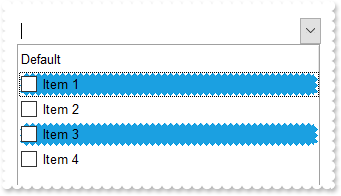
/*
	Copy and paste the following directives to your header file as
	it defines the namespace 'EXCOMBOBOXLib' for the library: 'ExComboBox 1.0 Control Library'

	#import <ExComboBox.dll>
	using namespace EXCOMBOBOXLib;
*/
EXCOMBOBOXLib::IComboBoxPtr spComboBox1 = GetDlgItem(IDC_COMBOBOX1)->GetControlUnknown();
spComboBox1->BeginUpdate();
spComboBox1->PutColumnAutoResize(VARIANT_TRUE);
spComboBox1->PutDefaultItemHeight(20);
spComboBox1->GetVisualAppearance()->Add(1,_bstr_t("gBFLBCJwBAEHhEJAAEhIDhAxHAxg0HG0Mg4xGI3HMOig3GcJiYAf8jAEhhUnAAyhEqg8hk0oAsIjgAiAwmYxGA4mYzGwwkI0i0ooUnB0IBMIl1Dg8zmYyGolptPkI1m") +
	"Y1GAll9KoUslNIrVCqNQldShFUstXAVfrVcrlZtVhuFnsUHq1zoczoQGhFBkNpg6zbDykUkhsPHE2h85nc9n8xtVDtlex9Msd2p1YstVq9ux8HyMtzuFz1PsNTzQlv2h" +
	"hWfkuqpeVuN0q+nvEooN5veSAGpkb/ACcZrvhU3w83nM/poxGuchGpoVBvWgg+8knA4WimnFxI45Er5XOlHMg/Q3XU33W4ew9Wyu11mchDagcO7zus8VDoNBBEIKBpMY" +
	"6DqOQyokhA/IQIQmwMk4bIQFDcoO6LWgwhQkNcABwEyAB5GwWbet6cRQg3DENQ5D8QxADZvEkAB8nabsURGeBpFM3pwE2AEZRpDx/neZpOR3Dz9oO/r/wCMoZNTBQAQR" +
	"JSEwYg8HPGhEIoNCaEwq10gQ2WcRt7LcRxRFpuxUAEURQ3sczBEMgTTG8gN7HpOSEAEiQBAQZpmQ0DibPUFwbKcHwkhQoQtNQNzNEMbABOKDy/DMYQzHLeoPL0OTJSUd" +
	"0pHcxTewk5zrIygIRPslz4lEngBKIAQivgASs/kLSBTlO00f8t0vGcgUbDlDRjXLCUNRERRvRgAHW2oAICA==");
EXCOMBOBOXLib::IColumnPtr var_Column = ((EXCOMBOBOXLib::IColumnPtr)(spComboBox1->GetColumns()->Add(L"Default")));
	var_Column->PutDef(EXCOMBOBOXLib::exCellHasCheckBox,VARIANT_TRUE);
	var_Column->PutPartialCheck(VARIANT_TRUE);
EXCOMBOBOXLib::IColumnPtr var_Column1 = ((EXCOMBOBOXLib::IColumnPtr)(spComboBox1->GetColumns()->Add(L"Position")));
	var_Column1->PutFormatColumn(L"1 rindex ``");
	var_Column1->PutVisible(VARIANT_FALSE);
EXCOMBOBOXLib::IConditionalFormatPtr var_ConditionalFormat = spComboBox1->GetConditionalFormats()->Add(L"%C1 mod 2",vtMissing);
	var_ConditionalFormat->PutBackColor(0x1000000);
EXCOMBOBOXLib::IItemsPtr var_Items = spComboBox1->GetItems();
	var_Items->AddItem("Item 1");
	var_Items->AddItem("Item 2");
	var_Items->AddItem("Item 3");
	var_Items->AddItem("Item 4");
spComboBox1->EndUpdate();
|
|
530
|
How can I specify alternate background colors for each root item, similar with BackColorAlternate
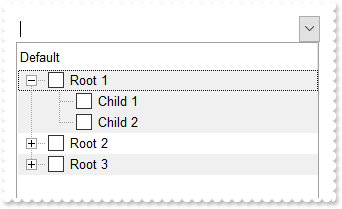
/*
	Copy and paste the following directives to your header file as
	it defines the namespace 'EXCOMBOBOXLib' for the library: 'ExComboBox 1.0 Control Library'

	#import <ExComboBox.dll>
	using namespace EXCOMBOBOXLib;
*/
EXCOMBOBOXLib::IComboBoxPtr spComboBox1 = GetDlgItem(IDC_COMBOBOX1)->GetControlUnknown();
spComboBox1->BeginUpdate();
spComboBox1->PutLinesAtRoot(EXCOMBOBOXLib::exLinesAtRoot);
EXCOMBOBOXLib::IColumnPtr var_Column = ((EXCOMBOBOXLib::IColumnPtr)(spComboBox1->GetColumns()->Add(L"Default")));
	var_Column->PutDef(EXCOMBOBOXLib::exCellHasCheckBox,VARIANT_TRUE);
	var_Column->PutPartialCheck(VARIANT_TRUE);
EXCOMBOBOXLib::IColumnPtr var_Column1 = ((EXCOMBOBOXLib::IColumnPtr)(spComboBox1->GetColumns()->Add(L"Position")));
	var_Column1->PutFormatColumn(L"( ( 1:=( ( 0:=(1 rpos '') ) lfind `.`) ) < 0 ? =:0 : (=:0 left =:1) )");
	var_Column1->PutVisible(VARIANT_FALSE);
EXCOMBOBOXLib::IConditionalFormatPtr var_ConditionalFormat = spComboBox1->GetConditionalFormats()->Add(L"%C1 mod 2",vtMissing);
	var_ConditionalFormat->PutBackColor(RGB(240,240,240));
EXCOMBOBOXLib::IItemsPtr var_Items = spComboBox1->GetItems();
	long h = var_Items->AddItem("Root 1");
	var_Items->InsertItem(h,vtMissing,"Child 1");
	var_Items->InsertItem(h,vtMissing,"Child 2");
	var_Items->PutExpandItem(h,VARIANT_TRUE);
	h = var_Items->AddItem("Root 2");
	var_Items->InsertItem(h,vtMissing,"Child 1");
	var_Items->InsertItem(h,vtMissing,"Child 2");
	h = var_Items->AddItem("Root 3");
	var_Items->InsertItem(h,vtMissing,"Child 1");
	var_Items->InsertItem(h,vtMissing,"Child 2");
spComboBox1->EndUpdate();
|
|
529
|
FilterBarCaption ALL Keyword ( sample 2, result )
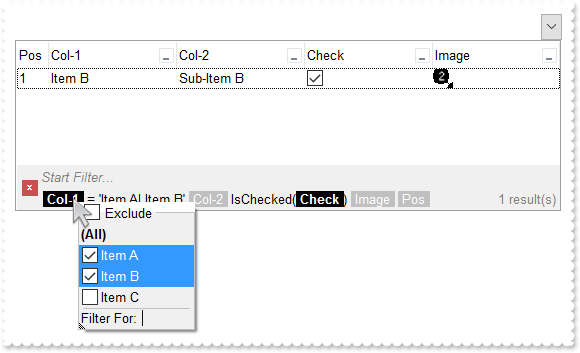
// InsertItem event - Occurs after a new item has been inserted to Items collection.
void OnInsertItemComboBox1(long   Item)
{
	/*
		Copy and paste the following directives to your header file as
		it defines the namespace 'EXCOMBOBOXLib' for the library: 'ExComboBox 1.0 Control Library'
		#import <ExComboBox.dll>
		using namespace EXCOMBOBOXLib;
	*/
	EXCOMBOBOXLib::IComboBoxPtr spComboBox1 = GetDlgItem(IDC_COMBOBOX1)->GetControlUnknown();
	_variant_t i = spComboBox1->FormatABC(L"value + 1",spComboBox1->GetItems()->GetItemToIndex(Item),vtMissing,vtMissing);
	spComboBox1->GetItems()->PutCellImage(Item,long(3),i);
}

EXCOMBOBOXLib::IComboBoxPtr spComboBox1 = GetDlgItem(IDC_COMBOBOX1)->GetControlUnknown();
spComboBox1->BeginUpdate();
spComboBox1->Images(_bstr_t("gBJJgBAIDAAGAAEAAQhYAf8Pf4hh0QihCJo2AEZjQAjEZFEaIEaEEaAIAkcbk0olUrlktl0vmExmUzmk1m03nE5nU7nk9n0/oFBoVDolFo1HpFJpVLplNp1PqFRqVTq") +
	"lVq1XrFZrVbrldr1fsFhsVjslls1ntFptVrtltt1vuFxuVzul1u13vF5vV7vl9v1/wGBwWDwmFw2HxGJxWLxmNx0xiFdyOTh8Tf9ZymXx+QytcyNgz8r0OblWjyWds+m" +
	"0ka1Vf1ta1+r1mos2xrG2xeZ0+a0W0qOx3GO4NV3WeyvD2XJ5XL5nN51aiw+lfSj0gkUkAEllHanHI5j/cHg8EZf7w8vl8j4f/qfEZeB09/vjLAB30+kZQAP/P5/H6/y" +
	"NAOAEAwCjMBwFAEDwJBMDwLBYAP2/8Hv8/gAGAD8LQs9w/nhDY/oygIA=");
EXCOMBOBOXLib::IColumnPtr var_Column = ((EXCOMBOBOXLib::IColumnPtr)(spComboBox1->GetColumns()->Add(L"Col-1")));
	var_Column->PutDisplayFilterButton(VARIANT_TRUE);
	var_Column->PutFilterList(EXCOMBOBOXLib::FilterListEnum(EXCOMBOBOXLib::exShowExclude | EXCOMBOBOXLib::exShowFocusItem | EXCOMBOBOXLib::exShowCheckBox | EXCOMBOBOXLib::exSortItemsAsc));
EXCOMBOBOXLib::IColumnPtr var_Column1 = ((EXCOMBOBOXLib::IColumnPtr)(spComboBox1->GetColumns()->Add(L"Col-2")));
	var_Column1->PutDisplayFilterButton(VARIANT_TRUE);
	var_Column1->PutFilterList(EXCOMBOBOXLib::FilterListEnum(EXCOMBOBOXLib::exShowExclude | EXCOMBOBOXLib::exShowFocusItem | EXCOMBOBOXLib::exShowCheckBox | EXCOMBOBOXLib::exSortItemsAsc));
EXCOMBOBOXLib::IColumnPtr var_Column2 = ((EXCOMBOBOXLib::IColumnPtr)(spComboBox1->GetColumns()->Add(L"Check")));
	var_Column2->PutDef(EXCOMBOBOXLib::exCellHasCheckBox,VARIANT_TRUE);
	var_Column2->PutDisplayFilterButton(VARIANT_TRUE);
	var_Column2->PutDisplayFilterPattern(VARIANT_FALSE);
	var_Column2->PutFilterType(EXCOMBOBOXLib::exCheck);
EXCOMBOBOXLib::IColumnPtr var_Column3 = ((EXCOMBOBOXLib::IColumnPtr)(spComboBox1->GetColumns()->Add(L"Image")));
	var_Column3->PutDisplayFilterButton(VARIANT_TRUE);
	var_Column3->PutFilterType(EXCOMBOBOXLib::exImage);
	var_Column3->PutFilterList(EXCOMBOBOXLib::FilterListEnum(EXCOMBOBOXLib::exShowExclude | EXCOMBOBOXLib::exShowFocusItem | EXCOMBOBOXLib::exShowCheckBox));
EXCOMBOBOXLib::IColumnPtr var_Column4 = ((EXCOMBOBOXLib::IColumnPtr)(spComboBox1->GetColumns()->Add(L"Pos")));
	var_Column4->PutAllowSizing(VARIANT_FALSE);
	var_Column4->PutAllowSort(VARIANT_FALSE);
	var_Column4->PutWidth(32);
	var_Column4->PutFormatColumn(L"1 apos ``");
	var_Column4->PutPosition(0);
EXCOMBOBOXLib::IItemsPtr var_Items = spComboBox1->GetItems();
	var_Items->PutCellCaption(var_Items->AddItem("Item A"),long(1),"Sub-Item A");
	long h = var_Items->AddItem("Item B");
	var_Items->PutCellCaption(h,long(1),"Sub-Item B");
	var_Items->PutCellState(h,long(2),1);
	var_Items->PutCellCaption(var_Items->AddItem("Item C"),long(1),"Sub-Item C");
/*
	Copy and paste the following directives to your header file as
	it defines the namespace 'stdole' for the library: 'OLE Automation'

	#import <stdole2.tlb>
*/
spComboBox1->PutFilterBarFont(IFontDispPtr(((stdole::FontPtr)(spComboBox1->GetFont()))));
spComboBox1->PutDescription(EXCOMBOBOXLib::exFilterBarAnd,_bstr_t(spComboBox1->FormatABC(L"`<fgcolor=808080> ` + value + ` </fgcolor>`",spComboBox1->GetDescription(EXCOMBOBOXLib::exFilterBarAnd),vtMissing,vtMissing)));
spComboBox1->PutFilterBarCaption(_bstr_t("(( ( all replace `[<b>` with `<bgcolor=000000><fgcolor=FFFFFF><b> ` replace `</b>]` with ` </b></bgcolor></fgcolor>` replace `[") +
	"<s>` with `<bgcolor=C0C0C0><fgcolor=FFFFFF> ` replace `</s>]` with ` </fgcolor></bgcolor>` )  + `<r><fgcolor=808080>` + ( matchi" +
	"temcount < 0 ? ( ( len(value) ? `` : `` ) + `<r>` + abs(matchitemcount + 1) + ` result(s)` ) : (`<r><fgcolor=808080>`+ itemcount" +
	" + ` item(s)`) )))");
spComboBox1->PutFilterBarPromptVisible(EXCOMBOBOXLib::FilterBarVisibleEnum(EXCOMBOBOXLib::exFilterBarVisible | EXCOMBOBOXLib::exFilterBarPromptVisible));
EXCOMBOBOXLib::IColumnPtr var_Column5 = spComboBox1->GetColumns()->GetItem(long(0));
	var_Column5->PutFilterType(EXCOMBOBOXLib::exFilter);
	var_Column5->PutFilter(L"Item A|Item B");
spComboBox1->GetColumns()->GetItem(long(2))->PutFilter(L"1");
spComboBox1->ApplyFilter();
spComboBox1->EndUpdate();
|
|
528
|
FilterBarCaption ALL Keyword ( sample 1 )
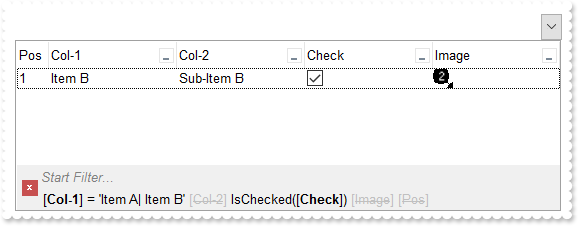
// InsertItem event - Occurs after a new item has been inserted to Items collection.
void OnInsertItemComboBox1(long   Item)
{
	/*
		Copy and paste the following directives to your header file as
		it defines the namespace 'EXCOMBOBOXLib' for the library: 'ExComboBox 1.0 Control Library'
		#import <ExComboBox.dll>
		using namespace EXCOMBOBOXLib;
	*/
	EXCOMBOBOXLib::IComboBoxPtr spComboBox1 = GetDlgItem(IDC_COMBOBOX1)->GetControlUnknown();
	_variant_t i = spComboBox1->FormatABC(L"value + 1",spComboBox1->GetItems()->GetItemToIndex(Item),vtMissing,vtMissing);
	spComboBox1->GetItems()->PutCellImage(Item,long(3),i);
}

EXCOMBOBOXLib::IComboBoxPtr spComboBox1 = GetDlgItem(IDC_COMBOBOX1)->GetControlUnknown();
spComboBox1->BeginUpdate();
spComboBox1->Images(_bstr_t("gBJJgBAIDAAGAAEAAQhYAf8Pf4hh0QihCJo2AEZjQAjEZFEaIEaEEaAIAkcbk0olUrlktl0vmExmUzmk1m03nE5nU7nk9n0/oFBoVDolFo1HpFJpVLplNp1PqFRqVTq") +
	"lVq1XrFZrVbrldr1fsFhsVjslls1ntFptVrtltt1vuFxuVzul1u13vF5vV7vl9v1/wGBwWDwmFw2HxGJxWLxmNx0xiFdyOTh8Tf9ZymXx+QytcyNgz8r0OblWjyWds+m" +
	"0ka1Vf1ta1+r1mos2xrG2xeZ0+a0W0qOx3GO4NV3WeyvD2XJ5XL5nN51aiw+lfSj0gkUkAEllHanHI5j/cHg8EZf7w8vl8j4f/qfEZeB09/vjLAB30+kZQAP/P5/H6/y" +
	"NAOAEAwCjMBwFAEDwJBMDwLBYAP2/8Hv8/gAGAD8LQs9w/nhDY/oygIA=");
EXCOMBOBOXLib::IColumnPtr var_Column = ((EXCOMBOBOXLib::IColumnPtr)(spComboBox1->GetColumns()->Add(L"Col-1")));
	var_Column->PutDisplayFilterButton(VARIANT_TRUE);
	var_Column->PutFilterList(EXCOMBOBOXLib::FilterListEnum(EXCOMBOBOXLib::exShowExclude | EXCOMBOBOXLib::exShowFocusItem | EXCOMBOBOXLib::exShowCheckBox | EXCOMBOBOXLib::exSortItemsAsc));
EXCOMBOBOXLib::IColumnPtr var_Column1 = ((EXCOMBOBOXLib::IColumnPtr)(spComboBox1->GetColumns()->Add(L"Col-2")));
	var_Column1->PutDisplayFilterButton(VARIANT_TRUE);
	var_Column1->PutFilterList(EXCOMBOBOXLib::FilterListEnum(EXCOMBOBOXLib::exShowExclude | EXCOMBOBOXLib::exShowFocusItem | EXCOMBOBOXLib::exShowCheckBox | EXCOMBOBOXLib::exSortItemsAsc));
EXCOMBOBOXLib::IColumnPtr var_Column2 = ((EXCOMBOBOXLib::IColumnPtr)(spComboBox1->GetColumns()->Add(L"Check")));
	var_Column2->PutDef(EXCOMBOBOXLib::exCellHasCheckBox,VARIANT_TRUE);
	var_Column2->PutDisplayFilterButton(VARIANT_TRUE);
	var_Column2->PutDisplayFilterPattern(VARIANT_FALSE);
	var_Column2->PutFilterType(EXCOMBOBOXLib::exCheck);
EXCOMBOBOXLib::IColumnPtr var_Column3 = ((EXCOMBOBOXLib::IColumnPtr)(spComboBox1->GetColumns()->Add(L"Image")));
	var_Column3->PutDisplayFilterButton(VARIANT_TRUE);
	var_Column3->PutFilterType(EXCOMBOBOXLib::exImage);
	var_Column3->PutFilterList(EXCOMBOBOXLib::FilterListEnum(EXCOMBOBOXLib::exShowExclude | EXCOMBOBOXLib::exShowFocusItem | EXCOMBOBOXLib::exShowCheckBox));
EXCOMBOBOXLib::IColumnPtr var_Column4 = ((EXCOMBOBOXLib::IColumnPtr)(spComboBox1->GetColumns()->Add(L"Pos")));
	var_Column4->PutAllowSizing(VARIANT_FALSE);
	var_Column4->PutAllowSort(VARIANT_FALSE);
	var_Column4->PutWidth(32);
	var_Column4->PutFormatColumn(L"1 apos ``");
	var_Column4->PutPosition(0);
EXCOMBOBOXLib::IItemsPtr var_Items = spComboBox1->GetItems();
	var_Items->PutCellCaption(var_Items->AddItem("Item A"),long(1),"Sub-Item A");
	long h = var_Items->AddItem("Item B");
	var_Items->PutCellCaption(h,long(1),"Sub-Item B");
	var_Items->PutCellState(h,long(2),1);
	var_Items->PutCellCaption(var_Items->AddItem("Item C"),long(1),"Sub-Item C");
/*
	Copy and paste the following directives to your header file as
	it defines the namespace 'stdole' for the library: 'OLE Automation'

	#import <stdole2.tlb>
*/
spComboBox1->PutFilterBarFont(IFontDispPtr(((stdole::FontPtr)(spComboBox1->GetFont()))));
spComboBox1->PutDescription(EXCOMBOBOXLib::exFilterBarAnd,_bstr_t(spComboBox1->FormatABC(L"`<fgcolor=808080> ` + value + ` </fgcolor>`",spComboBox1->GetDescription(EXCOMBOBOXLib::exFilterBarAnd),vtMissing,vtMissing)));
spComboBox1->PutFilterBarCaption(L"all");
spComboBox1->PutFilterBarPromptVisible(EXCOMBOBOXLib::FilterBarVisibleEnum(EXCOMBOBOXLib::exFilterBarVisible | EXCOMBOBOXLib::exFilterBarPromptVisible));
EXCOMBOBOXLib::IColumnPtr var_Column5 = spComboBox1->GetColumns()->GetItem(long(0));
	var_Column5->PutFilterType(EXCOMBOBOXLib::exFilter);
	var_Column5->PutFilter(L"Item A|Item B");
spComboBox1->GetColumns()->GetItem(long(2))->PutFilter(L"1");
spComboBox1->ApplyFilter();
spComboBox1->EndUpdate();
|
|
527
|
FilterBarCaption ALLUI Keyword ( sample 2, result )
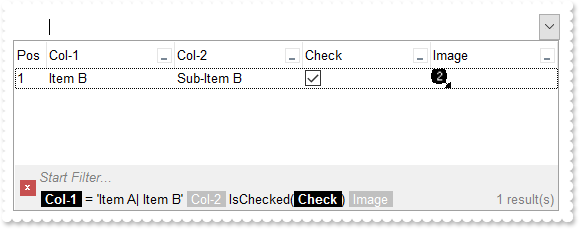
// InsertItem event - Occurs after a new item has been inserted to Items collection.
void OnInsertItemComboBox1(long   Item)
{
	/*
		Copy and paste the following directives to your header file as
		it defines the namespace 'EXCOMBOBOXLib' for the library: 'ExComboBox 1.0 Control Library'
		#import <ExComboBox.dll>
		using namespace EXCOMBOBOXLib;
	*/
	EXCOMBOBOXLib::IComboBoxPtr spComboBox1 = GetDlgItem(IDC_COMBOBOX1)->GetControlUnknown();
	_variant_t i = spComboBox1->FormatABC(L"value + 1",spComboBox1->GetItems()->GetItemToIndex(Item),vtMissing,vtMissing);
	spComboBox1->GetItems()->PutCellImage(Item,long(3),i);
}

EXCOMBOBOXLib::IComboBoxPtr spComboBox1 = GetDlgItem(IDC_COMBOBOX1)->GetControlUnknown();
spComboBox1->BeginUpdate();
spComboBox1->Images(_bstr_t("gBJJgBAIDAAGAAEAAQhYAf8Pf4hh0QihCJo2AEZjQAjEZFEaIEaEEaAIAkcbk0olUrlktl0vmExmUzmk1m03nE5nU7nk9n0/oFBoVDolFo1HpFJpVLplNp1PqFRqVTq") +
	"lVq1XrFZrVbrldr1fsFhsVjslls1ntFptVrtltt1vuFxuVzul1u13vF5vV7vl9v1/wGBwWDwmFw2HxGJxWLxmNx0xiFdyOTh8Tf9ZymXx+QytcyNgz8r0OblWjyWds+m" +
	"0ka1Vf1ta1+r1mos2xrG2xeZ0+a0W0qOx3GO4NV3WeyvD2XJ5XL5nN51aiw+lfSj0gkUkAEllHanHI5j/cHg8EZf7w8vl8j4f/qfEZeB09/vjLAB30+kZQAP/P5/H6/y" +
	"NAOAEAwCjMBwFAEDwJBMDwLBYAP2/8Hv8/gAGAD8LQs9w/nhDY/oygIA=");
EXCOMBOBOXLib::IColumnPtr var_Column = ((EXCOMBOBOXLib::IColumnPtr)(spComboBox1->GetColumns()->Add(L"Col-1")));
	var_Column->PutDisplayFilterButton(VARIANT_TRUE);
	var_Column->PutFilterList(EXCOMBOBOXLib::FilterListEnum(EXCOMBOBOXLib::exShowExclude | EXCOMBOBOXLib::exShowFocusItem | EXCOMBOBOXLib::exShowCheckBox | EXCOMBOBOXLib::exSortItemsAsc));
EXCOMBOBOXLib::IColumnPtr var_Column1 = ((EXCOMBOBOXLib::IColumnPtr)(spComboBox1->GetColumns()->Add(L"Col-2")));
	var_Column1->PutDisplayFilterButton(VARIANT_TRUE);
	var_Column1->PutFilterList(EXCOMBOBOXLib::FilterListEnum(EXCOMBOBOXLib::exShowExclude | EXCOMBOBOXLib::exShowFocusItem | EXCOMBOBOXLib::exShowCheckBox | EXCOMBOBOXLib::exSortItemsAsc));
EXCOMBOBOXLib::IColumnPtr var_Column2 = ((EXCOMBOBOXLib::IColumnPtr)(spComboBox1->GetColumns()->Add(L"Check")));
	var_Column2->PutDef(EXCOMBOBOXLib::exCellHasCheckBox,VARIANT_TRUE);
	var_Column2->PutDisplayFilterButton(VARIANT_TRUE);
	var_Column2->PutDisplayFilterPattern(VARIANT_FALSE);
	var_Column2->PutFilterType(EXCOMBOBOXLib::exCheck);
EXCOMBOBOXLib::IColumnPtr var_Column3 = ((EXCOMBOBOXLib::IColumnPtr)(spComboBox1->GetColumns()->Add(L"Image")));
	var_Column3->PutDisplayFilterButton(VARIANT_TRUE);
	var_Column3->PutFilterType(EXCOMBOBOXLib::exImage);
	var_Column3->PutFilterList(EXCOMBOBOXLib::FilterListEnum(EXCOMBOBOXLib::exShowExclude | EXCOMBOBOXLib::exShowFocusItem | EXCOMBOBOXLib::exShowCheckBox));
EXCOMBOBOXLib::IColumnPtr var_Column4 = ((EXCOMBOBOXLib::IColumnPtr)(spComboBox1->GetColumns()->Add(L"Pos")));
	var_Column4->PutAllowSizing(VARIANT_FALSE);
	var_Column4->PutAllowSort(VARIANT_FALSE);
	var_Column4->PutWidth(32);
	var_Column4->PutFormatColumn(L"1 apos ``");
	var_Column4->PutPosition(0);
EXCOMBOBOXLib::IItemsPtr var_Items = spComboBox1->GetItems();
	var_Items->PutCellCaption(var_Items->AddItem("Item A"),long(1),"Sub-Item A");
	long h = var_Items->AddItem("Item B");
	var_Items->PutCellCaption(h,long(1),"Sub-Item B");
	var_Items->PutCellState(h,long(2),1);
	var_Items->PutCellCaption(var_Items->AddItem("Item C"),long(1),"Sub-Item C");
/*
	Copy and paste the following directives to your header file as
	it defines the namespace 'stdole' for the library: 'OLE Automation'

	#import <stdole2.tlb>
*/
spComboBox1->PutFilterBarFont(IFontDispPtr(((stdole::FontPtr)(spComboBox1->GetFont()))));
spComboBox1->PutDescription(EXCOMBOBOXLib::exFilterBarAnd,_bstr_t(spComboBox1->FormatABC(L"`<fgcolor=808080> ` + value + ` </fgcolor>`",spComboBox1->GetDescription(EXCOMBOBOXLib::exFilterBarAnd),vtMissing,vtMissing)));
spComboBox1->PutFilterBarCaption(_bstr_t("(( ( allui replace `[<b>` with `<bgcolor=000000><fgcolor=FFFFFF><b> ` replace `</b>]` with ` </b></bgcolor></fgcolor>` replace ") +
	"`[<s>` with `<bgcolor=C0C0C0><fgcolor=FFFFFF> ` replace `</s>]` with ` </fgcolor></bgcolor>` )  + `<r><fgcolor=808080>` + ( matc" +
	"hitemcount < 0 ? ( ( len(value) ? `` : `` ) + `<r>` + abs(matchitemcount + 1) + ` result(s)` ) : (`<r><fgcolor=808080>`+ itemcou" +
	"nt + ` item(s)`) )))");
spComboBox1->PutFilterBarPromptVisible(EXCOMBOBOXLib::FilterBarVisibleEnum(EXCOMBOBOXLib::exFilterBarVisible | EXCOMBOBOXLib::exFilterBarPromptVisible));
EXCOMBOBOXLib::IColumnPtr var_Column5 = spComboBox1->GetColumns()->GetItem(long(0));
	var_Column5->PutFilterType(EXCOMBOBOXLib::exFilter);
	var_Column5->PutFilter(L"Item A|Item B");
spComboBox1->GetColumns()->GetItem(long(2))->PutFilter(L"1");
spComboBox1->ApplyFilter();
spComboBox1->EndUpdate();
|
|
526
|
FilterBarCaption ALLUI Keyword ( sample 1 )
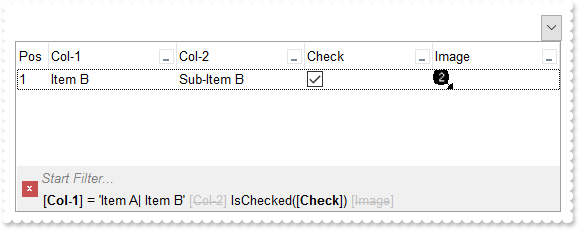
// InsertItem event - Occurs after a new item has been inserted to Items collection.
void OnInsertItemComboBox1(long   Item)
{
	/*
		Copy and paste the following directives to your header file as
		it defines the namespace 'EXCOMBOBOXLib' for the library: 'ExComboBox 1.0 Control Library'
		#import <ExComboBox.dll>
		using namespace EXCOMBOBOXLib;
	*/
	EXCOMBOBOXLib::IComboBoxPtr spComboBox1 = GetDlgItem(IDC_COMBOBOX1)->GetControlUnknown();
	_variant_t i = spComboBox1->FormatABC(L"value + 1",spComboBox1->GetItems()->GetItemToIndex(Item),vtMissing,vtMissing);
	spComboBox1->GetItems()->PutCellImage(Item,long(3),i);
}

EXCOMBOBOXLib::IComboBoxPtr spComboBox1 = GetDlgItem(IDC_COMBOBOX1)->GetControlUnknown();
spComboBox1->BeginUpdate();
spComboBox1->Images(_bstr_t("gBJJgBAIDAAGAAEAAQhYAf8Pf4hh0QihCJo2AEZjQAjEZFEaIEaEEaAIAkcbk0olUrlktl0vmExmUzmk1m03nE5nU7nk9n0/oFBoVDolFo1HpFJpVLplNp1PqFRqVTq") +
	"lVq1XrFZrVbrldr1fsFhsVjslls1ntFptVrtltt1vuFxuVzul1u13vF5vV7vl9v1/wGBwWDwmFw2HxGJxWLxmNx0xiFdyOTh8Tf9ZymXx+QytcyNgz8r0OblWjyWds+m" +
	"0ka1Vf1ta1+r1mos2xrG2xeZ0+a0W0qOx3GO4NV3WeyvD2XJ5XL5nN51aiw+lfSj0gkUkAEllHanHI5j/cHg8EZf7w8vl8j4f/qfEZeB09/vjLAB30+kZQAP/P5/H6/y" +
	"NAOAEAwCjMBwFAEDwJBMDwLBYAP2/8Hv8/gAGAD8LQs9w/nhDY/oygIA=");
EXCOMBOBOXLib::IColumnPtr var_Column = ((EXCOMBOBOXLib::IColumnPtr)(spComboBox1->GetColumns()->Add(L"Col-1")));
	var_Column->PutDisplayFilterButton(VARIANT_TRUE);
	var_Column->PutFilterList(EXCOMBOBOXLib::FilterListEnum(EXCOMBOBOXLib::exShowExclude | EXCOMBOBOXLib::exShowFocusItem | EXCOMBOBOXLib::exShowCheckBox | EXCOMBOBOXLib::exSortItemsAsc));
EXCOMBOBOXLib::IColumnPtr var_Column1 = ((EXCOMBOBOXLib::IColumnPtr)(spComboBox1->GetColumns()->Add(L"Col-2")));
	var_Column1->PutDisplayFilterButton(VARIANT_TRUE);
	var_Column1->PutFilterList(EXCOMBOBOXLib::FilterListEnum(EXCOMBOBOXLib::exShowExclude | EXCOMBOBOXLib::exShowFocusItem | EXCOMBOBOXLib::exShowCheckBox | EXCOMBOBOXLib::exSortItemsAsc));
EXCOMBOBOXLib::IColumnPtr var_Column2 = ((EXCOMBOBOXLib::IColumnPtr)(spComboBox1->GetColumns()->Add(L"Check")));
	var_Column2->PutDef(EXCOMBOBOXLib::exCellHasCheckBox,VARIANT_TRUE);
	var_Column2->PutDisplayFilterButton(VARIANT_TRUE);
	var_Column2->PutDisplayFilterPattern(VARIANT_FALSE);
	var_Column2->PutFilterType(EXCOMBOBOXLib::exCheck);
EXCOMBOBOXLib::IColumnPtr var_Column3 = ((EXCOMBOBOXLib::IColumnPtr)(spComboBox1->GetColumns()->Add(L"Image")));
	var_Column3->PutDisplayFilterButton(VARIANT_TRUE);
	var_Column3->PutFilterType(EXCOMBOBOXLib::exImage);
	var_Column3->PutFilterList(EXCOMBOBOXLib::FilterListEnum(EXCOMBOBOXLib::exShowExclude | EXCOMBOBOXLib::exShowFocusItem | EXCOMBOBOXLib::exShowCheckBox));
EXCOMBOBOXLib::IColumnPtr var_Column4 = ((EXCOMBOBOXLib::IColumnPtr)(spComboBox1->GetColumns()->Add(L"Pos")));
	var_Column4->PutAllowSizing(VARIANT_FALSE);
	var_Column4->PutAllowSort(VARIANT_FALSE);
	var_Column4->PutWidth(32);
	var_Column4->PutFormatColumn(L"1 apos ``");
	var_Column4->PutPosition(0);
EXCOMBOBOXLib::IItemsPtr var_Items = spComboBox1->GetItems();
	var_Items->PutCellCaption(var_Items->AddItem("Item A"),long(1),"Sub-Item A");
	long h = var_Items->AddItem("Item B");
	var_Items->PutCellCaption(h,long(1),"Sub-Item B");
	var_Items->PutCellState(h,long(2),1);
	var_Items->PutCellCaption(var_Items->AddItem("Item C"),long(1),"Sub-Item C");
/*
	Copy and paste the following directives to your header file as
	it defines the namespace 'stdole' for the library: 'OLE Automation'

	#import <stdole2.tlb>
*/
spComboBox1->PutFilterBarFont(IFontDispPtr(((stdole::FontPtr)(spComboBox1->GetFont()))));
spComboBox1->PutDescription(EXCOMBOBOXLib::exFilterBarAnd,_bstr_t(spComboBox1->FormatABC(L"`<fgcolor=808080> ` + value + ` </fgcolor>`",spComboBox1->GetDescription(EXCOMBOBOXLib::exFilterBarAnd),vtMissing,vtMissing)));
spComboBox1->PutFilterBarCaption(L"allui");
spComboBox1->PutFilterBarPromptVisible(EXCOMBOBOXLib::FilterBarVisibleEnum(EXCOMBOBOXLib::exFilterBarVisible | EXCOMBOBOXLib::exFilterBarPromptVisible));
EXCOMBOBOXLib::IColumnPtr var_Column5 = spComboBox1->GetColumns()->GetItem(long(0));
	var_Column5->PutFilterType(EXCOMBOBOXLib::exFilter);
	var_Column5->PutFilter(L"Item A|Item B");
spComboBox1->GetColumns()->GetItem(long(2))->PutFilter(L"1");
spComboBox1->ApplyFilter();
spComboBox1->EndUpdate();
|
|
525
|
FilterBarCaption AVAILABLE Keyword ( sample 2, result )
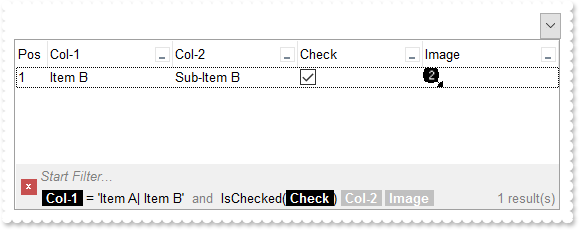
// InsertItem event - Occurs after a new item has been inserted to Items collection.
void OnInsertItemComboBox1(long   Item)
{
	/*
		Copy and paste the following directives to your header file as
		it defines the namespace 'EXCOMBOBOXLib' for the library: 'ExComboBox 1.0 Control Library'
		#import <ExComboBox.dll>
		using namespace EXCOMBOBOXLib;
	*/
	EXCOMBOBOXLib::IComboBoxPtr spComboBox1 = GetDlgItem(IDC_COMBOBOX1)->GetControlUnknown();
	_variant_t i = spComboBox1->FormatABC(L"value + 1",spComboBox1->GetItems()->GetItemToIndex(Item),vtMissing,vtMissing);
	spComboBox1->GetItems()->PutCellImage(Item,long(3),i);
}

EXCOMBOBOXLib::IComboBoxPtr spComboBox1 = GetDlgItem(IDC_COMBOBOX1)->GetControlUnknown();
spComboBox1->BeginUpdate();
spComboBox1->Images(_bstr_t("gBJJgBAIDAAGAAEAAQhYAf8Pf4hh0QihCJo2AEZjQAjEZFEaIEaEEaAIAkcbk0olUrlktl0vmExmUzmk1m03nE5nU7nk9n0/oFBoVDolFo1HpFJpVLplNp1PqFRqVTq") +
	"lVq1XrFZrVbrldr1fsFhsVjslls1ntFptVrtltt1vuFxuVzul1u13vF5vV7vl9v1/wGBwWDwmFw2HxGJxWLxmNx0xiFdyOTh8Tf9ZymXx+QytcyNgz8r0OblWjyWds+m" +
	"0ka1Vf1ta1+r1mos2xrG2xeZ0+a0W0qOx3GO4NV3WeyvD2XJ5XL5nN51aiw+lfSj0gkUkAEllHanHI5j/cHg8EZf7w8vl8j4f/qfEZeB09/vjLAB30+kZQAP/P5/H6/y" +
	"NAOAEAwCjMBwFAEDwJBMDwLBYAP2/8Hv8/gAGAD8LQs9w/nhDY/oygIA=");
EXCOMBOBOXLib::IColumnPtr var_Column = ((EXCOMBOBOXLib::IColumnPtr)(spComboBox1->GetColumns()->Add(L"Col-1")));
	var_Column->PutDisplayFilterButton(VARIANT_TRUE);
	var_Column->PutFilterList(EXCOMBOBOXLib::FilterListEnum(EXCOMBOBOXLib::exShowExclude | EXCOMBOBOXLib::exShowFocusItem | EXCOMBOBOXLib::exShowCheckBox | EXCOMBOBOXLib::exSortItemsAsc));
EXCOMBOBOXLib::IColumnPtr var_Column1 = ((EXCOMBOBOXLib::IColumnPtr)(spComboBox1->GetColumns()->Add(L"Col-2")));
	var_Column1->PutDisplayFilterButton(VARIANT_TRUE);
	var_Column1->PutFilterList(EXCOMBOBOXLib::FilterListEnum(EXCOMBOBOXLib::exShowExclude | EXCOMBOBOXLib::exShowFocusItem | EXCOMBOBOXLib::exShowCheckBox | EXCOMBOBOXLib::exSortItemsAsc));
EXCOMBOBOXLib::IColumnPtr var_Column2 = ((EXCOMBOBOXLib::IColumnPtr)(spComboBox1->GetColumns()->Add(L"Check")));
	var_Column2->PutDef(EXCOMBOBOXLib::exCellHasCheckBox,VARIANT_TRUE);
	var_Column2->PutDisplayFilterButton(VARIANT_TRUE);
	var_Column2->PutDisplayFilterPattern(VARIANT_FALSE);
	var_Column2->PutFilterType(EXCOMBOBOXLib::exCheck);
EXCOMBOBOXLib::IColumnPtr var_Column3 = ((EXCOMBOBOXLib::IColumnPtr)(spComboBox1->GetColumns()->Add(L"Image")));
	var_Column3->PutDisplayFilterButton(VARIANT_TRUE);
	var_Column3->PutFilterType(EXCOMBOBOXLib::exImage);
	var_Column3->PutFilterList(EXCOMBOBOXLib::FilterListEnum(EXCOMBOBOXLib::exShowExclude | EXCOMBOBOXLib::exShowFocusItem | EXCOMBOBOXLib::exShowCheckBox));
EXCOMBOBOXLib::IColumnPtr var_Column4 = ((EXCOMBOBOXLib::IColumnPtr)(spComboBox1->GetColumns()->Add(L"Pos")));
	var_Column4->PutAllowSizing(VARIANT_FALSE);
	var_Column4->PutAllowSort(VARIANT_FALSE);
	var_Column4->PutWidth(32);
	var_Column4->PutFormatColumn(L"1 apos ``");
	var_Column4->PutPosition(0);
EXCOMBOBOXLib::IItemsPtr var_Items = spComboBox1->GetItems();
	var_Items->PutCellCaption(var_Items->AddItem("Item A"),long(1),"Sub-Item A");
	long h = var_Items->AddItem("Item B");
	var_Items->PutCellCaption(h,long(1),"Sub-Item B");
	var_Items->PutCellState(h,long(2),1);
	var_Items->PutCellCaption(var_Items->AddItem("Item C"),long(1),"Sub-Item C");
/*
	Copy and paste the following directives to your header file as
	it defines the namespace 'stdole' for the library: 'OLE Automation'

	#import <stdole2.tlb>
*/
spComboBox1->PutFilterBarFont(IFontDispPtr(((stdole::FontPtr)(spComboBox1->GetFont()))));
spComboBox1->PutDescription(EXCOMBOBOXLib::exFilterBarAnd,_bstr_t(spComboBox1->FormatABC(L"`<fgcolor=808080> ` + value + ` </fgcolor>`",spComboBox1->GetDescription(EXCOMBOBOXLib::exFilterBarAnd),vtMissing,vtMissing)));
spComboBox1->PutFilterBarCaption(_bstr_t("(( ( value replace `[` with `<bgcolor=000000><fgcolor=FFFFFF><b> ` replace `]` with ` </b></bgcolor></fgcolor>` ) + ` ` + ( ava") +
	"ilable replace `[` with `<bgcolor=C0C0C0><fgcolor=FFFFFF><b> ` replace `]` with ` </b></bgcolor></fgcolor>` replace `<s>` with `" +
	"` replace `</s>` with `` ) + `<fgcolor=808080>` + ( matchitemcount < 0 ? ( ( len(value) ? `` : `` ) + `<r>` + abs(matchitemcount" +
	" + 1) + ` result(s)` ) : (`<r><fgcolor=808080>`+ itemcount + ` item(s)`) )))");
spComboBox1->PutFilterBarPromptVisible(EXCOMBOBOXLib::FilterBarVisibleEnum(EXCOMBOBOXLib::exFilterBarVisible | EXCOMBOBOXLib::exFilterBarPromptVisible));
EXCOMBOBOXLib::IColumnPtr var_Column5 = spComboBox1->GetColumns()->GetItem(long(0));
	var_Column5->PutFilterType(EXCOMBOBOXLib::exFilter);
	var_Column5->PutFilter(L"Item A|Item B");
spComboBox1->GetColumns()->GetItem(long(2))->PutFilter(L"1");
spComboBox1->ApplyFilter();
spComboBox1->EndUpdate();
|
|
524
|
FilterBarCaption AVAILABLE Keyword ( sample 1 )
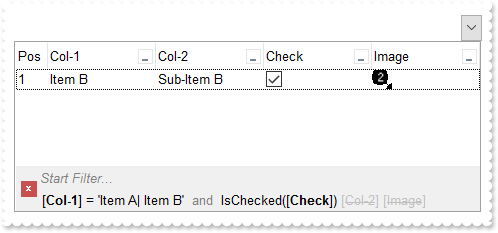
// InsertItem event - Occurs after a new item has been inserted to Items collection.
void OnInsertItemComboBox1(long   Item)
{
	/*
		Copy and paste the following directives to your header file as
		it defines the namespace 'EXCOMBOBOXLib' for the library: 'ExComboBox 1.0 Control Library'
		#import <ExComboBox.dll>
		using namespace EXCOMBOBOXLib;
	*/
	EXCOMBOBOXLib::IComboBoxPtr spComboBox1 = GetDlgItem(IDC_COMBOBOX1)->GetControlUnknown();
	_variant_t i = spComboBox1->FormatABC(L"value + 1",spComboBox1->GetItems()->GetItemToIndex(Item),vtMissing,vtMissing);
	spComboBox1->GetItems()->PutCellImage(Item,long(3),i);
}

EXCOMBOBOXLib::IComboBoxPtr spComboBox1 = GetDlgItem(IDC_COMBOBOX1)->GetControlUnknown();
spComboBox1->BeginUpdate();
spComboBox1->Images(_bstr_t("gBJJgBAIDAAGAAEAAQhYAf8Pf4hh0QihCJo2AEZjQAjEZFEaIEaEEaAIAkcbk0olUrlktl0vmExmUzmk1m03nE5nU7nk9n0/oFBoVDolFo1HpFJpVLplNp1PqFRqVTq") +
	"lVq1XrFZrVbrldr1fsFhsVjslls1ntFptVrtltt1vuFxuVzul1u13vF5vV7vl9v1/wGBwWDwmFw2HxGJxWLxmNx0xiFdyOTh8Tf9ZymXx+QytcyNgz8r0OblWjyWds+m" +
	"0ka1Vf1ta1+r1mos2xrG2xeZ0+a0W0qOx3GO4NV3WeyvD2XJ5XL5nN51aiw+lfSj0gkUkAEllHanHI5j/cHg8EZf7w8vl8j4f/qfEZeB09/vjLAB30+kZQAP/P5/H6/y" +
	"NAOAEAwCjMBwFAEDwJBMDwLBYAP2/8Hv8/gAGAD8LQs9w/nhDY/oygIA=");
EXCOMBOBOXLib::IColumnPtr var_Column = ((EXCOMBOBOXLib::IColumnPtr)(spComboBox1->GetColumns()->Add(L"Col-1")));
	var_Column->PutDisplayFilterButton(VARIANT_TRUE);
	var_Column->PutFilterList(EXCOMBOBOXLib::FilterListEnum(EXCOMBOBOXLib::exShowExclude | EXCOMBOBOXLib::exShowFocusItem | EXCOMBOBOXLib::exShowCheckBox | EXCOMBOBOXLib::exSortItemsAsc));
EXCOMBOBOXLib::IColumnPtr var_Column1 = ((EXCOMBOBOXLib::IColumnPtr)(spComboBox1->GetColumns()->Add(L"Col-2")));
	var_Column1->PutDisplayFilterButton(VARIANT_TRUE);
	var_Column1->PutFilterList(EXCOMBOBOXLib::FilterListEnum(EXCOMBOBOXLib::exShowExclude | EXCOMBOBOXLib::exShowFocusItem | EXCOMBOBOXLib::exShowCheckBox | EXCOMBOBOXLib::exSortItemsAsc));
EXCOMBOBOXLib::IColumnPtr var_Column2 = ((EXCOMBOBOXLib::IColumnPtr)(spComboBox1->GetColumns()->Add(L"Check")));
	var_Column2->PutDef(EXCOMBOBOXLib::exCellHasCheckBox,VARIANT_TRUE);
	var_Column2->PutDisplayFilterButton(VARIANT_TRUE);
	var_Column2->PutDisplayFilterPattern(VARIANT_FALSE);
	var_Column2->PutFilterType(EXCOMBOBOXLib::exCheck);
EXCOMBOBOXLib::IColumnPtr var_Column3 = ((EXCOMBOBOXLib::IColumnPtr)(spComboBox1->GetColumns()->Add(L"Image")));
	var_Column3->PutDisplayFilterButton(VARIANT_TRUE);
	var_Column3->PutFilterType(EXCOMBOBOXLib::exImage);
	var_Column3->PutFilterList(EXCOMBOBOXLib::FilterListEnum(EXCOMBOBOXLib::exShowExclude | EXCOMBOBOXLib::exShowFocusItem | EXCOMBOBOXLib::exShowCheckBox));
EXCOMBOBOXLib::IColumnPtr var_Column4 = ((EXCOMBOBOXLib::IColumnPtr)(spComboBox1->GetColumns()->Add(L"Pos")));
	var_Column4->PutAllowSizing(VARIANT_FALSE);
	var_Column4->PutAllowSort(VARIANT_FALSE);
	var_Column4->PutWidth(32);
	var_Column4->PutFormatColumn(L"1 apos ``");
	var_Column4->PutPosition(0);
EXCOMBOBOXLib::IItemsPtr var_Items = spComboBox1->GetItems();
	var_Items->PutCellCaption(var_Items->AddItem("Item A"),long(1),"Sub-Item A");
	long h = var_Items->AddItem("Item B");
	var_Items->PutCellCaption(h,long(1),"Sub-Item B");
	var_Items->PutCellState(h,long(2),1);
	var_Items->PutCellCaption(var_Items->AddItem("Item C"),long(1),"Sub-Item C");
/*
	Copy and paste the following directives to your header file as
	it defines the namespace 'stdole' for the library: 'OLE Automation'

	#import <stdole2.tlb>
*/
spComboBox1->PutFilterBarFont(IFontDispPtr(((stdole::FontPtr)(spComboBox1->GetFont()))));
spComboBox1->PutDescription(EXCOMBOBOXLib::exFilterBarAnd,_bstr_t(spComboBox1->FormatABC(L"`<fgcolor=808080> ` + value + ` </fgcolor>`",spComboBox1->GetDescription(EXCOMBOBOXLib::exFilterBarAnd),vtMissing,vtMissing)));
spComboBox1->PutFilterBarCaption(L"value + ` ` + available");
spComboBox1->PutFilterBarPromptVisible(EXCOMBOBOXLib::FilterBarVisibleEnum(EXCOMBOBOXLib::exFilterBarVisible | EXCOMBOBOXLib::exFilterBarPromptVisible));
EXCOMBOBOXLib::IColumnPtr var_Column5 = spComboBox1->GetColumns()->GetItem(long(0));
	var_Column5->PutFilterType(EXCOMBOBOXLib::exFilter);
	var_Column5->PutFilter(L"Item A|Item B");
spComboBox1->GetColumns()->GetItem(long(2))->PutFilter(L"1");
spComboBox1->ApplyFilter();
spComboBox1->EndUpdate();
|
|
523
|
Is it possible to somehow highlight the column's name different than its filter value in the control's filter bar ( sample 3, results )
/*
	Copy and paste the following directives to your header file as
	it defines the namespace 'EXCOMBOBOXLib' for the library: 'ExComboBox 1.0 Control Library'

	#import <ExComboBox.dll>
	using namespace EXCOMBOBOXLib;
*/
EXCOMBOBOXLib::IComboBoxPtr spComboBox1 = GetDlgItem(IDC_COMBOBOX1)->GetControlUnknown();
spComboBox1->BeginUpdate();
EXCOMBOBOXLib::IColumnPtr var_Column = ((EXCOMBOBOXLib::IColumnPtr)(spComboBox1->GetColumns()->Add(L"Col-1")));
	var_Column->PutDisplayFilterButton(VARIANT_TRUE);
	var_Column->PutFilterList(EXCOMBOBOXLib::FilterListEnum(EXCOMBOBOXLib::exShowExclude | EXCOMBOBOXLib::exShowFocusItem | EXCOMBOBOXLib::exShowCheckBox | EXCOMBOBOXLib::exSortItemsAsc));
EXCOMBOBOXLib::IColumnPtr var_Column1 = ((EXCOMBOBOXLib::IColumnPtr)(spComboBox1->GetColumns()->Add(L"Col-2")));
	var_Column1->PutDisplayFilterButton(VARIANT_TRUE);
	var_Column1->PutFilterList(EXCOMBOBOXLib::FilterListEnum(EXCOMBOBOXLib::exShowExclude | EXCOMBOBOXLib::exShowFocusItem | EXCOMBOBOXLib::exShowCheckBox | EXCOMBOBOXLib::exSortItemsAsc));
EXCOMBOBOXLib::IColumnPtr var_Column2 = ((EXCOMBOBOXLib::IColumnPtr)(spComboBox1->GetColumns()->Add(L"Pos")));
	var_Column2->PutAllowSizing(VARIANT_FALSE);
	var_Column2->PutAllowSort(VARIANT_FALSE);
	var_Column2->PutWidth(32);
	var_Column2->PutFormatColumn(L"1 apos ``");
	var_Column2->PutPosition(0);
EXCOMBOBOXLib::IItemsPtr var_Items = spComboBox1->GetItems();
	var_Items->PutCellCaption(var_Items->AddItem("Item A"),long(1),"Sub-Item A");
	var_Items->PutCellCaption(var_Items->AddItem("Item B"),long(1),"Sub-Item B");
	var_Items->PutCellCaption(var_Items->AddItem("Item C"),long(1),"Sub-Item C");
/*
	Copy and paste the following directives to your header file as
	it defines the namespace 'stdole' for the library: 'OLE Automation'

	#import <stdole2.tlb>
*/
spComboBox1->PutFilterBarFont(IFontDispPtr(((stdole::FontPtr)(spComboBox1->GetFont()))));
spComboBox1->PutDescription(EXCOMBOBOXLib::exFilterBarAnd,_bstr_t(spComboBox1->FormatABC(L"`<fgcolor=808080>` + value + `</fgcolor>`",spComboBox1->GetDescription(EXCOMBOBOXLib::exFilterBarAnd),vtMissing,vtMissing)));
spComboBox1->PutFilterBarCaption(_bstr_t("(`<b>` + value + `</b><fgcolor=808080>` + ( matchitemcount < 0 ? ( ( len(value) ? `` : `` ) + `<r>` + abs(matchitemcount + 1) +") +
	" ` result(s)` ) : (`<fgcolor=808080>`+ itemcount + ` item(s)`) )) replace `[` with `<bgcolor=000000><fgcolor=FFFFFF><b> ` replac" +
	"e `]` with ` </b></bgcolor></fgcolor>`");
spComboBox1->PutFilterBarPromptVisible(EXCOMBOBOXLib::exFilterBarToggle);
EXCOMBOBOXLib::IColumnPtr var_Column3 = spComboBox1->GetColumns()->GetItem(long(0));
	var_Column3->PutFilterType(EXCOMBOBOXLib::exFilter);
	var_Column3->PutFilter(L"Item A|Item B");
EXCOMBOBOXLib::IColumnPtr var_Column4 = spComboBox1->GetColumns()->GetItem(long(1));
	var_Column4->PutFilterType(EXCOMBOBOXLib::exPattern);
	var_Column4->PutFilter(L"*B");
spComboBox1->ApplyFilter();
spComboBox1->EndUpdate();
|
|
522
|
Is it possible to somehow highlight the column's name different than its filter value in the control's filter bar ( sample 2 )
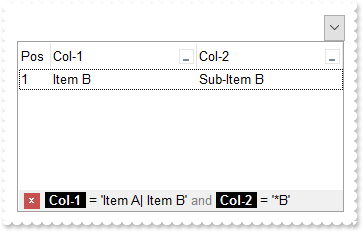
/*
	Copy and paste the following directives to your header file as
	it defines the namespace 'EXCOMBOBOXLib' for the library: 'ExComboBox 1.0 Control Library'

	#import <ExComboBox.dll>
	using namespace EXCOMBOBOXLib;
*/
EXCOMBOBOXLib::IComboBoxPtr spComboBox1 = GetDlgItem(IDC_COMBOBOX1)->GetControlUnknown();
spComboBox1->BeginUpdate();
EXCOMBOBOXLib::IColumnPtr var_Column = ((EXCOMBOBOXLib::IColumnPtr)(spComboBox1->GetColumns()->Add(L"Col-1")));
	var_Column->PutDisplayFilterButton(VARIANT_TRUE);
	var_Column->PutFilterList(EXCOMBOBOXLib::FilterListEnum(EXCOMBOBOXLib::exShowExclude | EXCOMBOBOXLib::exShowFocusItem | EXCOMBOBOXLib::exShowCheckBox | EXCOMBOBOXLib::exSortItemsAsc));
EXCOMBOBOXLib::IColumnPtr var_Column1 = ((EXCOMBOBOXLib::IColumnPtr)(spComboBox1->GetColumns()->Add(L"Col-2")));
	var_Column1->PutDisplayFilterButton(VARIANT_TRUE);
	var_Column1->PutFilterList(EXCOMBOBOXLib::FilterListEnum(EXCOMBOBOXLib::exShowExclude | EXCOMBOBOXLib::exShowFocusItem | EXCOMBOBOXLib::exShowCheckBox | EXCOMBOBOXLib::exSortItemsAsc));
EXCOMBOBOXLib::IColumnPtr var_Column2 = ((EXCOMBOBOXLib::IColumnPtr)(spComboBox1->GetColumns()->Add(L"Pos")));
	var_Column2->PutAllowSizing(VARIANT_FALSE);
	var_Column2->PutAllowSort(VARIANT_FALSE);
	var_Column2->PutWidth(32);
	var_Column2->PutFormatColumn(L"1 apos ``");
	var_Column2->PutPosition(0);
EXCOMBOBOXLib::IItemsPtr var_Items = spComboBox1->GetItems();
	var_Items->PutCellCaption(var_Items->AddItem("Item A"),long(1),"Sub-Item A");
	var_Items->PutCellCaption(var_Items->AddItem("Item B"),long(1),"Sub-Item B");
	var_Items->PutCellCaption(var_Items->AddItem("Item C"),long(1),"Sub-Item C");
/*
	Copy and paste the following directives to your header file as
	it defines the namespace 'stdole' for the library: 'OLE Automation'

	#import <stdole2.tlb>
*/
spComboBox1->PutFilterBarFont(IFontDispPtr(((stdole::FontPtr)(spComboBox1->GetFont()))));
spComboBox1->PutDescription(EXCOMBOBOXLib::exFilterBarAnd,_bstr_t(spComboBox1->FormatABC(L"`<fgcolor=808080>` + value + `</fgcolor>`",spComboBox1->GetDescription(EXCOMBOBOXLib::exFilterBarAnd),vtMissing,vtMissing)));
spComboBox1->PutFilterBarCaption(L"value replace `[` with `<bgcolor=000000><fgcolor=FFFFFF><b> ` replace `]` with ` </b></bgcolor></fgcolor>`");
spComboBox1->PutFilterBarPromptVisible(EXCOMBOBOXLib::exFilterBarToggle);
EXCOMBOBOXLib::IColumnPtr var_Column3 = spComboBox1->GetColumns()->GetItem(long(0));
	var_Column3->PutFilterType(EXCOMBOBOXLib::exFilter);
	var_Column3->PutFilter(L"Item A|Item B");
EXCOMBOBOXLib::IColumnPtr var_Column4 = spComboBox1->GetColumns()->GetItem(long(1));
	var_Column4->PutFilterType(EXCOMBOBOXLib::exPattern);
	var_Column4->PutFilter(L"*B");
spComboBox1->ApplyFilter();
spComboBox1->EndUpdate();
|
|
521
|
Is it possible to somehow highlight the column's name different than its filter value in the control's filter bar ( sample 1 )
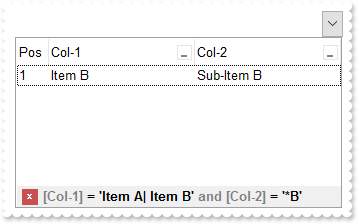
/*
	Copy and paste the following directives to your header file as
	it defines the namespace 'EXCOMBOBOXLib' for the library: 'ExComboBox 1.0 Control Library'

	#import <ExComboBox.dll>
	using namespace EXCOMBOBOXLib;
*/
EXCOMBOBOXLib::IComboBoxPtr spComboBox1 = GetDlgItem(IDC_COMBOBOX1)->GetControlUnknown();
spComboBox1->BeginUpdate();
EXCOMBOBOXLib::IColumnPtr var_Column = ((EXCOMBOBOXLib::IColumnPtr)(spComboBox1->GetColumns()->Add(L"Col-1")));
	var_Column->PutDisplayFilterButton(VARIANT_TRUE);
	var_Column->PutFilterList(EXCOMBOBOXLib::FilterListEnum(EXCOMBOBOXLib::exShowExclude | EXCOMBOBOXLib::exShowFocusItem | EXCOMBOBOXLib::exShowCheckBox | EXCOMBOBOXLib::exSortItemsAsc));
EXCOMBOBOXLib::IColumnPtr var_Column1 = ((EXCOMBOBOXLib::IColumnPtr)(spComboBox1->GetColumns()->Add(L"Col-2")));
	var_Column1->PutDisplayFilterButton(VARIANT_TRUE);
	var_Column1->PutFilterList(EXCOMBOBOXLib::FilterListEnum(EXCOMBOBOXLib::exShowExclude | EXCOMBOBOXLib::exShowFocusItem | EXCOMBOBOXLib::exShowCheckBox | EXCOMBOBOXLib::exSortItemsAsc));
EXCOMBOBOXLib::IColumnPtr var_Column2 = ((EXCOMBOBOXLib::IColumnPtr)(spComboBox1->GetColumns()->Add(L"Pos")));
	var_Column2->PutAllowSizing(VARIANT_FALSE);
	var_Column2->PutAllowSort(VARIANT_FALSE);
	var_Column2->PutWidth(32);
	var_Column2->PutFormatColumn(L"1 apos ``");
	var_Column2->PutPosition(0);
EXCOMBOBOXLib::IItemsPtr var_Items = spComboBox1->GetItems();
	var_Items->PutCellCaption(var_Items->AddItem("Item A"),long(1),"Sub-Item A");
	var_Items->PutCellCaption(var_Items->AddItem("Item B"),long(1),"Sub-Item B");
	var_Items->PutCellCaption(var_Items->AddItem("Item C"),long(1),"Sub-Item C");
spComboBox1->PutDescription(EXCOMBOBOXLib::exFilterBarAnd,_bstr_t(spComboBox1->FormatABC(L"`<fgcolor=808080>` + value + `</fgcolor>`",spComboBox1->GetDescription(EXCOMBOBOXLib::exFilterBarAnd),vtMissing,vtMissing)));
spComboBox1->PutFilterBarCaption(L"value replace `[` with `<fgcolor=808080>[` replace `]` with `]</fgcolor>`");
spComboBox1->PutFilterBarPromptVisible(EXCOMBOBOXLib::exFilterBarToggle);
EXCOMBOBOXLib::IColumnPtr var_Column3 = spComboBox1->GetColumns()->GetItem(long(0));
	var_Column3->PutFilterType(EXCOMBOBOXLib::exFilter);
	var_Column3->PutFilter(L"Item A|Item B");
EXCOMBOBOXLib::IColumnPtr var_Column4 = spComboBox1->GetColumns()->GetItem(long(1));
	var_Column4->PutFilterType(EXCOMBOBOXLib::exPattern);
	var_Column4->PutFilter(L"*B");
spComboBox1->ApplyFilter();
spComboBox1->EndUpdate();
|
|
520
|
Is it possible to automatically displays the control's filter label to the right
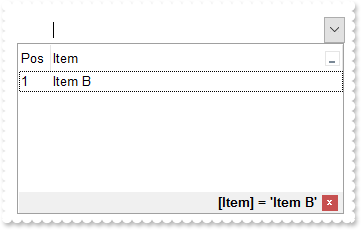
/*
	Copy and paste the following directives to your header file as
	it defines the namespace 'EXCOMBOBOXLib' for the library: 'ExComboBox 1.0 Control Library'

	#import <ExComboBox.dll>
	using namespace EXCOMBOBOXLib;
*/
EXCOMBOBOXLib::IComboBoxPtr spComboBox1 = GetDlgItem(IDC_COMBOBOX1)->GetControlUnknown();
spComboBox1->BeginUpdate();
EXCOMBOBOXLib::IColumnPtr var_Column = ((EXCOMBOBOXLib::IColumnPtr)(spComboBox1->GetColumns()->Add(L"Item")));
	var_Column->PutDisplayFilterButton(VARIANT_TRUE);
	var_Column->PutFilterList(EXCOMBOBOXLib::FilterListEnum(EXCOMBOBOXLib::exShowExclude | EXCOMBOBOXLib::exShowFocusItem | EXCOMBOBOXLib::exShowCheckBox | EXCOMBOBOXLib::exSortItemsAsc));
EXCOMBOBOXLib::IColumnPtr var_Column1 = ((EXCOMBOBOXLib::IColumnPtr)(spComboBox1->GetColumns()->Add(L"Pos")));
	var_Column1->PutAllowSizing(VARIANT_FALSE);
	var_Column1->PutAllowSort(VARIANT_FALSE);
	var_Column1->PutWidth(32);
	var_Column1->PutFormatColumn(L"1 apos ``");
	var_Column1->PutPosition(0);
EXCOMBOBOXLib::IItemsPtr var_Items = spComboBox1->GetItems();
	var_Items->AddItem("Item A");
	var_Items->AddItem("Item B");
	var_Items->AddItem("Item C");
spComboBox1->PutFilterBarCaption(L"`<r>` + value");
spComboBox1->PutFilterBarPromptVisible(EXCOMBOBOXLib::FilterBarVisibleEnum(EXCOMBOBOXLib::exFilterBarShowCloseOnRight | EXCOMBOBOXLib::exFilterBarToggle));
EXCOMBOBOXLib::IColumnPtr var_Column2 = spComboBox1->GetColumns()->GetItem(long(0));
	var_Column2->PutFilterType(EXCOMBOBOXLib::exFilter);
	var_Column2->PutFilter(L"Item B");
spComboBox1->ApplyFilter();
spComboBox1->EndUpdate();
|
|
519
|
How can I get the number of results/items being shown in the control's filter bar (sample 4)
/*
	Copy and paste the following directives to your header file as
	it defines the namespace 'EXCOMBOBOXLib' for the library: 'ExComboBox 1.0 Control Library'

	#import <ExComboBox.dll>
	using namespace EXCOMBOBOXLib;
*/
EXCOMBOBOXLib::IComboBoxPtr spComboBox1 = GetDlgItem(IDC_COMBOBOX1)->GetControlUnknown();
spComboBox1->BeginUpdate();
EXCOMBOBOXLib::IColumnPtr var_Column = ((EXCOMBOBOXLib::IColumnPtr)(spComboBox1->GetColumns()->Add(L"Item")));
	var_Column->PutDisplayFilterButton(VARIANT_TRUE);
	var_Column->PutFilterList(EXCOMBOBOXLib::FilterListEnum(EXCOMBOBOXLib::exShowExclude | EXCOMBOBOXLib::exShowFocusItem | EXCOMBOBOXLib::exShowCheckBox | EXCOMBOBOXLib::exSortItemsAsc));
EXCOMBOBOXLib::IColumnPtr var_Column1 = ((EXCOMBOBOXLib::IColumnPtr)(spComboBox1->GetColumns()->Add(L"Pos")));
	var_Column1->PutAllowSizing(VARIANT_FALSE);
	var_Column1->PutAllowSort(VARIANT_FALSE);
	var_Column1->PutWidth(32);
	var_Column1->PutFormatColumn(L"1 apos ``");
	var_Column1->PutPosition(0);
EXCOMBOBOXLib::IItemsPtr var_Items = spComboBox1->GetItems();
	var_Items->AddItem("Item A");
	var_Items->AddItem("Item B");
	var_Items->AddItem("Item C");
/*
	Copy and paste the following directives to your header file as
	it defines the namespace 'stdole' for the library: 'OLE Automation'

	#import <stdole2.tlb>
*/
spComboBox1->PutFilterBarFont(IFontDispPtr(((stdole::FontPtr)(spComboBox1->GetFont()))));
spComboBox1->PutFilterBarPrompt(_bstr_t(spComboBox1->FormatABC(L"`<b>` + value",spComboBox1->GetFilterBarPrompt(),vtMissing,vtMissing)));
spComboBox1->PutFilterBarCaption(_bstr_t("`<b><r>` + value + `</b><fgcolor=808080>` + ( matchitemcount < 0 ? ( ( len(value) ? `<br>` : `` ) + `<r>` + abs(matchitemcount ") +
	"+ 1) + ` result(s)` ) : (`<fgcolor=808080>`+ itemcount + ` item(s)`) )");
spComboBox1->PutFilterBarPromptVisible(EXCOMBOBOXLib::FilterBarVisibleEnum(EXCOMBOBOXLib::exFilterBarCompact | EXCOMBOBOXLib::exFilterBarShowCloseOnRight | EXCOMBOBOXLib::exFilterBarShowCloseIfRequired | EXCOMBOBOXLib::exFilterBarCaptionVisible | EXCOMBOBOXLib::exFilterBarVisible | EXCOMBOBOXLib::exFilterBarPromptVisible));
spComboBox1->EndUpdate();
|
|
518
|
How can I get the number of results being shown in the control's filter bar (sample 3)
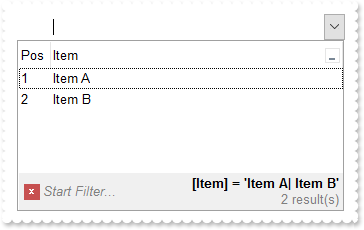
/*
	Copy and paste the following directives to your header file as
	it defines the namespace 'EXCOMBOBOXLib' for the library: 'ExComboBox 1.0 Control Library'

	#import <ExComboBox.dll>
	using namespace EXCOMBOBOXLib;
*/
EXCOMBOBOXLib::IComboBoxPtr spComboBox1 = GetDlgItem(IDC_COMBOBOX1)->GetControlUnknown();
spComboBox1->BeginUpdate();
((EXCOMBOBOXLib::IColumnPtr)(spComboBox1->GetColumns()->Add(L"Item")))->PutDisplayFilterButton(VARIANT_TRUE);
EXCOMBOBOXLib::IColumnPtr var_Column = ((EXCOMBOBOXLib::IColumnPtr)(spComboBox1->GetColumns()->Add(L"Pos")));
	var_Column->PutAllowSizing(VARIANT_FALSE);
	var_Column->PutAllowSort(VARIANT_FALSE);
	var_Column->PutWidth(32);
	var_Column->PutFormatColumn(L"1 apos ``");
	var_Column->PutPosition(0);
EXCOMBOBOXLib::IItemsPtr var_Items = spComboBox1->GetItems();
	var_Items->AddItem("Item A");
	var_Items->AddItem("Item B");
	var_Items->AddItem("Item C");
/*
	Copy and paste the following directives to your header file as
	it defines the namespace 'stdole' for the library: 'OLE Automation'

	#import <stdole2.tlb>
*/
spComboBox1->PutFilterBarFont(IFontDispPtr(((stdole::FontPtr)(spComboBox1->GetFont()))));
spComboBox1->PutFilterBarCaption(_bstr_t("`<b><r>` + value + `</b><fgcolor=808080>` + ( matchitemcount < 0 ? ( ( len(value) ? `<br>` : `` ) + `<r>` + abs(matchitemcount ") +
	"+ 1) + ` result(s)` ) : ``)");
spComboBox1->PutFilterBarPromptVisible(EXCOMBOBOXLib::FilterBarVisibleEnum(EXCOMBOBOXLib::exFilterBarCompact | EXCOMBOBOXLib::exFilterBarCaptionVisible | EXCOMBOBOXLib::exFilterBarVisible | EXCOMBOBOXLib::exFilterBarPromptVisible));
EXCOMBOBOXLib::IColumnPtr var_Column1 = spComboBox1->GetColumns()->GetItem(long(0));
	var_Column1->PutFilterType(EXCOMBOBOXLib::exFilter);
	var_Column1->PutFilter(L"Item A|Item B");
spComboBox1->ApplyFilter();
spComboBox1->EndUpdate();
|
|
517
|
How can I get the number of results being shown in the control's filter bar (sample 2, compact)
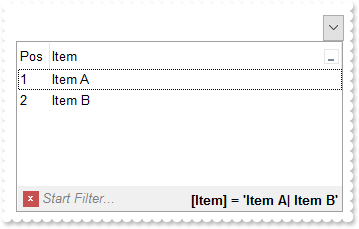
/*
	Copy and paste the following directives to your header file as
	it defines the namespace 'EXCOMBOBOXLib' for the library: 'ExComboBox 1.0 Control Library'

	#import <ExComboBox.dll>
	using namespace EXCOMBOBOXLib;
*/
EXCOMBOBOXLib::IComboBoxPtr spComboBox1 = GetDlgItem(IDC_COMBOBOX1)->GetControlUnknown();
spComboBox1->BeginUpdate();
((EXCOMBOBOXLib::IColumnPtr)(spComboBox1->GetColumns()->Add(L"Item")))->PutDisplayFilterButton(VARIANT_TRUE);
EXCOMBOBOXLib::IColumnPtr var_Column = ((EXCOMBOBOXLib::IColumnPtr)(spComboBox1->GetColumns()->Add(L"Pos")));
	var_Column->PutAllowSizing(VARIANT_FALSE);
	var_Column->PutAllowSort(VARIANT_FALSE);
	var_Column->PutWidth(32);
	var_Column->PutFormatColumn(L"1 apos ``");
	var_Column->PutPosition(0);
EXCOMBOBOXLib::IItemsPtr var_Items = spComboBox1->GetItems();
	var_Items->AddItem("Item A");
	var_Items->AddItem("Item B");
	var_Items->AddItem("Item C");
/*
	Copy and paste the following directives to your header file as
	it defines the namespace 'stdole' for the library: 'OLE Automation'

	#import <stdole2.tlb>
*/
spComboBox1->PutFilterBarFont(IFontDispPtr(((stdole::FontPtr)(spComboBox1->GetFont()))));
spComboBox1->PutFilterBarCaption(L"`<b><r>` + value + `</b><fgcolor=808080>` + ( matchitemcount < 0 ? `<off -4> ` + abs(matchitemcount + 1) + ` result(s)` : ``)");
spComboBox1->PutFilterBarPromptVisible(EXCOMBOBOXLib::FilterBarVisibleEnum(EXCOMBOBOXLib::exFilterBarCompact | EXCOMBOBOXLib::exFilterBarSingleLine | EXCOMBOBOXLib::exFilterBarCaptionVisible | EXCOMBOBOXLib::exFilterBarVisible | EXCOMBOBOXLib::exFilterBarPromptVisible));
EXCOMBOBOXLib::IColumnPtr var_Column1 = spComboBox1->GetColumns()->GetItem(long(0));
	var_Column1->PutFilterType(EXCOMBOBOXLib::exFilter);
	var_Column1->PutFilter(L"Item A|Item B");
spComboBox1->ApplyFilter();
spComboBox1->EndUpdate();
|
|
516
|
How can I get the number of results being shown in the control's filter bar (sample 1)
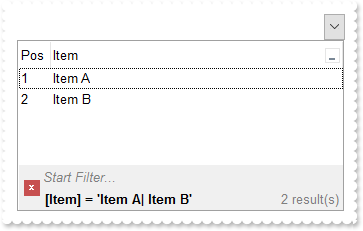
/*
	Copy and paste the following directives to your header file as
	it defines the namespace 'EXCOMBOBOXLib' for the library: 'ExComboBox 1.0 Control Library'

	#import <ExComboBox.dll>
	using namespace EXCOMBOBOXLib;
*/
EXCOMBOBOXLib::IComboBoxPtr spComboBox1 = GetDlgItem(IDC_COMBOBOX1)->GetControlUnknown();
spComboBox1->BeginUpdate();
((EXCOMBOBOXLib::IColumnPtr)(spComboBox1->GetColumns()->Add(L"Item")))->PutDisplayFilterButton(VARIANT_TRUE);
EXCOMBOBOXLib::IColumnPtr var_Column = ((EXCOMBOBOXLib::IColumnPtr)(spComboBox1->GetColumns()->Add(L"Pos")));
	var_Column->PutAllowSizing(VARIANT_FALSE);
	var_Column->PutAllowSort(VARIANT_FALSE);
	var_Column->PutWidth(32);
	var_Column->PutFormatColumn(L"1 apos ``");
	var_Column->PutPosition(0);
EXCOMBOBOXLib::IItemsPtr var_Items = spComboBox1->GetItems();
	var_Items->AddItem("Item A");
	var_Items->AddItem("Item B");
	var_Items->AddItem("Item C");
/*
	Copy and paste the following directives to your header file as
	it defines the namespace 'stdole' for the library: 'OLE Automation'

	#import <stdole2.tlb>
*/
spComboBox1->PutFilterBarFont(IFontDispPtr(((stdole::FontPtr)(spComboBox1->GetFont()))));
spComboBox1->PutFilterBarCaption(L"`<b>` + value + `</b><r><fgcolor=808080>` + ( matchitemcount < 0 ? abs(matchitemcount + 1) + ` result(s)` : ``)");
spComboBox1->PutFilterBarPromptVisible(EXCOMBOBOXLib::FilterBarVisibleEnum(EXCOMBOBOXLib::exFilterBarCaptionVisible | EXCOMBOBOXLib::exFilterBarVisible | EXCOMBOBOXLib::exFilterBarPromptVisible));
EXCOMBOBOXLib::IColumnPtr var_Column1 = spComboBox1->GetColumns()->GetItem(long(0));
	var_Column1->PutFilterType(EXCOMBOBOXLib::exFilter);
	var_Column1->PutFilter(L"Item A|Item B");
spComboBox1->ApplyFilter();
spComboBox1->EndUpdate();
|
|
515
|
FilterBarCaption Predefined Keywords
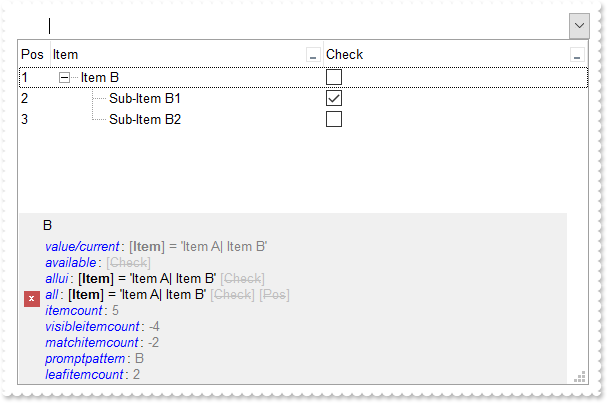
// AfterExpandItem event - Fired after an item is expanded (collapsed).
void OnAfterExpandItemComboBox1(long   Item)
{
	/*
		Copy and paste the following directives to your header file as
		it defines the namespace 'EXCOMBOBOXLib' for the library: 'ExComboBox 1.0 Control Library'
		#import <ExComboBox.dll>
		using namespace EXCOMBOBOXLib;
	*/
	EXCOMBOBOXLib::IComboBoxPtr spComboBox1 = GetDlgItem(IDC_COMBOBOX1)->GetControlUnknown();
	spComboBox1->Refresh();
}

EXCOMBOBOXLib::IComboBoxPtr spComboBox1 = GetDlgItem(IDC_COMBOBOX1)->GetControlUnknown();
spComboBox1->BeginUpdate();
spComboBox1->PutLinesAtRoot(EXCOMBOBOXLib::exLinesAtRoot);
((EXCOMBOBOXLib::IColumnPtr)(spComboBox1->GetColumns()->Add(L"Item")))->PutDisplayFilterButton(VARIANT_TRUE);
EXCOMBOBOXLib::IColumnPtr var_Column = ((EXCOMBOBOXLib::IColumnPtr)(spComboBox1->GetColumns()->Add(L"Check")));
	var_Column->PutDef(EXCOMBOBOXLib::exCellHasCheckBox,VARIANT_TRUE);
	var_Column->PutDisplayFilterButton(VARIANT_TRUE);
	var_Column->PutDisplayFilterPattern(VARIANT_FALSE);
	var_Column->PutFilterType(EXCOMBOBOXLib::exCheck);
EXCOMBOBOXLib::IColumnPtr var_Column1 = ((EXCOMBOBOXLib::IColumnPtr)(spComboBox1->GetColumns()->Add(L"Pos")));
	var_Column1->PutAllowSizing(VARIANT_FALSE);
	var_Column1->PutAllowSort(VARIANT_FALSE);
	var_Column1->PutWidth(32);
	var_Column1->PutFormatColumn(L"1 apos ``");
	var_Column1->PutPosition(0);
EXCOMBOBOXLib::IItemsPtr var_Items = spComboBox1->GetItems();
	var_Items->AddItem("Item A");
	long h = var_Items->AddItem("Item B");
	var_Items->PutCellState(var_Items->InsertItem(h,vtMissing,"Sub-Item B1"),long(1),1);
	var_Items->InsertItem(h,vtMissing,"Sub-Item B2");
	var_Items->PutExpandItem(h,VARIANT_TRUE);
	var_Items->AddItem("Item C");
spComboBox1->PutFilterInclude(EXCOMBOBOXLib::exItemsWithChilds);
/*
	Copy and paste the following directives to your header file as
	it defines the namespace 'stdole' for the library: 'OLE Automation'

	#import <stdole2.tlb>
*/
spComboBox1->PutFilterBarFont(IFontDispPtr(((stdole::FontPtr)(spComboBox1->GetFont()))));
spComboBox1->PutFilterBarCaption(_bstr_t("`<fgcolor=0000FF><i>value/current</i></fgcolor>: <fgcolor=808080>` + value + `</fgcolor>` + `<br><fgcolor=0000FF><i>available</") +
	"i></fgcolor>: ` + available + `<br><fgcolor=0000FF><i>allui</i></fgcolor>: ` + allui + `<br><fgcolor=0000FF><i>all</i></fgcolor>" +
	": ` + all + `<br><fgcolor=0000FF><i>itemcount</i></fgcolor>: <fgcolor=808080>` + itemcount + `</fgcolor>`+ `<br><fgcolor=0000FF>" +
	"<i>visibleitemcount</i></fgcolor>: <fgcolor=808080>` + visibleitemcount + `</fgcolor>`+ `<br><fgcolor=0000FF><i>matchitemcount</" +
	"i></fgcolor>: <fgcolor=808080>` + matchitemcount + `</fgcolor>`+ `<br><fgcolor=0000FF><i>promptpattern</i></fgcolor>: <fgcolor=8" +
	"08080>` + promptpattern + `</fgcolor>`+ `<br><fgcolor=0000FF><i>leafitemcount</i></fgcolor>: <fgcolor=808080>` + leafitemcount +" +
	" `</fgcolor>`");
spComboBox1->PutFilterBarPromptPattern(L"B");
spComboBox1->PutFilterBarPromptVisible(EXCOMBOBOXLib::FilterBarVisibleEnum(EXCOMBOBOXLib::exFilterBarCaptionVisible | EXCOMBOBOXLib::exFilterBarVisible | EXCOMBOBOXLib::exFilterBarPromptVisible));
EXCOMBOBOXLib::IColumnPtr var_Column2 = spComboBox1->GetColumns()->GetItem(long(0));
	var_Column2->PutFilterType(EXCOMBOBOXLib::exFilter);
	var_Column2->PutFilter(L"Item A|Item B");
spComboBox1->ApplyFilter();
spComboBox1->EndUpdate();
|
|
514
|
I am using filter prompt feature, and also column's filter, just wondering if possible to compact displaying the filter bar so it won't show on multiple lines
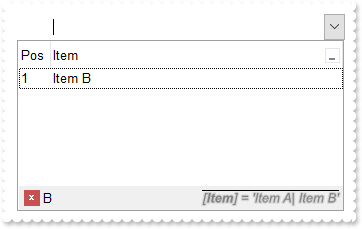
/*
	Copy and paste the following directives to your header file as
	it defines the namespace 'EXCOMBOBOXLib' for the library: 'ExComboBox 1.0 Control Library'

	#import <ExComboBox.dll>
	using namespace EXCOMBOBOXLib;
*/
EXCOMBOBOXLib::IComboBoxPtr spComboBox1 = GetDlgItem(IDC_COMBOBOX1)->GetControlUnknown();
spComboBox1->BeginUpdate();
((EXCOMBOBOXLib::IColumnPtr)(spComboBox1->GetColumns()->Add(L"Item")))->PutDisplayFilterButton(VARIANT_TRUE);
EXCOMBOBOXLib::IColumnPtr var_Column = ((EXCOMBOBOXLib::IColumnPtr)(spComboBox1->GetColumns()->Add(L"Pos")));
	var_Column->PutAllowSizing(VARIANT_FALSE);
	var_Column->PutAllowSort(VARIANT_FALSE);
	var_Column->PutWidth(32);
	var_Column->PutFormatColumn(L"1 apos ``");
	var_Column->PutPosition(0);
EXCOMBOBOXLib::IItemsPtr var_Items = spComboBox1->GetItems();
	var_Items->AddItem("Item A");
	var_Items->AddItem("Item B");
	var_Items->AddItem("Item C");
/*
	Copy and paste the following directives to your header file as
	it defines the namespace 'stdole' for the library: 'OLE Automation'

	#import <stdole2.tlb>
*/
spComboBox1->PutFilterBarFont(IFontDispPtr(((stdole::FontPtr)(spComboBox1->GetFont()))));
spComboBox1->PutFilterBarCaption(L"`<r><i><fgcolor=808080><upline><solidline><sha ;;0>` + value");
spComboBox1->PutFilterBarPromptPattern(L"B");
spComboBox1->PutFilterBarPromptVisible(EXCOMBOBOXLib::FilterBarVisibleEnum(EXCOMBOBOXLib::exFilterBarCompact | EXCOMBOBOXLib::exFilterBarSingleLine | EXCOMBOBOXLib::exFilterBarVisible | EXCOMBOBOXLib::exFilterBarPromptVisible));
EXCOMBOBOXLib::IColumnPtr var_Column1 = spComboBox1->GetColumns()->GetItem(long(0));
	var_Column1->PutFilterType(EXCOMBOBOXLib::exFilter);
	var_Column1->PutFilter(L"Item A|Item B");
spComboBox1->ApplyFilter();
spComboBox1->EndUpdate();
|
|
513
|
Just wondering if it is possible to show the filter bar's close button on the right ( sample 2 )
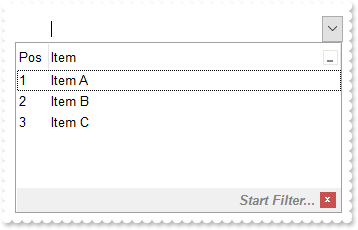
/*
	Copy and paste the following directives to your header file as
	it defines the namespace 'EXCOMBOBOXLib' for the library: 'ExComboBox 1.0 Control Library'

	#import <ExComboBox.dll>
	using namespace EXCOMBOBOXLib;
*/
EXCOMBOBOXLib::IComboBoxPtr spComboBox1 = GetDlgItem(IDC_COMBOBOX1)->GetControlUnknown();
spComboBox1->BeginUpdate();
((EXCOMBOBOXLib::IColumnPtr)(spComboBox1->GetColumns()->Add(L"Item")))->PutDisplayFilterButton(VARIANT_TRUE);
EXCOMBOBOXLib::IColumnPtr var_Column = ((EXCOMBOBOXLib::IColumnPtr)(spComboBox1->GetColumns()->Add(L"Pos")));
	var_Column->PutAllowSizing(VARIANT_FALSE);
	var_Column->PutAllowSort(VARIANT_FALSE);
	var_Column->PutWidth(32);
	var_Column->PutFormatColumn(L"1 apos ``");
	var_Column->PutPosition(0);
EXCOMBOBOXLib::IItemsPtr var_Items = spComboBox1->GetItems();
	var_Items->AddItem("Item A");
	var_Items->AddItem("Item B");
	var_Items->AddItem("Item C");
spComboBox1->PutFilterBarPromptVisible(EXCOMBOBOXLib::FilterBarVisibleEnum(EXCOMBOBOXLib::exFilterBarShowCloseOnRight | EXCOMBOBOXLib::exFilterBarToggle | EXCOMBOBOXLib::exFilterBarPromptVisible));
spComboBox1->PutFilterBarPrompt(_bstr_t(spComboBox1->FormatABC(L"`<r>` + value",spComboBox1->GetFilterBarPrompt(),vtMissing,vtMissing)));
spComboBox1->EndUpdate();
|
|
512
|
Just wondering if it is possible to show the filter bar's close button on the right ( sample 1 )
/*
	Copy and paste the following directives to your header file as
	it defines the namespace 'EXCOMBOBOXLib' for the library: 'ExComboBox 1.0 Control Library'

	#import <ExComboBox.dll>
	using namespace EXCOMBOBOXLib;
*/
EXCOMBOBOXLib::IComboBoxPtr spComboBox1 = GetDlgItem(IDC_COMBOBOX1)->GetControlUnknown();
spComboBox1->BeginUpdate();
spComboBox1->PutRightToLeft(VARIANT_TRUE);
((EXCOMBOBOXLib::IColumnPtr)(spComboBox1->GetColumns()->Add(L"Item")))->PutDisplayFilterButton(VARIANT_TRUE);
EXCOMBOBOXLib::IColumnPtr var_Column = ((EXCOMBOBOXLib::IColumnPtr)(spComboBox1->GetColumns()->Add(L"Pos")));
	var_Column->PutAllowSizing(VARIANT_FALSE);
	var_Column->PutAllowSort(VARIANT_FALSE);
	var_Column->PutWidth(32);
	var_Column->PutFormatColumn(L"1 apos ``");
	var_Column->PutPosition(0);
EXCOMBOBOXLib::IItemsPtr var_Items = spComboBox1->GetItems();
	var_Items->AddItem("Item A");
	var_Items->AddItem("Item B");
	var_Items->AddItem("Item C");
spComboBox1->PutFilterBarPromptVisible(EXCOMBOBOXLib::FilterBarVisibleEnum(EXCOMBOBOXLib::exFilterBarToggle | EXCOMBOBOXLib::exFilterBarPromptVisible));
spComboBox1->EndUpdate();
|
|
511
|
How can I change the visual appearance of the filter bar's close button (EBN)
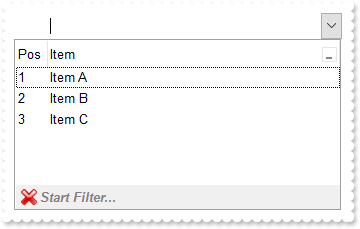
/*
	Copy and paste the following directives to your header file as
	it defines the namespace 'EXCOMBOBOXLib' for the library: 'ExComboBox 1.0 Control Library'

	#import <ExComboBox.dll>
	using namespace EXCOMBOBOXLib;
*/
EXCOMBOBOXLib::IComboBoxPtr spComboBox1 = GetDlgItem(IDC_COMBOBOX1)->GetControlUnknown();
spComboBox1->BeginUpdate();
EXCOMBOBOXLib::IAppearancePtr var_Appearance = spComboBox1->GetVisualAppearance();
	var_Appearance->Add(1,_bstr_t("gBFLBCJwBAEHhEJAAEhABHQDg6AADACAxRDgMQBQKAAzAJBIYhiG4cYCgMZhXDOCYXABCEYRXBIZQ7BKNIxjSJ5BhIAAyDSJMjSRJUEhqGCWYDleYYYAKHIMQLOg7IJ") +
	"jyI4/SJAYCydKAWhxIaZKJHCZoEDaTAADCNVAQp6MEIJVbVEI0e79OgBLp/Z7kECIJJAaRjHQdJxGLA8EhtCQhCZteK6SgMKJYXhWQYRXI1JwvMBrWrdQjiOYELQtMKm" +
	"SZNLYGG4dR5SVJbcYhSYsRRFMoyDIOXYDLKsdYqSpXIThObEGgaPqJYjsUjCMKnR7HVIURrBPC9TBPE69ZgmC6ucKPX51ShKFaBWDZcwFAS+UBuYCAILiEAQGZ1XT8OR" +
	"OicbgJgSTJRlCaZeDsHY7QGR4xkSYp3CaExZAQMgalQYAwjCAAfBANxcA2TgKAUOpDCGFhKg0RpXCwCwDHQHQHEyAIkCkOhbFOGA8A8DohBgRg9AccZcn8EpEjMLI2C2" +
	"DYxAgQgvAIUIVkoAAPBQDJlECTZ3CCYwDACQwUA8A5MCAWAWDiQi4l8aQOEgLJuBgBgDmYFAzEoIoIl0WALgKYJbBABADAAHgHg8VAMmqCQQDMXABAATYwTmNwBDATJX" +
	"AiAgjHmNQ5lgQ5QEQEQMmcWg/GwD5ylyNw2gMcJcjsBgBgOQQDDhRpVAMMwnDBFw1B0Ax8D0DxOmmJJIGQTY5hGMAwkwM4CAYLZAmAOJnAqAojiIGg6iieYkmeAYOHaK" +
	"JDCyCwjH6AoggsQpQliAJLhgaJ0CESBTnyDwjk+cg4g4P5IHIHJ+BWRRzlYWAxiOUxihsY4KjKLJRGqC44FCegkkkM58iAKAPnIWIWD8SRSFSfQnkmewUhYP4GiGKJ7G" +
	"0TIbCSUoggqUo0lAQ4LnEcBcD8Coiiif4nE+eAAn2HpOkcFJqi4T5SkyMw/kqQown8IBIBOdA+A+DJrBqVxXEqYo4lCApLhGHBnD8S4ymyfxmg+cwQkQP5egOUZIWoEA" +
	"kjIeIPBMBJBD+TBjBifwvkuc58hQJQPmFrYykkchclSApKjGOBuD+TRDFCfw3mmIxNi8FxFlOXhVC4aYDFyPgvg2YBcBcLZGCGCJ0DSLRzGSWQ/lmY5+mEP5gmMDBZRS" +
	"MRsFsOxMhMJJ/DsTpTnwaQaE+N5ojuNhdEYNI5C4TZJO1GRDmCaxnA2Yx4n8IpIjOTBQBQC5TgyYw7gUYRYikC0BYRwsDQBoB8eA6Q2hsE0BUXgywZtYCyHMKwnxSAhA" +
	"QHkIQhRrBaDsCwA4ERiB2EWAIYIXhhiVEgAEUYwwYjyASLge4FhHgRDkM8OQih0jWPkGgBBAQ");
((EXCOMBOBOXLib::IColumnPtr)(spComboBox1->GetColumns()->Add(L"Item")))->PutDisplayFilterButton(VARIANT_TRUE);
EXCOMBOBOXLib::IColumnPtr var_Column = ((EXCOMBOBOXLib::IColumnPtr)(spComboBox1->GetColumns()->Add(L"Pos")));
	var_Column->PutAllowSizing(VARIANT_FALSE);
	var_Column->PutAllowSort(VARIANT_FALSE);
	var_Column->PutWidth(32);
	var_Column->PutFormatColumn(L"1 apos ``");
	var_Column->PutPosition(0);
EXCOMBOBOXLib::IItemsPtr var_Items = spComboBox1->GetItems();
	var_Items->AddItem("Item A");
	var_Items->AddItem("Item B");
	var_Items->AddItem("Item C");
spComboBox1->PutFilterBarPromptVisible(EXCOMBOBOXLib::FilterBarVisibleEnum(EXCOMBOBOXLib::exFilterBarToggle | EXCOMBOBOXLib::exFilterBarPromptVisible));
spComboBox1->PutBackground(EXCOMBOBOXLib::exFooterFilterBarButton,0x1000000);
spComboBox1->EndUpdate();
|
|
510
|
How can I change the visual appearance of the filter bar's close button (solid)
/*
	Copy and paste the following directives to your header file as
	it defines the namespace 'EXCOMBOBOXLib' for the library: 'ExComboBox 1.0 Control Library'

	#import <ExComboBox.dll>
	using namespace EXCOMBOBOXLib;
*/
EXCOMBOBOXLib::IComboBoxPtr spComboBox1 = GetDlgItem(IDC_COMBOBOX1)->GetControlUnknown();
spComboBox1->BeginUpdate();
((EXCOMBOBOXLib::IColumnPtr)(spComboBox1->GetColumns()->Add(L"Item")))->PutDisplayFilterButton(VARIANT_TRUE);
EXCOMBOBOXLib::IColumnPtr var_Column = ((EXCOMBOBOXLib::IColumnPtr)(spComboBox1->GetColumns()->Add(L"Pos")));
	var_Column->PutAllowSizing(VARIANT_FALSE);
	var_Column->PutAllowSort(VARIANT_FALSE);
	var_Column->PutWidth(32);
	var_Column->PutFormatColumn(L"1 apos ``");
	var_Column->PutPosition(0);
EXCOMBOBOXLib::IItemsPtr var_Items = spComboBox1->GetItems();
	var_Items->AddItem("Item A");
	var_Items->AddItem("Item B");
	var_Items->AddItem("Item C");
spComboBox1->PutFilterBarPromptVisible(EXCOMBOBOXLib::exFilterBarPromptVisible);
spComboBox1->PutBackground(EXCOMBOBOXLib::exFooterFilterBarButton,RGB(255,0,0));
spComboBox1->EndUpdate();
|
|
509
|
Is it possible to prevent definitely showing the filter bar's close button
/*
	Copy and paste the following directives to your header file as
	it defines the namespace 'EXCOMBOBOXLib' for the library: 'ExComboBox 1.0 Control Library'

	#import <ExComboBox.dll>
	using namespace EXCOMBOBOXLib;
*/
EXCOMBOBOXLib::IComboBoxPtr spComboBox1 = GetDlgItem(IDC_COMBOBOX1)->GetControlUnknown();
spComboBox1->BeginUpdate();
((EXCOMBOBOXLib::IColumnPtr)(spComboBox1->GetColumns()->Add(L"Item")))->PutDisplayFilterButton(VARIANT_TRUE);
EXCOMBOBOXLib::IColumnPtr var_Column = ((EXCOMBOBOXLib::IColumnPtr)(spComboBox1->GetColumns()->Add(L"Pos")));
	var_Column->PutAllowSizing(VARIANT_FALSE);
	var_Column->PutAllowSort(VARIANT_FALSE);
	var_Column->PutWidth(32);
	var_Column->PutFormatColumn(L"1 apos ``");
	var_Column->PutPosition(0);
EXCOMBOBOXLib::IItemsPtr var_Items = spComboBox1->GetItems();
	var_Items->AddItem("Item A");
	var_Items->AddItem("Item B");
	var_Items->AddItem("Item C");
spComboBox1->PutFilterBarPromptVisible(EXCOMBOBOXLib::exFilterBarPromptVisible);
spComboBox1->PutBackground(EXCOMBOBOXLib::exFooterFilterBarButton,-1);
spComboBox1->EndUpdate();
|
|
508
|
Is it possible to show the close button only if there is a filter applied
/*
	Copy and paste the following directives to your header file as
	it defines the namespace 'EXCOMBOBOXLib' for the library: 'ExComboBox 1.0 Control Library'

	#import <ExComboBox.dll>
	using namespace EXCOMBOBOXLib;
*/
EXCOMBOBOXLib::IComboBoxPtr spComboBox1 = GetDlgItem(IDC_COMBOBOX1)->GetControlUnknown();
spComboBox1->BeginUpdate();
((EXCOMBOBOXLib::IColumnPtr)(spComboBox1->GetColumns()->Add(L"Item")))->PutDisplayFilterButton(VARIANT_TRUE);
EXCOMBOBOXLib::IColumnPtr var_Column = ((EXCOMBOBOXLib::IColumnPtr)(spComboBox1->GetColumns()->Add(L"Pos")));
	var_Column->PutAllowSizing(VARIANT_FALSE);
	var_Column->PutAllowSort(VARIANT_FALSE);
	var_Column->PutWidth(32);
	var_Column->PutFormatColumn(L"1 apos ``");
	var_Column->PutPosition(0);
EXCOMBOBOXLib::IItemsPtr var_Items = spComboBox1->GetItems();
	var_Items->AddItem("Item A");
	var_Items->AddItem("Item B");
	var_Items->AddItem("Item C");
spComboBox1->PutFilterBarPromptVisible(EXCOMBOBOXLib::FilterBarVisibleEnum(EXCOMBOBOXLib::exFilterBarShowCloseIfRequired | EXCOMBOBOXLib::exFilterBarPromptVisible));
spComboBox1->EndUpdate();
|
|
507
|
The control's filter bar is not closed once I click the close button (toggle)
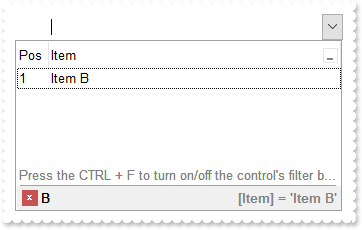
/*
	Copy and paste the following directives to your header file as
	it defines the namespace 'EXCOMBOBOXLib' for the library: 'ExComboBox 1.0 Control Library'

	#import <ExComboBox.dll>
	using namespace EXCOMBOBOXLib;
*/
EXCOMBOBOXLib::IComboBoxPtr spComboBox1 = GetDlgItem(IDC_COMBOBOX1)->GetControlUnknown();
spComboBox1->BeginUpdate();
((EXCOMBOBOXLib::IColumnPtr)(spComboBox1->GetColumns()->Add(L"Item")))->PutDisplayFilterButton(VARIANT_TRUE);
EXCOMBOBOXLib::IColumnPtr var_Column = ((EXCOMBOBOXLib::IColumnPtr)(spComboBox1->GetColumns()->Add(L"Pos")));
	var_Column->PutAllowSizing(VARIANT_FALSE);
	var_Column->PutAllowSort(VARIANT_FALSE);
	var_Column->PutWidth(32);
	var_Column->PutFormatColumn(L"1 apos ``");
	var_Column->PutPosition(0);
EXCOMBOBOXLib::IItemsPtr var_Items = spComboBox1->GetItems();
	var_Items->AddItem("Item A");
	var_Items->AddItem("Item B");
	var_Items->AddItem("Item C");
	var_Items->PutLockedItemCount(EXCOMBOBOXLib::exBottom,1);
	long h = var_Items->GetLockedItem(EXCOMBOBOXLib::exBottom,0);
	var_Items->PutItemDivider(h,0);
	var_Items->PutCellCaption(h,long(0),"<c><fgcolor=808080>Press the CTRL + F to turn on/off the control's filter bar. ALT + Up/Down moves the focus.");
	var_Items->PutCellCaptionFormat(h,long(0),EXCOMBOBOXLib::exHTML);
spComboBox1->PutFilterBarCaption(L"`<r><fgcolor=808080>` + value");
spComboBox1->PutFilterBarPromptPattern(L"B");
spComboBox1->PutFilterBarPromptVisible(EXCOMBOBOXLib::FilterBarVisibleEnum(EXCOMBOBOXLib::exFilterBarCompact | EXCOMBOBOXLib::exFilterBarToggle | EXCOMBOBOXLib::exFilterBarSingleLine | EXCOMBOBOXLib::exFilterBarVisible | EXCOMBOBOXLib::exFilterBarPromptVisible));
EXCOMBOBOXLib::IColumnPtr var_Column1 = spComboBox1->GetColumns()->GetItem(long(0));
	var_Column1->PutFilterType(EXCOMBOBOXLib::exFilter);
	var_Column1->PutFilter(L"Item B");
spComboBox1->ApplyFilter();
spComboBox1->EndUpdate();
|
|
506
|
How can I display the control's filter on a single line
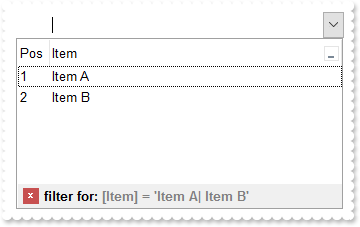
/*
	Copy and paste the following directives to your header file as
	it defines the namespace 'EXCOMBOBOXLib' for the library: 'ExComboBox 1.0 Control Library'

	#import <ExComboBox.dll>
	using namespace EXCOMBOBOXLib;
*/
EXCOMBOBOXLib::IComboBoxPtr spComboBox1 = GetDlgItem(IDC_COMBOBOX1)->GetControlUnknown();
spComboBox1->BeginUpdate();
((EXCOMBOBOXLib::IColumnPtr)(spComboBox1->GetColumns()->Add(L"Item")))->PutDisplayFilterButton(VARIANT_TRUE);
EXCOMBOBOXLib::IColumnPtr var_Column = ((EXCOMBOBOXLib::IColumnPtr)(spComboBox1->GetColumns()->Add(L"Pos")));
	var_Column->PutAllowSizing(VARIANT_FALSE);
	var_Column->PutAllowSort(VARIANT_FALSE);
	var_Column->PutWidth(32);
	var_Column->PutFormatColumn(L"1 apos ``");
	var_Column->PutPosition(0);
EXCOMBOBOXLib::IItemsPtr var_Items = spComboBox1->GetItems();
	var_Items->AddItem("Item A");
	var_Items->AddItem("Item B");
	var_Items->AddItem("Item C");
spComboBox1->PutFilterBarCaption(L"len(value) ? `filter for: <fgcolor 808080>` + value  : `<fgcolor 808080>no filter`");
spComboBox1->PutFilterBarPromptVisible(EXCOMBOBOXLib::FilterBarVisibleEnum(EXCOMBOBOXLib::exFilterBarSingleLine | EXCOMBOBOXLib::exFilterBarVisible));
EXCOMBOBOXLib::IColumnPtr var_Column1 = spComboBox1->GetColumns()->GetItem(long(0));
	var_Column1->PutFilterType(EXCOMBOBOXLib::exFilter);
	var_Column1->PutFilter(L"Item A|Item B");
spComboBox1->ApplyFilter();
spComboBox1->EndUpdate();
|
|
505
|
How can I display the control's filter on a single line (prompt-combined)
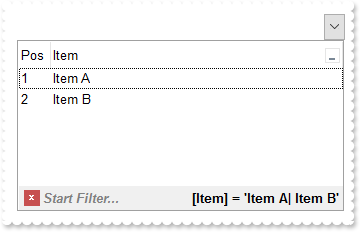
/*
	Copy and paste the following directives to your header file as
	it defines the namespace 'EXCOMBOBOXLib' for the library: 'ExComboBox 1.0 Control Library'

	#import <ExComboBox.dll>
	using namespace EXCOMBOBOXLib;
*/
EXCOMBOBOXLib::IComboBoxPtr spComboBox1 = GetDlgItem(IDC_COMBOBOX1)->GetControlUnknown();
spComboBox1->BeginUpdate();
((EXCOMBOBOXLib::IColumnPtr)(spComboBox1->GetColumns()->Add(L"Item")))->PutDisplayFilterButton(VARIANT_TRUE);
EXCOMBOBOXLib::IColumnPtr var_Column = ((EXCOMBOBOXLib::IColumnPtr)(spComboBox1->GetColumns()->Add(L"Pos")));
	var_Column->PutAllowSizing(VARIANT_FALSE);
	var_Column->PutAllowSort(VARIANT_FALSE);
	var_Column->PutWidth(32);
	var_Column->PutFormatColumn(L"1 apos ``");
	var_Column->PutPosition(0);
EXCOMBOBOXLib::IItemsPtr var_Items = spComboBox1->GetItems();
	var_Items->AddItem("Item A");
	var_Items->AddItem("Item B");
	var_Items->AddItem("Item C");
spComboBox1->PutFilterBarCaption(L"`<r>` + value");
spComboBox1->PutFilterBarPromptVisible(EXCOMBOBOXLib::FilterBarVisibleEnum(EXCOMBOBOXLib::exFilterBarCompact | EXCOMBOBOXLib::exFilterBarSingleLine | EXCOMBOBOXLib::exFilterBarVisible | EXCOMBOBOXLib::exFilterBarPromptVisible));
EXCOMBOBOXLib::IColumnPtr var_Column1 = spComboBox1->GetColumns()->GetItem(long(0));
	var_Column1->PutFilterType(EXCOMBOBOXLib::exFilter);
	var_Column1->PutFilter(L"Item A|Item B");
spComboBox1->ApplyFilter();
spComboBox1->EndUpdate();
|
|
504
|
How can I get the number of results after a filter is applied
// Click event - Occurs when the user presses and then releases the left mouse button over the list control.
void OnClickComboBox1()
{
	/*
		Copy and paste the following directives to your header file as
		it defines the namespace 'EXCOMBOBOXLib' for the library: 'ExComboBox 1.0 Control Library'
		#import <ExComboBox.dll>
		using namespace EXCOMBOBOXLib;
	*/
	EXCOMBOBOXLib::IComboBoxPtr spComboBox1 = GetDlgItem(IDC_COMBOBOX1)->GetControlUnknown();
	spComboBox1->ClearFilter();
}

// FilterChange event - Occurs when filter was changed.
void OnFilterChangeComboBox1()
{
	EXCOMBOBOXLib::IComboBoxPtr spComboBox1 = GetDlgItem(IDC_COMBOBOX1)->GetControlUnknown();
	OutputDebugStringW( L"Items.MatchItemCount" );
	OutputDebugStringW( _bstr_t(spComboBox1->GetItems()->GetMatchItemCount()) );
	OutputDebugStringW( _bstr_t(spComboBox1->FormatABC(L"value < 0 ? `filter applied: ` + abs(value + 1) + ` result(s)` : `no filter`",spComboBox1->GetItems()->GetMatchItemCount(),vtMissing,vtMissing)) );
}

EXCOMBOBOXLib::IComboBoxPtr spComboBox1 = GetDlgItem(IDC_COMBOBOX1)->GetControlUnknown();
spComboBox1->BeginUpdate();
((EXCOMBOBOXLib::IColumnPtr)(spComboBox1->GetColumns()->Add(L"Item")))->PutDisplayFilterButton(VARIANT_TRUE);
EXCOMBOBOXLib::IColumnPtr var_Column = ((EXCOMBOBOXLib::IColumnPtr)(spComboBox1->GetColumns()->Add(L"Pos")));
	var_Column->PutAllowSizing(VARIANT_FALSE);
	var_Column->PutAllowSort(VARIANT_FALSE);
	var_Column->PutWidth(32);
	var_Column->PutFormatColumn(L"1 apos ``");
	var_Column->PutPosition(0);
EXCOMBOBOXLib::IItemsPtr var_Items = spComboBox1->GetItems();
	var_Items->AddItem("Item A");
	var_Items->AddItem("Item B");
	var_Items->AddItem("Item C");
spComboBox1->PutFilterBarPromptVisible(EXCOMBOBOXLib::exFilterBarPromptVisible);
spComboBox1->PutFilterBarPromptPattern(L"Item");
spComboBox1->EndUpdate();
|
|
503
|
How can I programmatically clear the control's filter
// Click event - Occurs when the user presses and then releases the left mouse button over the list control.
void OnClickComboBox1()
{
	/*
		Copy and paste the following directives to your header file as
		it defines the namespace 'EXCOMBOBOXLib' for the library: 'ExComboBox 1.0 Control Library'
		#import <ExComboBox.dll>
		using namespace EXCOMBOBOXLib;
	*/
	EXCOMBOBOXLib::IComboBoxPtr spComboBox1 = GetDlgItem(IDC_COMBOBOX1)->GetControlUnknown();
	spComboBox1->ClearFilter();
}

EXCOMBOBOXLib::IComboBoxPtr spComboBox1 = GetDlgItem(IDC_COMBOBOX1)->GetControlUnknown();
spComboBox1->BeginUpdate();
((EXCOMBOBOXLib::IColumnPtr)(spComboBox1->GetColumns()->Add(L"Item")))->PutDisplayFilterButton(VARIANT_TRUE);
EXCOMBOBOXLib::IColumnPtr var_Column = ((EXCOMBOBOXLib::IColumnPtr)(spComboBox1->GetColumns()->Add(L"Pos")));
	var_Column->PutAllowSizing(VARIANT_FALSE);
	var_Column->PutAllowSort(VARIANT_FALSE);
	var_Column->PutWidth(32);
	var_Column->PutFormatColumn(L"1 apos ``");
	var_Column->PutPosition(0);
EXCOMBOBOXLib::IItemsPtr var_Items = spComboBox1->GetItems();
	var_Items->AddItem("Item A");
	var_Items->AddItem("Item B");
	var_Items->AddItem("Item C");
spComboBox1->PutFilterBarPromptVisible(EXCOMBOBOXLib::exFilterBarPromptVisible);
spComboBox1->PutFilterBarPromptPattern(L"B");
spComboBox1->EndUpdate();
|
|
502
|
Is it possible to prevent closing the control's filter bar, so it is always shown (prompt-combined)
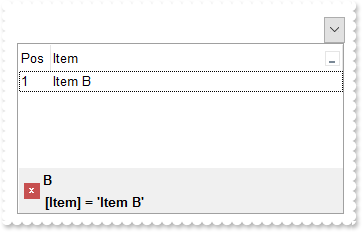
/*
	Copy and paste the following directives to your header file as
	it defines the namespace 'EXCOMBOBOXLib' for the library: 'ExComboBox 1.0 Control Library'

	#import <ExComboBox.dll>
	using namespace EXCOMBOBOXLib;
*/
EXCOMBOBOXLib::IComboBoxPtr spComboBox1 = GetDlgItem(IDC_COMBOBOX1)->GetControlUnknown();
spComboBox1->BeginUpdate();
((EXCOMBOBOXLib::IColumnPtr)(spComboBox1->GetColumns()->Add(L"Item")))->PutDisplayFilterButton(VARIANT_TRUE);
EXCOMBOBOXLib::IColumnPtr var_Column = ((EXCOMBOBOXLib::IColumnPtr)(spComboBox1->GetColumns()->Add(L"Pos")));
	var_Column->PutAllowSizing(VARIANT_FALSE);
	var_Column->PutAllowSort(VARIANT_FALSE);
	var_Column->PutWidth(32);
	var_Column->PutFormatColumn(L"1 apos ``");
	var_Column->PutPosition(0);
EXCOMBOBOXLib::IItemsPtr var_Items = spComboBox1->GetItems();
	var_Items->AddItem("Item A");
	var_Items->AddItem("Item B");
	var_Items->AddItem("Item C");
spComboBox1->PutFilterBarPromptPattern(L"B");
spComboBox1->PutFilterBarPromptVisible(EXCOMBOBOXLib::FilterBarVisibleEnum(EXCOMBOBOXLib::exFilterBarVisible | EXCOMBOBOXLib::exFilterBarPromptVisible));
EXCOMBOBOXLib::IColumnPtr var_Column1 = spComboBox1->GetColumns()->GetItem(long(0));
	var_Column1->PutFilterType(EXCOMBOBOXLib::exFilter);
	var_Column1->PutFilter(L"Item B");
spComboBox1->ApplyFilter();
spComboBox1->EndUpdate();
|
|
501
|
Is it possible to prevent closing the control's filter bar, so it is always shown (prompt)
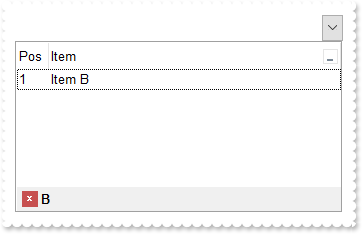
/*
	Copy and paste the following directives to your header file as
	it defines the namespace 'EXCOMBOBOXLib' for the library: 'ExComboBox 1.0 Control Library'

	#import <ExComboBox.dll>
	using namespace EXCOMBOBOXLib;
*/
EXCOMBOBOXLib::IComboBoxPtr spComboBox1 = GetDlgItem(IDC_COMBOBOX1)->GetControlUnknown();
spComboBox1->BeginUpdate();
((EXCOMBOBOXLib::IColumnPtr)(spComboBox1->GetColumns()->Add(L"Item")))->PutDisplayFilterButton(VARIANT_TRUE);
EXCOMBOBOXLib::IColumnPtr var_Column = ((EXCOMBOBOXLib::IColumnPtr)(spComboBox1->GetColumns()->Add(L"Pos")));
	var_Column->PutAllowSizing(VARIANT_FALSE);
	var_Column->PutAllowSort(VARIANT_FALSE);
	var_Column->PutWidth(32);
	var_Column->PutFormatColumn(L"1 apos ``");
	var_Column->PutPosition(0);
EXCOMBOBOXLib::IItemsPtr var_Items = spComboBox1->GetItems();
	var_Items->AddItem("Item A");
	var_Items->AddItem("Item B");
	var_Items->AddItem("Item C");
spComboBox1->PutFilterBarPromptVisible(EXCOMBOBOXLib::exFilterBarPromptVisible);
spComboBox1->PutFilterBarPromptPattern(L"B");
spComboBox1->EndUpdate();
|