method Appearance.Add (ID as Long, Skin as Variant)
Adds or replaces a skin object to the control.

 TypeDescription 
   ID as Long A Long expression that indicates the index of the skin being added or replaced. The value must be between 1 and 126, so Appearance collection should holds no more than 126 elements.  
   Skin as Variant
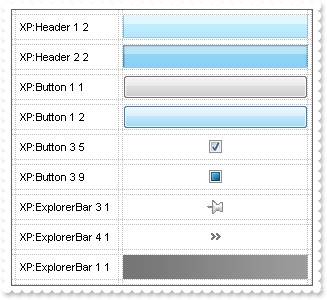
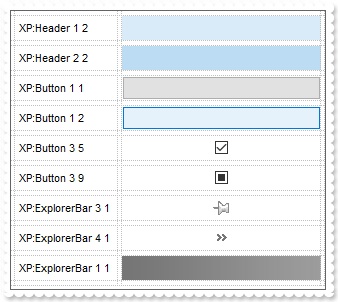
  1. an Windows XP Theme part, it should start with "XP:". For instance the "XP:Header 1 2" indicates the part 1 of the Header class in the state 2, in the current Windows XP theme. In this case the format of the Skin parameter should be: "XP: Control/ClassName Part State" where the ClassName defines the window/control class name in the Windows XP Theme, the Part indicates a long expression that defines the part, and the State indicates the state like listed at the end of the document. This option is available only on Windows XP that supports Themes API.
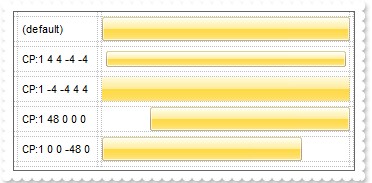
  2. a copy of another skin with different coordinates, if it begins with "CP:" . For instance, you may need to display a specified skin on a smaller rectangle. In this case, the string starts with "CP:", and contains the following "CP:n l t r b", where the n is the identifier being copied, the l, t, r, and b indicate the left, top, right and bottom coordinates being used to adjust the rectangle where the skin is displayed. For instance, the "CP:1 4 0 -4 0", indicates that the skin is displayed on a smaller rectangle like follows. Let's say that the control requests painting the {10, 10, 30, 20} area, a rectangle with the width of 20 pixels, and the height of 10 pixels, the skin will be displayed on the {14,10,26,20} as each coordinates in the "CP" syntax is added to the displayed rectangle, so the skin looks smaller. This way you can apply different effects to your objects in your control. 
  3. the path to the skin file ( *.ebn ). The Exontrol's exButton component installs a skin builder that should be used to create new skins
  4. the BASE64 encoded string that holds a skin file ( *.ebn ). Use the Exontrol's exImages tool to build BASE 64 encoded strings on the skin file (*.ebn) you have created. Loading the skin from a file ( eventually uncompressed file ) is always faster then loading from a BASE64 encoded string 
 
 
 ReturnDescription 
  BooleanA Boolean expression that indicates whether the new skin was added or replaced. 
Use the Add method to add or replace skins to the control. The skin method, in it's simplest form, uses a single graphic file (*.ebn) assigned to a part of the control. By using a collection of objects laid over the graphic, it is possible to define which sections of the graphic will be used as borders, corners and other possible elements, fixing them to their proper position regardless of the size of the part. Use the Remove method to remove a specific skin from the control. Use the Clear method to remove all skins in the control.

The identifier you choose for the skin is very important to be used in the background properties like explained bellow. Shortly, the color properties uses 4 bytes ( DWORD, double WORD, and so on ) to hold a RGB value. More than that, the first byte ( most significant byte in the color ) is used only to specify system color. if the first bit in the byte is 1, the rest of bits indicates the index of the system color being used. So, we use the last 7 bits in the high significant byte of the color to indicates the identifier of the skin being used. So, since the 7 bits can cover 127 values, excluding 0, we have 126 possibilities to store an identifier in that byte. This way, a DWORD expression indicates the background color stored in RRGGBB format and the index of the skin ( ID parameter ) in the last 7 bits in the high significant byte of the color. For instance, the BackColor = BackColor Or &H2000000 indicates that we apply the skin with the index 2 using the old color, to the object that BackColor is applied.

The skin method may change the visual appearance for the following parts in the control:

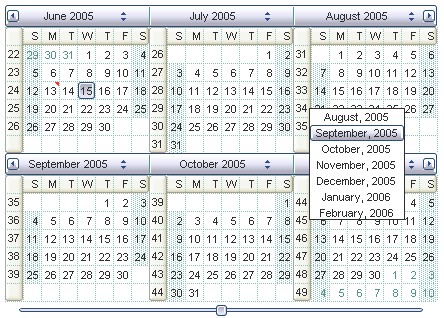
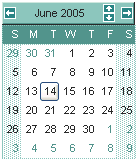
For instance, the following VB sample changes the visual appearance for the selected date. The SelBackColor property indicates the selection background color. Shortly, we need to add a skin to the Appearance object using the Add method, and we need to set the last 7 bits in the SelBackColor property to indicates the index of the skin that we want to use. The sample applies the "" to the selected date(s):

With Calendar1
    With .VisualAppearance
        .Add &H23, "D:\Temp\ExCalendar.Help\seldate.ebn"
    End With
    .SelBackColor = &H23000000
End With

The following C++ sample changes the visual appearance for selected date:

m_calendar.GetVisualAppearance().Add( 0x23, COleVariant("D:\\Temp\\ExCalendar.Help\\seldate.ebn"));
m_calendar.SetSelBackColor( 0x23000000 );

The following VB.NET sample changes the visual appearance for selected date:

With AxCalendar1
    With .VisualAppearance
        .Add(&H23, "D:\Temp\ExCalendar.Help\seldate.ebn")
    End With
    .Template = "SelBackColor = 587202560"
End With

where the 587202560 value in hexa representation is &H23000000 

The following C# sample changes the visual appearance for selected date:

axCalendar1.VisualAppearance.Add(0x23, "D:\\Temp\\ExCalendar.Help\\seldate.ebn");
axCalendar1.Template = "SelBackColor = 587202560";

where the 587202560 value in hexa representation is 0x23000000 

The following VFP sample changes the visual appearance for selected date:

With thisform.Calendar1
    With .VisualAppearance
        .Add(35, "D:\Temp\ExCalendar.Help\seldate.ebn")
    EndWith
    .SelBackColor = 587202560
EndWith

where the 587202560 value in hexa representation is 0x23000000, 35 is 0x23 in hexa

The screen shot was generated using the following template:


Send comments on this topic.
© 1999-2008 Exontrol Inc, Software. All rights reserved.